
Versión de One UI · registros de firmware
One UI 8.5
EstableConsulta las compilaciones documentadas y los registros del rastreador de One UI 8.5 por modelo Galaxy exacto y región de firmware.
710 compilaciones exactas documentadas →Hay registros de firmwareTodos los modelos Galaxy · Hasta 2026-08-31
Los registros de la fuente no confirman la entrega a un teléfono.
35Productos
701Pares modelo/región
56Regiones de firmware
62Países coloreados
Versión de One UI · registros de firmware
Explora One UI 8.5 por modelo y región
Todos los modelos GalaxyHasta 2026-08-31701 pares modelo/CSC coincidentes
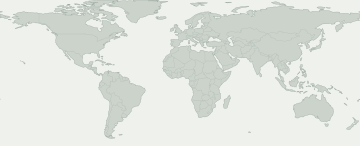
Compilación documentadaObservación del rastreadorMercados de firmware más amplios
Selecciona una zona coloreada para ver su registro de firmware. El azul indica un mercado amplio, como Europa o el Cáucaso, y no un registro de cada país.
Mercados de firmware más amplios
Selecciona un mercado para ver el registro y su fuente. La disponibilidad puede variar dentro del área coloreada.
Ninguna región de firmware del mapa coincide con esta selección. Consulta la actividad CSC para ver los registros exactos.
Algunas regiones de firmware no tienen una ubicación conocida en el mapa. Sus registros siguen en la tabla.
Modelos y regiones de firmware
Abre un producto Galaxy para comparar sus códigos de modelo exactos. Debajo de cada código verás los mercados con registros de firmware de esta versión. Busca tu código en Acerca del teléfono.
35 productos Galaxy · 150 modelos exactos · 56 regiones de firmware
Compilación documentadaObservación del rastreador
Los números indican cuántos modelos exactos tienen un registro en cada región de firmware. Abre un producto para ver los modelos y sus fuentes.
Un registro en la fuente no garantiza que tu teléfono tenga la actualización. Compruébalo en Ajustes → Actualización de software.
Comprobar mi Galaxy
¿Qué sabemos de tu Galaxy?
Elige el modelo exacto y el CSC de firmware, no tu ubicación.
Elige tu dispositivo para consultar esta versión.
Evolución del despliegue
Actividad registrada
Primera aparición en cada par modelo/región. Las comprobaciones repetidas sin cambios no aumentan el total.
- 3
- 7
- 1
- 3
- 1
- 7
- 5
- 1
- 3
- 1
- 2
- 1
Cobertura por modelos
Modelos Galaxy con registros de firmware
Despliega un modelo para ver el código exacto, CSC, primera compilación, fecha y registro de origen.
Galaxy A161 Pares modelo/región
Galaxy A25 5G1 Pares modelo/región
Galaxy A25 5G (Japan)4 Pares modelo/región
Galaxy A34 5G1 Pares modelo/región
Galaxy A35 5G3 Pares modelo/región
Galaxy A36 5G3 Pares modelo/región
Galaxy A54 5G4 Pares modelo/región
Galaxy A55 5G3 Pares modelo/región
Galaxy A56 5G4 Pares modelo/región
Galaxy S2339 Pares modelo/región
SC-51D / DCM
SC51DOMU1EZE2Fecha de publicación de la compilaciónSCG19 / KDISCG19KDU1EZE2Fecha de publicación de la compilaciónSM-S911B / XSGS911BXXU9FZDPFecha de publicación de la compilaciónSM-S911C / RKTS911CONU1EZE2Fecha de publicación de la compilaciónSM-S911N / KTCS911NKSU7FZDTFecha de publicación de la compilaciónSM-S911N / LUCS911NKSU7FZDTFecha de publicación de la compilaciónSM-S911N / SKCS911NKSU7FZDTFecha de publicación de la compilaciónSM-S911U / CCTS911USQU7FZE2Fecha de publicación de la compilaciónSM-S911U / CHAS911USQU7FZE2Fecha de publicación de la compilaciónSM-S911U / TMBS911USQU7FZE2Fecha de publicación de la compilaciónSM-S911U / TMKS911USQU7FZE2Fecha de publicación de la compilaciónSM-S911U / USCS911USQU7FZE2Fecha de publicación de la compilaciónSM-S911U1 / ACGS911U1UEU7FZE2Fecha de publicación de la compilaciónSM-S911U1 / AIOS911U1UEU7FZE2Fecha de publicación de la compilaciónSM-S911U1 / ATTS911U1UEU7FZE2Fecha de publicación de la compilaciónSM-S911U1 / CCTS911U1UEU7FZE2Fecha de publicación de la compilaciónSM-S911U1 / CHAS911U1UEU7FZE2Fecha de publicación de la compilaciónSM-S911U1 / LRAS911U1UEU7FZE2Fecha de publicación de la compilaciónSM-S911U1 / PCTS911U1UEU7FZE2Fecha de publicación de la compilaciónSM-S911U1 / TFNS911U1UEU7FZE2Fecha de publicación de la compilaciónSM-S911U1 / TMBS911U1UEU7FZE2Fecha de publicación de la compilaciónSM-S911U1 / TMKS911U1UEU7FZE2Fecha de publicación de la compilaciónSM-S911U1 / USCS911U1UEU7FZE2Fecha de publicación de la compilaciónSM-S911U1 / VZWS911U1UEU7FZE2Fecha de publicación de la compilaciónSM-S911U1 / XAAS911U1UEU7FZE2Fecha de publicación de la compilaciónSM-S911U1 / XAGS911U1UEU7FZE2Fecha de publicación de la compilaciónSM-S911U1 / XARS911U1UEU7FZE2Fecha de publicación de la compilaciónSM-S911W / BMCS911WVLU7FZE2Fecha de publicación de la compilaciónSM-S911W / BWAS911WVLU7FZE2Fecha de publicación de la compilaciónSM-S911W / CHRS911WVLU7FZE2Fecha de publicación de la compilaciónSM-S911W / ESKS911WVLU7FZE2Fecha de publicación de la compilaciónSM-S911W / FMCS911WVLU7FZE2Fecha de publicación de la compilaciónSM-S911W / GLWS911WVLU7FZE2Fecha de publicación de la compilaciónSM-S911W / KDOS911WVLU7FZE2Fecha de publicación de la compilaciónSM-S911W / RWCS911WVLU7FZE2Fecha de publicación de la compilaciónSM-S911W / TLSS911WVLU7FZE2Fecha de publicación de la compilaciónSM-S911W / VMCS911WVLU7FZE2Fecha de publicación de la compilaciónSM-S911W / VTRS911WVLU7FZE2Fecha de publicación de la compilaciónSM-S911W / XACS911WVLU7FZE2Fecha de publicación de la compilaciónVer registro →Galaxy S23 FE2 Pares modelo/región
Galaxy S23 Ultra43 Pares modelo/región
SC-52D / DCM
SC52DOMU1EZE2Fecha de publicación de la compilaciónSCG20 / KDISCG20KDU1EZE2Fecha de publicación de la compilaciónSM-S9180 / BRIS9180ZHU7FZDPFecha de publicación de la compilaciónSM-S918B / EUXS918BXXU9FZDPFecha de publicación de la compilaciónSM-S918B / XMES918BXXU9FZDPFecha de publicación de la compilaciónSM-S918B / XSGS918BXXU9FZDPFecha de publicación de la compilaciónSM-S918B / XXVS918BXXU9FZDPFecha de publicación de la compilaciónSM-S918N / KTCS918NKSU7FZDTFecha de publicación de la compilaciónSM-S918N / LUCS918NKSU7FZDTFecha de publicación de la compilaciónSM-S918N / SKCS918NKSU7FZDTFecha de publicación de la compilaciónSM-S918Q / SJPS918QOPU7EZE2Fecha de publicación de la compilaciónSM-S918U / CCTS918USQU7FZE2Fecha de publicación de la compilaciónSM-S918U / CHAS918USQU7FZE2Fecha de publicación de la compilaciónSM-S918U / TMBS918USQU7FZE2Fecha de publicación de la compilaciónSM-S918U / TMKS918USQU7FZE2Fecha de publicación de la compilaciónSM-S918U / USCS918USQU7FZE2Fecha de publicación de la compilaciónSM-S918U1 / ACGS918U1UEU7FZE2Fecha de publicación de la compilaciónSM-S918U1 / AIOS918U1UEU7FZE2Fecha de publicación de la compilaciónSM-S918U1 / ATTS918U1UEU7FZE2Fecha de publicación de la compilaciónSM-S918U1 / CCTS918U1UEU7FZE2Fecha de publicación de la compilaciónSM-S918U1 / CHAS918U1UEU7FZE2Fecha de publicación de la compilaciónSM-S918U1 / LRAS918U1UEU7FZE2Fecha de publicación de la compilaciónSM-S918U1 / PCTS918U1UEU7FZE2Fecha de publicación de la compilaciónSM-S918U1 / TFNS918U1UEU7FZE2Fecha de publicación de la compilaciónSM-S918U1 / TMBS918U1UEU7FZE2Fecha de publicación de la compilaciónSM-S918U1 / TMKS918U1UEU7FZE2Fecha de publicación de la compilaciónSM-S918U1 / USCS918U1UEU7FZE2Fecha de publicación de la compilaciónSM-S918U1 / VZWS918U1UEU7FZE2Fecha de publicación de la compilaciónSM-S918U1 / XAAS918U1UEU7FZE2Fecha de publicación de la compilaciónSM-S918U1 / XAGS918U1UEU7FZE2Fecha de publicación de la compilaciónSM-S918U1 / XARS918U1UEU7FZE2Fecha de publicación de la compilaciónSM-S918W / BMCS918WVLU7FZE2Fecha de publicación de la compilaciónSM-S918W / BWAS918WVLU7FZE2Fecha de publicación de la compilaciónSM-S918W / CHRS918WVLU7FZE2Fecha de publicación de la compilaciónSM-S918W / ESKS918WVLU7FZE2Fecha de publicación de la compilaciónSM-S918W / FMCS918WVLU7FZE2Fecha de publicación de la compilaciónSM-S918W / GLWS918WVLU7FZE2Fecha de publicación de la compilaciónSM-S918W / KDOS918WVLU7FZE2Fecha de publicación de la compilaciónSM-S918W / RWCS918WVLU7FZE2Fecha de publicación de la compilaciónSM-S918W / TLSS918WVLU7FZE2Fecha de publicación de la compilaciónSM-S918W / VMCS918WVLU7FZE2Fecha de publicación de la compilaciónSM-S918W / VTRS918WVLU7FZE2Fecha de publicación de la compilaciónSM-S918W / XACS918WVLU7FZE2Fecha de publicación de la compilaciónVer registro →Galaxy S23+38 Pares modelo/región
SM-S916B / CAU
S916BXXU9FZDPFecha de publicación de la compilaciónSM-S916B / EUXS916BXXU9FZDPFecha de publicación de la compilaciónSM-S916B / XXVS916BXXU9FZDPFecha de publicación de la compilaciónSM-S916N / KTCS916NKSU7FZDTFecha de publicación de la compilaciónSM-S916N / LUCS916NKSU7FZDTFecha de publicación de la compilaciónSM-S916N / SKCS916NKSU7FZDTFecha de publicación de la compilaciónSM-S916U / CCTS916USQU7FZE2Fecha de publicación de la compilaciónSM-S916U / CHAS916USQU7FZE2Fecha de publicación de la compilaciónSM-S916U / TMBS916USQU7FZE2Fecha de publicación de la compilaciónSM-S916U / TMKS916USQU7FZE2Fecha de publicación de la compilaciónSM-S916U / USCS916USQU7FZE2Fecha de publicación de la compilaciónSM-S916U1 / ACGS916U1UEU7FZE2Fecha de publicación de la compilaciónSM-S916U1 / AIOS916U1UEU7FZE2Fecha de publicación de la compilaciónSM-S916U1 / ATTS916U1UEU7FZE2Fecha de publicación de la compilaciónSM-S916U1 / CCTS916U1UEU7FZE2Fecha de publicación de la compilaciónSM-S916U1 / CHAS916U1UEU7FZE2Fecha de publicación de la compilaciónSM-S916U1 / LRAS916U1UEU7FZE2Fecha de publicación de la compilaciónSM-S916U1 / PCTS916U1UEU7FZE2Fecha de publicación de la compilaciónSM-S916U1 / TFNS916U1UEU7FZE2Fecha de publicación de la compilaciónSM-S916U1 / TMBS916U1UEU7FZE2Fecha de publicación de la compilaciónSM-S916U1 / TMKS916U1UEU7FZE2Fecha de publicación de la compilaciónSM-S916U1 / USCS916U1UEU7FZE2Fecha de publicación de la compilaciónSM-S916U1 / VZWS916U1UEU7FZE2Fecha de publicación de la compilaciónSM-S916U1 / XAAS916U1UEU7FZE2Fecha de publicación de la compilaciónSM-S916U1 / XAGS916U1UEU7FZE2Fecha de publicación de la compilaciónSM-S916U1 / XARS916U1UEU7FZE2Fecha de publicación de la compilaciónSM-S916W / BMCS916WVLU7FZE2Fecha de publicación de la compilaciónSM-S916W / BWAS916WVLU7FZE2Fecha de publicación de la compilaciónSM-S916W / CHRS916WVLU7FZE2Fecha de publicación de la compilaciónSM-S916W / ESKS916WVLU7FZE2Fecha de publicación de la compilaciónSM-S916W / FMCS916WVLU7FZE2Fecha de publicación de la compilaciónSM-S916W / GLWS916WVLU7FZE2Fecha de publicación de la compilaciónSM-S916W / KDOS916WVLU7FZE2Fecha de publicación de la compilaciónSM-S916W / RWCS916WVLU7FZE2Fecha de publicación de la compilaciónSM-S916W / TLSS916WVLU7FZE2Fecha de publicación de la compilaciónSM-S916W / VMCS916WVLU7FZE2Fecha de publicación de la compilaciónSM-S916W / VTRS916WVLU7FZE2Fecha de publicación de la compilaciónSM-S916W / XACS916WVLU7FZE2Fecha de publicación de la compilaciónVer registro →Galaxy S2440 Pares modelo/región
SC-51E / DCM
SC51EOMU1DZDPFecha de publicación de la compilaciónSCG25 / KDISCG25KDU1DZDPFecha de publicación de la compilaciónSM-S921B / CAUS921BXXUEDZDRFecha de publicación de la compilaciónSM-S921B / XFAS921BXXUEDZDRFecha de publicación de la compilaciónSM-S921N / KTCS921NKSUEDZDRFecha de publicación de la compilaciónSM-S921N / LUCS921NKSUEDZDRFecha de publicación de la compilaciónSM-S921N / SKCS921NKSUEDZDRFecha de publicación de la compilaciónSM-S921Q / SJPS921QOPU1DZDPFecha de publicación de la compilaciónSM-S921U / CCTS921USQU5DZDRFecha de publicación de la compilaciónSM-S921U / CHAS921USQU5DZDRFecha de publicación de la compilaciónSM-S921U / TMBS921USQU5DZDRFecha de publicación de la compilaciónSM-S921U / TMKS921USQU5DZDRFecha de publicación de la compilaciónSM-S921U / USCS921USQU5DZDRFecha de publicación de la compilaciónSM-S921U1 / ACGS921U1UEU5DZDRFecha de publicación de la compilaciónSM-S921U1 / AIOS921U1UEU5DZDRFecha de publicación de la compilaciónSM-S921U1 / ATTS921U1UEU5DZDRFecha de publicación de la compilaciónSM-S921U1 / CCTS921U1UEU5DZDRFecha de publicación de la compilaciónSM-S921U1 / CHAS921U1UEU5DZDRFecha de publicación de la compilaciónSM-S921U1 / LRAS921U1UEU5DZDRFecha de publicación de la compilaciónSM-S921U1 / PCTS921U1UEU5DZDRFecha de publicación de la compilaciónSM-S921U1 / TFNS921U1UEU5DZDRFecha de publicación de la compilaciónSM-S921U1 / TMBS921U1UEU5DZDRFecha de publicación de la compilaciónSM-S921U1 / TMKS921U1UEU5DZDRFecha de publicación de la compilaciónSM-S921U1 / USCS921U1UEU5DZDRFecha de publicación de la compilaciónSM-S921U1 / VZWS921U1UEU5DZDRFecha de publicación de la compilaciónSM-S921U1 / XAAS921U1UEU5DZDRFecha de publicación de la compilaciónSM-S921U1 / XAGS921U1UEU5DZDRFecha de publicación de la compilaciónSM-S921U1 / XARS921U1UEU5DZDRFecha de publicación de la compilaciónSM-S921W / BMCS921WVLU5DZDPFecha de publicación de la compilaciónSM-S921W / BWAS921WVLU5DZDPFecha de publicación de la compilaciónSM-S921W / CHRS921WVLU5DZDPFecha de publicación de la compilaciónSM-S921W / ESKS921WVLU5DZDPFecha de publicación de la compilaciónSM-S921W / FMCS921WVLU5DZDPFecha de publicación de la compilaciónSM-S921W / GLWS921WVLU5DZDPFecha de publicación de la compilaciónSM-S921W / KDOS921WVLU5DZDPFecha de publicación de la compilaciónSM-S921W / RWCS921WVLU5DZDPFecha de publicación de la compilaciónSM-S921W / TLSS921WVLU5DZDPFecha de publicación de la compilaciónSM-S921W / VMCS921WVLU5DZDPFecha de publicación de la compilaciónSM-S921W / VTRS921WVLU5DZDPFecha de publicación de la compilaciónSM-S921W / XACS921WVLU5DZDPFecha de publicación de la compilaciónVer registro →Galaxy S24 FE2 Pares modelo/región
Galaxy S24 Ultra46 Pares modelo/región
SC-52E / DCM
SC52EOMU1DZDPFecha de publicación de la compilaciónSCG26 / KDISCG26KDU1DZDPFecha de publicación de la compilaciónSM-S928B / CAUS928BXXU5DZDPFecha de publicación de la compilaciónSM-S928B / EUXS928BXXU5DZDPFecha de publicación de la compilaciónSM-S928B / LYSS928BXXU5DZDPFecha de publicación de la compilaciónSM-S928B / SERS928BXXU5DZDPFecha de publicación de la compilaciónSM-S928B / SKZS928BXXU5DZDPFecha de publicación de la compilaciónSM-S928B / THLS928BXXU5DZDPFecha de publicación de la compilaciónSM-S928B / XSGS928BXXU5DZDPFecha de publicación de la compilaciónSM-S928B / XXVS928BXXU5DZDPFecha de publicación de la compilaciónSM-S928N / KTCS928NKSU5DZDPFecha de publicación de la compilaciónSM-S928N / LUCS928NKSU5DZDPFecha de publicación de la compilaciónSM-S928N / SKCS928NKSU5DZDPFecha de publicación de la compilaciónSM-S928Q / SJPS928QOPU1DZDPFecha de publicación de la compilaciónSM-S928U / CCTS928USQU5DZDRFecha de publicación de la compilaciónSM-S928U / CHAS928USQU5DZDRFecha de publicación de la compilaciónSM-S928U / TMBS928USQU5DZDRFecha de publicación de la compilaciónSM-S928U / TMKS928USQU5DZDRFecha de publicación de la compilaciónSM-S928U / USCS928USQU5DZDRFecha de publicación de la compilaciónSM-S928U1 / ACGS928U1UEU5DZDRFecha de publicación de la compilaciónSM-S928U1 / AIOS928U1UEU5DZDRFecha de publicación de la compilaciónSM-S928U1 / ATTS928U1UEU5DZDRFecha de publicación de la compilaciónSM-S928U1 / CCTS928U1UEU5DZDRFecha de publicación de la compilaciónSM-S928U1 / CHAS928U1UEU5DZDRFecha de publicación de la compilaciónSM-S928U1 / LRAS928U1UEU5DZDRFecha de publicación de la compilaciónSM-S928U1 / PCTS928U1UEU5DZDRFecha de publicación de la compilaciónSM-S928U1 / TFNS928U1UEU5DZDRFecha de publicación de la compilaciónSM-S928U1 / TMBS928U1UEU5DZDRFecha de publicación de la compilaciónSM-S928U1 / TMKS928U1UEU5DZDRFecha de publicación de la compilaciónSM-S928U1 / USCS928U1UEU5DZDRFecha de publicación de la compilaciónSM-S928U1 / VZWS928U1UEU5DZDRFecha de publicación de la compilaciónSM-S928U1 / XAAS928U1UEU5DZDRFecha de publicación de la compilaciónSM-S928U1 / XAGS928U1UEU5DZDRFecha de publicación de la compilaciónSM-S928U1 / XARS928U1UEU5DZDRFecha de publicación de la compilaciónSM-S928W / BMCS928WVLU5DZDPFecha de publicación de la compilaciónSM-S928W / BWAS928WVLU5DZDPFecha de publicación de la compilaciónSM-S928W / CHRS928WVLU5DZDPFecha de publicación de la compilaciónSM-S928W / ESKS928WVLU5DZDPFecha de publicación de la compilaciónSM-S928W / FMCS928WVLU5DZDPFecha de publicación de la compilaciónSM-S928W / GLWS928WVLU5DZDPFecha de publicación de la compilaciónSM-S928W / KDOS928WVLU5DZDPFecha de publicación de la compilaciónSM-S928W / RWCS928WVLU5DZDPFecha de publicación de la compilaciónSM-S928W / TLSS928WVLU5DZDPFecha de publicación de la compilaciónSM-S928W / VMCS928WVLU5DZDPFecha de publicación de la compilaciónSM-S928W / VTRS928WVLU5DZDPFecha de publicación de la compilaciónSM-S928W / XACS928WVLU5DZDPFecha de publicación de la compilaciónVer registro →Galaxy S24+36 Pares modelo/región
SM-S926B / CAU
S926BXXUEDZDRFecha de publicación de la compilaciónSM-S926N / KTCS926NKSUEDZDRFecha de publicación de la compilaciónSM-S926N / LUCS926NKSUEDZDRFecha de publicación de la compilaciónSM-S926N / SKCS926NKSUEDZDRFecha de publicación de la compilaciónSM-S926U / CCTS926USQU5DZDRFecha de publicación de la compilaciónSM-S926U / CHAS926USQU5DZDRFecha de publicación de la compilaciónSM-S926U / TMBS926USQU5DZDRFecha de publicación de la compilaciónSM-S926U / TMKS926USQU5DZDRFecha de publicación de la compilaciónSM-S926U / USCS926USQU5DZDRFecha de publicación de la compilaciónSM-S926U1 / ACGS926U1UEU5DZDRFecha de publicación de la compilaciónSM-S926U1 / AIOS926U1UEU5DZDRFecha de publicación de la compilaciónSM-S926U1 / ATTS926U1UEU5DZDRFecha de publicación de la compilaciónSM-S926U1 / CCTS926U1UEU5DZDRFecha de publicación de la compilaciónSM-S926U1 / CHAS926U1UEU5DZDRFecha de publicación de la compilaciónSM-S926U1 / LRAS926U1UEU5DZDRFecha de publicación de la compilaciónSM-S926U1 / PCTS926U1UEU5DZDRFecha de publicación de la compilaciónSM-S926U1 / TFNS926U1UEU5DZDRFecha de publicación de la compilaciónSM-S926U1 / TMBS926U1UEU5DZDRFecha de publicación de la compilaciónSM-S926U1 / TMKS926U1UEU5DZDRFecha de publicación de la compilaciónSM-S926U1 / USCS926U1UEU5DZDRFecha de publicación de la compilaciónSM-S926U1 / VZWS926U1UEU5DZDRFecha de publicación de la compilaciónSM-S926U1 / XAAS926U1UEU5DZDRFecha de publicación de la compilaciónSM-S926U1 / XAGS926U1UEU5DZDRFecha de publicación de la compilaciónSM-S926U1 / XARS926U1UEU5DZDRFecha de publicación de la compilaciónSM-S926W / BMCS926WVLU5DZDPFecha de publicación de la compilaciónSM-S926W / BWAS926WVLU5DZDPFecha de publicación de la compilaciónSM-S926W / CHRS926WVLU5DZDPFecha de publicación de la compilaciónSM-S926W / ESKS926WVLU5DZDPFecha de publicación de la compilaciónSM-S926W / FMCS926WVLU5DZDPFecha de publicación de la compilaciónSM-S926W / GLWS926WVLU5DZDPFecha de publicación de la compilaciónSM-S926W / KDOS926WVLU5DZDPFecha de publicación de la compilaciónSM-S926W / RWCS926WVLU5DZDPFecha de publicación de la compilaciónSM-S926W / TLSS926WVLU5DZDPFecha de publicación de la compilaciónSM-S926W / VMCS926WVLU5DZDPFecha de publicación de la compilaciónSM-S926W / VTRS926WVLU5DZDPFecha de publicación de la compilaciónSM-S926W / XACS926WVLU5DZDPFecha de publicación de la compilaciónVer registro →Galaxy S2543 Pares modelo/región
SC-51F / DCM
SC51FOMU1CZDPFecha de publicación de la compilaciónSCG31 / KDISCG31KDU1CZDPFecha de publicación de la compilaciónSM-S931B / CAUS931BXXU9CZDPFecha de publicación de la compilaciónSM-S931B / INSS931BXXU9CZDPFecha de publicación de la compilaciónSM-S931B / LYSS931BXXU9CZDPFecha de publicación de la compilaciónSM-S931B / SKZS931BXXU9CZDPFecha de publicación de la compilaciónSM-S931N / KTCS931NKSU9CZDPFecha de publicación de la compilaciónSM-S931N / LUCS931NKSU9CZDPFecha de publicación de la compilaciónSM-S931N / SKCS931NKSU9CZDPFecha de publicación de la compilaciónSM-S931Q / SJPS931QOPU1CZDPFecha de publicación de la compilaciónSM-S931U / CCTS931USQU9CZDPFecha de publicación de la compilaciónSM-S931U / CHAS931USQU9CZDPFecha de publicación de la compilaciónSM-S931U / TMBS931USQU9CZDPFecha de publicación de la compilaciónSM-S931U / TMKS931USQU9CZDPFecha de publicación de la compilaciónSM-S931U / USCS931USQU9CZDPFecha de publicación de la compilaciónSM-S931U1 / ACGS931U1UEU9CZDPFecha de publicación de la compilaciónSM-S931U1 / AIOS931U1UEU9CZDPFecha de publicación de la compilaciónSM-S931U1 / ATTS931U1UEU9CZDPFecha de publicación de la compilaciónSM-S931U1 / CCTS931U1UEU9CZDPFecha de publicación de la compilaciónSM-S931U1 / CHAS931U1UEU9CZDPFecha de publicación de la compilaciónSM-S931U1 / LRAS931U1UEU9CZDPFecha de publicación de la compilaciónSM-S931U1 / PCTS931U1UEU9CZDPFecha de publicación de la compilaciónSM-S931U1 / TFNS931U1UEU9CZDPFecha de publicación de la compilaciónSM-S931U1 / TMBS931U1UEU9CZDPFecha de publicación de la compilaciónSM-S931U1 / TMKS931U1UEU9CZDPFecha de publicación de la compilaciónSM-S931U1 / USCS931U1UEU9CZDPFecha de publicación de la compilaciónSM-S931U1 / VZWS931U1UEU9CZDPFecha de publicación de la compilaciónSM-S931U1 / XAAS931U1UEU9CZDPFecha de publicación de la compilaciónSM-S931U1 / XAGS931U1UEU9CZDPFecha de publicación de la compilaciónSM-S931U1 / XARS931U1UEU9CZDPFecha de publicación de la compilaciónSM-S931W / BMCS931WVLU9CZDPFecha de publicación de la compilaciónSM-S931W / BWAS931WVLU9CZDPFecha de publicación de la compilaciónSM-S931W / CHRS931WVLU9CZDPFecha de publicación de la compilaciónSM-S931W / ESKS931WVLU9CZDPFecha de publicación de la compilaciónSM-S931W / FMCS931WVLU9CZDPFecha de publicación de la compilaciónSM-S931W / GLWS931WVLU9CZDPFecha de publicación de la compilaciónSM-S931W / KDOS931WVLU9CZDPFecha de publicación de la compilaciónSM-S931W / RWCS931WVLU9CZDPFecha de publicación de la compilaciónSM-S931W / TLSS931WVLU9CZDPFecha de publicación de la compilaciónSM-S931W / VMCS931WVLU9CZDPFecha de publicación de la compilaciónSM-S931W / VTRS931WVLU9CZDPFecha de publicación de la compilaciónSM-S931W / XACS931WVLU9CZDPFecha de publicación de la compilaciónSM-S931Z / SBMS931ZSCU1CZDPFecha de publicación de la compilaciónVer registro →Galaxy S25 Edge34 Pares modelo/región
SM-S937N / KTC
S937NKSU7CZDPFecha de publicación de la compilaciónSM-S937N / LUCS937NKSU7CZDPFecha de publicación de la compilaciónSM-S937N / SKCS937NKSU7CZDPFecha de publicación de la compilaciónSM-S937U / CCTS937USQU6CZDPFecha de publicación de la compilaciónSM-S937U / CHAS937USQU6CZDPFecha de publicación de la compilaciónSM-S937U / TMBS937USQU6CZDPFecha de publicación de la compilaciónSM-S937U / TMKS937USQU6CZDPFecha de publicación de la compilaciónSM-S937U / USCS937USQU6CZDPFecha de publicación de la compilaciónSM-S937U1 / ACGS937U1UEU6CZDPFecha de publicación de la compilaciónSM-S937U1 / AIOS937U1UEU6CZDPFecha de publicación de la compilaciónSM-S937U1 / ATTS937U1UEU6CZDPFecha de publicación de la compilaciónSM-S937U1 / CCTS937U1UEU6CZDPFecha de publicación de la compilaciónSM-S937U1 / CHAS937U1UEU6CZDPFecha de publicación de la compilaciónSM-S937U1 / LRAS937U1UEU6CZDPFecha de publicación de la compilaciónSM-S937U1 / TFNS937U1UEU6CZDPFecha de publicación de la compilaciónSM-S937U1 / TMBS937U1UEU6CZDPFecha de publicación de la compilaciónSM-S937U1 / TMKS937U1UEU6CZDPFecha de publicación de la compilaciónSM-S937U1 / USCS937U1UEU6CZDPFecha de publicación de la compilaciónSM-S937U1 / VZWS937U1UEU6CZDPFecha de publicación de la compilaciónSM-S937U1 / XAAS937U1UEU6CZDPFecha de publicación de la compilaciónSM-S937U1 / XAGS937U1UEU6CZDPFecha de publicación de la compilaciónSM-S937U1 / XARS937U1UEU6CZDPFecha de publicación de la compilaciónSM-S937W / BMCS937WVLU6CZDPFecha de publicación de la compilaciónSM-S937W / BWAS937WVLU6CZDPFecha de publicación de la compilaciónSM-S937W / CHRS937WVLU6CZDPFecha de publicación de la compilaciónSM-S937W / ESKS937WVLU6CZDPFecha de publicación de la compilaciónSM-S937W / FMCS937WVLU6CZDPFecha de publicación de la compilaciónSM-S937W / GLWS937WVLU6CZDPFecha de publicación de la compilaciónSM-S937W / KDOS937WVLU6CZDPFecha de publicación de la compilaciónSM-S937W / RWCS937WVLU6CZDPFecha de publicación de la compilaciónSM-S937W / TLSS937WVLU6CZDPFecha de publicación de la compilaciónSM-S937W / VMCS937WVLU6CZDPFecha de publicación de la compilaciónSM-S937W / VTRS937WVLU6CZDPFecha de publicación de la compilaciónSM-S937W / XACS937WVLU6CZDPFecha de publicación de la compilaciónVer registro →Galaxy S25 Ultra46 Pares modelo/región
SC-52F / DCM
SC52FOMU1CZDPFecha de publicación de la compilaciónSCG32 / KDISCG32KDU1CZDPFecha de publicación de la compilaciónSM-S938B / CACS938BXXU9CZDPFecha de publicación de la compilaciónSM-S938B / CAUS938BXXU9CZDPFecha de publicación de la compilaciónSM-S938B / EUXS938BXXU9CZDPFecha de publicación de la compilaciónSM-S938B / INSS938BXXU9CZDPFecha de publicación de la compilaciónSM-S938B / KSAS938BXXU9CZDPFecha de publicación de la compilaciónSM-S938B / TPAS938BXXU9CZDPFecha de publicación de la compilaciónSM-S938B / XSGS938BXXU9CZDPFecha de publicación de la compilaciónSM-S938N / KTCS938NKSU9CZDPFecha de publicación de la compilaciónSM-S938N / LUCS938NKSU9CZDPFecha de publicación de la compilaciónSM-S938N / SKCS938NKSU9CZDPFecha de publicación de la compilaciónSM-S938Q / SJPS938QOPU1CZDQFecha de publicación de la compilaciónSM-S938U / CCTS938USQU9CZDPFecha de publicación de la compilaciónSM-S938U / CHAS938USQU9CZDPFecha de publicación de la compilaciónSM-S938U / TMBS938USQU9CZDPFecha de publicación de la compilaciónSM-S938U / TMKS938USQU9CZDPFecha de publicación de la compilaciónSM-S938U / USCS938USQU9CZDPFecha de publicación de la compilaciónSM-S938U1 / ACGS938U1UEU9CZDPFecha de publicación de la compilaciónSM-S938U1 / AIOS938U1UEU9CZDPFecha de publicación de la compilaciónSM-S938U1 / ATTS938U1UEU9CZDPFecha de publicación de la compilaciónSM-S938U1 / CCTS938U1UEU9CZDPFecha de publicación de la compilaciónSM-S938U1 / CHAS938U1UEU9CZDPFecha de publicación de la compilaciónSM-S938U1 / LRAS938U1UEU9CZDPFecha de publicación de la compilaciónSM-S938U1 / PCTS938U1UEU9CZDPFecha de publicación de la compilaciónSM-S938U1 / TFNS938U1UEU9CZDPFecha de publicación de la compilaciónSM-S938U1 / TMBS938U1UEU9CZDPFecha de publicación de la compilaciónSM-S938U1 / TMKS938U1UEU9CZDPFecha de publicación de la compilaciónSM-S938U1 / USCS938U1UEU9CZDPFecha de publicación de la compilaciónSM-S938U1 / VZWS938U1UEU9CZDPFecha de publicación de la compilaciónSM-S938U1 / XAAS938U1UEU9CZDPFecha de publicación de la compilaciónSM-S938U1 / XAGS938U1UEU9CZDPFecha de publicación de la compilaciónSM-S938U1 / XARS938U1UEU9CZDPFecha de publicación de la compilaciónSM-S938W / BMCS938WVLU9CZDPFecha de publicación de la compilaciónSM-S938W / BWAS938WVLU9CZDPFecha de publicación de la compilaciónSM-S938W / CHRS938WVLU9CZDPFecha de publicación de la compilaciónSM-S938W / ESKS938WVLU9CZDPFecha de publicación de la compilaciónSM-S938W / FMCS938WVLU9CZDPFecha de publicación de la compilaciónSM-S938W / GLWS938WVLU9CZDPFecha de publicación de la compilaciónSM-S938W / KDOS938WVLU9CZDPFecha de publicación de la compilaciónSM-S938W / RWCS938WVLU9CZDPFecha de publicación de la compilaciónSM-S938W / TLSS938WVLU9CZDPFecha de publicación de la compilaciónSM-S938W / VMCS938WVLU9CZDPFecha de publicación de la compilaciónSM-S938W / VTRS938WVLU9CZDPFecha de publicación de la compilaciónSM-S938W / XACS938WVLU9CZDPFecha de publicación de la compilaciónSM-S938Z / SBMS938ZSCU1CZDPFecha de publicación de la compilaciónVer registro →Galaxy S25+36 Pares modelo/región
SM-S936B / XXV
S936BXXU9CZDPFecha de publicación de la compilaciónSM-S936N / KTCS936NKSU9CZDPFecha de publicación de la compilaciónSM-S936N / LUCS936NKSU9CZDPFecha de publicación de la compilaciónSM-S936N / SKCS936NKSU9CZDPFecha de publicación de la compilaciónSM-S936U / CCTS936USQU9CZDPFecha de publicación de la compilaciónSM-S936U / CHAS936USQU9CZDPFecha de publicación de la compilaciónSM-S936U / TMBS936USQU9CZDPFecha de publicación de la compilaciónSM-S936U / TMKS936USQU9CZDPFecha de publicación de la compilaciónSM-S936U / USCS936USQU9CZDPFecha de publicación de la compilaciónSM-S936U1 / ACGS936U1UEU9CZDPFecha de publicación de la compilaciónSM-S936U1 / AIOS936U1UEU9CZDPFecha de publicación de la compilaciónSM-S936U1 / ATTS936U1UEU9CZDPFecha de publicación de la compilaciónSM-S936U1 / CCTS936U1UEU9CZDPFecha de publicación de la compilaciónSM-S936U1 / CHAS936U1UEU9CZDPFecha de publicación de la compilaciónSM-S936U1 / LRAS936U1UEU9CZDPFecha de publicación de la compilaciónSM-S936U1 / PCTS936U1UEU9CZDPFecha de publicación de la compilaciónSM-S936U1 / TFNS936U1UEU9CZDPFecha de publicación de la compilaciónSM-S936U1 / TMBS936U1UEU9CZDPFecha de publicación de la compilaciónSM-S936U1 / TMKS936U1UEU9CZDPFecha de publicación de la compilaciónSM-S936U1 / USCS936U1UEU9CZDPFecha de publicación de la compilaciónSM-S936U1 / VZWS936U1UEU9CZDPFecha de publicación de la compilaciónSM-S936U1 / XAAS936U1UEU9CZDPFecha de publicación de la compilaciónSM-S936U1 / XAGS936U1UEU9CZDPFecha de publicación de la compilaciónSM-S936U1 / XARS936U1UEU9CZDPFecha de publicación de la compilaciónSM-S936W / BMCS936WVLU9CZDPFecha de publicación de la compilaciónSM-S936W / BWAS936WVLU9CZDPFecha de publicación de la compilaciónSM-S936W / CHRS936WVLU9CZDPFecha de publicación de la compilaciónSM-S936W / ESKS936WVLU9CZDPFecha de publicación de la compilaciónSM-S936W / FMCS936WVLU9CZDPFecha de publicación de la compilaciónSM-S936W / GLWS936WVLU9CZDPFecha de publicación de la compilaciónSM-S936W / KDOS936WVLU9CZDPFecha de publicación de la compilaciónSM-S936W / RWCS936WVLU9CZDPFecha de publicación de la compilaciónSM-S936W / TLSS936WVLU9CZDPFecha de publicación de la compilaciónSM-S936W / VMCS936WVLU9CZDPFecha de publicación de la compilaciónSM-S936W / VTRS936WVLU9CZDPFecha de publicación de la compilaciónSM-S936W / XACS936WVLU9CZDPFecha de publicación de la compilaciónVer registro →Galaxy S26 Ultra1 Pares modelo/región
Galaxy Tab A11 LTE1 Pares modelo/región
Galaxy Tab S111 Pares modelo/región
Galaxy Tab S11 Ultra1 Pares modelo/región
Galaxy Tab S9 FE+ 5G1 Pares modelo/región
Galaxy Tab S9 Ultra1 Pares modelo/región
Galaxy Z Flip538 Pares modelo/región
SC-54D / DCM
SC54DOMU1EZE4Fecha de publicación de la compilaciónSCG23 / KDISCG23KDU1EZE4Fecha de publicación de la compilaciónSM-F731N / KTCF731NKSU6GZDUFecha de publicación de la compilaciónSM-F731N / LUCF731NKSU6GZDUFecha de publicación de la compilaciónSM-F731N / SKCF731NKSU6GZDUFecha de publicación de la compilaciónSM-F731Q / SJPF731QOPU1EZE4Fecha de publicación de la compilaciónSM-F731U / CCTF731USQU7GZE4Fecha de publicación de la compilaciónSM-F731U / CHAF731USQU7GZE4Fecha de publicación de la compilaciónSM-F731U / TMBF731USQU7GZE4Fecha de publicación de la compilaciónSM-F731U / TMKF731USQU7GZE4Fecha de publicación de la compilaciónSM-F731U / USCF731USQU7GZE4Fecha de publicación de la compilaciónSM-F731U1 / ACGF731U1UEU7GZE4Fecha de publicación de la compilaciónSM-F731U1 / AIOF731U1UEU7GZE4Fecha de publicación de la compilaciónSM-F731U1 / ATTF731U1UEU7GZE4Fecha de publicación de la compilaciónSM-F731U1 / CCTF731U1UEU7GZE4Fecha de publicación de la compilaciónSM-F731U1 / CHAF731U1UEU7GZE4Fecha de publicación de la compilaciónSM-F731U1 / LRAF731U1UEU7GZE4Fecha de publicación de la compilaciónSM-F731U1 / PCTF731U1UEU7GZE4Fecha de publicación de la compilaciónSM-F731U1 / TFNF731U1UEU7GZE4Fecha de publicación de la compilaciónSM-F731U1 / TMBF731U1UEU7GZE4Fecha de publicación de la compilaciónSM-F731U1 / TMKF731U1UEU7GZE4Fecha de publicación de la compilaciónSM-F731U1 / USCF731U1UEU7GZE4Fecha de publicación de la compilaciónSM-F731U1 / VZWF731U1UEU7GZE4Fecha de publicación de la compilaciónSM-F731U1 / XAAF731U1UEU7GZE4Fecha de publicación de la compilaciónSM-F731U1 / XAGF731U1UEU7GZE4Fecha de publicación de la compilaciónSM-F731U1 / XARF731U1UEU7GZE4Fecha de publicación de la compilaciónSM-F731W / BMCF731WVLU7GZE4Fecha de publicación de la compilaciónSM-F731W / BWAF731WVLU7GZE4Fecha de publicación de la compilaciónSM-F731W / CHRF731WVLU7GZE4Fecha de publicación de la compilaciónSM-F731W / ESKF731WVLU7GZE4Fecha de publicación de la compilaciónSM-F731W / FMCF731WVLU7GZE4Fecha de publicación de la compilaciónSM-F731W / GLWF731WVLU7GZE4Fecha de publicación de la compilaciónSM-F731W / KDOF731WVLU7GZE4Fecha de publicación de la compilaciónSM-F731W / RWCF731WVLU7GZE4Fecha de publicación de la compilaciónSM-F731W / TLSF731WVLU7GZE4Fecha de publicación de la compilaciónSM-F731W / VMCF731WVLU7GZE4Fecha de publicación de la compilaciónSM-F731W / VTRF731WVLU7GZE4Fecha de publicación de la compilaciónSM-F731W / XACF731WVLU7GZE4Fecha de publicación de la compilaciónVer registro →Galaxy Z Flip638 Pares modelo/región
SC-54E / DCM
SC54EOMU1DZDPFecha de publicación de la compilaciónSCG29 / KDISCG29KDU1DZDPFecha de publicación de la compilaciónSM-F741N / KTCF741NKSU3DZDPFecha de publicación de la compilaciónSM-F741N / LUCF741NKSU3DZDPFecha de publicación de la compilaciónSM-F741N / SKCF741NKSU3DZDPFecha de publicación de la compilaciónSM-F741Q / SJPF741QOPU1DZDPFecha de publicación de la compilaciónSM-F741U / CCTF741USQU3DZDPFecha de publicación de la compilaciónSM-F741U / CHAF741USQU3DZDPFecha de publicación de la compilaciónSM-F741U / TMBF741USQU3DZDPFecha de publicación de la compilaciónSM-F741U / TMKF741USQU3DZDPFecha de publicación de la compilaciónSM-F741U / USCF741USQU3DZDPFecha de publicación de la compilaciónSM-F741U1 / ACGF741U1UEU3DZDPFecha de publicación de la compilaciónSM-F741U1 / AIOF741U1UEU3DZDPFecha de publicación de la compilaciónSM-F741U1 / ATTF741U1UEU3DZDPFecha de publicación de la compilaciónSM-F741U1 / CCTF741U1UEU3DZDPFecha de publicación de la compilaciónSM-F741U1 / CHAF741U1UEU3DZDPFecha de publicación de la compilaciónSM-F741U1 / LRAF741U1UEU3DZDPFecha de publicación de la compilaciónSM-F741U1 / PCTF741U1UEU3DZDPFecha de publicación de la compilaciónSM-F741U1 / TFNF741U1UEU3DZDPFecha de publicación de la compilaciónSM-F741U1 / TMBF741U1UEU3DZDPFecha de publicación de la compilaciónSM-F741U1 / TMKF741U1UEU3DZDPFecha de publicación de la compilaciónSM-F741U1 / USCF741U1UEU3DZDPFecha de publicación de la compilaciónSM-F741U1 / VZWF741U1UEU3DZDPFecha de publicación de la compilaciónSM-F741U1 / XAAF741U1UEU3DZDPFecha de publicación de la compilaciónSM-F741U1 / XAGF741U1UEU3DZDPFecha de publicación de la compilaciónSM-F741U1 / XARF741U1UEU3DZDPFecha de publicación de la compilaciónSM-F741W / BMCF741WVLU3DZDPFecha de publicación de la compilaciónSM-F741W / BWAF741WVLU3DZDPFecha de publicación de la compilaciónSM-F741W / CHRF741WVLU3DZDPFecha de publicación de la compilaciónSM-F741W / ESKF741WVLU3DZDPFecha de publicación de la compilaciónSM-F741W / FMCF741WVLU3DZDPFecha de publicación de la compilaciónSM-F741W / GLWF741WVLU3DZDPFecha de publicación de la compilaciónSM-F741W / KDOF741WVLU3DZDPFecha de publicación de la compilaciónSM-F741W / RWCF741WVLU3DZDPFecha de publicación de la compilaciónSM-F741W / TLSF741WVLU3DZDPFecha de publicación de la compilaciónSM-F741W / VMCF741WVLU3DZDPFecha de publicación de la compilaciónSM-F741W / VTRF741WVLU3DZDPFecha de publicación de la compilaciónSM-F741W / XACF741WVLU3DZDPFecha de publicación de la compilaciónVer registro →Galaxy Z Flip742 Pares modelo/región
SC-55F / DCM
SC55FOMU1BZDPFecha de publicación de la compilaciónSCG35 / KDISCG35KDU1BZDPFecha de publicación de la compilaciónSM-F766B / CAUF766BXXU9BZDPFecha de publicación de la compilaciónSM-F766B / EUXF766BXXU9BZDPFecha de publicación de la compilaciónSM-F766B / THLF766BXXU9BZDPFecha de publicación de la compilaciónSM-F766N / KTCF766NKSU9BZDPFecha de publicación de la compilaciónSM-F766N / LUCF766NKSU9BZDPFecha de publicación de la compilaciónSM-F766N / SKCF766NKSU9BZDPFecha de publicación de la compilaciónSM-F766Q / SJPF766QOPU1BZDQFecha de publicación de la compilaciónSM-F766U / CCTF766USQU9BZDPFecha de publicación de la compilaciónSM-F766U / CHAF766USQU9BZDPFecha de publicación de la compilaciónSM-F766U / TMBF766USQU9BZDPFecha de publicación de la compilaciónSM-F766U / TMKF766USQU9BZDPFecha de publicación de la compilaciónSM-F766U / USCF766USQU9BZDPFecha de publicación de la compilaciónSM-F766U1 / ACGF766U1UEU9BZDPFecha de publicación de la compilaciónSM-F766U1 / AIOF766U1UEU9BZDPFecha de publicación de la compilaciónSM-F766U1 / ATTF766U1UEU9BZDPFecha de publicación de la compilaciónSM-F766U1 / CCTF766U1UEU9BZDPFecha de publicación de la compilaciónSM-F766U1 / CHAF766U1UEU9BZDPFecha de publicación de la compilaciónSM-F766U1 / LRAF766U1UEU9BZDPFecha de publicación de la compilaciónSM-F766U1 / PCTF766U1UEU9BZDPFecha de publicación de la compilaciónSM-F766U1 / TFNF766U1UEU9BZDPFecha de publicación de la compilaciónSM-F766U1 / TMBF766U1UEU9BZDPFecha de publicación de la compilaciónSM-F766U1 / TMKF766U1UEU9BZDPFecha de publicación de la compilaciónSM-F766U1 / USCF766U1UEU9BZDPFecha de publicación de la compilaciónSM-F766U1 / VZWF766U1UEU9BZDPFecha de publicación de la compilaciónSM-F766U1 / XAAF766U1UEU9BZDPFecha de publicación de la compilaciónSM-F766U1 / XAGF766U1UEU9BZDPFecha de publicación de la compilaciónSM-F766U1 / XARF766U1UEU9BZDPFecha de publicación de la compilaciónSM-F766W / BMCF766WVLU9BZDPFecha de publicación de la compilaciónSM-F766W / BWAF766WVLU9BZDPFecha de publicación de la compilaciónSM-F766W / CHRF766WVLU9BZDPFecha de publicación de la compilaciónSM-F766W / ESKF766WVLU9BZDPFecha de publicación de la compilaciónSM-F766W / FMCF766WVLU9BZDPFecha de publicación de la compilaciónSM-F766W / GLWF766WVLU9BZDPFecha de publicación de la compilaciónSM-F766W / KDOF766WVLU9BZDPFecha de publicación de la compilaciónSM-F766W / RWCF766WVLU9BZDPFecha de publicación de la compilaciónSM-F766W / TLSF766WVLU9BZDPFecha de publicación de la compilaciónSM-F766W / VMCF766WVLU9BZDPFecha de publicación de la compilaciónSM-F766W / VTRF766WVLU9BZDPFecha de publicación de la compilaciónSM-F766W / XACF766WVLU9BZDPFecha de publicación de la compilaciónSM-F766Z / SBMF766ZSCU1BZDPFecha de publicación de la compilaciónVer registro →Galaxy Z Flip7 FE20 Pares modelo/región
SM-F761N / KTC
F761NKSU9BZDPFecha de publicación de la compilaciónSM-F761N / LUCF761NKSU9BZDPFecha de publicación de la compilaciónSM-F761N / SKCF761NKSU9BZDPFecha de publicación de la compilaciónSM-F761U / CCTF761USQU9BZDPFecha de publicación de la compilaciónSM-F761U / CHAF761USQU9BZDPFecha de publicación de la compilaciónSM-F761U / USCF761USQU9BZDPFecha de publicación de la compilaciónSM-F761U1 / ACGF761U1UEU9BZDPFecha de publicación de la compilaciónSM-F761U1 / AIOF761U1UEU9BZDPFecha de publicación de la compilaciónSM-F761U1 / ATTF761U1UEU9BZDPFecha de publicación de la compilaciónSM-F761U1 / CCTF761U1UEU9BZDPFecha de publicación de la compilaciónSM-F761U1 / CHAF761U1UEU9BZDPFecha de publicación de la compilaciónSM-F761U1 / LRAF761U1UEU9BZDPFecha de publicación de la compilaciónSM-F761U1 / TFNF761U1UEU9BZDPFecha de publicación de la compilaciónSM-F761U1 / TMBF761U1UEU9BZDPFecha de publicación de la compilaciónSM-F761U1 / TMKF761U1UEU9BZDPFecha de publicación de la compilaciónSM-F761U1 / USCF761U1UEU9BZDPFecha de publicación de la compilaciónSM-F761U1 / VZWF761U1UEU9BZDPFecha de publicación de la compilaciónSM-F761U1 / XAAF761U1UEU9BZDPFecha de publicación de la compilaciónSM-F761U1 / XAGF761U1UEU9BZDPFecha de publicación de la compilaciónSM-F761U1 / XARF761U1UEU9BZDPFecha de publicación de la compilaciónVer registro →Galaxy Z Fold537 Pares modelo/región
SC-55D / DCM
SC55DOMU1EZE2Fecha de publicación de la compilaciónSCG22 / KDISCG22KDU1EZE2Fecha de publicación de la compilaciónSM-F946N / KTCF946NKSU6GZDTFecha de publicación de la compilaciónSM-F946N / LUCF946NKSU6GZDTFecha de publicación de la compilaciónSM-F946N / SKCF946NKSU6GZDTFecha de publicación de la compilaciónSM-F946Q / SJPF946QOPU1EZE2Fecha de publicación de la compilaciónSM-F946U / CCTF946USQU7GZE3Fecha de publicación de la compilaciónSM-F946U / CHAF946USQU7GZE3Fecha de publicación de la compilaciónSM-F946U / TMBF946USQU7GZE3Fecha de publicación de la compilaciónSM-F946U / TMKF946USQU7GZE3Fecha de publicación de la compilaciónSM-F946U1 / ACGF946U1UEU7GZE3Fecha de publicación de la compilaciónSM-F946U1 / AIOF946U1UEU7GZE3Fecha de publicación de la compilaciónSM-F946U1 / ATTF946U1UEU7GZE3Fecha de publicación de la compilaciónSM-F946U1 / CCTF946U1UEU7GZE3Fecha de publicación de la compilaciónSM-F946U1 / CHAF946U1UEU7GZE3Fecha de publicación de la compilaciónSM-F946U1 / LRAF946U1UEU7GZE3Fecha de publicación de la compilaciónSM-F946U1 / PCTF946U1UEU7GZE3Fecha de publicación de la compilaciónSM-F946U1 / TFNF946U1UEU7GZE3Fecha de publicación de la compilaciónSM-F946U1 / TMBF946U1UEU7GZE3Fecha de publicación de la compilaciónSM-F946U1 / TMKF946U1UEU7GZE3Fecha de publicación de la compilaciónSM-F946U1 / USCF946U1UEU7GZE3Fecha de publicación de la compilaciónSM-F946U1 / VZWF946U1UEU7GZE3Fecha de publicación de la compilaciónSM-F946U1 / XAAF946U1UEU7GZE3Fecha de publicación de la compilaciónSM-F946U1 / XAGF946U1UEU7GZE3Fecha de publicación de la compilaciónSM-F946U1 / XARF946U1UEU7GZE3Fecha de publicación de la compilaciónSM-F946W / BMCF946WVLU7GZE3Fecha de publicación de la compilaciónSM-F946W / BWAF946WVLU7GZE3Fecha de publicación de la compilaciónSM-F946W / CHRF946WVLU7GZE3Fecha de publicación de la compilaciónSM-F946W / ESKF946WVLU7GZE3Fecha de publicación de la compilaciónSM-F946W / FMCF946WVLU7GZE3Fecha de publicación de la compilaciónSM-F946W / GLWF946WVLU7GZE3Fecha de publicación de la compilaciónSM-F946W / KDOF946WVLU7GZE3Fecha de publicación de la compilaciónSM-F946W / RWCF946WVLU7GZE3Fecha de publicación de la compilaciónSM-F946W / TLSF946WVLU7GZE3Fecha de publicación de la compilaciónSM-F946W / VMCF946WVLU7GZE3Fecha de publicación de la compilaciónSM-F946W / VTRF946WVLU7GZE3Fecha de publicación de la compilaciónSM-F946W / XACF946WVLU7GZE3Fecha de publicación de la compilaciónVer registro →Galaxy Z Fold637 Pares modelo/región
SC-55E / DCM
SC55EOMU1DZDPFecha de publicación de la compilaciónSCG28 / KDISCG28KDU1DZDPFecha de publicación de la compilaciónSM-F956N / KTCF956NKSU3DZDPFecha de publicación de la compilaciónSM-F956N / LUCF956NKSU3DZDPFecha de publicación de la compilaciónSM-F956N / SKCF956NKSU3DZDPFecha de publicación de la compilaciónSM-F956Q / SJPF956QOPU1DZDPFecha de publicación de la compilaciónSM-F956U / CCTF956USQU3DZDQFecha de publicación de la compilaciónSM-F956U / CHAF956USQU3DZDQFecha de publicación de la compilaciónSM-F956U / TMBF956USQU3DZDQFecha de publicación de la compilaciónSM-F956U / TMKF956USQU3DZDQFecha de publicación de la compilaciónSM-F956U1 / ACGF956U1UEU3DZDPFecha de publicación de la compilaciónSM-F956U1 / AIOF956U1UEU3DZDPFecha de publicación de la compilaciónSM-F956U1 / ATTF956U1UEU3DZDPFecha de publicación de la compilaciónSM-F956U1 / CCTF956U1UEU3DZDPFecha de publicación de la compilaciónSM-F956U1 / CHAF956U1UEU3DZDPFecha de publicación de la compilaciónSM-F956U1 / LRAF956U1UEU3DZDPFecha de publicación de la compilaciónSM-F956U1 / PCTF956U1UEU3DZDPFecha de publicación de la compilaciónSM-F956U1 / TFNF956U1UEU3DZDPFecha de publicación de la compilaciónSM-F956U1 / TMBF956U1UEU3DZDPFecha de publicación de la compilaciónSM-F956U1 / TMKF956U1UEU3DZDPFecha de publicación de la compilaciónSM-F956U1 / USCF956U1UEU3DZDPFecha de publicación de la compilaciónSM-F956U1 / VZWF956U1UEU3DZDPFecha de publicación de la compilaciónSM-F956U1 / XAAF956U1UEU3DZDPFecha de publicación de la compilaciónSM-F956U1 / XAGF956U1UEU3DZDPFecha de publicación de la compilaciónSM-F956U1 / XARF956U1UEU3DZDPFecha de publicación de la compilaciónSM-F956W / BMCF956WVLU3DZDPFecha de publicación de la compilaciónSM-F956W / BWAF956WVLU3DZDPFecha de publicación de la compilaciónSM-F956W / CHRF956WVLU3DZDPFecha de publicación de la compilaciónSM-F956W / ESKF956WVLU3DZDPFecha de publicación de la compilaciónSM-F956W / FMCF956WVLU3DZDPFecha de publicación de la compilaciónSM-F956W / GLWF956WVLU3DZDPFecha de publicación de la compilaciónSM-F956W / KDOF956WVLU3DZDPFecha de publicación de la compilaciónSM-F956W / RWCF956WVLU3DZDPFecha de publicación de la compilaciónSM-F956W / TLSF956WVLU3DZDPFecha de publicación de la compilaciónSM-F956W / VMCF956WVLU3DZDPFecha de publicación de la compilaciónSM-F956W / VTRF956WVLU3DZDPFecha de publicación de la compilaciónSM-F956W / XACF956WVLU3DZDPFecha de publicación de la compilaciónVer registro →Galaxy Z Fold740 Pares modelo/región
SC-56F / DCM
SC56FOMU1BZDPFecha de publicación de la compilaciónSCG34 / KDISCG34KDU1BZDPFecha de publicación de la compilaciónSM-F966B / EUXF966BXXU9BZDPFecha de publicación de la compilaciónSM-F966B / INSF966BXXU9BZDPFecha de publicación de la compilaciónSM-F966N / KTCF966NKSU9BZDPFecha de publicación de la compilaciónSM-F966N / LUCF966NKSU9BZDPFecha de publicación de la compilaciónSM-F966N / SKCF966NKSU9BZDPFecha de publicación de la compilaciónSM-F966Q / SJPF966QOPU1BZDPFecha de publicación de la compilaciónSM-F966U / CCTF966USQU9BZDNFecha de publicación de la compilaciónSM-F966U / CHAF966USQU9BZDNFecha de publicación de la compilaciónSM-F966U / TMBF966USQU9BZDNFecha de publicación de la compilaciónSM-F966U / TMKF966USQU9BZDNFecha de publicación de la compilaciónSM-F966U1 / ACGF966U1UEU9BZDNFecha de publicación de la compilaciónSM-F966U1 / AIOF966U1UEU9BZDNFecha de publicación de la compilaciónSM-F966U1 / ATTF966U1UEU9BZDNFecha de publicación de la compilaciónSM-F966U1 / CCTF966U1UEU9BZDNFecha de publicación de la compilaciónSM-F966U1 / CHAF966U1UEU9BZDNFecha de publicación de la compilaciónSM-F966U1 / LRAF966U1UEU9BZDNFecha de publicación de la compilaciónSM-F966U1 / PCTF966U1UEU9BZDNFecha de publicación de la compilaciónSM-F966U1 / TFNF966U1UEU9BZDNFecha de publicación de la compilaciónSM-F966U1 / TMBF966U1UEU9BZDNFecha de publicación de la compilaciónSM-F966U1 / TMKF966U1UEU9BZDNFecha de publicación de la compilaciónSM-F966U1 / USCF966U1UEU9BZDNFecha de publicación de la compilaciónSM-F966U1 / VZWF966U1UEU9BZDNFecha de publicación de la compilaciónSM-F966U1 / XAAF966U1UEU9BZDNFecha de publicación de la compilaciónSM-F966U1 / XAGF966U1UEU9BZDNFecha de publicación de la compilaciónSM-F966U1 / XARF966U1UEU9BZDNFecha de publicación de la compilaciónSM-F966W / BMCF966WVLU9BZDNFecha de publicación de la compilaciónSM-F966W / BWAF966WVLU9BZDNFecha de publicación de la compilaciónSM-F966W / CHRF966WVLU9BZDNFecha de publicación de la compilaciónSM-F966W / ESKF966WVLU9BZDNFecha de publicación de la compilaciónSM-F966W / FMCF966WVLU9BZDNFecha de publicación de la compilaciónSM-F966W / GLWF966WVLU9BZDNFecha de publicación de la compilaciónSM-F966W / KDOF966WVLU9BZDNFecha de publicación de la compilaciónSM-F966W / RWCF966WVLU9BZDNFecha de publicación de la compilaciónSM-F966W / TLSF966WVLU9BZDNFecha de publicación de la compilaciónSM-F966W / VMCF966WVLU9BZDNFecha de publicación de la compilaciónSM-F966W / VTRF966WVLU9BZDNFecha de publicación de la compilaciónSM-F966W / XACF966WVLU9BZDNFecha de publicación de la compilaciónSM-F966Z / SBMF966ZSCU1BZDPFecha de publicación de la compilaciónVer registro →Galaxy Z TriFold14 Pares modelo/región
SM-F968U1 / ACG
F968U1UEU3BZDPFecha de publicación de la compilaciónSM-F968U1 / AIOF968U1UEU3BZDPFecha de publicación de la compilaciónSM-F968U1 / ATTF968U1UEU3BZDPFecha de publicación de la compilaciónSM-F968U1 / CCTF968U1UEU3BZDPFecha de publicación de la compilaciónSM-F968U1 / CHAF968U1UEU3BZDPFecha de publicación de la compilaciónSM-F968U1 / LRAF968U1UEU3BZDPFecha de publicación de la compilaciónSM-F968U1 / TFNF968U1UEU3BZDPFecha de publicación de la compilaciónSM-F968U1 / TMBF968U1UEU3BZDPFecha de publicación de la compilaciónSM-F968U1 / TMKF968U1UEU3BZDPFecha de publicación de la compilaciónSM-F968U1 / USCF968U1UEU3BZDPFecha de publicación de la compilaciónSM-F968U1 / VZWF968U1UEU3BZDPFecha de publicación de la compilaciónSM-F968U1 / XAAF968U1UEU3BZDPFecha de publicación de la compilaciónSM-F968U1 / XAGF968U1UEU3BZDPFecha de publicación de la compilaciónSM-F968U1 / XARF968U1UEU3BZDPFecha de publicación de la compilaciónVer registro →Fechas oficiales
Fechas oficiales
Los anuncios de Samsung se muestran aparte de las observaciones. Se mantienen su alcance y tipo de distribución.
No consta una fecha oficial verificada.
Metadatos verificados de la fuente
Metadatos verificados de la fuente
Compilaciones aceptadas de esta versión, cada una vinculada a un modelo exacto, región de firmware y fuente.
Galaxy A16 · SM-A165F / ACR
A165FXXS9DZF1Registro de compilación para este modelo y región de firmware.
Metadatos verificados de la fuente →Evidencia ↗Notas de la versión de la fuente
One UI 8.5 Visual design Fresh new look One UI seamlessly integrates into your daily routine by combining immersive visuals with meaningful personalization for a more refined and sophisticated design. Transparent blur effects add depth and make content easier to navigate, while floating elements react organically to your workflow for a more focused experience. Through familiar and intuitive data visualization, One UI delivers a design that feels both personal and relatable, helping you focus on what matters. Camera New filters Three new filters are available to add vibrant film-like effects to your pictures. Home and Lock screens New downloadable wallpapers Discover new wallpapers featuring interactive elements. Wallpapers are downloadable so they don’t use up your storage space when not in use. More customizable clock fonts Personalize your Lock screen clock. You can now adjust the thickness of more font styles to match your preferred look. Weather Enhanced weather widget Quickly check upcoming precipitation in the Weather widget on your Home screen. The widget now shows a graph if precipitation is expected in the next few hours. Pollen index Check how much pollen is in the air to help manage your allergies. You can check pollen levels for trees, grass, and ragweed. Communication Direct voicemail Can't answer right now? Let callers record a voice message directly on your phone that you can listen to later. Clock Weather alarm backgrounds Wake up to an alarm that gets you ready for the day’s weather. Your alarm screen can now show the current weather conditions as a background when it rings. Time zone converter Compare time zones at a glance. The new slider in the Clock app makes it easy to check the time difference between places around the world. Connectivity Quickly connect to Smart View devices Connect to your favorite display faster. You can now add a shortcut on your Home screen to instantly mirror your phone’s screen to a TV or other display device. Quick Share Avoid unwanted sharing requests You can now set Quick Share to only receive files from other devices signed in to your Samsung account or Google account. Samsung Health Upgraded sharing experience Share your workouts your way. Mix and match your exercise stats with photos from your workout to create the perfect social media post. Start meditations from your watch Find calm right from your wrist. You can now start favorite or recommended meditations directly on your Galaxy Watch without picking up your phone. Antioxidant measurements from your watch Check your antioxidant levels anytime. Measure directly from your Galaxy Watch, even if it’s not connected to your phone. Works with Galaxy Watch8 and Galaxy Watch Ultra. Battery and power Revamped battery info See your battery use more clearly. The redesigned Battery settings screen makes it easier to check remaining time, charging status, and daily usage over the past week. Improved Power saving Use Power saving to make your battery last longer without charging. Choose Standard for moderate savings and customizable limits, or choose Maximum to turn off all non-essential features and make your battery last as long as possible. Security and privacy Theft protection Keep your phone and data safe in case it is lost or stolen. Turn on Failed authentication lock to automatically lock the screen in case there are too many failed attempts to verify your identity using your fingerprints, PIN, pattern, or password. Identity check also protects even more settings than before. Turn off Auto blocker temporarily If you need to temporarily disable Auto blocker's security protection, a new option lets you turn it on automatically 30 minutes later so you don't forget. Check the security status of your devices Keep all your devices protected. Knox Matrix now shows when any of the supported devices signed in to your Samsung account need a software update for the latest security protections. Accessibility Control magnification with mouse or keyboard Keep what you need magnified in view with these new options. You can make the magnified area follow the cursor as you type or move when you change focus using the keyboard. When using a mouse, you can make the magnified area shift as you move the pointer to the edge of the screen. Dwell action and Corner actions The Auto action after pointer stops feature has been divided into 2 features. Dwell action lets you set custom actions when your mouse stops moving for a certain amount of time. Corner actions let you set a different action for each corner of the screen. Even more improvements More customizable quick panel Arrange your quick settings just the way you like them. You can now add, remove, reorder, and reorganize controls in the quick panel. Early alerts for reminders Get alerts before reminders are due to make sure you don’t forget important tasks. You can choose how far in advance to get an alert for each reminder. Insert tables in Samsung Notes Organize information in your notes with tables. You can adjust column widths, colors, and border designs while the auto calculation feature helps you stay productive and save time. Redesigned New tab page The page that appears when you open a new tab in Samsung Browser has been redesigned to help you quickly access the websites and features you need the most. The New tab page now shows the current security status as well as open tabs from Samsung Browser on other devices. Calculator nudges Save time on calculations. Numbers and formulas copied to your clipboard will be suggested when you open Calculator so you can enter them with a quick tap.
Galaxy A55 5G · SM-A556E / CAU
A556EXXUEDZE4Registro de compilación para este modelo y región de firmware.
Metadatos verificados de la fuente →Evidencia ↗Notas de la versión de la fuente
One UI 8.5 Visual design Fresh new look One UI seamlessly integrates into your daily routine by combining immersive visuals with meaningful personalization for a more refined and sophisticated design. Transparent blur effects add depth and make content easier to navigate, while floating elements react organically to your workflow for a more focused experience. Through familiar and intuitive data visualization, One UI delivers a design that feels both personal and relatable, helping you focus on what matters. Bixby Smarter device control Talk to Bixby in your own words. Bixby is now better at finding the setting or feature you need, even if you don’t use exact commands or feature names. Just say what you need and let Bixby do the rest. Ask anything, anytime Whether you need a quick answer or detailed information, just ask Bixby for an instant response. There's no need to spend time on multiple searches or switching between apps. Conversation history Looking back at past conversations with Bixby is easier than ever. You can now access your conversation history from the side panel in the Bixby app. Camera New filters Three new filters are available to add vibrant film-like effects to your pictures. Home and Lock screens Automatic Lock screen layout Wallpapers with pictures of people or pets now fit perfectly every time. When you choose a photo for your Lock screen, the photo will automatically be adjusted to best fit your clock and widget layout. New downloadable wallpapers Discover new wallpapers featuring interactive elements. Wallpapers are downloadable so they don’t use up your storage space when not in use. More customizable clock fonts Personalize your Lock screen clock. You can now adjust the thickness of more font styles to match your preferred look. Weather Enhanced weather widget Quickly check upcoming precipitation in the Weather widget on your Home screen. The widget now shows a graph if precipitation is expected in the next few hours. Pollen index Check how much pollen is in the air to help manage your allergies. You can check pollen levels for trees, grass, and ragweed. Communication Direct voicemail Can't answer right now? Let callers record a voice message directly on your phone that you can listen to later. The message will appear on your screen as it’s being recorded so you can answer at any time. Clock Weather alarm backgrounds Wake up to an alarm that gets you ready for the day’s weather. Your alarm screen can now show the current weather conditions as a background when it rings. Time zone converter Compare time zones at a glance. The new slider in the Clock app makes it easy to check the time difference between places around the world. Connectivity Storage Share Access your files anywhere. Files from your other Samsung phones, tablets, and PCs are available in the My Files app on your phone. You can also access your phone's files on other Samsung devices, even your TV. Quickly connect to Smart View devices Connect to your favorite display faster. You can now add a shortcut on your Home screen to instantly mirror your phone’s screen to a TV or other display device. Enhanced Auracast features It’s easier than ever to listen to and broadcast sound with Auracast. Options for both broadcasting and listening are now located in the Audio broadcast menu in Settings. Quick Share Avoid unwanted sharing requests You can now set Quick Share to only receive files from other devices signed in to your Samsung account or Google account. Samsung Health Upgraded sharing experience Share your workouts your way. Mix and match your exercise stats with photos from your workout to create the perfect social media post. Start meditations from your watch Find calm right from your wrist. You can now start favorite or recommended meditations directly on your Galaxy Watch without picking up your phone. Antioxidant measurements from your watch Check your antioxidant levels anytime. Measure directly from your Galaxy Watch, even if it’s not connected to your phone. Works with Galaxy Watch8 and Galaxy Watch Ultra. Battery and power Revamped battery info See your battery use more clearly. The redesigned Battery settings screen makes it easier to check remaining time, charging status, and daily usage over the past week. Improved Power saving Use Power saving to make your battery last longer without charging. Choose Standard for moderate savings and customizable limits, or choose Maximum to turn off all non-essential features and make your battery last as long as possible. Security and privacy Theft protection Keep your phone and data safe in case it is lost or stolen. Turn on Failed authentication lock to automatically lock the screen in case there are too many failed attempts to verify your identity using your fingerprints, PIN, pattern, or password. Identity check also protects even more settings than before. Turn off Auto blocker temporarily If you need to temporarily disable Auto blocker's security protection, a new option lets you turn it on automatically 30 minutes later so you don't forget. Check the security status of your devices Keep all your devices protected. Knox Matrix now shows when any of the supported devices signed in to your Samsung account need a software update for the latest security protections. Accessibility Easily control Bluetooth hearing aids Access settings for your Bluetooth hearing aids directly from the Accessibility shortcut. A pop-up will appear that lets you change your hearing program, turn Ambient sound on or off, and more. Control magnification with mouse or keyboard Keep what you need magnified in view with these new options. You can make the magnified area follow the cursor as you type or move when you change focus using the keyboard. When using a mouse, you can make the magnified area shift as you move the pointer to the edge of the screen. Dwell action and Corner actions The Auto action after pointer stops feature has been divided into 2 features. Dwell action lets you set custom actions when your mouse stops moving for a certain amount of time. Corner actions let you set a different action for each corner of the screen. Even more improvements More customizable quick panel Arrange your quick settings just the way you like them. You can now add, remove, reorder, and reorganize controls in the quick panel. Early alerts for reminders Get alerts before reminders are due to make sure you don’t forget important tasks. You can choose how far in advance to get an alert for each reminder. Insert tables in Samsung Notes Organize information in your notes with tables. You can adjust column widths, colors, and border designs while the auto calculation feature helps you stay productive and save time. Redesigned New tab page The page that appears when you open a new tab in Samsung Browser has been redesigned to help you quickly access the websites and features you need the most. The New tab page now shows the current security status as well as open tabs from Samsung Browser on other devices. Partial screen recording Include only what you need in your screen recordings. You can now select only the part of the screen that you want to record. Calculator nudges Save time on calculations. Numbers and formulas copied to your clipboard will be suggested when you open Calculator so you can enter them with a quick tap.
Galaxy S25 Ultra · SM-S938B / TPA
S938BXXU9CZDPRegistro de compilación para este modelo y región de firmware.
Metadatos verificados de la fuente →Evidencia ↗Notas de la versión de la fuente
One UI 8.5 Visual design Fresh new look One UI seamlessly integrates into your daily routine by combining immersive visuals with meaningful personalization for a more refined and sophisticated design. Transparent blur effects add depth and make content easier to navigate, while floating elements react organically to your workflow for a more focused experience. Through familiar and intuitive data visualization, One UI delivers a design that feels both personal and relatable, helping you focus on what matters. Galaxy AI Screen calls before answering See who's calling so you can decide if you want to talk. You can let a call assistant answer for you and ask the caller who they are why they're calling. Edit images with text prompts Image editing has never been easier. Just describe how you want your image to change. You can change the color of someone’s clothes, add something to an empty table, or anything else you can think of. Add items from one image to another Photo assist makes it easy to combine elements from different images. Take an object from one picture and add it to a different picture. Galaxy AI smooths it out and makes it look natural. Add style to any photo You can now apply fun styles to any photo with Photo assist, not just pictures of people or pets. In thumbnail view, you can touch and hold to reorder your styles and put your favorites near the front. Continuous image generation Keep creating without stopping. Photo Assist now lets you generate AI images using different features from the results screen without saving each iteration. When you’re done, you can review all your creations in your history and pick your favorites. Create images with Creative Studio Creative Studio is now available on the Apps screen for easier access. You can use creative studio to create custom wallpapers, unique stickers, and personalized profile images that you can use throughout on your phone. Now brief on the Lock screen Get more personalized suggestions on your Lock screen. Now brief will show useful information based on your context. Enhanced AI select Start AI select instantly by touching and holding the edge handle. Missed something in a video? Use the Rewind button to go back and select exactly what you need. Auto language detection in Interpreter Keep the conversation flowing. After you choose which languages to translate, Interpreter will detect when each one is being spoken so you don’t need to press the Microphone button each time someone talks. Bixby Smarter device control Talk to Bixby in your own words. Bixby is now better at finding the setting or feature you need, even if you don’t use exact commands or feature names. Just say what you need and let Bixby do the rest. Ask anything, anytime Whether you need a quick answer or detailed information, just ask Bixby for an instant response. There's no need to spend time on multiple searches or switching between apps. Conversation history Looking back at past conversations with Bixby is easier than ever. You can now access your conversation history from the side panel in the Bixby app. Camera Pro-grade document scans Scanning documents is now faster and more powerful. A scan button will appear automatically whenever you point your camera at a document. You can easily capture multiple pages into a single PDF file, while the new Remove tool automatically cleans up distracting fingers, folded corners, and unwanted moire for a perfect finish. Auto motion photos When set to Auto, your camera will only record a motion photo if it detects movement in the scene. Otherwise, it's saved as a still image to save space. Capture both sides of the story Now you can record yourself and the action in front of you. Just tap the dual recording icon in the Video mode quick controls to start filming with the front and rear cameras at the same time. Log video color previews in real time Take the guesswork out of filming in Log. You can now apply a cinematic LUT preview while you record, letting you see exactly how your final color-corrected video will look before you even start editing. LUT previews are also available in Gallery and Studio. New portrait filters Three new filters are available to add vibrant film-like effects to your pictures. Home and Lock screens Automatic Lock screen layout Wallpapers with pictures of people or pets now fit perfectly every time. When you choose a photo for your Lock screen, the photo will automatically be adjusted to best fit your clock and widget layout. New downloadable wallpapers Discover new wallpapers featuring interactive elements. Wallpapers are downloadable so they don’t use up your storage space when not in use. Add weather effects to wallpapers Bring your wallpaper to life with the current weather conditions. When you choose your wallpaper, you can add weather effects directly from the preview screen. More customizable clock fonts Personalize your Lock screen clock. You can now adjust the thickness of more font styles to match your preferred look. Weather Enhanced weather widget Quickly check upcoming precipitation in the Weather widget on your Home screen. The widget now shows a graph if precipitation is expected in the next few hours. Pollen index Check how much pollen is in the air to help manage your allergies. You can check pollen levels for trees, grass, and ragweed. Communication Direct voicemail Can't answer right now? Let callers record a voice message directly on your phone that you can listen to later. The message will appear on your screen as it’s being recorded so you can answer at any time. Decline calls with personalized messages When a call is ringing, new quick decline messages will appear based on your activity. You can tell callers that you can’t answer because you’re driving or exercising even without typing. Clock Weather alarm backgrounds Wake up to an alarm that gets you ready for the day’s weather. Your alarm screen can now show the current weather conditions as a background when it rings. Time zone converter Compare time zones at a glance. The new slider in the Clock app makes it easy to check the time difference between places around the world. Connectivity Storage Share Access your files anywhere. Files from your other Samsung phones, tablets, and PCs are available in the My Files app on your phone. You can also access your phone's files on other Samsung devices, even your TV. Quickly connect to Smart View devices Connect to your favorite display faster. You can now add a shortcut on your Home screen to instantly mirror your phone’s screen to a TV or other display device. Enhanced Auracast features It’s easier than ever to listen to and broadcast sound with Auracast. Options for both broadcasting and listening are now located in the Audio broadcast menu in Settings. Voice broadcasts Broadcast your voice to people around you with Auracast. In addition to media sound, you can now broadcast your voice using your phone’s built-in microphone. Quick Share Share with Apple devices Share with even more devices than before. You can now use Quick Share to seamlessly share photos, videos, and other files with iPhones, iPads, Macs, and other devices that support AirDrop. Avoid unwanted sharing requests You can now set Quick Share to only receive files from other devices signed in to your Samsung account or Google account. Photo sharing suggestions Share photos with the right people faster. When you share pictures that include friends or family, Quick Share can recognize who’s in them and suggest sharing directly with those people. Samsung Health Upgraded sharing experience Share your workouts your way. Mix and match your exercise stats with photos from your workout to create the perfect social media post. Start meditations from your watch Find calm right from your wrist. You can now start favorite or recommended meditations directly on your Galaxy Watch without picking up your phone. Antioxidant measurements from your watch Check your antioxidant levels anytime. Measure directly from your Galaxy Watch, even if it’s not connected to your phone. Works with Galaxy Watch8 and Galaxy Watch Ultra. Battery and power Revamped battery info See your battery use more clearly. The redesigned Battery settings screen makes it easier to check remaining time, charging status, and daily usage over the past week. Improved Power saving Use Power saving to make your battery last longer without charging. Choose Standard for moderate savings and customizable limits, or choose Maximum to turn off all non-essential features and make your battery last as long as possible. Security and privacy Privacy alerts Stay informed about your privacy. You’ll now get alerts when an app’s permissions could put your personal data at risk along with suggestions for what you can do about it. Theft protection Keep your phone and data safe in case it is lost or stolen. Turn on Failed authentication lock to automatically lock the screen in case there are too many failed attempts to verify your identity using your fingerprints, PIN, pattern, or password. Identity check also protects even more settings than before. Turn off Auto blocker temporarily If you need to temporarily disable Auto blocker's security protection, a new option lets you turn it on automatically 30 minutes later so you don't forget. Check the security status of your devices Keep all your devices protected. Knox Matrix now shows when any of the supported devices signed in to your Samsung account need a software update for the latest security protections. Accessibility Easily control Bluetooth hearing aids Access settings for your Bluetooth hearing aids directly from the Accessibility shortcut. A pop-up will appear that lets you change your hearing program, turn Ambient sound on or off, and more. Control magnification with mouse or keyboard Keep what you need magnified in view with these new options. You can make the magnified area follow the cursor as you type or move when you change focus using the keyboard. When using a mouse, you can make the magnified area shift as you move the pointer to the edge of the screen. Dwell action and Corner actions The Auto action after pointer stops feature has been divided into 2 features. Dwell action lets you set custom actions when your mouse stops moving for a certain amount of time. Corner actions let you set a different action for each corner of the screen. Dim strobing in videos A new setting lets you dim strobing effects in videos for more comfortable viewing. Even more improvements More customizable quick panel Arrange your quick settings just the way you like them. You can now add, remove, reorder, and reorganize controls in the quick panel. Customize Calendar countdown widgets Make your countdown widgets look just the way you like. Use Creative studio to generate a background image, choose an image from Gallery, or go with a solid color. Early alerts for reminders Get alerts before reminders are due to make sure you don’t forget important tasks. You can choose how far in advance to get an alert for each reminder. Insert tables in Samsung Notes Organize information in your notes with tables. You can adjust column widths, colors, and border designs while the auto calculation feature helps you stay productive and save time. Redesigned New tab page The page that appears when you open a new tab in Samsung Browser has been redesigned to help you quickly access the websites and features you need the most. The New tab page now shows the current security status as well as open tabs from Samsung Browser on other devices. Partial screen recording Include only what you need in your screen recordings. You can now select only the part of the screen that you want to record. Calculator nudges Save time on calculations. Numbers and formulas copied to your clipboard will be suggested when you open Calculator so you can enter them with a quick tap. Keep window sizes in DeX DeX now remembers your app window sizes and positions. When you open an app again, it appears just as you left it.
Galaxy A35 5G · SM-A356E / XFV
A356EXXU9DZE8Registro de compilación para este modelo y región de firmware.
Metadatos verificados de la fuente →Evidencia ↗Notas de la versión de la fuente
One UI 8.5 Visual design Fresh new look One UI seamlessly integrates into your daily routine by combining immersive visuals with meaningful personalization for a more refined and sophisticated design. Transparent blur effects add depth and make content easier to navigate, while floating elements react organically to your workflow for a more focused experience. Through familiar and intuitive data visualization, One UI delivers a design that feels both personal and relatable, helping you focus on what matters. Bixby Smarter device control Talk to Bixby in your own words. Bixby is now better at finding the setting or feature you need, even if you don’t use exact commands or feature names. Just say what you need and let Bixby do the rest. Ask anything, anytime Whether you need a quick answer or detailed information, just ask Bixby for an instant response. There's no need to spend time on multiple searches or switching between apps. Conversation history Looking back at past conversations with Bixby is easier than ever. You can now access your conversation history from the side panel in the Bixby app. Camera New filters Three new filters are available to add vibrant film-like effects to your pictures. Home and Lock screens Automatic Lock screen layout Wallpapers with pictures of people or pets now fit perfectly every time. When you choose a photo for your Lock screen, the photo will automatically be adjusted to best fit your clock and widget layout. New downloadable wallpapers Discover new wallpapers featuring interactive elements. Wallpapers are downloadable so they don’t use up your storage space when not in use. More customizable clock fonts Personalize your Lock screen clock. You can now adjust the thickness of more font styles to match your preferred look. Weather Enhanced weather widget Quickly check upcoming precipitation in the Weather widget on your Home screen. The widget now shows a graph if precipitation is expected in the next few hours. Pollen index Check how much pollen is in the air to help manage your allergies. You can check pollen levels for trees, grass, and ragweed. Communication Direct voicemail Can't answer right now? Let callers record a voice message directly on your phone that you can listen to later. The message will appear on your screen as it’s being recorded so you can answer at any time. Clock Weather alarm backgrounds Wake up to an alarm that gets you ready for the day’s weather. Your alarm screen can now show the current weather conditions as a background when it rings. Time zone converter Compare time zones at a glance. The new slider in the Clock app makes it easy to check the time difference between places around the world. Connectivity Storage Share Access your files anywhere. Files from your other Samsung phones, tablets, and PCs are available in the My Files app on your phone. You can also access your phone's files on other Samsung devices, even your TV. Quickly connect to Smart View devices Connect to your favorite display faster. You can now add a shortcut on your Home screen to instantly mirror your phone’s screen to a TV or other display device. Quick Share Avoid unwanted sharing requests You can now set Quick Share to only receive files from other devices signed in to your Samsung account or Google account. Samsung Health Upgraded sharing experience Share your workouts your way. Mix and match your exercise stats with photos from your workout to create the perfect social media post. Start meditations from your watch Find calm right from your wrist. You can now start favorite or recommended meditations directly on your Galaxy Watch without picking up your phone. Antioxidant measurements from your watch Check your antioxidant levels anytime. Measure directly from your Galaxy Watch, even if it’s not connected to your phone. Works with Galaxy Watch8 and Galaxy Watch Ultra. Battery and power Revamped battery info See your battery use more clearly. The redesigned Battery settings screen makes it easier to check remaining time, charging status, and daily usage over the past week. Improved Power saving Use Power saving to make your battery last longer without charging. Choose Standard for moderate savings and customizable limits, or choose Maximum to turn off all non-essential features and make your battery last as long as possible. Security and privacy Theft protection Keep your phone and data safe in case it is lost or stolen. Turn on Failed authentication lock to automatically lock the screen in case there are too many failed attempts to verify your identity using your fingerprints, PIN, pattern, or password. Identity check also protects even more settings than before. Turn off Auto blocker temporarily If you need to temporarily disable Auto blocker's security protection, a new option lets you turn it on automatically 30 minutes later so you don't forget. Check the security status of your devices Keep all your devices protected. Knox Matrix now shows when any of the supported devices signed in to your Samsung account need a software update for the latest security protections. Accessibility Easily control Bluetooth hearing aids Access settings for your Bluetooth hearing aids directly from the Accessibility shortcut. A pop-up will appear that lets you change your hearing program, turn Ambient sound on or off, and more. Control magnification with mouse or keyboard Keep what you need magnified in view with these new options. You can make the magnified area follow the cursor as you type or move when you change focus using the keyboard. When using a mouse, you can make the magnified area shift as you move the pointer to the edge of the screen. Dwell action and Corner actions The Auto action after pointer stops feature has been divided into 2 features. Dwell action lets you set custom actions when your mouse stops moving for a certain amount of time. Corner actions let you set a different action for each corner of the screen. Even more improvements More customizable quick panel Arrange your quick settings just the way you like them. You can now add, remove, reorder, and reorganize controls in the quick panel. Early alerts for reminders Get alerts before reminders are due to make sure you don’t forget important tasks. You can choose how far in advance to get an alert for each reminder. Insert tables in Samsung Notes Organize information in your notes with tables. You can adjust column widths, colors, and border designs while the auto calculation feature helps you stay productive and save time. Redesigned New tab page The page that appears when you open a new tab in Samsung Browser has been redesigned to help you quickly access the websites and features you need the most. The New tab page now shows the current security status as well as open tabs from Samsung Browser on other devices. Partial screen recording Include only what you need in your screen recordings. You can now select only the part of the screen that you want to record. Calculator nudges Save time on calculations. Numbers and formulas copied to your clipboard will be suggested when you open Calculator so you can enter them with a quick tap.
Galaxy A36 5G · SM-A366E / CAU
A366EXXU9CZDDRegistro de compilación para este modelo y región de firmware.
Metadatos verificados de la fuente →Evidencia ↗Notas de la versión de la fuente
One UI 8.5 Visual design Fresh new look One UI seamlessly integrates into your daily routine by combining immersive visuals with meaningful personalization for a more refined and sophisticated design. Transparent blur effects add depth and make content easier to navigate, while floating elements react organically to your workflow for a more focused experience. Through familiar and intuitive data visualization, One UI delivers a design that feels both personal and relatable, helping you focus on what matters. Bixby Smarter device control Talk to Bixby in your own words. Bixby is now better at finding the setting or feature you need, even if you don’t use exact commands or feature names. Just say what you need and let Bixby do the rest. Ask anything, anytime Whether you need a quick answer or detailed information, just ask Bixby for an instant response. There's no need to spend time on multiple searches or switching between apps. Conversation history Looking back at past conversations with Bixby is easier than ever. You can now access your conversation history from the side panel in the Bixby app. Camera New filters Three new filters are available to add vibrant film-like effects to your pictures. Home and Lock screens Automatic Lock screen layout Wallpapers with pictures of people or pets now fit perfectly every time. When you choose a photo for your Lock screen, the photo will automatically be adjusted to best fit your clock and widget layout. New downloadable wallpapers Discover new wallpapers featuring interactive elements. Wallpapers are downloadable so they don’t use up your storage space when not in use. More customizable clock fonts Personalize your Lock screen clock. You can now adjust the thickness of more font styles to match your preferred look. Weather Enhanced weather widget Quickly check upcoming precipitation in the Weather widget on your Home screen. The widget now shows a graph if precipitation is expected in the next few hours. Pollen index Check how much pollen is in the air to help manage your allergies. You can check pollen levels for trees, grass, and ragweed. Communication Direct voicemail Can't answer right now? Let callers record a voice message directly on your phone that you can listen to later. The message will appear on your screen as it’s being recorded so you can answer at any time. Clock Weather alarm backgrounds Wake up to an alarm that gets you ready for the day’s weather. Your alarm screen can now show the current weather conditions as a background when it rings. Time zone converter Compare time zones at a glance. The new slider in the Clock app makes it easy to check the time difference between places around the world. Connectivity Storage Share Access your files anywhere. Files from your other Samsung phones, tablets, and PCs are available in the My Files app on your phone. You can also access your phone's files on other Samsung devices, even your TV. Quickly connect to Smart View devices Connect to your favorite display faster. You can now add a shortcut on your Home screen to instantly mirror your phone’s screen to a TV or other display device. Quick Share Avoid unwanted sharing requests You can now set Quick Share to only receive files from other devices signed in to your Samsung account or Google account. Samsung Health Upgraded sharing experience Share your workouts your way. Mix and match your exercise stats with photos from your workout to create the perfect social media post. Start meditations from your watch Find calm right from your wrist. You can now start favorite or recommended meditations directly on your Galaxy Watch without picking up your phone. Antioxidant measurements from your watch Check your antioxidant levels anytime. Measure directly from your Galaxy Watch, even if it’s not connected to your phone. Works with Galaxy Watch8 and Galaxy Watch Ultra. Battery and power Revamped battery info See your battery use more clearly. The redesigned Battery settings screen makes it easier to check remaining time, charging status, and daily usage over the past week. Improved Power saving Use Power saving to make your battery last longer without charging. Choose Standard for moderate savings and customizable limits, or choose Maximum to turn off all non-essential features and make your battery last as long as possible. Security and privacy Theft protection Keep your phone and data safe in case it is lost or stolen. Turn on Failed authentication lock to automatically lock the screen in case there are too many failed attempts to verify your identity using your fingerprints, PIN, pattern, or password. Identity check also protects even more settings than before. Turn off Auto blocker temporarily If you need to temporarily disable Auto blocker's security protection, a new option lets you turn it on automatically 30 minutes later so you don't forget. Check the security status of your devices Keep all your devices protected. Knox Matrix now shows when any of the supported devices signed in to your Samsung account need a software update for the latest security protections. Accessibility Easily control Bluetooth hearing aids Access settings for your Bluetooth hearing aids directly from the Accessibility shortcut. A pop-up will appear that lets you change your hearing program, turn Ambient sound on or off, and more. Control magnification with mouse or keyboard Keep what you need magnified in view with these new options. You can make the magnified area follow the cursor as you type or move when you change focus using the keyboard. When using a mouse, you can make the magnified area shift as you move the pointer to the edge of the screen. Dwell action and Corner actions The Auto action after pointer stops feature has been divided into 2 features. Dwell action lets you set custom actions when your mouse stops moving for a certain amount of time. Corner actions let you set a different action for each corner of the screen. Even more improvements More customizable quick panel Arrange your quick settings just the way you like them. You can now add, remove, reorder, and reorganize controls in the quick panel. Early alerts for reminders Get alerts before reminders are due to make sure you don’t forget important tasks. You can choose how far in advance to get an alert for each reminder. Insert tables in Samsung Notes Organize information in your notes with tables. You can adjust column widths, colors, and border designs while the auto calculation feature helps you stay productive and save time. Redesigned New tab page The page that appears when you open a new tab in Samsung Browser has been redesigned to help you quickly access the websites and features you need the most. The New tab page now shows the current security status as well as open tabs from Samsung Browser on other devices. Partial screen recording Include only what you need in your screen recordings. You can now select only the part of the screen that you want to record. Calculator nudges Save time on calculations. Numbers and formulas copied to your clipboard will be suggested when you open Calculator so you can enter them with a quick tap.
Galaxy Tab S11 · SM-X730 / XSG
X730XXU5BZE3Registro de compilación para este modelo y región de firmware.
Metadatos verificados de la fuente →Evidencia ↗Notas de la versión de la fuente
One UI 8.5 Visual design Fresh new look One UI seamlessly integrates into your daily routine by combining immersive visuals with meaningful personalization for a more refined and sophisticated design. Transparent blur effects add depth and make content easier to navigate, while floating elements react organically to your workflow for a more focused experience. Through familiar and intuitive data visualization, One UI delivers a design that feels both personal and relatable, helping you focus on what matters. Galaxy AI Edit images with text prompts Image editing has never been easier. Just describe how you want your image to change. You can change the color of someone’s clothes, add something to an empty table, or anything else you can think of. Add items from one image to another Photo assist makes it easy to combine elements from different images. Take an object from one picture and add it to a different picture. Galaxy AI smooths it out and makes it look natural. Add style to any photo You can now apply fun styles to any photo with Photo assist, not just pictures of people or pets. In thumbnail view, you can touch and hold to reorder your styles and put your favorites near the front. Continuous image generation Keep creating without stopping. Photo Assist now lets you generate AI images using different features from the results screen without saving each iteration. When you’re done, you can review all your creations in your history and pick your favorites. Create images with Creative Studio Creative Studio is now available on the Apps screen for easier access. You can use creative studio to create custom wallpapers, unique stickers, and personalized profile images that you can use throughout on your tablet. Now brief on the Lock screen Get more personalized suggestions on your Lock screen. Now brief will show useful information based on your context. Enhanced AI select Start AI select instantly by touching and holding the edge handle. Missed something in a video? Use the Rewind button to go back and select exactly what you need. Auto language detection in Interpreter Keep the conversation flowing. After you choose which languages to translate, Interpreter will detect when each one is being spoken so you don’t need to press the Microphone button each time someone talks. Bixby Smarter device control Talk to Bixby in your own words. Bixby is now better at finding the setting or feature you need, even if you don’t use exact commands or feature names. Just say what you need and let Bixby do the rest. Ask anything, anytime Whether you need a quick answer or detailed information, just ask Bixby for an instant response. There's no need to spend time on multiple searches or switching between apps. Conversation history Looking back at past conversations with Bixby is easier than ever. You can now access your conversation history from the side panel in the Bixby app. Camera New portrait filters Three new filters are available to add vibrant film-like effects to your pictures. Home and Lock screens Automatic Lock screen layout Wallpapers with pictures of people or pets now fit perfectly every time. When you choose a photo for your Lock screen, the photo will automatically be adjusted to best fit your clock and widget layout. New downloadable wallpapers Discover new wallpapers featuring interactive elements. Wallpapers are downloadable so they don’t use up your storage space when not in use. Add weather effects to wallpapers Bring your wallpaper to life with the current weather conditions. When you choose your wallpaper, you can add weather effects directly from the preview screen. More customizable clock fonts Personalize your Lock screen clock. You can now adjust the thickness of more font styles to match your preferred look. Weather Enhanced weather widget Quickly check upcoming precipitation in the Weather widget on your Home screen. The widget now shows a graph if precipitation is expected in the next few hours. Pollen index Check how much pollen is in the air to help manage your allergies. You can check pollen levels for trees, grass, and ragweed. Clock Weather alarm backgrounds Wake up to an alarm that gets you ready for the day’s weather. Your alarm screen can now show the current weather conditions as a background when it rings. Time zone converter Compare time zones at a glance. The new slider in the Clock app makes it easy to check the time difference between places around the world. Connectivity Storage Share Access your files anywhere. Files from your other Samsung phones, tablets, and PCs are available in the My Files app on your tablet. You can also access your tablet's files on other Samsung devices, even your TV. Quickly connect to Smart View devices Connect to your favorite display faster. You can now add a shortcut on your Home screen to instantly mirror your tablet’s screen to a TV or other display device. Enhanced Auracast features It’s easier than ever to listen to and broadcast sound with Auracast. Options for both broadcasting and listening are now located in the Audio broadcast menu in Settings. Quick Share Avoid unwanted sharing requests You can now set Quick Share to only receive files from other devices signed in to your Samsung account or Google account. Photo sharing suggestions Share photos with the right people faster. When you share pictures that include friends or family, Quick Share can recognize who’s in them and suggest sharing directly with those people. Samsung Health Upgraded sharing experience Share your workouts your way. Mix and match your exercise stats with photos from your workout to create the perfect social media post. Battery and power Revamped battery info See your battery use more clearly. The redesigned Battery settings screen makes it easier to check remaining time, charging status, and daily usage over the past week. Improved Power saving Use Power saving to make your battery last longer without charging. Choose Standard for moderate savings and customizable limits, or choose Maximum to turn off all non-essential features and make your battery last as long as possible. Security and privacy Privacy alerts Stay informed about your privacy. You’ll now get alerts when an app’s permissions could put your personal data at risk along with suggestions for what you can do about it. Turn off Auto blocker temporarily If you need to temporarily disable Auto blocker's security protection, a new option lets you turn it on automatically 30 minutes later so you don't forget. Check the security status of your devices Keep all your devices protected. Knox Matrix now shows when any of the supported devices signed in to your Samsung account need a software update for the latest security protections. Accessibility Easily control Bluetooth hearing aids Access settings for your Bluetooth hearing aids directly from the Accessibility shortcut. A pop-up will appear that lets you change your hearing program, turn Ambient sound on or off, and more. Control magnification with mouse or keyboard Keep what you need magnified in view with these new options. You can make the magnified area follow the cursor as you type or move when you change focus using the keyboard. When using a mouse, you can make the magnified area shift as you move the pointer to the edge of the screen. Dwell action and Corner actions The Auto action after pointer stops feature has been divided into 2 features. Dwell action lets you set custom actions when your mouse stops moving for a certain amount of time. Corner actions let you set a different action for each corner of the screen. Dim strobing in videos A new setting lets you dim strobing effects in videos for more comfortable viewing. Even more improvements More customizable quick panel Arrange your quick settings just the way you like them. You can now add, remove, reorder, and reorganize controls in the quick panel. Customize Calendar countdown widgets Make your countdown widgets look just the way you like. Use Creative studio to generate a background image, choose an image from Gallery, or go with a solid color. Early alerts for reminders Get alerts before reminders are due to make sure you don’t forget important tasks. You can choose how far in advance to get an alert for each reminder. Insert tables in Samsung Notes Organize information in your notes with tables. You can adjust column widths, colors, and border designs while the auto calculation feature helps you stay productive and save time. Redesigned New tab page The page that appears when you open a new tab in Samsung Browser has been redesigned to help you quickly access the websites and features you need the most. The New tab page now shows the current security status as well as open tabs from Samsung Browser on other devices. Partial screen recording Include only what you need in your screen recordings. You can now select only the part of the screen that you want to record. Calculator nudges Save time on calculations. Numbers and formulas copied to your clipboard will be suggested when you open Calculator so you can enter them with a quick tap. Keep window sizes in DeX DeX now remembers your app window sizes and positions. When you open an app again, it appears just as you left it.
Galaxy S25 Ultra · SM-S938B / CAC
S938BXXU9CZDPRegistro de compilación para este modelo y región de firmware.
Metadatos verificados de la fuente →Evidencia ↗Notas de la versión de la fuente
One UI 8.5 Visual design Fresh new look One UI seamlessly integrates into your daily routine by combining immersive visuals with meaningful personalization for a more refined and sophisticated design. Transparent blur effects add depth and make content easier to navigate, while floating elements react organically to your workflow for a more focused experience. Through familiar and intuitive data visualization, One UI delivers a design that feels both personal and relatable, helping you focus on what matters. Galaxy AI Screen calls before answering See who's calling so you can decide if you want to talk. You can let a call assistant answer for you and ask the caller who they are why they're calling. Edit images with text prompts Image editing has never been easier. Just describe how you want your image to change. You can change the color of someone’s clothes, add something to an empty table, or anything else you can think of. Add items from one image to another Photo assist makes it easy to combine elements from different images. Take an object from one picture and add it to a different picture. Galaxy AI smooths it out and makes it look natural. Add style to any photo You can now apply fun styles to any photo with Photo assist, not just pictures of people or pets. In thumbnail view, you can touch and hold to reorder your styles and put your favorites near the front. Continuous image generation Keep creating without stopping. Photo Assist now lets you generate AI images using different features from the results screen without saving each iteration. When you’re done, you can review all your creations in your history and pick your favorites. Create images with Creative Studio Creative Studio is now available on the Apps screen for easier access. You can use creative studio to create custom wallpapers, unique stickers, and personalized profile images that you can use throughout on your phone. Now brief on the Lock screen Get more personalized suggestions on your Lock screen. Now brief will show useful information based on your context. Enhanced AI select Start AI select instantly by touching and holding the edge handle. Missed something in a video? Use the Rewind button to go back and select exactly what you need. Auto language detection in Interpreter Keep the conversation flowing. After you choose which languages to translate, Interpreter will detect when each one is being spoken so you don’t need to press the Microphone button each time someone talks. Bixby Smarter device control Talk to Bixby in your own words. Bixby is now better at finding the setting or feature you need, even if you don’t use exact commands or feature names. Just say what you need and let Bixby do the rest. Ask anything, anytime Whether you need a quick answer or detailed information, just ask Bixby for an instant response. There's no need to spend time on multiple searches or switching between apps. Conversation history Looking back at past conversations with Bixby is easier than ever. You can now access your conversation history from the side panel in the Bixby app. Camera Pro-grade document scans Scanning documents is now faster and more powerful. A scan button will appear automatically whenever you point your camera at a document. You can easily capture multiple pages into a single PDF file, while the new Remove tool automatically cleans up distracting fingers, folded corners, and unwanted moire for a perfect finish. Auto motion photos When set to Auto, your camera will only record a motion photo if it detects movement in the scene. Otherwise, it's saved as a still image to save space. Capture both sides of the story Now you can record yourself and the action in front of you. Just tap the dual recording icon in the Video mode quick controls to start filming with the front and rear cameras at the same time. Log video color previews in real time Take the guesswork out of filming in Log. You can now apply a cinematic LUT preview while you record, letting you see exactly how your final color-corrected video will look before you even start editing. LUT previews are also available in Gallery and Studio. New portrait filters Three new filters are available to add vibrant film-like effects to your pictures. Home and Lock screens Automatic Lock screen layout Wallpapers with pictures of people or pets now fit perfectly every time. When you choose a photo for your Lock screen, the photo will automatically be adjusted to best fit your clock and widget layout. New downloadable wallpapers Discover new wallpapers featuring interactive elements. Wallpapers are downloadable so they don’t use up your storage space when not in use. Add weather effects to wallpapers Bring your wallpaper to life with the current weather conditions. When you choose your wallpaper, you can add weather effects directly from the preview screen. More customizable clock fonts Personalize your Lock screen clock. You can now adjust the thickness of more font styles to match your preferred look. Weather Enhanced weather widget Quickly check upcoming precipitation in the Weather widget on your Home screen. The widget now shows a graph if precipitation is expected in the next few hours. Pollen index Check how much pollen is in the air to help manage your allergies. You can check pollen levels for trees, grass, and ragweed. Communication Direct voicemail Can't answer right now? Let callers record a voice message directly on your phone that you can listen to later. The message will appear on your screen as it’s being recorded so you can answer at any time. Decline calls with personalized messages When a call is ringing, new quick decline messages will appear based on your activity. You can tell callers that you can’t answer because you’re driving or exercising even without typing. Clock Weather alarm backgrounds Wake up to an alarm that gets you ready for the day’s weather. Your alarm screen can now show the current weather conditions as a background when it rings. Time zone converter Compare time zones at a glance. The new slider in the Clock app makes it easy to check the time difference between places around the world. Connectivity Storage Share Access your files anywhere. Files from your other Samsung phones, tablets, and PCs are available in the My Files app on your phone. You can also access your phone's files on other Samsung devices, even your TV. Quickly connect to Smart View devices Connect to your favorite display faster. You can now add a shortcut on your Home screen to instantly mirror your phone’s screen to a TV or other display device. Enhanced Auracast features It’s easier than ever to listen to and broadcast sound with Auracast. Options for both broadcasting and listening are now located in the Audio broadcast menu in Settings. Voice broadcasts Broadcast your voice to people around you with Auracast. In addition to media sound, you can now broadcast your voice using your phone’s built-in microphone. Quick Share Share with Apple devices Share with even more devices than before. You can now use Quick Share to seamlessly share photos, videos, and other files with iPhones, iPads, Macs, and other devices that support AirDrop. Avoid unwanted sharing requests You can now set Quick Share to only receive files from other devices signed in to your Samsung account or Google account. Photo sharing suggestions Share photos with the right people faster. When you share pictures that include friends or family, Quick Share can recognize who’s in them and suggest sharing directly with those people. Samsung Health Upgraded sharing experience Share your workouts your way. Mix and match your exercise stats with photos from your workout to create the perfect social media post. Start meditations from your watch Find calm right from your wrist. You can now start favorite or recommended meditations directly on your Galaxy Watch without picking up your phone. Antioxidant measurements from your watch Check your antioxidant levels anytime. Measure directly from your Galaxy Watch, even if it’s not connected to your phone. Works with Galaxy Watch8 and Galaxy Watch Ultra. Battery and power Revamped battery info See your battery use more clearly. The redesigned Battery settings screen makes it easier to check remaining time, charging status, and daily usage over the past week. Improved Power saving Use Power saving to make your battery last longer without charging. Choose Standard for moderate savings and customizable limits, or choose Maximum to turn off all non-essential features and make your battery last as long as possible. Security and privacy Privacy alerts Stay informed about your privacy. You’ll now get alerts when an app’s permissions could put your personal data at risk along with suggestions for what you can do about it. Theft protection Keep your phone and data safe in case it is lost or stolen. Turn on Failed authentication lock to automatically lock the screen in case there are too many failed attempts to verify your identity using your fingerprints, PIN, pattern, or password. Identity check also protects even more settings than before. Turn off Auto blocker temporarily If you need to temporarily disable Auto blocker's security protection, a new option lets you turn it on automatically 30 minutes later so you don't forget. Check the security status of your devices Keep all your devices protected. Knox Matrix now shows when any of the supported devices signed in to your Samsung account need a software update for the latest security protections. Accessibility Easily control Bluetooth hearing aids Access settings for your Bluetooth hearing aids directly from the Accessibility shortcut. A pop-up will appear that lets you change your hearing program, turn Ambient sound on or off, and more. Control magnification with mouse or keyboard Keep what you need magnified in view with these new options. You can make the magnified area follow the cursor as you type or move when you change focus using the keyboard. When using a mouse, you can make the magnified area shift as you move the pointer to the edge of the screen. Dwell action and Corner actions The Auto action after pointer stops feature has been divided into 2 features. Dwell action lets you set custom actions when your mouse stops moving for a certain amount of time. Corner actions let you set a different action for each corner of the screen. Dim strobing in videos A new setting lets you dim strobing effects in videos for more comfortable viewing. Even more improvements More customizable quick panel Arrange your quick settings just the way you like them. You can now add, remove, reorder, and reorganize controls in the quick panel. Customize Calendar countdown widgets Make your countdown widgets look just the way you like. Use Creative studio to generate a background image, choose an image from Gallery, or go with a solid color. Early alerts for reminders Get alerts before reminders are due to make sure you don’t forget important tasks. You can choose how far in advance to get an alert for each reminder. Insert tables in Samsung Notes Organize information in your notes with tables. You can adjust column widths, colors, and border designs while the auto calculation feature helps you stay productive and save time. Redesigned New tab page The page that appears when you open a new tab in Samsung Browser has been redesigned to help you quickly access the websites and features you need the most. The New tab page now shows the current security status as well as open tabs from Samsung Browser on other devices. Partial screen recording Include only what you need in your screen recordings. You can now select only the part of the screen that you want to record. Calculator nudges Save time on calculations. Numbers and formulas copied to your clipboard will be suggested when you open Calculator so you can enter them with a quick tap. Keep window sizes in DeX DeX now remembers your app window sizes and positions. When you open an app again, it appears just as you left it.
Galaxy S25 Ultra · SM-S938B / KSA
S938BXXU9CZDPRegistro de compilación para este modelo y región de firmware.
Metadatos verificados de la fuente →Evidencia ↗Notas de la versión de la fuente
One UI 8.5 Visual design Fresh new look One UI seamlessly integrates into your daily routine by combining immersive visuals with meaningful personalization for a more refined and sophisticated design. Transparent blur effects add depth and make content easier to navigate, while floating elements react organically to your workflow for a more focused experience. Through familiar and intuitive data visualization, One UI delivers a design that feels both personal and relatable, helping you focus on what matters. Galaxy AI Screen calls before answering See who's calling so you can decide if you want to talk. You can let a call assistant answer for you and ask the caller who they are why they're calling. Edit images with text prompts Image editing has never been easier. Just describe how you want your image to change. You can change the color of someone’s clothes, add something to an empty table, or anything else you can think of. Add items from one image to another Photo assist makes it easy to combine elements from different images. Take an object from one picture and add it to a different picture. Galaxy AI smooths it out and makes it look natural. Add style to any photo You can now apply fun styles to any photo with Photo assist, not just pictures of people or pets. In thumbnail view, you can touch and hold to reorder your styles and put your favorites near the front. Continuous image generation Keep creating without stopping. Photo Assist now lets you generate AI images using different features from the results screen without saving each iteration. When you’re done, you can review all your creations in your history and pick your favorites. Create images with Creative Studio Creative Studio is now available on the Apps screen for easier access. You can use creative studio to create custom wallpapers, unique stickers, and personalized profile images that you can use throughout on your phone. Now brief on the Lock screen Get more personalized suggestions on your Lock screen. Now brief will show useful information based on your context. Enhanced AI select Start AI select instantly by touching and holding the edge handle. Missed something in a video? Use the Rewind button to go back and select exactly what you need. Auto language detection in Interpreter Keep the conversation flowing. After you choose which languages to translate, Interpreter will detect when each one is being spoken so you don’t need to press the Microphone button each time someone talks. Bixby Smarter device control Talk to Bixby in your own words. Bixby is now better at finding the setting or feature you need, even if you don’t use exact commands or feature names. Just say what you need and let Bixby do the rest. Ask anything, anytime Whether you need a quick answer or detailed information, just ask Bixby for an instant response. There's no need to spend time on multiple searches or switching between apps. Conversation history Looking back at past conversations with Bixby is easier than ever. You can now access your conversation history from the side panel in the Bixby app. Camera Pro-grade document scans Scanning documents is now faster and more powerful. A scan button will appear automatically whenever you point your camera at a document. You can easily capture multiple pages into a single PDF file, while the new Remove tool automatically cleans up distracting fingers, folded corners, and unwanted moire for a perfect finish. Auto motion photos When set to Auto, your camera will only record a motion photo if it detects movement in the scene. Otherwise, it's saved as a still image to save space. Capture both sides of the story Now you can record yourself and the action in front of you. Just tap the dual recording icon in the Video mode quick controls to start filming with the front and rear cameras at the same time. Log video color previews in real time Take the guesswork out of filming in Log. You can now apply a cinematic LUT preview while you record, letting you see exactly how your final color-corrected video will look before you even start editing. LUT previews are also available in Gallery and Studio. New portrait filters Three new filters are available to add vibrant film-like effects to your pictures. Home and Lock screens Automatic Lock screen layout Wallpapers with pictures of people or pets now fit perfectly every time. When you choose a photo for your Lock screen, the photo will automatically be adjusted to best fit your clock and widget layout. New downloadable wallpapers Discover new wallpapers featuring interactive elements. Wallpapers are downloadable so they don’t use up your storage space when not in use. Add weather effects to wallpapers Bring your wallpaper to life with the current weather conditions. When you choose your wallpaper, you can add weather effects directly from the preview screen. More customizable clock fonts Personalize your Lock screen clock. You can now adjust the thickness of more font styles to match your preferred look. Weather Enhanced weather widget Quickly check upcoming precipitation in the Weather widget on your Home screen. The widget now shows a graph if precipitation is expected in the next few hours. Pollen index Check how much pollen is in the air to help manage your allergies. You can check pollen levels for trees, grass, and ragweed. Communication Direct voicemail Can't answer right now? Let callers record a voice message directly on your phone that you can listen to later. The message will appear on your screen as it’s being recorded so you can answer at any time. Decline calls with personalized messages When a call is ringing, new quick decline messages will appear based on your activity. You can tell callers that you can’t answer because you’re driving or exercising even without typing. Clock Weather alarm backgrounds Wake up to an alarm that gets you ready for the day’s weather. Your alarm screen can now show the current weather conditions as a background when it rings. Time zone converter Compare time zones at a glance. The new slider in the Clock app makes it easy to check the time difference between places around the world. Connectivity Storage Share Access your files anywhere. Files from your other Samsung phones, tablets, and PCs are available in the My Files app on your phone. You can also access your phone's files on other Samsung devices, even your TV. Quickly connect to Smart View devices Connect to your favorite display faster. You can now add a shortcut on your Home screen to instantly mirror your phone’s screen to a TV or other display device. Enhanced Auracast features It’s easier than ever to listen to and broadcast sound with Auracast. Options for both broadcasting and listening are now located in the Audio broadcast menu in Settings. Voice broadcasts Broadcast your voice to people around you with Auracast. In addition to media sound, you can now broadcast your voice using your phone’s built-in microphone. Quick Share Share with Apple devices Share with even more devices than before. You can now use Quick Share to seamlessly share photos, videos, and other files with iPhones, iPads, Macs, and other devices that support AirDrop. Avoid unwanted sharing requests You can now set Quick Share to only receive files from other devices signed in to your Samsung account or Google account. Photo sharing suggestions Share photos with the right people faster. When you share pictures that include friends or family, Quick Share can recognize who’s in them and suggest sharing directly with those people. Samsung Health Enhanced weekly reports See a fuller picture of your health each week. Weekly reports now include data from your medication tracker and mindfulness sessions. Upgraded sharing experience Share your workouts your way. Mix and match your exercise stats with photos from your workout to create the perfect social media post. Start meditations from your watch Find calm right from your wrist. You can now start favorite or recommended meditations directly on your Galaxy Watch without picking up your phone. Antioxidant measurements from your watch Check your antioxidant levels anytime. Measure directly from your Galaxy Watch, even if it’s not connected to your phone. Works with Galaxy Watch8 and Galaxy Watch Ultra. Battery and power Revamped battery info See your battery use more clearly. The redesigned Battery settings screen makes it easier to check remaining time, charging status, and daily usage over the past week. Improved Power saving Use Power saving to make your battery last longer without charging. Choose Standard for moderate savings and customizable limits, or choose Maximum to turn off all non-essential features and make your battery last as long as possible. Security and privacy Privacy alerts Stay informed about your privacy. You’ll now get alerts when an app’s permissions could put your personal data at risk along with suggestions for what you can do about it. Theft protection Keep your phone and data safe in case it is lost or stolen. Turn on Failed authentication lock to automatically lock the screen in case there are too many failed attempts to verify your identity using your fingerprints, PIN, pattern, or password. Identity check also protects even more settings than before. Turn off Auto blocker temporarily If you need to temporarily disable Auto blocker's security protection, a new option lets you turn it on automatically 30 minutes later so you don't forget. Check the security status of your devices Keep all your devices protected. Knox Matrix now shows when any of the supported devices signed in to your Samsung account need a software update for the latest security protections. Accessibility Easily control Bluetooth hearing aids Access settings for your Bluetooth hearing aids directly from the Accessibility shortcut. A pop-up will appear that lets you change your hearing program, turn Ambient sound on or off, and more. Control magnification with mouse or keyboard Keep what you need magnified in view with these new options. You can make the magnified area follow the cursor as you type or move when you change focus using the keyboard. When using a mouse, you can make the magnified area shift as you move the pointer to the edge of the screen. Dwell action and Corner actions The Auto action after pointer stops feature has been divided into 2 features. Dwell action lets you set custom actions when your mouse stops moving for a certain amount of time. Corner actions let you set a different action for each corner of the screen. Dim strobing in videos A new setting lets you dim strobing effects in videos for more comfortable viewing. Even more improvements More customizable quick panel Arrange your quick settings just the way you like them. You can now add, remove, reorder, and reorganize controls in the quick panel. Customize Calendar countdown widgets Make your countdown widgets look just the way you like. Use Creative studio to generate a background image, choose an image from Gallery, or go with a solid color. Early alerts for reminders Get alerts before reminders are due to make sure you don’t forget important tasks. You can choose how far in advance to get an alert for each reminder. Insert tables in Samsung Notes Organize information in your notes with tables. You can adjust column widths, colors, and border designs while the auto calculation feature helps you stay productive and save time. Redesigned New tab page The page that appears when you open a new tab in Samsung Browser has been redesigned to help you quickly access the websites and features you need the most. The New tab page now shows the current security status as well as open tabs from Samsung Browser on other devices. Partial screen recording Include only what you need in your screen recordings. You can now select only the part of the screen that you want to record. Calculator nudges Save time on calculations. Numbers and formulas copied to your clipboard will be suggested when you open Calculator so you can enter them with a quick tap. Keep window sizes in DeX DeX now remembers your app window sizes and positions. When you open an app again, it appears just as you left it.
Galaxy S25 Ultra · SM-S938B / KSA
S938BXXS9CZE1Registro de compilación para este modelo y región de firmware.
Metadatos verificados de la fuente →Evidencia ↗Notas de la versión de la fuente
One UI 8.5 Visual design Fresh new look One UI seamlessly integrates into your daily routine by combining immersive visuals with meaningful personalization for a more refined and sophisticated design. Transparent blur effects add depth and make content easier to navigate, while floating elements react organically to your workflow for a more focused experience. Through familiar and intuitive data visualization, One UI delivers a design that feels both personal and relatable, helping you focus on what matters. Galaxy AI Screen calls before answering See who's calling so you can decide if you want to talk. You can let a call assistant answer for you and ask the caller who they are why they're calling. Edit images with text prompts Image editing has never been easier. Just describe how you want your image to change. You can change the color of someone’s clothes, add something to an empty table, or anything else you can think of. Add items from one image to another Photo assist makes it easy to combine elements from different images. Take an object from one picture and add it to a different picture. Galaxy AI smooths it out and makes it look natural. Add style to any photo You can now apply fun styles to any photo with Photo assist, not just pictures of people or pets. In thumbnail view, you can touch and hold to reorder your styles and put your favorites near the front. Continuous image generation Keep creating without stopping. Photo Assist now lets you generate AI images using different features from the results screen without saving each iteration. When you’re done, you can review all your creations in your history and pick your favorites. Create images with Creative Studio Creative Studio is now available on the Apps screen for easier access. You can use creative studio to create custom wallpapers, unique stickers, and personalized profile images that you can use throughout on your phone. Now brief on the Lock screen Get more personalized suggestions on your Lock screen. Now brief will show useful information based on your context. Enhanced AI select Start AI select instantly by touching and holding the edge handle. Missed something in a video? Use the Rewind button to go back and select exactly what you need. Auto language detection in Interpreter Keep the conversation flowing. After you choose which languages to translate, Interpreter will detect when each one is being spoken so you don’t need to press the Microphone button each time someone talks. Bixby Smarter device control Talk to Bixby in your own words. Bixby is now better at finding the setting or feature you need, even if you don’t use exact commands or feature names. Just say what you need and let Bixby do the rest. Ask anything, anytime Whether you need a quick answer or detailed information, just ask Bixby for an instant response. There's no need to spend time on multiple searches or switching between apps. Conversation history Looking back at past conversations with Bixby is easier than ever. You can now access your conversation history from the side panel in the Bixby app. Camera Pro-grade document scans Scanning documents is now faster and more powerful. A scan button will appear automatically whenever you point your camera at a document. You can easily capture multiple pages into a single PDF file, while the new Remove tool automatically cleans up distracting fingers, folded corners, and unwanted moire for a perfect finish. Auto motion photos When set to Auto, your camera will only record a motion photo if it detects movement in the scene. Otherwise, it's saved as a still image to save space. Capture both sides of the story Now you can record yourself and the action in front of you. Just tap the dual recording icon in the Video mode quick controls to start filming with the front and rear cameras at the same time. Log video color previews in real time Take the guesswork out of filming in Log. You can now apply a cinematic LUT preview while you record, letting you see exactly how your final color-corrected video will look before you even start editing. LUT previews are also available in Gallery and Studio. New portrait filters Three new filters are available to add vibrant film-like effects to your pictures. Home and Lock screens Automatic Lock screen layout Wallpapers with pictures of people or pets now fit perfectly every time. When you choose a photo for your Lock screen, the photo will automatically be adjusted to best fit your clock and widget layout. New downloadable wallpapers Discover new wallpapers featuring interactive elements. Wallpapers are downloadable so they don’t use up your storage space when not in use. Add weather effects to wallpapers Bring your wallpaper to life with the current weather conditions. When you choose your wallpaper, you can add weather effects directly from the preview screen. More customizable clock fonts Personalize your Lock screen clock. You can now adjust the thickness of more font styles to match your preferred look. Weather Enhanced weather widget Quickly check upcoming precipitation in the Weather widget on your Home screen. The widget now shows a graph if precipitation is expected in the next few hours. Pollen index Check how much pollen is in the air to help manage your allergies. You can check pollen levels for trees, grass, and ragweed. Communication Direct voicemail Can't answer right now? Let callers record a voice message directly on your phone that you can listen to later. The message will appear on your screen as it’s being recorded so you can answer at any time. Decline calls with personalized messages When a call is ringing, new quick decline messages will appear based on your activity. You can tell callers that you can’t answer because you’re driving or exercising even without typing. Clock Weather alarm backgrounds Wake up to an alarm that gets you ready for the day’s weather. Your alarm screen can now show the current weather conditions as a background when it rings. Time zone converter Compare time zones at a glance. The new slider in the Clock app makes it easy to check the time difference between places around the world. Connectivity Storage Share Access your files anywhere. Files from your other Samsung phones, tablets, and PCs are available in the My Files app on your phone. You can also access your phone's files on other Samsung devices, even your TV. Quickly connect to Smart View devices Connect to your favorite display faster. You can now add a shortcut on your Home screen to instantly mirror your phone’s screen to a TV or other display device. Enhanced Auracast features It’s easier than ever to listen to and broadcast sound with Auracast. Options for both broadcasting and listening are now located in the Audio broadcast menu in Settings. Voice broadcasts Broadcast your voice to people around you with Auracast. In addition to media sound, you can now broadcast your voice using your phone’s built-in microphone. Quick Share Share with Apple devices Share with even more devices than before. You can now use Quick Share to seamlessly share photos, videos, and other files with iPhones, iPads, Macs, and other devices that support AirDrop. Avoid unwanted sharing requests You can now set Quick Share to only receive files from other devices signed in to your Samsung account or Google account. Photo sharing suggestions Share photos with the right people faster. When you share pictures that include friends or family, Quick Share can recognize who’s in them and suggest sharing directly with those people. Samsung Health Upgraded sharing experience Share your workouts your way. Mix and match your exercise stats with photos from your workout to create the perfect social media post. Start meditations from your watch Find calm right from your wrist. You can now start favorite or recommended meditations directly on your Galaxy Watch without picking up your phone. Antioxidant measurements from your watch Check your antioxidant levels anytime. Measure directly from your Galaxy Watch, even if it’s not connected to your phone. Works with Galaxy Watch8 and Galaxy Watch Ultra. Battery and power Revamped battery info See your battery use more clearly. The redesigned Battery settings screen makes it easier to check remaining time, charging status, and daily usage over the past week. Improved Power saving Use Power saving to make your battery last longer without charging. Choose Standard for moderate savings and customizable limits, or choose Maximum to turn off all non-essential features and make your battery last as long as possible. Security and privacy Privacy alerts Stay informed about your privacy. You’ll now get alerts when an app’s permissions could put your personal data at risk along with suggestions for what you can do about it. Theft protection Keep your phone and data safe in case it is lost or stolen. Turn on Failed authentication lock to automatically lock the screen in case there are too many failed attempts to verify your identity using your fingerprints, PIN, pattern, or password. Identity check also protects even more settings than before. Turn off Auto blocker temporarily If you need to temporarily disable Auto blocker's security protection, a new option lets you turn it on automatically 30 minutes later so you don't forget. Check the security status of your devices Keep all your devices protected. Knox Matrix now shows when any of the supported devices signed in to your Samsung account need a software update for the latest security protections. Accessibility Easily control Bluetooth hearing aids Access settings for your Bluetooth hearing aids directly from the Accessibility shortcut. A pop-up will appear that lets you change your hearing program, turn Ambient sound on or off, and more. Control magnification with mouse or keyboard Keep what you need magnified in view with these new options. You can make the magnified area follow the cursor as you type or move when you change focus using the keyboard. When using a mouse, you can make the magnified area shift as you move the pointer to the edge of the screen. Dwell action and Corner actions The Auto action after pointer stops feature has been divided into 2 features. Dwell action lets you set custom actions when your mouse stops moving for a certain amount of time. Corner actions let you set a different action for each corner of the screen. Dim strobing in videos A new setting lets you dim strobing effects in videos for more comfortable viewing. Even more improvements More customizable quick panel Arrange your quick settings just the way you like them. You can now add, remove, reorder, and reorganize controls in the quick panel. Customize Calendar countdown widgets Make your countdown widgets look just the way you like. Use Creative studio to generate a background image, choose an image from Gallery, or go with a solid color. Early alerts for reminders Get alerts before reminders are due to make sure you don’t forget important tasks. You can choose how far in advance to get an alert for each reminder. Insert tables in Samsung Notes Organize information in your notes with tables. You can adjust column widths, colors, and border designs while the auto calculation feature helps you stay productive and save time. Redesigned New tab page The page that appears when you open a new tab in Samsung Browser has been redesigned to help you quickly access the websites and features you need the most. The New tab page now shows the current security status as well as open tabs from Samsung Browser on other devices. Partial screen recording Include only what you need in your screen recordings. You can now select only the part of the screen that you want to record. Calculator nudges Save time on calculations. Numbers and formulas copied to your clipboard will be suggested when you open Calculator so you can enter them with a quick tap. Keep window sizes in DeX DeX now remembers your app window sizes and positions. When you open an app again, it appears just as you left it.
Galaxy A56 5G · SM-A566E / TCE
A566EXXUACZDRRegistro de compilación para este modelo y región de firmware.
Metadatos verificados de la fuente →Evidencia ↗Notas de la versión de la fuente
One UI 8.5 Visual design Fresh new look One UI seamlessly integrates into your daily routine by combining immersive visuals with meaningful personalization for a more refined and sophisticated design. Transparent blur effects add depth and make content easier to navigate, while floating elements react organically to your workflow for a more focused experience. Through familiar and intuitive data visualization, One UI delivers a design that feels both personal and relatable, helping you focus on what matters. Bixby Smarter device control Talk to Bixby in your own words. Bixby is now better at finding the setting or feature you need, even if you don’t use exact commands or feature names. Just say what you need and let Bixby do the rest. Ask anything, anytime Whether you need a quick answer or detailed information, just ask Bixby for an instant response. There's no need to spend time on multiple searches or switching between apps. Conversation history Looking back at past conversations with Bixby is easier than ever. You can now access your conversation history from the side panel in the Bixby app. Camera New filters Three new filters are available to add vibrant film-like effects to your pictures. Home and Lock screens Automatic Lock screen layout Wallpapers with pictures of people or pets now fit perfectly every time. When you choose a photo for your Lock screen, the photo will automatically be adjusted to best fit your clock and widget layout. New downloadable wallpapers Discover new wallpapers featuring interactive elements. Wallpapers are downloadable so they don’t use up your storage space when not in use. More customizable clock fonts Personalize your Lock screen clock. You can now adjust the thickness of more font styles to match your preferred look. Weather Enhanced weather widget Quickly check upcoming precipitation in the Weather widget on your Home screen. The widget now shows a graph if precipitation is expected in the next few hours. Pollen index Check how much pollen is in the air to help manage your allergies. You can check pollen levels for trees, grass, and ragweed. Communication Direct voicemail Can't answer right now? Let callers record a voice message directly on your phone that you can listen to later. The message will appear on your screen as it’s being recorded so you can answer at any time. Clock Weather alarm backgrounds Wake up to an alarm that gets you ready for the day’s weather. Your alarm screen can now show the current weather conditions as a background when it rings. Time zone converter Compare time zones at a glance. The new slider in the Clock app makes it easy to check the time difference between places around the world. Connectivity Storage Share Access your files anywhere. Files from your other Samsung phones, tablets, and PCs are available in the My Files app on your phone. You can also access your phone's files on other Samsung devices, even your TV. Quickly connect to Smart View devices Connect to your favorite display faster. You can now add a shortcut on your Home screen to instantly mirror your phone’s screen to a TV or other display device. Enhanced Auracast features It’s easier than ever to listen to and broadcast sound with Auracast. Options for both broadcasting and listening are now located in the Audio broadcast menu in Settings. Quick Share Avoid unwanted sharing requests You can now set Quick Share to only receive files from other devices signed in to your Samsung account or Google account. Samsung Health Upgraded sharing experience Share your workouts your way. Mix and match your exercise stats with photos from your workout to create the perfect social media post. Start meditations from your watch Find calm right from your wrist. You can now start favorite or recommended meditations directly on your Galaxy Watch without picking up your phone. Antioxidant measurements from your watch Check your antioxidant levels anytime. Measure directly from your Galaxy Watch, even if it’s not connected to your phone. Works with Galaxy Watch8 and Galaxy Watch Ultra. Battery and power Revamped battery info See your battery use more clearly. The redesigned Battery settings screen makes it easier to check remaining time, charging status, and daily usage over the past week. Improved Power saving Use Power saving to make your battery last longer without charging. Choose Standard for moderate savings and customizable limits, or choose Maximum to turn off all non-essential features and make your battery last as long as possible. Security and privacy Theft protection Keep your phone and data safe in case it is lost or stolen. Turn on Failed authentication lock to automatically lock the screen in case there are too many failed attempts to verify your identity using your fingerprints, PIN, pattern, or password. Identity check also protects even more settings than before. Turn off Auto blocker temporarily If you need to temporarily disable Auto blocker's security protection, a new option lets you turn it on automatically 30 minutes later so you don't forget. Check the security status of your devices Keep all your devices protected. Knox Matrix now shows when any of the supported devices signed in to your Samsung account need a software update for the latest security protections. Accessibility Easily control Bluetooth hearing aids Access settings for your Bluetooth hearing aids directly from the Accessibility shortcut. A pop-up will appear that lets you change your hearing program, turn Ambient sound on or off, and more. Control magnification with mouse or keyboard Keep what you need magnified in view with these new options. You can make the magnified area follow the cursor as you type or move when you change focus using the keyboard. When using a mouse, you can make the magnified area shift as you move the pointer to the edge of the screen. Dwell action and Corner actions The Auto action after pointer stops feature has been divided into 2 features. Dwell action lets you set custom actions when your mouse stops moving for a certain amount of time. Corner actions let you set a different action for each corner of the screen. Even more improvements More customizable quick panel Arrange your quick settings just the way you like them. You can now add, remove, reorder, and reorganize controls in the quick panel. Early alerts for reminders Get alerts before reminders are due to make sure you don’t forget important tasks. You can choose how far in advance to get an alert for each reminder. Insert tables in Samsung Notes Organize information in your notes with tables. You can adjust column widths, colors, and border designs while the auto calculation feature helps you stay productive and save time. Redesigned New tab page The page that appears when you open a new tab in Samsung Browser has been redesigned to help you quickly access the websites and features you need the most. The New tab page now shows the current security status as well as open tabs from Samsung Browser on other devices. Partial screen recording Include only what you need in your screen recordings. You can now select only the part of the screen that you want to record. Calculator nudges Save time on calculations. Numbers and formulas copied to your clipboard will be suggested when you open Calculator so you can enter them with a quick tap.
Galaxy A56 5G · SM-A566B / XID
A566BXXUACZDRRegistro de compilación para este modelo y región de firmware.
Metadatos verificados de la fuente →Evidencia ↗Notas de la versión de la fuente
One UI 8.5 Visual design Fresh new look One UI seamlessly integrates into your daily routine by combining immersive visuals with meaningful personalization for a more refined and sophisticated design. Transparent blur effects add depth and make content easier to navigate, while floating elements react organically to your workflow for a more focused experience. Through familiar and intuitive data visualization, One UI delivers a design that feels both personal and relatable, helping you focus on what matters. Bixby Smarter device control Talk to Bixby in your own words. Bixby is now better at finding the setting or feature you need, even if you don’t use exact commands or feature names. Just say what you need and let Bixby do the rest. Ask anything, anytime Whether you need a quick answer or detailed information, just ask Bixby for an instant response. There's no need to spend time on multiple searches or switching between apps. Conversation history Looking back at past conversations with Bixby is easier than ever. You can now access your conversation history from the side panel in the Bixby app. Camera New filters Three new filters are available to add vibrant film-like effects to your pictures. Home and Lock screens Automatic Lock screen layout Wallpapers with pictures of people or pets now fit perfectly every time. When you choose a photo for your Lock screen, the photo will automatically be adjusted to best fit your clock and widget layout. New downloadable wallpapers Discover new wallpapers featuring interactive elements. Wallpapers are downloadable so they don’t use up your storage space when not in use. More customizable clock fonts Personalize your Lock screen clock. You can now adjust the thickness of more font styles to match your preferred look. Weather Enhanced weather widget Quickly check upcoming precipitation in the Weather widget on your Home screen. The widget now shows a graph if precipitation is expected in the next few hours. Pollen index Check how much pollen is in the air to help manage your allergies. You can check pollen levels for trees, grass, and ragweed. Communication Direct voicemail Can't answer right now? Let callers record a voice message directly on your phone that you can listen to later. The message will appear on your screen as it’s being recorded so you can answer at any time. Clock Weather alarm backgrounds Wake up to an alarm that gets you ready for the day’s weather. Your alarm screen can now show the current weather conditions as a background when it rings. Time zone converter Compare time zones at a glance. The new slider in the Clock app makes it easy to check the time difference between places around the world. Connectivity Storage Share Access your files anywhere. Files from your other Samsung phones, tablets, and PCs are available in the My Files app on your phone. You can also access your phone's files on other Samsung devices, even your TV. Quickly connect to Smart View devices Connect to your favorite display faster. You can now add a shortcut on your Home screen to instantly mirror your phone’s screen to a TV or other display device. Enhanced Auracast features It’s easier than ever to listen to and broadcast sound with Auracast. Options for both broadcasting and listening are now located in the Audio broadcast menu in Settings. Quick Share Avoid unwanted sharing requests You can now set Quick Share to only receive files from other devices signed in to your Samsung account or Google account. Samsung Health Upgraded sharing experience Share your workouts your way. Mix and match your exercise stats with photos from your workout to create the perfect social media post. Start meditations from your watch Find calm right from your wrist. You can now start favorite or recommended meditations directly on your Galaxy Watch without picking up your phone. Antioxidant measurements from your watch Check your antioxidant levels anytime. Measure directly from your Galaxy Watch, even if it’s not connected to your phone. Works with Galaxy Watch8 and Galaxy Watch Ultra. Battery and power Revamped battery info See your battery use more clearly. The redesigned Battery settings screen makes it easier to check remaining time, charging status, and daily usage over the past week. Improved Power saving Use Power saving to make your battery last longer without charging. Choose Standard for moderate savings and customizable limits, or choose Maximum to turn off all non-essential features and make your battery last as long as possible. Security and privacy Theft protection Keep your phone and data safe in case it is lost or stolen. Turn on Failed authentication lock to automatically lock the screen in case there are too many failed attempts to verify your identity using your fingerprints, PIN, pattern, or password. Identity check also protects even more settings than before. Turn off Auto blocker temporarily If you need to temporarily disable Auto blocker's security protection, a new option lets you turn it on automatically 30 minutes later so you don't forget. Check the security status of your devices Keep all your devices protected. Knox Matrix now shows when any of the supported devices signed in to your Samsung account need a software update for the latest security protections. Accessibility Easily control Bluetooth hearing aids Access settings for your Bluetooth hearing aids directly from the Accessibility shortcut. A pop-up will appear that lets you change your hearing program, turn Ambient sound on or off, and more. Control magnification with mouse or keyboard Keep what you need magnified in view with these new options. You can make the magnified area follow the cursor as you type or move when you change focus using the keyboard. When using a mouse, you can make the magnified area shift as you move the pointer to the edge of the screen. Dwell action and Corner actions The Auto action after pointer stops feature has been divided into 2 features. Dwell action lets you set custom actions when your mouse stops moving for a certain amount of time. Corner actions let you set a different action for each corner of the screen. Even more improvements More customizable quick panel Arrange your quick settings just the way you like them. You can now add, remove, reorder, and reorganize controls in the quick panel. Early alerts for reminders Get alerts before reminders are due to make sure you don’t forget important tasks. You can choose how far in advance to get an alert for each reminder. Insert tables in Samsung Notes Organize information in your notes with tables. You can adjust column widths, colors, and border designs while the auto calculation feature helps you stay productive and save time. Redesigned New tab page The page that appears when you open a new tab in Samsung Browser has been redesigned to help you quickly access the websites and features you need the most. The New tab page now shows the current security status as well as open tabs from Samsung Browser on other devices. Partial screen recording Include only what you need in your screen recordings. You can now select only the part of the screen that you want to record. Calculator nudges Save time on calculations. Numbers and formulas copied to your clipboard will be suggested when you open Calculator so you can enter them with a quick tap.
Galaxy S25 · SM-S931B / INS
S931BXXU9CZDPRegistro de compilación para este modelo y región de firmware.
Metadatos verificados de la fuente →Evidencia ↗Notas de la versión de la fuente
One UI 8.5 Visual design Fresh new look One UI seamlessly integrates into your daily routine by combining immersive visuals with meaningful personalization for a more refined and sophisticated design. Transparent blur effects add depth and make content easier to navigate, while floating elements react organically to your workflow for a more focused experience. Through familiar and intuitive data visualization, One UI delivers a design that feels both personal and relatable, helping you focus on what matters. Galaxy AI Screen calls before answering See who's calling so you can decide if you want to talk. You can let a call assistant answer for you and ask the caller who they are why they're calling. Edit images with text prompts Image editing has never been easier. Just describe how you want your image to change. You can change the color of someone’s clothes, add something to an empty table, or anything else you can think of. Add items from one image to another Photo assist makes it easy to combine elements from different images. Take an object from one picture and add it to a different picture. Galaxy AI smooths it out and makes it look natural. Add style to any photo You can now apply fun styles to any photo with Photo assist, not just pictures of people or pets. In thumbnail view, you can touch and hold to reorder your styles and put your favorites near the front. Continuous image generation Keep creating without stopping. Photo Assist now lets you generate AI images using different features from the results screen without saving each iteration. When you’re done, you can review all your creations in your history and pick your favorites. Create images with Creative Studio Creative Studio is now available on the Apps screen for easier access. You can use creative studio to create custom wallpapers, unique stickers, and personalized profile images that you can use throughout on your phone. Now brief on the Lock screen Get more personalized suggestions on your Lock screen. Now brief will show useful information based on your context. Enhanced AI select Start AI select instantly by touching and holding the edge handle. Missed something in a video? Use the Rewind button to go back and select exactly what you need. Auto language detection in Interpreter Keep the conversation flowing. After you choose which languages to translate, Interpreter will detect when each one is being spoken so you don’t need to press the Microphone button each time someone talks. Bixby Smarter device control Talk to Bixby in your own words. Bixby is now better at finding the setting or feature you need, even if you don’t use exact commands or feature names. Just say what you need and let Bixby do the rest. Ask anything, anytime Whether you need a quick answer or detailed information, just ask Bixby for an instant response. There's no need to spend time on multiple searches or switching between apps. Conversation history Looking back at past conversations with Bixby is easier than ever. You can now access your conversation history from the side panel in the Bixby app. Camera Pro-grade document scans Scanning documents is now faster and more powerful. A scan button will appear automatically whenever you point your camera at a document. You can easily capture multiple pages into a single PDF file, while the new Remove tool automatically cleans up distracting fingers, folded corners, and unwanted moire for a perfect finish. Auto motion photos When set to Auto, your camera will only record a motion photo if it detects movement in the scene. Otherwise, it's saved as a still image to save space. Capture both sides of the story Now you can record yourself and the action in front of you. Just tap the dual recording icon in the Video mode quick controls to start filming with the front and rear cameras at the same time. Log video color previews in real time Take the guesswork out of filming in Log. You can now apply a cinematic LUT preview while you record, letting you see exactly how your final color-corrected video will look before you even start editing. LUT previews are also available in Gallery and Studio. New portrait filters Three new filters are available to add vibrant film-like effects to your pictures. Home and Lock screens Automatic Lock screen layout Wallpapers with pictures of people or pets now fit perfectly every time. When you choose a photo for your Lock screen, the photo will automatically be adjusted to best fit your clock and widget layout. New downloadable wallpapers Discover new wallpapers featuring interactive elements. Wallpapers are downloadable so they don’t use up your storage space when not in use. Add weather effects to wallpapers Bring your wallpaper to life with the current weather conditions. When you choose your wallpaper, you can add weather effects directly from the preview screen. More customizable clock fonts Personalize your Lock screen clock. You can now adjust the thickness of more font styles to match your preferred look. Weather Enhanced weather widget Quickly check upcoming precipitation in the Weather widget on your Home screen. The widget now shows a graph if precipitation is expected in the next few hours. Pollen index Check how much pollen is in the air to help manage your allergies. You can check pollen levels for trees, grass, and ragweed. Communication Direct voicemail Can't answer right now? Let callers record a voice message directly on your phone that you can listen to later. The message will appear on your screen as it’s being recorded so you can answer at any time. Decline calls with personalized messages When a call is ringing, new quick decline messages will appear based on your activity. You can tell callers that you can’t answer because you’re driving or exercising even without typing. Clock Weather alarm backgrounds Wake up to an alarm that gets you ready for the day’s weather. Your alarm screen can now show the current weather conditions as a background when it rings. Time zone converter Compare time zones at a glance. The new slider in the Clock app makes it easy to check the time difference between places around the world. Connectivity Storage Share Access your files anywhere. Files from your other Samsung phones, tablets, and PCs are available in the My Files app on your phone. You can also access your phone's files on other Samsung devices, even your TV. Quickly connect to Smart View devices Connect to your favorite display faster. You can now add a shortcut on your Home screen to instantly mirror your phone’s screen to a TV or other display device. Enhanced Auracast features It’s easier than ever to listen to and broadcast sound with Auracast. Options for both broadcasting and listening are now located in the Audio broadcast menu in Settings. Voice broadcasts Broadcast your voice to people around you with Auracast. In addition to media sound, you can now broadcast your voice using your phone’s built-in microphone. Quick Share Share with Apple devices Share with even more devices than before. You can now use Quick Share to seamlessly share photos, videos, and other files with iPhones, iPads, Macs, and other devices that support AirDrop. Avoid unwanted sharing requests You can now set Quick Share to only receive files from other devices signed in to your Samsung account or Google account. Photo sharing suggestions Share photos with the right people faster. When you share pictures that include friends or family, Quick Share can recognize who’s in them and suggest sharing directly with those people. Samsung Health Enhanced weekly reports See a fuller picture of your health each week. Weekly reports now include data from your medication tracker and mindfulness sessions. Upgraded sharing experience Share your workouts your way. Mix and match your exercise stats with photos from your workout to create the perfect social media post. Start meditations from your watch Find calm right from your wrist. You can now start favorite or recommended meditations directly on your Galaxy Watch without picking up your phone. Antioxidant measurements from your watch Check your antioxidant levels anytime. Measure directly from your Galaxy Watch, even if it’s not connected to your phone. Works with Galaxy Watch8 and Galaxy Watch Ultra. Battery and power Revamped battery info See your battery use more clearly. The redesigned Battery settings screen makes it easier to check remaining time, charging status, and daily usage over the past week. Improved Power saving Use Power saving to make your battery last longer without charging. Choose Standard for moderate savings and customizable limits, or choose Maximum to turn off all non-essential features and make your battery last as long as possible. Security and privacy Privacy alerts Stay informed about your privacy. You’ll now get alerts when an app’s permissions could put your personal data at risk along with suggestions for what you can do about it. Theft protection Keep your phone and data safe in case it is lost or stolen. Turn on Failed authentication lock to automatically lock the screen in case there are too many failed attempts to verify your identity using your fingerprints, PIN, pattern, or password. Identity check also protects even more settings than before. Turn off Auto blocker temporarily If you need to temporarily disable Auto blocker's security protection, a new option lets you turn it on automatically 30 minutes later so you don't forget. Check the security status of your devices Keep all your devices protected. Knox Matrix now shows when any of the supported devices signed in to your Samsung account need a software update for the latest security protections. Accessibility Easily control Bluetooth hearing aids Access settings for your Bluetooth hearing aids directly from the Accessibility shortcut. A pop-up will appear that lets you change your hearing program, turn Ambient sound on or off, and more. Control magnification with mouse or keyboard Keep what you need magnified in view with these new options. You can make the magnified area follow the cursor as you type or move when you change focus using the keyboard. When using a mouse, you can make the magnified area shift as you move the pointer to the edge of the screen. Dwell action and Corner actions The Auto action after pointer stops feature has been divided into 2 features. Dwell action lets you set custom actions when your mouse stops moving for a certain amount of time. Corner actions let you set a different action for each corner of the screen. Dim strobing in videos A new setting lets you dim strobing effects in videos for more comfortable viewing. Even more improvements More customizable quick panel Arrange your quick settings just the way you like them. You can now add, remove, reorder, and reorganize controls in the quick panel. Customize Calendar countdown widgets Make your countdown widgets look just the way you like. Use Creative studio to generate a background image, choose an image from Gallery, or go with a solid color. Early alerts for reminders Get alerts before reminders are due to make sure you don’t forget important tasks. You can choose how far in advance to get an alert for each reminder. Insert tables in Samsung Notes Organize information in your notes with tables. You can adjust column widths, colors, and border designs while the auto calculation feature helps you stay productive and save time. Redesigned New tab page The page that appears when you open a new tab in Samsung Browser has been redesigned to help you quickly access the websites and features you need the most. The New tab page now shows the current security status as well as open tabs from Samsung Browser on other devices. Partial screen recording Include only what you need in your screen recordings. You can now select only the part of the screen that you want to record. Calculator nudges Save time on calculations. Numbers and formulas copied to your clipboard will be suggested when you open Calculator so you can enter them with a quick tap. Keep window sizes in DeX DeX now remembers your app window sizes and positions. When you open an app again, it appears just as you left it.
Galaxy S25 · SM-S931B / INS
S931BXXS9CZE1Registro de compilación para este modelo y región de firmware.
Metadatos verificados de la fuente →Evidencia ↗Notas de la versión de la fuente
One UI 8.5 Visual design Fresh new look One UI seamlessly integrates into your daily routine by combining immersive visuals with meaningful personalization for a more refined and sophisticated design. Transparent blur effects add depth and make content easier to navigate, while floating elements react organically to your workflow for a more focused experience. Through familiar and intuitive data visualization, One UI delivers a design that feels both personal and relatable, helping you focus on what matters. Galaxy AI Screen calls before answering See who's calling so you can decide if you want to talk. You can let a call assistant answer for you and ask the caller who they are why they're calling. Edit images with text prompts Image editing has never been easier. Just describe how you want your image to change. You can change the color of someone’s clothes, add something to an empty table, or anything else you can think of. Add items from one image to another Photo assist makes it easy to combine elements from different images. Take an object from one picture and add it to a different picture. Galaxy AI smooths it out and makes it look natural. Add style to any photo You can now apply fun styles to any photo with Photo assist, not just pictures of people or pets. In thumbnail view, you can touch and hold to reorder your styles and put your favorites near the front. Continuous image generation Keep creating without stopping. Photo Assist now lets you generate AI images using different features from the results screen without saving each iteration. When you’re done, you can review all your creations in your history and pick your favorites. Create images with Creative Studio Creative Studio is now available on the Apps screen for easier access. You can use creative studio to create custom wallpapers, unique stickers, and personalized profile images that you can use throughout on your phone. Now brief on the Lock screen Get more personalized suggestions on your Lock screen. Now brief will show useful information based on your context. Enhanced AI select Start AI select instantly by touching and holding the edge handle. Missed something in a video? Use the Rewind button to go back and select exactly what you need. Auto language detection in Interpreter Keep the conversation flowing. After you choose which languages to translate, Interpreter will detect when each one is being spoken so you don’t need to press the Microphone button each time someone talks. Bixby Smarter device control Talk to Bixby in your own words. Bixby is now better at finding the setting or feature you need, even if you don’t use exact commands or feature names. Just say what you need and let Bixby do the rest. Ask anything, anytime Whether you need a quick answer or detailed information, just ask Bixby for an instant response. There's no need to spend time on multiple searches or switching between apps. Conversation history Looking back at past conversations with Bixby is easier than ever. You can now access your conversation history from the side panel in the Bixby app. Camera Pro-grade document scans Scanning documents is now faster and more powerful. A scan button will appear automatically whenever you point your camera at a document. You can easily capture multiple pages into a single PDF file, while the new Remove tool automatically cleans up distracting fingers, folded corners, and unwanted moire for a perfect finish. Auto motion photos When set to Auto, your camera will only record a motion photo if it detects movement in the scene. Otherwise, it's saved as a still image to save space. Capture both sides of the story Now you can record yourself and the action in front of you. Just tap the dual recording icon in the Video mode quick controls to start filming with the front and rear cameras at the same time. Log video color previews in real time Take the guesswork out of filming in Log. You can now apply a cinematic LUT preview while you record, letting you see exactly how your final color-corrected video will look before you even start editing. LUT previews are also available in Gallery and Studio. New portrait filters Three new filters are available to add vibrant film-like effects to your pictures. Home and Lock screens Automatic Lock screen layout Wallpapers with pictures of people or pets now fit perfectly every time. When you choose a photo for your Lock screen, the photo will automatically be adjusted to best fit your clock and widget layout. New downloadable wallpapers Discover new wallpapers featuring interactive elements. Wallpapers are downloadable so they don’t use up your storage space when not in use. Add weather effects to wallpapers Bring your wallpaper to life with the current weather conditions. When you choose your wallpaper, you can add weather effects directly from the preview screen. More customizable clock fonts Personalize your Lock screen clock. You can now adjust the thickness of more font styles to match your preferred look. Weather Enhanced weather widget Quickly check upcoming precipitation in the Weather widget on your Home screen. The widget now shows a graph if precipitation is expected in the next few hours. Pollen index Check how much pollen is in the air to help manage your allergies. You can check pollen levels for trees, grass, and ragweed. Communication Direct voicemail Can't answer right now? Let callers record a voice message directly on your phone that you can listen to later. The message will appear on your screen as it’s being recorded so you can answer at any time. Decline calls with personalized messages When a call is ringing, new quick decline messages will appear based on your activity. You can tell callers that you can’t answer because you’re driving or exercising even without typing. Clock Weather alarm backgrounds Wake up to an alarm that gets you ready for the day’s weather. Your alarm screen can now show the current weather conditions as a background when it rings. Time zone converter Compare time zones at a glance. The new slider in the Clock app makes it easy to check the time difference between places around the world. Connectivity Storage Share Access your files anywhere. Files from your other Samsung phones, tablets, and PCs are available in the My Files app on your phone. You can also access your phone's files on other Samsung devices, even your TV. Quickly connect to Smart View devices Connect to your favorite display faster. You can now add a shortcut on your Home screen to instantly mirror your phone’s screen to a TV or other display device. Enhanced Auracast features It’s easier than ever to listen to and broadcast sound with Auracast. Options for both broadcasting and listening are now located in the Audio broadcast menu in Settings. Voice broadcasts Broadcast your voice to people around you with Auracast. In addition to media sound, you can now broadcast your voice using your phone’s built-in microphone. Quick Share Share with Apple devices Share with even more devices than before. You can now use Quick Share to seamlessly share photos, videos, and other files with iPhones, iPads, Macs, and other devices that support AirDrop. Avoid unwanted sharing requests You can now set Quick Share to only receive files from other devices signed in to your Samsung account or Google account. Photo sharing suggestions Share photos with the right people faster. When you share pictures that include friends or family, Quick Share can recognize who’s in them and suggest sharing directly with those people. Samsung Health Upgraded sharing experience Share your workouts your way. Mix and match your exercise stats with photos from your workout to create the perfect social media post. Start meditations from your watch Find calm right from your wrist. You can now start favorite or recommended meditations directly on your Galaxy Watch without picking up your phone. Antioxidant measurements from your watch Check your antioxidant levels anytime. Measure directly from your Galaxy Watch, even if it’s not connected to your phone. Works with Galaxy Watch8 and Galaxy Watch Ultra. Battery and power Revamped battery info See your battery use more clearly. The redesigned Battery settings screen makes it easier to check remaining time, charging status, and daily usage over the past week. Improved Power saving Use Power saving to make your battery last longer without charging. Choose Standard for moderate savings and customizable limits, or choose Maximum to turn off all non-essential features and make your battery last as long as possible. Security and privacy Privacy alerts Stay informed about your privacy. You’ll now get alerts when an app’s permissions could put your personal data at risk along with suggestions for what you can do about it. Theft protection Keep your phone and data safe in case it is lost or stolen. Turn on Failed authentication lock to automatically lock the screen in case there are too many failed attempts to verify your identity using your fingerprints, PIN, pattern, or password. Identity check also protects even more settings than before. Turn off Auto blocker temporarily If you need to temporarily disable Auto blocker's security protection, a new option lets you turn it on automatically 30 minutes later so you don't forget. Check the security status of your devices Keep all your devices protected. Knox Matrix now shows when any of the supported devices signed in to your Samsung account need a software update for the latest security protections. Accessibility Easily control Bluetooth hearing aids Access settings for your Bluetooth hearing aids directly from the Accessibility shortcut. A pop-up will appear that lets you change your hearing program, turn Ambient sound on or off, and more. Control magnification with mouse or keyboard Keep what you need magnified in view with these new options. You can make the magnified area follow the cursor as you type or move when you change focus using the keyboard. When using a mouse, you can make the magnified area shift as you move the pointer to the edge of the screen. Dwell action and Corner actions The Auto action after pointer stops feature has been divided into 2 features. Dwell action lets you set custom actions when your mouse stops moving for a certain amount of time. Corner actions let you set a different action for each corner of the screen. Dim strobing in videos A new setting lets you dim strobing effects in videos for more comfortable viewing. Even more improvements More customizable quick panel Arrange your quick settings just the way you like them. You can now add, remove, reorder, and reorganize controls in the quick panel. Customize Calendar countdown widgets Make your countdown widgets look just the way you like. Use Creative studio to generate a background image, choose an image from Gallery, or go with a solid color. Early alerts for reminders Get alerts before reminders are due to make sure you don’t forget important tasks. You can choose how far in advance to get an alert for each reminder. Insert tables in Samsung Notes Organize information in your notes with tables. You can adjust column widths, colors, and border designs while the auto calculation feature helps you stay productive and save time. Redesigned New tab page The page that appears when you open a new tab in Samsung Browser has been redesigned to help you quickly access the websites and features you need the most. The New tab page now shows the current security status as well as open tabs from Samsung Browser on other devices. Partial screen recording Include only what you need in your screen recordings. You can now select only the part of the screen that you want to record. Calculator nudges Save time on calculations. Numbers and formulas copied to your clipboard will be suggested when you open Calculator so you can enter them with a quick tap. Keep window sizes in DeX DeX now remembers your app window sizes and positions. When you open an app again, it appears just as you left it.
Galaxy S23 · SM-S911B / XSG
S911BXXU9FZDPRegistro de compilación para este modelo y región de firmware.
Metadatos verificados de la fuente →Evidencia ↗Notas de la versión de la fuente
One UI 8.5 Visual design Fresh new look One UI seamlessly integrates into your daily routine by combining immersive visuals with meaningful personalization for a more refined and sophisticated design. Transparent blur effects add depth and make content easier to navigate, while floating elements react organically to your workflow for a more focused experience. Through familiar and intuitive data visualization, One UI delivers a design that feels both personal and relatable, helping you focus on what matters. Galaxy AI Continuous image generation Keep creating without stopping. Photo Assist now lets you generate AI images using different features from the results screen without saving each iteration. When you’re done, you can review all your creations in your history and pick your favorites. Bixby Smarter device control Talk to Bixby in your own words. Bixby is now better at finding the setting or feature you need, even if you don’t use exact commands or feature names. Just say what you need and let Bixby do the rest. Ask anything, anytime Whether you need a quick answer or detailed information, just ask Bixby for an instant response. There's no need to spend time on multiple searches or switching between apps. Conversation history Looking back at past conversations with Bixby is easier than ever. You can now access your conversation history from the side panel in the Bixby app. Camera New portrait filters Three new filters are available to add vibrant film-like effects to your pictures. Home and Lock screens Automatic Lock screen layout Wallpapers with pictures of people or pets now fit perfectly every time. When you choose a photo for your Lock screen, the photo will automatically be adjusted to best fit your clock and widget layout. New downloadable wallpapers Discover new wallpapers featuring interactive elements. Wallpapers are downloadable so they don’t use up your storage space when not in use. More customizable clock fonts Personalize your Lock screen clock. You can now adjust the thickness of more font styles to match your preferred look. Weather Enhanced weather widget Quickly check upcoming precipitation in the Weather widget on your Home screen. The widget now shows a graph if precipitation is expected in the next few hours. Pollen index Check how much pollen is in the air to help manage your allergies. You can check pollen levels for trees, grass, and ragweed. Communication Direct voicemail Can't answer right now? Let callers record a voice message directly on your phone that you can listen to later. The message will appear on your screen as it’s being recorded so you can answer at any time. Clock Weather alarm backgrounds Wake up to an alarm that gets you ready for the day’s weather. Your alarm screen can now show the current weather conditions as a background when it rings. Time zone converter Compare time zones at a glance. The new slider in the Clock app makes it easy to check the time difference between places around the world. Connectivity Storage Share Access your files anywhere. Files from your other Samsung phones, tablets, and PCs are available in the My Files app on your phone. You can also access your phone's files on other Samsung devices, even your TV. Quickly connect to Smart View devices Connect to your favorite display faster. You can now add a shortcut on your Home screen to instantly mirror your phone’s screen to a TV or other display device. Enhanced Auracast features It’s easier than ever to listen to and broadcast sound with Auracast. Options for both broadcasting and listening are now located in the Audio broadcast menu in Settings. Voice broadcasts Broadcast your voice to people around you with Auracast. In addition to media sound, you can now broadcast your voice using your phone’s built-in microphone. Quick Share Avoid unwanted sharing requests You can now set Quick Share to only receive files from other devices signed in to your Samsung account or Google account. Samsung Health Upgraded sharing experience Share your workouts your way. Mix and match your exercise stats with photos from your workout to create the perfect social media post. Start meditations from your watch Find calm right from your wrist. You can now start favorite or recommended meditations directly on your Galaxy Watch without picking up your phone. Antioxidant measurements from your watch Check your antioxidant levels anytime. Measure directly from your Galaxy Watch, even if it’s not connected to your phone. Works with Galaxy Watch8 and Galaxy Watch Ultra. Battery and power Revamped battery info See your battery use more clearly. The redesigned Battery settings screen makes it easier to check remaining time, charging status, and daily usage over the past week. Improved Power saving Use Power saving to make your battery last longer without charging. Choose Standard for moderate savings and customizable limits, or choose Maximum to turn off all non-essential features and make your battery last as long as possible. Security and privacy Privacy alerts Stay informed about your privacy. You’ll now get alerts when an app’s permissions could put your personal data at risk along with suggestions for what you can do about it. Theft protection Keep your phone and data safe in case it is lost or stolen. Turn on Failed authentication lock to automatically lock the screen in case there are too many failed attempts to verify your identity using your fingerprints, PIN, pattern, or password. Identity check also protects even more settings than before. Turn off Auto blocker temporarily If you need to temporarily disable Auto blocker's security protection, a new option lets you turn it on automatically 30 minutes later so you don't forget. Check the security status of your devices Keep all your devices protected. Knox Matrix now shows when any of the supported devices signed in to your Samsung account need a software update for the latest security protections. Accessibility Easily control Bluetooth hearing aids Access settings for your Bluetooth hearing aids directly from the Accessibility shortcut. A pop-up will appear that lets you change your hearing program, turn Ambient sound on or off, and more. Control magnification with mouse or keyboard Keep what you need magnified in view with these new options. You can make the magnified area follow the cursor as you type or move when you change focus using the keyboard. When using a mouse, you can make the magnified area shift as you move the pointer to the edge of the screen. Dwell action and Corner actions The Auto action after pointer stops feature has been divided into 2 features. Dwell action lets you set custom actions when your mouse stops moving for a certain amount of time. Corner actions let you set a different action for each corner of the screen. Even more improvements More customizable quick panel Arrange your quick settings just the way you like them. You can now add, remove, reorder, and reorganize controls in the quick panel. Early alerts for reminders Get alerts before reminders are due to make sure you don’t forget important tasks. You can choose how far in advance to get an alert for each reminder. Insert tables in Samsung Notes Organize information in your notes with tables. You can adjust column widths, colors, and border designs while the auto calculation feature helps you stay productive and save time. Redesigned New tab page The page that appears when you open a new tab in Samsung Browser has been redesigned to help you quickly access the websites and features you need the most. The New tab page now shows the current security status as well as open tabs from Samsung Browser on other devices. Partial screen recording Include only what you need in your screen recordings. You can now select only the part of the screen that you want to record. Calculator nudges Save time on calculations. Numbers and formulas copied to your clipboard will be suggested when you open Calculator so you can enter them with a quick tap. Keep window sizes in DeX DeX now remembers your app window sizes and positions. When you open an app again, it appears just as you left it.
Galaxy S24 Ultra · SM-S928B / SER
S928BXXU5DZDPRegistro de compilación para este modelo y región de firmware.
Metadatos verificados de la fuente →Evidencia ↗Notas de la versión de la fuente
One UI 8.5 Visual design Fresh new look One UI seamlessly integrates into your daily routine by combining immersive visuals with meaningful personalization for a more refined and sophisticated design. Transparent blur effects add depth and make content easier to navigate, while floating elements react organically to your workflow for a more focused experience. Through familiar and intuitive data visualization, One UI delivers a design that feels both personal and relatable, helping you focus on what matters. Galaxy AI Screen calls before answering See who's calling so you can decide if you want to talk. You can let a call assistant answer for you and ask the caller who they are why they're calling. Edit images with text prompts Image editing has never been easier. Just describe how you want your image to change. You can change the color of someone’s clothes, add something to an empty table, or anything else you can think of. Add items from one image to another Photo assist makes it easy to combine elements from different images. Take an object from one picture and add it to a different picture. Galaxy AI smooths it out and makes it look natural. Add style to any photo You can now apply fun styles to any photo with Photo assist, not just pictures of people or pets. In thumbnail view, you can touch and hold to reorder your styles and put your favorites near the front. Continuous image generation Keep creating without stopping. Photo Assist now lets you generate AI images using different features from the results screen without saving each iteration. When you’re done, you can review all your creations in your history and pick your favorites. Create images with Creative Studio Creative Studio is now available on the Apps screen for easier access. You can use creative studio to create custom wallpapers, unique stickers, and personalized profile images that you can use throughout on your phone. Now brief on the Lock screen Get more personalized suggestions on your Lock screen. Now brief will show useful information based on your context. Enhanced AI select Start AI select instantly by touching and holding the edge handle. Missed something in a video? Use the Rewind button to go back and select exactly what you need. Auto language detection in Interpreter Keep the conversation flowing. After you choose which languages to translate, Interpreter will detect when each one is being spoken so you don’t need to press the Microphone button each time someone talks. Camera Auto motion photos When set to Auto, your camera will only record a motion photo if it detects movement in the scene. Otherwise, it's saved as a still image to save space. Log video color previews in real time Take the guesswork out of filming in Log. You can now apply a cinematic LUT preview while you record, letting you see exactly how your final color-corrected video will look before you even start editing. LUT previews are also available in Gallery and Studio. New portrait filters Three new filters are available to add vibrant film-like effects to your pictures. Home and Lock screens Automatic Lock screen layout Wallpapers with pictures of people or pets now fit perfectly every time. When you choose a photo for your Lock screen, the photo will automatically be adjusted to best fit your clock and widget layout. New downloadable wallpapers Discover new wallpapers featuring interactive elements. Wallpapers are downloadable so they don’t use up your storage space when not in use. Add weather effects to wallpapers Bring your wallpaper to life with the current weather conditions. When you choose your wallpaper, you can add weather effects directly from the preview screen. More customizable clock fonts Personalize your Lock screen clock. You can now adjust the thickness of more font styles to match your preferred look. Weather Enhanced weather widget Quickly check upcoming precipitation in the Weather widget on your Home screen. The widget now shows a graph if precipitation is expected in the next few hours. Pollen index Check how much pollen is in the air to help manage your allergies. You can check pollen levels for trees, grass, and ragweed. Communication Direct voicemail Can't answer right now? Let callers record a voice message directly on your phone that you can listen to later. The message will appear on your screen as it’s being recorded so you can answer at any time. Decline calls with personalized messages When a call is ringing, new quick decline messages will appear based on your activity. You can tell callers that you can’t answer because you’re driving or exercising even without typing. Clock Weather alarm backgrounds Wake up to an alarm that gets you ready for the day’s weather. Your alarm screen can now show the current weather conditions as a background when it rings. Time zone converter Compare time zones at a glance. The new slider in the Clock app makes it easy to check the time difference between places around the world. Connectivity Storage Share Access your files anywhere. Files from your other Samsung phones, tablets, and PCs are available in the My Files app on your phone. You can also access your phone's files on other Samsung devices, even your TV. Quickly connect to Smart View devices Connect to your favorite display faster. You can now add a shortcut on your Home screen to instantly mirror your phone’s screen to a TV or other display device. Enhanced Auracast features It’s easier than ever to listen to and broadcast sound with Auracast. Options for both broadcasting and listening are now located in the Audio broadcast menu in Settings. Voice broadcasts Broadcast your voice to people around you with Auracast. In addition to media sound, you can now broadcast your voice using your phone’s built-in microphone. Quick Share Share with Apple devices Share with even more devices than before. You can now use Quick Share to seamlessly share photos, videos, and other files with iPhones, iPads, Macs, and other devices that support AirDrop. Avoid unwanted sharing requests You can now set Quick Share to only receive files from other devices signed in to your Samsung account or Google account. Photo sharing suggestions Share photos with the right people faster. When you share pictures that include friends or family, Quick Share can recognize who’s in them and suggest sharing directly with those people. Samsung Health Upgraded sharing experience Share your workouts your way. Mix and match your exercise stats with photos from your workout to create the perfect social media post. Start meditations from your watch Find calm right from your wrist. You can now start favorite or recommended meditations directly on your Galaxy Watch without picking up your phone. Antioxidant measurements from your watch Check your antioxidant levels anytime. Measure directly from your Galaxy Watch, even if it’s not connected to your phone. Works with Galaxy Watch8 and Galaxy Watch Ultra. Battery and power Revamped battery info See your battery use more clearly. The redesigned Battery settings screen makes it easier to check remaining time, charging status, and daily usage over the past week. Improved Power saving Use Power saving to make your battery last longer without charging. Choose Standard for moderate savings and customizable limits, or choose Maximum to turn off all non-essential features and make your battery last as long as possible. Security and privacy Privacy alerts Stay informed about your privacy. You’ll now get alerts when an app’s permissions could put your personal data at risk along with suggestions for what you can do about it. Theft protection Keep your phone and data safe in case it is lost or stolen. Turn on Failed authentication lock to automatically lock the screen in case there are too many failed attempts to verify your identity using your fingerprints, PIN, pattern, or password. Identity check also protects even more settings than before. Turn off Auto blocker temporarily If you need to temporarily disable Auto blocker's security protection, a new option lets you turn it on automatically 30 minutes later so you don't forget. Check the security status of your devices Keep all your devices protected. Knox Matrix now shows when any of the supported devices signed in to your Samsung account need a software update for the latest security protections. Accessibility Easily control Bluetooth hearing aids Access settings for your Bluetooth hearing aids directly from the Accessibility shortcut. A pop-up will appear that lets you change your hearing program, turn Ambient sound on or off, and more. Control magnification with mouse or keyboard Keep what you need magnified in view with these new options. You can make the magnified area follow the cursor as you type or move when you change focus using the keyboard. When using a mouse, you can make the magnified area shift as you move the pointer to the edge of the screen. Dwell action and Corner actions The Auto action after pointer stops feature has been divided into 2 features. Dwell action lets you set custom actions when your mouse stops moving for a certain amount of time. Corner actions let you set a different action for each corner of the screen. Dim strobing in videos A new setting lets you dim strobing effects in videos for more comfortable viewing. Even more improvements More customizable quick panel Arrange your quick settings just the way you like them. You can now add, remove, reorder, and reorganize controls in the quick panel. Customize Calendar countdown widgets Make your countdown widgets look just the way you like. Use Creative studio to generate a background image, choose an image from Gallery, or go with a solid color. Early alerts for reminders Get alerts before reminders are due to make sure you don’t forget important tasks. You can choose how far in advance to get an alert for each reminder. Insert tables in Samsung Notes Organize information in your notes with tables. You can adjust column widths, colors, and border designs while the auto calculation feature helps you stay productive and save time. Redesigned New tab page The page that appears when you open a new tab in Samsung Browser has been redesigned to help you quickly access the websites and features you need the most. The New tab page now shows the current security status as well as open tabs from Samsung Browser on other devices. Partial screen recording Include only what you need in your screen recordings. You can now select only the part of the screen that you want to record. Calculator nudges Save time on calculations. Numbers and formulas copied to your clipboard will be suggested when you open Calculator so you can enter them with a quick tap. Keep window sizes in DeX DeX now remembers your app window sizes and positions. When you open an app again, it appears just as you left it.
Galaxy S24 Ultra · SM-S928U1 / XAA
S928U1UEU5DZDRRegistro de compilación para este modelo y región de firmware.
Metadatos verificados de la fuente →Evidencia ↗Notas de la versión de la fuente
One UI 8.5 Visual design Fresh new look One UI seamlessly integrates into your daily routine by combining immersive visuals with meaningful personalization for a more refined and sophisticated design. Transparent blur effects add depth and make content easier to navigate, while floating elements react organically to your workflow for a more focused experience. Through familiar and intuitive data visualization, One UI delivers a design that feels both personal and relatable, helping you focus on what matters. Galaxy AI Screen calls before answering See who's calling so you can decide if you want to talk. You can let a call assistant answer for you and ask the caller who they are why they're calling. Edit images with text prompts Image editing has never been easier. Just describe how you want your image to change. You can change the color of someone’s clothes, add something to an empty table, or anything else you can think of. Add items from one image to another Photo assist makes it easy to combine elements from different images. Take an object from one picture and add it to a different picture. Galaxy AI smooths it out and makes it look natural. Add style to any photo You can now apply fun styles to any photo with Photo assist, not just pictures of people or pets. In thumbnail view, you can touch and hold to reorder your styles and put your favorites near the front. Continuous image generation Keep creating without stopping. Photo Assist now lets you generate AI images using different features from the results screen without saving each iteration. When you’re done, you can review all your creations in your history and pick your favorites. Create images with Creative Studio Creative Studio is now available on the Apps screen for easier access. You can use creative studio to create custom wallpapers, unique stickers, and personalized profile images that you can use throughout on your phone. Now brief on the Lock screen Get more personalized suggestions on your Lock screen. Now brief will show useful information based on your context. Enhanced AI select Start AI select instantly by touching and holding the edge handle. Missed something in a video? Use the Rewind button to go back and select exactly what you need. Auto language detection in Interpreter Keep the conversation flowing. After you choose which languages to translate, Interpreter will detect when each one is being spoken so you don’t need to press the Microphone button each time someone talks. Bixby Smarter device control Talk to Bixby in your own words. Bixby is now better at finding the setting or feature you need, even if you don’t use exact commands or feature names. Just say what you need and let Bixby do the rest. Ask anything, anytime Whether you need a quick answer or detailed information, just ask Bixby for an instant response. There's no need to spend time on multiple searches or switching between apps. Conversation history Looking back at past conversations with Bixby is easier than ever. You can now access your conversation history from the side panel in the Bixby app. Camera Auto motion photos When set to Auto, your camera will only record a motion photo if it detects movement in the scene. Otherwise, it's saved as a still image to save space. Log video color previews in real time Take the guesswork out of filming in Log. You can now apply a cinematic LUT preview while you record, letting you see exactly how your final color-corrected video will look before you even start editing. LUT previews are also available in Gallery and Studio. New portrait filters Three new filters are available to add vibrant film-like effects to your pictures. Home and Lock screens Automatic Lock screen layout Wallpapers with pictures of people or pets now fit perfectly every time. When you choose a photo for your Lock screen, the photo will automatically be adjusted to best fit your clock and widget layout. New downloadable wallpapers Discover new wallpapers featuring interactive elements. Wallpapers are downloadable so they don’t use up your storage space when not in use. Add weather effects to wallpapers Bring your wallpaper to life with the current weather conditions. When you choose your wallpaper, you can add weather effects directly from the preview screen. More customizable clock fonts Personalize your Lock screen clock. You can now adjust the thickness of more font styles to match your preferred look. Weather Enhanced weather widget Quickly check upcoming precipitation in the Weather widget on your Home screen. The widget now shows a graph if precipitation is expected in the next few hours. Pollen index Check how much pollen is in the air to help manage your allergies. You can check pollen levels for trees, grass, and ragweed. Communication Direct voicemail Can't answer right now? Let callers record a voice message directly on your phone that you can listen to later. The message will appear on your screen as it’s being recorded so you can answer at any time. Decline calls with personalized messages When a call is ringing, new quick decline messages will appear based on your activity. You can tell callers that you can’t answer because you’re driving or exercising even without typing. Clock Weather alarm backgrounds Wake up to an alarm that gets you ready for the day’s weather. Your alarm screen can now show the current weather conditions as a background when it rings. Time zone converter Compare time zones at a glance. The new slider in the Clock app makes it easy to check the time difference between places around the world. Connectivity Storage Share Access your files anywhere. Files from your other Samsung phones, tablets, and PCs are available in the My Files app on your phone. You can also access your phone's files on other Samsung devices, even your TV. Auto Hotspot Share your phone's internet connection more easily. You can now share your hotspot with your Samsung account family group, or create your own hotspot sharing group with anyone you choose. Family device sharing Easily connect and share files, screens, cameras, storage and more with your family. Family device sharing lets you use features like Quick Share, Camera Share, Storage Share, Auto Hotspot, and Multi control with Galaxy devices that belong to your family members. Quickly connect to Smart View devices Connect to your favorite display faster. You can now add a shortcut on your Home screen to instantly mirror your phone’s screen to a TV or other display device. Enhanced Auracast features It’s easier than ever to listen to and broadcast sound with Auracast. Options for both broadcasting and listening are now located in the Audio broadcast menu in Settings. Voice broadcasts Broadcast your voice to people around you with Auracast. In addition to media sound, you can now broadcast your voice using your phone’s built-in microphone. Quick Share Share with Apple devices Share with even more devices than before. You can now use Quick Share to seamlessly share photos, videos, and other files with iPhones, iPads, Macs, and other devices that support AirDrop. Avoid unwanted sharing requests You can now set Quick Share to only receive files from other devices signed in to your Samsung account or Google account. Photo sharing suggestions Share photos with the right people faster. When you share pictures that include friends or family, Quick Share can recognize who’s in them and suggest sharing directly with those people. Samsung Health Enhanced weekly reports See a fuller picture of your health each week. Weekly reports now include data from your medication tracker and mindfulness sessions. Upgraded sharing experience Share your workouts your way. Mix and match your exercise stats with photos from your workout to create the perfect social media post. Start meditations from your watch Find calm right from your wrist. You can now start favorite or recommended meditations directly on your Galaxy Watch without picking up your phone. Antioxidant measurements from your watch Check your antioxidant levels anytime. Measure directly from your Galaxy Watch, even if it’s not connected to your phone. Works with Galaxy Watch8 and Galaxy Watch Ultra. Battery and power Revamped battery info See your battery use more clearly. The redesigned Battery settings screen makes it easier to check remaining time, charging status, and daily usage over the past week. Improved Power saving Use Power saving to make your battery last longer without charging. Choose Standard for moderate savings and customizable limits, or choose Maximum to turn off all non-essential features and make your battery last as long as possible. Security and privacy Privacy alerts Stay informed about your privacy. You’ll now get alerts when an app’s permissions could put your personal data at risk along with suggestions for what you can do about it. Theft protection Keep your phone and data safe in case it is lost or stolen. Turn on Failed authentication lock to automatically lock the screen in case there are too many failed attempts to verify your identity using your fingerprints, PIN, pattern, or password. Identity check also protects even more settings than before. Turn off Auto blocker temporarily If you need to temporarily disable Auto blocker's security protection, a new option lets you turn it on automatically 30 minutes later so you don't forget. Check the security status of your devices Keep all your devices protected. Knox Matrix now shows when any of the supported devices signed in to your Samsung account need a software update for the latest security protections. Accessibility Easily control Bluetooth hearing aids Access settings for your Bluetooth hearing aids directly from the Accessibility shortcut. A pop-up will appear that lets you change your hearing program, turn Ambient sound on or off, and more. Control magnification with mouse or keyboard Keep what you need magnified in view with these new options. You can make the magnified area follow the cursor as you type or move when you change focus using the keyboard. When using a mouse, you can make the magnified area shift as you move the pointer to the edge of the screen. Dwell action and Corner actions The Auto action after pointer stops feature has been divided into 2 features. Dwell action lets you set custom actions when your mouse stops moving for a certain amount of time. Corner actions let you set a different action for each corner of the screen. Dim strobing in videos A new setting lets you dim strobing effects in videos for more comfortable viewing. Even more improvements More customizable quick panel Arrange your quick settings just the way you like them. You can now add, remove, reorder, and reorganize controls in the quick panel. Customize Calendar countdown widgets Make your countdown widgets look just the way you like. Use Creative studio to generate a background image, choose an image from Gallery, or go with a solid color. Early alerts for reminders Get alerts before reminders are due to make sure you don’t forget important tasks. You can choose how far in advance to get an alert for each reminder. Insert tables in Samsung Notes Organize information in your notes with tables. You can adjust column widths, colors, and border designs while the auto calculation feature helps you stay productive and save time. Redesigned New tab page The page that appears when you open a new tab in Samsung Browser has been redesigned to help you quickly access the websites and features you need the most. The New tab page now shows the current security status as well as open tabs from Samsung Browser on other devices. Partial screen recording Include only what you need in your screen recordings. You can now select only the part of the screen that you want to record. Calculator nudges Save time on calculations. Numbers and formulas copied to your clipboard will be suggested when you open Calculator so you can enter them with a quick tap. Keep window sizes in DeX DeX now remembers your app window sizes and positions. When you open an app again, it appears just as you left it.
Galaxy S24 Ultra · SM-S928B / CAU
S928BXXU5DZDPRegistro de compilación para este modelo y región de firmware.
Metadatos verificados de la fuente →Evidencia ↗Notas de la versión de la fuente
One UI 8.5 Visual design Fresh new look One UI seamlessly integrates into your daily routine by combining immersive visuals with meaningful personalization for a more refined and sophisticated design. Transparent blur effects add depth and make content easier to navigate, while floating elements react organically to your workflow for a more focused experience. Through familiar and intuitive data visualization, One UI delivers a design that feels both personal and relatable, helping you focus on what matters. Galaxy AI Screen calls before answering See who's calling so you can decide if you want to talk. You can let a call assistant answer for you and ask the caller who they are why they're calling. Edit images with text prompts Image editing has never been easier. Just describe how you want your image to change. You can change the color of someone’s clothes, add something to an empty table, or anything else you can think of. Add items from one image to another Photo assist makes it easy to combine elements from different images. Take an object from one picture and add it to a different picture. Galaxy AI smooths it out and makes it look natural. Add style to any photo You can now apply fun styles to any photo with Photo assist, not just pictures of people or pets. In thumbnail view, you can touch and hold to reorder your styles and put your favorites near the front. Continuous image generation Keep creating without stopping. Photo Assist now lets you generate AI images using different features from the results screen without saving each iteration. When you’re done, you can review all your creations in your history and pick your favorites. Create images with Creative Studio Creative Studio is now available on the Apps screen for easier access. You can use creative studio to create custom wallpapers, unique stickers, and personalized profile images that you can use throughout on your phone. Now brief on the Lock screen Get more personalized suggestions on your Lock screen. Now brief will show useful information based on your context. Enhanced AI select Start AI select instantly by touching and holding the edge handle. Missed something in a video? Use the Rewind button to go back and select exactly what you need. Auto language detection in Interpreter Keep the conversation flowing. After you choose which languages to translate, Interpreter will detect when each one is being spoken so you don’t need to press the Microphone button each time someone talks. Bixby Smarter device control Talk to Bixby in your own words. Bixby is now better at finding the setting or feature you need, even if you don’t use exact commands or feature names. Just say what you need and let Bixby do the rest. Ask anything, anytime Whether you need a quick answer or detailed information, just ask Bixby for an instant response. There's no need to spend time on multiple searches or switching between apps. Conversation history Looking back at past conversations with Bixby is easier than ever. You can now access your conversation history from the side panel in the Bixby app. Camera Auto motion photos When set to Auto, your camera will only record a motion photo if it detects movement in the scene. Otherwise, it's saved as a still image to save space. Log video color previews in real time Take the guesswork out of filming in Log. You can now apply a cinematic LUT preview while you record, letting you see exactly how your final color-corrected video will look before you even start editing. LUT previews are also available in Gallery and Studio. New portrait filters Three new filters are available to add vibrant film-like effects to your pictures. Home and Lock screens Automatic Lock screen layout Wallpapers with pictures of people or pets now fit perfectly every time. When you choose a photo for your Lock screen, the photo will automatically be adjusted to best fit your clock and widget layout. New downloadable wallpapers Discover new wallpapers featuring interactive elements. Wallpapers are downloadable so they don’t use up your storage space when not in use. Add weather effects to wallpapers Bring your wallpaper to life with the current weather conditions. When you choose your wallpaper, you can add weather effects directly from the preview screen. More customizable clock fonts Personalize your Lock screen clock. You can now adjust the thickness of more font styles to match your preferred look. Weather Enhanced weather widget Quickly check upcoming precipitation in the Weather widget on your Home screen. The widget now shows a graph if precipitation is expected in the next few hours. Pollen index Check how much pollen is in the air to help manage your allergies. You can check pollen levels for trees, grass, and ragweed. Communication Direct voicemail Can't answer right now? Let callers record a voice message directly on your phone that you can listen to later. The message will appear on your screen as it’s being recorded so you can answer at any time. Decline calls with personalized messages When a call is ringing, new quick decline messages will appear based on your activity. You can tell callers that you can’t answer because you’re driving or exercising even without typing. Clock Weather alarm backgrounds Wake up to an alarm that gets you ready for the day’s weather. Your alarm screen can now show the current weather conditions as a background when it rings. Time zone converter Compare time zones at a glance. The new slider in the Clock app makes it easy to check the time difference between places around the world. Connectivity Storage Share Access your files anywhere. Files from your other Samsung phones, tablets, and PCs are available in the My Files app on your phone. You can also access your phone's files on other Samsung devices, even your TV. Quickly connect to Smart View devices Connect to your favorite display faster. You can now add a shortcut on your Home screen to instantly mirror your phone’s screen to a TV or other display device. Enhanced Auracast features It’s easier than ever to listen to and broadcast sound with Auracast. Options for both broadcasting and listening are now located in the Audio broadcast menu in Settings. Voice broadcasts Broadcast your voice to people around you with Auracast. In addition to media sound, you can now broadcast your voice using your phone’s built-in microphone. Quick Share Share with Apple devices Share with even more devices than before. You can now use Quick Share to seamlessly share photos, videos, and other files with iPhones, iPads, Macs, and other devices that support AirDrop. Avoid unwanted sharing requests You can now set Quick Share to only receive files from other devices signed in to your Samsung account or Google account. Photo sharing suggestions Share photos with the right people faster. When you share pictures that include friends or family, Quick Share can recognize who’s in them and suggest sharing directly with those people. Samsung Health Upgraded sharing experience Share your workouts your way. Mix and match your exercise stats with photos from your workout to create the perfect social media post. Start meditations from your watch Find calm right from your wrist. You can now start favorite or recommended meditations directly on your Galaxy Watch without picking up your phone. Antioxidant measurements from your watch Check your antioxidant levels anytime. Measure directly from your Galaxy Watch, even if it’s not connected to your phone. Works with Galaxy Watch8 and Galaxy Watch Ultra. Battery and power Revamped battery info See your battery use more clearly. The redesigned Battery settings screen makes it easier to check remaining time, charging status, and daily usage over the past week. Improved Power saving Use Power saving to make your battery last longer without charging. Choose Standard for moderate savings and customizable limits, or choose Maximum to turn off all non-essential features and make your battery last as long as possible. Security and privacy Privacy alerts Stay informed about your privacy. You’ll now get alerts when an app’s permissions could put your personal data at risk along with suggestions for what you can do about it. Theft protection Keep your phone and data safe in case it is lost or stolen. Turn on Failed authentication lock to automatically lock the screen in case there are too many failed attempts to verify your identity using your fingerprints, PIN, pattern, or password. Identity check also protects even more settings than before. Turn off Auto blocker temporarily If you need to temporarily disable Auto blocker's security protection, a new option lets you turn it on automatically 30 minutes later so you don't forget. Check the security status of your devices Keep all your devices protected. Knox Matrix now shows when any of the supported devices signed in to your Samsung account need a software update for the latest security protections. Accessibility Easily control Bluetooth hearing aids Access settings for your Bluetooth hearing aids directly from the Accessibility shortcut. A pop-up will appear that lets you change your hearing program, turn Ambient sound on or off, and more. Control magnification with mouse or keyboard Keep what you need magnified in view with these new options. You can make the magnified area follow the cursor as you type or move when you change focus using the keyboard. When using a mouse, you can make the magnified area shift as you move the pointer to the edge of the screen. Dwell action and Corner actions The Auto action after pointer stops feature has been divided into 2 features. Dwell action lets you set custom actions when your mouse stops moving for a certain amount of time. Corner actions let you set a different action for each corner of the screen. Dim strobing in videos A new setting lets you dim strobing effects in videos for more comfortable viewing. Even more improvements More customizable quick panel Arrange your quick settings just the way you like them. You can now add, remove, reorder, and reorganize controls in the quick panel. Customize Calendar countdown widgets Make your countdown widgets look just the way you like. Use Creative studio to generate a background image, choose an image from Gallery, or go with a solid color. Early alerts for reminders Get alerts before reminders are due to make sure you don’t forget important tasks. You can choose how far in advance to get an alert for each reminder. Insert tables in Samsung Notes Organize information in your notes with tables. You can adjust column widths, colors, and border designs while the auto calculation feature helps you stay productive and save time. Redesigned New tab page The page that appears when you open a new tab in Samsung Browser has been redesigned to help you quickly access the websites and features you need the most. The New tab page now shows the current security status as well as open tabs from Samsung Browser on other devices. Partial screen recording Include only what you need in your screen recordings. You can now select only the part of the screen that you want to record. Calculator nudges Save time on calculations. Numbers and formulas copied to your clipboard will be suggested when you open Calculator so you can enter them with a quick tap. Keep window sizes in DeX DeX now remembers your app window sizes and positions. When you open an app again, it appears just as you left it.
Galaxy S23+ · SM-S916B / EUX
S916BXXU9FZDPRegistro de compilación para este modelo y región de firmware.
Metadatos verificados de la fuente →Evidencia ↗Notas de la versión de la fuente
One UI 8.5 Visual design Fresh new look One UI seamlessly integrates into your daily routine by combining immersive visuals with meaningful personalization for a more refined and sophisticated design. Transparent blur effects add depth and make content easier to navigate, while floating elements react organically to your workflow for a more focused experience. Through familiar and intuitive data visualization, One UI delivers a design that feels both personal and relatable, helping you focus on what matters. Galaxy AI Continuous image generation Keep creating without stopping. Photo Assist now lets you generate AI images using different features from the results screen without saving each iteration. When you’re done, you can review all your creations in your history and pick your favorites. Camera New portrait filters Three new filters are available to add vibrant film-like effects to your pictures. Home and Lock screens Automatic Lock screen layout Wallpapers with pictures of people or pets now fit perfectly every time. When you choose a photo for your Lock screen, the photo will automatically be adjusted to best fit your clock and widget layout. New downloadable wallpapers Discover new wallpapers featuring interactive elements. Wallpapers are downloadable so they don’t use up your storage space when not in use. More customizable clock fonts Personalize your Lock screen clock. You can now adjust the thickness of more font styles to match your preferred look. Weather Enhanced weather widget Quickly check upcoming precipitation in the Weather widget on your Home screen. The widget now shows a graph if precipitation is expected in the next few hours. Pollen index Check how much pollen is in the air to help manage your allergies. You can check pollen levels for trees, grass, and ragweed. Communication Direct voicemail Can't answer right now? Let callers record a voice message directly on your phone that you can listen to later. The message will appear on your screen as it’s being recorded so you can answer at any time. Clock Weather alarm backgrounds Wake up to an alarm that gets you ready for the day’s weather. Your alarm screen can now show the current weather conditions as a background when it rings. Time zone converter Compare time zones at a glance. The new slider in the Clock app makes it easy to check the time difference between places around the world. Connectivity Storage Share Access your files anywhere. Files from your other Samsung phones, tablets, and PCs are available in the My Files app on your phone. You can also access your phone's files on other Samsung devices, even your TV. Quickly connect to Smart View devices Connect to your favorite display faster. You can now add a shortcut on your Home screen to instantly mirror your phone’s screen to a TV or other display device. Enhanced Auracast features It’s easier than ever to listen to and broadcast sound with Auracast. Options for both broadcasting and listening are now located in the Audio broadcast menu in Settings. Voice broadcasts Broadcast your voice to people around you with Auracast. In addition to media sound, you can now broadcast your voice using your phone’s built-in microphone. Quick Share Avoid unwanted sharing requests You can now set Quick Share to only receive files from other devices signed in to your Samsung account or Google account. Samsung Health Upgraded sharing experience Share your workouts your way. Mix and match your exercise stats with photos from your workout to create the perfect social media post. Start meditations from your watch Find calm right from your wrist. You can now start favorite or recommended meditations directly on your Galaxy Watch without picking up your phone. Antioxidant measurements from your watch Check your antioxidant levels anytime. Measure directly from your Galaxy Watch, even if it’s not connected to your phone. Works with Galaxy Watch8 and Galaxy Watch Ultra. Battery and power Revamped battery info See your battery use more clearly. The redesigned Battery settings screen makes it easier to check remaining time, charging status, and daily usage over the past week. Improved Power saving Use Power saving to make your battery last longer without charging. Choose Standard for moderate savings and customizable limits, or choose Maximum to turn off all non-essential features and make your battery last as long as possible. Security and privacy Privacy alerts Stay informed about your privacy. You’ll now get alerts when an app’s permissions could put your personal data at risk along with suggestions for what you can do about it. Theft protection Keep your phone and data safe in case it is lost or stolen. Turn on Failed authentication lock to automatically lock the screen in case there are too many failed attempts to verify your identity using your fingerprints, PIN, pattern, or password. Identity check also protects even more settings than before. Turn off Auto blocker temporarily If you need to temporarily disable Auto blocker's security protection, a new option lets you turn it on automatically 30 minutes later so you don't forget. Check the security status of your devices Keep all your devices protected. Knox Matrix now shows when any of the supported devices signed in to your Samsung account need a software update for the latest security protections. Accessibility Easily control Bluetooth hearing aids Access settings for your Bluetooth hearing aids directly from the Accessibility shortcut. A pop-up will appear that lets you change your hearing program, turn Ambient sound on or off, and more. Control magnification with mouse or keyboard Keep what you need magnified in view with these new options. You can make the magnified area follow the cursor as you type or move when you change focus using the keyboard. When using a mouse, you can make the magnified area shift as you move the pointer to the edge of the screen. Dwell action and Corner actions The Auto action after pointer stops feature has been divided into 2 features. Dwell action lets you set custom actions when your mouse stops moving for a certain amount of time. Corner actions let you set a different action for each corner of the screen. Even more improvements More customizable quick panel Arrange your quick settings just the way you like them. You can now add, remove, reorder, and reorganize controls in the quick panel. Early alerts for reminders Get alerts before reminders are due to make sure you don’t forget important tasks. You can choose how far in advance to get an alert for each reminder. Insert tables in Samsung Notes Organize information in your notes with tables. You can adjust column widths, colors, and border designs while the auto calculation feature helps you stay productive and save time. Redesigned New tab page The page that appears when you open a new tab in Samsung Browser has been redesigned to help you quickly access the websites and features you need the most. The New tab page now shows the current security status as well as open tabs from Samsung Browser on other devices. Partial screen recording Include only what you need in your screen recordings. You can now select only the part of the screen that you want to record. Calculator nudges Save time on calculations. Numbers and formulas copied to your clipboard will be suggested when you open Calculator so you can enter them with a quick tap. Keep window sizes in DeX DeX now remembers your app window sizes and positions. When you open an app again, it appears just as you left it.
Galaxy A34 5G · SM-A346E / SKZ
A346EXXUEFZE6Registro de compilación para este modelo y región de firmware.
Metadatos verificados de la fuente →Evidencia ↗Notas de la versión de la fuente
One UI 8.5 Visual design Fresh new look One UI seamlessly integrates into your daily routine by combining immersive visuals with meaningful personalization for a more refined and sophisticated design. Transparent blur effects add depth and make content easier to navigate, while floating elements react organically to your workflow for a more focused experience. Through familiar and intuitive data visualization, One UI delivers a design that feels both personal and relatable, helping you focus on what matters. Bixby Smarter device control Talk to Bixby in your own words. Bixby is now better at finding the setting or feature you need, even if you don’t use exact commands or feature names. Just say what you need and let Bixby do the rest. Ask anything, anytime Whether you need a quick answer or detailed information, just ask Bixby for an instant response. There's no need to spend time on multiple searches or switching between apps. Conversation history Looking back at past conversations with Bixby is easier than ever. You can now access your conversation history from the side panel in the Bixby app. Camera New filters Three new filters are available to add vibrant film-like effects to your pictures. Home and Lock screens Automatic Lock screen layout Wallpapers with pictures of people or pets now fit perfectly every time. When you choose a photo for your Lock screen, the photo will automatically be adjusted to best fit your clock and widget layout. New downloadable wallpapers Discover new wallpapers featuring interactive elements. Wallpapers are downloadable so they don’t use up your storage space when not in use. More customizable clock fonts Personalize your Lock screen clock. You can now adjust the thickness of more font styles to match your preferred look. Weather Enhanced weather widget Quickly check upcoming precipitation in the Weather widget on your Home screen. The widget now shows a graph if precipitation is expected in the next few hours. Pollen index Check how much pollen is in the air to help manage your allergies. You can check pollen levels for trees, grass, and ragweed. Communication Direct voicemail Can't answer right now? Let callers record a voice message directly on your phone that you can listen to later. The message will appear on your screen as it’s being recorded so you can answer at any time. Clock Weather alarm backgrounds Wake up to an alarm that gets you ready for the day’s weather. Your alarm screen can now show the current weather conditions as a background when it rings. Time zone converter Compare time zones at a glance. The new slider in the Clock app makes it easy to check the time difference between places around the world. Connectivity Storage Share Access your files anywhere. Files from your other Samsung phones, tablets, and PCs are available in the My Files app on your phone. You can also access your phone's files on other Samsung devices, even your TV. Quickly connect to Smart View devices Connect to your favorite display faster. You can now add a shortcut on your Home screen to instantly mirror your phone’s screen to a TV or other display device. Quick Share Avoid unwanted sharing requests You can now set Quick Share to only receive files from other devices signed in to your Samsung account or Google account. Samsung Health Upgraded sharing experience Share your workouts your way. Mix and match your exercise stats with photos from your workout to create the perfect social media post. Start meditations from your watch Find calm right from your wrist. You can now start favorite or recommended meditations directly on your Galaxy Watch without picking up your phone. Antioxidant measurements from your watch Check your antioxidant levels anytime. Measure directly from your Galaxy Watch, even if it’s not connected to your phone. Works with Galaxy Watch8 and Galaxy Watch Ultra. Battery and power Revamped battery info See your battery use more clearly. The redesigned Battery settings screen makes it easier to check remaining time, charging status, and daily usage over the past week. Improved Power saving Use Power saving to make your battery last longer without charging. Choose Standard for moderate savings and customizable limits, or choose Maximum to turn off all non-essential features and make your battery last as long as possible. Security and privacy Theft protection Keep your phone and data safe in case it is lost or stolen. Turn on Failed authentication lock to automatically lock the screen in case there are too many failed attempts to verify your identity using your fingerprints, PIN, pattern, or password. Identity check also protects even more settings than before. Turn off Auto blocker temporarily If you need to temporarily disable Auto blocker's security protection, a new option lets you turn it on automatically 30 minutes later so you don't forget. Check the security status of your devices Keep all your devices protected. Knox Matrix now shows when any of the supported devices signed in to your Samsung account need a software update for the latest security protections. Accessibility Control magnification with mouse or keyboard Keep what you need magnified in view with these new options. You can make the magnified area follow the cursor as you type or move when you change focus using the keyboard. When using a mouse, you can make the magnified area shift as you move the pointer to the edge of the screen. Dwell action and Corner actions The Auto action after pointer stops feature has been divided into 2 features. Dwell action lets you set custom actions when your mouse stops moving for a certain amount of time. Corner actions let you set a different action for each corner of the screen. Even more improvements More customizable quick panel Arrange your quick settings just the way you like them. You can now add, remove, reorder, and reorganize controls in the quick panel. Early alerts for reminders Get alerts before reminders are due to make sure you don’t forget important tasks. You can choose how far in advance to get an alert for each reminder. Insert tables in Samsung Notes Organize information in your notes with tables. You can adjust column widths, colors, and border designs while the auto calculation feature helps you stay productive and save time. Redesigned New tab page The page that appears when you open a new tab in Samsung Browser has been redesigned to help you quickly access the websites and features you need the most. The New tab page now shows the current security status as well as open tabs from Samsung Browser on other devices. Partial screen recording Include only what you need in your screen recordings. You can now select only the part of the screen that you want to record. Calculator nudges Save time on calculations. Numbers and formulas copied to your clipboard will be suggested when you open Calculator so you can enter them with a quick tap.
Galaxy Tab A11 LTE · SM-X135F / EUY
X135FXXU4BZE6Registro de compilación para este modelo y región de firmware.
Metadatos verificados de la fuente →Evidencia ↗Notas de la versión de la fuente
One UI 8.5 Visual design Fresh new look One UI seamlessly integrates into your daily routine by combining immersive visuals with meaningful personalization for a more refined and sophisticated design. Transparent blur effects add depth and make content easier to navigate, while floating elements react organically to your workflow for a more focused experience. Through familiar and intuitive data visualization, One UI delivers a design that feels both personal and relatable, helping you focus on what matters. Home and Lock screens New downloadable wallpapers Discover new wallpapers featuring interactive elements. Wallpapers are downloadable so they don’t use up your storage space when not in use. More customizable clock fonts Personalize your Lock screen clock. You can now adjust the thickness of more font styles to match your preferred look. Weather Enhanced weather widget Quickly check upcoming precipitation in the Weather widget on your Home screen. The widget now shows a graph if precipitation is expected in the next few hours. Pollen index Check how much pollen is in the air to help manage your allergies. You can check pollen levels for trees, grass, and ragweed. Communication Direct voicemail Can't answer right now? Let callers record a voice message directly on your tablet that you can listen to later. Clock Weather alarm backgrounds Wake up to an alarm that gets you ready for the day’s weather. Your alarm screen can now show the current weather conditions as a background when it rings. Time zone converter Compare time zones at a glance. The new slider in the Clock app makes it easy to check the time difference between places around the world. Connectivity Quickly connect to Smart View devices Connect to your favorite display faster. You can now add a shortcut on your Home screen to instantly mirror your tablet’s screen to a TV or other display device. Quick Share Avoid unwanted sharing requests You can now set Quick Share to only receive files from other devices signed in to your Samsung account or Google account. Samsung Health Upgraded sharing experience Share your workouts your way. Mix and match your exercise stats with photos from your workout to create the perfect social media post. Battery and power Revamped battery info See your battery use more clearly. The redesigned Battery settings screen makes it easier to check remaining time, charging status, and daily usage over the past week. Improved Power saving Use Power saving to make your battery last longer without charging. Choose Standard for moderate savings and customizable limits, or choose Maximum to turn off all non-essential features and make your battery last as long as possible. Security and privacy Turn off Auto blocker temporarily If you need to temporarily disable Auto blocker's security protection, a new option lets you turn it on automatically 30 minutes later so you don't forget. Accessibility Control magnification with mouse or keyboard Keep what you need magnified in view with these new options. You can make the magnified area follow the cursor as you type or move when you change focus using the keyboard. When using a mouse, you can make the magnified area shift as you move the pointer to the edge of the screen. Dwell action and Corner actions The Auto action after pointer stops feature has been divided into 2 features. Dwell action lets you set custom actions when your mouse stops moving for a certain amount of time. Corner actions let you set a different action for each corner of the screen. Even more improvements More customizable quick panel Arrange your quick settings just the way you like them. You can now add, remove, reorder, and reorganize controls in the quick panel. Insert tables in Samsung Notes Organize information in your notes with tables. You can adjust column widths, colors, and border designs while the auto calculation feature helps you stay productive and save time. Redesigned New tab page The page that appears when you open a new tab in Samsung Browser has been redesigned to help you quickly access the websites and features you need the most. The New tab page now shows the current security status as well as open tabs from Samsung Browser on other devices. Partial screen recording Include only what you need in your screen recordings. You can now select only the part of the screen that you want to record. Calculator nudges Save time on calculations. Numbers and formulas copied to your clipboard will be suggested when you open Calculator so you can enter them with a quick tap. Press and hold the Side button to access Google Gemini You can change what the Side button does in Settings. Circle it, find it. Hear it, find it Circle to Search with Google allows you to search anything on your screen and get information faster with AI Overviews. Just circle an object—including images, videos, or text—and you'll get results immediately. You can even search for a song that you hear in the moment without switching apps.
Observado
Últimos registros
No hay registros aceptados de esta versión en esta fecha de corte.