
One UI रिलीज़ · फ़र्मवेयर रिकॉर्ड
One UI 8.0
स्थिरसटीक Galaxy मॉडल और फ़र्मवेयर क्षेत्र के अनुसार One UI 8.0 के दर्ज बिल्ड और ट्रैकर रिकॉर्ड देखें।
दस्तावेज़ों में दर्ज सटीक बिल्ड: 1703 →फ़र्मवेयर रिकॉर्ड उपलब्ध हैंसभी Galaxy मॉडल · 2026-09-27 तक
स्रोत रिकॉर्ड फ़ोन पर अपडेट पहुँचने की पुष्टि नहीं करते।
49डिवाइस
1703मॉडल/क्षेत्र जोड़े
174फ़र्मवेयर क्षेत्र
90रंगीन देश
One UI रिलीज़ · फ़र्मवेयर रिकॉर्ड
मॉडल और क्षेत्र के अनुसार One UI 8.0 देखें
सभी Galaxy मॉडल2026-09-27 तक1703 मिलते मॉडल/CSC जोड़े
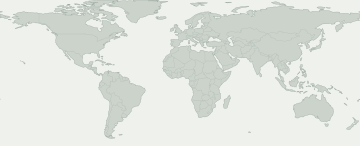
दर्ज बिल्डट्रैकर अवलोकनकई देशों वाले फ़र्मवेयर बाज़ार
फ़र्मवेयर रिकॉर्ड देखने के लिए रंगीन क्षेत्र चुनें। नीला रंग यूरोप या कॉकस जैसे बड़े बाज़ार को दिखाता है, हर देश का अलग रिकॉर्ड नहीं।
कई देशों वाले फ़र्मवेयर बाज़ार
बाज़ार चुनकर उसका स्रोत रिकॉर्ड देखें। रंगीन क्षेत्र के भीतर भी उपलब्धता अलग हो सकती है।
इस चयन से मेल खाने वाला कोई फ़र्मवेयर क्षेत्र मानचित्र पर नहीं है। सटीक रिकॉर्ड CSC गतिविधि में देखें।
कुछ फ़र्मवेयर क्षेत्रों की नक्शे पर जगह ज्ञात नहीं है। उनके रिकॉर्ड फिर भी तालिका में हैं।
मॉडल और फ़र्मवेयर क्षेत्र
Galaxy मॉडल खोलकर उसके सटीक मॉडल कोड की तुलना करें। हर कोड के नीचे इस रिलीज़ के फ़र्मवेयर रिकॉर्ड वाले बाज़ार दिखते हैं। अपना कोड फ़ोन के बारे में देखें।
49 Galaxy मॉडल · 214 सटीक मॉडल · 174 फ़र्मवेयर क्षेत्र
दर्ज बिल्डट्रैकर अवलोकन
संख्या बताती है कि हर फ़र्मवेयर क्षेत्र में कितने सटीक मॉडल के रिकॉर्ड हैं। मॉडल और स्रोत देखने के लिए Galaxy मॉडल खोलें।
स्रोत पर फ़र्मवेयर मिलना आपके फ़ोन पर अपडेट उपलब्ध होने की गारंटी नहीं है। फ़ोन में सेटिंग → सॉफ़्टवेयर अपडेट देखें।
मेरा Galaxy जाँचें
आपके Galaxy के बारे में क्या पता है?
अपना स्थान नहीं, सटीक मॉडल और फ़र्मवेयर CSC चुनें।
इस रिलीज़ को देखने के लिए अपना डिवाइस चुनें।
रोलआउट की प्रगति
दर्ज रोलआउट गतिविधि
हर सटीक मॉडल/क्षेत्र जोड़े पर पहली बार मिला रिकॉर्ड। बिना बदलाव की दोबारा जाँच कुल संख्या नहीं बढ़ाती।
- 3
- 31
- 1
- 2
- 1
- 6
- 1
- 1
- 1
- 2
- 2
- 1
मॉडल के अनुसार कवरेज
फ़र्मवेयर रिकॉर्ड वाले Galaxy मॉडल
सटीक मॉडल, CSC, पहला बिल्ड, तारीख और स्रोत रिकॉर्ड देखने के लिए मॉडल खोलें।
Galaxy A061 मॉडल/क्षेत्र जोड़े
Galaxy A161 मॉडल/क्षेत्र जोड़े
Galaxy A25 5G1 मॉडल/क्षेत्र जोड़े
Galaxy A25 5G (Japan)4 मॉडल/क्षेत्र जोड़े
Galaxy A33 5G101 मॉडल/क्षेत्र जोड़े
SM-A3360 / TGY
A3360ZHUEGYI8बिल्ड प्रकाशित होने की तारीखSM-A336B / BOGA336BXXUEGYI8बिल्ड प्रकाशित होने की तारीखSM-A336B / CAUA336BXXUEGYI8बिल्ड प्रकाशित होने की तारीखSM-A336B / EVRA336BXXUEGYI8बिल्ड प्रकाशित होने की तारीखSM-A336B / MEOA336BXXUEGYI8बिल्ड प्रकाशित होने की तारीखSM-A336B / META336BXXUEGYI8बिल्ड प्रकाशित होने की तारीखSM-A336B / MOBA336BXXUEGYI8बिल्ड प्रकाशित होने की तारीखSM-A336B / MOTA336BXXUEGYI8बिल्ड प्रकाशित होने की तारीखSM-A336B / MSRA336BXXUEGYI8बिल्ड प्रकाशित होने की तारीखSM-A336B / O2CA336BXXUEGYI8बिल्ड प्रकाशित होने की तारीखSM-A336B / PLSA336BXXUEGYI8बिल्ड प्रकाशित होने की तारीखSM-A336B / PRTA336BXXUEGYI8बिल्ड प्रकाशित होने की तारीखSM-A336B / SEKA336BXXUEGYI8बिल्ड प्रकाशित होने की तारीखSM-A336B / SERA336BXXUEGYI8बिल्ड प्रकाशित होने की तारीखSM-A336B / SFRA336BXXUEGYI8बिल्ड प्रकाशित होने की तारीखSM-A336B / SIMA336BXXUEGYI8बिल्ड प्रकाशित होने की तारीखSM-A336B / SKZA336BXXUEGYI8बिल्ड प्रकाशित होने की तारीखSM-A336B / SWCA336BXXUEGYI8बिल्ड प्रकाशित होने की तारीखSM-A336B / TIMA336BXXUEGYI8बिल्ड प्रकाशित होने की तारीखSM-A336B / TOPA336BXXUEGYI8बिल्ड प्रकाशित होने की तारीखSM-A336B / TSIA336BXXUEGYI8बिल्ड प्रकाशित होने की तारीखSM-A336B / VIPA336BXXUEGYI8बिल्ड प्रकाशित होने की तारीखSM-A336E / ACRA336EDXUEGYI8बिल्ड प्रकाशित होने की तारीखSM-A336E / AFGA336EDXUEGYI8बिल्ड प्रकाशित होने की तारीखSM-A336E / AFRA336EDXUEGYI8बिल्ड प्रकाशित होने की तारीखSM-A336E / BRIA336EDXUEGYI8बिल्ड प्रकाशित होने की तारीखSM-A336E / ECTA336EDXUEGYI8बिल्ड प्रकाशित होने की तारीखSM-A336E / EGYA336EDXUEGYI8बिल्ड प्रकाशित होने की तारीखSM-A336E / GLBA336EDXUEGYI8बिल्ड प्रकाशित होने की तारीखSM-A336E / ILOA336EDXUEGYI8बिल्ड प्रकाशित होने की तारीखSM-A336E / INSA336EDXUEGYI8बिल्ड प्रकाशित होने की तारीखSM-A336E / KSAA336EDXUEGYI8बिल्ड प्रकाशित होने की तारीखSM-A336E / LYSA336EDXUEGYI8बिल्ड प्रकाशित होने की तारीखSM-A336E / MIDA336EDXUEGYI8बिल्ड प्रकाशित होने की तारीखSM-A336E / MM1A336EDXUEGYI8बिल्ड प्रकाशित होने की तारीखSM-A336E / MWDA336EDXUEGYI8बिल्ड प्रकाशित होने की तारीखSM-A336E / OPSA336EDXUEGYI8बिल्ड प्रकाशित होने की तारीखSM-A336E / PAKA336EDXUEGYI8बिल्ड प्रकाशित होने की तारीखSM-A336E / SINA336EDXUEGYI8बिल्ड प्रकाशित होने की तारीखSM-A336E / STHA336EDXUEGYI8बिल्ड प्रकाशित होने की तारीखSM-A336E / TELA336EDXUEGYI8बिल्ड प्रकाशित होने की तारीखSM-A336E / THLA336EDXUEGYI8बिल्ड प्रकाशित होने की तारीखSM-A336E / TUNA336EDXUEGYI8बिल्ड प्रकाशित होने की तारीखSM-A336E / TURA336EDXUEGYI8बिल्ड प्रकाशित होने की तारीखSM-A336E / VAUA336EDXUEGYI8बिल्ड प्रकाशित होने की तारीखSM-A336E / XFAA336EDXUEGYI8बिल्ड प्रकाशित होने की तारीखSM-A336E / XFEA336EDXUEGYI8बिल्ड प्रकाशित होने की तारीखSM-A336E / XFVA336EDXUEGYI8बिल्ड प्रकाशित होने की तारीखSM-A336E / XIDA336EDXUEGYI8बिल्ड प्रकाशित होने की तारीखSM-A336E / XMEA336EDXUEGYI8बिल्ड प्रकाशित होने की तारीखSM-A336E / XSAA336EDXUEGYI8बिल्ड प्रकाशित होने की तारीखSM-A336E / XSGA336EDXUEGYI8बिल्ड प्रकाशित होने की तारीखSM-A336E / XSPA336EDXUEGYI8बिल्ड प्रकाशित होने की तारीखSM-A336E / XTCA336EDXUEGYI8बिल्ड प्रकाशित होने की तारीखSM-A336E / XXVA336EDXUEGYI8बिल्ड प्रकाशित होने की तारीखSM-A336M / ANCA336MUBUEGYI8बिल्ड प्रकाशित होने की तारीखSM-A336M / AROA336MUBUEGYI8बिल्ड प्रकाशित होने की तारीखSM-A336M / BATA336MUBUEGYI8बिल्ड प्रकाशित होने की तारीखSM-A336M / BVOA336MUBUEGYI8बिल्ड प्रकाशित होने की तारीखSM-A336M / BVTA336MUBUEGYI8बिल्ड प्रकाशित होने की तारीखSM-A336M / CDRA336MUBUEGYI8बिल्ड प्रकाशित होने की तारीखSM-A336M / CGUA336MUBUEGYI8बिल्ड प्रकाशित होने की तारीखSM-A336M / CHEA336MUBUEGYI8बिल्ड प्रकाशित होने की तारीखSM-A336M / CHLA336MUBUEGYI8बिल्ड प्रकाशित होने की तारीखSM-A336M / CHOA336MUBUEGYI8बिल्ड प्रकाशित होने की तारीखSM-A336M / CHTA336MUBUEGYI8बिल्ड प्रकाशित होने की तारीखSM-A336M / CHXA336MUBUEGYI8बिल्ड प्रकाशित होने की तारीखSM-A336M / COBA336MUBUEGYI8बिल्ड प्रकाशित होने की तारीखSM-A336M / COLA336MUBUEGYI8बिल्ड प्रकाशित होने की तारीखSM-A336M / COMA336MUBUEGYI8बिल्ड प्रकाशित होने की तारीखSM-A336M / COOA336MUBUEGYI8बिल्ड प्रकाशित होने की तारीखSM-A336M / CRCA336MUBUEGYI8बिल्ड प्रकाशित होने की तारीखSM-A336M / CTIA336MUBUEGYI8बिल्ड प्रकाशित होने की तारीखSM-A336M / CTPA336MUBUEGYI8बिल्ड प्रकाशित होने की तारीखSM-A336M / CTUA336MUBUEGYI8बिल्ड प्रकाशित होने की तारीखSM-A336M / CWWA336MUBUEGYI8बिल्ड प्रकाशित होने की तारीखSM-A336M / DORA336MUBUEGYI8बिल्ड प्रकाशित होने की तारीखSM-A336M / EBEA336MUBUEGYI8बिल्ड प्रकाशित होने की तारीखSM-A336M / ECOA336MUBUEGYI8बिल्ड प्रकाशित होने की तारीखSM-A336M / EONA336MUBUEGYI8बिल्ड प्रकाशित होने की तारीखSM-A336M / IUSA336MUBUEGYI8बिल्ड प्रकाशित होने की तारीखSM-A336M / MXOA336MUBUEGYI8बिल्ड प्रकाशित होने की तारीखSM-A336M / PETA336MUBUEGYI8बिल्ड प्रकाशित होने की तारीखSM-A336M / PGUA336MUBUEGYI8बिल्ड प्रकाशित होने की तारीखSM-A336M / PNTA336MUBUEGYI8बिल्ड प्रकाशित होने की तारीखSM-A336M / PSNA336MUBUEGYI8बिल्ड प्रकाशित होने की तारीखSM-A336M / PSPA336MUBUEGYI8बिल्ड प्रकाशित होने की तारीखSM-A336M / SAMA336MUBUEGYI8बिल्ड प्रकाशित होने की तारीखSM-A336M / TCEA336MUBUEGYI8बिल्ड प्रकाशित होने की तारीखSM-A336M / TMMA336MUBUEGYI8बिल्ड प्रकाशित होने की तारीखSM-A336M / TPAA336MUBUEGYI8बिल्ड प्रकाशित होने की तारीखSM-A336M / UFNA336MUBUEGYI8बिल्ड प्रकाशित होने की तारीखSM-A336M / UFUA336MUBUEGYI8बिल्ड प्रकाशित होने की तारीखSM-A336M / UPOA336MUBUEGYI8बिल्ड प्रकाशित होने की तारीखSM-A336M / UYOA336MUBUEGYI8बिल्ड प्रकाशित होने की तारीखSM-A336M / ZTAA336MUBUEGYI8बिल्ड प्रकाशित होने की तारीखSM-A336M / ZTMA336MUBUEGYI8बिल्ड प्रकाशित होने की तारीखSM-A336M / ZTOA336MUBUEGYI8बिल्ड प्रकाशित होने की तारीखSM-A336M / ZVVA336MUBUEGYI8बिल्ड प्रकाशित होने की तारीखSM-A336N / KTCA336NKSUBGYI3बिल्ड प्रकाशित होने की तारीखSM-A336N / SKCA336NKSUBGYI3बिल्ड प्रकाशित होने की तारीखप्रमाण देखें →Galaxy A34 5G1 मॉडल/क्षेत्र जोड़े
Galaxy A35 5G3 मॉडल/क्षेत्र जोड़े
Galaxy A36 5G3 मॉडल/क्षेत्र जोड़े
Galaxy A53 5G127 मॉडल/क्षेत्र जोड़े
SC-53C / DCM
SC53COMU1EYJ3बिल्ड प्रकाशित होने की तारीखSCG15 / KDISCG15KDU1EYJ2बिल्ड प्रकाशित होने की तारीखSM-A5360 / BRIA5360ZHUHGYI9बिल्ड प्रकाशित होने की तारीखSM-A5360 / CHCA5360ZCUHGYI9बिल्ड प्रकाशित होने की तारीखSM-A5360 / TGYA5360ZHUHGYI9बिल्ड प्रकाशित होने की तारीखSM-A536B / BOGA536BXXUHGYI9बिल्ड प्रकाशित होने की तारीखSM-A536B / EVRA536BXXUHGYI9बिल्ड प्रकाशित होने की तारीखSM-A536B / MEOA536BXXUHGYI9बिल्ड प्रकाशित होने की तारीखSM-A536B / META536BXXUHGYI9बिल्ड प्रकाशित होने की तारीखSM-A536B / MOBA536BXXUHGYI9बिल्ड प्रकाशित होने की तारीखSM-A536B / MOTA536BXXUHGYI9बिल्ड प्रकाशित होने की तारीखSM-A536B / MSRA536BXXUHGYI9बिल्ड प्रकाशित होने की तारीखSM-A536B / O2CA536BXXUHGYI9बिल्ड प्रकाशित होने की तारीखSM-A536B / PLSA536BXXUHGYI9बिल्ड प्रकाशित होने की तारीखSM-A536B / PRTA536BXXUHGYI9बिल्ड प्रकाशित होने की तारीखSM-A536B / SFRA536BXXUHGYI9बिल्ड प्रकाशित होने की तारीखSM-A536B / SIMA536BXXUHGYI9बिल्ड प्रकाशित होने की तारीखSM-A536B / SWCA536BXXUHGYI9बिल्ड प्रकाशित होने की तारीखSM-A536B / TIMA536BXXUHGYI9बिल्ड प्रकाशित होने की तारीखSM-A536B / TOPA536BXXUHGYI9बिल्ड प्रकाशित होने की तारीखSM-A536B / TSIA536BXXUHGYI9बिल्ड प्रकाशित होने की तारीखSM-A536B / VIPA536BXXUHGYI9बिल्ड प्रकाशित होने की तारीखSM-A536E / ACRA536EXXUHGYI9बिल्ड प्रकाशित होने की तारीखSM-A536E / AFGA536EXXUHGYI9बिल्ड प्रकाशित होने की तारीखSM-A536E / AFRA536EXXUHGYI9बिल्ड प्रकाशित होने की तारीखSM-A536E / BATA536EXXUHGYI9बिल्ड प्रकाशित होने की तारीखSM-A536E / BVOA536EXXUHGYI9बिल्ड प्रकाशित होने की तारीखSM-A536E / CAUA536EXXUHGYI9बिल्ड प्रकाशित होने की तारीखSM-A536E / CGUA536EXXUHGYI9बिल्ड प्रकाशित होने की तारीखSM-A536E / CHEA536EXXUHGYI9बिल्ड प्रकाशित होने की तारीखSM-A536E / CHLA536EXXUHGYI9बिल्ड प्रकाशित होने की तारीखSM-A536E / CHOA536EXXUHGYI9बिल्ड प्रकाशित होने की तारीखSM-A536E / CHTA536EXXUHGYI9बिल्ड प्रकाशित होने की तारीखSM-A536E / CHXA536EXXUHGYI9बिल्ड प्रकाशित होने की तारीखSM-A536E / COBA536EXXUHGYI9बिल्ड प्रकाशित होने की तारीखSM-A536E / COLA536EXXUHGYI9बिल्ड प्रकाशित होने की तारीखSM-A536E / COMA536EXXUHGYI9बिल्ड प्रकाशित होने की तारीखSM-A536E / COOA536EXXUHGYI9बिल्ड प्रकाशित होने की तारीखSM-A536E / CTPA536EXXUHGYI9बिल्ड प्रकाशित होने की तारीखSM-A536E / CTUA536EXXUHGYI9बिल्ड प्रकाशित होने की तारीखSM-A536E / CWWA536EXXUHGYI9बिल्ड प्रकाशित होने की तारीखSM-A536E / DORA536EXXUHGYI9बिल्ड प्रकाशित होने की तारीखSM-A536E / EBEA536EXXUHGYI9बिल्ड प्रकाशित होने की तारीखSM-A536E / ECTA536EXXUHGYI9बिल्ड प्रकाशित होने की तारीखSM-A536E / EGYA536EXXUHGYI9बिल्ड प्रकाशित होने की तारीखSM-A536E / GLBA536EXXUHGYI9बिल्ड प्रकाशित होने की तारीखSM-A536E / ILOA536EXXUHGYI9बिल्ड प्रकाशित होने की तारीखSM-A536E / INSA536EXXUHGYI9बिल्ड प्रकाशित होने की तारीखSM-A536E / IUSA536EXXUHGYI9बिल्ड प्रकाशित होने की तारीखSM-A536E / KSAA536EXXUHGYI9बिल्ड प्रकाशित होने की तारीखSM-A536E / LYSA536EXXUHGYI9बिल्ड प्रकाशित होने की तारीखSM-A536E / MIDA536EXXUHGYI9बिल्ड प्रकाशित होने की तारीखSM-A536E / MM1A536EXXUHGYI9बिल्ड प्रकाशित होने की तारीखSM-A536E / MWDA536EXXUHGYI9बिल्ड प्रकाशित होने की तारीखSM-A536E / MXOA536EXXUHGYI9बिल्ड प्रकाशित होने की तारीखSM-A536E / OPSA536EXXUHGYI9बिल्ड प्रकाशित होने की तारीखSM-A536E / PAKA536EXXUHGYI9बिल्ड प्रकाशित होने की तारीखSM-A536E / PETA536EXXUHGYI9बिल्ड प्रकाशित होने की तारीखSM-A536E / PGUA536EXXUHGYI9बिल्ड प्रकाशित होने की तारीखSM-A536E / PNTA536EXXUHGYI9बिल्ड प्रकाशित होने की तारीखSM-A536E / PSNA536EXXUHGYI9बिल्ड प्रकाशित होने की तारीखSM-A536E / PSPA536EXXUHGYI9बिल्ड प्रकाशित होने की तारीखSM-A536E / SAMA536EXXUHGYI9बिल्ड प्रकाशित होने की तारीखSM-A536E / SEKA536EXXUHGYI9बिल्ड प्रकाशित होने की तारीखSM-A536E / SERA536EXXUHGYI9बिल्ड प्रकाशित होने की तारीखSM-A536E / SINA536EXXUHGYI9बिल्ड प्रकाशित होने की तारीखSM-A536E / SKZA536EXXUHGYI9बिल्ड प्रकाशित होने की तारीखSM-A536E / SLKA536EXXUHGYI9बिल्ड प्रकाशित होने की तारीखSM-A536E / STHA536EXXUHGYI9बिल्ड प्रकाशित होने की तारीखSM-A536E / TCEA536EXXUHGYI9बिल्ड प्रकाशित होने की तारीखSM-A536E / TELA536EXXUHGYI9बिल्ड प्रकाशित होने की तारीखSM-A536E / TGPA536EXXUHGYI9बिल्ड प्रकाशित होने की तारीखSM-A536E / THLA536EXXUHGYI9बिल्ड प्रकाशित होने की तारीखSM-A536E / TMMA536EXXUHGYI9बिल्ड प्रकाशित होने की तारीखSM-A536E / TPAA536EXXUHGYI9बिल्ड प्रकाशित होने की तारीखSM-A536E / TUNA536EXXUHGYI9बिल्ड प्रकाशित होने की तारीखSM-A536E / TURA536EXXUHGYI9बिल्ड प्रकाशित होने की तारीखSM-A536E / UFNA536EXXUHGYI9बिल्ड प्रकाशित होने की तारीखSM-A536E / UFUA536EXXUHGYI9बिल्ड प्रकाशित होने की तारीखSM-A536E / UPOA536EXXUHGYI9बिल्ड प्रकाशित होने की तारीखSM-A536E / UYOA536EXXUHGYI9बिल्ड प्रकाशित होने की तारीखSM-A536E / VAUA536EXXUHGYI9बिल्ड प्रकाशित होने की तारीखSM-A536E / XFAA536EXXUHGYI9बिल्ड प्रकाशित होने की तारीखSM-A536E / XFEA536EXXUHGYI9बिल्ड प्रकाशित होने की तारीखSM-A536E / XFVA536EXXUHGYI9बिल्ड प्रकाशित होने की तारीखSM-A536E / XIDA536EXXUHGYI9बिल्ड प्रकाशित होने की तारीखSM-A536E / XMEA536EXXUHGYI9बिल्ड प्रकाशित होने की तारीखSM-A536E / XSAA536EXXUHGYI9बिल्ड प्रकाशित होने की तारीखSM-A536E / XSGA536EXXUHGYI9बिल्ड प्रकाशित होने की तारीखSM-A536E / XSPA536EXXUHGYI9बिल्ड प्रकाशित होने की तारीखSM-A536E / XTCA536EXXUHGYI9बिल्ड प्रकाशित होने की तारीखSM-A536E / XXVA536EXXUHGYI9बिल्ड प्रकाशित होने की तारीखSM-A536N / KTCA536NKSUCGYI2बिल्ड प्रकाशित होने की तारीखSM-A536N / LUCA536NKSUCGYI2बिल्ड प्रकाशित होने की तारीखSM-A536N / SKCA536NKSUCGYI2बिल्ड प्रकाशित होने की तारीखSM-A536U / CCTA536USQUHGYIAबिल्ड प्रकाशित होने की तारीखSM-A536U / CHAA536USQUHGYIAबिल्ड प्रकाशित होने की तारीखSM-A536U / TMBA536USQUHGYIAबिल्ड प्रकाशित होने की तारीखSM-A536U / TMKA536USQUHGYIAबिल्ड प्रकाशित होने की तारीखSM-A536U / USCA536USQUHGYIAबिल्ड प्रकाशित होने की तारीखSM-A536U1 / ACGA536U1UEUHGYIBबिल्ड प्रकाशित होने की तारीखSM-A536U1 / AIOA536U1UEUHGYIBबिल्ड प्रकाशित होने की तारीखSM-A536U1 / ATTA536U1UEUHGYIBबिल्ड प्रकाशित होने की तारीखSM-A536U1 / CCTA536U1UEUHGYIBबिल्ड प्रकाशित होने की तारीखSM-A536U1 / CHAA536U1UEUHGYIBबिल्ड प्रकाशित होने की तारीखSM-A536U1 / LRAA536U1UEUHGYIBबिल्ड प्रकाशित होने की तारीखSM-A536U1 / PCTA536U1UEUHGYIBबिल्ड प्रकाशित होने की तारीखSM-A536U1 / TMBA536U1UEUHGYIBबिल्ड प्रकाशित होने की तारीखSM-A536U1 / TMKA536U1UEUHGYIBबिल्ड प्रकाशित होने की तारीखSM-A536U1 / USCA536U1UEUHGYIBबिल्ड प्रकाशित होने की तारीखSM-A536U1 / VZWA536U1UEUHGYIBबिल्ड प्रकाशित होने की तारीखSM-A536U1 / XAAA536U1UEUHGYIBबिल्ड प्रकाशित होने की तारीखSM-A536U1 / XAGA536U1UEUHGYIBबिल्ड प्रकाशित होने की तारीखSM-A536U1 / XARA536U1UEUHGYIBबिल्ड प्रकाशित होने की तारीखSM-A536W / BMCA536WVLUGGYJ1बिल्ड प्रकाशित होने की तारीखSM-A536W / BWAA536WVLUGGYJ1बिल्ड प्रकाशित होने की तारीखSM-A536W / CHRA536WVLUGGYJ1बिल्ड प्रकाशित होने की तारीखSM-A536W / ESKA536WVLUGGYJ1बिल्ड प्रकाशित होने की तारीखSM-A536W / FMCA536WVLUGGYJ1बिल्ड प्रकाशित होने की तारीखSM-A536W / GLWA536WVLUGGYJ1बिल्ड प्रकाशित होने की तारीखSM-A536W / KDOA536WVLUGGYJ1बिल्ड प्रकाशित होने की तारीखSM-A536W / RWCA536WVLUGGYJ1बिल्ड प्रकाशित होने की तारीखSM-A536W / TLSA536WVLUGGYJ1बिल्ड प्रकाशित होने की तारीखSM-A536W / VMCA536WVLUGGYJ1बिल्ड प्रकाशित होने की तारीखSM-A536W / VTRA536WVLUGGYJ1बिल्ड प्रकाशित होने की तारीखSM-A536W / XACA536WVLUGGYJ1बिल्ड प्रकाशित होने की तारीखSM-S536DL / TFNS536DLUDUHGYJ1बिल्ड प्रकाशित होने की तारीखप्रमाण देखें →Galaxy A54 5G4 मॉडल/क्षेत्र जोड़े
Galaxy A55 5G3 मॉडल/क्षेत्र जोड़े
Galaxy A56 5G4 मॉडल/क्षेत्र जोड़े
Galaxy A73 5G36 मॉडल/क्षेत्र जोड़े
SM-A736B / ACR
A736BXXUAGYJ1बिल्ड प्रकाशित होने की तारीखSM-A736B / AFGA736BXXUAGYJ1बिल्ड प्रकाशित होने की तारीखSM-A736B / AFRA736BXXUAGYJ1बिल्ड प्रकाशित होने की तारीखSM-A736B / BVOA736BXXUAGYJ1बिल्ड प्रकाशित होने की तारीखSM-A736B / BVTA736BXXUAGYJ1बिल्ड प्रकाशित होने की तारीखSM-A736B / CAUA736BXXUAGYJ1बिल्ड प्रकाशित होने की तारीखSM-A736B / CHEA736BXXUAGYJ1बिल्ड प्रकाशित होने की तारीखSM-A736B / CHLA736BXXUAGYJ1बिल्ड प्रकाशित होने की तारीखSM-A736B / CHOA736BXXUAGYJ1बिल्ड प्रकाशित होने की तारीखSM-A736B / CHTA736BXXUAGYJ1बिल्ड प्रकाशित होने की तारीखSM-A736B / CHXA736BXXUAGYJ1बिल्ड प्रकाशित होने की तारीखSM-A736B / ECTA736BXXUAGYJ1बिल्ड प्रकाशित होने की तारीखSM-A736B / EGYA736BXXUAGYJ1बिल्ड प्रकाशित होने की तारीखSM-A736B / GLBA736BXXUAGYJ1बिल्ड प्रकाशित होने की तारीखSM-A736B / ILOA736BXXUAGYJ1बिल्ड प्रकाशित होने की तारीखSM-A736B / INSA736BXXUAGYJ1बिल्ड प्रकाशित होने की तारीखSM-A736B / KSAA736BXXUAGYJ1बिल्ड प्रकाशित होने की तारीखSM-A736B / LYSA736BXXUAGYJ1बिल्ड प्रकाशित होने की तारीखSM-A736B / NPLA736BXXUAGYJ1बिल्ड प्रकाशित होने की तारीखSM-A736B / PAKA736BXXUAGYJ1बिल्ड प्रकाशित होने की तारीखSM-A736B / SEKA736BXXUAGYJ1बिल्ड प्रकाशित होने की तारीखSM-A736B / SERA736BXXUAGYJ1बिल्ड प्रकाशित होने की तारीखSM-A736B / SINA736BXXUAGYJ1बिल्ड प्रकाशित होने की तारीखSM-A736B / SKZA736BXXUAGYJ1बिल्ड प्रकाशित होने की तारीखSM-A736B / TELA736BXXUAGYJ1बिल्ड प्रकाशित होने की तारीखSM-A736B / TUNA736BXXUAGYJ1बिल्ड प्रकाशित होने की तारीखSM-A736B / TURA736BXXUAGYJ1बिल्ड प्रकाशित होने की तारीखSM-A736B / VAUA736BXXUAGYJ1बिल्ड प्रकाशित होने की तारीखSM-A736B / XFAA736BXXUAGYJ1बिल्ड प्रकाशित होने की तारीखSM-A736B / XFEA736BXXUAGYJ1बिल्ड प्रकाशित होने की तारीखSM-A736B / XFVA736BXXUAGYJ1बिल्ड प्रकाशित होने की तारीखSM-A736B / XIDA736BXXUAGYJ1बिल्ड प्रकाशित होने की तारीखSM-A736B / XMEA736BXXUAGYJ1बिल्ड प्रकाशित होने की तारीखSM-A736B / XSGA736BXXUAGYJ1बिल्ड प्रकाशित होने की तारीखSM-A736B / XXVA736BXXUAGYJ1बिल्ड प्रकाशित होने की तारीखSM-A736B / ZTOA736BXXUAGYJ1बिल्ड प्रकाशित होने की तारीखप्रमाण देखें →Galaxy M33 5G19 मॉडल/क्षेत्र जोड़े
SM-M336B / BRI
M336BZHUDGYI6बिल्ड प्रकाशित होने की तारीखSM-M336B / BVOM336BXXUDGYI6बिल्ड प्रकाशित होने की तारीखSM-M336B / GLBM336BXXUDGYI6बिल्ड प्रकाशित होने की तारीखSM-M336B / KSAM336BXXUDGYI6बिल्ड प्रकाशित होने की तारीखSM-M336B / LYSM336BXXUDGYI6बिल्ड प्रकाशित होने की तारीखSM-M336B / MIDM336BXXUDGYI6बिल्ड प्रकाशित होने की तारीखSM-M336B / MWDM336BXXUDGYI6बिल्ड प्रकाशित होने की तारीखSM-M336B / MXOM336BXXUDGYI6बिल्ड प्रकाशित होने की तारीखSM-M336B / SEKM336BXXUDGYI6बिल्ड प्रकाशित होने की तारीखSM-M336B / SERM336BXXUDGYI6बिल्ड प्रकाशित होने की तारीखSM-M336B / THLM336BXXUDGYI6बिल्ड प्रकाशित होने की तारीखSM-M336B / TPAM336BXXUDGYI6बिल्ड प्रकाशित होने की तारीखSM-M336B / TURM336BXXUDGYI6बिल्ड प्रकाशित होने की तारीखSM-M336B / XIDM336BXXUDGYI6बिल्ड प्रकाशित होने की तारीखSM-M336B / XMEM336BXXUDGYI6बिल्ड प्रकाशित होने की तारीखSM-M336B / XTCM336BXXUDGYI6बिल्ड प्रकाशित होने की तारीखSM-M336B / XXVM336BXXUDGYI6बिल्ड प्रकाशित होने की तारीखSM-M336BU / INSM336BUXXUDGYI6बिल्ड प्रकाशित होने की तारीखSM-M336K / KTCM336KKSUBGYI4बिल्ड प्रकाशित होने की तारीखप्रमाण देखें →Galaxy S21 FE 5G217 मॉडल/क्षेत्र जोड़े
SM-G9900 / BRI
G9900ZHUGIYJ2बिल्ड प्रकाशित होने की तारीखSM-G9900 / CHCG9900ZCUGIYJ2बिल्ड प्रकाशित होने की तारीखSM-G9900 / TGYG9900ZHUGIYJ2बिल्ड प्रकाशित होने की तारीखSM-G990B / 3IEG990BXXUGIYJ1बिल्ड प्रकाशित होने की तारीखSM-G990B / AMOG990BXXUGIYJ1बिल्ड प्रकाशित होने की तारीखSM-G990B / ATLG990BXXUGIYJ1बिल्ड प्रकाशित होने की तारीखSM-G990B / BOGG990BXXUGIYJ1बिल्ड प्रकाशित होने की तारीखSM-G990B / CAUG990BXXUGIYJ1बिल्ड प्रकाशित होने की तारीखSM-G990B / CNXG990BXXUGIYJ1बिल्ड प्रकाशित होने की तारीखSM-G990B / COSG990BXXUGIYJ1बिल्ड प्रकाशित होने की तारीखSM-G990B / CROG990BXXUGIYJ1बिल्ड प्रकाशित होने की तारीखSM-G990B / DREG990BXXUGIYJ1बिल्ड प्रकाशित होने की तारीखSM-G990B / FTMG990BXXUGIYJ1बिल्ड प्रकाशित होने की तारीखSM-G990B / H3GG990BXXUGIYJ1बिल्ड प्रकाशित होने की तारीखSM-G990B / HUIG990BXXUGIYJ1बिल्ड प्रकाशित होने की तारीखSM-G990B / MAXG990BXXUGIYJ1बिल्ड प्रकाशित होने की तारीखSM-G990B / MBMG990BXXUGIYJ1बिल्ड प्रकाशित होने की तारीखSM-G990B / MEOG990BXXUGIYJ1बिल्ड प्रकाशित होने की तारीखSM-G990B / METG990BXXUGIYJ1बिल्ड प्रकाशित होने की तारीखSM-G990B / MSRG990BXXUGIYJ1बिल्ड प्रकाशित होने की तारीखSM-G990B / O2UG990BXXUGIYJ1बिल्ड प्रकाशित होने की तारीखSM-G990B / OMNG990BXXUGIYJ1बिल्ड प्रकाशित होने की तारीखSM-G990B / OROG990BXXUGIYJ1बिल्ड प्रकाशित होने की तारीखSM-G990B / ORSG990BXXUGIYJ1बिल्ड प्रकाशित होने की तारीखSM-G990B / PLSG990BXXUGIYJ1बिल्ड प्रकाशित होने की तारीखSM-G990B / SEKG990BXXUGIYJ1बिल्ड प्रकाशित होने की तारीखSM-G990B / SERG990BXXUGIYJ1बिल्ड प्रकाशित होने की तारीखSM-G990B / SFRG990BXXUGIYJ1बिल्ड प्रकाशित होने की तारीखSM-G990B / SIMG990BXXUGIYJ1बिल्ड प्रकाशित होने की तारीखSM-G990B / SKZG990BXXUGIYJ1बिल्ड प्रकाशित होने की तारीखSM-G990B / SWCG990BXXUGIYJ1बिल्ड प्रकाशित होने की तारीखSM-G990B / TCLG990BXXUGIYJ1बिल्ड प्रकाशित होने की तारीखSM-G990B / TIMG990BXXUGIYJ1बिल्ड प्रकाशित होने की तारीखSM-G990B / TMSG990BXXUGIYJ1बिल्ड प्रकाशित होने की तारीखSM-G990B / TNLG990BXXUGIYJ1बिल्ड प्रकाशित होने की तारीखSM-G990B / TPLG990BXXUGIYJ1बिल्ड प्रकाशित होने की तारीखSM-G990B / TSIG990BXXUGIYJ1बिल्ड प्रकाशित होने की तारीखSM-G990B / VD2G990BXXUGIYJ1बिल्ड प्रकाशित होने की तारीखSM-G990B / VDCG990BXXUGIYJ1बिल्ड प्रकाशित होने की तारीखSM-G990B / VDFG990BXXUGIYJ1बिल्ड प्रकाशित होने की तारीखSM-G990B / VDIG990BXXUGIYJ1बिल्ड प्रकाशित होने की तारीखSM-G990B / VIPG990BXXUGIYJ1बिल्ड प्रकाशित होने की तारीखSM-G990B / VODG990BXXUGIYJ1बिल्ड प्रकाशित होने की तारीखSM-G990B / XECG990BXXUGIYJ1बिल्ड प्रकाशित होने की तारीखSM-G990B2 / 3IEG990B2XXUFIYJ1बिल्ड प्रकाशित होने की तारीखSM-G990B2 / AMOG990B2XXUFIYJ1बिल्ड प्रकाशित होने की तारीखSM-G990B2 / ATLG990B2XXUFIYJ1बिल्ड प्रकाशित होने की तारीखSM-G990B2 / CAUG990B2XXUFIYJ1बिल्ड प्रकाशित होने की तारीखSM-G990B2 / CNXG990B2XXUFIYJ1बिल्ड प्रकाशित होने की तारीखSM-G990B2 / COSG990B2XXUFIYJ1बिल्ड प्रकाशित होने की तारीखSM-G990B2 / CROG990B2XXUFIYJ1बिल्ड प्रकाशित होने की तारीखSM-G990B2 / DTMG990B2XXUFIYJ1बिल्ड प्रकाशित होने की तारीखSM-G990B2 / EVRG990B2XXUFIYJ1बिल्ड प्रकाशित होने की तारीखSM-G990B2 / FTMG990B2XXUFIYJ1बिल्ड प्रकाशित होने की तारीखSM-G990B2 / H3GG990B2XXUFIYJ1बिल्ड प्रकाशित होने की तारीखSM-G990B2 / HTSG990B2XXUFIYJ1बिल्ड प्रकाशित होने की तारीखSM-G990B2 / HUIG990B2XXUFIYJ1बिल्ड प्रकाशित होने की तारीखSM-G990B2 / MAXG990B2XXUFIYJ1बिल्ड प्रकाशित होने की तारीखSM-G990B2 / MBMG990B2XXUFIYJ1बिल्ड प्रकाशित होने की तारीखSM-G990B2 / METG990B2XXUFIYJ1बिल्ड प्रकाशित होने की तारीखSM-G990B2 / MOTG990B2XXUFIYJ1बिल्ड प्रकाशित होने की तारीखSM-G990B2 / O2UG990B2XXUFIYJ1बिल्ड प्रकाशित होने की तारीखSM-G990B2 / ORSG990B2XXUFIYJ1बिल्ड प्रकाशित होने की तारीखSM-G990B2 / PLSG990B2XXUFIYJ1बिल्ड प्रकाशित होने की तारीखSM-G990B2 / SEKG990B2XXUFIYJ1बिल्ड प्रकाशित होने की तारीखSM-G990B2 / SERG990B2XXUFIYJ1बिल्ड प्रकाशित होने की तारीखSM-G990B2 / SFRG990B2XXUFIYJ1बिल्ड प्रकाशित होने की तारीखSM-G990B2 / SIMG990B2XXUFIYJ1बिल्ड प्रकाशित होने की तारीखSM-G990B2 / SKZG990B2XXUFIYJ1बिल्ड प्रकाशित होने की तारीखSM-G990B2 / SWCG990B2XXUFIYJ1बिल्ड प्रकाशित होने की तारीखSM-G990B2 / TCLG990B2XXUFIYJ1बिल्ड प्रकाशित होने की तारीखSM-G990B2 / TIMG990B2XXUFIYJ1बिल्ड प्रकाशित होने की तारीखSM-G990B2 / TMSG990B2XXUFIYJ1बिल्ड प्रकाशित होने की तारीखSM-G990B2 / TMZG990B2XXUFIYJ1बिल्ड प्रकाशित होने की तारीखSM-G990B2 / TNLG990B2XXUFIYJ1बिल्ड प्रकाशित होने की तारीखSM-G990B2 / TOPG990B2XXUFIYJ1बिल्ड प्रकाशित होने की तारीखSM-G990B2 / TSIG990B2XXUFIYJ1बिल्ड प्रकाशित होने की तारीखSM-G990B2 / VD2G990B2XXUFIYJ1बिल्ड प्रकाशित होने की तारीखSM-G990B2 / VDCG990B2XXUFIYJ1बिल्ड प्रकाशित होने की तारीखSM-G990B2 / VDFG990B2XXUFIYJ1बिल्ड प्रकाशित होने की तारीखSM-G990B2 / VDIG990B2XXUFIYJ1बिल्ड प्रकाशित होने की तारीखSM-G990B2 / VGRG990B2XXUFIYJ1बिल्ड प्रकाशित होने की तारीखSM-G990B2 / VIPG990B2XXUFIYJ1बिल्ड प्रकाशित होने की तारीखSM-G990B2 / VODG990B2XXUFIYJ1बिल्ड प्रकाशित होने की तारीखSM-G990B2 / XECG990B2XXUFIYJ1बिल्ड प्रकाशित होने की तारीखSM-G990E / ACRG990EXXUIHYJ2बिल्ड प्रकाशित होने की तारीखSM-G990E / AFGG990EXXUIHYJ2बिल्ड प्रकाशित होने की तारीखSM-G990E / AFRG990EXXUIHYJ2बिल्ड प्रकाशित होने की तारीखSM-G990E / AROG990EXXUIHYJ2बिल्ड प्रकाशित होने की तारीखSM-G990E / BVOG990EXXUIHYJ2बिल्ड प्रकाशित होने की तारीखSM-G990E / CGUG990EXXUIHYJ2बिल्ड प्रकाशित होने की तारीखSM-G990E / CHEG990EXXUIHYJ2बिल्ड प्रकाशित होने की तारीखSM-G990E / CHLG990EXXUIHYJ2बिल्ड प्रकाशित होने की तारीखSM-G990E / CHOG990EXXUIHYJ2बिल्ड प्रकाशित होने की तारीखSM-G990E / CHTG990EXXUIHYJ2बिल्ड प्रकाशित होने की तारीखSM-G990E / CHXG990EXXUIHYJ2बिल्ड प्रकाशित होने की तारीखSM-G990E / COBG990EXXUIHYJ2बिल्ड प्रकाशित होने की तारीखSM-G990E / COLG990EXXUIHYJ2बिल्ड प्रकाशित होने की तारीखSM-G990E / COMG990EXXUIHYJ2बिल्ड प्रकाशित होने की तारीखSM-G990E / COOG990EXXUIHYJ2बिल्ड प्रकाशित होने की तारीखSM-G990E / CRCG990EXXUIHYJ2बिल्ड प्रकाशित होने की तारीखSM-G990E / CTIG990EXXUIHYJ2बिल्ड प्रकाशित होने की तारीखSM-G990E / CTPG990EXXUIHYJ2बिल्ड प्रकाशित होने की तारीखSM-G990E / CTUG990EXXUIHYJ2बिल्ड प्रकाशित होने की तारीखSM-G990E / DORG990EXXUIHYJ2बिल्ड प्रकाशित होने की तारीखSM-G990E / EBEG990EXXUIHYJ2बिल्ड प्रकाशित होने की तारीखSM-G990E / ECOG990EXXUIHYJ2बिल्ड प्रकाशित होने की तारीखSM-G990E / ECTG990EXXUIHYJ2बिल्ड प्रकाशित होने की तारीखSM-G990E / EGYG990EXXUIHYJ2बिल्ड प्रकाशित होने की तारीखSM-G990E / EONG990EXXUIHYJ2बिल्ड प्रकाशित होने की तारीखSM-G990E / GLBG990EXXUIHYJ2बिल्ड प्रकाशित होने की तारीखSM-G990E / ILOG990EXXUIHYJ2बिल्ड प्रकाशित होने की तारीखSM-G990E / INSG990EXXUIHYJ2बिल्ड प्रकाशित होने की तारीखSM-G990E / IUSG990EXXUIHYJ2बिल्ड प्रकाशित होने की तारीखSM-G990E / KSAG990EXXUIHYJ2बिल्ड प्रकाशित होने की तारीखSM-G990E / LYSG990EXXUIHYJ2बिल्ड प्रकाशित होने की तारीखSM-G990E / MIDG990EXXUIHYJ2बिल्ड प्रकाशित होने की तारीखSM-G990E / MM1G990EXXUIHYJ2बिल्ड प्रकाशित होने की तारीखSM-G990E / MWDG990EXXUIHYJ2बिल्ड प्रकाशित होने की तारीखSM-G990E / MXOG990EXXUIHYJ2बिल्ड प्रकाशित होने की तारीखSM-G990E / NPLG990EXXUIHYJ2बिल्ड प्रकाशित होने की तारीखSM-G990E / OPSG990EXXUIHYJ2बिल्ड प्रकाशित होने की तारीखSM-G990E / PAKG990EXXUIHYJ2बिल्ड प्रकाशित होने की तारीखSM-G990E / PETG990EXXUIHYJ2बिल्ड प्रकाशित होने की तारीखSM-G990E / PGUG990EXXUIHYJ2बिल्ड प्रकाशित होने की तारीखSM-G990E / PNTG990EXXUIHYJ2बिल्ड प्रकाशित होने की तारीखSM-G990E / PSNG990EXXUIHYJ2बिल्ड प्रकाशित होने की तारीखSM-G990E / SAMG990EXXUIHYJ2बिल्ड प्रकाशित होने की तारीखSM-G990E / SING990EXXUIHYJ2बिल्ड प्रकाशित होने की तारीखSM-G990E / SLKG990EXXUIHYJ2बिल्ड प्रकाशित होने की तारीखSM-G990E / STHG990EXXUIHYJ2बिल्ड प्रकाशित होने की तारीखSM-G990E / TCEG990EXXUIHYJ2बिल्ड प्रकाशित होने की तारीखSM-G990E / TELG990EXXUIHYJ2बिल्ड प्रकाशित होने की तारीखSM-G990E / TGPG990EXXUIHYJ2बिल्ड प्रकाशित होने की तारीखSM-G990E / THLG990EXXUIHYJ2बिल्ड प्रकाशित होने की तारीखSM-G990E / TMMG990EXXUIHYJ2बिल्ड प्रकाशित होने की तारीखSM-G990E / TPAG990EXXUIHYJ2बिल्ड प्रकाशित होने की तारीखSM-G990E / TUNG990EXXUIHYJ2बिल्ड प्रकाशित होने की तारीखSM-G990E / TURG990EXXUIHYJ2बिल्ड प्रकाशित होने की तारीखSM-G990E / UFNG990EXXUIHYJ2बिल्ड प्रकाशित होने की तारीखSM-G990E / UFUG990EXXUIHYJ2बिल्ड प्रकाशित होने की तारीखSM-G990E / UPOG990EXXUIHYJ2बिल्ड प्रकाशित होने की तारीखSM-G990E / UYOG990EXXUIHYJ2बिल्ड प्रकाशित होने की तारीखSM-G990E / VAUG990EXXUIHYJ2बिल्ड प्रकाशित होने की तारीखSM-G990E / XFAG990EXXUIHYJ2बिल्ड प्रकाशित होने की तारीखSM-G990E / XFEG990EXXUIHYJ2बिल्ड प्रकाशित होने की तारीखSM-G990E / XFVG990EXXUIHYJ2बिल्ड प्रकाशित होने की तारीखSM-G990E / XIDG990EXXUIHYJ2बिल्ड प्रकाशित होने की तारीखSM-G990E / XMEG990EXXUIHYJ2बिल्ड प्रकाशित होने की तारीखSM-G990E / XSAG990EXXUIHYJ2बिल्ड प्रकाशित होने की तारीखSM-G990E / XSGG990EXXUIHYJ2बिल्ड प्रकाशित होने की तारीखSM-G990E / XSPG990EXXUIHYJ2बिल्ड प्रकाशित होने की तारीखSM-G990E / XTCG990EXXUIHYJ2बिल्ड प्रकाशित होने की तारीखSM-G990E / XXVG990EXXUIHYJ2बिल्ड प्रकाशित होने की तारीखSM-G990E / ZTAG990EXXUIHYJ2बिल्ड प्रकाशित होने की तारीखSM-G990E / ZTMG990EXXUIHYJ2बिल्ड प्रकाशित होने की तारीखSM-G990E / ZTOG990EXXUIHYJ2बिल्ड प्रकाशित होने की तारीखSM-G990E / ZVVG990EXXUIHYJ2बिल्ड प्रकाशित होने की तारीखSM-G990U / TMBG990USQUJIYJ2बिल्ड प्रकाशित होने की तारीखSM-G990U / TMKG990USQUJIYJ2बिल्ड प्रकाशित होने की तारीखSM-G990U / USCG990USQUJIYJ2बिल्ड प्रकाशित होने की तारीखSM-G990U1 / ACGG990U1UEUJIYJ4बिल्ड प्रकाशित होने की तारीखSM-G990U1 / AIOG990U1UEUJIYJ4बिल्ड प्रकाशित होने की तारीखSM-G990U1 / ATTG990U1UEUJIYJ4बिल्ड प्रकाशित होने की तारीखSM-G990U1 / CCTG990U1UEUJIYJ4बिल्ड प्रकाशित होने की तारीखSM-G990U1 / CHAG990U1UEUJIYJ4बिल्ड प्रकाशित होने की तारीखSM-G990U1 / LRAG990U1UEUJIYJ4बिल्ड प्रकाशित होने की तारीखSM-G990U1 / PCTG990U1UEUJIYJ4बिल्ड प्रकाशित होने की तारीखSM-G990U1 / TFNG990U1UEUJIYJ4बिल्ड प्रकाशित होने की तारीखSM-G990U1 / TMBG990U1UEUJIYJ4बिल्ड प्रकाशित होने की तारीखSM-G990U1 / TMKG990U1UEUJIYJ4बिल्ड प्रकाशित होने की तारीखSM-G990U1 / USCG990U1UEUJIYJ4बिल्ड प्रकाशित होने की तारीखSM-G990U1 / VZWG990U1UEUJIYJ4बिल्ड प्रकाशित होने की तारीखSM-G990U1 / XAAG990U1UEUJIYJ4बिल्ड प्रकाशित होने की तारीखSM-G990U1 / XAGG990U1UEUJIYJ4बिल्ड प्रकाशित होने की तारीखSM-G990U1 / XARG990U1UEUJIYJ4बिल्ड प्रकाशित होने की तारीखSM-G990U2 / CCTG990U2SQUHIYJ2बिल्ड प्रकाशित होने की तारीखSM-G990U2 / CHAG990U2SQUHIYJ2बिल्ड प्रकाशित होने की तारीखSM-G990U2 / USCG990U2SQUHIYJ2बिल्ड प्रकाशित होने की तारीखSM-G990U3 / ACGG990U3UEUHIYJ4बिल्ड प्रकाशित होने की तारीखSM-G990U3 / AIOG990U3UEUHIYJ4बिल्ड प्रकाशित होने की तारीखSM-G990U3 / ATTG990U3UEUHIYJ4बिल्ड प्रकाशित होने की तारीखSM-G990U3 / CCTG990U3UEUHIYJ4बिल्ड प्रकाशित होने की तारीखSM-G990U3 / CHAG990U3UEUHIYJ4बिल्ड प्रकाशित होने की तारीखSM-G990U3 / LRAG990U3UEUHIYJ4बिल्ड प्रकाशित होने की तारीखSM-G990U3 / TFNG990U3UEUHIYJ4बिल्ड प्रकाशित होने की तारीखSM-G990U3 / TMBG990U3UEUHIYJ4बिल्ड प्रकाशित होने की तारीखSM-G990U3 / TMKG990U3UEUHIYJ4बिल्ड प्रकाशित होने की तारीखSM-G990U3 / USCG990U3UEUHIYJ4बिल्ड प्रकाशित होने की तारीखSM-G990U3 / VZWG990U3UEUHIYJ4बिल्ड प्रकाशित होने की तारीखSM-G990U3 / XAAG990U3UEUHIYJ4बिल्ड प्रकाशित होने की तारीखSM-G990U3 / XAGG990U3UEUHIYJ4बिल्ड प्रकाशित होने की तारीखSM-G990U3 / XARG990U3UEUHIYJ4बिल्ड प्रकाशित होने की तारीखSM-G990W / BMCG990WVLUJIYJ1बिल्ड प्रकाशित होने की तारीखSM-G990W / BWAG990WVLUJIYJ1बिल्ड प्रकाशित होने की तारीखSM-G990W / CHRG990WVLUJIYJ1बिल्ड प्रकाशित होने की तारीखSM-G990W / ESKG990WVLUJIYJ1बिल्ड प्रकाशित होने की तारीखSM-G990W / FMCG990WVLUJIYJ1बिल्ड प्रकाशित होने की तारीखSM-G990W / GLWG990WVLUJIYJ1बिल्ड प्रकाशित होने की तारीखSM-G990W / KDOG990WVLUJIYJ1बिल्ड प्रकाशित होने की तारीखSM-G990W / RWCG990WVLUJIYJ1बिल्ड प्रकाशित होने की तारीखSM-G990W / TLSG990WVLUJIYJ1बिल्ड प्रकाशित होने की तारीखSM-G990W / VMCG990WVLUJIYJ1बिल्ड प्रकाशित होने की तारीखSM-G990W / VTRG990WVLUJIYJ1बिल्ड प्रकाशित होने की तारीखSM-G990W / XACG990WVLUJIYJ1बिल्ड प्रकाशित होने की तारीखSM-G990W2 / BMCG990W2VLUHIYJ1बिल्ड प्रकाशित होने की तारीखSM-G990W2 / BWAG990W2VLUHIYJ1बिल्ड प्रकाशित होने की तारीखSM-G990W2 / CHRG990W2VLUHIYJ1बिल्ड प्रकाशित होने की तारीखSM-G990W2 / ESKG990W2VLUHIYJ1बिल्ड प्रकाशित होने की तारीखSM-G990W2 / FMCG990W2VLUHIYJ1बिल्ड प्रकाशित होने की तारीखSM-G990W2 / GLWG990W2VLUHIYJ1बिल्ड प्रकाशित होने की तारीखSM-G990W2 / KDOG990W2VLUHIYJ1बिल्ड प्रकाशित होने की तारीखSM-G990W2 / RWCG990W2VLUHIYJ1बिल्ड प्रकाशित होने की तारीखSM-G990W2 / TLSG990W2VLUHIYJ1बिल्ड प्रकाशित होने की तारीखSM-G990W2 / VMCG990W2VLUHIYJ1बिल्ड प्रकाशित होने की तारीखSM-G990W2 / VTRG990W2VLUHIYJ1बिल्ड प्रकाशित होने की तारीखSM-G990W2 / XACG990W2VLUHIYJ1बिल्ड प्रकाशित होने की तारीखप्रमाण देखें →Galaxy S2290 मॉडल/क्षेत्र जोड़े
SC-51C / DCM
SC51COMU1EYJ4बिल्ड प्रकाशित होने की तारीखSCG13 / KDISCG13KDU1EYJ3बिल्ड प्रकाशित होने की तारीखSM-S9010 / BRIS9010ZHU9GYJ1बिल्ड प्रकाशित होने की तारीखSM-S9010 / CHCS9010ZCU9GYJ1बिल्ड प्रकाशित होने की तारीखSM-S901B / BOGS901BXXUIGYI7बिल्ड प्रकाशित होने की तारीखSM-S901B / CAUS901BXXUIGYI7बिल्ड प्रकाशित होने की तारीखSM-S901B / EVRS901BXXUIGYI7बिल्ड प्रकाशित होने की तारीखSM-S901B / MEOS901BXXUIGYI7बिल्ड प्रकाशित होने की तारीखSM-S901B / METS901BXXUIGYI7बिल्ड प्रकाशित होने की तारीखSM-S901B / MOTS901BXXUIGYI7बिल्ड प्रकाशित होने की तारीखSM-S901B / O2CS901BXXUIGYI7बिल्ड प्रकाशित होने की तारीखSM-S901B / SEKS901BXXUIGYI7बिल्ड प्रकाशित होने की तारीखSM-S901B / SERS901BXXUIGYI7बिल्ड प्रकाशित होने की तारीखSM-S901B / SFRS901BXXUIGYI7बिल्ड प्रकाशित होने की तारीखSM-S901B / SIMS901BXXUIGYI7बिल्ड प्रकाशित होने की तारीखSM-S901B / SKZS901BXXUIGYI7बिल्ड प्रकाशित होने की तारीखSM-S901B / SWCS901BXXUIGYI7बिल्ड प्रकाशित होने की तारीखSM-S901B / TIMS901BXXUIGYI7बिल्ड प्रकाशित होने की तारीखSM-S901B / TOPS901BXXUIGYI7बिल्ड प्रकाशित होने की तारीखSM-S901B / TSIS901BXXUIGYI7बिल्ड प्रकाशित होने की तारीखSM-S901B / VIPS901BXXUIGYI7बिल्ड प्रकाशित होने की तारीखSM-S901E / ACRS901EXXUCGYIFबिल्ड प्रकाशित होने की तारीखSM-S901E / AFGS901EXXUCGYIFबिल्ड प्रकाशित होने की तारीखSM-S901E / AFRS901EXXUCGYIFबिल्ड प्रकाशित होने की तारीखSM-S901E / AROS901EXXUCGYJ1बिल्ड प्रकाशित होने की तारीखSM-S901E / CHES901EXXUCGYJ1बिल्ड प्रकाशित होने की तारीखSM-S901E / CHLS901EXXUCGYJ1बिल्ड प्रकाशित होने की तारीखSM-S901E / COLS901EXXUCGYJ1बिल्ड प्रकाशित होने की तारीखSM-S901E / COOS901EXXUCGYJ1बिल्ड प्रकाशित होने की तारीखSM-S901E / CRCS901EXXUCGYJ1बिल्ड प्रकाशित होने की तारीखSM-S901E / CTPS901EXXUCGYJ1बिल्ड प्रकाशित होने की तारीखSM-S901E / CTUS901EXXUCGYJ1बिल्ड प्रकाशित होने की तारीखSM-S901E / DORS901EXXUCGYJ1बिल्ड प्रकाशित होने की तारीखSM-S901E / ECOS901EXXUCGYJ1बिल्ड प्रकाशित होने की तारीखSM-S901E / ECTS901EXXUCGYIFबिल्ड प्रकाशित होने की तारीखSM-S901E / EGYS901EXXUCGYIFबिल्ड प्रकाशित होने की तारीखSM-S901E / ILOS901EXXUCGYJ1बिल्ड प्रकाशित होने की तारीखSM-S901E / INSS901EXXUCGYIFबिल्ड प्रकाशित होने की तारीखSM-S901E / IUSS901EXXUCGYJ1बिल्ड प्रकाशित होने की तारीखSM-S901E / KSAS901EXXUCGYIFबिल्ड प्रकाशित होने की तारीखSM-S901E / LYSS901EXXUCGYIFबिल्ड प्रकाशित होने की तारीखSM-S901E / MWDS901EXXUCGYIFबिल्ड प्रकाशित होने की तारीखSM-S901E / NPLS901EXXUCGYIFबिल्ड प्रकाशित होने की तारीखSM-S901E / OPSS901EXXUCGYJ1बिल्ड प्रकाशित होने की तारीखSM-S901E / PNTS901EXXUCGYJ1बिल्ड प्रकाशित होने की तारीखSM-S901E / SAMS901EXXUCGYJ1बिल्ड प्रकाशित होने की तारीखSM-S901E / SLKS901EXXUCGYIFबिल्ड प्रकाशित होने की तारीखSM-S901E / STHS901EXXUCGYIFबिल्ड प्रकाशित होने की तारीखSM-S901E / TCES901EXXUCGYJ1बिल्ड प्रकाशित होने की तारीखSM-S901E / THLS901EXXUCGYIFबिल्ड प्रकाशित होने की तारीखSM-S901E / TMMS901EXXUCGYJ1बिल्ड प्रकाशित होने की तारीखSM-S901E / TPAS901EXXUCGYIFबिल्ड प्रकाशित होने की तारीखSM-S901E / TURS901EXXUCGYIFबिल्ड प्रकाशित होने की तारीखSM-S901E / UFNS901EXXUCGYJ1बिल्ड प्रकाशित होने की तारीखSM-S901E / UFUS901EXXUCGYJ1बिल्ड प्रकाशित होने की तारीखSM-S901E / UYOS901EXXUCGYJ1बिल्ड प्रकाशित होने की तारीखSM-S901E / VAUS901EXXUCGYJ1बिल्ड प्रकाशित होने की तारीखSM-S901E / XFVS901EXXUCGYIFबिल्ड प्रकाशित होने की तारीखSM-S901E / XMES901EXXUCGYIFबिल्ड प्रकाशित होने की तारीखSM-S901E / XSGS901EXXUCGYIFबिल्ड प्रकाशित होने की तारीखSM-S901E / XSPS901EXXUCGYIFबिल्ड प्रकाशित होने की तारीखSM-S901E / XXVS901EXXUCGYIFबिल्ड प्रकाशित होने की तारीखSM-S901N / KTCS901NKSU7GYJ1बिल्ड प्रकाशित होने की तारीखSM-S901N / LUCS901NKSU7GYJ1बिल्ड प्रकाशित होने की तारीखSM-S901N / SKCS901NKSU7GYJ1बिल्ड प्रकाशित होने की तारीखSM-S901U / CCTS901USQU8GYJ1बिल्ड प्रकाशित होने की तारीखSM-S901U / CHAS901USQU8GYJ1बिल्ड प्रकाशित होने की तारीखSM-S901U / TMBS901USQU8GYJ1बिल्ड प्रकाशित होने की तारीखSM-S901U / TMKS901USQU8GYJ1बिल्ड प्रकाशित होने की तारीखSM-S901U / USCS901USQU8GYJ1बिल्ड प्रकाशित होने की तारीखSM-S901U1 / ACGS901U1UEU8GYJ1बिल्ड प्रकाशित होने की तारीखSM-S901U1 / AIOS901U1UEU8GYJ1बिल्ड प्रकाशित होने की तारीखSM-S901U1 / ATTS901U1UEU8GYJ1बिल्ड प्रकाशित होने की तारीखSM-S901U1 / CCTS901U1UEU8GYJ1बिल्ड प्रकाशित होने की तारीखSM-S901U1 / CHAS901U1UEU8GYJ1बिल्ड प्रकाशित होने की तारीखSM-S901U1 / LRAS901U1UEU8GYJ1बिल्ड प्रकाशित होने की तारीखSM-S901U1 / TFNS901U1UEU8GYJ1बिल्ड प्रकाशित होने की तारीखSM-S901U1 / TMKS901U1UEU8GYJ1बिल्ड प्रकाशित होने की तारीखSM-S901U1 / USCS901U1UEU8GYJ1बिल्ड प्रकाशित होने की तारीखSM-S901U1 / VZWS901U1UEU8GYJ1बिल्ड प्रकाशित होने की तारीखSM-S901U1 / XAAS901U1UEU8GYJ1बिल्ड प्रकाशित होने की तारीखSM-S901U1 / XAGS901U1UEU8GYJ1बिल्ड प्रकाशित होने की तारीखSM-S901W / BMCS901WVLU8GYJ1बिल्ड प्रकाशित होने की तारीखSM-S901W / BWAS901WVLU8GYJ1बिल्ड प्रकाशित होने की तारीखSM-S901W / GLWS901WVLU8GYJ1बिल्ड प्रकाशित होने की तारीखSM-S901W / KDOS901WVLU8GYJ1बिल्ड प्रकाशित होने की तारीखSM-S901W / RWCS901WVLU8GYJ1बिल्ड प्रकाशित होने की तारीखSM-S901W / TLSS901WVLU8GYJ1बिल्ड प्रकाशित होने की तारीखSM-S901W / VMCS901WVLU8GYJ1बिल्ड प्रकाशित होने की तारीखSM-S901W / VTRS901WVLU8GYJ1बिल्ड प्रकाशित होने की तारीखप्रमाण देखें →Galaxy S22 Ultra96 मॉडल/क्षेत्र जोड़े
SC-52C / DCM
SC52COMU1EYJ5बिल्ड प्रकाशित होने की तारीखSCG14 / KDISCG14KDU1EYJ3बिल्ड प्रकाशित होने की तारीखSM-S9080 / BRIS9080ZHU9GYJ1बिल्ड प्रकाशित होने की तारीखSM-S9080 / CHCS9080ZCU9GYJ1बिल्ड प्रकाशित होने की तारीखSM-S9080 / TGYS9080ZHU9GYJ1बिल्ड प्रकाशित होने की तारीखSM-S908B / BOGS908BXXUIGYI7बिल्ड प्रकाशित होने की तारीखSM-S908B / CAUS908BXXUIGYI7बिल्ड प्रकाशित होने की तारीखSM-S908B / METS908BXXUIGYI7बिल्ड प्रकाशित होने की तारीखSM-S908B / MOBS908BXXUIGYI7बिल्ड प्रकाशित होने की तारीखSM-S908B / MOTS908BXXUIGYI7बिल्ड प्रकाशित होने की तारीखSM-S908B / MSRS908BXXUIGYI7बिल्ड प्रकाशित होने की तारीखSM-S908B / O2CS908BXXUIGYI7बिल्ड प्रकाशित होने की तारीखSM-S908B / PRTS908BXXUIGYI7बिल्ड प्रकाशित होने की तारीखSM-S908B / SEKS908BXXUIGYI7बिल्ड प्रकाशित होने की तारीखSM-S908B / SERS908BXXUIGYI7बिल्ड प्रकाशित होने की तारीखSM-S908B / SFRS908BXXUIGYI7बिल्ड प्रकाशित होने की तारीखSM-S908B / SKZS908BXXUIGYI7बिल्ड प्रकाशित होने की तारीखSM-S908B / SWCS908BXXUIGYI7बिल्ड प्रकाशित होने की तारीखSM-S908B / TOPS908BXXUIGYI7बिल्ड प्रकाशित होने की तारीखSM-S908B / TSIS908BXXUIGYI7बिल्ड प्रकाशित होने की तारीखSM-S908B / VIPS908BXXUIGYI7बिल्ड प्रकाशित होने की तारीखSM-S908E / ACRS908EXXUCGYIFबिल्ड प्रकाशित होने की तारीखSM-S908E / AFGS908EXXUCGYIFबिल्ड प्रकाशित होने की तारीखSM-S908E / AFRS908EXXUCGYIFबिल्ड प्रकाशित होने की तारीखSM-S908E / CGUS908EXXUCGYJ1बिल्ड प्रकाशित होने की तारीखSM-S908E / CHES908EXXUCGYJ1बिल्ड प्रकाशित होने की तारीखSM-S908E / CHLS908EXXUCGYJ1बिल्ड प्रकाशित होने की तारीखSM-S908E / COLS908EXXUCGYJ1बिल्ड प्रकाशित होने की तारीखSM-S908E / COOS908EXXUCGYJ1बिल्ड प्रकाशित होने की तारीखSM-S908E / CTIS908EXXUCGYJ1बिल्ड प्रकाशित होने की तारीखSM-S908E / CTPS908EXXUCGYJ1बिल्ड प्रकाशित होने की तारीखSM-S908E / CTUS908EXXUCGYJ1बिल्ड प्रकाशित होने की तारीखSM-S908E / CWWS908EXXUCGYJ1बिल्ड प्रकाशित होने की तारीखSM-S908E / DORS908EXXUCGYJ1बिल्ड प्रकाशित होने की तारीखSM-S908E / ECOS908EXXUCGYJ1बिल्ड प्रकाशित होने की तारीखSM-S908E / ECTS908EXXUCGYIFबिल्ड प्रकाशित होने की तारीखSM-S908E / EGYS908EXXUCGYIFबिल्ड प्रकाशित होने की तारीखSM-S908E / GLBS908EXXUCGYIFबिल्ड प्रकाशित होने की तारीखSM-S908E / ILOS908EXXUCGYJ1बिल्ड प्रकाशित होने की तारीखSM-S908E / INSS908EXXUCGYIFबिल्ड प्रकाशित होने की तारीखSM-S908E / KSAS908EXXUCGYIFबिल्ड प्रकाशित होने की तारीखSM-S908E / LYSS908EXXUCGYIFबिल्ड प्रकाशित होने की तारीखSM-S908E / MM1S908EXXUCGYIFबिल्ड प्रकाशित होने की तारीखSM-S908E / MWDS908EXXUCGYIFबिल्ड प्रकाशित होने की तारीखSM-S908E / MXOS908EXXUCGYJ1बिल्ड प्रकाशित होने की तारीखSM-S908E / NPLS908EXXUCGYIFबिल्ड प्रकाशित होने की तारीखSM-S908E / PETS908EXXUCGYJ1बिल्ड प्रकाशित होने की तारीखSM-S908E / PGUS908EXXUCGYJ1बिल्ड प्रकाशित होने की तारीखSM-S908E / PNTS908EXXUCGYJ1बिल्ड प्रकाशित होने की तारीखSM-S908E / PSNS908EXXUCGYJ1बिल्ड प्रकाशित होने की तारीखSM-S908E / SAMS908EXXUCGYJ1बिल्ड प्रकाशित होने की तारीखSM-S908E / SINS908EXXUCGYIFबिल्ड प्रकाशित होने की तारीखSM-S908E / STHS908EXXUCGYIFबिल्ड प्रकाशित होने की तारीखSM-S908E / TELS908EXXUCGYJ1बिल्ड प्रकाशित होने की तारीखSM-S908E / THLS908EXXUCGYIFबिल्ड प्रकाशित होने की तारीखSM-S908E / TMMS908EXXUCGYJ1बिल्ड प्रकाशित होने की तारीखSM-S908E / TPAS908EXXUCGYIFबिल्ड प्रकाशित होने की तारीखSM-S908E / UFUS908EXXUCGYJ1बिल्ड प्रकाशित होने की तारीखSM-S908E / XFAS908EXXUCGYIFबिल्ड प्रकाशित होने की तारीखSM-S908E / XFES908EXXUCGYIFबिल्ड प्रकाशित होने की तारीखSM-S908E / XFVS908EXXUCGYIFबिल्ड प्रकाशित होने की तारीखSM-S908E / XMES908EXXUCGYIFबिल्ड प्रकाशित होने की तारीखSM-S908E / XSAS908EXXUCGYJ1बिल्ड प्रकाशित होने की तारीखSM-S908E / XSGS908EXXUCGYIFबिल्ड प्रकाशित होने की तारीखSM-S908E / XSPS908EXXUCGYIFबिल्ड प्रकाशित होने की तारीखSM-S908E / ZTAS908EXXUCGYJ1बिल्ड प्रकाशित होने की तारीखSM-S908E / ZTMS908EXXUCGYJ1बिल्ड प्रकाशित होने की तारीखSM-S908E / ZTOS908EXXUCGYJ1बिल्ड प्रकाशित होने की तारीखSM-S908E / ZVVS908EXXUCGYJ1बिल्ड प्रकाशित होने की तारीखSM-S908N / KTCS908NKSU7GYJ1बिल्ड प्रकाशित होने की तारीखSM-S908N / LUCS908NKSU7GYJ1बिल्ड प्रकाशित होने की तारीखSM-S908U / CCTS908USQU8GYJ1बिल्ड प्रकाशित होने की तारीखSM-S908U / CHAS908USQU8GYJ1बिल्ड प्रकाशित होने की तारीखSM-S908U / TMBS908USQU8GYJ1बिल्ड प्रकाशित होने की तारीखSM-S908U / TMKS908USQU8GYJ1बिल्ड प्रकाशित होने की तारीखSM-S908U / USCS908USQU8GYJ1बिल्ड प्रकाशित होने की तारीखSM-S908U1 / ACGS908U1UEU8GYJ1बिल्ड प्रकाशित होने की तारीखSM-S908U1 / AIOS908U1UEU8GYJ1बिल्ड प्रकाशित होने की तारीखSM-S908U1 / ATTS908U1UEU8GYJ1बिल्ड प्रकाशित होने की तारीखSM-S908U1 / CHAS908U1UEU8GYJ1बिल्ड प्रकाशित होने की तारीखSM-S908U1 / LRAS908U1UEU8GYJ1बिल्ड प्रकाशित होने की तारीखSM-S908U1 / TFNS908U1UEU8GYJ1बिल्ड प्रकाशित होने की तारीखSM-S908U1 / TMBS908U1UEU8GYJ1बिल्ड प्रकाशित होने की तारीखSM-S908U1 / TMKS908U1UEU8GYJ1बिल्ड प्रकाशित होने की तारीखSM-S908U1 / USCS908U1UEU8GYJ1बिल्ड प्रकाशित होने की तारीखSM-S908U1 / VZWS908U1UEU8GYJ1बिल्ड प्रकाशित होने की तारीखSM-S908U1 / XARS908U1UEU8GYJ1बिल्ड प्रकाशित होने की तारीखSM-S908W / BMCS908WVLU8GYJ1बिल्ड प्रकाशित होने की तारीखSM-S908W / BWAS908WVLU8GYJ1बिल्ड प्रकाशित होने की तारीखSM-S908W / CHRS908WVLU8GYJ1बिल्ड प्रकाशित होने की तारीखSM-S908W / FMCS908WVLU8GYJ1बिल्ड प्रकाशित होने की तारीखSM-S908W / KDOS908WVLU8GYJ1बिल्ड प्रकाशित होने की तारीखSM-S908W / RWCS908WVLU8GYJ1बिल्ड प्रकाशित होने की तारीखSM-S908W / TLSS908WVLU8GYJ1बिल्ड प्रकाशित होने की तारीखSM-S908W / VTRS908WVLU8GYJ1बिल्ड प्रकाशित होने की तारीखSM-S908W / XACS908WVLU8GYJ1बिल्ड प्रकाशित होने की तारीखप्रमाण देखें →Galaxy S22+90 मॉडल/क्षेत्र जोड़े
SM-S9060 / BRI
S9060ZHU9GYJ1बिल्ड प्रकाशित होने की तारीखSM-S9060 / CHCS9060ZCU9GYJ1बिल्ड प्रकाशित होने की तारीखSM-S906B / BOGS906BXXUIGYI7बिल्ड प्रकाशित होने की तारीखSM-S906B / CAUS906BXXUIGYI7बिल्ड प्रकाशित होने की तारीखSM-S906B / EVRS906BXXUIGYI7बिल्ड प्रकाशित होने की तारीखSM-S906B / MEOS906BXXUIGYI7बिल्ड प्रकाशित होने की तारीखSM-S906B / METS906BXXUIGYI7बिल्ड प्रकाशित होने की तारीखSM-S906B / MOTS906BXXUIGYI7बिल्ड प्रकाशित होने की तारीखSM-S906B / PRTS906BXXUIGYI7बिल्ड प्रकाशित होने की तारीखSM-S906B / SEKS906BXXUIGYI7बिल्ड प्रकाशित होने की तारीखSM-S906B / SERS906BXXUIGYI7बिल्ड प्रकाशित होने की तारीखSM-S906B / SFRS906BXXUIGYI7बिल्ड प्रकाशित होने की तारीखSM-S906B / SIMS906BXXUIGYI7बिल्ड प्रकाशित होने की तारीखSM-S906B / SKZS906BXXUIGYI7बिल्ड प्रकाशित होने की तारीखSM-S906B / SWCS906BXXUIGYI7बिल्ड प्रकाशित होने की तारीखSM-S906B / TOPS906BXXUIGYI7बिल्ड प्रकाशित होने की तारीखSM-S906B / TSIS906BXXUIGYI7बिल्ड प्रकाशित होने की तारीखSM-S906B / VIPS906BXXUIGYI7बिल्ड प्रकाशित होने की तारीखSM-S906E / ACRS906EXXUCGYIFबिल्ड प्रकाशित होने की तारीखSM-S906E / AFRS906EXXUCGYIFबिल्ड प्रकाशित होने की तारीखSM-S906E / CHLS906EXXUCGYJ1बिल्ड प्रकाशित होने की तारीखSM-S906E / COLS906EXXUCGYJ1बिल्ड प्रकाशित होने की तारीखSM-S906E / CTIS906EXXUCGYJ1बिल्ड प्रकाशित होने की तारीखSM-S906E / CTUS906EXXUCGYJ1बिल्ड प्रकाशित होने की तारीखSM-S906E / DORS906EXXUCGYJ1बिल्ड प्रकाशित होने की तारीखSM-S906E / ECOS906EXXUCGYJ1बिल्ड प्रकाशित होने की तारीखSM-S906E / ECTS906EXXUCGYIFबिल्ड प्रकाशित होने की तारीखSM-S906E / EGYS906EXXUCGYIFबिल्ड प्रकाशित होने की तारीखSM-S906E / EONS906EXXUCGYJ1बिल्ड प्रकाशित होने की तारीखSM-S906E / ILOS906EXXUCGYJ1बिल्ड प्रकाशित होने की तारीखSM-S906E / INSS906EXXUCGYIFबिल्ड प्रकाशित होने की तारीखSM-S906E / KSAS906EXXUCGYIFबिल्ड प्रकाशित होने की तारीखSM-S906E / LYSS906EXXUCGYIFबिल्ड प्रकाशित होने की तारीखSM-S906E / MIDS906EXXUCGYIFबिल्ड प्रकाशित होने की तारीखSM-S906E / NPLS906EXXUCGYIFबिल्ड प्रकाशित होने की तारीखSM-S906E / PSNS906EXXUCGYJ1बिल्ड प्रकाशित होने की तारीखSM-S906E / SAMS906EXXUCGYJ1बिल्ड प्रकाशित होने की तारीखSM-S906E / SINS906EXXUCGYIFबिल्ड प्रकाशित होने की तारीखSM-S906E / STHS906EXXUCGYIFबिल्ड प्रकाशित होने की तारीखSM-S906E / TCES906EXXUCGYJ1बिल्ड प्रकाशित होने की तारीखSM-S906E / TELS906EXXUCGYJ1बिल्ड प्रकाशित होने की तारीखSM-S906E / TMMS906EXXUCGYJ1बिल्ड प्रकाशित होने की तारीखSM-S906E / TPAS906EXXUCGYIFबिल्ड प्रकाशित होने की तारीखSM-S906E / TUNS906EXXUCGYIFबिल्ड प्रकाशित होने की तारीखSM-S906E / TURS906EXXUCGYIFबिल्ड प्रकाशित होने की तारीखSM-S906E / UFNS906EXXUCGYJ1बिल्ड प्रकाशित होने की तारीखSM-S906E / UFUS906EXXUCGYJ1बिल्ड प्रकाशित होने की तारीखSM-S906E / UYOS906EXXUCGYJ1बिल्ड प्रकाशित होने की तारीखSM-S906E / VAUS906EXXUCGYJ1बिल्ड प्रकाशित होने की तारीखSM-S906E / XFAS906EXXUCGYIFबिल्ड प्रकाशित होने की तारीखSM-S906E / XFES906EXXUCGYIFबिल्ड प्रकाशित होने की तारीखSM-S906E / XFVS906EXXUCGYIFबिल्ड प्रकाशित होने की तारीखSM-S906E / XIDS906EXXUCGYIFबिल्ड प्रकाशित होने की तारीखSM-S906E / XSAS906EXXUCGYJ1बिल्ड प्रकाशित होने की तारीखSM-S906E / XSGS906EXXUCGYIFबिल्ड प्रकाशित होने की तारीखSM-S906E / XSPS906EXXUCGYIFबिल्ड प्रकाशित होने की तारीखSM-S906E / XTCS906EXXUCGYIFबिल्ड प्रकाशित होने की तारीखSM-S906E / XXVS906EXXUCGYIFबिल्ड प्रकाशित होने की तारीखSM-S906N / KTCS906NKSU7GYJ1बिल्ड प्रकाशित होने की तारीखSM-S906N / LUCS906NKSU7GYJ1बिल्ड प्रकाशित होने की तारीखSM-S906N / SKCS906NKSU7GYJ1बिल्ड प्रकाशित होने की तारीखSM-S906U / CCTS906USQU8GYJ1बिल्ड प्रकाशित होने की तारीखSM-S906U / CHAS906USQU8GYJ1बिल्ड प्रकाशित होने की तारीखSM-S906U / TMBS906USQU8GYJ1बिल्ड प्रकाशित होने की तारीखSM-S906U / TMKS906USQU8GYJ1बिल्ड प्रकाशित होने की तारीखSM-S906U / USCS906USQU8GYJ1बिल्ड प्रकाशित होने की तारीखSM-S906U1 / ACGS906U1UEU8GYJ1बिल्ड प्रकाशित होने की तारीखSM-S906U1 / AIOS906U1UEU8GYJ1बिल्ड प्रकाशित होने की तारीखSM-S906U1 / ATTS906U1UEU8GYJ1बिल्ड प्रकाशित होने की तारीखSM-S906U1 / CCTS906U1UEU8GYJ1बिल्ड प्रकाशित होने की तारीखSM-S906U1 / CHAS906U1UEU8GYJ1बिल्ड प्रकाशित होने की तारीखSM-S906U1 / LRAS906U1UEU8GYJ1बिल्ड प्रकाशित होने की तारीखSM-S906U1 / TFNS906U1UEU8GYJ1बिल्ड प्रकाशित होने की तारीखSM-S906U1 / TMBS906U1UEU8GYJ1बिल्ड प्रकाशित होने की तारीखSM-S906U1 / TMKS906U1UEU8GYJ1बिल्ड प्रकाशित होने की तारीखSM-S906U1 / USCS906U1UEU8GYJ1बिल्ड प्रकाशित होने की तारीखSM-S906U1 / VZWS906U1UEU8GYJ1बिल्ड प्रकाशित होने की तारीखSM-S906U1 / XAAS906U1UEU8GYJ1बिल्ड प्रकाशित होने की तारीखSM-S906U1 / XAGS906U1UEU8GYJ1बिल्ड प्रकाशित होने की तारीखSM-S906U1 / XARS906U1UEU8GYJ1बिल्ड प्रकाशित होने की तारीखSM-S906W / BMCS906WVLU8GYJ1बिल्ड प्रकाशित होने की तारीखSM-S906W / BWAS906WVLU8GYJ1बिल्ड प्रकाशित होने की तारीखSM-S906W / CHRS906WVLU8GYJ1बिल्ड प्रकाशित होने की तारीखSM-S906W / ESKS906WVLU8GYJ1बिल्ड प्रकाशित होने की तारीखSM-S906W / FMCS906WVLU8GYJ1बिल्ड प्रकाशित होने की तारीखSM-S906W / GLWS906WVLU8GYJ1बिल्ड प्रकाशित होने की तारीखSM-S906W / KDOS906WVLU8GYJ1बिल्ड प्रकाशित होने की तारीखSM-S906W / VMCS906WVLU8GYJ1बिल्ड प्रकाशित होने की तारीखSM-S906W / VTRS906WVLU8GYJ1बिल्ड प्रकाशित होने की तारीखSM-S906W / XACS906WVLU8GYJ1बिल्ड प्रकाशित होने की तारीखप्रमाण देखें →Galaxy S2339 मॉडल/क्षेत्र जोड़े
SC-51D / DCM
SC51DOMU1DYJ3बिल्ड प्रकाशित होने की तारीखSCG19 / KDISCG19KDU1DYJ3बिल्ड प्रकाशित होने की तारीखSM-S911B / XSGS911BXXU8EYI5बिल्ड प्रकाशित होने की तारीखSM-S911C / RKTS911CONU1DYJ3बिल्ड प्रकाशित होने की तारीखSM-S911N / KTCS911NKSU6EYI7बिल्ड प्रकाशित होने की तारीखSM-S911N / LUCS911NKSU6EYI7बिल्ड प्रकाशित होने की तारीखSM-S911N / SKCS911NKSU6EYI7बिल्ड प्रकाशित होने की तारीखSM-S911U / CCTS911USQU6EYI7बिल्ड प्रकाशित होने की तारीखSM-S911U / CHAS911USQU6EYI7बिल्ड प्रकाशित होने की तारीखSM-S911U / TMBS911USQU6EYI7बिल्ड प्रकाशित होने की तारीखSM-S911U / TMKS911USQU6EYI7बिल्ड प्रकाशित होने की तारीखSM-S911U / USCS911USQU6EYI7बिल्ड प्रकाशित होने की तारीखSM-S911U1 / ACGS911U1UEU6EYI5बिल्ड प्रकाशित होने की तारीखSM-S911U1 / AIOS911U1UEU6EYI5बिल्ड प्रकाशित होने की तारीखSM-S911U1 / ATTS911U1UEU6EYI5बिल्ड प्रकाशित होने की तारीखSM-S911U1 / CCTS911U1UEU6EYI5बिल्ड प्रकाशित होने की तारीखSM-S911U1 / CHAS911U1UEU6EYI5बिल्ड प्रकाशित होने की तारीखSM-S911U1 / LRAS911U1UEU6EYI5बिल्ड प्रकाशित होने की तारीखSM-S911U1 / PCTS911U1UEU6EYI5बिल्ड प्रकाशित होने की तारीखSM-S911U1 / TFNS911U1UEU6EYI5बिल्ड प्रकाशित होने की तारीखSM-S911U1 / TMBS911U1UEU6EYI5बिल्ड प्रकाशित होने की तारीखSM-S911U1 / TMKS911U1UEU6EYI5बिल्ड प्रकाशित होने की तारीखSM-S911U1 / USCS911U1UEU6EYI5बिल्ड प्रकाशित होने की तारीखSM-S911U1 / VZWS911U1UEU6EYI5बिल्ड प्रकाशित होने की तारीखSM-S911U1 / XAAS911U1UEU6EYI5बिल्ड प्रकाशित होने की तारीखSM-S911U1 / XAGS911U1UEU6EYI5बिल्ड प्रकाशित होने की तारीखSM-S911U1 / XARS911U1UEU6EYI5बिल्ड प्रकाशित होने की तारीखSM-S911W / BMCS911WVLU6EYI5बिल्ड प्रकाशित होने की तारीखSM-S911W / BWAS911WVLU6EYI5बिल्ड प्रकाशित होने की तारीखSM-S911W / CHRS911WVLU6EYI5बिल्ड प्रकाशित होने की तारीखSM-S911W / ESKS911WVLU6EYI5बिल्ड प्रकाशित होने की तारीखSM-S911W / FMCS911WVLU6EYI5बिल्ड प्रकाशित होने की तारीखSM-S911W / GLWS911WVLU6EYI5बिल्ड प्रकाशित होने की तारीखSM-S911W / KDOS911WVLU6EYI5बिल्ड प्रकाशित होने की तारीखSM-S911W / RWCS911WVLU6EYI5बिल्ड प्रकाशित होने की तारीखSM-S911W / TLSS911WVLU6EYI5बिल्ड प्रकाशित होने की तारीखSM-S911W / VMCS911WVLU6EYI5बिल्ड प्रकाशित होने की तारीखSM-S911W / VTRS911WVLU6EYI5बिल्ड प्रकाशित होने की तारीखSM-S911W / XACS911WVLU6EYI5बिल्ड प्रकाशित होने की तारीखप्रमाण देखें →Galaxy S23 FE2 मॉडल/क्षेत्र जोड़े
Galaxy S23 Ultra43 मॉडल/क्षेत्र जोड़े
SC-52D / DCM
SC52DOMU1DYJ3बिल्ड प्रकाशित होने की तारीखSCG20 / KDISCG20KDU1DYJ3बिल्ड प्रकाशित होने की तारीखSM-S9180 / BRIS9180ZHU6EYI5बिल्ड प्रकाशित होने की तारीखSM-S918B / EUXS918BXXU8EYI5बिल्ड प्रकाशित होने की तारीखSM-S918B / XMES918BXXU8EYI5बिल्ड प्रकाशित होने की तारीखSM-S918B / XSGS918BXXU8EYI5बिल्ड प्रकाशित होने की तारीखSM-S918B / XXVS918BXXU8EYI5बिल्ड प्रकाशित होने की तारीखSM-S918N / KTCS918NKSU6EYI7बिल्ड प्रकाशित होने की तारीखSM-S918N / LUCS918NKSU6EYI7बिल्ड प्रकाशित होने की तारीखSM-S918N / SKCS918NKSU6EYI7बिल्ड प्रकाशित होने की तारीखSM-S918Q / SJPS918QOPU6DYJ3बिल्ड प्रकाशित होने की तारीखSM-S918U / CCTS918USQU6EYI7बिल्ड प्रकाशित होने की तारीखSM-S918U / CHAS918USQU6EYI7बिल्ड प्रकाशित होने की तारीखSM-S918U / TMBS918USQU6EYI7बिल्ड प्रकाशित होने की तारीखSM-S918U / TMKS918USQU6EYI7बिल्ड प्रकाशित होने की तारीखSM-S918U / USCS918USQU6EYI7बिल्ड प्रकाशित होने की तारीखSM-S918U1 / ACGS918U1UEU6EYI5बिल्ड प्रकाशित होने की तारीखSM-S918U1 / AIOS918U1UEU6EYI5बिल्ड प्रकाशित होने की तारीखSM-S918U1 / ATTS918U1UEU6EYI5बिल्ड प्रकाशित होने की तारीखSM-S918U1 / CCTS918U1UEU6EYI5बिल्ड प्रकाशित होने की तारीखSM-S918U1 / CHAS918U1UEU6EYI5बिल्ड प्रकाशित होने की तारीखSM-S918U1 / LRAS918U1UEU6EYI5बिल्ड प्रकाशित होने की तारीखSM-S918U1 / PCTS918U1UEU6EYI5बिल्ड प्रकाशित होने की तारीखSM-S918U1 / TFNS918U1UEU6EYI5बिल्ड प्रकाशित होने की तारीखSM-S918U1 / TMBS918U1UEU6EYI5बिल्ड प्रकाशित होने की तारीखSM-S918U1 / TMKS918U1UEU6EYI5बिल्ड प्रकाशित होने की तारीखSM-S918U1 / USCS918U1UEU6EYI5बिल्ड प्रकाशित होने की तारीखSM-S918U1 / VZWS918U1UEU6EYI5बिल्ड प्रकाशित होने की तारीखSM-S918U1 / XAAS918U1UEU6EYI5बिल्ड प्रकाशित होने की तारीखSM-S918U1 / XAGS918U1UEU6EYI5बिल्ड प्रकाशित होने की तारीखSM-S918U1 / XARS918U1UEU6EYI5बिल्ड प्रकाशित होने की तारीखSM-S918W / BMCS918WVLU6EYI5बिल्ड प्रकाशित होने की तारीखSM-S918W / BWAS918WVLU6EYI5बिल्ड प्रकाशित होने की तारीखSM-S918W / CHRS918WVLU6EYI5बिल्ड प्रकाशित होने की तारीखSM-S918W / ESKS918WVLU6EYI5बिल्ड प्रकाशित होने की तारीखSM-S918W / FMCS918WVLU6EYI5बिल्ड प्रकाशित होने की तारीखSM-S918W / GLWS918WVLU6EYI5बिल्ड प्रकाशित होने की तारीखSM-S918W / KDOS918WVLU6EYI5बिल्ड प्रकाशित होने की तारीखSM-S918W / RWCS918WVLU6EYI5बिल्ड प्रकाशित होने की तारीखSM-S918W / TLSS918WVLU6EYI5बिल्ड प्रकाशित होने की तारीखSM-S918W / VMCS918WVLU6EYI5बिल्ड प्रकाशित होने की तारीखSM-S918W / VTRS918WVLU6EYI5बिल्ड प्रकाशित होने की तारीखSM-S918W / XACS918WVLU6EYI5बिल्ड प्रकाशित होने की तारीखप्रमाण देखें →Galaxy S23+38 मॉडल/क्षेत्र जोड़े
SM-S916B / CAU
S916BXXU8EYI5बिल्ड प्रकाशित होने की तारीखSM-S916B / EUXS916BXXU8EYI5बिल्ड प्रकाशित होने की तारीखSM-S916B / XXVS916BXXU8EYI5बिल्ड प्रकाशित होने की तारीखSM-S916N / KTCS916NKSU6EYI7बिल्ड प्रकाशित होने की तारीखSM-S916N / LUCS916NKSU6EYI7बिल्ड प्रकाशित होने की तारीखSM-S916N / SKCS916NKSU6EYI7बिल्ड प्रकाशित होने की तारीखSM-S916U / CCTS916USQU6EYI7बिल्ड प्रकाशित होने की तारीखSM-S916U / CHAS916USQU6EYI7बिल्ड प्रकाशित होने की तारीखSM-S916U / TMBS916USQU6EYI7बिल्ड प्रकाशित होने की तारीखSM-S916U / TMKS916USQU6EYI7बिल्ड प्रकाशित होने की तारीखSM-S916U / USCS916USQU6EYI7बिल्ड प्रकाशित होने की तारीखSM-S916U1 / ACGS916U1UEU6EYI5बिल्ड प्रकाशित होने की तारीखSM-S916U1 / AIOS916U1UEU6EYI5बिल्ड प्रकाशित होने की तारीखSM-S916U1 / ATTS916U1UEU6EYI5बिल्ड प्रकाशित होने की तारीखSM-S916U1 / CCTS916U1UEU6EYI5बिल्ड प्रकाशित होने की तारीखSM-S916U1 / CHAS916U1UEU6EYI5बिल्ड प्रकाशित होने की तारीखSM-S916U1 / LRAS916U1UEU6EYI5बिल्ड प्रकाशित होने की तारीखSM-S916U1 / PCTS916U1UEU6EYI5बिल्ड प्रकाशित होने की तारीखSM-S916U1 / TFNS916U1UEU6EYI5बिल्ड प्रकाशित होने की तारीखSM-S916U1 / TMBS916U1UEU6EYI5बिल्ड प्रकाशित होने की तारीखSM-S916U1 / TMKS916U1UEU6EYI5बिल्ड प्रकाशित होने की तारीखSM-S916U1 / USCS916U1UEU6EYI5बिल्ड प्रकाशित होने की तारीखSM-S916U1 / VZWS916U1UEU6EYI5बिल्ड प्रकाशित होने की तारीखSM-S916U1 / XAAS916U1UEU6EYI5बिल्ड प्रकाशित होने की तारीखSM-S916U1 / XAGS916U1UEU6EYI5बिल्ड प्रकाशित होने की तारीखSM-S916U1 / XARS916U1UEU6EYI5बिल्ड प्रकाशित होने की तारीखSM-S916W / BMCS916WVLU6EYI5बिल्ड प्रकाशित होने की तारीखSM-S916W / BWAS916WVLU6EYI5बिल्ड प्रकाशित होने की तारीखSM-S916W / CHRS916WVLU6EYI5बिल्ड प्रकाशित होने की तारीखSM-S916W / ESKS916WVLU6EYI5बिल्ड प्रकाशित होने की तारीखSM-S916W / FMCS916WVLU6EYI5बिल्ड प्रकाशित होने की तारीखSM-S916W / GLWS916WVLU6EYI5बिल्ड प्रकाशित होने की तारीखSM-S916W / KDOS916WVLU6EYI5बिल्ड प्रकाशित होने की तारीखSM-S916W / RWCS916WVLU6EYI5बिल्ड प्रकाशित होने की तारीखSM-S916W / TLSS916WVLU6EYI5बिल्ड प्रकाशित होने की तारीखSM-S916W / VMCS916WVLU6EYI5बिल्ड प्रकाशित होने की तारीखSM-S916W / VTRS916WVLU6EYI5बिल्ड प्रकाशित होने की तारीखSM-S916W / XACS916WVLU6EYI5बिल्ड प्रकाशित होने की तारीखप्रमाण देखें →Galaxy S2440 मॉडल/क्षेत्र जोड़े
SC-51E / DCM
SC51EOMU1CYJ3बिल्ड प्रकाशित होने की तारीखSCG25 / KDISCG25KDU1CYJ3बिल्ड प्रकाशित होने की तारीखSM-S921B / CAUS921BXXU9CYI5बिल्ड प्रकाशित होने की तारीखSM-S921B / XFAS921BXXU9CYI5बिल्ड प्रकाशित होने की तारीखSM-S921N / KTCS921NKSU9CYI5बिल्ड प्रकाशित होने की तारीखSM-S921N / LUCS921NKSU9CYI5बिल्ड प्रकाशित होने की तारीखSM-S921N / SKCS921NKSU9CYI5बिल्ड प्रकाशित होने की तारीखSM-S921Q / SJPS921QOPU1CYJ3बिल्ड प्रकाशित होने की तारीखSM-S921U / CCTS921USQU4CYI9बिल्ड प्रकाशित होने की तारीखSM-S921U / CHAS921USQU4CYI9बिल्ड प्रकाशित होने की तारीखSM-S921U / TMBS921USQU4CYI9बिल्ड प्रकाशित होने की तारीखSM-S921U / TMKS921USQU4CYI9बिल्ड प्रकाशित होने की तारीखSM-S921U / USCS921USQU4CYI9बिल्ड प्रकाशित होने की तारीखSM-S921U1 / ACGS921U1UEU4CYI9बिल्ड प्रकाशित होने की तारीखSM-S921U1 / AIOS921U1UEU4CYI9बिल्ड प्रकाशित होने की तारीखSM-S921U1 / ATTS921U1UEU4CYI9बिल्ड प्रकाशित होने की तारीखSM-S921U1 / CCTS921U1UEU4CYI9बिल्ड प्रकाशित होने की तारीखSM-S921U1 / CHAS921U1UEU4CYI9बिल्ड प्रकाशित होने की तारीखSM-S921U1 / LRAS921U1UEU4CYI9बिल्ड प्रकाशित होने की तारीखSM-S921U1 / PCTS921U1UEU4CYI9बिल्ड प्रकाशित होने की तारीखSM-S921U1 / TFNS921U1UEU4CYI9बिल्ड प्रकाशित होने की तारीखSM-S921U1 / TMBS921U1UEU4CYI9बिल्ड प्रकाशित होने की तारीखSM-S921U1 / TMKS921U1UEU4CYI9बिल्ड प्रकाशित होने की तारीखSM-S921U1 / USCS921U1UEU4CYI9बिल्ड प्रकाशित होने की तारीखSM-S921U1 / VZWS921U1UEU4CYI9बिल्ड प्रकाशित होने की तारीखSM-S921U1 / XAAS921U1UEU4CYI9बिल्ड प्रकाशित होने की तारीखSM-S921U1 / XAGS921U1UEU4CYI9बिल्ड प्रकाशित होने की तारीखSM-S921U1 / XARS921U1UEU4CYI9बिल्ड प्रकाशित होने की तारीखSM-S921W / BMCS921WVLU4CYI9बिल्ड प्रकाशित होने की तारीखSM-S921W / BWAS921WVLU4CYI9बिल्ड प्रकाशित होने की तारीखSM-S921W / CHRS921WVLU4CYI9बिल्ड प्रकाशित होने की तारीखSM-S921W / ESKS921WVLU4CYI9बिल्ड प्रकाशित होने की तारीखSM-S921W / FMCS921WVLU4CYI9बिल्ड प्रकाशित होने की तारीखSM-S921W / GLWS921WVLU4CYI9बिल्ड प्रकाशित होने की तारीखSM-S921W / KDOS921WVLU4CYI9बिल्ड प्रकाशित होने की तारीखSM-S921W / RWCS921WVLU4CYI9बिल्ड प्रकाशित होने की तारीखSM-S921W / TLSS921WVLU4CYI9बिल्ड प्रकाशित होने की तारीखSM-S921W / VMCS921WVLU4CYI9बिल्ड प्रकाशित होने की तारीखSM-S921W / VTRS921WVLU4CYI9बिल्ड प्रकाशित होने की तारीखSM-S921W / XACS921WVLU4CYI9बिल्ड प्रकाशित होने की तारीखप्रमाण देखें →Galaxy S24 FE2 मॉडल/क्षेत्र जोड़े
Galaxy S24 Ultra46 मॉडल/क्षेत्र जोड़े
SC-52E / DCM
SC52EOMU1CYJ3बिल्ड प्रकाशित होने की तारीखSCG26 / KDISCG26KDU1CYJ3बिल्ड प्रकाशित होने की तारीखSM-S928B / CAUS928BXXU4CYI7बिल्ड प्रकाशित होने की तारीखSM-S928B / EUXS928BXXU4CYI7बिल्ड प्रकाशित होने की तारीखSM-S928B / LYSS928BXXU4CYI7बिल्ड प्रकाशित होने की तारीखSM-S928B / SERS928BXXU4CYI7बिल्ड प्रकाशित होने की तारीखSM-S928B / SKZS928BXXU4CYI7बिल्ड प्रकाशित होने की तारीखSM-S928B / THLS928BXXU4CYI7बिल्ड प्रकाशित होने की तारीखSM-S928B / XSGS928BXXU4CYI7बिल्ड प्रकाशित होने की तारीखSM-S928B / XXVS928BXXU4CYI7बिल्ड प्रकाशित होने की तारीखSM-S928N / KTCS928NKSU4CYI7बिल्ड प्रकाशित होने की तारीखSM-S928N / LUCS928NKSU4CYI7बिल्ड प्रकाशित होने की तारीखSM-S928N / SKCS928NKSU4CYI7बिल्ड प्रकाशित होने की तारीखSM-S928Q / SJPS928QOPU1CYJ3बिल्ड प्रकाशित होने की तारीखSM-S928U / CCTS928USQU4CYI9बिल्ड प्रकाशित होने की तारीखSM-S928U / CHAS928USQU4CYI9बिल्ड प्रकाशित होने की तारीखSM-S928U / TMBS928USQU4CYI9बिल्ड प्रकाशित होने की तारीखSM-S928U / TMKS928USQU4CYI9बिल्ड प्रकाशित होने की तारीखSM-S928U / USCS928USQU4CYI9बिल्ड प्रकाशित होने की तारीखSM-S928U1 / ACGS928U1UEU4CYI9बिल्ड प्रकाशित होने की तारीखSM-S928U1 / AIOS928U1UEU4CYI9बिल्ड प्रकाशित होने की तारीखSM-S928U1 / ATTS928U1UEU4CYI9बिल्ड प्रकाशित होने की तारीखSM-S928U1 / CCTS928U1UEU4CYI9बिल्ड प्रकाशित होने की तारीखSM-S928U1 / CHAS928U1UEU4CYI9बिल्ड प्रकाशित होने की तारीखSM-S928U1 / LRAS928U1UEU4CYI9बिल्ड प्रकाशित होने की तारीखSM-S928U1 / PCTS928U1UEU4CYI9बिल्ड प्रकाशित होने की तारीखSM-S928U1 / TFNS928U1UEU4CYI9बिल्ड प्रकाशित होने की तारीखSM-S928U1 / TMBS928U1UEU4CYI9बिल्ड प्रकाशित होने की तारीखSM-S928U1 / TMKS928U1UEU4CYI9बिल्ड प्रकाशित होने की तारीखSM-S928U1 / USCS928U1UEU4CYI9बिल्ड प्रकाशित होने की तारीखSM-S928U1 / VZWS928U1UEU4CYI9बिल्ड प्रकाशित होने की तारीखSM-S928U1 / XAAS928U1UEU4CYI9बिल्ड प्रकाशित होने की तारीखSM-S928U1 / XAGS928U1UEU4CYI9बिल्ड प्रकाशित होने की तारीखSM-S928U1 / XARS928U1UEU4CYI9बिल्ड प्रकाशित होने की तारीखSM-S928W / BMCS928WVLU4CYI9बिल्ड प्रकाशित होने की तारीखSM-S928W / BWAS928WVLU4CYI9बिल्ड प्रकाशित होने की तारीखSM-S928W / CHRS928WVLU4CYI9बिल्ड प्रकाशित होने की तारीखSM-S928W / ESKS928WVLU4CYI9बिल्ड प्रकाशित होने की तारीखSM-S928W / FMCS928WVLU4CYI9बिल्ड प्रकाशित होने की तारीखSM-S928W / GLWS928WVLU4CYI9बिल्ड प्रकाशित होने की तारीखSM-S928W / KDOS928WVLU4CYI9बिल्ड प्रकाशित होने की तारीखSM-S928W / RWCS928WVLU4CYI9बिल्ड प्रकाशित होने की तारीखSM-S928W / TLSS928WVLU4CYI9बिल्ड प्रकाशित होने की तारीखSM-S928W / VMCS928WVLU4CYI9बिल्ड प्रकाशित होने की तारीखSM-S928W / VTRS928WVLU4CYI9बिल्ड प्रकाशित होने की तारीखSM-S928W / XACS928WVLU4CYI9बिल्ड प्रकाशित होने की तारीखप्रमाण देखें →Galaxy S24+36 मॉडल/क्षेत्र जोड़े
SM-S926B / CAU
S926BXXU9CYI5बिल्ड प्रकाशित होने की तारीखSM-S926N / KTCS926NKSU9CYI5बिल्ड प्रकाशित होने की तारीखSM-S926N / LUCS926NKSU9CYI5बिल्ड प्रकाशित होने की तारीखSM-S926N / SKCS926NKSU9CYI5बिल्ड प्रकाशित होने की तारीखSM-S926U / CCTS926USQU4CYI9बिल्ड प्रकाशित होने की तारीखSM-S926U / CHAS926USQU4CYI9बिल्ड प्रकाशित होने की तारीखSM-S926U / TMBS926USQU4CYI9बिल्ड प्रकाशित होने की तारीखSM-S926U / TMKS926USQU4CYI9बिल्ड प्रकाशित होने की तारीखSM-S926U / USCS926USQU4CYI9बिल्ड प्रकाशित होने की तारीखSM-S926U1 / ACGS926U1UEU4CYI9बिल्ड प्रकाशित होने की तारीखSM-S926U1 / AIOS926U1UEU4CYI9बिल्ड प्रकाशित होने की तारीखSM-S926U1 / ATTS926U1UEU4CYI9बिल्ड प्रकाशित होने की तारीखSM-S926U1 / CCTS926U1UEU4CYI9बिल्ड प्रकाशित होने की तारीखSM-S926U1 / CHAS926U1UEU4CYI9बिल्ड प्रकाशित होने की तारीखSM-S926U1 / LRAS926U1UEU4CYI9बिल्ड प्रकाशित होने की तारीखSM-S926U1 / PCTS926U1UEU4CYI9बिल्ड प्रकाशित होने की तारीखSM-S926U1 / TFNS926U1UEU4CYI9बिल्ड प्रकाशित होने की तारीखSM-S926U1 / TMBS926U1UEU4CYI9बिल्ड प्रकाशित होने की तारीखSM-S926U1 / TMKS926U1UEU4CYI9बिल्ड प्रकाशित होने की तारीखSM-S926U1 / USCS926U1UEU4CYI9बिल्ड प्रकाशित होने की तारीखSM-S926U1 / VZWS926U1UEU4CYI9बिल्ड प्रकाशित होने की तारीखSM-S926U1 / XAAS926U1UEU4CYI9बिल्ड प्रकाशित होने की तारीखSM-S926U1 / XAGS926U1UEU4CYI9बिल्ड प्रकाशित होने की तारीखSM-S926U1 / XARS926U1UEU4CYI9बिल्ड प्रकाशित होने की तारीखSM-S926W / BMCS926WVLU4CYI9बिल्ड प्रकाशित होने की तारीखSM-S926W / BWAS926WVLU4CYI9बिल्ड प्रकाशित होने की तारीखSM-S926W / CHRS926WVLU4CYI9बिल्ड प्रकाशित होने की तारीखSM-S926W / ESKS926WVLU4CYI9बिल्ड प्रकाशित होने की तारीखSM-S926W / FMCS926WVLU4CYI9बिल्ड प्रकाशित होने की तारीखSM-S926W / GLWS926WVLU4CYI9बिल्ड प्रकाशित होने की तारीखSM-S926W / KDOS926WVLU4CYI9बिल्ड प्रकाशित होने की तारीखSM-S926W / RWCS926WVLU4CYI9बिल्ड प्रकाशित होने की तारीखSM-S926W / TLSS926WVLU4CYI9बिल्ड प्रकाशित होने की तारीखSM-S926W / VMCS926WVLU4CYI9बिल्ड प्रकाशित होने की तारीखSM-S926W / VTRS926WVLU4CYI9बिल्ड प्रकाशित होने की तारीखSM-S926W / XACS926WVLU4CYI9बिल्ड प्रकाशित होने की तारीखप्रमाण देखें →Galaxy S2543 मॉडल/क्षेत्र जोड़े
SC-51F / DCM
SC51FOMU1BYI7बिल्ड प्रकाशित होने की तारीखSCG31 / KDISCG31KDU1BYI7बिल्ड प्रकाशित होने की तारीखSM-S931B / CAUS931BXXU5BYI3बिल्ड प्रकाशित होने की तारीखSM-S931B / INSS931BXXU5BYI3बिल्ड प्रकाशित होने की तारीखSM-S931B / LYSS931BXXU5BYI3बिल्ड प्रकाशित होने की तारीखSM-S931B / SKZS931BXXU5BYI3बिल्ड प्रकाशित होने की तारीखSM-S931N / KTCS931NKSU5BYI3बिल्ड प्रकाशित होने की तारीखSM-S931N / LUCS931NKSU5BYI3बिल्ड प्रकाशित होने की तारीखSM-S931N / SKCS931NKSU5BYI3बिल्ड प्रकाशित होने की तारीखSM-S931Q / SJPS931QOPU1BYI7बिल्ड प्रकाशित होने की तारीखSM-S931U / CCTS931USQU5BYI3बिल्ड प्रकाशित होने की तारीखSM-S931U / CHAS931USQU5BYI3बिल्ड प्रकाशित होने की तारीखSM-S931U / TMBS931USQU5BYI3बिल्ड प्रकाशित होने की तारीखSM-S931U / TMKS931USQU5BYI3बिल्ड प्रकाशित होने की तारीखSM-S931U / USCS931USQU5BYI3बिल्ड प्रकाशित होने की तारीखSM-S931U1 / ACGS931U1UEU5BYI3बिल्ड प्रकाशित होने की तारीखSM-S931U1 / AIOS931U1UEU5BYI3बिल्ड प्रकाशित होने की तारीखSM-S931U1 / ATTS931U1UEU5BYI3बिल्ड प्रकाशित होने की तारीखSM-S931U1 / CCTS931U1UEU5BYI3बिल्ड प्रकाशित होने की तारीखSM-S931U1 / CHAS931U1UEU5BYI3बिल्ड प्रकाशित होने की तारीखSM-S931U1 / LRAS931U1UEU5BYI3बिल्ड प्रकाशित होने की तारीखSM-S931U1 / PCTS931U1UEU5BYI3बिल्ड प्रकाशित होने की तारीखSM-S931U1 / TFNS931U1UEU5BYI3बिल्ड प्रकाशित होने की तारीखSM-S931U1 / TMBS931U1UEU5BYI3बिल्ड प्रकाशित होने की तारीखSM-S931U1 / TMKS931U1UEU5BYI3बिल्ड प्रकाशित होने की तारीखSM-S931U1 / USCS931U1UEU5BYI3बिल्ड प्रकाशित होने की तारीखSM-S931U1 / VZWS931U1UEU5BYI3बिल्ड प्रकाशित होने की तारीखSM-S931U1 / XAAS931U1UEU5BYI3बिल्ड प्रकाशित होने की तारीखSM-S931U1 / XAGS931U1UEU5BYI3बिल्ड प्रकाशित होने की तारीखSM-S931U1 / XARS931U1UEU5BYI3बिल्ड प्रकाशित होने की तारीखSM-S931W / BMCS931WVLU5BYI3बिल्ड प्रकाशित होने की तारीखSM-S931W / BWAS931WVLU5BYI3बिल्ड प्रकाशित होने की तारीखSM-S931W / CHRS931WVLU5BYI3बिल्ड प्रकाशित होने की तारीखSM-S931W / ESKS931WVLU5BYI3बिल्ड प्रकाशित होने की तारीखSM-S931W / FMCS931WVLU5BYI3बिल्ड प्रकाशित होने की तारीखSM-S931W / GLWS931WVLU5BYI3बिल्ड प्रकाशित होने की तारीखSM-S931W / KDOS931WVLU5BYI3बिल्ड प्रकाशित होने की तारीखSM-S931W / RWCS931WVLU5BYI3बिल्ड प्रकाशित होने की तारीखSM-S931W / TLSS931WVLU5BYI3बिल्ड प्रकाशित होने की तारीखSM-S931W / VMCS931WVLU5BYI3बिल्ड प्रकाशित होने की तारीखSM-S931W / VTRS931WVLU5BYI3बिल्ड प्रकाशित होने की तारीखSM-S931W / XACS931WVLU5BYI3बिल्ड प्रकाशित होने की तारीखSM-S931Z / SBMS931ZSCU1BYI7बिल्ड प्रकाशित होने की तारीखप्रमाण देखें →Galaxy S25 Edge34 मॉडल/क्षेत्र जोड़े
SM-S937N / KTC
S937NKSU2BYI3बिल्ड प्रकाशित होने की तारीखSM-S937N / LUCS937NKSU2BYI3बिल्ड प्रकाशित होने की तारीखSM-S937N / SKCS937NKSU2BYI3बिल्ड प्रकाशित होने की तारीखSM-S937U / CCTS937USQU2BYI3बिल्ड प्रकाशित होने की तारीखSM-S937U / CHAS937USQU2BYI3बिल्ड प्रकाशित होने की तारीखSM-S937U / TMBS937USQU2BYI3बिल्ड प्रकाशित होने की तारीखSM-S937U / TMKS937USQU2BYI3बिल्ड प्रकाशित होने की तारीखSM-S937U / USCS937USQU2BYI3बिल्ड प्रकाशित होने की तारीखSM-S937U1 / ACGS937U1UEU2BYI3बिल्ड प्रकाशित होने की तारीखSM-S937U1 / AIOS937U1UEU2BYI3बिल्ड प्रकाशित होने की तारीखSM-S937U1 / ATTS937U1UEU2BYI3बिल्ड प्रकाशित होने की तारीखSM-S937U1 / CCTS937U1UEU2BYI3बिल्ड प्रकाशित होने की तारीखSM-S937U1 / CHAS937U1UEU2BYI3बिल्ड प्रकाशित होने की तारीखSM-S937U1 / LRAS937U1UEU2BYI3बिल्ड प्रकाशित होने की तारीखSM-S937U1 / TFNS937U1UEU2BYI3बिल्ड प्रकाशित होने की तारीखSM-S937U1 / TMBS937U1UEU2BYI3बिल्ड प्रकाशित होने की तारीखSM-S937U1 / TMKS937U1UEU2BYI3बिल्ड प्रकाशित होने की तारीखSM-S937U1 / USCS937U1UEU2BYI3बिल्ड प्रकाशित होने की तारीखSM-S937U1 / VZWS937U1UEU2BYI3बिल्ड प्रकाशित होने की तारीखSM-S937U1 / XAAS937U1UEU2BYI3बिल्ड प्रकाशित होने की तारीखSM-S937U1 / XAGS937U1UEU2BYI3बिल्ड प्रकाशित होने की तारीखSM-S937U1 / XARS937U1UEU2BYI3बिल्ड प्रकाशित होने की तारीखSM-S937W / BMCS937WVLU2BYI3बिल्ड प्रकाशित होने की तारीखSM-S937W / BWAS937WVLU2BYI3बिल्ड प्रकाशित होने की तारीखSM-S937W / CHRS937WVLU2BYI3बिल्ड प्रकाशित होने की तारीखSM-S937W / ESKS937WVLU2BYI3बिल्ड प्रकाशित होने की तारीखSM-S937W / FMCS937WVLU2BYI3बिल्ड प्रकाशित होने की तारीखSM-S937W / GLWS937WVLU2BYI3बिल्ड प्रकाशित होने की तारीखSM-S937W / KDOS937WVLU2BYI3बिल्ड प्रकाशित होने की तारीखSM-S937W / RWCS937WVLU2BYI3बिल्ड प्रकाशित होने की तारीखSM-S937W / TLSS937WVLU2BYI3बिल्ड प्रकाशित होने की तारीखSM-S937W / VMCS937WVLU2BYI3बिल्ड प्रकाशित होने की तारीखSM-S937W / VTRS937WVLU2BYI3बिल्ड प्रकाशित होने की तारीखSM-S937W / XACS937WVLU2BYI3बिल्ड प्रकाशित होने की तारीखप्रमाण देखें →Galaxy S25 Ultra46 मॉडल/क्षेत्र जोड़े
SC-52F / DCM
SC52FOMU1BYI7बिल्ड प्रकाशित होने की तारीखSCG32 / KDISCG32KDU1BYI7बिल्ड प्रकाशित होने की तारीखSM-S938B / CACS938BXXU5BYI3बिल्ड प्रकाशित होने की तारीखSM-S938B / CAUS938BXXU5BYI3बिल्ड प्रकाशित होने की तारीखSM-S938B / EUXS938BXXU5BYI3बिल्ड प्रकाशित होने की तारीखSM-S938B / INSS938BXXU5BYI3बिल्ड प्रकाशित होने की तारीखSM-S938B / KSAS938BXXU5BYI3बिल्ड प्रकाशित होने की तारीखSM-S938B / TPAS938BXXU5BYI3बिल्ड प्रकाशित होने की तारीखSM-S938B / XSGS938BXXU5BYI3बिल्ड प्रकाशित होने की तारीखSM-S938N / KTCS938NKSU5BYI3बिल्ड प्रकाशित होने की तारीखSM-S938N / LUCS938NKSU5BYI3बिल्ड प्रकाशित होने की तारीखSM-S938N / SKCS938NKSU5BYI3बिल्ड प्रकाशित होने की तारीखSM-S938Q / SJPS938QOPU1BYI7बिल्ड प्रकाशित होने की तारीखSM-S938U / CCTS938USQU5BYI3बिल्ड प्रकाशित होने की तारीखSM-S938U / CHAS938USQU5BYI3बिल्ड प्रकाशित होने की तारीखSM-S938U / TMBS938USQU5BYI3बिल्ड प्रकाशित होने की तारीखSM-S938U / TMKS938USQU5BYI3बिल्ड प्रकाशित होने की तारीखSM-S938U / USCS938USQU5BYI3बिल्ड प्रकाशित होने की तारीखSM-S938U1 / ACGS938U1UEU5BYI3बिल्ड प्रकाशित होने की तारीखSM-S938U1 / AIOS938U1UEU5BYI3बिल्ड प्रकाशित होने की तारीखSM-S938U1 / ATTS938U1UEU5BYI3बिल्ड प्रकाशित होने की तारीखSM-S938U1 / CCTS938U1UEU5BYI3बिल्ड प्रकाशित होने की तारीखSM-S938U1 / CHAS938U1UEU5BYI3बिल्ड प्रकाशित होने की तारीखSM-S938U1 / LRAS938U1UEU5BYI3बिल्ड प्रकाशित होने की तारीखSM-S938U1 / PCTS938U1UEU5BYI3बिल्ड प्रकाशित होने की तारीखSM-S938U1 / TFNS938U1UEU5BYI3बिल्ड प्रकाशित होने की तारीखSM-S938U1 / TMBS938U1UEU5BYI3बिल्ड प्रकाशित होने की तारीखSM-S938U1 / TMKS938U1UEU5BYI3बिल्ड प्रकाशित होने की तारीखSM-S938U1 / USCS938U1UEU5BYI3बिल्ड प्रकाशित होने की तारीखSM-S938U1 / VZWS938U1UEU5BYI3बिल्ड प्रकाशित होने की तारीखSM-S938U1 / XAAS938U1UEU5BYI3बिल्ड प्रकाशित होने की तारीखSM-S938U1 / XAGS938U1UEU5BYI3बिल्ड प्रकाशित होने की तारीखSM-S938U1 / XARS938U1UEU5BYI3बिल्ड प्रकाशित होने की तारीखSM-S938W / BMCS938WVLU5BYI3बिल्ड प्रकाशित होने की तारीखSM-S938W / BWAS938WVLU5BYI3बिल्ड प्रकाशित होने की तारीखSM-S938W / CHRS938WVLU5BYI3बिल्ड प्रकाशित होने की तारीखSM-S938W / ESKS938WVLU5BYI3बिल्ड प्रकाशित होने की तारीखSM-S938W / FMCS938WVLU5BYI3बिल्ड प्रकाशित होने की तारीखSM-S938W / GLWS938WVLU5BYI3बिल्ड प्रकाशित होने की तारीखSM-S938W / KDOS938WVLU5BYI3बिल्ड प्रकाशित होने की तारीखSM-S938W / RWCS938WVLU5BYI3बिल्ड प्रकाशित होने की तारीखSM-S938W / TLSS938WVLU5BYI3बिल्ड प्रकाशित होने की तारीखSM-S938W / VMCS938WVLU5BYI3बिल्ड प्रकाशित होने की तारीखSM-S938W / VTRS938WVLU5BYI3बिल्ड प्रकाशित होने की तारीखSM-S938W / XACS938WVLU5BYI3बिल्ड प्रकाशित होने की तारीखSM-S938Z / SBMS938ZSCU1BYI7बिल्ड प्रकाशित होने की तारीखप्रमाण देखें →Galaxy S25+36 मॉडल/क्षेत्र जोड़े
SM-S936B / XXV
S936BXXU5BYI3बिल्ड प्रकाशित होने की तारीखSM-S936N / KTCS936NKSU5BYI3बिल्ड प्रकाशित होने की तारीखSM-S936N / LUCS936NKSU5BYI3बिल्ड प्रकाशित होने की तारीखSM-S936N / SKCS936NKSU5BYI3बिल्ड प्रकाशित होने की तारीखSM-S936U / CCTS936USQU5BYI3बिल्ड प्रकाशित होने की तारीखSM-S936U / CHAS936USQU5BYI3बिल्ड प्रकाशित होने की तारीखSM-S936U / TMBS936USQU5BYI3बिल्ड प्रकाशित होने की तारीखSM-S936U / TMKS936USQU5BYI3बिल्ड प्रकाशित होने की तारीखSM-S936U / USCS936USQU5BYI3बिल्ड प्रकाशित होने की तारीखSM-S936U1 / ACGS936U1UEU5BYI3बिल्ड प्रकाशित होने की तारीखSM-S936U1 / AIOS936U1UEU5BYI3बिल्ड प्रकाशित होने की तारीखSM-S936U1 / ATTS936U1UEU5BYI3बिल्ड प्रकाशित होने की तारीखSM-S936U1 / CCTS936U1UEU5BYI3बिल्ड प्रकाशित होने की तारीखSM-S936U1 / CHAS936U1UEU5BYI3बिल्ड प्रकाशित होने की तारीखSM-S936U1 / LRAS936U1UEU5BYI3बिल्ड प्रकाशित होने की तारीखSM-S936U1 / PCTS936U1UEU5BYI3बिल्ड प्रकाशित होने की तारीखSM-S936U1 / TFNS936U1UEU5BYI3बिल्ड प्रकाशित होने की तारीखSM-S936U1 / TMBS936U1UEU5BYI3बिल्ड प्रकाशित होने की तारीखSM-S936U1 / TMKS936U1UEU5BYI3बिल्ड प्रकाशित होने की तारीखSM-S936U1 / USCS936U1UEU5BYI3बिल्ड प्रकाशित होने की तारीखSM-S936U1 / VZWS936U1UEU5BYI3बिल्ड प्रकाशित होने की तारीखSM-S936U1 / XAAS936U1UEU5BYI3बिल्ड प्रकाशित होने की तारीखSM-S936U1 / XAGS936U1UEU5BYI3बिल्ड प्रकाशित होने की तारीखSM-S936U1 / XARS936U1UEU5BYI3बिल्ड प्रकाशित होने की तारीखSM-S936W / BMCS936WVLU5BYI3बिल्ड प्रकाशित होने की तारीखSM-S936W / BWAS936WVLU5BYI3बिल्ड प्रकाशित होने की तारीखSM-S936W / CHRS936WVLU5BYI3बिल्ड प्रकाशित होने की तारीखSM-S936W / ESKS936WVLU5BYI3बिल्ड प्रकाशित होने की तारीखSM-S936W / FMCS936WVLU5BYI3बिल्ड प्रकाशित होने की तारीखSM-S936W / GLWS936WVLU5BYI3बिल्ड प्रकाशित होने की तारीखSM-S936W / KDOS936WVLU5BYI3बिल्ड प्रकाशित होने की तारीखSM-S936W / RWCS936WVLU5BYI3बिल्ड प्रकाशित होने की तारीखSM-S936W / TLSS936WVLU5BYI3बिल्ड प्रकाशित होने की तारीखSM-S936W / VMCS936WVLU5BYI3बिल्ड प्रकाशित होने की तारीखSM-S936W / VTRS936WVLU5BYI3बिल्ड प्रकाशित होने की तारीखSM-S936W / XACS936WVLU5BYI3बिल्ड प्रकाशित होने की तारीखप्रमाण देखें →Galaxy Tab A11 LTE1 मॉडल/क्षेत्र जोड़े
Galaxy Tab S10 Lite1 मॉडल/क्षेत्र जोड़े
Galaxy Tab S815 मॉडल/क्षेत्र जोड़े
SM-X700 / BRI
X700XXU9EYJ4बिल्ड प्रकाशित होने की तारीखSM-X700 / CAUX700XXU9EYJ4बिल्ड प्रकाशित होने की तारीखSM-X700 / CHNX700ZCU9EYJ4बिल्ड प्रकाशित होने की तारीखSM-X700 / ILOX700XXU9EYJ4बिल्ड प्रकाशित होने की तारीखSM-X700 / INUX700XXU9EYJ4बिल्ड प्रकाशित होने की तारीखSM-X700 / MXOX700XXU9EYJ4बिल्ड प्रकाशित होने की तारीखSM-X700 / SEKX700XXU9EYJ4बिल्ड प्रकाशित होने की तारीखSM-X700 / SERX700XXU9EYJ4बिल्ड प्रकाशित होने की तारीखSM-X700 / TGYX700XXU9EYJ4बिल्ड प्रकाशित होने की तारीखSM-X700 / TURX700XXU9EYJ4बिल्ड प्रकाशित होने की तारीखSM-X700 / XACX700XXU9EYJ4बिल्ड प्रकाशित होने की तारीखSM-X700 / XARX700XXU9EYJ4बिल्ड प्रकाशित होने की तारीखSM-X700 / XIDX700XXU9EYJ4बिल्ड प्रकाशित होने की तारीखSM-X700 / XSGX700XXU9EYJ4बिल्ड प्रकाशित होने की तारीखSM-X700 / XSPX700XXU9EYJ4बिल्ड प्रकाशित होने की तारीखप्रमाण देखें →Galaxy Tab S8 5G34 मॉडल/क्षेत्र जोड़े
SM-X706B / ACR
X706BXXU9EYJ4बिल्ड प्रकाशित होने की तारीखSM-X706B / AFRX706BXXU9EYJ4बिल्ड प्रकाशित होने की तारीखSM-X706B / BRIX706BXXU9EYJ4बिल्ड प्रकाशित होने की तारीखSM-X706B / BVOX706BXXSBEZH3ट्रैकर अवलोकनSM-X706B / CAUX706BXXU9EYJ4बिल्ड प्रकाशित होने की तारीखSM-X706B / ECTX706BXXU9EYJ4बिल्ड प्रकाशित होने की तारीखSM-X706B / EGYX706BXXU9EYJ4बिल्ड प्रकाशित होने की तारीखSM-X706B / ILOX706BXXU9EYJ4बिल्ड प्रकाशित होने की तारीखSM-X706B / INUX706BXXU9EYJ4बिल्ड प्रकाशित होने की तारीखSM-X706B / KSAX706BXXU9EYJ4बिल्ड प्रकाशित होने की तारीखSM-X706B / MIDX706BXXU9EYJ4बिल्ड प्रकाशित होने की तारीखSM-X706B / MM1X706BXXU9EYJ4बिल्ड प्रकाशित होने की तारीखSM-X706B / MWDX706BXXU9EYJ4बिल्ड प्रकाशित होने की तारीखSM-X706B / PAKX706BXXU9EYJ4बिल्ड प्रकाशित होने की तारीखSM-X706B / SEKX706BXXU9EYJ4बिल्ड प्रकाशित होने की तारीखSM-X706B / SERX706BXXU9EYJ4बिल्ड प्रकाशित होने की तारीखSM-X706B / SINX706BXXU9EYJ4बिल्ड प्रकाशित होने की तारीखSM-X706B / SKZX706BXXU9EYJ4बिल्ड प्रकाशित होने की तारीखSM-X706B / STHX706BXXU9EYJ4बिल्ड प्रकाशित होने की तारीखSM-X706B / TELX706BXXU9EYJ4बिल्ड प्रकाशित होने की तारीखSM-X706B / TGYX706BXXU9EYJ4बिल्ड प्रकाशित होने की तारीखSM-X706B / THLX706BXXU9EYJ4बिल्ड प्रकाशित होने की तारीखSM-X706B / TUNX706BXXU9EYJ4बिल्ड प्रकाशित होने की तारीखSM-X706B / XFAX706BXXU9EYJ4बिल्ड प्रकाशित होने की तारीखSM-X706B / XFEX706BXXU9EYJ4बिल्ड प्रकाशित होने की तारीखSM-X706B / XFVX706BXXU9EYJ4बिल्ड प्रकाशित होने की तारीखSM-X706B / XIDX706BXXU9EYJ4बिल्ड प्रकाशित होने की तारीखSM-X706B / XMEX706BXXU9EYJ4बिल्ड प्रकाशित होने की तारीखSM-X706B / XSAX706BXXU9EYJ4बिल्ड प्रकाशित होने की तारीखSM-X706B / XSGX706BXXU9EYJ4बिल्ड प्रकाशित होने की तारीखSM-X706B / XSPX706BXXU9EYJ4बिल्ड प्रकाशित होने की तारीखSM-X706B / XTCX706BXXU9EYJ4बिल्ड प्रकाशित होने की तारीखSM-X706B / XXVX706BXXU9EYJ4बिल्ड प्रकाशित होने की तारीखSM-X706C / CHCX706CZCU9EYJ4बिल्ड प्रकाशित होने की तारीखप्रमाण देखें →Galaxy Tab S8 Ultra13 मॉडल/क्षेत्र जोड़े
SM-X900 / BRI
X900XXU9EYJ4बिल्ड प्रकाशित होने की तारीखSM-X900 / CAUX900XXU9EYJ4बिल्ड प्रकाशित होने की तारीखSM-X900 / CHNX900ZCU9EYJ4बिल्ड प्रकाशित होने की तारीखSM-X900 / ILOX900XXU9EYJ4बिल्ड प्रकाशित होने की तारीखSM-X900 / INUX900XXU9EYJ4बिल्ड प्रकाशित होने की तारीखSM-X900 / MXOX900XXU9EYJ4बिल्ड प्रकाशित होने की तारीखSM-X900 / SERX900XXU9EYJ4बिल्ड प्रकाशित होने की तारीखSM-X900 / TGYX900XXU9EYJ4बिल्ड प्रकाशित होने की तारीखSM-X900 / TURX900XXU9EYJ4बिल्ड प्रकाशित होने की तारीखSM-X900 / XACX900XXU9EYJ4बिल्ड प्रकाशित होने की तारीखSM-X900 / XJPX900OPU9EYJ4बिल्ड प्रकाशित होने की तारीखSM-X900 / XSGX900XXU9EYJ4बिल्ड प्रकाशित होने की तारीखSM-X900 / XSPX900XXU9EYJ4बिल्ड प्रकाशित होने की तारीखप्रमाण देखें →Galaxy Tab S8 Ultra 5G31 मॉडल/क्षेत्र जोड़े
SM-X906B / ACR
X906BXXU9EYJ4बिल्ड प्रकाशित होने की तारीखSM-X906B / AFRX906BXXU9EYJ4बिल्ड प्रकाशित होने की तारीखSM-X906B / CAUX906BXXU9EYJ4बिल्ड प्रकाशित होने की तारीखSM-X906B / ECTX906BXXU9EYJ4बिल्ड प्रकाशित होने की तारीखSM-X906B / EGYX906BXXU9EYJ4बिल्ड प्रकाशित होने की तारीखSM-X906B / ILOX906BXXU9EYJ4बिल्ड प्रकाशित होने की तारीखSM-X906B / INUX906BXXU9EYJ4बिल्ड प्रकाशित होने की तारीखSM-X906B / KSAX906BXXU9EYJ4बिल्ड प्रकाशित होने की तारीखSM-X906B / MIDX906BXXU9EYJ4बिल्ड प्रकाशित होने की तारीखSM-X906B / MM1X906BXXU9EYJ4बिल्ड प्रकाशित होने की तारीखSM-X906B / MWDX906BXXU9EYJ4बिल्ड प्रकाशित होने की तारीखSM-X906B / SEKX906BXXU9EYJ4बिल्ड प्रकाशित होने की तारीखSM-X906B / SERX906BXXU9EYJ4बिल्ड प्रकाशित होने की तारीखSM-X906B / SINX906BXXU9EYJ4बिल्ड प्रकाशित होने की तारीखSM-X906B / SKZX906BXXU9EYJ4बिल्ड प्रकाशित होने की तारीखSM-X906B / STHX906BXXU9EYJ4बिल्ड प्रकाशित होने की तारीखSM-X906B / TELX906BXXU9EYJ4बिल्ड प्रकाशित होने की तारीखSM-X906B / TGYX906BXXU9EYJ4बिल्ड प्रकाशित होने की तारीखSM-X906B / THLX906BXXU9EYJ4बिल्ड प्रकाशित होने की तारीखSM-X906B / TUNX906BXXU9EYJ4बिल्ड प्रकाशित होने की तारीखSM-X906B / XFAX906BXXU9EYJ4बिल्ड प्रकाशित होने की तारीखSM-X906B / XFEX906BXXU9EYJ4बिल्ड प्रकाशित होने की तारीखSM-X906B / XFVX906BXXU9EYJ4बिल्ड प्रकाशित होने की तारीखSM-X906B / XIDX906BXXU9EYJ4बिल्ड प्रकाशित होने की तारीखSM-X906B / XMEX906BXXU9EYJ4बिल्ड प्रकाशित होने की तारीखSM-X906B / XSAX906BXXU9EYJ4बिल्ड प्रकाशित होने की तारीखSM-X906B / XSGX906BXXU9EYJ4बिल्ड प्रकाशित होने की तारीखSM-X906B / XSPX906BXXU9EYJ4बिल्ड प्रकाशित होने की तारीखSM-X906B / XTCX906BXXU9EYJ4बिल्ड प्रकाशित होने की तारीखSM-X906B / XXVX906BXXU9EYJ4बिल्ड प्रकाशित होने की तारीखSM-X906C / CHCX906CZCU9EYJ4बिल्ड प्रकाशित होने की तारीखप्रमाण देखें →Galaxy Tab S8+13 मॉडल/क्षेत्र जोड़े
SM-X800 / BRI
X800XXU9EYJ4बिल्ड प्रकाशित होने की तारीखSM-X800 / CAUX800XXU9EYJ4बिल्ड प्रकाशित होने की तारीखSM-X800 / CHNX800ZCU9EYJ4बिल्ड प्रकाशित होने की तारीखSM-X800 / ILOX800XXU9EYJ4बिल्ड प्रकाशित होने की तारीखSM-X800 / INUX800XXU9EYJ4बिल्ड प्रकाशित होने की तारीखSM-X800 / MXOX800XXU9EYJ4बिल्ड प्रकाशित होने की तारीखSM-X800 / SERX800XXU9EYJ4बिल्ड प्रकाशित होने की तारीखSM-X800 / TGYX800XXU9EYJ4बिल्ड प्रकाशित होने की तारीखSM-X800 / TURX800XXU9EYJ4बिल्ड प्रकाशित होने की तारीखSM-X800 / XACX800XXU9EYJ4बिल्ड प्रकाशित होने की तारीखSM-X800 / XARX800XXU9EYJ4बिल्ड प्रकाशित होने की तारीखSM-X800 / XSGX800XXU9EYJ4बिल्ड प्रकाशित होने की तारीखSM-X800 / XSPX800XXU9EYJ4बिल्ड प्रकाशित होने की तारीखप्रमाण देखें →Galaxy Tab S8+ 5G37 मॉडल/क्षेत्र जोड़े
SM-X806B / ACR
X806BXXU9EYJ4बिल्ड प्रकाशित होने की तारीखSM-X806B / AFRX806BXXU9EYJ4बिल्ड प्रकाशित होने की तारीखSM-X806B / BRIX806BXXU9EYJ4बिल्ड प्रकाशित होने की तारीखSM-X806B / BVOX806BXXU9EYJ4बिल्ड प्रकाशित होने की तारीखSM-X806B / CAUX806BXXU9EYJ4बिल्ड प्रकाशित होने की तारीखSM-X806B / CHOX806BXXSBEZH3ट्रैकर अवलोकनSM-X806B / ECTX806BXXU9EYJ4बिल्ड प्रकाशित होने की तारीखSM-X806B / EGYX806BXXU9EYJ4बिल्ड प्रकाशित होने की तारीखSM-X806B / ILOX806BXXU9EYJ4बिल्ड प्रकाशित होने की तारीखSM-X806B / INUX806BXXU9EYJ4बिल्ड प्रकाशित होने की तारीखSM-X806B / KSAX806BXXU9EYJ4बिल्ड प्रकाशित होने की तारीखSM-X806B / MIDX806BXXU9EYJ4बिल्ड प्रकाशित होने की तारीखSM-X806B / MM1X806BXXU9EYJ4बिल्ड प्रकाशित होने की तारीखSM-X806B / MWDX806BXXU9EYJ4बिल्ड प्रकाशित होने की तारीखSM-X806B / SEKX806BXXU9EYJ4बिल्ड प्रकाशित होने की तारीखSM-X806B / SERX806BXXU9EYJ4बिल्ड प्रकाशित होने की तारीखSM-X806B / SINX806BXXU9EYJ4बिल्ड प्रकाशित होने की तारीखSM-X806B / SKZX806BXXU9EYJ4बिल्ड प्रकाशित होने की तारीखSM-X806B / STHX806BXXU9EYJ4बिल्ड प्रकाशित होने की तारीखSM-X806B / TELX806BXXU9EYJ4बिल्ड प्रकाशित होने की तारीखSM-X806B / TGYX806BXXU9EYJ4बिल्ड प्रकाशित होने की तारीखSM-X806B / THLX806BXXU9EYJ4बिल्ड प्रकाशित होने की तारीखSM-X806B / TUNX806BXXU9EYJ4बिल्ड प्रकाशित होने की तारीखSM-X806B / XFAX806BXXU9EYJ4बिल्ड प्रकाशित होने की तारीखSM-X806B / XFEX806BXXU9EYJ4बिल्ड प्रकाशित होने की तारीखSM-X806B / XFVX806BXXU9EYJ4बिल्ड प्रकाशित होने की तारीखSM-X806B / XIDX806BXXU9EYJ4बिल्ड प्रकाशित होने की तारीखSM-X806B / XMEX806BXXU9EYJ4बिल्ड प्रकाशित होने की तारीखSM-X806B / XSAX806BXXU9EYJ4बिल्ड प्रकाशित होने की तारीखSM-X806B / XSGX806BXXU9EYJ4बिल्ड प्रकाशित होने की तारीखSM-X806B / XSPX806BXXU9EYJ4बिल्ड प्रकाशित होने की तारीखSM-X806B / XTCX806BXXU9EYJ4बिल्ड प्रकाशित होने की तारीखSM-X806B / XXVX806BXXU9EYJ4बिल्ड प्रकाशित होने की तारीखSM-X806C / CHCX806CZCU9EYJ4बिल्ड प्रकाशित होने की तारीखSM-X808U / CHAX808USQU8EYJ4बिल्ड प्रकाशित होने की तारीखSM-X808U / TMBX808USQU8EYJ4बिल्ड प्रकाशित होने की तारीखSM-X808U / USCX808USQU8EYJ4बिल्ड प्रकाशित होने की तारीखप्रमाण देखें →Galaxy Tab S9 5G1 मॉडल/क्षेत्र जोड़े
Galaxy Tab S9 FE+ 5G1 मॉडल/क्षेत्र जोड़े
Galaxy Tab S9 Ultra1 मॉडल/क्षेत्र जोड़े
Galaxy XCover6 Pro40 मॉडल/क्षेत्र जोड़े
SM-G736B / BRI
G736BXXUAGYJ6बिल्ड प्रकाशित होने की तारीखSM-G736B / EGYG736BXXUAGYJ6बिल्ड प्रकाशित होने की तारीखSM-G736B / ILOG736BXXUAGYJ6बिल्ड प्रकाशित होने की तारीखSM-G736B / KSAG736BXXUAGYJ6बिल्ड प्रकाशित होने की तारीखSM-G736B / MIDG736BXXUAGYJ6बिल्ड प्रकाशित होने की तारीखSM-G736B / MSRG736BXXUAGYJ6बिल्ड प्रकाशित होने की तारीखSM-G736B / MWDG736BXXUAGYJ6बिल्ड प्रकाशित होने की तारीखSM-G736B / TELG736BXXUAGYJ6बिल्ड प्रकाशित होने की तारीखSM-G736B / THLG736BXXUAGYJ6बिल्ड प्रकाशित होने की तारीखSM-G736B / TOPG736BXXUAGYJ6बिल्ड प्रकाशित होने की तारीखSM-G736B / TURG736BXXUAGYJ6बिल्ड प्रकाशित होने की तारीखSM-G736B / XFAG736BXXUAGYJ6बिल्ड प्रकाशित होने की तारीखSM-G736B / XMEG736BXXUAGYJ6बिल्ड प्रकाशित होने की तारीखSM-G736B / XSAG736BXXUAGYJ6बिल्ड प्रकाशित होने की तारीखSM-G736B / XSGG736BXXUAGYJ6बिल्ड प्रकाशित होने की तारीखSM-G736B / XSPG736BXXUAGYJ6बिल्ड प्रकाशित होने की तारीखSM-G736U / TMBG736USQUCGYK2बिल्ड प्रकाशित होने की तारीखSM-G736U / TMKG736USQUCGYK2बिल्ड प्रकाशित होने की तारीखSM-G736U1 / ACGG736U1UEUAGYK2बिल्ड प्रकाशित होने की तारीखSM-G736U1 / AIOG736U1UEUAGYK2बिल्ड प्रकाशित होने की तारीखSM-G736U1 / ATTG736U1UEUAGYK2बिल्ड प्रकाशित होने की तारीखSM-G736U1 / CCTG736U1UEUAGYK2बिल्ड प्रकाशित होने की तारीखSM-G736U1 / CHAG736U1UEUAGYK2बिल्ड प्रकाशित होने की तारीखSM-G736U1 / LRAG736U1UEUAGYK2बिल्ड प्रकाशित होने की तारीखSM-G736U1 / TMBG736U1UEUAGYK2बिल्ड प्रकाशित होने की तारीखSM-G736U1 / TMKG736U1UEUAGYK2बिल्ड प्रकाशित होने की तारीखSM-G736U1 / USCG736U1UEUAGYK2बिल्ड प्रकाशित होने की तारीखSM-G736U1 / VZWG736U1UEUAGYK2बिल्ड प्रकाशित होने की तारीखSM-G736U1 / XAAG736U1UEUAGYK2बिल्ड प्रकाशित होने की तारीखSM-G736U1 / XAGG736U1UEUAGYK2बिल्ड प्रकाशित होने की तारीखSM-G736U1 / XARG736U1UEUAGYK2बिल्ड प्रकाशित होने की तारीखSM-G736W / BMCG736WVLUBGYK2बिल्ड प्रकाशित होने की तारीखSM-G736W / CHRG736WVLUBGYK2बिल्ड प्रकाशित होने की तारीखSM-G736W / ESKG736WVLUBGYK2बिल्ड प्रकाशित होने की तारीखSM-G736W / FMCG736WVLUBGYK2बिल्ड प्रकाशित होने की तारीखSM-G736W / KDOG736WVLUBGYK2बिल्ड प्रकाशित होने की तारीखSM-G736W / RWCG736WVLUBGYK2बिल्ड प्रकाशित होने की तारीखSM-G736W / TLSG736WVLUBGYK2बिल्ड प्रकाशित होने की तारीखSM-G736W / VTRG736WVLUBGYK2बिल्ड प्रकाशित होने की तारीखSM-G736W / XACG736WVLUBGYK2बिल्ड प्रकाशित होने की तारीखप्रमाण देखें →Galaxy Z Flip470 मॉडल/क्षेत्र जोड़े
SC-54C / DCM
SC54COMU1EYJ3बिल्ड प्रकाशित होने की तारीखSCG17 / KDISCG17KDU1EYJ3बिल्ड प्रकाशित होने की तारीखSM-F7210 / CHCF7210ZCU8IYIFबिल्ड प्रकाशित होने की तारीखSM-F7210 / TGYF7210ZSU8IYIFबिल्ड प्रकाशित होने की तारीखSM-F721B / AFGF721BXXUAIYIFबिल्ड प्रकाशित होने की तारीखSM-F721B / AFRF721BXXUAIYIFबिल्ड प्रकाशित होने की तारीखSM-F721B / BOGF721BXXSCIZH3ट्रैकर अवलोकनSM-F721B / CAUF721BXXUAIYIFबिल्ड प्रकाशित होने की तारीखSM-F721B / COMF721BXXUAIYIFबिल्ड प्रकाशित होने की तारीखSM-F721B / COOF721BXXUAIYIFबिल्ड प्रकाशित होने की तारीखSM-F721B / ECTF721BXXUAIYIFबिल्ड प्रकाशित होने की तारीखSM-F721B / EGYF721BXXUAIYIFबिल्ड प्रकाशित होने की तारीखSM-F721B / EVRF721BXXUAIYIFबिल्ड प्रकाशित होने की तारीखSM-F721B / GLBF721BXXUAIYIFबिल्ड प्रकाशित होने की तारीखSM-F721B / LYSF721BXXUAIYIFबिल्ड प्रकाशित होने की तारीखSM-F721B / MEOF721BXXUAIYIFबिल्ड प्रकाशित होने की तारीखSM-F721B / METF721BXXUAIYIFबिल्ड प्रकाशित होने की तारीखSM-F721B / MM1F721BXXUAIYIFबिल्ड प्रकाशित होने की तारीखSM-F721B / MOBF721BXXUAIYIFबिल्ड प्रकाशित होने की तारीखSM-F721B / MOTF721BXXUAIYIFबिल्ड प्रकाशित होने की तारीखSM-F721B / MSRF721BXXUAIYIFबिल्ड प्रकाशित होने की तारीखSM-F721B / MWDF721BXXUAIYIFबिल्ड प्रकाशित होने की तारीखSM-F721B / NPLF721BXXUAIYIFबिल्ड प्रकाशित होने की तारीखSM-F721B / O2CF721BXXUAIYIFबिल्ड प्रकाशित होने की तारीखSM-F721B / OPSF721BXXUAIYIFबिल्ड प्रकाशित होने की तारीखSM-F721B / PLSF721BXXUAIYIFबिल्ड प्रकाशित होने की तारीखSM-F721B / PRTF721BXXUAIYIFबिल्ड प्रकाशित होने की तारीखSM-F721B / SEKF721BXXUAIYIFबिल्ड प्रकाशित होने की तारीखSM-F721B / SFRF721BXXUAIYIFबिल्ड प्रकाशित होने की तारीखSM-F721B / SIMF721BXXUAIYIFबिल्ड प्रकाशित होने की तारीखSM-F721B / SKZF721BXXUAIYIFबिल्ड प्रकाशित होने की तारीखSM-F721B / SLKF721BXXUAIYIFबिल्ड प्रकाशित होने की तारीखSM-F721B / STHF721BXXUAIYIFबिल्ड प्रकाशित होने की तारीखSM-F721B / TELF721BXXUAIYIFबिल्ड प्रकाशित होने की तारीखSM-F721B / TUNF721BXXUAIYIFबिल्ड प्रकाशित होने की तारीखSM-F721B / VAUF721BXXUAIYIFबिल्ड प्रकाशित होने की तारीखSM-F721B / XFEF721BXXUAIYIFबिल्ड प्रकाशित होने की तारीखSM-F721B / XFVF721BXXUAIYIFबिल्ड प्रकाशित होने की तारीखSM-F721B / XMEF721BXXUAIYIFबिल्ड प्रकाशित होने की तारीखSM-F721B / XSGF721BXXUAIYIFबिल्ड प्रकाशित होने की तारीखSM-F721B / XSPF721BXXUAIYIFबिल्ड प्रकाशित होने की तारीखSM-F721B / XTCF721BXXUAIYIFबिल्ड प्रकाशित होने की तारीखSM-F721B / XXVF721BXXUAIYIFबिल्ड प्रकाशित होने की तारीखSM-F721C / RKTF721CONU1EYJ3बिल्ड प्रकाशित होने की तारीखSM-F721N / KTCF721NKSU6IYJ1बिल्ड प्रकाशित होने की तारीखSM-F721N / LUCF721NKSU6IYJ1बिल्ड प्रकाशित होने की तारीखSM-F721N / SKCF721NKSU6IYJ1बिल्ड प्रकाशित होने की तारीखSM-F721U / CCTF721USQU8IYIFबिल्ड प्रकाशित होने की तारीखSM-F721U / CHAF721USQU8IYIFबिल्ड प्रकाशित होने की तारीखSM-F721U / TMBF721USQU8IYIFबिल्ड प्रकाशित होने की तारीखSM-F721U / USCF721USQU8IYIFबिल्ड प्रकाशित होने की तारीखSM-F721U1 / ACGF721U1UEU8IYIFबिल्ड प्रकाशित होने की तारीखSM-F721U1 / AIOF721U1UEU8IYIFबिल्ड प्रकाशित होने की तारीखSM-F721U1 / ATTF721U1UEU8IYIFबिल्ड प्रकाशित होने की तारीखSM-F721U1 / TFNF721U1UESAIZH2ट्रैकर अवलोकनSM-F721U1 / TMKF721U1UEU8IYIFबिल्ड प्रकाशित होने की तारीखSM-F721U1 / USCF721U1UEU8IYIFबिल्ड प्रकाशित होने की तारीखSM-F721U1 / VZWF721U1UEU8IYIFबिल्ड प्रकाशित होने की तारीखSM-F721U1 / XAGF721U1UEU8IYIFबिल्ड प्रकाशित होने की तारीखSM-F721W / BWAF721WVLU8IYIFबिल्ड प्रकाशित होने की तारीखSM-F721W / CHRF721WVLU8IYIFबिल्ड प्रकाशित होने की तारीखSM-F721W / ESKF721WVLU8IYIFबिल्ड प्रकाशित होने की तारीखSM-F721W / FMCF721WVLU8IYIFबिल्ड प्रकाशित होने की तारीखSM-F721W / GLWF721WVLU8IYIFबिल्ड प्रकाशित होने की तारीखSM-F721W / KDOF721WVLU8IYIFबिल्ड प्रकाशित होने की तारीखSM-F721W / RWCF721WVLU8IYIFबिल्ड प्रकाशित होने की तारीखSM-F721W / TLSF721WVLU8IYIFबिल्ड प्रकाशित होने की तारीखSM-F721W / VMCF721WVLU8IYIFबिल्ड प्रकाशित होने की तारीखSM-F721W / VTRF721WVLU8IYIFबिल्ड प्रकाशित होने की तारीखSM-F721W / XACF721WVLU8IYIFबिल्ड प्रकाशित होने की तारीखप्रमाण देखें →Galaxy Z Flip538 मॉडल/क्षेत्र जोड़े
SC-54D / DCM
SC54DOMU1DYJ3बिल्ड प्रकाशित होने की तारीखSCG23 / KDISCG23KDU1DYJ4बिल्ड प्रकाशित होने की तारीखSM-F731N / KTCF731NKSU5FYI8बिल्ड प्रकाशित होने की तारीखSM-F731N / LUCF731NKSU5FYI8बिल्ड प्रकाशित होने की तारीखSM-F731N / SKCF731NKSU5FYI8बिल्ड प्रकाशित होने की तारीखSM-F731Q / SJPF731QOPU1CYJ3बिल्ड प्रकाशित होने की तारीखSM-F731U / CCTF731USQU6FYI8बिल्ड प्रकाशित होने की तारीखSM-F731U / CHAF731USQU6FYI8बिल्ड प्रकाशित होने की तारीखSM-F731U / TMBF731USQU6FYI8बिल्ड प्रकाशित होने की तारीखSM-F731U / TMKF731USQU6FYI8बिल्ड प्रकाशित होने की तारीखSM-F731U / USCF731USQU6FYI8बिल्ड प्रकाशित होने की तारीखSM-F731U1 / ACGF731U1UEU6FYI8बिल्ड प्रकाशित होने की तारीखSM-F731U1 / AIOF731U1UEU6FYI8बिल्ड प्रकाशित होने की तारीखSM-F731U1 / ATTF731U1UEU6FYI8बिल्ड प्रकाशित होने की तारीखSM-F731U1 / CCTF731U1UEU6FYI8बिल्ड प्रकाशित होने की तारीखSM-F731U1 / CHAF731U1UEU6FYI8बिल्ड प्रकाशित होने की तारीखSM-F731U1 / LRAF731U1UEU6FYI8बिल्ड प्रकाशित होने की तारीखSM-F731U1 / PCTF731U1UEU6FYI8बिल्ड प्रकाशित होने की तारीखSM-F731U1 / TFNF731U1UEU6FYI8बिल्ड प्रकाशित होने की तारीखSM-F731U1 / TMBF731U1UEU6FYI8बिल्ड प्रकाशित होने की तारीखSM-F731U1 / TMKF731U1UEU6FYI8बिल्ड प्रकाशित होने की तारीखSM-F731U1 / USCF731U1UEU6FYI8बिल्ड प्रकाशित होने की तारीखSM-F731U1 / VZWF731U1UEU6FYI8बिल्ड प्रकाशित होने की तारीखSM-F731U1 / XAAF731U1UEU6FYI8बिल्ड प्रकाशित होने की तारीखSM-F731U1 / XAGF731U1UEU6FYI8बिल्ड प्रकाशित होने की तारीखSM-F731U1 / XARF731U1UEU6FYI8बिल्ड प्रकाशित होने की तारीखSM-F731W / BMCF731WVLU6FYI8बिल्ड प्रकाशित होने की तारीखSM-F731W / BWAF731WVLU6FYI8बिल्ड प्रकाशित होने की तारीखSM-F731W / CHRF731WVLU6FYI8बिल्ड प्रकाशित होने की तारीखSM-F731W / ESKF731WVLU6FYI8बिल्ड प्रकाशित होने की तारीखSM-F731W / FMCF731WVLU6FYI8बिल्ड प्रकाशित होने की तारीखSM-F731W / GLWF731WVLU6FYI8बिल्ड प्रकाशित होने की तारीखSM-F731W / KDOF731WVLU6FYI8बिल्ड प्रकाशित होने की तारीखSM-F731W / RWCF731WVLU6FYI8बिल्ड प्रकाशित होने की तारीखSM-F731W / TLSF731WVLU6FYI8बिल्ड प्रकाशित होने की तारीखSM-F731W / VMCF731WVLU6FYI8बिल्ड प्रकाशित होने की तारीखSM-F731W / VTRF731WVLU6FYI8बिल्ड प्रकाशित होने की तारीखSM-F731W / XACF731WVLU6FYI8बिल्ड प्रकाशित होने की तारीखप्रमाण देखें →Galaxy Z Flip638 मॉडल/क्षेत्र जोड़े
SC-54E / DCM
SC54EOMU1CYJ1बिल्ड प्रकाशित होने की तारीखSCG29 / KDISCG29KDU1CYJ1बिल्ड प्रकाशित होने की तारीखSM-F741N / KTCF741NKSU2CYI6बिल्ड प्रकाशित होने की तारीखSM-F741N / LUCF741NKSU2CYI6बिल्ड प्रकाशित होने की तारीखSM-F741N / SKCF741NKSU2CYI6बिल्ड प्रकाशित होने की तारीखSM-F741Q / SJPF741QOPU1CYJ1बिल्ड प्रकाशित होने की तारीखSM-F741U / CCTF741USQU2CYI6बिल्ड प्रकाशित होने की तारीखSM-F741U / CHAF741USQU2CYI6बिल्ड प्रकाशित होने की तारीखSM-F741U / TMBF741USQU2CYI6बिल्ड प्रकाशित होने की तारीखSM-F741U / TMKF741USQU2CYI6बिल्ड प्रकाशित होने की तारीखSM-F741U / USCF741USQU2CYI6बिल्ड प्रकाशित होने की तारीखSM-F741U1 / ACGF741U1UEU2CYI6बिल्ड प्रकाशित होने की तारीखSM-F741U1 / AIOF741U1UEU2CYI6बिल्ड प्रकाशित होने की तारीखSM-F741U1 / ATTF741U1UEU2CYI6बिल्ड प्रकाशित होने की तारीखSM-F741U1 / CCTF741U1UEU2CYI6बिल्ड प्रकाशित होने की तारीखSM-F741U1 / CHAF741U1UEU2CYI6बिल्ड प्रकाशित होने की तारीखSM-F741U1 / LRAF741U1UEU2CYI6बिल्ड प्रकाशित होने की तारीखSM-F741U1 / PCTF741U1UEU2CYI6बिल्ड प्रकाशित होने की तारीखSM-F741U1 / TFNF741U1UEU2CYI6बिल्ड प्रकाशित होने की तारीखSM-F741U1 / TMBF741U1UEU2CYI6बिल्ड प्रकाशित होने की तारीखSM-F741U1 / TMKF741U1UEU2CYI6बिल्ड प्रकाशित होने की तारीखSM-F741U1 / USCF741U1UEU2CYI6बिल्ड प्रकाशित होने की तारीखSM-F741U1 / VZWF741U1UEU2CYI6बिल्ड प्रकाशित होने की तारीखSM-F741U1 / XAAF741U1UEU2CYI6बिल्ड प्रकाशित होने की तारीखSM-F741U1 / XAGF741U1UEU2CYI6बिल्ड प्रकाशित होने की तारीखSM-F741U1 / XARF741U1UEU2CYI6बिल्ड प्रकाशित होने की तारीखSM-F741W / BMCF741WVLU2CYI6बिल्ड प्रकाशित होने की तारीखSM-F741W / BWAF741WVLU2CYI6बिल्ड प्रकाशित होने की तारीखSM-F741W / CHRF741WVLU2CYI6बिल्ड प्रकाशित होने की तारीखSM-F741W / ESKF741WVLU2CYI6बिल्ड प्रकाशित होने की तारीखSM-F741W / FMCF741WVLU2CYI6बिल्ड प्रकाशित होने की तारीखSM-F741W / GLWF741WVLU2CYI6बिल्ड प्रकाशित होने की तारीखSM-F741W / KDOF741WVLU2CYI6बिल्ड प्रकाशित होने की तारीखSM-F741W / RWCF741WVLU2CYI6बिल्ड प्रकाशित होने की तारीखSM-F741W / TLSF741WVLU2CYI6बिल्ड प्रकाशित होने की तारीखSM-F741W / VMCF741WVLU2CYI6बिल्ड प्रकाशित होने की तारीखSM-F741W / VTRF741WVLU2CYI6बिल्ड प्रकाशित होने की तारीखSM-F741W / XACF741WVLU2CYI6बिल्ड प्रकाशित होने की तारीखप्रमाण देखें →Galaxy Z Flip7 FE1 मॉडल/क्षेत्र जोड़े
Galaxy Z Fold488 मॉडल/क्षेत्र जोड़े
SC-55C / DCM
SC55COMU1EYJ3बिल्ड प्रकाशित होने की तारीखSCG16 / KDISCG16KDU1EYJ3बिल्ड प्रकाशित होने की तारीखSM-F9360 / BRIF9360ZSU8IYIFबिल्ड प्रकाशित होने की तारीखSM-F9360 / CHCF9360ZCU8IYIFबिल्ड प्रकाशित होने की तारीखSM-F9360 / TGYF9360ZSU8IYIFबिल्ड प्रकाशित होने की तारीखSM-F936B / ACRF936BXXUAIYIFबिल्ड प्रकाशित होने की तारीखSM-F936B / AFGF936BXXUAIYIFबिल्ड प्रकाशित होने की तारीखSM-F936B / AFRF936BXXUAIYIFबिल्ड प्रकाशित होने की तारीखSM-F936B / AROF936BXXUAIYIFबिल्ड प्रकाशित होने की तारीखSM-F936B / BOGF936BXXUAIYIFबिल्ड प्रकाशित होने की तारीखSM-F936B / BVOF936BXXUAIYIFबिल्ड प्रकाशित होने की तारीखSM-F936B / CAUF936BXXUAIYIFबिल्ड प्रकाशित होने की तारीखSM-F936B / CGUF936BXXUAIYIFबिल्ड प्रकाशित होने की तारीखSM-F936B / CHOF936BXXUAIYIFबिल्ड प्रकाशित होने की तारीखSM-F936B / COBF936BXXUAIYIFबिल्ड प्रकाशित होने की तारीखSM-F936B / COOF936BXXUAIYIFबिल्ड प्रकाशित होने की तारीखSM-F936B / CRCF936BXXUAIYIFबिल्ड प्रकाशित होने की तारीखSM-F936B / EBEF936BXXUAIYIFबिल्ड प्रकाशित होने की तारीखSM-F936B / EONF936BXXUAIYIFबिल्ड प्रकाशित होने की तारीखSM-F936B / GLBF936BXXUAIYIFबिल्ड प्रकाशित होने की तारीखSM-F936B / ILOF936BXXUAIYIFबिल्ड प्रकाशित होने की तारीखSM-F936B / INSF936BXXUAIYIFबिल्ड प्रकाशित होने की तारीखSM-F936B / KSAF936BXXUAIYIFबिल्ड प्रकाशित होने की तारीखSM-F936B / MEOF936BXXUAIYIFबिल्ड प्रकाशित होने की तारीखSM-F936B / MIDF936BXXUAIYIFबिल्ड प्रकाशित होने की तारीखSM-F936B / MM1F936BXXUAIYIFबिल्ड प्रकाशित होने की तारीखSM-F936B / MOTF936BXXUAIYIFबिल्ड प्रकाशित होने की तारीखSM-F936B / MSRF936BXXUAIYIFबिल्ड प्रकाशित होने की तारीखSM-F936B / MWDF936BXXUAIYIFबिल्ड प्रकाशित होने की तारीखSM-F936B / MXOF936BXXUAIYIFबिल्ड प्रकाशित होने की तारीखSM-F936B / O2CF936BXXUAIYIFबिल्ड प्रकाशित होने की तारीखSM-F936B / OPSF936BXXUAIYIFबिल्ड प्रकाशित होने की तारीखSM-F936B / PETF936BXXUAIYIFबिल्ड प्रकाशित होने की तारीखSM-F936B / PGUF936BXXUAIYIFबिल्ड प्रकाशित होने की तारीखSM-F936B / PNTF936BXXUAIYIFबिल्ड प्रकाशित होने की तारीखSM-F936B / PRTF936BXXUAIYIFबिल्ड प्रकाशित होने की तारीखSM-F936B / SAMF936BXXUAIYIFबिल्ड प्रकाशित होने की तारीखSM-F936B / SEKF936BXXUAIYIFबिल्ड प्रकाशित होने की तारीखSM-F936B / SFRF936BXXUAIYIFबिल्ड प्रकाशित होने की तारीखSM-F936B / SINF936BXXUAIYIFबिल्ड प्रकाशित होने की तारीखSM-F936B / SKZF936BXXUAIYIFबिल्ड प्रकाशित होने की तारीखSM-F936B / SLKF936BXXUAIYIFबिल्ड प्रकाशित होने की तारीखSM-F936B / STHF936BXXUAIYIFबिल्ड प्रकाशित होने की तारीखSM-F936B / TCEF936BXXUAIYIFबिल्ड प्रकाशित होने की तारीखSM-F936B / TELF936BXXUAIYIFबिल्ड प्रकाशित होने की तारीखSM-F936B / THLF936BXXUAIYIFबिल्ड प्रकाशित होने की तारीखSM-F936B / TIMF936BXXUAIYIFबिल्ड प्रकाशित होने की तारीखSM-F936B / TPAF936BXXUAIYIFबिल्ड प्रकाशित होने की तारीखSM-F936B / TURF936BXXUAIYIFबिल्ड प्रकाशित होने की तारीखSM-F936B / UPOF936BXXUAIYIFबिल्ड प्रकाशित होने की तारीखSM-F936B / UYOF936BXXUAIYIFबिल्ड प्रकाशित होने की तारीखSM-F936B / VAUF936BXXUAIYIFबिल्ड प्रकाशित होने की तारीखSM-F936B / VIPF936BXXUAIYIFबिल्ड प्रकाशित होने की तारीखSM-F936B / XFAF936BXXUAIYIFबिल्ड प्रकाशित होने की तारीखSM-F936B / XMEF936BXXUAIYIFबिल्ड प्रकाशित होने की तारीखSM-F936B / XSAF936BXXUAIYIFबिल्ड प्रकाशित होने की तारीखSM-F936B / XTCF936BXXUAIYIFबिल्ड प्रकाशित होने की तारीखSM-F936B / XXVF936BXXUAIYIFबिल्ड प्रकाशित होने की तारीखSM-F936B / ZTAF936BXXUAIYIFबिल्ड प्रकाशित होने की तारीखSM-F936B / ZTMF936BXXUAIYIFबिल्ड प्रकाशित होने की तारीखSM-F936B / ZVVF936BXXUAIYIFबिल्ड प्रकाशित होने की तारीखSM-F936N / KTCF936NKSU6IYJ1बिल्ड प्रकाशित होने की तारीखSM-F936N / LUCF936NKSU6IYJ1बिल्ड प्रकाशित होने की तारीखSM-F936N / SKCF936NKSU6IYJ1बिल्ड प्रकाशित होने की तारीखSM-F936U / CCTF936USQU8IYIFबिल्ड प्रकाशित होने की तारीखSM-F936U / TMBF936USQU8IYIFबिल्ड प्रकाशित होने की तारीखSM-F936U / TMKF936USQU8IYIFबिल्ड प्रकाशित होने की तारीखSM-F936U1 / ACGF936U1UEU8IYIFबिल्ड प्रकाशित होने की तारीखSM-F936U1 / AIOF936U1UEU8IYIFबिल्ड प्रकाशित होने की तारीखSM-F936U1 / ATTF936U1UEU8IYIFबिल्ड प्रकाशित होने की तारीखSM-F936U1 / CCTF936U1UEU8IYIFबिल्ड प्रकाशित होने की तारीखSM-F936U1 / CHAF936U1UEU8IYIFबिल्ड प्रकाशित होने की तारीखSM-F936U1 / LRAF936U1UEU8IYIFबिल्ड प्रकाशित होने की तारीखSM-F936U1 / PCTF936U1UEU8IYIFबिल्ड प्रकाशित होने की तारीखSM-F936U1 / TFNF936U1UEU8IYIFबिल्ड प्रकाशित होने की तारीखSM-F936U1 / TMBF936U1UEU8IYIFबिल्ड प्रकाशित होने की तारीखSM-F936U1 / TMKF936U1UEU8IYIFबिल्ड प्रकाशित होने की तारीखSM-F936U1 / VZWF936U1UEU8IYIFबिल्ड प्रकाशित होने की तारीखSM-F936U1 / XAAF936U1UEU8IYIFबिल्ड प्रकाशित होने की तारीखSM-F936U1 / XAGF936U1UEU8IYIFबिल्ड प्रकाशित होने की तारीखSM-F936W / BWAF936WVLU8IYIFबिल्ड प्रकाशित होने की तारीखSM-F936W / CHRF936WVLU8IYIFबिल्ड प्रकाशित होने की तारीखSM-F936W / ESKF936WVLU8IYIFबिल्ड प्रकाशित होने की तारीखSM-F936W / FMCF936WVLU8IYIFबिल्ड प्रकाशित होने की तारीखSM-F936W / GLWF936WVLU8IYIFबिल्ड प्रकाशित होने की तारीखSM-F936W / TLSF936WVLU8IYIFबिल्ड प्रकाशित होने की तारीखSM-F936W / VMCF936WVLU8IYIFबिल्ड प्रकाशित होने की तारीखSM-F936W / XACF936WVLU8IYIFबिल्ड प्रकाशित होने की तारीखप्रमाण देखें →Galaxy Z Fold537 मॉडल/क्षेत्र जोड़े
SC-55D / DCM
SC55DOMU1DYJ3बिल्ड प्रकाशित होने की तारीखSCG22 / KDISCG22KDU1DYJ3बिल्ड प्रकाशित होने की तारीखSM-F946N / KTCF946NKSU5FYI8बिल्ड प्रकाशित होने की तारीखSM-F946N / LUCF946NKSU5FYI8बिल्ड प्रकाशित होने की तारीखSM-F946N / SKCF946NKSU5FYI8बिल्ड प्रकाशित होने की तारीखSM-F946Q / SJPF946QOPU1CYJ3बिल्ड प्रकाशित होने की तारीखSM-F946U / CCTF946USQU6FYI8बिल्ड प्रकाशित होने की तारीखSM-F946U / CHAF946USQU6FYI8बिल्ड प्रकाशित होने की तारीखSM-F946U / TMBF946USQU6FYI8बिल्ड प्रकाशित होने की तारीखSM-F946U / TMKF946USQU6FYI8बिल्ड प्रकाशित होने की तारीखSM-F946U1 / ACGF946U1UEU6FYI8बिल्ड प्रकाशित होने की तारीखSM-F946U1 / AIOF946U1UEU6FYI8बिल्ड प्रकाशित होने की तारीखSM-F946U1 / ATTF946U1UEU6FYI8बिल्ड प्रकाशित होने की तारीखSM-F946U1 / CCTF946U1UEU6FYI8बिल्ड प्रकाशित होने की तारीखSM-F946U1 / CHAF946U1UEU6FYI8बिल्ड प्रकाशित होने की तारीखSM-F946U1 / LRAF946U1UEU6FYI8बिल्ड प्रकाशित होने की तारीखSM-F946U1 / PCTF946U1UEU6FYI8बिल्ड प्रकाशित होने की तारीखSM-F946U1 / TFNF946U1UEU6FYI8बिल्ड प्रकाशित होने की तारीखSM-F946U1 / TMBF946U1UEU6FYI8बिल्ड प्रकाशित होने की तारीखSM-F946U1 / TMKF946U1UEU6FYI8बिल्ड प्रकाशित होने की तारीखSM-F946U1 / USCF946U1UEU6FYI8बिल्ड प्रकाशित होने की तारीखSM-F946U1 / VZWF946U1UEU6FYI8बिल्ड प्रकाशित होने की तारीखSM-F946U1 / XAAF946U1UEU6FYI8बिल्ड प्रकाशित होने की तारीखSM-F946U1 / XAGF946U1UEU6FYI8बिल्ड प्रकाशित होने की तारीखSM-F946U1 / XARF946U1UEU6FYI8बिल्ड प्रकाशित होने की तारीखSM-F946W / BMCF946WVLU6FYI8बिल्ड प्रकाशित होने की तारीखSM-F946W / BWAF946WVLU6FYI8बिल्ड प्रकाशित होने की तारीखSM-F946W / CHRF946WVLU6FYI8बिल्ड प्रकाशित होने की तारीखSM-F946W / ESKF946WVLU6FYI8बिल्ड प्रकाशित होने की तारीखSM-F946W / FMCF946WVLU6FYI8बिल्ड प्रकाशित होने की तारीखSM-F946W / GLWF946WVLU6FYI8बिल्ड प्रकाशित होने की तारीखSM-F946W / KDOF946WVLU6FYI8बिल्ड प्रकाशित होने की तारीखSM-F946W / RWCF946WVLU6FYI8बिल्ड प्रकाशित होने की तारीखSM-F946W / TLSF946WVLU6FYI8बिल्ड प्रकाशित होने की तारीखSM-F946W / VMCF946WVLU6FYI8बिल्ड प्रकाशित होने की तारीखSM-F946W / VTRF946WVLU6FYI8बिल्ड प्रकाशित होने की तारीखSM-F946W / XACF946WVLU6FYI8बिल्ड प्रकाशित होने की तारीखप्रमाण देखें →Galaxy Z Fold637 मॉडल/क्षेत्र जोड़े
SC-55E / DCM
SC55EOMU1CYJ1बिल्ड प्रकाशित होने की तारीखSCG28 / KDISCG28KDU1CYJ1बिल्ड प्रकाशित होने की तारीखSM-F956N / KTCF956NKSU2CYI7बिल्ड प्रकाशित होने की तारीखSM-F956N / LUCF956NKSU2CYI7बिल्ड प्रकाशित होने की तारीखSM-F956N / SKCF956NKSU2CYI7बिल्ड प्रकाशित होने की तारीखSM-F956Q / SJPF956QOPU1CYJ1बिल्ड प्रकाशित होने की तारीखSM-F956U / CCTF956USQU2CYI7बिल्ड प्रकाशित होने की तारीखSM-F956U / CHAF956USQU2CYI7बिल्ड प्रकाशित होने की तारीखSM-F956U / TMBF956USQU2CYI7बिल्ड प्रकाशित होने की तारीखSM-F956U / TMKF956USQU2CYI7बिल्ड प्रकाशित होने की तारीखSM-F956U1 / ACGF956U1UEU2CYI7बिल्ड प्रकाशित होने की तारीखSM-F956U1 / AIOF956U1UEU2CYI7बिल्ड प्रकाशित होने की तारीखSM-F956U1 / ATTF956U1UEU2CYI7बिल्ड प्रकाशित होने की तारीखSM-F956U1 / CCTF956U1UEU2CYI7बिल्ड प्रकाशित होने की तारीखSM-F956U1 / CHAF956U1UEU2CYI7बिल्ड प्रकाशित होने की तारीखSM-F956U1 / LRAF956U1UEU2CYI7बिल्ड प्रकाशित होने की तारीखSM-F956U1 / PCTF956U1UEU2CYI7बिल्ड प्रकाशित होने की तारीखSM-F956U1 / TFNF956U1UEU2CYI7बिल्ड प्रकाशित होने की तारीखSM-F956U1 / TMBF956U1UEU2CYI7बिल्ड प्रकाशित होने की तारीखSM-F956U1 / TMKF956U1UEU2CYI7बिल्ड प्रकाशित होने की तारीखSM-F956U1 / USCF956U1UEU2CYI7बिल्ड प्रकाशित होने की तारीखSM-F956U1 / VZWF956U1UEU2CYI7बिल्ड प्रकाशित होने की तारीखSM-F956U1 / XAAF956U1UEU2CYI7बिल्ड प्रकाशित होने की तारीखSM-F956U1 / XAGF956U1UEU2CYI7बिल्ड प्रकाशित होने की तारीखSM-F956U1 / XARF956U1UEU2CYI7बिल्ड प्रकाशित होने की तारीखSM-F956W / BMCF956WVLU2CYI7बिल्ड प्रकाशित होने की तारीखSM-F956W / BWAF956WVLU2CYI7बिल्ड प्रकाशित होने की तारीखSM-F956W / CHRF956WVLU2CYI7बिल्ड प्रकाशित होने की तारीखSM-F956W / ESKF956WVLU2CYI7बिल्ड प्रकाशित होने की तारीखSM-F956W / FMCF956WVLU2CYI7बिल्ड प्रकाशित होने की तारीखSM-F956W / GLWF956WVLU2CYI7बिल्ड प्रकाशित होने की तारीखSM-F956W / KDOF956WVLU2CYI7बिल्ड प्रकाशित होने की तारीखSM-F956W / RWCF956WVLU2CYI7बिल्ड प्रकाशित होने की तारीखSM-F956W / TLSF956WVLU2CYI7बिल्ड प्रकाशित होने की तारीखSM-F956W / VMCF956WVLU2CYI7बिल्ड प्रकाशित होने की तारीखSM-F956W / VTRF956WVLU2CYI7बिल्ड प्रकाशित होने की तारीखSM-F956W / XACF956WVLU2CYI7बिल्ड प्रकाशित होने की तारीखप्रमाण देखें →आधिकारिक समय
आधिकारिक समय
Samsung की घोषणाएँ ट्रैकर की जाँच से अलग दिखाई जाती हैं। उनका दायरा और वितरण प्रकार लागू रहता है।
पात्रता की घोषणा · अज्ञात
बाज़ार क्षेत्र: market: IN
आधिकारिक स्रोत ↗नियोजित समय · अज्ञात
बाज़ार क्षेत्र: market: IN
आधिकारिक स्रोत ↗पात्रता की घोषणा · अज्ञात
बाज़ार क्षेत्र: market: IN
आधिकारिक स्रोत ↗नियोजित समय · अज्ञात
बाज़ार क्षेत्र: market: IN
आधिकारिक स्रोत ↗पात्रता की घोषणा · अज्ञात
बाज़ार क्षेत्र: market: IN
आधिकारिक स्रोत ↗नियोजित समय · अज्ञात
बाज़ार क्षेत्र: market: IN
आधिकारिक स्रोत ↗पात्रता की घोषणा · अज्ञात
बाज़ार क्षेत्र: market: IN
आधिकारिक स्रोत ↗नियोजित समय · अज्ञात
बाज़ार क्षेत्र: market: IN
आधिकारिक स्रोत ↗पात्रता की घोषणा · अज्ञात
बाज़ार क्षेत्र: market: IN
आधिकारिक स्रोत ↗नियोजित समय · अज्ञात
बाज़ार क्षेत्र: market: IN
आधिकारिक स्रोत ↗पात्रता की घोषणा · अज्ञात
बाज़ार क्षेत्र: market: IN
आधिकारिक स्रोत ↗नियोजित समय · अज्ञात
बाज़ार क्षेत्र: market: IN
आधिकारिक स्रोत ↗पात्रता की घोषणा · अज्ञात
बाज़ार क्षेत्र: market: IN
आधिकारिक स्रोत ↗नियोजित समय · अज्ञात
बाज़ार क्षेत्र: market: IN
आधिकारिक स्रोत ↗पात्रता की घोषणा · अज्ञात
बाज़ार क्षेत्र: market: IN
आधिकारिक स्रोत ↗नियोजित समय · अज्ञात
बाज़ार क्षेत्र: market: IN
आधिकारिक स्रोत ↗पात्रता की घोषणा · अज्ञात
बाज़ार क्षेत्र: market: IN
आधिकारिक स्रोत ↗नियोजित समय · अज्ञात
बाज़ार क्षेत्र: market: IN
आधिकारिक स्रोत ↗पात्रता की घोषणा · अज्ञात
बाज़ार क्षेत्र: market: IN
आधिकारिक स्रोत ↗नियोजित समय · अज्ञात
बाज़ार क्षेत्र: market: IN
आधिकारिक स्रोत ↗पात्रता की घोषणा · अज्ञात
बाज़ार क्षेत्र: market: IN
आधिकारिक स्रोत ↗नियोजित समय · अज्ञात
बाज़ार क्षेत्र: market: IN
आधिकारिक स्रोत ↗पात्रता की घोषणा · अज्ञात
बाज़ार क्षेत्र: market: IN
आधिकारिक स्रोत ↗नियोजित समय · अज्ञात
बाज़ार क्षेत्र: market: IN
आधिकारिक स्रोत ↗पात्रता की घोषणा · अज्ञात
बाज़ार क्षेत्र: market: IN
आधिकारिक स्रोत ↗नियोजित समय · अज्ञात
बाज़ार क्षेत्र: market: IN
आधिकारिक स्रोत ↗पात्रता की घोषणा · अज्ञात
बाज़ार क्षेत्र: market: IN
आधिकारिक स्रोत ↗नियोजित समय · अज्ञात
बाज़ार क्षेत्र: market: IN
आधिकारिक स्रोत ↗पात्रता की घोषणा · अज्ञात
बाज़ार क्षेत्र: market: IN
आधिकारिक स्रोत ↗नियोजित समय · अज्ञात
बाज़ार क्षेत्र: market: IN
आधिकारिक स्रोत ↗पात्रता की घोषणा · अज्ञात
बाज़ार क्षेत्र: market: IN
आधिकारिक स्रोत ↗नियोजित समय · अज्ञात
बाज़ार क्षेत्र: market: IN
आधिकारिक स्रोत ↗पात्रता की घोषणा · अज्ञात
बाज़ार क्षेत्र: market: IN
आधिकारिक स्रोत ↗नियोजित समय · अज्ञात
बाज़ार क्षेत्र: market: IN
आधिकारिक स्रोत ↗पात्रता की घोषणा · अज्ञात
बाज़ार क्षेत्र: market: IN
आधिकारिक स्रोत ↗नियोजित समय · अज्ञात
बाज़ार क्षेत्र: market: IN
आधिकारिक स्रोत ↗पात्रता की घोषणा · अज्ञात
बाज़ार क्षेत्र: market: IN
आधिकारिक स्रोत ↗नियोजित समय · अज्ञात
बाज़ार क्षेत्र: market: IN
आधिकारिक स्रोत ↗पात्रता की घोषणा · अज्ञात
बाज़ार क्षेत्र: market: IN
आधिकारिक स्रोत ↗नियोजित समय · अज्ञात
बाज़ार क्षेत्र: market: IN
आधिकारिक स्रोत ↗पात्रता की घोषणा · अज्ञात
बाज़ार क्षेत्र: market: IN
आधिकारिक स्रोत ↗नियोजित समय · अज्ञात
बाज़ार क्षेत्र: market: IN
आधिकारिक स्रोत ↗पात्रता की घोषणा · अज्ञात
बाज़ार क्षेत्र: market: IN
आधिकारिक स्रोत ↗नियोजित समय · अज्ञात
बाज़ार क्षेत्र: market: IN
आधिकारिक स्रोत ↗पात्रता की घोषणा · अज्ञात
बाज़ार क्षेत्र: market: IN
आधिकारिक स्रोत ↗नियोजित समय · अज्ञात
बाज़ार क्षेत्र: market: IN
आधिकारिक स्रोत ↗पात्रता की घोषणा · अज्ञात
बाज़ार क्षेत्र: market: IN
आधिकारिक स्रोत ↗नियोजित समय · अज्ञात
बाज़ार क्षेत्र: market: IN
आधिकारिक स्रोत ↗पात्रता की घोषणा · अज्ञात
बाज़ार क्षेत्र: market: IN
आधिकारिक स्रोत ↗नियोजित समय · अज्ञात
बाज़ार क्षेत्र: market: IN
आधिकारिक स्रोत ↗पात्रता की घोषणा · अज्ञात
बाज़ार क्षेत्र: market: IN
आधिकारिक स्रोत ↗नियोजित समय · अज्ञात
बाज़ार क्षेत्र: market: IN
आधिकारिक स्रोत ↗पात्रता की घोषणा · अज्ञात
बाज़ार क्षेत्र: market: IN
आधिकारिक स्रोत ↗नियोजित समय · अज्ञात
बाज़ार क्षेत्र: market: IN
आधिकारिक स्रोत ↗पात्रता की घोषणा · अज्ञात
बाज़ार क्षेत्र: market: IN
आधिकारिक स्रोत ↗नियोजित समय · अज्ञात
बाज़ार क्षेत्र: market: IN
आधिकारिक स्रोत ↗पात्रता की घोषणा · अज्ञात
बाज़ार क्षेत्र: market: IN
आधिकारिक स्रोत ↗नियोजित समय · अज्ञात
बाज़ार क्षेत्र: market: IN
आधिकारिक स्रोत ↗पात्रता की घोषणा · अज्ञात
बाज़ार क्षेत्र: market: IN
आधिकारिक स्रोत ↗नियोजित समय · अज्ञात
बाज़ार क्षेत्र: market: IN
आधिकारिक स्रोत ↗पात्रता की घोषणा · अज्ञात
बाज़ार क्षेत्र: market: IN
आधिकारिक स्रोत ↗नियोजित समय · अज्ञात
बाज़ार क्षेत्र: market: IN
आधिकारिक स्रोत ↗पात्रता की घोषणा · अज्ञात
बाज़ार क्षेत्र: market: IN
आधिकारिक स्रोत ↗नियोजित समय · अज्ञात
बाज़ार क्षेत्र: market: IN
आधिकारिक स्रोत ↗पात्रता की घोषणा · अज्ञात
बाज़ार क्षेत्र: market: IN
आधिकारिक स्रोत ↗नियोजित समय · अज्ञात
बाज़ार क्षेत्र: market: IN
आधिकारिक स्रोत ↗पात्रता की घोषणा · अज्ञात
बाज़ार क्षेत्र: market: IN
आधिकारिक स्रोत ↗नियोजित समय · अज्ञात
बाज़ार क्षेत्र: market: IN
आधिकारिक स्रोत ↗पात्रता की घोषणा · अज्ञात
बाज़ार क्षेत्र: market: IN
आधिकारिक स्रोत ↗नियोजित समय · अज्ञात
बाज़ार क्षेत्र: market: IN
आधिकारिक स्रोत ↗पात्रता की घोषणा · अज्ञात
बाज़ार क्षेत्र: market: IN
आधिकारिक स्रोत ↗नियोजित समय · अज्ञात
बाज़ार क्षेत्र: market: IN
आधिकारिक स्रोत ↗पात्रता की घोषणा · अज्ञात
बाज़ार क्षेत्र: market: IN
आधिकारिक स्रोत ↗नियोजित समय · अज्ञात
बाज़ार क्षेत्र: market: IN
आधिकारिक स्रोत ↗पात्रता की घोषणा · अज्ञात
बाज़ार क्षेत्र: market: IN
आधिकारिक स्रोत ↗नियोजित समय · अज्ञात
बाज़ार क्षेत्र: market: IN
आधिकारिक स्रोत ↗पात्रता की घोषणा · अज्ञात
बाज़ार क्षेत्र: market: IN
आधिकारिक स्रोत ↗नियोजित समय · अज्ञात
बाज़ार क्षेत्र: market: IN
आधिकारिक स्रोत ↗पात्रता की घोषणा · अज्ञात
बाज़ार क्षेत्र: market: IN
आधिकारिक स्रोत ↗नियोजित समय · अज्ञात
बाज़ार क्षेत्र: market: IN
आधिकारिक स्रोत ↗पात्रता की घोषणा · अज्ञात
बाज़ार क्षेत्र: market: IN
आधिकारिक स्रोत ↗नियोजित समय · अज्ञात
बाज़ार क्षेत्र: market: IN
आधिकारिक स्रोत ↗पात्रता की घोषणा · अज्ञात
बाज़ार क्षेत्र: market: IN
आधिकारिक स्रोत ↗नियोजित समय · अज्ञात
बाज़ार क्षेत्र: market: IN
आधिकारिक स्रोत ↗पात्रता की घोषणा · अज्ञात
बाज़ार क्षेत्र: market: IN
आधिकारिक स्रोत ↗नियोजित समय · अज्ञात
बाज़ार क्षेत्र: market: IN
आधिकारिक स्रोत ↗पात्रता की घोषणा · अज्ञात
बाज़ार क्षेत्र: market: IN
आधिकारिक स्रोत ↗नियोजित समय · अज्ञात
बाज़ार क्षेत्र: market: IN
आधिकारिक स्रोत ↗पात्रता की घोषणा · अज्ञात
बाज़ार क्षेत्र: market: IN
आधिकारिक स्रोत ↗नियोजित समय · अज्ञात
बाज़ार क्षेत्र: market: IN
आधिकारिक स्रोत ↗पात्रता की घोषणा · अज्ञात
बाज़ार क्षेत्र: market: IN
आधिकारिक स्रोत ↗नियोजित समय · अज्ञात
बाज़ार क्षेत्र: market: IN
आधिकारिक स्रोत ↗पात्रता की घोषणा · अज्ञात
बाज़ार क्षेत्र: market: IN
आधिकारिक स्रोत ↗नियोजित समय · अज्ञात
बाज़ार क्षेत्र: market: IN
आधिकारिक स्रोत ↗पात्रता की घोषणा · अज्ञात
बाज़ार क्षेत्र: market: IN
आधिकारिक स्रोत ↗नियोजित समय · अज्ञात
बाज़ार क्षेत्र: market: IN
आधिकारिक स्रोत ↗पात्रता की घोषणा · अज्ञात
बाज़ार क्षेत्र: market: IN
आधिकारिक स्रोत ↗नियोजित समय · अज्ञात
बाज़ार क्षेत्र: market: IN
आधिकारिक स्रोत ↗पात्रता की घोषणा · अज्ञात
बाज़ार क्षेत्र: market: IN
आधिकारिक स्रोत ↗नियोजित समय · अज्ञात
बाज़ार क्षेत्र: market: IN
आधिकारिक स्रोत ↗पात्रता की घोषणा · अज्ञात
बाज़ार क्षेत्र: market: IN
आधिकारिक स्रोत ↗नियोजित समय · अज्ञात
बाज़ार क्षेत्र: market: IN
आधिकारिक स्रोत ↗पात्रता की घोषणा · अज्ञात
बाज़ार क्षेत्र: market: IN
आधिकारिक स्रोत ↗नियोजित समय · अज्ञात
बाज़ार क्षेत्र: market: IN
आधिकारिक स्रोत ↗पात्रता की घोषणा · अज्ञात
बाज़ार क्षेत्र: market: IN
आधिकारिक स्रोत ↗नियोजित समय · अज्ञात
बाज़ार क्षेत्र: market: IN
आधिकारिक स्रोत ↗पात्रता की घोषणा · अज्ञात
बाज़ार क्षेत्र: market: IN
आधिकारिक स्रोत ↗नियोजित समय · अज्ञात
बाज़ार क्षेत्र: market: IN
आधिकारिक स्रोत ↗पात्रता की घोषणा · अज्ञात
बाज़ार क्षेत्र: market: IN
आधिकारिक स्रोत ↗नियोजित समय · अज्ञात
बाज़ार क्षेत्र: market: IN
आधिकारिक स्रोत ↗पात्रता की घोषणा · अज्ञात
बाज़ार क्षेत्र: market: IN
आधिकारिक स्रोत ↗नियोजित समय · अज्ञात
बाज़ार क्षेत्र: market: IN
आधिकारिक स्रोत ↗पात्रता की घोषणा · अज्ञात
बाज़ार क्षेत्र: market: IN
आधिकारिक स्रोत ↗नियोजित समय · अज्ञात
बाज़ार क्षेत्र: market: IN
आधिकारिक स्रोत ↗पात्रता की घोषणा · अज्ञात
बाज़ार क्षेत्र: market: IN
आधिकारिक स्रोत ↗नियोजित समय · अज्ञात
बाज़ार क्षेत्र: market: IN
आधिकारिक स्रोत ↗पात्रता की घोषणा · अज्ञात
बाज़ार क्षेत्र: market: IN
आधिकारिक स्रोत ↗नियोजित समय · अज्ञात
बाज़ार क्षेत्र: market: IN
आधिकारिक स्रोत ↗पात्रता की घोषणा · अज्ञात
बाज़ार क्षेत्र: market: IN
आधिकारिक स्रोत ↗नियोजित समय · अज्ञात
बाज़ार क्षेत्र: market: IN
आधिकारिक स्रोत ↗पात्रता की घोषणा · अज्ञात
बाज़ार क्षेत्र: market: IN
आधिकारिक स्रोत ↗नियोजित समय · अज्ञात
बाज़ार क्षेत्र: market: IN
आधिकारिक स्रोत ↗पात्रता की घोषणा · अज्ञात
बाज़ार क्षेत्र: market: IN
आधिकारिक स्रोत ↗नियोजित समय · अज्ञात
बाज़ार क्षेत्र: market: IN
आधिकारिक स्रोत ↗पात्रता की घोषणा · अज्ञात
बाज़ार क्षेत्र: market: IN
आधिकारिक स्रोत ↗नियोजित समय · अज्ञात
बाज़ार क्षेत्र: market: IN
आधिकारिक स्रोत ↗पात्रता की घोषणा · अज्ञात
बाज़ार क्षेत्र: market: IN
आधिकारिक स्रोत ↗नियोजित समय · अज्ञात
बाज़ार क्षेत्र: market: IN
आधिकारिक स्रोत ↗पात्रता की घोषणा · अज्ञात
बाज़ार क्षेत्र: market: IN
आधिकारिक स्रोत ↗नियोजित समय · अज्ञात
बाज़ार क्षेत्र: market: IN
आधिकारिक स्रोत ↗पात्रता की घोषणा · अज्ञात
बाज़ार क्षेत्र: market: IN
आधिकारिक स्रोत ↗नियोजित समय · अज्ञात
बाज़ार क्षेत्र: market: IN
आधिकारिक स्रोत ↗पात्रता की घोषणा · अज्ञात
बाज़ार क्षेत्र: market: IN
आधिकारिक स्रोत ↗नियोजित समय · अज्ञात
बाज़ार क्षेत्र: market: IN
आधिकारिक स्रोत ↗पात्रता की घोषणा · अज्ञात
बाज़ार क्षेत्र: market: IN
आधिकारिक स्रोत ↗नियोजित समय · अज्ञात
बाज़ार क्षेत्र: market: IN
आधिकारिक स्रोत ↗पात्रता की घोषणा · अज्ञात
बाज़ार क्षेत्र: market: IN
आधिकारिक स्रोत ↗नियोजित समय · अज्ञात
बाज़ार क्षेत्र: market: IN
आधिकारिक स्रोत ↗पात्रता की घोषणा · अज्ञात
बाज़ार क्षेत्र: market: IN
आधिकारिक स्रोत ↗नियोजित समय · अज्ञात
बाज़ार क्षेत्र: market: IN
आधिकारिक स्रोत ↗पात्रता की घोषणा · अज्ञात
बाज़ार क्षेत्र: market: IN
आधिकारिक स्रोत ↗नियोजित समय · अज्ञात
बाज़ार क्षेत्र: market: IN
आधिकारिक स्रोत ↗पात्रता की घोषणा · अज्ञात
बाज़ार क्षेत्र: market: IN
आधिकारिक स्रोत ↗नियोजित समय · अज्ञात
बाज़ार क्षेत्र: market: IN
आधिकारिक स्रोत ↗पात्रता की घोषणा · अज्ञात
बाज़ार क्षेत्र: market: IN
आधिकारिक स्रोत ↗नियोजित समय · अज्ञात
बाज़ार क्षेत्र: market: IN
आधिकारिक स्रोत ↗पात्रता की घोषणा · अज्ञात
बाज़ार क्षेत्र: market: IN
आधिकारिक स्रोत ↗नियोजित समय · अज्ञात
बाज़ार क्षेत्र: market: IN
आधिकारिक स्रोत ↗पात्रता की घोषणा · अज्ञात
बाज़ार क्षेत्र: market: IN
आधिकारिक स्रोत ↗नियोजित समय · अज्ञात
बाज़ार क्षेत्र: market: IN
आधिकारिक स्रोत ↗पात्रता की घोषणा · अज्ञात
बाज़ार क्षेत्र: market: IN
आधिकारिक स्रोत ↗नियोजित समय · अज्ञात
बाज़ार क्षेत्र: market: IN
आधिकारिक स्रोत ↗पात्रता की घोषणा · अज्ञात
बाज़ार क्षेत्र: market: IN
आधिकारिक स्रोत ↗नियोजित समय · अज्ञात
बाज़ार क्षेत्र: market: IN
आधिकारिक स्रोत ↗पात्रता की घोषणा · अज्ञात
बाज़ार क्षेत्र: market: IN
आधिकारिक स्रोत ↗नियोजित समय · अज्ञात
बाज़ार क्षेत्र: market: IN
आधिकारिक स्रोत ↗पात्रता की घोषणा · अज्ञात
बाज़ार क्षेत्र: market: IN
आधिकारिक स्रोत ↗नियोजित समय · अज्ञात
बाज़ार क्षेत्र: market: IN
आधिकारिक स्रोत ↗पात्रता की घोषणा · अज्ञात
बाज़ार क्षेत्र: market: IN
आधिकारिक स्रोत ↗नियोजित समय · अज्ञात
बाज़ार क्षेत्र: market: IN
आधिकारिक स्रोत ↗पात्रता की घोषणा · अज्ञात
बाज़ार क्षेत्र: market: IN
आधिकारिक स्रोत ↗नियोजित समय · अज्ञात
बाज़ार क्षेत्र: market: IN
आधिकारिक स्रोत ↗पात्रता की घोषणा · अज्ञात
बाज़ार क्षेत्र: market: IN
आधिकारिक स्रोत ↗नियोजित समय · अज्ञात
बाज़ार क्षेत्र: market: IN
आधिकारिक स्रोत ↗पात्रता की घोषणा · अज्ञात
बाज़ार क्षेत्र: market: IN
आधिकारिक स्रोत ↗नियोजित समय · अज्ञात
बाज़ार क्षेत्र: market: IN
आधिकारिक स्रोत ↗पात्रता की घोषणा · अज्ञात
बाज़ार क्षेत्र: market: IN
आधिकारिक स्रोत ↗नियोजित समय · अज्ञात
बाज़ार क्षेत्र: market: IN
आधिकारिक स्रोत ↗पात्रता की घोषणा · अज्ञात
बाज़ार क्षेत्र: market: IN
आधिकारिक स्रोत ↗नियोजित समय · अज्ञात
बाज़ार क्षेत्र: market: IN
आधिकारिक स्रोत ↗पात्रता की घोषणा · अज्ञात
बाज़ार क्षेत्र: market: IN
आधिकारिक स्रोत ↗नियोजित समय · अज्ञात
बाज़ार क्षेत्र: market: IN
आधिकारिक स्रोत ↗पात्रता की घोषणा · अज्ञात
बाज़ार क्षेत्र: market: IN
आधिकारिक स्रोत ↗नियोजित समय · अज्ञात
बाज़ार क्षेत्र: market: IN
आधिकारिक स्रोत ↗पात्रता की घोषणा · अज्ञात
बाज़ार क्षेत्र: market: IN
आधिकारिक स्रोत ↗नियोजित समय · अज्ञात
बाज़ार क्षेत्र: market: IN
आधिकारिक स्रोत ↗पात्रता की घोषणा · अज्ञात
बाज़ार क्षेत्र: market: IN
आधिकारिक स्रोत ↗नियोजित समय · अज्ञात
बाज़ार क्षेत्र: market: IN
आधिकारिक स्रोत ↗पात्रता की घोषणा · अज्ञात
बाज़ार क्षेत्र: market: IN
आधिकारिक स्रोत ↗नियोजित समय · अज्ञात
बाज़ार क्षेत्र: market: IN
आधिकारिक स्रोत ↗पात्रता की घोषणा · अज्ञात
बाज़ार क्षेत्र: market: IN
आधिकारिक स्रोत ↗नियोजित समय · अज्ञात
बाज़ार क्षेत्र: market: IN
आधिकारिक स्रोत ↗सत्यापित स्रोत मेटाडेटा
सत्यापित स्रोत मेटाडेटा
इस रिलीज़ के स्वीकृत बिल्ड रिकॉर्ड, हर एक सटीक मॉडल, फ़र्मवेयर क्षेत्र और स्रोत से जुड़ा है।
Galaxy Tab S9 5G · SM-X716B / CAU
X716BXXU5DYJ1इस सटीक मॉडल और फ़र्मवेयर क्षेत्र का बिल्ड रिकॉर्ड।
सत्यापित स्रोत मेटाडेटा →साक्ष्य ↗स्रोत रिलीज़ नोट्स
One UI 8.0 (Android 16) Galaxy AI See calls on the screen Call captions show what each person says on the screen in real time during calls. Follow the conversation on your screen to make sure you don’t miss anything. Create unique pet portraits Bring out your pet's personality with Portrait studio. You can now apply portrait effects to pictures of dogs and cats in addition to people. Choose from styles like Fisheye lens, oil painting, and more. Translate emergency alerts Never miss important alerts even if they’re not in your language. When you receive an emergency alert in a language that’s different from your system language, Galaxy AI will automatically translate it for you. Faster AI select No more waiting. When you start AI select, you can now select an area of the screen immediately. More convenient AI results When you summarize or translate content in Samsung Internet or Samsung Notes, the results will now appear alongside the original so you can view them together. Personalization New Lock screen clock A stylish clock with a new font is available to make your Lock screen stand out from the crowd. The new clock moves with the shape of your photo and blends seamlessly to avoid covering pictures of people or animals. Enhanced Lock screen widgets Do more on your Lock screen with brief widgets. 2 x 2 size widgets are now available, and the widget area is now larger so you can add even more widgets. You can choose either a horizontal or vertical widget layout. Wallpaper suggestions Get help finding new wallpapers. Your tablet will recommend the best photos from your Gallery in categories such as landscapes, cities, flowers, pets, and people. Productivity Check stock prices without unlocking Stocks you follow on Google Finance with big price changes will appear on your Now bar at the end of the trading day. Easier file sharing with Quick Share It's never been easier to send and receive files. Tap the Quick Share button in quick settings to get started. You can receive files while the Quick Share screen is open and send files to others directly from Quick Share. Sticky notes Add quick annotations on top of documents in Samsung Notes. There's no limit to the number of sticky notes you can add, and it's easy to remove them later without disturbing the original document. Find downloads fast You can now filter files based on the app that was used to download them. Works in the Downloaded and Recent views in My Files. Multi-pane file browsing It's easier to keep track of file paths when using My Files on a large screen. When you open a new folder, a new pane will be opened to show what's inside so you can easily get back to where you came from. Redesigned Samsung Internet Access the features you need quickly. The Samsung Internet menu has been optimized to make it easy to access the features you use most. You can also customize the layout to match your personal preferences. Multitasking Discover the new Samsung DeX Easily access a desktop workspace any time by swiping down from the handle at the top of the screen and seamlessly switch between tablet view and DeX. You can also expand your workspace by connecting an external display. Do more in DeX on connected displays You can now add widgets to your Home screen when using DeX on a connected display as well as control settings for the mouse and on-screen keyboard. Enhanced display support for DeX The new Samsung DeX gives you more options when connected to an external monitor or TV. You can choose an optimized display resolution up to WQHD and rotate the display 90, 180, or 270 degrees. Enhanced split screen view While 2 apps are open in split screen view, you can push one app against the edge of the screen to keep it partially visible while giving most of your focus to the other app. Tap the smaller app any time to switch between them quickly. Open 3 apps in split screen While your tablet is in landscape orientation, you can now open 3 apps side-by-side. Apps will appear in portrait view, just like they would look on a standard phone screen. Reminder New Reminder interface The Reminder app has been redesigned with categories shown at the top of the screen, making it easier to see how many reminders are in each category with a quick glance. Custom categories can be hidden with a quick tap to free up more screen space. Tap one more time to make them appear again. New sample reminders Discover the power of reminders. Sample reminder templates are now available in the Reminder app. Explore these reminders to see what you can do to manage important tasks in your life. Add reminders easily It's never been easier to add new reminders. Just type your reminder into the box at the bottom of the screen. Suggestions will appear as you type that you can tap to save time. You can add checklists, locations, and pictures using the buttons below the text box. Or, if you don't want to type at all, tap the Mic icon for voice input. Calendar Multi-pane view See more at once on large screens in landscape view. You can view your monthly schedule and the schedule for an individual day side by side. Manage reminders in Calendar You can easily create reminders in the Calendar app without opening the Reminder app. Whenever you tap the + button, you'll have the choice of adding an event or a reminder. You can also drag and drop reminders on your calendar to reschedule them. Add events quickly When you start adding an event in the quick add menu, you'll get suggestions for event names and times based on your past events. Just tap one of the suggestions to add an event without additional typing. Samsung Health Bedtime guidance Get to sleep at the right time so you wake up feeling refreshed. The new Bedtime guidance feature analyzes your sleep data and recommends the best time to go to sleep each night. Running challenges In addition to step challenges, you can now challenge your friends to run. You can set a target distance and see who gets there the fastest or set a time limit and see who runs the farthest. Food recording reminders Stay on track to meet your calorie goals. You can now set reminders for recording your food intake in Samsung Health. Photo and video Swipe up or down to open quick controls Access quick controls in Camera even quicker than before by swiping up or down anywhere in the preview area. In Camera settings, change the Swipe up/down option to open quick controls. Audio enhancements Quick access to Galaxy Buds settings It's easier than ever before to control your Galaxy Buds. You can now adjust Buds settings directly from your tablet's Settings without the need to open the Galaxy Wearable app. Easily connect to Auracast broadcasts Auracast allows you to broadcast audio from one device to multiple listening devices at the same time. It's now easier to connect to Auracast broadcasts by simply scanning a QR code. You can also generate a QR code to let others connect to your broadcast. Communication Improved profile cards It's easier to create and edit your profile card to get the perfect layout for your name and picture. After creating, you can share your profile card so other people can see it when you call them. Review recorded calls in Contacts It's now easier to review your past conversations. Calls you've recorded now appear on the contact history screen. Security and privacy Enhanced Secure Folder Keep sensitive apps and data in a separate, protected area of your tablet. You can now set Secure Folder to close apps and prevent notifications when you lock it. You can also completely hide and encrypt your Secure Folder for maximum protection. Stronger account security Knox Matrix regularly scans devices signed in to your Samsung account for security risks. When a serious risk is found on a device, that device will be automatically signed out of your Samsung account to protect the security risk from spreading to your account and other devices. You can check the security status of your devices any time in Security and privacy settings. Show or hide notification content while locked The option to show or hide notification content while your tablet is locked is now located in Notifications settings. Choose to show content for quick access to notifications without unlocking your tablet, or choose to hide content to keep your notifications private and prevent others from seeing them. Accessibility Pinch and zoom with the Assistant menu The Assistant menu now provides more ways to zoom in and out on the screen. In addition to dragging with one finger, you can now adjust the zoom level by pressing buttons on the screen. Control mouse actions with your keyboard If you can't or don't want to use a mouse, turn on Mouse keys in Accessibility settings to use your physical keyboard to move the mouse pointer, click, hold, and scroll. Magnify your keyboard You can now make the keys on the on-screen keyboard larger so they're easier to see and tap. Turn on Magnify keyboard while typing in Magnification settings to try it. Easily pair Bluetooth hearing aids You can now pair and connect your Bluetooth hearing aid devices directly on the Hearing aid support screen in Accessibility settings. Modes and routines New preset routines Check out the new preset routines for weather and other advanced conditions. Use them as they are, or customize them to meet your needs. New routine actions New actions are available for getting data from the Clock, Calendar, and Samsung Notes apps. After you get data, you can use it in other conditions or actions in your routine. Even more improvements Enhanced multitasking with Google Gemini Get help from Gemini while keeping other apps visible. Gemini now takes up less space on the screen and provides an option to easily switch to split-screen view. Easily organize alarms You can now add existing alarms to an alarm group by tapping the + button on the Alarm group screen. You can also add an alarm group to a widget on your Home screen so you can turn all of the alarms in the group on or off with a single tap. Enhanced app notification settings You can now choose the pop-up notification style for each app separately in the app’s notification settings. Revamped weather visuals The Weather app now provides more rich and realistic images to help you intuitively understand the current weather conditions.
Galaxy S24 Ultra · SM-S928B / XXV
S928BXXU4CYI7इस सटीक मॉडल और फ़र्मवेयर क्षेत्र का बिल्ड रिकॉर्ड।
सत्यापित स्रोत मेटाडेटा →साक्ष्य ↗स्रोत रिलीज़ नोट्स
One UI 8.0 (Android 16) Galaxy AI See calls on the screen Call captions show what each person says on the screen in real time during calls. Follow the conversation on your screen to make sure you don’t miss anything. Create unique pet portraits Bring out your pet's personality with Portrait studio. You can now apply portrait effects to pictures of dogs and cats in addition to people. Choose from styles like Fisheye lens, oil painting, and more. Clean up sound Use Audio eraser to automatically reduce the volume of wind and other background noises so you can focus on who's talking. Audio eraser can be used in Gallery, Video Player, Samsung Notes, Voice Recorder, and Phone. Stay up to date with Now brief Get timely updates and useful information throughout the day based on your interests and context. You can access the Now brief from the Edge panel, Home screen widget, and notifications on your Now bar. Translate emergency alerts Never miss important alerts even if they’re not in your language. When you receive an emergency alert in a language that’s different from your system language, Galaxy AI will automatically translate it for you. Faster AI select No more waiting. When you start AI select, you can now select an area of the screen immediately. More convenient AI results When you summarize or translate content in supported apps in landscape view, the results will now appear alongside the original so you can view them together. Personalization New Lock screen clock A stylish clock with a new font is available to make your Lock screen stand out from the crowd. The new clock moves with the shape of your photo and blends seamlessly to avoid covering pictures of people or animals. Wallpaper suggestions Get help finding new wallpapers. Your phone will recommend the best photos from your Gallery in categories such as landscapes, cities, flowers, pets, and people. Productivity Check stock prices without unlocking Stocks you follow on Google Finance with big price changes will appear on your Now bar at the end of the trading day. Easier file sharing with Quick Share It's never been easier to send and receive files. Tap the Quick Share button in quick settings to get started. You can receive files while the Quick Share screen is open and send files to others directly from Quick Share. Sticky notes Add quick annotations on top of documents in Samsung Notes. There's no limit to the number of sticky notes you can add, and it's easy to remove them later without disturbing the original document. Find downloads fast You can now filter files based on the app that was used to download them. Works in the Downloaded and Recent views in My Files. Redesigned Samsung Internet Access the features you need quickly. The Samsung Internet menu has been optimized to make it easy to access the features you use most. You can also customize the layout to match your personal preferences. Scientific calculator in portrait view Use the scientific calculator without the need to rotate the screen. The scientific calculator now works in portrait view in addition to landscape. Multitasking Do more in DeX on connected displays You can now add widgets to your Home screen when using DeX on a connected display as well as control settings for the mouse and on-screen keyboard. Enhanced display support for DeX The new Samsung DeX gives you more options when connected to an external monitor or TV. You can choose an optimized display resolution up to WQHD and rotate the display 90, 180, or 270 degrees. Enhanced split screen view While 2 apps are open in split screen view, you can push one app against the edge of the screen to keep it partially visible while giving most of your focus to the other app. Tap the smaller app any time to switch between them quickly. Reminder New Reminder interface The Reminder app has been redesigned with categories shown at the top of the screen, making it easier to see how many reminders are in each category with a quick glance. Custom categories can be hidden with a quick tap to free up more screen space. Tap one more time to make them appear again. New sample reminders Discover the power of reminders. Sample reminder templates are now available in the Reminder app. Explore these reminders to see what you can do to manage important tasks in your life. Add reminders easily It's never been easier to add new reminders. Just type your reminder into the box at the bottom of the screen. Suggestions will appear as you type that you can tap to save time. You can add checklists, locations, and pictures using the buttons below the text box. Or, if you don't want to type at all, tap the Mic icon for voice input. Calendar Manage reminders in Calendar You can easily create reminders in the Calendar app without opening the Reminder app. Whenever you tap the + button, you'll have the choice of adding an event or a reminder. You can also drag and drop reminders on your calendar to reschedule them. Add events quickly When you start adding an event in the quick add menu, you'll get suggestions for event names and times based on your past events. Just tap one of the suggestions to add an event without additional typing. Samsung Health Running coach Whether you're a beginner or an experienced runner, the new Running coach feature in Samsung Health provides personalized training programs and tips to help you run farther and faster while minimizing the risk of injury. Works with Galaxy Watch7 or higher. Bedtime guidance Get to sleep at the right time so you wake up feeling refreshed. The new Bedtime guidance feature analyzes your sleep data and recommends the best time to go to sleep each night. Running challenges In addition to step challenges, you can now challenge your friends to run. You can set a target distance and see who gets there the fastest or set a time limit and see who runs the farthest. Check your antioxidant intake The Antioxidant index (Labs) feature uses your Galaxy Watch to detect the level of carotenoids in your skin. Carotenoids are a type of antioxidant contained in fruits and vegetables that can help prevent physical aging. Works with Galaxy Watch8 and Galaxy Watch Ultra. Food recording reminders Stay on track to meet your calorie goals. You can now set reminders for recording your food intake in Samsung Health. Track your vascular load Use your Galaxy Watch to measure your vascular load, which is the amount of stress on your blood vessels. First, create a baseline measurement by wearing your watch while sleeping for at least 3 days, then you'll be able to see when your vascular load gets higher or lower over time. Works with Galaxy Watch8 and Galaxy Watch Ultra. Photo and video Swipe up or down to open quick controls Access quick controls in Camera even quicker than before by swiping up or down anywhere in the preview area. In Camera settings, change the Swipe up/down option to open quick controls. Get perfect lighting with exposure monitors The new Exposure monitor for Pro and Pro video modes helps you get the right exposure in your pictures and videos. Choose Zebra pattern to show stripes on areas that are over-exposed, or choose False color to color-code everything based on its exposure level. Advanced editing with Log videos Get pro-level control over video color grading by recording in log format. Just turn on Log in Camera settings and the preview, then start shooting. Works in Video and Pro Video modes. Audio enhancements Quick access to Galaxy Buds settings It's easier than ever before to control your Galaxy Buds. You can now adjust Buds settings directly from your phone's Settings without the need to open the Galaxy Wearable app. Easily connect to Auracast broadcasts Auracast allows you to broadcast audio from one device to multiple listening devices at the same time. It's now easier to connect to Auracast broadcasts by simply scanning a QR code. You can also generate a QR code to let others connect to your broadcast. Communication Improved profile cards It's easier to create and edit your profile card to get the perfect layout for your name and picture. After creating, you can share your profile card so other people can see it when you call them. Review recorded calls in Contacts It's now easier to review your past conversations. Calls you've recorded now appear on the contact history screen. Security and privacy Enhanced Secure Folder Keep sensitive apps and data in a separate, protected area of your phone. You can now set Secure Folder to close apps and prevent notifications when you lock it. You can also completely hide and encrypt your Secure Folder for maximum protection. Stronger account security Knox Matrix regularly scans devices signed in to your Samsung account for security risks. When a serious risk is found on a device, that device will be automatically signed out of your Samsung account to protect the security risk from spreading to your account and other devices. You can check the security status of your devices any time in Security and privacy settings. Show or hide notification content while locked The option to show or hide notification content while your phone is locked is now located in Notifications settings. Choose to show content for quick access to notifications without unlocking your phone, or choose to hide content to keep your notifications private and prevent others from seeing them. Accessibility Pinch and zoom with the Assistant menu The Assistant menu now provides more ways to zoom in and out on the screen. In addition to dragging with one finger, you can now adjust the zoom level by pressing buttons on the screen. Control mouse actions with your keyboard If you can't or don't want to use a mouse, turn on Mouse keys in Accessibility settings to use your physical keyboard to move the mouse pointer, click, hold, and scroll. Magnify your keyboard You can now make the keys on the on-screen keyboard larger so they're easier to see and tap. Turn on Magnify keyboard while typing in Magnification settings to try it. Easily pair Bluetooth hearing aids You can now pair and connect your Bluetooth hearing aid devices directly on the Hearing aid support screen in Accessibility settings. Modes and routines New preset routines Check out the new preset routines for weather and other advanced conditions. Use them as they are, or customize them to meet your needs. New routine actions New actions are available for getting data from the Clock, Calendar, and Samsung Notes apps. After you get data, you can use it in other conditions or actions in your routine. Even more improvements Easily organize alarms You can now add existing alarms to an alarm group by tapping the + button on the Alarm group screen. You can also add an alarm group to a widget on your Home screen so you can turn all of the alarms in the group on or off with a single tap. Enhanced app notification settings You can now choose the pop-up notification style for each app separately in the app’s notification settings. Revamped weather visuals The Weather app now provides more rich and realistic images to help you intuitively understand the current weather conditions.
Galaxy A16 · SM-A165F / ACR
A165FXXU5CYK1इस सटीक मॉडल और फ़र्मवेयर क्षेत्र का बिल्ड रिकॉर्ड।
सत्यापित स्रोत मेटाडेटा →साक्ष्य ↗स्रोत रिलीज़ नोट्स
One UI 8.0 (Android 16) Productivity Check stock prices without unlocking Stocks you follow on Google Finance with big price changes will appear on your Now bar at the end of the trading day. Easier file sharing with Quick Share It's never been easier to send and receive files. Tap the Quick Share button in quick settings to get started. You can receive files while the Quick Share screen is open and send files to others directly from Quick Share. Sticky notes Add quick annotations on top of documents in Samsung Notes. There's no limit to the number of sticky notes you can add, and it's easy to remove them later without disturbing the original document. Find downloads fast You can now filter files based on the app that was used to download them. Works in the Downloaded and Recent views in My Files. Redesigned Samsung Internet Access the features you need quickly. The Samsung Internet menu has been optimized to make it easy to access the features you use most. You can also customize the layout to match your personal preferences. Scientific calculator in portrait view Use the scientific calculator without the need to rotate the screen. The scientific calculator now works in portrait view in addition to landscape. Multitasking Enhanced split screen view While 2 apps are open in split screen view, you can push one app against the edge of the screen to keep it partially visible while giving most of your focus to the other app. Tap the smaller app any time to switch between them quickly. Reminder New Reminder interface The Reminder app has been redesigned with categories shown at the top of the screen, making it easier to see how many reminders are in each category with a quick glance. Custom categories can be hidden with a quick tap to free up more screen space. Tap one more time to make them appear again. New sample reminders Discover the power of reminders. Sample reminder templates are now available in the Reminder app. Explore these reminders to see what you can do to manage important tasks in your life. Add reminders easily It's never been easier to add new reminders. Just type your reminder into the box at the bottom of the screen. Suggestions will appear as you type that you can tap to save time. You can add checklists, locations, and pictures using the buttons below the text box. Or, if you don't want to type at all, tap the Mic icon for voice input. Calendar Manage reminders in Calendar You can easily create reminders in the Calendar app without opening the Reminder app. Whenever you tap the + button, you'll have the choice of adding an event or a reminder. You can also drag and drop reminders on your calendar to reschedule them. Add events quickly When you start adding an event in the quick add menu, you'll get suggestions for event names and times based on your past events. Just tap one of the suggestions to add an event without additional typing. Samsung Health Running coach Whether you're a beginner or an experienced runner, the new Running coach feature in Samsung Health provides personalized training programs and tips to help you run farther and faster while minimizing the risk of injury. Works with Galaxy Watch7 or higher. Bedtime guidance Get to sleep at the right time so you wake up feeling refreshed. The new Bedtime guidance feature analyzes your sleep data and recommends the best time to go to sleep each night. Running challenges In addition to step challenges, you can now challenge your friends to run. You can set a target distance and see who gets there the fastest or set a time limit and see who runs the farthest. Check your antioxidant intake The Antioxidant index (Labs) feature uses your Galaxy Watch to detect the level of carotenoids in your skin. Carotenoids are a type of antioxidant contained in fruits and vegetables that can help prevent physical aging. Works with Galaxy Watch8 and Galaxy Watch Ultra. Food recording reminders Stay on track to meet your calorie goals. You can now set reminders for recording your food intake in Samsung Health. Track your vascular load Use your Galaxy Watch to measure your vascular load, which is the amount of stress on your blood vessels. First, create a baseline measurement by wearing your watch while sleeping for at least 3 days, then you'll be able to see when your vascular load gets higher or lower over time. Works with Galaxy Watch8 and Galaxy Watch Ultra. Photo and video Swipe up or down to open quick controls Access quick controls in Camera even quicker than before by swiping up or down anywhere in the preview area. In Camera settings, change the Swipe up/down option to open quick controls. Audio enhancements Quick access to Galaxy Buds settings It's easier than ever before to control your Galaxy Buds. You can now adjust Buds settings directly from your phone's Settings without the need to open the Galaxy Wearable app. Communication Improved profile cards It's easier to create and edit your profile card to get the perfect layout for your name and picture. After creating, you can share your profile card so other people can see it when you call them. Review recorded calls in Contacts It's now easier to review your past conversations. Calls you've recorded now appear on the contact history screen. Security and privacy Enhanced Secure Folder Keep sensitive apps and data in a separate, protected area of your phone. You can now set Secure Folder to close apps and prevent notifications when you lock it. You can also completely hide and encrypt your Secure Folder for maximum protection. Stronger account security Knox Matrix regularly scans devices signed in to your Samsung account for security risks. When a serious risk is found on a device, that device will be automatically signed out of your Samsung account to protect the security risk from spreading to your account and other devices. You can check the security status of your devices any time in Security and privacy settings. Show or hide notification content while locked The option to show or hide notification content while your phone is locked is now located in Notifications settings. Choose to show content for quick access to notifications without unlocking your phone, or choose to hide content to keep your notifications private and prevent others from seeing them. Accessibility Pinch and zoom with the Assistant menu The Assistant menu now provides more ways to zoom in and out on the screen. In addition to dragging with one finger, you can now adjust the zoom level by pressing buttons on the screen. Control mouse actions with your keyboard If you can't or don't want to use a mouse, turn on Mouse keys in Accessibility settings to use your physical keyboard to move the mouse pointer, click, hold, and scroll. Magnify your keyboard You can now make the keys on the on-screen keyboard larger so they're easier to see and tap. Turn on Magnify keyboard while typing in Magnification settings to try it. Modes and routines New preset routines Check out the new preset routines for weather and other advanced conditions. Use them as they are, or customize them to meet your needs. New routine actions New actions are available for getting data from the Clock, Calendar, and Samsung Notes apps. After you get data, you can use it in other conditions or actions in your routine. Even more improvements Easily organize alarms You can now add existing alarms to an alarm group by tapping the + button on the Alarm group screen. You can also add an alarm group to a widget on your Home screen so you can turn all of the alarms in the group on or off with a single tap. Enhanced app notification settings You can now choose the pop-up notification style for each app separately in the app’s notification settings. Revamped weather visuals The Weather app now provides more rich and realistic images to help you intuitively understand the current weather conditions.
Galaxy A55 5G · SM-A556E / CAU
A556EXXUACYIAइस सटीक मॉडल और फ़र्मवेयर क्षेत्र का बिल्ड रिकॉर्ड।
सत्यापित स्रोत मेटाडेटा →साक्ष्य ↗स्रोत रिलीज़ नोट्स
One UI 8.0 (Android 16) Productivity Check stock prices without unlocking Stocks you follow on Google Finance with big price changes will appear on your Now bar at the end of the trading day. Easier file sharing with Quick Share It's never been easier to send and receive files. Tap the Quick Share button in quick settings to get started. You can receive files while the Quick Share screen is open and send files to others directly from Quick Share. Sticky notes Add quick annotations on top of documents in Samsung Notes. There's no limit to the number of sticky notes you can add, and it's easy to remove them later without disturbing the original document. Find downloads fast You can now filter files based on the app that was used to download them. Works in the Downloaded and Recent views in My Files. Redesigned Samsung Internet Access the features you need quickly. The Samsung Internet menu has been optimized to make it easy to access the features you use most. You can also customize the layout to match your personal preferences. Scientific calculator in portrait view Use the scientific calculator without the need to rotate the screen. The scientific calculator now works in portrait view in addition to landscape. Multitasking Enhanced split screen view While 2 apps are open in split screen view, you can push one app against the edge of the screen to keep it partially visible while giving most of your focus to the other app. Tap the smaller app any time to switch between them quickly. Reminder New Reminder interface The Reminder app has been redesigned with categories shown at the top of the screen, making it easier to see how many reminders are in each category with a quick glance. Custom categories can be hidden with a quick tap to free up more screen space. Tap one more time to make them appear again. New sample reminders Discover the power of reminders. Sample reminder templates are now available in the Reminder app. Explore these reminders to see what you can do to manage important tasks in your life. Add reminders easily It's never been easier to add new reminders. Just type your reminder into the box at the bottom of the screen. Suggestions will appear as you type that you can tap to save time. You can add checklists, locations, and pictures using the buttons below the text box. Or, if you don't want to type at all, tap the Mic icon for voice input. Calendar Manage reminders in Calendar You can easily create reminders in the Calendar app without opening the Reminder app. Whenever you tap the + button, you'll have the choice of adding an event or a reminder. You can also drag and drop reminders on your calendar to reschedule them. Add events quickly When you start adding an event in the quick add menu, you'll get suggestions for event names and times based on your past events. Just tap one of the suggestions to add an event without additional typing. Samsung Health Running coach Whether you're a beginner or an experienced runner, the new Running coach feature in Samsung Health provides personalized training programs and tips to help you run farther and faster while minimizing the risk of injury. Works with Galaxy Watch7 or higher. Bedtime guidance Get to sleep at the right time so you wake up feeling refreshed. The new Bedtime guidance feature analyzes your sleep data and recommends the best time to go to sleep each night. Running challenges In addition to step challenges, you can now challenge your friends to run. You can set a target distance and see who gets there the fastest or set a time limit and see who runs the farthest. Check your antioxidant intake The Antioxidant index (Labs) feature uses your Galaxy Watch to detect the level of carotenoids in your skin. Carotenoids are a type of antioxidant contained in fruits and vegetables that can help prevent physical aging. Works with Galaxy Watch8 and Galaxy Watch Ultra. Food recording reminders Stay on track to meet your calorie goals. You can now set reminders for recording your food intake in Samsung Health. Track your vascular load Use your Galaxy Watch to measure your vascular load, which is the amount of stress on your blood vessels. First, create a baseline measurement by wearing your watch while sleeping for at least 3 days, then you'll be able to see when your vascular load gets higher or lower over time. Works with Galaxy Watch8 and Galaxy Watch Ultra. Photo and video Swipe up or down to open quick controls Access quick controls in Camera even quicker than before by swiping up or down anywhere in the preview area. In Camera settings, change the Swipe up/down option to open quick controls. Audio enhancements Quick access to Galaxy Buds settings It's easier than ever before to control your Galaxy Buds. You can now adjust Buds settings directly from your phone's Settings without the need to open the Galaxy Wearable app. Communication See calls on the screen Call captions show what each person says on the screen in real time during calls. Follow the conversation on your screen to make sure you don’t miss anything. Improved profile cards It's easier to create and edit your profile card to get the perfect layout for your name and picture. After creating, you can share your profile card so other people can see it when you call them. Review recorded calls in Contacts It's now easier to review your past conversations. Calls you've recorded now appear on the contact history screen. Security and privacy Enhanced Secure Folder Keep sensitive apps and data in a separate, protected area of your phone. You can now set Secure Folder to close apps and prevent notifications when you lock it. You can also completely hide and encrypt your Secure Folder for maximum protection. Stronger account security Knox Matrix regularly scans devices signed in to your Samsung account for security risks. When a serious risk is found on a device, that device will be automatically signed out of your Samsung account to protect the security risk from spreading to your account and other devices. You can check the security status of your devices any time in Security and privacy settings. Show or hide notification content while locked The option to show or hide notification content while your phone is locked is now located in Notifications settings. Choose to show content for quick access to notifications without unlocking your phone, or choose to hide content to keep your notifications private and prevent others from seeing them. Accessibility Pinch and zoom with the Assistant menu The Assistant menu now provides more ways to zoom in and out on the screen. In addition to dragging with one finger, you can now adjust the zoom level by pressing buttons on the screen. Control mouse actions with your keyboard If you can't or don't want to use a mouse, turn on Mouse keys in Accessibility settings to use your physical keyboard to move the mouse pointer, click, hold, and scroll. Magnify your keyboard You can now make the keys on the on-screen keyboard larger so they're easier to see and tap. Turn on Magnify keyboard while typing in Magnification settings to try it. Easily pair Bluetooth hearing aids You can now pair and connect your Bluetooth hearing aid devices directly on the Hearing aid support screen in Accessibility settings. Modes and routines New preset routines Check out the new preset routines for weather and other advanced conditions. Use them as they are, or customize them to meet your needs. New routine actions New actions are available for getting data from the Clock, Calendar, and Samsung Notes apps. After you get data, you can use it in other conditions or actions in your routine. Even more improvements Easily organize alarms You can now add existing alarms to an alarm group by tapping the + button on the Alarm group screen. You can also add an alarm group to a widget on your Home screen so you can turn all of the alarms in the group on or off with a single tap. Enhanced app notification settings You can now choose the pop-up notification style for each app separately in the app’s notification settings. Revamped weather visuals The Weather app now provides more rich and realistic images to help you intuitively understand the current weather conditions.
Galaxy S25 Ultra · SM-S938B / TPA
S938BXXU5BYI3इस सटीक मॉडल और फ़र्मवेयर क्षेत्र का बिल्ड रिकॉर्ड।
सत्यापित स्रोत मेटाडेटा →साक्ष्य ↗स्रोत रिलीज़ नोट्स
One UI 8.0 (Android 16) Galaxy AI See calls on the screen Call captions show what each person says on the screen in real time during calls. Follow the conversation on your screen to make sure you don’t miss anything. Create unique pet portraits Bring out your pet's personality with Portrait studio. You can now apply portrait effects to pictures of dogs and cats in addition to people. Choose from styles like Fisheye lens, oil painting, and more. Clean up sound Use Audio eraser to automatically reduce the volume of wind and other background noises so you can focus on who's talking. Audio eraser can be used in Gallery, Video Player, Samsung Notes, Voice Recorder, and Phone. Stay up to date with Now brief Get timely updates and useful information throughout the day based on your interests and context. You can access the Now brief from the Edge panel, Home screen widget, and notifications on your Now bar. Translate emergency alerts Never miss important alerts even if they’re not in your language. When you receive an emergency alert in a language that’s different from your system language, Galaxy AI will automatically translate it for you. Faster AI select No more waiting. When you start AI select, you can now select an area of the screen immediately. More convenient AI results When you summarize or translate content in supported apps in landscape view, the results will now appear alongside the original so you can view them together. Personalization New Lock screen clock A stylish clock with a new font is available to make your Lock screen stand out from the crowd. The new clock moves with the shape of your photo and blends seamlessly to avoid covering pictures of people or animals. Wallpaper suggestions Get help finding new wallpapers. Your phone will recommend the best photos from your Gallery in categories such as landscapes, cities, flowers, pets, and people. Productivity Check stock prices without unlocking Stocks you follow on Google Finance with big price changes will appear on your Now bar at the end of the trading day. Easier file sharing with Quick Share It's never been easier to send and receive files. Tap the Quick Share button in quick settings to get started. You can receive files while the Quick Share screen is open and send files to others directly from Quick Share. Sticky notes Add quick annotations on top of documents in Samsung Notes. There's no limit to the number of sticky notes you can add, and it's easy to remove them later without disturbing the original document. Find downloads fast You can now filter files based on the app that was used to download them. Works in the Downloaded and Recent views in My Files. Redesigned Samsung Internet Access the features you need quickly. The Samsung Internet menu has been optimized to make it easy to access the features you use most. You can also customize the layout to match your personal preferences. Scientific calculator in portrait view Use the scientific calculator without the need to rotate the screen. The scientific calculator now works in portrait view in addition to landscape. Multitasking Do more in DeX on connected displays You can now add widgets to your Home screen when using DeX on a connected display as well as control settings for the mouse and on-screen keyboard. Enhanced display support for DeX The new Samsung DeX gives you more options when connected to an external monitor or TV. You can choose an optimized display resolution up to WQHD and rotate the display 90, 180, or 270 degrees. Enhanced split screen view While 2 apps are open in split screen view, you can push one app against the edge of the screen to keep it partially visible while giving most of your focus to the other app. Tap the smaller app any time to switch between them quickly. Reminder New Reminder interface The Reminder app has been redesigned with categories shown at the top of the screen, making it easier to see how many reminders are in each category with a quick glance. Custom categories can be hidden with a quick tap to free up more screen space. Tap one more time to make them appear again. New sample reminders Discover the power of reminders. Sample reminder templates are now available in the Reminder app. Explore these reminders to see what you can do to manage important tasks in your life. Add reminders easily It's never been easier to add new reminders. Just type your reminder into the box at the bottom of the screen. Suggestions will appear as you type that you can tap to save time. You can add checklists, locations, and pictures using the buttons below the text box. Or, if you don't want to type at all, tap the Mic icon for voice input. Calendar Manage reminders in Calendar You can easily create reminders in the Calendar app without opening the Reminder app. Whenever you tap the + button, you'll have the choice of adding an event or a reminder. You can also drag and drop reminders on your calendar to reschedule them. Add events quickly When you start adding an event in the quick add menu, you'll get suggestions for event names and times based on your past events. Just tap one of the suggestions to add an event without additional typing. Samsung Health Running coach Whether you're a beginner or an experienced runner, the new Running coach feature in Samsung Health provides personalized training programs and tips to help you run farther and faster while minimizing the risk of injury. Works with Galaxy Watch7 or higher. Bedtime guidance Get to sleep at the right time so you wake up feeling refreshed. The new Bedtime guidance feature analyzes your sleep data and recommends the best time to go to sleep each night. Running challenges In addition to step challenges, you can now challenge your friends to run. You can set a target distance and see who gets there the fastest or set a time limit and see who runs the farthest. Check your antioxidant intake The Antioxidant index (Labs) feature uses your Galaxy Watch to detect the level of carotenoids in your skin. Carotenoids are a type of antioxidant contained in fruits and vegetables that can help prevent physical aging. Works with Galaxy Watch8 and Galaxy Watch Ultra. Food recording reminders Stay on track to meet your calorie goals. You can now set reminders for recording your food intake in Samsung Health. Track your vascular load Use your Galaxy Watch to measure your vascular load, which is the amount of stress on your blood vessels. First, create a baseline measurement by wearing your watch while sleeping for at least 3 days, then you'll be able to see when your vascular load gets higher or lower over time. Works with Galaxy Watch8 and Galaxy Watch Ultra. Photo and video Swipe up or down to open quick controls Access quick controls in Camera even quicker than before by swiping up or down anywhere in the preview area. In Camera settings, change the Swipe up/down option to open quick controls. Get perfect lighting with exposure monitors The new Exposure monitor for Pro and Pro video modes helps you get the right exposure in your pictures and videos. Choose Zebra pattern to show stripes on areas that are over-exposed, or choose False color to color-code everything based on its exposure level. Advanced editing with Log videos Get pro-level control over video color grading by recording in log format. Just turn on Log in Camera settings and the preview, then start shooting. Works in Video and Pro Video modes. Audio enhancements Quick access to Galaxy Buds settings It's easier than ever before to control your Galaxy Buds. You can now adjust Buds settings directly from your phone's Settings without the need to open the Galaxy Wearable app. Easily connect to Auracast broadcasts Auracast allows you to broadcast audio from one device to multiple listening devices at the same time. It's now easier to connect to Auracast broadcasts by simply scanning a QR code. You can also generate a QR code to let others connect to your broadcast. Communication Improved profile cards It's easier to create and edit your profile card to get the perfect layout for your name and picture. After creating, you can share your profile card so other people can see it when you call them. Review recorded calls in Contacts It's now easier to review your past conversations. Calls you've recorded now appear on the contact history screen. Security and privacy Enhanced Secure Folder Keep sensitive apps and data in a separate, protected area of your phone. You can now set Secure Folder to close apps and prevent notifications when you lock it. You can also completely hide and encrypt your Secure Folder for maximum protection. Stronger account security Knox Matrix regularly scans devices signed in to your Samsung account for security risks. When a serious risk is found on a device, that device will be automatically signed out of your Samsung account to protect the security risk from spreading to your account and other devices. You can check the security status of your devices any time in Security and privacy settings. Show or hide notification content while locked The option to show or hide notification content while your phone is locked is now located in Notifications settings. Choose to show content for quick access to notifications without unlocking your phone, or choose to hide content to keep your notifications private and prevent others from seeing them. Accessibility Pinch and zoom with the Assistant menu The Assistant menu now provides more ways to zoom in and out on the screen. In addition to dragging with one finger, you can now adjust the zoom level by pressing buttons on the screen. Control mouse actions with your keyboard If you can't or don't want to use a mouse, turn on Mouse keys in Accessibility settings to use your physical keyboard to move the mouse pointer, click, hold, and scroll. Magnify your keyboard You can now make the keys on the on-screen keyboard larger so they're easier to see and tap. Turn on Magnify keyboard while typing in Magnification settings to try it. Easily pair Bluetooth hearing aids You can now pair and connect your Bluetooth hearing aid devices directly on the Hearing aid support screen in Accessibility settings. Modes and routines New preset routines Check out the new preset routines for weather and other advanced conditions. Use them as they are, or customize them to meet your needs. New routine actions New actions are available for getting data from the Clock, Calendar, and Samsung Notes apps. After you get data, you can use it in other conditions or actions in your routine. Even more improvements Easily organize alarms You can now add existing alarms to an alarm group by tapping the + button on the Alarm group screen. You can also add an alarm group to a widget on your Home screen so you can turn all of the alarms in the group on or off with a single tap. Enhanced app notification settings You can now choose the pop-up notification style for each app separately in the app’s notification settings. Revamped weather visuals The Weather app now provides more rich and realistic images to help you intuitively understand the current weather conditions.
Galaxy A35 5G · SM-A356E / XFV
A356EXXU5CYI8इस सटीक मॉडल और फ़र्मवेयर क्षेत्र का बिल्ड रिकॉर्ड।
सत्यापित स्रोत मेटाडेटा →साक्ष्य ↗स्रोत रिलीज़ नोट्स
One UI 8.0 (Android 16) Productivity Check stock prices without unlocking Stocks you follow on Google Finance with big price changes will appear on your Now bar at the end of the trading day. Easier file sharing with Quick Share It's never been easier to send and receive files. Tap the Quick Share button in quick settings to get started. You can receive files while the Quick Share screen is open and send files to others directly from Quick Share. Sticky notes Add quick annotations on top of documents in Samsung Notes. There's no limit to the number of sticky notes you can add, and it's easy to remove them later without disturbing the original document. Find downloads fast You can now filter files based on the app that was used to download them. Works in the Downloaded and Recent views in My Files. Redesigned Samsung Internet Access the features you need quickly. The Samsung Internet menu has been optimized to make it easy to access the features you use most. You can also customize the layout to match your personal preferences. Scientific calculator in portrait view Use the scientific calculator without the need to rotate the screen. The scientific calculator now works in portrait view in addition to landscape. Multitasking Enhanced split screen view While 2 apps are open in split screen view, you can push one app against the edge of the screen to keep it partially visible while giving most of your focus to the other app. Tap the smaller app any time to switch between them quickly. Reminder New Reminder interface The Reminder app has been redesigned with categories shown at the top of the screen, making it easier to see how many reminders are in each category with a quick glance. Custom categories can be hidden with a quick tap to free up more screen space. Tap one more time to make them appear again. New sample reminders Discover the power of reminders. Sample reminder templates are now available in the Reminder app. Explore these reminders to see what you can do to manage important tasks in your life. Add reminders easily It's never been easier to add new reminders. Just type your reminder into the box at the bottom of the screen. Suggestions will appear as you type that you can tap to save time. You can add checklists, locations, and pictures using the buttons below the text box. Or, if you don't want to type at all, tap the Mic icon for voice input. Calendar Manage reminders in Calendar You can easily create reminders in the Calendar app without opening the Reminder app. Whenever you tap the + button, you'll have the choice of adding an event or a reminder. You can also drag and drop reminders on your calendar to reschedule them. Add events quickly When you start adding an event in the quick add menu, you'll get suggestions for event names and times based on your past events. Just tap one of the suggestions to add an event without additional typing. Samsung Health Running coach Whether you're a beginner or an experienced runner, the new Running coach feature in Samsung Health provides personalized training programs and tips to help you run farther and faster while minimizing the risk of injury. Works with Galaxy Watch7 or higher. Bedtime guidance Get to sleep at the right time so you wake up feeling refreshed. The new Bedtime guidance feature analyzes your sleep data and recommends the best time to go to sleep each night. Running challenges In addition to step challenges, you can now challenge your friends to run. You can set a target distance and see who gets there the fastest or set a time limit and see who runs the farthest. Check your antioxidant intake The Antioxidant index (Labs) feature uses your Galaxy Watch to detect the level of carotenoids in your skin. Carotenoids are a type of antioxidant contained in fruits and vegetables that can help prevent physical aging. Works with Galaxy Watch8 and Galaxy Watch Ultra. Food recording reminders Stay on track to meet your calorie goals. You can now set reminders for recording your food intake in Samsung Health. Track your vascular load Use your Galaxy Watch to measure your vascular load, which is the amount of stress on your blood vessels. First, create a baseline measurement by wearing your watch while sleeping for at least 3 days, then you'll be able to see when your vascular load gets higher or lower over time. Works with Galaxy Watch8 and Galaxy Watch Ultra. Photo and video Swipe up or down to open quick controls Access quick controls in Camera even quicker than before by swiping up or down anywhere in the preview area. In Camera settings, change the Swipe up/down option to open quick controls. Audio enhancements Quick access to Galaxy Buds settings It's easier than ever before to control your Galaxy Buds. You can now adjust Buds settings directly from your phone's Settings without the need to open the Galaxy Wearable app. Communication See calls on the screen Call captions show what each person says on the screen in real time during calls. Follow the conversation on your screen to make sure you don’t miss anything. Improved profile cards It's easier to create and edit your profile card to get the perfect layout for your name and picture. After creating, you can share your profile card so other people can see it when you call them. Review recorded calls in Contacts It's now easier to review your past conversations. Calls you've recorded now appear on the contact history screen. Security and privacy Enhanced Secure Folder Keep sensitive apps and data in a separate, protected area of your phone. You can now set Secure Folder to close apps and prevent notifications when you lock it. You can also completely hide and encrypt your Secure Folder for maximum protection. Stronger account security Knox Matrix regularly scans devices signed in to your Samsung account for security risks. When a serious risk is found on a device, that device will be automatically signed out of your Samsung account to protect the security risk from spreading to your account and other devices. You can check the security status of your devices any time in Security and privacy settings. Show or hide notification content while locked The option to show or hide notification content while your phone is locked is now located in Notifications settings. Choose to show content for quick access to notifications without unlocking your phone, or choose to hide content to keep your notifications private and prevent others from seeing them. Accessibility Pinch and zoom with the Assistant menu The Assistant menu now provides more ways to zoom in and out on the screen. In addition to dragging with one finger, you can now adjust the zoom level by pressing buttons on the screen. Control mouse actions with your keyboard If you can't or don't want to use a mouse, turn on Mouse keys in Accessibility settings to use your physical keyboard to move the mouse pointer, click, hold, and scroll. Magnify your keyboard You can now make the keys on the on-screen keyboard larger so they're easier to see and tap. Turn on Magnify keyboard while typing in Magnification settings to try it. Easily pair Bluetooth hearing aids You can now pair and connect your Bluetooth hearing aid devices directly on the Hearing aid support screen in Accessibility settings. Modes and routines New preset routines Check out the new preset routines for weather and other advanced conditions. Use them as they are, or customize them to meet your needs. New routine actions New actions are available for getting data from the Clock, Calendar, and Samsung Notes apps. After you get data, you can use it in other conditions or actions in your routine. Even more improvements Easily organize alarms You can now add existing alarms to an alarm group by tapping the + button on the Alarm group screen. You can also add an alarm group to a widget on your Home screen so you can turn all of the alarms in the group on or off with a single tap. Enhanced app notification settings You can now choose the pop-up notification style for each app separately in the app’s notification settings. Revamped weather visuals The Weather app now provides more rich and realistic images to help you intuitively understand the current weather conditions.
Galaxy A36 5G · SM-A366E / CAU
A366EXXU4BYI7इस सटीक मॉडल और फ़र्मवेयर क्षेत्र का बिल्ड रिकॉर्ड।
सत्यापित स्रोत मेटाडेटा →साक्ष्य ↗स्रोत रिलीज़ नोट्स
One UI 8.0 (Android 16) Productivity Check stock prices without unlocking Stocks you follow on Google Finance with big price changes will appear on your Now bar at the end of the trading day. Easier file sharing with Quick Share It's never been easier to send and receive files. Tap the Quick Share button in quick settings to get started. You can receive files while the Quick Share screen is open and send files to others directly from Quick Share. Sticky notes Add quick annotations on top of documents in Samsung Notes. There's no limit to the number of sticky notes you can add, and it's easy to remove them later without disturbing the original document. Find downloads fast You can now filter files based on the app that was used to download them. Works in the Downloaded and Recent views in My Files. Redesigned Samsung Internet Access the features you need quickly. The Samsung Internet menu has been optimized to make it easy to access the features you use most. You can also customize the layout to match your personal preferences. Scientific calculator in portrait view Use the scientific calculator without the need to rotate the screen. The scientific calculator now works in portrait view in addition to landscape. Multitasking Enhanced split screen view While 2 apps are open in split screen view, you can push one app against the edge of the screen to keep it partially visible while giving most of your focus to the other app. Tap the smaller app any time to switch between them quickly. Reminder New Reminder interface The Reminder app has been redesigned with categories shown at the top of the screen, making it easier to see how many reminders are in each category with a quick glance. Custom categories can be hidden with a quick tap to free up more screen space. Tap one more time to make them appear again. New sample reminders Discover the power of reminders. Sample reminder templates are now available in the Reminder app. Explore these reminders to see what you can do to manage important tasks in your life. Add reminders easily It's never been easier to add new reminders. Just type your reminder into the box at the bottom of the screen. Suggestions will appear as you type that you can tap to save time. You can add checklists, locations, and pictures using the buttons below the text box. Or, if you don't want to type at all, tap the Mic icon for voice input. Calendar Manage reminders in Calendar You can easily create reminders in the Calendar app without opening the Reminder app. Whenever you tap the + button, you'll have the choice of adding an event or a reminder. You can also drag and drop reminders on your calendar to reschedule them. Add events quickly When you start adding an event in the quick add menu, you'll get suggestions for event names and times based on your past events. Just tap one of the suggestions to add an event without additional typing. Samsung Health Running coach Whether you're a beginner or an experienced runner, the new Running coach feature in Samsung Health provides personalized training programs and tips to help you run farther and faster while minimizing the risk of injury. Works with Galaxy Watch7 or higher. Bedtime guidance Get to sleep at the right time so you wake up feeling refreshed. The new Bedtime guidance feature analyzes your sleep data and recommends the best time to go to sleep each night. Running challenges In addition to step challenges, you can now challenge your friends to run. You can set a target distance and see who gets there the fastest or set a time limit and see who runs the farthest. Check your antioxidant intake The Antioxidant index (Labs) feature uses your Galaxy Watch to detect the level of carotenoids in your skin. Carotenoids are a type of antioxidant contained in fruits and vegetables that can help prevent physical aging. Works with Galaxy Watch8 and Galaxy Watch Ultra. Food recording reminders Stay on track to meet your calorie goals. You can now set reminders for recording your food intake in Samsung Health. Track your vascular load Use your Galaxy Watch to measure your vascular load, which is the amount of stress on your blood vessels. First, create a baseline measurement by wearing your watch while sleeping for at least 3 days, then you'll be able to see when your vascular load gets higher or lower over time. Works with Galaxy Watch8 and Galaxy Watch Ultra. Photo and video Swipe up or down to open quick controls Access quick controls in Camera even quicker than before by swiping up or down anywhere in the preview area. In Camera settings, change the Swipe up/down option to open quick controls. Audio enhancements Quick access to Galaxy Buds settings It's easier than ever before to control your Galaxy Buds. You can now adjust Buds settings directly from your phone's Settings without the need to open the Galaxy Wearable app. Communication See calls on the screen Call captions show what each person says on the screen in real time during calls. Follow the conversation on your screen to make sure you don’t miss anything. Improved profile cards It's easier to create and edit your profile card to get the perfect layout for your name and picture. After creating, you can share your profile card so other people can see it when you call them. Review recorded calls in Contacts It's now easier to review your past conversations. Calls you've recorded now appear on the contact history screen. Security and privacy Enhanced Secure Folder Keep sensitive apps and data in a separate, protected area of your phone. You can now set Secure Folder to close apps and prevent notifications when you lock it. You can also completely hide and encrypt your Secure Folder for maximum protection. Stronger account security Knox Matrix regularly scans devices signed in to your Samsung account for security risks. When a serious risk is found on a device, that device will be automatically signed out of your Samsung account to protect the security risk from spreading to your account and other devices. You can check the security status of your devices any time in Security and privacy settings. Show or hide notification content while locked The option to show or hide notification content while your phone is locked is now located in Notifications settings. Choose to show content for quick access to notifications without unlocking your phone, or choose to hide content to keep your notifications private and prevent others from seeing them. Accessibility Pinch and zoom with the Assistant menu The Assistant menu now provides more ways to zoom in and out on the screen. In addition to dragging with one finger, you can now adjust the zoom level by pressing buttons on the screen. Control mouse actions with your keyboard If you can't or don't want to use a mouse, turn on Mouse keys in Accessibility settings to use your physical keyboard to move the mouse pointer, click, hold, and scroll. Magnify your keyboard You can now make the keys on the on-screen keyboard larger so they're easier to see and tap. Turn on Magnify keyboard while typing in Magnification settings to try it. Easily pair Bluetooth hearing aids You can now pair and connect your Bluetooth hearing aid devices directly on the Hearing aid support screen in Accessibility settings. Modes and routines New preset routines Check out the new preset routines for weather and other advanced conditions. Use them as they are, or customize them to meet your needs. New routine actions New actions are available for getting data from the Clock, Calendar, and Samsung Notes apps. After you get data, you can use it in other conditions or actions in your routine. Even more improvements Easily organize alarms You can now add existing alarms to an alarm group by tapping the + button on the Alarm group screen. You can also add an alarm group to a widget on your Home screen so you can turn all of the alarms in the group on or off with a single tap. Enhanced app notification settings You can now choose the pop-up notification style for each app separately in the app’s notification settings. Revamped weather visuals The Weather app now provides more rich and realistic images to help you intuitively understand the current weather conditions.
Galaxy S25 Ultra · SM-S938B / CAC
S938BXXU5BYI3इस सटीक मॉडल और फ़र्मवेयर क्षेत्र का बिल्ड रिकॉर्ड।
सत्यापित स्रोत मेटाडेटा →साक्ष्य ↗स्रोत रिलीज़ नोट्स
One UI 8.0 (Android 16) Galaxy AI See calls on the screen Call captions show what each person says on the screen in real time during calls. Follow the conversation on your screen to make sure you don’t miss anything. Create unique pet portraits Bring out your pet's personality with Portrait studio. You can now apply portrait effects to pictures of dogs and cats in addition to people. Choose from styles like Fisheye lens, oil painting, and more. Clean up sound Use Audio eraser to automatically reduce the volume of wind and other background noises so you can focus on who's talking. Audio eraser can be used in Gallery, Video Player, Samsung Notes, Voice Recorder, and Phone. Stay up to date with Now brief Get timely updates and useful information throughout the day based on your interests and context. You can access the Now brief from the Edge panel, Home screen widget, and notifications on your Now bar. Translate emergency alerts Never miss important alerts even if they’re not in your language. When you receive an emergency alert in a language that’s different from your system language, Galaxy AI will automatically translate it for you. Faster AI select No more waiting. When you start AI select, you can now select an area of the screen immediately. More convenient AI results When you summarize or translate content in supported apps in landscape view, the results will now appear alongside the original so you can view them together. Personalization New Lock screen clock A stylish clock with a new font is available to make your Lock screen stand out from the crowd. The new clock moves with the shape of your photo and blends seamlessly to avoid covering pictures of people or animals. Wallpaper suggestions Get help finding new wallpapers. Your phone will recommend the best photos from your Gallery in categories such as landscapes, cities, flowers, pets, and people. Productivity Check stock prices without unlocking Stocks you follow on Google Finance with big price changes will appear on your Now bar at the end of the trading day. Easier file sharing with Quick Share It's never been easier to send and receive files. Tap the Quick Share button in quick settings to get started. You can receive files while the Quick Share screen is open and send files to others directly from Quick Share. Sticky notes Add quick annotations on top of documents in Samsung Notes. There's no limit to the number of sticky notes you can add, and it's easy to remove them later without disturbing the original document. Find downloads fast You can now filter files based on the app that was used to download them. Works in the Downloaded and Recent views in My Files. Redesigned Samsung Internet Access the features you need quickly. The Samsung Internet menu has been optimized to make it easy to access the features you use most. You can also customize the layout to match your personal preferences. Scientific calculator in portrait view Use the scientific calculator without the need to rotate the screen. The scientific calculator now works in portrait view in addition to landscape. Multitasking Do more in DeX on connected displays You can now add widgets to your Home screen when using DeX on a connected display as well as control settings for the mouse and on-screen keyboard. Enhanced display support for DeX The new Samsung DeX gives you more options when connected to an external monitor or TV. You can choose an optimized display resolution up to WQHD and rotate the display 90, 180, or 270 degrees. Enhanced split screen view While 2 apps are open in split screen view, you can push one app against the edge of the screen to keep it partially visible while giving most of your focus to the other app. Tap the smaller app any time to switch between them quickly. Reminder New Reminder interface The Reminder app has been redesigned with categories shown at the top of the screen, making it easier to see how many reminders are in each category with a quick glance. Custom categories can be hidden with a quick tap to free up more screen space. Tap one more time to make them appear again. New sample reminders Discover the power of reminders. Sample reminder templates are now available in the Reminder app. Explore these reminders to see what you can do to manage important tasks in your life. Add reminders easily It's never been easier to add new reminders. Just type your reminder into the box at the bottom of the screen. Suggestions will appear as you type that you can tap to save time. You can add checklists, locations, and pictures using the buttons below the text box. Or, if you don't want to type at all, tap the Mic icon for voice input. Calendar Manage reminders in Calendar You can easily create reminders in the Calendar app without opening the Reminder app. Whenever you tap the + button, you'll have the choice of adding an event or a reminder. You can also drag and drop reminders on your calendar to reschedule them. Add events quickly When you start adding an event in the quick add menu, you'll get suggestions for event names and times based on your past events. Just tap one of the suggestions to add an event without additional typing. Samsung Health Running coach Whether you're a beginner or an experienced runner, the new Running coach feature in Samsung Health provides personalized training programs and tips to help you run farther and faster while minimizing the risk of injury. Works with Galaxy Watch7 or higher. Bedtime guidance Get to sleep at the right time so you wake up feeling refreshed. The new Bedtime guidance feature analyzes your sleep data and recommends the best time to go to sleep each night. Running challenges In addition to step challenges, you can now challenge your friends to run. You can set a target distance and see who gets there the fastest or set a time limit and see who runs the farthest. Check your antioxidant intake The Antioxidant index (Labs) feature uses your Galaxy Watch to detect the level of carotenoids in your skin. Carotenoids are a type of antioxidant contained in fruits and vegetables that can help prevent physical aging. Works with Galaxy Watch8 and Galaxy Watch Ultra. Food recording reminders Stay on track to meet your calorie goals. You can now set reminders for recording your food intake in Samsung Health. Track your vascular load Use your Galaxy Watch to measure your vascular load, which is the amount of stress on your blood vessels. First, create a baseline measurement by wearing your watch while sleeping for at least 3 days, then you'll be able to see when your vascular load gets higher or lower over time. Works with Galaxy Watch8 and Galaxy Watch Ultra. Photo and video Swipe up or down to open quick controls Access quick controls in Camera even quicker than before by swiping up or down anywhere in the preview area. In Camera settings, change the Swipe up/down option to open quick controls. Get perfect lighting with exposure monitors The new Exposure monitor for Pro and Pro video modes helps you get the right exposure in your pictures and videos. Choose Zebra pattern to show stripes on areas that are over-exposed, or choose False color to color-code everything based on its exposure level. Advanced editing with Log videos Get pro-level control over video color grading by recording in log format. Just turn on Log in Camera settings and the preview, then start shooting. Works in Video and Pro Video modes. Audio enhancements Quick access to Galaxy Buds settings It's easier than ever before to control your Galaxy Buds. You can now adjust Buds settings directly from your phone's Settings without the need to open the Galaxy Wearable app. Easily connect to Auracast broadcasts Auracast allows you to broadcast audio from one device to multiple listening devices at the same time. It's now easier to connect to Auracast broadcasts by simply scanning a QR code. You can also generate a QR code to let others connect to your broadcast. Communication Improved profile cards It's easier to create and edit your profile card to get the perfect layout for your name and picture. After creating, you can share your profile card so other people can see it when you call them. Review recorded calls in Contacts It's now easier to review your past conversations. Calls you've recorded now appear on the contact history screen. Security and privacy Enhanced Secure Folder Keep sensitive apps and data in a separate, protected area of your phone. You can now set Secure Folder to close apps and prevent notifications when you lock it. You can also completely hide and encrypt your Secure Folder for maximum protection. Stronger account security Knox Matrix regularly scans devices signed in to your Samsung account for security risks. When a serious risk is found on a device, that device will be automatically signed out of your Samsung account to protect the security risk from spreading to your account and other devices. You can check the security status of your devices any time in Security and privacy settings. Show or hide notification content while locked The option to show or hide notification content while your phone is locked is now located in Notifications settings. Choose to show content for quick access to notifications without unlocking your phone, or choose to hide content to keep your notifications private and prevent others from seeing them. Accessibility Pinch and zoom with the Assistant menu The Assistant menu now provides more ways to zoom in and out on the screen. In addition to dragging with one finger, you can now adjust the zoom level by pressing buttons on the screen. Control mouse actions with your keyboard If you can't or don't want to use a mouse, turn on Mouse keys in Accessibility settings to use your physical keyboard to move the mouse pointer, click, hold, and scroll. Magnify your keyboard You can now make the keys on the on-screen keyboard larger so they're easier to see and tap. Turn on Magnify keyboard while typing in Magnification settings to try it. Easily pair Bluetooth hearing aids You can now pair and connect your Bluetooth hearing aid devices directly on the Hearing aid support screen in Accessibility settings. Modes and routines New preset routines Check out the new preset routines for weather and other advanced conditions. Use them as they are, or customize them to meet your needs. New routine actions New actions are available for getting data from the Clock, Calendar, and Samsung Notes apps. After you get data, you can use it in other conditions or actions in your routine. Even more improvements Easily organize alarms You can now add existing alarms to an alarm group by tapping the + button on the Alarm group screen. You can also add an alarm group to a widget on your Home screen so you can turn all of the alarms in the group on or off with a single tap. Enhanced app notification settings You can now choose the pop-up notification style for each app separately in the app’s notification settings. Revamped weather visuals The Weather app now provides more rich and realistic images to help you intuitively understand the current weather conditions.
Galaxy S25 Ultra · SM-S938B / KSA
S938BXXU5BYI3इस सटीक मॉडल और फ़र्मवेयर क्षेत्र का बिल्ड रिकॉर्ड।
सत्यापित स्रोत मेटाडेटा →साक्ष्य ↗स्रोत रिलीज़ नोट्स
One UI 8.0 (Android 16) Galaxy AI See calls on the screen Call captions show what each person says on the screen in real time during calls. Follow the conversation on your screen to make sure you don’t miss anything. Create unique pet portraits Bring out your pet's personality with Portrait studio. You can now apply portrait effects to pictures of dogs and cats in addition to people. Choose from styles like Fisheye lens, oil painting, and more. Clean up sound Use Audio eraser to automatically reduce the volume of wind and other background noises so you can focus on who's talking. Audio eraser can be used in Gallery, Video Player, Samsung Notes, Voice Recorder, and Phone. Stay up to date with Now brief Get timely updates and useful information throughout the day based on your interests and context. You can access the Now brief from the Edge panel, Home screen widget, and notifications on your Now bar. Translate emergency alerts Never miss important alerts even if they’re not in your language. When you receive an emergency alert in a language that’s different from your system language, Galaxy AI will automatically translate it for you. Faster AI select No more waiting. When you start AI select, you can now select an area of the screen immediately. More convenient AI results When you summarize or translate content in supported apps in landscape view, the results will now appear alongside the original so you can view them together. Personalization New Lock screen clock A stylish clock with a new font is available to make your Lock screen stand out from the crowd. The new clock moves with the shape of your photo and blends seamlessly to avoid covering pictures of people or animals. Wallpaper suggestions Get help finding new wallpapers. Your phone will recommend the best photos from your Gallery in categories such as landscapes, cities, flowers, pets, and people. Productivity Check stock prices without unlocking Stocks you follow on Google Finance with big price changes will appear on your Now bar at the end of the trading day. Easier file sharing with Quick Share It's never been easier to send and receive files. Tap the Quick Share button in quick settings to get started. You can receive files while the Quick Share screen is open and send files to others directly from Quick Share. Sticky notes Add quick annotations on top of documents in Samsung Notes. There's no limit to the number of sticky notes you can add, and it's easy to remove them later without disturbing the original document. Find downloads fast You can now filter files based on the app that was used to download them. Works in the Downloaded and Recent views in My Files. Redesigned Samsung Internet Access the features you need quickly. The Samsung Internet menu has been optimized to make it easy to access the features you use most. You can also customize the layout to match your personal preferences. Scientific calculator in portrait view Use the scientific calculator without the need to rotate the screen. The scientific calculator now works in portrait view in addition to landscape. Multitasking Do more in DeX on connected displays You can now add widgets to your Home screen when using DeX on a connected display as well as control settings for the mouse and on-screen keyboard. Enhanced display support for DeX The new Samsung DeX gives you more options when connected to an external monitor or TV. You can choose an optimized display resolution up to WQHD and rotate the display 90, 180, or 270 degrees. Enhanced split screen view While 2 apps are open in split screen view, you can push one app against the edge of the screen to keep it partially visible while giving most of your focus to the other app. Tap the smaller app any time to switch between them quickly. Reminder New Reminder interface The Reminder app has been redesigned with categories shown at the top of the screen, making it easier to see how many reminders are in each category with a quick glance. Custom categories can be hidden with a quick tap to free up more screen space. Tap one more time to make them appear again. New sample reminders Discover the power of reminders. Sample reminder templates are now available in the Reminder app. Explore these reminders to see what you can do to manage important tasks in your life. Add reminders easily It's never been easier to add new reminders. Just type your reminder into the box at the bottom of the screen. Suggestions will appear as you type that you can tap to save time. You can add checklists, locations, and pictures using the buttons below the text box. Or, if you don't want to type at all, tap the Mic icon for voice input. Calendar Manage reminders in Calendar You can easily create reminders in the Calendar app without opening the Reminder app. Whenever you tap the + button, you'll have the choice of adding an event or a reminder. You can also drag and drop reminders on your calendar to reschedule them. Add events quickly When you start adding an event in the quick add menu, you'll get suggestions for event names and times based on your past events. Just tap one of the suggestions to add an event without additional typing. Samsung Health Running coach Whether you're a beginner or an experienced runner, the new Running coach feature in Samsung Health provides personalized training programs and tips to help you run farther and faster while minimizing the risk of injury. Works with Galaxy Watch7 or higher. Bedtime guidance Get to sleep at the right time so you wake up feeling refreshed. The new Bedtime guidance feature analyzes your sleep data and recommends the best time to go to sleep each night. Running challenges In addition to step challenges, you can now challenge your friends to run. You can set a target distance and see who gets there the fastest or set a time limit and see who runs the farthest. Check your antioxidant intake The Antioxidant index (Labs) feature uses your Galaxy Watch to detect the level of carotenoids in your skin. Carotenoids are a type of antioxidant contained in fruits and vegetables that can help prevent physical aging. Works with Galaxy Watch8 and Galaxy Watch Ultra. Food recording reminders Stay on track to meet your calorie goals. You can now set reminders for recording your food intake in Samsung Health. Track your vascular load Use your Galaxy Watch to measure your vascular load, which is the amount of stress on your blood vessels. First, create a baseline measurement by wearing your watch while sleeping for at least 3 days, then you'll be able to see when your vascular load gets higher or lower over time. Works with Galaxy Watch8 and Galaxy Watch Ultra. Photo and video Swipe up or down to open quick controls Access quick controls in Camera even quicker than before by swiping up or down anywhere in the preview area. In Camera settings, change the Swipe up/down option to open quick controls. Get perfect lighting with exposure monitors The new Exposure monitor for Pro and Pro video modes helps you get the right exposure in your pictures and videos. Choose Zebra pattern to show stripes on areas that are over-exposed, or choose False color to color-code everything based on its exposure level. Advanced editing with Log videos Get pro-level control over video color grading by recording in log format. Just turn on Log in Camera settings and the preview, then start shooting. Works in Video and Pro Video modes. Audio enhancements Quick access to Galaxy Buds settings It's easier than ever before to control your Galaxy Buds. You can now adjust Buds settings directly from your phone's Settings without the need to open the Galaxy Wearable app. Easily connect to Auracast broadcasts Auracast allows you to broadcast audio from one device to multiple listening devices at the same time. It's now easier to connect to Auracast broadcasts by simply scanning a QR code. You can also generate a QR code to let others connect to your broadcast. Communication Improved profile cards It's easier to create and edit your profile card to get the perfect layout for your name and picture. After creating, you can share your profile card so other people can see it when you call them. Review recorded calls in Contacts It's now easier to review your past conversations. Calls you've recorded now appear on the contact history screen. Security and privacy Enhanced Secure Folder Keep sensitive apps and data in a separate, protected area of your phone. You can now set Secure Folder to close apps and prevent notifications when you lock it. You can also completely hide and encrypt your Secure Folder for maximum protection. Stronger account security Knox Matrix regularly scans devices signed in to your Samsung account for security risks. When a serious risk is found on a device, that device will be automatically signed out of your Samsung account to protect the security risk from spreading to your account and other devices. You can check the security status of your devices any time in Security and privacy settings. Show or hide notification content while locked The option to show or hide notification content while your phone is locked is now located in Notifications settings. Choose to show content for quick access to notifications without unlocking your phone, or choose to hide content to keep your notifications private and prevent others from seeing them. Accessibility Pinch and zoom with the Assistant menu The Assistant menu now provides more ways to zoom in and out on the screen. In addition to dragging with one finger, you can now adjust the zoom level by pressing buttons on the screen. Control mouse actions with your keyboard If you can't or don't want to use a mouse, turn on Mouse keys in Accessibility settings to use your physical keyboard to move the mouse pointer, click, hold, and scroll. Magnify your keyboard You can now make the keys on the on-screen keyboard larger so they're easier to see and tap. Turn on Magnify keyboard while typing in Magnification settings to try it. Easily pair Bluetooth hearing aids You can now pair and connect your Bluetooth hearing aid devices directly on the Hearing aid support screen in Accessibility settings. Modes and routines New preset routines Check out the new preset routines for weather and other advanced conditions. Use them as they are, or customize them to meet your needs. New routine actions New actions are available for getting data from the Clock, Calendar, and Samsung Notes apps. After you get data, you can use it in other conditions or actions in your routine. Even more improvements Easily organize alarms You can now add existing alarms to an alarm group by tapping the + button on the Alarm group screen. You can also add an alarm group to a widget on your Home screen so you can turn all of the alarms in the group on or off with a single tap. Enhanced app notification settings You can now choose the pop-up notification style for each app separately in the app’s notification settings. Revamped weather visuals The Weather app now provides more rich and realistic images to help you intuitively understand the current weather conditions.
Galaxy A56 5G · SM-A566E / TCE
A566EXXU6BYI6इस सटीक मॉडल और फ़र्मवेयर क्षेत्र का बिल्ड रिकॉर्ड।
सत्यापित स्रोत मेटाडेटा →साक्ष्य ↗स्रोत रिलीज़ नोट्स
One UI 8.0 (Android 16) Productivity Check stock prices without unlocking Stocks you follow on Google Finance with big price changes will appear on your Now bar at the end of the trading day. Easier file sharing with Quick Share It's never been easier to send and receive files. Tap the Quick Share button in quick settings to get started. You can receive files while the Quick Share screen is open and send files to others directly from Quick Share. Sticky notes Add quick annotations on top of documents in Samsung Notes. There's no limit to the number of sticky notes you can add, and it's easy to remove them later without disturbing the original document. Find downloads fast You can now filter files based on the app that was used to download them. Works in the Downloaded and Recent views in My Files. Redesigned Samsung Internet Access the features you need quickly. The Samsung Internet menu has been optimized to make it easy to access the features you use most. You can also customize the layout to match your personal preferences. Scientific calculator in portrait view Use the scientific calculator without the need to rotate the screen. The scientific calculator now works in portrait view in addition to landscape. Multitasking Enhanced split screen view While 2 apps are open in split screen view, you can push one app against the edge of the screen to keep it partially visible while giving most of your focus to the other app. Tap the smaller app any time to switch between them quickly. Reminder New Reminder interface The Reminder app has been redesigned with categories shown at the top of the screen, making it easier to see how many reminders are in each category with a quick glance. Custom categories can be hidden with a quick tap to free up more screen space. Tap one more time to make them appear again. New sample reminders Discover the power of reminders. Sample reminder templates are now available in the Reminder app. Explore these reminders to see what you can do to manage important tasks in your life. Add reminders easily It's never been easier to add new reminders. Just type your reminder into the box at the bottom of the screen. Suggestions will appear as you type that you can tap to save time. You can add checklists, locations, and pictures using the buttons below the text box. Or, if you don't want to type at all, tap the Mic icon for voice input. Calendar Manage reminders in Calendar You can easily create reminders in the Calendar app without opening the Reminder app. Whenever you tap the + button, you'll have the choice of adding an event or a reminder. You can also drag and drop reminders on your calendar to reschedule them. Add events quickly When you start adding an event in the quick add menu, you'll get suggestions for event names and times based on your past events. Just tap one of the suggestions to add an event without additional typing. Samsung Health Running coach Whether you're a beginner or an experienced runner, the new Running coach feature in Samsung Health provides personalized training programs and tips to help you run farther and faster while minimizing the risk of injury. Works with Galaxy Watch7 or higher. Bedtime guidance Get to sleep at the right time so you wake up feeling refreshed. The new Bedtime guidance feature analyzes your sleep data and recommends the best time to go to sleep each night. Running challenges In addition to step challenges, you can now challenge your friends to run. You can set a target distance and see who gets there the fastest or set a time limit and see who runs the farthest. Check your antioxidant intake The Antioxidant index (Labs) feature uses your Galaxy Watch to detect the level of carotenoids in your skin. Carotenoids are a type of antioxidant contained in fruits and vegetables that can help prevent physical aging. Works with Galaxy Watch8 and Galaxy Watch Ultra. Food recording reminders Stay on track to meet your calorie goals. You can now set reminders for recording your food intake in Samsung Health. Track your vascular load Use your Galaxy Watch to measure your vascular load, which is the amount of stress on your blood vessels. First, create a baseline measurement by wearing your watch while sleeping for at least 3 days, then you'll be able to see when your vascular load gets higher or lower over time. Works with Galaxy Watch8 and Galaxy Watch Ultra. Photo and video Swipe up or down to open quick controls Access quick controls in Camera even quicker than before by swiping up or down anywhere in the preview area. In Camera settings, change the Swipe up/down option to open quick controls. Audio enhancements Quick access to Galaxy Buds settings It's easier than ever before to control your Galaxy Buds. You can now adjust Buds settings directly from your phone's Settings without the need to open the Galaxy Wearable app. Easily connect to Auracast broadcasts Auracast allows you to broadcast audio from one device to multiple listening devices at the same time. It's now easier to connect to Auracast broadcasts by simply scanning a QR code. You can also generate a QR code to let others connect to your broadcast. Communication See calls on the screen Call captions show what each person says on the screen in real time during calls. Follow the conversation on your screen to make sure you don’t miss anything. Improved profile cards It's easier to create and edit your profile card to get the perfect layout for your name and picture. After creating, you can share your profile card so other people can see it when you call them. Review recorded calls in Contacts It's now easier to review your past conversations. Calls you've recorded now appear on the contact history screen. Security and privacy Enhanced Secure Folder Keep sensitive apps and data in a separate, protected area of your phone. You can now set Secure Folder to close apps and prevent notifications when you lock it. You can also completely hide and encrypt your Secure Folder for maximum protection. Stronger account security Knox Matrix regularly scans devices signed in to your Samsung account for security risks. When a serious risk is found on a device, that device will be automatically signed out of your Samsung account to protect the security risk from spreading to your account and other devices. You can check the security status of your devices any time in Security and privacy settings. Show or hide notification content while locked The option to show or hide notification content while your phone is locked is now located in Notifications settings. Choose to show content for quick access to notifications without unlocking your phone, or choose to hide content to keep your notifications private and prevent others from seeing them. Accessibility Pinch and zoom with the Assistant menu The Assistant menu now provides more ways to zoom in and out on the screen. In addition to dragging with one finger, you can now adjust the zoom level by pressing buttons on the screen. Control mouse actions with your keyboard If you can't or don't want to use a mouse, turn on Mouse keys in Accessibility settings to use your physical keyboard to move the mouse pointer, click, hold, and scroll. Magnify your keyboard You can now make the keys on the on-screen keyboard larger so they're easier to see and tap. Turn on Magnify keyboard while typing in Magnification settings to try it. Easily pair Bluetooth hearing aids You can now pair and connect your Bluetooth hearing aid devices directly on the Hearing aid support screen in Accessibility settings. Modes and routines New preset routines Check out the new preset routines for weather and other advanced conditions. Use them as they are, or customize them to meet your needs. New routine actions New actions are available for getting data from the Clock, Calendar, and Samsung Notes apps. After you get data, you can use it in other conditions or actions in your routine. Even more improvements Easily organize alarms You can now add existing alarms to an alarm group by tapping the + button on the Alarm group screen. You can also add an alarm group to a widget on your Home screen so you can turn all of the alarms in the group on or off with a single tap. Enhanced app notification settings You can now choose the pop-up notification style for each app separately in the app’s notification settings. Revamped weather visuals The Weather app now provides more rich and realistic images to help you intuitively understand the current weather conditions.
Galaxy A56 5G · SM-A566B / XID
A566BXXU6BYI8इस सटीक मॉडल और फ़र्मवेयर क्षेत्र का बिल्ड रिकॉर्ड।
सत्यापित स्रोत मेटाडेटा →साक्ष्य ↗स्रोत रिलीज़ नोट्स
One UI 8.0 (Android 16) Productivity Check stock prices without unlocking Stocks you follow on Google Finance with big price changes will appear on your Now bar at the end of the trading day. Easier file sharing with Quick Share It's never been easier to send and receive files. Tap the Quick Share button in quick settings to get started. You can receive files while the Quick Share screen is open and send files to others directly from Quick Share. Sticky notes Add quick annotations on top of documents in Samsung Notes. There's no limit to the number of sticky notes you can add, and it's easy to remove them later without disturbing the original document. Find downloads fast You can now filter files based on the app that was used to download them. Works in the Downloaded and Recent views in My Files. Redesigned Samsung Internet Access the features you need quickly. The Samsung Internet menu has been optimized to make it easy to access the features you use most. You can also customize the layout to match your personal preferences. Scientific calculator in portrait view Use the scientific calculator without the need to rotate the screen. The scientific calculator now works in portrait view in addition to landscape. Multitasking Enhanced split screen view While 2 apps are open in split screen view, you can push one app against the edge of the screen to keep it partially visible while giving most of your focus to the other app. Tap the smaller app any time to switch between them quickly. Reminder New Reminder interface The Reminder app has been redesigned with categories shown at the top of the screen, making it easier to see how many reminders are in each category with a quick glance. Custom categories can be hidden with a quick tap to free up more screen space. Tap one more time to make them appear again. New sample reminders Discover the power of reminders. Sample reminder templates are now available in the Reminder app. Explore these reminders to see what you can do to manage important tasks in your life. Add reminders easily It's never been easier to add new reminders. Just type your reminder into the box at the bottom of the screen. Suggestions will appear as you type that you can tap to save time. You can add checklists, locations, and pictures using the buttons below the text box. Or, if you don't want to type at all, tap the Mic icon for voice input. Calendar Manage reminders in Calendar You can easily create reminders in the Calendar app without opening the Reminder app. Whenever you tap the + button, you'll have the choice of adding an event or a reminder. You can also drag and drop reminders on your calendar to reschedule them. Add events quickly When you start adding an event in the quick add menu, you'll get suggestions for event names and times based on your past events. Just tap one of the suggestions to add an event without additional typing. Samsung Health Running coach Whether you're a beginner or an experienced runner, the new Running coach feature in Samsung Health provides personalized training programs and tips to help you run farther and faster while minimizing the risk of injury. Works with Galaxy Watch7 or higher. Bedtime guidance Get to sleep at the right time so you wake up feeling refreshed. The new Bedtime guidance feature analyzes your sleep data and recommends the best time to go to sleep each night. Running challenges In addition to step challenges, you can now challenge your friends to run. You can set a target distance and see who gets there the fastest or set a time limit and see who runs the farthest. Check your antioxidant intake The Antioxidant index (Labs) feature uses your Galaxy Watch to detect the level of carotenoids in your skin. Carotenoids are a type of antioxidant contained in fruits and vegetables that can help prevent physical aging. Works with Galaxy Watch8 and Galaxy Watch Ultra. Food recording reminders Stay on track to meet your calorie goals. You can now set reminders for recording your food intake in Samsung Health. Track your vascular load Use your Galaxy Watch to measure your vascular load, which is the amount of stress on your blood vessels. First, create a baseline measurement by wearing your watch while sleeping for at least 3 days, then you'll be able to see when your vascular load gets higher or lower over time. Works with Galaxy Watch8 and Galaxy Watch Ultra. Photo and video Swipe up or down to open quick controls Access quick controls in Camera even quicker than before by swiping up or down anywhere in the preview area. In Camera settings, change the Swipe up/down option to open quick controls. Audio enhancements Quick access to Galaxy Buds settings It's easier than ever before to control your Galaxy Buds. You can now adjust Buds settings directly from your phone's Settings without the need to open the Galaxy Wearable app. Easily connect to Auracast broadcasts Auracast allows you to broadcast audio from one device to multiple listening devices at the same time. It's now easier to connect to Auracast broadcasts by simply scanning a QR code. You can also generate a QR code to let others connect to your broadcast. Communication See calls on the screen Call captions show what each person says on the screen in real time during calls. Follow the conversation on your screen to make sure you don’t miss anything. Improved profile cards It's easier to create and edit your profile card to get the perfect layout for your name and picture. After creating, you can share your profile card so other people can see it when you call them. Review recorded calls in Contacts It's now easier to review your past conversations. Calls you've recorded now appear on the contact history screen. Security and privacy Enhanced Secure Folder Keep sensitive apps and data in a separate, protected area of your phone. You can now set Secure Folder to close apps and prevent notifications when you lock it. You can also completely hide and encrypt your Secure Folder for maximum protection. Stronger account security Knox Matrix regularly scans devices signed in to your Samsung account for security risks. When a serious risk is found on a device, that device will be automatically signed out of your Samsung account to protect the security risk from spreading to your account and other devices. You can check the security status of your devices any time in Security and privacy settings. Show or hide notification content while locked The option to show or hide notification content while your phone is locked is now located in Notifications settings. Choose to show content for quick access to notifications without unlocking your phone, or choose to hide content to keep your notifications private and prevent others from seeing them. Accessibility Pinch and zoom with the Assistant menu The Assistant menu now provides more ways to zoom in and out on the screen. In addition to dragging with one finger, you can now adjust the zoom level by pressing buttons on the screen. Control mouse actions with your keyboard If you can't or don't want to use a mouse, turn on Mouse keys in Accessibility settings to use your physical keyboard to move the mouse pointer, click, hold, and scroll. Magnify your keyboard You can now make the keys on the on-screen keyboard larger so they're easier to see and tap. Turn on Magnify keyboard while typing in Magnification settings to try it. Easily pair Bluetooth hearing aids You can now pair and connect your Bluetooth hearing aid devices directly on the Hearing aid support screen in Accessibility settings. Modes and routines New preset routines Check out the new preset routines for weather and other advanced conditions. Use them as they are, or customize them to meet your needs. New routine actions New actions are available for getting data from the Clock, Calendar, and Samsung Notes apps. After you get data, you can use it in other conditions or actions in your routine. Even more improvements Easily organize alarms You can now add existing alarms to an alarm group by tapping the + button on the Alarm group screen. You can also add an alarm group to a widget on your Home screen so you can turn all of the alarms in the group on or off with a single tap. Enhanced app notification settings You can now choose the pop-up notification style for each app separately in the app’s notification settings. Revamped weather visuals The Weather app now provides more rich and realistic images to help you intuitively understand the current weather conditions.
Galaxy S25 · SM-S931B / INS
S931BXXU5BYI3इस सटीक मॉडल और फ़र्मवेयर क्षेत्र का बिल्ड रिकॉर्ड।
सत्यापित स्रोत मेटाडेटा →साक्ष्य ↗स्रोत रिलीज़ नोट्स
One UI 8.0 (Android 16) Galaxy AI See calls on the screen Call captions show what each person says on the screen in real time during calls. Follow the conversation on your screen to make sure you don’t miss anything. Create unique pet portraits Bring out your pet's personality with Portrait studio. You can now apply portrait effects to pictures of dogs and cats in addition to people. Choose from styles like Fisheye lens, oil painting, and more. Clean up sound Use Audio eraser to automatically reduce the volume of wind and other background noises so you can focus on who's talking. Audio eraser can be used in Gallery, Video Player, Samsung Notes, Voice Recorder, and Phone. Stay up to date with Now brief Get timely updates and useful information throughout the day based on your interests and context. You can access the Now brief from the Edge panel, Home screen widget, and notifications on your Now bar. Translate emergency alerts Never miss important alerts even if they’re not in your language. When you receive an emergency alert in a language that’s different from your system language, Galaxy AI will automatically translate it for you. Faster AI select No more waiting. When you start AI select, you can now select an area of the screen immediately. More convenient AI results When you summarize or translate content in supported apps in landscape view, the results will now appear alongside the original so you can view them together. Personalization New Lock screen clock A stylish clock with a new font is available to make your Lock screen stand out from the crowd. The new clock moves with the shape of your photo and blends seamlessly to avoid covering pictures of people or animals. Wallpaper suggestions Get help finding new wallpapers. Your phone will recommend the best photos from your Gallery in categories such as landscapes, cities, flowers, pets, and people. Productivity Check stock prices without unlocking Stocks you follow on Google Finance with big price changes will appear on your Now bar at the end of the trading day. Easier file sharing with Quick Share It's never been easier to send and receive files. Tap the Quick Share button in quick settings to get started. You can receive files while the Quick Share screen is open and send files to others directly from Quick Share. Sticky notes Add quick annotations on top of documents in Samsung Notes. There's no limit to the number of sticky notes you can add, and it's easy to remove them later without disturbing the original document. Find downloads fast You can now filter files based on the app that was used to download them. Works in the Downloaded and Recent views in My Files. Redesigned Samsung Internet Access the features you need quickly. The Samsung Internet menu has been optimized to make it easy to access the features you use most. You can also customize the layout to match your personal preferences. Scientific calculator in portrait view Use the scientific calculator without the need to rotate the screen. The scientific calculator now works in portrait view in addition to landscape. Multitasking Do more in DeX on connected displays You can now add widgets to your Home screen when using DeX on a connected display as well as control settings for the mouse and on-screen keyboard. Enhanced display support for DeX The new Samsung DeX gives you more options when connected to an external monitor or TV. You can choose an optimized display resolution up to WQHD and rotate the display 90, 180, or 270 degrees. Enhanced split screen view While 2 apps are open in split screen view, you can push one app against the edge of the screen to keep it partially visible while giving most of your focus to the other app. Tap the smaller app any time to switch between them quickly. Reminder New Reminder interface The Reminder app has been redesigned with categories shown at the top of the screen, making it easier to see how many reminders are in each category with a quick glance. Custom categories can be hidden with a quick tap to free up more screen space. Tap one more time to make them appear again. New sample reminders Discover the power of reminders. Sample reminder templates are now available in the Reminder app. Explore these reminders to see what you can do to manage important tasks in your life. Add reminders easily It's never been easier to add new reminders. Just type your reminder into the box at the bottom of the screen. Suggestions will appear as you type that you can tap to save time. You can add checklists, locations, and pictures using the buttons below the text box. Or, if you don't want to type at all, tap the Mic icon for voice input. Calendar Manage reminders in Calendar You can easily create reminders in the Calendar app without opening the Reminder app. Whenever you tap the + button, you'll have the choice of adding an event or a reminder. You can also drag and drop reminders on your calendar to reschedule them. Add events quickly When you start adding an event in the quick add menu, you'll get suggestions for event names and times based on your past events. Just tap one of the suggestions to add an event without additional typing. Samsung Health Running coach Whether you're a beginner or an experienced runner, the new Running coach feature in Samsung Health provides personalized training programs and tips to help you run farther and faster while minimizing the risk of injury. Works with Galaxy Watch7 or higher. Bedtime guidance Get to sleep at the right time so you wake up feeling refreshed. The new Bedtime guidance feature analyzes your sleep data and recommends the best time to go to sleep each night. Running challenges In addition to step challenges, you can now challenge your friends to run. You can set a target distance and see who gets there the fastest or set a time limit and see who runs the farthest. Check your antioxidant intake The Antioxidant index (Labs) feature uses your Galaxy Watch to detect the level of carotenoids in your skin. Carotenoids are a type of antioxidant contained in fruits and vegetables that can help prevent physical aging. Works with Galaxy Watch8 and Galaxy Watch Ultra. Food recording reminders Stay on track to meet your calorie goals. You can now set reminders for recording your food intake in Samsung Health. Track your vascular load Use your Galaxy Watch to measure your vascular load, which is the amount of stress on your blood vessels. First, create a baseline measurement by wearing your watch while sleeping for at least 3 days, then you'll be able to see when your vascular load gets higher or lower over time. Works with Galaxy Watch8 and Galaxy Watch Ultra. Photo and video Swipe up or down to open quick controls Access quick controls in Camera even quicker than before by swiping up or down anywhere in the preview area. In Camera settings, change the Swipe up/down option to open quick controls. Get perfect lighting with exposure monitors The new Exposure monitor for Pro and Pro video modes helps you get the right exposure in your pictures and videos. Choose Zebra pattern to show stripes on areas that are over-exposed, or choose False color to color-code everything based on its exposure level. Advanced editing with Log videos Get pro-level control over video color grading by recording in log format. Just turn on Log in Camera settings and the preview, then start shooting. Works in Video and Pro Video modes. Audio enhancements Quick access to Galaxy Buds settings It's easier than ever before to control your Galaxy Buds. You can now adjust Buds settings directly from your phone's Settings without the need to open the Galaxy Wearable app. Easily connect to Auracast broadcasts Auracast allows you to broadcast audio from one device to multiple listening devices at the same time. It's now easier to connect to Auracast broadcasts by simply scanning a QR code. You can also generate a QR code to let others connect to your broadcast. Communication Improved profile cards It's easier to create and edit your profile card to get the perfect layout for your name and picture. After creating, you can share your profile card so other people can see it when you call them. Review recorded calls in Contacts It's now easier to review your past conversations. Calls you've recorded now appear on the contact history screen. Security and privacy Enhanced Secure Folder Keep sensitive apps and data in a separate, protected area of your phone. You can now set Secure Folder to close apps and prevent notifications when you lock it. You can also completely hide and encrypt your Secure Folder for maximum protection. Stronger account security Knox Matrix regularly scans devices signed in to your Samsung account for security risks. When a serious risk is found on a device, that device will be automatically signed out of your Samsung account to protect the security risk from spreading to your account and other devices. You can check the security status of your devices any time in Security and privacy settings. Show or hide notification content while locked The option to show or hide notification content while your phone is locked is now located in Notifications settings. Choose to show content for quick access to notifications without unlocking your phone, or choose to hide content to keep your notifications private and prevent others from seeing them. Accessibility Pinch and zoom with the Assistant menu The Assistant menu now provides more ways to zoom in and out on the screen. In addition to dragging with one finger, you can now adjust the zoom level by pressing buttons on the screen. Control mouse actions with your keyboard If you can't or don't want to use a mouse, turn on Mouse keys in Accessibility settings to use your physical keyboard to move the mouse pointer, click, hold, and scroll. Magnify your keyboard You can now make the keys on the on-screen keyboard larger so they're easier to see and tap. Turn on Magnify keyboard while typing in Magnification settings to try it. Easily pair Bluetooth hearing aids You can now pair and connect your Bluetooth hearing aid devices directly on the Hearing aid support screen in Accessibility settings. Modes and routines New preset routines Check out the new preset routines for weather and other advanced conditions. Use them as they are, or customize them to meet your needs. New routine actions New actions are available for getting data from the Clock, Calendar, and Samsung Notes apps. After you get data, you can use it in other conditions or actions in your routine. Even more improvements Easily organize alarms You can now add existing alarms to an alarm group by tapping the + button on the Alarm group screen. You can also add an alarm group to a widget on your Home screen so you can turn all of the alarms in the group on or off with a single tap. Enhanced app notification settings You can now choose the pop-up notification style for each app separately in the app’s notification settings. Revamped weather visuals The Weather app now provides more rich and realistic images to help you intuitively understand the current weather conditions.
Galaxy S23 · SM-S911B / XSG
S911BXXU8EYI5इस सटीक मॉडल और फ़र्मवेयर क्षेत्र का बिल्ड रिकॉर्ड।
सत्यापित स्रोत मेटाडेटा →साक्ष्य ↗स्रोत रिलीज़ नोट्स
One UI 8.0 (Android 16) Galaxy AI See calls on the screen Call captions show what each person says on the screen in real time during calls. Follow the conversation on your screen to make sure you don’t miss anything. Create unique pet portraits Bring out your pet's personality with Portrait studio. You can now apply portrait effects to pictures of dogs and cats in addition to people. Choose from styles like Fisheye lens, oil painting, and more. Translate emergency alerts Never miss important alerts even if they’re not in your language. When you receive an emergency alert in a language that’s different from your system language, Galaxy AI will automatically translate it for you. Faster AI select No more waiting. When you start AI select, you can now select an area of the screen immediately. Personalization New Lock screen clock A stylish clock with a new font is available to make your Lock screen stand out from the crowd. The new clock moves with the shape of your photo and blends seamlessly to avoid covering pictures of people or animals. Beautiful new wallpapers More choices are available to help you find the wallpaper that's right for you. New additions include interactive and dynamic wallpapers like color gradients that change over time. Wallpaper suggestions Get help finding new wallpapers. Your phone will recommend the best photos from your Gallery in categories such as landscapes, cities, flowers, pets, and people. Productivity Check stock prices without unlocking Stocks you follow on Google Finance with big price changes will appear on your Now bar at the end of the trading day. Easier file sharing with Quick Share It's never been easier to send and receive files. Tap the Quick Share button in quick settings to get started. You can receive files while the Quick Share screen is open and send files to others directly from Quick Share. Sticky notes Add quick annotations on top of documents in Samsung Notes. There's no limit to the number of sticky notes you can add, and it's easy to remove them later without disturbing the original document. Find downloads fast You can now filter files based on the app that was used to download them. Works in the Downloaded and Recent views in My Files. Redesigned Samsung Internet Access the features you need quickly. The Samsung Internet menu has been optimized to make it easy to access the features you use most. You can also customize the layout to match your personal preferences. Scientific calculator in portrait view Use the scientific calculator without the need to rotate the screen. The scientific calculator now works in portrait view in addition to landscape. Multitasking Do more in DeX on connected displays You can now add widgets to your Home screen when using DeX on a connected display as well as control settings for the mouse and on-screen keyboard. Enhanced display support for DeX The new Samsung DeX gives you more options when connected to an external monitor or TV. You can choose an optimized display resolution up to WQHD and rotate the display 90, 180, or 270 degrees. Enhanced split screen view While 2 apps are open in split screen view, you can push one app against the edge of the screen to keep it partially visible while giving most of your focus to the other app. Tap the smaller app any time to switch between them quickly. Reminder New Reminder interface The Reminder app has been redesigned with categories shown at the top of the screen, making it easier to see how many reminders are in each category with a quick glance. Custom categories can be hidden with a quick tap to free up more screen space. Tap one more time to make them appear again. New sample reminders Discover the power of reminders. Sample reminder templates are now available in the Reminder app. Explore these reminders to see what you can do to manage important tasks in your life. Add reminders easily It's never been easier to add new reminders. Just type your reminder into the box at the bottom of the screen. Suggestions will appear as you type that you can tap to save time. You can add checklists, locations, and pictures using the buttons below the text box. Or, if you don't want to type at all, tap the Mic icon for voice input. Calendar Manage reminders in Calendar You can easily create reminders in the Calendar app without opening the Reminder app. Whenever you tap the + button, you'll have the choice of adding an event or a reminder. You can also drag and drop reminders on your calendar to reschedule them. Add events quickly When you start adding an event in the quick add menu, you'll get suggestions for event names and times based on your past events. Just tap one of the suggestions to add an event without additional typing. Samsung Health Running coach Whether you're a beginner or an experienced runner, the new Running coach feature in Samsung Health provides personalized training programs and tips to help you run farther and faster while minimizing the risk of injury. Works with Galaxy Watch7 or higher. Bedtime guidance Get to sleep at the right time so you wake up feeling refreshed. The new Bedtime guidance feature analyzes your sleep data and recommends the best time to go to sleep each night. Running challenges In addition to step challenges, you can now challenge your friends to run. You can set a target distance and see who gets there the fastest or set a time limit and see who runs the farthest. Check your antioxidant intake The Antioxidant index (Labs) feature uses your Galaxy Watch to detect the level of carotenoids in your skin. Carotenoids are a type of antioxidant contained in fruits and vegetables that can help prevent physical aging. Works with Galaxy Watch8 and Galaxy Watch Ultra. Food recording reminders Stay on track to meet your calorie goals. You can now set reminders for recording your food intake in Samsung Health. Track your vascular load Use your Galaxy Watch to measure your vascular load, which is the amount of stress on your blood vessels. First, create a baseline measurement by wearing your watch while sleeping for at least 3 days, then you'll be able to see when your vascular load gets higher or lower over time. Works with Galaxy Watch8 and Galaxy Watch Ultra. Photo and video Swipe up or down to open quick controls Access quick controls in Camera even quicker than before by swiping up or down anywhere in the preview area. In Camera settings, change the Swipe up/down option to open quick controls. Audio enhancements Quick access to Galaxy Buds settings It's easier than ever before to control your Galaxy Buds. You can now adjust Buds settings directly from your phone's Settings without the need to open the Galaxy Wearable app. Communication Improved profile cards It's easier to create and edit your profile card to get the perfect layout for your name and picture. After creating, you can share your profile card so other people can see it when you call them. Review recorded calls in Contacts It's now easier to review your past conversations. Calls you've recorded now appear on the contact history screen. Security and privacy Enhanced Secure Folder Keep sensitive apps and data in a separate, protected area of your phone. You can now set Secure Folder to close apps and prevent notifications when you lock it. You can also completely hide and encrypt your Secure Folder for maximum protection. Stronger account security Knox Matrix regularly scans devices signed in to your Samsung account for security risks. When a serious risk is found on a device, that device will be automatically signed out of your Samsung account to protect the security risk from spreading to your account and other devices. You can check the security status of your devices any time in Security and privacy settings. Show or hide notification content while locked The option to show or hide notification content while your phone is locked is now located in Notifications settings. Choose to show content for quick access to notifications without unlocking your phone, or choose to hide content to keep your notifications private and prevent others from seeing them. Accessibility Pinch and zoom with the Assistant menu The Assistant menu now provides more ways to zoom in and out on the screen. In addition to dragging with one finger, you can now adjust the zoom level by pressing buttons on the screen. Control mouse actions with your keyboard If you can't or don't want to use a mouse, turn on Mouse keys in Accessibility settings to use your physical keyboard to move the mouse pointer, click, hold, and scroll. Magnify your keyboard You can now make the keys on the on-screen keyboard larger so they're easier to see and tap. Turn on Magnify keyboard while typing in Magnification settings to try it. Modes and routines New preset routines Check out the new preset routines for weather and other advanced conditions. Use them as they are, or customize them to meet your needs. New routine actions New actions are available for getting data from the Clock, Calendar, and Samsung Notes apps. After you get data, you can use it in other conditions or actions in your routine. Even more improvements Easily organize alarms You can now add existing alarms to an alarm group by tapping the + button on the Alarm group screen. You can also add an alarm group to a widget on your Home screen so you can turn all of the alarms in the group on or off with a single tap. Enhanced app notification settings You can now choose the pop-up notification style for each app separately in the app’s notification settings. Revamped weather visuals The Weather app now provides more rich and realistic images to help you intuitively understand the current weather conditions.
Galaxy S24 Ultra · SM-S928B / SER
S928BXXU4CYI7इस सटीक मॉडल और फ़र्मवेयर क्षेत्र का बिल्ड रिकॉर्ड।
सत्यापित स्रोत मेटाडेटा →साक्ष्य ↗स्रोत रिलीज़ नोट्स
One UI 8.0 (Android 16) Galaxy AI See calls on the screen Call captions show what each person says on the screen in real time during calls. Follow the conversation on your screen to make sure you don’t miss anything. Create unique pet portraits Bring out your pet's personality with Portrait studio. You can now apply portrait effects to pictures of dogs and cats in addition to people. Choose from styles like Fisheye lens, oil painting, and more. Clean up sound Use Audio eraser to automatically reduce the volume of wind and other background noises so you can focus on who's talking. Audio eraser can be used in Gallery, Video Player, Samsung Notes, Voice Recorder, and Phone. Stay up to date with Now brief Get timely updates and useful information throughout the day based on your interests and context. You can access the Now brief from the Edge panel, Home screen widget, and notifications on your Now bar. Translate emergency alerts Never miss important alerts even if they’re not in your language. When you receive an emergency alert in a language that’s different from your system language, Galaxy AI will automatically translate it for you. Faster AI select No more waiting. When you start AI select, you can now select an area of the screen immediately. More convenient AI results When you summarize or translate content in supported apps in landscape view, the results will now appear alongside the original so you can view them together. Personalization New Lock screen clock A stylish clock with a new font is available to make your Lock screen stand out from the crowd. The new clock moves with the shape of your photo and blends seamlessly to avoid covering pictures of people or animals. Wallpaper suggestions Get help finding new wallpapers. Your phone will recommend the best photos from your Gallery in categories such as landscapes, cities, flowers, pets, and people. Productivity Check stock prices without unlocking Stocks you follow on Google Finance with big price changes will appear on your Now bar at the end of the trading day. Easier file sharing with Quick Share It's never been easier to send and receive files. Tap the Quick Share button in quick settings to get started. You can receive files while the Quick Share screen is open and send files to others directly from Quick Share. Sticky notes Add quick annotations on top of documents in Samsung Notes. There's no limit to the number of sticky notes you can add, and it's easy to remove them later without disturbing the original document. Find downloads fast You can now filter files based on the app that was used to download them. Works in the Downloaded and Recent views in My Files. Redesigned Samsung Internet Access the features you need quickly. The Samsung Internet menu has been optimized to make it easy to access the features you use most. You can also customize the layout to match your personal preferences. Scientific calculator in portrait view Use the scientific calculator without the need to rotate the screen. The scientific calculator now works in portrait view in addition to landscape. Multitasking Do more in DeX on connected displays You can now add widgets to your Home screen when using DeX on a connected display as well as control settings for the mouse and on-screen keyboard. Enhanced display support for DeX The new Samsung DeX gives you more options when connected to an external monitor or TV. You can choose an optimized display resolution up to WQHD and rotate the display 90, 180, or 270 degrees. Enhanced split screen view While 2 apps are open in split screen view, you can push one app against the edge of the screen to keep it partially visible while giving most of your focus to the other app. Tap the smaller app any time to switch between them quickly. Reminder New Reminder interface The Reminder app has been redesigned with categories shown at the top of the screen, making it easier to see how many reminders are in each category with a quick glance. Custom categories can be hidden with a quick tap to free up more screen space. Tap one more time to make them appear again. New sample reminders Discover the power of reminders. Sample reminder templates are now available in the Reminder app. Explore these reminders to see what you can do to manage important tasks in your life. Add reminders easily It's never been easier to add new reminders. Just type your reminder into the box at the bottom of the screen. Suggestions will appear as you type that you can tap to save time. You can add checklists, locations, and pictures using the buttons below the text box. Or, if you don't want to type at all, tap the Mic icon for voice input. Calendar Manage reminders in Calendar You can easily create reminders in the Calendar app without opening the Reminder app. Whenever you tap the + button, you'll have the choice of adding an event or a reminder. You can also drag and drop reminders on your calendar to reschedule them. Add events quickly When you start adding an event in the quick add menu, you'll get suggestions for event names and times based on your past events. Just tap one of the suggestions to add an event without additional typing. Samsung Health Running coach Whether you're a beginner or an experienced runner, the new Running coach feature in Samsung Health provides personalized training programs and tips to help you run farther and faster while minimizing the risk of injury. Works with Galaxy Watch7 or higher. Bedtime guidance Get to sleep at the right time so you wake up feeling refreshed. The new Bedtime guidance feature analyzes your sleep data and recommends the best time to go to sleep each night. Running challenges In addition to step challenges, you can now challenge your friends to run. You can set a target distance and see who gets there the fastest or set a time limit and see who runs the farthest. Check your antioxidant intake The Antioxidant index (Labs) feature uses your Galaxy Watch to detect the level of carotenoids in your skin. Carotenoids are a type of antioxidant contained in fruits and vegetables that can help prevent physical aging. Works with Galaxy Watch8 and Galaxy Watch Ultra. Food recording reminders Stay on track to meet your calorie goals. You can now set reminders for recording your food intake in Samsung Health. Track your vascular load Use your Galaxy Watch to measure your vascular load, which is the amount of stress on your blood vessels. First, create a baseline measurement by wearing your watch while sleeping for at least 3 days, then you'll be able to see when your vascular load gets higher or lower over time. Works with Galaxy Watch8 and Galaxy Watch Ultra. Photo and video Swipe up or down to open quick controls Access quick controls in Camera even quicker than before by swiping up or down anywhere in the preview area. In Camera settings, change the Swipe up/down option to open quick controls. Get perfect lighting with exposure monitors The new Exposure monitor for Pro and Pro video modes helps you get the right exposure in your pictures and videos. Choose Zebra pattern to show stripes on areas that are over-exposed, or choose False color to color-code everything based on its exposure level. Advanced editing with Log videos Get pro-level control over video color grading by recording in log format. Just turn on Log in Camera settings and the preview, then start shooting. Works in Video and Pro Video modes. Audio enhancements Quick access to Galaxy Buds settings It's easier than ever before to control your Galaxy Buds. You can now adjust Buds settings directly from your phone's Settings without the need to open the Galaxy Wearable app. Easily connect to Auracast broadcasts Auracast allows you to broadcast audio from one device to multiple listening devices at the same time. It's now easier to connect to Auracast broadcasts by simply scanning a QR code. You can also generate a QR code to let others connect to your broadcast. Communication Improved profile cards It's easier to create and edit your profile card to get the perfect layout for your name and picture. After creating, you can share your profile card so other people can see it when you call them. Review recorded calls in Contacts It's now easier to review your past conversations. Calls you've recorded now appear on the contact history screen. Security and privacy Enhanced Secure Folder Keep sensitive apps and data in a separate, protected area of your phone. You can now set Secure Folder to close apps and prevent notifications when you lock it. You can also completely hide and encrypt your Secure Folder for maximum protection. Stronger account security Knox Matrix regularly scans devices signed in to your Samsung account for security risks. When a serious risk is found on a device, that device will be automatically signed out of your Samsung account to protect the security risk from spreading to your account and other devices. You can check the security status of your devices any time in Security and privacy settings. Show or hide notification content while locked The option to show or hide notification content while your phone is locked is now located in Notifications settings. Choose to show content for quick access to notifications without unlocking your phone, or choose to hide content to keep your notifications private and prevent others from seeing them. Accessibility Pinch and zoom with the Assistant menu The Assistant menu now provides more ways to zoom in and out on the screen. In addition to dragging with one finger, you can now adjust the zoom level by pressing buttons on the screen. Control mouse actions with your keyboard If you can't or don't want to use a mouse, turn on Mouse keys in Accessibility settings to use your physical keyboard to move the mouse pointer, click, hold, and scroll. Magnify your keyboard You can now make the keys on the on-screen keyboard larger so they're easier to see and tap. Turn on Magnify keyboard while typing in Magnification settings to try it. Easily pair Bluetooth hearing aids You can now pair and connect your Bluetooth hearing aid devices directly on the Hearing aid support screen in Accessibility settings. Modes and routines New preset routines Check out the new preset routines for weather and other advanced conditions. Use them as they are, or customize them to meet your needs. New routine actions New actions are available for getting data from the Clock, Calendar, and Samsung Notes apps. After you get data, you can use it in other conditions or actions in your routine. Even more improvements Easily organize alarms You can now add existing alarms to an alarm group by tapping the + button on the Alarm group screen. You can also add an alarm group to a widget on your Home screen so you can turn all of the alarms in the group on or off with a single tap. Enhanced app notification settings You can now choose the pop-up notification style for each app separately in the app’s notification settings. Revamped weather visuals The Weather app now provides more rich and realistic images to help you intuitively understand the current weather conditions.
Galaxy S24 Ultra · SM-S928U1 / XAA
S928U1UEU4CYI9इस सटीक मॉडल और फ़र्मवेयर क्षेत्र का बिल्ड रिकॉर्ड।
सत्यापित स्रोत मेटाडेटा →साक्ष्य ↗स्रोत रिलीज़ नोट्स
One UI 8.0 (Android 16) Galaxy AI See calls on the screen Call captions show what each person says on the screen in real time during calls. Follow the conversation on your screen to make sure you don’t miss anything. Create unique pet portraits Bring out your pet's personality with Portrait studio. You can now apply portrait effects to pictures of dogs and cats in addition to people. Choose from styles like Fisheye lens, oil painting, and more. Clean up sound Use Audio eraser to automatically reduce the volume of wind and other background noises so you can focus on who's talking. Audio eraser can be used in Gallery, Video Player, Samsung Notes, Voice Recorder, and Phone. Stay up to date with Now brief Get timely updates and useful information throughout the day based on your interests and context. You can access the Now brief from the Edge panel, Home screen widget, and notifications on your Now bar. Translate emergency alerts Never miss important alerts even if they’re not in your language. When you receive an emergency alert in a language that’s different from your system language, Galaxy AI will automatically translate it for you. Faster AI select No more waiting. When you start AI select, you can now select an area of the screen immediately. More convenient AI results When you summarize or translate content in supported apps in landscape view, the results will now appear alongside the original so you can view them together. Personalization New Lock screen clock A stylish clock with a new font is available to make your Lock screen stand out from the crowd. The new clock moves with the shape of your photo and blends seamlessly to avoid covering pictures of people or animals. Wallpaper suggestions Get help finding new wallpapers. Your phone will recommend the best photos from your Gallery in categories such as landscapes, cities, flowers, pets, and people. Productivity Check stock prices without unlocking Stocks you follow on Google Finance with big price changes will appear on your Now bar at the end of the trading day. Easier file sharing with Quick Share It's never been easier to send and receive files. Tap the Quick Share button in quick settings to get started. You can receive files while the Quick Share screen is open and send files to others directly from Quick Share. Sticky notes Add quick annotations on top of documents in Samsung Notes. There's no limit to the number of sticky notes you can add, and it's easy to remove them later without disturbing the original document. Find downloads fast You can now filter files based on the app that was used to download them. Works in the Downloaded and Recent views in My Files. Redesigned Samsung Internet Access the features you need quickly. The Samsung Internet menu has been optimized to make it easy to access the features you use most. You can also customize the layout to match your personal preferences. Scientific calculator in portrait view Use the scientific calculator without the need to rotate the screen. The scientific calculator now works in portrait view in addition to landscape. Multitasking Do more in DeX on connected displays You can now add widgets to your Home screen when using DeX on a connected display as well as control settings for the mouse and on-screen keyboard. Enhanced display support for DeX The new Samsung DeX gives you more options when connected to an external monitor or TV. You can choose an optimized display resolution up to WQHD and rotate the display 90, 180, or 270 degrees. Enhanced split screen view While 2 apps are open in split screen view, you can push one app against the edge of the screen to keep it partially visible while giving most of your focus to the other app. Tap the smaller app any time to switch between them quickly. Reminder New Reminder interface The Reminder app has been redesigned with categories shown at the top of the screen, making it easier to see how many reminders are in each category with a quick glance. Custom categories can be hidden with a quick tap to free up more screen space. Tap one more time to make them appear again. New sample reminders Discover the power of reminders. Sample reminder templates are now available in the Reminder app. Explore these reminders to see what you can do to manage important tasks in your life. Add reminders easily It's never been easier to add new reminders. Just type your reminder into the box at the bottom of the screen. Suggestions will appear as you type that you can tap to save time. You can add checklists, locations, and pictures using the buttons below the text box. Or, if you don't want to type at all, tap the Mic icon for voice input. Calendar Manage reminders in Calendar You can easily create reminders in the Calendar app without opening the Reminder app. Whenever you tap the + button, you'll have the choice of adding an event or a reminder. You can also drag and drop reminders on your calendar to reschedule them. Add events quickly When you start adding an event in the quick add menu, you'll get suggestions for event names and times based on your past events. Just tap one of the suggestions to add an event without additional typing. Samsung Health Running coach Whether you're a beginner or an experienced runner, the new Running coach feature in Samsung Health provides personalized training programs and tips to help you run farther and faster while minimizing the risk of injury. Works with Galaxy Watch7 or higher. Bedtime guidance Get to sleep at the right time so you wake up feeling refreshed. The new Bedtime guidance feature analyzes your sleep data and recommends the best time to go to sleep each night. Running challenges In addition to step challenges, you can now challenge your friends to run. You can set a target distance and see who gets there the fastest or set a time limit and see who runs the farthest. Check your antioxidant intake The Antioxidant index (Labs) feature uses your Galaxy Watch to detect the level of carotenoids in your skin. Carotenoids are a type of antioxidant contained in fruits and vegetables that can help prevent physical aging. Works with Galaxy Watch8 and Galaxy Watch Ultra. Food recording reminders Stay on track to meet your calorie goals. You can now set reminders for recording your food intake in Samsung Health. Track your vascular load Use your Galaxy Watch to measure your vascular load, which is the amount of stress on your blood vessels. First, create a baseline measurement by wearing your watch while sleeping for at least 3 days, then you'll be able to see when your vascular load gets higher or lower over time. Works with Galaxy Watch8 and Galaxy Watch Ultra. Share health data with friends and family You can now share health data with anyone you choose, even if they're not a member of your family group. Photo and video Swipe up or down to open quick controls Access quick controls in Camera even quicker than before by swiping up or down anywhere in the preview area. In Camera settings, change the Swipe up/down option to open quick controls. Get perfect lighting with exposure monitors The new Exposure monitor for Pro and Pro video modes helps you get the right exposure in your pictures and videos. Choose Zebra pattern to show stripes on areas that are over-exposed, or choose False color to color-code everything based on its exposure level. Advanced editing with Log videos Get pro-level control over video color grading by recording in log format. Just turn on Log in Camera settings and the preview, then start shooting. Works in Video and Pro Video modes. Audio enhancements Quick access to Galaxy Buds settings It's easier than ever before to control your Galaxy Buds. You can now adjust Buds settings directly from your phone's Settings without the need to open the Galaxy Wearable app. Easily connect to Auracast broadcasts Auracast allows you to broadcast audio from one device to multiple listening devices at the same time. It's now easier to connect to Auracast broadcasts by simply scanning a QR code. You can also generate a QR code to let others connect to your broadcast. Communication Improved profile cards It's easier to create and edit your profile card to get the perfect layout for your name and picture. After creating, you can share your profile card so other people can see it when you call them. Review recorded calls in Contacts It's now easier to review your past conversations. Calls you've recorded now appear on the contact history screen. Security and privacy Enhanced Secure Folder Keep sensitive apps and data in a separate, protected area of your phone. You can now set Secure Folder to close apps and prevent notifications when you lock it. You can also completely hide and encrypt your Secure Folder for maximum protection. Stronger account security Knox Matrix regularly scans devices signed in to your Samsung account for security risks. When a serious risk is found on a device, that device will be automatically signed out of your Samsung account to protect the security risk from spreading to your account and other devices. You can check the security status of your devices any time in Security and privacy settings. Show or hide notification content while locked The option to show or hide notification content while your phone is locked is now located in Notifications settings. Choose to show content for quick access to notifications without unlocking your phone, or choose to hide content to keep your notifications private and prevent others from seeing them. Accessibility Pinch and zoom with the Assistant menu The Assistant menu now provides more ways to zoom in and out on the screen. In addition to dragging with one finger, you can now adjust the zoom level by pressing buttons on the screen. Control mouse actions with your keyboard If you can't or don't want to use a mouse, turn on Mouse keys in Accessibility settings to use your physical keyboard to move the mouse pointer, click, hold, and scroll. Magnify your keyboard You can now make the keys on the on-screen keyboard larger so they're easier to see and tap. Turn on Magnify keyboard while typing in Magnification settings to try it. Easily pair Bluetooth hearing aids You can now pair and connect your Bluetooth hearing aid devices directly on the Hearing aid support screen in Accessibility settings. Modes and routines New preset routines Check out the new preset routines for weather and other advanced conditions. Use them as they are, or customize them to meet your needs. New routine actions New actions are available for getting data from the Clock, Calendar, and Samsung Notes apps. After you get data, you can use it in other conditions or actions in your routine. Even more improvements Easily organize alarms You can now add existing alarms to an alarm group by tapping the + button on the Alarm group screen. You can also add an alarm group to a widget on your Home screen so you can turn all of the alarms in the group on or off with a single tap. Enhanced app notification settings You can now choose the pop-up notification style for each app separately in the app’s notification settings. Get quicker support Enjoy quicker check-ins when you visit Samsung service centers. You can use NFC or scan a QR code to share basic information such as your name and phone number with staff without filling out any forms. Your data is encrypted and can only be accessed by Samsung support staff. Revamped weather visuals The Weather app now provides more rich and realistic images to help you intuitively understand the current weather conditions.
Galaxy A73 5G · SM-A736B / CAU
A736BXXUAGYJ1इस सटीक मॉडल और फ़र्मवेयर क्षेत्र का बिल्ड रिकॉर्ड।
सत्यापित स्रोत मेटाडेटा →साक्ष्य ↗स्रोत रिलीज़ नोट्स
One UI 8.0 (Android 16) Productivity Check stock prices without unlocking Stocks you follow on Google Finance with big price changes will appear on your Now bar at the end of the trading day. Easier file sharing with Quick Share It's never been easier to send and receive files. Tap the Quick Share button in quick settings to get started. You can receive files while the Quick Share screen is open and send files to others directly from Quick Share. Sticky notes Add quick annotations on top of documents in Samsung Notes. There's no limit to the number of sticky notes you can add, and it's easy to remove them later without disturbing the original document. Find downloads fast You can now filter files based on the app that was used to download them. Works in the Downloaded and Recent views in My Files. Redesigned Samsung Internet Access the features you need quickly. The Samsung Internet menu has been optimized to make it easy to access the features you use most. You can also customize the layout to match your personal preferences. Scientific calculator in portrait view Use the scientific calculator without the need to rotate the screen. The scientific calculator now works in portrait view in addition to landscape. Multitasking Enhanced split screen view While 2 apps are open in split screen view, you can push one app against the edge of the screen to keep it partially visible while giving most of your focus to the other app. Tap the smaller app any time to switch between them quickly. Reminder New Reminder interface The Reminder app has been redesigned with categories shown at the top of the screen, making it easier to see how many reminders are in each category with a quick glance. Custom categories can be hidden with a quick tap to free up more screen space. Tap one more time to make them appear again. New sample reminders Discover the power of reminders. Sample reminder templates are now available in the Reminder app. Explore these reminders to see what you can do to manage important tasks in your life. Add reminders easily It's never been easier to add new reminders. Just type your reminder into the box at the bottom of the screen. Suggestions will appear as you type that you can tap to save time. You can add checklists, locations, and pictures using the buttons below the text box. Or, if you don't want to type at all, tap the Mic icon for voice input. Calendar Manage reminders in Calendar You can easily create reminders in the Calendar app without opening the Reminder app. Whenever you tap the + button, you'll have the choice of adding an event or a reminder. You can also drag and drop reminders on your calendar to reschedule them. Add events quickly When you start adding an event in the quick add menu, you'll get suggestions for event names and times based on your past events. Just tap one of the suggestions to add an event without additional typing. Samsung Health Running coach Whether you're a beginner or an experienced runner, the new Running coach feature in Samsung Health provides personalized training programs and tips to help you run farther and faster while minimizing the risk of injury. Works with Galaxy Watch7 or higher. Bedtime guidance Get to sleep at the right time so you wake up feeling refreshed. The new Bedtime guidance feature analyzes your sleep data and recommends the best time to go to sleep each night. Running challenges In addition to step challenges, you can now challenge your friends to run. You can set a target distance and see who gets there the fastest or set a time limit and see who runs the farthest. Check your antioxidant intake The Antioxidant index (Labs) feature uses your Galaxy Watch to detect the level of carotenoids in your skin. Carotenoids are a type of antioxidant contained in fruits and vegetables that can help prevent physical aging. Works with Galaxy Watch8 and Galaxy Watch Ultra. Food recording reminders Stay on track to meet your calorie goals. You can now set reminders for recording your food intake in Samsung Health. Track your vascular load Use your Galaxy Watch to measure your vascular load, which is the amount of stress on your blood vessels. First, create a baseline measurement by wearing your watch while sleeping for at least 3 days, then you'll be able to see when your vascular load gets higher or lower over time. Works with Galaxy Watch8 and Galaxy Watch Ultra. Photo and video Swipe up or down to open quick controls Access quick controls in Camera even quicker than before by swiping up or down anywhere in the preview area. In Camera settings, change the Swipe up/down option to open quick controls. Audio enhancements Quick access to Galaxy Buds settings It's easier than ever before to control your Galaxy Buds. You can now adjust Buds settings directly from your phone's Settings without the need to open the Galaxy Wearable app. Communication Improved profile cards It's easier to create and edit your profile card to get the perfect layout for your name and picture. After creating, you can share your profile card so other people can see it when you call them. Review recorded calls in Contacts It's now easier to review your past conversations. Calls you've recorded now appear on the contact history screen. Security and privacy Enhanced Secure Folder Keep sensitive apps and data in a separate, protected area of your phone. You can now set Secure Folder to close apps and prevent notifications when you lock it. You can also completely hide and encrypt your Secure Folder for maximum protection. Stronger account security Knox Matrix regularly scans devices signed in to your Samsung account for security risks. When a serious risk is found on a device, that device will be automatically signed out of your Samsung account to protect the security risk from spreading to your account and other devices. You can check the security status of your devices any time in Security and privacy settings. Show or hide notification content while locked The option to show or hide notification content while your phone is locked is now located in Notifications settings. Choose to show content for quick access to notifications without unlocking your phone, or choose to hide content to keep your notifications private and prevent others from seeing them. Accessibility Pinch and zoom with the Assistant menu The Assistant menu now provides more ways to zoom in and out on the screen. In addition to dragging with one finger, you can now adjust the zoom level by pressing buttons on the screen. Control mouse actions with your keyboard If you can't or don't want to use a mouse, turn on Mouse keys in Accessibility settings to use your physical keyboard to move the mouse pointer, click, hold, and scroll. Magnify your keyboard You can now make the keys on the on-screen keyboard larger so they're easier to see and tap. Turn on Magnify keyboard while typing in Magnification settings to try it. Modes and routines New preset routines Check out the new preset routines for weather and other advanced conditions. Use them as they are, or customize them to meet your needs. New routine actions New actions are available for getting data from the Clock, Calendar, and Samsung Notes apps. After you get data, you can use it in other conditions or actions in your routine. Even more improvements Easily organize alarms You can now add existing alarms to an alarm group by tapping the + button on the Alarm group screen. You can also add an alarm group to a widget on your Home screen so you can turn all of the alarms in the group on or off with a single tap. Enhanced app notification settings You can now choose the pop-up notification style for each app separately in the app’s notification settings. Revamped weather visuals The Weather app now provides more rich and realistic images to help you intuitively understand the current weather conditions.
Galaxy S24 Ultra · SM-S928B / CAU
S928BXXU4CYI7इस सटीक मॉडल और फ़र्मवेयर क्षेत्र का बिल्ड रिकॉर्ड।
सत्यापित स्रोत मेटाडेटा →साक्ष्य ↗स्रोत रिलीज़ नोट्स
One UI 8.0 (Android 16) Galaxy AI See calls on the screen Call captions show what each person says on the screen in real time during calls. Follow the conversation on your screen to make sure you don’t miss anything. Create unique pet portraits Bring out your pet's personality with Portrait studio. You can now apply portrait effects to pictures of dogs and cats in addition to people. Choose from styles like Fisheye lens, oil painting, and more. Clean up sound Use Audio eraser to automatically reduce the volume of wind and other background noises so you can focus on who's talking. Audio eraser can be used in Gallery, Video Player, Samsung Notes, Voice Recorder, and Phone. Stay up to date with Now brief Get timely updates and useful information throughout the day based on your interests and context. You can access the Now brief from the Edge panel, Home screen widget, and notifications on your Now bar. Translate emergency alerts Never miss important alerts even if they’re not in your language. When you receive an emergency alert in a language that’s different from your system language, Galaxy AI will automatically translate it for you. Faster AI select No more waiting. When you start AI select, you can now select an area of the screen immediately. More convenient AI results When you summarize or translate content in supported apps in landscape view, the results will now appear alongside the original so you can view them together. Personalization New Lock screen clock A stylish clock with a new font is available to make your Lock screen stand out from the crowd. The new clock moves with the shape of your photo and blends seamlessly to avoid covering pictures of people or animals. Wallpaper suggestions Get help finding new wallpapers. Your phone will recommend the best photos from your Gallery in categories such as landscapes, cities, flowers, pets, and people. Productivity Check stock prices without unlocking Stocks you follow on Google Finance with big price changes will appear on your Now bar at the end of the trading day. Easier file sharing with Quick Share It's never been easier to send and receive files. Tap the Quick Share button in quick settings to get started. You can receive files while the Quick Share screen is open and send files to others directly from Quick Share. Sticky notes Add quick annotations on top of documents in Samsung Notes. There's no limit to the number of sticky notes you can add, and it's easy to remove them later without disturbing the original document. Find downloads fast You can now filter files based on the app that was used to download them. Works in the Downloaded and Recent views in My Files. Redesigned Samsung Internet Access the features you need quickly. The Samsung Internet menu has been optimized to make it easy to access the features you use most. You can also customize the layout to match your personal preferences. Scientific calculator in portrait view Use the scientific calculator without the need to rotate the screen. The scientific calculator now works in portrait view in addition to landscape. Multitasking Do more in DeX on connected displays You can now add widgets to your Home screen when using DeX on a connected display as well as control settings for the mouse and on-screen keyboard. Enhanced display support for DeX The new Samsung DeX gives you more options when connected to an external monitor or TV. You can choose an optimized display resolution up to WQHD and rotate the display 90, 180, or 270 degrees. Enhanced split screen view While 2 apps are open in split screen view, you can push one app against the edge of the screen to keep it partially visible while giving most of your focus to the other app. Tap the smaller app any time to switch between them quickly. Reminder New Reminder interface The Reminder app has been redesigned with categories shown at the top of the screen, making it easier to see how many reminders are in each category with a quick glance. Custom categories can be hidden with a quick tap to free up more screen space. Tap one more time to make them appear again. New sample reminders Discover the power of reminders. Sample reminder templates are now available in the Reminder app. Explore these reminders to see what you can do to manage important tasks in your life. Add reminders easily It's never been easier to add new reminders. Just type your reminder into the box at the bottom of the screen. Suggestions will appear as you type that you can tap to save time. You can add checklists, locations, and pictures using the buttons below the text box. Or, if you don't want to type at all, tap the Mic icon for voice input. Calendar Manage reminders in Calendar You can easily create reminders in the Calendar app without opening the Reminder app. Whenever you tap the + button, you'll have the choice of adding an event or a reminder. You can also drag and drop reminders on your calendar to reschedule them. Add events quickly When you start adding an event in the quick add menu, you'll get suggestions for event names and times based on your past events. Just tap one of the suggestions to add an event without additional typing. Samsung Health Running coach Whether you're a beginner or an experienced runner, the new Running coach feature in Samsung Health provides personalized training programs and tips to help you run farther and faster while minimizing the risk of injury. Works with Galaxy Watch7 or higher. Bedtime guidance Get to sleep at the right time so you wake up feeling refreshed. The new Bedtime guidance feature analyzes your sleep data and recommends the best time to go to sleep each night. Running challenges In addition to step challenges, you can now challenge your friends to run. You can set a target distance and see who gets there the fastest or set a time limit and see who runs the farthest. Check your antioxidant intake The Antioxidant index (Labs) feature uses your Galaxy Watch to detect the level of carotenoids in your skin. Carotenoids are a type of antioxidant contained in fruits and vegetables that can help prevent physical aging. Works with Galaxy Watch8 and Galaxy Watch Ultra. Food recording reminders Stay on track to meet your calorie goals. You can now set reminders for recording your food intake in Samsung Health. Track your vascular load Use your Galaxy Watch to measure your vascular load, which is the amount of stress on your blood vessels. First, create a baseline measurement by wearing your watch while sleeping for at least 3 days, then you'll be able to see when your vascular load gets higher or lower over time. Works with Galaxy Watch8 and Galaxy Watch Ultra. Photo and video Swipe up or down to open quick controls Access quick controls in Camera even quicker than before by swiping up or down anywhere in the preview area. In Camera settings, change the Swipe up/down option to open quick controls. Get perfect lighting with exposure monitors The new Exposure monitor for Pro and Pro video modes helps you get the right exposure in your pictures and videos. Choose Zebra pattern to show stripes on areas that are over-exposed, or choose False color to color-code everything based on its exposure level. Advanced editing with Log videos Get pro-level control over video color grading by recording in log format. Just turn on Log in Camera settings and the preview, then start shooting. Works in Video and Pro Video modes. Audio enhancements Quick access to Galaxy Buds settings It's easier than ever before to control your Galaxy Buds. You can now adjust Buds settings directly from your phone's Settings without the need to open the Galaxy Wearable app. Easily connect to Auracast broadcasts Auracast allows you to broadcast audio from one device to multiple listening devices at the same time. It's now easier to connect to Auracast broadcasts by simply scanning a QR code. You can also generate a QR code to let others connect to your broadcast. Communication Improved profile cards It's easier to create and edit your profile card to get the perfect layout for your name and picture. After creating, you can share your profile card so other people can see it when you call them. Review recorded calls in Contacts It's now easier to review your past conversations. Calls you've recorded now appear on the contact history screen. Security and privacy Enhanced Secure Folder Keep sensitive apps and data in a separate, protected area of your phone. You can now set Secure Folder to close apps and prevent notifications when you lock it. You can also completely hide and encrypt your Secure Folder for maximum protection. Stronger account security Knox Matrix regularly scans devices signed in to your Samsung account for security risks. When a serious risk is found on a device, that device will be automatically signed out of your Samsung account to protect the security risk from spreading to your account and other devices. You can check the security status of your devices any time in Security and privacy settings. Show or hide notification content while locked The option to show or hide notification content while your phone is locked is now located in Notifications settings. Choose to show content for quick access to notifications without unlocking your phone, or choose to hide content to keep your notifications private and prevent others from seeing them. Accessibility Pinch and zoom with the Assistant menu The Assistant menu now provides more ways to zoom in and out on the screen. In addition to dragging with one finger, you can now adjust the zoom level by pressing buttons on the screen. Control mouse actions with your keyboard If you can't or don't want to use a mouse, turn on Mouse keys in Accessibility settings to use your physical keyboard to move the mouse pointer, click, hold, and scroll. Magnify your keyboard You can now make the keys on the on-screen keyboard larger so they're easier to see and tap. Turn on Magnify keyboard while typing in Magnification settings to try it. Easily pair Bluetooth hearing aids You can now pair and connect your Bluetooth hearing aid devices directly on the Hearing aid support screen in Accessibility settings. Modes and routines New preset routines Check out the new preset routines for weather and other advanced conditions. Use them as they are, or customize them to meet your needs. New routine actions New actions are available for getting data from the Clock, Calendar, and Samsung Notes apps. After you get data, you can use it in other conditions or actions in your routine. Even more improvements Easily organize alarms You can now add existing alarms to an alarm group by tapping the + button on the Alarm group screen. You can also add an alarm group to a widget on your Home screen so you can turn all of the alarms in the group on or off with a single tap. Enhanced app notification settings You can now choose the pop-up notification style for each app separately in the app’s notification settings. Revamped weather visuals The Weather app now provides more rich and realistic images to help you intuitively understand the current weather conditions.
Galaxy S23+ · SM-S916B / EUX
S916BXXU8EYI5इस सटीक मॉडल और फ़र्मवेयर क्षेत्र का बिल्ड रिकॉर्ड।
सत्यापित स्रोत मेटाडेटा →साक्ष्य ↗स्रोत रिलीज़ नोट्स
One UI 8.0 (Android 16) Galaxy AI See calls on the screen Call captions show what each person says on the screen in real time during calls. Follow the conversation on your screen to make sure you don’t miss anything. Create unique pet portraits Bring out your pet's personality with Portrait studio. You can now apply portrait effects to pictures of dogs and cats in addition to people. Choose from styles like Fisheye lens, oil painting, and more. Translate emergency alerts Never miss important alerts even if they’re not in your language. When you receive an emergency alert in a language that’s different from your system language, Galaxy AI will automatically translate it for you. Faster AI select No more waiting. When you start AI select, you can now select an area of the screen immediately. Personalization New Lock screen clock A stylish clock with a new font is available to make your Lock screen stand out from the crowd. The new clock moves with the shape of your photo and blends seamlessly to avoid covering pictures of people or animals. Wallpaper suggestions Get help finding new wallpapers. Your phone will recommend the best photos from your Gallery in categories such as landscapes, cities, flowers, pets, and people. Productivity Check stock prices without unlocking Stocks you follow on Google Finance with big price changes will appear on your Now bar at the end of the trading day. Easier file sharing with Quick Share It's never been easier to send and receive files. Tap the Quick Share button in quick settings to get started. You can receive files while the Quick Share screen is open and send files to others directly from Quick Share. Sticky notes Add quick annotations on top of documents in Samsung Notes. There's no limit to the number of sticky notes you can add, and it's easy to remove them later without disturbing the original document. Find downloads fast You can now filter files based on the app that was used to download them. Works in the Downloaded and Recent views in My Files. Redesigned Samsung Internet Access the features you need quickly. The Samsung Internet menu has been optimized to make it easy to access the features you use most. You can also customize the layout to match your personal preferences. Scientific calculator in portrait view Use the scientific calculator without the need to rotate the screen. The scientific calculator now works in portrait view in addition to landscape. Multitasking Do more in DeX on connected displays You can now add widgets to your Home screen when using DeX on a connected display as well as control settings for the mouse and on-screen keyboard. Enhanced display support for DeX The new Samsung DeX gives you more options when connected to an external monitor or TV. You can choose an optimized display resolution up to WQHD and rotate the display 90, 180, or 270 degrees. Enhanced split screen view While 2 apps are open in split screen view, you can push one app against the edge of the screen to keep it partially visible while giving most of your focus to the other app. Tap the smaller app any time to switch between them quickly. Reminder New Reminder interface The Reminder app has been redesigned with categories shown at the top of the screen, making it easier to see how many reminders are in each category with a quick glance. Custom categories can be hidden with a quick tap to free up more screen space. Tap one more time to make them appear again. New sample reminders Discover the power of reminders. Sample reminder templates are now available in the Reminder app. Explore these reminders to see what you can do to manage important tasks in your life. Add reminders easily It's never been easier to add new reminders. Just type your reminder into the box at the bottom of the screen. Suggestions will appear as you type that you can tap to save time. You can add checklists, locations, and pictures using the buttons below the text box. Or, if you don't want to type at all, tap the Mic icon for voice input. Calendar Manage reminders in Calendar You can easily create reminders in the Calendar app without opening the Reminder app. Whenever you tap the + button, you'll have the choice of adding an event or a reminder. You can also drag and drop reminders on your calendar to reschedule them. Add events quickly When you start adding an event in the quick add menu, you'll get suggestions for event names and times based on your past events. Just tap one of the suggestions to add an event without additional typing. Samsung Health Running coach Whether you're a beginner or an experienced runner, the new Running coach feature in Samsung Health provides personalized training programs and tips to help you run farther and faster while minimizing the risk of injury. Works with Galaxy Watch7 or higher. Bedtime guidance Get to sleep at the right time so you wake up feeling refreshed. The new Bedtime guidance feature analyzes your sleep data and recommends the best time to go to sleep each night. Running challenges In addition to step challenges, you can now challenge your friends to run. You can set a target distance and see who gets there the fastest or set a time limit and see who runs the farthest. Check your antioxidant intake The Antioxidant index (Labs) feature uses your Galaxy Watch to detect the level of carotenoids in your skin. Carotenoids are a type of antioxidant contained in fruits and vegetables that can help prevent physical aging. Works with Galaxy Watch8 and Galaxy Watch Ultra. Food recording reminders Stay on track to meet your calorie goals. You can now set reminders for recording your food intake in Samsung Health. Track your vascular load Use your Galaxy Watch to measure your vascular load, which is the amount of stress on your blood vessels. First, create a baseline measurement by wearing your watch while sleeping for at least 3 days, then you'll be able to see when your vascular load gets higher or lower over time. Works with Galaxy Watch8 and Galaxy Watch Ultra. Photo and video Swipe up or down to open quick controls Access quick controls in Camera even quicker than before by swiping up or down anywhere in the preview area. In Camera settings, change the Swipe up/down option to open quick controls. Audio enhancements Quick access to Galaxy Buds settings It's easier than ever before to control your Galaxy Buds. You can now adjust Buds settings directly from your phone's Settings without the need to open the Galaxy Wearable app. Communication Improved profile cards It's easier to create and edit your profile card to get the perfect layout for your name and picture. After creating, you can share your profile card so other people can see it when you call them. Review recorded calls in Contacts It's now easier to review your past conversations. Calls you've recorded now appear on the contact history screen. Security and privacy Enhanced Secure Folder Keep sensitive apps and data in a separate, protected area of your phone. You can now set Secure Folder to close apps and prevent notifications when you lock it. You can also completely hide and encrypt your Secure Folder for maximum protection. Stronger account security Knox Matrix regularly scans devices signed in to your Samsung account for security risks. When a serious risk is found on a device, that device will be automatically signed out of your Samsung account to protect the security risk from spreading to your account and other devices. You can check the security status of your devices any time in Security and privacy settings. Show or hide notification content while locked The option to show or hide notification content while your phone is locked is now located in Notifications settings. Choose to show content for quick access to notifications without unlocking your phone, or choose to hide content to keep your notifications private and prevent others from seeing them. Accessibility Pinch and zoom with the Assistant menu The Assistant menu now provides more ways to zoom in and out on the screen. In addition to dragging with one finger, you can now adjust the zoom level by pressing buttons on the screen. Control mouse actions with your keyboard If you can't or don't want to use a mouse, turn on Mouse keys in Accessibility settings to use your physical keyboard to move the mouse pointer, click, hold, and scroll. Magnify your keyboard You can now make the keys on the on-screen keyboard larger so they're easier to see and tap. Turn on Magnify keyboard while typing in Magnification settings to try it. Modes and routines New preset routines Check out the new preset routines for weather and other advanced conditions. Use them as they are, or customize them to meet your needs. New routine actions New actions are available for getting data from the Clock, Calendar, and Samsung Notes apps. After you get data, you can use it in other conditions or actions in your routine. Even more improvements Easily organize alarms You can now add existing alarms to an alarm group by tapping the + button on the Alarm group screen. You can also add an alarm group to a widget on your Home screen so you can turn all of the alarms in the group on or off with a single tap. Enhanced app notification settings You can now choose the pop-up notification style for each app separately in the app’s notification settings. Revamped weather visuals The Weather app now provides more rich and realistic images to help you intuitively understand the current weather conditions.
Galaxy A34 5G · SM-A346E / SKZ
A346EXXUAEYI7इस सटीक मॉडल और फ़र्मवेयर क्षेत्र का बिल्ड रिकॉर्ड।
सत्यापित स्रोत मेटाडेटा →साक्ष्य ↗स्रोत रिलीज़ नोट्स
One UI 8.0 (Android 16) Productivity Check stock prices without unlocking Stocks you follow on Google Finance with big price changes will appear on your Now bar at the end of the trading day. Easier file sharing with Quick Share It's never been easier to send and receive files. Tap the Quick Share button in quick settings to get started. You can receive files while the Quick Share screen is open and send files to others directly from Quick Share. Sticky notes Add quick annotations on top of documents in Samsung Notes. There's no limit to the number of sticky notes you can add, and it's easy to remove them later without disturbing the original document. Find downloads fast You can now filter files based on the app that was used to download them. Works in the Downloaded and Recent views in My Files. Redesigned Samsung Internet Access the features you need quickly. The Samsung Internet menu has been optimized to make it easy to access the features you use most. You can also customize the layout to match your personal preferences. Scientific calculator in portrait view Use the scientific calculator without the need to rotate the screen. The scientific calculator now works in portrait view in addition to landscape. Multitasking Enhanced split screen view While 2 apps are open in split screen view, you can push one app against the edge of the screen to keep it partially visible while giving most of your focus to the other app. Tap the smaller app any time to switch between them quickly. Reminder New Reminder interface The Reminder app has been redesigned with categories shown at the top of the screen, making it easier to see how many reminders are in each category with a quick glance. Custom categories can be hidden with a quick tap to free up more screen space. Tap one more time to make them appear again. New sample reminders Discover the power of reminders. Sample reminder templates are now available in the Reminder app. Explore these reminders to see what you can do to manage important tasks in your life. Add reminders easily It's never been easier to add new reminders. Just type your reminder into the box at the bottom of the screen. Suggestions will appear as you type that you can tap to save time. You can add checklists, locations, and pictures using the buttons below the text box. Or, if you don't want to type at all, tap the Mic icon for voice input. Calendar Manage reminders in Calendar You can easily create reminders in the Calendar app without opening the Reminder app. Whenever you tap the + button, you'll have the choice of adding an event or a reminder. You can also drag and drop reminders on your calendar to reschedule them. Add events quickly When you start adding an event in the quick add menu, you'll get suggestions for event names and times based on your past events. Just tap one of the suggestions to add an event without additional typing. Samsung Health Running coach Whether you're a beginner or an experienced runner, the new Running coach feature in Samsung Health provides personalized training programs and tips to help you run farther and faster while minimizing the risk of injury. Works with Galaxy Watch7 or higher. Bedtime guidance Get to sleep at the right time so you wake up feeling refreshed. The new Bedtime guidance feature analyzes your sleep data and recommends the best time to go to sleep each night. Running challenges In addition to step challenges, you can now challenge your friends to run. You can set a target distance and see who gets there the fastest or set a time limit and see who runs the farthest. Check your antioxidant intake The Antioxidant index (Labs) feature uses your Galaxy Watch to detect the level of carotenoids in your skin. Carotenoids are a type of antioxidant contained in fruits and vegetables that can help prevent physical aging. Works with Galaxy Watch8 and Galaxy Watch Ultra. Food recording reminders Stay on track to meet your calorie goals. You can now set reminders for recording your food intake in Samsung Health. Track your vascular load Use your Galaxy Watch to measure your vascular load, which is the amount of stress on your blood vessels. First, create a baseline measurement by wearing your watch while sleeping for at least 3 days, then you'll be able to see when your vascular load gets higher or lower over time. Works with Galaxy Watch8 and Galaxy Watch Ultra. Photo and video Swipe up or down to open quick controls Access quick controls in Camera even quicker than before by swiping up or down anywhere in the preview area. In Camera settings, change the Swipe up/down option to open quick controls. Audio enhancements Quick access to Galaxy Buds settings It's easier than ever before to control your Galaxy Buds. You can now adjust Buds settings directly from your phone's Settings without the need to open the Galaxy Wearable app. Communication See calls on the screen Call captions show what each person says on the screen in real time during calls. Follow the conversation on your screen to make sure you don’t miss anything. Improved profile cards It's easier to create and edit your profile card to get the perfect layout for your name and picture. After creating, you can share your profile card so other people can see it when you call them. Review recorded calls in Contacts It's now easier to review your past conversations. Calls you've recorded now appear on the contact history screen. Security and privacy Enhanced Secure Folder Keep sensitive apps and data in a separate, protected area of your phone. You can now set Secure Folder to close apps and prevent notifications when you lock it. You can also completely hide and encrypt your Secure Folder for maximum protection. Stronger account security Knox Matrix regularly scans devices signed in to your Samsung account for security risks. When a serious risk is found on a device, that device will be automatically signed out of your Samsung account to protect the security risk from spreading to your account and other devices. You can check the security status of your devices any time in Security and privacy settings. Show or hide notification content while locked The option to show or hide notification content while your phone is locked is now located in Notifications settings. Choose to show content for quick access to notifications without unlocking your phone, or choose to hide content to keep your notifications private and prevent others from seeing them. Accessibility Pinch and zoom with the Assistant menu The Assistant menu now provides more ways to zoom in and out on the screen. In addition to dragging with one finger, you can now adjust the zoom level by pressing buttons on the screen. Control mouse actions with your keyboard If you can't or don't want to use a mouse, turn on Mouse keys in Accessibility settings to use your physical keyboard to move the mouse pointer, click, hold, and scroll. Magnify your keyboard You can now make the keys on the on-screen keyboard larger so they're easier to see and tap. Turn on Magnify keyboard while typing in Magnification settings to try it. Modes and routines New preset routines Check out the new preset routines for weather and other advanced conditions. Use them as they are, or customize them to meet your needs. New routine actions New actions are available for getting data from the Clock, Calendar, and Samsung Notes apps. After you get data, you can use it in other conditions or actions in your routine. Even more improvements Easily organize alarms You can now add existing alarms to an alarm group by tapping the + button on the Alarm group screen. You can also add an alarm group to a widget on your Home screen so you can turn all of the alarms in the group on or off with a single tap. Enhanced app notification settings You can now choose the pop-up notification style for each app separately in the app’s notification settings. Revamped weather visuals The Weather app now provides more rich and realistic images to help you intuitively understand the current weather conditions.
Galaxy Tab S8 · SM-X700 / SER
X700XXU9EYJ4इस सटीक मॉडल और फ़र्मवेयर क्षेत्र का बिल्ड रिकॉर्ड।
सत्यापित स्रोत मेटाडेटा →साक्ष्य ↗स्रोत रिलीज़ नोट्स
One UI 8.0 (Android 16) Personalization Enhanced Lock screen widgets Do more on your Lock screen with brief widgets. 2 x 2 size widgets are now available, and the widget area is now larger so you can add even more widgets. You can choose either a horizontal or vertical widget layout. Productivity Check stock prices without unlocking Stocks you follow on Google Finance with big price changes will appear on your Now bar at the end of the trading day. Easier file sharing with Quick Share It's never been easier to send and receive files. Tap the Quick Share button in quick settings to get started. You can receive files while the Quick Share screen is open and send files to others directly from Quick Share. Sticky notes Add quick annotations on top of documents in Samsung Notes. There's no limit to the number of sticky notes you can add, and it's easy to remove them later without disturbing the original document. Find downloads fast You can now filter files based on the app that was used to download them. Works in the Downloaded and Recent views in My Files. Multi-pane file browsing It's easier to keep track of file paths when using My Files on a large screen. When you open a new folder, a new pane will be opened to show what's inside so you can easily get back to where you came from. Redesigned Samsung Internet Access the features you need quickly. The Samsung Internet menu has been optimized to make it easy to access the features you use most. You can also customize the layout to match your personal preferences. Multitasking Discover the new Samsung DeX Easily access a desktop workspace any time by swiping down from the handle at the top of the screen and seamlessly switch between tablet view and DeX. You can also expand your workspace by connecting an external display. Do more in DeX on connected displays You can now add widgets to your Home screen when using DeX on a connected display as well as control settings for the mouse and on-screen keyboard. Enhanced display support for DeX The new Samsung DeX gives you more options when connected to an external monitor or TV. You can choose an optimized display resolution up to WQHD and rotate the display 90, 180, or 270 degrees. Enhanced split screen view While 2 apps are open in split screen view, you can push one app against the edge of the screen to keep it partially visible while giving most of your focus to the other app. Tap the smaller app any time to switch between them quickly. Open 3 apps in split screen While your tablet is in landscape orientation, you can now open 3 apps side-by-side. Apps will appear in portrait view, just like they would look on a standard phone screen. Reminder New Reminder interface The Reminder app has been redesigned with categories shown at the top of the screen, making it easier to see how many reminders are in each category with a quick glance. Custom categories can be hidden with a quick tap to free up more screen space. Tap one more time to make them appear again. New sample reminders Discover the power of reminders. Sample reminder templates are now available in the Reminder app. Explore these reminders to see what you can do to manage important tasks in your life. Calendar Multi-pane view See more at once on large screens in landscape view. You can view your monthly schedule and the schedule for an individual day side by side. Manage reminders in Calendar You can easily create reminders in the Calendar app without opening the Reminder app. Whenever you tap the + button, you'll have the choice of adding an event or a reminder. You can also drag and drop reminders on your calendar to reschedule them. Add events quickly When you start adding an event in the quick add menu, you'll get suggestions for event names and times based on your past events. Just tap one of the suggestions to add an event without additional typing. Samsung Health Running coach Whether you're a beginner or an experienced runner, the new Running coach feature in Samsung Health provides personalized training programs and tips to help you run farther and faster while minimizing the risk of injury. Works with Galaxy Watch7 or higher. Bedtime guidance Get to sleep at the right time so you wake up feeling refreshed. The new Bedtime guidance feature analyzes your sleep data and recommends the best time to go to sleep each night. Running challenges In addition to step challenges, you can now challenge your friends to run. You can set a target distance and see who gets there the fastest or set a time limit and see who runs the farthest. Check your antioxidant intake The Antioxidant index (Labs) feature uses your Galaxy Watch to detect the level of carotenoids in your skin. Carotenoids are a type of antioxidant contained in fruits and vegetables that can help prevent physical aging. Works with Galaxy Watch8 and Galaxy Watch Ultra. Track your vascular load Use your Galaxy Watch to measure your vascular load, which is the amount of stress on your blood vessels. First, create a baseline measurement by wearing your watch while sleeping for at least 3 days, then you'll be able to see when your vascular load gets higher or lower over time. Works with Galaxy Watch8 and Galaxy Watch Ultra. Photo and video Swipe up or down to open quick controls Access quick controls in Camera even quicker than before by swiping up or down anywhere in the preview area. In Camera settings, change the Swipe up/down option to open quick controls. Audio enhancements Quick access to Galaxy Buds settings It's easier than ever before to control your Galaxy Buds. You can now adjust Buds settings directly from your tablet's Settings without the need to open the Galaxy Wearable app. Security and privacy Enhanced Secure Folder Keep sensitive apps and data in a separate, protected area of your tablet. You can now set Secure Folder to close apps and prevent notifications when you lock it. You can also completely hide and encrypt your Secure Folder for maximum protection. Stronger account security Knox Matrix regularly scans devices signed in to your Samsung account for security risks. When a serious risk is found on a device, that device will be automatically signed out of your Samsung account to protect the security risk from spreading to your account and other devices. You can check the security status of your devices any time in Security and privacy settings. Show or hide notification content while locked The option to show or hide notification content while your tablet is locked is now located in Notifications settings. Choose to show content for quick access to notifications without unlocking your tablet, or choose to hide content to keep your notifications private and prevent others from seeing them. Accessibility Pinch and zoom with the Assistant menu The Assistant menu now provides more ways to zoom in and out on the screen. In addition to dragging with one finger, you can now adjust the zoom level by pressing buttons on the screen. Control mouse actions with your keyboard If you can't or don't want to use a mouse, turn on Mouse keys in Accessibility settings to use your physical keyboard to move the mouse pointer, click, hold, and scroll. Magnify your keyboard You can now make the keys on the on-screen keyboard larger so they're easier to see and tap. Turn on Magnify keyboard while typing in Magnification settings to try it. Modes and routines New preset routines Check out the new preset routines for weather and other advanced conditions. Use them as they are, or customize them to meet your needs. New routine actions New actions are available for getting data from the Clock, Calendar, and Samsung Notes apps. After you get data, you can use it in other conditions or actions in your routine. Even more improvements Easily organize alarms You can now add existing alarms to an alarm group by tapping the + button on the Alarm group screen. You can also add an alarm group to a widget on your Home screen so you can turn all of the alarms in the group on or off with a single tap. Enhanced app notification settings You can now choose the pop-up notification style for each app separately in the app’s notification settings. Revamped weather visuals The Weather app now provides more rich and realistic images to help you intuitively understand the current weather conditions.
जाँच का समय
नई जाँच
इस समय-सीमा में इस रिलीज़ के स्वीकृत रिकॉर्ड नहीं हैं।