
One UI 릴리스 · 펌웨어 기록
One UI 6.1
정식정확한 갤럭시 모델과 펌웨어 지역별로 One UI 6.1의 문서화된 빌드와 추적 기록을 살펴보세요.
문서에 기록된 정확한 빌드 3590개 →펌웨어 기록 있음모든 갤럭시 기종 · 2024-12-11까지
출처 기록은 휴대전화 업데이트 도착을 확인하지 않습니다.
60기종
2904모델/지역 조합
204펌웨어 지역
93색칠된 국가
One UI 릴리스 · 펌웨어 기록
모델과 지역별 One UI 6.1 살펴보기
모든 갤럭시 기종2024-12-11까지일치하는 모델/CSC 조합 2904개
출처에 기록된 빌드추적기 관측여러 국가에 걸친 펌웨어 시장
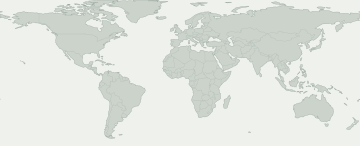
색칠된 지역을 선택하면 펌웨어 기록을 볼 수 있습니다. 파란색은 국가별 기록이 아닌 유럽이나 코카서스 같은 넓은 시장을 나타냅니다.
여러 국가에 걸친 펌웨어 시장
시장을 선택해 출처 기록을 확인하세요. 색칠된 지역 안에서도 제공 여부는 다를 수 있습니다.
이 선택에 맞는 지도상의 펌웨어 지역이 없습니다. 정확한 기록은 CSC 기록에서 확인하세요.
일부 펌웨어 지역은 지도에서 위치를 특정할 수 없습니다. 해당 기록은 표에서 볼 수 있습니다.
모델과 펌웨어 지역
Galaxy 제품을 열어 정확한 모델 코드를 비교하세요. 코드 아래에는 이 버전의 펌웨어 기록이 있는 시장이 표시됩니다. 내 모델 코드는 휴대전화 정보에서 확인할 수 있습니다.
Galaxy 제품 60개 · 정확한 모델 234개 · 펌웨어 지역 204개
출처에 기록된 빌드추적기 관측
숫자는 각 펌웨어 지역에 기록이 있는 정확한 모델 수입니다. 제품을 열어 모델과 출처를 확인하세요.
출처에서 확인된 기록이 내 휴대전화의 업데이트 가능 여부를 보장하지는 않습니다. 기기의 설정 → 소프트웨어 업데이트에서 확인하세요.
내 갤럭시 확인
내 갤럭시에 대해 무엇을 알 수 있나요?
현재 위치가 아닌 정확한 모델과 펌웨어 CSC를 선택하세요.
이 릴리스를 확인할 기기를 선택하세요.
배포 변화
기록된 배포 활동
각 모델/지역 조합의 최초 확인 기록입니다. 변경 없는 반복 확인은 합계에 포함하지 않습니다.
- 10
- 37
- 6
- 13
- 2
- 18
- 3
- 6
- 5
- 3
- 3
- 3
모델별 확인 현황
펌웨어 기록이 있는 갤럭시 기종
기종을 펼치면 정확한 모델, CSC, 최초 빌드, 기록 날짜와 출처를 볼 수 있습니다.
Galaxy A0443 모델/지역 조합
SM-A045F / ACR
A045FXXU7EXH2빌드 게시 날짜SM-A045F / AFRA045FXXU7EXH2빌드 게시 날짜SM-A045F / CAUA045FXXU7EXH2빌드 게시 날짜SM-A045F / ECTA045FXXU7EXH2빌드 게시 날짜SM-A045F / EGYA045FXXU7EXH2빌드 게시 날짜SM-A045F / GLBA045FXXU7EXH2빌드 게시 날짜SM-A045F / ILOA045FXXU7EXH2빌드 게시 날짜SM-A045F / INSA045FXXU7EXH2빌드 게시 날짜SM-A045F / KSAA045FXXU7EXH2빌드 게시 날짜SM-A045F / LYSA045FXXU7EXH2빌드 게시 날짜SM-A045F / MIDA045FXXU7EXH2빌드 게시 날짜SM-A045F / PAKA045FXXU7EXH2빌드 게시 날짜SM-A045F / PNGA045FXXU7EXH2빌드 게시 날짜SM-A045F / SERA045FXXU7EXH2빌드 게시 날짜SM-A045F / SKZA045FXXU7EXH2빌드 게시 날짜SM-A045F / SLKA045FXXU7EXH2빌드 게시 날짜SM-A045F / THLA045FXXU7EXH2빌드 게시 날짜SM-A045F / VFJA045FXXU7EXH2빌드 게시 날짜SM-A045F / XFAA045FXXU7EXH2빌드 게시 날짜SM-A045F / XMEA045FXXU7EXH2빌드 게시 날짜SM-A045F / XSGA045FXXU7EXH2빌드 게시 날짜SM-A045F / XXVA045FXXU7EXH2빌드 게시 날짜SM-A045M / ANCA045MUBU8EXH6빌드 게시 날짜SM-A045M / AROA045MUBU8EXH6빌드 게시 날짜SM-A045M / BVOA045MUBU8EXH6빌드 게시 날짜SM-A045M / CHOA045MUBU8EXH6빌드 게시 날짜SM-A045M / CHXA045MUBU8EXH6빌드 게시 날짜SM-A045M / COLA045MUBU8EXH6빌드 게시 날짜SM-A045M / COMA045MUBU8EXH6빌드 게시 날짜SM-A045M / COOA045MUBU8EXH6빌드 게시 날짜SM-A045M / CTIA045MUBU8EXH6빌드 게시 날짜SM-A045M / CTUA045MUBU8EXH6빌드 게시 날짜SM-A045M / IUSA045MUBU8EXH6빌드 게시 날짜SM-A045M / MXOA045MUBU8EXH6빌드 게시 날짜SM-A045M / NBSA045MUBU8EXH6빌드 게시 날짜SM-A045M / PETA045MUBU8EXH6빌드 게시 날짜SM-A045M / PNTA045MUBU8EXH6빌드 게시 날짜SM-A045M / PSNA045MUBU8EXH6빌드 게시 날짜SM-A045M / SAMA045MUBU8EXH6빌드 게시 날짜SM-A045M / TCEA045MUBU8EXH6빌드 게시 날짜SM-A045M / TGPA045MUBU8EXH6빌드 게시 날짜SM-A045M / UFNA045MUBU8EXH6빌드 게시 날짜SM-A045M / UYOA045MUBU8EXH6빌드 게시 날짜확인 기록 보기 →Galaxy A04s28 모델/지역 조합
SM-A047F / AFG
A047FXXU8EXG6빌드 게시 날짜SM-A047F / AFRA047FXXU8EXG6빌드 게시 날짜SM-A047F / CAUA047FXXU8EXG6빌드 게시 날짜SM-A047F / EGYA047FXXU8EXG6빌드 게시 날짜SM-A047F / EVRA047FXXU8EXG6빌드 게시 날짜SM-A047F / GLBA047FXXU8EXG6빌드 게시 날짜SM-A047F / INSA047FXXU8EXG6빌드 게시 날짜SM-A047F / KSAA047FXXU8EXG6빌드 게시 날짜SM-A047F / MEOA047FXXU8EXG6빌드 게시 날짜SM-A047F / META047FXXU8EXG6빌드 게시 날짜SM-A047F / MIDA047FXXU8EXG6빌드 게시 날짜SM-A047F / MOTA047FXXU8EXG6빌드 게시 날짜SM-A047F / PLSA047FXXU8EXG6빌드 게시 날짜SM-A047F / PRTA047FXXU8EXG6빌드 게시 날짜SM-A047F / SEKA047FXXU8EXG6빌드 게시 날짜SM-A047F / SFRA047FXXU8EXG6빌드 게시 날짜SM-A047F / SKZA047FXXU8EXG6빌드 게시 날짜SM-A047F / SLKA047FXXU8EXG6빌드 게시 날짜SM-A047F / TIMA047FXXU8EXG6빌드 게시 날짜SM-A047F / TURA047FXXU8EXG6빌드 게시 날짜SM-A047F / VFJA047FXXU8EXG6빌드 게시 날짜SM-A047F / XFAA047FXXU8EXG6빌드 게시 날짜SM-A047F / XFEA047FXXU8EXG6빌드 게시 날짜SM-A047F / XFVA047FXXU8EXG6빌드 게시 날짜SM-A047F / XIDA047FXXU8EXG6빌드 게시 날짜SM-A047F / XSAA047FXXU8EXG6빌드 게시 날짜SM-A047F / XTCA047FXXU8EXG6빌드 게시 날짜SM-A047F / XXVA047FXXU8EXG6빌드 게시 날짜확인 기록 보기 →Galaxy A13117 모델/지역 조합
SM-A135F / ACR
A135FXXU7EXF1빌드 게시 날짜SM-A135F / AFGA135FXXU7EXF1빌드 게시 날짜SM-A135F / AFRA135FXXU7EXF1빌드 게시 날짜SM-A135F / BOGA135FXXU7EXF1빌드 게시 날짜SM-A135F / CAUA135FXXU7EXF1빌드 게시 날짜SM-A135F / ECTA135FXXU7EXF1빌드 게시 날짜SM-A135F / EGYA135FXXU7EXF1빌드 게시 날짜SM-A135F / GLBA135FXXU7EXF1빌드 게시 날짜SM-A135F / ILOA135FXXU7EXF1빌드 게시 날짜SM-A135F / KSAA135FXXU7EXF1빌드 게시 날짜SM-A135F / LYSA135FXXU7EXF1빌드 게시 날짜SM-A135F / MEOA135FXXU7EXF1빌드 게시 날짜SM-A135F / META135FXXU7EXF1빌드 게시 날짜SM-A135F / MIDA135FXXU7EXF1빌드 게시 날짜SM-A135F / MM1A135FXXU7EXF1빌드 게시 날짜SM-A135F / MOTA135FXXU7EXF1빌드 게시 날짜SM-A135F / MSRA135FXXU7EXF1빌드 게시 날짜SM-A135F / MWDA135FXXU7EXF1빌드 게시 날짜SM-A135F / O2CA135FXXU7EXF1빌드 게시 날짜SM-A135F / OPSA135FXXU7EXF1빌드 게시 날짜SM-A135F / PAKA135FXXU7EXF1빌드 게시 날짜SM-A135F / PLSA135FXXU7EXF1빌드 게시 날짜SM-A135F / PRTA135FXXU7EXF1빌드 게시 날짜SM-A135F / SEKA135FXXU7EXF1빌드 게시 날짜SM-A135F / SINA135FXXU7EXF1빌드 게시 날짜SM-A135F / SKZA135FXXU7EXF1빌드 게시 날짜SM-A135F / SLKA135FXXU7EXF2빌드 게시 날짜SM-A135F / STHA135FXXU7EXF1빌드 게시 날짜SM-A135F / THLA135FXXU7EXF1빌드 게시 날짜SM-A135F / TOPA135FXXU7EXF1빌드 게시 날짜SM-A135F / TSIA135FXXU7EXF1빌드 게시 날짜SM-A135F / TUNA135FXXU7EXF1빌드 게시 날짜SM-A135F / TURA135FXXU7EXF1빌드 게시 날짜SM-A135F / VAUA135FXXU7EXF1빌드 게시 날짜SM-A135F / VFJA135FXXU7EXF1빌드 게시 날짜SM-A135F / VIPA135FXXU7EXF1빌드 게시 날짜SM-A135F / XFAA135FXXU7EXF1빌드 게시 날짜SM-A135F / XFEA135FXXU7EXF1빌드 게시 날짜SM-A135F / XIDA135FXXU7EXF1빌드 게시 날짜SM-A135F / XMEA135FXXU7EXF1빌드 게시 날짜SM-A135F / XSAA135FXXU7EXF1빌드 게시 날짜SM-A135F / XSGA135FXXU7EXF1빌드 게시 날짜SM-A135F / XSPA135FXXU7EXF1빌드 게시 날짜SM-A135F / XTCA135FXXU7EXF1빌드 게시 날짜SM-A135F / XXVA135FXXU7EXF1빌드 게시 날짜SM-A135M / ANCA135MUBU7DXH1빌드 게시 날짜SM-A135M / AROA135MUBU7DXH1빌드 게시 날짜SM-A135M / BVOA135MUBU7DXH1빌드 게시 날짜SM-A135M / BVTA135MUBU7DXH1빌드 게시 날짜SM-A135M / CGUA135MUBU7DXH1빌드 게시 날짜SM-A135M / CHLA135MUBU7DXH1빌드 게시 날짜SM-A135M / CHOA135MUBU7DXH1빌드 게시 날짜SM-A135M / CHTA135MUBU7DXH1빌드 게시 날짜SM-A135M / COBA135MUBU7DXH1빌드 게시 날짜SM-A135M / COLA135MUBU7DXH1빌드 게시 날짜SM-A135M / COMA135MUBU7DXH1빌드 게시 날짜SM-A135M / COOA135MUBU7DXH1빌드 게시 날짜SM-A135M / CPAA135MUBU7DXH1빌드 게시 날짜SM-A135M / CTIA135MUBU7DXH1빌드 게시 날짜SM-A135M / CTPA135MUBU7DXH1빌드 게시 날짜SM-A135M / CTUA135MUBU7DXH1빌드 게시 날짜SM-A135M / CWWA135MUBU7DXH1빌드 게시 날짜SM-A135M / DORA135MUBU7DXH1빌드 게시 날짜SM-A135M / EONA135MUBU7DXH1빌드 게시 날짜SM-A135M / IUSA135MUBU7DXH1빌드 게시 날짜SM-A135M / NBSA135MUBU7DXH1빌드 게시 날짜SM-A135M / PETA135MUBU7DXH1빌드 게시 날짜SM-A135M / PSNA135MUBU7DXH1빌드 게시 날짜SM-A135M / PSPA135MUBU7DXH1빌드 게시 날짜SM-A135M / SAMA135MUBU7DXH1빌드 게시 날짜SM-A135M / TCEA135MUBU7DXH1빌드 게시 날짜SM-A135M / TMMA135MUBU7DXH1빌드 게시 날짜SM-A135M / TPAA135MUBU7DXH1빌드 게시 날짜SM-A135M / UFNA135MUBU7DXH1빌드 게시 날짜SM-A135M / UFUA135MUBU7DXH1빌드 게시 날짜SM-A135M / UPOA135MUBU7DXH1빌드 게시 날짜SM-A135M / UYOA135MUBU7DXH1빌드 게시 날짜SM-A135M / ZTAA135MUBU7DXH1빌드 게시 날짜SM-A135M / ZTMA135MUBU7DXH1빌드 게시 날짜SM-A135M / ZTOA135MUBU7DXH1빌드 게시 날짜SM-A135M / ZVVA135MUBU7DXH1빌드 게시 날짜SM-A135N / KTCA135NKSU7EXF1빌드 게시 날짜SM-A135N / LUCA135NKSU7EXF1빌드 게시 날짜SM-A135U / TMBA135USQU8EXF3빌드 게시 날짜SM-A135U / TMKA135USQU8EXF3빌드 게시 날짜SM-A135U / USCA135USQU8EXF2빌드 게시 날짜SM-A135U1 / ACGA135U1UEU7EXF3빌드 게시 날짜SM-A135U1 / AIOA135U1UEU7EXF3빌드 게시 날짜SM-A135U1 / CCTA135U1UEU7EXF3빌드 게시 날짜SM-A135U1 / CHAA135U1UEU7EXF3빌드 게시 날짜SM-A135U1 / LRAA135U1UEU7EXF3빌드 게시 날짜SM-A135U1 / PCTA135U1UEU7EXF3빌드 게시 날짜SM-A135U1 / TMBA135U1UEU7EXF3빌드 게시 날짜SM-A135U1 / USCA135U1UEU7EXF3빌드 게시 날짜SM-A135U1 / XAAA135U1UEU7EXF3빌드 게시 날짜SM-A135U1 / XAGA135U1UEU7EXF3빌드 게시 날짜SM-A135U1 / XARA135U1UEU7EXF3빌드 게시 날짜SM-A137F / AFGA137FXXU5EXE3빌드 게시 날짜SM-A137F / BOGA137FXXU5EXE3빌드 게시 날짜SM-A137F / EGYA137FXXU5EXE3빌드 게시 날짜SM-A137F / EVRA137FXXU5EXE3빌드 게시 날짜SM-A137F / ILOA137FXXU5EXE3빌드 게시 날짜SM-A137F / KSAA137FXXU5EXE3빌드 게시 날짜SM-A137F / LYSA137FXXU5EXE3빌드 게시 날짜SM-A137F / MEOA137FXXU5EXE3빌드 게시 날짜SM-A137F / MIDA137FXXU5EXE3빌드 게시 날짜SM-A137F / MOTA137FXXU5EXE3빌드 게시 날짜SM-A137F / MSRA137FXXU5EXE3빌드 게시 날짜SM-A137F / MWDA137FXXU5EXE3빌드 게시 날짜SM-A137F / O2CA137FXXU5EXE3빌드 게시 날짜SM-A137F / PAKA137FXXU5EXE3빌드 게시 날짜SM-A137F / PRTA137FXXU5EXE3빌드 게시 날짜SM-A137F / SFRA137FXXU5EXE3빌드 게시 날짜SM-A137F / TOPA137FXXU5EXE3빌드 게시 날짜SM-A137F / TSIA137FXXU5EXE3빌드 게시 날짜SM-A137F / TUNA137FXXU5EXE3빌드 게시 날짜SM-A137F / XSGA137FXXU5EXE3빌드 게시 날짜확인 기록 보기 →Galaxy A13 5G32 모델/지역 조합
SM-A136B / BOG
A136BXXU7DXE2빌드 게시 날짜SM-A136B / BRIA136BZHU7DXE2빌드 게시 날짜SM-A136B / EGYA136BXXU7DXE2빌드 게시 날짜SM-A136B / EVRA136BXXU7DXE2빌드 게시 날짜SM-A136B / GLBA136BXXU7DXE2빌드 게시 날짜SM-A136B / MEOA136BXXU7DXE2빌드 게시 날짜SM-A136B / META136BXXU7DXE2빌드 게시 날짜SM-A136B / MIDA136BXXU7DXE2빌드 게시 날짜SM-A136B / MOTA136BXXU7DXE2빌드 게시 날짜SM-A136B / MSRA136BXXU7DXE2빌드 게시 날짜SM-A136B / O2CA136BXXU7DXE2빌드 게시 날짜SM-A136B / OPSA136BXXU7DXE2빌드 게시 날짜SM-A136B / PLSA136BXXU7DXE2빌드 게시 날짜SM-A136B / PRTA136BXXU7DXE2빌드 게시 날짜SM-A136B / SINA136BXXU7DXE2빌드 게시 날짜SM-A136B / STHA136BXXU7DXE2빌드 게시 날짜SM-A136B / SWCA136BXXU7DXE2빌드 게시 날짜SM-A136B / TELA136BXXU7DXE2빌드 게시 날짜SM-A136B / TGYA136BZHU7DXE2빌드 게시 날짜SM-A136B / THLA136BXXU7DXE2빌드 게시 날짜SM-A136B / TSIA136BXXU7DXE2빌드 게시 날짜SM-A136B / VIPA136BXXU7DXE2빌드 게시 날짜SM-A136B / XFAA136BXXU7DXE2빌드 게시 날짜SM-A136B / XFVA136BXXU7DXE2빌드 게시 날짜SM-A136B / XMEA136BXXU7DXE2빌드 게시 날짜SM-A136B / XSAA136BXXU7DXE2빌드 게시 날짜SM-A136B / XSGA136BXXU7DXE2빌드 게시 날짜SM-A136B / XSPA136BXXU7DXE2빌드 게시 날짜SM-A136B / XTCA136BXXU7DXE2빌드 게시 날짜SM-A136M / NBSA136MUBU8DXE4빌드 게시 날짜SM-A136M / TPAA136MUBU8DXE4빌드 게시 날짜SM-A136S / SKCA136SKSU6EXF2빌드 게시 날짜확인 기록 보기 →Galaxy A141 모델/지역 조합
Galaxy A2358 모델/지역 조합
SM-A235F / ACR
A235FXXU6EXE3빌드 게시 날짜SM-A235F / AFGA235FXXU6EXE3빌드 게시 날짜SM-A235F / CAUA235FXXU6EXE3빌드 게시 날짜SM-A235F / ECTA235FXXU6EXE3빌드 게시 날짜SM-A235F / EGYA235FXXU6EXE3빌드 게시 날짜SM-A235F / ILOA235FXXU6EXE3빌드 게시 날짜SM-A235F / INSA235FXXU6EXE3빌드 게시 날짜SM-A235F / MIDA235FXXU6EXE3빌드 게시 날짜SM-A235F / MWDA235FXXU6EXE3빌드 게시 날짜SM-A235F / NPLA235FXXU6EXE3빌드 게시 날짜SM-A235F / SERA235FXXU6EXE3빌드 게시 날짜SM-A235F / SKZA235FXXU6EXE3빌드 게시 날짜SM-A235F / SLKA235FXXU6EXE3빌드 게시 날짜SM-A235F / THLA235FXXU6EXE3빌드 게시 날짜SM-A235F / TUNA235FXXU6EXE3빌드 게시 날짜SM-A235F / XFAA235FXXU6EXE3빌드 게시 날짜SM-A235F / XFEA235FXXU6EXE3빌드 게시 날짜SM-A235F / XFVA235FXXU6EXE3빌드 게시 날짜SM-A235F / XIDA235FXXU6EXE3빌드 게시 날짜SM-A235F / XSAA235FXXU6EXE3빌드 게시 날짜SM-A235F / XSGA235FXXU6EXE3빌드 게시 날짜SM-A235F / XTCA235FXXU6EXE3빌드 게시 날짜SM-A235M / AROA235MUBU7EXF1빌드 게시 날짜SM-A235M / BATA235MUBU7EXF1빌드 게시 날짜SM-A235M / BVOA235MUBU7EXF1빌드 게시 날짜SM-A235M / BVTA235MUBU7EXF1빌드 게시 날짜SM-A235M / CGUA235MUBU7EXF1빌드 게시 날짜SM-A235M / CHEA235MUBU7EXF1빌드 게시 날짜SM-A235M / CHOA235MUBU7EXF1빌드 게시 날짜SM-A235M / CHTA235MUBU7EXF1빌드 게시 날짜SM-A235M / CHXA235MUBU7EXF1빌드 게시 날짜SM-A235M / COBA235MUBU7EXF1빌드 게시 날짜SM-A235M / COLA235MUBU7EXF1빌드 게시 날짜SM-A235M / COOA235MUBU7EXF1빌드 게시 날짜SM-A235M / CPAA235MUBU7EXF1빌드 게시 날짜SM-A235M / CTPA235MUBU7EXF1빌드 게시 날짜SM-A235M / CTUA235MUBU7EXF1빌드 게시 날짜SM-A235M / CWWA235MUBU7EXF1빌드 게시 날짜SM-A235M / DORA235MUBU7EXF1빌드 게시 날짜SM-A235M / EONA235MUBU7EXF1빌드 게시 날짜SM-A235M / IUSA235MUBU7EXF1빌드 게시 날짜SM-A235M / MXOA235MUBU7EXF1빌드 게시 날짜SM-A235M / NBSA235MUBU7EXF1빌드 게시 날짜SM-A235M / PETA235MUBU7EXF1빌드 게시 날짜SM-A235M / PGUA235MUBU7EXF1빌드 게시 날짜SM-A235M / PSNA235MUBU7EXF1빌드 게시 날짜SM-A235M / PSPA235MUBU7EXF1빌드 게시 날짜SM-A235M / SAMA235MUBU7EXF1빌드 게시 날짜SM-A235M / TGPA235MUBU7EXF1빌드 게시 날짜SM-A235M / TMMA235MUBU7EXF1빌드 게시 날짜SM-A235M / UFNA235MUBU7EXF1빌드 게시 날짜SM-A235M / UFUA235MUBU7EXF1빌드 게시 날짜SM-A235M / UPOA235MUBU7EXF1빌드 게시 날짜SM-A235M / ZTAA235MUBU7EXF2빌드 게시 날짜SM-A235M / ZTMA235MUBU7EXF2빌드 게시 날짜SM-A235M / ZVVA235MUBU7EXF2빌드 게시 날짜SM-A235N / KTCA235NKSU5EXE3빌드 게시 날짜SM-A235N / SKCA235NKSU5EXE3빌드 게시 날짜확인 기록 보기 →Galaxy A23 5G57 모델/지역 조합
SM-A2360 / TGY
A2360ZHU5EXDA빌드 게시 날짜SM-A236B / BOGA236BXXU5EXDA빌드 게시 날짜SM-A236B / EVRA236BXXU5EXDA빌드 게시 날짜SM-A236B / META236BXXU5EXDA빌드 게시 날짜SM-A236B / MOTA236BXXU5EXDA빌드 게시 날짜SM-A236B / MSRA236BXXU5EXDA빌드 게시 날짜SM-A236B / O2CA236BXXU5EXDA빌드 게시 날짜SM-A236B / PLSA236BXXU5EXDA빌드 게시 날짜SM-A236B / PRTA236BXXU5EXDA빌드 게시 날짜SM-A236B / SIMA236BXXU5EXDA빌드 게시 날짜SM-A236B / TIMA236BXXU5EXDA빌드 게시 날짜SM-A236B / VIPA236BXXU5EXDA빌드 게시 날짜SM-A236E / BRIA236EXXU5EXDA빌드 게시 날짜SM-A236E / GLBA236EXXU5EXDA빌드 게시 날짜SM-A236E / INSA236EXXU5EXDA빌드 게시 날짜SM-A236E / KSAA236EXXU5EXDA빌드 게시 날짜SM-A236E / MM1A236EXXU5EXDA빌드 게시 날짜SM-A236E / SINA236EXXU5EXDA빌드 게시 날짜SM-A236E / STHA236EXXU5EXDA빌드 게시 날짜SM-A236E / THLA236EXXU5EXDA빌드 게시 날짜SM-A236E / XIDA236EXXU5EXDA빌드 게시 날짜SM-A236E / XMEA236EXXU5EXDA빌드 게시 날짜SM-A236E / XSAA236EXXU5EXDA빌드 게시 날짜SM-A236E / XSGA236EXXU5EXDA빌드 게시 날짜SM-A236E / XSPA236EXXU5EXDA빌드 게시 날짜SM-A236E / XTCA236EXXU5EXDA빌드 게시 날짜SM-A236E / XXVA236EXXU5EXDA빌드 게시 날짜SM-A236M / AROA236MUBU6EXF5빌드 게시 날짜SM-A236M / CGUA236MUBU6EXF5빌드 게시 날짜SM-A236M / CHEA236MUBU6EXF5빌드 게시 날짜SM-A236M / CHLA236MUBU6EXF5빌드 게시 날짜SM-A236M / CHOA236MUBU6EXF5빌드 게시 날짜SM-A236M / CHTA236MUBU6EXF5빌드 게시 날짜SM-A236M / CHXA236MUBU6EXF5빌드 게시 날짜SM-A236M / CTIA236MUBU6EXF5빌드 게시 날짜SM-A236M / PSNA236MUBU6EXF5빌드 게시 날짜SM-A236M / TPAA236MUBU6EXF5빌드 게시 날짜SM-A236M / UFNA236MUBU6EXF5빌드 게시 날짜SM-A236M / ZTAA236MUBU6EXF5빌드 게시 날짜SM-A236M / ZTMA236MUBU6EXF5빌드 게시 날짜SM-A236M / ZTOA236MUBU6EXF5빌드 게시 날짜SM-A236M / ZVVA236MUBU6EXF5빌드 게시 날짜SM-A236U / TMBA236USQU6EXE6빌드 게시 날짜SM-A236U1 / ACGA236U1UEU6EXE6빌드 게시 날짜SM-A236U1 / AIOA236U1UEU6EXE6빌드 게시 날짜SM-A236U1 / ATTA236U1UEU6EXE6빌드 게시 날짜SM-A236U1 / CCTA236U1UEU6EXE6빌드 게시 날짜SM-A236U1 / CHAA236U1UEU6EXE6빌드 게시 날짜SM-A236U1 / LRAA236U1UEU6EXE6빌드 게시 날짜SM-A236U1 / TMBA236U1UEU6EXE6빌드 게시 날짜SM-A236U1 / TMKA236U1UEU6EXE6빌드 게시 날짜SM-A236U1 / USCA236U1UEU6EXE6빌드 게시 날짜SM-A236U1 / VZWA236U1UEU6EXE6빌드 게시 날짜SM-A236U1 / XAAA236U1UEU6EXE6빌드 게시 날짜SM-A236U1 / XAGA236U1UEU6EXE6빌드 게시 날짜SM-A236U1 / XARA236U1UEU6EXE6빌드 게시 날짜SM-S236DL / TFNS236DLUDU8FXE6빌드 게시 날짜확인 기록 보기 →Galaxy A23e 5G4 모델/지역 조합
Galaxy A25 5G1 모델/지역 조합
Galaxy A33 5G103 모델/지역 조합
SM-A3360 / TGY
A3360ZHU8EXDC빌드 게시 날짜SM-A336B / BOGA336BXXU8EXDC빌드 게시 날짜SM-A336B / CAUA336BXXU8EXDC빌드 게시 날짜SM-A336B / EVRA336BXXU8EXDC빌드 게시 날짜SM-A336B / MEOA336BXXU8EXDC빌드 게시 날짜SM-A336B / META336BXXU8EXDC빌드 게시 날짜SM-A336B / MOBA336BXXU8EXDC빌드 게시 날짜SM-A336B / MOTA336BXXU8EXDC빌드 게시 날짜SM-A336B / MSRA336BXXU8EXDC빌드 게시 날짜SM-A336B / O2CA336BXXU8EXDC빌드 게시 날짜SM-A336B / PLSA336BXXU8EXDC빌드 게시 날짜SM-A336B / PRTA336BXXU8EXDC빌드 게시 날짜SM-A336B / SEKA336BXXU8EXDC빌드 게시 날짜SM-A336B / SERA336BXXU8EXDC빌드 게시 날짜SM-A336B / SFRA336BXXU8EXDC빌드 게시 날짜SM-A336B / SIMA336BXXU8EXDC빌드 게시 날짜SM-A336B / SKZA336BXXU8EXDC빌드 게시 날짜SM-A336B / SWCA336BXXU8EXDC빌드 게시 날짜SM-A336B / TIMA336BXXU8EXDC빌드 게시 날짜SM-A336B / TOPA336BXXU8EXDC빌드 게시 날짜SM-A336B / TSIA336BXXU8EXDC빌드 게시 날짜SM-A336B / VIPA336BXXU8EXDC빌드 게시 날짜SM-A336E / ACRA336EDXU8EXDD빌드 게시 날짜SM-A336E / AFGA336EDXU8EXDD빌드 게시 날짜SM-A336E / AFRA336EDXU8EXDD빌드 게시 날짜SM-A336E / BRIA336EDXU8EXDD빌드 게시 날짜SM-A336E / ECTA336EDXU8EXDD빌드 게시 날짜SM-A336E / EGYA336EDXU8EXDD빌드 게시 날짜SM-A336E / GLBA336EDXU8EXDD빌드 게시 날짜SM-A336E / ILOA336EDXU8EXDD빌드 게시 날짜SM-A336E / INSA336EDXU8EXDD빌드 게시 날짜SM-A336E / KSAA336EDXU8EXDD빌드 게시 날짜SM-A336E / LYSA336EDXU8EXDD빌드 게시 날짜SM-A336E / MIDA336EDXU8EXDD빌드 게시 날짜SM-A336E / MM1A336EDXU8EXDD빌드 게시 날짜SM-A336E / MWDA336EDXU8EXDD빌드 게시 날짜SM-A336E / OPSA336EDXU8EXDD빌드 게시 날짜SM-A336E / PAKA336EDXU8EXDD빌드 게시 날짜SM-A336E / SINA336EDXU8EXDD빌드 게시 날짜SM-A336E / STHA336EDXU8EXDD빌드 게시 날짜SM-A336E / TELA336EDXU8EXDD빌드 게시 날짜SM-A336E / THLA336EDXU8EXDD빌드 게시 날짜SM-A336E / TUNA336EDXU8EXDD빌드 게시 날짜SM-A336E / TURA336EDXU8EXDD빌드 게시 날짜SM-A336E / VAUA336EDXU8EXDD빌드 게시 날짜SM-A336E / XFAA336EDXU8EXDD빌드 게시 날짜SM-A336E / XFEA336EDXU8EXDD빌드 게시 날짜SM-A336E / XFVA336EDXU8EXDD빌드 게시 날짜SM-A336E / XIDA336EDXU8EXDD빌드 게시 날짜SM-A336E / XMEA336EDXU8EXDD빌드 게시 날짜SM-A336E / XSAA336EDXU8EXDD빌드 게시 날짜SM-A336E / XSGA336EDXU8EXDD빌드 게시 날짜SM-A336E / XSPA336EDXU8EXDD빌드 게시 날짜SM-A336E / XTCA336EDXU8EXDD빌드 게시 날짜SM-A336E / XXVA336EDXU8EXDD빌드 게시 날짜SM-A336M / ANCA336MUBU8EXE1빌드 게시 날짜SM-A336M / AROA336MUBU8EXE1빌드 게시 날짜SM-A336M / BATA336MUBU8EXE1빌드 게시 날짜SM-A336M / BVOA336MUBU8EXE1빌드 게시 날짜SM-A336M / BVTA336MUBU8EXE1빌드 게시 날짜SM-A336M / CDRA336MUBU8EXE1빌드 게시 날짜SM-A336M / CGUA336MUBU8EXE1빌드 게시 날짜SM-A336M / CHEA336MUBU8EXE1빌드 게시 날짜SM-A336M / CHLA336MUBU8EXE1빌드 게시 날짜SM-A336M / CHOA336MUBU8EXE1빌드 게시 날짜SM-A336M / CHTA336MUBU8EXE1빌드 게시 날짜SM-A336M / CHXA336MUBU8EXE1빌드 게시 날짜SM-A336M / COBA336MUBU8EXE1빌드 게시 날짜SM-A336M / COLA336MUBU8EXE1빌드 게시 날짜SM-A336M / COMA336MUBU8EXE1빌드 게시 날짜SM-A336M / COOA336MUBU8EXE1빌드 게시 날짜SM-A336M / CRCA336MUBU8EXE1빌드 게시 날짜SM-A336M / CTIA336MUBU8EXE1빌드 게시 날짜SM-A336M / CTPA336MUBU8EXE1빌드 게시 날짜SM-A336M / CTUA336MUBU8EXE1빌드 게시 날짜SM-A336M / CWWA336MUBU8EXE1빌드 게시 날짜SM-A336M / DORA336MUBU8EXE1빌드 게시 날짜SM-A336M / EBEA336MUBU8EXE1빌드 게시 날짜SM-A336M / ECOA336MUBU8EXE1빌드 게시 날짜SM-A336M / EONA336MUBU8EXE1빌드 게시 날짜SM-A336M / IUSA336MUBU8EXE1빌드 게시 날짜SM-A336M / MXOA336MUBU8EXE1빌드 게시 날짜SM-A336M / NBSA336MUBU8EXE1빌드 게시 날짜SM-A336M / PETA336MUBU8EXE1빌드 게시 날짜SM-A336M / PGUA336MUBU8EXE1빌드 게시 날짜SM-A336M / PNTA336MUBU8EXE1빌드 게시 날짜SM-A336M / PSNA336MUBU8EXE1빌드 게시 날짜SM-A336M / PSPA336MUBU8EXE1빌드 게시 날짜SM-A336M / SAMA336MUBU8EXE1빌드 게시 날짜SM-A336M / TCEA336MUBU8EXE1빌드 게시 날짜SM-A336M / TGPA336MUBU8EXE1빌드 게시 날짜SM-A336M / TMMA336MUBU8EXE1빌드 게시 날짜SM-A336M / TPAA336MUBU8EXE1빌드 게시 날짜SM-A336M / UFNA336MUBU8EXE1빌드 게시 날짜SM-A336M / UFUA336MUBU8EXE1빌드 게시 날짜SM-A336M / UPOA336MUBU8EXE1빌드 게시 날짜SM-A336M / UYOA336MUBU8EXE1빌드 게시 날짜SM-A336M / ZTAA336MUBU8EXE2빌드 게시 날짜SM-A336M / ZTMA336MUBU8EXE2빌드 게시 날짜SM-A336M / ZTOA336MUBU8EXE2빌드 게시 날짜SM-A336M / ZVVA336MUBU8EXE2빌드 게시 날짜SM-A336N / KTCA336NKSU7EXE3빌드 게시 날짜SM-A336N / SKCA336NKSU7EXE3빌드 게시 날짜확인 기록 보기 →Galaxy A34 5G1 모델/지역 조합
Galaxy A5237 모델/지역 조합
SM-A525F / GLB
A525FXXU6FXD2빌드 게시 날짜SM-A525F / MOTA525FXXU6FXD2빌드 게시 날짜SM-A525F / OROA525FXXU6FXD2빌드 게시 날짜SM-A525F / ORSA525FXXU6FXD2빌드 게시 날짜SM-A525F / SKZA525FXXU6FXD2빌드 게시 날짜SM-A525F / THLA525FXXU6FXD2빌드 게시 날짜SM-A525F / TOPA525FXXU6FXD2빌드 게시 날짜SM-A525F / XIDA525FXXU6FXD2빌드 게시 날짜SM-A525F / XMEA525FXXU6FXD2빌드 게시 날짜SM-A525F / XSAA525FXXU6FXD2빌드 게시 날짜SM-A525F / XTCA525FXXU6FXD2빌드 게시 날짜SM-A525F / XXVA525FXXU6FXD2빌드 게시 날짜SM-A525M / ANCA525MUBU6FXE1빌드 게시 날짜SM-A525M / BATA525MUBU6FXE1빌드 게시 날짜SM-A525M / BVOA525MUBU6FXE1빌드 게시 날짜SM-A525M / BVTA525MUBU6FXE1빌드 게시 날짜SM-A525M / CHOA525MUBU6FXE1빌드 게시 날짜SM-A525M / CHTA525MUBU6FXE1빌드 게시 날짜SM-A525M / CPAA525MUBU6FXE1빌드 게시 날짜SM-A525M / CTIA525MUBU6FXE1빌드 게시 날짜SM-A525M / CTPA525MUBU6FXE1빌드 게시 날짜SM-A525M / CTUA525MUBU6FXE1빌드 게시 날짜SM-A525M / CWWA525MUBU6FXE1빌드 게시 날짜SM-A525M / EBEA525MUBU6FXE1빌드 게시 날짜SM-A525M / EONA525MUBU6FXE1빌드 게시 날짜SM-A525M / PCTA525MUBU6FXE1빌드 게시 날짜SM-A525M / PETA525MUBU6FXE1빌드 게시 날짜SM-A525M / PGUA525MUBU6FXE1빌드 게시 날짜SM-A525M / PNTA525MUBU6FXE1빌드 게시 날짜SM-A525M / PSPA525MUBU6FXE1빌드 게시 날짜SM-A525M / TMMA525MUBU6FXE1빌드 게시 날짜SM-A525M / UFNA525MUBU6FXE1빌드 게시 날짜SM-A525M / UFUA525MUBU6FXE1빌드 게시 날짜SM-A525M / UPOA525MUBU6FXE1빌드 게시 날짜SM-A525M / UYOA525MUBU6FXE1빌드 게시 날짜SM-A525M / ZTOA525MUBU6FXE1빌드 게시 날짜SM-A525M / ZVVA525MUBU6FXE1빌드 게시 날짜확인 기록 보기 →Galaxy A52 5G88 모델/지역 조합
SC-53B / DCM
SC53BOMU1DXD2빌드 게시 날짜SM-A5260 / BRIA5260ZHU7GXD3빌드 게시 날짜SM-A5260 / TGYA5260ZHU7GXD3빌드 게시 날짜SM-A526B / 3IEA526BXXU7GXD3빌드 게시 날짜SM-A526B / AMOA526BXXU7GXD3빌드 게시 날짜SM-A526B / AUTA526BXXU7GXD3빌드 게시 날짜SM-A526B / BOGA526BXXU7GXD3빌드 게시 날짜SM-A526B / BTUA526BXXU7GXD3빌드 게시 날짜SM-A526B / CNXA526BXXU7GXD3빌드 게시 날짜SM-A526B / CROA526BXXU7GXD3빌드 게시 날짜SM-A526B / DBTA526BXXU7GXD3빌드 게시 날짜SM-A526B / DTMA526BXXU7GXD3빌드 게시 날짜SM-A526B / EURA526BXXU7GXD3빌드 게시 날짜SM-A526B / EVRA526BXXU7GXD3빌드 게시 날짜SM-A526B / GLBA526BXXU7GXD3빌드 게시 날짜SM-A526B / H3GA526BXXU7GXD3빌드 게시 날짜SM-A526B / HUIA526BXXU7GXD3빌드 게시 날짜SM-A526B / ILOA526BXXU7GXD3빌드 게시 날짜SM-A526B / ITVA526BXXU7GXD3빌드 게시 날짜SM-A526B / KSAA526BXXU7GXD3빌드 게시 날짜SM-A526B / LUXA526BXXU7GXD3빌드 게시 날짜SM-A526B / MAXA526BXXU7GXD3빌드 게시 날짜SM-A526B / MEOA526BXXU7GXD3빌드 게시 날짜SM-A526B / MIDA526BXXU7GXD3빌드 게시 날짜SM-A526B / MM1A526BXXU7GXD3빌드 게시 날짜SM-A526B / MOBA526BXXU7GXD3빌드 게시 날짜SM-A526B / O2CA526BXXU7GXD3빌드 게시 날짜SM-A526B / O2UA526BXXU7GXD3빌드 게시 날짜SM-A526B / OPSA526BXXU7GXD3빌드 게시 날짜SM-A526B / OROA526BXXU7GXD3빌드 게시 날짜SM-A526B / ORSA526BXXU7GXD3빌드 게시 날짜SM-A526B / ORXA526BXXU7GXD3빌드 게시 날짜SM-A526B / PHEA526BXXU7GXD3빌드 게시 날짜SM-A526B / PLSA526BXXU7GXD3빌드 게시 날짜SM-A526B / PRTA526BXXU7GXD3빌드 게시 날짜SM-A526B / SEBA526BXXU7GXD3빌드 게시 날짜SM-A526B / SFRA526BXXU7GXD3빌드 게시 날짜SM-A526B / SIMA526BXXU7GXD3빌드 게시 날짜SM-A526B / STHA526BXXU7GXD3빌드 게시 날짜SM-A526B / SWCA526BXXU7GXD3빌드 게시 날짜SM-A526B / TCLA526BXXU7GXD3빌드 게시 날짜SM-A526B / THLA526BXXU7GXD3빌드 게시 날짜SM-A526B / TIMA526BXXU7GXD3빌드 게시 날짜SM-A526B / TMHA526BXXU7GXD3빌드 게시 날짜SM-A526B / TMSA526BXXU7GXD3빌드 게시 날짜SM-A526B / TMZA526BXXU7GXD3빌드 게시 날짜SM-A526B / TNLA526BXXU7GXD3빌드 게시 날짜SM-A526B / TPLA526BXXU7GXD3빌드 게시 날짜SM-A526B / TSIA526BXXU7GXD3빌드 게시 날짜SM-A526B / VAUA526BXXU7GXD3빌드 게시 날짜SM-A526B / VD2A526BXXU7GXD3빌드 게시 날짜SM-A526B / VDCA526BXXU7GXD3빌드 게시 날짜SM-A526B / VDFA526BXXU7GXD3빌드 게시 날짜SM-A526B / VDIA526BXXU7GXD3빌드 게시 날짜SM-A526B / VGRA526BXXU7GXD3빌드 게시 날짜SM-A526B / VIPA526BXXU7GXD3빌드 게시 날짜SM-A526B / XECA526BXXU7GXD3빌드 게시 날짜SM-A526B / XEHA526BXXU7GXD3빌드 게시 날짜SM-A526B / XEOA526BXXU7GXD3빌드 게시 날짜SM-A526B / XEZA526BXXU7GXD3빌드 게시 날짜SM-A526B / XFAA526BXXU7GXD3빌드 게시 날짜SM-A526B / XFVA526BXXU7GXD3빌드 게시 날짜SM-A526B / XSAA526BXXU7GXD3빌드 게시 날짜SM-A526B / XSGA526BXXU7GXD3빌드 게시 날짜SM-A526B / XSPA526BXXU7GXD3빌드 게시 날짜SM-A526B / XTCA526BXXU7GXD3빌드 게시 날짜SM-A526B / XXVA526BXXU7GXD3빌드 게시 날짜SM-A526U / CCTA526USQUCGXD3빌드 게시 날짜SM-A526U / TMBA526USQUCGXE1빌드 게시 날짜SM-A526U / USCA526USQUCGXD3빌드 게시 날짜SM-A526U1 / ACGA526U1UEUCGXE1빌드 게시 날짜SM-A526U1 / AIOA526U1UEUCGXE1빌드 게시 날짜SM-A526U1 / CHAA526U1UEUCGXE1빌드 게시 날짜SM-A526U1 / LRAA526U1UEUCGXE1빌드 게시 날짜SM-A526U1 / SPRA526U1UEUCGXE1빌드 게시 날짜SM-A526U1 / TMBA526U1UEUCGXE1빌드 게시 날짜SM-A526U1 / TMKA526U1UEUCGXE1빌드 게시 날짜SM-A526U1 / VZWA526U1UEUCGXE1빌드 게시 날짜SM-A526W / BMCA526WVLUCGXD3빌드 게시 날짜SM-A526W / CHRA526WVLUCGXD3빌드 게시 날짜SM-A526W / ESKA526WVLUCGXD3빌드 게시 날짜SM-A526W / FMCA526WVLUCGXD3빌드 게시 날짜SM-A526W / GLWA526WVLUCGXD3빌드 게시 날짜SM-A526W / KDOA526WVLUCGXD3빌드 게시 날짜SM-A526W / TLSA526WVLUCGXD3빌드 게시 날짜SM-A526W / VMCA526WVLUCGXD3빌드 게시 날짜SM-A526W / VTRA526WVLUCGXD3빌드 게시 날짜SM-A526W / XACA526WVLUCGXD3빌드 게시 날짜확인 기록 보기 →Galaxy A52s 5G106 모델/지역 조합
SM-A528B / 3IE
A528BXXU7GXDC빌드 게시 날짜SM-A528B / AMOA528BXXU7GXDC빌드 게시 날짜SM-A528B / AROA528BXXU7GXDC빌드 게시 날짜SM-A528B / ATLA528BXXU7GXDC빌드 게시 날짜SM-A528B / ATOA528BXXU7GXDC빌드 게시 날짜SM-A528B / AUTA528BXXU7GXDC빌드 게시 날짜SM-A528B / BGLA528BXXU7GXDC빌드 게시 날짜SM-A528B / BRIA528BZTU7GXDC빌드 게시 날짜SM-A528B / BTUA528BXXU7GXDC빌드 게시 날짜SM-A528B / BVOA528BXXU7GXDC빌드 게시 날짜SM-A528B / CHEA528BXXU7GXDC빌드 게시 날짜SM-A528B / CHOA528BXXU7GXDC빌드 게시 날짜SM-A528B / CHTA528BXXU7GXDC빌드 게시 날짜SM-A528B / CNXA528BXXU7GXDC빌드 게시 날짜SM-A528B / COBA528BXXU7GXDC빌드 게시 날짜SM-A528B / COLA528BXXU7GXDC빌드 게시 날짜SM-A528B / COOA528BXXU7GXDC빌드 게시 날짜SM-A528B / COSA528BXXU7GXDC빌드 게시 날짜SM-A528B / CROA528BXXU7GXDC빌드 게시 날짜SM-A528B / CTIA528BXXU7GXDC빌드 게시 날짜SM-A528B / DTMA528BXXU7GXDC빌드 게시 날짜SM-A528B / EGYA528BXXU7GXDC빌드 게시 날짜SM-A528B / EURA528BXXU7GXDC빌드 게시 날짜SM-A528B / EVRA528BXXU7GXDC빌드 게시 날짜SM-A528B / GLBA528BXXU7GXDC빌드 게시 날짜SM-A528B / H3GA528BXXU7GXDC빌드 게시 날짜SM-A528B / HUIA528BXXU7GXDC빌드 게시 날짜SM-A528B / ILOA528BXXU7GXDC빌드 게시 날짜SM-A528B / INSA528BXXU7GXDC빌드 게시 날짜SM-A528B / ITVA528BXXU7GXDC빌드 게시 날짜SM-A528B / KSAA528BXXU7GXDC빌드 게시 날짜SM-A528B / LUXA528BXXU7GXDC빌드 게시 날짜SM-A528B / LYSA528BXXU7GXDC빌드 게시 날짜SM-A528B / MAXA528BXXU7GXDC빌드 게시 날짜SM-A528B / MBMA528BXXU7GXDC빌드 게시 날짜SM-A528B / MEOA528BXXU7GXDC빌드 게시 날짜SM-A528B / META528BXXU7GXDC빌드 게시 날짜SM-A528B / MIDA528BXXU7GXDC빌드 게시 날짜SM-A528B / MM1A528BXXU7GXDC빌드 게시 날짜SM-A528B / MOTA528BXXU7GXDC빌드 게시 날짜SM-A528B / MSRA528BXXU7GXDC빌드 게시 날짜SM-A528B / MWDA528BXXU7GXDC빌드 게시 날짜SM-A528B / MXOA528BXXU7GXE4빌드 게시 날짜SM-A528B / NEEA528BXXU7GXDC빌드 게시 날짜SM-A528B / O2CA528BXXU7GXDC빌드 게시 날짜SM-A528B / OMNA528BXXU7GXDC빌드 게시 날짜SM-A528B / OPSA528BXXU7GXDC빌드 게시 날짜SM-A528B / OROA528BXXU7GXDC빌드 게시 날짜SM-A528B / ORSA528BXXU7GXDC빌드 게시 날짜SM-A528B / ORXA528BXXU7GXDC빌드 게시 날짜SM-A528B / PETA528BXXU7GXDC빌드 게시 날짜SM-A528B / PGUA528BXXU7GXDC빌드 게시 날짜SM-A528B / PHEA528BXXU7GXDC빌드 게시 날짜SM-A528B / PLSA528BXXU7GXDC빌드 게시 날짜SM-A528B / PNTA528BXXU7GXDC빌드 게시 날짜SM-A528B / PRTA528BXXU7GXDC빌드 게시 날짜SM-A528B / PSNA528BXXU7GXDC빌드 게시 날짜SM-A528B / SAMA528BXXU7GXDC빌드 게시 날짜SM-A528B / SEBA528BXXU7GXDC빌드 게시 날짜SM-A528B / SEEA528BXXU7GXDC빌드 게시 날짜SM-A528B / SFRA528BXXU7GXDC빌드 게시 날짜SM-A528B / SIMA528BXXU7GXDC빌드 게시 날짜SM-A528B / SINA528BXXU7GXDC빌드 게시 날짜SM-A528B / SIOA528BXXU7GXDC빌드 게시 날짜SM-A528B / SLKA528BXXU7GXDC빌드 게시 날짜SM-A528B / STHA528BXXU7GXDC빌드 게시 날짜SM-A528B / TCEA528BXXU7GXE4빌드 게시 날짜SM-A528B / TCLA528BXXU7GXDC빌드 게시 날짜SM-A528B / TELA528BXXU7GXDC빌드 게시 날짜SM-A528B / THLA528BXXU7GXDC빌드 게시 날짜SM-A528B / TMHA528BXXU7GXDC빌드 게시 날짜SM-A528B / TMMA528BXXU7GXE4빌드 게시 날짜SM-A528B / TMZA528BXXU7GXDC빌드 게시 날짜SM-A528B / TOPA528BXXU7GXDC빌드 게시 날짜SM-A528B / TPHA528BXXU7GXDC빌드 게시 날짜SM-A528B / TPLA528BXXU7GXDC빌드 게시 날짜SM-A528B / TSIA528BXXU7GXDC빌드 게시 날짜SM-A528B / TURA528BXXU7GXE5빌드 게시 날짜SM-A528B / UFNA528BXXU7GXDC빌드 게시 날짜SM-A528B / UPOA528BXXU7GXDC빌드 게시 날짜SM-A528B / UYOA528BXXU7GXDC빌드 게시 날짜SM-A528B / VAUA528BXXU7GXDC빌드 게시 날짜SM-A528B / VD2A528BXXU7GXDC빌드 게시 날짜SM-A528B / VDCA528BXXU7GXDC빌드 게시 날짜SM-A528B / VDFA528BXXU7GXDC빌드 게시 날짜SM-A528B / VDIA528BXXU7GXDC빌드 게시 날짜SM-A528B / VGRA528BXXU7GXDC빌드 게시 날짜SM-A528B / VIPA528BXXU7GXDC빌드 게시 날짜SM-A528B / VODA528BXXU7GXDC빌드 게시 날짜SM-A528B / XECA528BXXU7GXDC빌드 게시 날짜SM-A528B / XEFA528BXXU7GXDC빌드 게시 날짜SM-A528B / XEHA528BXXU7GXDC빌드 게시 날짜SM-A528B / XEOA528BXXU7GXDC빌드 게시 날짜SM-A528B / XEZA528BXXU7GXDC빌드 게시 날짜SM-A528B / XFAA528BXXU7GXDC빌드 게시 날짜SM-A528B / XFVA528BXXU7GXDC빌드 게시 날짜SM-A528B / XIDA528BXXU7GXDC빌드 게시 날짜SM-A528B / XMEA528BXXU7GXDC빌드 게시 날짜SM-A528B / XSAA528BXXU7GXDC빌드 게시 날짜SM-A528B / XSGA528BXXU7GXDC빌드 게시 날짜SM-A528B / XSPA528BXXU7GXDC빌드 게시 날짜SM-A528B / XTCA528BXXU7GXDC빌드 게시 날짜SM-A528B / XXVA528BXXU7GXDC빌드 게시 날짜SM-A528N / KTCA528NKSU4GXE1빌드 게시 날짜SM-A528N / LUCA528NKSU4GXE1빌드 게시 날짜SM-A528N / SKCA528NKSU4GXE1빌드 게시 날짜확인 기록 보기 →Galaxy A53 5G128 모델/지역 조합
SC-53C / DCM
SC53COMU1CXD1빌드 게시 날짜SCG15 / KDISCG15KDU1CXD1빌드 게시 날짜SM-A5360 / BRIA5360ZHU9EXDC빌드 게시 날짜SM-A5360 / CHCA5360ZCU9EXDC빌드 게시 날짜SM-A5360 / TGYA5360ZHU9EXDC빌드 게시 날짜SM-A536B / BOGA536BXXU9EXDC빌드 게시 날짜SM-A536B / EVRA536BXXU9EXDC빌드 게시 날짜SM-A536B / MEOA536BXXU9EXDC빌드 게시 날짜SM-A536B / META536BXXU9EXDC빌드 게시 날짜SM-A536B / MOBA536BXXU9EXDC빌드 게시 날짜SM-A536B / MOTA536BXXU9EXDC빌드 게시 날짜SM-A536B / MSRA536BXXU9EXDC빌드 게시 날짜SM-A536B / O2CA536BXXU9EXDC빌드 게시 날짜SM-A536B / PLSA536BXXU9EXDC빌드 게시 날짜SM-A536B / PRTA536BXXU9EXDC빌드 게시 날짜SM-A536B / SFRA536BXXU9EXDC빌드 게시 날짜SM-A536B / SIMA536BXXU9EXDC빌드 게시 날짜SM-A536B / SWCA536BXXU9EXDC빌드 게시 날짜SM-A536B / TIMA536BXXU9EXDC빌드 게시 날짜SM-A536B / TOPA536BXXU9EXDC빌드 게시 날짜SM-A536B / TSIA536BXXU9EXDC빌드 게시 날짜SM-A536B / VIPA536BXXU9EXDC빌드 게시 날짜SM-A536E / ACRA536EXXU9EXDE빌드 게시 날짜SM-A536E / AFGA536EXXU9EXDE빌드 게시 날짜SM-A536E / AFRA536EXXU9EXDE빌드 게시 날짜SM-A536E / BATA536EXXU9EXDD빌드 게시 날짜SM-A536E / BVOA536EXXU9EXDD빌드 게시 날짜SM-A536E / CAUA536EXXU9EXDE빌드 게시 날짜SM-A536E / CGUA536EXXU9EXDD빌드 게시 날짜SM-A536E / CHEA536EXXU9EXDD빌드 게시 날짜SM-A536E / CHLA536EXXU9EXDD빌드 게시 날짜SM-A536E / CHOA536EXXU9EXDD빌드 게시 날짜SM-A536E / CHTA536EXXU9EXDD빌드 게시 날짜SM-A536E / CHXA536EXXU9EXDD빌드 게시 날짜SM-A536E / COBA536EXXU9EXDD빌드 게시 날짜SM-A536E / COLA536EXXU9EXDD빌드 게시 날짜SM-A536E / COMA536EXXU9EXDD빌드 게시 날짜SM-A536E / COOA536EXXU9EXDD빌드 게시 날짜SM-A536E / CTPA536EXXU9EXDD빌드 게시 날짜SM-A536E / CTUA536EXXU9EXDD빌드 게시 날짜SM-A536E / CWWA536EXXU9EXDD빌드 게시 날짜SM-A536E / DORA536EXXU9EXDD빌드 게시 날짜SM-A536E / EBEA536EXXU9EXDD빌드 게시 날짜SM-A536E / ECTA536EXXU9EXDE빌드 게시 날짜SM-A536E / EGYA536EXXU9EXDE빌드 게시 날짜SM-A536E / GLBA536EXXU9EXDE빌드 게시 날짜SM-A536E / ILOA536EXXU9EXDE빌드 게시 날짜SM-A536E / INSA536EXXU9EXDE빌드 게시 날짜SM-A536E / IUSA536EXXSAEXF2빌드 게시 날짜SM-A536E / KSAA536EXXU9EXDE빌드 게시 날짜SM-A536E / LYSA536EXXU9EXDE빌드 게시 날짜SM-A536E / MIDA536EXXU9EXDE빌드 게시 날짜SM-A536E / MM1A536EXXU9EXDE빌드 게시 날짜SM-A536E / MWDA536EXXU9EXDE빌드 게시 날짜SM-A536E / MXOA536EXXSAEXF2빌드 게시 날짜SM-A536E / NBSA536EXXU9EXDD빌드 게시 날짜SM-A536E / OPSA536EXXU9EXDE빌드 게시 날짜SM-A536E / PAKA536EXXU9EXDE빌드 게시 날짜SM-A536E / PETA536EXXU9EXDD빌드 게시 날짜SM-A536E / PGUA536EXXU9EXDD빌드 게시 날짜SM-A536E / PNTA536EXXU9EXDD빌드 게시 날짜SM-A536E / PSNA536EXXU9EXDD빌드 게시 날짜SM-A536E / PSPA536EXXU9EXDD빌드 게시 날짜SM-A536E / SAMA536EXXU9EXDD빌드 게시 날짜SM-A536E / SEKA536EXXU9EXDE빌드 게시 날짜SM-A536E / SERA536EXXU9EXDE빌드 게시 날짜SM-A536E / SINA536EXXU9EXDE빌드 게시 날짜SM-A536E / SKZA536EXXU9EXDE빌드 게시 날짜SM-A536E / SLKA536EXXU9EXDE빌드 게시 날짜SM-A536E / STHA536EXXU9EXDE빌드 게시 날짜SM-A536E / TCEA536EXXSAEXF2빌드 게시 날짜SM-A536E / TELA536EXXU9EXDE빌드 게시 날짜SM-A536E / TGPA536EXXU9EXDD빌드 게시 날짜SM-A536E / THLA536EXXU9EXDE빌드 게시 날짜SM-A536E / TMMA536EXXSAEXF2빌드 게시 날짜SM-A536E / TPAA536EXXU9EXDD빌드 게시 날짜SM-A536E / TUNA536EXXU9EXDE빌드 게시 날짜SM-A536E / TURA536EXXU9EXDE빌드 게시 날짜SM-A536E / UFNA536EXXU9EXDD빌드 게시 날짜SM-A536E / UFUA536EXXU9EXDD빌드 게시 날짜SM-A536E / UPOA536EXXU9EXDD빌드 게시 날짜SM-A536E / UYOA536EXXU9EXDD빌드 게시 날짜SM-A536E / VAUA536EXXU9EXDE빌드 게시 날짜SM-A536E / XFAA536EXXU9EXDE빌드 게시 날짜SM-A536E / XFEA536EXXU9EXDE빌드 게시 날짜SM-A536E / XFVA536EXXU9EXDE빌드 게시 날짜SM-A536E / XIDA536EXXU9EXDE빌드 게시 날짜SM-A536E / XMEA536EXXU9EXDE빌드 게시 날짜SM-A536E / XSAA536EXXU9EXDE빌드 게시 날짜SM-A536E / XSGA536EXXU9EXDE빌드 게시 날짜SM-A536E / XSPA536EXXU9EXDE빌드 게시 날짜SM-A536E / XTCA536EXXU9EXDE빌드 게시 날짜SM-A536E / XXVA536EXXU9EXDE빌드 게시 날짜SM-A536N / KTCA536NKSU5EXE3빌드 게시 날짜SM-A536N / LUCA536NKSU5EXE3빌드 게시 날짜SM-A536N / SKCA536NKSU5EXE3빌드 게시 날짜SM-A536U / CCTA536USQU9EXDE빌드 게시 날짜SM-A536U / CHAA536USQU9EXDE빌드 게시 날짜SM-A536U / TMBA536USQU9EXE1빌드 게시 날짜SM-A536U / TMKA536USQU9EXE1빌드 게시 날짜SM-A536U / USCA536USQU9EXDE빌드 게시 날짜SM-A536U1 / ACGA536U1UEU8EXE1빌드 게시 날짜SM-A536U1 / AIOA536U1UEU8EXE1빌드 게시 날짜SM-A536U1 / ATTA536U1UEU8EXE1빌드 게시 날짜SM-A536U1 / CCTA536U1UEU8EXE1빌드 게시 날짜SM-A536U1 / CHAA536U1UEU8EXE1빌드 게시 날짜SM-A536U1 / LRAA536U1UEU8EXE1빌드 게시 날짜SM-A536U1 / PCTA536U1UEU8EXE1빌드 게시 날짜SM-A536U1 / TMBA536U1UEU8EXE1빌드 게시 날짜SM-A536U1 / TMKA536U1UEU8EXE1빌드 게시 날짜SM-A536U1 / USCA536U1UEU8EXE1빌드 게시 날짜SM-A536U1 / VZWA536U1UEU8EXE1빌드 게시 날짜SM-A536U1 / XAAA536U1UEU8EXE1빌드 게시 날짜SM-A536U1 / XAGA536U1UEU8EXE1빌드 게시 날짜SM-A536U1 / XARA536U1UEU8EXE1빌드 게시 날짜SM-A536W / BMCA536WVLU9EXD3빌드 게시 날짜SM-A536W / BWAA536WVLU9EXD3빌드 게시 날짜SM-A536W / CHRA536WVLU9EXD3빌드 게시 날짜SM-A536W / ESKA536WVLU9EXD3빌드 게시 날짜SM-A536W / FMCA536WVLU9EXD3빌드 게시 날짜SM-A536W / GLWA536WVLU9EXD3빌드 게시 날짜SM-A536W / KDOA536WVLU9EXD3빌드 게시 날짜SM-A536W / RWCA536WVLU9EXD3빌드 게시 날짜SM-A536W / TLSA536WVLU9EXD3빌드 게시 날짜SM-A536W / VMCA536WVLU9EXD3빌드 게시 날짜SM-A536W / VTRA536WVLU9EXD3빌드 게시 날짜SM-A536W / XACA536WVLU9EXD3빌드 게시 날짜SM-S536DL / TFNS536DLUDU9EXE1빌드 게시 날짜확인 기록 보기 →Galaxy A54 5G4 모델/지역 조합
Galaxy A7292 모델/지역 조합
SM-A725F / ACR
A725FXXU7FXE1빌드 게시 날짜SM-A725F / AFGA725FXXU7FXE1빌드 게시 날짜SM-A725F / AFRA725FXXU7FXE1빌드 게시 날짜SM-A725F / ATLA725FXXU7FXE1빌드 게시 날짜SM-A725F / ATOA725FXXU7FXE1빌드 게시 날짜SM-A725F / AUTA725FXXU7FXE1빌드 게시 날짜SM-A725F / BGLA725FXXU7FXE1빌드 게시 날짜SM-A725F / BTCA725FXXU7FXE1빌드 게시 날짜SM-A725F / BTUA725FXXU7FXE1빌드 게시 날짜SM-A725F / CAUA725FXXU7FXE1빌드 게시 날짜SM-A725F / CNXA725FXXU7FXE1빌드 게시 날짜SM-A725F / COAA725FXXU7FXE1빌드 게시 날짜SM-A725F / COSA725FXXU7FXE1빌드 게시 날짜SM-A725F / DBTA725FXXU7FXE1빌드 게시 날짜SM-A725F / DREA725FXXU7FXE1빌드 게시 날짜SM-A725F / DTMA725FXXU7FXE1빌드 게시 날짜SM-A725F / EGYA725FXXU7FXE1빌드 게시 날짜SM-A725F / EURA725FXXU7FXE1빌드 게시 날짜SM-A725F / GLBA725FXXU7FXE1빌드 게시 날짜SM-A725F / INSA725FXXU7FXE1빌드 게시 날짜SM-A725F / KSAA725FXXU7FXE1빌드 게시 날짜SM-A725F / MAXA725FXXU7FXE1빌드 게시 날짜SM-A725F / MBMA725FXXU7FXE1빌드 게시 날짜SM-A725F / MEOA725FXXU7FXE1빌드 게시 날짜SM-A725F / MIDA725FXXU7FXE1빌드 게시 날짜SM-A725F / MOBA725FXXU7FXE1빌드 게시 날짜SM-A725F / MOTA725FXXU7FXE1빌드 게시 날짜SM-A725F / MSRA725FXXU7FXE1빌드 게시 날짜SM-A725F / NEEA725FXXU7FXE1빌드 게시 날짜SM-A725F / NPLA725FXXU7FXE1빌드 게시 날짜SM-A725F / OMNA725FXXU7FXE1빌드 게시 날짜SM-A725F / ORXA725FXXU7FXE1빌드 게시 날짜SM-A725F / PAKA725FXXU7FXE1빌드 게시 날짜SM-A725F / PHEA725FXXU7FXE1빌드 게시 날짜SM-A725F / PHNA725FXXU7FXE1빌드 게시 날짜SM-A725F / PLSA725FXXU7FXE1빌드 게시 날짜SM-A725F / ROMA725FXXU7FXE1빌드 게시 날짜SM-A725F / SEBA725FXXU7FXE1빌드 게시 날짜SM-A725F / SEEA725FXXU7FXE1빌드 게시 날짜SM-A725F / SERA725FXXU7FXE1빌드 게시 날짜SM-A725F / SIOA725FXXU7FXE1빌드 게시 날짜SM-A725F / SKZA725FXXU7FXE1빌드 게시 날짜SM-A725F / SLKA725FXXU7FXE1빌드 게시 날짜SM-A725F / THLA725FXXU7FXE1빌드 게시 날짜SM-A725F / TIMA725FXXU7FXE1빌드 게시 날짜SM-A725F / TMHA725FXXU7FXE1빌드 게시 날짜SM-A725F / TOPA725FXXU7FXE1빌드 게시 날짜SM-A725F / TPHA725FXXU7FXE1빌드 게시 날짜SM-A725F / TPLA725FXXU7FXE1빌드 게시 날짜SM-A725F / TUNA725FXXU7FXE1빌드 게시 날짜SM-A725F / TURA725FXXU7FXE1빌드 게시 날짜SM-A725F / VDCA725FXXU7FXE1빌드 게시 날짜SM-A725F / VIPA725FXXU7FXE1빌드 게시 날짜SM-A725F / XEHA725FXXU7FXE1빌드 게시 날짜SM-A725F / XEZA725FXXU7FXE1빌드 게시 날짜SM-A725F / XFAA725FXXU7FXE1빌드 게시 날짜SM-A725F / XFEA725FXXU7FXE1빌드 게시 날짜SM-A725F / XFVA725FXXU7FXE1빌드 게시 날짜SM-A725F / XMEA725FXXU7FXE1빌드 게시 날짜SM-A725F / XSAA725FXXU7FXE1빌드 게시 날짜SM-A725F / XSGA725FXXU7FXE1빌드 게시 날짜SM-A725F / XTCA725FXXU7FXE1빌드 게시 날짜SM-A725F / XXVA725FXXU7FXE1빌드 게시 날짜SM-A725M / ALEA725MUBU7FXE2빌드 게시 날짜SM-A725M / BVOA725MUBU7FXE2빌드 게시 날짜SM-A725M / BVTA725MUBU7FXE2빌드 게시 날짜SM-A725M / CGUA725MUBU7FXE2빌드 게시 날짜SM-A725M / CHEA725MUBU7FXE2빌드 게시 날짜SM-A725M / CHLA725MUBU7FXE2빌드 게시 날짜SM-A725M / CHOA725MUBU7FXE2빌드 게시 날짜SM-A725M / CHTA725MUBU7FXE2빌드 게시 날짜SM-A725M / COBA725MUBU7FXE2빌드 게시 날짜SM-A725M / COLA725MUBU7FXE2빌드 게시 날짜SM-A725M / COMA725MUBU7FXE2빌드 게시 날짜SM-A725M / COOA725MUBU7FXE2빌드 게시 날짜SM-A725M / CRCA725MUBU7FXE2빌드 게시 날짜SM-A725M / CTPA725MUBU7FXE2빌드 게시 날짜SM-A725M / DORA725MUBU7FXE2빌드 게시 날짜SM-A725M / EONA725MUBU7FXE2빌드 게시 날짜SM-A725M / PETA725MUBU7FXE2빌드 게시 날짜SM-A725M / PGUA725MUBU7FXE2빌드 게시 날짜SM-A725M / PNTA725MUBU7FXE2빌드 게시 날짜SM-A725M / PSNA725MUBU7FXE2빌드 게시 날짜SM-A725M / SAMA725MUBU7FXE2빌드 게시 날짜SM-A725M / TCEA725MUBU7FXE2빌드 게시 날짜SM-A725M / TGPA725MUBU7FXE2빌드 게시 날짜SM-A725M / TMMA725MUBU7FXE2빌드 게시 날짜SM-A725M / TPAA725MUBU7FXE2빌드 게시 날짜SM-A725M / UFNA725MUBU7FXE2빌드 게시 날짜SM-A725M / UYOA725MUBU7FXE2빌드 게시 날짜SM-A725M / ZTAA725MUBU7FXE2빌드 게시 날짜SM-A725M / ZTOA725MUBU7FXE2빌드 게시 날짜확인 기록 보기 →Galaxy A73 5G36 모델/지역 조합
SM-A736B / ACR
A736BXXU7EXDC빌드 게시 날짜SM-A736B / AFGA736BXXU7EXDC빌드 게시 날짜SM-A736B / AFRA736BXXU7EXDC빌드 게시 날짜SM-A736B / BVOA736BXXU7EXDC빌드 게시 날짜SM-A736B / BVTA736BXXS8EXE4빌드 게시 날짜SM-A736B / CAUA736BXXU7EXDC빌드 게시 날짜SM-A736B / CHEA736BXXU7EXDC빌드 게시 날짜SM-A736B / CHLA736BXXS8EXE4빌드 게시 날짜SM-A736B / CHOA736BXXS8EXE4빌드 게시 날짜SM-A736B / CHTA736BXXS8EXE4빌드 게시 날짜SM-A736B / CHXA736BXXS8EXE4빌드 게시 날짜SM-A736B / ECTA736BXXU7EXDC빌드 게시 날짜SM-A736B / EGYA736BXXU7EXDC빌드 게시 날짜SM-A736B / GLBA736BXXU7EXDC빌드 게시 날짜SM-A736B / ILOA736BXXU7EXDC빌드 게시 날짜SM-A736B / INSA736BXXU7EXDC빌드 게시 날짜SM-A736B / KSAA736BXXU7EXDC빌드 게시 날짜SM-A736B / LYSA736BXXU7EXDC빌드 게시 날짜SM-A736B / NPLA736BXXU7EXDC빌드 게시 날짜SM-A736B / PAKA736BXXU7EXDC빌드 게시 날짜SM-A736B / SEKA736BXXU7EXDC빌드 게시 날짜SM-A736B / SERA736BXXU7EXDC빌드 게시 날짜SM-A736B / SINA736BXXU7EXDC빌드 게시 날짜SM-A736B / SKZA736BXXU7EXDC빌드 게시 날짜SM-A736B / TELA736BXXU7EXDC빌드 게시 날짜SM-A736B / TUNA736BXXU7EXDC빌드 게시 날짜SM-A736B / TURA736BXXU7EXDC빌드 게시 날짜SM-A736B / VAUA736BXXU7EXDC빌드 게시 날짜SM-A736B / XFAA736BXXU7EXDC빌드 게시 날짜SM-A736B / XFEA736BXXU7EXDC빌드 게시 날짜SM-A736B / XFVA736BXXU7EXDC빌드 게시 날짜SM-A736B / XIDA736BXXU7EXDC빌드 게시 날짜SM-A736B / XMEA736BXXU7EXDC빌드 게시 날짜SM-A736B / XSGA736BXXU7EXDC빌드 게시 날짜SM-A736B / XXVA736BXXU7EXDC빌드 게시 날짜SM-A736B / ZTOA736BXXU7EXE2빌드 게시 날짜확인 기록 보기 →Galaxy A82 5G1 모델/지역 조합
Galaxy F131 모델/지역 조합
Galaxy F14 5G1 모델/지역 조합
Galaxy M1312 모델/지역 조합
SM-M135F / BRI
M135FXXU6EXF2빌드 게시 날짜SM-M135F / EGYM135FXXU6EXG1빌드 게시 날짜SM-M135F / KSAM135FXXU6EXG1빌드 게시 날짜SM-M135F / MIDM135FXXU6EXG1빌드 게시 날짜SM-M135F / SEKM135FXXU6EXF2빌드 게시 날짜SM-M135F / TUNM135FXXU6EXG1빌드 게시 날짜SM-M135F / TURM135FXXU6EXG1빌드 게시 날짜SM-M135F / XSGM135FXXU6EXG1빌드 게시 날짜SM-M135FU / INSM135FUXXU6EXF3빌드 게시 날짜SM-M135M / AROM135MUBU6EXF2빌드 게시 날짜SM-M135M / TPAM135MUBU6EXF2빌드 게시 날짜SM-M135M / ZTOM135MUBU6EXF2빌드 게시 날짜확인 기록 보기 →Galaxy M14 5G1 모델/지역 조합
Galaxy M23 5G17 모델/지역 조합
SM-E236B / INS
E236BXXU6EXE5빌드 게시 날짜SM-M236B / BVOM236BXXU6EXE6빌드 게시 날짜SM-M236B / EGYM236BXXU6EXE5빌드 게시 날짜SM-M236B / EONM236BXXU6EXE6빌드 게시 날짜SM-M236B / GLBM236BXXU6EXE5빌드 게시 날짜SM-M236B / LYSM236BXXU6EXE5빌드 게시 날짜SM-M236B / MIDM236BXXU6EXE5빌드 게시 날짜SM-M236B / MXOM236BXXU6EXE6빌드 게시 날짜SM-M236B / SEKM236BXXU6EXE5빌드 게시 날짜SM-M236B / SERM236BXXU6EXE5빌드 게시 날짜SM-M236B / THLM236BXXU6EXE5빌드 게시 날짜SM-M236B / TPAM236BXXU6EXE6빌드 게시 날짜SM-M236B / XIDM236BXXU6EXE5빌드 게시 날짜SM-M236B / XMEM236BXXU6EXE5빌드 게시 날짜SM-M236B / XSGM236BXXU6EXE5빌드 게시 날짜SM-M236B / XTCM236BXXU6EXE5빌드 게시 날짜SM-M236L / LUCM236LKSU6EXE5빌드 게시 날짜확인 기록 보기 →Galaxy M33 5G20 모델/지역 조합
SM-M336B / BRI
M336BZHU7EXDC빌드 게시 날짜SM-M336B / BVOM336BXXU7EXDC빌드 게시 날짜SM-M336B / GLBM336BXXU7EXDC빌드 게시 날짜SM-M336B / KSAM336BXXU7EXDC빌드 게시 날짜SM-M336B / LYSM336BXXU7EXDC빌드 게시 날짜SM-M336B / MIDM336BXXU7EXDC빌드 게시 날짜SM-M336B / MWDM336BXXU7EXDC빌드 게시 날짜SM-M336B / MXOM336BXXU7EXDC빌드 게시 날짜SM-M336B / SEKM336BXXU7EXDC빌드 게시 날짜SM-M336B / SERM336BXXU7EXDC빌드 게시 날짜SM-M336B / SLKM336BXXU7EXDC빌드 게시 날짜SM-M336B / THLM336BXXU7EXDC빌드 게시 날짜SM-M336B / TPAM336BXXU7EXDC빌드 게시 날짜SM-M336B / TURM336BXXU7EXDC빌드 게시 날짜SM-M336B / XIDM336BXXU7EXDC빌드 게시 날짜SM-M336B / XMEM336BXXU7EXDC빌드 게시 날짜SM-M336B / XTCM336BXXU7EXDC빌드 게시 날짜SM-M336B / XXVM336BXXU7EXDC빌드 게시 날짜SM-M336BU / INSM336BUXXU7EXE1빌드 게시 날짜SM-M336K / KTCM336KKSU7EXE2빌드 게시 날짜확인 기록 보기 →Galaxy S21 5G137 모델/지역 조합
SC-51B / DCM
SC51BOMU1DXDE빌드 게시 날짜SCG09 / KDISCG09KDU1DXDE빌드 게시 날짜SM-G9910 / BRIG9910ZHU7GXDE빌드 게시 날짜SM-G9910 / CHCG9910ZCU7GXDE빌드 게시 날짜SM-G9910 / TGYG9910ZHU7GXDE빌드 게시 날짜SM-G991B / 3IEG991BXXUAGXDA빌드 게시 날짜SM-G991B / AFRG991BXXUAGXDA빌드 게시 날짜SM-G991B / AMOG991BXXUAGXDA빌드 게시 날짜SM-G991B / ANCG991BXXUAGXDA빌드 게시 날짜SM-G991B / ATLG991BXXUAGXDA빌드 게시 날짜SM-G991B / AUTG991BXXUAGXDA빌드 게시 날짜SM-G991B / AVFG991BXXUAGXDA빌드 게시 날짜SM-G991B / BATG991BXXSBGXE4빌드 게시 날짜SM-G991B / BGLG991BXXUAGXDA빌드 게시 날짜SM-G991B / BOGG991BXXUAGXDA빌드 게시 날짜SM-G991B / BTUG991BXXUAGXDA빌드 게시 날짜SM-G991B / BVOG991BXXUAGXDA빌드 게시 날짜SM-G991B / CAUG991BXXUAGXDA빌드 게시 날짜SM-G991B / CDRG991BXXUAGXDA빌드 게시 날짜SM-G991B / CGUG991BXXUAGXDA빌드 게시 날짜SM-G991B / CHEG991BXXUAGXDA빌드 게시 날짜SM-G991B / CHTG991BXXUAGXDA빌드 게시 날짜SM-G991B / COAG991BXXUAGXDA빌드 게시 날짜SM-G991B / COMG991BXXUAGXDA빌드 게시 날짜SM-G991B / COOG991BXXUAGXDA빌드 게시 날짜SM-G991B / COSG991BXXUAGXDA빌드 게시 날짜SM-G991B / CRCG991BXXUAGXDA빌드 게시 날짜SM-G991B / CROG991BXXUAGXDA빌드 게시 날짜SM-G991B / CTIG991BXXUAGXDA빌드 게시 날짜SM-G991B / CTUG991BXXUAGXDA빌드 게시 날짜SM-G991B / CWWG991BXXUAGXDA빌드 게시 날짜SM-G991B / DORG991BXXUAGXDA빌드 게시 날짜SM-G991B / DTMG991BXXUAGXDA빌드 게시 날짜SM-G991B / ECTG991BXXUAGXDA빌드 게시 날짜SM-G991B / EGYG991BXXUAGXDA빌드 게시 날짜SM-G991B / EONG991BXXUAGXDA빌드 게시 날짜SM-G991B / EVRG991BXXUAGXDA빌드 게시 날짜SM-G991B / FTMG991BXXUAGXDA빌드 게시 날짜SM-G991B / GLBG991BXXUAGXDA빌드 게시 날짜SM-G991B / H3GG991BXXUAGXDA빌드 게시 날짜SM-G991B / HTSG991BXXUAGXDA빌드 게시 날짜SM-G991B / HUIG991BXXUAGXDA빌드 게시 날짜SM-G991B / ICEG991BXXUAGXDA빌드 게시 날짜SM-G991B / ILOG991BXXUAGXDA빌드 게시 날짜SM-G991B / INUG991BXXUAGXDA빌드 게시 날짜SM-G991B / ITVG991BXXUAGXDA빌드 게시 날짜SM-G991B / IUSG991BXXUAGXE2빌드 게시 날짜SM-G991B / KSAG991BXXUAGXDA빌드 게시 날짜SM-G991B / LUXG991BXXUAGXDA빌드 게시 날짜SM-G991B / LYSG991BXXUAGXDA빌드 게시 날짜SM-G991B / MAXG991BXXUAGXDA빌드 게시 날짜SM-G991B / MBMG991BXXUAGXDA빌드 게시 날짜SM-G991B / MEOG991BXXUAGXDA빌드 게시 날짜SM-G991B / METG991BXXUAGXDA빌드 게시 날짜SM-G991B / MM1G991BXXUAGXDA빌드 게시 날짜SM-G991B / MOBG991BXXUAGXDA빌드 게시 날짜SM-G991B / MOTG991BXXUAGXDA빌드 게시 날짜SM-G991B / MSRG991BXXUAGXDA빌드 게시 날짜SM-G991B / O2CG991BXXUAGXDA빌드 게시 날짜SM-G991B / O2UG991BXXUAGXDA빌드 게시 날짜SM-G991B / OMNG991BXXUAGXDA빌드 게시 날짜SM-G991B / OROG991BXXUAGXDA빌드 게시 날짜SM-G991B / ORSG991BXXUAGXDA빌드 게시 날짜SM-G991B / ORXG991BXXUAGXDA빌드 게시 날짜SM-G991B / PAKG991BXXUAGXDA빌드 게시 날짜SM-G991B / PGUG991BXXUAGXDA빌드 게시 날짜SM-G991B / PHEG991BXXUAGXDA빌드 게시 날짜SM-G991B / PRTG991BXXUAGXDA빌드 게시 날짜SM-G991B / PSPG991BXXUAGXDA빌드 게시 날짜SM-G991B / ROMG991BXXUAGXDA빌드 게시 날짜SM-G991B / SEBG991BXXUAGXDA빌드 게시 날짜SM-G991B / SEEG991BXXUAGXDA빌드 게시 날짜SM-G991B / SEKG991BXXUAGXDA빌드 게시 날짜SM-G991B / SERG991BXXUAGXDA빌드 게시 날짜SM-G991B / SFRG991BXXUAGXDA빌드 게시 날짜SM-G991B / SIMG991BXXUAGXDA빌드 게시 날짜SM-G991B / SIOG991BXXUAGXDA빌드 게시 날짜SM-G991B / SKZG991BXXUAGXDA빌드 게시 날짜SM-G991B / SLKG991BXXUAGXDA빌드 게시 날짜SM-G991B / STHG991BXXUAGXDA빌드 게시 날짜SM-G991B / TCEG991BXXUAGXE2빌드 게시 날짜SM-G991B / TCLG991BXXUAGXDA빌드 게시 날짜SM-G991B / TELG991BXXUAGXDA빌드 게시 날짜SM-G991B / TGPG991BXXUAGXDA빌드 게시 날짜SM-G991B / THLG991BXXUAGXDA빌드 게시 날짜SM-G991B / TIMG991BXXUAGXDA빌드 게시 날짜SM-G991B / TMSG991BXXUAGXDA빌드 게시 날짜SM-G991B / TMZG991BXXUAGXDA빌드 게시 날짜SM-G991B / TNLG991BXXUAGXDA빌드 게시 날짜SM-G991B / TPAG991BXXUAGXDA빌드 게시 날짜SM-G991B / TPHG991BXXUAGXDA빌드 게시 날짜SM-G991B / TPLG991BXXUAGXDA빌드 게시 날짜SM-G991B / TSIG991BXXUAGXDA빌드 게시 날짜SM-G991B / TURG991BXXUAGXDA빌드 게시 날짜SM-G991B / UFNG991BXXUAGXDA빌드 게시 날짜SM-G991B / UFUG991BXXUAGXDA빌드 게시 날짜SM-G991B / UYOG991BXXUAGXDA빌드 게시 날짜SM-G991B / VAUG991BXXUAGXDA빌드 게시 날짜SM-G991B / VD2G991BXXUAGXDA빌드 게시 날짜SM-G991B / VDCG991BXXUAGXDA빌드 게시 날짜SM-G991B / VDFG991BXXUAGXDA빌드 게시 날짜SM-G991B / VDIG991BXXUAGXDA빌드 게시 날짜SM-G991B / VGRG991BXXUAGXDA빌드 게시 날짜SM-G991B / VODG991BXXUAGXDA빌드 게시 날짜SM-G991B / XECG991BXXUAGXDA빌드 게시 날짜SM-G991B / XEZG991BXXUAGXDA빌드 게시 날짜SM-G991B / XFEG991BXXUAGXDA빌드 게시 날짜SM-G991B / XFVG991BXXUAGXDA빌드 게시 날짜SM-G991B / XIDG991BXXUAGXDA빌드 게시 날짜SM-G991B / XMEG991BXXUAGXDA빌드 게시 날짜SM-G991B / XSAG991BXXUAGXDA빌드 게시 날짜SM-G991B / XSPG991BXXUAGXDA빌드 게시 날짜SM-G991B / XTCG991BXXUAGXDA빌드 게시 날짜SM-G991B / XXVG991BXXUAGXDA빌드 게시 날짜SM-G991B / ZTAG991BXXUAGXE2빌드 게시 날짜SM-G991B / ZTMG991BXXUAGXE2빌드 게시 날짜SM-G991B / ZVVG991BXXUAGXE2빌드 게시 날짜SM-G991N / KTCG991NKSU4GXDC빌드 게시 날짜SM-G991N / SKCG991NKSU4GXDC빌드 게시 날짜SM-G991U / CCTG991USQUAGXDE빌드 게시 날짜SM-G991U / SPRG991USQUAGXDE빌드 게시 날짜SM-G991U / TMBG991USQUAGXDE빌드 게시 날짜SM-G991U1 / ACGG991U1UEUAGXDE빌드 게시 날짜SM-G991U1 / AIOG991U1UEUAGXDE빌드 게시 날짜SM-G991U1 / CCTG991U1UEUAGXDE빌드 게시 날짜SM-G991U1 / CHAG991U1UEUAGXDE빌드 게시 날짜SM-G991U1 / LRAG991U1UEUAGXDE빌드 게시 날짜SM-G991U1 / PCTG991U1UEUAGXDE빌드 게시 날짜SM-G991U1 / SPRG991U1UEUAGXDE빌드 게시 날짜SM-G991U1 / TFNG991U1UEUAGXDE빌드 게시 날짜SM-G991U1 / TMBG991U1UEUAGXDE빌드 게시 날짜SM-G991U1 / TMKG991U1UEUAGXDE빌드 게시 날짜SM-G991U1 / USCG991U1UEUAGXDE빌드 게시 날짜SM-G991U1 / VZWG991U1UEUAGXDE빌드 게시 날짜SM-G991U1 / XAAG991U1UEUAGXDE빌드 게시 날짜SM-G991U1 / XAGG991U1UEUAGXDE빌드 게시 날짜SM-G991U1 / XARG991U1UEUAGXDE빌드 게시 날짜확인 기록 보기 →Galaxy S21 FE 5G216 모델/지역 조합
SM-G9900 / BRI
G9900ZHU7GXDE빌드 게시 날짜SM-G9900 / CHCG9900ZCU7GXDE빌드 게시 날짜SM-G9900 / TGYG9900ZHU7GXDE빌드 게시 날짜SM-G990B / 3IEG990BXXU7GXD6빌드 게시 날짜SM-G990B / AMOG990BXXU7GXD6빌드 게시 날짜SM-G990B / ATLG990BXXU7GXD6빌드 게시 날짜SM-G990B / BOGG990BXXU7GXD6빌드 게시 날짜SM-G990B / CAUG990BXXU7GXD6빌드 게시 날짜SM-G990B / CNXG990BXXU7GXD6빌드 게시 날짜SM-G990B / COSG990BXXU7GXD6빌드 게시 날짜SM-G990B / CROG990BXXU7GXD6빌드 게시 날짜SM-G990B / DREG990BXXU7GXD6빌드 게시 날짜SM-G990B / FTMG990BXXU7GXD6빌드 게시 날짜SM-G990B / H3GG990BXXU7GXD6빌드 게시 날짜SM-G990B / HUIG990BXXU7GXD6빌드 게시 날짜SM-G990B / MAXG990BXXU7GXD6빌드 게시 날짜SM-G990B / MBMG990BXXU7GXD6빌드 게시 날짜SM-G990B / MEOG990BXXU7GXD6빌드 게시 날짜SM-G990B / METG990BXXU7GXD6빌드 게시 날짜SM-G990B / MSRG990BXXU7GXD6빌드 게시 날짜SM-G990B / O2UG990BXXU7GXD6빌드 게시 날짜SM-G990B / OMNG990BXXU7GXD6빌드 게시 날짜SM-G990B / OROG990BXXU7GXD6빌드 게시 날짜SM-G990B / ORSG990BXXU7GXD6빌드 게시 날짜SM-G990B / PLSG990BXXU7GXD6빌드 게시 날짜SM-G990B / SEKG990BXXU7GXD6빌드 게시 날짜SM-G990B / SERG990BXXU7GXD6빌드 게시 날짜SM-G990B / SFRG990BXXU7GXD6빌드 게시 날짜SM-G990B / SIMG990BXXU7GXD6빌드 게시 날짜SM-G990B / SKZG990BXXU7GXD6빌드 게시 날짜SM-G990B / SWCG990BXXU7GXD6빌드 게시 날짜SM-G990B / TCLG990BXXU7GXD6빌드 게시 날짜SM-G990B / TIMG990BXXU7GXD6빌드 게시 날짜SM-G990B / TMSG990BXXU7GXD6빌드 게시 날짜SM-G990B / TNLG990BXXU7GXD6빌드 게시 날짜SM-G990B / TPLG990BXXU7GXD6빌드 게시 날짜SM-G990B / TSIG990BXXU7GXD6빌드 게시 날짜SM-G990B / VD2G990BXXU7GXD6빌드 게시 날짜SM-G990B / VDCG990BXXU7GXD6빌드 게시 날짜SM-G990B / VDFG990BXXU7GXD6빌드 게시 날짜SM-G990B / VDIG990BXXU7GXD6빌드 게시 날짜SM-G990B / VIPG990BXXU7GXD6빌드 게시 날짜SM-G990B / VODG990BXXU7GXD6빌드 게시 날짜SM-G990B / XECG990BXXU7GXD6빌드 게시 날짜SM-G990B2 / 3IEG990B2XXU6GXD6빌드 게시 날짜SM-G990B2 / AMOG990B2XXU6GXD6빌드 게시 날짜SM-G990B2 / ATLG990B2XXU6GXD6빌드 게시 날짜SM-G990B2 / CAUG990B2XXU6GXD6빌드 게시 날짜SM-G990B2 / CNXG990B2XXU6GXD6빌드 게시 날짜SM-G990B2 / COSG990B2XXU6GXD6빌드 게시 날짜SM-G990B2 / CROG990B2XXU6GXD6빌드 게시 날짜SM-G990B2 / DTMG990B2XXU6GXD6빌드 게시 날짜SM-G990B2 / EVRG990B2XXU6GXD6빌드 게시 날짜SM-G990B2 / FTMG990B2XXU6GXD6빌드 게시 날짜SM-G990B2 / H3GG990B2XXU6GXD6빌드 게시 날짜SM-G990B2 / HTSG990B2XXU6GXD6빌드 게시 날짜SM-G990B2 / HUIG990B2XXU6GXD6빌드 게시 날짜SM-G990B2 / MAXG990B2XXU6GXD6빌드 게시 날짜SM-G990B2 / MBMG990B2XXU6GXD6빌드 게시 날짜SM-G990B2 / METG990B2XXU6GXD6빌드 게시 날짜SM-G990B2 / MOTG990B2XXU6GXD6빌드 게시 날짜SM-G990B2 / O2UG990B2XXU6GXD6빌드 게시 날짜SM-G990B2 / ORSG990B2XXU6GXD6빌드 게시 날짜SM-G990B2 / PLSG990B2XXU6GXD6빌드 게시 날짜SM-G990B2 / SEKG990B2XXU6GXD6빌드 게시 날짜SM-G990B2 / SERG990B2XXU6GXD6빌드 게시 날짜SM-G990B2 / SFRG990B2XXU6GXD6빌드 게시 날짜SM-G990B2 / SIMG990B2XXU6GXD6빌드 게시 날짜SM-G990B2 / SKZG990B2XXU6GXD6빌드 게시 날짜SM-G990B2 / SWCG990B2XXU6GXD6빌드 게시 날짜SM-G990B2 / TCLG990B2XXU6GXD6빌드 게시 날짜SM-G990B2 / TIMG990B2XXU6GXD6빌드 게시 날짜SM-G990B2 / TMSG990B2XXU6GXD6빌드 게시 날짜SM-G990B2 / TMZG990B2XXU6GXD6빌드 게시 날짜SM-G990B2 / TNLG990B2XXU6GXD6빌드 게시 날짜SM-G990B2 / TOPG990B2XXU6GXD6빌드 게시 날짜SM-G990B2 / TSIG990B2XXU6GXD6빌드 게시 날짜SM-G990B2 / VD2G990B2XXU6GXD6빌드 게시 날짜SM-G990B2 / VDCG990B2XXU6GXD6빌드 게시 날짜SM-G990B2 / VDFG990B2XXU6GXD6빌드 게시 날짜SM-G990B2 / VDIG990B2XXU6GXD6빌드 게시 날짜SM-G990B2 / VGRG990B2XXU6GXD6빌드 게시 날짜SM-G990B2 / VIPG990B2XXU6GXD6빌드 게시 날짜SM-G990B2 / VODG990B2XXU6GXD6빌드 게시 날짜SM-G990B2 / XECG990B2XXU6GXD6빌드 게시 날짜SM-G990E / ACRG990EXXU8FXD3빌드 게시 날짜SM-G990E / AFGG990EXXU8FXD3빌드 게시 날짜SM-G990E / AFRG990EXXU8FXD3빌드 게시 날짜SM-G990E / AROG990EXXU8FXD4빌드 게시 날짜SM-G990E / BVOG990EXXU8FXD4빌드 게시 날짜SM-G990E / CGUG990EXXU8FXD4빌드 게시 날짜SM-G990E / CHEG990EXXU8FXD4빌드 게시 날짜SM-G990E / CHLG990EXXU8FXD4빌드 게시 날짜SM-G990E / CHOG990EXXU8FXD4빌드 게시 날짜SM-G990E / CHTG990EXXU8FXD4빌드 게시 날짜SM-G990E / CHXG990EXXU8FXD4빌드 게시 날짜SM-G990E / COBG990EXXU8FXD4빌드 게시 날짜SM-G990E / COLG990EXXU8FXD4빌드 게시 날짜SM-G990E / COMG990EXXU8FXD4빌드 게시 날짜SM-G990E / COOG990EXXU8FXD4빌드 게시 날짜SM-G990E / CRCG990EXXU8FXD4빌드 게시 날짜SM-G990E / CTIG990EXXU8FXD4빌드 게시 날짜SM-G990E / CTPG990EXXU8FXD4빌드 게시 날짜SM-G990E / CTUG990EXXU8FXD4빌드 게시 날짜SM-G990E / DORG990EXXU8FXD4빌드 게시 날짜SM-G990E / EBEG990EXXU8FXD4빌드 게시 날짜SM-G990E / ECOG990EXXU8FXD4빌드 게시 날짜SM-G990E / ECTG990EXXU8FXD3빌드 게시 날짜SM-G990E / EGYG990EXXU8FXD3빌드 게시 날짜SM-G990E / EONG990EXXU8FXD4빌드 게시 날짜SM-G990E / GLBG990EXXU8FXD3빌드 게시 날짜SM-G990E / ILOG990EXXU8FXD3빌드 게시 날짜SM-G990E / INSG990EXXU8FXD3빌드 게시 날짜SM-G990E / IUSG990EXXU8FXD4빌드 게시 날짜SM-G990E / KSAG990EXXU8FXD3빌드 게시 날짜SM-G990E / LYSG990EXXU8FXD3빌드 게시 날짜SM-G990E / MIDG990EXXU8FXD3빌드 게시 날짜SM-G990E / MM1G990EXXU8FXD3빌드 게시 날짜SM-G990E / MWDG990EXXU8FXD3빌드 게시 날짜SM-G990E / MXOG990EXXU8FXD4빌드 게시 날짜SM-G990E / NPLG990EXXU8FXD3빌드 게시 날짜SM-G990E / OPSG990EXXU8FXD3빌드 게시 날짜SM-G990E / PAKG990EXXU8FXD3빌드 게시 날짜SM-G990E / PETG990EXXU8FXD4빌드 게시 날짜SM-G990E / PGUG990EXXU8FXD4빌드 게시 날짜SM-G990E / PNTG990EXXU8FXD4빌드 게시 날짜SM-G990E / PSNG990EXXU8FXD4빌드 게시 날짜SM-G990E / SAMG990EXXU8FXD4빌드 게시 날짜SM-G990E / SING990EXXU8FXD3빌드 게시 날짜SM-G990E / SLKG990EXXU8FXD3빌드 게시 날짜SM-G990E / STHG990EXXU8FXD3빌드 게시 날짜SM-G990E / TELG990EXXU8FXD3빌드 게시 날짜SM-G990E / TGPG990EXXU8FXD4빌드 게시 날짜SM-G990E / THLG990EXXU8FXD3빌드 게시 날짜SM-G990E / TMMG990EXXU8FXD4빌드 게시 날짜SM-G990E / TPAG990EXXU8FXD4빌드 게시 날짜SM-G990E / TUNG990EXXU8FXD3빌드 게시 날짜SM-G990E / TURG990EXXU8FXD3빌드 게시 날짜SM-G990E / UFNG990EXXU8FXD4빌드 게시 날짜SM-G990E / UFUG990EXXU8FXD4빌드 게시 날짜SM-G990E / UPOG990EXXU8FXD4빌드 게시 날짜SM-G990E / UYOG990EXXU8FXD4빌드 게시 날짜SM-G990E / VAUG990EXXU8FXD3빌드 게시 날짜SM-G990E / XFAG990EXXU8FXD3빌드 게시 날짜SM-G990E / XFEG990EXXU8FXD3빌드 게시 날짜SM-G990E / XFVG990EXXU8FXD3빌드 게시 날짜SM-G990E / XIDG990EXXU8FXD3빌드 게시 날짜SM-G990E / XMEG990EXXU8FXD3빌드 게시 날짜SM-G990E / XSAG990EXXU8FXD3빌드 게시 날짜SM-G990E / XSGG990EXXU8FXD3빌드 게시 날짜SM-G990E / XSPG990EXXU8FXD3빌드 게시 날짜SM-G990E / XTCG990EXXU8FXD3빌드 게시 날짜SM-G990E / XXVG990EXXU8FXD3빌드 게시 날짜SM-G990E / ZTAG990EXXU8FXD4빌드 게시 날짜SM-G990E / ZTMG990EXXU8FXD4빌드 게시 날짜SM-G990E / ZTOG990EXXU8FXD4빌드 게시 날짜SM-G990E / ZVVG990EXXU8FXD4빌드 게시 날짜SM-G990U / TMBG990USQUAGXDG빌드 게시 날짜SM-G990U / TMKG990USQUAGXDG빌드 게시 날짜SM-G990U / USCG990USQUAGXDE빌드 게시 날짜SM-G990U1 / ACGG990U1UEUAGXDE빌드 게시 날짜SM-G990U1 / AIOG990U1UEUAGXDE빌드 게시 날짜SM-G990U1 / ATTG990U1UEUAGXDE빌드 게시 날짜SM-G990U1 / CCTG990U1UEUAGXDE빌드 게시 날짜SM-G990U1 / CHAG990U1UEUAGXDE빌드 게시 날짜SM-G990U1 / LRAG990U1UEUAGXDE빌드 게시 날짜SM-G990U1 / PCTG990U1UEUAGXDE빌드 게시 날짜SM-G990U1 / TFNG990U1UEUAGXDE빌드 게시 날짜SM-G990U1 / TMBG990U1UEUAGXDE빌드 게시 날짜SM-G990U1 / TMKG990U1UEUAGXDE빌드 게시 날짜SM-G990U1 / USCG990U1UEUAGXDE빌드 게시 날짜SM-G990U1 / VZWG990U1UEUAGXDE빌드 게시 날짜SM-G990U1 / XAAG990U1UEUAGXDE빌드 게시 날짜SM-G990U1 / XAGG990U1UEUAGXDE빌드 게시 날짜SM-G990U1 / XARG990U1UEUAGXDE빌드 게시 날짜SM-G990U2 / CCTG990U2SQU8GXDE빌드 게시 날짜SM-G990U2 / CHAG990U2SQU8GXDE빌드 게시 날짜SM-G990U2 / USCG990U2SQU8GXDE빌드 게시 날짜SM-G990U3 / ACGG990U3UEU8GXDE빌드 게시 날짜SM-G990U3 / AIOG990U3UEU8GXDE빌드 게시 날짜SM-G990U3 / ATTG990U3UEU8GXDE빌드 게시 날짜SM-G990U3 / CCTG990U3UEU8GXDE빌드 게시 날짜SM-G990U3 / CHAG990U3UEU8GXDE빌드 게시 날짜SM-G990U3 / LRAG990U3UEU8GXDE빌드 게시 날짜SM-G990U3 / TFNG990U3UEU8GXDE빌드 게시 날짜SM-G990U3 / TMBG990U3UEU8GXDE빌드 게시 날짜SM-G990U3 / TMKG990U3UEU8GXDE빌드 게시 날짜SM-G990U3 / USCG990U3UEU8GXDE빌드 게시 날짜SM-G990U3 / VZWG990U3UEU8GXDE빌드 게시 날짜SM-G990U3 / XAAG990U3UEU8GXDE빌드 게시 날짜SM-G990U3 / XAGG990U3UEU8GXDE빌드 게시 날짜SM-G990U3 / XARG990U3UEU8GXDE빌드 게시 날짜SM-G990W / BMCG990WVLUAGXDE빌드 게시 날짜SM-G990W / BWAG990WVLUAGXDE빌드 게시 날짜SM-G990W / CHRG990WVLUAGXDE빌드 게시 날짜SM-G990W / ESKG990WVLUAGXDE빌드 게시 날짜SM-G990W / FMCG990WVLUAGXDE빌드 게시 날짜SM-G990W / GLWG990WVLUAGXDE빌드 게시 날짜SM-G990W / KDOG990WVLUAGXDE빌드 게시 날짜SM-G990W / RWCG990WVLUAGXDE빌드 게시 날짜SM-G990W / TLSG990WVLUAGXDE빌드 게시 날짜SM-G990W / VMCG990WVLUAGXDE빌드 게시 날짜SM-G990W / VTRG990WVLUAGXDE빌드 게시 날짜SM-G990W / XACG990WVLUAGXDE빌드 게시 날짜SM-G990W2 / BMCG990W2VLU8GXDE빌드 게시 날짜SM-G990W2 / BWAG990W2VLU8GXDE빌드 게시 날짜SM-G990W2 / CHRG990W2VLU8GXDE빌드 게시 날짜SM-G990W2 / ESKG990W2VLU8GXDE빌드 게시 날짜SM-G990W2 / FMCG990W2VLU8GXDE빌드 게시 날짜SM-G990W2 / GLWG990W2VLU8GXDE빌드 게시 날짜SM-G990W2 / KDOG990W2VLU8GXDE빌드 게시 날짜SM-G990W2 / RWCG990W2VLU8GXDE빌드 게시 날짜SM-G990W2 / TLSG990W2VLU8GXDE빌드 게시 날짜SM-G990W2 / VMCG990W2VLU8GXDE빌드 게시 날짜SM-G990W2 / VTRG990W2VLU8GXDE빌드 게시 날짜SM-G990W2 / XACG990W2VLU8GXDE빌드 게시 날짜확인 기록 보기 →Galaxy S21 Ultra 5G142 모델/지역 조합
SC-52B / DCM
SC52BOMU1DXDE빌드 게시 날짜SM-G9980 / BRIG9980ZHU7GXDE빌드 게시 날짜SM-G9980 / CHCG9980ZCU7GXDE빌드 게시 날짜SM-G998B / 3IEG998BXXUAGXDA빌드 게시 날짜SM-G998B / ACRG998BXXUAGXDA빌드 게시 날짜SM-G998B / AMOG998BXXUAGXDA빌드 게시 날짜SM-G998B / AROG998BXXUAGXDA빌드 게시 날짜SM-G998B / ATLG998BXXUAGXDA빌드 게시 날짜SM-G998B / ATOG998BXXUAGXDA빌드 게시 날짜SM-G998B / AUTG998BXXUAGXDA빌드 게시 날짜SM-G998B / BATG998BXXUAGXDA빌드 게시 날짜SM-G998B / BGLG998BXXUAGXDA빌드 게시 날짜SM-G998B / BOGG998BXXUAGXDA빌드 게시 날짜SM-G998B / BTUG998BXXUAGXDA빌드 게시 날짜SM-G998B / BVOG998BXXUAGXDA빌드 게시 날짜SM-G998B / BVTG998BXXUAGXDA빌드 게시 날짜SM-G998B / CAUG998BXXUAGXDA빌드 게시 날짜SM-G998B / CDRG998BXXUAGXDA빌드 게시 날짜SM-G998B / CGUG998BXXUAGXDA빌드 게시 날짜SM-G998B / CHLG998BXXUAGXDA빌드 게시 날짜SM-G998B / CHTG998BXXUAGXDA빌드 게시 날짜SM-G998B / CNXG998BXXUAGXDA빌드 게시 날짜SM-G998B / COAG998BXXUAGXDA빌드 게시 날짜SM-G998B / COMG998BXXUAGXDA빌드 게시 날짜SM-G998B / COOG998BXXUAGXDA빌드 게시 날짜SM-G998B / COSG998BXXUAGXDA빌드 게시 날짜SM-G998B / CPAG998BXXUAGXDA빌드 게시 날짜SM-G998B / CRCG998BXXUAGXDA빌드 게시 날짜SM-G998B / CTIG998BXXUAGXDA빌드 게시 날짜SM-G998B / CTUG998BXXUAGXDA빌드 게시 날짜SM-G998B / DBTG998BXXUAGXDA빌드 게시 날짜SM-G998B / DORG998BXXUAGXDA빌드 게시 날짜SM-G998B / DREG998BXXUAGXDA빌드 게시 날짜SM-G998B / DTMG998BXXUAGXDA빌드 게시 날짜SM-G998B / EBEG998BXXUAGXDA빌드 게시 날짜SM-G998B / ECTG998BXXUAGXDA빌드 게시 날짜SM-G998B / EGYG998BXXUAGXDA빌드 게시 날짜SM-G998B / EONG998BXXUAGXDA빌드 게시 날짜SM-G998B / EURG998BXXUAGXDA빌드 게시 날짜SM-G998B / FTMG998BXXUAGXDA빌드 게시 날짜SM-G998B / GLBG998BXXUAGXDA빌드 게시 날짜SM-G998B / H3GG998BXXUAGXDA빌드 게시 날짜SM-G998B / HTSG998BXXUAGXDA빌드 게시 날짜SM-G998B / ILOG998BXXUAGXDA빌드 게시 날짜SM-G998B / INUG998BXXUAGXDA빌드 게시 날짜SM-G998B / ITVG998BXXUAGXDA빌드 게시 날짜SM-G998B / IUSG998BXXUAGXE2빌드 게시 날짜SM-G998B / KSAG998BXXUAGXDA빌드 게시 날짜SM-G998B / LUXG998BXXUAGXDA빌드 게시 날짜SM-G998B / LYSG998BXXUAGXDA빌드 게시 날짜SM-G998B / MAXG998BXXUAGXDA빌드 게시 날짜SM-G998B / MBMG998BXXUAGXDA빌드 게시 날짜SM-G998B / METG998BXXUAGXDA빌드 게시 날짜SM-G998B / MIDG998BXXUAGXDA빌드 게시 날짜SM-G998B / MM1G998BXXUAGXDA빌드 게시 날짜SM-G998B / MOTG998BXXUAGXDA빌드 게시 날짜SM-G998B / MSRG998BXXUAGXDA빌드 게시 날짜SM-G998B / NEEG998BXXUAGXDA빌드 게시 날짜SM-G998B / NPLG998BXXUAGXDA빌드 게시 날짜SM-G998B / O2CG998BXXUAGXDA빌드 게시 날짜SM-G998B / O2UG998BXXUAGXDA빌드 게시 날짜SM-G998B / OMNG998BXXUAGXDA빌드 게시 날짜SM-G998B / OPSG998BXXUAGXDA빌드 게시 날짜SM-G998B / OROG998BXXUAGXDA빌드 게시 날짜SM-G998B / ORSG998BXXUAGXDA빌드 게시 날짜SM-G998B / ORXG998BXXUAGXDA빌드 게시 날짜SM-G998B / PETG998BXXUAGXDA빌드 게시 날짜SM-G998B / PHEG998BXXUAGXDA빌드 게시 날짜SM-G998B / PHNG998BXXUAGXDA빌드 게시 날짜SM-G998B / PLSG998BXXUAGXDA빌드 게시 날짜SM-G998B / PNTG998BXXUAGXDA빌드 게시 날짜SM-G998B / PRTG998BXXUAGXDA빌드 게시 날짜SM-G998B / PSNG998BXXUAGXDA빌드 게시 날짜SM-G998B / PSPG998BXXUAGXDA빌드 게시 날짜SM-G998B / ROMG998BXXUAGXDA빌드 게시 날짜SM-G998B / SAMG998BXXUAGXDA빌드 게시 날짜SM-G998B / SEBG998BXXUAGXDA빌드 게시 날짜SM-G998B / SEEG998BXXUAGXDA빌드 게시 날짜SM-G998B / SEKG998BXXUAGXDA빌드 게시 날짜SM-G998B / SIMG998BXXUAGXDA빌드 게시 날짜SM-G998B / SIOG998BXXUAGXDA빌드 게시 날짜SM-G998B / SKZG998BXXUAGXDA빌드 게시 날짜SM-G998B / SLKG998BXXUAGXDA빌드 게시 날짜SM-G998B / STHG998BXXUAGXDA빌드 게시 날짜SM-G998B / SWCG998BXXUAGXDA빌드 게시 날짜SM-G998B / TCEG998BXXUAGXE2빌드 게시 날짜SM-G998B / TCLG998BXXUAGXDA빌드 게시 날짜SM-G998B / TELG998BXXUAGXDA빌드 게시 날짜SM-G998B / TGPG998BXXUAGXDA빌드 게시 날짜SM-G998B / THLG998BXXUAGXDA빌드 게시 날짜SM-G998B / TIMG998BXXUAGXDA빌드 게시 날짜SM-G998B / TMHG998BXXUAGXDA빌드 게시 날짜SM-G998B / TMSG998BXXUAGXDA빌드 게시 날짜SM-G998B / TMZG998BXXUAGXDA빌드 게시 날짜SM-G998B / TNLG998BXXUAGXDA빌드 게시 날짜SM-G998B / TOPG998BXXUAGXDA빌드 게시 날짜SM-G998B / TPAG998BXXUAGXDA빌드 게시 날짜SM-G998B / TPHG998BXXUAGXDA빌드 게시 날짜SM-G998B / TPLG998BXXUAGXDA빌드 게시 날짜SM-G998B / TUNG998BXXUAGXDA빌드 게시 날짜SM-G998B / TURG998BXXUAGXDA빌드 게시 날짜SM-G998B / UFNG998BXXUAGXDA빌드 게시 날짜SM-G998B / UFUG998BXXUAGXDA빌드 게시 날짜SM-G998B / UYOG998BXXUAGXDA빌드 게시 날짜SM-G998B / VDCG998BXXUAGXDA빌드 게시 날짜SM-G998B / VDFG998BXXUAGXDA빌드 게시 날짜SM-G998B / VDIG998BXXUAGXDA빌드 게시 날짜SM-G998B / VIPG998BXXUAGXDA빌드 게시 날짜SM-G998B / VODG998BXXUAGXDA빌드 게시 날짜SM-G998B / XECG998BXXUAGXDA빌드 게시 날짜SM-G998B / XEHG998BXXUAGXDA빌드 게시 날짜SM-G998B / XEOG998BXXUAGXDA빌드 게시 날짜SM-G998B / XEZG998BXXUAGXDA빌드 게시 날짜SM-G998B / XFAG998BXXUAGXDA빌드 게시 날짜SM-G998B / XFEG998BXXUAGXDA빌드 게시 날짜SM-G998B / XFVG998BXXUAGXDA빌드 게시 날짜SM-G998B / XMEG998BXXUAGXDA빌드 게시 날짜SM-G998B / XSGG998BXXUAGXDA빌드 게시 날짜SM-G998B / XXVG998BXXUAGXDA빌드 게시 날짜SM-G998B / ZTAG998BXXUAGXE2빌드 게시 날짜SM-G998B / ZTMG998BXXUAGXE2빌드 게시 날짜SM-G998B / ZTOG998BXXUAGXE2빌드 게시 날짜SM-G998B / ZVVG998BXXUAGXE2빌드 게시 날짜SM-G998N / KTCG998NKSU4GXDC빌드 게시 날짜SM-G998N / SKCG998NKSU4GXDC빌드 게시 날짜SM-G998U / CCTG998USQUAGXDE빌드 게시 날짜SM-G998U / SPRG998USQUAGXDE빌드 게시 날짜SM-G998U1 / ACGG998U1UEUAGXDE빌드 게시 날짜SM-G998U1 / AIOG998U1UEUAGXDE빌드 게시 날짜SM-G998U1 / ATTG998U1UEUAGXDE빌드 게시 날짜SM-G998U1 / CCTG998U1UEUAGXDE빌드 게시 날짜SM-G998U1 / CHAG998U1UEUAGXDE빌드 게시 날짜SM-G998U1 / LRAG998U1UEUAGXDE빌드 게시 날짜SM-G998U1 / PCTG998U1UEUAGXDE빌드 게시 날짜SM-G998U1 / SPRG998U1UEUAGXDE빌드 게시 날짜SM-G998U1 / TFNG998U1UEUAGXDE빌드 게시 날짜SM-G998U1 / TMBG998U1UEUAGXDE빌드 게시 날짜SM-G998U1 / TMKG998U1UEUAGXDE빌드 게시 날짜SM-G998U1 / USCG998U1UEUAGXDE빌드 게시 날짜SM-G998U1 / VZWG998U1UEUAGXDE빌드 게시 날짜SM-G998U1 / XAGG998U1UEUAGXDE빌드 게시 날짜SM-G998U1 / XARG998U1UEUAGXDE빌드 게시 날짜확인 기록 보기 →Galaxy S21+ 5G128 모델/지역 조합
SCG10 / KDI
SCG10KDU1DXDE빌드 게시 날짜SM-G9960 / BRIG9960ZHU7GXDE빌드 게시 날짜SM-G996B / 3IEG996BXXUAGXDA빌드 게시 날짜SM-G996B / AFGG996BXXUAGXDA빌드 게시 날짜SM-G996B / AFRG996BXXUAGXDA빌드 게시 날짜SM-G996B / AMOG996BXXUAGXDA빌드 게시 날짜SM-G996B / ANCG996BXXUAGXDA빌드 게시 날짜SM-G996B / AROG996BXXUAGXDA빌드 게시 날짜SM-G996B / ATLG996BXXUAGXDA빌드 게시 날짜SM-G996B / AUTG996BXXUAGXDA빌드 게시 날짜SM-G996B / AVFG996BXXUAGXDA빌드 게시 날짜SM-G996B / BGLG996BXXUAGXDA빌드 게시 날짜SM-G996B / BOGG996BXXUAGXDA빌드 게시 날짜SM-G996B / BTUG996BXXUAGXDA빌드 게시 날짜SM-G996B / BVOG996BXXUAGXDA빌드 게시 날짜SM-G996B / BVTG996BXXUAGXDA빌드 게시 날짜SM-G996B / CGUG996BXXUAGXDA빌드 게시 날짜SM-G996B / CHLG996BXXUAGXDA빌드 게시 날짜SM-G996B / CHOG996BXXUAGXDA빌드 게시 날짜SM-G996B / CHTG996BXXUAGXDA빌드 게시 날짜SM-G996B / COAG996BXXUAGXDA빌드 게시 날짜SM-G996B / COLG996BXXUAGXDA빌드 게시 날짜SM-G996B / COMG996BXXUAGXDA빌드 게시 날짜SM-G996B / COOG996BXXUAGXDA빌드 게시 날짜SM-G996B / COSG996BXXUAGXDA빌드 게시 날짜SM-G996B / CPAG996BXXUAGXDA빌드 게시 날짜SM-G996B / CRCG996BXXUAGXDA빌드 게시 날짜SM-G996B / CTIG996BXXUAGXDA빌드 게시 날짜SM-G996B / CTPG996BXXUAGXDA빌드 게시 날짜SM-G996B / CTUG996BXXUAGXDA빌드 게시 날짜SM-G996B / CWWG996BXXUAGXDA빌드 게시 날짜SM-G996B / DREG996BXXUAGXDA빌드 게시 날짜SM-G996B / DTMG996BXXUAGXDA빌드 게시 날짜SM-G996B / ECTG996BXXUAGXDA빌드 게시 날짜SM-G996B / EGYG996BXXUAGXDA빌드 게시 날짜SM-G996B / EURG996BXXUAGXDA빌드 게시 날짜SM-G996B / EVRG996BXXUAGXDA빌드 게시 날짜SM-G996B / FTMG996BXXUAGXDA빌드 게시 날짜SM-G996B / GLBG996BXXUAGXDA빌드 게시 날짜SM-G996B / H3GG996BXXUAGXDA빌드 게시 날짜SM-G996B / HUIG996BXXUAGXDA빌드 게시 날짜SM-G996B / ILOG996BXXUAGXDA빌드 게시 날짜SM-G996B / INUG996BXXUAGXDA빌드 게시 날짜SM-G996B / ITVG996BXXUAGXDA빌드 게시 날짜SM-G996B / IUSG996BXXUAGXE2빌드 게시 날짜SM-G996B / LUXG996BXXUAGXDA빌드 게시 날짜SM-G996B / LYSG996BXXUAGXDA빌드 게시 날짜SM-G996B / MAXG996BXXUAGXDA빌드 게시 날짜SM-G996B / MBMG996BXXUAGXDA빌드 게시 날짜SM-G996B / MEOG996BXXUAGXDA빌드 게시 날짜SM-G996B / MIDG996BXXUAGXDA빌드 게시 날짜SM-G996B / MOBG996BXXUAGXDA빌드 게시 날짜SM-G996B / MSRG996BXXUAGXDA빌드 게시 날짜SM-G996B / MWDG996BXXUAGXDA빌드 게시 날짜SM-G996B / MXOG996BXXUAGXE2빌드 게시 날짜SM-G996B / NEEG996BXXUAGXDA빌드 게시 날짜SM-G996B / NPLG996BXXUAGXDA빌드 게시 날짜SM-G996B / O2CG996BXXUAGXDA빌드 게시 날짜SM-G996B / O2UG996BXXUAGXDA빌드 게시 날짜SM-G996B / OMNG996BXXUAGXDA빌드 게시 날짜SM-G996B / ORSG996BXXUAGXDA빌드 게시 날짜SM-G996B / PAKG996BXXUAGXDA빌드 게시 날짜SM-G996B / PHEG996BXXUAGXDA빌드 게시 날짜SM-G996B / PLSG996BXXUAGXDA빌드 게시 날짜SM-G996B / PSNG996BXXUAGXDA빌드 게시 날짜SM-G996B / PSPG996BXXUAGXDA빌드 게시 날짜SM-G996B / ROMG996BXXUAGXDA빌드 게시 날짜SM-G996B / SEEG996BXXUAGXDA빌드 게시 날짜SM-G996B / SEKG996BXXUAGXDA빌드 게시 날짜SM-G996B / SERG996BXXUAGXDA빌드 게시 날짜SM-G996B / SFRG996BXXUAGXDA빌드 게시 날짜SM-G996B / SIMG996BXXUAGXDA빌드 게시 날짜SM-G996B / SING996BXXUAGXDA빌드 게시 날짜SM-G996B / SIOG996BXXUAGXDA빌드 게시 날짜SM-G996B / SLKG996BXXUAGXDA빌드 게시 날짜SM-G996B / SWCG996BXXUAGXDA빌드 게시 날짜SM-G996B / TCEG996BXXUAGXE2빌드 게시 날짜SM-G996B / TCLG996BXXUAGXDA빌드 게시 날짜SM-G996B / TELG996BXXUAGXDA빌드 게시 날짜SM-G996B / TGPG996BXXUAGXDA빌드 게시 날짜SM-G996B / THLG996BXXUAGXDA빌드 게시 날짜SM-G996B / TMHG996BXXUAGXDA빌드 게시 날짜SM-G996B / TMMG996BXXUAGXE2빌드 게시 날짜SM-G996B / TMSG996BXXUAGXDA빌드 게시 날짜SM-G996B / TOPG996BXXUAGXDA빌드 게시 날짜SM-G996B / TPAG996BXXUAGXDA빌드 게시 날짜SM-G996B / TPLG996BXXUAGXDA빌드 게시 날짜SM-G996B / TSIG996BXXUAGXDA빌드 게시 날짜SM-G996B / TUNG996BXXUAGXDA빌드 게시 날짜SM-G996B / UFNG996BXXUAGXDA빌드 게시 날짜SM-G996B / UFUG996BXXUAGXDA빌드 게시 날짜SM-G996B / UYOG996BXXUAGXDA빌드 게시 날짜SM-G996B / VAUG996BXXUAGXDA빌드 게시 날짜SM-G996B / VDCG996BXXUAGXDA빌드 게시 날짜SM-G996B / VDIG996BXXUAGXDA빌드 게시 날짜SM-G996B / VGRG996BXXUAGXDA빌드 게시 날짜SM-G996B / VIPG996BXXUAGXDA빌드 게시 날짜SM-G996B / VODG996BXXUAGXDA빌드 게시 날짜SM-G996B / XECG996BXXUAGXDA빌드 게시 날짜SM-G996B / XEFG996BXXUAGXDA빌드 게시 날짜SM-G996B / XEHG996BXXUAGXDA빌드 게시 날짜SM-G996B / XEOG996BXXUAGXDA빌드 게시 날짜SM-G996B / XEZG996BXXUAGXDA빌드 게시 날짜SM-G996B / XFAG996BXXUAGXDA빌드 게시 날짜SM-G996B / XFEG996BXXUAGXDA빌드 게시 날짜SM-G996B / XFVG996BXXUAGXDA빌드 게시 날짜SM-G996B / XSGG996BXXUAGXDA빌드 게시 날짜SM-G996B / XSPG996BXXUAGXDA빌드 게시 날짜SM-G996B / XTCG996BXXUAGXDA빌드 게시 날짜SM-G996B / ZTMG996BXXUAGXE2빌드 게시 날짜SM-G996B / ZVVG996BXXUAGXE2빌드 게시 날짜SM-G996N / KTCG996NKSU4GXDC빌드 게시 날짜SM-G996U / CCTG996USQUAGXDE빌드 게시 날짜SM-G996U / SPRG996USQUAGXDE빌드 게시 날짜SM-G996U1 / ACGG996U1UEUAGXDE빌드 게시 날짜SM-G996U1 / AIOG996U1UEUAGXDE빌드 게시 날짜SM-G996U1 / CCTG996U1UEUAGXDE빌드 게시 날짜SM-G996U1 / CHAG996U1UEUAGXDE빌드 게시 날짜SM-G996U1 / LRAG996U1UEUAGXDE빌드 게시 날짜SM-G996U1 / PCTG996U1UEUAGXDE빌드 게시 날짜SM-G996U1 / SPRG996U1UEUAGXDE빌드 게시 날짜SM-G996U1 / TFNG996U1UEUAGXDE빌드 게시 날짜SM-G996U1 / TMKG996U1UEUAGXDE빌드 게시 날짜SM-G996U1 / USCG996U1UEUAGXDE빌드 게시 날짜SM-G996U1 / VZWG996U1UEUAGXDE빌드 게시 날짜SM-G996U1 / XAAG996U1UEUAGXDE빌드 게시 날짜SM-G996U1 / XAGG996U1UEUAGXDE빌드 게시 날짜SM-G996U1 / XARG996U1UEUAGXDE빌드 게시 날짜확인 기록 보기 →Galaxy S2290 모델/지역 조합
SC-51C / DCM
SC51COMU1CXE1빌드 게시 날짜SCG13 / KDISCG13KDU1CXE1빌드 게시 날짜SM-S9010 / BRIS9010ZHU5EXE1빌드 게시 날짜SM-S9010 / CHCS9010ZCU5EXE1빌드 게시 날짜SM-S901B / BOGS901BXXSAEXE3빌드 게시 날짜SM-S901B / CAUS901BXXSAEXE3빌드 게시 날짜SM-S901B / EVRS901BXXU9EXE1빌드 게시 날짜SM-S901B / MEOS901BXXU9EXE1빌드 게시 날짜SM-S901B / METS901BXXU9EXE1빌드 게시 날짜SM-S901B / MOTS901BXXU9EXE1빌드 게시 날짜SM-S901B / O2CS901BXXSAEXE3빌드 게시 날짜SM-S901B / SEKS901BXXSAEXE3빌드 게시 날짜SM-S901B / SERS901BXXSAEXE3빌드 게시 날짜SM-S901B / SFRS901BXXSAEXE3빌드 게시 날짜SM-S901B / SIMS901BXXU9EXE1빌드 게시 날짜SM-S901B / SKZS901BXXSAEXE3빌드 게시 날짜SM-S901B / SWCS901BXXU9EXE1빌드 게시 날짜SM-S901B / TIMS901BXXU9EXE1빌드 게시 날짜SM-S901B / TOPS901BXXU9EXE1빌드 게시 날짜SM-S901B / TSIS901BXXU9EXE1빌드 게시 날짜SM-S901B / VIPS901BXXU9EXE1빌드 게시 날짜SM-S901E / ACRS901EXXU8EXE1빌드 게시 날짜SM-S901E / AFGS901EXXU8EXE1빌드 게시 날짜SM-S901E / AFRS901EXXU8EXE1빌드 게시 날짜SM-S901E / AROS901EXXU8EXE3빌드 게시 날짜SM-S901E / CHES901EXXU8EXE3빌드 게시 날짜SM-S901E / CHLS901EXXU8EXE3빌드 게시 날짜SM-S901E / COLS901EXXU8EXE3빌드 게시 날짜SM-S901E / COOS901EXXU8EXE3빌드 게시 날짜SM-S901E / CRCS901EXXU8EXE3빌드 게시 날짜SM-S901E / CTPS901EXXU8EXE3빌드 게시 날짜SM-S901E / CTUS901EXXU8EXE3빌드 게시 날짜SM-S901E / DORS901EXXU8EXE3빌드 게시 날짜SM-S901E / ECOS901EXXU8EXE3빌드 게시 날짜SM-S901E / ECTS901EXXU8EXE1빌드 게시 날짜SM-S901E / EGYS901EXXU8EXE1빌드 게시 날짜SM-S901E / ILOS901EXXU8EXE1빌드 게시 날짜SM-S901E / INSS901EXXU8EXE1빌드 게시 날짜SM-S901E / IUSS901EXXU8EXE3빌드 게시 날짜SM-S901E / KSAS901EXXU8EXE1빌드 게시 날짜SM-S901E / LYSS901EXXU8EXE1빌드 게시 날짜SM-S901E / MWDS901EXXU8EXE1빌드 게시 날짜SM-S901E / NPLS901EXXU8EXE1빌드 게시 날짜SM-S901E / OPSS901EXXU8EXE1빌드 게시 날짜SM-S901E / PNTS901EXXU8EXE3빌드 게시 날짜SM-S901E / SAMS901EXXU8EXE3빌드 게시 날짜SM-S901E / SLKS901EXXU8EXE1빌드 게시 날짜SM-S901E / STHS901EXXU8EXE1빌드 게시 날짜SM-S901E / TCES901EXXU8EXE3빌드 게시 날짜SM-S901E / THLS901EXXU8EXE1빌드 게시 날짜SM-S901E / TMMS901EXXU8EXE3빌드 게시 날짜SM-S901E / TPAS901EXXU8EXE1빌드 게시 날짜SM-S901E / TURS901EXXU8EXE1빌드 게시 날짜SM-S901E / UFNS901EXXU8EXE3빌드 게시 날짜SM-S901E / UFUS901EXXU8EXE3빌드 게시 날짜SM-S901E / UYOS901EXXU8EXE3빌드 게시 날짜SM-S901E / VAUS901EXXU8EXE1빌드 게시 날짜SM-S901E / XFVS901EXXU8EXE1빌드 게시 날짜SM-S901E / XMES901EXXU8EXE1빌드 게시 날짜SM-S901E / XSGS901EXXU8EXE1빌드 게시 날짜SM-S901E / XSPS901EXXU8EXE1빌드 게시 날짜SM-S901E / XXVS901EXXU8EXE1빌드 게시 날짜SM-S901N / KTCS901NKSU3EXE1빌드 게시 날짜SM-S901N / LUCS901NKSU3EXE1빌드 게시 날짜SM-S901N / SKCS901NKSU3EXE1빌드 게시 날짜SM-S901U / CCTS901USQU4EXE1빌드 게시 날짜SM-S901U / CHAS901USQU4EXE1빌드 게시 날짜SM-S901U / TMBS901USQU4EXE1빌드 게시 날짜SM-S901U / TMKS901USQU4EXE1빌드 게시 날짜SM-S901U / USCS901USQU4EXE1빌드 게시 날짜SM-S901U1 / ACGS901U1UEU4EXE1빌드 게시 날짜SM-S901U1 / AIOS901U1UEU4EXE1빌드 게시 날짜SM-S901U1 / ATTS901U1UEU4EXE1빌드 게시 날짜SM-S901U1 / CCTS901U1UEU4EXE1빌드 게시 날짜SM-S901U1 / CHAS901U1UEU4EXE1빌드 게시 날짜SM-S901U1 / LRAS901U1UEU4EXE1빌드 게시 날짜SM-S901U1 / TFNS901U1UEU4EXE1빌드 게시 날짜SM-S901U1 / TMKS901U1UEU4EXE1빌드 게시 날짜SM-S901U1 / USCS901U1UEU4EXE1빌드 게시 날짜SM-S901U1 / VZWS901U1UEU4EXE1빌드 게시 날짜SM-S901U1 / XAAS901U1UEU4EXE1빌드 게시 날짜SM-S901U1 / XAGS901U1UEU4EXE1빌드 게시 날짜SM-S901W / BMCS901WVLU4EXE1빌드 게시 날짜SM-S901W / BWAS901WVLU4EXE1빌드 게시 날짜SM-S901W / GLWS901WVLU4EXE1빌드 게시 날짜SM-S901W / KDOS901WVLU4EXE1빌드 게시 날짜SM-S901W / RWCS901WVLU4EXE1빌드 게시 날짜SM-S901W / TLSS901WVLU4EXE1빌드 게시 날짜SM-S901W / VMCS901WVLU4EXE1빌드 게시 날짜SM-S901W / VTRS901WVLU4EXE1빌드 게시 날짜확인 기록 보기 →Galaxy S22 Ultra97 모델/지역 조합
SC-52C / DCM
SC52COMU1CXE1빌드 게시 날짜SCG14 / KDISCG14KDU1CXE1빌드 게시 날짜SM-S9080 / BRIS9080ZHU5EXE1빌드 게시 날짜SM-S9080 / CHCS9080ZCU5EXE1빌드 게시 날짜SM-S9080 / TGYS9080ZHU5EXE1빌드 게시 날짜SM-S908B / BOGS908BXXSAEXE3빌드 게시 날짜SM-S908B / CAUS908BXXSAEXE3빌드 게시 날짜SM-S908B / METS908BXXU9EXE1빌드 게시 날짜SM-S908B / MOBS908BXXU9EXE1빌드 게시 날짜SM-S908B / MOTS908BXXU9EXE1빌드 게시 날짜SM-S908B / MSRS908BXXU9EXE1빌드 게시 날짜SM-S908B / O2CS908BXXSAEXE3빌드 게시 날짜SM-S908B / PRTS908BXXU9EXE1빌드 게시 날짜SM-S908B / SEKS908BXXSAEXE3빌드 게시 날짜SM-S908B / SERS908BXXSAEXE3빌드 게시 날짜SM-S908B / SFRS908BXXU9EXE1빌드 게시 날짜SM-S908B / SKZS908BXXSAEXE3빌드 게시 날짜SM-S908B / SWCS908BXXU9EXE1빌드 게시 날짜SM-S908B / TOPS908BXXU9EXE1빌드 게시 날짜SM-S908B / TSIS908BXXU9EXE1빌드 게시 날짜SM-S908B / VIPS908BXXU9EXE1빌드 게시 날짜SM-S908E / ACRS908EXXU8EXE1빌드 게시 날짜SM-S908E / AFGS908EXXU8EXE1빌드 게시 날짜SM-S908E / AFRS908EXXU8EXE1빌드 게시 날짜SM-S908E / CGUS908EXXU8EXE3빌드 게시 날짜SM-S908E / CHES908EXXU8EXE3빌드 게시 날짜SM-S908E / CHLS908EXXU8EXE3빌드 게시 날짜SM-S908E / COLS908EXXU8EXE3빌드 게시 날짜SM-S908E / COOS908EXXU8EXE3빌드 게시 날짜SM-S908E / CTIS908EXXU8EXE3빌드 게시 날짜SM-S908E / CTPS908EXXU8EXE3빌드 게시 날짜SM-S908E / CTUS908EXXU8EXE3빌드 게시 날짜SM-S908E / CWWS908EXXU8EXE3빌드 게시 날짜SM-S908E / DORS908EXXU8EXE3빌드 게시 날짜SM-S908E / ECOS908EXXU8EXE3빌드 게시 날짜SM-S908E / ECTS908EXXU8EXE1빌드 게시 날짜SM-S908E / EGYS908EXXU8EXE1빌드 게시 날짜SM-S908E / GLBS908EXXU8EXE1빌드 게시 날짜SM-S908E / ILOS908EXXU8EXE1빌드 게시 날짜SM-S908E / INSS908EXXU8EXE1빌드 게시 날짜SM-S908E / KSAS908EXXU8EXE1빌드 게시 날짜SM-S908E / LYSS908EXXU8EXE1빌드 게시 날짜SM-S908E / MM1S908EXXU8EXE1빌드 게시 날짜SM-S908E / MWDS908EXXU8EXE1빌드 게시 날짜SM-S908E / MXOS908EXXU8EXE3빌드 게시 날짜SM-S908E / NBSS908EXXU8EXE3빌드 게시 날짜SM-S908E / NPLS908EXXU8EXE1빌드 게시 날짜SM-S908E / PETS908EXXU8EXE3빌드 게시 날짜SM-S908E / PGUS908EXXU8EXE3빌드 게시 날짜SM-S908E / PNTS908EXXU8EXE3빌드 게시 날짜SM-S908E / PSNS908EXXU8EXE3빌드 게시 날짜SM-S908E / SAMS908EXXU8EXE3빌드 게시 날짜SM-S908E / SINS908EXXU8EXE1빌드 게시 날짜SM-S908E / STHS908EXXU8EXE1빌드 게시 날짜SM-S908E / TELS908EXXU8EXE1빌드 게시 날짜SM-S908E / THLS908EXXU8EXE1빌드 게시 날짜SM-S908E / TMMS908EXXU8EXE3빌드 게시 날짜SM-S908E / TPAS908EXXU8EXE1빌드 게시 날짜SM-S908E / UFUS908EXXU8EXE3빌드 게시 날짜SM-S908E / XFAS908EXXU8EXE1빌드 게시 날짜SM-S908E / XFES908EXXU8EXE1빌드 게시 날짜SM-S908E / XFVS908EXXU8EXE1빌드 게시 날짜SM-S908E / XMES908EXXU8EXE1빌드 게시 날짜SM-S908E / XSAS908EXXU8EXE1빌드 게시 날짜SM-S908E / XSGS908EXXU8EXE1빌드 게시 날짜SM-S908E / XSPS908EXXU8EXE1빌드 게시 날짜SM-S908E / ZTAS908EXXU8EXE3빌드 게시 날짜SM-S908E / ZTMS908EXXU8EXE3빌드 게시 날짜SM-S908E / ZTOS908EXXU8EXE3빌드 게시 날짜SM-S908E / ZVVS908EXXU8EXE3빌드 게시 날짜SM-S908N / KTCS908NKSU3EXE1빌드 게시 날짜SM-S908N / LUCS908NKSU3EXE1빌드 게시 날짜SM-S908U / CCTS908USQU4EXE1빌드 게시 날짜SM-S908U / CHAS908USQU4EXE1빌드 게시 날짜SM-S908U / TMBS908USQU4EXE1빌드 게시 날짜SM-S908U / TMKS908USQU4EXE1빌드 게시 날짜SM-S908U / USCS908USQU4EXE1빌드 게시 날짜SM-S908U1 / ACGS908U1UEU4EXE1빌드 게시 날짜SM-S908U1 / AIOS908U1UEU4EXE1빌드 게시 날짜SM-S908U1 / ATTS908U1UEU4EXE1빌드 게시 날짜SM-S908U1 / CHAS908U1UEU4EXE1빌드 게시 날짜SM-S908U1 / LRAS908U1UEU4EXE1빌드 게시 날짜SM-S908U1 / TFNS908U1UEU4EXE1빌드 게시 날짜SM-S908U1 / TMBS908U1UEU4EXE1빌드 게시 날짜SM-S908U1 / TMKS908U1UEU4EXE1빌드 게시 날짜SM-S908U1 / USCS908U1UEU4EXE1빌드 게시 날짜SM-S908U1 / VZWS908U1UEU4EXE1빌드 게시 날짜SM-S908U1 / XARS908U1UEU4EXE1빌드 게시 날짜SM-S908W / BMCS908WVLU4EXE1빌드 게시 날짜SM-S908W / BWAS908WVLU4EXE1빌드 게시 날짜SM-S908W / CHRS908WVLU4EXE1빌드 게시 날짜SM-S908W / FMCS908WVLU4EXE1빌드 게시 날짜SM-S908W / KDOS908WVLU4EXE1빌드 게시 날짜SM-S908W / RWCS908WVLU4EXE1빌드 게시 날짜SM-S908W / TLSS908WVLU4EXE1빌드 게시 날짜SM-S908W / VTRS908WVLU4EXE1빌드 게시 날짜SM-S908W / XACS908WVLU4EXE1빌드 게시 날짜확인 기록 보기 →Galaxy S22+91 모델/지역 조합
SM-S9060 / BRI
S9060ZHU5EXE1빌드 게시 날짜SM-S9060 / CHCS9060ZCU5EXE1빌드 게시 날짜SM-S906B / BOGS906BXXSAEXE3빌드 게시 날짜SM-S906B / CAUS906BXXSAEXE3빌드 게시 날짜SM-S906B / EVRS906BXXU9EXE1빌드 게시 날짜SM-S906B / MEOS906BXXU9EXE1빌드 게시 날짜SM-S906B / METS906BXXU9EXE1빌드 게시 날짜SM-S906B / MOTS906BXXU9EXE1빌드 게시 날짜SM-S906B / PRTS906BXXU9EXE1빌드 게시 날짜SM-S906B / SEKS906BXXSAEXE3빌드 게시 날짜SM-S906B / SERS906BXXSAEXE3빌드 게시 날짜SM-S906B / SFRS906BXXSAEXE3빌드 게시 날짜SM-S906B / SIMS906BXXU9EXE1빌드 게시 날짜SM-S906B / SKZS906BXXSAEXE3빌드 게시 날짜SM-S906B / SWCS906BXXU9EXE1빌드 게시 날짜SM-S906B / TOPS906BXXU9EXE1빌드 게시 날짜SM-S906B / TSIS906BXXU9EXE1빌드 게시 날짜SM-S906B / VIPS906BXXU9EXE1빌드 게시 날짜SM-S906E / ACRS906EXXU8EXE1빌드 게시 날짜SM-S906E / AFRS906EXXU8EXE1빌드 게시 날짜SM-S906E / CHLS906EXXU8EXE3빌드 게시 날짜SM-S906E / COLS906EXXU8EXE3빌드 게시 날짜SM-S906E / CTIS906EXXU8EXE3빌드 게시 날짜SM-S906E / CTUS906EXXU8EXE3빌드 게시 날짜SM-S906E / DORS906EXXU8EXE3빌드 게시 날짜SM-S906E / ECOS906EXXU8EXE3빌드 게시 날짜SM-S906E / ECTS906EXXU8EXE1빌드 게시 날짜SM-S906E / EGYS906EXXU8EXE1빌드 게시 날짜SM-S906E / EONS906EXXU8EXE1빌드 게시 날짜SM-S906E / ILOS906EXXU8EXE1빌드 게시 날짜SM-S906E / INSS906EXXU8EXE1빌드 게시 날짜SM-S906E / KSAS906EXXU8EXE1빌드 게시 날짜SM-S906E / LYSS906EXXU8EXE1빌드 게시 날짜SM-S906E / MIDS906EXXU8EXE1빌드 게시 날짜SM-S906E / NBSS906EXXU8EXE3빌드 게시 날짜SM-S906E / NPLS906EXXU8EXE1빌드 게시 날짜SM-S906E / PSNS906EXXU8EXE3빌드 게시 날짜SM-S906E / SAMS906EXXU8EXE3빌드 게시 날짜SM-S906E / SINS906EXXU8EXE1빌드 게시 날짜SM-S906E / STHS906EXXU8EXE1빌드 게시 날짜SM-S906E / TCES906EXXU8EXE3빌드 게시 날짜SM-S906E / TELS906EXXU8EXE1빌드 게시 날짜SM-S906E / TMMS906EXXU8EXE3빌드 게시 날짜SM-S906E / TPAS906EXXU8EXE1빌드 게시 날짜SM-S906E / TUNS906EXXU8EXE1빌드 게시 날짜SM-S906E / TURS906EXXU8EXE1빌드 게시 날짜SM-S906E / UFNS906EXXU8EXE3빌드 게시 날짜SM-S906E / UFUS906EXXU8EXE3빌드 게시 날짜SM-S906E / UYOS906EXXU8EXE3빌드 게시 날짜SM-S906E / VAUS906EXXU8EXE1빌드 게시 날짜SM-S906E / XFAS906EXXU8EXE1빌드 게시 날짜SM-S906E / XFES906EXXU8EXE1빌드 게시 날짜SM-S906E / XFVS906EXXU8EXE1빌드 게시 날짜SM-S906E / XIDS906EXXU8EXE1빌드 게시 날짜SM-S906E / XSAS906EXXU8EXE1빌드 게시 날짜SM-S906E / XSGS906EXXU8EXE1빌드 게시 날짜SM-S906E / XSPS906EXXU8EXE1빌드 게시 날짜SM-S906E / XTCS906EXXU8EXE1빌드 게시 날짜SM-S906E / XXVS906EXXU8EXE1빌드 게시 날짜SM-S906N / KTCS906NKSU3EXE1빌드 게시 날짜SM-S906N / LUCS906NKSU3EXE1빌드 게시 날짜SM-S906N / SKCS906NKSU3EXE1빌드 게시 날짜SM-S906U / CCTS906USQU4EXE1빌드 게시 날짜SM-S906U / CHAS906USQU4EXE1빌드 게시 날짜SM-S906U / TMBS906USQU4EXE1빌드 게시 날짜SM-S906U / TMKS906USQU4EXE1빌드 게시 날짜SM-S906U / USCS906USQU4EXE1빌드 게시 날짜SM-S906U1 / ACGS906U1UEU4EXE1빌드 게시 날짜SM-S906U1 / AIOS906U1UEU4EXE1빌드 게시 날짜SM-S906U1 / ATTS906U1UEU4EXE1빌드 게시 날짜SM-S906U1 / CCTS906U1UEU4EXE1빌드 게시 날짜SM-S906U1 / CHAS906U1UEU4EXE1빌드 게시 날짜SM-S906U1 / LRAS906U1UEU4EXE1빌드 게시 날짜SM-S906U1 / TFNS906U1UEU4EXE1빌드 게시 날짜SM-S906U1 / TMBS906U1UEU4EXE1빌드 게시 날짜SM-S906U1 / TMKS906U1UEU4EXE1빌드 게시 날짜SM-S906U1 / USCS906U1UEU4EXE1빌드 게시 날짜SM-S906U1 / VZWS906U1UEU4EXE1빌드 게시 날짜SM-S906U1 / XAAS906U1UEU4EXE1빌드 게시 날짜SM-S906U1 / XAGS906U1UEU4EXE1빌드 게시 날짜SM-S906U1 / XARS906U1UEU4EXE1빌드 게시 날짜SM-S906W / BMCS906WVLU4EXE1빌드 게시 날짜SM-S906W / BWAS906WVLU4EXE1빌드 게시 날짜SM-S906W / CHRS906WVLU4EXE1빌드 게시 날짜SM-S906W / ESKS906WVLU4EXE1빌드 게시 날짜SM-S906W / FMCS906WVLU4EXE1빌드 게시 날짜SM-S906W / GLWS906WVLU4EXE1빌드 게시 날짜SM-S906W / KDOS906WVLU4EXE1빌드 게시 날짜SM-S906W / VMCS906WVLU4EXE1빌드 게시 날짜SM-S906W / VTRS906WVLU4EXE1빌드 게시 날짜SM-S906W / XACS906WVLU4EXE1빌드 게시 날짜확인 기록 보기 →Galaxy S2338 모델/지역 조합
SC-51D / DCM
SC51DOMU1BXCH빌드 게시 날짜SCG19 / KDISCG19KDU1BXCH빌드 게시 날짜SM-S911B / XSGS911BXXU3CXCF빌드 게시 날짜SM-S911C / RKTS911CONU1BXCH빌드 게시 날짜SM-S911N / KTCS911NKSU2CXCG빌드 게시 날짜SM-S911N / LUCS911NKSU2CXCG빌드 게시 날짜SM-S911N / SKCS911NKSU2CXCG빌드 게시 날짜SM-S911U / CCTS911USQU2CXCG빌드 게시 날짜SM-S911U / CHAS911USQU2CXCG빌드 게시 날짜SM-S911U / TMBS911USQU2CXCG빌드 게시 날짜SM-S911U / TMKS911USQU2CXCG빌드 게시 날짜SM-S911U / USCS911USQU2CXCG빌드 게시 날짜SM-S911U1 / ACGS911U1UEU2CXCG빌드 게시 날짜SM-S911U1 / AIOS911U1UEU2CXCG빌드 게시 날짜SM-S911U1 / ATTS911U1UEU2CXCG빌드 게시 날짜SM-S911U1 / CCTS911U1UEU2CXCG빌드 게시 날짜SM-S911U1 / CHAS911U1UEU2CXCG빌드 게시 날짜SM-S911U1 / LRAS911U1UEU2CXCG빌드 게시 날짜SM-S911U1 / TFNS911U1UEU2CXCG빌드 게시 날짜SM-S911U1 / TMBS911U1UEU2CXCG빌드 게시 날짜SM-S911U1 / TMKS911U1UEU2CXCG빌드 게시 날짜SM-S911U1 / USCS911U1UEU2CXCG빌드 게시 날짜SM-S911U1 / VZWS911U1UEU2CXCG빌드 게시 날짜SM-S911U1 / XAAS911U1UEU2CXCG빌드 게시 날짜SM-S911U1 / XAGS911U1UEU2CXCG빌드 게시 날짜SM-S911U1 / XARS911U1UEU2CXCG빌드 게시 날짜SM-S911W / BMCS911WVLU2CXCI빌드 게시 날짜SM-S911W / BWAS911WVLU2CXCI빌드 게시 날짜SM-S911W / CHRS911WVLU2CXCI빌드 게시 날짜SM-S911W / ESKS911WVLU2CXCI빌드 게시 날짜SM-S911W / FMCS911WVLU2CXCI빌드 게시 날짜SM-S911W / GLWS911WVLU2CXCI빌드 게시 날짜SM-S911W / KDOS911WVLU2CXCI빌드 게시 날짜SM-S911W / RWCS911WVLU2CXCI빌드 게시 날짜SM-S911W / TLSS911WVLU2CXCI빌드 게시 날짜SM-S911W / VMCS911WVLU2CXCI빌드 게시 날짜SM-S911W / VTRS911WVLU2CXCI빌드 게시 날짜SM-S911W / XACS911WVLU2CXCI빌드 게시 날짜확인 기록 보기 →Galaxy S23 FE2 모델/지역 조합
Galaxy S23 Ultra42 모델/지역 조합
SC-52D / DCM
SC52DOMU1BXCH빌드 게시 날짜SCG20 / KDISCG20KDU1BXCH빌드 게시 날짜SM-S9180 / BRIS9180ZHU2CXCF빌드 게시 날짜SM-S918B / EUXS918BXXU3CXCF빌드 게시 날짜SM-S918B / XMES918BXXU3CXCF빌드 게시 날짜SM-S918B / XSGS918BXXU3CXCF빌드 게시 날짜SM-S918B / XXVS918BXXU3CXCF빌드 게시 날짜SM-S918N / KTCS918NKSU2CXCG빌드 게시 날짜SM-S918N / LUCS918NKSU2CXCG빌드 게시 날짜SM-S918N / SKCS918NKSU2CXCG빌드 게시 날짜SM-S918Q / SJPS918QOPU2BXCH빌드 게시 날짜SM-S918U / CCTS918USQU2CXCG빌드 게시 날짜SM-S918U / CHAS918USQU2CXCG빌드 게시 날짜SM-S918U / TMBS918USQU2CXCG빌드 게시 날짜SM-S918U / TMKS918USQU2CXCG빌드 게시 날짜SM-S918U / USCS918USQU2CXCG빌드 게시 날짜SM-S918U1 / ACGS918U1UEU2CXCG빌드 게시 날짜SM-S918U1 / AIOS918U1UEU2CXCG빌드 게시 날짜SM-S918U1 / ATTS918U1UEU2CXCG빌드 게시 날짜SM-S918U1 / CCTS918U1UEU2CXCG빌드 게시 날짜SM-S918U1 / CHAS918U1UEU2CXCG빌드 게시 날짜SM-S918U1 / LRAS918U1UEU2CXCG빌드 게시 날짜SM-S918U1 / TFNS918U1UEU2CXCG빌드 게시 날짜SM-S918U1 / TMBS918U1UEU2CXCG빌드 게시 날짜SM-S918U1 / TMKS918U1UEU2CXCG빌드 게시 날짜SM-S918U1 / USCS918U1UEU2CXCG빌드 게시 날짜SM-S918U1 / VZWS918U1UEU2CXCG빌드 게시 날짜SM-S918U1 / XAAS918U1UEU2CXCG빌드 게시 날짜SM-S918U1 / XAGS918U1UEU2CXCG빌드 게시 날짜SM-S918U1 / XARS918U1UEU2CXCG빌드 게시 날짜SM-S918W / BMCS918WVLU2CXCI빌드 게시 날짜SM-S918W / BWAS918WVLU2CXCI빌드 게시 날짜SM-S918W / CHRS918WVLU2CXCI빌드 게시 날짜SM-S918W / ESKS918WVLU2CXCI빌드 게시 날짜SM-S918W / FMCS918WVLU2CXCI빌드 게시 날짜SM-S918W / GLWS918WVLU2CXCI빌드 게시 날짜SM-S918W / KDOS918WVLU2CXCI빌드 게시 날짜SM-S918W / RWCS918WVLU2CXCI빌드 게시 날짜SM-S918W / TLSS918WVLU2CXCI빌드 게시 날짜SM-S918W / VMCS918WVLU2CXCI빌드 게시 날짜SM-S918W / VTRS918WVLU2CXCI빌드 게시 날짜SM-S918W / XACS918WVLU2CXCI빌드 게시 날짜확인 기록 보기 →Galaxy S23+37 모델/지역 조합
SM-S916B / CAU
S916BXXU3CXCF빌드 게시 날짜SM-S916B / EUXS916BXXU3CXCF빌드 게시 날짜SM-S916B / XXVS916BXXU3CXCF빌드 게시 날짜SM-S916N / KTCS916NKSU2CXCG빌드 게시 날짜SM-S916N / LUCS916NKSU2CXCG빌드 게시 날짜SM-S916N / SKCS916NKSU2CXCG빌드 게시 날짜SM-S916U / CCTS916USQU2CXCG빌드 게시 날짜SM-S916U / CHAS916USQU2CXCG빌드 게시 날짜SM-S916U / TMBS916USQU2CXCG빌드 게시 날짜SM-S916U / TMKS916USQU2CXCG빌드 게시 날짜SM-S916U / USCS916USQU2CXCG빌드 게시 날짜SM-S916U1 / ACGS916U1UEU2CXCG빌드 게시 날짜SM-S916U1 / AIOS916U1UEU2CXCG빌드 게시 날짜SM-S916U1 / ATTS916U1UEU2CXCG빌드 게시 날짜SM-S916U1 / CCTS916U1UEU2CXCG빌드 게시 날짜SM-S916U1 / CHAS916U1UEU2CXCG빌드 게시 날짜SM-S916U1 / LRAS916U1UEU2CXCG빌드 게시 날짜SM-S916U1 / TFNS916U1UEU2CXCG빌드 게시 날짜SM-S916U1 / TMBS916U1UEU2CXCG빌드 게시 날짜SM-S916U1 / TMKS916U1UEU2CXCG빌드 게시 날짜SM-S916U1 / USCS916U1UEU2CXCG빌드 게시 날짜SM-S916U1 / VZWS916U1UEU2CXCG빌드 게시 날짜SM-S916U1 / XAAS916U1UEU2CXCG빌드 게시 날짜SM-S916U1 / XAGS916U1UEU2CXCG빌드 게시 날짜SM-S916U1 / XARS916U1UEU2CXCG빌드 게시 날짜SM-S916W / BMCS916WVLU2CXCI빌드 게시 날짜SM-S916W / BWAS916WVLU2CXCI빌드 게시 날짜SM-S916W / CHRS916WVLU2CXCI빌드 게시 날짜SM-S916W / ESKS916WVLU2CXCI빌드 게시 날짜SM-S916W / FMCS916WVLU2CXCI빌드 게시 날짜SM-S916W / GLWS916WVLU2CXCI빌드 게시 날짜SM-S916W / KDOS916WVLU2CXCI빌드 게시 날짜SM-S916W / RWCS916WVLU2CXCI빌드 게시 날짜SM-S916W / TLSS916WVLU2CXCI빌드 게시 날짜SM-S916W / VMCS916WVLU2CXCI빌드 게시 날짜SM-S916W / VTRS916WVLU2CXCI빌드 게시 날짜SM-S916W / XACS916WVLU2CXCI빌드 게시 날짜확인 기록 보기 →Galaxy Tab A7 Lite93 모델/지역 조합
SM-T220 / ARO
T220XXU8EXH2빌드 게시 날짜SM-T220 / BRIT220XXU8EXH2빌드 게시 날짜SM-T220 / CHNT220ZCU7EXH2빌드 게시 날짜SM-T220 / CHOT220XXU8EXH2빌드 게시 날짜SM-T220 / EONT220XXU8EXH2빌드 게시 날짜SM-T220 / ILOT220XXU8EXH2빌드 게시 날짜SM-T220 / INST220XXU8EXH2빌드 게시 날짜SM-T220 / INUT220XXU8EXH2빌드 게시 날짜SM-T220 / NPLT220XXU8EXH2빌드 게시 날짜SM-T220 / SEKT220XXU8EXH2빌드 게시 날짜SM-T220 / SERT220XXU8EXH2빌드 게시 날짜SM-T220 / SKZT220XXU8EXH2빌드 게시 날짜SM-T220 / SLKT220XXU8EXH2빌드 게시 날짜SM-T220 / TGYT220XXU8EXH2빌드 게시 날짜SM-T220 / THLT220XXU8EXH2빌드 게시 날짜SM-T220 / TPAT220XXU8EXH2빌드 게시 날짜SM-T220 / TURT220XXU8EXH2빌드 게시 날짜SM-T220 / UPOT220XXU8EXH2빌드 게시 날짜SM-T220 / UYOT220XXU8EXH2빌드 게시 날짜SM-T220 / XACT220XXU8EXH2빌드 게시 날짜SM-T220 / XIDT220XXU8EXH2빌드 게시 날짜SM-T220 / XMET220XXU8EXH2빌드 게시 날짜SM-T220 / XSAT220XXU8EXH2빌드 게시 날짜SM-T220 / XSGT220XXU8EXH2빌드 게시 날짜SM-T220 / XSPT220XXU8EXH2빌드 게시 날짜SM-T220 / ZTOT220XXU8EXH2빌드 게시 날짜SM-T225 / AROT225XXU8EXH4빌드 게시 날짜SM-T225 / ATOT225XXU8EXH2빌드 게시 날짜SM-T225 / AUTT225XXU8EXH2빌드 게시 날짜SM-T225 / BGLT225XXU8EXH2빌드 게시 날짜SM-T225 / BRIT225XXU8EXH2빌드 게시 날짜SM-T225 / BTUT225XXU8EXH2빌드 게시 날짜SM-T225 / CAUT225XXU8EXH2빌드 게시 날짜SM-T225 / CHOT225XXU8EXH4빌드 게시 날짜SM-T225 / COOT225XXU8EXH4빌드 게시 날짜SM-T225 / COST225XXU8EXH2빌드 게시 날짜SM-T225 / EONT225XXU8EXH4빌드 게시 날짜SM-T225 / EURT225XXU8EXH2빌드 게시 날짜SM-T225 / INST225XXU8EXH2빌드 게시 날짜SM-T225 / INUT225XXU8EXH2빌드 게시 날짜SM-T225 / ITVT225XXU8EXH2빌드 게시 날짜SM-T225 / MXOT225XXU8EXH4빌드 게시 날짜SM-T225 / NEET225XXU8EXH2빌드 게시 날짜SM-T225 / NPLT225XXU8EXH2빌드 게시 날짜SM-T225 / ORXT225XXU8EXH2빌드 게시 날짜SM-T225 / PHET225XXU8EXH2빌드 게시 날짜SM-T225 / ROMT225XXU8EXH2빌드 게시 날짜SM-T225 / SEET225XXU8EXH2빌드 게시 날짜SM-T225 / SEKT225XXU8EXH2빌드 게시 날짜SM-T225 / SERT225XXU8EXH2빌드 게시 날짜SM-T225 / SINT225XXU8EXH2빌드 게시 날짜SM-T225 / SKZT225XXU8EXH2빌드 게시 날짜SM-T225 / SLKT225XXU8EXH2빌드 게시 날짜SM-T225 / STHT225XXU8EXH2빌드 게시 날짜SM-T225 / TGYT225XXU8EXH2빌드 게시 날짜SM-T225 / TMHT225XXU8EXH2빌드 게시 날짜SM-T225 / TPAT225XXU8EXH4빌드 게시 날짜SM-T225 / TPHT225XXU8EXH2빌드 게시 날짜SM-T225 / TPLT225XXU8EXH2빌드 게시 날짜SM-T225 / UYOT225XXU8EXH4빌드 게시 날짜SM-T225 / XEFT225XXU8EXH2빌드 게시 날짜SM-T225 / XEOT225XXU8EXH2빌드 게시 날짜SM-T225 / XEZT225XXU8EXH2빌드 게시 날짜SM-T225 / XIDT225XXU8EXH2빌드 게시 날짜SM-T225 / XSAT225XXU8EXH2빌드 게시 날짜SM-T225 / XSPT225XXU8EXH2빌드 게시 날짜SM-T225 / XTCT225XXU8EXH2빌드 게시 날짜SM-T225C / CHCT225CZCU7EXH2빌드 게시 날짜SM-T225N / ACRT225NDXU8EXH2빌드 게시 날짜SM-T225N / ECTT225NDXU8EXH2빌드 게시 날짜SM-T225N / EGYT225NDXU8EXH2빌드 게시 날짜SM-T225N / ILOT225NDXU8EXH2빌드 게시 날짜SM-T225N / LYST225NDXU8EXH2빌드 게시 날짜SM-T225N / PAKT225NDXU8EXH2빌드 게시 날짜SM-T225N / TUNT225NDXU8EXH2빌드 게시 날짜SM-T225N / XFAT225NDXU8EXH2빌드 게시 날짜SM-T225N / XFET225NDXU8EXH2빌드 게시 날짜SM-T225N / XFVT225NDXU8EXH2빌드 게시 날짜SM-T225N / XSGT225NDXU8EXH2빌드 게시 날짜SM-T227 / TURT227JXU8EXH2빌드 게시 날짜SM-T227U / BMCT227UVLUAFXH2빌드 게시 날짜SM-T227U / CHAT227USQUAEXH2빌드 게시 날짜SM-T227U / CHRT227UVLUAFXH2빌드 게시 날짜SM-T227U / FMCT227UVLUAFXH2빌드 게시 날짜SM-T227U / GLWT227UVLUAFXH2빌드 게시 날짜SM-T227U / KDOT227UVLUAFXH2빌드 게시 날짜SM-T227U / RWCT227UVLUAFXH2빌드 게시 날짜SM-T227U / TLST227UVLUAFXH2빌드 게시 날짜SM-T227U / TMBT227USQUAEXH2빌드 게시 날짜SM-T227U / USCT227USQUAEXH2빌드 게시 날짜SM-T227U / VMCT227UVLUAFXH2빌드 게시 날짜SM-T227U / VTRT227UVLUAFXH2빌드 게시 날짜SM-T227U / XACT227UVLUAFXH2빌드 게시 날짜확인 기록 보기 →Galaxy Tab A876 모델/지역 조합
SM-X200 / ARO
X200XXU4DXH1빌드 게시 날짜SM-X200 / CAUX200XXU4DXH1빌드 게시 날짜SM-X200 / CHNX200ZCU4DXG8빌드 게시 날짜SM-X200 / CHOX200XXU4DXH1빌드 게시 날짜SM-X200 / COOX200XXU4DXH1빌드 게시 날짜SM-X200 / ILOX200XXU4DXH1빌드 게시 날짜SM-X200 / INSX200XXU4DXH1빌드 게시 날짜SM-X200 / NPLX200XXU4DXH1빌드 게시 날짜SM-X200 / SEKX200XXU4DXH1빌드 게시 날짜SM-X200 / SERX200XXU4DXH1빌드 게시 날짜SM-X200 / TGYX200XXU4DXH1빌드 게시 날짜SM-X200 / THLX200XXU4DXH1빌드 게시 날짜SM-X200 / TPAX200XXU4DXH1빌드 게시 날짜SM-X200 / UPOX200XXU4DXH1빌드 게시 날짜SM-X200 / UYOX200XXU4DXH1빌드 게시 날짜SM-X200 / XARX200XXU4DXH1빌드 게시 날짜SM-X200 / XIDX200XXU4DXH1빌드 게시 날짜SM-X200 / XMEX200XXU4DXH1빌드 게시 날짜SM-X200 / XSGX200XXU4DXH1빌드 게시 날짜SM-X200 / XSPX200XXU4DXH1빌드 게시 날짜SM-X200 / XTCX200XXU4DXH1빌드 게시 날짜SM-X200 / ZTOX200XXU4DXH1빌드 게시 날짜SM-X205 / ACRX205XXU4DXG8빌드 게시 날짜SM-X205 / AFRX205XXU4DXG8빌드 게시 날짜SM-X205 / AROX205XXU4DXG8빌드 게시 날짜SM-X205 / ATOX205XXU4DXG8빌드 게시 날짜SM-X205 / AUTX205XXU4DXG8빌드 게시 날짜SM-X205 / BGLX205XXU4DXG8빌드 게시 날짜SM-X205 / BVOX205XXU4DXG8빌드 게시 날짜SM-X205 / CHOX205XXU4DXG8빌드 게시 날짜SM-X205 / COOX205XXU4DXG8빌드 게시 날짜SM-X205 / DBTX205XXU4DXG8빌드 게시 날짜SM-X205 / EGYX205XXU4DXG8빌드 게시 날짜SM-X205 / EONX205XXU4DXG8빌드 게시 날짜SM-X205 / EURX205XXU4DXG8빌드 게시 날짜SM-X205 / ILOX205XXU4DXG8빌드 게시 날짜SM-X205 / INSX205XXU4DXG8빌드 게시 날짜SM-X205 / INUX205XXU4DXG8빌드 게시 날짜SM-X205 / ITVX205XXU4DXG8빌드 게시 날짜SM-X205 / KSAX205XXU4DXG8빌드 게시 날짜SM-X205 / LUXX205XXU4DXG8빌드 게시 날짜SM-X205 / MM1X205XXU4DXG8빌드 게시 날짜SM-X205 / MWDX205XXU4DXG8빌드 게시 날짜SM-X205 / MXOX205XXU4DXG8빌드 게시 날짜SM-X205 / NEEX205XXU4DXG8빌드 게시 날짜SM-X205 / NPLX205XXU4DXG8빌드 게시 날짜SM-X205 / ORXX205XXU4DXG8빌드 게시 날짜SM-X205 / PAKX205XXU4DXG8빌드 게시 날짜SM-X205 / PHEX205XXU4DXG8빌드 게시 날짜SM-X205 / ROMX205XXU4DXG8빌드 게시 날짜SM-X205 / SEEX205XXU4DXG8빌드 게시 날짜SM-X205 / SERX205XXU4DXG8빌드 게시 날짜SM-X205 / SINX205XXU4DXG8빌드 게시 날짜SM-X205 / SLKX205XXU4DXG8빌드 게시 날짜SM-X205 / STHX205XXU4DXG8빌드 게시 날짜SM-X205 / TGYX205XXU4DXG8빌드 게시 날짜SM-X205 / TPAX205XXU4DXG8빌드 게시 날짜SM-X205 / TPHX205XXU4DXG8빌드 게시 날짜SM-X205 / TUNX205XXU4DXG8빌드 게시 날짜SM-X205 / UPOX205XXU4DXG8빌드 게시 날짜SM-X205 / UYOX205XXU4DXG8빌드 게시 날짜SM-X205 / XEFX205XXU4DXG8빌드 게시 날짜SM-X205 / XEHX205XXU4DXG8빌드 게시 날짜SM-X205 / XEOX205XXU4DXG8빌드 게시 날짜SM-X205 / XEZX205XXU4DXG8빌드 게시 날짜SM-X205 / XFAX205XXU4DXG8빌드 게시 날짜SM-X205 / XFVX205XXU4DXG8빌드 게시 날짜SM-X205 / XIDX205XXU4DXG8빌드 게시 날짜SM-X205 / XMEX205XXU4DXG8빌드 게시 날짜SM-X205 / XSAX205XXU4DXG8빌드 게시 날짜SM-X205 / XSGX205XXU4DXG8빌드 게시 날짜SM-X205 / XSPX205XXU4DXG8빌드 게시 날짜SM-X205 / XTCX205XXU4DXG8빌드 게시 날짜SM-X205 / ZTOX205XXU4DXG8빌드 게시 날짜SM-X205C / CHCX205CZCU4DXG8빌드 게시 날짜SM-X207 / TURX207JXU4DXG8빌드 게시 날짜확인 기록 보기 →Galaxy Tab Active4 Pro2 모델/지역 조합
Galaxy Tab Active4 Pro 5G21 모델/지역 조합
SM-T636B / CAU
T636BXXU6CXE3빌드 게시 날짜SM-T636B / CHOT636BXXU6CXE3빌드 게시 날짜SM-T636B / COOT636BXXU6CXE3빌드 게시 날짜SM-T636B / EGYT636BXXU6CXE3빌드 게시 날짜SM-T636B / ILOT636BXXU6CXE3빌드 게시 날짜SM-T636B / MIDT636BXXU6CXE3빌드 게시 날짜SM-T636B / MWDT636BXXU6CXE3빌드 게시 날짜SM-T636B / THLT636BXXU6CXE3빌드 게시 날짜SM-T636B / XMET636BXXU6CXE3빌드 게시 날짜SM-T636B / XSAT636BXXU6CXE3빌드 게시 날짜SM-T636B / XSGT636BXXU6CXE3빌드 게시 날짜SM-T636B / XSPT636BXXU6CXE3빌드 게시 날짜SM-T638U / ATTT638UUEU6DXE4빌드 게시 날짜SM-T638U / BMCT638UVLU6DXE3빌드 게시 날짜SM-T638U / CHRT638UVLU6DXE3빌드 게시 날짜SM-T638U / FMCT638UVLU6DXE3빌드 게시 날짜SM-T638U / RWCT638UVLU6DXE3빌드 게시 날짜SM-T638U / TMBT638UUEU6DXE4빌드 게시 날짜SM-T638U / VZWT638UUEU6DXE4빌드 게시 날짜SM-T638U / XAAT638UUEU6DXE4빌드 게시 날짜SM-T638U / XACT638UVLU6DXE3빌드 게시 날짜확인 기록 보기 →Galaxy Tab S6 Lite79 모델/지역 조합
SM-P613 / ARO
P613XXU6CXE9빌드 게시 날짜SM-P613 / ATOP613XXU6CXE9빌드 게시 날짜SM-P613 / AUTP613XXU6CXE9빌드 게시 날짜SM-P613 / BGLP613XXU6CXE9빌드 게시 날짜SM-P613 / BRIP613XXU6CXE9빌드 게시 날짜SM-P613 / BTUP613XXU6CXE9빌드 게시 날짜SM-P613 / CAUP613XXU6CXE9빌드 게시 날짜SM-P613 / CHOP613XXU6CXE9빌드 게시 날짜SM-P613 / COOP613XXU6CXE9빌드 게시 날짜SM-P613 / DBTP613XXU6CXE9빌드 게시 날짜SM-P613 / ILOP613XXU6CXE9빌드 게시 날짜SM-P613 / INUP613XXU6CXE9빌드 게시 날짜SM-P613 / ITVP613XXU6CXE9빌드 게시 날짜SM-P613 / LUXP613XXU6CXE9빌드 게시 날짜SM-P613 / MXOP613XXU6CXE9빌드 게시 날짜SM-P613 / NEEP613XXU6CXE9빌드 게시 날짜SM-P613 / ORXP613XXU6CXE9빌드 게시 날짜SM-P613 / PAKP613XXU6CXE9빌드 게시 날짜SM-P613 / PHEP613XXU6CXE9빌드 게시 날짜SM-P613 / ROMP613XXU6CXE9빌드 게시 날짜SM-P613 / SEBP613XXU6CXE9빌드 게시 날짜SM-P613 / SEEP613XXU6CXE9빌드 게시 날짜SM-P613 / SERP613XXU6CXE9빌드 게시 날짜SM-P613 / SIOP613XXU6CXE9빌드 게시 날짜SM-P613 / TGYP613XXU6CXE9빌드 게시 날짜SM-P613 / THLP613XXU6CXE9빌드 게시 날짜SM-P613 / UPOP613XXU6CXE9빌드 게시 날짜SM-P613 / UYOP613XXU6CXE9빌드 게시 날짜SM-P613 / XACP613XXU6CXE9빌드 게시 날짜SM-P613 / XARP613XXU6CXE9빌드 게시 날짜SM-P613 / XEFP613XXU6CXE9빌드 게시 날짜SM-P613 / XEHP613XXU6CXE9빌드 게시 날짜SM-P613 / XEOP613XXU6CXE9빌드 게시 날짜SM-P613 / XFAP613XXU6CXE9빌드 게시 날짜SM-P613 / XMEP613XXU6CXE9빌드 게시 날짜SM-P613 / XSAP613XXU6CXE9빌드 게시 날짜SM-P613 / XSGP613XXU6CXE9빌드 게시 날짜SM-P619 / ACRP619XXU6CXE8빌드 게시 날짜SM-P619 / AUTP619XXU6CXE8빌드 게시 날짜SM-P619 / BGLP619XXU6CXE8빌드 게시 날짜SM-P619 / BRIP619XXU6CXE8빌드 게시 날짜SM-P619 / BTUP619XXU6CXE8빌드 게시 날짜SM-P619 / CAUP619XXU6CXE8빌드 게시 날짜SM-P619 / CHOP619XXU6CXE8빌드 게시 날짜SM-P619 / ECTP619XXU6CXE8빌드 게시 날짜SM-P619 / EGYP619XXU6CXE8빌드 게시 날짜SM-P619 / EURP619XXU6CXE8빌드 게시 날짜SM-P619 / ILOP619XXU6CXE8빌드 게시 날짜SM-P619 / INUP619XXU6CXE8빌드 게시 날짜SM-P619 / ITVP619XXU6CXE8빌드 게시 날짜SM-P619 / LUXP619XXU6CXE8빌드 게시 날짜SM-P619 / MM1P619XXU6CXE8빌드 게시 날짜SM-P619 / NEEP619XXU6CXE8빌드 게시 날짜SM-P619 / NPLP619XXU6CXE8빌드 게시 날짜SM-P619 / ORXP619XXU6CXE8빌드 게시 날짜SM-P619 / PAKP619XXU6CXE8빌드 게시 날짜SM-P619 / PHEP619XXU6CXE8빌드 게시 날짜SM-P619 / PHNP619XXU6CXE8빌드 게시 날짜SM-P619 / ROMP619XXU6CXE8빌드 게시 날짜SM-P619 / SEBP619XXU6CXE8빌드 게시 날짜SM-P619 / SEKP619XXU6CXE8빌드 게시 날짜SM-P619 / SERP619XXU6CXE8빌드 게시 날짜SM-P619 / SINP619XXU6CXE8빌드 게시 날짜SM-P619 / SKZP619XXU6CXE8빌드 게시 날짜SM-P619 / SLKP619XXU6CXE8빌드 게시 날짜SM-P619 / STHP619XXU6CXE8빌드 게시 날짜SM-P619 / TGYP619XXU6CXE8빌드 게시 날짜SM-P619 / THLP619XXU6CXE8빌드 게시 날짜SM-P619 / TPHP619XXU6CXE8빌드 게시 날짜SM-P619 / UYOP619XXU6CXE8빌드 게시 날짜SM-P619 / XEHP619XXU6CXE8빌드 게시 날짜SM-P619 / XEOP619XXU6CXE8빌드 게시 날짜SM-P619 / XEZP619XXU6CXE8빌드 게시 날짜SM-P619 / XFAP619XXU6CXE8빌드 게시 날짜SM-P619 / XFVP619XXU6CXE8빌드 게시 날짜SM-P619 / XMEP619XXU6CXE8빌드 게시 날짜SM-P619 / XSGP619XXU6CXE8빌드 게시 날짜SM-P619 / XSPP619XXU6CXE8빌드 게시 날짜SM-P619 / XTCP619XXU6CXE8빌드 게시 날짜확인 기록 보기 →Galaxy Tab S7 FE6 모델/지역 조합
Galaxy Tab S7 FE 5G1 모델/지역 조합
Galaxy Tab S815 모델/지역 조합
SM-X700 / BRI
X700XXU6CXE2빌드 게시 날짜SM-X700 / CAUX700XXU6CXE2빌드 게시 날짜SM-X700 / CHNX700ZCU6CXE4빌드 게시 날짜SM-X700 / ILOX700XXU6CXE2빌드 게시 날짜SM-X700 / INUX700XXU6CXE2빌드 게시 날짜SM-X700 / MXOX700XXU6CXE2빌드 게시 날짜SM-X700 / SEKX700XXU6CXE2빌드 게시 날짜SM-X700 / SERX700XXU6CXE2빌드 게시 날짜SM-X700 / TGYX700XXU6CXE2빌드 게시 날짜SM-X700 / TURX700XXU6CXE2빌드 게시 날짜SM-X700 / XACX700XXU6CXE2빌드 게시 날짜SM-X700 / XARX700XXU6CXE2빌드 게시 날짜SM-X700 / XIDX700XXU6CXE2빌드 게시 날짜SM-X700 / XSGX700XXU6CXE2빌드 게시 날짜SM-X700 / XSPX700XXU6CXE2빌드 게시 날짜확인 기록 보기 →Galaxy Tab S8 5G33 모델/지역 조합
SM-X706B / ACR
X706BXXU6CXE4빌드 게시 날짜SM-X706B / AFRX706BXXU6CXE4빌드 게시 날짜SM-X706B / BRIX706BXXU8CXHB빌드 게시 날짜SM-X706B / CAUX706BXXU6CXE4빌드 게시 날짜SM-X706B / ECTX706BXXU6CXE4빌드 게시 날짜SM-X706B / EGYX706BXXU6CXE4빌드 게시 날짜SM-X706B / ILOX706BXXU6CXE4빌드 게시 날짜SM-X706B / INUX706BXXU6CXE4빌드 게시 날짜SM-X706B / KSAX706BXXU6CXE4빌드 게시 날짜SM-X706B / MIDX706BXXU6CXE4빌드 게시 날짜SM-X706B / MM1X706BXXU6CXE4빌드 게시 날짜SM-X706B / MWDX706BXXU6CXE4빌드 게시 날짜SM-X706B / PAKX706BXXU6CXE4빌드 게시 날짜SM-X706B / SEKX706BXXU6CXE4빌드 게시 날짜SM-X706B / SERX706BXXU6CXE4빌드 게시 날짜SM-X706B / SINX706BXXU6CXE4빌드 게시 날짜SM-X706B / SKZX706BXXU6CXE4빌드 게시 날짜SM-X706B / STHX706BXXU6CXE4빌드 게시 날짜SM-X706B / TELX706BXXU6CXE4빌드 게시 날짜SM-X706B / TGYX706BXXU8CXHB빌드 게시 날짜SM-X706B / THLX706BXXU6CXE4빌드 게시 날짜SM-X706B / TUNX706BXXU6CXE4빌드 게시 날짜SM-X706B / XFAX706BXXU6CXE4빌드 게시 날짜SM-X706B / XFEX706BXXU6CXE4빌드 게시 날짜SM-X706B / XFVX706BXXU6CXE4빌드 게시 날짜SM-X706B / XIDX706BXXU6CXE4빌드 게시 날짜SM-X706B / XMEX706BXXU6CXE4빌드 게시 날짜SM-X706B / XSAX706BXXU6CXE4빌드 게시 날짜SM-X706B / XSGX706BXXU6CXE4빌드 게시 날짜SM-X706B / XSPX706BXXU6CXE4빌드 게시 날짜SM-X706B / XTCX706BXXU6CXE4빌드 게시 날짜SM-X706B / XXVX706BXXU6CXE4빌드 게시 날짜SM-X706C / CHCX706CZCU6CXE4빌드 게시 날짜확인 기록 보기 →Galaxy Tab S8 Ultra13 모델/지역 조합
SM-X900 / BRI
X900XXU6CXE2빌드 게시 날짜SM-X900 / CAUX900XXU6CXE2빌드 게시 날짜SM-X900 / CHNX900ZCU6CXE4빌드 게시 날짜SM-X900 / ILOX900XXU6CXE2빌드 게시 날짜SM-X900 / INUX900XXU6CXE2빌드 게시 날짜SM-X900 / MXOX900XXU6CXE2빌드 게시 날짜SM-X900 / SERX900XXU6CXE2빌드 게시 날짜SM-X900 / TGYX900XXU6CXE2빌드 게시 날짜SM-X900 / TURX900XXU6CXE2빌드 게시 날짜SM-X900 / XACX900XXU6CXE2빌드 게시 날짜SM-X900 / XJPX900OPU6CXE2빌드 게시 날짜SM-X900 / XSGX900XXU6CXE2빌드 게시 날짜SM-X900 / XSPX900XXU6CXE2빌드 게시 날짜확인 기록 보기 →Galaxy Tab S8 Ultra 5G31 모델/지역 조합
SM-X906B / ACR
X906BXXU6CXE4빌드 게시 날짜SM-X906B / AFRX906BXXU6CXE4빌드 게시 날짜SM-X906B / CAUX906BXXU6CXE4빌드 게시 날짜SM-X906B / ECTX906BXXU6CXE4빌드 게시 날짜SM-X906B / EGYX906BXXU6CXE4빌드 게시 날짜SM-X906B / ILOX906BXXU6CXE4빌드 게시 날짜SM-X906B / INUX906BXXU6CXE4빌드 게시 날짜SM-X906B / KSAX906BXXU6CXE4빌드 게시 날짜SM-X906B / MIDX906BXXU6CXE4빌드 게시 날짜SM-X906B / MM1X906BXXU6CXE4빌드 게시 날짜SM-X906B / MWDX906BXXU6CXE4빌드 게시 날짜SM-X906B / SEKX906BXXU6CXE4빌드 게시 날짜SM-X906B / SERX906BXXU6CXE4빌드 게시 날짜SM-X906B / SINX906BXXU6CXE4빌드 게시 날짜SM-X906B / SKZX906BXXU6CXE4빌드 게시 날짜SM-X906B / STHX906BXXU6CXE4빌드 게시 날짜SM-X906B / TELX906BXXU6CXE4빌드 게시 날짜SM-X906B / TGYX906BXXU6CXE4빌드 게시 날짜SM-X906B / THLX906BXXU6CXE4빌드 게시 날짜SM-X906B / TUNX906BXXU6CXE4빌드 게시 날짜SM-X906B / XFAX906BXXU6CXE4빌드 게시 날짜SM-X906B / XFEX906BXXU6CXE4빌드 게시 날짜SM-X906B / XFVX906BXXU6CXE4빌드 게시 날짜SM-X906B / XIDX906BXXU6CXE4빌드 게시 날짜SM-X906B / XMEX906BXXU6CXE4빌드 게시 날짜SM-X906B / XSAX906BXXU6CXE4빌드 게시 날짜SM-X906B / XSGX906BXXU6CXE4빌드 게시 날짜SM-X906B / XSPX906BXXU6CXE4빌드 게시 날짜SM-X906B / XTCX906BXXU6CXE4빌드 게시 날짜SM-X906B / XXVX906BXXU6CXE4빌드 게시 날짜SM-X906C / CHCX906CZCU6CXE4빌드 게시 날짜확인 기록 보기 →Galaxy Tab S8+13 모델/지역 조합
SM-X800 / BRI
X800XXU6CXE2빌드 게시 날짜SM-X800 / CAUX800XXU6CXE2빌드 게시 날짜SM-X800 / CHNX800ZCU6CXE4빌드 게시 날짜SM-X800 / ILOX800XXU6CXE2빌드 게시 날짜SM-X800 / INUX800XXU6CXE2빌드 게시 날짜SM-X800 / MXOX800XXU6CXE2빌드 게시 날짜SM-X800 / SERX800XXU6CXE2빌드 게시 날짜SM-X800 / TGYX800XXU6CXE2빌드 게시 날짜SM-X800 / TURX800XXU6CXE2빌드 게시 날짜SM-X800 / XACX800XXU6CXE2빌드 게시 날짜SM-X800 / XARX800XXU6CXE2빌드 게시 날짜SM-X800 / XSGX800XXU6CXE2빌드 게시 날짜SM-X800 / XSPX800XXU6CXE2빌드 게시 날짜확인 기록 보기 →Galaxy Tab S8+ 5G36 모델/지역 조합
SM-X806B / ACR
X806BXXU6CXE4빌드 게시 날짜SM-X806B / AFRX806BXXU6CXE4빌드 게시 날짜SM-X806B / BRIX806BXXU6CXE4빌드 게시 날짜SM-X806B / BVOX806BXXU6CXE4빌드 게시 날짜SM-X806B / CAUX806BXXU6CXE4빌드 게시 날짜SM-X806B / ECTX806BXXU6CXE4빌드 게시 날짜SM-X806B / EGYX806BXXU6CXE4빌드 게시 날짜SM-X806B / ILOX806BXXU6CXE4빌드 게시 날짜SM-X806B / INUX806BXXU6CXE4빌드 게시 날짜SM-X806B / KSAX806BXXU6CXE4빌드 게시 날짜SM-X806B / MIDX806BXXU6CXE4빌드 게시 날짜SM-X806B / MM1X806BXXU6CXE4빌드 게시 날짜SM-X806B / MWDX806BXXU6CXE4빌드 게시 날짜SM-X806B / SEKX806BXXU6CXE4빌드 게시 날짜SM-X806B / SERX806BXXU6CXE4빌드 게시 날짜SM-X806B / SINX806BXXU6CXE4빌드 게시 날짜SM-X806B / SKZX806BXXU6CXE4빌드 게시 날짜SM-X806B / STHX806BXXU6CXE4빌드 게시 날짜SM-X806B / TELX806BXXU6CXE4빌드 게시 날짜SM-X806B / TGYX806BXXU6CXE4빌드 게시 날짜SM-X806B / THLX806BXXU6CXE4빌드 게시 날짜SM-X806B / TUNX806BXXU6CXE4빌드 게시 날짜SM-X806B / XFAX806BXXU6CXE4빌드 게시 날짜SM-X806B / XFEX806BXXU6CXE4빌드 게시 날짜SM-X806B / XFVX806BXXU6CXE4빌드 게시 날짜SM-X806B / XIDX806BXXU6CXE4빌드 게시 날짜SM-X806B / XMEX806BXXU6CXE4빌드 게시 날짜SM-X806B / XSAX806BXXU6CXE4빌드 게시 날짜SM-X806B / XSGX806BXXU6CXE4빌드 게시 날짜SM-X806B / XSPX806BXXU6CXE4빌드 게시 날짜SM-X806B / XTCX806BXXU6CXE4빌드 게시 날짜SM-X806B / XXVX806BXXU6CXE4빌드 게시 날짜SM-X806C / CHCX806CZCU6CXE4빌드 게시 날짜SM-X808U / CHAX808USQU5CXE2빌드 게시 날짜SM-X808U / TMBX808USQU5CXE2빌드 게시 날짜SM-X808U / USCX808USQU5CXE2빌드 게시 날짜확인 기록 보기 →Galaxy Tab S9 FE+ 5G1 모델/지역 조합
Galaxy Tab S9 Ultra1 모델/지역 조합
Galaxy XCover546 모델/지역 조합
SM-G525F / ARO
G525FXXUCEXH6빌드 게시 날짜SM-G525F / ATOG525FXXUCEXH5빌드 게시 날짜SM-G525F / AUTG525FXXUCEXH5빌드 게시 날짜SM-G525F / BGLG525FXXUCEXH5빌드 게시 날짜SM-G525F / BTUG525FXXUCEXH5빌드 게시 날짜SM-G525F / CAUG525FXXUCEXH5빌드 게시 날짜SM-G525F / CHOG525FXXSCEXI3빌드 게시 날짜SM-G525F / DBTG525FXXUCEXH5빌드 게시 날짜SM-G525F / DREG525FXXUCEXH5빌드 게시 날짜SM-G525F / EURG525FXXUCEXH5빌드 게시 날짜SM-G525F / ITVG525FXXUCEXH5빌드 게시 날짜SM-G525F / LUXG525FXXUCEXH5빌드 게시 날짜SM-G525F / MAXG525FXXUCEXH5빌드 게시 날짜SM-G525F / MBMG525FXXUCEXH5빌드 게시 날짜SM-G525F / MEOG525FXXUCEXH5빌드 게시 날짜SM-G525F / MSRG525FXXUCEXH5빌드 게시 날짜SM-G525F / MXOG525FXXUCEXH6빌드 게시 날짜SM-G525F / NEEG525FXXUCEXH5빌드 게시 날짜SM-G525F / O2CG525FXXUCEXH5빌드 게시 날짜SM-G525F / ORXG525FXXUCEXH5빌드 게시 날짜SM-G525F / PHEG525FXXUCEXH5빌드 게시 날짜SM-G525F / PHNG525FXXUCEXH5빌드 게시 날짜SM-G525F / ROMG525FXXUCEXH5빌드 게시 날짜SM-G525F / SEBG525FXXUCEXH5빌드 게시 날짜SM-G525F / SEEG525FXXUCEXH5빌드 게시 날짜SM-G525F / SERG525FXXUCEXH5빌드 게시 날짜SM-G525F / SIOG525FXXUCEXH5빌드 게시 날짜SM-G525F / SKZG525FXXUCEXH5빌드 게시 날짜SM-G525F / TCLG525FXXUCEXH5빌드 게시 날짜SM-G525F / THLG525FXXUCEXH5빌드 게시 날짜SM-G525F / TMSG525FXXUCEXH5빌드 게시 날짜SM-G525F / TMZG525FXXUCEXH5빌드 게시 날짜SM-G525F / TNLG525FXXUCEXH5빌드 게시 날짜SM-G525F / TOPG525FXXUCEXH5빌드 게시 날짜SM-G525F / TPHG525FXXUCEXH5빌드 게시 날짜SM-G525F / VDCG525FXXUCEXH5빌드 게시 날짜SM-G525F / XEFG525FXXUCEXH5빌드 게시 날짜SM-G525F / XEHG525FXXUCEXH5빌드 게시 날짜SM-G525F / XEOG525FXXUCEXH5빌드 게시 날짜SM-G525F / XEZG525FXXUCEXH5빌드 게시 날짜SM-G525F / XIDG525FXXUCEXH5빌드 게시 날짜SM-G525F / XMEG525FXXUCEXH5빌드 게시 날짜SM-G525F / XSAG525FXXUCEXH5빌드 게시 날짜SM-G525F / XSPG525FXXUCEXH5빌드 게시 날짜SM-G525F / XTCG525FXXUCEXH5빌드 게시 날짜SM-G525F / XXVG525FXXUCEXH5빌드 게시 날짜확인 기록 보기 →Galaxy XCover6 Pro40 모델/지역 조합
SM-G736B / BRI
G736BXXU5EXD5빌드 게시 날짜SM-G736B / EGYG736BXXU5EXD5빌드 게시 날짜SM-G736B / ILOG736BXXU5EXD5빌드 게시 날짜SM-G736B / KSAG736BXXU5EXD5빌드 게시 날짜SM-G736B / MIDG736BXXU5EXD5빌드 게시 날짜SM-G736B / MSRG736BXXU5EXD5빌드 게시 날짜SM-G736B / MWDG736BXXU5EXD5빌드 게시 날짜SM-G736B / TELG736BXXU5EXD5빌드 게시 날짜SM-G736B / THLG736BXXU5EXD5빌드 게시 날짜SM-G736B / TOPG736BXXU5EXD5빌드 게시 날짜SM-G736B / TURG736BXXU5EXD5빌드 게시 날짜SM-G736B / XFAG736BXXU5EXD5빌드 게시 날짜SM-G736B / XMEG736BXXU5EXD5빌드 게시 날짜SM-G736B / XSAG736BXXU5EXD5빌드 게시 날짜SM-G736B / XSGG736BXXU5EXD5빌드 게시 날짜SM-G736B / XSPG736BXXU5EXD5빌드 게시 날짜SM-G736U / TMBG736USQU8EXE5빌드 게시 날짜SM-G736U / TMKG736USQU8EXE5빌드 게시 날짜SM-G736U1 / ACGG736U1UEU6EXE5빌드 게시 날짜SM-G736U1 / AIOG736U1UEU6EXE5빌드 게시 날짜SM-G736U1 / ATTG736U1UEU6EXE5빌드 게시 날짜SM-G736U1 / CCTG736U1UEU6EXE5빌드 게시 날짜SM-G736U1 / CHAG736U1UEU6EXE5빌드 게시 날짜SM-G736U1 / LRAG736U1UEU6EXE5빌드 게시 날짜SM-G736U1 / TMBG736U1UEU6EXE5빌드 게시 날짜SM-G736U1 / TMKG736U1UEU6EXE5빌드 게시 날짜SM-G736U1 / USCG736U1UEU6EXE5빌드 게시 날짜SM-G736U1 / VZWG736U1UEU6EXE5빌드 게시 날짜SM-G736U1 / XAAG736U1UEU6EXE5빌드 게시 날짜SM-G736U1 / XAGG736U1UEU6EXE5빌드 게시 날짜SM-G736U1 / XARG736U1UEU6EXE5빌드 게시 날짜SM-G736W / BMCG736WVLU8EXE5빌드 게시 날짜SM-G736W / CHRG736WVLU8EXE5빌드 게시 날짜SM-G736W / ESKG736WVLU8EXE5빌드 게시 날짜SM-G736W / FMCG736WVLU8EXE5빌드 게시 날짜SM-G736W / KDOG736WVLU8EXE5빌드 게시 날짜SM-G736W / RWCG736WVLU8EXE5빌드 게시 날짜SM-G736W / TLSG736WVLU8EXE5빌드 게시 날짜SM-G736W / VTRG736WVLU8EXE5빌드 게시 날짜SM-G736W / XACG736WVLU8EXE5빌드 게시 날짜확인 기록 보기 →Galaxy Z Flip3 5G74 모델/지역 조합
SC-54B / DCM
SC54BOMU1DXDB빌드 게시 날짜SCG12 / KDISCG12KDU1DXDB빌드 게시 날짜SM-F7110 / BRIF7110ZSU6HXDB빌드 게시 날짜SM-F711B / 3IEF711BXXU7HXDB빌드 게시 날짜SM-F711B / AFGF711BXXU7HXDB빌드 게시 날짜SM-F711B / BVOF711BXXU7HXDE빌드 게시 날짜SM-F711B / COSF711BXXU7HXDB빌드 게시 날짜SM-F711B / ECTF711BXXU7HXDB빌드 게시 날짜SM-F711B / EGYF711BXXU7HXDB빌드 게시 날짜SM-F711B / EVRF711BXXU7HXDB빌드 게시 날짜SM-F711B / GLBF711BXXU7HXDB빌드 게시 날짜SM-F711B / H3GF711BXXU7HXDB빌드 게시 날짜SM-F711B / HTSF711BXXU7HXDB빌드 게시 날짜SM-F711B / HUIF711BXXU7HXDB빌드 게시 날짜SM-F711B / INUF711BXXU7HXDB빌드 게시 날짜SM-F711B / KSAF711BXXU7HXDB빌드 게시 날짜SM-F711B / LYSF711BXXU7HXDB빌드 게시 날짜SM-F711B / MAXF711BXXU7HXDB빌드 게시 날짜SM-F711B / MBMF711BXXU7HXDB빌드 게시 날짜SM-F711B / MEOF711BXXU7HXDB빌드 게시 날짜SM-F711B / METF711BXXU7HXDB빌드 게시 날짜SM-F711B / MIDF711BXXU7HXDB빌드 게시 날짜SM-F711B / MOBF711BXXU7HXDB빌드 게시 날짜SM-F711B / MSRF711BXXU7HXDB빌드 게시 날짜SM-F711B / MWDF711BXXU7HXDB빌드 게시 날짜SM-F711B / NPLF711BXXU7HXDB빌드 게시 날짜SM-F711B / OPSF711BXXU7HXDB빌드 게시 날짜SM-F711B / PRTF711BXXU7HXDB빌드 게시 날짜SM-F711B / SEKF711BXXU7HXDB빌드 게시 날짜SM-F711B / SERF711BXXU7HXDB빌드 게시 날짜SM-F711B / SKZF711BXXU7HXDB빌드 게시 날짜SM-F711B / SLKF711BXXU7HXDB빌드 게시 날짜SM-F711B / SWCF711BXXU7HXDB빌드 게시 날짜SM-F711B / TELF711BXXU7HXDB빌드 게시 날짜SM-F711B / THLF711BTBU7HXDB빌드 게시 날짜SM-F711B / TMSF711BXXU7HXDB빌드 게시 날짜SM-F711B / TNLF711BXXU7HXDB빌드 게시 날짜SM-F711B / TOPF711BXXU7HXDB빌드 게시 날짜SM-F711B / TPLF711BXXU7HXDB빌드 게시 날짜SM-F711B / TURF711BXXU7HXDB빌드 게시 날짜SM-F711B / VAUF711BXXU7HXDB빌드 게시 날짜SM-F711B / VIPF711BXXU7HXDB빌드 게시 날짜SM-F711B / XECF711BXXU7HXDB빌드 게시 날짜SM-F711B / XFAF711BXXU7HXDB빌드 게시 날짜SM-F711B / XFEF711BXXU7HXDB빌드 게시 날짜SM-F711B / XFVF711BXXU7HXDB빌드 게시 날짜SM-F711B / XIDF711BTBU7HXDB빌드 게시 날짜SM-F711B / XMEF711BXXU7HXDB빌드 게시 날짜SM-F711B / XSPF711BXXU7HXDB빌드 게시 날짜SM-F711B / XTCF711BXXU7HXDB빌드 게시 날짜SM-F711B / XXVF711BTBU7HXDB빌드 게시 날짜SM-F711B / ZTOF711BXXU7HXDE빌드 게시 날짜SM-F711N / KTCF711NKSU3IXDC빌드 게시 날짜SM-F711U / CCTF711USQU6IXDB빌드 게시 날짜SM-F711U / CHAF711USQU6IXDB빌드 게시 날짜SM-F711U / TMBF711USQU6IXDB빌드 게시 날짜SM-F711U / TMKF711USQU6IXDB빌드 게시 날짜SM-F711U / USCF711USQU6IXDB빌드 게시 날짜SM-F711U1 / ACGF711U1UEU6IXDB빌드 게시 날짜SM-F711U1 / AIOF711U1UEU6IXDB빌드 게시 날짜SM-F711U1 / ATTF711U1UEU6IXDB빌드 게시 날짜SM-F711U1 / CCTF711U1UEU6IXDB빌드 게시 날짜SM-F711U1 / CHAF711U1UEU6IXDB빌드 게시 날짜SM-F711U1 / LRAF711U1UEU6IXDB빌드 게시 날짜SM-F711U1 / TFNF711U1UEU6IXDB빌드 게시 날짜SM-F711U1 / USCF711U1UEU6IXDB빌드 게시 날짜SM-F711U1 / VZWF711U1UEU6IXDB빌드 게시 날짜SM-F711U1 / XAAF711U1UEU6IXDB빌드 게시 날짜SM-F711U1 / XARF711U1UEU6IXDB빌드 게시 날짜SM-F711W / BMCF711WVLU6IXDB빌드 게시 날짜SM-F711W / BWAF711WVLU6IXDB빌드 게시 날짜SM-F711W / FMCF711WVLU6IXDB빌드 게시 날짜SM-F711W / TLSF711WVLU6IXDB빌드 게시 날짜SM-F711W / VMCF711WVLU6IXDB빌드 게시 날짜확인 기록 보기 →Galaxy Z Flip467 모델/지역 조합
SC-54C / DCM
SC54COMU1CXE3빌드 게시 날짜SCG17 / KDISCG17KDU1CXE3빌드 게시 날짜SM-F7210 / CHCF7210ZCU4FXE3빌드 게시 날짜SM-F7210 / TGYF7210ZSU4FXE3빌드 게시 날짜SM-F721B / AFGF721BXXU6FXE3빌드 게시 날짜SM-F721B / AFRF721BXXU6FXE3빌드 게시 날짜SM-F721B / CAUF721BXXU6FXE3빌드 게시 날짜SM-F721B / COMF721BXXU6FXE3빌드 게시 날짜SM-F721B / COOF721BXXU6FXE3빌드 게시 날짜SM-F721B / ECTF721BXXU6FXE3빌드 게시 날짜SM-F721B / EGYF721BXXU6FXE3빌드 게시 날짜SM-F721B / EVRF721BXXU6FXE3빌드 게시 날짜SM-F721B / GLBF721BXXU6FXE3빌드 게시 날짜SM-F721B / LYSF721BXXU6FXE3빌드 게시 날짜SM-F721B / MEOF721BXXU6FXE3빌드 게시 날짜SM-F721B / METF721BXXU6FXE3빌드 게시 날짜SM-F721B / MM1F721BXXU6FXE3빌드 게시 날짜SM-F721B / MOBF721BXXU6FXE3빌드 게시 날짜SM-F721B / MOTF721BXXU6FXE3빌드 게시 날짜SM-F721B / MSRF721BXXU6FXE3빌드 게시 날짜SM-F721B / MWDF721BXXU6FXE3빌드 게시 날짜SM-F721B / NPLF721BXXU6FXE3빌드 게시 날짜SM-F721B / O2CF721BXXU6FXE3빌드 게시 날짜SM-F721B / OPSF721BXXU6FXE3빌드 게시 날짜SM-F721B / PLSF721BXXU6FXE3빌드 게시 날짜SM-F721B / PRTF721BXXU6FXE3빌드 게시 날짜SM-F721B / SEKF721BXXU6FXE3빌드 게시 날짜SM-F721B / SFRF721BXXU6FXE3빌드 게시 날짜SM-F721B / SIMF721BXXU6FXE3빌드 게시 날짜SM-F721B / SKZF721BXXU6FXE3빌드 게시 날짜SM-F721B / SLKF721BXXU6FXE3빌드 게시 날짜SM-F721B / STHF721BXXU6FXE3빌드 게시 날짜SM-F721B / TELF721BXXU6FXE3빌드 게시 날짜SM-F721B / TUNF721BXXU6FXE3빌드 게시 날짜SM-F721B / VAUF721BXXU6FXE3빌드 게시 날짜SM-F721B / XFEF721BXXU6FXE3빌드 게시 날짜SM-F721B / XMEF721BXXU6FXE3빌드 게시 날짜SM-F721B / XSGF721BXXU6FXE3빌드 게시 날짜SM-F721B / XSPF721BXXU6FXE3빌드 게시 날짜SM-F721B / XTCF721BXXU6FXE3빌드 게시 날짜SM-F721B / XXVF721BXXU6FXE3빌드 게시 날짜SM-F721C / RKTF721CONU1CXE3빌드 게시 날짜SM-F721N / KTCF721NKSU2FXDC빌드 게시 날짜SM-F721N / LUCF721NKSU2FXDC빌드 게시 날짜SM-F721N / SKCF721NKSU2FXDC빌드 게시 날짜SM-F721U / CCTF721USQU4FXE3빌드 게시 날짜SM-F721U / CHAF721USQU4FXE3빌드 게시 날짜SM-F721U / TMBF721USQU4FXE3빌드 게시 날짜SM-F721U / USCF721USQU4FXE3빌드 게시 날짜SM-F721U1 / ACGF721U1UEU4FXE3빌드 게시 날짜SM-F721U1 / AIOF721U1UEU7GXKB빌드 게시 날짜SM-F721U1 / ATTF721U1UEU7GXKB빌드 게시 날짜SM-F721U1 / TMKF721U1UEU4FXE3빌드 게시 날짜SM-F721U1 / USCF721U1UEU4FXE3빌드 게시 날짜SM-F721U1 / VZWF721U1UEU7GXKB빌드 게시 날짜SM-F721U1 / XAGF721U1UEU4FXE3빌드 게시 날짜SM-F721W / BWAF721WVLU4FXE3빌드 게시 날짜SM-F721W / CHRF721WVLU4FXE3빌드 게시 날짜SM-F721W / ESKF721WVLU4FXE3빌드 게시 날짜SM-F721W / FMCF721WVLU4FXE3빌드 게시 날짜SM-F721W / GLWF721WVLU4FXE3빌드 게시 날짜SM-F721W / KDOF721WVLU4FXE3빌드 게시 날짜SM-F721W / RWCF721WVLU4FXE3빌드 게시 날짜SM-F721W / TLSF721WVLU4FXE3빌드 게시 날짜SM-F721W / VMCF721WVLU4FXE3빌드 게시 날짜SM-F721W / VTRF721WVLU4FXE3빌드 게시 날짜SM-F721W / XACF721WVLU4FXE3빌드 게시 날짜확인 기록 보기 →Galaxy Z Flip538 모델/지역 조합
SC-54D / DCM
SC54DOMU1BXCI빌드 게시 날짜SCG23 / KDISCG23KDU1BXCI빌드 게시 날짜SM-F731N / KTCF731NKSU1CXCJ빌드 게시 날짜SM-F731N / LUCF731NKSU1CXCJ빌드 게시 날짜SM-F731N / SKCF731NKSU1CXCJ빌드 게시 날짜SM-F731Q / SJPF731QOPU1AXCI빌드 게시 날짜SM-F731U / CCTF731USQU2CXCF빌드 게시 날짜SM-F731U / CHAF731USQU2CXCF빌드 게시 날짜SM-F731U / TMBF731USQU2CXCF빌드 게시 날짜SM-F731U / TMKF731USQU2CXCF빌드 게시 날짜SM-F731U / USCF731USQU2CXCF빌드 게시 날짜SM-F731U1 / ACGF731U1UEU2CXCF빌드 게시 날짜SM-F731U1 / AIOF731U1UEU2CXCF빌드 게시 날짜SM-F731U1 / ATTF731U1UEU2CXCF빌드 게시 날짜SM-F731U1 / CCTF731U1UEU2CXCF빌드 게시 날짜SM-F731U1 / CHAF731U1UEU2CXCF빌드 게시 날짜SM-F731U1 / LRAF731U1UEU2CXCF빌드 게시 날짜SM-F731U1 / PCTF731U1UEU2CXCF빌드 게시 날짜SM-F731U1 / TFNF731U1UEU2CXCF빌드 게시 날짜SM-F731U1 / TMBF731U1UEU2CXCF빌드 게시 날짜SM-F731U1 / TMKF731U1UEU2CXCF빌드 게시 날짜SM-F731U1 / USCF731U1UEU2CXCF빌드 게시 날짜SM-F731U1 / VZWF731U1UEU2CXCF빌드 게시 날짜SM-F731U1 / XAAF731U1UEU2CXCF빌드 게시 날짜SM-F731U1 / XAGF731U1UEU2CXCF빌드 게시 날짜SM-F731U1 / XARF731U1UEU2CXCF빌드 게시 날짜SM-F731W / BMCF731WVLU2CXCF빌드 게시 날짜SM-F731W / BWAF731WVLU2CXCF빌드 게시 날짜SM-F731W / CHRF731WVLU2CXCF빌드 게시 날짜SM-F731W / ESKF731WVLU2CXCF빌드 게시 날짜SM-F731W / FMCF731WVLU2CXCF빌드 게시 날짜SM-F731W / GLWF731WVLU2CXCF빌드 게시 날짜SM-F731W / KDOF731WVLU2CXCF빌드 게시 날짜SM-F731W / RWCF731WVLU2CXCF빌드 게시 날짜SM-F731W / TLSF731WVLU2CXCF빌드 게시 날짜SM-F731W / VMCF731WVLU2CXCF빌드 게시 날짜SM-F731W / VTRF731WVLU2CXCF빌드 게시 날짜SM-F731W / XACF731WVLU2CXCF빌드 게시 날짜확인 기록 보기 →Galaxy Z Fold3 5G83 모델/지역 조합
SC-55B / DCM
SC55BOMU1DXDB빌드 게시 날짜SCG11 / KDISCG11KDU1DXDB빌드 게시 날짜SM-F9260 / BRIF9260ZSU5IXDB빌드 게시 날짜SM-F9260 / CHCF9260ZCU5IXDB빌드 게시 날짜SM-F9260 / TGYF9260ZSU5IXDB빌드 게시 날짜SM-F926B / AFGF926BXXU6HXDB빌드 게시 날짜SM-F926B / AROF926BXXU6HXDE빌드 게시 날짜SM-F926B / BOGF926BXXU6HXDB빌드 게시 날짜SM-F926B / BVOF926BXXU6HXDE빌드 게시 날짜SM-F926B / CAUF926BXXU6HXDB빌드 게시 날짜SM-F926B / COSF926BXXU6HXDB빌드 게시 날짜SM-F926B / CROF926BXXU6HXDB빌드 게시 날짜SM-F926B / DTMF926BXXU6HXDB빌드 게시 날짜SM-F926B / ECTF926BXXU6HXDB빌드 게시 날짜SM-F926B / EGYF926BXXU6HXDB빌드 게시 날짜SM-F926B / EONF926BXXU6HXDE빌드 게시 날짜SM-F926B / EVRF926BXXU6HXDB빌드 게시 날짜SM-F926B / H3GF926BXXU6HXDB빌드 게시 날짜SM-F926B / HTSF926BXXU6HXDB빌드 게시 날짜SM-F926B / HUIF926BXXU6HXDB빌드 게시 날짜SM-F926B / ILOF926BXXU6HXDB빌드 게시 날짜SM-F926B / KSAF926BXXU6HXDB빌드 게시 날짜SM-F926B / MAXF926BXXU6HXDB빌드 게시 날짜SM-F926B / MBMF926BXXU6HXDB빌드 게시 날짜SM-F926B / MEOF926BXXU6HXDB빌드 게시 날짜SM-F926B / METF926BXXU6HXDB빌드 게시 날짜SM-F926B / MIDF926BXXU6HXDB빌드 게시 날짜SM-F926B / MOBF926BXXU6HXDB빌드 게시 날짜SM-F926B / MOTF926BXXU6HXDB빌드 게시 날짜SM-F926B / MWDF926BXXU6HXDB빌드 게시 날짜SM-F926B / NPLF926BXXU6HXDB빌드 게시 날짜SM-F926B / O2CF926BXXU6HXDB빌드 게시 날짜SM-F926B / O2UF926BXXU6HXDB빌드 게시 날짜SM-F926B / OPSF926BXXU6HXDB빌드 게시 날짜SM-F926B / PRTF926BXXU6HXDB빌드 게시 날짜SM-F926B / SEKF926BXXU6HXDB빌드 게시 날짜SM-F926B / SERF926BXXU6HXDB빌드 게시 날짜SM-F926B / SFRF926BXXU6HXDB빌드 게시 날짜SM-F926B / SIMF926BXXU6HXDB빌드 게시 날짜SM-F926B / SKZF926BXXU6HXDB빌드 게시 날짜SM-F926B / SLKF926BXXU6HXDB빌드 게시 날짜SM-F926B / SWCF926BXXU6HXDB빌드 게시 날짜SM-F926B / TELF926BXXU6HXDB빌드 게시 날짜SM-F926B / THLF926BXXU6HXDB빌드 게시 날짜SM-F926B / TMHF926BXXU6HXDB빌드 게시 날짜SM-F926B / TMSF926BXXU6HXDB빌드 게시 날짜SM-F926B / TNLF926BXXU6HXDB빌드 게시 날짜SM-F926B / TOPF926BXXU6HXDB빌드 게시 날짜SM-F926B / TPLF926BXXU6HXDB빌드 게시 날짜SM-F926B / UPOF926BXXU6HXDE빌드 게시 날짜SM-F926B / UYOF926BXXU6HXDE빌드 게시 날짜SM-F926B / VAUF926BXXU6HXDB빌드 게시 날짜SM-F926B / VIPF926BXXU6HXDB빌드 게시 날짜SM-F926B / XECF926BXXU6HXDB빌드 게시 날짜SM-F926B / XIDF926BTBU6HXDB빌드 게시 날짜SM-F926B / XSGF926BXXU6HXDB빌드 게시 날짜SM-F926B / XSPF926BXXU6HXDB빌드 게시 날짜SM-F926B / XTCF926BXXU6HXDB빌드 게시 날짜SM-F926B / XXVF926BXXU6HXDB빌드 게시 날짜SM-F926B / ZTOF926BXXU6HXDE빌드 게시 날짜SM-F926N / KTCF926NKSU2IXDC빌드 게시 날짜SM-F926N / LUCF926NKSU2IXDC빌드 게시 날짜SM-F926N / SKCF926NKSU2IXDC빌드 게시 날짜SM-F926U / CCTF926USQU5IXDB빌드 게시 날짜SM-F926U / CHAF926USQU5IXDB빌드 게시 날짜SM-F926U / TMKF926USQU5IXDB빌드 게시 날짜SM-F926U1 / ACGF926U1UEU5IXDB빌드 게시 날짜SM-F926U1 / AIOF926U1UEU5IXDB빌드 게시 날짜SM-F926U1 / CHAF926U1UEU5IXDB빌드 게시 날짜SM-F926U1 / LRAF926U1UEU5IXDB빌드 게시 날짜SM-F926U1 / TFNF926U1UEU5IXDB빌드 게시 날짜SM-F926U1 / USCF926U1UEU5IXDB빌드 게시 날짜SM-F926U1 / VZWF926U1UEU5IXDB빌드 게시 날짜SM-F926U1 / XARF926U1UEU5IXDB빌드 게시 날짜SM-F926W / BMCF926WVLU5IXDB빌드 게시 날짜SM-F926W / CHRF926WVLU5IXDB빌드 게시 날짜SM-F926W / FMCF926WVLU5IXDB빌드 게시 날짜SM-F926W / KDOF926WVLU5IXDB빌드 게시 날짜SM-F926W / RWCF926WVLU5IXDB빌드 게시 날짜SM-F926W / TLSF926WVLU5IXDB빌드 게시 날짜SM-F926W / VMCF926WVLU5IXDB빌드 게시 날짜SM-F926W / VTRF926WVLU5IXDB빌드 게시 날짜SM-F926W / XACF926WVLU5IXDB빌드 게시 날짜확인 기록 보기 →Galaxy Z Fold488 모델/지역 조합
SC-55C / DCM
SC55COMU1CXE3빌드 게시 날짜SCG16 / KDISCG16KDU1CXE3빌드 게시 날짜SM-F9360 / BRIF9360ZSU4FXE3빌드 게시 날짜SM-F9360 / CHCF9360ZCU4FXE3빌드 게시 날짜SM-F9360 / TGYF9360ZSU4FXE3빌드 게시 날짜SM-F936B / ACRF936BXXU6FXE3빌드 게시 날짜SM-F936B / AFGF936BXXU6FXE3빌드 게시 날짜SM-F936B / AFRF936BXXU6FXE3빌드 게시 날짜SM-F936B / AROF936BXXU6FXE3빌드 게시 날짜SM-F936B / BOGF936BXXU6FXE3빌드 게시 날짜SM-F936B / BVOF936BXXU6FXE3빌드 게시 날짜SM-F936B / CAUF936BXXU6FXE3빌드 게시 날짜SM-F936B / CGUF936BXXU6FXE3빌드 게시 날짜SM-F936B / CHOF936BXXU6FXE3빌드 게시 날짜SM-F936B / COBF936BXXU6FXE3빌드 게시 날짜SM-F936B / COOF936BXXU6FXE3빌드 게시 날짜SM-F936B / CRCF936BXXU6FXE3빌드 게시 날짜SM-F936B / EBEF936BXXU6FXE3빌드 게시 날짜SM-F936B / EONF936BXXU6FXE3빌드 게시 날짜SM-F936B / GLBF936BXXU6FXE3빌드 게시 날짜SM-F936B / ILOF936BXXU6FXE3빌드 게시 날짜SM-F936B / INSF936BXXU6FXE3빌드 게시 날짜SM-F936B / KSAF936BXXU6FXE3빌드 게시 날짜SM-F936B / MEOF936BXXU6FXE3빌드 게시 날짜SM-F936B / MIDF936BXXU6FXE3빌드 게시 날짜SM-F936B / MM1F936BXXU6FXE3빌드 게시 날짜SM-F936B / MOTF936BXXU6FXE3빌드 게시 날짜SM-F936B / MSRF936BXXU6FXE3빌드 게시 날짜SM-F936B / MWDF936BXXU6FXE3빌드 게시 날짜SM-F936B / MXOF936BXXU6FXE3빌드 게시 날짜SM-F936B / O2CF936BXXU6FXE3빌드 게시 날짜SM-F936B / OPSF936BXXU6FXE3빌드 게시 날짜SM-F936B / PETF936BXXU6FXE3빌드 게시 날짜SM-F936B / PGUF936BXXU6FXE3빌드 게시 날짜SM-F936B / PNTF936BXXU6FXE3빌드 게시 날짜SM-F936B / PRTF936BXXU6FXE3빌드 게시 날짜SM-F936B / SAMF936BXXU6FXE3빌드 게시 날짜SM-F936B / SEKF936BXXU6FXE3빌드 게시 날짜SM-F936B / SFRF936BXXU6FXE3빌드 게시 날짜SM-F936B / SINF936BXXU6FXE3빌드 게시 날짜SM-F936B / SKZF936BXXU6FXE3빌드 게시 날짜SM-F936B / SLKF936BXXU6FXE3빌드 게시 날짜SM-F936B / STHF936BXXU6FXE3빌드 게시 날짜SM-F936B / TCEF936BXXU6FXE3빌드 게시 날짜SM-F936B / TELF936BXXU6FXE3빌드 게시 날짜SM-F936B / THLF936BXXU6FXE3빌드 게시 날짜SM-F936B / TIMF936BXXU6FXE3빌드 게시 날짜SM-F936B / TPAF936BXXU6FXE3빌드 게시 날짜SM-F936B / TURF936BXXU6FXE3빌드 게시 날짜SM-F936B / UPOF936BXXU6FXE3빌드 게시 날짜SM-F936B / UYOF936BXXU6FXE3빌드 게시 날짜SM-F936B / VAUF936BXXU6FXE3빌드 게시 날짜SM-F936B / VIPF936BXXU6FXE3빌드 게시 날짜SM-F936B / XFAF936BXXU6FXE3빌드 게시 날짜SM-F936B / XMEF936BXXU6FXE3빌드 게시 날짜SM-F936B / XSAF936BXXU6FXE3빌드 게시 날짜SM-F936B / XTCF936BXXU6FXE3빌드 게시 날짜SM-F936B / XXVF936BXXU6FXE3빌드 게시 날짜SM-F936B / ZTAF936BXXU6FXE4빌드 게시 날짜SM-F936B / ZTMF936BXXU6FXE4빌드 게시 날짜SM-F936B / ZVVF936BXXU6FXE4빌드 게시 날짜SM-F936N / KTCF936NKSU2FXDC빌드 게시 날짜SM-F936N / LUCF936NKSU2FXDC빌드 게시 날짜SM-F936N / SKCF936NKSU2FXDC빌드 게시 날짜SM-F936U / CCTF936USQU4FXE3빌드 게시 날짜SM-F936U / TMBF936USQU4FXE3빌드 게시 날짜SM-F936U / TMKF936USQU4FXE3빌드 게시 날짜SM-F936U1 / ACGF936U1UEU4FXE3빌드 게시 날짜SM-F936U1 / AIOF936U1UEU4FXE3빌드 게시 날짜SM-F936U1 / ATTF936U1UEU4FXE3빌드 게시 날짜SM-F936U1 / CCTF936U1UEU4FXE3빌드 게시 날짜SM-F936U1 / CHAF936U1UEU4FXE3빌드 게시 날짜SM-F936U1 / LRAF936U1UEU4FXE3빌드 게시 날짜SM-F936U1 / PCTF936U1UEU4FXE3빌드 게시 날짜SM-F936U1 / TFNF936U1UEU4FXE3빌드 게시 날짜SM-F936U1 / TMBF936U1UEU4FXE3빌드 게시 날짜SM-F936U1 / TMKF936U1UEU4FXE3빌드 게시 날짜SM-F936U1 / VZWF936U1UEU4FXE3빌드 게시 날짜SM-F936U1 / XAAF936U1UEU4FXE3빌드 게시 날짜SM-F936U1 / XAGF936U1UEU4FXE3빌드 게시 날짜SM-F936W / BWAF936WVLU4FXE3빌드 게시 날짜SM-F936W / CHRF936WVLU4FXE3빌드 게시 날짜SM-F936W / ESKF936WVLU4FXE3빌드 게시 날짜SM-F936W / FMCF936WVLU4FXE3빌드 게시 날짜SM-F936W / GLWF936WVLU4FXE3빌드 게시 날짜SM-F936W / TLSF936WVLU4FXE3빌드 게시 날짜SM-F936W / VMCF936WVLU4FXE3빌드 게시 날짜SM-F936W / XACF936WVLU4FXE3빌드 게시 날짜확인 기록 보기 →Galaxy Z Fold537 모델/지역 조합
SC-55D / DCM
SC55DOMU1BXCG빌드 게시 날짜SCG22 / KDISCG22KDU1BXCG빌드 게시 날짜SM-F946N / KTCF946NKSU1CXCH빌드 게시 날짜SM-F946N / LUCF946NKSU1CXCH빌드 게시 날짜SM-F946N / SKCF946NKSU1CXCH빌드 게시 날짜SM-F946Q / SJPF946QOPU1AXCG빌드 게시 날짜SM-F946U / CCTF946USQU2CXCF빌드 게시 날짜SM-F946U / CHAF946USQU2CXCF빌드 게시 날짜SM-F946U / TMBF946USQU2CXCF빌드 게시 날짜SM-F946U / TMKF946USQU2CXCF빌드 게시 날짜SM-F946U1 / ACGF946U1UEU2CXCF빌드 게시 날짜SM-F946U1 / AIOF946U1UEU2CXCF빌드 게시 날짜SM-F946U1 / ATTF946U1UEU2CXCF빌드 게시 날짜SM-F946U1 / CCTF946U1UEU2CXCF빌드 게시 날짜SM-F946U1 / CHAF946U1UEU2CXCF빌드 게시 날짜SM-F946U1 / LRAF946U1UEU2CXCF빌드 게시 날짜SM-F946U1 / PCTF946U1UEU2CXCF빌드 게시 날짜SM-F946U1 / TFNF946U1UEU2CXCF빌드 게시 날짜SM-F946U1 / TMBF946U1UEU2CXCF빌드 게시 날짜SM-F946U1 / TMKF946U1UEU2CXCF빌드 게시 날짜SM-F946U1 / USCF946U1UEU2CXCF빌드 게시 날짜SM-F946U1 / VZWF946U1UEU2CXCF빌드 게시 날짜SM-F946U1 / XAAF946U1UEU2CXCF빌드 게시 날짜SM-F946U1 / XAGF946U1UEU2CXCF빌드 게시 날짜SM-F946U1 / XARF946U1UEU2CXCF빌드 게시 날짜SM-F946W / BMCF946WVLU2CXCF빌드 게시 날짜SM-F946W / BWAF946WVLU2CXCF빌드 게시 날짜SM-F946W / CHRF946WVLU2CXCF빌드 게시 날짜SM-F946W / ESKF946WVLU2CXCF빌드 게시 날짜SM-F946W / FMCF946WVLU2CXCF빌드 게시 날짜SM-F946W / GLWF946WVLU2CXCF빌드 게시 날짜SM-F946W / KDOF946WVLU2CXCF빌드 게시 날짜SM-F946W / RWCF946WVLU2CXCF빌드 게시 날짜SM-F946W / TLSF946WVLU2CXCF빌드 게시 날짜SM-F946W / VMCF946WVLU2CXCF빌드 게시 날짜SM-F946W / VTRF946WVLU2CXCF빌드 게시 날짜SM-F946W / XACF946WVLU2CXCF빌드 게시 날짜확인 기록 보기 →W22 5G1 모델/지역 조합
공식 일정
공식 일정
삼성 발표는 추적 기록과 별도로 표시합니다. 발표의 적용 범위와 배포 유형을 확인하세요.
검증된 공식 일정 기록이 없습니다.
검증된 출처 메타데이터
검증된 출처 메타데이터
이 버전의 승인된 빌드 기록이며, 각각 정확한 모델, 펌웨어 지역 및 출처와 연결됩니다.
Galaxy S23 · SM-S911B / XSG
S911BXXU3CXCF이 정확한 모델과 펌웨어 지역의 빌드 기록입니다.
검증된 출처 메타데이터 →근거 ↗출처의 릴리스 노트
One UI 6.1 Upgrade Galaxy AI Instantly search for anything on your screen Circle to Search with Google lets you easily learn more about anything shown on your screen without switching apps. Just touch and hold the Home button or navigation handle, then circle anything on the screen to start a Google search. Translate phone calls in real time Need to call someone who doesn't speak your language? No problem! Live translate provides real-time translation during calls. The other person on the call can hear what you say in their language, and you can hear their responses in your language. Translations will also appear on the screen. Translate in-person conversations The new Interpreter feature lets you translate a conversation any time you need to talk to someone who speaks another language. You can access Interpreter easily from the quick panel. Both people can hear translations read out loud in addition to reading them on the screen. Translate text in pictures, signs, documents, and more Instantly translate text wherever you find it. Just point your camera at the text you want to translate, then tap the T button to show more options. You can also translate text that appears in images in your Gallery. Summarize and translate webpages Get the information you need quickly by summarizing webpages with Browsing assist in Samsung Internet. You can reduce a long read into just the most important bullet points. You can also translate webpages into your language. Note smarter, not harder Note assist lets you do more than ever before in Samsung Notes. You can automatically format, summarize, correct, translate, and generate covers for your notes. Automatically transcribe voice recordings Use Transcript assist to convert recordings of meetings, lectures, voice memos, and more into text, then summarize them for quick review. You can even translate the transcripts and summaries to review them in other languages. Do more with Samsung Keyboard Change the tone of your writing to make it sound professional, casual, or ready to post on social media with Writing assist. You can also get spelling and grammar suggestions in addition to message translation in select chat and text messaging apps. Reimagine your photos Generative edit gives you more ways to edit your photos. You can move, remove, or resize the people and objects in your photos, then generate new background to fill in any missing pieces. Generate unique wallpapers Use AI to generate unique wallpapers for your Home screen and Lock screen. Just choose a few keywords and let the AI take care of the rest. Advanced intelligence settings You have full control over which AI features you want to use and how they process your data. You can even block online processing of your data for all features with a single tap. Create epic images Effortlessly enhance your photos Get special AI recommendations for enhancing your photos and videos. You'll find options for adding star trails, long exposure, colorizing, and more. Suggestions appear when you tap the i button in Gallery. Copy and paste from one image to another Add a missing element to your picture. Just clip an object from an image in Gallery, then go to the image where you want to paste it and choose Paste from clipboard in the More options menu. Easily create custom stickers Creating custom stickers has never been easier. After you clip an image in Gallery, you can quickly turn it into a sticker and apply styles such as outline, cutout, vintage, and cartoon. More accurate image clipping Get exactly the area you need to clip without any unwanted parts. When you clip an image in Gallery, you have the option of editing the selected area before you save it so you can get your selection just right. Improved Gallery search The search screen has been redesigned to make it easier to use. Results are now categorized by type, such as people, places, albums, or stories. Change playback speed More videos now support changing the playback speed when you edit a video in Gallery. You can make your video play faster or slower in a specific section that you select or for the entire video. Edit videos on multiple devices You can now continue your edits on your phone, tablet, or PC. Export your Studio projects to a file that can be opened on other Galaxy devices. Customize your Galaxy New wallpaper editing features Decorate your wallpaper however you like. When you select an image to use as your wallpaper, you can now apply frames and effects. When your wallpaper includes a person or animal, you can apply depth effects to make the subject stand out from the background. More widgets for your Lock screen Additional widgets are available for your Lock screen and Always On Display so you can quickly check useful information without unlocking your phone. The new widgets include Weather, Samsung Health, Battery, Reminder, Calendar, and Clock. Customize alarm alerts Use an image, video, or AR emoji to create your own custom alert screens for each alarm. You can even change the layout of where the alarm information appears on the screen. More stickers to personalize your calendar You can now add up to 2 stickers for each date on your calendar. Stickers for events are now shown next to the event name in Month view. Revamped Calendar settings Calendar settings have been reorganized to be more intuitive. You can also set background colors and images for full-screen calendar alerts. Customize reminder alerts Create the right background for each of your reminders. You can now set colors and background images for full-screen reminder alerts. Do more with reminder categories You can now choose a representative icon for each reminder category. You can also pin categories you use frequently to the top of the category list. Turn modes on or off from the Home screen Turn modes on and off more quickly than before. The new Mode widget lets you add modes directly to your Home screen. Reorder your modes You can now change the order that modes are listed on the Modes tab in Modes and Routines. New routine conditions You can now start a routine when an alarm of your choice starts ringing or when Smart View connects or disconnects. Relumino outline Turn on Relumino outline in Accessibility settings to highlight the outlines of objects in images and videos to make them easier to distinguish for people with low vision. Connect and share Share with more devices Quick Share has merged with Google's Nearby Share. In addition to Galaxy devices, you can now share with other Android devices even without an internet connection. Locate your devices The new Samsung Find app lets you see where all your Galaxy devices are on a map any time. If you lose a device, additional features are available to help you find the device and protect your data. Share your location with others With Samsung Find, you can share your location with family, friends, or anyone that you trust. Share for a limited time or all the time. You're always in control of who can see your location. Broadcast sound with Auracast Broadcast the sound from your phone so others can listen. Anyone nearby with a Bluetooth LE Audio device will be able to listen to your broadcast. Sync Internet tab groups with other devices Easily pick up where you left off during your last browsing session no matter which device you were using. Tab groups that you create on one device will appear in Samsung Internet on other Galaxy devices signed in to your Samsung account. Protect your data Enhanced data protection in Samsung Cloud Rest assured that no one can access your data but you, even if there's a data breach. You can turn on end-to-end encryption for data that's synced with Samsung Cloud. Fast and secure sign-ins with passkeys Passkeys provide more security for web sign-ins without the need to remember complicated passwords. Use passkeys to sign in to supported websites with biometric authentication in Samsung Internet. Manage your health Enhanced exercise experience Compete against your past running results in Samsung Health to try to beat your previous time. You can also crop exercises after you finish to remove any unnecessary time at the beginning or end. More options for daily activity targets You now have more options for setting your daily activity targets in Samsung Health. If a step goal doesn't work for you, you can change to floors climbed or active hours instead. Improved cycle tracking When you record your physical symptoms and moods, options you've used frequently in the past will appear at the top of the screen. You can also now set custom moods if the default options don't match how you're feeling. Even more improvements Easier to access Video call effects and Mic mode Video call effects and Mic mode will now appear in the quick panel during voice and video calls so you can control how others see and hear you during calls. You can set a background color or image, focus on your voice by blocking background sounds, and more. More information in the Weather widget The weather widget will let you know when severe thunderstorms, snowfall, or other precipitation is on the forecast in your local area. Voice input without leaving the keyboard The keyboard now remains visible while using voice input so you can easily switch back to typing whenever you need to. Tap the mic button at the bottom of the screen to enter text using your voice at any time while using the keyboard. Open all minimized apps at once A new button lets you reopen all of the minimized apps at once when you have more than one pop-up window minimized. Google search suggestions in Finder When you search using Finder, you’ll also get suggested web searches from Google. More ways to protect your battery Choose from 3 different protection options to help extend your battery's lifespan. Basic protection keeps your charge between 95% and 100%. Adaptive protection pauses charging while you're asleep and finishes charging just before you wake up. You can also choose to limit the maximum charge to 80% for maximum protection.
Galaxy A73 5G · SM-A736B / CAU
A736BXXU7EXDC이 정확한 모델과 펌웨어 지역의 빌드 기록입니다.
검증된 출처 메타데이터 →근거 ↗출처의 릴리스 노트
One UI 6.1 Upgrade Create epic images Copy and paste from one image to another Add a missing element to your picture. Just clip an object from an image in Gallery, then go to the image where you want to paste it and choose Paste from clipboard in the More options menu. More accurate image clipping Get exactly the area you need to clip without any unwanted parts. When you clip an image in Gallery, you have the option of editing the selected area before you save it so you can get your selection just right. Improved Gallery search The search screen has been redesigned to make it easier to use. Results are now categorized by type, such as people, places, albums, or stories. Change playback speed More videos now support changing the playback speed when you edit a video in Gallery. You can make your video play faster or slower in a specific section that you select or for the entire video. Edit videos on multiple devices You can now continue your edits on your phone, tablet, or PC. Export your Studio projects to a file that can be opened on other Galaxy devices. Customize your Galaxy New wallpaper editing features Decorate your wallpaper however you like. When you select an image to use as your wallpaper, you can now apply frames and effects. When your wallpaper includes a person or animal, you can apply depth effects to make the subject stand out from the background. More widgets for your Lock screen Additional widgets are available for your Lock screen and Always On Display so you can quickly check useful information without unlocking your phone. The new widgets include Weather, Samsung Health, Battery, Reminder, Calendar, and Clock. Customize alarm alerts Use an image, video, or AR emoji to create your own custom alert screens for each alarm. You can even change the layout of where the alarm information appears on the screen. More stickers to personalize your calendar You can now add up to 2 stickers for each date on your calendar. Stickers for events are now shown next to the event name in Month view. Revamped Calendar settings Calendar settings have been reorganized to be more intuitive. You can also set background colors and images for full-screen calendar alerts. Customize reminder alerts Create the right background for each of your reminders. You can now set colors and background images for full-screen reminder alerts. Do more with reminder categories You can now choose a representative icon for each reminder category. You can also pin categories you use frequently to the top of the category list. Turn modes on or off from the Home screen Turn modes on and off more quickly than before. The new Mode widget lets you add modes directly to your Home screen. Reorder your modes You can now change the order that modes are listed on the Modes tab in Modes and Routines. New routine conditions You can now start a routine when an alarm of your choice starts ringing or when Smart View connects or disconnects. Relumino outline Turn on Relumino outline in Accessibility settings to highlight the outlines of objects in images and videos to make them easier to distinguish for people with low vision. Connect and share Share with more devices Quick Share has merged with Google's Nearby Share. In addition to Galaxy devices, you can now share with other Android devices even without an internet connection. Locate your devices The new Samsung Find app lets you see where all your Galaxy devices are on a map any time. If you lose a device, additional features are available to help you find the device and protect your data. Share your location with others With Samsung Find, you can share your location with family, friends, or anyone that you trust. Share for a limited time or all the time. You're always in control of who can see your location. Sync Internet tab groups with other devices Easily pick up where you left off during your last browsing session no matter which device you were using. Tab groups that you create on one device will appear in Samsung Internet on other Galaxy devices signed in to your Samsung account. Protect your data Enhanced data protection in Samsung Cloud Rest assured that no one can access your data but you, even if there's a data breach. You can turn on end-to-end encryption for data that's synced with Samsung Cloud. Fast and secure sign-ins with passkeys Passkeys provide more security for web sign-ins without the need to remember complicated passwords. Use passkeys to sign in to supported websites with biometric authentication in Samsung Internet. Manage your health Enhanced exercise experience Compete against your past running results in Samsung Health to try to beat your previous time. You can also crop exercises after you finish to remove any unnecessary time at the beginning or end. More options for daily activity targets You now have more options for setting your daily activity targets in Samsung Health. If a step goal doesn't work for you, you can change to floors climbed or active hours instead. Improved cycle tracking When you record your physical symptoms and moods, options you've used frequently in the past will appear at the top of the screen. You can also now set custom moods if the default options don't match how you're feeling. Even more improvements Easier to access Video call effects and Mic mode Video call effects and Mic mode will now appear in the quick panel during voice and video calls so you can control how others see and hear you during calls. You can set a background color or image, focus on your voice by blocking background sounds, and more. More information in the Weather widget The weather widget will let you know when severe thunderstorms, snowfall, or other precipitation is on the forecast in your local area. Voice input without leaving the keyboard The keyboard now remains visible while using voice input so you can easily switch back to typing whenever you need to. Tap the mic button at the bottom of the screen to enter text using your voice at any time while using the keyboard. Open all minimized apps at once A new button lets you reopen all of the minimized apps at once when you have more than one pop-up window minimized. Google search suggestions in Finder When you search using Finder, you’ll also get suggested web searches from Google. More ways to protect your battery Choose from 3 different protection options to help extend your battery's lifespan. Basic protection keeps your charge between 95% and 100%. Adaptive protection pauses charging while you're asleep and finishes charging just before you wake up. You can also choose to limit the maximum charge to 80% for maximum protection.
Galaxy S23+ · SM-S916B / EUX
S916BXXU3CXCF이 정확한 모델과 펌웨어 지역의 빌드 기록입니다.
검증된 출처 메타데이터 →근거 ↗출처의 릴리스 노트
One UI 6.1 Upgrade Galaxy AI Instantly search for anything on your screen Circle to Search with Google lets you easily learn more about anything shown on your screen without switching apps. Just touch and hold the Home button or navigation handle, then circle anything on the screen to start a Google search. Translate phone calls in real time Need to call someone who doesn't speak your language? No problem! Live translate provides real-time translation during calls. The other person on the call can hear what you say in their language, and you can hear their responses in your language. Translations will also appear on the screen. Translate in-person conversations The new Interpreter feature lets you translate a conversation any time you need to talk to someone who speaks another language. You can access Interpreter easily from the quick panel. Both people can hear translations read out loud in addition to reading them on the screen. Translate text in pictures, signs, documents, and more Instantly translate text wherever you find it. Just point your camera at the text you want to translate, then tap the T button to show more options. You can also translate text that appears in images in your Gallery. Summarize and translate webpages Get the information you need quickly by summarizing webpages with Browsing assist in Samsung Internet. You can reduce a long read into just the most important bullet points. You can also translate webpages into your language. Note smarter, not harder Note assist lets you do more than ever before in Samsung Notes. You can automatically format, summarize, correct, translate, and generate covers for your notes. Automatically transcribe voice recordings Use Transcript assist to convert recordings of meetings, lectures, voice memos, and more into text, then summarize them for quick review. You can even translate the transcripts and summaries to review them in other languages. Do more with Samsung Keyboard Change the tone of your writing to make it sound professional, casual, or ready to post on social media with Writing assist. You can also get spelling and grammar suggestions in addition to message translation in select chat and text messaging apps. Reimagine your photos Generative edit gives you more ways to edit your photos. You can move, remove, or resize the people and objects in your photos, then generate new background to fill in any missing pieces. Generate unique wallpapers Use AI to generate unique wallpapers for your Home screen and Lock screen. Just choose a few keywords and let the AI take care of the rest. Advanced intelligence settings You have full control over which AI features you want to use and how they process your data. You can even block online processing of your data for all features with a single tap. Create epic images Effortlessly enhance your photos Get special AI recommendations for enhancing your photos and videos. You'll find options for adding star trails, long exposure, colorizing, and more. Suggestions appear when you tap the i button in Gallery. Copy and paste from one image to another Add a missing element to your picture. Just clip an object from an image in Gallery, then go to the image where you want to paste it and choose Paste from clipboard in the More options menu. Easily create custom stickers Creating custom stickers has never been easier. After you clip an image in Gallery, you can quickly turn it into a sticker and apply styles such as outline, cutout, vintage, and cartoon. More accurate image clipping Get exactly the area you need to clip without any unwanted parts. When you clip an image in Gallery, you have the option of editing the selected area before you save it so you can get your selection just right. Improved Gallery search The search screen has been redesigned to make it easier to use. Results are now categorized by type, such as people, places, albums, or stories. Change playback speed More videos now support changing the playback speed when you edit a video in Gallery. You can make your video play faster or slower in a specific section that you select or for the entire video. Edit videos on multiple devices You can now continue your edits on your phone, tablet, or PC. Export your Studio projects to a file that can be opened on other Galaxy devices. Customize your Galaxy New wallpaper editing features Decorate your wallpaper however you like. When you select an image to use as your wallpaper, you can now apply frames and effects. When your wallpaper includes a person or animal, you can apply depth effects to make the subject stand out from the background. More widgets for your Lock screen Additional widgets are available for your Lock screen and Always On Display so you can quickly check useful information without unlocking your phone. The new widgets include Weather, Samsung Health, Battery, Reminder, Calendar, and Clock. Customize alarm alerts Use an image, video, or AR emoji to create your own custom alert screens for each alarm. You can even change the layout of where the alarm information appears on the screen. More stickers to personalize your calendar You can now add up to 2 stickers for each date on your calendar. Stickers for events are now shown next to the event name in Month view. Revamped Calendar settings Calendar settings have been reorganized to be more intuitive. You can also set background colors and images for full-screen calendar alerts. Customize reminder alerts Create the right background for each of your reminders. You can now set colors and background images for full-screen reminder alerts. Do more with reminder categories You can now choose a representative icon for each reminder category. You can also pin categories you use frequently to the top of the category list. Turn modes on or off from the Home screen Turn modes on and off more quickly than before. The new Mode widget lets you add modes directly to your Home screen. Reorder your modes You can now change the order that modes are listed on the Modes tab in Modes and Routines. New routine conditions You can now start a routine when an alarm of your choice starts ringing or when Smart View connects or disconnects. Relumino outline Turn on Relumino outline in Accessibility settings to highlight the outlines of objects in images and videos to make them easier to distinguish for people with low vision. Connect and share Share with more devices Quick Share has merged with Google's Nearby Share. In addition to Galaxy devices, you can now share with other Android devices even without an internet connection. Locate your devices The new Samsung Find app lets you see where all your Galaxy devices are on a map any time. If you lose a device, additional features are available to help you find the device and protect your data. Share your location with others With Samsung Find, you can share your location with family, friends, or anyone that you trust. Share for a limited time or all the time. You're always in control of who can see your location. Broadcast sound with Auracast Broadcast the sound from your phone so others can listen. Anyone nearby with a Bluetooth LE Audio device will be able to listen to your broadcast. Sync Internet tab groups with other devices Easily pick up where you left off during your last browsing session no matter which device you were using. Tab groups that you create on one device will appear in Samsung Internet on other Galaxy devices signed in to your Samsung account. Protect your data Enhanced data protection in Samsung Cloud Rest assured that no one can access your data but you, even if there's a data breach. You can turn on end-to-end encryption for data that's synced with Samsung Cloud. Fast and secure sign-ins with passkeys Passkeys provide more security for web sign-ins without the need to remember complicated passwords. Use passkeys to sign in to supported websites with biometric authentication in Samsung Internet. Manage your health Enhanced exercise experience Compete against your past running results in Samsung Health to try to beat your previous time. You can also crop exercises after you finish to remove any unnecessary time at the beginning or end. More options for daily activity targets You now have more options for setting your daily activity targets in Samsung Health. If a step goal doesn't work for you, you can change to floors climbed or active hours instead. Improved cycle tracking When you record your physical symptoms and moods, options you've used frequently in the past will appear at the top of the screen. You can also now set custom moods if the default options don't match how you're feeling. Even more improvements Easier to access Video call effects and Mic mode Video call effects and Mic mode will now appear in the quick panel during voice and video calls so you can control how others see and hear you during calls. You can set a background color or image, focus on your voice by blocking background sounds, and more. More information in the Weather widget The weather widget will let you know when severe thunderstorms, snowfall, or other precipitation is on the forecast in your local area. Voice input without leaving the keyboard The keyboard now remains visible while using voice input so you can easily switch back to typing whenever you need to. Tap the mic button at the bottom of the screen to enter text using your voice at any time while using the keyboard. Open all minimized apps at once A new button lets you reopen all of the minimized apps at once when you have more than one pop-up window minimized. Google search suggestions in Finder When you search using Finder, you’ll also get suggested web searches from Google. More ways to protect your battery Choose from 3 different protection options to help extend your battery's lifespan. Basic protection keeps your charge between 95% and 100%. Adaptive protection pauses charging while you're asleep and finishes charging just before you wake up. You can also choose to limit the maximum charge to 80% for maximum protection.
Galaxy A34 5G · SM-A346E / SKZ
A346EXXU6CXDB이 정확한 모델과 펌웨어 지역의 빌드 기록입니다.
검증된 출처 메타데이터 →근거 ↗출처의 릴리스 노트
One UI 6.1 Upgrade Create epic images Copy and paste from one image to another Add a missing element to your picture. Just clip an object from an image in Gallery, then go to the image where you want to paste it and choose Paste from clipboard in the More options menu. More accurate image clipping Get exactly the area you need to clip without any unwanted parts. When you clip an image in Gallery, you have the option of editing the selected area before you save it so you can get your selection just right. Improved Gallery search The search screen has been redesigned to make it easier to use. Results are now categorized by type, such as people, places, albums, or stories. Change playback speed More videos now support changing the playback speed when you edit a video in Gallery. You can make your video play faster or slower in a specific section that you select or for the entire video. Edit videos on multiple devices You can now continue your edits on your phone, tablet, or PC. Export your Studio projects to a file that can be opened on other Galaxy devices. Customize your Galaxy New wallpaper editing features Decorate your wallpaper however you like. When you select an image to use as your wallpaper, you can now apply frames and effects. When your wallpaper includes a person or animal, you can apply depth effects to make the subject stand out from the background. More widgets for your Lock screen Additional widgets are available for your Lock screen and Always On Display so you can quickly check useful information without unlocking your phone. The new widgets include Weather, Samsung Health, Battery, Reminder, Calendar, and Clock. Customize alarm alerts Use an image, video, or AR emoji to create your own custom alert screens for each alarm. You can even change the layout of where the alarm information appears on the screen. More stickers to personalize your calendar You can now add up to 2 stickers for each date on your calendar. Stickers for events are now shown next to the event name in Month view. Revamped Calendar settings Calendar settings have been reorganized to be more intuitive. You can also set background colors and images for full-screen calendar alerts. Customize reminder alerts Create the right background for each of your reminders. You can now set colors and background images for full-screen reminder alerts. Do more with reminder categories You can now choose a representative icon for each reminder category. You can also pin categories you use frequently to the top of the category list. Turn modes on or off from the Home screen Turn modes on and off more quickly than before. The new Mode widget lets you add modes directly to your Home screen. Reorder your modes You can now change the order that modes are listed on the Modes tab in Modes and Routines. New routine conditions You can now start a routine when an alarm of your choice starts ringing or when Smart View connects or disconnects. Connect and share Share with more devices Quick Share has merged with Google's Nearby Share. In addition to Galaxy devices, you can now share with other Android devices even without an internet connection. Locate your devices The new Samsung Find app lets you see where all your Galaxy devices are on a map any time. If you lose a device, additional features are available to help you find the device and protect your data. Share your location with others With Samsung Find, you can share your location with family, friends, or anyone that you trust. Share for a limited time or all the time. You're always in control of who can see your location. Sync Internet tab groups with other devices Easily pick up where you left off during your last browsing session no matter which device you were using. Tab groups that you create on one device will appear in Samsung Internet on other Galaxy devices signed in to your Samsung account. Protect your data Enhanced data protection in Samsung Cloud Rest assured that no one can access your data but you, even if there's a data breach. You can turn on end-to-end encryption for data that's synced with Samsung Cloud. Fast and secure sign-ins with passkeys Passkeys provide more security for web sign-ins without the need to remember complicated passwords. Use passkeys to sign in to supported websites with biometric authentication in Samsung Internet. Manage your health Enhanced exercise experience Compete against your past running results in Samsung Health to try to beat your previous time. You can also crop exercises after you finish to remove any unnecessary time at the beginning or end. More options for daily activity targets You now have more options for setting your daily activity targets in Samsung Health. If a step goal doesn't work for you, you can change to floors climbed or active hours instead. Improved cycle tracking When you record your physical symptoms and moods, options you've used frequently in the past will appear at the top of the screen. You can also now set custom moods if the default options don't match how you're feeling. Even more improvements Easier to access Video call effects and Mic mode Video call effects and Mic mode will now appear in the quick panel during voice and video calls so you can control how others see and hear you during calls. You can set a background color or image, focus on your voice by blocking background sounds, and more. More information in the Weather widget The weather widget will let you know when severe thunderstorms, snowfall, or other precipitation is on the forecast in your local area. Voice input without leaving the keyboard The keyboard now remains visible while using voice input so you can easily switch back to typing whenever you need to. Tap the mic button at the bottom of the screen to enter text using your voice at any time while using the keyboard. Open all minimized apps at once A new button lets you reopen all of the minimized apps at once when you have more than one pop-up window minimized. Google search suggestions in Finder When you search using Finder, you’ll also get suggested web searches from Google. More ways to protect your battery Choose from 3 different protection options to help extend your battery's lifespan. Basic protection keeps your charge between 95% and 100%. Adaptive protection pauses charging while you're asleep and finishes charging just before you wake up. You can also choose to limit the maximum charge to 80% for maximum protection.
Galaxy Tab S8 · SM-X700 / SER
X700XXU8CXHB이 정확한 모델과 펌웨어 지역의 빌드 기록입니다.
검증된 출처 메타데이터 →근거 ↗출처의 릴리스 노트
One UI 6.1.1 Update Galaxy AI Turn simple sketches into awesome images Start with a simple drawing, choose your style, and let Galaxy AI transform it into a captivating work of art. Sketch to image is available in Samsung Notes, Photo Editor, Air command, Smart select, and the Edge panels. Create unique portraits With a wide variety of AI-generated portrait styles, you can create a whole new look for your own profile image in Contacts or someone else’s, or use Photo Editor to invent something new for any of your photos that have faces in them. Let your tablet do the writing for you When you need to write something, whether it’s a text, an email, or a social media post, you can start by giving Samsung Keyboard's new Composer a short request or snippet of text, then let Galaxy AI do the rest. Translate image text on webpages Get the entire webpage in your language. When you translate a webpage in Samsung Internet, all of the text on the page gets translated, whether it’s formatted as text or part of an image or photo. Translate in Listening mode Listen in, no matter which language is being spoken. Interpreter's new Listening mode lets you translate one-way communication, like a lecture or presentation, into your language. Turn voice recordings into notes It’s easier than ever before to create notes with Samsung Notes, even using just your voice. You can now transcribe voice recordings into text notes that you can edit, summarize, and more. Translate and summarize PDFs Note assist's translation and summary features now work with PDF files without the need to convert them to notes first. Translated text will appear in the original format of the PDF. Auto detect languages in Voice Recorder Use Transcript assist to convert recordings of meetings, lectures, voice memos, and more into text. The language of your recording will now be automatically detected, so you can skip the language choice and go right to the transcript. Edit voice recordings and transcripts After you create a transcript in Voice Recorder, you can now edit the text to fix any errors, remove unneeded parts, or add something that’s missing. You can also edit the audio recording itself by removing sections you don't need. Create epic images Bring photos to life with Live effects Give your subjects a lifelike appearance by applying stunning cinematic effects to people and animals in your photos. Create fun animated stickers and GIFs Touch and hold any object from a motion photo to clip it, then instantly turn it into an animated sticker or GIF that you can share with others. Clip just what you need Touch and hold a person or object in any photo to clip it. You can now clip multiple items at once. After clipping, you can easily turn your selection into a sticker or copy and paste it somewhere else. Be more productive Suggested actions for Smart select Take action quickly based on what's shown on your screen. When you select something on your screen with Smart select, you'll now get suggested actions related to your selection. You can quickly call phone numbers, locate addresses, enhance images, and more. Smart select can now be accessed in the Apps Edge panel. Enhanced multi window experience It's easier than ever to switch between picture-in-picture and split screen. Touch and hold a video playing in picture-in-picture, then drag it to the side of the screen where you want to play it. Easier file copying and moving It's easier than ever to find the right folder when copying or moving files in My Files. You can now choose the destination folder in a pop-up window so you can easily return the original folder when you're finished. Create file shortcuts on the Home screen Get faster access to the files you use most. Touch and hold any file in My Files, then use your other hand to navigate to the Home screen. Drop the file anywhere on your Home screen to create a shortcut to the file. Improved thumbnail image display See how images will appear before you open them. Thumbnail images for pictures and videos in My Files now appear in the original aspect ratio. Highlight your schedule Mark important dates on your calendar quickly and neatly. Use the straight-line highlighter with your S Pen to mark important dates on your calendar in month view. You can also now erase highlighted sections without erasing other pen marks. More message filtering options When you create a routine that starts when you receive a message or notification, you now have more fine-tuned control. You can add multiple keywords and choose to start the routine when all keywords are included or when any keyword is included in the message or notification. Even more improvements Design and share your profile card Design your own profile card with your name and picture that other Galaxy users can see when you call them or when they view your contact info. You can also create profile cards for other people in your contacts so you can see their card when they call you. Skim through videos quickly Save time and effort with new video seek controls in the Video Player app. Double tap the right side of the screen to go forward 5 seconds. Double tap the left side of the screen to go back 5 seconds. Answer calls with a tap instead of a swipe If you have difficulty swiping, you can set your tablet to answer calls with a simple tap of a button. Get frequent weather updates Stay prepared for sudden weather changes. Weather information now automatically updates at least once every hour to make sure you always have the latest forecasts. Extra-strong security If you have special security needs, you can now set Auto Blocker to apply maximum restrictions to get the highest level of protection against malware and security threats. Hyperlinks and automatic downloading attachments in messages are blocked, location data is removed when sharing pictures, and shared albums in Gallery can't be used. Enhanced Assistant menu You can now open the quick panel with just one tap. You also have greater control of physical buttons. Use the Assistant menu to press and hold or double press the Side button.
Galaxy Tab S8 · SM-X700 / SER
X700XXU6CXE2이 정확한 모델과 펌웨어 지역의 빌드 기록입니다.
검증된 출처 메타데이터 →근거 ↗출처의 릴리스 노트
One UI 6.1 Upgrade Galaxy AI Instantly search for anything on your screen Circle to Search with Google lets you easily learn more about anything shown on your screen without switching apps. Just touch and hold the Home button or navigation handle, then circle anything on the screen to start a Google search. Translate in-person conversations The new Interpreter feature lets you translate a conversation any time you need to talk to someone who speaks another language. You can access Interpreter easily from the quick panel. Both people can hear translations read out loud in addition to reading them on the screen. Translate text in pictures, signs, documents, and more Instantly translate text wherever you find it. Just point your camera at the text you want to translate, then tap the T button to show more options. You can also translate text that appears in images in your Gallery. Summarize and translate webpages Get the information you need quickly by summarizing webpages with Browsing assist in Samsung Internet. You can reduce a long read into just the most important bullet points. You can also translate webpages into your language. Note smarter, not harder Note assist lets you do more than ever before in Samsung Notes. You can automatically format, summarize, correct, translate, and generate covers for your notes. Automatically transcribe voice recordings Use Transcript assist to convert recordings of meetings, lectures, voice memos, and more into text, then summarize them for quick review. You can even translate the transcripts and summaries to review them in other languages. Do more with Samsung Keyboard Change the tone of your writing to make it sound professional, casual, or ready to post on social media with Writing assist. You can also get spelling and grammar suggestions in addition to message translation in select chat and text messaging apps. Reimagine your photos Generative edit gives you more ways to edit your photos. You can move, remove, or resize the people and objects in your photos, then generate new background to fill in any missing pieces. Generate unique wallpapers Use AI to generate unique wallpapers for your Home screen and Lock screen. Just choose a few keywords and let the AI take care of the rest. Advanced intelligence settings You have full control over which AI features you want to use and how they process your data. You can even block online processing of your data for all features with a single tap. Create epic images Copy and paste from one image to another Add a missing element to your picture. Just clip an object from an image in Gallery, then go to the image where you want to paste it and choose Paste from clipboard in the More options menu. Easily create custom stickers Creating custom stickers has never been easier. After you clip an image in Gallery, you can quickly turn it into a sticker and apply styles such as outline, cutout, vintage, and cartoon. More accurate image clipping Get exactly the area you need to clip without any unwanted parts. When you clip an image in Gallery, you have the option of editing the selected area before you save it so you can get your selection just right. Improved Gallery search The search screen has been redesigned to make it easier to use. Results are now categorized by type, such as people, places, albums, or stories. Change playback speed More videos now support changing the playback speed when you edit a video in Gallery. You can make your video play faster or slower in a specific section that you select or for the entire video. Edit videos on multiple devices You can now continue your edits on your phone, tablet, or PC. Export your Studio projects to a file that can be opened on other Galaxy devices. Customize your Galaxy New wallpaper editing features Decorate your wallpaper however you like. When you select an image to use as your wallpaper, you can now apply frames and effects. When your wallpaper includes a person or animal, you can apply depth effects to make the subject stand out from the background. Customize alarm alerts Use an image, video, or AR emoji to create your own custom alert screens for each alarm. You can even change the layout of where the alarm information appears on the screen. More stickers to personalize your calendar You can now add up to 2 stickers for each date on your calendar. Stickers for events are now shown next to the event name in Month view. Revamped Calendar settings Calendar settings have been reorganized to be more intuitive. You can also set background colors and images for full-screen calendar alerts. Customize reminder alerts Create the right background for each of your reminders. You can now set colors and background images for full-screen reminder alerts. Do more with reminder categories You can now choose a representative icon for each reminder category. You can also pin categories you use frequently to the top of the category list. Turn modes on or off from the Home screen Turn modes on and off more quickly than before. The new Mode widget lets you add modes directly to your Home screen. Reorder your modes You can now change the order that modes are listed on the Modes tab in Modes and Routines. New routine conditions You can now start a routine when an alarm of your choice starts ringing or when Smart View connects or disconnects. Relumino outline Turn on Relumino outline in Accessibility settings to highlight the outlines of objects in images and videos to make them easier to distinguish for people with low vision. Connect and share Share with more devices Quick Share has merged with Google's Nearby Share. In addition to Galaxy devices, you can now share with other Android devices even without an internet connection. Sync Internet tab groups with other devices Easily pick up where you left off during your last browsing session no matter which device you were using. Tab groups that you create on one device will appear in Samsung Internet on other Galaxy devices signed in to your Samsung account. Protect your data Enhanced data protection in Samsung Cloud Rest assured that no one can access your data but you, even if there's a data breach. You can turn on end-to-end encryption for data that's synced with Samsung Cloud. Fast and secure sign-ins with passkeys Passkeys provide more security for web sign-ins without the need to remember complicated passwords. Use passkeys to sign in to supported websites with biometric authentication in Samsung Internet. Manage your health Enhanced exercise experience Compete against your past running results in Samsung Health to try to beat your previous time. You can also crop exercises after you finish to remove any unnecessary time at the beginning or end. More options for daily activity targets You now have more options for setting your daily activity targets in Samsung Health. If a step goal doesn't work for you, you can change to floors climbed or active hours instead. Improved cycle tracking When you record your physical symptoms and moods, options you've used frequently in the past will appear at the top of the screen. You can also now set custom moods if the default options don't match how you're feeling. Even more improvements Easier to access Video call effects and Mic mode Video call effects and Mic mode will now appear in the quick panel during voice and video calls so you can control how others see and hear you during calls. You can set a background color or image, focus on your voice by blocking background sounds, and more. More information in the Weather widget The weather widget will let you know when severe thunderstorms, snowfall, or other precipitation is on the forecast in your local area. Voice input without leaving the keyboard The keyboard now remains visible while using voice input so you can easily switch back to typing whenever you need to. Tap the mic button at the bottom of the screen to enter text using your voice at any time while using the keyboard. Open all minimized apps at once A new button lets you reopen all of the minimized apps at once when you have more than one pop-up window minimized. Google search suggestions in Finder When you search using Finder, you’ll also get suggested web searches from Google. More ways to protect your battery Choose from 3 different protection options to help extend your battery's lifespan. Basic protection keeps your charge between 95% and 100%. Adaptive protection pauses charging while you're asleep and finishes charging just before you wake up. You can also choose to limit the maximum charge to 80% for maximum protection.
Galaxy A25 5G · SM-A256E / CAU
A256EXXU4BXE3이 정확한 모델과 펌웨어 지역의 빌드 기록입니다.
검증된 출처 메타데이터 →근거 ↗출처의 릴리스 노트
One UI 6.1 Upgrade Create epic images Copy and paste from one image to another Add a missing element to your picture. Just clip an object from an image in Gallery, then go to the image where you want to paste it and choose Paste from clipboard in the More options menu. More accurate image clipping Get exactly the area you need to clip without any unwanted parts. When you clip an image in Gallery, you have the option of editing the selected area before you save it so you can get your selection just right. Improved Gallery search The search screen has been redesigned to make it easier to use. Results are now categorized by type, such as people, places, albums, or stories. Change playback speed More videos now support changing the playback speed when you edit a video in Gallery. You can make your video play faster or slower in a specific section that you select or for the entire video. Edit videos on multiple devices You can now continue your edits on your phone, tablet, or PC. Export your Studio projects to a file that can be opened on other Galaxy devices. Customize your Galaxy New wallpaper editing features Decorate your wallpaper however you like. When you select an image to use as your wallpaper, you can now apply frames and effects. When your wallpaper includes a person or animal, you can apply depth effects to make the subject stand out from the background. More widgets for your Lock screen Additional widgets are available for your Lock screen and Always On Display so you can quickly check useful information without unlocking your phone. The new widgets include Weather, Samsung Health, Battery, Reminder, Calendar, and Clock. Customize alarm alerts Use an image, video, or AR emoji to create your own custom alert screens for each alarm. You can even change the layout of where the alarm information appears on the screen. More stickers to personalize your calendar You can now add up to 2 stickers for each date on your calendar. Stickers for events are now shown next to the event name in Month view. Revamped Calendar settings Calendar settings have been reorganized to be more intuitive. You can also set background colors and images for full-screen calendar alerts. Customize reminder alerts Create the right background for each of your reminders. You can now set colors and background images for full-screen reminder alerts. Do more with reminder categories You can now choose a representative icon for each reminder category. You can also pin categories you use frequently to the top of the category list. Turn modes on or off from the Home screen Turn modes on and off more quickly than before. The new Mode widget lets you add modes directly to your Home screen. Reorder your modes You can now change the order that modes are listed on the Modes tab in Modes and Routines. New routine conditions You can now start a routine when an alarm of your choice starts ringing or when Smart View connects or disconnects. Connect and share Share with more devices Quick Share has merged with Google's Nearby Share. In addition to Galaxy devices, you can now share with other Android devices even without an internet connection. Locate your devices The new Samsung Find app lets you see where all your Galaxy devices are on a map any time. If you lose a device, additional features are available to help you find the device and protect your data. Share your location with others With Samsung Find, you can share your location with family, friends, or anyone that you trust. Share for a limited time or all the time. You're always in control of who can see your location. Sync Internet tab groups with other devices Easily pick up where you left off during your last browsing session no matter which device you were using. Tab groups that you create on one device will appear in Samsung Internet on other Galaxy devices signed in to your Samsung account. Protect your data Enhanced data protection in Samsung Cloud Rest assured that no one can access your data but you, even if there's a data breach. You can turn on end-to-end encryption for data that's synced with Samsung Cloud. Fast and secure sign-ins with passkeys Passkeys provide more security for web sign-ins without the need to remember complicated passwords. Use passkeys to sign in to supported websites with biometric authentication in Samsung Internet. Manage your health Enhanced exercise experience Compete against your past running results in Samsung Health to try to beat your previous time. You can also crop exercises after you finish to remove any unnecessary time at the beginning or end. More options for daily activity targets You now have more options for setting your daily activity targets in Samsung Health. If a step goal doesn't work for you, you can change to floors climbed or active hours instead. Improved cycle tracking When you record your physical symptoms and moods, options you've used frequently in the past will appear at the top of the screen. You can also now set custom moods if the default options don't match how you're feeling. Even more improvements Easier to access Video call effects and Mic mode Video call effects and Mic mode will now appear in the quick panel during voice and video calls so you can control how others see and hear you during calls. You can set a background color or image, focus on your voice by blocking background sounds, and more. More information in the Weather widget The weather widget will let you know when severe thunderstorms, snowfall, or other precipitation is on the forecast in your local area. Voice input without leaving the keyboard The keyboard now remains visible while using voice input so you can easily switch back to typing whenever you need to. Tap the mic button at the bottom of the screen to enter text using your voice at any time while using the keyboard. Open all minimized apps at once A new button lets you reopen all of the minimized apps at once when you have more than one pop-up window minimized. Google search suggestions in Finder When you search using Finder, you’ll also get suggested web searches from Google. More ways to protect your battery Choose from 3 different protection options to help extend your battery's lifespan. Basic protection keeps your charge between 95% and 100%. Adaptive protection pauses charging while you're asleep and finishes charging just before you wake up. You can also choose to limit the maximum charge to 80% for maximum protection.
Galaxy A04 · SM-A045F / LYS
A045FXXU7EXH2이 정확한 모델과 펌웨어 지역의 빌드 기록입니다.
검증된 출처 메타데이터 →근거 ↗출처의 릴리스 노트
One UI 6.1 Upgrade Customize your Galaxy New wallpaper editing features Decorate your wallpaper however you like. When you select an image to use as your wallpaper, you can now apply frames and effects. Customize alarm alerts Use an image, video, or AR emoji to create your own custom alert screens for each alarm. You can even change the layout of where the alarm information appears on the screen. More stickers to personalize your calendar You can now add up to 2 stickers for each date on your calendar. Stickers for events are now shown next to the event name in Month view. Revamped Calendar settings Calendar settings have been reorganized to be more intuitive. You can also set background colors and images for full-screen calendar alerts. Customize reminder alerts Create the right background for each of your reminders. You can now set colors and background images for full-screen reminder alerts. Do more with reminder categories You can now choose a representative icon for each reminder category. You can also pin categories you use frequently to the top of the category list. Turn modes on or off from the Home screen Turn modes on and off more quickly than before. The new Mode widget lets you add modes directly to your Home screen. Reorder your modes You can now change the order that modes are listed on the Modes tab in Modes and Routines. Connect and share Share with more devices Quick Share has merged with Google's Nearby Share. In addition to Galaxy devices, you can now share with other Android devices even without an internet connection. Sync Internet tab groups with other devices Easily pick up where you left off during your last browsing session no matter which device you were using. Tab groups that you create on one device will appear in Samsung Internet on other Galaxy devices signed in to your Samsung account. Manage your health Enhanced exercise experience Compete against your past running results in Samsung Health to try to beat your previous time. You can also crop exercises after you finish to remove any unnecessary time at the beginning or end. More options for daily activity targets You now have more options for setting your daily activity targets in Samsung Health. If a step goal doesn't work for you, you can change to floors climbed or active hours instead. Improved cycle tracking When you record your physical symptoms and moods, options you've used frequently in the past will appear at the top of the screen. You can also now set custom moods if the default options don't match how you're feeling. Even more improvements More information in the Weather widget The weather widget will let you know when severe thunderstorms, snowfall, or other precipitation is on the forecast in your local area. Voice input without leaving the keyboard The keyboard now remains visible while using voice input so you can easily switch back to typing whenever you need to. Tap the mic button at the bottom of the screen to enter text using your voice at any time while using the keyboard. Open all minimized apps at once A new button lets you reopen all of the minimized apps at once when you have more than one pop-up window minimized. Google search suggestions in Finder When you search using Finder, you’ll also get suggested web searches from Google. More ways to protect your battery Choose from 3 different protection options to help extend your battery's lifespan. Basic protection keeps your charge between 95% and 100%. Adaptive protection pauses charging while you're asleep and finishes charging just before you wake up. You can also choose to limit the maximum charge to 80% for maximum protection. Improved Gallery search The search screen has been redesigned to make it easier to use. Results are now categorized by type, such as people, places, albums, or stories.
Galaxy S23 Ultra · SM-S9180 / BRI
S9180ZHU2CXCF이 정확한 모델과 펌웨어 지역의 빌드 기록입니다.
검증된 출처 메타데이터 →근거 ↗출처의 릴리스 노트
One UI 6.1 Upgrade Galaxy AI Instantly search for anything on your screen Circle to Search with Google lets you easily learn more about anything shown on your screen without switching apps. Just touch and hold the Home button or navigation handle, then circle anything on the screen to start a Google search. Translate phone calls in real time Need to call someone who doesn't speak your language? No problem! Live translate provides real-time translation during calls. The other person on the call can hear what you say in their language, and you can hear their responses in your language. Translations will also appear on the screen. Translate in-person conversations The new Interpreter feature lets you translate a conversation any time you need to talk to someone who speaks another language. You can access Interpreter easily from the quick panel. Both people can hear translations read out loud in addition to reading them on the screen. Translate text in pictures, signs, documents, and more Instantly translate text wherever you find it. Just point your camera at the text you want to translate, then tap the T button to show more options. You can also translate text that appears in images in your Gallery. Summarize and translate webpages Get the information you need quickly by summarizing webpages with Browsing assist in Samsung Internet. You can reduce a long read into just the most important bullet points. You can also translate webpages into your language. Note smarter, not harder Note assist lets you do more than ever before in Samsung Notes. You can automatically format, summarize, correct, translate, and generate covers for your notes. Automatically transcribe voice recordings Use Transcript assist to convert recordings of meetings, lectures, voice memos, and more into text, then summarize them for quick review. You can even translate the transcripts and summaries to review them in other languages. Do more with Samsung Keyboard Change the tone of your writing to make it sound professional, casual, or ready to post on social media with Writing assist. You can also get spelling and grammar suggestions in addition to message translation in select chat and text messaging apps. Reimagine your photos Generative edit gives you more ways to edit your photos. You can move, remove, or resize the people and objects in your photos, then generate new background to fill in any missing pieces. Generate unique wallpapers Use AI to generate unique wallpapers for your Home screen and Lock screen. Just choose a few keywords and let the AI take care of the rest. Advanced intelligence settings You have full control over which AI features you want to use and how they process your data. You can even block online processing of your data for all features with a single tap. Create epic images Effortlessly enhance your photos Get special AI recommendations for enhancing your photos and videos. You'll find options for adding star trails, long exposure, colorizing, and more. Suggestions appear when you tap the i button in Gallery. Copy and paste from one image to another Add a missing element to your picture. Just clip an object from an image in Gallery, then go to the image where you want to paste it and choose Paste from clipboard in the More options menu. Easily create custom stickers Creating custom stickers has never been easier. After you clip an image in Gallery, you can quickly turn it into a sticker and apply styles such as outline, cutout, vintage, and cartoon. More accurate image clipping Get exactly the area you need to clip without any unwanted parts. When you clip an image in Gallery, you have the option of editing the selected area before you save it so you can get your selection just right. Improved Gallery search The search screen has been redesigned to make it easier to use. Results are now categorized by type, such as people, places, albums, or stories. Change playback speed More videos now support changing the playback speed when you edit a video in Gallery. You can make your video play faster or slower in a specific section that you select or for the entire video. Edit videos on multiple devices You can now continue your edits on your phone, tablet, or PC. Export your Studio projects to a file that can be opened on other Galaxy devices. Customize your Galaxy New wallpaper editing features Decorate your wallpaper however you like. When you select an image to use as your wallpaper, you can now apply frames and effects. When your wallpaper includes a person or animal, you can apply depth effects to make the subject stand out from the background. More widgets for your Lock screen Additional widgets are available for your Lock screen and Always On Display so you can quickly check useful information without unlocking your phone. The new widgets include Weather, Samsung Health, Battery, Reminder, Calendar, and Clock. Customize alarm alerts Use an image, video, or AR emoji to create your own custom alert screens for each alarm. You can even change the layout of where the alarm information appears on the screen. More stickers to personalize your calendar You can now add up to 2 stickers for each date on your calendar. Stickers for events are now shown next to the event name in Month view. Revamped Calendar settings Calendar settings have been reorganized to be more intuitive. You can also set background colors and images for full-screen calendar alerts. Customize reminder alerts Create the right background for each of your reminders. You can now set colors and background images for full-screen reminder alerts. Do more with reminder categories You can now choose a representative icon for each reminder category. You can also pin categories you use frequently to the top of the category list. Turn modes on or off from the Home screen Turn modes on and off more quickly than before. The new Mode widget lets you add modes directly to your Home screen. Reorder your modes You can now change the order that modes are listed on the Modes tab in Modes and Routines. New routine conditions You can now start a routine when an alarm of your choice starts ringing or when Smart View connects or disconnects. Relumino outline Turn on Relumino outline in Accessibility settings to highlight the outlines of objects in images and videos to make them easier to distinguish for people with low vision. Connect and share Share with more devices Quick Share has merged with Google's Nearby Share. In addition to Galaxy devices, you can now share with other Android devices even without an internet connection. Locate your devices The new Samsung Find app lets you see where all your Galaxy devices are on a map any time. If you lose a device, additional features are available to help you find the device and protect your data. Share your location with others With Samsung Find, you can share your location with family, friends, or anyone that you trust. Share for a limited time or all the time. You're always in control of who can see your location. Broadcast sound with Auracast Broadcast the sound from your phone so others can listen. Anyone nearby with a Bluetooth LE Audio device will be able to listen to your broadcast. Sync Internet tab groups with other devices Easily pick up where you left off during your last browsing session no matter which device you were using. Tab groups that you create on one device will appear in Samsung Internet on other Galaxy devices signed in to your Samsung account. Protect your data Enhanced data protection in Samsung Cloud Rest assured that no one can access your data but you, even if there's a data breach. You can turn on end-to-end encryption for data that's synced with Samsung Cloud. Fast and secure sign-ins with passkeys Passkeys provide more security for web sign-ins without the need to remember complicated passwords. Use passkeys to sign in to supported websites with biometric authentication in Samsung Internet. Manage your health Enhanced exercise experience Compete against your past running results in Samsung Health to try to beat your previous time. You can also crop exercises after you finish to remove any unnecessary time at the beginning or end. More options for daily activity targets You now have more options for setting your daily activity targets in Samsung Health. If a step goal doesn't work for you, you can change to floors climbed or active hours instead. Improved cycle tracking When you record your physical symptoms and moods, options you've used frequently in the past will appear at the top of the screen. You can also now set custom moods if the default options don't match how you're feeling. Even more improvements Easier to access Video call effects and Mic mode Video call effects and Mic mode will now appear in the quick panel during voice and video calls so you can control how others see and hear you during calls. You can set a background color or image, focus on your voice by blocking background sounds, and more. More information in the Weather widget The weather widget will let you know when severe thunderstorms, snowfall, or other precipitation is on the forecast in your local area. Voice input without leaving the keyboard The keyboard now remains visible while using voice input so you can easily switch back to typing whenever you need to. Tap the mic button at the bottom of the screen to enter text using your voice at any time while using the keyboard. Open all minimized apps at once A new button lets you reopen all of the minimized apps at once when you have more than one pop-up window minimized. Google search suggestions in Finder When you search using Finder, you’ll also get suggested web searches from Google. More ways to protect your battery Choose from 3 different protection options to help extend your battery's lifespan. Basic protection keeps your charge between 95% and 100%. Adaptive protection pauses charging while you're asleep and finishes charging just before you wake up. You can also choose to limit the maximum charge to 80% for maximum protection.
Galaxy A54 5G · SM-A546E / CAU
A546EXXU7CXDD이 정확한 모델과 펌웨어 지역의 빌드 기록입니다.
검증된 출처 메타데이터 →근거 ↗출처의 릴리스 노트
One UI 6.1 Upgrade Create epic images Copy and paste from one image to another Add a missing element to your picture. Just clip an object from an image in Gallery, then go to the image where you want to paste it and choose Paste from clipboard in the More options menu. More accurate image clipping Get exactly the area you need to clip without any unwanted parts. When you clip an image in Gallery, you have the option of editing the selected area before you save it so you can get your selection just right. Improved Gallery search The search screen has been redesigned to make it easier to use. Results are now categorized by type, such as people, places, albums, or stories. Change playback speed More videos now support changing the playback speed when you edit a video in Gallery. You can make your video play faster or slower in a specific section that you select or for the entire video. Edit videos on multiple devices You can now continue your edits on your phone, tablet, or PC. Export your Studio projects to a file that can be opened on other Galaxy devices. Customize your Galaxy New wallpaper editing features Decorate your wallpaper however you like. When you select an image to use as your wallpaper, you can now apply frames and effects. When your wallpaper includes a person or animal, you can apply depth effects to make the subject stand out from the background. More widgets for your Lock screen Additional widgets are available for your Lock screen and Always On Display so you can quickly check useful information without unlocking your phone. The new widgets include Weather, Samsung Health, Battery, Reminder, Calendar, and Clock. Customize alarm alerts Use an image, video, or AR emoji to create your own custom alert screens for each alarm. You can even change the layout of where the alarm information appears on the screen. More stickers to personalize your calendar You can now add up to 2 stickers for each date on your calendar. Stickers for events are now shown next to the event name in Month view. Revamped Calendar settings Calendar settings have been reorganized to be more intuitive. You can also set background colors and images for full-screen calendar alerts. Customize reminder alerts Create the right background for each of your reminders. You can now set colors and background images for full-screen reminder alerts. Do more with reminder categories You can now choose a representative icon for each reminder category. You can also pin categories you use frequently to the top of the category list. Turn modes on or off from the Home screen Turn modes on and off more quickly than before. The new Mode widget lets you add modes directly to your Home screen. Reorder your modes You can now change the order that modes are listed on the Modes tab in Modes and Routines. New routine conditions You can now start a routine when an alarm of your choice starts ringing or when Smart View connects or disconnects. Relumino outline Turn on Relumino outline in Accessibility settings to highlight the outlines of objects in images and videos to make them easier to distinguish for people with low vision. Connect and share Share with more devices Quick Share has merged with Google's Nearby Share. In addition to Galaxy devices, you can now share with other Android devices even without an internet connection. Locate your devices The new Samsung Find app lets you see where all your Galaxy devices are on a map any time. If you lose a device, additional features are available to help you find the device and protect your data. Share your location with others With Samsung Find, you can share your location with family, friends, or anyone that you trust. Share for a limited time or all the time. You're always in control of who can see your location. Sync Internet tab groups with other devices Easily pick up where you left off during your last browsing session no matter which device you were using. Tab groups that you create on one device will appear in Samsung Internet on other Galaxy devices signed in to your Samsung account. Protect your data Enhanced data protection in Samsung Cloud Rest assured that no one can access your data but you, even if there's a data breach. You can turn on end-to-end encryption for data that's synced with Samsung Cloud. Fast and secure sign-ins with passkeys Passkeys provide more security for web sign-ins without the need to remember complicated passwords. Use passkeys to sign in to supported websites with biometric authentication in Samsung Internet. Manage your health Enhanced exercise experience Compete against your past running results in Samsung Health to try to beat your previous time. You can also crop exercises after you finish to remove any unnecessary time at the beginning or end. More options for daily activity targets You now have more options for setting your daily activity targets in Samsung Health. If a step goal doesn't work for you, you can change to floors climbed or active hours instead. Improved cycle tracking When you record your physical symptoms and moods, options you've used frequently in the past will appear at the top of the screen. You can also now set custom moods if the default options don't match how you're feeling. Even more improvements Easier to access Video call effects and Mic mode Video call effects and Mic mode will now appear in the quick panel during voice and video calls so you can control how others see and hear you during calls. You can set a background color or image, focus on your voice by blocking background sounds, and more. More information in the Weather widget The weather widget will let you know when severe thunderstorms, snowfall, or other precipitation is on the forecast in your local area. Voice input without leaving the keyboard The keyboard now remains visible while using voice input so you can easily switch back to typing whenever you need to. Tap the mic button at the bottom of the screen to enter text using your voice at any time while using the keyboard. Open all minimized apps at once A new button lets you reopen all of the minimized apps at once when you have more than one pop-up window minimized. Google search suggestions in Finder When you search using Finder, you’ll also get suggested web searches from Google. More ways to protect your battery Choose from 3 different protection options to help extend your battery's lifespan. Basic protection keeps your charge between 95% and 100%. Adaptive protection pauses charging while you're asleep and finishes charging just before you wake up. You can also choose to limit the maximum charge to 80% for maximum protection.
Galaxy Tab S8 Ultra 5G · SM-X906B / SKZ
X906BXXU8CXHB이 정확한 모델과 펌웨어 지역의 빌드 기록입니다.
검증된 출처 메타데이터 →근거 ↗출처의 릴리스 노트
One UI 6.1.1 Update Galaxy AI Turn simple sketches into awesome images Start with a simple drawing, choose your style, and let Galaxy AI transform it into a captivating work of art. Sketch to image is available in Samsung Notes, Photo Editor, Air command, Smart select, and the Edge panels. Create unique portraits With a wide variety of AI-generated portrait styles, you can create a whole new look for your own profile image in Contacts or someone else’s, or use Photo Editor to invent something new for any of your photos that have faces in them. Let your tablet do the writing for you When you need to write something, whether it’s a text, an email, or a social media post, you can start by giving Samsung Keyboard's new Composer a short request or snippet of text, then let Galaxy AI do the rest. Translate calls in more apps Simply talk over the tablet and get translation in real time, helping you break down language barriers. And now, in addition to the Samsung Phone app, you can get real-time translation in supported voice calling apps like Google Meet and WhatsApp. During a call, tap Live translate in the quick panel to start translating. Translate image text on webpages Get the entire webpage in your language. When you translate a webpage in Samsung Internet, all of the text on the page gets translated, whether it’s formatted as text or part of an image or photo. Translate in Listening mode Listen in, no matter which language is being spoken. Interpreter's new Listening mode lets you translate one-way communication, like a lecture or presentation, into your language. Turn voice recordings into notes It’s easier than ever before to create notes with Samsung Notes, even using just your voice. You can now transcribe voice recordings into text notes that you can edit, summarize, and more. Translate and summarize PDFs Note assist's translation and summary features now work with PDF files without the need to convert them to notes first. Translated text will appear in the original format of the PDF. Auto detect languages in Voice Recorder Use Transcript assist to convert recordings of meetings, lectures, voice memos, and more into text. The language of your recording will now be automatically detected, so you can skip the language choice and go right to the transcript. Edit voice recordings and transcripts After you create a transcript in Voice Recorder, you can now edit the text to fix any errors, remove unneeded parts, or add something that’s missing. You can also edit the audio recording itself by removing sections you don't need. Create epic images Bring photos to life with Live effects Give your subjects a lifelike appearance by applying stunning cinematic effects to people and animals in your photos. Create fun animated stickers and GIFs Touch and hold any object from a motion photo to clip it, then instantly turn it into an animated sticker or GIF that you can share with others. Clip just what you need Touch and hold a person or object in any photo to clip it. You can now clip multiple items at once. After clipping, you can easily turn your selection into a sticker or copy and paste it somewhere else. Be more productive Suggested actions for Smart select Take action quickly based on what's shown on your screen. When you select something on your screen with Smart select, you'll now get suggested actions related to your selection. You can quickly call phone numbers, locate addresses, enhance images, and more. Smart select can now be accessed in the Apps Edge panel. Enhanced multi window experience It's easier than ever to switch between picture-in-picture and split screen. Touch and hold a video playing in picture-in-picture, then drag it to the side of the screen where you want to play it. Easier file copying and moving It's easier than ever to find the right folder when copying or moving files in My Files. You can now choose the destination folder in a pop-up window so you can easily return the original folder when you're finished. Create file shortcuts on the Home screen Get faster access to the files you use most. Touch and hold any file in My Files, then use your other hand to navigate to the Home screen. Drop the file anywhere on your Home screen to create a shortcut to the file. Improved thumbnail image display See how images will appear before you open them. Thumbnail images for pictures and videos in My Files now appear in the original aspect ratio. Highlight your schedule Mark important dates on your calendar quickly and neatly. Use the straight-line highlighter with your S Pen to mark important dates on your calendar in month view. You can also now erase highlighted sections without erasing other pen marks. More message filtering options When you create a routine that starts when you receive a message or notification, you now have more fine-tuned control. You can add multiple keywords and choose to start the routine when all keywords are included or when any keyword is included in the message or notification. Even more improvements Design and share your profile card Design your own profile card with your name and picture that other Galaxy users can see when you call them or when they view your contact info. You can also create profile cards for other people in your contacts so you can see their card when they call you. Skim through videos quickly Save time and effort with new video seek controls in the Video Player app. Double tap the right side of the screen to go forward 5 seconds. Double tap the left side of the screen to go back 5 seconds. Answer calls with a tap instead of a swipe If you have difficulty swiping, you can set your tablet to answer calls with a simple tap of a button. Get frequent weather updates Stay prepared for sudden weather changes. Weather information now automatically updates at least once every hour to make sure you always have the latest forecasts. Extra-strong security If you have special security needs, you can now set Auto Blocker to apply maximum restrictions to get the highest level of protection against malware and security threats. Hyperlinks and automatic downloading attachments in messages are blocked, location data is removed when sharing pictures, and shared albums in Gallery can't be used. Enhanced Assistant menu You can now open the quick panel with just one tap. You also have greater control of physical buttons. Use the Assistant menu to press and hold or double press the Side button.
Galaxy Tab S8 Ultra 5G · SM-X906B / SKZ
X906BXXU6CXE4이 정확한 모델과 펌웨어 지역의 빌드 기록입니다.
검증된 출처 메타데이터 →근거 ↗출처의 릴리스 노트
One UI 6.1 Upgrade Galaxy AI Instantly search for anything on your screen Circle to Search with Google lets you easily learn more about anything shown on your screen without switching apps. Just touch and hold the Home button or navigation handle, then circle anything on the screen to start a Google search. Translate phone calls in real time Need to call someone who doesn't speak your language? No problem! Live translate provides real-time translation during calls. The other person on the call can hear what you say in their language, and you can hear their responses in your language. Translations will also appear on the screen. Translate in-person conversations The new Interpreter feature lets you translate a conversation any time you need to talk to someone who speaks another language. You can access Interpreter easily from the quick panel. Both people can hear translations read out loud in addition to reading them on the screen. Translate text in pictures, signs, documents, and more Instantly translate text wherever you find it. Just point your camera at the text you want to translate, then tap the T button to show more options. You can also translate text that appears in images in your Gallery. Summarize and translate webpages Get the information you need quickly by summarizing webpages with Browsing assist in Samsung Internet. You can reduce a long read into just the most important bullet points. You can also translate webpages into your language. Note smarter, not harder Note assist lets you do more than ever before in Samsung Notes. You can automatically format, summarize, correct, translate, and generate covers for your notes. Automatically transcribe voice recordings Use Transcript assist to convert recordings of meetings, lectures, voice memos, and more into text, then summarize them for quick review. You can even translate the transcripts and summaries to review them in other languages. Do more with Samsung Keyboard Change the tone of your writing to make it sound professional, casual, or ready to post on social media with Writing assist. You can also get spelling and grammar suggestions in addition to message translation in select chat and text messaging apps. Reimagine your photos Generative edit gives you more ways to edit your photos. You can move, remove, or resize the people and objects in your photos, then generate new background to fill in any missing pieces. Generate unique wallpapers Use AI to generate unique wallpapers for your Home screen and Lock screen. Just choose a few keywords and let the AI take care of the rest. Advanced intelligence settings You have full control over which AI features you want to use and how they process your data. You can even block online processing of your data for all features with a single tap. Create epic images Copy and paste from one image to another Add a missing element to your picture. Just clip an object from an image in Gallery, then go to the image where you want to paste it and choose Paste from clipboard in the More options menu. Easily create custom stickers Creating custom stickers has never been easier. After you clip an image in Gallery, you can quickly turn it into a sticker and apply styles such as outline, cutout, vintage, and cartoon. More accurate image clipping Get exactly the area you need to clip without any unwanted parts. When you clip an image in Gallery, you have the option of editing the selected area before you save it so you can get your selection just right. Improved Gallery search The search screen has been redesigned to make it easier to use. Results are now categorized by type, such as people, places, albums, or stories. Change playback speed More videos now support changing the playback speed when you edit a video in Gallery. You can make your video play faster or slower in a specific section that you select or for the entire video. Edit videos on multiple devices You can now continue your edits on your phone, tablet, or PC. Export your Studio projects to a file that can be opened on other Galaxy devices. Customize your Galaxy New wallpaper editing features Decorate your wallpaper however you like. When you select an image to use as your wallpaper, you can now apply frames and effects. When your wallpaper includes a person or animal, you can apply depth effects to make the subject stand out from the background. Customize alarm alerts Use an image, video, or AR emoji to create your own custom alert screens for each alarm. You can even change the layout of where the alarm information appears on the screen. More stickers to personalize your calendar You can now add up to 2 stickers for each date on your calendar. Stickers for events are now shown next to the event name in Month view. Revamped Calendar settings Calendar settings have been reorganized to be more intuitive. You can also set background colors and images for full-screen calendar alerts. Customize reminder alerts Create the right background for each of your reminders. You can now set colors and background images for full-screen reminder alerts. Do more with reminder categories You can now choose a representative icon for each reminder category. You can also pin categories you use frequently to the top of the category list. Turn modes on or off from the Home screen Turn modes on and off more quickly than before. The new Mode widget lets you add modes directly to your Home screen. Reorder your modes You can now change the order that modes are listed on the Modes tab in Modes and Routines. New routine conditions You can now start a routine when an alarm of your choice starts ringing or when Smart View connects or disconnects. Relumino outline Turn on Relumino outline in Accessibility settings to highlight the outlines of objects in images and videos to make them easier to distinguish for people with low vision. Connect and share Share with more devices Quick Share has merged with Google's Nearby Share. In addition to Galaxy devices, you can now share with other Android devices even without an internet connection. Sync Internet tab groups with other devices Easily pick up where you left off during your last browsing session no matter which device you were using. Tab groups that you create on one device will appear in Samsung Internet on other Galaxy devices signed in to your Samsung account. Protect your data Enhanced data protection in Samsung Cloud Rest assured that no one can access your data but you, even if there's a data breach. You can turn on end-to-end encryption for data that's synced with Samsung Cloud. Fast and secure sign-ins with passkeys Passkeys provide more security for web sign-ins without the need to remember complicated passwords. Use passkeys to sign in to supported websites with biometric authentication in Samsung Internet. Manage your health Enhanced exercise experience Compete against your past running results in Samsung Health to try to beat your previous time. You can also crop exercises after you finish to remove any unnecessary time at the beginning or end. More options for daily activity targets You now have more options for setting your daily activity targets in Samsung Health. If a step goal doesn't work for you, you can change to floors climbed or active hours instead. Improved cycle tracking When you record your physical symptoms and moods, options you've used frequently in the past will appear at the top of the screen. You can also now set custom moods if the default options don't match how you're feeling. Even more improvements Easier to access Video call effects and Mic mode Video call effects and Mic mode will now appear in the quick panel during voice and video calls so you can control how others see and hear you during calls. You can set a background color or image, focus on your voice by blocking background sounds, and more. More information in the Weather widget The weather widget will let you know when severe thunderstorms, snowfall, or other precipitation is on the forecast in your local area. Voice input without leaving the keyboard The keyboard now remains visible while using voice input so you can easily switch back to typing whenever you need to. Tap the mic button at the bottom of the screen to enter text using your voice at any time while using the keyboard. Open all minimized apps at once A new button lets you reopen all of the minimized apps at once when you have more than one pop-up window minimized. Google search suggestions in Finder When you search using Finder, you’ll also get suggested web searches from Google. More ways to protect your battery Choose from 3 different protection options to help extend your battery's lifespan. Basic protection keeps your charge between 95% and 100%. Adaptive protection pauses charging while you're asleep and finishes charging just before you wake up. You can also choose to limit the maximum charge to 80% for maximum protection.
Galaxy Tab S8 5G · SM-X706B / PAK
X706BXXU8CXHB이 정확한 모델과 펌웨어 지역의 빌드 기록입니다.
검증된 출처 메타데이터 →근거 ↗출처의 릴리스 노트
One UI 6.1.1 Update Galaxy AI Turn simple sketches into awesome images Start with a simple drawing, choose your style, and let Galaxy AI transform it into a captivating work of art. Sketch to image is available in Samsung Notes, Photo Editor, Air command, Smart select, and the Edge panels. Create unique portraits With a wide variety of AI-generated portrait styles, you can create a whole new look for your own profile image in Contacts or someone else’s, or use Photo Editor to invent something new for any of your photos that have faces in them. Let your tablet do the writing for you When you need to write something, whether it’s a text, an email, or a social media post, you can start by giving Samsung Keyboard's new Composer a short request or snippet of text, then let Galaxy AI do the rest. Translate calls in more apps Simply talk over the tablet and get translation in real time, helping you break down language barriers. And now, in addition to the Samsung Phone app, you can get real-time translation in supported voice calling apps like Google Meet and WhatsApp. During a call, tap Live translate in the quick panel to start translating. Translate image text on webpages Get the entire webpage in your language. When you translate a webpage in Samsung Internet, all of the text on the page gets translated, whether it’s formatted as text or part of an image or photo. Translate in Listening mode Listen in, no matter which language is being spoken. Interpreter's new Listening mode lets you translate one-way communication, like a lecture or presentation, into your language. Turn voice recordings into notes It’s easier than ever before to create notes with Samsung Notes, even using just your voice. You can now transcribe voice recordings into text notes that you can edit, summarize, and more. Translate and summarize PDFs Note assist's translation and summary features now work with PDF files without the need to convert them to notes first. Translated text will appear in the original format of the PDF. Auto detect languages in Voice Recorder Use Transcript assist to convert recordings of meetings, lectures, voice memos, and more into text. The language of your recording will now be automatically detected, so you can skip the language choice and go right to the transcript. Edit voice recordings and transcripts After you create a transcript in Voice Recorder, you can now edit the text to fix any errors, remove unneeded parts, or add something that’s missing. You can also edit the audio recording itself by removing sections you don't need. Create epic images Bring photos to life with Live effects Give your subjects a lifelike appearance by applying stunning cinematic effects to people and animals in your photos. Create fun animated stickers and GIFs Touch and hold any object from a motion photo to clip it, then instantly turn it into an animated sticker or GIF that you can share with others. Clip just what you need Touch and hold a person or object in any photo to clip it. You can now clip multiple items at once. After clipping, you can easily turn your selection into a sticker or copy and paste it somewhere else. Be more productive Suggested actions for Smart select Take action quickly based on what's shown on your screen. When you select something on your screen with Smart select, you'll now get suggested actions related to your selection. You can quickly call phone numbers, locate addresses, enhance images, and more. Smart select can now be accessed in the Apps Edge panel. Enhanced multi window experience It's easier than ever to switch between picture-in-picture and split screen. Touch and hold a video playing in picture-in-picture, then drag it to the side of the screen where you want to play it. Easier file copying and moving It's easier than ever to find the right folder when copying or moving files in My Files. You can now choose the destination folder in a pop-up window so you can easily return the original folder when you're finished. Create file shortcuts on the Home screen Get faster access to the files you use most. Touch and hold any file in My Files, then use your other hand to navigate to the Home screen. Drop the file anywhere on your Home screen to create a shortcut to the file. Improved thumbnail image display See how images will appear before you open them. Thumbnail images for pictures and videos in My Files now appear in the original aspect ratio. Highlight your schedule Mark important dates on your calendar quickly and neatly. Use the straight-line highlighter with your S Pen to mark important dates on your calendar in month view. You can also now erase highlighted sections without erasing other pen marks. More message filtering options When you create a routine that starts when you receive a message or notification, you now have more fine-tuned control. You can add multiple keywords and choose to start the routine when all keywords are included or when any keyword is included in the message or notification. Even more improvements Design and share your profile card Design your own profile card with your name and picture that other Galaxy users can see when you call them or when they view your contact info. You can also create profile cards for other people in your contacts so you can see their card when they call you. Skim through videos quickly Save time and effort with new video seek controls in the Video Player app. Double tap the right side of the screen to go forward 5 seconds. Double tap the left side of the screen to go back 5 seconds. Answer calls with a tap instead of a swipe If you have difficulty swiping, you can set your tablet to answer calls with a simple tap of a button. Get frequent weather updates Stay prepared for sudden weather changes. Weather information now automatically updates at least once every hour to make sure you always have the latest forecasts. Extra-strong security If you have special security needs, you can now set Auto Blocker to apply maximum restrictions to get the highest level of protection against malware and security threats. Hyperlinks and automatic downloading attachments in messages are blocked, location data is removed when sharing pictures, and shared albums in Gallery can't be used. Enhanced Assistant menu You can now open the quick panel with just one tap. You also have greater control of physical buttons. Use the Assistant menu to press and hold or double press the Side button.
Galaxy Tab S8 5G · SM-X706B / PAK
X706BXXU6CXE4이 정확한 모델과 펌웨어 지역의 빌드 기록입니다.
검증된 출처 메타데이터 →근거 ↗출처의 릴리스 노트
One UI 6.1 Upgrade Galaxy AI Instantly search for anything on your screen Circle to Search with Google lets you easily learn more about anything shown on your screen without switching apps. Just touch and hold the Home button or navigation handle, then circle anything on the screen to start a Google search. Translate phone calls in real time Need to call someone who doesn't speak your language? No problem! Live translate provides real-time translation during calls. The other person on the call can hear what you say in their language, and you can hear their responses in your language. Translations will also appear on the screen. Translate in-person conversations The new Interpreter feature lets you translate a conversation any time you need to talk to someone who speaks another language. You can access Interpreter easily from the quick panel. Both people can hear translations read out loud in addition to reading them on the screen. Translate text in pictures, signs, documents, and more Instantly translate text wherever you find it. Just point your camera at the text you want to translate, then tap the T button to show more options. You can also translate text that appears in images in your Gallery. Summarize and translate webpages Get the information you need quickly by summarizing webpages with Browsing assist in Samsung Internet. You can reduce a long read into just the most important bullet points. You can also translate webpages into your language. Note smarter, not harder Note assist lets you do more than ever before in Samsung Notes. You can automatically format, summarize, correct, translate, and generate covers for your notes. Automatically transcribe voice recordings Use Transcript assist to convert recordings of meetings, lectures, voice memos, and more into text, then summarize them for quick review. You can even translate the transcripts and summaries to review them in other languages. Do more with Samsung Keyboard Change the tone of your writing to make it sound professional, casual, or ready to post on social media with Writing assist. You can also get spelling and grammar suggestions in addition to message translation in select chat and text messaging apps. Reimagine your photos Generative edit gives you more ways to edit your photos. You can move, remove, or resize the people and objects in your photos, then generate new background to fill in any missing pieces. Generate unique wallpapers Use AI to generate unique wallpapers for your Home screen and Lock screen. Just choose a few keywords and let the AI take care of the rest. Advanced intelligence settings You have full control over which AI features you want to use and how they process your data. You can even block online processing of your data for all features with a single tap. Create epic images Copy and paste from one image to another Add a missing element to your picture. Just clip an object from an image in Gallery, then go to the image where you want to paste it and choose Paste from clipboard in the More options menu. Easily create custom stickers Creating custom stickers has never been easier. After you clip an image in Gallery, you can quickly turn it into a sticker and apply styles such as outline, cutout, vintage, and cartoon. More accurate image clipping Get exactly the area you need to clip without any unwanted parts. When you clip an image in Gallery, you have the option of editing the selected area before you save it so you can get your selection just right. Improved Gallery search The search screen has been redesigned to make it easier to use. Results are now categorized by type, such as people, places, albums, or stories. Change playback speed More videos now support changing the playback speed when you edit a video in Gallery. You can make your video play faster or slower in a specific section that you select or for the entire video. Edit videos on multiple devices You can now continue your edits on your phone, tablet, or PC. Export your Studio projects to a file that can be opened on other Galaxy devices. Customize your Galaxy New wallpaper editing features Decorate your wallpaper however you like. When you select an image to use as your wallpaper, you can now apply frames and effects. When your wallpaper includes a person or animal, you can apply depth effects to make the subject stand out from the background. Customize alarm alerts Use an image, video, or AR emoji to create your own custom alert screens for each alarm. You can even change the layout of where the alarm information appears on the screen. More stickers to personalize your calendar You can now add up to 2 stickers for each date on your calendar. Stickers for events are now shown next to the event name in Month view. Revamped Calendar settings Calendar settings have been reorganized to be more intuitive. You can also set background colors and images for full-screen calendar alerts. Customize reminder alerts Create the right background for each of your reminders. You can now set colors and background images for full-screen reminder alerts. Do more with reminder categories You can now choose a representative icon for each reminder category. You can also pin categories you use frequently to the top of the category list. Turn modes on or off from the Home screen Turn modes on and off more quickly than before. The new Mode widget lets you add modes directly to your Home screen. Reorder your modes You can now change the order that modes are listed on the Modes tab in Modes and Routines. New routine conditions You can now start a routine when an alarm of your choice starts ringing or when Smart View connects or disconnects. Relumino outline Turn on Relumino outline in Accessibility settings to highlight the outlines of objects in images and videos to make them easier to distinguish for people with low vision. Connect and share Share with more devices Quick Share has merged with Google's Nearby Share. In addition to Galaxy devices, you can now share with other Android devices even without an internet connection. Sync Internet tab groups with other devices Easily pick up where you left off during your last browsing session no matter which device you were using. Tab groups that you create on one device will appear in Samsung Internet on other Galaxy devices signed in to your Samsung account. Protect your data Enhanced data protection in Samsung Cloud Rest assured that no one can access your data but you, even if there's a data breach. You can turn on end-to-end encryption for data that's synced with Samsung Cloud. Fast and secure sign-ins with passkeys Passkeys provide more security for web sign-ins without the need to remember complicated passwords. Use passkeys to sign in to supported websites with biometric authentication in Samsung Internet. Manage your health Enhanced exercise experience Compete against your past running results in Samsung Health to try to beat your previous time. You can also crop exercises after you finish to remove any unnecessary time at the beginning or end. More options for daily activity targets You now have more options for setting your daily activity targets in Samsung Health. If a step goal doesn't work for you, you can change to floors climbed or active hours instead. Improved cycle tracking When you record your physical symptoms and moods, options you've used frequently in the past will appear at the top of the screen. You can also now set custom moods if the default options don't match how you're feeling. Even more improvements Easier to access Video call effects and Mic mode Video call effects and Mic mode will now appear in the quick panel during voice and video calls so you can control how others see and hear you during calls. You can set a background color or image, focus on your voice by blocking background sounds, and more. More information in the Weather widget The weather widget will let you know when severe thunderstorms, snowfall, or other precipitation is on the forecast in your local area. Voice input without leaving the keyboard The keyboard now remains visible while using voice input so you can easily switch back to typing whenever you need to. Tap the mic button at the bottom of the screen to enter text using your voice at any time while using the keyboard. Open all minimized apps at once A new button lets you reopen all of the minimized apps at once when you have more than one pop-up window minimized. Google search suggestions in Finder When you search using Finder, you’ll also get suggested web searches from Google. More ways to protect your battery Choose from 3 different protection options to help extend your battery's lifespan. Basic protection keeps your charge between 95% and 100%. Adaptive protection pauses charging while you're asleep and finishes charging just before you wake up. You can also choose to limit the maximum charge to 80% for maximum protection.
Galaxy Tab S8 5G · SM-X706B / ECT
X706BXXU8CXHB이 정확한 모델과 펌웨어 지역의 빌드 기록입니다.
검증된 출처 메타데이터 →근거 ↗출처의 릴리스 노트
One UI 6.1.1 Update Galaxy AI Turn simple sketches into awesome images Start with a simple drawing, choose your style, and let Galaxy AI transform it into a captivating work of art. Sketch to image is available in Samsung Notes, Photo Editor, Air command, Smart select, and the Edge panels. Create unique portraits With a wide variety of AI-generated portrait styles, you can create a whole new look for your own profile image in Contacts or someone else’s, or use Photo Editor to invent something new for any of your photos that have faces in them. Let your tablet do the writing for you When you need to write something, whether it’s a text, an email, or a social media post, you can start by giving Samsung Keyboard's new Composer a short request or snippet of text, then let Galaxy AI do the rest. Translate calls in more apps Simply talk over the tablet and get translation in real time, helping you break down language barriers. And now, in addition to the Samsung Phone app, you can get real-time translation in supported voice calling apps like Google Meet and WhatsApp. During a call, tap Live translate in the quick panel to start translating. Translate image text on webpages Get the entire webpage in your language. When you translate a webpage in Samsung Internet, all of the text on the page gets translated, whether it’s formatted as text or part of an image or photo. Translate in Listening mode Listen in, no matter which language is being spoken. Interpreter's new Listening mode lets you translate one-way communication, like a lecture or presentation, into your language. Turn voice recordings into notes It’s easier than ever before to create notes with Samsung Notes, even using just your voice. You can now transcribe voice recordings into text notes that you can edit, summarize, and more. Translate and summarize PDFs Note assist's translation and summary features now work with PDF files without the need to convert them to notes first. Translated text will appear in the original format of the PDF. Auto detect languages in Voice Recorder Use Transcript assist to convert recordings of meetings, lectures, voice memos, and more into text. The language of your recording will now be automatically detected, so you can skip the language choice and go right to the transcript. Edit voice recordings and transcripts After you create a transcript in Voice Recorder, you can now edit the text to fix any errors, remove unneeded parts, or add something that’s missing. You can also edit the audio recording itself by removing sections you don't need. Create epic images Bring photos to life with Live effects Give your subjects a lifelike appearance by applying stunning cinematic effects to people and animals in your photos. Create fun animated stickers and GIFs Touch and hold any object from a motion photo to clip it, then instantly turn it into an animated sticker or GIF that you can share with others. Clip just what you need Touch and hold a person or object in any photo to clip it. You can now clip multiple items at once. After clipping, you can easily turn your selection into a sticker or copy and paste it somewhere else. Be more productive Suggested actions for Smart select Take action quickly based on what's shown on your screen. When you select something on your screen with Smart select, you'll now get suggested actions related to your selection. You can quickly call phone numbers, locate addresses, enhance images, and more. Smart select can now be accessed in the Apps Edge panel. Enhanced multi window experience It's easier than ever to switch between picture-in-picture and split screen. Touch and hold a video playing in picture-in-picture, then drag it to the side of the screen where you want to play it. Easier file copying and moving It's easier than ever to find the right folder when copying or moving files in My Files. You can now choose the destination folder in a pop-up window so you can easily return the original folder when you're finished. Create file shortcuts on the Home screen Get faster access to the files you use most. Touch and hold any file in My Files, then use your other hand to navigate to the Home screen. Drop the file anywhere on your Home screen to create a shortcut to the file. Improved thumbnail image display See how images will appear before you open them. Thumbnail images for pictures and videos in My Files now appear in the original aspect ratio. Highlight your schedule Mark important dates on your calendar quickly and neatly. Use the straight-line highlighter with your S Pen to mark important dates on your calendar in month view. You can also now erase highlighted sections without erasing other pen marks. More message filtering options When you create a routine that starts when you receive a message or notification, you now have more fine-tuned control. You can add multiple keywords and choose to start the routine when all keywords are included or when any keyword is included in the message or notification. Even more improvements Design and share your profile card Design your own profile card with your name and picture that other Galaxy users can see when you call them or when they view your contact info. You can also create profile cards for other people in your contacts so you can see their card when they call you. Skim through videos quickly Save time and effort with new video seek controls in the Video Player app. Double tap the right side of the screen to go forward 5 seconds. Double tap the left side of the screen to go back 5 seconds. Answer calls with a tap instead of a swipe If you have difficulty swiping, you can set your tablet to answer calls with a simple tap of a button. Get frequent weather updates Stay prepared for sudden weather changes. Weather information now automatically updates at least once every hour to make sure you always have the latest forecasts. Extra-strong security If you have special security needs, you can now set Auto Blocker to apply maximum restrictions to get the highest level of protection against malware and security threats. Hyperlinks and automatic downloading attachments in messages are blocked, location data is removed when sharing pictures, and shared albums in Gallery can't be used. Enhanced Assistant menu You can now open the quick panel with just one tap. You also have greater control of physical buttons. Use the Assistant menu to press and hold or double press the Side button.
Galaxy Tab S8 5G · SM-X706B / ECT
X706BXXU6CXE4이 정확한 모델과 펌웨어 지역의 빌드 기록입니다.
검증된 출처 메타데이터 →근거 ↗출처의 릴리스 노트
One UI 6.1 Upgrade Galaxy AI Instantly search for anything on your screen Circle to Search with Google lets you easily learn more about anything shown on your screen without switching apps. Just touch and hold the Home button or navigation handle, then circle anything on the screen to start a Google search. Translate phone calls in real time Need to call someone who doesn't speak your language? No problem! Live translate provides real-time translation during calls. The other person on the call can hear what you say in their language, and you can hear their responses in your language. Translations will also appear on the screen. Translate in-person conversations The new Interpreter feature lets you translate a conversation any time you need to talk to someone who speaks another language. You can access Interpreter easily from the quick panel. Both people can hear translations read out loud in addition to reading them on the screen. Translate text in pictures, signs, documents, and more Instantly translate text wherever you find it. Just point your camera at the text you want to translate, then tap the T button to show more options. You can also translate text that appears in images in your Gallery. Summarize and translate webpages Get the information you need quickly by summarizing webpages with Browsing assist in Samsung Internet. You can reduce a long read into just the most important bullet points. You can also translate webpages into your language. Note smarter, not harder Note assist lets you do more than ever before in Samsung Notes. You can automatically format, summarize, correct, translate, and generate covers for your notes. Automatically transcribe voice recordings Use Transcript assist to convert recordings of meetings, lectures, voice memos, and more into text, then summarize them for quick review. You can even translate the transcripts and summaries to review them in other languages. Do more with Samsung Keyboard Change the tone of your writing to make it sound professional, casual, or ready to post on social media with Writing assist. You can also get spelling and grammar suggestions in addition to message translation in select chat and text messaging apps. Reimagine your photos Generative edit gives you more ways to edit your photos. You can move, remove, or resize the people and objects in your photos, then generate new background to fill in any missing pieces. Generate unique wallpapers Use AI to generate unique wallpapers for your Home screen and Lock screen. Just choose a few keywords and let the AI take care of the rest. Advanced intelligence settings You have full control over which AI features you want to use and how they process your data. You can even block online processing of your data for all features with a single tap. Create epic images Copy and paste from one image to another Add a missing element to your picture. Just clip an object from an image in Gallery, then go to the image where you want to paste it and choose Paste from clipboard in the More options menu. Easily create custom stickers Creating custom stickers has never been easier. After you clip an image in Gallery, you can quickly turn it into a sticker and apply styles such as outline, cutout, vintage, and cartoon. More accurate image clipping Get exactly the area you need to clip without any unwanted parts. When you clip an image in Gallery, you have the option of editing the selected area before you save it so you can get your selection just right. Improved Gallery search The search screen has been redesigned to make it easier to use. Results are now categorized by type, such as people, places, albums, or stories. Change playback speed More videos now support changing the playback speed when you edit a video in Gallery. You can make your video play faster or slower in a specific section that you select or for the entire video. Edit videos on multiple devices You can now continue your edits on your phone, tablet, or PC. Export your Studio projects to a file that can be opened on other Galaxy devices. Customize your Galaxy New wallpaper editing features Decorate your wallpaper however you like. When you select an image to use as your wallpaper, you can now apply frames and effects. When your wallpaper includes a person or animal, you can apply depth effects to make the subject stand out from the background. Customize alarm alerts Use an image, video, or AR emoji to create your own custom alert screens for each alarm. You can even change the layout of where the alarm information appears on the screen. More stickers to personalize your calendar You can now add up to 2 stickers for each date on your calendar. Stickers for events are now shown next to the event name in Month view. Revamped Calendar settings Calendar settings have been reorganized to be more intuitive. You can also set background colors and images for full-screen calendar alerts. Customize reminder alerts Create the right background for each of your reminders. You can now set colors and background images for full-screen reminder alerts. Do more with reminder categories You can now choose a representative icon for each reminder category. You can also pin categories you use frequently to the top of the category list. Turn modes on or off from the Home screen Turn modes on and off more quickly than before. The new Mode widget lets you add modes directly to your Home screen. Reorder your modes You can now change the order that modes are listed on the Modes tab in Modes and Routines. New routine conditions You can now start a routine when an alarm of your choice starts ringing or when Smart View connects or disconnects. Relumino outline Turn on Relumino outline in Accessibility settings to highlight the outlines of objects in images and videos to make them easier to distinguish for people with low vision. Connect and share Share with more devices Quick Share has merged with Google's Nearby Share. In addition to Galaxy devices, you can now share with other Android devices even without an internet connection. Sync Internet tab groups with other devices Easily pick up where you left off during your last browsing session no matter which device you were using. Tab groups that you create on one device will appear in Samsung Internet on other Galaxy devices signed in to your Samsung account. Protect your data Enhanced data protection in Samsung Cloud Rest assured that no one can access your data but you, even if there's a data breach. You can turn on end-to-end encryption for data that's synced with Samsung Cloud. Fast and secure sign-ins with passkeys Passkeys provide more security for web sign-ins without the need to remember complicated passwords. Use passkeys to sign in to supported websites with biometric authentication in Samsung Internet. Manage your health Enhanced exercise experience Compete against your past running results in Samsung Health to try to beat your previous time. You can also crop exercises after you finish to remove any unnecessary time at the beginning or end. More options for daily activity targets You now have more options for setting your daily activity targets in Samsung Health. If a step goal doesn't work for you, you can change to floors climbed or active hours instead. Improved cycle tracking When you record your physical symptoms and moods, options you've used frequently in the past will appear at the top of the screen. You can also now set custom moods if the default options don't match how you're feeling. Even more improvements Easier to access Video call effects and Mic mode Video call effects and Mic mode will now appear in the quick panel during voice and video calls so you can control how others see and hear you during calls. You can set a background color or image, focus on your voice by blocking background sounds, and more. More information in the Weather widget The weather widget will let you know when severe thunderstorms, snowfall, or other precipitation is on the forecast in your local area. Voice input without leaving the keyboard The keyboard now remains visible while using voice input so you can easily switch back to typing whenever you need to. Tap the mic button at the bottom of the screen to enter text using your voice at any time while using the keyboard. Open all minimized apps at once A new button lets you reopen all of the minimized apps at once when you have more than one pop-up window minimized. Google search suggestions in Finder When you search using Finder, you’ll also get suggested web searches from Google. More ways to protect your battery Choose from 3 different protection options to help extend your battery's lifespan. Basic protection keeps your charge between 95% and 100%. Adaptive protection pauses charging while you're asleep and finishes charging just before you wake up. You can also choose to limit the maximum charge to 80% for maximum protection.
Galaxy Tab S8+ 5G · SM-X806B / ACR
X806BXXU8CXHB이 정확한 모델과 펌웨어 지역의 빌드 기록입니다.
검증된 출처 메타데이터 →근거 ↗출처의 릴리스 노트
One UI 6.1.1 Update Galaxy AI Turn simple sketches into awesome images Start with a simple drawing, choose your style, and let Galaxy AI transform it into a captivating work of art. Sketch to image is available in Samsung Notes, Photo Editor, Air command, Smart select, and the Edge panels. Create unique portraits With a wide variety of AI-generated portrait styles, you can create a whole new look for your own profile image in Contacts or someone else’s, or use Photo Editor to invent something new for any of your photos that have faces in them. Let your tablet do the writing for you When you need to write something, whether it’s a text, an email, or a social media post, you can start by giving Samsung Keyboard's new Composer a short request or snippet of text, then let Galaxy AI do the rest. Translate calls in more apps Simply talk over the tablet and get translation in real time, helping you break down language barriers. And now, in addition to the Samsung Phone app, you can get real-time translation in supported voice calling apps like Google Meet and WhatsApp. During a call, tap Live translate in the quick panel to start translating. Translate image text on webpages Get the entire webpage in your language. When you translate a webpage in Samsung Internet, all of the text on the page gets translated, whether it’s formatted as text or part of an image or photo. Translate in Listening mode Listen in, no matter which language is being spoken. Interpreter's new Listening mode lets you translate one-way communication, like a lecture or presentation, into your language. Turn voice recordings into notes It’s easier than ever before to create notes with Samsung Notes, even using just your voice. You can now transcribe voice recordings into text notes that you can edit, summarize, and more. Translate and summarize PDFs Note assist's translation and summary features now work with PDF files without the need to convert them to notes first. Translated text will appear in the original format of the PDF. Auto detect languages in Voice Recorder Use Transcript assist to convert recordings of meetings, lectures, voice memos, and more into text. The language of your recording will now be automatically detected, so you can skip the language choice and go right to the transcript. Edit voice recordings and transcripts After you create a transcript in Voice Recorder, you can now edit the text to fix any errors, remove unneeded parts, or add something that’s missing. You can also edit the audio recording itself by removing sections you don't need. Create epic images Bring photos to life with Live effects Give your subjects a lifelike appearance by applying stunning cinematic effects to people and animals in your photos. Create fun animated stickers and GIFs Touch and hold any object from a motion photo to clip it, then instantly turn it into an animated sticker or GIF that you can share with others. Clip just what you need Touch and hold a person or object in any photo to clip it. You can now clip multiple items at once. After clipping, you can easily turn your selection into a sticker or copy and paste it somewhere else. Be more productive Suggested actions for Smart select Take action quickly based on what's shown on your screen. When you select something on your screen with Smart select, you'll now get suggested actions related to your selection. You can quickly call phone numbers, locate addresses, enhance images, and more. Smart select can now be accessed in the Apps Edge panel. Enhanced multi window experience It's easier than ever to switch between picture-in-picture and split screen. Touch and hold a video playing in picture-in-picture, then drag it to the side of the screen where you want to play it. Easier file copying and moving It's easier than ever to find the right folder when copying or moving files in My Files. You can now choose the destination folder in a pop-up window so you can easily return the original folder when you're finished. Create file shortcuts on the Home screen Get faster access to the files you use most. Touch and hold any file in My Files, then use your other hand to navigate to the Home screen. Drop the file anywhere on your Home screen to create a shortcut to the file. Improved thumbnail image display See how images will appear before you open them. Thumbnail images for pictures and videos in My Files now appear in the original aspect ratio. Highlight your schedule Mark important dates on your calendar quickly and neatly. Use the straight-line highlighter with your S Pen to mark important dates on your calendar in month view. You can also now erase highlighted sections without erasing other pen marks. More message filtering options When you create a routine that starts when you receive a message or notification, you now have more fine-tuned control. You can add multiple keywords and choose to start the routine when all keywords are included or when any keyword is included in the message or notification. Even more improvements Design and share your profile card Design your own profile card with your name and picture that other Galaxy users can see when you call them or when they view your contact info. You can also create profile cards for other people in your contacts so you can see their card when they call you. Skim through videos quickly Save time and effort with new video seek controls in the Video Player app. Double tap the right side of the screen to go forward 5 seconds. Double tap the left side of the screen to go back 5 seconds. Answer calls with a tap instead of a swipe If you have difficulty swiping, you can set your tablet to answer calls with a simple tap of a button. Get frequent weather updates Stay prepared for sudden weather changes. Weather information now automatically updates at least once every hour to make sure you always have the latest forecasts. Extra-strong security If you have special security needs, you can now set Auto Blocker to apply maximum restrictions to get the highest level of protection against malware and security threats. Hyperlinks and automatic downloading attachments in messages are blocked, location data is removed when sharing pictures, and shared albums in Gallery can't be used. Enhanced Assistant menu You can now open the quick panel with just one tap. You also have greater control of physical buttons. Use the Assistant menu to press and hold or double press the Side button.
Galaxy Tab S8+ 5G · SM-X806B / ACR
X806BXXU6CXE4이 정확한 모델과 펌웨어 지역의 빌드 기록입니다.
검증된 출처 메타데이터 →근거 ↗출처의 릴리스 노트
One UI 6.1 Upgrade Galaxy AI Instantly search for anything on your screen Circle to Search with Google lets you easily learn more about anything shown on your screen without switching apps. Just touch and hold the Home button or navigation handle, then circle anything on the screen to start a Google search. Translate phone calls in real time Need to call someone who doesn't speak your language? No problem! Live translate provides real-time translation during calls. The other person on the call can hear what you say in their language, and you can hear their responses in your language. Translations will also appear on the screen. Translate in-person conversations The new Interpreter feature lets you translate a conversation any time you need to talk to someone who speaks another language. You can access Interpreter easily from the quick panel. Both people can hear translations read out loud in addition to reading them on the screen. Translate text in pictures, signs, documents, and more Instantly translate text wherever you find it. Just point your camera at the text you want to translate, then tap the T button to show more options. You can also translate text that appears in images in your Gallery. Summarize and translate webpages Get the information you need quickly by summarizing webpages with Browsing assist in Samsung Internet. You can reduce a long read into just the most important bullet points. You can also translate webpages into your language. Note smarter, not harder Note assist lets you do more than ever before in Samsung Notes. You can automatically format, summarize, correct, translate, and generate covers for your notes. Automatically transcribe voice recordings Use Transcript assist to convert recordings of meetings, lectures, voice memos, and more into text, then summarize them for quick review. You can even translate the transcripts and summaries to review them in other languages. Do more with Samsung Keyboard Change the tone of your writing to make it sound professional, casual, or ready to post on social media with Writing assist. You can also get spelling and grammar suggestions in addition to message translation in select chat and text messaging apps. Reimagine your photos Generative edit gives you more ways to edit your photos. You can move, remove, or resize the people and objects in your photos, then generate new background to fill in any missing pieces. Generate unique wallpapers Use AI to generate unique wallpapers for your Home screen and Lock screen. Just choose a few keywords and let the AI take care of the rest. Advanced intelligence settings You have full control over which AI features you want to use and how they process your data. You can even block online processing of your data for all features with a single tap. Create epic images Copy and paste from one image to another Add a missing element to your picture. Just clip an object from an image in Gallery, then go to the image where you want to paste it and choose Paste from clipboard in the More options menu. Easily create custom stickers Creating custom stickers has never been easier. After you clip an image in Gallery, you can quickly turn it into a sticker and apply styles such as outline, cutout, vintage, and cartoon. More accurate image clipping Get exactly the area you need to clip without any unwanted parts. When you clip an image in Gallery, you have the option of editing the selected area before you save it so you can get your selection just right. Improved Gallery search The search screen has been redesigned to make it easier to use. Results are now categorized by type, such as people, places, albums, or stories. Change playback speed More videos now support changing the playback speed when you edit a video in Gallery. You can make your video play faster or slower in a specific section that you select or for the entire video. Edit videos on multiple devices You can now continue your edits on your phone, tablet, or PC. Export your Studio projects to a file that can be opened on other Galaxy devices. Customize your Galaxy New wallpaper editing features Decorate your wallpaper however you like. When you select an image to use as your wallpaper, you can now apply frames and effects. When your wallpaper includes a person or animal, you can apply depth effects to make the subject stand out from the background. Customize alarm alerts Use an image, video, or AR emoji to create your own custom alert screens for each alarm. You can even change the layout of where the alarm information appears on the screen. More stickers to personalize your calendar You can now add up to 2 stickers for each date on your calendar. Stickers for events are now shown next to the event name in Month view. Revamped Calendar settings Calendar settings have been reorganized to be more intuitive. You can also set background colors and images for full-screen calendar alerts. Customize reminder alerts Create the right background for each of your reminders. You can now set colors and background images for full-screen reminder alerts. Do more with reminder categories You can now choose a representative icon for each reminder category. You can also pin categories you use frequently to the top of the category list. Turn modes on or off from the Home screen Turn modes on and off more quickly than before. The new Mode widget lets you add modes directly to your Home screen. Reorder your modes You can now change the order that modes are listed on the Modes tab in Modes and Routines. New routine conditions You can now start a routine when an alarm of your choice starts ringing or when Smart View connects or disconnects. Relumino outline Turn on Relumino outline in Accessibility settings to highlight the outlines of objects in images and videos to make them easier to distinguish for people with low vision. Connect and share Share with more devices Quick Share has merged with Google's Nearby Share. In addition to Galaxy devices, you can now share with other Android devices even without an internet connection. Sync Internet tab groups with other devices Easily pick up where you left off during your last browsing session no matter which device you were using. Tab groups that you create on one device will appear in Samsung Internet on other Galaxy devices signed in to your Samsung account. Protect your data Enhanced data protection in Samsung Cloud Rest assured that no one can access your data but you, even if there's a data breach. You can turn on end-to-end encryption for data that's synced with Samsung Cloud. Fast and secure sign-ins with passkeys Passkeys provide more security for web sign-ins without the need to remember complicated passwords. Use passkeys to sign in to supported websites with biometric authentication in Samsung Internet. Manage your health Enhanced exercise experience Compete against your past running results in Samsung Health to try to beat your previous time. You can also crop exercises after you finish to remove any unnecessary time at the beginning or end. More options for daily activity targets You now have more options for setting your daily activity targets in Samsung Health. If a step goal doesn't work for you, you can change to floors climbed or active hours instead. Improved cycle tracking When you record your physical symptoms and moods, options you've used frequently in the past will appear at the top of the screen. You can also now set custom moods if the default options don't match how you're feeling. Even more improvements Easier to access Video call effects and Mic mode Video call effects and Mic mode will now appear in the quick panel during voice and video calls so you can control how others see and hear you during calls. You can set a background color or image, focus on your voice by blocking background sounds, and more. More information in the Weather widget The weather widget will let you know when severe thunderstorms, snowfall, or other precipitation is on the forecast in your local area. Voice input without leaving the keyboard The keyboard now remains visible while using voice input so you can easily switch back to typing whenever you need to. Tap the mic button at the bottom of the screen to enter text using your voice at any time while using the keyboard. Open all minimized apps at once A new button lets you reopen all of the minimized apps at once when you have more than one pop-up window minimized. Google search suggestions in Finder When you search using Finder, you’ll also get suggested web searches from Google. More ways to protect your battery Choose from 3 different protection options to help extend your battery's lifespan. Basic protection keeps your charge between 95% and 100%. Adaptive protection pauses charging while you're asleep and finishes charging just before you wake up. You can also choose to limit the maximum charge to 80% for maximum protection.
Galaxy Tab S8 Ultra 5G · SM-X906B / KSA
X906BXXU8CXHB이 정확한 모델과 펌웨어 지역의 빌드 기록입니다.
검증된 출처 메타데이터 →근거 ↗출처의 릴리스 노트
One UI 6.1.1 Update Galaxy AI Turn simple sketches into awesome images Start with a simple drawing, choose your style, and let Galaxy AI transform it into a captivating work of art. Sketch to image is available in Samsung Notes, Photo Editor, Air command, Smart select, and the Edge panels. Create unique portraits With a wide variety of AI-generated portrait styles, you can create a whole new look for your own profile image in Contacts or someone else’s, or use Photo Editor to invent something new for any of your photos that have faces in them. Let your tablet do the writing for you When you need to write something, whether it’s a text, an email, or a social media post, you can start by giving Samsung Keyboard's new Composer a short request or snippet of text, then let Galaxy AI do the rest. Translate calls in more apps Simply talk over the tablet and get translation in real time, helping you break down language barriers. And now, in addition to the Samsung Phone app, you can get real-time translation in supported voice calling apps like Google Meet and WhatsApp. During a call, tap Live translate in the quick panel to start translating. Translate image text on webpages Get the entire webpage in your language. When you translate a webpage in Samsung Internet, all of the text on the page gets translated, whether it’s formatted as text or part of an image or photo. Translate in Listening mode Listen in, no matter which language is being spoken. Interpreter's new Listening mode lets you translate one-way communication, like a lecture or presentation, into your language. Turn voice recordings into notes It’s easier than ever before to create notes with Samsung Notes, even using just your voice. You can now transcribe voice recordings into text notes that you can edit, summarize, and more. Translate and summarize PDFs Note assist's translation and summary features now work with PDF files without the need to convert them to notes first. Translated text will appear in the original format of the PDF. Auto detect languages in Voice Recorder Use Transcript assist to convert recordings of meetings, lectures, voice memos, and more into text. The language of your recording will now be automatically detected, so you can skip the language choice and go right to the transcript. Edit voice recordings and transcripts After you create a transcript in Voice Recorder, you can now edit the text to fix any errors, remove unneeded parts, or add something that’s missing. You can also edit the audio recording itself by removing sections you don't need. Create epic images Bring photos to life with Live effects Give your subjects a lifelike appearance by applying stunning cinematic effects to people and animals in your photos. Create fun animated stickers and GIFs Touch and hold any object from a motion photo to clip it, then instantly turn it into an animated sticker or GIF that you can share with others. Clip just what you need Touch and hold a person or object in any photo to clip it. You can now clip multiple items at once. After clipping, you can easily turn your selection into a sticker or copy and paste it somewhere else. Be more productive Suggested actions for Smart select Take action quickly based on what's shown on your screen. When you select something on your screen with Smart select, you'll now get suggested actions related to your selection. You can quickly call phone numbers, locate addresses, enhance images, and more. Smart select can now be accessed in the Apps Edge panel. Enhanced multi window experience It's easier than ever to switch between picture-in-picture and split screen. Touch and hold a video playing in picture-in-picture, then drag it to the side of the screen where you want to play it. Easier file copying and moving It's easier than ever to find the right folder when copying or moving files in My Files. You can now choose the destination folder in a pop-up window so you can easily return the original folder when you're finished. Create file shortcuts on the Home screen Get faster access to the files you use most. Touch and hold any file in My Files, then use your other hand to navigate to the Home screen. Drop the file anywhere on your Home screen to create a shortcut to the file. Improved thumbnail image display See how images will appear before you open them. Thumbnail images for pictures and videos in My Files now appear in the original aspect ratio. Highlight your schedule Mark important dates on your calendar quickly and neatly. Use the straight-line highlighter with your S Pen to mark important dates on your calendar in month view. You can also now erase highlighted sections without erasing other pen marks. More message filtering options When you create a routine that starts when you receive a message or notification, you now have more fine-tuned control. You can add multiple keywords and choose to start the routine when all keywords are included or when any keyword is included in the message or notification. Even more improvements Design and share your profile card Design your own profile card with your name and picture that other Galaxy users can see when you call them or when they view your contact info. You can also create profile cards for other people in your contacts so you can see their card when they call you. Skim through videos quickly Save time and effort with new video seek controls in the Video Player app. Double tap the right side of the screen to go forward 5 seconds. Double tap the left side of the screen to go back 5 seconds. Answer calls with a tap instead of a swipe If you have difficulty swiping, you can set your tablet to answer calls with a simple tap of a button. Get frequent weather updates Stay prepared for sudden weather changes. Weather information now automatically updates at least once every hour to make sure you always have the latest forecasts. Extra-strong security If you have special security needs, you can now set Auto Blocker to apply maximum restrictions to get the highest level of protection against malware and security threats. Hyperlinks and automatic downloading attachments in messages are blocked, location data is removed when sharing pictures, and shared albums in Gallery can't be used. Enhanced Assistant menu You can now open the quick panel with just one tap. You also have greater control of physical buttons. Use the Assistant menu to press and hold or double press the Side button.
Galaxy Tab S8 Ultra 5G · SM-X906B / KSA
X906BXXU6CXE4이 정확한 모델과 펌웨어 지역의 빌드 기록입니다.
검증된 출처 메타데이터 →근거 ↗출처의 릴리스 노트
One UI 6.1 Upgrade Galaxy AI Instantly search for anything on your screen Circle to Search with Google lets you easily learn more about anything shown on your screen without switching apps. Just touch and hold the Home button or navigation handle, then circle anything on the screen to start a Google search. Translate phone calls in real time Need to call someone who doesn't speak your language? No problem! Live translate provides real-time translation during calls. The other person on the call can hear what you say in their language, and you can hear their responses in your language. Translations will also appear on the screen. Translate in-person conversations The new Interpreter feature lets you translate a conversation any time you need to talk to someone who speaks another language. You can access Interpreter easily from the quick panel. Both people can hear translations read out loud in addition to reading them on the screen. Translate text in pictures, signs, documents, and more Instantly translate text wherever you find it. Just point your camera at the text you want to translate, then tap the T button to show more options. You can also translate text that appears in images in your Gallery. Summarize and translate webpages Get the information you need quickly by summarizing webpages with Browsing assist in Samsung Internet. You can reduce a long read into just the most important bullet points. You can also translate webpages into your language. Note smarter, not harder Note assist lets you do more than ever before in Samsung Notes. You can automatically format, summarize, correct, translate, and generate covers for your notes. Automatically transcribe voice recordings Use Transcript assist to convert recordings of meetings, lectures, voice memos, and more into text, then summarize them for quick review. You can even translate the transcripts and summaries to review them in other languages. Do more with Samsung Keyboard Change the tone of your writing to make it sound professional, casual, or ready to post on social media with Writing assist. You can also get spelling and grammar suggestions in addition to message translation in select chat and text messaging apps. Reimagine your photos Generative edit gives you more ways to edit your photos. You can move, remove, or resize the people and objects in your photos, then generate new background to fill in any missing pieces. Generate unique wallpapers Use AI to generate unique wallpapers for your Home screen and Lock screen. Just choose a few keywords and let the AI take care of the rest. Advanced intelligence settings You have full control over which AI features you want to use and how they process your data. You can even block online processing of your data for all features with a single tap. Create epic images Copy and paste from one image to another Add a missing element to your picture. Just clip an object from an image in Gallery, then go to the image where you want to paste it and choose Paste from clipboard in the More options menu. Easily create custom stickers Creating custom stickers has never been easier. After you clip an image in Gallery, you can quickly turn it into a sticker and apply styles such as outline, cutout, vintage, and cartoon. More accurate image clipping Get exactly the area you need to clip without any unwanted parts. When you clip an image in Gallery, you have the option of editing the selected area before you save it so you can get your selection just right. Improved Gallery search The search screen has been redesigned to make it easier to use. Results are now categorized by type, such as people, places, albums, or stories. Change playback speed More videos now support changing the playback speed when you edit a video in Gallery. You can make your video play faster or slower in a specific section that you select or for the entire video. Edit videos on multiple devices You can now continue your edits on your phone, tablet, or PC. Export your Studio projects to a file that can be opened on other Galaxy devices. Customize your Galaxy New wallpaper editing features Decorate your wallpaper however you like. When you select an image to use as your wallpaper, you can now apply frames and effects. When your wallpaper includes a person or animal, you can apply depth effects to make the subject stand out from the background. Customize alarm alerts Use an image, video, or AR emoji to create your own custom alert screens for each alarm. You can even change the layout of where the alarm information appears on the screen. More stickers to personalize your calendar You can now add up to 2 stickers for each date on your calendar. Stickers for events are now shown next to the event name in Month view. Revamped Calendar settings Calendar settings have been reorganized to be more intuitive. You can also set background colors and images for full-screen calendar alerts. Customize reminder alerts Create the right background for each of your reminders. You can now set colors and background images for full-screen reminder alerts. Do more with reminder categories You can now choose a representative icon for each reminder category. You can also pin categories you use frequently to the top of the category list. Turn modes on or off from the Home screen Turn modes on and off more quickly than before. The new Mode widget lets you add modes directly to your Home screen. Reorder your modes You can now change the order that modes are listed on the Modes tab in Modes and Routines. New routine conditions You can now start a routine when an alarm of your choice starts ringing or when Smart View connects or disconnects. Relumino outline Turn on Relumino outline in Accessibility settings to highlight the outlines of objects in images and videos to make them easier to distinguish for people with low vision. Connect and share Share with more devices Quick Share has merged with Google's Nearby Share. In addition to Galaxy devices, you can now share with other Android devices even without an internet connection. Sync Internet tab groups with other devices Easily pick up where you left off during your last browsing session no matter which device you were using. Tab groups that you create on one device will appear in Samsung Internet on other Galaxy devices signed in to your Samsung account. Protect your data Enhanced data protection in Samsung Cloud Rest assured that no one can access your data but you, even if there's a data breach. You can turn on end-to-end encryption for data that's synced with Samsung Cloud. Fast and secure sign-ins with passkeys Passkeys provide more security for web sign-ins without the need to remember complicated passwords. Use passkeys to sign in to supported websites with biometric authentication in Samsung Internet. Manage your health Enhanced exercise experience Compete against your past running results in Samsung Health to try to beat your previous time. You can also crop exercises after you finish to remove any unnecessary time at the beginning or end. More options for daily activity targets You now have more options for setting your daily activity targets in Samsung Health. If a step goal doesn't work for you, you can change to floors climbed or active hours instead. Improved cycle tracking When you record your physical symptoms and moods, options you've used frequently in the past will appear at the top of the screen. You can also now set custom moods if the default options don't match how you're feeling. Even more improvements Easier to access Video call effects and Mic mode Video call effects and Mic mode will now appear in the quick panel during voice and video calls so you can control how others see and hear you during calls. You can set a background color or image, focus on your voice by blocking background sounds, and more. More information in the Weather widget The weather widget will let you know when severe thunderstorms, snowfall, or other precipitation is on the forecast in your local area. Voice input without leaving the keyboard The keyboard now remains visible while using voice input so you can easily switch back to typing whenever you need to. Tap the mic button at the bottom of the screen to enter text using your voice at any time while using the keyboard. Open all minimized apps at once A new button lets you reopen all of the minimized apps at once when you have more than one pop-up window minimized. Google search suggestions in Finder When you search using Finder, you’ll also get suggested web searches from Google. More ways to protect your battery Choose from 3 different protection options to help extend your battery's lifespan. Basic protection keeps your charge between 95% and 100%. Adaptive protection pauses charging while you're asleep and finishes charging just before you wake up. You can also choose to limit the maximum charge to 80% for maximum protection.
확인일
최신 확인 기록
이 기준 시점에는 승인된 릴리스 기록이 없습니다.