
One UI release · firmware records
One UI 5
StableBrowse documented builds and tracker records for One UI 5 by exact Galaxy model and firmware region.
4668 documented exact builds →Firmware records availableAll Galaxy products · Through 2023-05-08
Source records do not confirm delivery to a handset.
80Products
4640Model/region pairs
215Firmware regions
78Countries shaded
One UI release · firmware records
Explore One UI 5 by model and region
All Galaxy productsThrough 2023-05-084640 matching model/CSC pairs
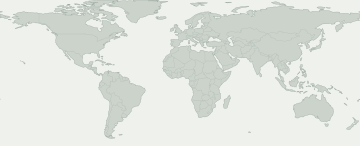
Documented buildTracker observationWider firmware markets
Select a colored area to see its firmware record. Blue shows a wider market such as Europe or the Caucasus, rather than a record for each country.
Wider firmware markets
Select a market to see its source record. Availability may differ within the shaded area.
No mapped firmware region matches this selection. Check CSC activity for the exact records.
Some firmware regions have no known map location. Their records are still in the table.
Models and firmware regions
Open a Galaxy product to compare its exact model codes. Beneath each code are markets with firmware records for this release. Find your code in About phone.
80 Galaxy products · 272 exact models · 215 firmware regions
Documented buildTracker observation
Numbers show how many exact models have a record in each firmware region. Open a product to view the models and their sources.
A source observation does not guarantee that an update is available on your phone. Check Settings → Software update on the handset.
Check my Galaxy
What do we know about your Galaxy?
Choose the exact model and firmware CSC, not your location.
Choose your device to inspect this release.
Rollout movement
Recorded rollout activity
First recorded appearance on each exact model/region pair. Repeated unchanged checks do not add to the total.
- 27
- 17
- 1
- 2
- 3
- 1
- 2
- 2
- 2
- 1
- 2
- 1
Model-family coverage
Galaxy models with firmware records
Expand a model to inspect exact model, CSC, first build, observation date and source record.
Galaxy A0347 Model/region pairs
SM-A035G / 3IE
A035GXXU2CWA9Published build dateSM-A035G / ATLA035GXXU2CWA9Published build dateSM-A035G / ATOA035GXXU2CWA9Published build dateSM-A035G / BOGA035GXXU2CWA9Published build dateSM-A035G / CNXA035GXXU2CWA9Published build dateSM-A035G / COSA035GXXU2CWA9Published build dateSM-A035G / CROA035GXXU2CWA9Published build dateSM-A035G / DBTA035GXXU2CWA9Published build dateSM-A035G / EVRA035GXXU2CWA9Published build dateSM-A035G / FTMA035GXXU2CWA9Published build dateSM-A035G / H3GA035GXXU2CWA9Published build dateSM-A035G / HUIA035GXXU2CWA9Published build dateSM-A035G / LUXA035GXXU2CWA9Published build dateSM-A035G / MAXA035GXXU2CWA9Published build dateSM-A035G / MBMA035GXXU2CWA9Published build dateSM-A035G / MEOA035GXXU2CWA9Published build dateSM-A035G / MOTA035GXXU2CWA9Published build dateSM-A035G / NEEA035GXXU2CWA9Published build dateSM-A035G / O2CA035GXXU2CWA9Published build dateSM-A035G / OMNA035GXXU2CWA9Published build dateSM-A035G / OROA035GXXU2CWA9Published build dateSM-A035G / PHEA035GXXU2CWA9Published build dateSM-A035G / PHNA035GXXU2CWA9Published build dateSM-A035G / PLSA035GXXU2CWA9Published build dateSM-A035G / PRTA035GXXU2CWA9Published build dateSM-A035G / ROMA035GXXU2CWA9Published build dateSM-A035G / SEEA035GXXU2CWA9Published build dateSM-A035G / SFRA035GXXU2CWA9Published build dateSM-A035G / SIMA035GXXU2CWA9Published build dateSM-A035G / SIOA035GXXU2CWA9Published build dateSM-A035G / TCLA035GXXU2CWA9Published build dateSM-A035G / TIMA035GXXU2CWA9Published build dateSM-A035G / TMHA035GXXU2CWA9Published build dateSM-A035G / TOPA035GXXU2CWA9Published build dateSM-A035G / TPHA035GXXU2CWA9Published build dateSM-A035G / TPLA035GXXU2CWA9Published build dateSM-A035G / TSIA035GXXU2CWA9Published build dateSM-A035G / VDCA035GXXU2CWA9Published build dateSM-A035G / VDIA035GXXU2CWA9Published build dateSM-A035G / VGRA035GXXU2CWA9Published build dateSM-A035G / VIPA035GXXU2CWA9Published build dateSM-A035G / VODA035GXXU2CWA9Published build dateSM-A035G / XECA035GXXU2CWA9Published build dateSM-A035G / XEFA035GXXU2CWA9Published build dateSM-A035G / XEHA035GXXU2CWA9Published build dateSM-A035G / XEOA035GXXU2CWA9Published build dateSM-A035G / XEZA035GXXU2CWA9Published build dateView evidence →Galaxy A03s120 Model/region pairs
SM-A037F / ACR
A037FXXU2CVK7Published build dateSM-A037F / AFGA037FXXU2CVK7Published build dateSM-A037F / CAUA037FXXU2CVK7Published build dateSM-A037F / ECTA037FXXU2CVK7Published build dateSM-A037F / EGYA037FXXU2CVK7Published build dateSM-A037F / GLBA037FXXU2CVK7Published build dateSM-A037F / ILOA037FXXU2CVK7Published build dateSM-A037F / INSA037FXXU2CVK7Published build dateSM-A037F / LYSA037FXXU2CVK7Published build dateSM-A037F / MIDA037FXXU2CVK7Published build dateSM-A037F / MWDA037FXXU2CVK7Published build dateSM-A037F / NPLA037FXXU2CVK7Published build dateSM-A037F / PAKA037FXXU2CVK7Published build dateSM-A037F / PNGA037FXXU2CVK7Published build dateSM-A037F / SERA037FXXU2CVK7Published build dateSM-A037F / SLKA037FXXU2CVK7Published build dateSM-A037F / THLA037FXXU2CVK7Published build dateSM-A037F / TUNA037FXXU2CVK7Published build dateSM-A037F / TURA037FXXU2CVK7Published build dateSM-A037F / VFJA037FXXU2CVK7Published build dateSM-A037F / XFEA037FXXU2CVK7Published build dateSM-A037F / XFVA037FXXU2CVK7Published build dateSM-A037F / XIDA037FXXU2CVK7Published build dateSM-A037F / XMEA037FXXU2CVK7Published build dateSM-A037F / XTCA037FXXU2CVK7Published build dateSM-A037F / XXVA037FXXU2CVK7Published build dateSM-A037G / 3IEA037GXXU2CVK7Published build dateSM-A037G / ATOA037GXXU2CVK7Published build dateSM-A037G / AVFA037GXXU2CVK7Published build dateSM-A037G / BGLA037GXXU2CVK7Published build dateSM-A037G / BOGA037GXXU2CVK7Published build dateSM-A037G / BTUA037GXXU2CVK7Published build dateSM-A037G / COSA037GXXU2CVK7Published build dateSM-A037G / CROA037GXXU2CVK7Published build dateSM-A037G / DBTA037GXXU2CVK7Published build dateSM-A037G / DREA037GXXU2CVK7Published build dateSM-A037G / EURA037GXXU2CVK7Published build dateSM-A037G / EVRA037GXXU2CVK7Published build dateSM-A037G / HUIA037GXXU2CVK7Published build dateSM-A037G / MBMA037GXXU2CVK7Published build dateSM-A037G / META037GXXU2CVK7Published build dateSM-A037G / MSRA037GXXU2CVK7Published build dateSM-A037G / NEEA037GXXU2CVK7Published build dateSM-A037G / O2UA037GXXU2CVK7Published build dateSM-A037G / PHEA037GXXU2CVK7Published build dateSM-A037G / PHNA037GXXU2CVK7Published build dateSM-A037G / PLSA037GXXU2CVK7Published build dateSM-A037G / PRTA037GXXU2CVK7Published build dateSM-A037G / SEBA037GXXU2CVK7Published build dateSM-A037G / SEEA037GXXU2CVK7Published build dateSM-A037G / SIMA037GXXU2CVK7Published build dateSM-A037G / TCLA037GXXU2CVK7Published build dateSM-A037G / TIMA037GXXU2CVK7Published build dateSM-A037G / TMHA037GXXU2CVK7Published build dateSM-A037G / TOPA037GXXU2CVK7Published build dateSM-A037G / TPLA037GXXU2CVK7Published build dateSM-A037G / TSIA037GXXU2CVK7Published build dateSM-A037G / VDCA037GXXU2CVK7Published build dateSM-A037G / VDIA037GXXU2CVK7Published build dateSM-A037G / VGRA037GXXU2CVK7Published build dateSM-A037G / VODA037GXXU2CVK7Published build dateSM-A037G / XEFA037GXXU2CVK7Published build dateSM-A037G / XEHA037GXXU2CVK7Published build dateSM-A037G / XEOA037GXXU2CVK7Published build dateSM-A037G / XEZA037GXXU2CVK7Published build dateSM-A037M / ALEA037MUBU3CVL1Published build dateSM-A037M / ANCA037MUBU3CVL1Published build dateSM-A037M / AROA037MUBU3CVL1Published build dateSM-A037M / BVOA037MUBU3CVL1Published build dateSM-A037M / CHEA037MUBU3CVL1Published build dateSM-A037M / CHLA037MUBU3CVL1Published build dateSM-A037M / CHOA037MUBU3CVL1Published build dateSM-A037M / CHXA037MUBU3CVL1Published build dateSM-A037M / COBA037MUBU3CVL1Published build dateSM-A037M / COLA037MUBU3CVL1Published build dateSM-A037M / COMA037MUBU3CVL1Published build dateSM-A037M / COOA037MUBU3CVL1Published build dateSM-A037M / CTPA037MUBU3CVL1Published build dateSM-A037M / CTUA037MUBU3CVL1Published build dateSM-A037M / DORA037MUBU3CVL1Published build dateSM-A037M / ECOA037MUBU3CVL1Published build dateSM-A037M / EONA037MUBU3CVL1Published build dateSM-A037M / PGUA037MUBU3CVL1Published build dateSM-A037M / PNTA037MUBU3CVL1Published build dateSM-A037M / PSNA037MUBU3CVL1Published build dateSM-A037M / SAMA037MUBU3CVL1Published build dateSM-A037M / TCEA037MUBU3CVL1Published build dateSM-A037M / TMMA037MUBU3CVL1Published build dateSM-A037M / UFNA037MUBU3CVL1Published build dateSM-A037M / UFUA037MUBU3CVL1Published build dateSM-A037M / UPOA037MUBU3CVL1Published build dateSM-A037M / ZTAA037MUBU3CVL1Published build dateSM-A037M / ZTMA037MUBU3CVL1Published build dateSM-A037M / ZTOA037MUBU3CVL1Published build dateSM-A037U / CCTA037USQU3CWB6Published build dateSM-A037U / CHAA037USQU3CWB6Published build dateSM-A037U / TMBA037USQU3CWB6Published build dateSM-A037U / TMKA037USQU3CWB6Published build dateSM-A037U / USCA037USQU3CWB6Published build dateSM-A037U1 / ACGA037U1UEU3CWB6Published build dateSM-A037U1 / AIOA037U1UEU3CWB6Published build dateSM-A037U1 / CHAA037U1UEU3CWB6Published build dateSM-A037U1 / LRAA037U1UEU3CWB6Published build dateSM-A037U1 / TMBA037U1UEU3CWB6Published build dateSM-A037U1 / TMKA037U1UEU3CWB6Published build dateSM-A037U1 / USCA037U1UEU3CWB6Published build dateSM-A037U1 / VZWA037U1UEU3CWB6Published build dateSM-A037U1 / XAAA037U1UEU3CWB6Published build dateSM-A037U1 / XAGA037U1UEU3CWB6Published build dateSM-A037W / BMCA037WVLU3CWB5Published build dateSM-A037W / BWAA037WVLU3CWB5Published build dateSM-A037W / CHRA037WVLU3CWB5Published build dateSM-A037W / ESKA037WVLU3CWB5Published build dateSM-A037W / FMCA037WVLU3CWB5Published build dateSM-A037W / GLWA037WVLU3CWB5Published build dateSM-A037W / KDOA037WVLU3CWB5Published build dateSM-A037W / TLSA037WVLU3CWB5Published build dateSM-A037W / VMCA037WVLU3CWB5Published build dateSM-A037W / VTRA037WVLU3CWB5Published build dateSM-S134DL / TFNS134DLUDU6CWB6Published build dateView evidence →Galaxy A1284 Model/region pairs
SM-A127F / 3IE
A127FXXU7CVL2Published build dateSM-A127F / ACRA127FXXU7CVL2Published build dateSM-A127F / AFRA127FXXU7CVL2Published build dateSM-A127F / ATLA127FXXU7CVL2Published build dateSM-A127F / ATOA127FXXU7CVL2Published build dateSM-A127F / AVFA127FXXU7CVL2Published build dateSM-A127F / BGLA127FXXU7CVL2Published build dateSM-A127F / BTUA127FXXU7CVL2Published build dateSM-A127F / CAUA127FXXU7CVL2Published build dateSM-A127F / CNXA127FXXU7CVL2Published build dateSM-A127F / COAA127FXXU7CVL2Published build dateSM-A127F / COSA127FXXU7CVL2Published build dateSM-A127F / CROA127FXXU7CVL2Published build dateSM-A127F / DBTA127FXXU7CVL2Published build dateSM-A127F / DREA127FXXU7CVL2Published build dateSM-A127F / DTMA127FXXU7CVL2Published build dateSM-A127F / ECTA127FXXU7CVL2Published build dateSM-A127F / EGYA127FXXU7CVL2Published build dateSM-A127F / EVRA127FXXU7CVL2Published build dateSM-A127F / FTMA127FXXU7CVL2Published build dateSM-A127F / GLBA127FXXU7CVL2Published build dateSM-A127F / H3GA127FXXU7CVL2Published build dateSM-A127F / ILOA127FXXU7CVL2Published build dateSM-A127F / INSA127FXXU7CVL2Published build dateSM-A127F / ITVA127FXXU7CVL2Published build dateSM-A127F / KSAA127FXXU7CVL2Published build dateSM-A127F / LUXA127FXXU7CVL2Published build dateSM-A127F / LYSA127FXXU7CVL2Published build dateSM-A127F / MAXA127FXXU7CVL2Published build dateSM-A127F / MEOA127FXXU7CVL2Published build dateSM-A127F / META127FXXU7CVL2Published build dateSM-A127F / MIDA127FXXU7CVL2Published build dateSM-A127F / MM1A127FXXU7CVL2Published build dateSM-A127F / MOTA127FXXU7CVL2Published build dateSM-A127F / MSRA127FXXU7CVL2Published build dateSM-A127F / MWDA127FXXU7CVL2Published build dateSM-A127F / NEEA127FXXU7CVL2Published build dateSM-A127F / O2UA127FXXU7CVL2Published build dateSM-A127F / OMNA127FXXU7CVL2Published build dateSM-A127F / ORSA127FXXU7CVL2Published build dateSM-A127F / PAKA127FXXU7CVL2Published build dateSM-A127F / PHEA127FXXU7CVL2Published build dateSM-A127F / PHNA127FXXU7CVL2Published build dateSM-A127F / PLSA127FXXU7CVL2Published build dateSM-A127F / PRTA127FXXU7CVL2Published build dateSM-A127F / SEBA127FXXU7CVL2Published build dateSM-A127F / SEKA127FXXU7CVL2Published build dateSM-A127F / SERA127FXXU7CVL2Published build dateSM-A127F / SFRA127FXXU7CVL2Published build dateSM-A127F / SIMA127FXXU7CVL2Published build dateSM-A127F / SINA127FXXU7CVL2Published build dateSM-A127F / SLKA127FXXU7CVL2Published build dateSM-A127F / STHA127FXXU7CVL2Published build dateSM-A127F / TCLA127FXXU7CVL2Published build dateSM-A127F / TELA127FXXU7CWA1Published build dateSM-A127F / TGYA127FZHU7CVL3Published build dateSM-A127F / THLA127FXXU7CVL2Published build dateSM-A127F / TIMA127FXXU7CVL2Published build dateSM-A127F / TMSA127FXXU7CVL2Published build dateSM-A127F / TMZA127FXXU7CVL2Published build dateSM-A127F / TOPA127FXXU7CVL2Published build dateSM-A127F / TPHA127FXXU7CVL2Published build dateSM-A127F / TPLA127FXXU7CVL2Published build dateSM-A127F / TSIA127FXXU7CVL2Published build dateSM-A127F / TURA127FXXU7CVL2Published build dateSM-A127F / VAUA127FXXU7CWA1Published build dateSM-A127F / VD2A127FXXU7CVL2Published build dateSM-A127F / VDCA127FXXU7CVL2Published build dateSM-A127F / VDFA127FXXU7CVL2Published build dateSM-A127F / VDIA127FXXU7CVL2Published build dateSM-A127F / VFJA127FXXU7CVL2Published build dateSM-A127F / VGRA127FXXU7CVL2Published build dateSM-A127F / VIPA127FXXU7CVL2Published build dateSM-A127F / XECA127FXXU7CVL2Published build dateSM-A127F / XEFA127FXXU7CVL2Published build dateSM-A127F / XEOA127FXXU7CVL2Published build dateSM-A127F / XEZA127FXXU7CVL2Published build dateSM-A127F / XFAA127FXXU7CVL2Published build dateSM-A127F / XFEA127FXXU7CVL2Published build dateSM-A127F / XFVA127FXXU7CVL2Published build dateSM-A127F / XMEA127FXXU7CVL2Published build dateSM-A127F / XSGA127FXXU7CVL2Published build dateSM-A127F / XTCA127FXXU7CVL2Published build dateSM-A127F / XXVA127FXXU7CVL2Published build dateView evidence →Galaxy A132 Model/region pairs
Galaxy A13 5G2 Model/region pairs
Galaxy A2232 Model/region pairs
SM-A225M / ALE
A225MUBU4CWA2Published build dateSM-A225M / BATA225MUBU4CWA2Published build dateSM-A225M / BVTA225MUBU4CWA2Published build dateSM-A225M / CGUA225MUBU4CWA2Published build dateSM-A225M / CHEA225MUBU4CWA2Published build dateSM-A225M / CHOA225MUBU4CWA2Published build dateSM-A225M / CHTA225MUBU4CWA2Published build dateSM-A225M / CHXA225MUBU4CWA2Published build dateSM-A225M / COBA225MUBU4CWA2Published build dateSM-A225M / COMA225MUBU4CWA2Published build dateSM-A225M / COOA225MUBU4CWA2Published build dateSM-A225M / CRCA225MUBU4CWA2Published build dateSM-A225M / CTIA225MUBU4CWA2Published build dateSM-A225M / CTPA225MUBU4CWA2Published build dateSM-A225M / CWWA225MUBU4CWA2Published build dateSM-A225M / DORA225MUBU4CWA2Published build dateSM-A225M / EBEA225MUBU4CWA2Published build dateSM-A225M / IUSA225MUBU4CWA2Published build dateSM-A225M / MXOA225MUBU4CWA2Published build dateSM-A225M / PETA225MUBU4CWA2Published build dateSM-A225M / PNTA225MUBU4CWA2Published build dateSM-A225M / PSNA225MUBU4CWA2Published build dateSM-A225M / PSPA225MUBU4CWA2Published build dateSM-A225M / TCEA225MUBU4CWA2Published build dateSM-A225M / TMMA225MUBU4CWA2Published build dateSM-A225M / TPAA225MUBU4CVK5Published build dateSM-A225M / UFNA225MUBU4CWA2Published build dateSM-A225M / UYOA225MUBU4CWA2Published build dateSM-A225M / ZTAA225MUBU4CWA2Published build dateSM-A225M / ZTMA225MUBU4CWA2Published build dateSM-A225M / ZTOA225MUBU4CWA2Published build dateSM-A225M / ZVVA225MUBU4CWA2Published build dateView evidence →Galaxy A2361 Model/region pairs
SM-A235F / ACR
A235FXXU1BVK8Published build dateSM-A235F / AFGA235FXXU1BVK8Published build dateSM-A235F / CAUA235FXXU1BVK8Published build dateSM-A235F / ECTA235FXXU1BVK8Published build dateSM-A235F / EGYA235FXXU1BVK8Published build dateSM-A235F / ILOA235FXXU1BVK8Published build dateSM-A235F / INSA235FXXU1BVK8Published build dateSM-A235F / MIDA235FXXU1BVK8Published build dateSM-A235F / MWDA235FXXU1BVK8Published build dateSM-A235F / NPLA235FXXU1BVK8Published build dateSM-A235F / PNGA235FXXU1BVK8Published build dateSM-A235F / SERA235FXXU1BVK8Published build dateSM-A235F / SKZA235FXXU1BVK8Published build dateSM-A235F / SLKA235FXXU1BVK8Published build dateSM-A235F / THLA235FXXU1BVK8Published build dateSM-A235F / TUNA235FXXU1BVK8Published build dateSM-A235F / VFJA235FXXU1BVK8Published build dateSM-A235F / XFAA235FXXU1BVK8Published build dateSM-A235F / XFEA235FXXU1BVK8Published build dateSM-A235F / XFVA235FXXU1BVK8Published build dateSM-A235F / XIDA235FXXU1BVK8Published build dateSM-A235F / XSAA235FXXU1BVK8Published build dateSM-A235F / XSGA235FXXU1BVK8Published build dateSM-A235F / XTCA235FXXU1BVK8Published build dateSM-A235M / AROA235MUBU1BVL1Published build dateSM-A235M / BATA235MUBU1BVL1Published build dateSM-A235M / BVOA235MUBU1BVL1Published build dateSM-A235M / BVTA235MUBU1BVL1Published build dateSM-A235M / CGUA235MUBU1BVL1Published build dateSM-A235M / CHOA235MUBU1BVL1Published build dateSM-A235M / CHTA235MUBU1BVL1Published build dateSM-A235M / CHXA235MUBU1BVL1Published build dateSM-A235M / COBA235MUBU1BVL1Published build dateSM-A235M / COLA235MUBU1BVL1Published build dateSM-A235M / COMA235MUBU1BVL1Published build dateSM-A235M / COOA235MUBU1BVL1Published build dateSM-A235M / CPAA235MUBU1BVL1Published build dateSM-A235M / CTPA235MUBU1BVL1Published build dateSM-A235M / CTUA235MUBU1BVL1Published build dateSM-A235M / CWWA235MUBU1BVL1Published build dateSM-A235M / DORA235MUBU1BVL1Published build dateSM-A235M / EBEA235MUBU1BVL1Published build dateSM-A235M / EONA235MUBU1BVL1Published build dateSM-A235M / IUSA235MUBU1BVL1Published build dateSM-A235M / MXOA235MUBU1BVL1Published build dateSM-A235M / NBSA235MUBU1BVL1Published build dateSM-A235M / PETA235MUBU1BVL1Published build dateSM-A235M / PGUA235MUBU1BVL1Published build dateSM-A235M / PSNA235MUBU1BVL1Published build dateSM-A235M / PSPA235MUBU1BVL1Published build dateSM-A235M / SAMA235MUBU1BVL1Published build dateSM-A235M / TGPA235MUBU1BVL1Published build dateSM-A235M / TMMA235MUBU1BVL1Published build dateSM-A235M / UFNA235MUBU1BVL1Published build dateSM-A235M / UFUA235MUBU1BVL1Published build dateSM-A235M / UPOA235MUBU1BVL1Published build dateSM-A235M / ZTAA235MUBU1BVL1Published build dateSM-A235M / ZTMA235MUBU1BVL1Published build dateSM-A235M / ZVVA235MUBU1BVL1Published build dateSM-A235N / KTCA235NKSU1BVK8Published build dateSM-A235N / SKCA235NKSU1BVK8Published build dateView evidence →Galaxy A23 5G53 Model/region pairs
SM-A2360 / TGY
A2360ZHU2BVK7Published build dateSM-A236B / BOGA236BXXU2BVK7Published build dateSM-A236B / EVRA236BXXU2BVK7Published build dateSM-A236B / META236BXXU2BVK7Published build dateSM-A236B / MOTA236BXXU2BVK7Published build dateSM-A236B / MSRA236BXXU2BVK7Published build dateSM-A236B / O2CA236BXXU2BVK7Published build dateSM-A236B / PLSA236BXXU2BVK7Published build dateSM-A236B / PRTA236BXXU2BVK7Published build dateSM-A236B / SIMA236BXXU2BVK7Published build dateSM-A236B / TIMA236BXXU2BVK7Published build dateSM-A236B / VIPA236BXXU2BVK7Published build dateSM-A236E / BRIA236EXXU2BVK7Published build dateSM-A236E / GLBA236EXXU2BVK7Published build dateSM-A236E / INSA236EXXU2BVK7Published build dateSM-A236E / KSAA236EXXU2BVK7Published build dateSM-A236E / MM1A236EXXU2BVK7Published build dateSM-A236E / SINA236EXXU2BVK7Published build dateSM-A236E / SLKA236EXXU2BVK7Published build dateSM-A236E / STHA236EXXU2BVK7Published build dateSM-A236E / THLA236EXXU2BVK7Published build dateSM-A236E / XIDA236EXXU2BVK7Published build dateSM-A236E / XMEA236EXXU2BVK7Published build dateSM-A236E / XSAA236EXXU2BVK7Published build dateSM-A236E / XSGA236EXXU2BVK7Published build dateSM-A236E / XSPA236EXXU2BVK7Published build dateSM-A236E / XTCA236EXXU2BVK7Published build dateSM-A236E / XXVA236EXXU2BVK7Published build dateSM-A236M / CHEA236MUBU2BVL1Published build dateSM-A236M / CHLA236MUBU2BVL1Published build dateSM-A236M / CHOA236MUBU2BVL1Published build dateSM-A236M / CHTA236MUBU2BVL1Published build dateSM-A236M / CHXA236MUBU2BVL1Published build dateSM-A236M / TPAA236MUBU2BVK7Published build dateSM-A236M / ZTAA236MUBU2BVL1Published build dateSM-A236M / ZTMA236MUBU2BVL1Published build dateSM-A236M / ZTOA236MUBU2BVL1Published build dateSM-A236M / ZVVA236MUBU2BVL1Published build dateSM-A236U / TMBA236USQU1BVK9Published build dateSM-A236U1 / ACGA236U1UEU1BVL1Published build dateSM-A236U1 / AIOA236U1UEU1BVL1Published build dateSM-A236U1 / ATTA236U1UEU1BVL1Published build dateSM-A236U1 / CCTA236U1UEU1BVL1Published build dateSM-A236U1 / CHAA236U1UEU1BVL1Published build dateSM-A236U1 / LRAA236U1UEU1BVL1Published build dateSM-A236U1 / TMBA236U1UEU1BVL1Published build dateSM-A236U1 / TMKA236U1UEU1BVL1Published build dateSM-A236U1 / USCA236U1UEU1BVL1Published build dateSM-A236U1 / VZWA236U1UEU1BVL1Published build dateSM-A236U1 / XAAA236U1UEU1BVL1Published build dateSM-A236U1 / XAGA236U1UEU1BVL1Published build dateSM-A236U1 / XARA236U1UEU1BVL1Published build dateSM-S236DL / TFNS236DLUDU2BWA2Published build dateView evidence →Galaxy A23e 5G1 Model/region pairs
Galaxy A327 Model/region pairs
SM-A325F / INS
A325FXXU2CVK3Published build dateSM-A325F / NPLA325FXXU2CVK3Published build dateSM-A325F / SLKA325FXXU2CVK3Published build dateSM-A325M / PSPA325MUBU2CVK3Published build dateSM-A325N / KTCA325NKSU1CVK4Published build dateSM-A325N / LUCA325NKSU1CVK4Published build dateSM-A325N / SKCA325NKSU1CVK4Published build dateView evidence →Galaxy A32 5G3 Model/region pairs
Galaxy A33 5G104 Model/region pairs
SM-A3360 / TGY
A3360ZHU4BVL1Published build dateSM-A336B / BOGA336BXXU4BVJGPublished build dateSM-A336B / CAUA336BXXU4BVJGPublished build dateSM-A336B / EVRA336BXXU4BVJGPublished build dateSM-A336B / MEOA336BXXU4BVJGPublished build dateSM-A336B / META336BXXU4BVJGPublished build dateSM-A336B / MOBA336BXXU4BVJGPublished build dateSM-A336B / MOTA336BXXU4BVJGPublished build dateSM-A336B / MSRA336BXXU4BVJGPublished build dateSM-A336B / O2CA336BXXU4BVJGPublished build dateSM-A336B / PLSA336BXXU4BVJGPublished build dateSM-A336B / PRTA336BXXU4BVJGPublished build dateSM-A336B / SEKA336BXXU4BVJGPublished build dateSM-A336B / SERA336BXXU4BVJGPublished build dateSM-A336B / SFRA336BXXU4BVJGPublished build dateSM-A336B / SIMA336BXXU4BVJGPublished build dateSM-A336B / SKZA336BXXU4BVJGPublished build dateSM-A336B / SWCA336BXXU4BVJGPublished build dateSM-A336B / TIMA336BXXU4BVJGPublished build dateSM-A336B / TOPA336BXXU4BVJGPublished build dateSM-A336B / TSIA336BXXU4BVJGPublished build dateSM-A336B / VIPA336BXXU4BVJGPublished build dateSM-A336E / ACRA336EDXU4BVK2Published build dateSM-A336E / AFGA336EDXU4BVK2Published build dateSM-A336E / AFRA336EDXU4BVK2Published build dateSM-A336E / BRIA336EDXU4BVK1Published build dateSM-A336E / ECTA336EDXU4BVK2Published build dateSM-A336E / EGYA336EDXU4BVK2Published build dateSM-A336E / GLBA336EDXU4BVK1Published build dateSM-A336E / ILOA336EDXU4BVK2Published build dateSM-A336E / INSA336EDXU4BVK1Published build dateSM-A336E / KSAA336EDXU4BVK2Published build dateSM-A336E / LYSA336EDXU4BVK2Published build dateSM-A336E / MIDA336EDXU4BVK2Published build dateSM-A336E / MM1A336EDXU4BVK1Published build dateSM-A336E / MWDA336EDXU4BVK2Published build dateSM-A336E / OPSA336EDXU4BVK5Published build dateSM-A336E / PAKA336EDXU4BVK2Published build dateSM-A336E / SINA336EDXU4BVK1Published build dateSM-A336E / SLKA336EDXU4BVK1Published build dateSM-A336E / STHA336EDXU4BVK1Published build dateSM-A336E / TELA336EDXU4BVK5Published build dateSM-A336E / THLA336EDXU4BVK1Published build dateSM-A336E / TUNA336EDXU4BVK2Published build dateSM-A336E / TURA336EDXU4BVK2Published build dateSM-A336E / VAUA336EDXU4BVK5Published build dateSM-A336E / XFAA336EDXU4BVK2Published build dateSM-A336E / XFEA336EDXU4BVK2Published build dateSM-A336E / XFVA336EDXU4BVK2Published build dateSM-A336E / XIDA336EDXU4BVK1Published build dateSM-A336E / XMEA336EDXU4BVK1Published build dateSM-A336E / XSAA336EDXU4BVK5Published build dateSM-A336E / XSGA336EDXU4BVK2Published build dateSM-A336E / XSPA336EDXU4BVK1Published build dateSM-A336E / XTCA336EDXU4BVK1Published build dateSM-A336E / XXVA336EDXU4BVK1Published build dateSM-A336M / ANCA336MUBU4BVK1Published build dateSM-A336M / AROA336MUBU4BVK1Published build dateSM-A336M / BATA336MUBU4BVK1Published build dateSM-A336M / BVOA336MUBU4BVK1Published build dateSM-A336M / BVTA336MUBU4BVK1Published build dateSM-A336M / CDRA336MUBU4BVK1Published build dateSM-A336M / CGUA336MUBU4BVK1Published build dateSM-A336M / CHEA336MUBU4BVK1Published build dateSM-A336M / CHLA336MUBU4BVK1Published build dateSM-A336M / CHOA336MUBU4BVK1Published build dateSM-A336M / CHTA336MUBU4BVK1Published build dateSM-A336M / CHXA336MUBU4BVK1Published build dateSM-A336M / COBA336MUBU4BVK1Published build dateSM-A336M / COLA336MUBU4BVK1Published build dateSM-A336M / COMA336MUBU4BVK1Published build dateSM-A336M / COOA336MUBU4BVK1Published build dateSM-A336M / CRCA336MUBU4BVL1Published build dateSM-A336M / CTIA336MUBU4BVK1Published build dateSM-A336M / CTPA336MUBU4BVK1Published build dateSM-A336M / CTUA336MUBU4BVK1Published build dateSM-A336M / CWWA336MUBU4BVK1Published build dateSM-A336M / DORA336MUBU4BVK1Published build dateSM-A336M / EBEA336MUBU4BVK1Published build dateSM-A336M / ECOA336MUBU4BVL1Published build dateSM-A336M / EONA336MUBU4BVK1Published build dateSM-A336M / IUSA336MUBU4BVK1Published build dateSM-A336M / MXOA336MUBU4BVK1Published build dateSM-A336M / NBSA336MUBU4BVK1Published build dateSM-A336M / PETA336MUBU4BVK1Published build dateSM-A336M / PGUA336MUBU4BVL1Published build dateSM-A336M / PNTA336MUBU4BVK1Published build dateSM-A336M / PSNA336MUBU4BVK1Published build dateSM-A336M / PSPA336MUBU4BVK1Published build dateSM-A336M / SAMA336MUBU4BVK1Published build dateSM-A336M / TCEA336MUBU4BVK1Published build dateSM-A336M / TGPA336MUBU4BVK1Published build dateSM-A336M / TMMA336MUBU4BVK1Published build dateSM-A336M / TPAA336MUBU4BVK1Published build dateSM-A336M / UFNA336MUBU4BVK1Published build dateSM-A336M / UFUA336MUBU4BVK1Published build dateSM-A336M / UPOA336MUBU4BVK1Published build dateSM-A336M / UYOA336MUBU4BVK1Published build dateSM-A336M / ZTAA336MUBU4BVK1Published build dateSM-A336M / ZTMA336MUBU4BVK1Published build dateSM-A336M / ZTOA336MUBU4BVK1Published build dateSM-A336M / ZVVA336MUBU4BVK1Published build dateSM-A336N / KTCA336NKSU2BVK1Published build dateSM-A336N / SKCA336NKSU2BVK1Published build dateView evidence →Galaxy A42 5G4 Model/region pairs
Galaxy A5137 Model/region pairs
SM-A515F / ALE
A515FXXU5GVK6Published build dateSM-A515F / ANCA515FXXU5GVK6Published build dateSM-A515F / AROA515FXXU5GVK6Published build dateSM-A515F / BATA515FXXU5GVK6Published build dateSM-A515F / BVOA515FXXU5GVK6Published build dateSM-A515F / BVVA515FXXU5GVK6Published build dateSM-A515F / CHEA515FXXU5GVK6Published build dateSM-A515F / CHLA515FXXU5GWA4Published build dateSM-A515F / CHOA515FXXU5GVK6Published build dateSM-A515F / CHTA515FXXU5GVK6Published build dateSM-A515F / CHXA515FXXU5GVK6Published build dateSM-A515F / COBA515FXXU5GVK6Published build dateSM-A515F / COLA515FXXU5GVK6Published build dateSM-A515F / COMA515FXXU5GWA4Published build dateSM-A515F / COOA515FXXU5GVK6Published build dateSM-A515F / CTIA515FXXU5GWA4Published build dateSM-A515F / CTPA515FXXU5GWA4Published build dateSM-A515F / CTUA515FXXU5GWA4Published build dateSM-A515F / DORA515FXXU5GVK6Published build dateSM-A515F / EBEA515FXXU5GVK6Published build dateSM-A515F / ECOA515FXXU5GWA4Published build dateSM-A515F / EONA515FXXU5GVK6Published build dateSM-A515F / ETEA515FXXU5GVK6Published build dateSM-A515F / INSA515FXXU5GVK7Published build dateSM-A515F / IUSA515FXXU5GVK6Published build dateSM-A515F / JDIA515FXXU5GVK6Published build dateSM-A515F / MXOA515FXXU5GVK6Published build dateSM-A515F / PNTA515FXXU5GVK6Published build dateSM-A515F / PSNA515FXXU5GVK6Published build dateSM-A515F / SAMA515FXXU5GVK6Published build dateSM-A515F / TCEA515FXXU5GWA4Published build dateSM-A515F / TGYA515FZHU5GVK6Published build dateSM-A515F / TMMA515FXXU5GVK6Published build dateSM-A515F / TPAA515FXXU5GVK6Published build dateSM-A515F / UFUA515FXXU5GVK6Published build dateSM-A515F / UYOA515FXXU5GVK6Published build dateSM-A515U / CCTA515USQU8EVK6Published build dateView evidence →Galaxy A51 5G18 Model/region pairs
SM-A5160 / CHC
A5160ZCU4EVL3Published build dateSM-A516N / LUCA516NKSU4EVL4Published build dateSM-A516N / SKCA516NKSU4EVL4Published build dateSM-A516U / SPRA516USQUAFWA3Published build dateSM-A516U / TMBA516USQUAFWA3Published build dateSM-A516U / TMKA516USQUBGWB3Published build dateSM-A516U / USCA516USQUAFWA5Published build dateSM-A516U1 / ACGA516U1UEU8FWA4Published build dateSM-A516U1 / AIOA516U1UEU8FWA4Published build dateSM-A516U1 / CCTA516U1UEU8FWA4Published build dateSM-A516U1 / LRAA516U1UEU8FWA4Published build dateSM-A516U1 / TMBA516U1UEU8FWA4Published build dateSM-A516U1 / TMKA516U1UEU8FWA4Published build dateSM-A516U1 / USCA516U1UEU8FWA4Published build dateSM-A516U1 / XAAA516U1UEU8FWA4Published build dateSM-A516U1 / XAGA516U1UEU8FWA4Published build dateSM-A516U1 / XARA516U1UEU8FWA4Published build dateSM-A516V / CHAA516VSQU5FVK1Published build dateView evidence →Galaxy A5244 Model/region pairs
SM-A525F / GLB
A525FXXU4CVJBPublished build dateSM-A525F / MOTA525FXXU4CVJBPublished build dateSM-A525F / OROA525FXXU4CVJBPublished build dateSM-A525F / ORSA525FXXU4CVJBPublished build dateSM-A525F / SKZA525FXXU4CVJBPublished build dateSM-A525F / THLA525FXXU4CVJBPublished build dateSM-A525F / TOPA525FXXU4CVJBPublished build dateSM-A525F / XIDA525FXXU4CVJBPublished build dateSM-A525F / XMEA525FXXU4CVJBPublished build dateSM-A525F / XSAA525FXXU4CVJBPublished build dateSM-A525F / XTCA525FXXU4CVJBPublished build dateSM-A525F / XXVA525FXXU4CVJBPublished build dateSM-A525M / ANCA525MUBU4CVJBPublished build dateSM-A525M / BATA525MUBU4CVJBPublished build dateSM-A525M / BVOA525MUBU4CVJBPublished build dateSM-A525M / BVTA525MUBU4CVJBPublished build dateSM-A525M / CDRA525MUBU4CVJBPublished build dateSM-A525M / CHOA525MUBU4CVJBPublished build dateSM-A525M / CHTA525MUBU4CVJBPublished build dateSM-A525M / COBA525MUBU4CVJBPublished build dateSM-A525M / COLA525MUBU4CVJBPublished build dateSM-A525M / COOA525MUBU4CVJBPublished build dateSM-A525M / CPAA525MUBU4CVJBPublished build dateSM-A525M / CTIA525MUBU4CVJBPublished build dateSM-A525M / CTPA525MUBU4CVJBPublished build dateSM-A525M / CTUA525MUBU4CVJBPublished build dateSM-A525M / CWWA525MUBU4CVJBPublished build dateSM-A525M / EBEA525MUBU4CVJBPublished build dateSM-A525M / EONA525MUBU4CVJBPublished build dateSM-A525M / IUSA525MUBU4CVJBPublished build dateSM-A525M / MXOA525MUBU4CVJBPublished build dateSM-A525M / PCTA525MUBU4CVJBPublished build dateSM-A525M / PETA525MUBU4CVJBPublished build dateSM-A525M / PGUA525MUBU4CVJBPublished build dateSM-A525M / PNTA525MUBU4CVJBPublished build dateSM-A525M / PSPA525MUBU4CVJBPublished build dateSM-A525M / TMMA525MUBU4CVJBPublished build dateSM-A525M / TPAA525MUBU4CVJBPublished build dateSM-A525M / UFNA525MUBU4CVJBPublished build dateSM-A525M / UFUA525MUBU4CVJBPublished build dateSM-A525M / UPOA525MUBU4CVJBPublished build dateSM-A525M / UYOA525MUBU4CVJBPublished build dateSM-A525M / ZTOA525MUBU4CVJBPublished build dateSM-A525M / ZVVA525MUBU4CVJBPublished build dateView evidence →Galaxy A52 5G95 Model/region pairs
SM-A5260 / BRI
A5260ZHU1DVK3Published build dateSM-A5260 / TGYA5260ZHU1DVK3Published build dateSM-A526B / 3IEA526BXXU1DVK2Published build dateSM-A526B / AMOA526BXXU1DVK2Published build dateSM-A526B / AUTA526BXXU1DVK2Published build dateSM-A526B / BOGA526BXXU1DVK2Published build dateSM-A526B / BTUA526BXXU1DVK2Published build dateSM-A526B / CDRA526BXXU2DWB3Published build dateSM-A526B / CHOA526BXXU1DVK2Published build dateSM-A526B / CNXA526BXXU1DVK2Published build dateSM-A526B / COMA526BXXU1DVK2Published build dateSM-A526B / CROA526BXXU1DVK2Published build dateSM-A526B / DBTA526BXXU1DVK2Published build dateSM-A526B / DTMA526BXXU1DVK2Published build dateSM-A526B / EURA526BXXU1DVK2Published build dateSM-A526B / EVRA526BXXU1DVK2Published build dateSM-A526B / GLBA526BXXU1DVK2Published build dateSM-A526B / H3GA526BXXU1DVK2Published build dateSM-A526B / HUIA526BXXU1DVK2Published build dateSM-A526B / ILOA526BXXU1DVK3Published build dateSM-A526B / ITVA526BXXU1DVK2Published build dateSM-A526B / KSAA526BXXU1DVK3Published build dateSM-A526B / LUXA526BXXU1DVK2Published build dateSM-A526B / MAXA526BXXU1DVK2Published build dateSM-A526B / MEOA526BXXU1DVK2Published build dateSM-A526B / MIDA526BXXU1DVK3Published build dateSM-A526B / MM1A526BXXU1DVK2Published build dateSM-A526B / MOBA526BXXU1DVK2Published build dateSM-A526B / O2CA526BXXU1DVK2Published build dateSM-A526B / O2UA526BXXU1DVK2Published build dateSM-A526B / OPSA526BXXU1DVK5Published build dateSM-A526B / OROA526BXXU1DVK2Published build dateSM-A526B / ORSA526BXXU1DVK2Published build dateSM-A526B / ORXA526BXXU1DVK2Published build dateSM-A526B / PHEA526BXXU1DVK2Published build dateSM-A526B / PLSA526BXXU1DVK2Published build dateSM-A526B / PRTA526BXXU1DVK2Published build dateSM-A526B / SEBA526BXXU1DVK2Published build dateSM-A526B / SFRA526BXXU1DVK2Published build dateSM-A526B / SIMA526BXXU1DVK2Published build dateSM-A526B / STHA526BXXU1DVK2Published build dateSM-A526B / SWCA526BXXU1DVK2Published build dateSM-A526B / TCLA526BXXU1DVK2Published build dateSM-A526B / THLA526BXXU1DVK2Published build dateSM-A526B / TIMA526BXXU1DVK2Published build dateSM-A526B / TMHA526BXXU1DVK2Published build dateSM-A526B / TMSA526BXXU1DVK2Published build dateSM-A526B / TMZA526BXXU1DVK2Published build dateSM-A526B / TNLA526BXXU1DVK2Published build dateSM-A526B / TPLA526BXXU1DVK2Published build dateSM-A526B / TSIA526BXXU1DVK2Published build dateSM-A526B / VAUA526BXXU1DVK5Published build dateSM-A526B / VD2A526BXXU1DVK2Published build dateSM-A526B / VDCA526BXXU1DVK2Published build dateSM-A526B / VDFA526BXXU1DVK2Published build dateSM-A526B / VDIA526BXXU1DVK2Published build dateSM-A526B / VGRA526BXXU1DVK2Published build dateSM-A526B / VIPA526BXXU1DVK2Published build dateSM-A526B / XECA526BXXU1DVK2Published build dateSM-A526B / XEHA526BXXU1DVK2Published build dateSM-A526B / XEOA526BXXU1DVK2Published build dateSM-A526B / XEZA526BXXU1DVK2Published build dateSM-A526B / XFAA526BXXU1DVK3Published build dateSM-A526B / XFVA526BXXU1DVK3Published build dateSM-A526B / XSAA526BXXU1DVK5Published build dateSM-A526B / XSGA526BXXU1DVK3Published build dateSM-A526B / XSPA526BXXU1DVK2Published build dateSM-A526B / XTCA526BXXU1DVK2Published build dateSM-A526B / XXVA526BXXU1DVK2Published build dateSM-A526B / ZTAA526BXXU1DVK2Published build dateSM-A526B / ZTMA526BXXU1DVK2Published build dateSM-A526B / ZVVA526BXXU1DVK2Published build dateSM-A526U / CCTA526USQU7DVK3Published build dateSM-A526U / TMBA526USQU7DVK5Published build dateSM-A526U / USCA526USQU7DVK4Published build dateSM-A526U1 / ACGA526U1UEU7DWA2Published build dateSM-A526U1 / AIOA526U1UEU7DWA2Published build dateSM-A526U1 / CHAA526U1UEU7DWA2Published build dateSM-A526U1 / LRAA526U1UEU7DWA2Published build dateSM-A526U1 / SPRA526U1UEU7DWA2Published build dateSM-A526U1 / TMBA526U1UEU7DWA2Published build dateSM-A526U1 / TMKA526U1UEU7DWA2Published build dateSM-A526U1 / USCA526U1UEU7DWA2Published build dateSM-A526U1 / VZWA526U1UEU7DWA2Published build dateSM-A526U1 / XAAA526U1UEU7DWA2Published build dateSM-A526W / BMCA526WVLU7DVK5Published build dateSM-A526W / CHRA526WVLU7DVK5Published build dateSM-A526W / ESKA526WVLU7DVK5Published build dateSM-A526W / FMCA526WVLU7DVK5Published build dateSM-A526W / GLWA526WVLU7DVK5Published build dateSM-A526W / KDOA526WVLU7DVK5Published build dateSM-A526W / TLSA526WVLU7DVK5Published build dateSM-A526W / VMCA526WVLU7DVK5Published build dateSM-A526W / VTRA526WVLU7DVK5Published build dateSM-A526W / XACA526WVLU7DVK5Published build dateView evidence →Galaxy A52s 5G107 Model/region pairs
SM-A528B / 3IE
A528BXXU1DVK5Published build dateSM-A528B / AMOA528BXXU1DVK5Published build dateSM-A528B / AROA528BXXU1DVK5Published build dateSM-A528B / ATLA528BXXU1DVK5Published build dateSM-A528B / ATOA528BXXU1DVK5Published build dateSM-A528B / AUTA528BXXU1DVK5Published build dateSM-A528B / BGLA528BXXU1DVK5Published build dateSM-A528B / BRIA528BZTU1DVK5Published build dateSM-A528B / BTUA528BXXU1DVK5Published build dateSM-A528B / BVOA528BXXU1DVK5Published build dateSM-A528B / CDRA528BXXU1DVK5Published build dateSM-A528B / CHEA528BXXU1DVK5Published build dateSM-A528B / CHOA528BXXU1DVK5Published build dateSM-A528B / CHTA528BXXU1DVK5Published build dateSM-A528B / CNXA528BXXU1DVK5Published build dateSM-A528B / COBA528BXXU1DVK5Published build dateSM-A528B / COLA528BXXU1DVK5Published build dateSM-A528B / COOA528BXXU1DVK5Published build dateSM-A528B / COSA528BXXU1DVK5Published build dateSM-A528B / CROA528BXXU1DVK5Published build dateSM-A528B / CTIA528BXXU1DVK5Published build dateSM-A528B / DTMA528BXXU1DVK5Published build dateSM-A528B / EGYA528BXXU1DVK5Published build dateSM-A528B / EURA528BXXU1DVK5Published build dateSM-A528B / EVRA528BXXU1DVK5Published build dateSM-A528B / GLBA528BXXU1DVK5Published build dateSM-A528B / H3GA528BXXU1DVK5Published build dateSM-A528B / HUIA528BXXU1DVK5Published build dateSM-A528B / ILOA528BXXU1DVK5Published build dateSM-A528B / INSA528BXXU1DVK5Published build dateSM-A528B / ITVA528BXXU1DVK5Published build dateSM-A528B / KSAA528BXXU1DVK5Published build dateSM-A528B / LUXA528BXXU1DVK5Published build dateSM-A528B / LYSA528BXXU1DVK5Published build dateSM-A528B / MAXA528BXXU1DVK5Published build dateSM-A528B / MBMA528BXXU1DVK5Published build dateSM-A528B / MEOA528BXXU1DVK5Published build dateSM-A528B / META528BXXU1DVK5Published build dateSM-A528B / MIDA528BXXU1DVK5Published build dateSM-A528B / MM1A528BXXU1DVK5Published build dateSM-A528B / MOTA528BXXU1DVK5Published build dateSM-A528B / MSRA528BXXU1DVK5Published build dateSM-A528B / MWDA528BXXU1DVK5Published build dateSM-A528B / MXOA528BXXU1DVK5Published build dateSM-A528B / NEEA528BXXU1DVK5Published build dateSM-A528B / O2CA528BXXU1DVK5Published build dateSM-A528B / OMNA528BXXU1DVK5Published build dateSM-A528B / OPSA528BXXU1DVK6Published build dateSM-A528B / OROA528BXXU1DVK5Published build dateSM-A528B / ORSA528BXXU1DVK5Published build dateSM-A528B / ORXA528BXXU1DVK5Published build dateSM-A528B / PETA528BXXU1DVK5Published build dateSM-A528B / PGUA528BXXU1DVL5Published build dateSM-A528B / PHEA528BXXU1DVK5Published build dateSM-A528B / PLSA528BXXU1DVK5Published build dateSM-A528B / PNTA528BXXU1DVK5Published build dateSM-A528B / PRTA528BXXU1DVK5Published build dateSM-A528B / PSNA528BXXU1DVK5Published build dateSM-A528B / SAMA528BXXU1DVK5Published build dateSM-A528B / SEBA528BXXU1DVK5Published build dateSM-A528B / SEEA528BXXU1DVK5Published build dateSM-A528B / SFRA528BXXU1DVK5Published build dateSM-A528B / SIMA528BXXU1DVK5Published build dateSM-A528B / SINA528BXXU1DVK5Published build dateSM-A528B / SIOA528BXXU1DVK5Published build dateSM-A528B / SLKA528BXXU1DVK5Published build dateSM-A528B / STHA528BXXU1DVK5Published build dateSM-A528B / TCEA528BXXU1DVK5Published build dateSM-A528B / TCLA528BXXU1DVK5Published build dateSM-A528B / TELA528BXXU1DVK6Published build dateSM-A528B / THLA528BXXU1DVK5Published build dateSM-A528B / TMHA528BXXU1DVK5Published build dateSM-A528B / TMMA528BXXU1DVK5Published build dateSM-A528B / TMZA528BXXU1DVK5Published build dateSM-A528B / TOPA528BXXU1DVK5Published build dateSM-A528B / TPHA528BXXU1DVK5Published build dateSM-A528B / TPLA528BXXU1DVK5Published build dateSM-A528B / TSIA528BXXU1DVK5Published build dateSM-A528B / TURA528BXXU1DVK5Published build dateSM-A528B / UFNA528BXXU1DVK5Published build dateSM-A528B / UPOA528BXXU1DVK5Published build dateSM-A528B / UYOA528BXXU1DVK5Published build dateSM-A528B / VAUA528BXXU1DWA2Published build dateSM-A528B / VD2A528BXXU1DVK5Published build dateSM-A528B / VDCA528BXXU1DVK5Published build dateSM-A528B / VDFA528BXXU1DVK5Published build dateSM-A528B / VDIA528BXXU1DVK5Published build dateSM-A528B / VGRA528BXXU1DVK5Published build dateSM-A528B / VIPA528BXXU1DVK5Published build dateSM-A528B / VODA528BXXU1DVK5Published build dateSM-A528B / XECA528BXXU1DVK5Published build dateSM-A528B / XEFA528BXXU1DVK5Published build dateSM-A528B / XEHA528BXXU1DVK5Published build dateSM-A528B / XEOA528BXXU1DVK5Published build dateSM-A528B / XEZA528BXXU1DVK5Published build dateSM-A528B / XFAA528BXXU1DVK5Published build dateSM-A528B / XFVA528BXXU1DVK5Published build dateSM-A528B / XIDA528BXXU1DVK5Published build dateSM-A528B / XMEA528BXXU1DVK5Published build dateSM-A528B / XSAA528BXXU1DVK6Published build dateSM-A528B / XSGA528BXXU1DVK5Published build dateSM-A528B / XSPA528BXXU1DVK5Published build dateSM-A528B / XTCA528BXXU1DVK5Published build dateSM-A528B / XXVA528BXXU1DVK5Published build dateSM-A528N / KTCA528NKSU1DVK2Published build dateSM-A528N / LUCA528NKSU1DVK2Published build dateSM-A528N / SKCA528NKSU1DVK2Published build dateView evidence →Galaxy A53 5G137 Model/region pairs
SM-A5360 / BRI
A5360ZHU4BVKBPublished build dateSM-A5360 / CHCA5360ZCU4BVKBPublished build dateSM-A5360 / TGYA5360ZHU4BVKBPublished build dateSM-A536B / BOGA536BXXU4BVJGPublished build dateSM-A536B / EVRA536BXXU4BVJGPublished build dateSM-A536B / MEOA536BXXU4BVJGPublished build dateSM-A536B / META536BXXU4BVJGPublished build dateSM-A536B / MOBA536BXXU4BVJGPublished build dateSM-A536B / MOTA536BXXU4BVJGPublished build dateSM-A536B / MSRA536BXXU4BVJGPublished build dateSM-A536B / O2CA536BXXU4BVJGPublished build dateSM-A536B / PLSA536BXXU4BVJGPublished build dateSM-A536B / PRTA536BXXU4BVJGPublished build dateSM-A536B / SFRA536BXXU4BVJGPublished build dateSM-A536B / SIMA536BXXU4BVJGPublished build dateSM-A536B / SWCA536BXXU4BVJGPublished build dateSM-A536B / TIMA536BXXU4BVJGPublished build dateSM-A536B / TOPA536BXXU4BVJGPublished build dateSM-A536B / TSIA536BXXU4BVJGPublished build dateSM-A536B / VIPA536BXXU4BVJGPublished build dateSM-A536E / ACRA536EXXU4BVK1Published build dateSM-A536E / AFGA536EXXU4BVK1Published build dateSM-A536E / AFRA536EXXU4BVK1Published build dateSM-A536E / ANCA536EXXU4BVK1Published build dateSM-A536E / AROA536EXXU4BVK1Published build dateSM-A536E / BATA536EXXU4BVK1Published build dateSM-A536E / BVOA536EXXU4BVK1Published build dateSM-A536E / CAUA536EXXU4BVK1Published build dateSM-A536E / CDRA536EXXU4BVK1Published build dateSM-A536E / CGUA536EXXU4BVK1Published build dateSM-A536E / CHEA536EXXU4BVK1Published build dateSM-A536E / CHLA536EXXU4BVK1Published build dateSM-A536E / CHOA536EXXU4BVK1Published build dateSM-A536E / CHTA536EXXU4BVK1Published build dateSM-A536E / CHXA536EXXU4BVK1Published build dateSM-A536E / COBA536EXXU4BVK1Published build dateSM-A536E / COLA536EXXU4BVK1Published build dateSM-A536E / COMA536EXXU4BVK1Published build dateSM-A536E / COOA536EXXU4BVK1Published build dateSM-A536E / CRCA536EXXU4BVL3Published build dateSM-A536E / CTIA536EXXU4BVK1Published build dateSM-A536E / CTPA536EXXU4BVK1Published build dateSM-A536E / CTUA536EXXU4BVK1Published build dateSM-A536E / CWWA536EXXU4BVK1Published build dateSM-A536E / DORA536EXXU4BVK1Published build dateSM-A536E / EBEA536EXXU4BVK1Published build dateSM-A536E / ECOA536EXXU4BVL3Published build dateSM-A536E / ECTA536EXXU4BVK1Published build dateSM-A536E / EGYA536EXXU4BVK1Published build dateSM-A536E / EONA536EXXU4BVK1Published build dateSM-A536E / GLBA536EXXU4BVK1Published build dateSM-A536E / ILOA536EXXU4BVK1Published build dateSM-A536E / INSA536EXXU4BVK1Published build dateSM-A536E / IUSA536EXXU4BVK1Published build dateSM-A536E / KSAA536EXXU4BVK1Published build dateSM-A536E / LYSA536EXXU4BVK1Published build dateSM-A536E / MIDA536EXXU4BVK1Published build dateSM-A536E / MM1A536EXXU4BVK1Published build dateSM-A536E / MWDA536EXXU4BVK1Published build dateSM-A536E / MXOA536EXXU4BVK1Published build dateSM-A536E / NBSA536EXXU4BVK1Published build dateSM-A536E / OPSA536EXXU4BVK3Published build dateSM-A536E / PAKA536EXXU4BVK1Published build dateSM-A536E / PETA536EXXU4BVK1Published build dateSM-A536E / PGUA536EXXU4BVL3Published build dateSM-A536E / PNTA536EXXU4BVK1Published build dateSM-A536E / PSNA536EXXU4BVK1Published build dateSM-A536E / PSPA536EXXU4BVK1Published build dateSM-A536E / SAMA536EXXU4BVK1Published build dateSM-A536E / SEKA536EXXU4BVK1Published build dateSM-A536E / SERA536EXXU4BVK1Published build dateSM-A536E / SINA536EXXU4BVK1Published build dateSM-A536E / SKZA536EXXU4BVK1Published build dateSM-A536E / SLKA536EXXU4BVK1Published build dateSM-A536E / STHA536EXXU4BVK1Published build dateSM-A536E / TCEA536EXXU4BVK1Published build dateSM-A536E / TELA536EXXU4BVK3Published build dateSM-A536E / TGPA536EXXU4BVK1Published build dateSM-A536E / THLA536EXXU4BVK1Published build dateSM-A536E / TMMA536EXXU4BVK1Published build dateSM-A536E / TPAA536EXXU4BVK1Published build dateSM-A536E / TUNA536EXXU4BVK1Published build dateSM-A536E / TURA536EXXU4BVK1Published build dateSM-A536E / UFNA536EXXU4BVK1Published build dateSM-A536E / UFUA536EXXU4BVK1Published build dateSM-A536E / UPOA536EXXU4BVK1Published build dateSM-A536E / UYOA536EXXU4BVK1Published build dateSM-A536E / VAUA536EXXU4BVK3Published build dateSM-A536E / XFAA536EXXU4BVK1Published build dateSM-A536E / XFEA536EXXU4BVK1Published build dateSM-A536E / XFVA536EXXU4BVK1Published build dateSM-A536E / XIDA536EXXU4BVK1Published build dateSM-A536E / XMEA536EXXU4BVK1Published build dateSM-A536E / XSAA536EXXU4BVK3Published build dateSM-A536E / XSGA536EXXU4BVK1Published build dateSM-A536E / XSPA536EXXU4BVK1Published build dateSM-A536E / XTCA536EXXU4BVK1Published build dateSM-A536E / XXVA536EXXU4BVK1Published build dateSM-A536E / ZTAA536EXXU4BVK1Published build dateSM-A536E / ZTMA536EXXU4BVK1Published build dateSM-A536E / ZTOA536EXXU4BVK1Published build dateSM-A536E / ZVVA536EXXU4BVK1Published build dateSM-A536N / KTCA536NKSU3BVK1Published build dateSM-A536N / LUCA536NKSU3BVK1Published build dateSM-A536N / SKCA536NKSU3BVK1Published build dateSM-A536U / CCTA536USQU4BVK3Published build dateSM-A536U / CHAA536USQU4BVK3Published build dateSM-A536U / TMBA536USQU4BWA5Published build dateSM-A536U / TMKA536USQU4BWA5Published build dateSM-A536U / USCA536USQU4BVK3Published build dateSM-A536U1 / ACGA536U1UEU4BWA5Published build dateSM-A536U1 / AIOA536U1UEU4BWA5Published build dateSM-A536U1 / ATTA536U1UEU4BWA5Published build dateSM-A536U1 / CCTA536U1UEU4BWA5Published build dateSM-A536U1 / CHAA536U1UEU4BWA5Published build dateSM-A536U1 / LRAA536U1UEU4BWA5Published build dateSM-A536U1 / PCTA536U1UEU4BWA5Published build dateSM-A536U1 / TMBA536U1UEU4BWA5Published build dateSM-A536U1 / TMKA536U1UEU4BWA5Published build dateSM-A536U1 / USCA536U1UEU4BWA5Published build dateSM-A536U1 / VZWA536U1UEU4BWA5Published build dateSM-A536U1 / XAAA536U1UEU4BWA5Published build dateSM-A536U1 / XAGA536U1UEU4BWA5Published build dateSM-A536U1 / XARA536U1UEU4BWA5Published build dateSM-A536W / BMCA536WVLU3BVK3Published build dateSM-A536W / BWAA536WVLU3BVK3Published build dateSM-A536W / CHRA536WVLU3BVK3Published build dateSM-A536W / ESKA536WVLU3BVK3Published build dateSM-A536W / FMCA536WVLU3BVK3Published build dateSM-A536W / GLWA536WVLU3BVK3Published build dateSM-A536W / KDOA536WVLU3BVK3Published build dateSM-A536W / RWCA536WVLU3BVK3Published build dateSM-A536W / TLSA536WVLU3BVK3Published build dateSM-A536W / VMCA536WVLU3BVK3Published build dateSM-A536W / VTRA536WVLU3BVK3Published build dateSM-A536W / XACA536WVLU3BVK3Published build dateSM-S536DL / TFNS536DLUDU4BWA5Published build dateView evidence →Galaxy A7126 Model/region pairs
SM-A715F / ACR
A715FXXU8DVK1Published build dateSM-A715F / AFRA715FXXU8DVK1Published build dateSM-A715F / BRIA715FZHU8DVK1Published build dateSM-A715F / BTCA715FXXU8DVK1Published build dateSM-A715F / BVTA715FXXU8DVK1Published build dateSM-A715F / BVVA715FXXU8DVK1Published build dateSM-A715F / ECTA715FXXU8DVK1Published build dateSM-A715F / EGYA715FXXU8DVK1Published build dateSM-A715F / ILOA715FXXU8DVK1Published build dateSM-A715F / LYSA715FXXU8DVK1Published build dateSM-A715F / MWDA715FXXU8DVK1Published build dateSM-A715F / PAKA715FXXU8DVK1Published build dateSM-A715F / SIOA715FXXU8DVK1Published build dateSM-A715F / TUNA715FXXU8DVK1Published build dateSM-A715F / TURA715FXXU8DVK1Published build dateSM-A715F / XFEA715FXXU8DVK1Published build dateSM-A715F / XSGA715FXXU8DVK1Published build dateSM-A715W / BMCA715WVLU4EVK3Published build dateSM-A715W / BWAA715WVLU4EVK3Published build dateSM-A715W / CHRA715WVLU4EVK3Published build dateSM-A715W / ESKA715WVLU4EVK3Published build dateSM-A715W / GLWA715WVLU4EVK3Published build dateSM-A715W / KDOA715WVLU4EVK3Published build dateSM-A715W / VMCA715WVLU4EVK3Published build dateSM-A715W / VTRA715WVLU4EVK3Published build dateSM-A715W / XACA715WVLU4EVK3Published build dateView evidence →Galaxy A71 5G16 Model/region pairs
SM-A7160 / CHC
A7160ZCU5EVL3Published build dateSM-A716S / SKCA716SKSU4EVL2Published build dateSM-A716U / SPRA716USQU7FVL3Published build dateSM-A716U1 / ACGA716U1UEU7FVL5Published build dateSM-A716U1 / AIOA716U1UEU7FVL5Published build dateSM-A716U1 / ATTA716U1UEU7FVL5Published build dateSM-A716U1 / CCTA716U1UEU7FVL5Published build dateSM-A716U1 / LRAA716U1UEU7FVL5Published build dateSM-A716U1 / SPRA716U1UEU7FVL5Published build dateSM-A716U1 / TFNA716U1UEU7FVL5Published build dateSM-A716U1 / TMBA716U1UEU7FVL5Published build dateSM-A716U1 / TMKA716U1UEU7FVL5Published build dateSM-A716U1 / USCA716U1UEU7FVL5Published build dateSM-A716U1 / VZWA716U1UEU7FVL5Published build dateSM-A716U1 / XAAA716U1UEU7FVL5Published build dateSM-A716V / CCTA716VSQU5FVK2Published build dateView evidence →Galaxy A7293 Model/region pairs
SM-A725F / ACR
A725FXXU4CVJBPublished build dateSM-A725F / AFGA725FXXU4CVJBPublished build dateSM-A725F / AFRA725FXXU4CVJBPublished build dateSM-A725F / ATLA725FXXU4CVJBPublished build dateSM-A725F / ATOA725FXXU4CVJBPublished build dateSM-A725F / AUTA725FXXU4CVJBPublished build dateSM-A725F / BGLA725FXXU4CVJBPublished build dateSM-A725F / BTCA725FXXU4CVJBPublished build dateSM-A725F / BTUA725FXXU4CVJBPublished build dateSM-A725F / CAUA725FXXU4CVJBPublished build dateSM-A725F / CNXA725FXXU4CVJBPublished build dateSM-A725F / COAA725FXXU4CVJBPublished build dateSM-A725F / COSA725FXXU4CVJBPublished build dateSM-A725F / DBTA725FXXU4CVJBPublished build dateSM-A725F / DREA725FXXU4CVJBPublished build dateSM-A725F / DTMA725FXXU4CVJBPublished build dateSM-A725F / EGYA725FXXU4CVJBPublished build dateSM-A725F / EURA725FXXU4CVJBPublished build dateSM-A725F / GLBA725FXXU4CVJBPublished build dateSM-A725F / INSA725FXXU4CVJBPublished build dateSM-A725F / KSAA725FXXU4CVJBPublished build dateSM-A725F / MAXA725FXXU4CVJBPublished build dateSM-A725F / MBMA725FXXU4CVJBPublished build dateSM-A725F / MEOA725FXXU4CVJBPublished build dateSM-A725F / MIDA725FXXU4CVJBPublished build dateSM-A725F / MOBA725FXXU4CVJBPublished build dateSM-A725F / MOTA725FXXU4CVJBPublished build dateSM-A725F / MSRA725FXXU4CVJBPublished build dateSM-A725F / NEEA725FXXU4CVJBPublished build dateSM-A725F / NPLA725FXXU4CVJBPublished build dateSM-A725F / OMNA725FXXU4CVJBPublished build dateSM-A725F / ORXA725FXXU4CVJBPublished build dateSM-A725F / PAKA725FXXU4CVJBPublished build dateSM-A725F / PHEA725FXXU4CVJBPublished build dateSM-A725F / PHNA725FXXU4CVJBPublished build dateSM-A725F / PLSA725FXXU4CVJBPublished build dateSM-A725F / ROMA725FXXU4CVJBPublished build dateSM-A725F / SEBA725FXXU4CVJBPublished build dateSM-A725F / SEEA725FXXU4CVJBPublished build dateSM-A725F / SERA725FXXU4CVJBPublished build dateSM-A725F / SIOA725FXXU4CVJBPublished build dateSM-A725F / SKZA725FXXU4CVJBPublished build dateSM-A725F / SLKA725FXXU4CVJBPublished build dateSM-A725F / THLA725FXXU4CVJBPublished build dateSM-A725F / TIMA725FXXU4CVJBPublished build dateSM-A725F / TMHA725FXXU4CVJBPublished build dateSM-A725F / TOPA725FXXU4CVJBPublished build dateSM-A725F / TPHA725FXXU4CVJBPublished build dateSM-A725F / TPLA725FXXU4CVJBPublished build dateSM-A725F / TUNA725FXXU4CVJBPublished build dateSM-A725F / TURA725FXXU4CVJBPublished build dateSM-A725F / VDCA725FXXU4CVJBPublished build dateSM-A725F / VIPA725FXXU4CVJBPublished build dateSM-A725F / XEHA725FXXU4CVJBPublished build dateSM-A725F / XEZA725FXXU4CVJBPublished build dateSM-A725F / XFAA725FXXU4CVJBPublished build dateSM-A725F / XFEA725FXXU4CVJBPublished build dateSM-A725F / XFVA725FXXU4CVJBPublished build dateSM-A725F / XMEA725FXXU4CVJBPublished build dateSM-A725F / XSAA725FXXU4CWA3Published build dateSM-A725F / XSGA725FXXU4CVJBPublished build dateSM-A725F / XTCA725FXXU4CVJBPublished build dateSM-A725F / XXVA725FXXU4CVJBPublished build dateSM-A725M / ALEA725MUBU4CVJBPublished build dateSM-A725M / BATA725MUBU4CVJBPublished build dateSM-A725M / BVOA725MUBU4CVJBPublished build dateSM-A725M / BVTA725MUBU4CVJBPublished build dateSM-A725M / CGUA725MUBU4CVJBPublished build dateSM-A725M / CHEA725MUBU4CVJBPublished build dateSM-A725M / CHLA725MUBU4CWB6Published build dateSM-A725M / CHOA725MUBU4CVJBPublished build dateSM-A725M / CHTA725MUBU4CVJBPublished build dateSM-A725M / COBA725MUBU4CVJBPublished build dateSM-A725M / COLA725MUBU4CVJBPublished build dateSM-A725M / COMA725MUBU4CWB6Published build dateSM-A725M / COOA725MUBU4CVJBPublished build dateSM-A725M / CRCA725MUBU4CWB6Published build dateSM-A725M / CTPA725MUBU4CWA4Published build dateSM-A725M / DORA725MUBU4CVJBPublished build dateSM-A725M / EONA725MUBU4CVJBPublished build dateSM-A725M / PETA725MUBU4CWA4Published build dateSM-A725M / PGUA725MUBU4CWB6Published build dateSM-A725M / PNTA725MUBU4CWA4Published build dateSM-A725M / PSNA725MUBU4CWA4Published build dateSM-A725M / SAMA725MUBU4CWA4Published build dateSM-A725M / TCEA725MUBU4CWB6Published build dateSM-A725M / TGPA725MUBU4CVJBPublished build dateSM-A725M / TMMA725MUBU4CVJBPublished build dateSM-A725M / TPAA725MUBU4CVJBPublished build dateSM-A725M / UFNA725MUBU4CWA4Published build dateSM-A725M / UYOA725MUBU4CVJBPublished build dateSM-A725M / ZTAA725MUBU4CWA4Published build dateSM-A725M / ZTOA725MUBU4CWA4Published build dateView evidence →Galaxy A73 5G37 Model/region pairs
SM-A736B / ACR
A736BXXU2BVK2Published build dateSM-A736B / AFGA736BXXU2BVK2Published build dateSM-A736B / AFRA736BXXU2BVK2Published build dateSM-A736B / BVOA736BXXU2BVK2Published build dateSM-A736B / BVTA736BXXU2BVK2Published build dateSM-A736B / CAUA736BXXU2BVK2Published build dateSM-A736B / CHEA736BXXU2BWAAPublished build dateSM-A736B / CHLA736BXXU2BWAAPublished build dateSM-A736B / CHOA736BXXU2BWAAPublished build dateSM-A736B / CHTA736BXXU2BWAAPublished build dateSM-A736B / CHXA736BXXU2BWAAPublished build dateSM-A736B / ECTA736BXXU2BVK2Published build dateSM-A736B / EGYA736BXXU2BVK2Published build dateSM-A736B / GLBA736BXXU2BVK2Published build dateSM-A736B / ILOA736BXXU2BVK2Published build dateSM-A736B / INSA736BXXU2BVK2Published build dateSM-A736B / KSAA736BXXU2BVK2Published build dateSM-A736B / LYSA736BXXU2BVK2Published build dateSM-A736B / NPLA736BXXU2BVK2Published build dateSM-A736B / PAKA736BXXU2BVK2Published build dateSM-A736B / SEKA736BXXU2BVK2Published build dateSM-A736B / SERA736BXXU2BVK2Published build dateSM-A736B / SINA736BXXU2BVK2Published build dateSM-A736B / SKZA736BXXU2BVK2Published build dateSM-A736B / SLKA736BXXU2BVK2Published build dateSM-A736B / TELA736BXXU2BVK3Published build dateSM-A736B / TUNA736BXXU2BVK2Published build dateSM-A736B / TURA736BXXU2BVK2Published build dateSM-A736B / VAUA736BXXU2BVK3Published build dateSM-A736B / XFAA736BXXU2BVK2Published build dateSM-A736B / XFEA736BXXU2BVK2Published build dateSM-A736B / XFVA736BXXU2BVK2Published build dateSM-A736B / XIDA736BXXU2BVK2Published build dateSM-A736B / XMEA736BXXU2BVK2Published build dateSM-A736B / XSGA736BXXU2BVK2Published build dateSM-A736B / XXVA736BXXU2BVK2Published build dateSM-A736B / ZTOA736BXXU3BWB1Published build dateView evidence →Galaxy A82 5G1 Model/region pairs
Galaxy F52 5G1 Model/region pairs
Galaxy M1214 Model/region pairs
SM-M127F / BTU
M127FXXU3CVL2Published build dateSM-M127F / BVOM127FXXU3CVL2Published build dateSM-M127F / CHOM127FXXU3CVL2Published build dateSM-M127F / COOM127FXXU3CVL2Published build dateSM-M127F / EONM127FXXU3CVL2Published build dateSM-M127F / MXOM127FXXU3CVL2Published build dateSM-M127F / SERM127FXXU3CVL2Published build dateSM-M127F / THLM127FXXU3CVL2Published build dateSM-M127F / TPAM127FXXU3CVL2Published build dateSM-M127F / UPOM127FXXU3CVL2Published build dateSM-M127F / XMEM127FXXU3CVL2Published build dateSM-M127F / XTCM127FXXU3CVL2Published build dateSM-M127F / XXVM127FXXU3CVL2Published build dateSM-M127F / ZTOM127FXXU3CVL2Published build dateView evidence →Galaxy M1311 Model/region pairs
SM-M135F / BRI
M135FXXU1BVL2Published build dateSM-M135F / EGYM135FXXU1BVL2Published build dateSM-M135F / KSAM135FXXU1BVL2Published build dateSM-M135F / MIDM135FXXU1BVL2Published build dateSM-M135F / TUNM135FXXU1BVL2Published build dateSM-M135F / TURM135FXXU1BVL2Published build dateSM-M135M / AROM135MUBU1BVL2Published build dateSM-M135M / BVOM135MUBU1BVL2Published build dateSM-M135M / CHOM135MUBU1BVL2Published build dateSM-M135M / TPAM135MUBU1BVL2Published build dateSM-M135M / ZTOM135MUBU1BVL2Published build dateView evidence →Galaxy M223 Model/region pairs
Galaxy M23 5G18 Model/region pairs
SM-E236B / INS
E236BXXU1BVL1Published build dateSM-M236B / BVOM236BXXU1BVK5Published build dateSM-M236B / EGYM236BXXU1BVK5Published build dateSM-M236B / EONM236BXXU1BVK5Published build dateSM-M236B / GLBM236BXXU1BVK5Published build dateSM-M236B / LYSM236BXXU1BVK5Published build dateSM-M236B / MIDM236BXXU1BVK5Published build dateSM-M236B / MXOM236BXXU1BVK5Published build dateSM-M236B / SEKM236BXXU1BVK5Published build dateSM-M236B / SERM236BXXU1BVK5Published build dateSM-M236B / THLM236BXXU1BVK5Published build dateSM-M236B / TPAM236BXXU1BVK5Published build dateSM-M236B / TUNM236BXXU1BVK5Published build dateSM-M236B / XIDM236BXXU1BVK5Published build dateSM-M236B / XMEM236BXXU1BVK5Published build dateSM-M236B / XSGM236BXXU1BVK5Published build dateSM-M236B / XTCM236BXXU1BVK5Published build dateSM-M236L / LUCM236LKSU1BVK4Published build dateView evidence →Galaxy M322 Model/region pairs
Galaxy M33 5G21 Model/region pairs
SM-M336B / BRI
M336BZHU3BVL4Published build dateSM-M336B / BVOM336BXXU3BVK3Published build dateSM-M336B / GLBM336BXXU3BVK3Published build dateSM-M336B / KSAM336BXXU3BVK3Published build dateSM-M336B / LYSM336BXXU3BVK3Published build dateSM-M336B / MIDM336BXXU3BVK3Published build dateSM-M336B / MWDM336BXXU3BVK3Published build dateSM-M336B / MXOM336BXXU3BVK3Published build dateSM-M336B / SEKM336BXXU3BVK3Published build dateSM-M336B / SERM336BXXU3BVK3Published build dateSM-M336B / SLKM336BXXU3BVK3Published build dateSM-M336B / THLM336BXXU3BVK3Published build dateSM-M336B / TPAM336BXXU3BVK3Published build dateSM-M336B / TUNM336BXXU3BVK3Published build dateSM-M336B / TURM336BXXU3BVK5Published build dateSM-M336B / XIDM336BXXU3BVK3Published build dateSM-M336B / XMEM336BXXU3BVK3Published build dateSM-M336B / XTCM336BXXU3BVK3Published build dateSM-M336B / XXVM336BXXU3BVK3Published build dateSM-M336BU / INSM336BUXXU3BVK4Published build dateSM-M336K / KTCM336KKSU3BVK2Published build dateView evidence →Galaxy M52 5G32 Model/region pairs
SM-M526B / BVO
M526BXXU1CVJ7Published build dateSM-M526B / CAUM526BXXU1CVJ7Published build dateSM-M526B / CHOM526BXXU1CVJ7Published build dateSM-M526B / COOM526BXXU1CVJ7Published build dateSM-M526B / NPLM526BXXU1CVJ7Published build dateSM-M526B / SEKM526BXXU1CVJ7Published build dateSM-M526B / SERM526BPUU1CVJ7Published build dateSM-M526B / SLKM526BXXU1CVJ7Published build dateSM-M526B / ZTOM526BXXU1CVK1Published build dateSM-M526BR / AFGM526BRXXU1CVJ7Published build dateSM-M526BR / BTUM526BRXXU1CVJ7Published build dateSM-M526BR / DBTM526BRXXU1CVJ7Published build dateSM-M526BR / EGYM526BRXXU1CVJ7Published build dateSM-M526BR / EURM526BRXXU1CVJ7Published build dateSM-M526BR / GLBM526BRXXU1CVJ7Published build dateSM-M526BR / ILOM526BRXXU1CVJ7Published build dateSM-M526BR / KSAM526BRXXU1CVJ7Published build dateSM-M526BR / MIDM526BRXXU1CVJ7Published build dateSM-M526BR / MWDM526BRXXU1CVJ7Published build dateSM-M526BR / ORXM526BRXXU1CVJ7Published build dateSM-M526BR / PAKM526BRXXU1CVJ7Published build dateSM-M526BR / PHEM526BRXXU1CVJ7Published build dateSM-M526BR / SIOM526BRXXU1CVJ7Published build dateSM-M526BR / TUNM526BRXXU1CVJ7Published build dateSM-M526BR / TURM526BRXXU1CVJ7Published build dateSM-M526BR / XEFM526BRXXU1CVJ7Published build dateSM-M526BR / XEOM526BRXXU1CVJ7Published build dateSM-M526BR / XIDM526BRXXU1CVJ7Published build dateSM-M526BR / XSGM526BRXXU1CVJ7Published build dateSM-M526BR / XSPM526BRXXU1CVJ7Published build dateSM-M526BR / XTCM526BRXXU1CVJ7Published build dateSM-M526BR / XXVM526BRXXU1CVJ7Published build dateView evidence →Galaxy Note10 Lite89 Model/region pairs
SM-N770F / ACR
N770FXXU8HVK5Published build dateSM-N770F / AFGN770FXXU8HVK5Published build dateSM-N770F / AFRN770FXXU8HVK5Published build dateSM-N770F / AMON770FXXU8HVK5Published build dateSM-N770F / ANCN770FXXU8HVK5Published build dateSM-N770F / ATLN770FXXU8HVK5Published build dateSM-N770F / AUTN770FXXU8HVK5Published build dateSM-N770F / BGLN770FXXU8HVK5Published build dateSM-N770F / BOGN770FXXU8HVK5Published build dateSM-N770F / BRIN770FZHU8HVK5Published build dateSM-N770F / BTCN770FXXU8HVK5Published build dateSM-N770F / BTUN770FXXU8HVK5Published build dateSM-N770F / BVON770FXXU8HVK5Published build dateSM-N770F / CACN770FXXU8HVK5Published build dateSM-N770F / CAMN770FXXU8HVK5Published build dateSM-N770F / CGUN770FXXU8HVK5Published build dateSM-N770F / CHEN770FXXU8HVK5Published build dateSM-N770F / CHLN770FXXU8HVK5Published build dateSM-N770F / CHON770FXXU8HVK5Published build dateSM-N770F / CHTN770FXXU8HVK5Published build dateSM-N770F / COBN770FXXU8HVK5Published build dateSM-N770F / COLN770FXXU8HVK5Published build dateSM-N770F / COMN770FXXU8HVK5Published build dateSM-N770F / CRON770FXXU8HVK5Published build dateSM-N770F / CTEN770FXXU8HVK5Published build dateSM-N770F / CTUN770FXXU8HVK5Published build dateSM-N770F / DBTN770FXXU8HVK5Published build dateSM-N770F / DORN770FXXU8HVK5Published build dateSM-N770F / DTMN770FXXU8HVK5Published build dateSM-N770F / EBEN770FXXU8HVK5Published build dateSM-N770F / ECTN770FXXU8HVK5Published build dateSM-N770F / EGYN770FXXU8HVK5Published build dateSM-N770F / ETEN770FXXU8HVK5Published build dateSM-N770F / EURN770FXXU8HVK5Published build dateSM-N770F / EVRN770FXXU8HVK5Published build dateSM-N770F / FTMN770FXXU8HVK5Published build dateSM-N770F / GLBN770FXXU8HVK5Published build dateSM-N770F / HUIN770FXXU8HVK5Published build dateSM-N770F / ILON770FXXU8HVK5Published build dateSM-N770F / INUN770FXXU8HVK5Published build dateSM-N770F / ITVN770FXXU8HVK5Published build dateSM-N770F / KSAN770FXXU8HVK5Published build dateSM-N770F / LUXN770FXXU8HVK5Published build dateSM-N770F / LYSN770FXXU8HVK5Published build dateSM-N770F / MBMN770FXXU8HVK5Published build dateSM-N770F / MEON770FXXU8HVK5Published build dateSM-N770F / MIDN770FXXU8HVK5Published build dateSM-N770F / MOTN770FXXU8HVK5Published build dateSM-N770F / MWDN770FXXU8HVK5Published build dateSM-N770F / MXON770FXXU8HVK5Published build dateSM-N770F / NEEN770FXXU8HVK5Published build dateSM-N770F / NPLN770FXXU8HVK5Published build dateSM-N770F / O2CN770FXXU8HVK5Published build dateSM-N770F / ORSN770FXXU8HVK5Published build dateSM-N770F / ORXN770FXXU8HVK5Published build dateSM-N770F / PAKN770FXXU8HVK5Published build dateSM-N770F / PHEN770FXXU8HVK5Published build dateSM-N770F / PLSN770FXXU8HVK5Published build dateSM-N770F / ROMN770FXXU8HVK5Published build dateSM-N770F / SAMN770FXXU8HVK5Published build dateSM-N770F / SEBN770FXXU8HVK5Published build dateSM-N770F / SEEN770FXXU8HVK5Published build dateSM-N770F / SEKN770FXXU8HVK5Published build dateSM-N770F / SERN770FXXU8HVK5Published build dateSM-N770F / SFRN770FXXU8HVK5Published build dateSM-N770F / SION770FXXU8HVK5Published build dateSM-N770F / SKZN770FXXU8HVK5Published build dateSM-N770F / TCEN770FXXU8HVK5Published build dateSM-N770F / THLN770FXXU8HVK5Published build dateSM-N770F / TIMN770FXXU8HVK5Published build dateSM-N770F / TMMN770FXXU8HVK5Published build dateSM-N770F / TMSN770FXXU8HVK5Published build dateSM-N770F / TMZN770FXXU8HVK5Published build dateSM-N770F / TUNN770FXXU8HVK5Published build dateSM-N770F / VD2N770FXXU8HVK5Published build dateSM-N770F / VGRN770FXXU8HVK5Published build dateSM-N770F / XEFN770FXXU8HVK5Published build dateSM-N770F / XEON770FXXU8HVK5Published build dateSM-N770F / XEUN770FXXU8HVK5Published build dateSM-N770F / XEZN770FXXU8HVK5Published build dateSM-N770F / XFEN770FXXU8HVK5Published build dateSM-N770F / XFVN770FXXU8HVK5Published build dateSM-N770F / XIDN770FXXU8HVK5Published build dateSM-N770F / XMEN770FXXU8HVK5Published build dateSM-N770F / XSGN770FXXU8HVK5Published build dateSM-N770F / XTCN770FXXU8HVK5Published build dateSM-N770F / ZTAN770FXXU8HVK7Published build dateSM-N770F / ZTON770FXXU8HVK7Published build dateSM-N770F / ZVVN770FXXU8HVK7Published build dateView evidence →Galaxy Note2083 Model/region pairs
SM-N980F / ACR
N980FXXU5GVJEPublished build dateSM-N980F / AFRN980FXXU5GVJEPublished build dateSM-N980F / ALEN980FXXU5GVJEPublished build dateSM-N980F / ANCN980FXXU5GVJEPublished build dateSM-N980F / ARON980FXXU5GVJEPublished build dateSM-N980F / ATON980FXXU5GVJEPublished build dateSM-N980F / AUTN980FXXU5GVJEPublished build dateSM-N980F / BATN980FXXU5GVJEPublished build dateSM-N980F / BGLN980FXXU5GVJEPublished build dateSM-N980F / BOGN980FXXU5GVJEPublished build dateSM-N980F / BTCN980FXXU5GVJEPublished build dateSM-N980F / BTUN980FXXU5GVJEPublished build dateSM-N980F / CAMN980FXXU5GVJEPublished build dateSM-N980F / CAUN980FXXU5GVJEPublished build dateSM-N980F / CHTN980FXXU5GVJEPublished build dateSM-N980F / COAN980FXXU5GVJEPublished build dateSM-N980F / COBN980FXXU5GVJEPublished build dateSM-N980F / COMN980FXXU5GVJEPublished build dateSM-N980F / COSN980FXXU5GVJEPublished build dateSM-N980F / CTPN980FXXU5GVJEPublished build dateSM-N980F / DORN980FXXU5GVJEPublished build dateSM-N980F / DTMN980FXXU5GVJEPublished build dateSM-N980F / ECTN980FXXU5GVJEPublished build dateSM-N980F / EGYN980FXXU5GVJEPublished build dateSM-N980F / EONN980FXXU5GVJEPublished build dateSM-N980F / ETEN980FXXU5GVJEPublished build dateSM-N980F / EURN980FXXU5GVJEPublished build dateSM-N980F / ITVN980FXXU5GVJEPublished build dateSM-N980F / LUXN980FXXU5GVJEPublished build dateSM-N980F / LYSN980FXXU5GVJEPublished build dateSM-N980F / MBMN980FXXU5GVJEPublished build dateSM-N980F / MEON980FXXU5GVJEPublished build dateSM-N980F / MIDN980FXXU5GVK4Published build dateSM-N980F / MM1N980FXXU5GVJEPublished build dateSM-N980F / MOTN980FXXU5GVJEPublished build dateSM-N980F / MSRN980FXXU5GVJEPublished build dateSM-N980F / MWDN980FXXU5GVJEPublished build dateSM-N980F / MXON980FXXU5GVJEPublished build dateSM-N980F / NEEN980FXXU5GVJEPublished build dateSM-N980F / NZCN980FXXU5GVK4Published build dateSM-N980F / O2UN980FXXU5GVJEPublished build dateSM-N980F / PAKN980FXXU5GVJEPublished build dateSM-N980F / PETN980FXXU5GVJEPublished build dateSM-N980F / PHEN980FXXU5GVJEPublished build dateSM-N980F / PHNN980FXXU5GVJEPublished build dateSM-N980F / PLSN980FXXU5GVJEPublished build dateSM-N980F / PRTN980FXXU5GVJEPublished build dateSM-N980F / PSNN980FXXU5GVJEPublished build dateSM-N980F / SAMN980FXXU5GVJEPublished build dateSM-N980F / SEBN980FXXU5GVJEPublished build dateSM-N980F / SEEN980FXXU5GVJEPublished build dateSM-N980F / SERN980FXXU5GVJEPublished build dateSM-N980F / SFRN980FXXU5GVJEPublished build dateSM-N980F / SIMN980FXXU5GVJEPublished build dateSM-N980F / SINN980FXXU5GVJEPublished build dateSM-N980F / SION980FXXU5GVJEPublished build dateSM-N980F / SKZN980FXXU5GVJEPublished build dateSM-N980F / STHN980FXXU5GVJEPublished build dateSM-N980F / TCEN980FXXU5GVJEPublished build dateSM-N980F / TGPN980FXXU5GVJEPublished build dateSM-N980F / TOPN980FXXU5GVJEPublished build dateSM-N980F / TPAN980FXXU5GVJEPublished build dateSM-N980F / TPHN980FXXU5GVJEPublished build dateSM-N980F / TTTN980FXXU5GVJEPublished build dateSM-N980F / TUNN980FXXU5GVJEPublished build dateSM-N980F / TURN980FXXU5GVJEPublished build dateSM-N980F / UFUN980FXXU5GVJEPublished build dateSM-N980F / UYON980FXXU5GVJEPublished build dateSM-N980F / VIPN980FXXU5GVJEPublished build dateSM-N980F / VNZN980FXXU5GVK4Published build dateSM-N980F / XECN980FXXU5GVJEPublished build dateSM-N980F / XEFN980FXXU5GVJEPublished build dateSM-N980F / XEHN980FXXU5GVJEPublished build dateSM-N980F / XEON980FXXU5GVJEPublished build dateSM-N980F / XEZN980FXXU5GVJEPublished build dateSM-N980F / XFAN980FXXU5GVJEPublished build dateSM-N980F / XFVN980FXXU5GVJEPublished build dateSM-N980F / XIDN980FXXU5GVJEPublished build dateSM-N980F / XMEN980FXXU5GVJEPublished build dateSM-N980F / XSAN980FXXU5GWA5Published build dateSM-N980F / XSGN980FXXU5GVJEPublished build dateSM-N980F / XSPN980FXXU5GVJEPublished build dateSM-N980F / XXVN980FXXU5GVJEPublished build dateView evidence →Galaxy Note20 5G80 Model/region pairs
SM-N9810 / BRI
N9810ZSU4GVK5Published build dateSM-N9810 / CHCN9810ZCU4GVK5Published build dateSM-N9810 / TGYN9810ZSU4GVK5Published build dateSM-N981B / AMON981BXXU5GVJEPublished build dateSM-N981B / ATON981BXXU5GVJEPublished build dateSM-N981B / AUTN981BXXU5GVJEPublished build dateSM-N981B / BOGN981BXXU5GVJEPublished build dateSM-N981B / BTUN981BXXU5GVJEPublished build dateSM-N981B / DBTN981BXXU5GVJEPublished build dateSM-N981B / FTMN981BXXU5GVJEPublished build dateSM-N981B / GLBN981BXXU5GVJEPublished build dateSM-N981B / KSAN981BXXU5GVJEPublished build dateSM-N981B / LUXN981BXXU5GVJEPublished build dateSM-N981B / MEON981BXXU5GVJEPublished build dateSM-N981B / METN981BXXU5GVJEPublished build dateSM-N981B / MM1N981BXXU5GVJEPublished build dateSM-N981B / MOBN981BXXU5GVJEPublished build dateSM-N981B / MOTN981BXXU5GVJEPublished build dateSM-N981B / NZCN981BXXU5GVK4Published build dateSM-N981B / O2CN981BXXU5GVJEPublished build dateSM-N981B / O2UN981BXXU5GVJEPublished build dateSM-N981B / OMNN981BXXU5GVJEPublished build dateSM-N981B / OPSN981BXXU5GWA5Published build dateSM-N981B / PHEN981BXXU5GVJEPublished build dateSM-N981B / PHNN981BXXU5GVJEPublished build dateSM-N981B / PLSN981BXXU5GVJEPublished build dateSM-N981B / PRTN981BXXU5GVJEPublished build dateSM-N981B / SFRN981BXXU5GVJEPublished build dateSM-N981B / SIMN981BXXU5GVJEPublished build dateSM-N981B / SINN981BXXU5GVJEPublished build dateSM-N981B / SION981BXXU5GVJEPublished build dateSM-N981B / STHN981BXXU5GVJEPublished build dateSM-N981B / SWCN981BXXU5GVJEPublished build dateSM-N981B / TELN981BXXU5GVL2Published build dateSM-N981B / TIMN981BXXU5GVJEPublished build dateSM-N981B / TNZN981BXXU5GVK4Published build dateSM-N981B / TPHN981BXXU5GVJEPublished build dateSM-N981B / VAUN981BXXU5GWA5Published build dateSM-N981B / VDFN981BXXU5GVJEPublished build dateSM-N981B / VDIN981BXXU5GVJEPublished build dateSM-N981B / VIPN981BXXU5GVJEPublished build dateSM-N981B / VODN981BXXU5GVJEPublished build dateSM-N981B / XECN981BXXU5GVJEPublished build dateSM-N981B / XEHN981BXXU5GVJEPublished build dateSM-N981B / XEON981BXXU5GVJEPublished build dateSM-N981B / XFAN981BXXU5GVJEPublished build dateSM-N981B / XSGN981BXXU5GVJEPublished build dateSM-N981B / XSPN981BXXU5GVJEPublished build dateSM-N981B / XTCN981BXXU5GVJEPublished build dateSM-N981B / ZTMN981BXXU5GVJEPublished build dateSM-N981B / ZTON981BXXU5GVJEPublished build dateSM-N981B / ZVVN981BXXU5GVJEPublished build dateSM-N981N / KTCN981NKSU1GVK1Published build dateSM-N981N / LUCN981NKSU1GVK1Published build dateSM-N981N / SKCN981NKSU1GVK1Published build dateSM-N981U / CCTN981USQU3GVK1Published build dateSM-N981U / CHAN981USQU3GVK1Published build dateSM-N981U / TMBN981USQU3GVK1Published build dateSM-N981U / USCN981USQU3GVK1Published build dateSM-N981U1 / ACGN981U1UEU3GVK5Published build dateSM-N981U1 / AION981U1UEU3GVK5Published build dateSM-N981U1 / CCTN981U1UEU3GVK5Published build dateSM-N981U1 / TFNN981U1UEU3GVK5Published build dateSM-N981U1 / TMBN981U1UEU3GVK5Published build dateSM-N981U1 / TMKN981U1UEU3GVK5Published build dateSM-N981U1 / USCN981U1UEU3GVK5Published build dateSM-N981U1 / VZWN981U1UEU3GVK5Published build dateSM-N981U1 / XAGN981U1UEU3GVK5Published build dateSM-N981U1 / XARN981U1UEU3GVK5Published build dateSM-N981W / BMCN981WVLU3GVK1Published build dateSM-N981W / CHRN981WVLU3GVK1Published build dateSM-N981W / ESKN981WVLU3GVK1Published build dateSM-N981W / FMCN981WVLU3GVK1Published build dateSM-N981W / GLWN981WVLU3GVK1Published build dateSM-N981W / KDON981WVLU3GVK1Published build dateSM-N981W / RWCN981WVLU3GVK1Published build dateSM-N981W / TLSN981WVLU3GVK1Published build dateSM-N981W / VMCN981WVLU3GVK1Published build dateSM-N981W / VTRN981WVLU3GVK1Published build dateSM-N981W / XACN981WVLU3GVK1Published build dateView evidence →Galaxy Note20 Ultra 5G156 Model/region pairs
SM-N985F / ACR
N985FXXU5GVJEPublished build dateSM-N985F / AFGN985FXXU5GVJEPublished build dateSM-N985F / AFRN985FXXU5GVJEPublished build dateSM-N985F / ARON985FXXU5GVJEPublished build dateSM-N985F / BATN985FXXU5GVJEPublished build dateSM-N985F / BTCN985FXXU5GVJEPublished build dateSM-N985F / CACN985FXXU5GVJEPublished build dateSM-N985F / CAMN985FXXU5GVJEPublished build dateSM-N985F / CAUN985FXXU5GVJEPublished build dateSM-N985F / CGUN985FXXU5GVJEPublished build dateSM-N985F / CHEN985FXXU5GVJEPublished build dateSM-N985F / CHON985FXXU5GVJEPublished build dateSM-N985F / CHTN985FXXU5GVJEPublished build dateSM-N985F / COBN985FXXU5GVJEPublished build dateSM-N985F / COLN985FXXU5GVJEPublished build dateSM-N985F / COMN985FXXU5GVJEPublished build dateSM-N985F / CTPN985FXXU5GVJEPublished build dateSM-N985F / CWWN985FXXU5GVJEPublished build dateSM-N985F / DBTN985FXXU5GVJEPublished build dateSM-N985F / DORN985FXXU5GVJEPublished build dateSM-N985F / ECTN985FXXU5GVJEPublished build dateSM-N985F / EGYN985FXXU5GVJEPublished build dateSM-N985F / EONN985FXXU5GVJEPublished build dateSM-N985F / ICEN985FXXU5GVJEPublished build dateSM-N985F / ILON985FXXU5GVJEPublished build dateSM-N985F / IUSN985FXXU5GVL5Published build dateSM-N985F / KSAN985FXXU5GVJEPublished build dateSM-N985F / MSRN985FXXU5GVJEPublished build dateSM-N985F / MWDN985FXXU5GVJEPublished build dateSM-N985F / MXON985FXXU5GVJEPublished build dateSM-N985F / PSNN985FXXU5GVJEPublished build dateSM-N985F / PSPN985FXXU5GVJEPublished build dateSM-N985F / SAMN985FXXU5GVJEPublished build dateSM-N985F / SEKN985FXXU5GVJEPublished build dateSM-N985F / SERN985FXXU5GVJEPublished build dateSM-N985F / TGPN985FXXU5GVJEPublished build dateSM-N985F / THLN985FXXU5GVJEPublished build dateSM-N985F / TMMN985FXXU5GVJEPublished build dateSM-N985F / TOPN985FXXU5GVJEPublished build dateSM-N985F / TPAN985FXXU5GVJEPublished build dateSM-N985F / TTTN985FXXU5GVJEPublished build dateSM-N985F / UFNN985FXXU5GVJEPublished build dateSM-N985F / UFUN985FXXU5GVJEPublished build dateSM-N985F / UYON985FXXU5GVJEPublished build dateSM-N985F / VNZN985FXXU5GVK4Published build dateSM-N985F / XFAN985FXXU5GVJEPublished build dateSM-N985F / XSAN985FXXU5GVL2Published build dateSM-N985F / XSGN985FXXU5GVJEPublished build dateSM-N985F / XTCN985FXXU5GVJEPublished build dateSM-N985F / XXVN985FXXU5GVJEPublished build dateSM-N9860 / BRIN9860ZSU4GVK5Published build dateSM-N9860 / TGYN9860ZSU4GVK5Published build dateSM-N986B / ATLN986BXXU5GVJEPublished build dateSM-N986B / ATON986BXXU5GVJEPublished build dateSM-N986B / AUTN986BXXU5GVJEPublished build dateSM-N986B / BGLN986BXXU5GVJEPublished build dateSM-N986B / BTUN986BXXU5GVJEPublished build dateSM-N986B / CNXN986BXXU5GVJEPublished build dateSM-N986B / CRON986BXXU5GVJEPublished build dateSM-N986B / DBTN986BXXU5GVJEPublished build dateSM-N986B / DTMN986BXXU5GVJEPublished build dateSM-N986B / EURN986BXXU5GVJEPublished build dateSM-N986B / EVRN986BXXU5GVJEPublished build dateSM-N986B / FTMN986BXXU5GVJEPublished build dateSM-N986B / GLBN986BXXU5GVJEPublished build dateSM-N986B / ILON986BXXU5GVJEPublished build dateSM-N986B / ITVN986BXXU5GVJEPublished build dateSM-N986B / LUXN986BXXU5GVJEPublished build dateSM-N986B / MAXN986BXXU5GVJEPublished build dateSM-N986B / MEON986BXXU5GVJEPublished build dateSM-N986B / MM1N986BXXU5GVJEPublished build dateSM-N986B / MOTN986BXXU5GVJEPublished build dateSM-N986B / NEEN986BXXU5GVJEPublished build dateSM-N986B / NZCN986BXXU5GVK4Published build dateSM-N986B / O2UN986BXXU5GVJEPublished build dateSM-N986B / ORON986BXXU5GVJEPublished build dateSM-N986B / ORXN986BXXU5GVJEPublished build dateSM-N986B / PHNN986BXXU5GVJEPublished build dateSM-N986B / PLSN986BXXU5GVJEPublished build dateSM-N986B / PRTN986BXXU5GVJEPublished build dateSM-N986B / ROMN986BXXU5GVJEPublished build dateSM-N986B / SEBN986BXXU5GVJEPublished build dateSM-N986B / SEKN986BXXU5GVJEPublished build dateSM-N986B / SERN986BXXU5GVJEPublished build dateSM-N986B / SFRN986BXXU5GVJEPublished build dateSM-N986B / SIMN986BXXU5GVJEPublished build dateSM-N986B / SINN986BXXU5GVJEPublished build dateSM-N986B / SKZN986BXXU5GVJEPublished build dateSM-N986B / SLKN986BXXU5GVJEPublished build dateSM-N986B / STHN986BXXU5GVJEPublished build dateSM-N986B / TELN986BXXU5GVL2Published build dateSM-N986B / THLN986BXXU5GVJEPublished build dateSM-N986B / TIMN986BXXU5GVJEPublished build dateSM-N986B / TMHN986BXXU5GVJEPublished build dateSM-N986B / TMSN986BXXU5GVJEPublished build dateSM-N986B / TMZN986BXXU5GVJEPublished build dateSM-N986B / TNLN986BXXU5GVJEPublished build dateSM-N986B / TPHN986BXXU5GVJEPublished build dateSM-N986B / TPLN986BXXU5GVJEPublished build dateSM-N986B / TSIN986BXXU5GVJEPublished build dateSM-N986B / VAUN986BXXU5GWA5Published build dateSM-N986B / VD2N986BXXU5GVJEPublished build dateSM-N986B / VDCN986BXXU5GVJEPublished build dateSM-N986B / VDFN986BXXU5GVJEPublished build dateSM-N986B / VDIN986BXXU5GVJEPublished build dateSM-N986B / VIPN986BXXU5GVJEPublished build dateSM-N986B / VNZN986BXXU5GVK4Published build dateSM-N986B / XECN986BXXU5GVJEPublished build dateSM-N986B / XEFN986BXXU5GVJEPublished build dateSM-N986B / XEHN986BXXU5GVJEPublished build dateSM-N986B / XEON986BXXU5GVJEPublished build dateSM-N986B / XEZN986BXXU5GVJEPublished build dateSM-N986B / XIDN986BXXU5GVJEPublished build dateSM-N986B / XMEN986BXXU5GVJEPublished build dateSM-N986B / XSAN986BXXU5GVL2Published build dateSM-N986B / XSGN986BXXU5GVJEPublished build dateSM-N986B / XSPN986BXXU5GVJEPublished build dateSM-N986B / XTCN986BXXU5GVJEPublished build dateSM-N986B / ZTAN986BXXU5GVJEPublished build dateSM-N986B / ZTMN986BXXU5GVJEPublished build dateSM-N986B / ZTON986BXXU5GVJEPublished build dateSM-N986B / ZVVN986BXXU5GVJEPublished build dateSM-N986N / KTCN986NKSU1GVK1Published build dateSM-N986N / LUCN986NKSU1GVK1Published build dateSM-N986N / SKCN986NKSU1GVK1Published build dateSM-N986U / CCTN986USQU3GVK1Published build dateSM-N986U / CHAN986USQU3GVK1Published build dateSM-N986U / SPRN986USQU3GVK1Published build dateSM-N986U / TMBN986USQU3GVK1Published build dateSM-N986U / USCN986USQU3GVK1Published build dateSM-N986U1 / ACGN986U1UEU3GVK5Published build dateSM-N986U1 / AION986U1UEU3GVK5Published build dateSM-N986U1 / ATTN986U1UEU3GVK5Published build dateSM-N986U1 / CHAN986U1UEU3GVK5Published build dateSM-N986U1 / LRAN986U1UEU3GVK5Published build dateSM-N986U1 / PCTN986U1UEU3GVK5Published build dateSM-N986U1 / SPRN986U1UEU3GVK5Published build dateSM-N986U1 / TFNN986U1UEU3GVK5Published build dateSM-N986U1 / TMBN986U1UEU3GVK5Published build dateSM-N986U1 / USCN986U1UEU3GVK5Published build dateSM-N986U1 / VZWN986U1UEU3GVK5Published build dateSM-N986U1 / XAAN986U1UEU3GVK5Published build dateSM-N986U1 / XAGN986U1UEU3GVK5Published build dateSM-N986U1 / XARN986U1UEU3GVK5Published build dateSM-N986W / BMCN986WVLU3GVK1Published build dateSM-N986W / BWAN986WVLU3GVK1Published build dateSM-N986W / CHRN986WVLU3GVK1Published build dateSM-N986W / ESKN986WVLU3GVK1Published build dateSM-N986W / FMCN986WVLU3GVK1Published build dateSM-N986W / GLWN986WVLU3GVK1Published build dateSM-N986W / KDON986WVLU3GVK1Published build dateSM-N986W / RWCN986WVLU3GVK1Published build dateSM-N986W / TLSN986WVLU3GVK1Published build dateSM-N986W / VMCN986WVLU3GVK1Published build dateSM-N986W / VTRN986WVLU3GVK1Published build dateSM-N986W / XACN986WVLU3GVK1Published build dateView evidence →Galaxy S10 Lite75 Model/region pairs
SM-G770F / AFG
G770FXXU6HVK5Published build dateSM-G770F / ATLG770FXXU6HVK5Published build dateSM-G770F / ATOG770FXXU6HVK5Published build dateSM-G770F / BATG770FXXU6HVK5Published build dateSM-G770F / BGLG770FXXU6HVK5Published build dateSM-G770F / BTCG770FXXU6HVK5Published build dateSM-G770F / BTUG770FXXU6HVK5Published build dateSM-G770F / BVOG770FXXU6HVK5Published build dateSM-G770F / CACG770FXXU6HVK5Published build dateSM-G770F / CAUG770FXXU6HVK5Published build dateSM-G770F / COLG770FXXU6HVK5Published build dateSM-G770F / COOG770FXXU6HVK5Published build dateSM-G770F / COSG770FXXU6HVK5Published build dateSM-G770F / EONG770FXXU6HVK5Published build dateSM-G770F / EURG770FXXU6HVK5Published build dateSM-G770F / EVRG770FXXU6HVK5Published build dateSM-G770F / INUG770FXXU6HVK5Published build dateSM-G770F / ITVG770FXXU6HVK5Published build dateSM-G770F / KSAG770FXXU6HVK5Published build dateSM-G770F / LYSG770FXXU6HVK5Published build dateSM-G770F / MBMG770FXXU6HVK5Published build dateSM-G770F / MEOG770FXXU6HVK5Published build dateSM-G770F / MIDG770FXXU6HVK5Published build dateSM-G770F / MXOG770FXXU6HVK5Published build dateSM-G770F / NEEG770FXXU6HVK5Published build dateSM-G770F / O2CG770FXXU6HVK5Published build dateSM-G770F / O2UG770FXXU6HVK5Published build dateSM-G770F / OMNG770FXXU6HVK5Published build dateSM-G770F / PAKG770FXXU6HVK5Published build dateSM-G770F / PETG770FXXU6HVK5Published build dateSM-G770F / PHEG770FXXU6HVK5Published build dateSM-G770F / PHNG770FXXU6HVK5Published build dateSM-G770F / PLSG770FXXU6HVK5Published build dateSM-G770F / PRTG770FXXU6HVK5Published build dateSM-G770F / SEBG770FXXU6HVK5Published build dateSM-G770F / SEEG770FXXU6HVK5Published build dateSM-G770F / SEKG770FXXU6HVK5Published build dateSM-G770F / SERG770FXXU6HVK5Published build dateSM-G770F / SIOG770FXXU6HVK5Published build dateSM-G770F / SKZG770FXXU6HVK5Published build dateSM-G770F / TCEG770FXXU6HVK5Published build dateSM-G770F / TCLG770FXXU6HVK5Published build dateSM-G770F / TGPG770FXXU6HVK5Published build dateSM-G770F / TIMG770FXXU6HVK5Published build dateSM-G770F / TMHG770FXXU6HVK5Published build dateSM-G770F / TPAG770FXXU6HVK5Published build dateSM-G770F / TPHG770FXXU6HVK5Published build dateSM-G770F / TPLG770FXXU6HVK5Published build dateSM-G770F / TUNG770FXXU6HVK5Published build dateSM-G770F / UPOG770FXXU6HVK5Published build dateSM-G770F / VD2G770FXXU6HVK5Published build dateSM-G770F / VDCG770FXXU6HVK5Published build dateSM-G770F / VDFG770FXXU6HVK5Published build dateSM-G770F / VODG770FXXU6HVK5Published build dateSM-G770F / XECG770FXXU6HVK5Published build dateSM-G770F / XEHG770FXXU6HVK5Published build dateSM-G770F / XEOG770FXXU6HVK5Published build dateSM-G770F / XEUG770FXXU6HVK5Published build dateSM-G770F / XIDG770FXXU6HVK5Published build dateSM-G770F / XXVG770FXXU6HVK5Published build dateSM-G770F / ZTAG770FXXU6HVK5Published build dateSM-G770F / ZTMG770FXXU6HVK5Published build dateSM-G770F / ZTOG770FXXU6HVK5Published build dateSM-G770U1 / ACGG770U1UEU6HVL5Published build dateSM-G770U1 / AIOG770U1UEU6HVL5Published build dateSM-G770U1 / ATTG770U1UEU6HVL5Published build dateSM-G770U1 / CCTG770U1UEU6HVL5Published build dateSM-G770U1 / CHAG770U1UEU6HVL5Published build dateSM-G770U1 / LRAG770U1UEU6HVL5Published build dateSM-G770U1 / SPRG770U1UEU6HVL5Published build dateSM-G770U1 / TMBG770U1UEU6HVL5Published build dateSM-G770U1 / USCG770U1UEU6HVL5Published build dateSM-G770U1 / VZWG770U1UEU6HVL5Published build dateSM-G770U1 / XAAG770U1UEU6HVL5Published build dateSM-G770U1 / XAGG770U1UEU6HVL5Published build dateView evidence →Galaxy S20119 Model/region pairs
SM-G980F / 3IE
G980FXXUFGVJEPublished build dateSM-G980F / ACRG980FXXUFGVJEPublished build dateSM-G980F / AFGG980FXXUFGVJEPublished build dateSM-G980F / AFRG980FXXUFGVJEPublished build dateSM-G980F / AMOG980FXXUFGVJEPublished build dateSM-G980F / ATLG980FXXUFGVJEPublished build dateSM-G980F / AUTG980FXXUFGVJEPublished build dateSM-G980F / BATG980FXXUFGVJEPublished build dateSM-G980F / BGLG980FXXUFGVJEPublished build dateSM-G980F / BOGG980FXXUFGVJEPublished build dateSM-G980F / BTCG980FXXUFGVJEPublished build dateSM-G980F / BTUG980FXXUFGVJEPublished build dateSM-G980F / BVOG980FXXUFGVJEPublished build dateSM-G980F / CACG980FXXUFGVJEPublished build dateSM-G980F / CAMG980FXXUFGVJKPublished build dateSM-G980F / CAUG980FXXUFGVJEPublished build dateSM-G980F / CGUG980FXXUFGVJEPublished build dateSM-G980F / CHEG980FXXUFGVJEPublished build dateSM-G980F / CHLG980FXXUFGVJEPublished build dateSM-G980F / CHOG980FXXUFGVJEPublished build dateSM-G980F / CHTG980FXXUFGVJEPublished build dateSM-G980F / CHXG980FXXUFGVJEPublished build dateSM-G980F / COAG980FXXUFGVJEPublished build dateSM-G980F / COBG980FXXUFGVJEPublished build dateSM-G980F / COOG980FXXUFGVJEPublished build dateSM-G980F / COSG980FXXUFGVJEPublished build dateSM-G980F / CPAG980FXXUFGVJEPublished build dateSM-G980F / CTEG980FXXUFGVJEPublished build dateSM-G980F / CTPG980FXXUFGVJEPublished build dateSM-G980F / CWWG980FXXUFGVJEPublished build dateSM-G980F / DBTG980FXXUFGVJEPublished build dateSM-G980F / DORG980FXXUFGVJEPublished build dateSM-G980F / DREG980FXXUFGVJEPublished build dateSM-G980F / ECTG980FXXUFGVJEPublished build dateSM-G980F / EONG980FXXUFGVJEPublished build dateSM-G980F / EURG980FXXUFGVJEPublished build dateSM-G980F / GLBG980FXXUFGVJKPublished build dateSM-G980F / H3GG980FXXUFGVJEPublished build dateSM-G980F / HUIG980FXXUFGVJEPublished build dateSM-G980F / ILOG980FXXUFGVJEPublished build dateSM-G980F / INUG980FXXUFGVJEPublished build dateSM-G980F / IUSG980FXXUFGVJEPublished build dateSM-G980F / JDIG980FXXUFGVJEPublished build dateSM-G980F / KSAG980FXXUFGVJEPublished build dateSM-G980F / LYSG980FXXUFGVJEPublished build dateSM-G980F / MAXG980FXXUFGVJEPublished build dateSM-G980F / MBMG980FXXUFGVJEPublished build dateSM-G980F / MEOG980FXXUFGVJEPublished build dateSM-G980F / METG980FXXUFGVJEPublished build dateSM-G980F / MM1G980FXXUFGVJKPublished build dateSM-G980F / MOTG980FXXUFGVJEPublished build dateSM-G980F / MSRG980FXXUFGVJEPublished build dateSM-G980F / MXOG980FXXUFGVJEPublished build dateSM-G980F / NEEG980FXXUFGVJEPublished build dateSM-G980F / NPLG980FXXUFGVJEPublished build dateSM-G980F / NZCG980FXXUFGVK5Published build dateSM-G980F / O2CG980FXXUFGVJEPublished build dateSM-G980F / O2UG980FXXUFGVJEPublished build dateSM-G980F / OPSG980FXXUFGVK5Published build dateSM-G980F / ORSG980FXXUFGVJEPublished build dateSM-G980F / ORXG980FXXUFGVJEPublished build dateSM-G980F / PAKG980FXXUFGVJEPublished build dateSM-G980F / PETG980FXXUFGVJEPublished build dateSM-G980F / PGUG980FXXUFGVJEPublished build dateSM-G980F / PHEG980FXXUFGVJEPublished build dateSM-G980F / PHNG980FXXUFGVJEPublished build dateSM-G980F / PNTG980FXXUFGVJEPublished build dateSM-G980F / PSPG980FXXUFGVJEPublished build dateSM-G980F / ROMG980FXXUFGVJEPublished build dateSM-G980F / SEBG980FXXUFGVJEPublished build dateSM-G980F / SEEG980FXXUFGVJEPublished build dateSM-G980F / SERG980FXXUFGVJEPublished build dateSM-G980F / SFRG980FXXUFGVJEPublished build dateSM-G980F / SIMG980FXXUFGVJEPublished build dateSM-G980F / SING980FXXUFGVJKPublished build dateSM-G980F / SIOG980FXXUFGVJEPublished build dateSM-G980F / SKZG980FXXUFGVJEPublished build dateSM-G980F / SLKG980FXXUFGVJEPublished build dateSM-G980F / SMAG980FXXUFGVJKPublished build dateSM-G980F / STHG980FXXUFGVJKPublished build dateSM-G980F / TCEG980FXXUFGVJEPublished build dateSM-G980F / TCLG980FXXUFGVJEPublished build dateSM-G980F / TELG980FXXUFGVK5Published build dateSM-G980F / TGPG980FXXUFGVJEPublished build dateSM-G980F / THLG980FXXUFGVJKPublished build dateSM-G980F / TIMG980FXXUFGVJEPublished build dateSM-G980F / TMHG980FXXUFGVJEPublished build dateSM-G980F / TMZG980FXXUFGVJEPublished build dateSM-G980F / TOPG980FXXUFGVJEPublished build dateSM-G980F / TPHG980FXXUFGVJEPublished build dateSM-G980F / TTTG980FXXUFGVJEPublished build dateSM-G980F / TUNG980FXXUFGVJEPublished build dateSM-G980F / TURG980FXXUFGVJEPublished build dateSM-G980F / UFUG980FXXUFGVJEPublished build dateSM-G980F / UPOG980FXXUFGVJEPublished build dateSM-G980F / UYOG980FXXUFGVJEPublished build dateSM-G980F / VAUG980FXXUFGVK5Published build dateSM-G980F / VD2G980FXXUFGVJEPublished build dateSM-G980F / VDCG980FXXUFGVJEPublished build dateSM-G980F / VDHG980FXXUFGVJEPublished build dateSM-G980F / VDIG980FXXUFGVJEPublished build dateSM-G980F / VGRG980FXXUFGVJEPublished build dateSM-G980F / VIPG980FXXUFGVJEPublished build dateSM-G980F / VNZG980FXXUFGVK5Published build dateSM-G980F / VODG980FXXUFGVJEPublished build dateSM-G980F / XECG980FXXUFGVJEPublished build dateSM-G980F / XEFG980FXXUFGVJEPublished build dateSM-G980F / XEHG980FXXUFGVJEPublished build dateSM-G980F / XFAG980FXXUFGVJEPublished build dateSM-G980F / XFEG980FXXUFGVJEPublished build dateSM-G980F / XFVG980FXXUFGVJEPublished build dateSM-G980F / XIDG980FXXUFGVJKPublished build dateSM-G980F / XMEG980FXXUFGVJKPublished build dateSM-G980F / XSAG980FXXUFGVK5Published build dateSM-G980F / XSGG980FXXUFGVJEPublished build dateSM-G980F / XSPG980FXXUFGVJKPublished build dateSM-G980F / ZTAG980FXXUFGVJEPublished build dateSM-G980F / ZTMG980FXXUFGVJEPublished build dateSM-G980F / ZTOG980FXXUFGVJEPublished build dateView evidence →Galaxy S20 5G58 Model/region pairs
SM-G9810 / BRI
G9810ZHU3GVK4Published build dateSM-G981B / 3IEG981BXXUFGVJEPublished build dateSM-G981B / AMOG981BXXUFGVJEPublished build dateSM-G981B / ATLG981BXXUFGVJEPublished build dateSM-G981B / AUTG981BXXUFGVJEPublished build dateSM-G981B / BGLG981BXXUFGVJEPublished build dateSM-G981B / BOGG981BXXUFGVJEPublished build dateSM-G981B / CNXG981BXXUFGVJEPublished build dateSM-G981B / CROG981BXXUFGVJEPublished build dateSM-G981B / DBTG981BXXUFGVJEPublished build dateSM-G981B / DNLG981BXXUFGVJEPublished build dateSM-G981B / DREG981BXXUFGVJEPublished build dateSM-G981B / DTMG981BXXUFGVJEPublished build dateSM-G981B / EVRG981BXXUFGVJEPublished build dateSM-G981B / FTMG981BXXUFGVJEPublished build dateSM-G981B / H3GG981BXXUFGVJEPublished build dateSM-G981B / HTSG981BXXUFGVJEPublished build dateSM-G981B / HUIG981BXXUFGVJEPublished build dateSM-G981B / LUXG981BXXUFGVJEPublished build dateSM-G981B / MAXG981BXXUFGVJEPublished build dateSM-G981B / METG981BXXUFGVJEPublished build dateSM-G981B / MOBG981BXXUFGVJEPublished build dateSM-G981B / MOTG981BXXUFGVJEPublished build dateSM-G981B / NEEG981BXXUFGVJEPublished build dateSM-G981B / O2UG981BXXUFGVJEPublished build dateSM-G981B / OMNG981BXXUFGVJEPublished build dateSM-G981B / PHEG981BXXUFGVJEPublished build dateSM-G981B / PLSG981BXXUFGVJEPublished build dateSM-G981B / PRTG981BXXUFGVJEPublished build dateSM-G981B / ROMG981BXXUFGVJEPublished build dateSM-G981B / SFRG981BXXUFGVJEPublished build dateSM-G981B / SIOG981BXXUFGVJEPublished build dateSM-G981B / SWCG981BXXUFGVJEPublished build dateSM-G981B / TELG981BXXUFGVK5Published build dateSM-G981B / TIMG981BXXUFGVJEPublished build dateSM-G981B / TSIG981BXXUFGVJEPublished build dateSM-G981B / VAUG981BXXUFGVK5Published build dateSM-G981B / VD2G981BXXUFGVJEPublished build dateSM-G981B / VDFG981BXXUFGVJEPublished build dateSM-G981B / VIPG981BXXUFGVJEPublished build dateSM-G981B / VODG981BXXUFGVJEPublished build dateSM-G981B / XECG981BXXUFGVJEPublished build dateSM-G981B / XEFG981BXXUFGVJEPublished build dateSM-G981B / XSAG981BXXUFGVK5Published build dateSM-G981N / KTCG981NKSU1HVJGPublished build dateSM-G981N / LUCG981NKSU1HVJGPublished build dateSM-G981U / TMBG981USQU3GVK1Published build dateSM-G981U / TMKG981USQU3GVK1Published build dateSM-G981U / USCG981USQU3GVK1Published build dateSM-G981V / CCTG981VSQU3GVK1Published build dateSM-G981W / BMCG981WVLU3GVK3Published build dateSM-G981W / BWAG981WVLU3GVK3Published build dateSM-G981W / CHRG981WVLU3GVK3Published build dateSM-G981W / FMCG981WVLU3GVK3Published build dateSM-G981W / KDOG981WVLU3GVK3Published build dateSM-G981W / RWCG981WVLU3GVK3Published build dateSM-G981W / VTRG981WVLU3GVK3Published build dateSM-G981W / XACG981WVLU3GVK3Published build dateView evidence →Galaxy S20 FE164 Model/region pairs
SM-G780F / ACR
G780FXXUAEVK5Published build dateSM-G780F / AFGG780FXXUAEVK5Published build dateSM-G780F / ANCG780FXXUAEVK3Published build dateSM-G780F / AROG780FXXUAEVK3Published build dateSM-G780F / ATOG780FXXUAEVK3Published build dateSM-G780F / AVFG780FXXUAEVK3Published build dateSM-G780F / BGLG780FXXUAEVK3Published build dateSM-G780F / BOGG780FXXUAEVK3Published build dateSM-G780F / BTUG780FXXUAEVK3Published build dateSM-G780F / CHEG780FXXUAEVK3Published build dateSM-G780F / CNXG780FXXUAEVK3Published build dateSM-G780F / COBG780FXXUAEVK3Published build dateSM-G780F / CTEG780FXXUAEVK3Published build dateSM-G780F / CTIG780FXXUAEVK3Published build dateSM-G780F / CWWG780FXXUAEVK3Published build dateSM-G780F / EONG780FXXUAEVK3Published build dateSM-G780F / ETEG780FXXUAEVK3Published build dateSM-G780F / EURG780FXXUAEVK3Published build dateSM-G780F / EVRG780FXXUAEVK3Published build dateSM-G780F / ICEG780FXXUAEVK3Published build dateSM-G780F / ILOG780FXXUAEVK5Published build dateSM-G780F / INSG780FXXUAEVK3Published build dateSM-G780F / ITVG780FXXUAEVK3Published build dateSM-G780F / LUXG780FXXUAEVK3Published build dateSM-G780F / LYSG780FXXUAEVK5Published build dateSM-G780F / MEOG780FXXUAEVK3Published build dateSM-G780F / METG780FXXUAEVK3Published build dateSM-G780F / MIDG780FXXUAEVK5Published build dateSM-G780F / MOBG780FXXUAEVK3Published build dateSM-G780F / MOTG780FXXUAEVK3Published build dateSM-G780F / MSRG780FXXUAEVK3Published build dateSM-G780F / MXOG780FXXUAEVK3Published build dateSM-G780F / NEEG780FXXUAEVK3Published build dateSM-G780F / NPLG780FXXUAEVK3Published build dateSM-G780F / O2CG780FXXUAEVK3Published build dateSM-G780F / OMNG780FXXUAEVK3Published build dateSM-G780F / OPSG780FXXUAEWA3Published build dateSM-G780F / ORXG780FXXUAEVK3Published build dateSM-G780F / PAKG780FXXUAEVK5Published build dateSM-G780F / PHNG780FXXUAEVK3Published build dateSM-G780F / PNTG780FXXUAEVK3Published build dateSM-G780F / PSNG780FXXUAEVK3Published build dateSM-G780F / PSPG780FXXUAEVK3Published build dateSM-G780F / ROMG780FXXUAEVK3Published build dateSM-G780F / SAMG780FXXUAEVK3Published build dateSM-G780F / SEBG780FXXUAEVK3Published build dateSM-G780F / SERG780FXXUAEVK3Published build dateSM-G780F / SFRG780FXXUAEVK3Published build dateSM-G780F / SIMG780FXXUAEVK3Published build dateSM-G780F / SIOG780FXXUAEVK3Published build dateSM-G780F / SLKG780FXXUAEVK3Published build dateSM-G780F / TCLG780FXXUAEVK3Published build dateSM-G780F / TGPG780FXXUAEVK3Published build dateSM-G780F / THLG780FXXUAEVK3Published build dateSM-G780F / TIMG780FXXUAEVK3Published build dateSM-G780F / TOPG780FXXUAEVK3Published build dateSM-G780F / TPHG780FXXUAEVK3Published build dateSM-G780F / TUNG780FXXUAEVK5Published build dateSM-G780F / TURG780FXXUAEVK3Published build dateSM-G780F / UFNG780FXXUAEVK3Published build dateSM-G780F / UFUG780FXXUAEVK3Published build dateSM-G780F / VAUG780FXXUAEWA3Published build dateSM-G780F / VD2G780FXXUAEVK3Published build dateSM-G780F / VDCG780FXXUAEVK3Published build dateSM-G780F / VDFG780FXXUAEVK3Published build dateSM-G780F / VDIG780FXXUAEVK3Published build dateSM-G780F / VIPG780FXXUAEVK3Published build dateSM-G780F / VODG780FXXUAEVK3Published build dateSM-G780F / XEFG780FXXUAEVK3Published build dateSM-G780F / XEHG780FXXUAEVK3Published build dateSM-G780F / XFVG780FXXUAEVK5Published build dateSM-G780F / XIDG780FXXUAEVK3Published build dateSM-G780F / XMEG780FXXUAEVK3Published build dateSM-G780F / XSAG780FXXUAEWA3Published build dateSM-G780F / XSGG780FXXUAEVK5Published build dateSM-G780F / XTCG780FXXUAEVK3Published build dateSM-G780F / ZTAG780FXXUAEVK3Published build dateSM-G780F / ZTMG780FXXUAEVK3Published build dateSM-G780F / ZTOG780FXXUAEVK3Published build dateSM-G780F / ZVVG780FXXUAEVK3Published build dateSM-G780G / 3IEG780GXXU3DVK5Published build dateSM-G780G / ACRG780GXXU3DVK5Published build dateSM-G780G / AFGG780GXXU3DVK5Published build dateSM-G780G / AROG780GXXU3DVK5Published build dateSM-G780G / ATOG780GXXU3DVK5Published build dateSM-G780G / AUTG780GXXU3DVK5Published build dateSM-G780G / BGLG780GXXU3DVK5Published build dateSM-G780G / BOGG780GXXU3DVK5Published build dateSM-G780G / CDRG780GXXU3DVK5Published build dateSM-G780G / CGUG780GXXU3DVK5Published build dateSM-G780G / CHEG780GXXU3DVK5Published build dateSM-G780G / CHTG780GXXU3DVK5Published build dateSM-G780G / CNXG780GXXU3DVK5Published build dateSM-G780G / COAG780GXXU3DVK5Published build dateSM-G780G / COMG780GXXU3DVK5Published build dateSM-G780G / COSG780GXXU3DVK5Published build dateSM-G780G / CPAG780GXXU3DVK5Published build dateSM-G780G / CRCG780GXXU3DVK5Published build dateSM-G780G / CROG780GXXU3DVK5Published build dateSM-G780G / CTIG780GXXU3DVK5Published build dateSM-G780G / CTUG780GXXU3DVK5Published build dateSM-G780G / DREG780GXXU3DVK5Published build dateSM-G780G / EBEG780GXXU3DVK5Published build dateSM-G780G / ECTG780GXXU3DVK5Published build dateSM-G780G / EGYG780GXXU3DVK5Published build dateSM-G780G / EURG780GXXU3DVK5Published build dateSM-G780G / EVRG780GXXU3DVK5Published build dateSM-G780G / GLBG780GXXU3DVK5Published build dateSM-G780G / ILOG780GXXU3DVK5Published build dateSM-G780G / ITVG780GXXU3DVK5Published build dateSM-G780G / LUXG780GXXU3DVK5Published build dateSM-G780G / MAXG780GXXU3DVK5Published build dateSM-G780G / MBMG780GXXU3DVK5Published build dateSM-G780G / MEOG780GXXU3DVK5Published build dateSM-G780G / MIDG780GXXU3DVK5Published build dateSM-G780G / MOBG780GXXU3DVK5Published build dateSM-G780G / MOTG780GXXU3DVK5Published build dateSM-G780G / MSRG780GXXU3DVK5Published build dateSM-G780G / MWDG780GXXU3DVK5Published build dateSM-G780G / MXOG780GXXU3DVL5Published build dateSM-G780G / O2UG780GXXU3DVK5Published build dateSM-G780G / OMNG780GXXU3DVK5Published build dateSM-G780G / ORXG780GXXU3DVK5Published build dateSM-G780G / PAKG780GXXU3DVK5Published build dateSM-G780G / PCTG780GXXU3DVK5Published build dateSM-G780G / PGUG780GXXU3DVK5Published build dateSM-G780G / PHEG780GXXU3DVK5Published build dateSM-G780G / PSNG780GXXU3DVK5Published build dateSM-G780G / PSPG780GXXU3DVK5Published build dateSM-G780G / ROMG780GXXU3DVK5Published build dateSM-G780G / SEBG780GXXU3DVK5Published build dateSM-G780G / SEEG780GXXU3DVK5Published build dateSM-G780G / SFRG780GXXU3DVK5Published build dateSM-G780G / SIMG780GXXU3DVK5Published build dateSM-G780G / SIOG780GXXU3DVK5Published build dateSM-G780G / SKZG780GXXU3DVK5Published build dateSM-G780G / TCLG780GXXU3DVK5Published build dateSM-G780G / TGPG780GXXU3DVK5Published build dateSM-G780G / THLG780GXXU3DVK5Published build dateSM-G780G / TMHG780GXXU3DVK5Published build dateSM-G780G / TNLG780GXXU3DVK5Published build dateSM-G780G / TOPG780GXXU3DVK5Published build dateSM-G780G / TPAG780GXXU3DVK5Published build dateSM-G780G / TPHG780GXXU3DVK5Published build dateSM-G780G / TSIG780GXXU3DVK5Published build dateSM-G780G / UFNG780GXXU3DVK5Published build dateSM-G780G / UFUG780GXXU3DVK5Published build dateSM-G780G / UYOG780GXXU3DVK5Published build dateSM-G780G / VD2G780GXXU3DVK5Published build dateSM-G780G / VDIG780GXXU3DVK5Published build dateSM-G780G / VIPG780GXXU3DVK5Published build dateSM-G780G / VODG780GXXU3DVK5Published build dateSM-G780G / XECG780GXXU3DVK5Published build dateSM-G780G / XEFG780GXXU3DVK5Published build dateSM-G780G / XEHG780GXXU3DVK5Published build dateSM-G780G / XEOG780GXXU3DVK5Published build dateSM-G780G / XEZG780GXXU3DVK5Published build dateSM-G780G / XFAG780GXXU3DVK5Published build dateSM-G780G / XFEG780GXXU3DVK5Published build dateSM-G780G / XFVG780GXXU3DVK5Published build dateSM-G780G / XIDG780GXXU3DVK5Published build dateSM-G780G / XMEG780GXXU3DVK5Published build dateSM-G780G / XSGG780GXXU3DVK5Published build dateSM-G780G / ZTOG780GXXU3DVL5Published build dateView evidence →Galaxy S20 FE 5G103 Model/region pairs
SM-G7810 / CHC
G7810ZCU3GVK7Published build dateSM-G7810 / TGYG7810ZHU3GVK6Published build dateSM-G781B / 3IEG781BXXU4GVK6Published build dateSM-G781B / AMOG781BXXU4GVK6Published build dateSM-G781B / ANCG781BXXU4GVK6Published build dateSM-G781B / AROG781BXXU4GVK6Published build dateSM-G781B / ATLG781BXXU4GVK6Published build dateSM-G781B / ATOG781BXXU4GVK6Published build dateSM-G781B / AUTG781BXXU4GVK6Published build dateSM-G781B / BGLG781BXXU4GVK6Published build dateSM-G781B / BOGG781BXXU4GVK6Published build dateSM-G781B / BRIG781BXXU4GVK6Published build dateSM-G781B / BTUG781BXXU4GVK6Published build dateSM-G781B / CGUG781BXXU4GVK6Published build dateSM-G781B / CHEG781BXXU4GVK6Published build dateSM-G781B / CHLG781BXXU4GVK6Published build dateSM-G781B / CHTG781BXXU4GVK6Published build dateSM-G781B / CHXG781BXXU4GVK6Published build dateSM-G781B / CNXG781BXXU4GVK6Published build dateSM-G781B / COBG781BXXU4GVK6Published build dateSM-G781B / COLG781BXXU4GVK6Published build dateSM-G781B / COMG781BXXU4GVK6Published build dateSM-G781B / COOG781BXXU4GVK6Published build dateSM-G781B / CTPG781BXXU4GVK6Published build dateSM-G781B / DBTG781BXXU4GVK6Published build dateSM-G781B / ECOG781BXXU4GVK6Published build dateSM-G781B / EONG781BXXU4GVK6Published build dateSM-G781B / EURG781BXXU4GVK6Published build dateSM-G781B / EVRG781BXXU4GVK6Published build dateSM-G781B / FTMG781BXXU4GVK6Published build dateSM-G781B / GLBG781BXXU4GVK6Published build dateSM-G781B / H3GG781BXXU4GVK6Published build dateSM-G781B / ILOG781BXXU4GVK6Published build dateSM-G781B / INSG781BXXU4GVK6Published build dateSM-G781B / ITVG781BXXU4GVK6Published build dateSM-G781B / KSAG781BXXU4GVK6Published build dateSM-G781B / MEOG781BXXU4GVK6Published build dateSM-G781B / MM1G781BXXU4GVK6Published build dateSM-G781B / MOTG781BXXU4GVK6Published build dateSM-G781B / O2CG781BXXU4GVK6Published build dateSM-G781B / O2UG781BXXU4GVK6Published build dateSM-G781B / OPSG781BXXU4GWA4Published build dateSM-G781B / OROG781BXXU4GVK6Published build dateSM-G781B / ORXG781BXXU4GVK6Published build dateSM-G781B / PETG781BXXU4GVK6Published build dateSM-G781B / PGUG781BXXU4GVLBPublished build dateSM-G781B / PHNG781BXXU4GVK6Published build dateSM-G781B / PLSG781BXXU4GVK6Published build dateSM-G781B / PNTG781BXXU4GVK6Published build dateSM-G781B / PRTG781BXXU4GVK6Published build dateSM-G781B / PSNG781BXXU4GVK6Published build dateSM-G781B / ROMG781BXXU4GVK6Published build dateSM-G781B / SAMG781BXXU4GVK6Published build dateSM-G781B / SEBG781BXXU4GVK6Published build dateSM-G781B / SFRG781BXXU4GVK6Published build dateSM-G781B / SIOG781BXXU4GVK6Published build dateSM-G781B / SWCG781BXXU4GVK6Published build dateSM-G781B / TCLG781BXXU4GVK6Published build dateSM-G781B / TGPG781BXXU4GVK6Published build dateSM-G781B / THLG781BXXU4GVK6Published build dateSM-G781B / TMMG781BXXU4GVLBPublished build dateSM-G781B / TPAG781BXXU4GVK6Published build dateSM-G781B / UFNG781BXXU4GVK6Published build dateSM-G781B / UPOG781BXXU4GVK6Published build dateSM-G781B / UYOG781BXXU4GVK6Published build dateSM-G781B / VD2G781BXXU4GVK6Published build dateSM-G781B / VDFG781BXXU4GVK6Published build dateSM-G781B / VDIG781BXXU4GVK6Published build dateSM-G781B / VODG781BXXU4GVK6Published build dateSM-G781B / XECG781BXXU4GVK6Published build dateSM-G781B / XEFG781BXXU4GVK6Published build dateSM-G781B / XEOG781BXXU4GVK6Published build dateSM-G781B / XMEG781BXXU4GVK6Published build dateSM-G781B / XSAG781BXXU4GWA4Published build dateSM-G781B / XSPG781BXXU4GVK6Published build dateSM-G781B / XTCG781BXXU4GVK6Published build dateSM-G781B / ZTOG781BXXU4GVLBPublished build dateSM-G781B / ZVVG781BXXU4GVLBPublished build dateSM-G781N / KTCG781NKSU3FVK6Published build dateSM-G781N / LUCG781NKSU3FVK6Published build dateSM-G781N / SKCG781NKSU3FVK6Published build dateSM-G781U / SPRG781USQU9GVL1Published build dateSM-G781U / TMBG781USQU9GVL1Published build dateSM-G781U1 / ACGG781U1UEU9FWA7Published build dateSM-G781U1 / AIOG781U1UEU9FWA7Published build dateSM-G781U1 / CCTG781U1UEU9FWA7Published build dateSM-G781U1 / CHAG781U1UEU9FWA7Published build dateSM-G781U1 / LRAG781U1UEU9FWA7Published build dateSM-G781U1 / SPRG781U1UEU9FWA7Published build dateSM-G781U1 / TFNG781U1UEU9FWA7Published build dateSM-G781U1 / TMKG781U1UEU9FWA7Published build dateSM-G781U1 / VZWG781U1UEU9FWA7Published build dateSM-G781U1 / XAGG781U1UEU9FWA7Published build dateSM-G781U1 / XARG781U1UEU9FWA7Published build dateSM-G781V / CCTG781VSQU7GVL1Published build dateSM-G781W / BMCG781WVLU7GVK6Published build dateSM-G781W / CHRG781WVLU7GVK6Published build dateSM-G781W / ESKG781WVLU7GVK6Published build dateSM-G781W / FMCG781WVLU7GVK6Published build dateSM-G781W / GLWG781WVLU7GVK6Published build dateSM-G781W / KDOG781WVLU7GVK6Published build dateSM-G781W / RWCG781WVLU7GVK6Published build dateSM-G781W / TLSG781WVLU7GVK6Published build dateView evidence →Galaxy S20 Ultra149 Model/region pairs
SM-G9880 / BRI
G9880ZHU3GVK4Published build dateSM-G9880 / CHCG9880ZCU3GVK4Published build dateSM-G9880 / TGYG9880ZHU3GVK4Published build dateSM-G988B / 3IEG988BXXUFGVJEPublished build dateSM-G988B / ACRG988BXXUFGVJEPublished build dateSM-G988B / AFGG988BXXUFGVJEPublished build dateSM-G988B / AMOG988BXXUFGVJEPublished build dateSM-G988B / ANCG988BXXUFGVJEPublished build dateSM-G988B / AROG988BXXUFGVJEPublished build dateSM-G988B / ATOG988BXXUFGVJEPublished build dateSM-G988B / AUTG988BXXUFGVJEPublished build dateSM-G988B / BATG988BXXUFGVJEPublished build dateSM-G988B / BGLG988BXXUFGVJEPublished build dateSM-G988B / BOGG988BXXUFGVJEPublished build dateSM-G988B / BTCG988BXXUFGVJEPublished build dateSM-G988B / BTUG988BXXUFGVJEPublished build dateSM-G988B / BVOG988BXXUFGVJEPublished build dateSM-G988B / CAMG988BXXUFGVJKPublished build dateSM-G988B / CAUG988BXXUFGVJEPublished build dateSM-G988B / CDRG988BXXUFGVJEPublished build dateSM-G988B / CGUG988BXXUFGVJEPublished build dateSM-G988B / CHEG988BXXUFGVJEPublished build dateSM-G988B / CHLG988BXXUFGVJEPublished build dateSM-G988B / CHTG988BXXUFGVJEPublished build dateSM-G988B / CHXG988BXXUFGVJEPublished build dateSM-G988B / CNXG988BXXUFGVJEPublished build dateSM-G988B / COAG988BXXUFGVJEPublished build dateSM-G988B / COBG988BXXUFGVJEPublished build dateSM-G988B / COMG988BXXUFGVJEPublished build dateSM-G988B / COOG988BXXUFGVJEPublished build dateSM-G988B / COSG988BXXUFGVJEPublished build dateSM-G988B / CPAG988BXXUFGVJEPublished build dateSM-G988B / CRCG988BXXUFGVJEPublished build dateSM-G988B / CROG988BXXUFGVJEPublished build dateSM-G988B / CTEG988BXXUFGVJEPublished build dateSM-G988B / CTIG988BXXUFGVJEPublished build dateSM-G988B / CTUG988BXXUFGVJEPublished build dateSM-G988B / DBTG988BXXUFGVJEPublished build dateSM-G988B / DORG988BXXUFGVJEPublished build dateSM-G988B / DREG988BXXUFGVJEPublished build dateSM-G988B / ECTG988BXXUFGVJEPublished build dateSM-G988B / EGYG988BXXUFGVJEPublished build dateSM-G988B / EONG988BXXUFGVJEPublished build dateSM-G988B / ETEG988BXXUFGVJEPublished build dateSM-G988B / EURG988BXXUFGVJEPublished build dateSM-G988B / FTMG988BXXUFGVJEPublished build dateSM-G988B / GLBG988BXXUFGVJKPublished build dateSM-G988B / H3GG988BXXUFGVJEPublished build dateSM-G988B / HTSG988BXXUFGVJEPublished build dateSM-G988B / HUIG988BXXUFGVJEPublished build dateSM-G988B / ICEG988BXXUFGVJEPublished build dateSM-G988B / ILOG988BXXUFGVJEPublished build dateSM-G988B / INUG988BXXUFGVJEPublished build dateSM-G988B / ITVG988BXXUFGVJEPublished build dateSM-G988B / IUSG988BXXUFGVJEPublished build dateSM-G988B / KSAG988BXXUFGVJEPublished build dateSM-G988B / LUXG988BXXUFGVJEPublished build dateSM-G988B / LYSG988BXXUFGVJEPublished build dateSM-G988B / MBMG988BXXUFGVJEPublished build dateSM-G988B / MEOG988BXXUFGVJEPublished build dateSM-G988B / METG988BXXUFGVJEPublished build dateSM-G988B / MM1G988BXXUFGVJKPublished build dateSM-G988B / MOBG988BXXUFGVJEPublished build dateSM-G988B / MOTG988BXXUFGVJEPublished build dateSM-G988B / MSRG988BXXUFGVJEPublished build dateSM-G988B / MWDG988BXXUFGVJEPublished build dateSM-G988B / MXOG988BXXUFGVJEPublished build dateSM-G988B / NEEG988BXXUFGVJEPublished build dateSM-G988B / NPLG988BXXUFGVJEPublished build dateSM-G988B / NZCG988BXXUFGVK5Published build dateSM-G988B / O2UG988BXXUFGVJEPublished build dateSM-G988B / OMNG988BXXUFGVJEPublished build dateSM-G988B / OROG988BXXUFGVJEPublished build dateSM-G988B / ORSG988BXXUFGVJEPublished build dateSM-G988B / ORXG988BXXUFGVJEPublished build dateSM-G988B / PAKG988BXXUFGVJEPublished build dateSM-G988B / PETG988BXXUFGVJEPublished build dateSM-G988B / PGUG988BXXUFGVJEPublished build dateSM-G988B / PHEG988BXXUFGVJEPublished build dateSM-G988B / PHNG988BXXUFGVJEPublished build dateSM-G988B / PLSG988BXXUFGVJEPublished build dateSM-G988B / PRTG988BXXUFGVJEPublished build dateSM-G988B / PSNG988BXXUFGVJEPublished build dateSM-G988B / PSPG988BXXUFGVJEPublished build dateSM-G988B / ROMG988BXXUFGVJEPublished build dateSM-G988B / SAMG988BXXUFGVJEPublished build dateSM-G988B / SERG988BXXUFGVJEPublished build dateSM-G988B / SIMG988BXXUFGVJEPublished build dateSM-G988B / SING988BXXUFGVJKPublished build dateSM-G988B / SIOG988BXXUFGVJEPublished build dateSM-G988B / SKZG988BXXUFGVJEPublished build dateSM-G988B / SLKG988BXXUFGVJEPublished build dateSM-G988B / SMAG988BXXUFGVJKPublished build dateSM-G988B / STHG988BXXUFGVJKPublished build dateSM-G988B / SWCG988BXXUFGVJEPublished build dateSM-G988B / TCEG988BXXUFGVJEPublished build dateSM-G988B / TELG988BXXUFGVK5Published build dateSM-G988B / TGPG988BXXUFGVJEPublished build dateSM-G988B / THLG988BXXUFGVJKPublished build dateSM-G988B / TIMG988BXXUFGVJEPublished build dateSM-G988B / TMSG988BXXUFGVJEPublished build dateSM-G988B / TMZG988BXXUFGVJEPublished build dateSM-G988B / TNLG988BXXUFGVJEPublished build dateSM-G988B / TNZG988BXXUFGVK5Published build dateSM-G988B / TOPG988BXXUFGVJEPublished build dateSM-G988B / TPAG988BXXUFGVJEPublished build dateSM-G988B / TPHG988BXXUFGVJEPublished build dateSM-G988B / TUNG988BXXUFGVJEPublished build dateSM-G988B / TURG988BXXUFGVJEPublished build dateSM-G988B / UFNG988BXXUFGVJEPublished build dateSM-G988B / UFUG988BXXUFGVJEPublished build dateSM-G988B / UPOG988BXXUFGVJEPublished build dateSM-G988B / UYOG988BXXUFGVJEPublished build dateSM-G988B / VAUG988BXXUFGVK5Published build dateSM-G988B / VDFG988BXXUFGVJEPublished build dateSM-G988B / VDHG988BXXUFGVJEPublished build dateSM-G988B / VDIG988BXXUFGVJEPublished build dateSM-G988B / VGRG988BXXUFGVJEPublished build dateSM-G988B / VIPG988BXXUFGVJEPublished build dateSM-G988B / VNZG988BXXUFGVK5Published build dateSM-G988B / VODG988BXXUFGVJEPublished build dateSM-G988B / XECG988BXXUFGVJEPublished build dateSM-G988B / XEFG988BXXUFGVJEPublished build dateSM-G988B / XEOG988BXXUFGVJEPublished build dateSM-G988B / XFAG988BXXUFGVJEPublished build dateSM-G988B / XFEG988BXXUFGVJEPublished build dateSM-G988B / XFVG988BXXUFGVJEPublished build dateSM-G988B / XIDG988BXXUFGVJKPublished build dateSM-G988B / XSAG988BXXUFGVK5Published build dateSM-G988B / XSGG988BXXUFGVJEPublished build dateSM-G988B / XTCG988BXXUFGVJKPublished build dateSM-G988B / XXVG988BXXUFGVJKPublished build dateSM-G988B / ZTMG988BXXUFGVJEPublished build dateSM-G988B / ZTOG988BXXUFGVJEPublished build dateSM-G988B / ZVVG988BXXUFGVJEPublished build dateSM-G988N / KTCG988NKSU1HVJGPublished build dateSM-G988N / SKCG988NKSU1HVJGPublished build dateSM-G988U / TMBG988USQU3GVK1Published build dateSM-G988U / USCG988USQU3GVK1Published build dateSM-G988W / BMCG988WVLU3GVK3Published build dateSM-G988W / BWAG988WVLU3GVK3Published build dateSM-G988W / CHRG988WVLU3GVK3Published build dateSM-G988W / ESKG988WVLU3GVK3Published build dateSM-G988W / FMCG988WVLU3GVK3Published build dateSM-G988W / KDOG988WVLU3GVK3Published build dateSM-G988W / RWCG988WVLU3GVK3Published build dateSM-G988W / VMCG988WVLU3GVK3Published build dateSM-G988W / VTRG988WVLU3GVK3Published build dateSM-G988W / XACG988WVLU3GVK3Published build dateView evidence →Galaxy S20+105 Model/region pairs
SM-G985F / ACR
G985FXXUFGVJEPublished build dateSM-G985F / AFGG985FXXUFGVJEPublished build dateSM-G985F / AFRG985FXXUFGVJEPublished build dateSM-G985F / ALEG985FXXUFGVJEPublished build dateSM-G985F / ANCG985FXXUFGVJEPublished build dateSM-G985F / AUTG985FXXUFGVJEPublished build dateSM-G985F / BATG985FXXUFGVJEPublished build dateSM-G985F / BGLG985FXXUFGVJEPublished build dateSM-G985F / BOGG985FXXUFGVJEPublished build dateSM-G985F / BTCG985FXXUFGVJEPublished build dateSM-G985F / BTUG985FXXUFGVJEPublished build dateSM-G985F / BVTG985FXXUFGVJEPublished build dateSM-G985F / CACG985FXXUFGVJEPublished build dateSM-G985F / CAMG985FXXUFGVJKPublished build dateSM-G985F / CGUG985FXXUFGVJEPublished build dateSM-G985F / CHEG985FXXUFGVJEPublished build dateSM-G985F / CHLG985FXXUFGVJEPublished build dateSM-G985F / CHOG985FXXUFGVJEPublished build dateSM-G985F / CHTG985FXXUFGVJEPublished build dateSM-G985F / CHVG985FXXUFGVJEPublished build dateSM-G985F / CNXG985FXXUFGVJEPublished build dateSM-G985F / COAG985FXXUFGVJEPublished build dateSM-G985F / COBG985FXXUFGVJEPublished build dateSM-G985F / COLG985FXXUFGVJEPublished build dateSM-G985F / COOG985FXXUFGVJEPublished build dateSM-G985F / COSG985FXXUFGVJEPublished build dateSM-G985F / CPAG985FXXUFGVJEPublished build dateSM-G985F / CRCG985FXXUFGVJEPublished build dateSM-G985F / CTPG985FXXUFGVJEPublished build dateSM-G985F / CWWG985FXXUFGVJEPublished build dateSM-G985F / DBTG985FXXUFGVJEPublished build dateSM-G985F / DORG985FXXUFGVJEPublished build dateSM-G985F / DREG985FXXUFGVJEPublished build dateSM-G985F / ECTG985FXXUFGVJEPublished build dateSM-G985F / EGYG985FXXUFGVJEPublished build dateSM-G985F / EURG985FXXUFGVJEPublished build dateSM-G985F / FTMG985FXXUFGVJEPublished build dateSM-G985F / GLBG985FXXUFGVJKPublished build dateSM-G985F / ICEG985FXXUFGVJEPublished build dateSM-G985F / ILOG985FXXUFGVJEPublished build dateSM-G985F / INUG985FXXUFGVJEPublished build dateSM-G985F / ITVG985FXXUFGVJEPublished build dateSM-G985F / JDIG985FXXUFGVJEPublished build dateSM-G985F / KSAG985FXXUFGVJEPublished build dateSM-G985F / LUXG985FXXUFGVJEPublished build dateSM-G985F / LYSG985FXXUFGVJEPublished build dateSM-G985F / MAXG985FXXUFGVJEPublished build dateSM-G985F / MBMG985FXXUFGVJEPublished build dateSM-G985F / MEOG985FXXUFGVJEPublished build dateSM-G985F / MOTG985FXXUFGVJEPublished build dateSM-G985F / MSRG985FXXUFGVJEPublished build dateSM-G985F / MWDG985FXXUFGVJEPublished build dateSM-G985F / NPLG985FXXUFGVJEPublished build dateSM-G985F / OMNG985FXXUFGVJEPublished build dateSM-G985F / OROG985FXXUFGVJEPublished build dateSM-G985F / ORSG985FXXUFGVJEPublished build dateSM-G985F / PAKG985FXXUFGVJEPublished build dateSM-G985F / PCTG985FXXUFGVJEPublished build dateSM-G985F / PETG985FXXUFGVJEPublished build dateSM-G985F / PGUG985FXXUFGVJEPublished build dateSM-G985F / PNTG985FXXUFGVJEPublished build dateSM-G985F / PRTG985FXXUFGVJEPublished build dateSM-G985F / PSNG985FXXUFGVJEPublished build dateSM-G985F / PSPG985FXXUFGVJEPublished build dateSM-G985F / SEBG985FXXUFGVJEPublished build dateSM-G985F / SEEG985FXXUFGVJEPublished build dateSM-G985F / SEKG985FXXUFGVJEPublished build dateSM-G985F / SIMG985FXXUFGVJEPublished build dateSM-G985F / SING985FXXUFGVJKPublished build dateSM-G985F / SIOG985FXXUFGVJEPublished build dateSM-G985F / SKZG985FXXUFGVJEPublished build dateSM-G985F / STHG985FXXUFGVJKPublished build dateSM-G985F / TCEG985FXXUFGVJEPublished build dateSM-G985F / TGPG985FXXUFGVJEPublished build dateSM-G985F / THLG985FXXUFGVJKPublished build dateSM-G985F / TMMG985FXXUFGVJEPublished build dateSM-G985F / TMSG985FXXUFGVJEPublished build dateSM-G985F / TMZG985FXXUFGVJEPublished build dateSM-G985F / TOPG985FXXUFGVJEPublished build dateSM-G985F / TPAG985FXXUFGVJEPublished build dateSM-G985F / TPHG985FXXUFGVJEPublished build dateSM-G985F / TPLG985FXXUFGVJEPublished build dateSM-G985F / TTTG985FXXUFGVJEPublished build dateSM-G985F / TUNG985FXXUFGVJEPublished build dateSM-G985F / TURG985FXXUFGVJEPublished build dateSM-G985F / UFNG985FXXUFGVJEPublished build dateSM-G985F / UFUG985FXXUFGVJEPublished build dateSM-G985F / UPOG985FXXUFGVJEPublished build dateSM-G985F / VD2G985FXXUFGVJEPublished build dateSM-G985F / VDCG985FXXUFGVJEPublished build dateSM-G985F / VDFG985FXXUFGVJEPublished build dateSM-G985F / VIPG985FXXUFGVJEPublished build dateSM-G985F / XECG985FXXUFGVJEPublished build dateSM-G985F / XEHG985FXXUFGVJEPublished build dateSM-G985F / XEOG985FXXUFGVJEPublished build dateSM-G985F / XEZG985FXXUFGVJEPublished build dateSM-G985F / XFAG985FXXUFGVJEPublished build dateSM-G985F / XFVG985FXXUFGVJEPublished build dateSM-G985F / XIDG985FXXUFGVJKPublished build dateSM-G985F / XSAG985FXXUFGVK5Published build dateSM-G985F / XTCG985FXXUFGVJKPublished build dateSM-G985F / XXVG985FXXUFGVJKPublished build dateSM-G985F / ZTAG985FXXUFGVJEPublished build dateSM-G985F / ZTMG985FXXUFGVJEPublished build dateSM-G985F / ZTOG985FXXUFGVJEPublished build dateView evidence →Galaxy S20+ 5G64 Model/region pairs
SM-G9860 / BRI
G9860ZHU3GVK4Published build dateSM-G9860 / CHCG9860ZCU3GVK4Published build dateSM-G986B / 3IEG986BXXUFGVJEPublished build dateSM-G986B / AMOG986BXXUFGVJEPublished build dateSM-G986B / ATLG986BXXUFGVJEPublished build dateSM-G986B / AUTG986BXXUFGVJEPublished build dateSM-G986B / BGLG986BXXUFGVJEPublished build dateSM-G986B / BOGG986BXXUFGVJEPublished build dateSM-G986B / BTUG986BXXUFGVJEPublished build dateSM-G986B / CNXG986BXXUFGVJEPublished build dateSM-G986B / CROG986BXXUFGVJEPublished build dateSM-G986B / DBTG986BXXUFGVJEPublished build dateSM-G986B / DNLG986BXXUFGVJEPublished build dateSM-G986B / DREG986BXXUFGVJEPublished build dateSM-G986B / DTMG986BXXUFGVJEPublished build dateSM-G986B / EVRG986BXXUFGVJEPublished build dateSM-G986B / H3GG986BXXUFGVJEPublished build dateSM-G986B / ITVG986BXXUFGVJEPublished build dateSM-G986B / KSAG986BXXUFGVJEPublished build dateSM-G986B / MAXG986BXXUFGVJEPublished build dateSM-G986B / MEOG986BXXUFGVJEPublished build dateSM-G986B / METG986BXXUFGVJEPublished build dateSM-G986B / NZCG986BXXUFGVK5Published build dateSM-G986B / OMNG986BXXUFGVJEPublished build dateSM-G986B / OROG986BXXUFGVJEPublished build dateSM-G986B / PHEG986BXXUFGVJEPublished build dateSM-G986B / PLSG986BXXUFGVJEPublished build dateSM-G986B / PRTG986BXXUFGVJEPublished build dateSM-G986B / ROMG986BXXUFGVJEPublished build dateSM-G986B / SEBG986BXXUFGVJEPublished build dateSM-G986B / SFRG986BXXUFGVJEPublished build dateSM-G986B / SIOG986BXXUFGVJEPublished build dateSM-G986B / SWCG986BXXUFGVJEPublished build dateSM-G986B / TCLG986BXXUFGVJEPublished build dateSM-G986B / TELG986BXXUFGVK5Published build dateSM-G986B / TIMG986BXXUFGVJEPublished build dateSM-G986B / TMHG986BXXUFGVJEPublished build dateSM-G986B / TNLG986BXXUFGVJEPublished build dateSM-G986B / TNZG986BXXUFGVK5Published build dateSM-G986B / TPHG986BXXUFGVJEPublished build dateSM-G986B / TPLG986BXXUFGVJEPublished build dateSM-G986B / VAUG986BXXUFGVK5Published build dateSM-G986B / VDCG986BXXUFGVJEPublished build dateSM-G986B / VDHG986BXXUFGVJEPublished build dateSM-G986B / VDIG986BXXUFGVJEPublished build dateSM-G986B / VIPG986BXXUFGVJEPublished build dateSM-G986B / VNZG986BXXUFGVK5Published build dateSM-G986B / XECG986BXXUFGVJEPublished build dateSM-G986B / XEFG986BXXUFGVJEPublished build dateSM-G986B / XEHG986BXXUFGVJEPublished build dateSM-G986B / XEOG986BXXUFGVJEPublished build dateSM-G986B / XEZG986BXXUFGVJEPublished build dateSM-G986B / XSAG986BXXUFGVK5Published build dateSM-G986N / KTCG986NKSU1HVJGPublished build dateSM-G986N / LUCG986NKSU1HVJGPublished build dateSM-G986N / SKCG986NKSU1HVJGPublished build dateSM-G986U / USCG986USQU3GVK1Published build dateSM-G986W / BMCG986WVLU3GVK3Published build dateSM-G986W / BWAG986WVLU3GVK3Published build dateSM-G986W / FMCG986WVLU3GVK3Published build dateSM-G986W / GLWG986WVLU3GVK3Published build dateSM-G986W / KDOG986WVLU3GVK3Published build dateSM-G986W / RWCG986WVLU3GVK3Published build dateSM-G986W / XACG986WVLU3GVK3Published build dateView evidence →Galaxy S21 5G139 Model/region pairs
SM-G9910 / BRI
G9910ZHU2DVK9Published build dateSM-G9910 / CHCG9910ZCU2DVK9Published build dateSM-G9910 / TGYG9910ZHU2DVK9Published build dateSM-G991B / 3IEG991BXXU5DVJCPublished build dateSM-G991B / AFRG991BXXU5DVK3Published build dateSM-G991B / AMOG991BXXU5DVJCPublished build dateSM-G991B / ANCG991BXXU5DVJCPublished build dateSM-G991B / ATLG991BXXU5DVJCPublished build dateSM-G991B / AUTG991BXXU5DVJCPublished build dateSM-G991B / AVFG991BXXU5DVJCPublished build dateSM-G991B / BATG991BXXU5DVKFPublished build dateSM-G991B / BGLG991BXXU5DVJCPublished build dateSM-G991B / BOGG991BXXU5DVJCPublished build dateSM-G991B / BTUG991BXXU5DVJCPublished build dateSM-G991B / BVOG991BXXU5DVJCPublished build dateSM-G991B / CAUG991BXXU5DVJCPublished build dateSM-G991B / CDRG991BXXU5DVL2Published build dateSM-G991B / CGUG991BXXU5DVJCPublished build dateSM-G991B / CHEG991BXXU5DVJCPublished build dateSM-G991B / CHTG991BXXU5DVJCPublished build dateSM-G991B / COAG991BXXU5DVJCPublished build dateSM-G991B / COMG991BXXU5DVJCPublished build dateSM-G991B / COOG991BXXU5DVJCPublished build dateSM-G991B / COSG991BXXU5DVJCPublished build dateSM-G991B / CRCG991BXXU5DVJCPublished build dateSM-G991B / CROG991BXXU5DVJCPublished build dateSM-G991B / CTIG991BXXU5DVJCPublished build dateSM-G991B / CTUG991BXXU5DVJCPublished build dateSM-G991B / CWWG991BXXU5DVJCPublished build dateSM-G991B / DORG991BXXU5DVJCPublished build dateSM-G991B / DTMG991BXXU5DVJCPublished build dateSM-G991B / ECTG991BXXU5DVK3Published build dateSM-G991B / EGYG991BXXU5DVK3Published build dateSM-G991B / EONG991BXXU5DVJCPublished build dateSM-G991B / EVRG991BXXU5DVJCPublished build dateSM-G991B / FTMG991BXXU5DVJCPublished build dateSM-G991B / GLBG991BXXU5DVJCPublished build dateSM-G991B / H3GG991BXXU5DVJCPublished build dateSM-G991B / HTSG991BXXU5DVJCPublished build dateSM-G991B / HUIG991BXXU5DVJCPublished build dateSM-G991B / ICEG991BXXU5DVJCPublished build dateSM-G991B / ILOG991BXXU5DVK3Published build dateSM-G991B / INUG991BXXU5DVJCPublished build dateSM-G991B / ITVG991BXXU5DVJCPublished build dateSM-G991B / IUSG991BXXU5DVJCPublished build dateSM-G991B / KSAG991BXXU5DVK3Published build dateSM-G991B / LUXG991BXXU5DVJCPublished build dateSM-G991B / LYSG991BXXU5DVK3Published build dateSM-G991B / MAXG991BXXU5DVJCPublished build dateSM-G991B / MBMG991BXXU5DVJCPublished build dateSM-G991B / MEOG991BXXU5DVJCPublished build dateSM-G991B / METG991BXXU5DVJCPublished build dateSM-G991B / MM1G991BXXU5DVJCPublished build dateSM-G991B / MOBG991BXXU5DVJCPublished build dateSM-G991B / MOTG991BXXU5DVJCPublished build dateSM-G991B / MSRG991BXXU5DVJCPublished build dateSM-G991B / O2CG991BXXU5DVJCPublished build dateSM-G991B / O2UG991BXXU5DVJCPublished build dateSM-G991B / OMNG991BXXU5DVJCPublished build dateSM-G991B / OROG991BXXU5DVJCPublished build dateSM-G991B / ORSG991BXXU5DVJCPublished build dateSM-G991B / ORXG991BXXU5DVJCPublished build dateSM-G991B / PAKG991BXXU5DVK3Published build dateSM-G991B / PETG991BXXU5DVJCPublished build dateSM-G991B / PGUG991BXXU5DVJCPublished build dateSM-G991B / PHEG991BXXU5DVJCPublished build dateSM-G991B / PNTG991BXXU5DVJCPublished build dateSM-G991B / PRTG991BXXU5DVJCPublished build dateSM-G991B / PSPG991BXXU5DVJCPublished build dateSM-G991B / ROMG991BXXU5DVJCPublished build dateSM-G991B / SAMG991BXXU5DVJCPublished build dateSM-G991B / SEBG991BXXU5DVJCPublished build dateSM-G991B / SEEG991BXXU5DVJCPublished build dateSM-G991B / SEKG991BXXU5DVJCPublished build dateSM-G991B / SERG991BXXU5DVJCPublished build dateSM-G991B / SFRG991BXXU5DVJCPublished build dateSM-G991B / SIMG991BXXU5DVJCPublished build dateSM-G991B / SIOG991BXXU5DVJCPublished build dateSM-G991B / SKZG991BXXU5DVJCPublished build dateSM-G991B / SLKG991BXXU5DVJCPublished build dateSM-G991B / STHG991BXXU5DVJCPublished build dateSM-G991B / TCEG991BXXU5DVJCPublished build dateSM-G991B / TCLG991BXXU5DVJCPublished build dateSM-G991B / TELG991BXXU5DVJCPublished build dateSM-G991B / TGPG991BXXU5DVJCPublished build dateSM-G991B / THLG991BXXU5DVJCPublished build dateSM-G991B / TIMG991BXXU5DVJCPublished build dateSM-G991B / TMSG991BXXU5DVJCPublished build dateSM-G991B / TMZG991BXXU5DVJCPublished build dateSM-G991B / TNLG991BXXU5DVJCPublished build dateSM-G991B / TPAG991BXXU5DVJCPublished build dateSM-G991B / TPHG991BXXU5DVJCPublished build dateSM-G991B / TPLG991BXXU5DVJCPublished build dateSM-G991B / TSIG991BXXU5DVJCPublished build dateSM-G991B / TURG991BXXU5DVK3Published build dateSM-G991B / UFNG991BXXU5DVJCPublished build dateSM-G991B / UFUG991BXXU5DVJCPublished build dateSM-G991B / UPOG991BXXU5DVJCPublished build dateSM-G991B / UYOG991BXXU5DVJCPublished build dateSM-G991B / VAUG991BXXU5DVJCPublished build dateSM-G991B / VD2G991BXXU5DVJCPublished build dateSM-G991B / VDCG991BXXU5DVJCPublished build dateSM-G991B / VDFG991BXXU5DVJCPublished build dateSM-G991B / VDIG991BXXU5DVJCPublished build dateSM-G991B / VGRG991BXXU5DVJCPublished build dateSM-G991B / VODG991BXXU5DVJCPublished build dateSM-G991B / XECG991BXXU5DVJCPublished build dateSM-G991B / XEZG991BXXU5DVJCPublished build dateSM-G991B / XFEG991BXXU5DVK3Published build dateSM-G991B / XFVG991BXXU5DVK3Published build dateSM-G991B / XIDG991BXXU5DVJCPublished build dateSM-G991B / XMEG991BXXU5DVJCPublished build dateSM-G991B / XSAG991BXXU5DVJCPublished build dateSM-G991B / XSPG991BXXU5DVJCPublished build dateSM-G991B / XTCG991BXXU5DVJCPublished build dateSM-G991B / XXVG991BXXU5DVJCPublished build dateSM-G991B / ZTAG991BXXU5DVJCPublished build dateSM-G991B / ZTMG991BXXU5DVJCPublished build dateSM-G991B / ZVVG991BXXU5DVJCPublished build dateSM-G991N / KTCG991NKSU3DVJCPublished build dateSM-G991N / SKCG991NKSU3DVJCPublished build dateSM-G991U / CCTG991USQU5DVK3Published build dateSM-G991U / SPRG991USQU5DVK3Published build dateSM-G991U / TMBG991USQU5DVK3Published build dateSM-G991U1 / ACGG991U1UEU5DVK3Published build dateSM-G991U1 / AIOG991U1UEU5DVL1Published build dateSM-G991U1 / CCTG991U1UEU5DVK3Published build dateSM-G991U1 / CHAG991U1UEU5DVK3Published build dateSM-G991U1 / LRAG991U1UEU5DVK3Published build dateSM-G991U1 / PCTG991U1UEU5DVL1Published build dateSM-G991U1 / SPRG991U1UEU5DVK3Published build dateSM-G991U1 / TFNG991U1UEU5DVL1Published build dateSM-G991U1 / TMBG991U1UEU5DVK3Published build dateSM-G991U1 / TMKG991U1UEU5DVK3Published build dateSM-G991U1 / USCG991U1UEU5DVK3Published build dateSM-G991U1 / VZWG991U1UEU5DVK3Published build dateSM-G991U1 / XAAG991U1UEU5DVL1Published build dateSM-G991U1 / XAGG991U1UEU5DVK3Published build dateSM-G991U1 / XARG991U1UEU5DVL1Published build dateView evidence →Galaxy S21 FE 5G220 Model/region pairs
SM-G9900 / BRI
G9900ZHU3DVK9Published build dateSM-G9900 / CHCG9900ZCU3DVK9Published build dateSM-G9900 / TGYG9900ZHU3DVK9Published build dateSM-G990B / 3IEG990BXXU2DVK3Published build dateSM-G990B / AMOG990BXXU2DVK3Published build dateSM-G990B / ATLG990BXXU2DVK3Published build dateSM-G990B / BOGG990BXXU2DVK3Published build dateSM-G990B / CAUG990BXXU2DVK3Published build dateSM-G990B / CNXG990BXXU2DVK3Published build dateSM-G990B / COSG990BXXU2DVK3Published build dateSM-G990B / CROG990BXXU2DVK3Published build dateSM-G990B / DREG990BXXU2DVK3Published build dateSM-G990B / FTMG990BXXU2DVK3Published build dateSM-G990B / H3GG990BXXU2DVK3Published build dateSM-G990B / HUIG990BXXU2DVK3Published build dateSM-G990B / MAXG990BXXU2DVK3Published build dateSM-G990B / MBMG990BXXU2DVK3Published build dateSM-G990B / MEOG990BXXU2DVK3Published build dateSM-G990B / METG990BXXU2DVK3Published build dateSM-G990B / MSRG990BXXU2DVK3Published build dateSM-G990B / O2UG990BXXU2DVK3Published build dateSM-G990B / OMNG990BXXU2DVK3Published build dateSM-G990B / OROG990BXXU2DVK3Published build dateSM-G990B / ORSG990BXXU2DVK3Published build dateSM-G990B / PLSG990BXXU2DVK3Published build dateSM-G990B / SEKG990BXXU2DVK3Published build dateSM-G990B / SERG990BXXU2DVK3Published build dateSM-G990B / SFRG990BXXU2DVK3Published build dateSM-G990B / SIMG990BXXU2DVK3Published build dateSM-G990B / SKZG990BXXU2DVK3Published build dateSM-G990B / SWCG990BXXU2DVK3Published build dateSM-G990B / TCLG990BXXU2DVK3Published build dateSM-G990B / TIMG990BXXU2DVK3Published build dateSM-G990B / TMSG990BXXU2DVK3Published build dateSM-G990B / TNLG990BXXU2DVK3Published build dateSM-G990B / TPLG990BXXU2DVK3Published build dateSM-G990B / TSIG990BXXU2DVK3Published build dateSM-G990B / VD2G990BXXU2DVK3Published build dateSM-G990B / VDCG990BXXU2DVK3Published build dateSM-G990B / VDFG990BXXU2DVK3Published build dateSM-G990B / VDIG990BXXU2DVK3Published build dateSM-G990B / VIPG990BXXU2DVK3Published build dateSM-G990B / VODG990BXXU2DVK3Published build dateSM-G990B / XECG990BXXU2DVK3Published build dateSM-G990B2 / 3IEG990B2XXU1DVK3Published build dateSM-G990B2 / AMOG990B2XXU1DVK3Published build dateSM-G990B2 / ATLG990B2XXU1DVK3Published build dateSM-G990B2 / CAUG990B2XXU1DVK3Published build dateSM-G990B2 / CNXG990B2XXU1DVK3Published build dateSM-G990B2 / COSG990B2XXU1DVK3Published build dateSM-G990B2 / CROG990B2XXU1DVK3Published build dateSM-G990B2 / DTMG990B2XXU1DVK3Published build dateSM-G990B2 / EVRG990B2XXU1DVK3Published build dateSM-G990B2 / FTMG990B2XXU1DVK3Published build dateSM-G990B2 / H3GG990B2XXU1DVK3Published build dateSM-G990B2 / HTSG990B2XXU1DVK3Published build dateSM-G990B2 / HUIG990B2XXU1DVK3Published build dateSM-G990B2 / MAXG990B2XXU1DVK3Published build dateSM-G990B2 / MBMG990B2XXU1DVK3Published build dateSM-G990B2 / METG990B2XXU1DVK3Published build dateSM-G990B2 / MOTG990B2XXU1DVK3Published build dateSM-G990B2 / O2UG990B2XXU1DVK3Published build dateSM-G990B2 / ORSG990B2XXU1DVK3Published build dateSM-G990B2 / PLSG990B2XXU1DVK3Published build dateSM-G990B2 / SEKG990B2XXU1DVK3Published build dateSM-G990B2 / SERG990B2XXU1DVK3Published build dateSM-G990B2 / SFRG990B2XXU1DVK3Published build dateSM-G990B2 / SIMG990B2XXU1DVK3Published build dateSM-G990B2 / SKZG990B2XXU1DVK3Published build dateSM-G990B2 / SWCG990B2XXU1DVK3Published build dateSM-G990B2 / TCLG990B2XXU1DVK3Published build dateSM-G990B2 / TIMG990B2XXU1DVK3Published build dateSM-G990B2 / TMSG990B2XXU1DVK3Published build dateSM-G990B2 / TMZG990B2XXU1DVK3Published build dateSM-G990B2 / TNLG990B2XXU1DVK3Published build dateSM-G990B2 / TOPG990B2XXU1DVK3Published build dateSM-G990B2 / TSIG990B2XXU1DVK3Published build dateSM-G990B2 / VD2G990B2XXU1DVK3Published build dateSM-G990B2 / VDCG990B2XXU1DVK3Published build dateSM-G990B2 / VDFG990B2XXU1DVK3Published build dateSM-G990B2 / VDIG990B2XXU1DVK3Published build dateSM-G990B2 / VGRG990B2XXU1DVK3Published build dateSM-G990B2 / VIPG990B2XXU1DVK3Published build dateSM-G990B2 / VODG990B2XXU1DVK3Published build dateSM-G990B2 / XECG990B2XXU1DVK3Published build dateSM-G990E / ACRG990EXXU3DVK4Published build dateSM-G990E / AFGG990EXXU3DVK4Published build dateSM-G990E / AFRG990EXXU3DVK4Published build dateSM-G990E / ALEG990EXXU3DVK4Published build dateSM-G990E / AROG990EXXU3DVK4Published build dateSM-G990E / BVOG990EXXU3DVK4Published build dateSM-G990E / CDRG990EXXU4DWB5Published build dateSM-G990E / CGUG990EXXU3DVK4Published build dateSM-G990E / CHEG990EXXU3DVK4Published build dateSM-G990E / CHLG990EXXU3DVK4Published build dateSM-G990E / CHOG990EXXU3DVK4Published build dateSM-G990E / CHTG990EXXU3DVK4Published build dateSM-G990E / CHXG990EXXU3DVK4Published build dateSM-G990E / COBG990EXXU3DVK4Published build dateSM-G990E / COLG990EXXU3DVK4Published build dateSM-G990E / COMG990EXXU3DVK4Published build dateSM-G990E / COOG990EXXU3DVK4Published build dateSM-G990E / CPAG990EXXU3DVK4Published build dateSM-G990E / CRCG990EXXU3DVK4Published build dateSM-G990E / CTIG990EXXU3DVK4Published build dateSM-G990E / CTPG990EXXU3DVK4Published build dateSM-G990E / CTUG990EXXU3DVK4Published build dateSM-G990E / DORG990EXXU3DVK4Published build dateSM-G990E / EBEG990EXXU3DVK4Published build dateSM-G990E / ECOG990EXXU4DWB5Published build dateSM-G990E / ECTG990EXXU3DVK4Published build dateSM-G990E / EGYG990EXXU3DVK4Published build dateSM-G990E / EONG990EXXU3DVK4Published build dateSM-G990E / GLBG990EXXU3DVK4Published build dateSM-G990E / ILOG990EXXU3DVK4Published build dateSM-G990E / INSG990EXXU3DVK4Published build dateSM-G990E / IUSG990EXXU3DVK4Published build dateSM-G990E / KSAG990EXXU3DVK4Published build dateSM-G990E / LYSG990EXXU3DVK4Published build dateSM-G990E / MIDG990EXXU3DVK4Published build dateSM-G990E / MM1G990EXXU3DVK4Published build dateSM-G990E / MWDG990EXXU3DVK4Published build dateSM-G990E / MXOG990EXXU3DVK4Published build dateSM-G990E / NPLG990EXXU3DVK4Published build dateSM-G990E / OPSG990EXXU3DVK5Published build dateSM-G990E / PAKG990EXXU3DVK4Published build dateSM-G990E / PETG990EXXU3DVK4Published build dateSM-G990E / PGUG990EXXU3DVK4Published build dateSM-G990E / PNTG990EXXU3DVK4Published build dateSM-G990E / PSNG990EXXU3DVK4Published build dateSM-G990E / SAMG990EXXU3DVK4Published build dateSM-G990E / SING990EXXU3DVK4Published build dateSM-G990E / SLKG990EXXU3DVK4Published build dateSM-G990E / STHG990EXXU3DVK4Published build dateSM-G990E / TCEG990EXXU3DVK4Published build dateSM-G990E / TELG990EXXU3DVK5Published build dateSM-G990E / TGPG990EXXU3DVK4Published build dateSM-G990E / THLG990EXXU3DVK4Published build dateSM-G990E / TMMG990EXXU3DVK4Published build dateSM-G990E / TPAG990EXXU3DVK4Published build dateSM-G990E / TUNG990EXXU3DVK4Published build dateSM-G990E / TURG990EXXU3DVK4Published build dateSM-G990E / UFNG990EXXU3DVK4Published build dateSM-G990E / UFUG990EXXU3DVK4Published build dateSM-G990E / UPOG990EXXU3DVK4Published build dateSM-G990E / UYOG990EXXU3DVK4Published build dateSM-G990E / VAUG990EXXU3DVK5Published build dateSM-G990E / XFAG990EXXU3DVK4Published build dateSM-G990E / XFEG990EXXU3DVK4Published build dateSM-G990E / XFVG990EXXU3DVK4Published build dateSM-G990E / XIDG990EXXU3DVK4Published build dateSM-G990E / XMEG990EXXU3DVK4Published build dateSM-G990E / XSAG990EXXU3DVK5Published build dateSM-G990E / XSGG990EXXU3DVK4Published build dateSM-G990E / XSPG990EXXU3DVK4Published build dateSM-G990E / XTCG990EXXU3DVK4Published build dateSM-G990E / XXVG990EXXU3DVK4Published build dateSM-G990E / ZTAG990EXXU3DVK8Published build dateSM-G990E / ZTMG990EXXU3DVK8Published build dateSM-G990E / ZTOG990EXXU3DVK8Published build dateSM-G990E / ZVVG990EXXU3DVK8Published build dateSM-G990U / TMBG990USQU4DVLCPublished build dateSM-G990U / TMKG990USQU4DVLCPublished build dateSM-G990U / USCG990USQU4DVK5Published build dateSM-G990U1 / ACGG990U1UEU4DVLCPublished build dateSM-G990U1 / AIOG990U1UEU4DVLCPublished build dateSM-G990U1 / ATTG990U1UEU4DVLCPublished build dateSM-G990U1 / CCTG990U1UEU4DVLCPublished build dateSM-G990U1 / CHAG990U1UEU4DVLCPublished build dateSM-G990U1 / LRAG990U1UEU4DVLCPublished build dateSM-G990U1 / PCTG990U1UEU4DWB2Published build dateSM-G990U1 / TFNG990U1UEU4DVLCPublished build dateSM-G990U1 / TMBG990U1UEU4DVLCPublished build dateSM-G990U1 / TMKG990U1UEU4DVLCPublished build dateSM-G990U1 / USCG990U1UEU4DVLCPublished build dateSM-G990U1 / VZWG990U1UEU4DVLCPublished build dateSM-G990U1 / XAAG990U1UEU4DVLCPublished build dateSM-G990U1 / XAGG990U1UEU4DVLCPublished build dateSM-G990U1 / XARG990U1UEU4DVLCPublished build dateSM-G990U2 / CCTG990U2SQU2DVK5Published build dateSM-G990U2 / CHAG990U2SQU2DVK5Published build dateSM-G990U2 / USCG990U2SQU2DVK5Published build dateSM-G990U3 / ACGG990U3UEU2DVLCPublished build dateSM-G990U3 / AIOG990U3UEU2DVLCPublished build dateSM-G990U3 / ATTG990U3UEU2DVLCPublished build dateSM-G990U3 / CCTG990U3UEU2DVLCPublished build dateSM-G990U3 / CHAG990U3UEU2DVLCPublished build dateSM-G990U3 / LRAG990U3UEU2DVLCPublished build dateSM-G990U3 / TFNG990U3UEU2DVLCPublished build dateSM-G990U3 / TMBG990U3UEU2DVLCPublished build dateSM-G990U3 / TMKG990U3UEU2DVLCPublished build dateSM-G990U3 / USCG990U3UEU2DVLCPublished build dateSM-G990U3 / VZWG990U3UEU2DVLCPublished build dateSM-G990U3 / XAAG990U3UEU2DVLCPublished build dateSM-G990U3 / XAGG990U3UEU2DVLCPublished build dateSM-G990U3 / XARG990U3UEU2DVLCPublished build dateSM-G990W / BMCG990WVLU4DVK5Published build dateSM-G990W / BWAG990WVLU4DVK5Published build dateSM-G990W / CHRG990WVLU4DVK5Published build dateSM-G990W / ESKG990WVLU4DVK5Published build dateSM-G990W / FMCG990WVLU4DVK5Published build dateSM-G990W / GLWG990WVLU4DVK5Published build dateSM-G990W / KDOG990WVLU4DVK5Published build dateSM-G990W / RWCG990WVLU4DVK5Published build dateSM-G990W / TLSG990WVLU4DVK5Published build dateSM-G990W / VMCG990WVLU4DVK5Published build dateSM-G990W / VTRG990WVLU4DVK5Published build dateSM-G990W / XACG990WVLU4DVK5Published build dateSM-G990W2 / BMCG990W2VLU2DVK5Published build dateSM-G990W2 / BWAG990W2VLU2DVK5Published build dateSM-G990W2 / CHRG990W2VLU2DVK5Published build dateSM-G990W2 / ESKG990W2VLU2DVK5Published build dateSM-G990W2 / FMCG990W2VLU2DVK5Published build dateSM-G990W2 / GLWG990W2VLU2DVK5Published build dateSM-G990W2 / KDOG990W2VLU2DVK5Published build dateSM-G990W2 / RWCG990W2VLU2DVK5Published build dateSM-G990W2 / TLSG990W2VLU2DVK5Published build dateSM-G990W2 / VMCG990W2VLU2DVK5Published build dateSM-G990W2 / VTRG990W2VLU2DVK5Published build dateSM-G990W2 / XACG990W2VLU2DVK5Published build dateView evidence →Galaxy S21 Ultra 5G141 Model/region pairs
SM-G9980 / BRI
G9980ZHU2DVK9Published build dateSM-G9980 / CHCG9980ZCU2DVK9Published build dateSM-G998B / 3IEG998BXXU5DVJCPublished build dateSM-G998B / ACRG998BXXU5DVK3Published build dateSM-G998B / AMOG998BXXU5DVJCPublished build dateSM-G998B / AROG998BXXU5DVJCPublished build dateSM-G998B / ATLG998BXXU5DVJCPublished build dateSM-G998B / ATOG998BXXU5DVJCPublished build dateSM-G998B / AUTG998BXXU5DVJCPublished build dateSM-G998B / BATG998BXXU5DVKFPublished build dateSM-G998B / BGLG998BXXU5DVJCPublished build dateSM-G998B / BOGG998BXXU5DVJCPublished build dateSM-G998B / BTUG998BXXU5DVJCPublished build dateSM-G998B / BVOG998BXXU5DVJCPublished build dateSM-G998B / BVTG998BXXU5DVJCPublished build dateSM-G998B / CAUG998BXXU5DVJCPublished build dateSM-G998B / CDRG998BXXU5DVL2Published build dateSM-G998B / CGUG998BXXU5DVJCPublished build dateSM-G998B / CHLG998BXXU5DVJCPublished build dateSM-G998B / CHTG998BXXU5DVJCPublished build dateSM-G998B / CNXG998BXXU5DVJCPublished build dateSM-G998B / COAG998BXXU5DVJCPublished build dateSM-G998B / COMG998BXXU5DVJCPublished build dateSM-G998B / COOG998BXXU5DVJCPublished build dateSM-G998B / COSG998BXXU5DVJCPublished build dateSM-G998B / CPAG998BXXU5DVJCPublished build dateSM-G998B / CRCG998BXXU5DVJCPublished build dateSM-G998B / CTIG998BXXU5DVJCPublished build dateSM-G998B / CTUG998BXXU5DVJCPublished build dateSM-G998B / DBTG998BXXU5DVJCPublished build dateSM-G998B / DORG998BXXU5DVJCPublished build dateSM-G998B / DREG998BXXU5DVJCPublished build dateSM-G998B / DTMG998BXXU5DVJCPublished build dateSM-G998B / EBEG998BXXU5DVJCPublished build dateSM-G998B / ECTG998BXXU5DVK3Published build dateSM-G998B / EGYG998BXXU5DVK3Published build dateSM-G998B / EONG998BXXU5DVJCPublished build dateSM-G998B / EURG998BXXU5DVJCPublished build dateSM-G998B / FTMG998BXXU5DVJCPublished build dateSM-G998B / GLBG998BXXU5DVJCPublished build dateSM-G998B / H3GG998BXXU5DVJCPublished build dateSM-G998B / HTSG998BXXU5DVJCPublished build dateSM-G998B / ILOG998BXXU5DVK3Published build dateSM-G998B / INUG998BXXU5DVJCPublished build dateSM-G998B / ITVG998BXXU5DVJCPublished build dateSM-G998B / IUSG998BXXU5DVJCPublished build dateSM-G998B / KSAG998BXXU5DVK3Published build dateSM-G998B / LUXG998BXXU5DVJCPublished build dateSM-G998B / LYSG998BXXU5DVK3Published build dateSM-G998B / MAXG998BXXU5DVJCPublished build dateSM-G998B / MBMG998BXXU5DVJCPublished build dateSM-G998B / METG998BXXU5DVJCPublished build dateSM-G998B / MIDG998BXXU5DVK3Published build dateSM-G998B / MM1G998BXXU5DVJCPublished build dateSM-G998B / MOTG998BXXU5DVJCPublished build dateSM-G998B / MSRG998BXXU5DVJCPublished build dateSM-G998B / NEEG998BXXU5DVJCPublished build dateSM-G998B / NPLG998BXXU5DVJCPublished build dateSM-G998B / O2CG998BXXU5DVJCPublished build dateSM-G998B / O2UG998BXXU5DVJCPublished build dateSM-G998B / OMNG998BXXU5DVJCPublished build dateSM-G998B / OPSG998BXXU5DVJCPublished build dateSM-G998B / OROG998BXXU5DVJCPublished build dateSM-G998B / ORSG998BXXU5DVJCPublished build dateSM-G998B / ORXG998BXXU5DVJCPublished build dateSM-G998B / PETG998BXXU5DVJCPublished build dateSM-G998B / PHEG998BXXU5DVJCPublished build dateSM-G998B / PHNG998BXXU5DVJCPublished build dateSM-G998B / PLSG998BXXU5DVJCPublished build dateSM-G998B / PNTG998BXXU5DVJCPublished build dateSM-G998B / PRTG998BXXU5DVJCPublished build dateSM-G998B / PSNG998BXXU5DVJCPublished build dateSM-G998B / PSPG998BXXU5DVJCPublished build dateSM-G998B / ROMG998BXXU5DVJCPublished build dateSM-G998B / SAMG998BXXU5DVJCPublished build dateSM-G998B / SEBG998BXXU5DVJCPublished build dateSM-G998B / SEEG998BXXU5DVJCPublished build dateSM-G998B / SEKG998BXXU5DVJCPublished build dateSM-G998B / SIMG998BXXU5DVJCPublished build dateSM-G998B / SIOG998BXXU5DVJCPublished build dateSM-G998B / SKZG998BXXU5DVJCPublished build dateSM-G998B / SLKG998BXXU5DVJCPublished build dateSM-G998B / STHG998BXXU5DVJCPublished build dateSM-G998B / SWCG998BXXU5DVJCPublished build dateSM-G998B / TCEG998BXXU5DVJCPublished build dateSM-G998B / TCLG998BXXU5DVJCPublished build dateSM-G998B / TELG998BXXU5DVJCPublished build dateSM-G998B / TGPG998BXXU5DVJCPublished build dateSM-G998B / THLG998BXXU5DVJCPublished build dateSM-G998B / TIMG998BXXU5DVJCPublished build dateSM-G998B / TMHG998BXXU5DVJCPublished build dateSM-G998B / TMSG998BXXU5DVJCPublished build dateSM-G998B / TMZG998BXXU5DVJCPublished build dateSM-G998B / TNLG998BXXU5DVJCPublished build dateSM-G998B / TOPG998BXXU5DVJCPublished build dateSM-G998B / TPAG998BXXU5DVJCPublished build dateSM-G998B / TPHG998BXXU5DVJCPublished build dateSM-G998B / TPLG998BXXU5DVJCPublished build dateSM-G998B / TUNG998BXXU5DVK3Published build dateSM-G998B / TURG998BXXU5DVK3Published build dateSM-G998B / UFNG998BXXU5DVJCPublished build dateSM-G998B / UFUG998BXXU5DVJCPublished build dateSM-G998B / UYOG998BXXU5DVJCPublished build dateSM-G998B / VDCG998BXXU5DVJCPublished build dateSM-G998B / VDFG998BXXU5DVJCPublished build dateSM-G998B / VDIG998BXXU5DVJCPublished build dateSM-G998B / VIPG998BXXU5DVJCPublished build dateSM-G998B / VODG998BXXU5DVJCPublished build dateSM-G998B / XECG998BXXU5DVJCPublished build dateSM-G998B / XEHG998BXXU5DVJCPublished build dateSM-G998B / XEOG998BXXU5DVJCPublished build dateSM-G998B / XEZG998BXXU5DVJCPublished build dateSM-G998B / XFAG998BXXU5DVK3Published build dateSM-G998B / XFEG998BXXU5DVK3Published build dateSM-G998B / XFVG998BXXU5DVK3Published build dateSM-G998B / XMEG998BXXU5DVJCPublished build dateSM-G998B / XSGG998BXXU5DVK3Published build dateSM-G998B / XXVG998BXXU5DVJCPublished build dateSM-G998B / ZTAG998BXXU5DVJCPublished build dateSM-G998B / ZTMG998BXXU5DVJCPublished build dateSM-G998B / ZTOG998BXXU5DVJCPublished build dateSM-G998B / ZVVG998BXXU5DVJCPublished build dateSM-G998N / KTCG998NKSU3DVJCPublished build dateSM-G998N / SKCG998NKSU3DVJCPublished build dateSM-G998U / CCTG998USQU5DVK3Published build dateSM-G998U / SPRG998USQU5DVK3Published build dateSM-G998U1 / ACGG998U1UEU5DVK3Published build dateSM-G998U1 / AIOG998U1UEU5DVL1Published build dateSM-G998U1 / ATTG998U1UEU5DVL1Published build dateSM-G998U1 / CCTG998U1UEU5DVK3Published build dateSM-G998U1 / CHAG998U1UEU5DVK3Published build dateSM-G998U1 / LRAG998U1UEU5DVK3Published build dateSM-G998U1 / PCTG998U1UEU5DVL1Published build dateSM-G998U1 / SPRG998U1UEU5DVK3Published build dateSM-G998U1 / TFNG998U1UEU5DVL1Published build dateSM-G998U1 / TMBG998U1UEU5DVK3Published build dateSM-G998U1 / TMKG998U1UEU5DVK3Published build dateSM-G998U1 / USCG998U1UEU5DVK3Published build dateSM-G998U1 / VZWG998U1UEU5DVK3Published build dateSM-G998U1 / XAGG998U1UEU5DVK3Published build dateSM-G998U1 / XARG998U1UEU5DVL1Published build dateView evidence →Galaxy S21+ 5G132 Model/region pairs
SM-G9960 / BRI
G9960ZHU2DVK9Published build dateSM-G996B / 3IEG996BXXU5DVJCPublished build dateSM-G996B / AFGG996BXXU5DVK3Published build dateSM-G996B / AFRG996BXXU5DVK3Published build dateSM-G996B / AMOG996BXXU5DVJCPublished build dateSM-G996B / ANCG996BXXU5DVJCPublished build dateSM-G996B / AROG996BXXU5DVJCPublished build dateSM-G996B / ATLG996BXXU5DVJCPublished build dateSM-G996B / AUTG996BXXU5DVJCPublished build dateSM-G996B / AVFG996BXXU5DVJCPublished build dateSM-G996B / BGLG996BXXU5DVJCPublished build dateSM-G996B / BOGG996BXXU5DVJCPublished build dateSM-G996B / BTUG996BXXU5DVJCPublished build dateSM-G996B / BVOG996BXXU5DVJCPublished build dateSM-G996B / BVTG996BXXU5DVJCPublished build dateSM-G996B / CGUG996BXXU5DVJCPublished build dateSM-G996B / CHLG996BXXU5DVJCPublished build dateSM-G996B / CHOG996BXXU5DVJCPublished build dateSM-G996B / CHTG996BXXU5DVJCPublished build dateSM-G996B / COAG996BXXU5DVJCPublished build dateSM-G996B / COLG996BXXU5DVJCPublished build dateSM-G996B / COMG996BXXU5DVJCPublished build dateSM-G996B / COOG996BXXU5DVJCPublished build dateSM-G996B / COSG996BXXU5DVJCPublished build dateSM-G996B / CPAG996BXXU5DVJCPublished build dateSM-G996B / CRCG996BXXU5DVJCPublished build dateSM-G996B / CTIG996BXXU5DVJCPublished build dateSM-G996B / CTPG996BXXU5DVJCPublished build dateSM-G996B / CTUG996BXXU5DVJCPublished build dateSM-G996B / CWWG996BXXU5DVJCPublished build dateSM-G996B / DREG996BXXU5DVJCPublished build dateSM-G996B / DTMG996BXXU5DVJCPublished build dateSM-G996B / ECTG996BXXU5DVK3Published build dateSM-G996B / EGYG996BXXU5DVK3Published build dateSM-G996B / EONG996BXXU5DVJCPublished build dateSM-G996B / EURG996BXXU5DVJCPublished build dateSM-G996B / EVRG996BXXU5DVJCPublished build dateSM-G996B / FTMG996BXXU5DVJCPublished build dateSM-G996B / GLBG996BXXU5DVJCPublished build dateSM-G996B / H3GG996BXXU5DVJCPublished build dateSM-G996B / HUIG996BXXU5DVJCPublished build dateSM-G996B / ILOG996BXXU5DVK3Published build dateSM-G996B / INUG996BXXU5DVJCPublished build dateSM-G996B / ITVG996BXXU5DVJCPublished build dateSM-G996B / IUSG996BXXU5DVJCPublished build dateSM-G996B / LUXG996BXXU5DVJCPublished build dateSM-G996B / LYSG996BXXU5DVK3Published build dateSM-G996B / MAXG996BXXU5DVJCPublished build dateSM-G996B / MBMG996BXXU5DVJCPublished build dateSM-G996B / MEOG996BXXU5DVJCPublished build dateSM-G996B / MIDG996BXXU5DVK3Published build dateSM-G996B / MOBG996BXXU5DVJCPublished build dateSM-G996B / MSRG996BXXU5DVJCPublished build dateSM-G996B / MWDG996BXXU5DVK3Published build dateSM-G996B / MXOG996BXXU5DVJCPublished build dateSM-G996B / NEEG996BXXU5DVJCPublished build dateSM-G996B / NPLG996BXXU5DVJCPublished build dateSM-G996B / O2CG996BXXU5DVJCPublished build dateSM-G996B / O2UG996BXXU5DVJCPublished build dateSM-G996B / OMNG996BXXU5DVJCPublished build dateSM-G996B / ORSG996BXXU5DVJCPublished build dateSM-G996B / PAKG996BXXU5DVK3Published build dateSM-G996B / PETG996BXXU5DVJCPublished build dateSM-G996B / PHEG996BXXU5DVJCPublished build dateSM-G996B / PLSG996BXXU5DVJCPublished build dateSM-G996B / PNTG996BXXU5DVJCPublished build dateSM-G996B / PSNG996BXXU5DVJCPublished build dateSM-G996B / PSPG996BXXU5DVJCPublished build dateSM-G996B / ROMG996BXXU5DVJCPublished build dateSM-G996B / SAMG996BXXU5DVJCPublished build dateSM-G996B / SEEG996BXXU5DVJCPublished build dateSM-G996B / SEKG996BXXU5DVJCPublished build dateSM-G996B / SERG996BXXU5DVJCPublished build dateSM-G996B / SFRG996BXXU5DVJCPublished build dateSM-G996B / SIMG996BXXU5DVJCPublished build dateSM-G996B / SING996BXXU5DVJCPublished build dateSM-G996B / SIOG996BXXU5DVJCPublished build dateSM-G996B / SLKG996BXXU5DVJCPublished build dateSM-G996B / SWCG996BXXU5DVJCPublished build dateSM-G996B / TCEG996BXXU5DVJCPublished build dateSM-G996B / TCLG996BXXU5DVJCPublished build dateSM-G996B / TELG996BXXU5DVJCPublished build dateSM-G996B / TGPG996BXXU5DVJCPublished build dateSM-G996B / THLG996BXXU5DVJCPublished build dateSM-G996B / TMHG996BXXU5DVJCPublished build dateSM-G996B / TMMG996BXXU5DVJCPublished build dateSM-G996B / TMSG996BXXU5DVJCPublished build dateSM-G996B / TOPG996BXXU5DVJCPublished build dateSM-G996B / TPAG996BXXU5DVJCPublished build dateSM-G996B / TPLG996BXXU5DVJCPublished build dateSM-G996B / TSIG996BXXU5DVJCPublished build dateSM-G996B / TUNG996BXXU5DVK3Published build dateSM-G996B / UFNG996BXXU5DVJCPublished build dateSM-G996B / UFUG996BXXU5DVJCPublished build dateSM-G996B / UPOG996BXXU5DVJCPublished build dateSM-G996B / UYOG996BXXU5DVJCPublished build dateSM-G996B / VAUG996BXXU5DVJCPublished build dateSM-G996B / VDCG996BXXU5DVJCPublished build dateSM-G996B / VDIG996BXXU5DVJCPublished build dateSM-G996B / VGRG996BXXU5DVJCPublished build dateSM-G996B / VIPG996BXXU5DVJCPublished build dateSM-G996B / VODG996BXXU5DVJCPublished build dateSM-G996B / XECG996BXXU5DVJCPublished build dateSM-G996B / XEFG996BXXU5DVJCPublished build dateSM-G996B / XEHG996BXXU5DVJCPublished build dateSM-G996B / XEOG996BXXU5DVJCPublished build dateSM-G996B / XEZG996BXXU5DVJCPublished build dateSM-G996B / XFAG996BXXU5DVK3Published build dateSM-G996B / XFEG996BXXU5DVK3Published build dateSM-G996B / XFVG996BXXU5DVK3Published build dateSM-G996B / XSGG996BXXU5DVK3Published build dateSM-G996B / XSPG996BXXU5DVJCPublished build dateSM-G996B / XTCG996BXXU5DVJCPublished build dateSM-G996B / ZTMG996BXXU5DVJCPublished build dateSM-G996B / ZVVG996BXXU5DVJCPublished build dateSM-G996N / KTCG996NKSU3DVJCPublished build dateSM-G996U / CCTG996USQU5DVK3Published build dateSM-G996U / SPRG996USQU5DVK3Published build dateSM-G996U1 / ACGG996U1UEU5DVK3Published build dateSM-G996U1 / AIOG996U1UEU5DVL1Published build dateSM-G996U1 / CCTG996U1UEU5DVK3Published build dateSM-G996U1 / CHAG996U1UEU5DVK3Published build dateSM-G996U1 / LRAG996U1UEU5DVK3Published build dateSM-G996U1 / PCTG996U1UEU5DVL1Published build dateSM-G996U1 / SPRG996U1UEU5DVK3Published build dateSM-G996U1 / TFNG996U1UEU5DVL1Published build dateSM-G996U1 / TMKG996U1UEU5DVK3Published build dateSM-G996U1 / USCG996U1UEU5DVK3Published build dateSM-G996U1 / VZWG996U1UEU5DVK3Published build dateSM-G996U1 / XAAG996U1UEU5DVL1Published build dateSM-G996U1 / XAGG996U1UEU5DVK3Published build dateSM-G996U1 / XARG996U1UEU5DVL1Published build dateView evidence →Galaxy S22102 Model/region pairs
SM-S9010 / BRI
S9010ZHU2BVKCPublished build dateSM-S9010 / CHCS9010ZCU2BVKCPublished build dateSM-S901B / BOGS901BXXU2BVJAPublished build dateSM-S901B / CAUS901BXXU2BVJAPublished build dateSM-S901B / EVRS901BXXU2BVJAPublished build dateSM-S901B / MEOS901BXXU2BVJAPublished build dateSM-S901B / METS901BXXU2BVJAPublished build dateSM-S901B / MOTS901BXXU2BVJAPublished build dateSM-S901B / O2CS901BXXU2BVJAPublished build dateSM-S901B / SEKS901BXXU2BVJAPublished build dateSM-S901B / SERS901BXXU2BVJDPublished build dateSM-S901B / SFRS901BXXU2BVJAPublished build dateSM-S901B / SIMS901BXXU2BVJAPublished build dateSM-S901B / SKZS901BXXU2BVJAPublished build dateSM-S901B / SWCS901BXXU2BVJAPublished build dateSM-S901B / TIMS901BXXU2BVJAPublished build dateSM-S901B / TOPS901BXXU2BVJAPublished build dateSM-S901B / TSIS901BXXU2BVJAPublished build dateSM-S901B / VIPS901BXXU2BVJAPublished build dateSM-S901E / ACRS901EXXU2BVJAPublished build dateSM-S901E / AFGS901EXXU2BVJAPublished build dateSM-S901E / AFRS901EXXU2BVJAPublished build dateSM-S901E / ANCS901EXXU2BVJAPublished build dateSM-S901E / AROS901EXXU2BVJAPublished build dateSM-S901E / BATS901EXXU2BVJAPublished build dateSM-S901E / BVOS901EXXU2BVJAPublished build dateSM-S901E / CDRS901EXXU2BVKBPublished build dateSM-S901E / CHES901EXXU2BVJAPublished build dateSM-S901E / CHLS901EXXU2BVJAPublished build dateSM-S901E / CHOS901EXXU2BVJAPublished build dateSM-S901E / CHXS901EXXU2BVJAPublished build dateSM-S901E / COBS901EXXU2BVJAPublished build dateSM-S901E / COLS901EXXU2BVJAPublished build dateSM-S901E / COMS901EXXU2BVJAPublished build dateSM-S901E / COOS901EXXU2BVJAPublished build dateSM-S901E / CRCS901EXXU2BVJAPublished build dateSM-S901E / CTPS901EXXU2BVJAPublished build dateSM-S901E / CTUS901EXXU2BVJAPublished build dateSM-S901E / CWWS901EXXU2BVJAPublished build dateSM-S901E / DORS901EXXU2BVJAPublished build dateSM-S901E / ECOS901EXXU2BVKBPublished build dateSM-S901E / ECTS901EXXU2BVJAPublished build dateSM-S901E / EGYS901EXXU2BVJAPublished build dateSM-S901E / ILOS901EXXU2BVJAPublished build dateSM-S901E / INSS901EXXU2BVJAPublished build dateSM-S901E / IUSS901EXXU2BVJAPublished build dateSM-S901E / KSAS901EXXU2BVJAPublished build dateSM-S901E / LYSS901EXXU2BVJAPublished build dateSM-S901E / MWDS901EXXU2BVKBPublished build dateSM-S901E / NPLS901EXXU2BVJAPublished build dateSM-S901E / OPSS901EXXU2BVJAPublished build dateSM-S901E / PNTS901EXXU2BVJAPublished build dateSM-S901E / SAMS901EXXU2BVJAPublished build dateSM-S901E / SLKS901EXXU2BVJAPublished build dateSM-S901E / STHS901EXXU2BVJAPublished build dateSM-S901E / TCES901EXXU2BVJAPublished build dateSM-S901E / TGPS901EXXU2BVJAPublished build dateSM-S901E / THLS901EXXU2BVJAPublished build dateSM-S901E / TMMS901EXXU2BVJAPublished build dateSM-S901E / TPAS901EXXU2BVJAPublished build dateSM-S901E / TURS901EXXU2BVJAPublished build dateSM-S901E / UFNS901EXXU2BVJAPublished build dateSM-S901E / UFUS901EXXU2BVJAPublished build dateSM-S901E / UYOS901EXXU2BVJAPublished build dateSM-S901E / VAUS901EXXU2BVJAPublished build dateSM-S901E / XFVS901EXXU2BVJAPublished build dateSM-S901E / XMES901EXXU2BVJAPublished build dateSM-S901E / XSGS901EXXU2BVJAPublished build dateSM-S901E / XSPS901EXXU2BVJAPublished build dateSM-S901E / XXVS901EXXU2BVJAPublished build dateSM-S901E / ZTMS901EXXU2BVJAPublished build dateSM-S901E / ZTOS901EXXU2BVJAPublished build dateSM-S901E / ZVVS901EXXU2BVJAPublished build dateSM-S901N / KTCS901NKSU2BVJAPublished build dateSM-S901N / LUCS901NKSU2BVJAPublished build dateSM-S901N / SKCS901NKSU2BVJAPublished build dateSM-S901U / CCTS901USQU2BVJAPublished build dateSM-S901U / CHAS901USQU2BVJAPublished build dateSM-S901U / TMBS901USQU2BVJAPublished build dateSM-S901U / TMKS901USQU2BVJAPublished build dateSM-S901U / USCS901USQU2BVJAPublished build dateSM-S901U1 / ACGS901U1UEU2BVJAPublished build dateSM-S901U1 / AIOS901U1UEU2BVJAPublished build dateSM-S901U1 / ATTS901U1UEU2BVJAPublished build dateSM-S901U1 / CCTS901U1UEU2BVK1Published build dateSM-S901U1 / CHAS901U1UEU2BVK1Published build dateSM-S901U1 / LRAS901U1UEU2BVJAPublished build dateSM-S901U1 / PCTS901U1UEU2BVL1Published build dateSM-S901U1 / TFNS901U1UEU2BVK1Published build dateSM-S901U1 / TMKS901U1UEU2BVJAPublished build dateSM-S901U1 / USCS901U1UEU2BVJAPublished build dateSM-S901U1 / VZWS901U1UEU2BVK1Published build dateSM-S901U1 / XAAS901U1UEU2BVK1Published build dateSM-S901U1 / XAGS901U1UEU2BVK1Published build dateSM-S901W / BMCS901WVLU2BVK1Published build dateSM-S901W / BWAS901WVLU2BVK1Published build dateSM-S901W / GLWS901WVLU2BVK1Published build dateSM-S901W / KDOS901WVLU2BVK1Published build dateSM-S901W / RWCS901WVLU2BVK1Published build dateSM-S901W / TLSS901WVLU2BVK1Published build dateSM-S901W / VMCS901WVLU2BVK1Published build dateSM-S901W / VTRS901WVLU2BVK1Published build dateView evidence →Galaxy S22 Ultra105 Model/region pairs
SM-S9080 / BRI
S9080ZHU2BVKCPublished build dateSM-S9080 / CHCS9080ZCU2BVKCPublished build dateSM-S9080 / TGYS9080ZHU2BVKCPublished build dateSM-S908B / BOGS908BXXU2BVJAPublished build dateSM-S908B / CAUS908BXXU2BVJAPublished build dateSM-S908B / METS908BXXU2BVJAPublished build dateSM-S908B / MOBS908BXXU2BVJAPublished build dateSM-S908B / MOTS908BXXU2BVJAPublished build dateSM-S908B / MSRS908BXXU2BVJAPublished build dateSM-S908B / O2CS908BXXU2BVJAPublished build dateSM-S908B / PRTS908BXXU2BVJAPublished build dateSM-S908B / SEKS908BXXU2BVJAPublished build dateSM-S908B / SERS908BXXU2BVJDPublished build dateSM-S908B / SFRS908BXXU2BVJAPublished build dateSM-S908B / SKZS908BXXU2BVJAPublished build dateSM-S908B / SWCS908BXXU2BVJAPublished build dateSM-S908B / TOPS908BXXU2BVJAPublished build dateSM-S908B / TSIS908BXXU2BVJAPublished build dateSM-S908B / VIPS908BXXU2BVJAPublished build dateSM-S908E / ACRS908EXXU2BVJAPublished build dateSM-S908E / AFGS908EXXU2BVJAPublished build dateSM-S908E / AFRS908EXXU2BVJAPublished build dateSM-S908E / BATS908EXXU2BVJAPublished build dateSM-S908E / BVOS908EXXU2BVJAPublished build dateSM-S908E / CGUS908EXXU2BVJAPublished build dateSM-S908E / CHES908EXXU2BVJAPublished build dateSM-S908E / CHLS908EXXU2BVJAPublished build dateSM-S908E / CHOS908EXXU2BVJAPublished build dateSM-S908E / CHTS908EXXU2BVJAPublished build dateSM-S908E / CHXS908EXXU2BVJAPublished build dateSM-S908E / COBS908EXXU2BVJAPublished build dateSM-S908E / COLS908EXXU2BVJAPublished build dateSM-S908E / COMS908EXXU2BVJAPublished build dateSM-S908E / COOS908EXXU2BVJAPublished build dateSM-S908E / CTIS908EXXU2BVJAPublished build dateSM-S908E / CTPS908EXXU2BVJAPublished build dateSM-S908E / CTUS908EXXU2BVJAPublished build dateSM-S908E / CWWS908EXXU2BVJAPublished build dateSM-S908E / DORS908EXXU2BVJAPublished build dateSM-S908E / EBES908EXXU2BVJAPublished build dateSM-S908E / ECOS908EXXU2BVKBPublished build dateSM-S908E / ECTS908EXXU2BVJAPublished build dateSM-S908E / EGYS908EXXU2BVJAPublished build dateSM-S908E / GLBS908EXXU2BVJAPublished build dateSM-S908E / ILOS908EXXU2BVJAPublished build dateSM-S908E / INSS908EXXU2BVJAPublished build dateSM-S908E / KSAS908EXXU2BVJAPublished build dateSM-S908E / LYSS908EXXU2BVJAPublished build dateSM-S908E / MM1S908EXXU2BVJAPublished build dateSM-S908E / MWDS908EXXU2BVKBPublished build dateSM-S908E / MXOS908EXXU2BVJAPublished build dateSM-S908E / NBSS908EXXU2BVJAPublished build dateSM-S908E / NPLS908EXXU2BVJAPublished build dateSM-S908E / PETS908EXXU2BVJAPublished build dateSM-S908E / PGUS908EXXU2BVJAPublished build dateSM-S908E / PNTS908EXXU2BVJAPublished build dateSM-S908E / PSNS908EXXU2BVJAPublished build dateSM-S908E / SAMS908EXXU2BVJAPublished build dateSM-S908E / SINS908EXXU2BVJAPublished build dateSM-S908E / STHS908EXXU2BVJAPublished build dateSM-S908E / TELS908EXXU2BVJAPublished build dateSM-S908E / TGPS908EXXU2BVJAPublished build dateSM-S908E / THLS908EXXU2BVJAPublished build dateSM-S908E / TMMS908EXXU2BVJAPublished build dateSM-S908E / TPAS908EXXU2BVJAPublished build dateSM-S908E / UFUS908EXXU2BVJAPublished build dateSM-S908E / XFAS908EXXU2BVJAPublished build dateSM-S908E / XFES908EXXU2BVJAPublished build dateSM-S908E / XFVS908EXXU2BVJAPublished build dateSM-S908E / XMES908EXXU2BVJAPublished build dateSM-S908E / XSAS908EXXU2BVJAPublished build dateSM-S908E / XSGS908EXXU2BVJAPublished build dateSM-S908E / XSPS908EXXU2BVJAPublished build dateSM-S908E / ZTAS908EXXU2BVJAPublished build dateSM-S908E / ZTMS908EXXU2BVJAPublished build dateSM-S908E / ZTOS908EXXU2BVJAPublished build dateSM-S908E / ZVVS908EXXU2BVJAPublished build dateSM-S908N / KTCS908NKSU2BVJAPublished build dateSM-S908N / LUCS908NKSU2BVJAPublished build dateSM-S908U / CCTS908USQU2BVJAPublished build dateSM-S908U / CHAS908USQU2BVJAPublished build dateSM-S908U / TMBS908USQU2BVJAPublished build dateSM-S908U / TMKS908USQU2BVJAPublished build dateSM-S908U / USCS908USQU2BVJAPublished build dateSM-S908U1 / ACGS908U1UEU2BVJAPublished build dateSM-S908U1 / AIOS908U1UEU2BVJAPublished build dateSM-S908U1 / ATTS908U1UEU2BVJAPublished build dateSM-S908U1 / CHAS908U1UEU2BVK1Published build dateSM-S908U1 / LRAS908U1UEU2BVJAPublished build dateSM-S908U1 / PCTS908U1UEU2BVL1Published build dateSM-S908U1 / TFNS908U1UEU2BVK1Published build dateSM-S908U1 / TMBS908U1UEU2BVJAPublished build dateSM-S908U1 / TMKS908U1UEU2BVJAPublished build dateSM-S908U1 / USCS908U1UEU2BVJAPublished build dateSM-S908U1 / VZWS908U1UEU2BVK1Published build dateSM-S908U1 / XARS908U1UEU2BVK1Published build dateSM-S908W / BMCS908WVLU2BVK1Published build dateSM-S908W / BWAS908WVLU2BVK1Published build dateSM-S908W / CHRS908WVLU2BVK1Published build dateSM-S908W / FMCS908WVLU2BVK1Published build dateSM-S908W / KDOS908WVLU2BVK1Published build dateSM-S908W / RWCS908WVLU2BVK1Published build dateSM-S908W / TLSS908WVLU2BVK1Published build dateSM-S908W / VTRS908WVLU2BVK1Published build dateSM-S908W / XACS908WVLU2BVK1Published build dateView evidence →Galaxy S22+109 Model/region pairs
SM-S9060 / BRI
S9060ZHU2BVKCPublished build dateSM-S9060 / CHCS9060ZCU2BVKCPublished build dateSM-S906B / BOGS906BXXU2BVJAPublished build dateSM-S906B / CAUS906BXXU2BVJAPublished build dateSM-S906B / EVRS906BXXU2BVJAPublished build dateSM-S906B / MEOS906BXXU2BVJAPublished build dateSM-S906B / METS906BXXU2BVJAPublished build dateSM-S906B / MOTS906BXXU2BVJAPublished build dateSM-S906B / PRTS906BXXU2BVJAPublished build dateSM-S906B / SEKS906BXXU2BVJAPublished build dateSM-S906B / SERS906BXXU2BVJDPublished build dateSM-S906B / SFRS906BXXU2BVJAPublished build dateSM-S906B / SIMS906BXXU2BVJAPublished build dateSM-S906B / SKZS906BXXU2BVJAPublished build dateSM-S906B / SWCS906BXXU2BVJAPublished build dateSM-S906B / TOPS906BXXU2BVJAPublished build dateSM-S906B / TSIS906BXXU2BVJAPublished build dateSM-S906B / VIPS906BXXU2BVJAPublished build dateSM-S906E / ACRS906EXXU2BVJAPublished build dateSM-S906E / AFRS906EXXU2BVJAPublished build dateSM-S906E / ANCS906EXXU2BVJAPublished build dateSM-S906E / BATS906EXXU2BVJAPublished build dateSM-S906E / BVOS906EXXU2BVJAPublished build dateSM-S906E / CDRS906EXXU2BVKBPublished build dateSM-S906E / CGUS906EXXU2BVJAPublished build dateSM-S906E / CHLS906EXXU2BVJAPublished build dateSM-S906E / CHOS906EXXU2BVJAPublished build dateSM-S906E / CHXS906EXXU2BVJAPublished build dateSM-S906E / COBS906EXXU2BVJAPublished build dateSM-S906E / COLS906EXXU2BVJAPublished build dateSM-S906E / CRCS906EXXU2BVJAPublished build dateSM-S906E / CTIS906EXXU2BVJAPublished build dateSM-S906E / CTUS906EXXU2BVJAPublished build dateSM-S906E / CWWS906EXXU2BVJAPublished build dateSM-S906E / DORS906EXXU2BVJAPublished build dateSM-S906E / ECOS906EXXU2BVKBPublished build dateSM-S906E / ECTS906EXXU2BVJAPublished build dateSM-S906E / EGYS906EXXU2BVJAPublished build dateSM-S906E / EONS906EXXU2BVKBPublished build dateSM-S906E / ILOS906EXXU2BVJAPublished build dateSM-S906E / INSS906EXXU2BVJAPublished build dateSM-S906E / KSAS906EXXU2BVJAPublished build dateSM-S906E / LYSS906EXXU2BVJAPublished build dateSM-S906E / MIDS906EXXU2BVKBPublished build dateSM-S906E / NBSS906EXXU2BVJAPublished build dateSM-S906E / NPLS906EXXU2BVJAPublished build dateSM-S906E / PSNS906EXXU2BVJAPublished build dateSM-S906E / PSPS906EXXU2BVJAPublished build dateSM-S906E / SAMS906EXXU2BVJAPublished build dateSM-S906E / SINS906EXXU2BVJAPublished build dateSM-S906E / STHS906EXXU2BVJAPublished build dateSM-S906E / TCES906EXXU2BVJAPublished build dateSM-S906E / TELS906EXXU2BVJAPublished build dateSM-S906E / TGPS906EXXU2BVJAPublished build dateSM-S906E / TMMS906EXXU2BVJAPublished build dateSM-S906E / TPAS906EXXU2BVJAPublished build dateSM-S906E / TUNS906EXXU2BVJAPublished build dateSM-S906E / TURS906EXXU2BVJAPublished build dateSM-S906E / UFNS906EXXU2BVJAPublished build dateSM-S906E / UFUS906EXXU2BVJAPublished build dateSM-S906E / UPOS906EXXU2BVJAPublished build dateSM-S906E / UYOS906EXXU2BVJAPublished build dateSM-S906E / VAUS906EXXU2BVJAPublished build dateSM-S906E / XFAS906EXXU2BVJAPublished build dateSM-S906E / XFES906EXXU2BVJAPublished build dateSM-S906E / XFVS906EXXU2BVJAPublished build dateSM-S906E / XIDS906EXXU2BVJAPublished build dateSM-S906E / XSAS906EXXU2BVJAPublished build dateSM-S906E / XSGS906EXXU2BVJAPublished build dateSM-S906E / XSPS906EXXU2BVJAPublished build dateSM-S906E / XTCS906EXXU2BVJAPublished build dateSM-S906E / XXVS906EXXU2BVJAPublished build dateSM-S906E / ZTAS906EXXU2BVJAPublished build dateSM-S906E / ZTMS906EXXU2BVJAPublished build dateSM-S906E / ZTOS906EXXU2BVJAPublished build dateSM-S906E / ZVVS906EXXU2BVJAPublished build dateSM-S906N / KTCS906NKSU2BVJAPublished build dateSM-S906N / LUCS906NKSU2BVJAPublished build dateSM-S906N / SKCS906NKSU2BVJAPublished build dateSM-S906U / CCTS906USQU2BVJAPublished build dateSM-S906U / CHAS906USQU2BVJAPublished build dateSM-S906U / TMBS906USQU2BVJAPublished build dateSM-S906U / TMKS906USQU2BVJAPublished build dateSM-S906U / USCS906USQU2BVJAPublished build dateSM-S906U1 / ACGS906U1UEU2BVJAPublished build dateSM-S906U1 / AIOS906U1UEU2BVJAPublished build dateSM-S906U1 / ATTS906U1UEU2BVJAPublished build dateSM-S906U1 / CCTS906U1UEU2BVK1Published build dateSM-S906U1 / CHAS906U1UEU2BVK1Published build dateSM-S906U1 / LRAS906U1UEU2BVJAPublished build dateSM-S906U1 / PCTS906U1UEU2BVL1Published build dateSM-S906U1 / TFNS906U1UEU2BVK1Published build dateSM-S906U1 / TMBS906U1UEU2BVJAPublished build dateSM-S906U1 / TMKS906U1UEU2BVJAPublished build dateSM-S906U1 / USCS906U1UEU2BVJAPublished build dateSM-S906U1 / VZWS906U1UEU2BVK1Published build dateSM-S906U1 / XAAS906U1UEU2BVK1Published build dateSM-S906U1 / XAGS906U1UEU2BVK1Published build dateSM-S906U1 / XARS906U1UEU2BVK1Published build dateSM-S906W / BMCS906WVLU2BVK1Published build dateSM-S906W / BWAS906WVLU2BVK1Published build dateSM-S906W / CHRS906WVLU2BVK1Published build dateSM-S906W / ESKS906WVLU2BVK1Published build dateSM-S906W / FMCS906WVLU2BVK1Published build dateSM-S906W / GLWS906WVLU2BVK1Published build dateSM-S906W / KDOS906WVLU2BVK1Published build dateSM-S906W / VMCS906WVLU2BVK1Published build dateSM-S906W / VTRS906WVLU2BVK1Published build dateSM-S906W / XACS906WVLU2BVK1Published build dateView evidence →Galaxy Tab A7 Lite95 Model/region pairs
SM-T220 / ARO
T220XXU1CVL8Published build dateSM-T220 / BRIT220XXU1CVL5Published build dateSM-T220 / CHNT220ZCU1CVL5Published build dateSM-T220 / CHOT220XXU1CVL8Published build dateSM-T220 / EONT220XXU1CVL8Published build dateSM-T220 / ILOT220XXU1CVL7Published build dateSM-T220 / INST220XXU1CWA1Published build dateSM-T220 / INUT220XXU1CWA1Published build dateSM-T220 / NPLT220XXU1CWA1Published build dateSM-T220 / SEKT220XXU1CVL7Published build dateSM-T220 / SERT220XXU1CVL7Published build dateSM-T220 / SKZT220XXU1CVL7Published build dateSM-T220 / SLKT220XXU1CWA1Published build dateSM-T220 / TGYT220XXU1CVL5Published build dateSM-T220 / THLT220XXU1CWA2Published build dateSM-T220 / TPAT220XXU1CVL8Published build dateSM-T220 / TURT220XXU1CVL7Published build dateSM-T220 / UPOT220XXU1CVL8Published build dateSM-T220 / UYOT220XXU1CVL8Published build dateSM-T220 / XACT220XXU1CVL7Published build dateSM-T220 / XIDT220XXU1CWA1Published build dateSM-T220 / XMET220XXU1CWA2Published build dateSM-T220 / XSAT220XXU1CWA2Published build dateSM-T220 / XSGT220XXU1CVL7Published build dateSM-T220 / XSPT220XXU1CWA2Published build dateSM-T220 / ZTOT220XXU1CVL8Published build dateSM-T225 / AROT225XXU1CVL6Published build dateSM-T225 / ATOT225XXU1CVL5Published build dateSM-T225 / AUTT225XXU1CVL5Published build dateSM-T225 / BGLT225XXU1CVL5Published build dateSM-T225 / BRIT225XXU1CVL5Published build dateSM-T225 / BTUT225XXU1CVL5Published build dateSM-T225 / CAUT225XXU1CVL5Published build dateSM-T225 / CHOT225XXU1CVL6Published build dateSM-T225 / COOT225XXU1CVL6Published build dateSM-T225 / COST225XXU1CVL5Published build dateSM-T225 / ECOT225XXU1CVL6Published build dateSM-T225 / EONT225XXU1CVL6Published build dateSM-T225 / EURT225XXU1CVL5Published build dateSM-T225 / INST225XXU1CVL5Published build dateSM-T225 / INUT225XXU1CVL5Published build dateSM-T225 / ITVT225XXU1CVL5Published build dateSM-T225 / MXOT225XXU1CVL6Published build dateSM-T225 / NEET225XXU1CVL5Published build dateSM-T225 / NPLT225XXU1CVL5Published build dateSM-T225 / ORXT225XXU1CVL5Published build dateSM-T225 / PHET225XXU1CVL5Published build dateSM-T225 / ROMT225XXU1CVL5Published build dateSM-T225 / SEET225XXU1CVL5Published build dateSM-T225 / SEKT225XXU1CVL5Published build dateSM-T225 / SERT225XXU1CVL5Published build dateSM-T225 / SINT225XXU1CWA2Published build dateSM-T225 / SKZT225XXU1CVL5Published build dateSM-T225 / SLKT225XXU1CVL5Published build dateSM-T225 / STHT225XXU1CWA2Published build dateSM-T225 / TGYT225XXU1CVL5Published build dateSM-T225 / TMHT225XXU1CVL5Published build dateSM-T225 / TPAT225XXU1CVL5Published build dateSM-T225 / TPHT225XXU1CVL5Published build dateSM-T225 / TPLT225XXU1CVL5Published build dateSM-T225 / UPOT225XXU1CVL6Published build dateSM-T225 / UYOT225XXU1CVL6Published build dateSM-T225 / XEFT225XXU1CVL5Published build dateSM-T225 / XEOT225XXU1CVL5Published build dateSM-T225 / XEZT225XXU1CVL5Published build dateSM-T225 / XIDT225XXU1CVL5Published build dateSM-T225 / XSAT225XXU1CVL5Published build dateSM-T225 / XSPT225XXU1CWA2Published build dateSM-T225 / XTCT225XXU1CVL5Published build dateSM-T225C / CHCT225CZCU1CVL5Published build dateSM-T225N / ACRT225NDXU1CVL5Published build dateSM-T225N / ECTT225NDXU1CVL5Published build dateSM-T225N / EGYT225NDXU1CVL5Published build dateSM-T225N / ILOT225NDXU1CVL5Published build dateSM-T225N / LYST225NDXU1CVL5Published build dateSM-T225N / PAKT225NDXU1CVL5Published build dateSM-T225N / TUNT225NDXU1CVL5Published build dateSM-T225N / XFAT225NDXU1CVL5Published build dateSM-T225N / XFET225NDXU1CVL5Published build dateSM-T225N / XFVT225NDXU1CVL5Published build dateSM-T225N / XSGT225NDXU1CVL5Published build dateSM-T227 / TURT227JXU1CVL5Published build dateSM-T227U / BMCT227UVLU3CVLAPublished build dateSM-T227U / CHAT227USQU4CVLAPublished build dateSM-T227U / CHRT227UVLU3CVLAPublished build dateSM-T227U / FMCT227UVLU3CVLAPublished build dateSM-T227U / GLWT227UVLU3CVLAPublished build dateSM-T227U / KDOT227UVLU3CVLAPublished build dateSM-T227U / RWCT227UVLU3CVLAPublished build dateSM-T227U / TLST227UVLU3CVLAPublished build dateSM-T227U / TMBT227USQU4CVLAPublished build dateSM-T227U / USCT227USQU4CVLAPublished build dateSM-T227U / VMCT227UVLU3CVLAPublished build dateSM-T227U / VTRT227UVLU3CVLAPublished build dateSM-T227U / XACT227UVLU3CVLAPublished build dateView evidence →Galaxy Tab A879 Model/region pairs
SM-X200 / ARO
X200XXU1CVL5Published build dateSM-X200 / BRIX200XXU1CVL5Published build dateSM-X200 / CAUX200XXU1CVL5Published build dateSM-X200 / CHNX200ZCU1CVL5Published build dateSM-X200 / CHOX200XXU1CVL5Published build dateSM-X200 / COOX200XXU1CVL5Published build dateSM-X200 / ILOX200XXU1CVL5Published build dateSM-X200 / INSX200XXU1CVL5Published build dateSM-X200 / NPLX200XXU1CVL5Published build dateSM-X200 / SEKX200XXU1CVL5Published build dateSM-X200 / SERX200XXU1CVL5Published build dateSM-X200 / SLKX200XXU1CVL5Published build dateSM-X200 / TGYX200XXU1CVL5Published build dateSM-X200 / THLX200XXU1CWA2Published build dateSM-X200 / TPAX200XXU1CVL5Published build dateSM-X200 / UPOX200XXU1CVL5Published build dateSM-X200 / UYOX200XXU1CVL5Published build dateSM-X200 / XARX200XXU1CVL5Published build dateSM-X200 / XIDX200XXU1CWA2Published build dateSM-X200 / XMEX200XXU1CWA2Published build dateSM-X200 / XSGX200XXU1CVL5Published build dateSM-X200 / XSPX200XXU1CWA2Published build dateSM-X200 / XTCX200XXU1CWA2Published build dateSM-X200 / ZTOX200XXU1CVL5Published build dateSM-X205 / ACRX205XXU1CVL5Published build dateSM-X205 / AFRX205XXU1CVL5Published build dateSM-X205 / AROX205XXU1CVL5Published build dateSM-X205 / ATOX205XXU1CVL6Published build dateSM-X205 / AUTX205XXU1CVL6Published build dateSM-X205 / BGLX205XXU1CVL6Published build dateSM-X205 / BRIX205XXU1CVL5Published build dateSM-X205 / BVOX205XXU1CVL5Published build dateSM-X205 / CHOX205XXU1CVL5Published build dateSM-X205 / COOX205XXU1CVL5Published build dateSM-X205 / DBTX205XXU1CVL6Published build dateSM-X205 / EGYX205XXU1CVL5Published build dateSM-X205 / EONX205XXU1CVL5Published build dateSM-X205 / EURX205XXU1CVL6Published build dateSM-X205 / ILOX205XXU1CVL5Published build dateSM-X205 / INSX205XXU1CVL5Published build dateSM-X205 / INUX205XXU1CVL5Published build dateSM-X205 / ITVX205XXU1CVL6Published build dateSM-X205 / KSAX205XXU1CVL5Published build dateSM-X205 / LUXX205XXU1CVL6Published build dateSM-X205 / MM1X205XXU1CWA1Published build dateSM-X205 / MWDX205XXU1CVL5Published build dateSM-X205 / MXOX205XXU1CVL5Published build dateSM-X205 / NEEX205XXU1CVL6Published build dateSM-X205 / NPLX205XXU1CVL5Published build dateSM-X205 / ORXX205XXU1CVL6Published build dateSM-X205 / PAKX205XXU1CVL5Published build dateSM-X205 / PHEX205XXU1CVL6Published build dateSM-X205 / ROMX205XXU1CVL6Published build dateSM-X205 / SEEX205XXU1CVL6Published build dateSM-X205 / SERX205XXU1CVL6Published build dateSM-X205 / SINX205XXU1CWA1Published build dateSM-X205 / SLKX205XXU1CVL5Published build dateSM-X205 / STHX205XXU1CWA1Published build dateSM-X205 / TGYX205XXU1CVL5Published build dateSM-X205 / TPAX205XXU1CVL5Published build dateSM-X205 / TPHX205XXU1CVL6Published build dateSM-X205 / TUNX205XXU1CVL5Published build dateSM-X205 / UPOX205XXU1CVL5Published build dateSM-X205 / UYOX205XXU1CVL5Published build dateSM-X205 / XEFX205XXU1CVL6Published build dateSM-X205 / XEHX205XXU1CVL6Published build dateSM-X205 / XEOX205XXU1CVL6Published build dateSM-X205 / XEZX205XXU1CVL6Published build dateSM-X205 / XFAX205XXU1CVL5Published build dateSM-X205 / XFVX205XXU1CVL5Published build dateSM-X205 / XIDX205XXU1CWA1Published build dateSM-X205 / XMEX205XXU1CWA1Published build dateSM-X205 / XSAX205XXU1CWA1Published build dateSM-X205 / XSGX205XXU1CVL5Published build dateSM-X205 / XSPX205XXU1CWA1Published build dateSM-X205 / XTCX205XXU1CWA1Published build dateSM-X205 / ZTOX205XXU1CVL5Published build dateSM-X205C / CHCX205CZCU1CVL5Published build dateSM-X207 / TURX207JXU1CVL5Published build dateView evidence →Galaxy Tab Active344 Model/region pairs
SM-T570 / MXO
T570XXU3EVL3Published build dateSM-T570 / XART570XXU3EVL3Published build dateSM-T570 / XSAT570XXU3EVL3Published build dateSM-T575 / AROT575XXU3EVK7Published build dateSM-T575 / AUTT575XXU3EVK7Published build dateSM-T575 / BTUT575XXU3EVK7Published build dateSM-T575 / CAUT575XXU3EVK7Published build dateSM-T575 / CHOT575XXU3EVK7Published build dateSM-T575 / COOT575XXU3EVK7Published build dateSM-T575 / EURT575XXU3EVK7Published build dateSM-T575 / KSAT575XXU3EVL2Published build dateSM-T575 / LUXT575XXU3EVK7Published build dateSM-T575 / MIDT575XXU3EVL2Published build dateSM-T575 / MWDT575XXU3EVL2Published build dateSM-T575 / MXOT575XXU3EVK7Published build dateSM-T575 / NEET575XXU3EVK7Published build dateSM-T575 / PHET575XXU3EVK7Published build dateSM-T575 / PHNT575XXU3EVK7Published build dateSM-T575 / ROMT575XXU3EVK7Published build dateSM-T575 / SEBT575XXU3EVK7Published build dateSM-T575 / SEKT575XXU3EVK7Published build dateSM-T575 / SERT575XXU3EVK7Published build dateSM-T575 / SIOT575XXU3EVK7Published build dateSM-T575 / SKZT575XXU3EWA2Published build dateSM-T575 / TELT575XXU3EWA2Published build dateSM-T575 / TGYT575XXU3EVK7Published build dateSM-T575 / TPHT575XXU3EVK7Published build dateSM-T575 / TURT575XXU3EVL2Published build dateSM-T575 / XEFT575XXU3EVK7Published build dateSM-T575 / XEHT575XXU3EVK7Published build dateSM-T575 / XEOT575XXU3EVK7Published build dateSM-T575 / XFAT575XXU3EVL2Published build dateSM-T575 / XIDT575XXU3EVK7Published build dateSM-T575 / XMET575XXU3EVK7Published build dateSM-T575 / XSAT575XXU3EVK7Published build dateSM-T575 / XSPT575XXU3EVK7Published build dateSM-T575 / XTCT575XXU3EVK7Published build dateSM-T575 / ZTOT575XXU3EVK7Published build dateSM-T577 / TURT577JXU3EVL1Published build dateSM-T577U / ATTT577UUEU3EVL2Published build dateSM-T577U / BMCT577UVLU3EVL2Published build dateSM-T577U / RWCT577UVLU3EVL2Published build dateSM-T577U / XAAT577UUEU3EVL2Published build dateSM-T577U / XACT577UVLU3EVL2Published build dateView evidence →Galaxy Tab Active4 Pro2 Model/region pairs
Galaxy Tab Active4 Pro 5G20 Model/region pairs
SM-T636B / CHO
T636BXXU1BVL2Published build dateSM-T636B / COOT636BXXU1BVL2Published build dateSM-T636B / EGYT636BXXU1BVL2Published build dateSM-T636B / ILOT636BXXU1BVL2Published build dateSM-T636B / MIDT636BXXU1BVL2Published build dateSM-T636B / MWDT636BXXU1BVL2Published build dateSM-T636B / THLT636BXXU1BVL2Published build dateSM-T636B / XMET636BXXU1BVL2Published build dateSM-T636B / XSAT636BXXU1BVL2Published build dateSM-T636B / XSGT636BXXU1BVL2Published build dateSM-T636B / XSPT636BXXU1BVL2Published build dateSM-T638U / ATTT638UUEU1BVL5Published build dateSM-T638U / BMCT638UVLU1BVL5Published build dateSM-T638U / CHRT638UVLU1BVL5Published build dateSM-T638U / FMCT638UVLU1BVL5Published build dateSM-T638U / RWCT638UVLU1BVL5Published build dateSM-T638U / TMBT638UUEU1BVL5Published build dateSM-T638U / VZWT638UUEU1BVL5Published build dateSM-T638U / XAAT638UUEU1BVL5Published build dateSM-T638U / XACT638UVLU1BVL5Published build dateView evidence →Galaxy Tab S6 Lite151 Model/region pairs
SM-P610 / ARO
P610XXU2FWB7Published build dateSM-P610 / ATOP610XXU2FWA5Published build dateSM-P610 / AUTP610XXU2FWA5Published build dateSM-P610 / BGLP610XXU2FWA5Published build dateSM-P610 / COOP610XXU2FWB7Published build dateSM-P610 / DBTP610XXU2FWA5Published build dateSM-P610 / EONP610XXU2FWB7Published build dateSM-P610 / EURP610XXU2FWA5Published build dateSM-P610 / ITVP610XXU2FWA5Published build dateSM-P610 / LUXP610XXU2FWA5Published build dateSM-P610 / MXOP610XXU2FWB7Published build dateSM-P610 / NEEP610XXU2FWA5Published build dateSM-P610 / PHEP610XXU2FWA5Published build dateSM-P610 / SEBP610XXU2FWA5Published build dateSM-P610 / SEEP610XXU2FWA5Published build dateSM-P610 / SEKP610XXU2FWA5Published build dateSM-P610 / SIOP610XXU2FWA5Published build dateSM-P610 / TPAP610XXU2FWB7Published build dateSM-P610 / UYOP610XXU2FWB7Published build dateSM-P610 / XACP610XXU2FWA5Published build dateSM-P610 / XEFP610XXU2FWA5Published build dateSM-P610 / XEHP610XXU2FWA5Published build dateSM-P610 / XEOP610XXU2FWA5Published build dateSM-P610 / XEZP610XXU2FWA5Published build dateSM-P613 / AROP613XXU1BVK6Published build dateSM-P613 / ATOP613XXU1BVK6Published build dateSM-P613 / AUTP613XXU1BVL2Published build dateSM-P613 / BGLP613XXU1BVK6Published build dateSM-P613 / BRIP613XXU1BVK6Published build dateSM-P613 / BTUP613XXU1BVK6Published build dateSM-P613 / CAUP613XXU1BVK6Published build dateSM-P613 / CHOP613XXU1BVK6Published build dateSM-P613 / COOP613XXU1BVK6Published build dateSM-P613 / DBTP613XXU1BVK6Published build dateSM-P613 / ILOP613XXU1BVK6Published build dateSM-P613 / INUP613XXU1BVK6Published build dateSM-P613 / ITVP613XXU1BVK6Published build dateSM-P613 / LUXP613XXU1BVK6Published build dateSM-P613 / MXOP613XXU1BVK6Published build dateSM-P613 / NEEP613XXU1BVK6Published build dateSM-P613 / ORXP613XXU1BVK6Published build dateSM-P613 / PAKP613XXU1BVK6Published build dateSM-P613 / PHEP613XXU1BVK6Published build dateSM-P613 / ROMP613XXU1BVK6Published build dateSM-P613 / SEBP613XXU1BVK6Published build dateSM-P613 / SEEP613XXU1BVK6Published build dateSM-P613 / SERP613XXU1BVK6Published build dateSM-P613 / SIOP613XXU1BVK6Published build dateSM-P613 / TGYP613XXU1BVK6Published build dateSM-P613 / THLP613XXU1BVK6Published build dateSM-P613 / UPOP613XXU1BVK6Published build dateSM-P613 / UYOP613XXU1BVK6Published build dateSM-P613 / XACP613XXU1BVK6Published build dateSM-P613 / XARP613XXU1BVK6Published build dateSM-P613 / XEFP613XXU1BVK6Published build dateSM-P613 / XEHP613XXU1BVK6Published build dateSM-P613 / XEOP613XXU1BVK6Published build dateSM-P613 / XFAP613XXU1BVK6Published build dateSM-P613 / XMEP613XXU1BVK6Published build dateSM-P613 / XSAP613XXU1BVK6Published build dateSM-P613 / XSGP613XXU1BVK6Published build dateSM-P615 / ACRP615XXU4FWA5Published build dateSM-P615 / AFRP615XXU4FWA5Published build dateSM-P615 / AROP615XXU4FWB3Published build dateSM-P615 / ATOP615XXU4FWA5Published build dateSM-P615 / BTCP615XXU4FWA5Published build dateSM-P615 / BTUP615XXU4FWA5Published build dateSM-P615 / BVOP615XXU4FWB8Published build dateSM-P615 / CAMP615XXU4FWA5Published build dateSM-P615 / CAUP615XXU4FWA5Published build dateSM-P615 / CHOP615XXU4FWB3Published build dateSM-P615 / ECTP615XXU4FWA5Published build dateSM-P615 / EGYP615XXU4FWA5Published build dateSM-P615 / EURP615XXU4FWA5Published build dateSM-P615 / ILOP615XXU4FWA5Published build dateSM-P615 / LUXP615XXU4FWA5Published build dateSM-P615 / MIDP615XXU4FWA5Published build dateSM-P615 / MM1P615XXU4FWA5Published build dateSM-P615 / NEEP615XXU4FWA5Published build dateSM-P615 / PAKP615XXU4FWA5Published build dateSM-P615 / PHEP615XXU4FWA5Published build dateSM-P615 / PHNP615XXU4FWA5Published build dateSM-P615 / ROMP615XXU4FWA5Published build dateSM-P615 / SEBP615XXU4FWA5Published build dateSM-P615 / SEEP615XXU4FWA5Published build dateSM-P615 / SEKP615XXU4FWA5Published build dateSM-P615 / SERP615XXU4FWA5Published build dateSM-P615 / SINP615XXU4FWA5Published build dateSM-P615 / SIOP615XXU4FWA5Published build dateSM-P615 / STHP615XXU4FWA5Published build dateSM-P615 / TCEP615XXU4FWB3Published build dateSM-P615 / THLP615XXU4FWA5Published build dateSM-P615 / TPHP615XXU4FWA5Published build dateSM-P615 / UPOP615XXU4FWB3Published build dateSM-P615 / UYOP615XXU4FWB3Published build dateSM-P615 / XEFP615XXU4FWA5Published build dateSM-P615 / XEHP615XXU4FWA5Published build dateSM-P615 / XEOP615XXU4FWA5Published build dateSM-P615 / XEZP615XXU4FWA5Published build dateSM-P615 / XFVP615XXU4FWA5Published build dateSM-P615 / XIDP615XXU4FWA5Published build dateSM-P615 / XMEP615XXU4FWA5Published build dateSM-P615 / XSAP615XXU4FWA5Published build dateSM-P615 / XSGP615XXU4FWA5Published build dateSM-P615 / XSPP615XXU4FWA5Published build dateSM-P615 / XTCP615XXU4FWA5Published build dateSM-P615 / XXVP615XXU4FWA5Published build dateSM-P615C / CHCP615CZCU3FWA5Published build dateSM-P617 / TURP617JXU4FWA6Published build dateSM-P619 / ACRP619XXU1BVK6Published build dateSM-P619 / AUTP619XXU1BVL3Published build dateSM-P619 / BGLP619XXU1BVK6Published build dateSM-P619 / BRIP619XXU1BVK6Published build dateSM-P619 / BTUP619XXU1BVK6Published build dateSM-P619 / CAUP619XXU1BVK6Published build dateSM-P619 / CHOP619XXU1BVK6Published build dateSM-P619 / ECTP619XXU1BVK6Published build dateSM-P619 / EGYP619XXU1BVK6Published build dateSM-P619 / EURP619XXU1BVK6Published build dateSM-P619 / ILOP619XXU1BVK6Published build dateSM-P619 / INUP619XXU1BVK6Published build dateSM-P619 / ITVP619XXU1BVK6Published build dateSM-P619 / LUXP619XXU1BVK6Published build dateSM-P619 / MM1P619XXU1BVK6Published build dateSM-P619 / NEEP619XXU1BVK6Published build dateSM-P619 / NPLP619XXU1BVK6Published build dateSM-P619 / ORXP619XXU1BVK6Published build dateSM-P619 / PAKP619XXU1BVK6Published build dateSM-P619 / PHEP619XXU1BVK6Published build dateSM-P619 / PHNP619XXU1BVK6Published build dateSM-P619 / ROMP619XXU1BVK6Published build dateSM-P619 / SEBP619XXU1BVK6Published build dateSM-P619 / SEKP619XXU1BVK6Published build dateSM-P619 / SERP619XXU1BVK6Published build dateSM-P619 / SINP619XXU1BVK6Published build dateSM-P619 / SKZP619XXU1BVK6Published build dateSM-P619 / SLKP619XXU1BVK6Published build dateSM-P619 / STHP619XXU1BVK6Published build dateSM-P619 / TGYP619XXU1BVK6Published build dateSM-P619 / THLP619XXU1BVK6Published build dateSM-P619 / TPHP619XXU1BVK6Published build dateSM-P619 / UYOP619XXU1BVK6Published build dateSM-P619 / XEHP619XXU1BVK6Published build dateSM-P619 / XEOP619XXU1BVK6Published build dateSM-P619 / XEZP619XXU1BVK6Published build dateSM-P619 / XFAP619XXU1BVK6Published build dateSM-P619 / XFVP619XXU1BVK6Published build dateSM-P619 / XMEP619XXU1BVK6Published build dateSM-P619 / XSGP619XXU1BVK6Published build dateSM-P619 / XSPP619XXU1BVK6Published build dateSM-P619 / XTCP619XXU1BVK6Published build dateView evidence →Galaxy Tab S72 Model/region pairs
Galaxy Tab S7 FE6 Model/region pairs
Galaxy Tab S7 FE 5G1 Model/region pairs
Galaxy Tab S7+12 Model/region pairs
SM-T975 / AFR
T975XXU2DVK3Published build dateSM-T975 / BTCT975XXU2DVK3Published build dateSM-T975 / ECTT975XXU2DVK3Published build dateSM-T975 / EGYT975XXU2DVK3Published build dateSM-T975 / ILOT975XXU2DVK3Published build dateSM-T975 / KSAT975XXU2DVK3Published build dateSM-T975 / MIDT975XXU2DVK3Published build dateSM-T975 / MWDT975XXU2DVK3Published build dateSM-T975 / TUNT975XXU2DVK3Published build dateSM-T975 / XFAT975XXU2DVK3Published build dateSM-T975 / XFET975XXU2DVK3Published build dateSM-T975 / XFVT975XXU2DVK3Published build dateView evidence →Galaxy Tab S815 Model/region pairs
SM-X700 / BRI
X700XXU2BVK4Published build dateSM-X700 / CAUX700XXU2BVK4Published build dateSM-X700 / CHNX700ZCU2BVK5Published build dateSM-X700 / ILOX700XXU2BVK4Published build dateSM-X700 / INUX700XXU2BVK4Published build dateSM-X700 / MXOX700XXU2BVK4Published build dateSM-X700 / SEKX700XXU2BVK4Published build dateSM-X700 / SERX700XXU2BVK4Published build dateSM-X700 / TGYX700XXU2BVK4Published build dateSM-X700 / TURX700XXU2BVK4Published build dateSM-X700 / XACX700XXU2BVK4Published build dateSM-X700 / XARX700XXU2BVK4Published build dateSM-X700 / XIDX700XXU2BVK4Published build dateSM-X700 / XSGX700XXU2BVK4Published build dateSM-X700 / XSPX700XXU2BVK4Published build dateView evidence →Galaxy Tab S8 5G38 Model/region pairs
SM-X706B / ACR
X706BXXU2BVK4Published build dateSM-X706B / AFRX706BXXU2BVK4Published build dateSM-X706B / BRIX706BXXU2BVK4Published build dateSM-X706B / BVOX706BXXU2BVK4Published build dateSM-X706B / CAUX706BXXU2BVK4Published build dateSM-X706B / CHOX706BXXU2BVK4Published build dateSM-X706B / ECTX706BXXU2BVK4Published build dateSM-X706B / EGYX706BXXU2BVK4Published build dateSM-X706B / ILOX706BXXU2BVK4Published build dateSM-X706B / INUX706BXXU2BVK4Published build dateSM-X706B / KSAX706BXXU2BVK4Published build dateSM-X706B / MIDX706BXXU2BVK4Published build dateSM-X706B / MM1X706BXXU2BVK4Published build dateSM-X706B / MWDX706BXXU2BVK4Published build dateSM-X706B / PAKX706BXXU2BVK4Published build dateSM-X706B / SEKX706BXXU2BVK4Published build dateSM-X706B / SERX706BXXU2BVK4Published build dateSM-X706B / SINX706BXXU2BVK4Published build dateSM-X706B / SKZX706BXXU2BVK4Published build dateSM-X706B / SLKX706BXXU2BVK4Published build dateSM-X706B / STHX706BXXU2BVK4Published build dateSM-X706B / TELX706BXXU2BVK7Published build dateSM-X706B / TGYX706BXXU2BVK4Published build dateSM-X706B / THLX706BXXU2BVK4Published build dateSM-X706B / TUNX706BXXU2BVK4Published build dateSM-X706B / UPOX706BXXU2BVK4Published build dateSM-X706B / XFAX706BXXU2BVK4Published build dateSM-X706B / XFEX706BXXU2BVK4Published build dateSM-X706B / XFVX706BXXU2BVK4Published build dateSM-X706B / XIDX706BXXU2BVK4Published build dateSM-X706B / XMEX706BXXU2BVK4Published build dateSM-X706B / XSAX706BXXU2BVK7Published build dateSM-X706B / XSGX706BXXU2BVK4Published build dateSM-X706B / XSPX706BXXU2BVK4Published build dateSM-X706B / XTCX706BXXU2BVK4Published build dateSM-X706B / XXVX706BXXU2BVK4Published build dateSM-X706B / ZTOX706BXXU3BVL2Published build dateSM-X706C / CHCX706CZCU2BVK5Published build dateView evidence →Galaxy Tab S8 Ultra13 Model/region pairs
SM-X900 / BRI
X900XXU2BVK4Published build dateSM-X900 / CAUX900XXU2BVK4Published build dateSM-X900 / CHNX900ZCU2BVK5Published build dateSM-X900 / ILOX900XXU2BVK4Published build dateSM-X900 / INUX900XXU2BVK4Published build dateSM-X900 / MXOX900XXU2BVK4Published build dateSM-X900 / SERX900XXU2BVK4Published build dateSM-X900 / TGYX900XXU2BVK4Published build dateSM-X900 / TURX900XXU2BVK4Published build dateSM-X900 / XACX900XXU2BVK4Published build dateSM-X900 / XJPX900OPU1BVK5Published build dateSM-X900 / XSGX900XXU2BVK4Published build dateSM-X900 / XSPX900XXU2BVK4Published build dateView evidence →Galaxy Tab S8 Ultra 5G35 Model/region pairs
SM-X906B / ACR
X906BXXU2BVK4Published build dateSM-X906B / AFRX906BXXU2BVK4Published build dateSM-X906B / BVOX906BXXU3BVL2Published build dateSM-X906B / CAUX906BXXU2BVK4Published build dateSM-X906B / ECTX906BXXU2BVK4Published build dateSM-X906B / EGYX906BXXU2BVK4Published build dateSM-X906B / ILOX906BXXU2BVK4Published build dateSM-X906B / INUX906BXXU2BVK4Published build dateSM-X906B / KSAX906BXXU2BVK4Published build dateSM-X906B / MIDX906BXXU2BVK4Published build dateSM-X906B / MM1X906BXXU2BVK4Published build dateSM-X906B / MWDX906BXXU2BVK4Published build dateSM-X906B / SEKX906BXXU2BVK4Published build dateSM-X906B / SERX906BXXU2BVK4Published build dateSM-X906B / SINX906BXXU2BVK4Published build dateSM-X906B / SKZX906BXXU2BVK4Published build dateSM-X906B / SLKX906BXXU2BVK4Published build dateSM-X906B / STHX906BXXU2BVK4Published build dateSM-X906B / TELX906BXXU2BVK7Published build dateSM-X906B / TGYX906BXXU2BVK4Published build dateSM-X906B / THLX906BXXU2BVK4Published build dateSM-X906B / TUNX906BXXU2BVK4Published build dateSM-X906B / UPOX906BXXU2BVK4Published build dateSM-X906B / XFAX906BXXU2BVK4Published build dateSM-X906B / XFEX906BXXU2BVK4Published build dateSM-X906B / XFVX906BXXU2BVK4Published build dateSM-X906B / XIDX906BXXU2BVK4Published build dateSM-X906B / XMEX906BXXU2BVK4Published build dateSM-X906B / XSAX906BXXU2BVK7Published build dateSM-X906B / XSGX906BXXU2BVK4Published build dateSM-X906B / XSPX906BXXU2BVK4Published build dateSM-X906B / XTCX906BXXU2BVK4Published build dateSM-X906B / XXVX906BXXU2BVK4Published build dateSM-X906B / ZTOX906BXXU2BVK4Published build dateSM-X906C / CHCX906CZCU2BVK5Published build dateView evidence →Galaxy Tab S8+13 Model/region pairs
SM-X800 / BRI
X800XXU2BVK4Published build dateSM-X800 / CAUX800XXU2BVK4Published build dateSM-X800 / CHNX800ZCU2BVK5Published build dateSM-X800 / ILOX800XXU2BVK4Published build dateSM-X800 / INUX800XXU2BVK4Published build dateSM-X800 / MXOX800XXU2BVK4Published build dateSM-X800 / SERX800XXU2BVK4Published build dateSM-X800 / TGYX800XXU2BVK4Published build dateSM-X800 / TURX800XXU2BVK4Published build dateSM-X800 / XACX800XXU2BVK4Published build dateSM-X800 / XARX800XXU2BVK4Published build dateSM-X800 / XSGX800XXU2BVK4Published build dateSM-X800 / XSPX800XXU2BVK4Published build dateView evidence →Galaxy Tab S8+ 5G40 Model/region pairs
SM-X806B / ACR
X806BXXU2BVK4Published build dateSM-X806B / AFRX806BXXU2BVK4Published build dateSM-X806B / BRIX806BXXU2BVK4Published build dateSM-X806B / BVOX806BXXU2BVK4Published build dateSM-X806B / CAUX806BXXU2BVK4Published build dateSM-X806B / CHOX806BXXU2BVK4Published build dateSM-X806B / ECTX806BXXU2BVK4Published build dateSM-X806B / EGYX806BXXU2BVK4Published build dateSM-X806B / ILOX806BXXU2BVK4Published build dateSM-X806B / INUX806BXXU2BVK4Published build dateSM-X806B / KSAX806BXXU2BVK4Published build dateSM-X806B / MIDX806BXXU2BVK4Published build dateSM-X806B / MM1X806BXXU2BVK4Published build dateSM-X806B / MWDX806BXXU2BVK4Published build dateSM-X806B / SEKX806BXXU2BVK4Published build dateSM-X806B / SERX806BXXU2BVK4Published build dateSM-X806B / SINX806BXXU2BVK4Published build dateSM-X806B / SKZX806BXXU2BVK4Published build dateSM-X806B / SLKX806BXXU2BVK4Published build dateSM-X806B / STHX806BXXU2BVK4Published build dateSM-X806B / TELX806BXXU2BVK7Published build dateSM-X806B / TGYX806BXXU2BVK4Published build dateSM-X806B / THLX806BXXU2BVK4Published build dateSM-X806B / TUNX806BXXU2BVK4Published build dateSM-X806B / UPOX806BXXU2BVK4Published build dateSM-X806B / XFAX806BXXU2BVK4Published build dateSM-X806B / XFEX806BXXU2BVK4Published build dateSM-X806B / XFVX806BXXU2BVK4Published build dateSM-X806B / XIDX806BXXU2BVK4Published build dateSM-X806B / XMEX806BXXU2BVK4Published build dateSM-X806B / XSAX806BXXU2BVK7Published build dateSM-X806B / XSGX806BXXU2BVK4Published build dateSM-X806B / XSPX806BXXU2BVK4Published build dateSM-X806B / XTCX806BXXU2BVK4Published build dateSM-X806B / XXVX806BXXU2BVK4Published build dateSM-X806B / ZTOX806BXXU3BVL2Published build dateSM-X806C / CHCX806CZCU2BVK5Published build dateSM-X808U / CHAX808USQU2BVK4Published build dateSM-X808U / TMBX808USQU2BWA1Published build dateSM-X808U / USCX808USQU2BVK4Published build dateView evidence →Galaxy XCover Pro45 Model/region pairs
SM-G715FN / ATO
G715FNXXUAEVK7Published build dateSM-G715FN / AUTG715FNXXUAEVK7Published build dateSM-G715FN / BGLG715FNXXUAEVK7Published build dateSM-G715FN / BTUG715FNXXUAEVK7Published build dateSM-G715FN / DBTG715FNXXUAEVK7Published build dateSM-G715FN / EURG715FNXXUAEVK7Published build dateSM-G715FN / ILOG715FNXXUAEVK7Published build dateSM-G715FN / ITVG715FNXXUAEVK7Published build dateSM-G715FN / KSAG715FNXXUAEVK7Published build dateSM-G715FN / LUXG715FNXXUAEVK7Published build dateSM-G715FN / MIDG715FNXXUAEVK7Published build dateSM-G715FN / NEEG715FNXXUAEVK7Published build dateSM-G715FN / ORXG715FNXXUAEVK7Published build dateSM-G715FN / PHEG715FNXXUAEVK7Published build dateSM-G715FN / PHNG715FNXXUAEVK7Published build dateSM-G715FN / ROMG715FNXXUAEVK7Published build dateSM-G715FN / SEBG715FNXXUAEVK7Published build dateSM-G715FN / SEEG715FNXXUAEVK7Published build dateSM-G715FN / SIOG715FNXXUAEVK7Published build dateSM-G715FN / TELG715FNXXUAEVK7Published build dateSM-G715FN / THLG715FNXXUAEVK7Published build dateSM-G715FN / VNZG715FNXXUAEVK7Published build dateSM-G715FN / XEFG715FNXXUAEVK7Published build dateSM-G715FN / XEHG715FNXXUAEVK7Published build dateSM-G715FN / XEOG715FNXXUAEVK7Published build dateSM-G715FN / XEZG715FNXXUAEVK7Published build dateSM-G715FN / XFAG715FNXXUAEVK7Published build dateSM-G715FN / XMEG715FNXXUAEVK7Published build dateSM-G715FN / XSAG715FNXXUAEVK7Published build dateSM-G715FN / XSGG715FNXXUAEVK7Published build dateSM-G715FN / XSPG715FNXXUAEVK7Published build dateSM-G715FN / XTCG715FNXXUAEVK7Published build dateSM-G715U / VZWG715USQUCDVL1Published build dateSM-G715U1 / AIOG715U1UEUFDVKAPublished build dateSM-G715U1 / AROG715U1UEUFDVL1Published build dateSM-G715U1 / CCTG715U1UEUFDVKAPublished build dateSM-G715U1 / CHAG715U1UEUFDVKAPublished build dateSM-G715U1 / CHOG715U1UEUFDVL1Published build dateSM-G715U1 / EONG715U1UEUFDVL1Published build dateSM-G715U1 / USCG715U1UEUFDVKAPublished build dateSM-G715U1 / XAAG715U1UEUFDVKAPublished build dateSM-G715W / KDOG715WVLUAEVK9Published build dateSM-G715W / RWCG715WVLUAEVK9Published build dateSM-G715W / TLSG715WVLUAEVK9Published build dateSM-G715W / XACG715WVLUAEVK9Published build dateView evidence →Galaxy XCover546 Model/region pairs
SM-G525F / ARO
G525FXXU5CVK6Published build dateSM-G525F / ATOG525FXXU5CVK6Published build dateSM-G525F / AUTG525FXXU5CVK6Published build dateSM-G525F / BGLG525FXXU5CVK6Published build dateSM-G525F / BTUG525FXXU5CVK6Published build dateSM-G525F / CAUG525FXXU5CVK6Published build dateSM-G525F / CHOG525FXXU5CVK6Published build dateSM-G525F / DBTG525FXXU5CVK6Published build dateSM-G525F / DREG525FXXU5CVK6Published build dateSM-G525F / EURG525FXXU5CVK6Published build dateSM-G525F / ITVG525FXXU5CVK6Published build dateSM-G525F / LUXG525FXXU5CVK6Published build dateSM-G525F / MAXG525FXXU5CVK6Published build dateSM-G525F / MBMG525FXXU5CVK6Published build dateSM-G525F / MEOG525FXXU5CVK6Published build dateSM-G525F / MSRG525FXXU5CVK6Published build dateSM-G525F / MXOG525FXXU5CVK6Published build dateSM-G525F / NEEG525FXXU5CVK6Published build dateSM-G525F / O2CG525FXXU5CVK6Published build dateSM-G525F / ORXG525FXXU5CVK6Published build dateSM-G525F / PHEG525FXXU5CVK6Published build dateSM-G525F / PHNG525FXXU5CVK6Published build dateSM-G525F / ROMG525FXXU5CVK6Published build dateSM-G525F / SEBG525FXXU5CVK6Published build dateSM-G525F / SEEG525FXXU5CVK6Published build dateSM-G525F / SERG525FXXU5CVK6Published build dateSM-G525F / SIOG525FXXU5CVK6Published build dateSM-G525F / SKZG525FXXU5CVK6Published build dateSM-G525F / TCLG525FXXU5CVK6Published build dateSM-G525F / THLG525FXXU5CVL1Published build dateSM-G525F / TMSG525FXXU5CVK6Published build dateSM-G525F / TMZG525FXXU5CVK6Published build dateSM-G525F / TNLG525FXXU5CVK6Published build dateSM-G525F / TOPG525FXXU5CVK6Published build dateSM-G525F / TPHG525FXXU5CVK6Published build dateSM-G525F / VDCG525FXXU5CVK6Published build dateSM-G525F / XEFG525FXXU5CVK6Published build dateSM-G525F / XEHG525FXXU5CVK6Published build dateSM-G525F / XEOG525FXXU5CVK6Published build dateSM-G525F / XEZG525FXXU5CVK6Published build dateSM-G525F / XIDG525FXXU5CVL1Published build dateSM-G525F / XMEG525FXXU5CVL1Published build dateSM-G525F / XSAG525FXXU5CVL1Published build dateSM-G525F / XSPG525FXXU5CVL1Published build dateSM-G525F / XTCG525FXXU5CVL1Published build dateSM-G525F / XXVG525FXXU5CVL1Published build dateView evidence →Galaxy XCover6 Pro40 Model/region pairs
SM-G736B / BRI
G736BXXU1BVK2Published build dateSM-G736B / EGYG736BXXU1BVK4Published build dateSM-G736B / ILOG736BXXU1BVK4Published build dateSM-G736B / KSAG736BXXU1BVK4Published build dateSM-G736B / MIDG736BXXU1BVK4Published build dateSM-G736B / MSRG736BXXU1BVK2Published build dateSM-G736B / MWDG736BXXU1BVK4Published build dateSM-G736B / TELG736BXXU1BVK7Published build dateSM-G736B / THLG736BXXU1BVK2Published build dateSM-G736B / TOPG736BXXU1BVK2Published build dateSM-G736B / TURG736BXXU1BVK4Published build dateSM-G736B / XFAG736BXXU1BVK4Published build dateSM-G736B / XMEG736BXXU1BVK2Published build dateSM-G736B / XSAG736BXXU1BVK7Published build dateSM-G736B / XSGG736BXXU1BVK4Published build dateSM-G736B / XSPG736BXXU1BVK2Published build dateSM-G736U / TMBG736USQU3BWA7Published build dateSM-G736U / TMKG736USQU3BWA7Published build dateSM-G736U1 / ACGG736U1UEU1BWA5Published build dateSM-G736U1 / AIOG736U1UEU1BWA5Published build dateSM-G736U1 / ATTG736U1UEU1BWA5Published build dateSM-G736U1 / CCTG736U1UEU1BWA5Published build dateSM-G736U1 / CHAG736U1UEU1BWA5Published build dateSM-G736U1 / LRAG736U1UEU1BWA5Published build dateSM-G736U1 / TMBG736U1UEU1BWA5Published build dateSM-G736U1 / TMKG736U1UEU1BWA5Published build dateSM-G736U1 / USCG736U1UEU1BWA5Published build dateSM-G736U1 / VZWG736U1UEU1BWA5Published build dateSM-G736U1 / XAAG736U1UEU1BWA5Published build dateSM-G736U1 / XAGG736U1UEU1BWA5Published build dateSM-G736U1 / XARG736U1UEU1BWA5Published build dateSM-G736W / BMCG736WVLU1BVL4Published build dateSM-G736W / CHRG736WVLU1BVL4Published build dateSM-G736W / ESKG736WVLU1BVL4Published build dateSM-G736W / FMCG736WVLU1BVL4Published build dateSM-G736W / KDOG736WVLU1BVL4Published build dateSM-G736W / RWCG736WVLU1BVL4Published build dateSM-G736W / TLSG736WVLU1BVL4Published build dateSM-G736W / VTRG736WVLU1BVL4Published build dateSM-G736W / XACG736WVLU1BVL4Published build dateView evidence →Galaxy Z Flip59 Model/region pairs
SM-F7000 / CHC
F7000ZCU7IVK8Published build dateSM-F700F / ACRF700FXXUAIVK3Published build dateSM-F700F / AROF700FXXUAIVK3Published build dateSM-F700F / BGLF700FXXUAIVK3Published build dateSM-F700F / BNGF700FXXUAIVK3Published build dateSM-F700F / BRIF700FXXUAIVK3Published build dateSM-F700F / BTCF700FXXUAIVK3Published build dateSM-F700F / BTUF700FXXUAIVK3Published build dateSM-F700F / CAMF700FXXUAIVK3Published build dateSM-F700F / CHOF700FXXUAIVK3Published build dateSM-F700F / COOF700FXXUAIVK3Published build dateSM-F700F / ECTF700FXXUAIVK3Published build dateSM-F700F / EGYF700FXXUAIVK3Published build dateSM-F700F / EURF700FXXUAIVK3Published build dateSM-F700F / ILOF700FXXUAIVK3Published build dateSM-F700F / INUF700FXXUAIVK3Published build dateSM-F700F / LUXF700FXXUAIVK3Published build dateSM-F700F / MIDF700FXXUAIVK3Published build dateSM-F700F / MWDF700FXXUAIVK3Published build dateSM-F700F / MXOF700FXXUAIVK3Published build dateSM-F700F / NEEF700FXXUAIVK3Published build dateSM-F700F / ORXF700FXXUAIVK3Published build dateSM-F700F / PHEF700FXXUAIVK3Published build dateSM-F700F / ROMF700FXXUAIVK3Published build dateSM-F700F / SEBF700FXXUAIVK3Published build dateSM-F700F / SEEF700FXXUAIVK3Published build dateSM-F700F / SEKF700FXXUAIVK3Published build dateSM-F700F / SIOF700FXXUAIVK3Published build dateSM-F700F / SKZF700FXXUAIVK3Published build dateSM-F700F / SLKF700FXXUAIVK3Published build dateSM-F700F / THLF700FXXUAIVK3Published build dateSM-F700F / TUNF700FXXUAIVK3Published build dateSM-F700F / TURF700FXXUAIVK3Published build dateSM-F700F / UYOF700FXXUAIVK3Published build dateSM-F700F / XEFF700FXXUAIVK3Published build dateSM-F700F / XEZF700FXXUAIVK3Published build dateSM-F700F / XIDF700FXXUAIVK3Published build dateSM-F700F / XSAF700FXXUAIVK7Published build dateSM-F700F / XSGF700FXXUAIVK3Published build dateSM-F700F / XSPF700FXXUAIVK3Published build dateSM-F700F / XTCF700FXXUAIVK3Published build dateSM-F700F / ZTOF700FXXUAIVL2Published build dateSM-F700N / KTCF700NKOU3IVK5Published build dateSM-F700U / SPRF700USQU5HVK5Published build dateSM-F700U1 / ACGF700U1UEU5HVK7Published build dateSM-F700U1 / AIOF700U1UEU5HVK7Published build dateSM-F700U1 / ATTF700U1UEU5HVK7Published build dateSM-F700U1 / CCTF700U1UEU5HVK7Published build dateSM-F700U1 / CHAF700U1UEU5HVK7Published build dateSM-F700U1 / LRAF700U1UEU5HVK7Published build dateSM-F700U1 / SPRF700U1UEU5HVK7Published build dateSM-F700U1 / TFNF700U1UEU5HVK7Published build dateSM-F700U1 / TMBF700U1UEU5HVK7Published build dateSM-F700U1 / TMKF700U1UEU5HVK7Published build dateSM-F700U1 / USCF700U1UEU5HVK7Published build dateSM-F700U1 / XAAF700U1UEU5HVK7Published build dateSM-F700U1 / XAGF700U1UEU5HVK7Published build dateSM-F700W / BMCF700WVLU5HVK4Published build dateSM-F700W / GLWF700WVLU5HVK4Published build dateView evidence →Galaxy Z Flip 5G43 Model/region pairs
SM-F7070 / BRI
F7070ZHU5HVK8Published build dateSM-F7070 / CHCF7070ZCU5HVK8Published build dateSM-F7070 / TGYF7070ZHU5HVK8Published build dateSM-F707B / ATOF707BXXU7IVK6Published build dateSM-F707B / AUTF707BXXU7IVK6Published build dateSM-F707B / BGLF707BXXU7IVK6Published build dateSM-F707B / DBTF707BXXU7IVK6Published build dateSM-F707B / ITVF707BXXU7IVK6Published build dateSM-F707B / NEEF707BXXU7IVK6Published build dateSM-F707B / ORXF707BXXU7IVK6Published build dateSM-F707B / PHEF707BXXU7IVK6Published build dateSM-F707B / ROMF707BXXU7IVK6Published build dateSM-F707B / SEBF707BXXU7IVK6Published build dateSM-F707B / XEHF707BXXU7IVK6Published build dateSM-F707B / XEOF707BXXU7IVK6Published build dateSM-F707B / XEZF707BXXU7IVK6Published build dateSM-F707B / XSAF707BXXU7IVK6Published build dateSM-F707N / KTCF707NKSU2IVK5Published build dateSM-F707N / LUCF707NKSU2IVK5Published build dateSM-F707N / SKCF707NKSU2IVK5Published build dateSM-F707U / SPRF707USQU3GVK3Published build dateSM-F707U1 / ACGF707U1UEU3GVK7Published build dateSM-F707U1 / ATTF707U1UEU3GVK7Published build dateSM-F707U1 / CCTF707U1UEU3GVK7Published build dateSM-F707U1 / CHAF707U1UEU3GVK7Published build dateSM-F707U1 / LRAF707U1UEU3GVK7Published build dateSM-F707U1 / SPRF707U1UEU3GVK7Published build dateSM-F707U1 / TFNF707U1UEU3GVK7Published build dateSM-F707U1 / TMBF707U1UEU3GVK7Published build dateSM-F707U1 / USCF707U1UEU3GVK7Published build dateSM-F707U1 / VZWF707U1UEU3GVK7Published build dateSM-F707U1 / XAAF707U1UEU3GVK7Published build dateSM-F707U1 / XARF707U1UEU3GVK7Published build dateSM-F707W / BMCF707WVLU3GVK5Published build dateSM-F707W / BWAF707WVLU3GVK5Published build dateSM-F707W / FMCF707WVLU3GVK5Published build dateSM-F707W / GLWF707WVLU3GVK5Published build dateSM-F707W / KDOF707WVLU3GVK5Published build dateSM-F707W / RWCF707WVLU3GVK5Published build dateSM-F707W / TLSF707WVLU3GVK5Published build dateSM-F707W / VMCF707WVLU3GVK5Published build dateSM-F707W / VTRF707WVLU3GVK5Published build dateSM-F707W / XACF707WVLU3GVK5Published build dateView evidence →Galaxy Z Flip3 5G78 Model/region pairs
SM-F7110 / BRI
F7110ZSU2DVK8Published build dateSM-F711B / 3IEF711BXXU3DVK3Published build dateSM-F711B / AFGF711BXXU3DVK3Published build dateSM-F711B / AROF711BXXU3DVK3Published build dateSM-F711B / BVOF711BXXU3DVK3Published build dateSM-F711B / COOF711BXXU3DVK3Published build dateSM-F711B / COSF711BXXU3DVK3Published build dateSM-F711B / ECTF711BXXU3DVK3Published build dateSM-F711B / EGYF711BXXU3DVK3Published build dateSM-F711B / EONF711BXXU3DVK3Published build dateSM-F711B / EVRF711BXXU3DVK3Published build dateSM-F711B / GLBF711BXXU3DVK3Published build dateSM-F711B / H3GF711BXXU3DVK3Published build dateSM-F711B / HTSF711BXXU3DVK3Published build dateSM-F711B / HUIF711BXXU3DVK3Published build dateSM-F711B / INUF711BXXU3DVK3Published build dateSM-F711B / KSAF711BXXU3DVK3Published build dateSM-F711B / LYSF711BXXU3DVK3Published build dateSM-F711B / MAXF711BXXU3DVK3Published build dateSM-F711B / MBMF711BXXU3DVK3Published build dateSM-F711B / MEOF711BXXU3DVK3Published build dateSM-F711B / METF711BXXU3DVK3Published build dateSM-F711B / MIDF711BXXU3DVK3Published build dateSM-F711B / MOBF711BXXU3DVK3Published build dateSM-F711B / MSRF711BXXU3DVK3Published build dateSM-F711B / MWDF711BXXU3DVK3Published build dateSM-F711B / NPLF711BXXU3DVK3Published build dateSM-F711B / OPSF711BXXU3DVK3Published build dateSM-F711B / PRTF711BXXU3DVK3Published build dateSM-F711B / SEKF711BXXU3DVK3Published build dateSM-F711B / SERF711BXXU3DVK3Published build dateSM-F711B / SKZF711BXXU3DVK3Published build dateSM-F711B / SLKF711BXXU3DVK3Published build dateSM-F711B / SWCF711BXXU3DVK3Published build dateSM-F711B / TCEF711BXXU3DVK3Published build dateSM-F711B / TELF711BXXU3DVK3Published build dateSM-F711B / THLF711BTBU3DVK3Published build dateSM-F711B / TMSF711BXXU3DVK3Published build dateSM-F711B / TNLF711BXXU3DVK3Published build dateSM-F711B / TOPF711BXXU3DVK3Published build dateSM-F711B / TPAF711BXXU3DVK3Published build dateSM-F711B / TPLF711BXXU3DVK3Published build dateSM-F711B / TURF711BXXU3DVK3Published build dateSM-F711B / UPOF711BXXU3DVK3Published build dateSM-F711B / VAUF711BXXU3DVK3Published build dateSM-F711B / VIPF711BXXU3DVK3Published build dateSM-F711B / XECF711BXXU3DVK3Published build dateSM-F711B / XFAF711BXXU3DVK3Published build dateSM-F711B / XFEF711BXXU3DVK3Published build dateSM-F711B / XFVF711BXXU3DVK3Published build dateSM-F711B / XIDF711BTBU3DVK3Published build dateSM-F711B / XMEF711BXXU3DVK3Published build dateSM-F711B / XSPF711BXXU3DVK3Published build dateSM-F711B / XTCF711BXXU3DVK3Published build dateSM-F711B / XXVF711BTBU3DVK3Published build dateSM-F711B / ZTOF711BXXU3DVK3Published build dateSM-F711N / KTCF711NKSU2EVK5Published build dateSM-F711U / CCTF711USQU3EVK3Published build dateSM-F711U / CHAF711USQU3EVK3Published build dateSM-F711U / TMBF711USQU3EVK5Published build dateSM-F711U / TMKF711USQU3EVK5Published build dateSM-F711U / USCF711USQU3EVK3Published build dateSM-F711U1 / ACGF711U1UEU3EVK6Published build dateSM-F711U1 / AIOF711U1UEU3EVK6Published build dateSM-F711U1 / ATTF711U1UEU3EVK6Published build dateSM-F711U1 / CCTF711U1UEU3EVK6Published build dateSM-F711U1 / CHAF711U1UEU3EVK6Published build dateSM-F711U1 / LRAF711U1UEU3EVK6Published build dateSM-F711U1 / TFNF711U1UEU3EVK6Published build dateSM-F711U1 / USCF711U1UEU3EVK6Published build dateSM-F711U1 / VZWF711U1UEU3EVK6Published build dateSM-F711U1 / XAAF711U1UEU3EVK6Published build dateSM-F711U1 / XARF711U1UEU3EVK6Published build dateSM-F711W / BMCF711WVLU3EVK3Published build dateSM-F711W / BWAF711WVLU3EVK3Published build dateSM-F711W / FMCF711WVLU3EVK3Published build dateSM-F711W / TLSF711WVLU3EVK3Published build dateSM-F711W / VMCF711WVLU3EVK3Published build dateView evidence →Galaxy Z Flip488 Model/region pairs
SM-F7210 / CHC
F7210ZCU1BVK5Published build dateSM-F7210 / TGYF7210ZSU1BVK5Published build dateSM-F721B / ACRF721BXXU1BVK3Published build dateSM-F721B / AFGF721BXXU1BVK3Published build dateSM-F721B / AFRF721BXXU1BVK3Published build dateSM-F721B / AROF721BXXU1BVL9Published build dateSM-F721B / BOGF721BXXU1BVK3Published build dateSM-F721B / BVOF721BXXU1BVK3Published build dateSM-F721B / CAUF721BXXU1BVK3Published build dateSM-F721B / CDRF721BXXU1BVL9Published build dateSM-F721B / COMF721BXXU1BVK3Published build dateSM-F721B / COOF721BXXU1BVK3Published build dateSM-F721B / CRCF721BXXU1BVL9Published build dateSM-F721B / EBEF721BXXU1BVL9Published build dateSM-F721B / ECTF721BXXU1BVK3Published build dateSM-F721B / EGYF721BXXU1BVK3Published build dateSM-F721B / EVRF721BXXU1BVK3Published build dateSM-F721B / GLBF721BXXU1BVK3Published build dateSM-F721B / LYSF721BXXU1BVK3Published build dateSM-F721B / MEOF721BXXU1BVK3Published build dateSM-F721B / METF721BXXU1BVK3Published build dateSM-F721B / MM1F721BXXU1BVK3Published build dateSM-F721B / MOBF721BXXU1BVK3Published build dateSM-F721B / MOTF721BXXU1BVK3Published build dateSM-F721B / MSRF721BXXU1BVK3Published build dateSM-F721B / MWDF721BXXU1BVK3Published build dateSM-F721B / MXOF721BXXU1BVK3Published build dateSM-F721B / NPLF721BXXU1BVK3Published build dateSM-F721B / O2CF721BXXU1BVK3Published build dateSM-F721B / OPSF721BXXU1BVK3Published build dateSM-F721B / PETF721BXXU1BVK3Published build dateSM-F721B / PLSF721BXXU1BVK3Published build dateSM-F721B / PNTF721BXXU1BVK3Published build dateSM-F721B / PRTF721BXXU1BVK3Published build dateSM-F721B / SEKF721BXXU1BVK3Published build dateSM-F721B / SFRF721BXXU1BVK3Published build dateSM-F721B / SIMF721BXXU1BVK3Published build dateSM-F721B / SKZF721BXXU1BVK3Published build dateSM-F721B / SLKF721BXXU1BVK3Published build dateSM-F721B / STHF721BXXU1BVK3Published build dateSM-F721B / TCEF721BXXU1BVK3Published build dateSM-F721B / TELF721BXXU1BVK3Published build dateSM-F721B / TOPF721BXXU1BVK3Published build dateSM-F721B / TUNF721BXXU1BVK3Published build dateSM-F721B / UPOF721BXXU1BVK3Published build dateSM-F721B / VAUF721BXXU1BVK3Published build dateSM-F721B / XFAF721BXXU1BVK3Published build dateSM-F721B / XFEF721BXXU1BVK3Published build dateSM-F721B / XFVF721BXXU1BVK3Published build dateSM-F721B / XMEF721BXXU1BVK3Published build dateSM-F721B / XSGF721BXXU1BVK3Published build dateSM-F721B / XSPF721BXXU1BVK3Published build dateSM-F721B / XTCF721BXXU1BVK3Published build dateSM-F721B / XXVF721BXXU1BVK3Published build dateSM-F721B / ZTAF721BXXU1BVK3Published build dateSM-F721B / ZTMF721BXXU1BVK3Published build dateSM-F721B / ZTOF721BXXU1BVK3Published build dateSM-F721B / ZVVF721BXXU1BVK3Published build dateSM-F721C / RKTF721CONU1BVK7Published build dateSM-F721N / KTCF721NKSU1BVK5Published build dateSM-F721N / LUCF721NKSU1BVK5Published build dateSM-F721N / SKCF721NKSU1BVK5Published build dateSM-F721U / CCTF721USQU1BVKBPublished build dateSM-F721U / CHAF721USQU1BVKBPublished build dateSM-F721U / TMBF721USQU1BVK3Published build dateSM-F721U / USCF721USQU1BVK3Published build dateSM-F721U1 / ACGF721U1UEU1BVKBPublished build dateSM-F721U1 / AIOF721U1UEU1BVKBPublished build dateSM-F721U1 / ATTF721U1UEU1BVKBPublished build dateSM-F721U1 / CCTF721U1UEU1BVKBPublished build dateSM-F721U1 / CHAF721U1UEU1BVKBPublished build dateSM-F721U1 / TFNF721U1UES1BWA2Published build dateSM-F721U1 / TMKF721U1UES1BWA2Published build dateSM-F721U1 / USCF721U1UEU1BVKBPublished build dateSM-F721U1 / VZWF721U1UEU1BVKBPublished build dateSM-F721U1 / XAAF721U1UEU1BVKBPublished build dateSM-F721U1 / XAGF721U1UES1BWA2Published build dateSM-F721W / BWAF721WVLU1BVK3Published build dateSM-F721W / CHRF721WVLU1BVK3Published build dateSM-F721W / ESKF721WVLU1BVK3Published build dateSM-F721W / FMCF721WVLU1BVK3Published build dateSM-F721W / GLWF721WVLU1BVK3Published build dateSM-F721W / KDOF721WVLU1BVK3Published build dateSM-F721W / RWCF721WVLU1BVK3Published build dateSM-F721W / TLSF721WVLU1BVK3Published build dateSM-F721W / VMCF721WVLU1BVK3Published build dateSM-F721W / VTRF721WVLU1BVK3Published build dateSM-F721W / XACF721WVLU1BVK3Published build dateView evidence →Galaxy Z Fold249 Model/region pairs
SM-F916B / ACR
F916BXXU2IVK3Published build dateSM-F916B / AFRF916BXXU2IVK3Published build dateSM-F916B / AROF916BXXU2IVK3Published build dateSM-F916B / AUTF916BXXU2IVK3Published build dateSM-F916B / BGLF916BXXU2IVK3Published build dateSM-F916B / BNGF916BXXU2IVK3Published build dateSM-F916B / BTCF916BXXU2IVK3Published build dateSM-F916B / BTUF916BTBU2IVK3Published build dateSM-F916B / BVOF916BXXU2IVK3Published build dateSM-F916B / CAMF916BXXU2IVK3Published build dateSM-F916B / CHOF916BXXU2IVK3Published build dateSM-F916B / COOF916BXXU2IVK3Published build dateSM-F916B / DBTF916BXXU2IVK3Published build dateSM-F916B / ECTF916BXXU2IVK3Published build dateSM-F916B / EGYF916BXXU2IVK3Published build dateSM-F916B / EONF916BXXU2IVK3Published build dateSM-F916B / KSAF916BXXU2IVK3Published build dateSM-F916B / LYSF916BXXU2IVK3Published build dateSM-F916B / MIDF916BXXU2IVK3Published build dateSM-F916B / MXOF916BXXU2IVK3Published build dateSM-F916B / NEEF916BXXU2IVK3Published build dateSM-F916B / NPLF916BXXU2IVK3Published build dateSM-F916B / ORXF916BXXU2IVK3Published build dateSM-F916B / PAKF916BXXU2IVK3Published build dateSM-F916B / PHEF916BXXU2IVK3Published build dateSM-F916B / ROMF916BXXU2IVK3Published build dateSM-F916B / SEBF916BXXU2IVK3Published build dateSM-F916B / SEEF916BXXU2IVK3Published build dateSM-F916B / SEKF916BXXU2IVK3Published build dateSM-F916B / SIOF916BXXU2IVK3Published build dateSM-F916B / SKZF916BXXU2IVK3Published build dateSM-F916B / SLKF916BXXU2IVK3Published build dateSM-F916B / TPAF916BXXU2IVK3Published build dateSM-F916B / TPHF916BXXU2IVK3Published build dateSM-F916B / TUNF916BXXU2IVK3Published build dateSM-F916B / TURF916BXXU2IVK3Published build dateSM-F916B / UYOF916BXXU2IVK3Published build dateSM-F916B / XEFF916BXXU2IVK3Published build dateSM-F916B / XEHF916BXXU2IVK3Published build dateSM-F916B / XEOF916BXXU2IVK3Published build dateSM-F916B / XFAF916BXXU2IVK3Published build dateSM-F916B / XFEF916BXXU2IVK3Published build dateSM-F916B / XIDF916BXXU2IVK3Published build dateSM-F916B / XMEF916BXXU2IVK3Published build dateSM-F916B / XSAF916BXXU2IVK5Published build dateSM-F916B / XSGF916BXXU2IVK3Published build dateSM-F916B / XSPF916BXXU2IVK3Published build dateSM-F916B / XTCF916BXXU2IVK3Published build dateSM-F916B / ZTOF916BXXU2IVK3Published build dateView evidence →Galaxy Z Fold2 5G30 Model/region pairs
SM-F9160 / BRI
F9160ZSU3HVK6Published build dateSM-F916N / KTCF916NKSU1IVK5Published build dateSM-F916N / LUCF916NKSU1IVK5Published build dateSM-F916N / SKCF916NKSU1IVK5Published build dateSM-F916U / SPRF916USQU2IVK5Published build dateSM-F916U / TMBF916USQU2IVK5Published build dateSM-F916U1 / ACGF916U1UEU2IVK5Published build dateSM-F916U1 / AIOF916U1UEU2IVK5Published build dateSM-F916U1 / ATTF916U1UEU2IVK5Published build dateSM-F916U1 / CHAF916U1UEU2IVK5Published build dateSM-F916U1 / LRAF916U1UEU2IVK5Published build dateSM-F916U1 / PCTF916U1UEU2IVK5Published build dateSM-F916U1 / SPRF916U1UEU2IVK5Published build dateSM-F916U1 / TFNF916U1UEU2IVK5Published build dateSM-F916U1 / TMBF916U1UEU2IVK5Published build dateSM-F916U1 / USCF916U1UEU2IVK5Published build dateSM-F916U1 / VZWF916U1UEU2IVK5Published build dateSM-F916U1 / XAAF916U1UEU2IVK5Published build dateSM-F916U1 / XAGF916U1UEU2IVK5Published build dateSM-F916U1 / XARF916U1UEU2IVK5Published build dateSM-F916W / BMCF916WVLU2IVK4Published build dateSM-F916W / CHRF916WVLU2IVK4Published build dateSM-F916W / FMCF916WVLU2IVK4Published build dateSM-F916W / GLWF916WVLU2IVK4Published build dateSM-F916W / KDOF916WVLU2IVK4Published build dateSM-F916W / RWCF916WVLU2IVK4Published build dateSM-F916W / TLSF916WVLU2IVK4Published build dateSM-F916W / VMCF916WVLU2IVK4Published build dateSM-F916W / VTRF916WVLU2IVK4Published build dateSM-F916W / XACF916WVLU2IVK4Published build dateView evidence →Galaxy Z Fold3 5G82 Model/region pairs
SM-F9260 / BRI
F9260ZSU1DVK8Published build dateSM-F9260 / CHCF9260ZCU1DVK8Published build dateSM-F9260 / TGYF9260ZSU1DVK8Published build dateSM-F926B / AFGF926BXXU2DVK3Published build dateSM-F926B / AROF926BXXU2DVK3Published build dateSM-F926B / BOGF926BXXU2DVK3Published build dateSM-F926B / BVOF926BXXU2DVK3Published build dateSM-F926B / CAUF926BXXU2DVK3Published build dateSM-F926B / COSF926BXXU2DVK3Published build dateSM-F926B / CROF926BXXU2DVK3Published build dateSM-F926B / DTMF926BXXU2DVK3Published build dateSM-F926B / ECTF926BXXU2DVK3Published build dateSM-F926B / EGYF926BXXU2DVK3Published build dateSM-F926B / EONF926BXXU2DVK3Published build dateSM-F926B / EVRF926BXXU2DVK3Published build dateSM-F926B / H3GF926BXXU2DVK3Published build dateSM-F926B / HTSF926BXXU2DVK3Published build dateSM-F926B / HUIF926BXXU2DVK3Published build dateSM-F926B / ILOF926BXXU2DVK3Published build dateSM-F926B / KSAF926BXXU2DVK3Published build dateSM-F926B / MAXF926BXXU2DVK3Published build dateSM-F926B / MBMF926BXXU2DVK3Published build dateSM-F926B / MEOF926BXXU2DVK3Published build dateSM-F926B / METF926BXXU2DVK3Published build dateSM-F926B / MIDF926BXXU2DVK3Published build dateSM-F926B / MOBF926BXXU2DVK3Published build dateSM-F926B / MOTF926BXXU2DVK3Published build dateSM-F926B / MWDF926BXXU2DVK3Published build dateSM-F926B / MXOF926BXXU2DVK3Published build dateSM-F926B / NPLF926BXXU2DVK3Published build dateSM-F926B / O2CF926BXXU2DVK3Published build dateSM-F926B / O2UF926BXXU2DVK3Published build dateSM-F926B / OPSF926BXXU2DVK3Published build dateSM-F926B / PRTF926BXXU2DVK3Published build dateSM-F926B / SEKF926BXXU2DVK3Published build dateSM-F926B / SERF926BXXU2DVK3Published build dateSM-F926B / SFRF926BXXU2DVK3Published build dateSM-F926B / SIMF926BXXU2DVK3Published build dateSM-F926B / SKZF926BXXU2DVK3Published build dateSM-F926B / SLKF926BXXU2DVK3Published build dateSM-F926B / SWCF926BXXU2DVK3Published build dateSM-F926B / TELF926BXXU2DVK3Published build dateSM-F926B / THLF926BXXU2DVK3Published build dateSM-F926B / TMHF926BXXU2DVK3Published build dateSM-F926B / TMSF926BXXU2DVK3Published build dateSM-F926B / TNLF926BXXU2DVK3Published build dateSM-F926B / TOPF926BXXU2DVK3Published build dateSM-F926B / TPLF926BXXU2DVK3Published build dateSM-F926B / UPOF926BXXU2DVK3Published build dateSM-F926B / UYOF926BXXU2DVL9Published build dateSM-F926B / VAUF926BXXU2DVK3Published build dateSM-F926B / VIPF926BXXU2DVK3Published build dateSM-F926B / XECF926BXXU2DVK3Published build dateSM-F926B / XIDF926BTBU2DVK3Published build dateSM-F926B / XSGF926BXXU2DVK3Published build dateSM-F926B / XSPF926BXXU2DVK3Published build dateSM-F926B / XTCF926BXXU2DVK3Published build dateSM-F926B / XXVF926BXXU2DVK3Published build dateSM-F926B / ZTOF926BXXU2DVK3Published build dateSM-F926N / KTCF926NKSU1EVK5Published build dateSM-F926N / LUCF926NKSU1EVK5Published build dateSM-F926N / SKCF926NKSU1EVK5Published build dateSM-F926U / CCTF926USQU2EVK3Published build dateSM-F926U / CHAF926USQU2EVK3Published build dateSM-F926U / TMKF926USQU2EVK5Published build dateSM-F926U1 / ACGF926U1UEU2EVK5Published build dateSM-F926U1 / AIOF926U1UEU2EVK5Published build dateSM-F926U1 / CHAF926U1UEU2EVK5Published build dateSM-F926U1 / LRAF926U1UEU2EVK5Published build dateSM-F926U1 / TFNF926U1UEU2EVK5Published build dateSM-F926U1 / USCF926U1UEU2EVK5Published build dateSM-F926U1 / VZWF926U1UEU2EVK5Published build dateSM-F926U1 / XARF926U1UEU2EVK5Published build dateSM-F926W / BMCF926WVLU2EVK3Published build dateSM-F926W / CHRF926WVLU2EVK3Published build dateSM-F926W / FMCF926WVLU2EVK3Published build dateSM-F926W / KDOF926WVLU2EVK3Published build dateSM-F926W / RWCF926WVLU2EVK3Published build dateSM-F926W / TLSF926WVLU2EVK3Published build dateSM-F926W / VMCF926WVLU2EVK3Published build dateSM-F926W / VTRF926WVLU2EVK3Published build dateSM-F926W / XACF926WVLU2EVK3Published build dateView evidence →Galaxy Z Fold486 Model/region pairs
SM-F9360 / BRI
F9360ZSU1BVK5Published build dateSM-F9360 / CHCF9360ZCU1BVK5Published build dateSM-F9360 / TGYF9360ZSU1BVK5Published build dateSM-F936B / ACRF936BXXU1BVK3Published build dateSM-F936B / AFGF936BXXU1BVK3Published build dateSM-F936B / AFRF936BXXU1BVK3Published build dateSM-F936B / AROF936BXXU1BVL7Published build dateSM-F936B / BOGF936BXXU1BVK3Published build dateSM-F936B / BVOF936BXXU1BVK3Published build dateSM-F936B / CAUF936BXXU1BVK3Published build dateSM-F936B / CGUF936BXXU1BVL7Published build dateSM-F936B / CHOF936BXXU1BVK3Published build dateSM-F936B / COBF936BXXU1BVK3Published build dateSM-F936B / COOF936BXXU1BVK3Published build dateSM-F936B / CRCF936BXXU1BVL7Published build dateSM-F936B / EBEF936BXXU1BVL7Published build dateSM-F936B / EONF936BXXU1BVL7Published build dateSM-F936B / GLBF936BXXU1BVK3Published build dateSM-F936B / ILOF936BXXU1BVK3Published build dateSM-F936B / INSF936BXXU1BVK3Published build dateSM-F936B / KSAF936BXXU1BVK3Published build dateSM-F936B / MEOF936BXXU1BVK3Published build dateSM-F936B / MIDF936BXXU1BVK3Published build dateSM-F936B / MM1F936BXXU1BVK3Published build dateSM-F936B / MOTF936BXXU1BVK3Published build dateSM-F936B / MSRF936BXXU1BVK3Published build dateSM-F936B / MWDF936BXXU1BVK3Published build dateSM-F936B / MXOF936BXXU1BVK3Published build dateSM-F936B / O2CF936BXXU1BVK3Published build dateSM-F936B / OPSF936BXXU1BVK3Published build dateSM-F936B / PETF936BXXU1BVK3Published build dateSM-F936B / PGUF936BXXU1BVL7Published build dateSM-F936B / PNTF936BXXU1BVK3Published build dateSM-F936B / PRTF936BXXU1BVK3Published build dateSM-F936B / SAMF936BXXU1BVK3Published build dateSM-F936B / SEKF936BXXU1BVK3Published build dateSM-F936B / SFRF936BXXU1BVK3Published build dateSM-F936B / SINF936BXXU1BVK3Published build dateSM-F936B / SKZF936BXXU1BVK3Published build dateSM-F936B / SLKF936BXXU1BVK3Published build dateSM-F936B / STHF936BXXU1BVK3Published build dateSM-F936B / TCEF936BXXU1BVK3Published build dateSM-F936B / TELF936BXXU1BVK3Published build dateSM-F936B / THLF936BXXU1BVK3Published build dateSM-F936B / TIMF936BXXU1BVK3Published build dateSM-F936B / TPAF936BXXU1BVK3Published build dateSM-F936B / TURF936BXXU1BVK3Published build dateSM-F936B / UPOF936BXXU1BVK3Published build dateSM-F936B / UYOF936BXXU1BVK3Published build dateSM-F936B / VAUF936BXXU1BVK3Published build dateSM-F936B / VIPF936BXXU1BVK3Published build dateSM-F936B / XFAF936BXXU1BVK3Published build dateSM-F936B / XMEF936BXXU1BVK3Published build dateSM-F936B / XSAF936BXXU1BVK3Published build dateSM-F936B / XTCF936BXXU1BVK3Published build dateSM-F936B / XXVF936BXXU1BVK3Published build dateSM-F936B / ZTAF936BXXU1BVK3Published build dateSM-F936B / ZTMF936BXXU1BVK3Published build dateSM-F936B / ZVVF936BXXU1BVK3Published build dateSM-F936N / KTCF936NKSU1BVK5Published build dateSM-F936N / LUCF936NKSU1BVK5Published build dateSM-F936N / SKCF936NKSU1BVK5Published build dateSM-F936U / CCTF936USQU1BVKBPublished build dateSM-F936U / TMBF936USQU1BVK3Published build dateSM-F936U / TMKF936USQU1BVK3Published build dateSM-F936U1 / ACGF936U1UEU1BVKBPublished build dateSM-F936U1 / AIOF936U1UEU1BVKBPublished build dateSM-F936U1 / ATTF936U1UEU1BVKBPublished build dateSM-F936U1 / CCTF936U1UEU1BVKBPublished build dateSM-F936U1 / CHAF936U1UEU1BVKBPublished build dateSM-F936U1 / LRAF936U1UEU1BVKBPublished build dateSM-F936U1 / PCTF936U1UEU1BVKBPublished build dateSM-F936U1 / TFNF936U1UES1BWA2Published build dateSM-F936U1 / TMBF936U1UES1BWA2Published build dateSM-F936U1 / TMKF936U1UES1BWA2Published build dateSM-F936U1 / VZWF936U1UEU1BVKBPublished build dateSM-F936U1 / XAAF936U1UEU1BVKBPublished build dateSM-F936U1 / XAGF936U1UES1BWA2Published build dateSM-F936W / BWAF936WVLU1BVK3Published build dateSM-F936W / CHRF936WVLU1BVK3Published build dateSM-F936W / ESKF936WVLU1BVK3Published build dateSM-F936W / FMCF936WVLU1BVK3Published build dateSM-F936W / GLWF936WVLU1BVK3Published build dateSM-F936W / TLSF936WVLU1BVK3Published build dateSM-F936W / VMCF936WVLU1BVK3Published build dateSM-F936W / XACF936WVLU1BVK3Published build dateView evidence →W21 5G1 Model/region pairs
W22 5G1 Model/region pairs
Official timing
Official timing
Samsung statements are shown separately from tracker observations. Their scope and delivery type still apply.
No verified official timing is recorded here.
Verified source metadata
Verified source metadata
Accepted build records for this release, each tied to an exact model, firmware region and source.
Galaxy A73 5G · SM-A736B / CAU
A736BXXU2BVK2Build record for this exact model and firmware region.
Verified source metadata →Evidence ↗Source release notes
One UI 5 Upgrade (Android 13) One UI 5 brings you more powerful personalization and makes it easier to get things done across your Galaxy devices. Visual design New app icons and illustrations Icon symbols are larger for a bolder look that's easier to scan. Subtle background gradients and improved contrast give a fresher, more natural feel. New help illustrations have been created to give a consistent look to all apps. Smoother than ever before New animations and transition effects make switching between screens feel more natural. Animations and other visual feedback appear instantly when you touch the screen, making interactions more intuitive. Scrolling speed has also been enhanced to make scrolling feel smoother throughout One UI. Enhanced blur effects and colors Background blur effects on the quick panel, Home screen, and throughout One UI have been improved with brighter colors for a clearer and more consistent experience. Simplified app color schemes help you avoid distractions and focus on your current task. Customization Customize your Lock screen Just touch and hold the Lock screen to edit. What could be simpler? Customize your wallpaper, clock style, notification settings, and more, with live preview, all in one place. More wallpaper choices Wallpaper settings have been redesigned making it easier to find the perfect wallpaper for your Home and Lock screens. There are more images, videos, colors, and filters to choose from than ever before. More options for your color palette It's easier to find the colors that are right for you. Choose from up to 16 color themes based on your wallpaper as well as preset color themes that are designed to look great. Easily see who’s calling Set a different call background for each contact so you easily see who's calling with just a quick glance. Modes and routines Choose modes based on your activity Choose a mode based on what you're doing, such as exercising, working, or relaxing, then choose what you want your phone to do in each situation. For example, turn on Do not disturb when you're relaxing or play music when you're driving. Bedtime mode is now Sleep mode Sleep mode lets you automate more actions when it's time for bed, like turning on Dark mode and changing the sound mode. Easier to discover preset routines A simplified layout makes it easier to find routines that are useful for you. Check running routines quickly Routines that are currently running are now shown at the top of the Routines screen so you can understand what's happening and make changes if necessary. More actions and conditions for your routines Automatically start routines when you use Airplane mode or Mobile Hotspot. Routines can now open app pairs and adjust the left/right sound balance. Home screen widgets Stack widgets on your Home screen Combine several widgets of the same size into a single widget to save space on your Home screen. Just drag a widget onto another widget to create a stack, then swipe to switch between widgets. You can add more widgets to your stack at any time by dragging and dropping. Get suggestions on your Home screen The new Smart suggestions widget knows what you need before you do. It suggests apps to use, people to call, and other useful tips. Suggestions are based on your usage patterns. Multitasking Switch your view with a gesture Switch from full screen to split screen view by swiping upward with two fingers from the bottom of the screen. Switch from full screen to pop-up view by swiping inward with one finger from either corner at the top of the screen. Gestures can be turned on or off in Settings Labs. Quickly open apps in split screen Just drag an app from the Recents screen to the side of the screen where you want to open it. Connected devices Do more with your connected devices The Connected devices menu has been added to Settings, making it quicker and easier to access features that work with other devices, like Quick Share, and Smart View. Hide notifications on your TV When viewing content from your phone on your TV with Smart View, you can choose to hide notifications on your TV to prevent others from seeing your personal information. Play sound from your phone on any Chromecast device Available Chromecast devices will appear when you tap Media output in the quick panel on your phone. Just tap the device where you want to play music or other audio content. Camera and Gallery Zoom more easily with one hand The zoom bar has been condensed so you can zoom in or out farther with a single swipe. Get help with Pro mode A help icon will appear in Pro and Pro video modes. Tap the icon to get tips and guidance for using the various lenses, options, and controls. Add watermarks to your pictures Automatically add a watermark to each picture containing the date and time a picture was taken, your phone's model name, or other custom information. Revamped Single take Single take mode has been simplified and streamlined. Fewer options and shorter recording times make it faster and easier to get great shots. Choose filters more easily The filter selection menu has been streamlined in Camera, Photo Editor, and Video Editor. All filters are available in one list, making it easier to find the perfect filter for your picture or video. Customize albums in Gallery Choose which albums appear by default and hide less frequently used albums to keep the clutter down. You can also merge albums that have the same name and create albums that automatically update to include pictures of people you select. All-new look for Stories Stories that are automatically created in your Gallery have been revamped with an interactive slideshow view. Just tap or swipe to move between pictures and videos in your story. Photo and Video Editor Create stickers from any picture Create reusable stickers from any picture in your gallery. Just select the part of the picture you want to use as a sticker, then adjust the thickness and color of the outlines. More ways to edit GIFs You can trim and adjust the ratio of animated GIFs to make them the right size. You can also use the same editing features that are available for still images to decorate your GIF however you like. Keep portrait mode effects even after editing Portrait mode effects are now retained even after cropping or changing filters so you can adjust the background blur at any time. Draw perfect shapes on pictures and videos Use the pen tool to draw a shape such as a circle, triangle, rectangle, or heart. Hold your finger on the screen when you finish drawing to make it instantly transform to straight lines and perfect angles. New stickers for photos and videos 60 new preloaded emoji stickers are available for decorating your pictures and videos. AR Emoji and stickers New AR Emoji stickers When you create a new AR Emoji, 15 stickers are created by default giving you more ways to express yourself. If that’s not enough, there are also more AR Emoji stickers available for download so you can always find a sticker to match your emotions. Do more with AR Emojis Use transparent backgrounds for AR Emoji stickers, or choose any picture from your Gallery to use as a background for your emoji in AR Emoji Camera. You can also pair up two emojis together and create fun dances and poses. Samsung Keyboard New emojis available for emoji pairs In Samsung Keyboard, more than 80 additional emojis are available for creating an emoji pair. You can now combine emojis based on animals, food, and other objects in addition to facial expressions. Choose the perfect combination to get your feelings across. Rearrange expression buttons in Samsung Keyboard Touch and hold the emoji, sticker, and other buttons to rearrange them. Enter kaomoji directly from Samsung Keyboard Spice up your chats and texts with preset facial expressions created using keyboard symbols. (*^.^*) Customize the spacebar row in Samsung Keyboard You can choose which function keys and punctuation marks to show in the bottom row of the keyboard next to the spacebar. Extract and scan text Extract text from any image or screen Extract text using Samsung Keyboard, Internet, Gallery, or whenever you take a screenshot. Paste the result into a message, email, or document instead of typing. Get suggestions based on text in images When text appears in an image in Gallery, Camera, or other apps, actions will be recommended based on the text. For example, if you take a picture of a sign with a phone number or web address on it, you can tap to call the number or visit the site. Text extraction and suggestion features are only supported for English, Korean, French, Italian, German, Spanish, Portuguese, and Chinese. Notifications Get only the notifications you allow When you use an app for the first time, you’ll be asked whether you want to receive notifications from it. Feel free to say no to apps that you don’t want to disturb you. Easier access to app notification controls Is an app sending you too many notifications? It's easier than ever to block it with reorganized notification settings placing app notification controls at the top. You can also go directly to app notification settings using the button at the bottom of the notification panel. Choose which types of notifications apps can send You now have separate control over whether apps can show pop-up notifications, app icon badges, and notifications on the Lock screen. Allow all types, some, or none. It's up to you. New layout for notifications App icons are larger, making it easier to see which app sent the notification. Text alignment has also been improved to make notifications easier to read. Settings Set a language for each app Want to use some apps in one language and other apps in another? You can now choose which language will be used for each app in Settings. Set exceptions for Do not disturb You can now set individual contacts as exceptions to Do not disturb. Your phone will ring or vibrate when the people you choose call and send messages to you, even when Do not disturb is on. It’s also easier to set apps as exceptions so you get notification alerts from them even when Do not disturb is on. Just choose the apps you want to allow from the new grid. Improved sound and vibration settings Menus have been reorganized to make it easier to find the sound and vibration options you need. Set your ringtone and change the volume and vibration settings, all in the same place. More options for RAM Plus RAM Plus can now be turned off completely in Device care if you don’t need it or don’t want it to use any storage space. Auto optimization Device care keeps your phone running smoothly by automatically performing optimizations in the background. To keep your phone in the best condition, you can set your phone to automatically restart when needed. Security and privacy Check your phone’s security status at a glance The new Security dashboard in Settings shows whether your phone has any security issues and helps you fix them quickly. Prevent accidental sharing of personal information The share panel will let you know when you attempt to share photos that contain sensitive information, such as credit cards, ID cards, or passports, so you can reconsider whether you really want to share them. Security and privacy information for websites An icon will appear in the address bar in Samsung Internet to show a site's security status. Tap the icon to learn which information the website collects and tracks. Accessibility More accessibility options in the quick panel High contrast font and Color inversion can be added to the quick panel for easier access. Magnifier is easier to access Turn on the Magnifier shortcut in Accessibility settings to get quick access to the Magnifier feature. Magnifier uses your phone's camera to enlarge items in the real world so you can take a closer look or make them easier to read. More spoken assistance Choose from various types of voice feedback to get help using your phone even if you can't see the screen clearly. You can make your phone read out keyboard input so you can be sure you typed the correct letter, use Bixby Vision to recognize nearby objects and tell you what they are, and turn on audio descriptions that explain what's happening in a video (only for supported videos). Easily edit your Accessibility button Tap and hold the Accessibility button to quickly change the features you can access using the button. New actions available for Corner actions If you're using a mouse or trackpad, new actions are available when you move the mouse pointer to one of the 4 corners of the screen. You can now click and hold, drag, or drag and drop. Additional changes Use several timers at once You can now start a new timer in the Clock app even if another timer is still running. More control over calendar event invitees When you add an event to your Google calendar in the Samsung Calendar app, you can choose whether invitees are allowed to see who else is invited to the event and also choose whether they can invite other people. Add video conferences to your events When you create a Google calendar event in the Samsung Calendar app, you can set up a video conference at the same time. Everyone invited to your event will receive the link to the video conference. Add stickers to your Google calendar Add stickers to Google calendar events in the Samsung Calendar app to make them easy to see at a glance. Stickers are shown in both calendar and agenda views. Stay on top of reminders due today The new Today category shows only reminders due today. You can also check reminders due today at the top of the main screen in the Reminder app. Show and hide completed reminders You can show or hide the completed reminders in any category. Show to see what you've already done, or hide to stay focused on things you still need to finish. Choose the right view for your reminders Choose the simple view to show more reminders on the screen at once or an expanded view that includes details such as the due date and repeating conditions. Drag and drop bookmarks between folders Keep your Samsung Internet bookmarks organized by dragging and dropping them between folders. More powerful search in My Files Choose whether to search all files or only files in the current folder. You can also choose between searching only file names or searching information inside of files, such as text in documents or location information in images. When your search is complete, you can sort the results by name, date, size, or file type. Redesigned Digital Wellbeing The new dashboard provides clearer usage details and makes it easier to access the features you need, such as app timers and screen time reports. Get help in an emergency Quickly press the Side key 5 times to call emergency services even if your phone is in your pocket or you aren't able to talk. Integrated emergency contact list Create an emergency contact list that includes the people you want to contact in case of an emergency. The same contact list can be used for emergency features on both your watch and your phone. Show app names in the Apps edge panel Turn on Show app names to make app names appear below the app icons. Some apps will need to be updated separately after the One UI 5 upgrade.
Galaxy Tab S8 · SM-X700 / SER
X700XXU2BVK4Build record for this exact model and firmware region.
Verified source metadata →Evidence ↗Source release notes
One UI 5 Upgrade (Android 13) One UI 5 brings you more powerful personalization and makes it easier to get things done across your Galaxy devices. Visual design New app icons and illustrations Icon symbols are larger for a bolder look that's easier to scan. Subtle background gradients and improved contrast give a fresher, more natural feel. New help illustrations have been created to give a consistent look to all apps. Smoother than ever before New animations and transition effects make switching between screens feel more natural. Animations and other visual feedback appear instantly when you touch the screen, making interactions more intuitive. Scrolling speed has also been enhanced to make scrolling feel smoother throughout One UI. Enhanced blur effects and colors Background blur effects on the quick panel, Home screen, and throughout One UI have been improved with brighter colors for a clearer and more consistent experience. Simplified app color schemes help you avoid distractions and focus on your current task. Customization Customize your Lock screen Just touch and hold the Lock screen to edit. What could be simpler? Customize your wallpaper, clock style, notification settings, and more, with live preview, all in one place. More wallpaper choices Wallpaper settings have been redesigned making it easier to find the perfect wallpaper for your Home and Lock screens. There are more images, videos, colors, and filters to choose from than ever before. More options for your color palette It's easier to find the colors that are right for you. Choose from up to 16 color themes based on your wallpaper as well as preset color themes that are designed to look great. Easily see who’s calling Set a different call background for each contact so you easily see who's calling with just a quick glance. Modes and routines Choose modes based on your activity Choose a mode based on what you're doing, such as exercising, working, or relaxing, then choose what you want your phone to do in each situation. For example, turn on Do not disturb when you're relaxing or play music when you're driving. Bedtime mode is now Sleep mode Sleep mode lets you automate more actions when it's time for bed, like turning on Dark mode and changing the sound mode. Easier to discover preset routines A simplified layout makes it easier to find routines that are useful for you. Check running routines quickly Routines that are currently running are now shown at the top of the Routines screen so you can understand what's happening and make changes if necessary. More actions and conditions for your routines Automatically start routines when you use Airplane mode or Mobile Hotspot. Routines can now open app pairs and adjust the left/right sound balance. Home screen widgets Stack widgets on your Home screen Combine several widgets of the same size into a single widget to save space on your Home screen. Just drag a widget onto another widget to create a stack, then swipe to switch between widgets. You can add more widgets to your stack at any time by dragging and dropping. Get suggestions on your Home screen The new Smart suggestions widget knows what you need before you do. It suggests apps to use, people to call, and other useful tips. Suggestions are based on your usage patterns. Connected devices Do more with your connected devices The Connected devices menu has been added to Settings, making it quicker and easier to access features that work with other devices, like Quick Share, Smart View, and Samsung DeX. Hide notifications on your TV When viewing content from your tablet on your TV with Smart View, you can choose to hide notifications on your TV to prevent others from seeing your personal information. Play sound from your tablet on any Chromecast device Available Chromecast devices will appear when you tap Media output in the quick panel on your tablet. Just tap the device where you want to play music or other audio content. Camera and Gallery Get help with Pro mode A help icon will appear in Pro and Pro video modes. Tap the icon to get tips and guidance for using the various lenses, options, and controls. Add watermarks to your pictures Automatically add a watermark to each picture containing the date and time a picture was taken, your tablet's model name, or other custom information. Revamped Single take Single take mode has been simplified and streamlined. Fewer options and shorter recording times make it faster and easier to get great shots. Choose filters more easily The filter selection menu has been streamlined in Camera, Photo Editor, and Video Editor. All filters are available in one list, making it easier to find the perfect filter for your picture or video. Customize albums in Gallery Merge albums that have the same name and create albums that automatically update to include pictures of people you select. Your shared albums will now appear together with your other albums. All-new look for Stories Stories that are automatically created in your Gallery have been revamped with an interactive slideshow view. Just tap or swipe to move between pictures and videos in your story. Photo and Video Editor Create stickers from any picture Create reusable stickers from any picture in your gallery. Just select the part of the picture you want to use as a sticker, then adjust the thickness and color of the outlines. More ways to edit GIFs You can trim and adjust the ratio of animated GIFs to make them the right size. You can also use the same editing features that are available for still images to decorate your GIF however you like. Keep portrait mode effects even after editing Portrait mode effects are now retained even after cropping or changing filters so you can adjust the background blur at any time. Draw perfect shapes on pictures and videos Use the pen tool to draw a shape such as a circle, triangle, rectangle, or heart. Hold your finger on the screen when you finish drawing to make it instantly transform to straight lines and perfect angles. New stickers for photos and videos 60 new preloaded emoji stickers are available for decorating your pictures and videos. AR Emoji and stickers New AR Emoji stickers When you create a new AR Emoji, 15 stickers are created by default giving you more ways to express yourself. If that’s not enough, there are also more AR Emoji stickers available for download so you can always find a sticker to match your emotions. Do more with AR Emojis Use transparent backgrounds for AR Emoji stickers, or choose any picture from your Gallery to use as a background for your emoji in AR Emoji Camera. You can also pair up two emojis together and create fun dances and poses. Extract and scan text Extract text from any image or screen Extract text using Samsung Keyboard, Internet, Gallery, or whenever you take a screenshot. Paste the result into a message, email, or document instead of typing. Get suggestions based on text in images When text appears in an image in Gallery, Camera, or other apps, actions will be recommended based on the text. For example, if you take a picture of a sign with a phone number or web address on it, you can tap to call the number or visit the site. Text extraction and suggestion features are only supported for English, Korean, French, Italian, German, Spanish, Portuguese, and Chinese. Samsung DeX Enhanced taskbar in Samsung DeX A search button has been added to make it easier to find apps you want to use, and you can right-click certain apps to quickly access tasks within the app. You can also customize which buttons you want to appear on your taskbar. New notification indicator in DeX A red dot will appear on the notification button in your taskbar if any new notifications have been received since the last time you opened the notification panel. Mini calendar in DeX Clicking the date in your taskbar now opens a mini calendar, allowing you to quickly check your schedule without opening the full Calendar app. Notifications Get only the notifications you allow When you use an app for the first time, you’ll be asked whether you want to receive notifications from it. Feel free to say no to apps that you don’t want to disturb you. Easier access to app notification controls Is an app sending you too many notifications? It's easier than ever to block it with reorganized notification settings placing app notification controls at the top. You can also go directly to app notification settings using the button at the bottom of the notification panel. Choose which types of notifications apps can send You now have separate control over whether apps can show pop-up notifications, app icon badges, and notifications on the Lock screen. Allow all types, some, or none. It's up to you. New layout for notifications App icons are larger, making it easier to see which app sent the notification. Text alignment has also been improved to make notifications easier to read. Settings Set a language for each app Want to use some apps in one language and other apps in another? You can now choose which language will be used for each app in Settings. Set exceptions for Do not disturb You can now set individual contacts as exceptions to Do not disturb. Your phone will ring or vibrate when the people you choose call and send messages to you, even when Do not disturb is on. It’s also easier to set apps as exceptions so you get notification alerts from them even when Do not disturb is on. Just choose the apps you want to allow from the new grid. Improved sound and vibration settings Menus have been reorganized to make it easier to find the sound and vibration options you need. Set your ringtone and change the volume and vibration settings, all in the same place. More options for RAM Plus RAM Plus can now be turned off completely in Device care if you don’t need it or don’t want it to use any storage space. Auto optimization Device care keeps your tablet running smoothly by automatically performing optimizations in the background. To keep your tablet in the best condition, you can set your tablet to automatically restart when needed. Security and privacy Check your tablet’s security status at a glance The new Security dashboard in Settings shows whether your phone has any security issues and helps you fix them quickly. Prevent accidental sharing of personal information The share panel will let you know when you attempt to share photos that contain sensitive information, such as credit cards, ID cards, or passports, so you can reconsider whether you really want to share them. Security and privacy information for websites An icon will appear in the address bar in Samsung Internet to show a site's security status. Tap the icon to learn which information the website collects and tracks. Accessibility More accessibility options in the quick panel High contrast font, Color inversion, Color adjustment, and Color filter can be added to the quick panel for easier access. More spoken assistance Choose from various types of voice feedback to get help using your tablet even if you can't see the screen clearly. You can make your tablet read out keyboard input so you can be sure you typed the correct letter, and turn on audio descriptions that explain what's happening in a video (only for supported videos). Easily edit your Accessibility button Tap and hold the Accessibility button to quickly change the features you can access using the button. New actions available for Corner actions If you're using a mouse or trackpad, new actions are available when you move the mouse pointer to one of the 4 corners of the screen. You can now click and hold, drag, or drag and drop. Additional changes Use several timers at once You can now start a new timer in the Clock app even if another timer is still running. New emojis available for emoji pairs In Samsung Keyboard, more than 80 additional emojis are available for creating an emoji pair. You can now combine emojis based on animals, food, and other objects in addition to facial expressions. Choose the perfect combination to get your feelings across. More control over calendar event invitees When you add an event to your Google calendar in the Samsung Calendar app, you can choose whether invitees are allowed to see who else is invited to the event and also choose whether they can invite other people. Add video conferences to your events When you create a Google calendar event in the Samsung Calendar app, you can set up a video conference at the same time. Everyone invited to your event will receive the link to the video conference. Add stickers to your Google calendar Add stickers to Google calendar events in the Samsung Calendar app to make them easy to see at a glance. Stickers are shown in both calendar and agenda views. Stay on top of reminders due today The new Today category shows only reminders due today. You can also check reminders due today at the top of the main screen in the Reminder app. Show and hide completed reminders You can show or hide the completed reminders in any category. Show to see what you've already done, or hide to stay focused on things you still need to finish. Drag and drop bookmarks between folders Keep your Samsung Internet bookmarks organized by dragging and dropping them between folders. More powerful search in My Files Choose whether to search all files or only files in the current folder. You can also choose between searching only file names or searching information inside of files, such as text in documents or location information in images. When your search is complete, you can sort the results by name, date, size, or file type. Redesigned Digital Wellbeing The new dashboard provides clearer usage details and makes it easier to access the features you need, such as app timers and screen time reports. Get help in an emergency Quickly press the Side key 5 times to call emergency services even if you aren't able to talk. Show app names in the Apps edge panel Turn on Show app names to make app names appear below the app icons.
Galaxy Tab S8 Ultra 5G · SM-X906B / SKZ
X906BXXU2BVK4Build record for this exact model and firmware region.
Verified source metadata →Evidence ↗Source release notes
One UI 5 Upgrade (Android 13) One UI 5 brings you more powerful personalization and makes it easier to get things done across your Galaxy devices. Visual design New app icons and illustrations Icon symbols are larger for a bolder look that's easier to scan. Subtle background gradients and improved contrast give a fresher, more natural feel. New help illustrations have been created to give a consistent look to all apps. Smoother than ever before New animations and transition effects make switching between screens feel more natural. Animations and other visual feedback appear instantly when you touch the screen, making interactions more intuitive. Scrolling speed has also been enhanced to make scrolling feel smoother throughout One UI. Enhanced blur effects and colors Background blur effects on the quick panel, Home screen, and throughout One UI have been improved with brighter colors for a clearer and more consistent experience. Simplified app color schemes help you avoid distractions and focus on your current task. Customization Customize your Lock screen Just touch and hold the Lock screen to edit. What could be simpler? Customize your wallpaper, clock style, notification settings, and more, with live preview, all in one place. More wallpaper choices Wallpaper settings have been redesigned making it easier to find the perfect wallpaper for your Home and Lock screens. There are more images, videos, colors, and filters to choose from than ever before. More options for your color palette It's easier to find the colors that are right for you. Choose from up to 16 color themes based on your wallpaper as well as preset color themes that are designed to look great. Easily see who’s calling Set a different call background for each contact so you easily see who's calling with just a quick glance. Modes and routines Choose modes based on your activity Choose a mode based on what you're doing, such as exercising, working, or relaxing, then choose what you want your phone to do in each situation. For example, turn on Do not disturb when you're relaxing or play music when you're driving. Bedtime mode is now Sleep mode Sleep mode lets you automate more actions when it's time for bed, like turning on Dark mode and changing the sound mode. Easier to discover preset routines A simplified layout makes it easier to find routines that are useful for you. Check running routines quickly Routines that are currently running are now shown at the top of the Routines screen so you can understand what's happening and make changes if necessary. More actions and conditions for your routines Automatically start routines when you use Airplane mode or Mobile Hotspot. Routines can now open app pairs and adjust the left/right sound balance. Home screen widgets Stack widgets on your Home screen Combine several widgets of the same size into a single widget to save space on your Home screen. Just drag a widget onto another widget to create a stack, then swipe to switch between widgets. You can add more widgets to your stack at any time by dragging and dropping. Get suggestions on your Home screen The new Smart suggestions widget knows what you need before you do. It suggests apps to use, people to call, and other useful tips. Suggestions are based on your usage patterns. Connected devices Do more with your connected devices The Connected devices menu has been added to Settings, making it quicker and easier to access features that work with other devices, like Quick Share, Smart View, and Samsung DeX. Hide notifications on your TV When viewing content from your tablet on your TV with Smart View, you can choose to hide notifications on your TV to prevent others from seeing your personal information. Play sound from your tablet on any Chromecast device Available Chromecast devices will appear when you tap Media output in the quick panel on your tablet. Just tap the device where you want to play music or other audio content. Camera and Gallery Get help with Pro mode A help icon will appear in Pro and Pro video modes. Tap the icon to get tips and guidance for using the various lenses, options, and controls. Add watermarks to your pictures Automatically add a watermark to each picture containing the date and time a picture was taken, your tablet's model name, or other custom information. Revamped Single take Single take mode has been simplified and streamlined. Fewer options and shorter recording times make it faster and easier to get great shots. Choose filters more easily The filter selection menu has been streamlined in Camera, Photo Editor, and Video Editor. All filters are available in one list, making it easier to find the perfect filter for your picture or video. Customize albums in Gallery Merge albums that have the same name and create albums that automatically update to include pictures of people you select. Your shared albums will now appear together with your other albums. All-new look for Stories Stories that are automatically created in your Gallery have been revamped with an interactive slideshow view. Just tap or swipe to move between pictures and videos in your story. Photo and Video Editor Create stickers from any picture Create reusable stickers from any picture in your gallery. Just select the part of the picture you want to use as a sticker, then adjust the thickness and color of the outlines. More ways to edit GIFs You can trim and adjust the ratio of animated GIFs to make them the right size. You can also use the same editing features that are available for still images to decorate your GIF however you like. Keep portrait mode effects even after editing Portrait mode effects are now retained even after cropping or changing filters so you can adjust the background blur at any time. Draw perfect shapes on pictures and videos Use the pen tool to draw a shape such as a circle, triangle, rectangle, or heart. Hold your finger on the screen when you finish drawing to make it instantly transform to straight lines and perfect angles. New stickers for photos and videos 60 new preloaded emoji stickers are available for decorating your pictures and videos. AR Emoji and stickers New AR Emoji stickers When you create a new AR Emoji, 15 stickers are created by default giving you more ways to express yourself. If that’s not enough, there are also more AR Emoji stickers available for download so you can always find a sticker to match your emotions. Do more with AR Emojis Use transparent backgrounds for AR Emoji stickers, or choose any picture from your Gallery to use as a background for your emoji in AR Emoji Camera. You can also pair up two emojis together and create fun dances and poses. Extract and scan text Extract text from any image or screen Extract text using Samsung Keyboard, Internet, Gallery, or whenever you take a screenshot. Paste the result into a message, email, or document instead of typing. Get suggestions based on text in images When text appears in an image in Gallery, Camera, or other apps, actions will be recommended based on the text. For example, if you take a picture of a sign with a phone number or web address on it, you can tap to call the number or visit the site. Text extraction and suggestion features are only supported for English, Korean, French, Italian, German, Spanish, Portuguese, and Chinese. Samsung DeX Enhanced taskbar in Samsung DeX A search button has been added to make it easier to find apps you want to use, and you can right-click certain apps to quickly access tasks within the app. You can also customize which buttons you want to appear on your taskbar. New notification indicator in DeX A red dot will appear on the notification button in your taskbar if any new notifications have been received since the last time you opened the notification panel. Mini calendar in DeX Clicking the date in your taskbar now opens a mini calendar, allowing you to quickly check your schedule without opening the full Calendar app. Notifications Get only the notifications you allow When you use an app for the first time, you’ll be asked whether you want to receive notifications from it. Feel free to say no to apps that you don’t want to disturb you. Easier access to app notification controls Is an app sending you too many notifications? It's easier than ever to block it with reorganized notification settings placing app notification controls at the top. You can also go directly to app notification settings using the button at the bottom of the notification panel. Choose which types of notifications apps can send You now have separate control over whether apps can show pop-up notifications, app icon badges, and notifications on the Lock screen. Allow all types, some, or none. It's up to you. New layout for notifications App icons are larger, making it easier to see which app sent the notification. Text alignment has also been improved to make notifications easier to read. Settings Set a language for each app Want to use some apps in one language and other apps in another? You can now choose which language will be used for each app in Settings. Set exceptions for Do not disturb You can now set individual contacts as exceptions to Do not disturb. Your phone will ring or vibrate when the people you choose call and send messages to you, even when Do not disturb is on. It’s also easier to set apps as exceptions so you get notification alerts from them even when Do not disturb is on. Just choose the apps you want to allow from the new grid. Improved sound and vibration settings Menus have been reorganized to make it easier to find the sound and vibration options you need. Set your ringtone and change the volume and vibration settings, all in the same place. More options for RAM Plus RAM Plus can now be turned off completely in Device care if you don’t need it or don’t want it to use any storage space. Auto optimization Device care keeps your tablet running smoothly by automatically performing optimizations in the background. To keep your tablet in the best condition, you can set your tablet to automatically restart when needed. Security and privacy Check your tablet’s security status at a glance The new Security dashboard in Settings shows whether your phone has any security issues and helps you fix them quickly. Prevent accidental sharing of personal information The share panel will let you know when you attempt to share photos that contain sensitive information, such as credit cards, ID cards, or passports, so you can reconsider whether you really want to share them. Security and privacy information for websites An icon will appear in the address bar in Samsung Internet to show a site's security status. Tap the icon to learn which information the website collects and tracks. Accessibility More accessibility options in the quick panel High contrast font, Color inversion, Color adjustment, and Color filter can be added to the quick panel for easier access. More spoken assistance Choose from various types of voice feedback to get help using your tablet even if you can't see the screen clearly. You can make your tablet read out keyboard input so you can be sure you typed the correct letter, and turn on audio descriptions that explain what's happening in a video (only for supported videos). Easily edit your Accessibility button Tap and hold the Accessibility button to quickly change the features you can access using the button. New actions available for Corner actions If you're using a mouse or trackpad, new actions are available when you move the mouse pointer to one of the 4 corners of the screen. You can now click and hold, drag, or drag and drop. Additional changes Use several timers at once You can now start a new timer in the Clock app even if another timer is still running. New emojis available for emoji pairs In Samsung Keyboard, more than 80 additional emojis are available for creating an emoji pair. You can now combine emojis based on animals, food, and other objects in addition to facial expressions. Choose the perfect combination to get your feelings across. More control over calendar event invitees When you add an event to your Google calendar in the Samsung Calendar app, you can choose whether invitees are allowed to see who else is invited to the event and also choose whether they can invite other people. Add video conferences to your events When you create a Google calendar event in the Samsung Calendar app, you can set up a video conference at the same time. Everyone invited to your event will receive the link to the video conference. Add stickers to your Google calendar Add stickers to Google calendar events in the Samsung Calendar app to make them easy to see at a glance. Stickers are shown in both calendar and agenda views. Stay on top of reminders due today The new Today category shows only reminders due today. You can also check reminders due today at the top of the main screen in the Reminder app. Show and hide completed reminders You can show or hide the completed reminders in any category. Show to see what you've already done, or hide to stay focused on things you still need to finish. Drag and drop bookmarks between folders Keep your Samsung Internet bookmarks organized by dragging and dropping them between folders. More powerful search in My Files Choose whether to search all files or only files in the current folder. You can also choose between searching only file names or searching information inside of files, such as text in documents or location information in images. When your search is complete, you can sort the results by name, date, size, or file type. Redesigned Digital Wellbeing The new dashboard provides clearer usage details and makes it easier to access the features you need, such as app timers and screen time reports. Get help in an emergency Quickly press the Side key 5 times to call emergency services even if you aren't able to talk. Show app names in the Apps edge panel Turn on Show app names to make app names appear below the app icons.
Galaxy Tab S8 5G · SM-X706B / PAK
X706BXXU2BVK4Build record for this exact model and firmware region.
Verified source metadata →Evidence ↗Source release notes
One UI 5 Upgrade (Android 13) One UI 5 brings you more powerful personalization and makes it easier to get things done across your Galaxy devices. Visual design New app icons and illustrations Icon symbols are larger for a bolder look that's easier to scan. Subtle background gradients and improved contrast give a fresher, more natural feel. New help illustrations have been created to give a consistent look to all apps. Smoother than ever before New animations and transition effects make switching between screens feel more natural. Animations and other visual feedback appear instantly when you touch the screen, making interactions more intuitive. Scrolling speed has also been enhanced to make scrolling feel smoother throughout One UI. Enhanced blur effects and colors Background blur effects on the quick panel, Home screen, and throughout One UI have been improved with brighter colors for a clearer and more consistent experience. Simplified app color schemes help you avoid distractions and focus on your current task. Customization Customize your Lock screen Just touch and hold the Lock screen to edit. What could be simpler? Customize your wallpaper, clock style, notification settings, and more, with live preview, all in one place. More wallpaper choices Wallpaper settings have been redesigned making it easier to find the perfect wallpaper for your Home and Lock screens. There are more images, videos, colors, and filters to choose from than ever before. More options for your color palette It's easier to find the colors that are right for you. Choose from up to 16 color themes based on your wallpaper as well as preset color themes that are designed to look great. Easily see who’s calling Set a different call background for each contact so you easily see who's calling with just a quick glance. Modes and routines Choose modes based on your activity Choose a mode based on what you're doing, such as exercising, working, or relaxing, then choose what you want your phone to do in each situation. For example, turn on Do not disturb when you're relaxing or play music when you're driving. Bedtime mode is now Sleep mode Sleep mode lets you automate more actions when it's time for bed, like turning on Dark mode and changing the sound mode. Easier to discover preset routines A simplified layout makes it easier to find routines that are useful for you. Check running routines quickly Routines that are currently running are now shown at the top of the Routines screen so you can understand what's happening and make changes if necessary. More actions and conditions for your routines Automatically start routines when you use Airplane mode or Mobile Hotspot. Routines can now open app pairs and adjust the left/right sound balance. Home screen widgets Stack widgets on your Home screen Combine several widgets of the same size into a single widget to save space on your Home screen. Just drag a widget onto another widget to create a stack, then swipe to switch between widgets. You can add more widgets to your stack at any time by dragging and dropping. Get suggestions on your Home screen The new Smart suggestions widget knows what you need before you do. It suggests apps to use, people to call, and other useful tips. Suggestions are based on your usage patterns. Connected devices Do more with your connected devices The Connected devices menu has been added to Settings, making it quicker and easier to access features that work with other devices, like Quick Share, Smart View, and Samsung DeX. Hide notifications on your TV When viewing content from your tablet on your TV with Smart View, you can choose to hide notifications on your TV to prevent others from seeing your personal information. Play sound from your tablet on any Chromecast device Available Chromecast devices will appear when you tap Media output in the quick panel on your tablet. Just tap the device where you want to play music or other audio content. Camera and Gallery Get help with Pro mode A help icon will appear in Pro and Pro video modes. Tap the icon to get tips and guidance for using the various lenses, options, and controls. Add watermarks to your pictures Automatically add a watermark to each picture containing the date and time a picture was taken, your tablet's model name, or other custom information. Revamped Single take Single take mode has been simplified and streamlined. Fewer options and shorter recording times make it faster and easier to get great shots. Choose filters more easily The filter selection menu has been streamlined in Camera, Photo Editor, and Video Editor. All filters are available in one list, making it easier to find the perfect filter for your picture or video. Customize albums in Gallery Merge albums that have the same name and create albums that automatically update to include pictures of people you select. Your shared albums will now appear together with your other albums. All-new look for Stories Stories that are automatically created in your Gallery have been revamped with an interactive slideshow view. Just tap or swipe to move between pictures and videos in your story. Photo and Video Editor Create stickers from any picture Create reusable stickers from any picture in your gallery. Just select the part of the picture you want to use as a sticker, then adjust the thickness and color of the outlines. More ways to edit GIFs You can trim and adjust the ratio of animated GIFs to make them the right size. You can also use the same editing features that are available for still images to decorate your GIF however you like. Keep portrait mode effects even after editing Portrait mode effects are now retained even after cropping or changing filters so you can adjust the background blur at any time. Draw perfect shapes on pictures and videos Use the pen tool to draw a shape such as a circle, triangle, rectangle, or heart. Hold your finger on the screen when you finish drawing to make it instantly transform to straight lines and perfect angles. New stickers for photos and videos 60 new preloaded emoji stickers are available for decorating your pictures and videos. AR Emoji and stickers New AR Emoji stickers When you create a new AR Emoji, 15 stickers are created by default giving you more ways to express yourself. If that’s not enough, there are also more AR Emoji stickers available for download so you can always find a sticker to match your emotions. Do more with AR Emojis Use transparent backgrounds for AR Emoji stickers, or choose any picture from your Gallery to use as a background for your emoji in AR Emoji Camera. You can also pair up two emojis together and create fun dances and poses. Extract and scan text Extract text from any image or screen Extract text using Samsung Keyboard, Internet, Gallery, or whenever you take a screenshot. Paste the result into a message, email, or document instead of typing. Get suggestions based on text in images When text appears in an image in Gallery, Camera, or other apps, actions will be recommended based on the text. For example, if you take a picture of a sign with a phone number or web address on it, you can tap to call the number or visit the site. Text extraction and suggestion features are only supported for English, Korean, French, Italian, German, Spanish, Portuguese, and Chinese. Samsung DeX Enhanced taskbar in Samsung DeX A search button has been added to make it easier to find apps you want to use, and you can right-click certain apps to quickly access tasks within the app. You can also customize which buttons you want to appear on your taskbar. New notification indicator in DeX A red dot will appear on the notification button in your taskbar if any new notifications have been received since the last time you opened the notification panel. Mini calendar in DeX Clicking the date in your taskbar now opens a mini calendar, allowing you to quickly check your schedule without opening the full Calendar app. Notifications Get only the notifications you allow When you use an app for the first time, you’ll be asked whether you want to receive notifications from it. Feel free to say no to apps that you don’t want to disturb you. Easier access to app notification controls Is an app sending you too many notifications? It's easier than ever to block it with reorganized notification settings placing app notification controls at the top. You can also go directly to app notification settings using the button at the bottom of the notification panel. Choose which types of notifications apps can send You now have separate control over whether apps can show pop-up notifications, app icon badges, and notifications on the Lock screen. Allow all types, some, or none. It's up to you. New layout for notifications App icons are larger, making it easier to see which app sent the notification. Text alignment has also been improved to make notifications easier to read. Settings Set a language for each app Want to use some apps in one language and other apps in another? You can now choose which language will be used for each app in Settings. Set exceptions for Do not disturb You can now set individual contacts as exceptions to Do not disturb. Your phone will ring or vibrate when the people you choose call and send messages to you, even when Do not disturb is on. It’s also easier to set apps as exceptions so you get notification alerts from them even when Do not disturb is on. Just choose the apps you want to allow from the new grid. Improved sound and vibration settings Menus have been reorganized to make it easier to find the sound and vibration options you need. Set your ringtone and change the volume and vibration settings, all in the same place. More options for RAM Plus RAM Plus can now be turned off completely in Device care if you don’t need it or don’t want it to use any storage space. Auto optimization Device care keeps your tablet running smoothly by automatically performing optimizations in the background. To keep your tablet in the best condition, you can set your tablet to automatically restart when needed. Security and privacy Check your tablet’s security status at a glance The new Security dashboard in Settings shows whether your phone has any security issues and helps you fix them quickly. Prevent accidental sharing of personal information The share panel will let you know when you attempt to share photos that contain sensitive information, such as credit cards, ID cards, or passports, so you can reconsider whether you really want to share them. Security and privacy information for websites An icon will appear in the address bar in Samsung Internet to show a site's security status. Tap the icon to learn which information the website collects and tracks. Accessibility More accessibility options in the quick panel High contrast font, Color inversion, Color adjustment, and Color filter can be added to the quick panel for easier access. More spoken assistance Choose from various types of voice feedback to get help using your tablet even if you can't see the screen clearly. You can make your tablet read out keyboard input so you can be sure you typed the correct letter, and turn on audio descriptions that explain what's happening in a video (only for supported videos). Easily edit your Accessibility button Tap and hold the Accessibility button to quickly change the features you can access using the button. New actions available for Corner actions If you're using a mouse or trackpad, new actions are available when you move the mouse pointer to one of the 4 corners of the screen. You can now click and hold, drag, or drag and drop. Additional changes Use several timers at once You can now start a new timer in the Clock app even if another timer is still running. New emojis available for emoji pairs In Samsung Keyboard, more than 80 additional emojis are available for creating an emoji pair. You can now combine emojis based on animals, food, and other objects in addition to facial expressions. Choose the perfect combination to get your feelings across. More control over calendar event invitees When you add an event to your Google calendar in the Samsung Calendar app, you can choose whether invitees are allowed to see who else is invited to the event and also choose whether they can invite other people. Add video conferences to your events When you create a Google calendar event in the Samsung Calendar app, you can set up a video conference at the same time. Everyone invited to your event will receive the link to the video conference. Add stickers to your Google calendar Add stickers to Google calendar events in the Samsung Calendar app to make them easy to see at a glance. Stickers are shown in both calendar and agenda views. Stay on top of reminders due today The new Today category shows only reminders due today. You can also check reminders due today at the top of the main screen in the Reminder app. Show and hide completed reminders You can show or hide the completed reminders in any category. Show to see what you've already done, or hide to stay focused on things you still need to finish. Drag and drop bookmarks between folders Keep your Samsung Internet bookmarks organized by dragging and dropping them between folders. More powerful search in My Files Choose whether to search all files or only files in the current folder. You can also choose between searching only file names or searching information inside of files, such as text in documents or location information in images. When your search is complete, you can sort the results by name, date, size, or file type. Redesigned Digital Wellbeing The new dashboard provides clearer usage details and makes it easier to access the features you need, such as app timers and screen time reports. Get help in an emergency Quickly press the Side key 5 times to call emergency services even if you aren't able to talk. Show app names in the Apps edge panel Turn on Show app names to make app names appear below the app icons.
Galaxy Tab S8 5G · SM-X706B / ECT
X706BXXU2BVK4Build record for this exact model and firmware region.
Verified source metadata →Evidence ↗Source release notes
One UI 5 Upgrade (Android 13) One UI 5 brings you more powerful personalization and makes it easier to get things done across your Galaxy devices. Visual design New app icons and illustrations Icon symbols are larger for a bolder look that's easier to scan. Subtle background gradients and improved contrast give a fresher, more natural feel. New help illustrations have been created to give a consistent look to all apps. Smoother than ever before New animations and transition effects make switching between screens feel more natural. Animations and other visual feedback appear instantly when you touch the screen, making interactions more intuitive. Scrolling speed has also been enhanced to make scrolling feel smoother throughout One UI. Enhanced blur effects and colors Background blur effects on the quick panel, Home screen, and throughout One UI have been improved with brighter colors for a clearer and more consistent experience. Simplified app color schemes help you avoid distractions and focus on your current task. Customization Customize your Lock screen Just touch and hold the Lock screen to edit. What could be simpler? Customize your wallpaper, clock style, notification settings, and more, with live preview, all in one place. More wallpaper choices Wallpaper settings have been redesigned making it easier to find the perfect wallpaper for your Home and Lock screens. There are more images, videos, colors, and filters to choose from than ever before. More options for your color palette It's easier to find the colors that are right for you. Choose from up to 16 color themes based on your wallpaper as well as preset color themes that are designed to look great. Easily see who’s calling Set a different call background for each contact so you easily see who's calling with just a quick glance. Modes and routines Choose modes based on your activity Choose a mode based on what you're doing, such as exercising, working, or relaxing, then choose what you want your phone to do in each situation. For example, turn on Do not disturb when you're relaxing or play music when you're driving. Bedtime mode is now Sleep mode Sleep mode lets you automate more actions when it's time for bed, like turning on Dark mode and changing the sound mode. Easier to discover preset routines A simplified layout makes it easier to find routines that are useful for you. Check running routines quickly Routines that are currently running are now shown at the top of the Routines screen so you can understand what's happening and make changes if necessary. More actions and conditions for your routines Automatically start routines when you use Airplane mode or Mobile Hotspot. Routines can now open app pairs and adjust the left/right sound balance. Home screen widgets Stack widgets on your Home screen Combine several widgets of the same size into a single widget to save space on your Home screen. Just drag a widget onto another widget to create a stack, then swipe to switch between widgets. You can add more widgets to your stack at any time by dragging and dropping. Get suggestions on your Home screen The new Smart suggestions widget knows what you need before you do. It suggests apps to use, people to call, and other useful tips. Suggestions are based on your usage patterns. Connected devices Do more with your connected devices The Connected devices menu has been added to Settings, making it quicker and easier to access features that work with other devices, like Quick Share, Smart View, and Samsung DeX. Hide notifications on your TV When viewing content from your tablet on your TV with Smart View, you can choose to hide notifications on your TV to prevent others from seeing your personal information. Play sound from your tablet on any Chromecast device Available Chromecast devices will appear when you tap Media output in the quick panel on your tablet. Just tap the device where you want to play music or other audio content. Camera and Gallery Get help with Pro mode A help icon will appear in Pro and Pro video modes. Tap the icon to get tips and guidance for using the various lenses, options, and controls. Add watermarks to your pictures Automatically add a watermark to each picture containing the date and time a picture was taken, your tablet's model name, or other custom information. Revamped Single take Single take mode has been simplified and streamlined. Fewer options and shorter recording times make it faster and easier to get great shots. Choose filters more easily The filter selection menu has been streamlined in Camera, Photo Editor, and Video Editor. All filters are available in one list, making it easier to find the perfect filter for your picture or video. Customize albums in Gallery Merge albums that have the same name and create albums that automatically update to include pictures of people you select. Your shared albums will now appear together with your other albums. All-new look for Stories Stories that are automatically created in your Gallery have been revamped with an interactive slideshow view. Just tap or swipe to move between pictures and videos in your story. Photo and Video Editor Create stickers from any picture Create reusable stickers from any picture in your gallery. Just select the part of the picture you want to use as a sticker, then adjust the thickness and color of the outlines. More ways to edit GIFs You can trim and adjust the ratio of animated GIFs to make them the right size. You can also use the same editing features that are available for still images to decorate your GIF however you like. Keep portrait mode effects even after editing Portrait mode effects are now retained even after cropping or changing filters so you can adjust the background blur at any time. Draw perfect shapes on pictures and videos Use the pen tool to draw a shape such as a circle, triangle, rectangle, or heart. Hold your finger on the screen when you finish drawing to make it instantly transform to straight lines and perfect angles. New stickers for photos and videos 60 new preloaded emoji stickers are available for decorating your pictures and videos. AR Emoji and stickers New AR Emoji stickers When you create a new AR Emoji, 15 stickers are created by default giving you more ways to express yourself. If that’s not enough, there are also more AR Emoji stickers available for download so you can always find a sticker to match your emotions. Do more with AR Emojis Use transparent backgrounds for AR Emoji stickers, or choose any picture from your Gallery to use as a background for your emoji in AR Emoji Camera. You can also pair up two emojis together and create fun dances and poses. Extract and scan text Extract text from any image or screen Extract text using Samsung Keyboard, Internet, Gallery, or whenever you take a screenshot. Paste the result into a message, email, or document instead of typing. Get suggestions based on text in images When text appears in an image in Gallery, Camera, or other apps, actions will be recommended based on the text. For example, if you take a picture of a sign with a phone number or web address on it, you can tap to call the number or visit the site. Text extraction and suggestion features are only supported for English, Korean, French, Italian, German, Spanish, Portuguese, and Chinese. Samsung DeX Enhanced taskbar in Samsung DeX A search button has been added to make it easier to find apps you want to use, and you can right-click certain apps to quickly access tasks within the app. You can also customize which buttons you want to appear on your taskbar. New notification indicator in DeX A red dot will appear on the notification button in your taskbar if any new notifications have been received since the last time you opened the notification panel. Mini calendar in DeX Clicking the date in your taskbar now opens a mini calendar, allowing you to quickly check your schedule without opening the full Calendar app. Notifications Get only the notifications you allow When you use an app for the first time, you’ll be asked whether you want to receive notifications from it. Feel free to say no to apps that you don’t want to disturb you. Easier access to app notification controls Is an app sending you too many notifications? It's easier than ever to block it with reorganized notification settings placing app notification controls at the top. You can also go directly to app notification settings using the button at the bottom of the notification panel. Choose which types of notifications apps can send You now have separate control over whether apps can show pop-up notifications, app icon badges, and notifications on the Lock screen. Allow all types, some, or none. It's up to you. New layout for notifications App icons are larger, making it easier to see which app sent the notification. Text alignment has also been improved to make notifications easier to read. Settings Set a language for each app Want to use some apps in one language and other apps in another? You can now choose which language will be used for each app in Settings. Set exceptions for Do not disturb You can now set individual contacts as exceptions to Do not disturb. Your phone will ring or vibrate when the people you choose call and send messages to you, even when Do not disturb is on. It’s also easier to set apps as exceptions so you get notification alerts from them even when Do not disturb is on. Just choose the apps you want to allow from the new grid. Improved sound and vibration settings Menus have been reorganized to make it easier to find the sound and vibration options you need. Set your ringtone and change the volume and vibration settings, all in the same place. More options for RAM Plus RAM Plus can now be turned off completely in Device care if you don’t need it or don’t want it to use any storage space. Auto optimization Device care keeps your tablet running smoothly by automatically performing optimizations in the background. To keep your tablet in the best condition, you can set your tablet to automatically restart when needed. Security and privacy Check your tablet’s security status at a glance The new Security dashboard in Settings shows whether your phone has any security issues and helps you fix them quickly. Prevent accidental sharing of personal information The share panel will let you know when you attempt to share photos that contain sensitive information, such as credit cards, ID cards, or passports, so you can reconsider whether you really want to share them. Security and privacy information for websites An icon will appear in the address bar in Samsung Internet to show a site's security status. Tap the icon to learn which information the website collects and tracks. Accessibility More accessibility options in the quick panel High contrast font, Color inversion, Color adjustment, and Color filter can be added to the quick panel for easier access. More spoken assistance Choose from various types of voice feedback to get help using your tablet even if you can't see the screen clearly. You can make your tablet read out keyboard input so you can be sure you typed the correct letter, and turn on audio descriptions that explain what's happening in a video (only for supported videos). Easily edit your Accessibility button Tap and hold the Accessibility button to quickly change the features you can access using the button. New actions available for Corner actions If you're using a mouse or trackpad, new actions are available when you move the mouse pointer to one of the 4 corners of the screen. You can now click and hold, drag, or drag and drop. Additional changes Use several timers at once You can now start a new timer in the Clock app even if another timer is still running. New emojis available for emoji pairs In Samsung Keyboard, more than 80 additional emojis are available for creating an emoji pair. You can now combine emojis based on animals, food, and other objects in addition to facial expressions. Choose the perfect combination to get your feelings across. More control over calendar event invitees When you add an event to your Google calendar in the Samsung Calendar app, you can choose whether invitees are allowed to see who else is invited to the event and also choose whether they can invite other people. Add video conferences to your events When you create a Google calendar event in the Samsung Calendar app, you can set up a video conference at the same time. Everyone invited to your event will receive the link to the video conference. Add stickers to your Google calendar Add stickers to Google calendar events in the Samsung Calendar app to make them easy to see at a glance. Stickers are shown in both calendar and agenda views. Stay on top of reminders due today The new Today category shows only reminders due today. You can also check reminders due today at the top of the main screen in the Reminder app. Show and hide completed reminders You can show or hide the completed reminders in any category. Show to see what you've already done, or hide to stay focused on things you still need to finish. Drag and drop bookmarks between folders Keep your Samsung Internet bookmarks organized by dragging and dropping them between folders. More powerful search in My Files Choose whether to search all files or only files in the current folder. You can also choose between searching only file names or searching information inside of files, such as text in documents or location information in images. When your search is complete, you can sort the results by name, date, size, or file type. Redesigned Digital Wellbeing The new dashboard provides clearer usage details and makes it easier to access the features you need, such as app timers and screen time reports. Get help in an emergency Quickly press the Side key 5 times to call emergency services even if you aren't able to talk. Show app names in the Apps edge panel Turn on Show app names to make app names appear below the app icons.
Galaxy Tab S8+ 5G · SM-X806B / ACR
X806BXXU2BVK4Build record for this exact model and firmware region.
Verified source metadata →Evidence ↗Source release notes
One UI 5 Upgrade (Android 13) One UI 5 brings you more powerful personalization and makes it easier to get things done across your Galaxy devices. Visual design New app icons and illustrations Icon symbols are larger for a bolder look that's easier to scan. Subtle background gradients and improved contrast give a fresher, more natural feel. New help illustrations have been created to give a consistent look to all apps. Smoother than ever before New animations and transition effects make switching between screens feel more natural. Animations and other visual feedback appear instantly when you touch the screen, making interactions more intuitive. Scrolling speed has also been enhanced to make scrolling feel smoother throughout One UI. Enhanced blur effects and colors Background blur effects on the quick panel, Home screen, and throughout One UI have been improved with brighter colors for a clearer and more consistent experience. Simplified app color schemes help you avoid distractions and focus on your current task. Customization Customize your Lock screen Just touch and hold the Lock screen to edit. What could be simpler? Customize your wallpaper, clock style, notification settings, and more, with live preview, all in one place. More wallpaper choices Wallpaper settings have been redesigned making it easier to find the perfect wallpaper for your Home and Lock screens. There are more images, videos, colors, and filters to choose from than ever before. More options for your color palette It's easier to find the colors that are right for you. Choose from up to 16 color themes based on your wallpaper as well as preset color themes that are designed to look great. Easily see who’s calling Set a different call background for each contact so you easily see who's calling with just a quick glance. Modes and routines Choose modes based on your activity Choose a mode based on what you're doing, such as exercising, working, or relaxing, then choose what you want your phone to do in each situation. For example, turn on Do not disturb when you're relaxing or play music when you're driving. Bedtime mode is now Sleep mode Sleep mode lets you automate more actions when it's time for bed, like turning on Dark mode and changing the sound mode. Easier to discover preset routines A simplified layout makes it easier to find routines that are useful for you. Check running routines quickly Routines that are currently running are now shown at the top of the Routines screen so you can understand what's happening and make changes if necessary. More actions and conditions for your routines Automatically start routines when you use Airplane mode or Mobile Hotspot. Routines can now open app pairs and adjust the left/right sound balance. Home screen widgets Stack widgets on your Home screen Combine several widgets of the same size into a single widget to save space on your Home screen. Just drag a widget onto another widget to create a stack, then swipe to switch between widgets. You can add more widgets to your stack at any time by dragging and dropping. Get suggestions on your Home screen The new Smart suggestions widget knows what you need before you do. It suggests apps to use, people to call, and other useful tips. Suggestions are based on your usage patterns. Connected devices Do more with your connected devices The Connected devices menu has been added to Settings, making it quicker and easier to access features that work with other devices, like Quick Share, Smart View, and Samsung DeX. Hide notifications on your TV When viewing content from your tablet on your TV with Smart View, you can choose to hide notifications on your TV to prevent others from seeing your personal information. Play sound from your tablet on any Chromecast device Available Chromecast devices will appear when you tap Media output in the quick panel on your tablet. Just tap the device where you want to play music or other audio content. Camera and Gallery Get help with Pro mode A help icon will appear in Pro and Pro video modes. Tap the icon to get tips and guidance for using the various lenses, options, and controls. Add watermarks to your pictures Automatically add a watermark to each picture containing the date and time a picture was taken, your tablet's model name, or other custom information. Revamped Single take Single take mode has been simplified and streamlined. Fewer options and shorter recording times make it faster and easier to get great shots. Choose filters more easily The filter selection menu has been streamlined in Camera, Photo Editor, and Video Editor. All filters are available in one list, making it easier to find the perfect filter for your picture or video. Customize albums in Gallery Merge albums that have the same name and create albums that automatically update to include pictures of people you select. Your shared albums will now appear together with your other albums. All-new look for Stories Stories that are automatically created in your Gallery have been revamped with an interactive slideshow view. Just tap or swipe to move between pictures and videos in your story. Photo and Video Editor Create stickers from any picture Create reusable stickers from any picture in your gallery. Just select the part of the picture you want to use as a sticker, then adjust the thickness and color of the outlines. More ways to edit GIFs You can trim and adjust the ratio of animated GIFs to make them the right size. You can also use the same editing features that are available for still images to decorate your GIF however you like. Keep portrait mode effects even after editing Portrait mode effects are now retained even after cropping or changing filters so you can adjust the background blur at any time. Draw perfect shapes on pictures and videos Use the pen tool to draw a shape such as a circle, triangle, rectangle, or heart. Hold your finger on the screen when you finish drawing to make it instantly transform to straight lines and perfect angles. New stickers for photos and videos 60 new preloaded emoji stickers are available for decorating your pictures and videos. AR Emoji and stickers New AR Emoji stickers When you create a new AR Emoji, 15 stickers are created by default giving you more ways to express yourself. If that’s not enough, there are also more AR Emoji stickers available for download so you can always find a sticker to match your emotions. Do more with AR Emojis Use transparent backgrounds for AR Emoji stickers, or choose any picture from your Gallery to use as a background for your emoji in AR Emoji Camera. You can also pair up two emojis together and create fun dances and poses. Extract and scan text Extract text from any image or screen Extract text using Samsung Keyboard, Internet, Gallery, or whenever you take a screenshot. Paste the result into a message, email, or document instead of typing. Get suggestions based on text in images When text appears in an image in Gallery, Camera, or other apps, actions will be recommended based on the text. For example, if you take a picture of a sign with a phone number or web address on it, you can tap to call the number or visit the site. Text extraction and suggestion features are only supported for English, Korean, French, Italian, German, Spanish, Portuguese, and Chinese. Samsung DeX Enhanced taskbar in Samsung DeX A search button has been added to make it easier to find apps you want to use, and you can right-click certain apps to quickly access tasks within the app. You can also customize which buttons you want to appear on your taskbar. New notification indicator in DeX A red dot will appear on the notification button in your taskbar if any new notifications have been received since the last time you opened the notification panel. Mini calendar in DeX Clicking the date in your taskbar now opens a mini calendar, allowing you to quickly check your schedule without opening the full Calendar app. Notifications Get only the notifications you allow When you use an app for the first time, you’ll be asked whether you want to receive notifications from it. Feel free to say no to apps that you don’t want to disturb you. Easier access to app notification controls Is an app sending you too many notifications? It's easier than ever to block it with reorganized notification settings placing app notification controls at the top. You can also go directly to app notification settings using the button at the bottom of the notification panel. Choose which types of notifications apps can send You now have separate control over whether apps can show pop-up notifications, app icon badges, and notifications on the Lock screen. Allow all types, some, or none. It's up to you. New layout for notifications App icons are larger, making it easier to see which app sent the notification. Text alignment has also been improved to make notifications easier to read. Settings Set a language for each app Want to use some apps in one language and other apps in another? You can now choose which language will be used for each app in Settings. Set exceptions for Do not disturb You can now set individual contacts as exceptions to Do not disturb. Your phone will ring or vibrate when the people you choose call and send messages to you, even when Do not disturb is on. It’s also easier to set apps as exceptions so you get notification alerts from them even when Do not disturb is on. Just choose the apps you want to allow from the new grid. Improved sound and vibration settings Menus have been reorganized to make it easier to find the sound and vibration options you need. Set your ringtone and change the volume and vibration settings, all in the same place. More options for RAM Plus RAM Plus can now be turned off completely in Device care if you don’t need it or don’t want it to use any storage space. Auto optimization Device care keeps your tablet running smoothly by automatically performing optimizations in the background. To keep your tablet in the best condition, you can set your tablet to automatically restart when needed. Security and privacy Check your tablet’s security status at a glance The new Security dashboard in Settings shows whether your phone has any security issues and helps you fix them quickly. Prevent accidental sharing of personal information The share panel will let you know when you attempt to share photos that contain sensitive information, such as credit cards, ID cards, or passports, so you can reconsider whether you really want to share them. Security and privacy information for websites An icon will appear in the address bar in Samsung Internet to show a site's security status. Tap the icon to learn which information the website collects and tracks. Accessibility More accessibility options in the quick panel High contrast font, Color inversion, Color adjustment, and Color filter can be added to the quick panel for easier access. More spoken assistance Choose from various types of voice feedback to get help using your tablet even if you can't see the screen clearly. You can make your tablet read out keyboard input so you can be sure you typed the correct letter, and turn on audio descriptions that explain what's happening in a video (only for supported videos). Easily edit your Accessibility button Tap and hold the Accessibility button to quickly change the features you can access using the button. New actions available for Corner actions If you're using a mouse or trackpad, new actions are available when you move the mouse pointer to one of the 4 corners of the screen. You can now click and hold, drag, or drag and drop. Additional changes Use several timers at once You can now start a new timer in the Clock app even if another timer is still running. New emojis available for emoji pairs In Samsung Keyboard, more than 80 additional emojis are available for creating an emoji pair. You can now combine emojis based on animals, food, and other objects in addition to facial expressions. Choose the perfect combination to get your feelings across. More control over calendar event invitees When you add an event to your Google calendar in the Samsung Calendar app, you can choose whether invitees are allowed to see who else is invited to the event and also choose whether they can invite other people. Add video conferences to your events When you create a Google calendar event in the Samsung Calendar app, you can set up a video conference at the same time. Everyone invited to your event will receive the link to the video conference. Add stickers to your Google calendar Add stickers to Google calendar events in the Samsung Calendar app to make them easy to see at a glance. Stickers are shown in both calendar and agenda views. Stay on top of reminders due today The new Today category shows only reminders due today. You can also check reminders due today at the top of the main screen in the Reminder app. Show and hide completed reminders You can show or hide the completed reminders in any category. Show to see what you've already done, or hide to stay focused on things you still need to finish. Drag and drop bookmarks between folders Keep your Samsung Internet bookmarks organized by dragging and dropping them between folders. More powerful search in My Files Choose whether to search all files or only files in the current folder. You can also choose between searching only file names or searching information inside of files, such as text in documents or location information in images. When your search is complete, you can sort the results by name, date, size, or file type. Redesigned Digital Wellbeing The new dashboard provides clearer usage details and makes it easier to access the features you need, such as app timers and screen time reports. Get help in an emergency Quickly press the Side key 5 times to call emergency services even if you aren't able to talk. Show app names in the Apps edge panel Turn on Show app names to make app names appear below the app icons.
Galaxy Tab S8 Ultra 5G · SM-X906B / KSA
X906BXXU2BVK4Build record for this exact model and firmware region.
Verified source metadata →Evidence ↗Source release notes
One UI 5 Upgrade (Android 13) One UI 5 brings you more powerful personalization and makes it easier to get things done across your Galaxy devices. Visual design New app icons and illustrations Icon symbols are larger for a bolder look that's easier to scan. Subtle background gradients and improved contrast give a fresher, more natural feel. New help illustrations have been created to give a consistent look to all apps. Smoother than ever before New animations and transition effects make switching between screens feel more natural. Animations and other visual feedback appear instantly when you touch the screen, making interactions more intuitive. Scrolling speed has also been enhanced to make scrolling feel smoother throughout One UI. Enhanced blur effects and colors Background blur effects on the quick panel, Home screen, and throughout One UI have been improved with brighter colors for a clearer and more consistent experience. Simplified app color schemes help you avoid distractions and focus on your current task. Customization Customize your Lock screen Just touch and hold the Lock screen to edit. What could be simpler? Customize your wallpaper, clock style, notification settings, and more, with live preview, all in one place. More wallpaper choices Wallpaper settings have been redesigned making it easier to find the perfect wallpaper for your Home and Lock screens. There are more images, videos, colors, and filters to choose from than ever before. More options for your color palette It's easier to find the colors that are right for you. Choose from up to 16 color themes based on your wallpaper as well as preset color themes that are designed to look great. Easily see who’s calling Set a different call background for each contact so you easily see who's calling with just a quick glance. Modes and routines Choose modes based on your activity Choose a mode based on what you're doing, such as exercising, working, or relaxing, then choose what you want your phone to do in each situation. For example, turn on Do not disturb when you're relaxing or play music when you're driving. Bedtime mode is now Sleep mode Sleep mode lets you automate more actions when it's time for bed, like turning on Dark mode and changing the sound mode. Easier to discover preset routines A simplified layout makes it easier to find routines that are useful for you. Check running routines quickly Routines that are currently running are now shown at the top of the Routines screen so you can understand what's happening and make changes if necessary. More actions and conditions for your routines Automatically start routines when you use Airplane mode or Mobile Hotspot. Routines can now open app pairs and adjust the left/right sound balance. Home screen widgets Stack widgets on your Home screen Combine several widgets of the same size into a single widget to save space on your Home screen. Just drag a widget onto another widget to create a stack, then swipe to switch between widgets. You can add more widgets to your stack at any time by dragging and dropping. Get suggestions on your Home screen The new Smart suggestions widget knows what you need before you do. It suggests apps to use, people to call, and other useful tips. Suggestions are based on your usage patterns. Connected devices Do more with your connected devices The Connected devices menu has been added to Settings, making it quicker and easier to access features that work with other devices, like Quick Share, Smart View, and Samsung DeX. Hide notifications on your TV When viewing content from your tablet on your TV with Smart View, you can choose to hide notifications on your TV to prevent others from seeing your personal information. Play sound from your tablet on any Chromecast device Available Chromecast devices will appear when you tap Media output in the quick panel on your tablet. Just tap the device where you want to play music or other audio content. Camera and Gallery Get help with Pro mode A help icon will appear in Pro and Pro video modes. Tap the icon to get tips and guidance for using the various lenses, options, and controls. Add watermarks to your pictures Automatically add a watermark to each picture containing the date and time a picture was taken, your tablet's model name, or other custom information. Revamped Single take Single take mode has been simplified and streamlined. Fewer options and shorter recording times make it faster and easier to get great shots. Choose filters more easily The filter selection menu has been streamlined in Camera, Photo Editor, and Video Editor. All filters are available in one list, making it easier to find the perfect filter for your picture or video. Customize albums in Gallery Merge albums that have the same name and create albums that automatically update to include pictures of people you select. Your shared albums will now appear together with your other albums. All-new look for Stories Stories that are automatically created in your Gallery have been revamped with an interactive slideshow view. Just tap or swipe to move between pictures and videos in your story. Photo and Video Editor Create stickers from any picture Create reusable stickers from any picture in your gallery. Just select the part of the picture you want to use as a sticker, then adjust the thickness and color of the outlines. More ways to edit GIFs You can trim and adjust the ratio of animated GIFs to make them the right size. You can also use the same editing features that are available for still images to decorate your GIF however you like. Keep portrait mode effects even after editing Portrait mode effects are now retained even after cropping or changing filters so you can adjust the background blur at any time. Draw perfect shapes on pictures and videos Use the pen tool to draw a shape such as a circle, triangle, rectangle, or heart. Hold your finger on the screen when you finish drawing to make it instantly transform to straight lines and perfect angles. New stickers for photos and videos 60 new preloaded emoji stickers are available for decorating your pictures and videos. AR Emoji and stickers New AR Emoji stickers When you create a new AR Emoji, 15 stickers are created by default giving you more ways to express yourself. If that’s not enough, there are also more AR Emoji stickers available for download so you can always find a sticker to match your emotions. Do more with AR Emojis Use transparent backgrounds for AR Emoji stickers, or choose any picture from your Gallery to use as a background for your emoji in AR Emoji Camera. You can also pair up two emojis together and create fun dances and poses. Extract and scan text Extract text from any image or screen Extract text using Samsung Keyboard, Internet, Gallery, or whenever you take a screenshot. Paste the result into a message, email, or document instead of typing. Get suggestions based on text in images When text appears in an image in Gallery, Camera, or other apps, actions will be recommended based on the text. For example, if you take a picture of a sign with a phone number or web address on it, you can tap to call the number or visit the site. Text extraction and suggestion features are only supported for English, Korean, French, Italian, German, Spanish, Portuguese, and Chinese. Samsung DeX Enhanced taskbar in Samsung DeX A search button has been added to make it easier to find apps you want to use, and you can right-click certain apps to quickly access tasks within the app. You can also customize which buttons you want to appear on your taskbar. New notification indicator in DeX A red dot will appear on the notification button in your taskbar if any new notifications have been received since the last time you opened the notification panel. Mini calendar in DeX Clicking the date in your taskbar now opens a mini calendar, allowing you to quickly check your schedule without opening the full Calendar app. Notifications Get only the notifications you allow When you use an app for the first time, you’ll be asked whether you want to receive notifications from it. Feel free to say no to apps that you don’t want to disturb you. Easier access to app notification controls Is an app sending you too many notifications? It's easier than ever to block it with reorganized notification settings placing app notification controls at the top. You can also go directly to app notification settings using the button at the bottom of the notification panel. Choose which types of notifications apps can send You now have separate control over whether apps can show pop-up notifications, app icon badges, and notifications on the Lock screen. Allow all types, some, or none. It's up to you. New layout for notifications App icons are larger, making it easier to see which app sent the notification. Text alignment has also been improved to make notifications easier to read. Settings Set a language for each app Want to use some apps in one language and other apps in another? You can now choose which language will be used for each app in Settings. Set exceptions for Do not disturb You can now set individual contacts as exceptions to Do not disturb. Your phone will ring or vibrate when the people you choose call and send messages to you, even when Do not disturb is on. It’s also easier to set apps as exceptions so you get notification alerts from them even when Do not disturb is on. Just choose the apps you want to allow from the new grid. Improved sound and vibration settings Menus have been reorganized to make it easier to find the sound and vibration options you need. Set your ringtone and change the volume and vibration settings, all in the same place. More options for RAM Plus RAM Plus can now be turned off completely in Device care if you don’t need it or don’t want it to use any storage space. Auto optimization Device care keeps your tablet running smoothly by automatically performing optimizations in the background. To keep your tablet in the best condition, you can set your tablet to automatically restart when needed. Security and privacy Check your tablet’s security status at a glance The new Security dashboard in Settings shows whether your phone has any security issues and helps you fix them quickly. Prevent accidental sharing of personal information The share panel will let you know when you attempt to share photos that contain sensitive information, such as credit cards, ID cards, or passports, so you can reconsider whether you really want to share them. Security and privacy information for websites An icon will appear in the address bar in Samsung Internet to show a site's security status. Tap the icon to learn which information the website collects and tracks. Accessibility More accessibility options in the quick panel High contrast font, Color inversion, Color adjustment, and Color filter can be added to the quick panel for easier access. More spoken assistance Choose from various types of voice feedback to get help using your tablet even if you can't see the screen clearly. You can make your tablet read out keyboard input so you can be sure you typed the correct letter, and turn on audio descriptions that explain what's happening in a video (only for supported videos). Easily edit your Accessibility button Tap and hold the Accessibility button to quickly change the features you can access using the button. New actions available for Corner actions If you're using a mouse or trackpad, new actions are available when you move the mouse pointer to one of the 4 corners of the screen. You can now click and hold, drag, or drag and drop. Additional changes Use several timers at once You can now start a new timer in the Clock app even if another timer is still running. New emojis available for emoji pairs In Samsung Keyboard, more than 80 additional emojis are available for creating an emoji pair. You can now combine emojis based on animals, food, and other objects in addition to facial expressions. Choose the perfect combination to get your feelings across. More control over calendar event invitees When you add an event to your Google calendar in the Samsung Calendar app, you can choose whether invitees are allowed to see who else is invited to the event and also choose whether they can invite other people. Add video conferences to your events When you create a Google calendar event in the Samsung Calendar app, you can set up a video conference at the same time. Everyone invited to your event will receive the link to the video conference. Add stickers to your Google calendar Add stickers to Google calendar events in the Samsung Calendar app to make them easy to see at a glance. Stickers are shown in both calendar and agenda views. Stay on top of reminders due today The new Today category shows only reminders due today. You can also check reminders due today at the top of the main screen in the Reminder app. Show and hide completed reminders You can show or hide the completed reminders in any category. Show to see what you've already done, or hide to stay focused on things you still need to finish. Drag and drop bookmarks between folders Keep your Samsung Internet bookmarks organized by dragging and dropping them between folders. More powerful search in My Files Choose whether to search all files or only files in the current folder. You can also choose between searching only file names or searching information inside of files, such as text in documents or location information in images. When your search is complete, you can sort the results by name, date, size, or file type. Redesigned Digital Wellbeing The new dashboard provides clearer usage details and makes it easier to access the features you need, such as app timers and screen time reports. Get help in an emergency Quickly press the Side key 5 times to call emergency services even if you aren't able to talk. Show app names in the Apps edge panel Turn on Show app names to make app names appear below the app icons.
Galaxy Tab S8 Ultra 5G · SM-X906B / TUN
X906BXXU2BVK4Build record for this exact model and firmware region.
Verified source metadata →Evidence ↗Source release notes
One UI 5 Upgrade (Android 13) One UI 5 brings you more powerful personalization and makes it easier to get things done across your Galaxy devices. Visual design New app icons and illustrations Icon symbols are larger for a bolder look that's easier to scan. Subtle background gradients and improved contrast give a fresher, more natural feel. New help illustrations have been created to give a consistent look to all apps. Smoother than ever before New animations and transition effects make switching between screens feel more natural. Animations and other visual feedback appear instantly when you touch the screen, making interactions more intuitive. Scrolling speed has also been enhanced to make scrolling feel smoother throughout One UI. Enhanced blur effects and colors Background blur effects on the quick panel, Home screen, and throughout One UI have been improved with brighter colors for a clearer and more consistent experience. Simplified app color schemes help you avoid distractions and focus on your current task. Customization Customize your Lock screen Just touch and hold the Lock screen to edit. What could be simpler? Customize your wallpaper, clock style, notification settings, and more, with live preview, all in one place. More wallpaper choices Wallpaper settings have been redesigned making it easier to find the perfect wallpaper for your Home and Lock screens. There are more images, videos, colors, and filters to choose from than ever before. More options for your color palette It's easier to find the colors that are right for you. Choose from up to 16 color themes based on your wallpaper as well as preset color themes that are designed to look great. Easily see who’s calling Set a different call background for each contact so you easily see who's calling with just a quick glance. Modes and routines Choose modes based on your activity Choose a mode based on what you're doing, such as exercising, working, or relaxing, then choose what you want your phone to do in each situation. For example, turn on Do not disturb when you're relaxing or play music when you're driving. Bedtime mode is now Sleep mode Sleep mode lets you automate more actions when it's time for bed, like turning on Dark mode and changing the sound mode. Easier to discover preset routines A simplified layout makes it easier to find routines that are useful for you. Check running routines quickly Routines that are currently running are now shown at the top of the Routines screen so you can understand what's happening and make changes if necessary. More actions and conditions for your routines Automatically start routines when you use Airplane mode or Mobile Hotspot. Routines can now open app pairs and adjust the left/right sound balance. Home screen widgets Stack widgets on your Home screen Combine several widgets of the same size into a single widget to save space on your Home screen. Just drag a widget onto another widget to create a stack, then swipe to switch between widgets. You can add more widgets to your stack at any time by dragging and dropping. Get suggestions on your Home screen The new Smart suggestions widget knows what you need before you do. It suggests apps to use, people to call, and other useful tips. Suggestions are based on your usage patterns. Connected devices Do more with your connected devices The Connected devices menu has been added to Settings, making it quicker and easier to access features that work with other devices, like Quick Share, Smart View, and Samsung DeX. Hide notifications on your TV When viewing content from your tablet on your TV with Smart View, you can choose to hide notifications on your TV to prevent others from seeing your personal information. Play sound from your tablet on any Chromecast device Available Chromecast devices will appear when you tap Media output in the quick panel on your tablet. Just tap the device where you want to play music or other audio content. Camera and Gallery Get help with Pro mode A help icon will appear in Pro and Pro video modes. Tap the icon to get tips and guidance for using the various lenses, options, and controls. Add watermarks to your pictures Automatically add a watermark to each picture containing the date and time a picture was taken, your tablet's model name, or other custom information. Revamped Single take Single take mode has been simplified and streamlined. Fewer options and shorter recording times make it faster and easier to get great shots. Choose filters more easily The filter selection menu has been streamlined in Camera, Photo Editor, and Video Editor. All filters are available in one list, making it easier to find the perfect filter for your picture or video. Customize albums in Gallery Merge albums that have the same name and create albums that automatically update to include pictures of people you select. Your shared albums will now appear together with your other albums. All-new look for Stories Stories that are automatically created in your Gallery have been revamped with an interactive slideshow view. Just tap or swipe to move between pictures and videos in your story. Photo and Video Editor Create stickers from any picture Create reusable stickers from any picture in your gallery. Just select the part of the picture you want to use as a sticker, then adjust the thickness and color of the outlines. More ways to edit GIFs You can trim and adjust the ratio of animated GIFs to make them the right size. You can also use the same editing features that are available for still images to decorate your GIF however you like. Keep portrait mode effects even after editing Portrait mode effects are now retained even after cropping or changing filters so you can adjust the background blur at any time. Draw perfect shapes on pictures and videos Use the pen tool to draw a shape such as a circle, triangle, rectangle, or heart. Hold your finger on the screen when you finish drawing to make it instantly transform to straight lines and perfect angles. New stickers for photos and videos 60 new preloaded emoji stickers are available for decorating your pictures and videos. AR Emoji and stickers New AR Emoji stickers When you create a new AR Emoji, 15 stickers are created by default giving you more ways to express yourself. If that’s not enough, there are also more AR Emoji stickers available for download so you can always find a sticker to match your emotions. Do more with AR Emojis Use transparent backgrounds for AR Emoji stickers, or choose any picture from your Gallery to use as a background for your emoji in AR Emoji Camera. You can also pair up two emojis together and create fun dances and poses. Extract and scan text Extract text from any image or screen Extract text using Samsung Keyboard, Internet, Gallery, or whenever you take a screenshot. Paste the result into a message, email, or document instead of typing. Get suggestions based on text in images When text appears in an image in Gallery, Camera, or other apps, actions will be recommended based on the text. For example, if you take a picture of a sign with a phone number or web address on it, you can tap to call the number or visit the site. Text extraction and suggestion features are only supported for English, Korean, French, Italian, German, Spanish, Portuguese, and Chinese. Samsung DeX Enhanced taskbar in Samsung DeX A search button has been added to make it easier to find apps you want to use, and you can right-click certain apps to quickly access tasks within the app. You can also customize which buttons you want to appear on your taskbar. New notification indicator in DeX A red dot will appear on the notification button in your taskbar if any new notifications have been received since the last time you opened the notification panel. Mini calendar in DeX Clicking the date in your taskbar now opens a mini calendar, allowing you to quickly check your schedule without opening the full Calendar app. Notifications Get only the notifications you allow When you use an app for the first time, you’ll be asked whether you want to receive notifications from it. Feel free to say no to apps that you don’t want to disturb you. Easier access to app notification controls Is an app sending you too many notifications? It's easier than ever to block it with reorganized notification settings placing app notification controls at the top. You can also go directly to app notification settings using the button at the bottom of the notification panel. Choose which types of notifications apps can send You now have separate control over whether apps can show pop-up notifications, app icon badges, and notifications on the Lock screen. Allow all types, some, or none. It's up to you. New layout for notifications App icons are larger, making it easier to see which app sent the notification. Text alignment has also been improved to make notifications easier to read. Settings Set a language for each app Want to use some apps in one language and other apps in another? You can now choose which language will be used for each app in Settings. Set exceptions for Do not disturb You can now set individual contacts as exceptions to Do not disturb. Your phone will ring or vibrate when the people you choose call and send messages to you, even when Do not disturb is on. It’s also easier to set apps as exceptions so you get notification alerts from them even when Do not disturb is on. Just choose the apps you want to allow from the new grid. Improved sound and vibration settings Menus have been reorganized to make it easier to find the sound and vibration options you need. Set your ringtone and change the volume and vibration settings, all in the same place. More options for RAM Plus RAM Plus can now be turned off completely in Device care if you don’t need it or don’t want it to use any storage space. Auto optimization Device care keeps your tablet running smoothly by automatically performing optimizations in the background. To keep your tablet in the best condition, you can set your tablet to automatically restart when needed. Security and privacy Check your tablet’s security status at a glance The new Security dashboard in Settings shows whether your phone has any security issues and helps you fix them quickly. Prevent accidental sharing of personal information The share panel will let you know when you attempt to share photos that contain sensitive information, such as credit cards, ID cards, or passports, so you can reconsider whether you really want to share them. Security and privacy information for websites An icon will appear in the address bar in Samsung Internet to show a site's security status. Tap the icon to learn which information the website collects and tracks. Accessibility More accessibility options in the quick panel High contrast font, Color inversion, Color adjustment, and Color filter can be added to the quick panel for easier access. More spoken assistance Choose from various types of voice feedback to get help using your tablet even if you can't see the screen clearly. You can make your tablet read out keyboard input so you can be sure you typed the correct letter, and turn on audio descriptions that explain what's happening in a video (only for supported videos). Easily edit your Accessibility button Tap and hold the Accessibility button to quickly change the features you can access using the button. New actions available for Corner actions If you're using a mouse or trackpad, new actions are available when you move the mouse pointer to one of the 4 corners of the screen. You can now click and hold, drag, or drag and drop. Additional changes Use several timers at once You can now start a new timer in the Clock app even if another timer is still running. New emojis available for emoji pairs In Samsung Keyboard, more than 80 additional emojis are available for creating an emoji pair. You can now combine emojis based on animals, food, and other objects in addition to facial expressions. Choose the perfect combination to get your feelings across. More control over calendar event invitees When you add an event to your Google calendar in the Samsung Calendar app, you can choose whether invitees are allowed to see who else is invited to the event and also choose whether they can invite other people. Add video conferences to your events When you create a Google calendar event in the Samsung Calendar app, you can set up a video conference at the same time. Everyone invited to your event will receive the link to the video conference. Add stickers to your Google calendar Add stickers to Google calendar events in the Samsung Calendar app to make them easy to see at a glance. Stickers are shown in both calendar and agenda views. Stay on top of reminders due today The new Today category shows only reminders due today. You can also check reminders due today at the top of the main screen in the Reminder app. Show and hide completed reminders You can show or hide the completed reminders in any category. Show to see what you've already done, or hide to stay focused on things you still need to finish. Drag and drop bookmarks between folders Keep your Samsung Internet bookmarks organized by dragging and dropping them between folders. More powerful search in My Files Choose whether to search all files or only files in the current folder. You can also choose between searching only file names or searching information inside of files, such as text in documents or location information in images. When your search is complete, you can sort the results by name, date, size, or file type. Redesigned Digital Wellbeing The new dashboard provides clearer usage details and makes it easier to access the features you need, such as app timers and screen time reports. Get help in an emergency Quickly press the Side key 5 times to call emergency services even if you aren't able to talk. Show app names in the Apps edge panel Turn on Show app names to make app names appear below the app icons.
Galaxy Tab S8 5G · SM-X706B / XFV
X706BXXU2BVK4Build record for this exact model and firmware region.
Verified source metadata →Evidence ↗Source release notes
One UI 5 Upgrade (Android 13) One UI 5 brings you more powerful personalization and makes it easier to get things done across your Galaxy devices. Visual design New app icons and illustrations Icon symbols are larger for a bolder look that's easier to scan. Subtle background gradients and improved contrast give a fresher, more natural feel. New help illustrations have been created to give a consistent look to all apps. Smoother than ever before New animations and transition effects make switching between screens feel more natural. Animations and other visual feedback appear instantly when you touch the screen, making interactions more intuitive. Scrolling speed has also been enhanced to make scrolling feel smoother throughout One UI. Enhanced blur effects and colors Background blur effects on the quick panel, Home screen, and throughout One UI have been improved with brighter colors for a clearer and more consistent experience. Simplified app color schemes help you avoid distractions and focus on your current task. Customization Customize your Lock screen Just touch and hold the Lock screen to edit. What could be simpler? Customize your wallpaper, clock style, notification settings, and more, with live preview, all in one place. More wallpaper choices Wallpaper settings have been redesigned making it easier to find the perfect wallpaper for your Home and Lock screens. There are more images, videos, colors, and filters to choose from than ever before. More options for your color palette It's easier to find the colors that are right for you. Choose from up to 16 color themes based on your wallpaper as well as preset color themes that are designed to look great. Easily see who’s calling Set a different call background for each contact so you easily see who's calling with just a quick glance. Modes and routines Choose modes based on your activity Choose a mode based on what you're doing, such as exercising, working, or relaxing, then choose what you want your phone to do in each situation. For example, turn on Do not disturb when you're relaxing or play music when you're driving. Bedtime mode is now Sleep mode Sleep mode lets you automate more actions when it's time for bed, like turning on Dark mode and changing the sound mode. Easier to discover preset routines A simplified layout makes it easier to find routines that are useful for you. Check running routines quickly Routines that are currently running are now shown at the top of the Routines screen so you can understand what's happening and make changes if necessary. More actions and conditions for your routines Automatically start routines when you use Airplane mode or Mobile Hotspot. Routines can now open app pairs and adjust the left/right sound balance. Home screen widgets Stack widgets on your Home screen Combine several widgets of the same size into a single widget to save space on your Home screen. Just drag a widget onto another widget to create a stack, then swipe to switch between widgets. You can add more widgets to your stack at any time by dragging and dropping. Get suggestions on your Home screen The new Smart suggestions widget knows what you need before you do. It suggests apps to use, people to call, and other useful tips. Suggestions are based on your usage patterns. Connected devices Do more with your connected devices The Connected devices menu has been added to Settings, making it quicker and easier to access features that work with other devices, like Quick Share, Smart View, and Samsung DeX. Hide notifications on your TV When viewing content from your tablet on your TV with Smart View, you can choose to hide notifications on your TV to prevent others from seeing your personal information. Play sound from your tablet on any Chromecast device Available Chromecast devices will appear when you tap Media output in the quick panel on your tablet. Just tap the device where you want to play music or other audio content. Camera and Gallery Get help with Pro mode A help icon will appear in Pro and Pro video modes. Tap the icon to get tips and guidance for using the various lenses, options, and controls. Add watermarks to your pictures Automatically add a watermark to each picture containing the date and time a picture was taken, your tablet's model name, or other custom information. Revamped Single take Single take mode has been simplified and streamlined. Fewer options and shorter recording times make it faster and easier to get great shots. Choose filters more easily The filter selection menu has been streamlined in Camera, Photo Editor, and Video Editor. All filters are available in one list, making it easier to find the perfect filter for your picture or video. Customize albums in Gallery Merge albums that have the same name and create albums that automatically update to include pictures of people you select. Your shared albums will now appear together with your other albums. All-new look for Stories Stories that are automatically created in your Gallery have been revamped with an interactive slideshow view. Just tap or swipe to move between pictures and videos in your story. Photo and Video Editor Create stickers from any picture Create reusable stickers from any picture in your gallery. Just select the part of the picture you want to use as a sticker, then adjust the thickness and color of the outlines. More ways to edit GIFs You can trim and adjust the ratio of animated GIFs to make them the right size. You can also use the same editing features that are available for still images to decorate your GIF however you like. Keep portrait mode effects even after editing Portrait mode effects are now retained even after cropping or changing filters so you can adjust the background blur at any time. Draw perfect shapes on pictures and videos Use the pen tool to draw a shape such as a circle, triangle, rectangle, or heart. Hold your finger on the screen when you finish drawing to make it instantly transform to straight lines and perfect angles. New stickers for photos and videos 60 new preloaded emoji stickers are available for decorating your pictures and videos. AR Emoji and stickers New AR Emoji stickers When you create a new AR Emoji, 15 stickers are created by default giving you more ways to express yourself. If that’s not enough, there are also more AR Emoji stickers available for download so you can always find a sticker to match your emotions. Do more with AR Emojis Use transparent backgrounds for AR Emoji stickers, or choose any picture from your Gallery to use as a background for your emoji in AR Emoji Camera. You can also pair up two emojis together and create fun dances and poses. Extract and scan text Extract text from any image or screen Extract text using Samsung Keyboard, Internet, Gallery, or whenever you take a screenshot. Paste the result into a message, email, or document instead of typing. Get suggestions based on text in images When text appears in an image in Gallery, Camera, or other apps, actions will be recommended based on the text. For example, if you take a picture of a sign with a phone number or web address on it, you can tap to call the number or visit the site. Text extraction and suggestion features are only supported for English, Korean, French, Italian, German, Spanish, Portuguese, and Chinese. Samsung DeX Enhanced taskbar in Samsung DeX A search button has been added to make it easier to find apps you want to use, and you can right-click certain apps to quickly access tasks within the app. You can also customize which buttons you want to appear on your taskbar. New notification indicator in DeX A red dot will appear on the notification button in your taskbar if any new notifications have been received since the last time you opened the notification panel. Mini calendar in DeX Clicking the date in your taskbar now opens a mini calendar, allowing you to quickly check your schedule without opening the full Calendar app. Notifications Get only the notifications you allow When you use an app for the first time, you’ll be asked whether you want to receive notifications from it. Feel free to say no to apps that you don’t want to disturb you. Easier access to app notification controls Is an app sending you too many notifications? It's easier than ever to block it with reorganized notification settings placing app notification controls at the top. You can also go directly to app notification settings using the button at the bottom of the notification panel. Choose which types of notifications apps can send You now have separate control over whether apps can show pop-up notifications, app icon badges, and notifications on the Lock screen. Allow all types, some, or none. It's up to you. New layout for notifications App icons are larger, making it easier to see which app sent the notification. Text alignment has also been improved to make notifications easier to read. Settings Set a language for each app Want to use some apps in one language and other apps in another? You can now choose which language will be used for each app in Settings. Set exceptions for Do not disturb You can now set individual contacts as exceptions to Do not disturb. Your phone will ring or vibrate when the people you choose call and send messages to you, even when Do not disturb is on. It’s also easier to set apps as exceptions so you get notification alerts from them even when Do not disturb is on. Just choose the apps you want to allow from the new grid. Improved sound and vibration settings Menus have been reorganized to make it easier to find the sound and vibration options you need. Set your ringtone and change the volume and vibration settings, all in the same place. More options for RAM Plus RAM Plus can now be turned off completely in Device care if you don’t need it or don’t want it to use any storage space. Auto optimization Device care keeps your tablet running smoothly by automatically performing optimizations in the background. To keep your tablet in the best condition, you can set your tablet to automatically restart when needed. Security and privacy Check your tablet’s security status at a glance The new Security dashboard in Settings shows whether your phone has any security issues and helps you fix them quickly. Prevent accidental sharing of personal information The share panel will let you know when you attempt to share photos that contain sensitive information, such as credit cards, ID cards, or passports, so you can reconsider whether you really want to share them. Security and privacy information for websites An icon will appear in the address bar in Samsung Internet to show a site's security status. Tap the icon to learn which information the website collects and tracks. Accessibility More accessibility options in the quick panel High contrast font, Color inversion, Color adjustment, and Color filter can be added to the quick panel for easier access. More spoken assistance Choose from various types of voice feedback to get help using your tablet even if you can't see the screen clearly. You can make your tablet read out keyboard input so you can be sure you typed the correct letter, and turn on audio descriptions that explain what's happening in a video (only for supported videos). Easily edit your Accessibility button Tap and hold the Accessibility button to quickly change the features you can access using the button. New actions available for Corner actions If you're using a mouse or trackpad, new actions are available when you move the mouse pointer to one of the 4 corners of the screen. You can now click and hold, drag, or drag and drop. Additional changes Use several timers at once You can now start a new timer in the Clock app even if another timer is still running. New emojis available for emoji pairs In Samsung Keyboard, more than 80 additional emojis are available for creating an emoji pair. You can now combine emojis based on animals, food, and other objects in addition to facial expressions. Choose the perfect combination to get your feelings across. More control over calendar event invitees When you add an event to your Google calendar in the Samsung Calendar app, you can choose whether invitees are allowed to see who else is invited to the event and also choose whether they can invite other people. Add video conferences to your events When you create a Google calendar event in the Samsung Calendar app, you can set up a video conference at the same time. Everyone invited to your event will receive the link to the video conference. Add stickers to your Google calendar Add stickers to Google calendar events in the Samsung Calendar app to make them easy to see at a glance. Stickers are shown in both calendar and agenda views. Stay on top of reminders due today The new Today category shows only reminders due today. You can also check reminders due today at the top of the main screen in the Reminder app. Show and hide completed reminders You can show or hide the completed reminders in any category. Show to see what you've already done, or hide to stay focused on things you still need to finish. Drag and drop bookmarks between folders Keep your Samsung Internet bookmarks organized by dragging and dropping them between folders. More powerful search in My Files Choose whether to search all files or only files in the current folder. You can also choose between searching only file names or searching information inside of files, such as text in documents or location information in images. When your search is complete, you can sort the results by name, date, size, or file type. Redesigned Digital Wellbeing The new dashboard provides clearer usage details and makes it easier to access the features you need, such as app timers and screen time reports. Get help in an emergency Quickly press the Side key 5 times to call emergency services even if you aren't able to talk. Show app names in the Apps edge panel Turn on Show app names to make app names appear below the app icons.
Galaxy Tab S8 Ultra · SM-X900 / SER
X900XXU2BVK4Build record for this exact model and firmware region.
Verified source metadata →Evidence ↗Source release notes
One UI 5 Upgrade (Android 13) One UI 5 brings you more powerful personalization and makes it easier to get things done across your Galaxy devices. Visual design New app icons and illustrations Icon symbols are larger for a bolder look that's easier to scan. Subtle background gradients and improved contrast give a fresher, more natural feel. New help illustrations have been created to give a consistent look to all apps. Smoother than ever before New animations and transition effects make switching between screens feel more natural. Animations and other visual feedback appear instantly when you touch the screen, making interactions more intuitive. Scrolling speed has also been enhanced to make scrolling feel smoother throughout One UI. Enhanced blur effects and colors Background blur effects on the quick panel, Home screen, and throughout One UI have been improved with brighter colors for a clearer and more consistent experience. Simplified app color schemes help you avoid distractions and focus on your current task. Customization Customize your Lock screen Just touch and hold the Lock screen to edit. What could be simpler? Customize your wallpaper, clock style, notification settings, and more, with live preview, all in one place. More wallpaper choices Wallpaper settings have been redesigned making it easier to find the perfect wallpaper for your Home and Lock screens. There are more images, videos, colors, and filters to choose from than ever before. More options for your color palette It's easier to find the colors that are right for you. Choose from up to 16 color themes based on your wallpaper as well as preset color themes that are designed to look great. Easily see who’s calling Set a different call background for each contact so you easily see who's calling with just a quick glance. Modes and routines Choose modes based on your activity Choose a mode based on what you're doing, such as exercising, working, or relaxing, then choose what you want your phone to do in each situation. For example, turn on Do not disturb when you're relaxing or play music when you're driving. Bedtime mode is now Sleep mode Sleep mode lets you automate more actions when it's time for bed, like turning on Dark mode and changing the sound mode. Easier to discover preset routines A simplified layout makes it easier to find routines that are useful for you. Check running routines quickly Routines that are currently running are now shown at the top of the Routines screen so you can understand what's happening and make changes if necessary. More actions and conditions for your routines Automatically start routines when you use Airplane mode or Mobile Hotspot. Routines can now open app pairs and adjust the left/right sound balance. Home screen widgets Stack widgets on your Home screen Combine several widgets of the same size into a single widget to save space on your Home screen. Just drag a widget onto another widget to create a stack, then swipe to switch between widgets. You can add more widgets to your stack at any time by dragging and dropping. Get suggestions on your Home screen The new Smart suggestions widget knows what you need before you do. It suggests apps to use, people to call, and other useful tips. Suggestions are based on your usage patterns. Connected devices Do more with your connected devices The Connected devices menu has been added to Settings, making it quicker and easier to access features that work with other devices, like Quick Share, Smart View, and Samsung DeX. Hide notifications on your TV When viewing content from your tablet on your TV with Smart View, you can choose to hide notifications on your TV to prevent others from seeing your personal information. Play sound from your tablet on any Chromecast device Available Chromecast devices will appear when you tap Media output in the quick panel on your tablet. Just tap the device where you want to play music or other audio content. Camera and Gallery Get help with Pro mode A help icon will appear in Pro and Pro video modes. Tap the icon to get tips and guidance for using the various lenses, options, and controls. Add watermarks to your pictures Automatically add a watermark to each picture containing the date and time a picture was taken, your tablet's model name, or other custom information. Revamped Single take Single take mode has been simplified and streamlined. Fewer options and shorter recording times make it faster and easier to get great shots. Choose filters more easily The filter selection menu has been streamlined in Camera, Photo Editor, and Video Editor. All filters are available in one list, making it easier to find the perfect filter for your picture or video. Customize albums in Gallery Merge albums that have the same name and create albums that automatically update to include pictures of people you select. Your shared albums will now appear together with your other albums. All-new look for Stories Stories that are automatically created in your Gallery have been revamped with an interactive slideshow view. Just tap or swipe to move between pictures and videos in your story. Photo and Video Editor Create stickers from any picture Create reusable stickers from any picture in your gallery. Just select the part of the picture you want to use as a sticker, then adjust the thickness and color of the outlines. More ways to edit GIFs You can trim and adjust the ratio of animated GIFs to make them the right size. You can also use the same editing features that are available for still images to decorate your GIF however you like. Keep portrait mode effects even after editing Portrait mode effects are now retained even after cropping or changing filters so you can adjust the background blur at any time. Draw perfect shapes on pictures and videos Use the pen tool to draw a shape such as a circle, triangle, rectangle, or heart. Hold your finger on the screen when you finish drawing to make it instantly transform to straight lines and perfect angles. New stickers for photos and videos 60 new preloaded emoji stickers are available for decorating your pictures and videos. AR Emoji and stickers New AR Emoji stickers When you create a new AR Emoji, 15 stickers are created by default giving you more ways to express yourself. If that’s not enough, there are also more AR Emoji stickers available for download so you can always find a sticker to match your emotions. Do more with AR Emojis Use transparent backgrounds for AR Emoji stickers, or choose any picture from your Gallery to use as a background for your emoji in AR Emoji Camera. You can also pair up two emojis together and create fun dances and poses. Extract and scan text Extract text from any image or screen Extract text using Samsung Keyboard, Internet, Gallery, or whenever you take a screenshot. Paste the result into a message, email, or document instead of typing. Get suggestions based on text in images When text appears in an image in Gallery, Camera, or other apps, actions will be recommended based on the text. For example, if you take a picture of a sign with a phone number or web address on it, you can tap to call the number or visit the site. Text extraction and suggestion features are only supported for English, Korean, French, Italian, German, Spanish, Portuguese, and Chinese. Samsung DeX Enhanced taskbar in Samsung DeX A search button has been added to make it easier to find apps you want to use, and you can right-click certain apps to quickly access tasks within the app. You can also customize which buttons you want to appear on your taskbar. New notification indicator in DeX A red dot will appear on the notification button in your taskbar if any new notifications have been received since the last time you opened the notification panel. Mini calendar in DeX Clicking the date in your taskbar now opens a mini calendar, allowing you to quickly check your schedule without opening the full Calendar app. Notifications Get only the notifications you allow When you use an app for the first time, you’ll be asked whether you want to receive notifications from it. Feel free to say no to apps that you don’t want to disturb you. Easier access to app notification controls Is an app sending you too many notifications? It's easier than ever to block it with reorganized notification settings placing app notification controls at the top. You can also go directly to app notification settings using the button at the bottom of the notification panel. Choose which types of notifications apps can send You now have separate control over whether apps can show pop-up notifications, app icon badges, and notifications on the Lock screen. Allow all types, some, or none. It's up to you. New layout for notifications App icons are larger, making it easier to see which app sent the notification. Text alignment has also been improved to make notifications easier to read. Settings Set a language for each app Want to use some apps in one language and other apps in another? You can now choose which language will be used for each app in Settings. Set exceptions for Do not disturb You can now set individual contacts as exceptions to Do not disturb. Your phone will ring or vibrate when the people you choose call and send messages to you, even when Do not disturb is on. It’s also easier to set apps as exceptions so you get notification alerts from them even when Do not disturb is on. Just choose the apps you want to allow from the new grid. Improved sound and vibration settings Menus have been reorganized to make it easier to find the sound and vibration options you need. Set your ringtone and change the volume and vibration settings, all in the same place. More options for RAM Plus RAM Plus can now be turned off completely in Device care if you don’t need it or don’t want it to use any storage space. Auto optimization Device care keeps your tablet running smoothly by automatically performing optimizations in the background. To keep your tablet in the best condition, you can set your tablet to automatically restart when needed. Security and privacy Check your tablet’s security status at a glance The new Security dashboard in Settings shows whether your phone has any security issues and helps you fix them quickly. Prevent accidental sharing of personal information The share panel will let you know when you attempt to share photos that contain sensitive information, such as credit cards, ID cards, or passports, so you can reconsider whether you really want to share them. Security and privacy information for websites An icon will appear in the address bar in Samsung Internet to show a site's security status. Tap the icon to learn which information the website collects and tracks. Accessibility More accessibility options in the quick panel High contrast font, Color inversion, Color adjustment, and Color filter can be added to the quick panel for easier access. More spoken assistance Choose from various types of voice feedback to get help using your tablet even if you can't see the screen clearly. You can make your tablet read out keyboard input so you can be sure you typed the correct letter, and turn on audio descriptions that explain what's happening in a video (only for supported videos). Easily edit your Accessibility button Tap and hold the Accessibility button to quickly change the features you can access using the button. New actions available for Corner actions If you're using a mouse or trackpad, new actions are available when you move the mouse pointer to one of the 4 corners of the screen. You can now click and hold, drag, or drag and drop. Additional changes Use several timers at once You can now start a new timer in the Clock app even if another timer is still running. New emojis available for emoji pairs In Samsung Keyboard, more than 80 additional emojis are available for creating an emoji pair. You can now combine emojis based on animals, food, and other objects in addition to facial expressions. Choose the perfect combination to get your feelings across. More control over calendar event invitees When you add an event to your Google calendar in the Samsung Calendar app, you can choose whether invitees are allowed to see who else is invited to the event and also choose whether they can invite other people. Add video conferences to your events When you create a Google calendar event in the Samsung Calendar app, you can set up a video conference at the same time. Everyone invited to your event will receive the link to the video conference. Add stickers to your Google calendar Add stickers to Google calendar events in the Samsung Calendar app to make them easy to see at a glance. Stickers are shown in both calendar and agenda views. Stay on top of reminders due today The new Today category shows only reminders due today. You can also check reminders due today at the top of the main screen in the Reminder app. Show and hide completed reminders You can show or hide the completed reminders in any category. Show to see what you've already done, or hide to stay focused on things you still need to finish. Drag and drop bookmarks between folders Keep your Samsung Internet bookmarks organized by dragging and dropping them between folders. More powerful search in My Files Choose whether to search all files or only files in the current folder. You can also choose between searching only file names or searching information inside of files, such as text in documents or location information in images. When your search is complete, you can sort the results by name, date, size, or file type. Redesigned Digital Wellbeing The new dashboard provides clearer usage details and makes it easier to access the features you need, such as app timers and screen time reports. Get help in an emergency Quickly press the Side key 5 times to call emergency services even if you aren't able to talk. Show app names in the Apps edge panel Turn on Show app names to make app names appear below the app icons.
Galaxy XCover Pro · SM-G715FN / AUT
G715FNXXUAEVK7Build record for this exact model and firmware region.
Verified source metadata →Evidence ↗Source release notes
One UI 5 Upgrade (Android 13) One UI 5 brings you more powerful personalization and makes it easier to get things done across your Galaxy devices. Visual design New app icons and illustrations Icon symbols are larger for a bolder look that's easier to scan. Subtle background gradients and improved contrast give a fresher, more natural feel. New help illustrations have been created to give a consistent look to all apps. Smoother than ever before New animations and transition effects make switching between screens feel more natural. Animations and other visual feedback appear instantly when you touch the screen, making interactions more intuitive. Scrolling speed has also been enhanced to make scrolling feel smoother throughout One UI. Enhanced blur effects and colors Background blur effects on the quick panel, Home screen, and throughout One UI have been improved with brighter colors for a clearer and more consistent experience. Simplified app color schemes help you avoid distractions and focus on your current task. Customization Customize your Lock screen Just touch and hold the Lock screen to edit. What could be simpler? Customize your wallpaper, clock style, notification settings, and more, with live preview, all in one place. More wallpaper choices Wallpaper settings have been redesigned making it easier to find the perfect wallpaper for your Home and Lock screens. There are more images, videos, colors, and filters to choose from than ever before. More options for your color palette It's easier to find the colors that are right for you. Choose from up to 16 color themes based on your wallpaper as well as preset color themes that are designed to look great. Easily see who’s calling Set a different call background for each contact so you easily see who's calling with just a quick glance. Modes and routines Choose modes based on your activity Choose a mode based on what you're doing, such as exercising, working, or relaxing, then choose what you want your phone to do in each situation. For example, turn on Do not disturb when you're relaxing or play music when you're driving. Bedtime mode is now Sleep mode Sleep mode lets you automate more actions when it's time for bed, like turning on Dark mode and changing the sound mode. Easier to discover preset routines A simplified layout makes it easier to find routines that are useful for you. Check running routines quickly Routines that are currently running are now shown at the top of the Routines screen so you can understand what's happening and make changes if necessary. More actions and conditions for your routines Automatically start routines when you use Airplane mode or Mobile Hotspot. Routines can now open app pairs and adjust the left/right sound balance. Home screen widgets Stack widgets on your Home screen Combine several widgets of the same size into a single widget to save space on your Home screen. Just drag a widget onto another widget to create a stack, then swipe to switch between widgets. You can add more widgets to your stack at any time by dragging and dropping. Multitasking Switch your view with a gesture Switch from full screen to split screen view by swiping upward with two fingers from the bottom of the screen. Switch from full screen to pop-up view by swiping inward with one finger from either corner at the top of the screen. Gestures can be turned on or off in Settings Labs. Quickly open apps in split screen Just drag an app from the Recents screen to the side of the screen where you want to open it. Connected devices Do more with your connected devices The Connected devices menu has been added to Settings, making it quicker and easier to access features that work with other devices, like Quick Share, and Smart View. Hide notifications on your TV When viewing content from your phone on your TV with Smart View, you can choose to hide notifications on your TV to prevent others from seeing your personal information. Play sound from your phone on any Chromecast device Available Chromecast devices will appear when you tap Media output in the quick panel on your phone. Just tap the device where you want to play music or other audio content. Camera and Gallery Zoom more easily with one hand The zoom bar has been condensed so you can zoom in or out farther with a single swipe. Get help with Pro mode A help icon will appear in Pro and Pro video modes. Tap the icon to get tips and guidance for using the various lenses, options, and controls. Histogram in Pro mode Use the histogram to check the brightness of each tone to help you get the perfect exposure. Add watermarks to your pictures Automatically add a watermark to each picture containing the date and time a picture was taken, your phone's model name, or other custom information. Telephoto lens is now supported in Food mode Take better close-up shots of food using the telephoto lens. Revamped Single take Single take mode has been simplified and streamlined. Fewer options and shorter recording times make it faster and easier to get great shots. Choose filters more easily The filter selection menu has been streamlined in Camera, Photo Editor, and Video Editor. All filters are available in one list, making it easier to find the perfect filter for your picture or video. Customize albums in Gallery Choose which albums appear by default and hide less frequently used albums to keep the clutter down. You can also merge albums that have the same name and create albums that automatically update to include pictures of people you select. All-new look for Stories Stories that are automatically created in your Gallery have been revamped with an interactive slideshow view. Just tap or swipe to move between pictures and videos in your story. Photo and Video Editor Create stickers from any picture Create reusable stickers from any picture in your gallery. Just select the part of the picture you want to use as a sticker, then adjust the thickness and color of the outlines. More ways to edit GIFs You can trim and adjust the ratio of animated GIFs to make them the right size. You can also use the same editing features that are available for still images to decorate your GIF however you like. Keep portrait mode effects even after editing Portrait mode effects are now retained even after cropping or changing filters so you can adjust the background blur at any time. Draw perfect shapes on pictures and videos Use the pen tool to draw a shape such as a circle, triangle, rectangle, or heart. Hold your finger on the screen when you finish drawing to make it instantly transform to straight lines and perfect angles. New stickers for photos and videos 60 new preloaded emoji stickers are available for decorating your pictures and videos. AR Emoji and stickers New AR Emoji stickers When you create a new AR Emoji, 15 stickers are created by default giving you more ways to express yourself. If that’s not enough, there are also more AR Emoji stickers available for download so you can always find a sticker to match your emotions. Do more with AR Emojis Use transparent backgrounds for AR Emoji stickers, or choose any picture from your Gallery to use as a background for your emoji in AR Emoji Camera. You can also pair up two emojis together and create fun dances and poses. Samsung Keyboard New emojis available for emoji pairs In Samsung Keyboard, more than 80 additional emojis are available for creating an emoji pair. You can now combine emojis based on animals, food, and other objects in addition to facial expressions. Choose the perfect combination to get your feelings across. Rearrange expression buttons in Samsung Keyboard Touch and hold the emoji, sticker, and other buttons to rearrange them. Enter kaomoji directly from Samsung Keyboard Spice up your chats and texts with preset facial expressions created using keyboard symbols. (*^.^*) Customize the spacebar row in Samsung Keyboard You can choose which function keys and punctuation marks to show in the bottom row of the keyboard next to the spacebar. Extract and scan text Extract text from any image or screen Extract text using Samsung Keyboard, Internet, Gallery, or whenever you take a screenshot. Paste the result into a message, email, or document instead of typing. Get suggestions based on text in images When text appears in an image in Gallery, Camera, or other apps, actions will be recommended based on the text. For example, if you take a picture of a sign with a phone number or web address on it, you can tap to call the number or visit the site. Text extraction and suggestion features are only supported for English, Korean, French, Italian, German, Spanish, Portuguese, and Chinese. Notifications Get only the notifications you allow When you use an app for the first time, you’ll be asked whether you want to receive notifications from it. Feel free to say no to apps that you don’t want to disturb you. Easier access to app notification controls Is an app sending you too many notifications? It's easier than ever to block it with reorganized notification settings placing app notification controls at the top. You can also go directly to app notification settings using the button at the bottom of the notification panel. Choose which types of notifications apps can send You now have separate control over whether apps can show pop-up notifications, app icon badges, and notifications on the Lock screen. Allow all types, some, or none. It's up to you. New layout for notifications App icons are larger, making it easier to see which app sent the notification. Text alignment has also been improved to make notifications easier to read. Settings Set a language for each app Want to use some apps in one language and other apps in another? You can now choose which language will be used for each app in Settings. Set exceptions for Do not disturb You can now set individual contacts as exceptions to Do not disturb. Your phone will ring or vibrate when the people you choose call and send messages to you, even when Do not disturb is on. It’s also easier to set apps as exceptions so you get notification alerts from them even when Do not disturb is on. Just choose the apps you want to allow from the new grid. Improved sound and vibration settings Menus have been reorganized to make it easier to find the sound and vibration options you need. Set your ringtone and change the volume and vibration settings, all in the same place. More options for RAM Plus RAM Plus can now be turned off completely in Device care if you don’t need it or don’t want it to use any storage space. Auto optimization Device care keeps your phone running smoothly by automatically performing optimizations in the background. To keep your phone in the best condition, you can set your phone to automatically restart when needed. Security and privacy Check your phone’s security status at a glance The new Security dashboard in Settings shows whether your phone has any security issues and helps you fix them quickly. Prevent accidental sharing of personal information The share panel will let you know when you attempt to share photos that contain sensitive information, such as credit cards, ID cards, or passports, so you can reconsider whether you really want to share them. Security and privacy information for websites An icon will appear in the address bar in Samsung Internet to show a site's security status. Tap the icon to learn which information the website collects and tracks. Accessibility More accessibility options in the quick panel High contrast font and Color inversion can be added to the quick panel for easier access. Magnifier is easier to access Turn on the Magnifier shortcut in Accessibility settings to get quick access to the Magnifier feature. Magnifier uses your phone's camera to enlarge items in the real world so you can take a closer look or make them easier to read. More spoken assistance Choose from various types of voice feedback to get help using your phone even if you can't see the screen clearly. You can make your phone read out keyboard input so you can be sure you typed the correct letter, use Bixby Vision to recognize nearby objects and tell you what they are, and turn on audio descriptions that explain what's happening in a video (only for supported videos). Easily edit your Accessibility button Tap and hold the Accessibility button to quickly change the features you can access using the button. New actions available for Corner actions If you're using a mouse or trackpad, new actions are available when you move the mouse pointer to one of the 4 corners of the screen. You can now click and hold, drag, or drag and drop. Additional changes Use several timers at once You can now start a new timer in the Clock app even if another timer is still running. More control over calendar event invitees When you add an event to your Google calendar in the Samsung Calendar app, you can choose whether invitees are allowed to see who else is invited to the event and also choose whether they can invite other people. Add video conferences to your events When you create a Google calendar event in the Samsung Calendar app, you can set up a video conference at the same time. Everyone invited to your event will receive the link to the video conference. Add stickers to your Google calendar Add stickers to Google calendar events in the Samsung Calendar app to make them easy to see at a glance. Stickers are shown in both calendar and agenda views. Stay on top of reminders due today The new Today category shows only reminders due today. You can also check reminders due today at the top of the main screen in the Reminder app. Show and hide completed reminders You can show or hide the completed reminders in any category. Show to see what you've already done, or hide to stay focused on things you still need to finish. Choose the right view for your reminders Choose the simple view to show more reminders on the screen at once or an expanded view that includes details such as the due date and repeating conditions. Drag and drop bookmarks between folders Keep your Samsung Internet bookmarks organized by dragging and dropping them between folders. More powerful search in My Files Choose whether to search all files or only files in the current folder. You can also choose between searching only file names or searching information inside of files, such as text in documents or location information in images. When your search is complete, you can sort the results by name, date, size, or file type. Redesigned Digital Wellbeing The new dashboard provides clearer usage details and makes it easier to access the features you need, such as app timers and screen time reports. Get help in an emergency Quickly press the Side key 5 times to call emergency services even if your phone is in your pocket or you aren't able to talk. Integrated emergency contact list Create an emergency contact list that includes the people you want to contact in case of an emergency. The same contact list can be used for emergency features on both your watch and your phone. Show app names in the Apps edge panel Turn on Show app names to make app names appear below the app icons. Some apps will need to be updated separately after the One UI 5 upgrade.
Galaxy Tab A8 · SM-X205 / BVO
X205XXU1CVL5Build record for this exact model and firmware region.
Verified source metadata →Evidence ↗Source release notes
One UI 5 Upgrade (Android 13) One UI 5 brings you more powerful personalization and makes it easier to get things done across your Galaxy devices. Visual design New app icons and illustrations Icon symbols are larger for a bolder look that's easier to scan. Subtle background gradients and improved contrast give a fresher, more natural feel. New help illustrations have been created to give a consistent look to all apps. Smoother than ever before New animations and transition effects make switching between screens feel more natural. Animations and other visual feedback appear instantly when you touch the screen, making interactions more intuitive. Scrolling speed has also been enhanced to make scrolling feel smoother throughout One UI. Enhanced blur effects and colors Background blur effects on the quick panel, Home screen, and throughout One UI have been improved with brighter colors for a clearer and more consistent experience. Simplified app color schemes help you avoid distractions and focus on your current task. Customization Customize your Lock screen Just touch and hold the Lock screen to edit. What could be simpler? Customize your wallpaper, clock style, notification settings, and more, with live preview, all in one place. More wallpaper choices Wallpaper settings have been redesigned making it easier to find the perfect wallpaper for your Home and Lock screens. There are more images, videos, colors, and filters to choose from than ever before. More options for your color palette It's easier to find the colors that are right for you. Choose from up to 16 color themes based on your wallpaper as well as preset color themes that are designed to look great. Easily see who’s calling Set a different call background for each contact so you easily see who's calling with just a quick glance. Modes and routines Choose modes based on your activity Choose a mode based on what you're doing, such as exercising, working, or relaxing, then choose what you want your phone to do in each situation. For example, turn on Do not disturb when you're relaxing or play music when you're driving. Bedtime mode is now Sleep mode Sleep mode lets you automate more actions when it's time for bed, like turning on Dark mode and changing the sound mode. Easier to discover preset routines A simplified layout makes it easier to find routines that are useful for you. Check running routines quickly Routines that are currently running are now shown at the top of the Routines screen so you can understand what's happening and make changes if necessary. More actions and conditions for your routines Automatically start routines when you use Airplane mode or Mobile Hotspot. Routines can now open app pairs and adjust the left/right sound balance. Home screen widgets Stack widgets on your Home screen Combine several widgets of the same size into a single widget to save space on your Home screen. Just drag a widget onto another widget to create a stack, then swipe to switch between widgets. You can add more widgets to your stack at any time by dragging and dropping. Get suggestions on your Home screen The new Smart suggestions widget knows what you need before you do. It suggests apps to use, people to call, and other useful tips. Suggestions are based on your usage patterns. Connected devices Do more with your connected devices The Connected devices menu has been added to Settings, making it quicker and easier to access features that work with other devices, like Quick Share, Smart View, and Samsung DeX. Hide notifications on your TV When viewing content from your tablet on your TV with Smart View, you can choose to hide notifications on your TV to prevent others from seeing your personal information. Play sound from your tablet on any Chromecast device Available Chromecast devices will appear when you tap Media output in the quick panel on your tablet. Just tap the device where you want to play music or other audio content. Camera and Gallery Add watermarks to your pictures Automatically add a watermark to each picture containing the date and time a picture was taken, your tablet's model name, or other custom information. Choose filters more easily The filter selection menu has been streamlined in Camera and Photo Editor. All filters are available in one list, making it easier to find the perfect filter for your picture or video. Customize albums in Gallery Merge albums that have the same name. Your shared albums will now appear together with your other albums. All-new look for Stories Stories that are automatically created in your Gallery have been revamped with an interactive slideshow view. Just tap or swipe to move between pictures and videos in your story. Photo and Video Editor Create stickers from any picture Create reusable stickers from any picture in your gallery. Just select the part of the picture you want to use as a sticker, then adjust the thickness and color of the outlines. More ways to edit GIFs You can trim and adjust the ratio of animated GIFs to make them the right size. You can also use the same editing features that are available for still images to decorate your GIF however you like. Keep portrait mode effects even after editing Portrait mode effects are now retained even after cropping or changing filters so you can adjust the background blur at any time. Draw perfect shapes on pictures and videos Use the pen tool to draw a shape such as a circle, triangle, rectangle, or heart. Hold your finger on the screen when you finish drawing to make it instantly transform to straight lines and perfect angles. New stickers for photos and videos 60 new preloaded emoji stickers are available for decorating your pictures and videos. Notifications Get only the notifications you allow When you use an app for the first time, you’ll be asked whether you want to receive notifications from it. Feel free to say no to apps that you don’t want to disturb you. Easier access to app notification controls Is an app sending you too many notifications? It's easier than ever to block it with reorganized notification settings placing app notification controls at the top. You can also go directly to app notification settings using the button at the bottom of the notification panel. Choose which types of notifications apps can send You now have separate control over whether apps can show pop-up notifications, app icon badges, and notifications on the Lock screen. Allow all types, some, or none. It's up to you. New layout for notifications App icons are larger, making it easier to see which app sent the notification. Text alignment has also been improved to make notifications easier to read. Settings Set a language for each app Want to use some apps in one language and other apps in another? You can now choose which language will be used for each app in Settings. Set exceptions for Do not disturb You can now set individual contacts as exceptions to Do not disturb. Your phone will ring or vibrate when the people you choose call and send messages to you, even when Do not disturb is on. It’s also easier to set apps as exceptions so you get notification alerts from them even when Do not disturb is on. Just choose the apps you want to allow from the new grid. Improved sound and vibration settings Menus have been reorganized to make it easier to find the sound and vibration options you need. Set your ringtone and change the volume and vibration settings, all in the same place. More options for RAM Plus RAM Plus can now be turned off completely in Device care if you don’t need it or don’t want it to use any storage space. Auto optimization Device care keeps your tablet running smoothly by automatically performing optimizations in the background. To keep your tablet in the best condition, you can set your tablet to automatically restart when needed. Security and privacy Check your tablet’s security status at a glance The new Security dashboard in Settings shows whether your phone has any security issues and helps you fix them quickly. Prevent accidental sharing of personal information The share panel will let you know when you attempt to share photos that contain sensitive information, such as credit cards, ID cards, or passports, so you can reconsider whether you really want to share them. Security and privacy information for websites An icon will appear in the address bar in Samsung Internet to show a site's security status. Tap the icon to learn which information the website collects and tracks. Accessibility More accessibility options in the quick panel High contrast font and Color inversion can be added to the quick panel for easier access. More spoken assistance Choose from various types of voice feedback to get help using your tablet even if you can't see the screen clearly. You can make your tablet read out keyboard input so you can be sure you typed the correct letter, and turn on audio descriptions that explain what's happening in a video (only for supported videos). Easily edit your Accessibility button Tap and hold the Accessibility button to quickly change the features you can access using the button. New actions available for Corner actions If you're using a mouse or trackpad, new actions are available when you move the mouse pointer to one of the 4 corners of the screen. You can now click and hold, drag, or drag and drop. Additional changes Use several timers at once You can now start a new timer in the Clock app even if another timer is still running. New emojis available for emoji pairs In Samsung Keyboard, more than 80 additional emojis are available for creating an emoji pair. You can now combine emojis based on animals, food, and other objects in addition to facial expressions. Choose the perfect combination to get your feelings across. More control over calendar event invitees When you add an event to your Google calendar in the Samsung Calendar app, you can choose whether invitees are allowed to see who else is invited to the event and also choose whether they can invite other people. Add video conferences to your events When you create a Google calendar event in the Samsung Calendar app, you can set up a video conference at the same time. Everyone invited to your event will receive the link to the video conference. Add stickers to your Google calendar Add stickers to Google calendar events in the Samsung Calendar app to make them easy to see at a glance. Stickers are shown in both calendar and agenda views. Stay on top of reminders due today The new Today category shows only reminders due today. You can also check reminders due today at the top of the main screen in the Reminder app. Show and hide completed reminders You can show or hide the completed reminders in any category. Show to see what you've already done, or hide to stay focused on things you still need to finish. Drag and drop bookmarks between folders Keep your Samsung Internet bookmarks organized by dragging and dropping them between folders. More powerful search in My Files Choose whether to search all files or only files in the current folder. You can also choose between searching only file names or searching information inside of files, such as text in documents or location information in images. When your search is complete, you can sort the results by name, date, size, or file type. Redesigned Digital Wellbeing The new dashboard provides clearer usage details and makes it easier to access the features you need, such as app timers and screen time reports. Get help in an emergency Quickly press the Side key 5 times to call emergency services even if you aren't able to talk. Show app names in the Apps edge panel Turn on Show app names to make app names appear below the app icons.
Galaxy Z Fold3 5G · SM-F926B / HUI
F926BXXU2DVK3Build record for this exact model and firmware region.
Verified source metadata →Evidence ↗Source release notes
One UI 5 Upgrade (Android 13) One UI 5 brings you more powerful personalization and makes it easier to get things done across your Galaxy devices. Visual design New app icons and illustrations Icon symbols are larger for a bolder look that's easier to scan. Subtle background gradients and improved contrast give a fresher, more natural feel. New help illustrations have been created to give a consistent look to all apps. Smoother than ever before New animations and transition effects make switching between screens feel more natural. Animations and other visual feedback appear instantly when you touch the screen, making interactions more intuitive. Scrolling speed has also been enhanced to make scrolling feel smoother throughout One UI. Enhanced blur effects and colors Background blur effects on the quick panel, Home screen, and throughout One UI have been improved with brighter colors for a clearer and more consistent experience. Simplified app color schemes help you avoid distractions and focus on your current task. Customization Customize your Lock screen Just touch and hold the Lock screen to edit. What could be simpler? Customize your wallpaper, clock style, notification settings, and more, with live preview, all in one place. More wallpaper choices Wallpaper settings have been redesigned making it easier to find the perfect wallpaper for your Home and Lock screens. There are more images, videos, colors, and filters to choose from than ever before. More options for your color palette It's easier to find the colors that are right for you. Choose from up to 16 color themes based on your wallpaper as well as preset color themes that are designed to look great. Modes and routines Choose modes based on your activity Choose a mode based on what you're doing, such as exercising, working, or relaxing, then choose what you want your phone to do in each situation. For example, turn on Do not disturb when you're relaxing or play music when you're driving. Bedtime mode is now Sleep mode Sleep mode lets you automate more actions when it's time for bed, like turning on Dark mode and changing the sound mode. Easier to discover preset routines A simplified layout makes it easier to find routines that are useful for you. Check running routines quickly Routines that are currently running are now shown at the top of the Routines screen so you can understand what's happening and make changes if necessary. More actions and conditions for your routines Automatically start routines when you use Airplane mode or Mobile Hotspot. Routines can now open app pairs and adjust the left/right sound balance. Home screen widgets Stack widgets on your Home screen Combine several widgets of the same size into a single widget to save space on your Home screen. Just drag a widget onto another widget to create a stack, then swipe to switch between widgets. You can add more widgets to your stack at any time by dragging and dropping. Get suggestions on your Home screen The new Smart suggestions widget knows what you need before you do. It suggests apps to use, people to call, and other useful tips. Suggestions are based on your usage patterns. Connected devices Do more with your connected devices The Connected devices menu has been added to Settings, making it quicker and easier to access features that work with other devices, like Quick Share, Smart View, and Samsung DeX. Hide notifications on your TV When viewing content from your phone on your TV with Smart View, you can choose to hide notifications on your TV to prevent others from seeing your personal information. Play sound from your phone on any Chromecast device Available Chromecast devices will appear when you tap Media output in the quick panel on your phone. Just tap the device where you want to play music or other audio content. Camera and Gallery Zoom more easily with one hand The zoom bar has been condensed so you can zoom in or out farther with a single swipe. Get help with Pro mode A help icon will appear in Pro and Pro video modes. Tap the icon to get tips and guidance for using the various lenses, options, and controls. Histogram in Pro mode Use the histogram to check the brightness of each tone to help you get the perfect exposure. Add watermarks to your pictures Automatically add a watermark to each picture containing the date and time a picture was taken, your phone's model name, or other custom information. Telephoto lens is now supported in Food mode Take better close-up shots of food using the telephoto lens. Revamped Single take Single take mode has been simplified and streamlined. Fewer options and shorter recording times make it faster and easier to get great shots. Choose filters more easily The filter selection menu has been streamlined in Camera, Photo Editor, and Video Editor. All filters are available in one list, making it easier to find the perfect filter for your picture or video. Customize albums in Gallery Choose which albums appear by default and hide less frequently used albums to keep the clutter down. You can also merge albums that have the same name and create albums that automatically update to include pictures of people you select. All-new look for Stories Stories that are automatically created in your Gallery have been revamped with an interactive slideshow view. Just tap or swipe to move between pictures and videos in your story. Photo and Video Editor Create stickers from any picture Create reusable stickers from any picture in your gallery. Just select the part of the picture you want to use as a sticker, then adjust the thickness and color of the outlines. More ways to edit GIFs You can trim and adjust the ratio of animated GIFs to make them the right size. You can also use the same editing features that are available for still images to decorate your GIF however you like. Keep portrait mode effects even after editing Portrait mode effects are now retained even after cropping or changing filters so you can adjust the background blur at any time. Draw perfect shapes on pictures and videos Use the pen tool to draw a shape such as a circle, triangle, rectangle, or heart. Hold your finger on the screen when you finish drawing to make it instantly transform to straight lines and perfect angles. New stickers for photos and videos 60 new preloaded emoji stickers are available for decorating your pictures and videos. AR Emoji and stickers New AR Emoji stickers When you create a new AR Emoji, 15 stickers are created by default giving you more ways to express yourself. If that’s not enough, there are also more AR Emoji stickers available for download so you can always find a sticker to match your emotions. Do more with AR Emojis Use transparent backgrounds for AR Emoji stickers, or choose any picture from your Gallery to use as a background for your emoji in AR Emoji Camera. You can also pair up two emojis together and create fun dances and poses. Samsung Keyboard New emojis available for emoji pairs In Samsung Keyboard, more than 80 additional emojis are available for creating an emoji pair. You can now combine emojis based on animals, food, and other objects in addition to facial expressions. Choose the perfect combination to get your feelings across. Samsung DeX Enhanced taskbar in Samsung DeX A search button has been added to make it easier to find apps you want to use, and you can right-click certain apps to quickly access tasks within the app. You can also customize which buttons you want to appear on your taskbar. New notification indicator in DeX A red dot will appear on the notification button in your taskbar if any new notifications have been received since the last time you opened the notification panel. Mini calendar in DeX Clicking the date in your taskbar now opens a mini calendar, allowing you to quickly check your schedule without opening the full Calendar app. Notifications Get only the notifications you allow When you use an app for the first time, you’ll be asked whether you want to receive notifications from it. Feel free to say no to apps that you don’t want to disturb you. Easier access to app notification controls Is an app sending you too many notifications? It's easier than ever to block it with reorganized notification settings placing app notification controls at the top. You can also go directly to app notification settings using the button at the bottom of the notification panel. Choose which types of notifications apps can send You now have separate control over whether apps can show pop-up notifications, app icon badges, and notifications on the Lock screen. Allow all types, some, or none. It's up to you. New layout for notifications App icons are larger, making it easier to see which app sent the notification. Text alignment has also been improved to make notifications easier to read. Settings Set a language for each app Want to use some apps in one language and other apps in another? You can now choose which language will be used for each app in Settings. Set exceptions for Do not disturb You can now set individual contacts as exceptions to Do not disturb. Your phone will ring or vibrate when the people you choose call and send messages to you, even when Do not disturb is on. It’s also easier to set apps as exceptions so you get notification alerts from them even when Do not disturb is on. Just choose the apps you want to allow from the new grid. Improved sound and vibration settings Menus have been reorganized to make it easier to find the sound and vibration options you need. Set your ringtone and change the volume and vibration settings, all in the same place. More options for RAM Plus RAM Plus can now be turned off completely in Device care if you don’t need it or don’t want it to use any storage space. Auto optimization Device care keeps your phone running smoothly by automatically performing optimizations in the background. To keep your phone in the best condition, you can set your phone to automatically restart when needed. Security and privacy Check your phone’s security status at a glance The new Security dashboard in Settings shows whether your phone has any security issues and helps you fix them quickly. Prevent accidental sharing of personal information The share panel will let you know when you attempt to share photos that contain sensitive information, such as credit cards, ID cards, or passports, so you can reconsider whether you really want to share them. Security and privacy information for websites An icon will appear in the address bar in Samsung Internet to show a site's security status. Tap the icon to learn which information the website collects and tracks. Accessibility More accessibility options in the quick panel High contrast font, Color inversion, Color adjustment, and Color filter can be added to the quick panel for easier access. Magnifier is easier to access Turn on the Magnifier shortcut in Accessibility settings to get quick access to the Magnifier feature. Magnifier uses your phone's camera to enlarge items in the real world so you can take a closer look or make them easier to read. More spoken assistance Choose from various types of voice feedback to get help using your phone even if you can't see the screen clearly. You can make your phone read out keyboard input so you can be sure you typed the correct letter, use Bixby Vision to recognize nearby objects and tell you what they are, and turn on audio descriptions that explain what's happening in a video (only for supported videos). Easily edit your Accessibility button Tap and hold the Accessibility button to quickly change the features you can access using the button. New actions available for Corner actions If you're using a mouse or trackpad, new actions are available when you move the mouse pointer to one of the 4 corners of the screen. You can now click and hold, drag, or drag and drop. Additional changes Use several timers at once You can now start a new timer in the Clock app even if another timer is still running. More control over calendar event invitees When you add an event to your Google calendar in the Samsung Calendar app, you can choose whether invitees are allowed to see who else is invited to the event and also choose whether they can invite other people. Add video conferences to your events When you create a Google calendar event in the Samsung Calendar app, you can set up a video conference at the same time. Everyone invited to your event will receive the link to the video conference. Add stickers to your Google calendar Add stickers to Google calendar events in the Samsung Calendar app to make them easy to see at a glance. Stickers are shown in both calendar and agenda views. Stay on top of reminders due today The new Today category shows only reminders due today. You can also check reminders due today at the top of the main screen in the Reminder app. Show and hide completed reminders You can show or hide the completed reminders in any category. Show to see what you've already done, or hide to stay focused on things you still need to finish. Choose the right view for your reminders Choose the simple view to show more reminders on the screen at once or an expanded view that includes details such as the due date and repeating conditions. Redesigned Digital Wellbeing The new dashboard provides clearer usage details and makes it easier to access the features you need, such as app timers and screen time reports. Get help in an emergency Quickly press the Side key 5 times to call emergency services even if your phone is in your pocket or you aren't able to talk. Integrated emergency contact list Create an emergency contact list that includes the people you want to contact in case of an emergency. The same contact list can be used for emergency features on both your watch and your phone. Some apps will need to be updated separately after the One UI 5 upgrade.
Galaxy Tab S8+ 5G · SM-X806B / XME
X806BXXU2BVK4Build record for this exact model and firmware region.
Verified source metadata →Evidence ↗Source release notes
One UI 5 Upgrade (Android 13) One UI 5 brings you more powerful personalization and makes it easier to get things done across your Galaxy devices. Visual design New app icons and illustrations Icon symbols are larger for a bolder look that's easier to scan. Subtle background gradients and improved contrast give a fresher, more natural feel. New help illustrations have been created to give a consistent look to all apps. Smoother than ever before New animations and transition effects make switching between screens feel more natural. Animations and other visual feedback appear instantly when you touch the screen, making interactions more intuitive. Scrolling speed has also been enhanced to make scrolling feel smoother throughout One UI. Enhanced blur effects and colors Background blur effects on the quick panel, Home screen, and throughout One UI have been improved with brighter colors for a clearer and more consistent experience. Simplified app color schemes help you avoid distractions and focus on your current task. Customization Customize your Lock screen Just touch and hold the Lock screen to edit. What could be simpler? Customize your wallpaper, clock style, notification settings, and more, with live preview, all in one place. More wallpaper choices Wallpaper settings have been redesigned making it easier to find the perfect wallpaper for your Home and Lock screens. There are more images, videos, colors, and filters to choose from than ever before. More options for your color palette It's easier to find the colors that are right for you. Choose from up to 16 color themes based on your wallpaper as well as preset color themes that are designed to look great. Easily see who’s calling Set a different call background for each contact so you easily see who's calling with just a quick glance. Modes and routines Choose modes based on your activity Choose a mode based on what you're doing, such as exercising, working, or relaxing, then choose what you want your phone to do in each situation. For example, turn on Do not disturb when you're relaxing or play music when you're driving. Bedtime mode is now Sleep mode Sleep mode lets you automate more actions when it's time for bed, like turning on Dark mode and changing the sound mode. Easier to discover preset routines A simplified layout makes it easier to find routines that are useful for you. Check running routines quickly Routines that are currently running are now shown at the top of the Routines screen so you can understand what's happening and make changes if necessary. More actions and conditions for your routines Automatically start routines when you use Airplane mode or Mobile Hotspot. Routines can now open app pairs and adjust the left/right sound balance. Home screen widgets Stack widgets on your Home screen Combine several widgets of the same size into a single widget to save space on your Home screen. Just drag a widget onto another widget to create a stack, then swipe to switch between widgets. You can add more widgets to your stack at any time by dragging and dropping. Get suggestions on your Home screen The new Smart suggestions widget knows what you need before you do. It suggests apps to use, people to call, and other useful tips. Suggestions are based on your usage patterns. Connected devices Do more with your connected devices The Connected devices menu has been added to Settings, making it quicker and easier to access features that work with other devices, like Quick Share, Smart View, and Samsung DeX. Hide notifications on your TV When viewing content from your tablet on your TV with Smart View, you can choose to hide notifications on your TV to prevent others from seeing your personal information. Play sound from your tablet on any Chromecast device Available Chromecast devices will appear when you tap Media output in the quick panel on your tablet. Just tap the device where you want to play music or other audio content. Camera and Gallery Get help with Pro mode A help icon will appear in Pro and Pro video modes. Tap the icon to get tips and guidance for using the various lenses, options, and controls. Add watermarks to your pictures Automatically add a watermark to each picture containing the date and time a picture was taken, your tablet's model name, or other custom information. Revamped Single take Single take mode has been simplified and streamlined. Fewer options and shorter recording times make it faster and easier to get great shots. Choose filters more easily The filter selection menu has been streamlined in Camera, Photo Editor, and Video Editor. All filters are available in one list, making it easier to find the perfect filter for your picture or video. Customize albums in Gallery Merge albums that have the same name and create albums that automatically update to include pictures of people you select. Your shared albums will now appear together with your other albums. All-new look for Stories Stories that are automatically created in your Gallery have been revamped with an interactive slideshow view. Just tap or swipe to move between pictures and videos in your story. Photo and Video Editor Create stickers from any picture Create reusable stickers from any picture in your gallery. Just select the part of the picture you want to use as a sticker, then adjust the thickness and color of the outlines. More ways to edit GIFs You can trim and adjust the ratio of animated GIFs to make them the right size. You can also use the same editing features that are available for still images to decorate your GIF however you like. Keep portrait mode effects even after editing Portrait mode effects are now retained even after cropping or changing filters so you can adjust the background blur at any time. Draw perfect shapes on pictures and videos Use the pen tool to draw a shape such as a circle, triangle, rectangle, or heart. Hold your finger on the screen when you finish drawing to make it instantly transform to straight lines and perfect angles. New stickers for photos and videos 60 new preloaded emoji stickers are available for decorating your pictures and videos. AR Emoji and stickers New AR Emoji stickers When you create a new AR Emoji, 15 stickers are created by default giving you more ways to express yourself. If that’s not enough, there are also more AR Emoji stickers available for download so you can always find a sticker to match your emotions. Do more with AR Emojis Use transparent backgrounds for AR Emoji stickers, or choose any picture from your Gallery to use as a background for your emoji in AR Emoji Camera. You can also pair up two emojis together and create fun dances and poses. Extract and scan text Extract text from any image or screen Extract text using Samsung Keyboard, Internet, Gallery, or whenever you take a screenshot. Paste the result into a message, email, or document instead of typing. Get suggestions based on text in images When text appears in an image in Gallery, Camera, or other apps, actions will be recommended based on the text. For example, if you take a picture of a sign with a phone number or web address on it, you can tap to call the number or visit the site. Text extraction and suggestion features are only supported for English, Korean, French, Italian, German, Spanish, Portuguese, and Chinese. Samsung DeX Enhanced taskbar in Samsung DeX A search button has been added to make it easier to find apps you want to use, and you can right-click certain apps to quickly access tasks within the app. You can also customize which buttons you want to appear on your taskbar. New notification indicator in DeX A red dot will appear on the notification button in your taskbar if any new notifications have been received since the last time you opened the notification panel. Mini calendar in DeX Clicking the date in your taskbar now opens a mini calendar, allowing you to quickly check your schedule without opening the full Calendar app. Notifications Get only the notifications you allow When you use an app for the first time, you’ll be asked whether you want to receive notifications from it. Feel free to say no to apps that you don’t want to disturb you. Easier access to app notification controls Is an app sending you too many notifications? It's easier than ever to block it with reorganized notification settings placing app notification controls at the top. You can also go directly to app notification settings using the button at the bottom of the notification panel. Choose which types of notifications apps can send You now have separate control over whether apps can show pop-up notifications, app icon badges, and notifications on the Lock screen. Allow all types, some, or none. It's up to you. New layout for notifications App icons are larger, making it easier to see which app sent the notification. Text alignment has also been improved to make notifications easier to read. Settings Set a language for each app Want to use some apps in one language and other apps in another? You can now choose which language will be used for each app in Settings. Set exceptions for Do not disturb You can now set individual contacts as exceptions to Do not disturb. Your phone will ring or vibrate when the people you choose call and send messages to you, even when Do not disturb is on. It’s also easier to set apps as exceptions so you get notification alerts from them even when Do not disturb is on. Just choose the apps you want to allow from the new grid. Improved sound and vibration settings Menus have been reorganized to make it easier to find the sound and vibration options you need. Set your ringtone and change the volume and vibration settings, all in the same place. More options for RAM Plus RAM Plus can now be turned off completely in Device care if you don’t need it or don’t want it to use any storage space. Auto optimization Device care keeps your tablet running smoothly by automatically performing optimizations in the background. To keep your tablet in the best condition, you can set your tablet to automatically restart when needed. Security and privacy Check your tablet’s security status at a glance The new Security dashboard in Settings shows whether your phone has any security issues and helps you fix them quickly. Prevent accidental sharing of personal information The share panel will let you know when you attempt to share photos that contain sensitive information, such as credit cards, ID cards, or passports, so you can reconsider whether you really want to share them. Security and privacy information for websites An icon will appear in the address bar in Samsung Internet to show a site's security status. Tap the icon to learn which information the website collects and tracks. Accessibility More accessibility options in the quick panel High contrast font, Color inversion, Color adjustment, and Color filter can be added to the quick panel for easier access. More spoken assistance Choose from various types of voice feedback to get help using your tablet even if you can't see the screen clearly. You can make your tablet read out keyboard input so you can be sure you typed the correct letter, and turn on audio descriptions that explain what's happening in a video (only for supported videos). Easily edit your Accessibility button Tap and hold the Accessibility button to quickly change the features you can access using the button. New actions available for Corner actions If you're using a mouse or trackpad, new actions are available when you move the mouse pointer to one of the 4 corners of the screen. You can now click and hold, drag, or drag and drop. Additional changes Use several timers at once You can now start a new timer in the Clock app even if another timer is still running. New emojis available for emoji pairs In Samsung Keyboard, more than 80 additional emojis are available for creating an emoji pair. You can now combine emojis based on animals, food, and other objects in addition to facial expressions. Choose the perfect combination to get your feelings across. More control over calendar event invitees When you add an event to your Google calendar in the Samsung Calendar app, you can choose whether invitees are allowed to see who else is invited to the event and also choose whether they can invite other people. Add video conferences to your events When you create a Google calendar event in the Samsung Calendar app, you can set up a video conference at the same time. Everyone invited to your event will receive the link to the video conference. Add stickers to your Google calendar Add stickers to Google calendar events in the Samsung Calendar app to make them easy to see at a glance. Stickers are shown in both calendar and agenda views. Stay on top of reminders due today The new Today category shows only reminders due today. You can also check reminders due today at the top of the main screen in the Reminder app. Show and hide completed reminders You can show or hide the completed reminders in any category. Show to see what you've already done, or hide to stay focused on things you still need to finish. Drag and drop bookmarks between folders Keep your Samsung Internet bookmarks organized by dragging and dropping them between folders. More powerful search in My Files Choose whether to search all files or only files in the current folder. You can also choose between searching only file names or searching information inside of files, such as text in documents or location information in images. When your search is complete, you can sort the results by name, date, size, or file type. Redesigned Digital Wellbeing The new dashboard provides clearer usage details and makes it easier to access the features you need, such as app timers and screen time reports. Get help in an emergency Quickly press the Side key 5 times to call emergency services even if you aren't able to talk. Show app names in the Apps edge panel Turn on Show app names to make app names appear below the app icons.
Galaxy Tab S8 Ultra 5G · SM-X906B / UPO
X906BXXU3BWB5Build record for this exact model and firmware region.
Verified source metadata →Evidence ↗Source release notes
One UI 5 Upgrade (Android 13) One UI 5 brings you more powerful personalization and makes it easier to get things done across your Galaxy devices. Visual design New app icons and illustrations Icon symbols are larger for a bolder look that's easier to scan. Subtle background gradients and improved contrast give a fresher, more natural feel. New help illustrations have been created to give a consistent look to all apps. Smoother than ever before New animations and transition effects make switching between screens feel more natural. Animations and other visual feedback appear instantly when you touch the screen, making interactions more intuitive. Scrolling speed has also been enhanced to make scrolling feel smoother throughout One UI. Enhanced blur effects and colors Background blur effects on the quick panel, Home screen, and throughout One UI have been improved with brighter colors for a clearer and more consistent experience. Simplified app color schemes help you avoid distractions and focus on your current task. Customization Customize your Lock screen Just touch and hold the Lock screen to edit. What could be simpler? Customize your wallpaper, clock style, notification settings, and more, with live preview, all in one place. More wallpaper choices Wallpaper settings have been redesigned making it easier to find the perfect wallpaper for your Home and Lock screens. There are more images, videos, colors, and filters to choose from than ever before. More options for your color palette It's easier to find the colors that are right for you. Choose from up to 16 color themes based on your wallpaper as well as preset color themes that are designed to look great. Easily see who’s calling Set a different call background for each contact so you easily see who's calling with just a quick glance. Modes and routines Choose modes based on your activity Choose a mode based on what you're doing, such as exercising, working, or relaxing, then choose what you want your phone to do in each situation. For example, turn on Do not disturb when you're relaxing or play music when you're driving. Bedtime mode is now Sleep mode Sleep mode lets you automate more actions when it's time for bed, like turning on Dark mode and changing the sound mode. Easier to discover preset routines A simplified layout makes it easier to find routines that are useful for you. Check running routines quickly Routines that are currently running are now shown at the top of the Routines screen so you can understand what's happening and make changes if necessary. More actions and conditions for your routines Automatically start routines when you use Airplane mode or Mobile Hotspot. Routines can now open app pairs and adjust the left/right sound balance. Home screen widgets Stack widgets on your Home screen Combine several widgets of the same size into a single widget to save space on your Home screen. Just drag a widget onto another widget to create a stack, then swipe to switch between widgets. You can add more widgets to your stack at any time by dragging and dropping. Get suggestions on your Home screen The new Smart suggestions widget knows what you need before you do. It suggests apps to use, people to call, and other useful tips. Suggestions are based on your usage patterns. Multitasking Switch your view with a gesture Switch from full screen to split screen view by swiping upward with two fingers from the bottom of the screen. Switch from full screen to pop-up view by swiping inward with one finger from either corner at the top of the screen. Gestures can be turned on or off in Settings Labs. Quickly open apps in split screen Just drag an app from the Recents screen to the side of the screen where you want to open it. Connected devices Do more with your connected devices The Connected devices menu has been added to Settings, making it quicker and easier to access features that work with other devices, like Quick Share, and Smart View. Hide notifications on your TV When viewing content from your phone on your TV with Smart View, you can choose to hide notifications on your TV to prevent others from seeing your personal information. Camera and Gallery Zoom more easily with one hand The zoom bar has been condensed so you can zoom in or out farther with a single swipe. Get help with Pro mode A help icon will appear in Pro and Pro video modes. Tap the icon to get tips and guidance for using the various lenses, options, and controls. Add watermarks to your pictures Automatically add a watermark to each picture containing the date and time a picture was taken, your phone's model name, or other custom information. Revamped Single take Single take mode has been simplified and streamlined. Fewer options and shorter recording times make it faster and easier to get great shots. Choose filters more easily The filter selection menu has been streamlined in Camera, Photo Editor, and Video Editor. All filters are available in one list, making it easier to find the perfect filter for your picture or video. Customize albums in Gallery Choose which albums appear by default and hide less frequently used albums to keep the clutter down. You can also merge albums that have the same name and create albums that automatically update to include pictures of people you select. All-new look for Stories Stories that are automatically created in your Gallery have been revamped with an interactive slideshow view. Just tap or swipe to move between pictures and videos in your story. Photo and Video Editor Create stickers from any picture Create reusable stickers from any picture in your gallery. Just select the part of the picture you want to use as a sticker, then adjust the thickness and color of the outlines. More ways to edit GIFs You can trim and adjust the ratio of animated GIFs to make them the right size. You can also use the same editing features that are available for still images to decorate your GIF however you like. Keep portrait mode effects even after editing Portrait mode effects are now retained even after cropping or changing filters so you can adjust the background blur at any time. Draw perfect shapes on pictures and videos Use the pen tool to draw a shape such as a circle, triangle, rectangle, or heart. Hold your finger on the screen when you finish drawing to make it instantly transform to straight lines and perfect angles. New stickers for photos and videos 60 new preloaded emoji stickers are available for decorating your pictures and videos. AR Emoji and stickers New AR Emoji stickers When you create a new AR Emoji, 15 stickers are created by default giving you more ways to express yourself. If that’s not enough, there are also more AR Emoji stickers available for download so you can always find a sticker to match your emotions. Do more with AR Emojis Use transparent backgrounds for AR Emoji stickers, or choose any picture from your Gallery to use as a background for your emoji in AR Emoji Camera. You can also pair up two emojis together and create fun dances and poses. Samsung Keyboard New emojis available for emoji pairs In Samsung Keyboard, more than 80 additional emojis are available for creating an emoji pair. You can now combine emojis based on animals, food, and other objects in addition to facial expressions. Choose the perfect combination to get your feelings across. Rearrange expression buttons in Samsung Keyboard Touch and hold the emoji, sticker, and other buttons to rearrange them. Enter kaomoji directly from Samsung Keyboard Spice up your chats and texts with preset facial expressions created using keyboard symbols. (*^.^*) Customize the spacebar row in Samsung Keyboard You can choose which function keys and punctuation marks to show in the bottom row of the keyboard next to the spacebar. Extract and scan text Extract text from any image or screen Extract text using Samsung Keyboard, Internet, Gallery, or whenever you take a screenshot. Paste the result into a message, email, or document instead of typing. Get suggestions based on text in images When text appears in an image in Gallery, Camera, or other apps, actions will be recommended based on the text. For example, if you take a picture of a sign with a phone number or web address on it, you can tap to call the number or visit the site. Text extraction and suggestion features are only supported for English, Korean, French, Italian, German, Spanish, Portuguese, and Chinese. Notifications Get only the notifications you allow When you use an app for the first time, you’ll be asked whether you want to receive notifications from it. Feel free to say no to apps that you don’t want to disturb you. Easier access to app notification controls Is an app sending you too many notifications? It's easier than ever to block it with reorganized notification settings placing app notification controls at the top. You can also go directly to app notification settings using the button at the bottom of the notification panel. Choose which types of notifications apps can send You now have separate control over whether apps can show pop-up notifications, app icon badges, and notifications on the Lock screen. Allow all types, some, or none. It's up to you. New layout for notifications App icons are larger, making it easier to see which app sent the notification. Text alignment has also been improved to make notifications easier to read. Settings Set a language for each app Want to use some apps in one language and other apps in another? You can now choose which language will be used for each app in Settings. Set exceptions for Do not disturb You can now set individual contacts as exceptions to Do not disturb. Your phone will ring or vibrate when the people you choose call and send messages to you, even when Do not disturb is on. It’s also easier to set apps as exceptions so you get notification alerts from them even when Do not disturb is on. Just choose the apps you want to allow from the new grid. Improved sound and vibration settings Menus have been reorganized to make it easier to find the sound and vibration options you need. Set your ringtone and change the volume and vibration settings, all in the same place. Auto optimization Device care keeps your phone running smoothly by automatically performing optimizations in the background. To keep your phone in the best condition, you can set your phone to automatically restart when needed. Security and privacy Check your phone’s security status at a glance The new Security dashboard in Settings shows whether your phone has any security issues and helps you fix them quickly. Prevent accidental sharing of personal information The share panel will let you know when you attempt to share photos that contain sensitive information, such as credit cards, ID cards, or passports, so you can reconsider whether you really want to share them. Security and privacy information for websites An icon will appear in the address bar in Samsung Internet to show a site's security status. Tap the icon to learn which information the website collects and tracks. Accessibility More accessibility options in the quick panel High contrast font, Color inversion, Color adjustment, and Color filter can be added to the quick panel for easier access. Magnifier is easier to access Turn on the Magnifier shortcut in Accessibility settings to get quick access to the Magnifier feature. Magnifier uses your phone's camera to enlarge items in the real world so you can take a closer look or make them easier to read. More spoken assistance Choose from various types of voice feedback to get help using your phone even if you can't see the screen clearly. You can make your phone read out keyboard input so you can be sure you typed the correct letter, use Bixby Vision to recognize nearby objects and tell you what they are, and turn on audio descriptions that explain what's happening in a video (only for supported videos). Easily edit your Accessibility button Tap and hold the Accessibility button to quickly change the features you can access using the button. New actions available for Corner actions If you're using a mouse or trackpad, new actions are available when you move the mouse pointer to one of the 4 corners of the screen. You can now click and hold, drag, or drag and drop. Additional changes Use several timers at once You can now start a new timer in the Clock app even if another timer is still running. More control over calendar event invitees When you add an event to your Google calendar in the Samsung Calendar app, you can choose whether invitees are allowed to see who else is invited to the event and also choose whether they can invite other people. Add video conferences to your events When you create a Google calendar event in the Samsung Calendar app, you can set up a video conference at the same time. Everyone invited to your event will receive the link to the video conference. Add stickers to your Google calendar Add stickers to Google calendar events in the Samsung Calendar app to make them easy to see at a glance. Stickers are shown in both calendar and agenda views. Stay on top of reminders due today The new Today category shows only reminders due today. You can also check reminders due today at the top of the main screen in the Reminder app. Show and hide completed reminders You can show or hide the completed reminders in any category. Show to see what you've already done, or hide to stay focused on things you still need to finish. Choose the right view for your reminders Choose the simple view to show more reminders on the screen at once or an expanded view that includes details such as the due date and repeating conditions. Drag and drop bookmarks between folders Keep your Samsung Internet bookmarks organized by dragging and dropping them between folders. More powerful search in My Files Choose whether to search all files or only files in the current folder. You can also choose between searching only file names or searching information inside of files, such as text in documents or location information in images. When your search is complete, you can sort the results by name, date, size, or file type. Redesigned Digital Wellbeing The new dashboard provides clearer usage details and makes it easier to access the features you need, such as app timers and screen time reports. Get help in an emergency Quickly press the Side key 5 times to call emergency services even if your phone is in your pocket or you aren't able to talk. Integrated emergency contact list Create an emergency contact list that includes the people you want to contact in case of an emergency. The same contact list can be used for emergency features on both your watch and your phone. Show app names in the Apps edge panel Turn on Show app names to make app names appear below the app icons. Some apps will need to be updated separately after the One UI 5 upgrade.
Galaxy Tab S8 Ultra 5G · SM-X906B / UPO
X906BXXU2BVK4Build record for this exact model and firmware region.
Verified source metadata →Evidence ↗Source release notes
One UI 5 Upgrade (Android 13) One UI 5 brings you more powerful personalization and makes it easier to get things done across your Galaxy devices. Visual design New app icons and illustrations Icon symbols are larger for a bolder look that's easier to scan. Subtle background gradients and improved contrast give a fresher, more natural feel. New help illustrations have been created to give a consistent look to all apps. Smoother than ever before New animations and transition effects make switching between screens feel more natural. Animations and other visual feedback appear instantly when you touch the screen, making interactions more intuitive. Scrolling speed has also been enhanced to make scrolling feel smoother throughout One UI. Enhanced blur effects and colors Background blur effects on the quick panel, Home screen, and throughout One UI have been improved with brighter colors for a clearer and more consistent experience. Simplified app color schemes help you avoid distractions and focus on your current task. Customization Customize your Lock screen Just touch and hold the Lock screen to edit. What could be simpler? Customize your wallpaper, clock style, notification settings, and more, with live preview, all in one place. More wallpaper choices Wallpaper settings have been redesigned making it easier to find the perfect wallpaper for your Home and Lock screens. There are more images, videos, colors, and filters to choose from than ever before. More options for your color palette It's easier to find the colors that are right for you. Choose from up to 16 color themes based on your wallpaper as well as preset color themes that are designed to look great. Easily see who’s calling Set a different call background for each contact so you easily see who's calling with just a quick glance. Modes and routines Choose modes based on your activity Choose a mode based on what you're doing, such as exercising, working, or relaxing, then choose what you want your phone to do in each situation. For example, turn on Do not disturb when you're relaxing or play music when you're driving. Bedtime mode is now Sleep mode Sleep mode lets you automate more actions when it's time for bed, like turning on Dark mode and changing the sound mode. Easier to discover preset routines A simplified layout makes it easier to find routines that are useful for you. Check running routines quickly Routines that are currently running are now shown at the top of the Routines screen so you can understand what's happening and make changes if necessary. More actions and conditions for your routines Automatically start routines when you use Airplane mode or Mobile Hotspot. Routines can now open app pairs and adjust the left/right sound balance. Home screen widgets Stack widgets on your Home screen Combine several widgets of the same size into a single widget to save space on your Home screen. Just drag a widget onto another widget to create a stack, then swipe to switch between widgets. You can add more widgets to your stack at any time by dragging and dropping. Get suggestions on your Home screen The new Smart suggestions widget knows what you need before you do. It suggests apps to use, people to call, and other useful tips. Suggestions are based on your usage patterns. Connected devices Do more with your connected devices The Connected devices menu has been added to Settings, making it quicker and easier to access features that work with other devices, like Quick Share, Smart View, and Samsung DeX. Hide notifications on your TV When viewing content from your tablet on your TV with Smart View, you can choose to hide notifications on your TV to prevent others from seeing your personal information. Play sound from your tablet on any Chromecast device Available Chromecast devices will appear when you tap Media output in the quick panel on your tablet. Just tap the device where you want to play music or other audio content. Camera and Gallery Get help with Pro mode A help icon will appear in Pro and Pro video modes. Tap the icon to get tips and guidance for using the various lenses, options, and controls. Add watermarks to your pictures Automatically add a watermark to each picture containing the date and time a picture was taken, your tablet's model name, or other custom information. Revamped Single take Single take mode has been simplified and streamlined. Fewer options and shorter recording times make it faster and easier to get great shots. Choose filters more easily The filter selection menu has been streamlined in Camera, Photo Editor, and Video Editor. All filters are available in one list, making it easier to find the perfect filter for your picture or video. Customize albums in Gallery Merge albums that have the same name and create albums that automatically update to include pictures of people you select. Your shared albums will now appear together with your other albums. All-new look for Stories Stories that are automatically created in your Gallery have been revamped with an interactive slideshow view. Just tap or swipe to move between pictures and videos in your story. Photo and Video Editor Create stickers from any picture Create reusable stickers from any picture in your gallery. Just select the part of the picture you want to use as a sticker, then adjust the thickness and color of the outlines. More ways to edit GIFs You can trim and adjust the ratio of animated GIFs to make them the right size. You can also use the same editing features that are available for still images to decorate your GIF however you like. Keep portrait mode effects even after editing Portrait mode effects are now retained even after cropping or changing filters so you can adjust the background blur at any time. Draw perfect shapes on pictures and videos Use the pen tool to draw a shape such as a circle, triangle, rectangle, or heart. Hold your finger on the screen when you finish drawing to make it instantly transform to straight lines and perfect angles. New stickers for photos and videos 60 new preloaded emoji stickers are available for decorating your pictures and videos. AR Emoji and stickers New AR Emoji stickers When you create a new AR Emoji, 15 stickers are created by default giving you more ways to express yourself. If that’s not enough, there are also more AR Emoji stickers available for download so you can always find a sticker to match your emotions. Do more with AR Emojis Use transparent backgrounds for AR Emoji stickers, or choose any picture from your Gallery to use as a background for your emoji in AR Emoji Camera. You can also pair up two emojis together and create fun dances and poses. Extract and scan text Extract text from any image or screen Extract text using Samsung Keyboard, Internet, Gallery, or whenever you take a screenshot. Paste the result into a message, email, or document instead of typing. Get suggestions based on text in images When text appears in an image in Gallery, Camera, or other apps, actions will be recommended based on the text. For example, if you take a picture of a sign with a phone number or web address on it, you can tap to call the number or visit the site. Text extraction and suggestion features are only supported for English, Korean, French, Italian, German, Spanish, Portuguese, and Chinese. Samsung DeX Enhanced taskbar in Samsung DeX A search button has been added to make it easier to find apps you want to use, and you can right-click certain apps to quickly access tasks within the app. You can also customize which buttons you want to appear on your taskbar. New notification indicator in DeX A red dot will appear on the notification button in your taskbar if any new notifications have been received since the last time you opened the notification panel. Mini calendar in DeX Clicking the date in your taskbar now opens a mini calendar, allowing you to quickly check your schedule without opening the full Calendar app. Notifications Get only the notifications you allow When you use an app for the first time, you’ll be asked whether you want to receive notifications from it. Feel free to say no to apps that you don’t want to disturb you. Easier access to app notification controls Is an app sending you too many notifications? It's easier than ever to block it with reorganized notification settings placing app notification controls at the top. You can also go directly to app notification settings using the button at the bottom of the notification panel. Choose which types of notifications apps can send You now have separate control over whether apps can show pop-up notifications, app icon badges, and notifications on the Lock screen. Allow all types, some, or none. It's up to you. New layout for notifications App icons are larger, making it easier to see which app sent the notification. Text alignment has also been improved to make notifications easier to read. Settings Set a language for each app Want to use some apps in one language and other apps in another? You can now choose which language will be used for each app in Settings. Set exceptions for Do not disturb You can now set individual contacts as exceptions to Do not disturb. Your phone will ring or vibrate when the people you choose call and send messages to you, even when Do not disturb is on. It’s also easier to set apps as exceptions so you get notification alerts from them even when Do not disturb is on. Just choose the apps you want to allow from the new grid. Improved sound and vibration settings Menus have been reorganized to make it easier to find the sound and vibration options you need. Set your ringtone and change the volume and vibration settings, all in the same place. More options for RAM Plus RAM Plus can now be turned off completely in Device care if you don’t need it or don’t want it to use any storage space. Auto optimization Device care keeps your tablet running smoothly by automatically performing optimizations in the background. To keep your tablet in the best condition, you can set your tablet to automatically restart when needed. Security and privacy Check your tablet’s security status at a glance The new Security dashboard in Settings shows whether your phone has any security issues and helps you fix them quickly. Prevent accidental sharing of personal information The share panel will let you know when you attempt to share photos that contain sensitive information, such as credit cards, ID cards, or passports, so you can reconsider whether you really want to share them. Security and privacy information for websites An icon will appear in the address bar in Samsung Internet to show a site's security status. Tap the icon to learn which information the website collects and tracks. Accessibility More accessibility options in the quick panel High contrast font, Color inversion, Color adjustment, and Color filter can be added to the quick panel for easier access. More spoken assistance Choose from various types of voice feedback to get help using your tablet even if you can't see the screen clearly. You can make your tablet read out keyboard input so you can be sure you typed the correct letter, and turn on audio descriptions that explain what's happening in a video (only for supported videos). Easily edit your Accessibility button Tap and hold the Accessibility button to quickly change the features you can access using the button. New actions available for Corner actions If you're using a mouse or trackpad, new actions are available when you move the mouse pointer to one of the 4 corners of the screen. You can now click and hold, drag, or drag and drop. Additional changes Use several timers at once You can now start a new timer in the Clock app even if another timer is still running. New emojis available for emoji pairs In Samsung Keyboard, more than 80 additional emojis are available for creating an emoji pair. You can now combine emojis based on animals, food, and other objects in addition to facial expressions. Choose the perfect combination to get your feelings across. More control over calendar event invitees When you add an event to your Google calendar in the Samsung Calendar app, you can choose whether invitees are allowed to see who else is invited to the event and also choose whether they can invite other people. Add video conferences to your events When you create a Google calendar event in the Samsung Calendar app, you can set up a video conference at the same time. Everyone invited to your event will receive the link to the video conference. Add stickers to your Google calendar Add stickers to Google calendar events in the Samsung Calendar app to make them easy to see at a glance. Stickers are shown in both calendar and agenda views. Stay on top of reminders due today The new Today category shows only reminders due today. You can also check reminders due today at the top of the main screen in the Reminder app. Show and hide completed reminders You can show or hide the completed reminders in any category. Show to see what you've already done, or hide to stay focused on things you still need to finish. Drag and drop bookmarks between folders Keep your Samsung Internet bookmarks organized by dragging and dropping them between folders. More powerful search in My Files Choose whether to search all files or only files in the current folder. You can also choose between searching only file names or searching information inside of files, such as text in documents or location information in images. When your search is complete, you can sort the results by name, date, size, or file type. Redesigned Digital Wellbeing The new dashboard provides clearer usage details and makes it easier to access the features you need, such as app timers and screen time reports. Get help in an emergency Quickly press the Side key 5 times to call emergency services even if you aren't able to talk. Show app names in the Apps edge panel Turn on Show app names to make app names appear below the app icons.
Galaxy Tab S8 Ultra 5G · SM-X906B / XTC
X906BXXU2BVK4Build record for this exact model and firmware region.
Verified source metadata →Evidence ↗Source release notes
One UI 5 Upgrade (Android 13) One UI 5 brings you more powerful personalization and makes it easier to get things done across your Galaxy devices. Visual design New app icons and illustrations Icon symbols are larger for a bolder look that's easier to scan. Subtle background gradients and improved contrast give a fresher, more natural feel. New help illustrations have been created to give a consistent look to all apps. Smoother than ever before New animations and transition effects make switching between screens feel more natural. Animations and other visual feedback appear instantly when you touch the screen, making interactions more intuitive. Scrolling speed has also been enhanced to make scrolling feel smoother throughout One UI. Enhanced blur effects and colors Background blur effects on the quick panel, Home screen, and throughout One UI have been improved with brighter colors for a clearer and more consistent experience. Simplified app color schemes help you avoid distractions and focus on your current task. Customization Customize your Lock screen Just touch and hold the Lock screen to edit. What could be simpler? Customize your wallpaper, clock style, notification settings, and more, with live preview, all in one place. More wallpaper choices Wallpaper settings have been redesigned making it easier to find the perfect wallpaper for your Home and Lock screens. There are more images, videos, colors, and filters to choose from than ever before. More options for your color palette It's easier to find the colors that are right for you. Choose from up to 16 color themes based on your wallpaper as well as preset color themes that are designed to look great. Easily see who’s calling Set a different call background for each contact so you easily see who's calling with just a quick glance. Modes and routines Choose modes based on your activity Choose a mode based on what you're doing, such as exercising, working, or relaxing, then choose what you want your phone to do in each situation. For example, turn on Do not disturb when you're relaxing or play music when you're driving. Bedtime mode is now Sleep mode Sleep mode lets you automate more actions when it's time for bed, like turning on Dark mode and changing the sound mode. Easier to discover preset routines A simplified layout makes it easier to find routines that are useful for you. Check running routines quickly Routines that are currently running are now shown at the top of the Routines screen so you can understand what's happening and make changes if necessary. More actions and conditions for your routines Automatically start routines when you use Airplane mode or Mobile Hotspot. Routines can now open app pairs and adjust the left/right sound balance. Home screen widgets Stack widgets on your Home screen Combine several widgets of the same size into a single widget to save space on your Home screen. Just drag a widget onto another widget to create a stack, then swipe to switch between widgets. You can add more widgets to your stack at any time by dragging and dropping. Get suggestions on your Home screen The new Smart suggestions widget knows what you need before you do. It suggests apps to use, people to call, and other useful tips. Suggestions are based on your usage patterns. Connected devices Do more with your connected devices The Connected devices menu has been added to Settings, making it quicker and easier to access features that work with other devices, like Quick Share, Smart View, and Samsung DeX. Hide notifications on your TV When viewing content from your tablet on your TV with Smart View, you can choose to hide notifications on your TV to prevent others from seeing your personal information. Play sound from your tablet on any Chromecast device Available Chromecast devices will appear when you tap Media output in the quick panel on your tablet. Just tap the device where you want to play music or other audio content. Camera and Gallery Get help with Pro mode A help icon will appear in Pro and Pro video modes. Tap the icon to get tips and guidance for using the various lenses, options, and controls. Add watermarks to your pictures Automatically add a watermark to each picture containing the date and time a picture was taken, your tablet's model name, or other custom information. Revamped Single take Single take mode has been simplified and streamlined. Fewer options and shorter recording times make it faster and easier to get great shots. Choose filters more easily The filter selection menu has been streamlined in Camera, Photo Editor, and Video Editor. All filters are available in one list, making it easier to find the perfect filter for your picture or video. Customize albums in Gallery Merge albums that have the same name and create albums that automatically update to include pictures of people you select. Your shared albums will now appear together with your other albums. All-new look for Stories Stories that are automatically created in your Gallery have been revamped with an interactive slideshow view. Just tap or swipe to move between pictures and videos in your story. Photo and Video Editor Create stickers from any picture Create reusable stickers from any picture in your gallery. Just select the part of the picture you want to use as a sticker, then adjust the thickness and color of the outlines. More ways to edit GIFs You can trim and adjust the ratio of animated GIFs to make them the right size. You can also use the same editing features that are available for still images to decorate your GIF however you like. Keep portrait mode effects even after editing Portrait mode effects are now retained even after cropping or changing filters so you can adjust the background blur at any time. Draw perfect shapes on pictures and videos Use the pen tool to draw a shape such as a circle, triangle, rectangle, or heart. Hold your finger on the screen when you finish drawing to make it instantly transform to straight lines and perfect angles. New stickers for photos and videos 60 new preloaded emoji stickers are available for decorating your pictures and videos. AR Emoji and stickers New AR Emoji stickers When you create a new AR Emoji, 15 stickers are created by default giving you more ways to express yourself. If that’s not enough, there are also more AR Emoji stickers available for download so you can always find a sticker to match your emotions. Do more with AR Emojis Use transparent backgrounds for AR Emoji stickers, or choose any picture from your Gallery to use as a background for your emoji in AR Emoji Camera. You can also pair up two emojis together and create fun dances and poses. Extract and scan text Extract text from any image or screen Extract text using Samsung Keyboard, Internet, Gallery, or whenever you take a screenshot. Paste the result into a message, email, or document instead of typing. Get suggestions based on text in images When text appears in an image in Gallery, Camera, or other apps, actions will be recommended based on the text. For example, if you take a picture of a sign with a phone number or web address on it, you can tap to call the number or visit the site. Text extraction and suggestion features are only supported for English, Korean, French, Italian, German, Spanish, Portuguese, and Chinese. Samsung DeX Enhanced taskbar in Samsung DeX A search button has been added to make it easier to find apps you want to use, and you can right-click certain apps to quickly access tasks within the app. You can also customize which buttons you want to appear on your taskbar. New notification indicator in DeX A red dot will appear on the notification button in your taskbar if any new notifications have been received since the last time you opened the notification panel. Mini calendar in DeX Clicking the date in your taskbar now opens a mini calendar, allowing you to quickly check your schedule without opening the full Calendar app. Notifications Get only the notifications you allow When you use an app for the first time, you’ll be asked whether you want to receive notifications from it. Feel free to say no to apps that you don’t want to disturb you. Easier access to app notification controls Is an app sending you too many notifications? It's easier than ever to block it with reorganized notification settings placing app notification controls at the top. You can also go directly to app notification settings using the button at the bottom of the notification panel. Choose which types of notifications apps can send You now have separate control over whether apps can show pop-up notifications, app icon badges, and notifications on the Lock screen. Allow all types, some, or none. It's up to you. New layout for notifications App icons are larger, making it easier to see which app sent the notification. Text alignment has also been improved to make notifications easier to read. Settings Set a language for each app Want to use some apps in one language and other apps in another? You can now choose which language will be used for each app in Settings. Set exceptions for Do not disturb You can now set individual contacts as exceptions to Do not disturb. Your phone will ring or vibrate when the people you choose call and send messages to you, even when Do not disturb is on. It’s also easier to set apps as exceptions so you get notification alerts from them even when Do not disturb is on. Just choose the apps you want to allow from the new grid. Improved sound and vibration settings Menus have been reorganized to make it easier to find the sound and vibration options you need. Set your ringtone and change the volume and vibration settings, all in the same place. More options for RAM Plus RAM Plus can now be turned off completely in Device care if you don’t need it or don’t want it to use any storage space. Auto optimization Device care keeps your tablet running smoothly by automatically performing optimizations in the background. To keep your tablet in the best condition, you can set your tablet to automatically restart when needed. Security and privacy Check your tablet’s security status at a glance The new Security dashboard in Settings shows whether your phone has any security issues and helps you fix them quickly. Prevent accidental sharing of personal information The share panel will let you know when you attempt to share photos that contain sensitive information, such as credit cards, ID cards, or passports, so you can reconsider whether you really want to share them. Security and privacy information for websites An icon will appear in the address bar in Samsung Internet to show a site's security status. Tap the icon to learn which information the website collects and tracks. Accessibility More accessibility options in the quick panel High contrast font, Color inversion, Color adjustment, and Color filter can be added to the quick panel for easier access. More spoken assistance Choose from various types of voice feedback to get help using your tablet even if you can't see the screen clearly. You can make your tablet read out keyboard input so you can be sure you typed the correct letter, and turn on audio descriptions that explain what's happening in a video (only for supported videos). Easily edit your Accessibility button Tap and hold the Accessibility button to quickly change the features you can access using the button. New actions available for Corner actions If you're using a mouse or trackpad, new actions are available when you move the mouse pointer to one of the 4 corners of the screen. You can now click and hold, drag, or drag and drop. Additional changes Use several timers at once You can now start a new timer in the Clock app even if another timer is still running. New emojis available for emoji pairs In Samsung Keyboard, more than 80 additional emojis are available for creating an emoji pair. You can now combine emojis based on animals, food, and other objects in addition to facial expressions. Choose the perfect combination to get your feelings across. More control over calendar event invitees When you add an event to your Google calendar in the Samsung Calendar app, you can choose whether invitees are allowed to see who else is invited to the event and also choose whether they can invite other people. Add video conferences to your events When you create a Google calendar event in the Samsung Calendar app, you can set up a video conference at the same time. Everyone invited to your event will receive the link to the video conference. Add stickers to your Google calendar Add stickers to Google calendar events in the Samsung Calendar app to make them easy to see at a glance. Stickers are shown in both calendar and agenda views. Stay on top of reminders due today The new Today category shows only reminders due today. You can also check reminders due today at the top of the main screen in the Reminder app. Show and hide completed reminders You can show or hide the completed reminders in any category. Show to see what you've already done, or hide to stay focused on things you still need to finish. Drag and drop bookmarks between folders Keep your Samsung Internet bookmarks organized by dragging and dropping them between folders. More powerful search in My Files Choose whether to search all files or only files in the current folder. You can also choose between searching only file names or searching information inside of files, such as text in documents or location information in images. When your search is complete, you can sort the results by name, date, size, or file type. Redesigned Digital Wellbeing The new dashboard provides clearer usage details and makes it easier to access the features you need, such as app timers and screen time reports. Get help in an emergency Quickly press the Side key 5 times to call emergency services even if you aren't able to talk. Show app names in the Apps edge panel Turn on Show app names to make app names appear below the app icons.
Galaxy Tab S8 Ultra 5G · SM-X906B / ZTO
X906BXXU3BWB5Build record for this exact model and firmware region.
Verified source metadata →Evidence ↗Source release notes
One UI 5 Upgrade (Android 13) One UI 5 brings you more powerful personalization and makes it easier to get things done across your Galaxy devices. Visual design New app icons and illustrations Icon symbols are larger for a bolder look that's easier to scan. Subtle background gradients and improved contrast give a fresher, more natural feel. New help illustrations have been created to give a consistent look to all apps. Smoother than ever before New animations and transition effects make switching between screens feel more natural. Animations and other visual feedback appear instantly when you touch the screen, making interactions more intuitive. Scrolling speed has also been enhanced to make scrolling feel smoother throughout One UI. Enhanced blur effects and colors Background blur effects on the quick panel, Home screen, and throughout One UI have been improved with brighter colors for a clearer and more consistent experience. Simplified app color schemes help you avoid distractions and focus on your current task. Customization Customize your Lock screen Just touch and hold the Lock screen to edit. What could be simpler? Customize your wallpaper, clock style, notification settings, and more, with live preview, all in one place. More wallpaper choices Wallpaper settings have been redesigned making it easier to find the perfect wallpaper for your Home and Lock screens. There are more images, videos, colors, and filters to choose from than ever before. More options for your color palette It's easier to find the colors that are right for you. Choose from up to 16 color themes based on your wallpaper as well as preset color themes that are designed to look great. Easily see who’s calling Set a different call background for each contact so you easily see who's calling with just a quick glance. Modes and routines Choose modes based on your activity Choose a mode based on what you're doing, such as exercising, working, or relaxing, then choose what you want your phone to do in each situation. For example, turn on Do not disturb when you're relaxing or play music when you're driving. Bedtime mode is now Sleep mode Sleep mode lets you automate more actions when it's time for bed, like turning on Dark mode and changing the sound mode. Easier to discover preset routines A simplified layout makes it easier to find routines that are useful for you. Check running routines quickly Routines that are currently running are now shown at the top of the Routines screen so you can understand what's happening and make changes if necessary. More actions and conditions for your routines Automatically start routines when you use Airplane mode or Mobile Hotspot. Routines can now open app pairs and adjust the left/right sound balance. Home screen widgets Stack widgets on your Home screen Combine several widgets of the same size into a single widget to save space on your Home screen. Just drag a widget onto another widget to create a stack, then swipe to switch between widgets. You can add more widgets to your stack at any time by dragging and dropping. Get suggestions on your Home screen The new Smart suggestions widget knows what you need before you do. It suggests apps to use, people to call, and other useful tips. Suggestions are based on your usage patterns. Multitasking Switch your view with a gesture Switch from full screen to split screen view by swiping upward with two fingers from the bottom of the screen. Switch from full screen to pop-up view by swiping inward with one finger from either corner at the top of the screen. Gestures can be turned on or off in Settings Labs. Quickly open apps in split screen Just drag an app from the Recents screen to the side of the screen where you want to open it. Connected devices Do more with your connected devices The Connected devices menu has been added to Settings, making it quicker and easier to access features that work with other devices, like Quick Share, and Smart View. Hide notifications on your TV When viewing content from your phone on your TV with Smart View, you can choose to hide notifications on your TV to prevent others from seeing your personal information. Camera and Gallery Zoom more easily with one hand The zoom bar has been condensed so you can zoom in or out farther with a single swipe. Get help with Pro mode A help icon will appear in Pro and Pro video modes. Tap the icon to get tips and guidance for using the various lenses, options, and controls. Add watermarks to your pictures Automatically add a watermark to each picture containing the date and time a picture was taken, your phone's model name, or other custom information. Revamped Single take Single take mode has been simplified and streamlined. Fewer options and shorter recording times make it faster and easier to get great shots. Choose filters more easily The filter selection menu has been streamlined in Camera, Photo Editor, and Video Editor. All filters are available in one list, making it easier to find the perfect filter for your picture or video. Customize albums in Gallery Choose which albums appear by default and hide less frequently used albums to keep the clutter down. You can also merge albums that have the same name and create albums that automatically update to include pictures of people you select. All-new look for Stories Stories that are automatically created in your Gallery have been revamped with an interactive slideshow view. Just tap or swipe to move between pictures and videos in your story. Photo and Video Editor Create stickers from any picture Create reusable stickers from any picture in your gallery. Just select the part of the picture you want to use as a sticker, then adjust the thickness and color of the outlines. More ways to edit GIFs You can trim and adjust the ratio of animated GIFs to make them the right size. You can also use the same editing features that are available for still images to decorate your GIF however you like. Keep portrait mode effects even after editing Portrait mode effects are now retained even after cropping or changing filters so you can adjust the background blur at any time. Draw perfect shapes on pictures and videos Use the pen tool to draw a shape such as a circle, triangle, rectangle, or heart. Hold your finger on the screen when you finish drawing to make it instantly transform to straight lines and perfect angles. New stickers for photos and videos 60 new preloaded emoji stickers are available for decorating your pictures and videos. AR Emoji and stickers New AR Emoji stickers When you create a new AR Emoji, 15 stickers are created by default giving you more ways to express yourself. If that’s not enough, there are also more AR Emoji stickers available for download so you can always find a sticker to match your emotions. Do more with AR Emojis Use transparent backgrounds for AR Emoji stickers, or choose any picture from your Gallery to use as a background for your emoji in AR Emoji Camera. You can also pair up two emojis together and create fun dances and poses. Samsung Keyboard New emojis available for emoji pairs In Samsung Keyboard, more than 80 additional emojis are available for creating an emoji pair. You can now combine emojis based on animals, food, and other objects in addition to facial expressions. Choose the perfect combination to get your feelings across. Rearrange expression buttons in Samsung Keyboard Touch and hold the emoji, sticker, and other buttons to rearrange them. Enter kaomoji directly from Samsung Keyboard Spice up your chats and texts with preset facial expressions created using keyboard symbols. (*^.^*) Customize the spacebar row in Samsung Keyboard You can choose which function keys and punctuation marks to show in the bottom row of the keyboard next to the spacebar. Extract and scan text Extract text from any image or screen Extract text using Samsung Keyboard, Internet, Gallery, or whenever you take a screenshot. Paste the result into a message, email, or document instead of typing. Get suggestions based on text in images When text appears in an image in Gallery, Camera, or other apps, actions will be recommended based on the text. For example, if you take a picture of a sign with a phone number or web address on it, you can tap to call the number or visit the site. Text extraction and suggestion features are only supported for English, Korean, French, Italian, German, Spanish, Portuguese, and Chinese. Notifications Get only the notifications you allow When you use an app for the first time, you’ll be asked whether you want to receive notifications from it. Feel free to say no to apps that you don’t want to disturb you. Easier access to app notification controls Is an app sending you too many notifications? It's easier than ever to block it with reorganized notification settings placing app notification controls at the top. You can also go directly to app notification settings using the button at the bottom of the notification panel. Choose which types of notifications apps can send You now have separate control over whether apps can show pop-up notifications, app icon badges, and notifications on the Lock screen. Allow all types, some, or none. It's up to you. New layout for notifications App icons are larger, making it easier to see which app sent the notification. Text alignment has also been improved to make notifications easier to read. Settings Set a language for each app Want to use some apps in one language and other apps in another? You can now choose which language will be used for each app in Settings. Set exceptions for Do not disturb You can now set individual contacts as exceptions to Do not disturb. Your phone will ring or vibrate when the people you choose call and send messages to you, even when Do not disturb is on. It’s also easier to set apps as exceptions so you get notification alerts from them even when Do not disturb is on. Just choose the apps you want to allow from the new grid. Improved sound and vibration settings Menus have been reorganized to make it easier to find the sound and vibration options you need. Set your ringtone and change the volume and vibration settings, all in the same place. Auto optimization Device care keeps your phone running smoothly by automatically performing optimizations in the background. To keep your phone in the best condition, you can set your phone to automatically restart when needed. Security and privacy Check your phone’s security status at a glance The new Security dashboard in Settings shows whether your phone has any security issues and helps you fix them quickly. Prevent accidental sharing of personal information The share panel will let you know when you attempt to share photos that contain sensitive information, such as credit cards, ID cards, or passports, so you can reconsider whether you really want to share them. Security and privacy information for websites An icon will appear in the address bar in Samsung Internet to show a site's security status. Tap the icon to learn which information the website collects and tracks. Accessibility More accessibility options in the quick panel High contrast font, Color inversion, Color adjustment, and Color filter can be added to the quick panel for easier access. Magnifier is easier to access Turn on the Magnifier shortcut in Accessibility settings to get quick access to the Magnifier feature. Magnifier uses your phone's camera to enlarge items in the real world so you can take a closer look or make them easier to read. More spoken assistance Choose from various types of voice feedback to get help using your phone even if you can't see the screen clearly. You can make your phone read out keyboard input so you can be sure you typed the correct letter, use Bixby Vision to recognize nearby objects and tell you what they are, and turn on audio descriptions that explain what's happening in a video (only for supported videos). Easily edit your Accessibility button Tap and hold the Accessibility button to quickly change the features you can access using the button. New actions available for Corner actions If you're using a mouse or trackpad, new actions are available when you move the mouse pointer to one of the 4 corners of the screen. You can now click and hold, drag, or drag and drop. Additional changes Use several timers at once You can now start a new timer in the Clock app even if another timer is still running. More control over calendar event invitees When you add an event to your Google calendar in the Samsung Calendar app, you can choose whether invitees are allowed to see who else is invited to the event and also choose whether they can invite other people. Add video conferences to your events When you create a Google calendar event in the Samsung Calendar app, you can set up a video conference at the same time. Everyone invited to your event will receive the link to the video conference. Add stickers to your Google calendar Add stickers to Google calendar events in the Samsung Calendar app to make them easy to see at a glance. Stickers are shown in both calendar and agenda views. Stay on top of reminders due today The new Today category shows only reminders due today. You can also check reminders due today at the top of the main screen in the Reminder app. Show and hide completed reminders You can show or hide the completed reminders in any category. Show to see what you've already done, or hide to stay focused on things you still need to finish. Choose the right view for your reminders Choose the simple view to show more reminders on the screen at once or an expanded view that includes details such as the due date and repeating conditions. Drag and drop bookmarks between folders Keep your Samsung Internet bookmarks organized by dragging and dropping them between folders. More powerful search in My Files Choose whether to search all files or only files in the current folder. You can also choose between searching only file names or searching information inside of files, such as text in documents or location information in images. When your search is complete, you can sort the results by name, date, size, or file type. Redesigned Digital Wellbeing The new dashboard provides clearer usage details and makes it easier to access the features you need, such as app timers and screen time reports. Get help in an emergency Quickly press the Side key 5 times to call emergency services even if your phone is in your pocket or you aren't able to talk. Integrated emergency contact list Create an emergency contact list that includes the people you want to contact in case of an emergency. The same contact list can be used for emergency features on both your watch and your phone. Show app names in the Apps edge panel Turn on Show app names to make app names appear below the app icons. Some apps will need to be updated separately after the One UI 5 upgrade.
Galaxy Tab S8 Ultra 5G · SM-X906B / ZTO
X906BXXU2BVK4Build record for this exact model and firmware region.
Verified source metadata →Evidence ↗Source release notes
One UI 5 Upgrade (Android 13) One UI 5 brings you more powerful personalization and makes it easier to get things done across your Galaxy devices. Visual design New app icons and illustrations Icon symbols are larger for a bolder look that's easier to scan. Subtle background gradients and improved contrast give a fresher, more natural feel. New help illustrations have been created to give a consistent look to all apps. Smoother than ever before New animations and transition effects make switching between screens feel more natural. Animations and other visual feedback appear instantly when you touch the screen, making interactions more intuitive. Scrolling speed has also been enhanced to make scrolling feel smoother throughout One UI. Enhanced blur effects and colors Background blur effects on the quick panel, Home screen, and throughout One UI have been improved with brighter colors for a clearer and more consistent experience. Simplified app color schemes help you avoid distractions and focus on your current task. Customization Customize your Lock screen Just touch and hold the Lock screen to edit. What could be simpler? Customize your wallpaper, clock style, notification settings, and more, with live preview, all in one place. More wallpaper choices Wallpaper settings have been redesigned making it easier to find the perfect wallpaper for your Home and Lock screens. There are more images, videos, colors, and filters to choose from than ever before. More options for your color palette It's easier to find the colors that are right for you. Choose from up to 16 color themes based on your wallpaper as well as preset color themes that are designed to look great. Easily see who’s calling Set a different call background for each contact so you easily see who's calling with just a quick glance. Modes and routines Choose modes based on your activity Choose a mode based on what you're doing, such as exercising, working, or relaxing, then choose what you want your phone to do in each situation. For example, turn on Do not disturb when you're relaxing or play music when you're driving. Bedtime mode is now Sleep mode Sleep mode lets you automate more actions when it's time for bed, like turning on Dark mode and changing the sound mode. Easier to discover preset routines A simplified layout makes it easier to find routines that are useful for you. Check running routines quickly Routines that are currently running are now shown at the top of the Routines screen so you can understand what's happening and make changes if necessary. More actions and conditions for your routines Automatically start routines when you use Airplane mode or Mobile Hotspot. Routines can now open app pairs and adjust the left/right sound balance. Home screen widgets Stack widgets on your Home screen Combine several widgets of the same size into a single widget to save space on your Home screen. Just drag a widget onto another widget to create a stack, then swipe to switch between widgets. You can add more widgets to your stack at any time by dragging and dropping. Get suggestions on your Home screen The new Smart suggestions widget knows what you need before you do. It suggests apps to use, people to call, and other useful tips. Suggestions are based on your usage patterns. Connected devices Do more with your connected devices The Connected devices menu has been added to Settings, making it quicker and easier to access features that work with other devices, like Quick Share, Smart View, and Samsung DeX. Hide notifications on your TV When viewing content from your tablet on your TV with Smart View, you can choose to hide notifications on your TV to prevent others from seeing your personal information. Play sound from your tablet on any Chromecast device Available Chromecast devices will appear when you tap Media output in the quick panel on your tablet. Just tap the device where you want to play music or other audio content. Camera and Gallery Get help with Pro mode A help icon will appear in Pro and Pro video modes. Tap the icon to get tips and guidance for using the various lenses, options, and controls. Add watermarks to your pictures Automatically add a watermark to each picture containing the date and time a picture was taken, your tablet's model name, or other custom information. Revamped Single take Single take mode has been simplified and streamlined. Fewer options and shorter recording times make it faster and easier to get great shots. Choose filters more easily The filter selection menu has been streamlined in Camera, Photo Editor, and Video Editor. All filters are available in one list, making it easier to find the perfect filter for your picture or video. Customize albums in Gallery Merge albums that have the same name and create albums that automatically update to include pictures of people you select. Your shared albums will now appear together with your other albums. All-new look for Stories Stories that are automatically created in your Gallery have been revamped with an interactive slideshow view. Just tap or swipe to move between pictures and videos in your story. Photo and Video Editor Create stickers from any picture Create reusable stickers from any picture in your gallery. Just select the part of the picture you want to use as a sticker, then adjust the thickness and color of the outlines. More ways to edit GIFs You can trim and adjust the ratio of animated GIFs to make them the right size. You can also use the same editing features that are available for still images to decorate your GIF however you like. Keep portrait mode effects even after editing Portrait mode effects are now retained even after cropping or changing filters so you can adjust the background blur at any time. Draw perfect shapes on pictures and videos Use the pen tool to draw a shape such as a circle, triangle, rectangle, or heart. Hold your finger on the screen when you finish drawing to make it instantly transform to straight lines and perfect angles. New stickers for photos and videos 60 new preloaded emoji stickers are available for decorating your pictures and videos. AR Emoji and stickers New AR Emoji stickers When you create a new AR Emoji, 15 stickers are created by default giving you more ways to express yourself. If that’s not enough, there are also more AR Emoji stickers available for download so you can always find a sticker to match your emotions. Do more with AR Emojis Use transparent backgrounds for AR Emoji stickers, or choose any picture from your Gallery to use as a background for your emoji in AR Emoji Camera. You can also pair up two emojis together and create fun dances and poses. Extract and scan text Extract text from any image or screen Extract text using Samsung Keyboard, Internet, Gallery, or whenever you take a screenshot. Paste the result into a message, email, or document instead of typing. Get suggestions based on text in images When text appears in an image in Gallery, Camera, or other apps, actions will be recommended based on the text. For example, if you take a picture of a sign with a phone number or web address on it, you can tap to call the number or visit the site. Text extraction and suggestion features are only supported for English, Korean, French, Italian, German, Spanish, Portuguese, and Chinese. Samsung DeX Enhanced taskbar in Samsung DeX A search button has been added to make it easier to find apps you want to use, and you can right-click certain apps to quickly access tasks within the app. You can also customize which buttons you want to appear on your taskbar. New notification indicator in DeX A red dot will appear on the notification button in your taskbar if any new notifications have been received since the last time you opened the notification panel. Mini calendar in DeX Clicking the date in your taskbar now opens a mini calendar, allowing you to quickly check your schedule without opening the full Calendar app. Notifications Get only the notifications you allow When you use an app for the first time, you’ll be asked whether you want to receive notifications from it. Feel free to say no to apps that you don’t want to disturb you. Easier access to app notification controls Is an app sending you too many notifications? It's easier than ever to block it with reorganized notification settings placing app notification controls at the top. You can also go directly to app notification settings using the button at the bottom of the notification panel. Choose which types of notifications apps can send You now have separate control over whether apps can show pop-up notifications, app icon badges, and notifications on the Lock screen. Allow all types, some, or none. It's up to you. New layout for notifications App icons are larger, making it easier to see which app sent the notification. Text alignment has also been improved to make notifications easier to read. Settings Set a language for each app Want to use some apps in one language and other apps in another? You can now choose which language will be used for each app in Settings. Set exceptions for Do not disturb You can now set individual contacts as exceptions to Do not disturb. Your phone will ring or vibrate when the people you choose call and send messages to you, even when Do not disturb is on. It’s also easier to set apps as exceptions so you get notification alerts from them even when Do not disturb is on. Just choose the apps you want to allow from the new grid. Improved sound and vibration settings Menus have been reorganized to make it easier to find the sound and vibration options you need. Set your ringtone and change the volume and vibration settings, all in the same place. More options for RAM Plus RAM Plus can now be turned off completely in Device care if you don’t need it or don’t want it to use any storage space. Auto optimization Device care keeps your tablet running smoothly by automatically performing optimizations in the background. To keep your tablet in the best condition, you can set your tablet to automatically restart when needed. Security and privacy Check your tablet’s security status at a glance The new Security dashboard in Settings shows whether your phone has any security issues and helps you fix them quickly. Prevent accidental sharing of personal information The share panel will let you know when you attempt to share photos that contain sensitive information, such as credit cards, ID cards, or passports, so you can reconsider whether you really want to share them. Security and privacy information for websites An icon will appear in the address bar in Samsung Internet to show a site's security status. Tap the icon to learn which information the website collects and tracks. Accessibility More accessibility options in the quick panel High contrast font, Color inversion, Color adjustment, and Color filter can be added to the quick panel for easier access. More spoken assistance Choose from various types of voice feedback to get help using your tablet even if you can't see the screen clearly. You can make your tablet read out keyboard input so you can be sure you typed the correct letter, and turn on audio descriptions that explain what's happening in a video (only for supported videos). Easily edit your Accessibility button Tap and hold the Accessibility button to quickly change the features you can access using the button. New actions available for Corner actions If you're using a mouse or trackpad, new actions are available when you move the mouse pointer to one of the 4 corners of the screen. You can now click and hold, drag, or drag and drop. Additional changes Use several timers at once You can now start a new timer in the Clock app even if another timer is still running. New emojis available for emoji pairs In Samsung Keyboard, more than 80 additional emojis are available for creating an emoji pair. You can now combine emojis based on animals, food, and other objects in addition to facial expressions. Choose the perfect combination to get your feelings across. More control over calendar event invitees When you add an event to your Google calendar in the Samsung Calendar app, you can choose whether invitees are allowed to see who else is invited to the event and also choose whether they can invite other people. Add video conferences to your events When you create a Google calendar event in the Samsung Calendar app, you can set up a video conference at the same time. Everyone invited to your event will receive the link to the video conference. Add stickers to your Google calendar Add stickers to Google calendar events in the Samsung Calendar app to make them easy to see at a glance. Stickers are shown in both calendar and agenda views. Stay on top of reminders due today The new Today category shows only reminders due today. You can also check reminders due today at the top of the main screen in the Reminder app. Show and hide completed reminders You can show or hide the completed reminders in any category. Show to see what you've already done, or hide to stay focused on things you still need to finish. Drag and drop bookmarks between folders Keep your Samsung Internet bookmarks organized by dragging and dropping them between folders. More powerful search in My Files Choose whether to search all files or only files in the current folder. You can also choose between searching only file names or searching information inside of files, such as text in documents or location information in images. When your search is complete, you can sort the results by name, date, size, or file type. Redesigned Digital Wellbeing The new dashboard provides clearer usage details and makes it easier to access the features you need, such as app timers and screen time reports. Get help in an emergency Quickly press the Side key 5 times to call emergency services even if you aren't able to talk. Show app names in the Apps edge panel Turn on Show app names to make app names appear below the app icons.
Galaxy Tab S8 5G · SM-X706B / AFR
X706BXXU2BVK4Build record for this exact model and firmware region.
Verified source metadata →Evidence ↗Source release notes
One UI 5 Upgrade (Android 13) One UI 5 brings you more powerful personalization and makes it easier to get things done across your Galaxy devices. Visual design New app icons and illustrations Icon symbols are larger for a bolder look that's easier to scan. Subtle background gradients and improved contrast give a fresher, more natural feel. New help illustrations have been created to give a consistent look to all apps. Smoother than ever before New animations and transition effects make switching between screens feel more natural. Animations and other visual feedback appear instantly when you touch the screen, making interactions more intuitive. Scrolling speed has also been enhanced to make scrolling feel smoother throughout One UI. Enhanced blur effects and colors Background blur effects on the quick panel, Home screen, and throughout One UI have been improved with brighter colors for a clearer and more consistent experience. Simplified app color schemes help you avoid distractions and focus on your current task. Customization Customize your Lock screen Just touch and hold the Lock screen to edit. What could be simpler? Customize your wallpaper, clock style, notification settings, and more, with live preview, all in one place. More wallpaper choices Wallpaper settings have been redesigned making it easier to find the perfect wallpaper for your Home and Lock screens. There are more images, videos, colors, and filters to choose from than ever before. More options for your color palette It's easier to find the colors that are right for you. Choose from up to 16 color themes based on your wallpaper as well as preset color themes that are designed to look great. Easily see who’s calling Set a different call background for each contact so you easily see who's calling with just a quick glance. Modes and routines Choose modes based on your activity Choose a mode based on what you're doing, such as exercising, working, or relaxing, then choose what you want your phone to do in each situation. For example, turn on Do not disturb when you're relaxing or play music when you're driving. Bedtime mode is now Sleep mode Sleep mode lets you automate more actions when it's time for bed, like turning on Dark mode and changing the sound mode. Easier to discover preset routines A simplified layout makes it easier to find routines that are useful for you. Check running routines quickly Routines that are currently running are now shown at the top of the Routines screen so you can understand what's happening and make changes if necessary. More actions and conditions for your routines Automatically start routines when you use Airplane mode or Mobile Hotspot. Routines can now open app pairs and adjust the left/right sound balance. Home screen widgets Stack widgets on your Home screen Combine several widgets of the same size into a single widget to save space on your Home screen. Just drag a widget onto another widget to create a stack, then swipe to switch between widgets. You can add more widgets to your stack at any time by dragging and dropping. Get suggestions on your Home screen The new Smart suggestions widget knows what you need before you do. It suggests apps to use, people to call, and other useful tips. Suggestions are based on your usage patterns. Connected devices Do more with your connected devices The Connected devices menu has been added to Settings, making it quicker and easier to access features that work with other devices, like Quick Share, Smart View, and Samsung DeX. Hide notifications on your TV When viewing content from your tablet on your TV with Smart View, you can choose to hide notifications on your TV to prevent others from seeing your personal information. Play sound from your tablet on any Chromecast device Available Chromecast devices will appear when you tap Media output in the quick panel on your tablet. Just tap the device where you want to play music or other audio content. Camera and Gallery Get help with Pro mode A help icon will appear in Pro and Pro video modes. Tap the icon to get tips and guidance for using the various lenses, options, and controls. Add watermarks to your pictures Automatically add a watermark to each picture containing the date and time a picture was taken, your tablet's model name, or other custom information. Revamped Single take Single take mode has been simplified and streamlined. Fewer options and shorter recording times make it faster and easier to get great shots. Choose filters more easily The filter selection menu has been streamlined in Camera, Photo Editor, and Video Editor. All filters are available in one list, making it easier to find the perfect filter for your picture or video. Customize albums in Gallery Merge albums that have the same name and create albums that automatically update to include pictures of people you select. Your shared albums will now appear together with your other albums. All-new look for Stories Stories that are automatically created in your Gallery have been revamped with an interactive slideshow view. Just tap or swipe to move between pictures and videos in your story. Photo and Video Editor Create stickers from any picture Create reusable stickers from any picture in your gallery. Just select the part of the picture you want to use as a sticker, then adjust the thickness and color of the outlines. More ways to edit GIFs You can trim and adjust the ratio of animated GIFs to make them the right size. You can also use the same editing features that are available for still images to decorate your GIF however you like. Keep portrait mode effects even after editing Portrait mode effects are now retained even after cropping or changing filters so you can adjust the background blur at any time. Draw perfect shapes on pictures and videos Use the pen tool to draw a shape such as a circle, triangle, rectangle, or heart. Hold your finger on the screen when you finish drawing to make it instantly transform to straight lines and perfect angles. New stickers for photos and videos 60 new preloaded emoji stickers are available for decorating your pictures and videos. AR Emoji and stickers New AR Emoji stickers When you create a new AR Emoji, 15 stickers are created by default giving you more ways to express yourself. If that’s not enough, there are also more AR Emoji stickers available for download so you can always find a sticker to match your emotions. Do more with AR Emojis Use transparent backgrounds for AR Emoji stickers, or choose any picture from your Gallery to use as a background for your emoji in AR Emoji Camera. You can also pair up two emojis together and create fun dances and poses. Extract and scan text Extract text from any image or screen Extract text using Samsung Keyboard, Internet, Gallery, or whenever you take a screenshot. Paste the result into a message, email, or document instead of typing. Get suggestions based on text in images When text appears in an image in Gallery, Camera, or other apps, actions will be recommended based on the text. For example, if you take a picture of a sign with a phone number or web address on it, you can tap to call the number or visit the site. Text extraction and suggestion features are only supported for English, Korean, French, Italian, German, Spanish, Portuguese, and Chinese. Samsung DeX Enhanced taskbar in Samsung DeX A search button has been added to make it easier to find apps you want to use, and you can right-click certain apps to quickly access tasks within the app. You can also customize which buttons you want to appear on your taskbar. New notification indicator in DeX A red dot will appear on the notification button in your taskbar if any new notifications have been received since the last time you opened the notification panel. Mini calendar in DeX Clicking the date in your taskbar now opens a mini calendar, allowing you to quickly check your schedule without opening the full Calendar app. Notifications Get only the notifications you allow When you use an app for the first time, you’ll be asked whether you want to receive notifications from it. Feel free to say no to apps that you don’t want to disturb you. Easier access to app notification controls Is an app sending you too many notifications? It's easier than ever to block it with reorganized notification settings placing app notification controls at the top. You can also go directly to app notification settings using the button at the bottom of the notification panel. Choose which types of notifications apps can send You now have separate control over whether apps can show pop-up notifications, app icon badges, and notifications on the Lock screen. Allow all types, some, or none. It's up to you. New layout for notifications App icons are larger, making it easier to see which app sent the notification. Text alignment has also been improved to make notifications easier to read. Settings Set a language for each app Want to use some apps in one language and other apps in another? You can now choose which language will be used for each app in Settings. Set exceptions for Do not disturb You can now set individual contacts as exceptions to Do not disturb. Your phone will ring or vibrate when the people you choose call and send messages to you, even when Do not disturb is on. It’s also easier to set apps as exceptions so you get notification alerts from them even when Do not disturb is on. Just choose the apps you want to allow from the new grid. Improved sound and vibration settings Menus have been reorganized to make it easier to find the sound and vibration options you need. Set your ringtone and change the volume and vibration settings, all in the same place. More options for RAM Plus RAM Plus can now be turned off completely in Device care if you don’t need it or don’t want it to use any storage space. Auto optimization Device care keeps your tablet running smoothly by automatically performing optimizations in the background. To keep your tablet in the best condition, you can set your tablet to automatically restart when needed. Security and privacy Check your tablet’s security status at a glance The new Security dashboard in Settings shows whether your phone has any security issues and helps you fix them quickly. Prevent accidental sharing of personal information The share panel will let you know when you attempt to share photos that contain sensitive information, such as credit cards, ID cards, or passports, so you can reconsider whether you really want to share them. Security and privacy information for websites An icon will appear in the address bar in Samsung Internet to show a site's security status. Tap the icon to learn which information the website collects and tracks. Accessibility More accessibility options in the quick panel High contrast font, Color inversion, Color adjustment, and Color filter can be added to the quick panel for easier access. More spoken assistance Choose from various types of voice feedback to get help using your tablet even if you can't see the screen clearly. You can make your tablet read out keyboard input so you can be sure you typed the correct letter, and turn on audio descriptions that explain what's happening in a video (only for supported videos). Easily edit your Accessibility button Tap and hold the Accessibility button to quickly change the features you can access using the button. New actions available for Corner actions If you're using a mouse or trackpad, new actions are available when you move the mouse pointer to one of the 4 corners of the screen. You can now click and hold, drag, or drag and drop. Additional changes Use several timers at once You can now start a new timer in the Clock app even if another timer is still running. New emojis available for emoji pairs In Samsung Keyboard, more than 80 additional emojis are available for creating an emoji pair. You can now combine emojis based on animals, food, and other objects in addition to facial expressions. Choose the perfect combination to get your feelings across. More control over calendar event invitees When you add an event to your Google calendar in the Samsung Calendar app, you can choose whether invitees are allowed to see who else is invited to the event and also choose whether they can invite other people. Add video conferences to your events When you create a Google calendar event in the Samsung Calendar app, you can set up a video conference at the same time. Everyone invited to your event will receive the link to the video conference. Add stickers to your Google calendar Add stickers to Google calendar events in the Samsung Calendar app to make them easy to see at a glance. Stickers are shown in both calendar and agenda views. Stay on top of reminders due today The new Today category shows only reminders due today. You can also check reminders due today at the top of the main screen in the Reminder app. Show and hide completed reminders You can show or hide the completed reminders in any category. Show to see what you've already done, or hide to stay focused on things you still need to finish. Drag and drop bookmarks between folders Keep your Samsung Internet bookmarks organized by dragging and dropping them between folders. More powerful search in My Files Choose whether to search all files or only files in the current folder. You can also choose between searching only file names or searching information inside of files, such as text in documents or location information in images. When your search is complete, you can sort the results by name, date, size, or file type. Redesigned Digital Wellbeing The new dashboard provides clearer usage details and makes it easier to access the features you need, such as app timers and screen time reports. Get help in an emergency Quickly press the Side key 5 times to call emergency services even if you aren't able to talk. Show app names in the Apps edge panel Turn on Show app names to make app names appear below the app icons.
Observed
Latest observations
No accepted release observations in this snapshot.