
One UI release · firmware records
One UI 3
StableBrowse documented builds and tracker records for One UI 3 by exact Galaxy model and firmware region.
3505 documented exact builds →Firmware records availableAll Galaxy products · Through 2021-11-13
Source records do not confirm delivery to a handset.
65Products
3466Model/region pairs
229Firmware regions
78Countries shaded
One UI release · firmware records
Explore One UI 3 by model and region
All Galaxy productsThrough 2021-11-133466 matching model/CSC pairs
Documented buildTracker observationWider firmware markets
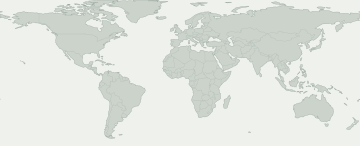
Select a colored area to see its firmware record. Blue shows a wider market such as Europe or the Caucasus, rather than a record for each country.
Wider firmware markets
Select a market to see its source record. Availability may differ within the shaded area.
No mapped firmware region matches this selection. Check CSC activity for the exact records.
Some firmware regions have no known map location. Their records are still in the table.
Models and firmware regions
Open a Galaxy product to compare its exact model codes. Beneath each code are markets with firmware records for this release. Find your code in About phone.
65 Galaxy products · 225 exact models · 229 firmware regions
Documented buildTracker observation
Numbers show how many exact models have a record in each firmware region. Open a product to view the models and their sources.
A source observation does not guarantee that an update is available on your phone. Check Settings → Software update on the handset.
Check my Galaxy
What do we know about your Galaxy?
Choose the exact model and firmware CSC, not your location.
Choose your device to inspect this release.
Rollout movement
Recorded rollout activity
First recorded appearance on each exact model/region pair. Repeated unchanged checks do not add to the total.
- 1
- 5
- 3
- 1
- 1
- 4
- 2
- 4
- 3
- 1
- 2
- 1
Model-family coverage
Galaxy models with firmware records
Expand a model to inspect exact model, CSC, first build, observation date and source record.
Galaxy A011 Model/region pairs
Galaxy A0258 Model/region pairs
SM-A022F / ACR
A022FXXU2BUI3Published build dateSM-A022F / AFGA022FXXU2BUI6Published build dateSM-A022F / AFRA022FXXU2BUI3Published build dateSM-A022F / BTCA022FXXU2BUI6Published build dateSM-A022F / ECTA022FXXU2BUI3Published build dateSM-A022F / KSAA022FXXU2BUI3Published build dateSM-A022F / MIDA022FXXU2BUI6Published build dateSM-A022F / MWDA022FXXU2BUI6Published build dateSM-A022F / PNGA022FXXU2BUI3Published build dateSM-A022F / THLA022FXXU2BUI3Published build dateSM-A022F / TUNA022FXXU2BUI6Published build dateSM-A022F / TURA022FXXU2BUI3Published build dateSM-A022F / VFJA022FXXU2BUI3Published build dateSM-A022F / XFVA022FXXU2BUI6Published build dateSM-A022F / XMEA022FXXU2BUI3Published build dateSM-A022F / XSGA022FXXU2BUI3Published build dateSM-A022F / XXVA022FXXU2BUI3Published build dateSM-A022G / CACA022GDXU2BUI3Published build dateSM-A022G / CAUA022GDXU2BUI6Published build dateSM-A022G / SKZA022GDXU2BUI3Published build dateSM-A022M / ALEA022MUBU2BUI2Published build dateSM-A022M / ANCA022MUBU2BUI2Published build dateSM-A022M / BVOA022MUBU2BUI2Published build dateSM-A022M / CDRA022MUBU2BUI2Published build dateSM-A022M / CHEA022MUBU2BUI2Published build dateSM-A022M / CHLA022MUBU2BUI2Published build dateSM-A022M / CHOA022MUBU2BUI2Published build dateSM-A022M / CHTA022MUBU2BUI2Published build dateSM-A022M / COBA022MUBU2BUI2Published build dateSM-A022M / COLA022MUBU2BUI2Published build dateSM-A022M / COMA022MUBU2BUI2Published build dateSM-A022M / COOA022MUBU2BUI2Published build dateSM-A022M / CRCA022MUBU2BUI2Published build dateSM-A022M / CTIA022MUBU2BUI2Published build dateSM-A022M / CTPA022MUBU2BUI2Published build dateSM-A022M / CTUA022MUBU2BUI2Published build dateSM-A022M / DORA022MUBU2BUI2Published build dateSM-A022M / EBEA022MUBU2BUI2Published build dateSM-A022M / IUSA022MUBU2BUI2Published build dateSM-A022M / MXOA022MUBU2BUI2Published build dateSM-A022M / PCTA022MUBU2BUI2Published build dateSM-A022M / PGUA022MUBU2BUI2Published build dateSM-A022M / PNTA022MUBU2BUI2Published build dateSM-A022M / PSNA022MUBU2BUI2Published build dateSM-A022M / SAMA022MUBU2BUI2Published build dateSM-A022M / TCEA022MUBU2BUI2Published build dateSM-A022M / TMMA022MUBU2BUI2Published build dateSM-A022M / UFUA022MUBU2BUI2Published build dateSM-A022M / UPOA022MUBU2BUI2Published build dateSM-A022M / UYOA022MUBU2BUI2Published build dateSM-A022M / ZTAA022MUBU2BUI2Published build dateSM-A022M / ZTOA022MUBU2BUI2Published build dateSM-A022M / ZVVA022MUBU2BUI2Published build dateSM-M022F / THLM022FXXU2BUI3Published build dateSM-M022F / XIDM022FXXU2BUI6Published build dateSM-M022F / XTCM022FXXU2BUI3Published build dateSM-M022G / INSM022GXXU2BUI3Published build dateSM-M022M / TPAM022MUBU2BUI2Published build dateView evidence →Galaxy A02s34 Model/region pairs
SM-A025M / ANC
A025MUBU2BUDDPublished build dateSM-A025M / AROA025MUBU2BUDDPublished build dateSM-A025M / BATA025MUBU2BUDDPublished build dateSM-A025M / BVOA025MUBU2BUDDPublished build dateSM-A025M / CGUA025MUBU2BUDDPublished build dateSM-A025M / CHEA025MUBU2BUDDPublished build dateSM-A025M / CHLA025MUBU2BUDDPublished build dateSM-A025M / CHOA025MUBU2BUDDPublished build dateSM-A025M / CHTA025MUBU2BUDDPublished build dateSM-A025M / COBA025MUBU2BUDDPublished build dateSM-A025M / COLA025MUBU2BUDDPublished build dateSM-A025M / COMA025MUBU2BUDDPublished build dateSM-A025M / COOA025MUBU2BUDDPublished build dateSM-A025M / CPAA025MUBU2BUDDPublished build dateSM-A025M / CTEA025MUBU2BUDDPublished build dateSM-A025M / CTIA025MUBU2BUDDPublished build dateSM-A025M / EBEA025MUBU2BUDDPublished build dateSM-A025M / ECOA025MUBU2BUDDPublished build dateSM-A025M / EONA025MUBU2BUDDPublished build dateSM-A025M / IUSA025MUBU2BUDDPublished build dateSM-A025M / PETA025MUBU2BUDDPublished build dateSM-A025M / PNTA025MUBU2BUDDPublished build dateSM-A025M / PSNA025MUBU2BUDDPublished build dateSM-A025M / SAMA025MUBU2BUDDPublished build dateSM-A025M / TCEA025MUBU2BUDDPublished build dateSM-A025M / TGPA025MUBU2BUDDPublished build dateSM-A025M / TMMA025MUBU2BUDDPublished build dateSM-A025M / TPAA025MUBU2BUDDPublished build dateSM-A025M / UPOA025MUBU2BUDDPublished build dateSM-A025M / UYOA025MUBU2BUDDPublished build dateSM-A025M / ZTAA025MUBU2BUDDPublished build dateSM-A025M / ZTMA025MUBU2BUDDPublished build dateSM-A025M / ZTOA025MUBU2BUDDPublished build dateSM-A025M / ZVVA025MUBU2BUDDPublished build dateView evidence →Galaxy A1040 Model/region pairs
SM-A105M / ANC
A105MUBU6CUH2Published build dateSM-A105M / BVTA105MUBU6CUH2Published build dateSM-A105M / BVVA105MUBU6CUH2Published build dateSM-A105M / CGUA105MUBU6CUH2Published build dateSM-A105M / CHLA105MUBU6CUH2Published build dateSM-A105M / CHVA105MUBU6CUH2Published build dateSM-A105M / CHXA105MUBU6CUH2Published build dateSM-A105M / COMA105MUBU6CUH2Published build dateSM-A105M / COOA105MUBU6CUH2Published build dateSM-A105M / CPAA105MUBU6CUH2Published build dateSM-A105M / CRCA105MUBU6CUH2Published build dateSM-A105M / CRMA105MUBU6CUH2Published build dateSM-A105M / CTEA105MUBU6CUH2Published build dateSM-A105M / CTIA105MUBU6CUH2Published build dateSM-A105M / CWWA105MUBU6CUH2Published build dateSM-A105M / DOOA105MUBU6CUH2Published build dateSM-A105M / DORA105MUBU6CUH2Published build dateSM-A105M / EBEA105MUBU6CUH2Published build dateSM-A105M / ECOA105MUBU6CUH2Published build dateSM-A105M / EONA105MUBU6CUH2Published build dateSM-A105M / ETEA105MUBU6CUH2Published build dateSM-A105M / IUSA105MUBU6CUH2Published build dateSM-A105M / JDIA105MUBU6CUH2Published build dateSM-A105M / MXOA105MUBU6CUH2Published build dateSM-A105M / PBSA105MUBU6CUH2Published build dateSM-A105M / PETA105MUBU6CUH2Published build dateSM-A105M / PNTA105MUBU6CUH2Published build dateSM-A105M / PSNA105MUBU6CUH2Published build dateSM-A105M / PSPA105MUBU6CUH2Published build dateSM-A105M / SAMA105MUBU6CUH2Published build dateSM-A105M / TCEA105MUBU6CUH2Published build dateSM-A105M / TGUA105MUBU6CUH2Published build dateSM-A105M / TMMA105MUBU6CUH2Published build dateSM-A105M / TPAA105MUBU6CUH2Published build dateSM-A105M / UFUA105MUBU6CUH2Published build dateSM-A105M / UPOA105MUBU6CUH2Published build dateSM-A105M / UYOA105MUBU6CUH2Published build dateSM-A105M / ZTAA105MUBU6CUH2Published build dateSM-A105M / ZTMA105MUBU6CUH2Published build dateSM-A105M / ZTOA105MUBU6CUH2Published build dateView evidence →Galaxy A10e2 Model/region pairs
Galaxy A1141 Model/region pairs
SM-A115M / ANC
A115MUBU2BUE1Published build dateSM-A115M / AROA115MUBU2BUE1Published build dateSM-A115M / BATA115MUBU2BUE1Published build dateSM-A115M / BVTA115MUBU2BUE1Published build dateSM-A115M / BVVA115MUBU2BUE1Published build dateSM-A115M / CDRA115MUBU2BUE1Published build dateSM-A115M / CHEA115MUBU2BUE1Published build dateSM-A115M / CHLA115MUBU2BUE1Published build dateSM-A115M / CHOA115MUBU2BUE1Published build dateSM-A115M / CHTA115MUBU2BUE1Published build dateSM-A115M / COBA115MUBU2BUE1Published build dateSM-A115M / COLA115MUBU2BUE1Published build dateSM-A115M / COMA115MUBU2BUG1Published build dateSM-A115M / CPAA115MUBU2BUE1Published build dateSM-A115M / CRCA115MUBU2BUE1Published build dateSM-A115M / CTEA115MUBU2BUE1Published build dateSM-A115M / CTIA115MUBU2BUE1Published build dateSM-A115M / CTPA115MUBU2BUE1Published build dateSM-A115M / CTUA115MUBU2BUE1Published build dateSM-A115M / CWWA115MUBU2BUG1Published build dateSM-A115M / DORA115MUBU2BUE1Published build dateSM-A115M / EONA115MUBU2BUE1Published build dateSM-A115M / ETEA115MUBU2BUE1Published build dateSM-A115M / ICEA115MUBU2BUE1Published build dateSM-A115M / JDIA115MUBU2BUE1Published build dateSM-A115M / MXOA115MUBU2BUE1Published build dateSM-A115M / PETA115MUBU2BUE1Published build dateSM-A115M / PGUA115MUBU2BUE1Published build dateSM-A115M / PNTA115MUBU2BUE1Published build dateSM-A115M / PSNA115MUBU2BUE1Published build dateSM-A115M / SAMA115MUBU2BUE1Published build dateSM-A115M / TGPA115MUBU2BUE1Published build dateSM-A115M / TMMA115MUBU2BUE1Published build dateSM-A115M / TPAA115MUBU2BUE1Published build dateSM-A115M / UFNA115MUBU2BUE1Published build dateSM-A115M / UPOA115MUBU2BUE1Published build dateSM-A115M / UYOA115MUBU2BUE1Published build dateSM-A115M / ZTAA115MUBU2BUE1Published build dateSM-A115M / ZTMA115MUBU2BUE1Published build dateSM-A115M / ZTOA115MUBU2BUE1Published build dateSM-A115M / ZVVA115MUBU2BUE1Published build dateView evidence →Galaxy A2085 Model/region pairs
SM-A205F / ACR
A205FXXUACUF3Published build dateSM-A205F / AFGA205FXXUACUF3Published build dateSM-A205F / AFRA205FXXUACUF3Published build dateSM-A205F / BTCA205FXXUACUF3Published build dateSM-A205F / ECTA205FXXUACUF3Published build dateSM-A205F / ILOA205FXXUACUF3Published build dateSM-A205F / INSA205FXXUACUF3Published build dateSM-A205F / KSAA205FXXUACUF3Published build dateSM-A205F / LYSA205FXXUACUF3Published build dateSM-A205F / MWDA205FXXUACUF3Published build dateSM-A205F / SLKA205FXXUACUF3Published build dateSM-A205F / TURA205FXXUACUF3Published build dateSM-A205F / XFAA205FXXUACUF3Published build dateSM-A205F / XFEA205FXXUACUF3Published build dateSM-A205F / XFVA205FXXUACUF3Published build dateSM-A205F / XSGA205FXXUACUF3Published build dateSM-A205FN / CACA205FNXXUACUF1Published build dateSM-A205FN / CAUA205FNXXUACUF1Published build dateSM-A205FN / SEKA205FNXXUACUF1Published build dateSM-A205FN / SERA205FNPUUACUF1Published build dateSM-A205FN / SKZA205FNXXUACUF1Published build dateSM-A205G / ALEA205GUBU9CUF4Published build dateSM-A205G / ANCA205GUBU9CUF2Published build dateSM-A205G / AROA205GUBU9CUF2Published build dateSM-A205G / BVOA205GUBU9CUF2Published build dateSM-A205G / CHEA205GUBU9CUF2Published build dateSM-A205G / CHLA205GUBU9CUF2Published build dateSM-A205G / CHOA205GUBU9CUF2Published build dateSM-A205G / CHTA205GUBU9CUF2Published build dateSM-A205G / CHVA205GUBU9CUF2Published build dateSM-A205G / CHXA205GUBU9CUF2Published build dateSM-A205G / COBA205GUBU9CUF2Published build dateSM-A205G / COOA205GUBU9CUF2Published build dateSM-A205G / CTEA205GUBU9CUF2Published build dateSM-A205G / CTIA205GUBU9CUF2Published build dateSM-A205G / CTPA205GUBU9CUF2Published build dateSM-A205G / CTUA205GUBU9CUF2Published build dateSM-A205G / DOOA205GUBU9CUF2Published build dateSM-A205G / DORA205GUBU9CUF2Published build dateSM-A205G / ECOA205GUBU9CUF4Published build dateSM-A205G / EONA205GUBU9CUF4Published build dateSM-A205G / ETEA205GUBU9CUF2Published build dateSM-A205G / ICEA205GUBU9CUF2Published build dateSM-A205G / IUSA205GUBU9CUF2Published build dateSM-A205G / JDIA205GUBU9CUF2Published build dateSM-A205G / PBSA205GUBU9CUF2Published build dateSM-A205G / PETA205GUBU9CUF2Published build dateSM-A205G / PGUA205GUBU9CUF2Published build dateSM-A205G / PNTA205GUBU9CUF2Published build dateSM-A205G / PSPA205GUBU9CUF2Published build dateSM-A205G / SAMA205GUBU9CUF2Published build dateSM-A205G / TCEA205GUBU9CUG1Published build dateSM-A205G / TGUA205GUBU9CUF2Published build dateSM-A205G / TMMA205GUBU9CUF2Published build dateSM-A205G / TPAA205GUBU9CUF4Published build dateSM-A205G / UFNA205GUBU9CUF2Published build dateSM-A205G / UFUA205GUBU9CUF2Published build dateSM-A205G / UPOA205GUBU9CUF2Published build dateSM-A205G / ZTAA205GUBU9CUF4Published build dateSM-A205G / ZTOA205GUBU9CUF4Published build dateSM-A205G / ZVVA205GUBU9CUF4Published build dateSM-A205U / CHAA205USQU9CUG3Published build dateSM-A205U1 / ACGA205U1UEU9CUH3Published build dateSM-A205U1 / AIOA205U1UEU9CUH3Published build dateSM-A205U1 / ATTA205U1UEU9CUH3Published build dateSM-A205U1 / CCTA205U1UEU9CUH3Published build dateSM-A205U1 / LRAA205U1UEU9CUH3Published build dateSM-A205U1 / SPRA205U1UEU9CUH3Published build dateSM-A205U1 / TMBA205U1UEU9CUH3Published build dateSM-A205U1 / USCA205U1UEU9CUH3Published build dateSM-A205U1 / VZWA205U1UEU9CUH3Published build dateSM-A205U1 / XAAA205U1UEU9CUH3Published build dateSM-A205U1 / XAGA205U1UEU9CUH3Published build dateSM-A205W / BMCA205WVLU8CUG4Published build dateSM-A205W / BWAA205WVLU8CUG4Published build dateSM-A205W / CHRA205WVLU8CUG4Published build dateSM-A205W / ESKA205WVLU8CUG4Published build dateSM-A205W / FMCA205WVLU8CUG4Published build dateSM-A205W / GLWA205WVLU8CUG4Published build dateSM-A205W / KDOA205WVLU8CUG4Published build dateSM-A205W / RWCA205WVLU8CUG4Published build dateSM-A205W / TLSA205WVLU8CUG4Published build dateSM-A205W / VTRA205WVLU8CUG4Published build dateSM-A205W / XACA205WVLU8CUG4Published build dateSM-S205DL / TFNS205DLUDUACUG8Published build dateView evidence →Galaxy A21s2 Model/region pairs
Galaxy A3045 Model/region pairs
SM-A3050 / CHC
A3050ZCU4CUE1Published build dateSM-A3050 / TGYA3050ZHU4CUE2Published build dateSM-A3051 / BRIA3051XXU4CUE4Published build dateSM-A3058 / CHMA3058ZMU4CUE2Published build dateSM-A305F / ACRA305FDDU6CUE1Published build dateSM-A305F / AFGA305FDDU6CUE1Published build dateSM-A305F / AFRA305FDDU6CUE1Published build dateSM-A305F / BTCA305FDDU6CUE1Published build dateSM-A305F / CAMA305FDDU6CUE1Published build dateSM-A305F / ECTA305FDDU6CUE1Published build dateSM-A305F / EGYA305FDDU6CUE1Published build dateSM-A305F / ILOA305FDDU6CUE1Published build dateSM-A305F / INSA305FDDU6CUE1Published build dateSM-A305F / MIDA305FDDU6CUE1Published build dateSM-A305F / MM1A305FDDU6CUE1Published build dateSM-A305F / MWDA305FDDU6CUE1Published build dateSM-A305F / PAKA305FDDU6CUE1Published build dateSM-A305F / SLKA305FDDU6CUE1Published build dateSM-A305F / STHA305FDDU6CUE1Published build dateSM-A305F / THLA305FDDU6CUE1Published build dateSM-A305F / THRA305FDDU6CUE1Published build dateSM-A305F / TUNA305FDDU6CUE1Published build dateSM-A305F / TURA305FDDU6CUE1Published build dateSM-A305F / XFAA305FDDU6CUE1Published build dateSM-A305F / XFEA305FDDU6CUE1Published build dateSM-A305F / XIDA305FDDU6CUE1Published build dateSM-A305F / XMEA305FDDU6CUE1Published build dateSM-A305F / XSPA305FDDU6CUE1Published build dateSM-A305F / XXVA305FDDU6CUE1Published build dateSM-A305FN / CACA305FNXXU6CUE5Published build dateSM-A305FN / CAUA305FNXXU6CUE5Published build dateSM-A305FN / SEKA305FNXXU6CUE5Published build dateSM-A305FN / SERA305FNPUU6CUE5Published build dateSM-A305FN / SKZA305FNXXU6CUE5Published build dateSM-A305GN / BRIA305GNDXU8CUE2Published build dateSM-A305GN / NZCA305GNDXU8CUE2Published build dateSM-A305GN / PNGA305GNDXU8CUE2Published build dateSM-A305GN / SMAA305GNDXU8CUE2Published build dateSM-A305GN / TNZA305GNDXU8CUE2Published build dateSM-A305GN / VFJA305GNDXU8CUE2Published build dateSM-A305GN / VNZA305GNDXU8CUE2Published build dateSM-A305GN / XTCA305GNDXU8CUE2Published build dateSM-A305YN / TELA305YNDVU3CUE6Published build dateSM-A305YN / VAUA305YNDVU3CUE6Published build dateSM-A305YN / XSAA305YNDVU3CUE6Published build dateView evidence →Galaxy A30s38 Model/region pairs
SM-A307G / ALE
A307GUBU4CUF2Published build dateSM-A307G / ANCA307GUBU4CUF2Published build dateSM-A307G / BATA307GUBU4CUF2Published build dateSM-A307G / BVOA307GUBU4CUF2Published build dateSM-A307G / BVVA307GUBU4CUF2Published build dateSM-A307G / CGUA307GUBU4CUF2Published build dateSM-A307G / CHEA307GUBU4CUF2Published build dateSM-A307G / CHLA307GUBU4CUF2Published build dateSM-A307G / CHTA307GUBU4CUF2Published build dateSM-A307G / CHXA307GUBU4CUF2Published build dateSM-A307G / COBA307GUBU4CUF2Published build dateSM-A307G / COLA307GUBU4CUF2Published build dateSM-A307G / COMA307GUBU4CUF2Published build dateSM-A307G / COOA307GUBU4CUF2Published build dateSM-A307G / CRCA307GUBU4CUF2Published build dateSM-A307G / CTEA307GUBU4CUF2Published build dateSM-A307G / CTPA307GUBU4CUF2Published build dateSM-A307G / CTUA307GUBU4CUF2Published build dateSM-A307G / DORA307GUBU4CUF2Published build dateSM-A307G / EBEA307GUBU4CUF2Published build dateSM-A307G / ECOA307GUBU4CUF2Published build dateSM-A307G / ETEA307GUBU4CUF2Published build dateSM-A307G / ICEA307GUBU4CUF2Published build dateSM-A307G / MXOA307GUBU4CUF2Published build dateSM-A307G / PCWA307GUBU4CUF2Published build dateSM-A307G / PETA307GUBU4CUF2Published build dateSM-A307G / PGUA307GUBU4CUF2Published build dateSM-A307G / PSNA307GUBU4CUF2Published build dateSM-A307G / PSPA307GUBU4CUF2Published build dateSM-A307G / SAMA307GUBU4CUF2Published build dateSM-A307G / TGPA307GUBU4CUF2Published build dateSM-A307G / TGUA307GUBU4CUF2Published build dateSM-A307G / TMMA307GUBU4CUF2Published build dateSM-A307G / UFNA307GUBU4CUF2Published build dateSM-A307G / UFUA307GUBU4CUF2Published build dateSM-A307G / UPOA307GUBU4CUF2Published build dateSM-A307GT / ZTAA307GTVJU4CUF2Published build dateSM-A307GT / ZTMA307GTVJU4CUF2Published build dateView evidence →Galaxy A3130 Model/region pairs
SM-A315F / ACR
A315FXXU1CUD4Published build dateSM-A315F / AFGA315FXXU1CUD4Published build dateSM-A315F / BTCA315FXXU1CUD4Published build dateSM-A315F / CACA315FXXU1CUD4Published build dateSM-A315F / ILOA315FXXU1CUD4Published build dateSM-A315F / KSAA315FXXU1CUD4Published build dateSM-A315F / LYSA315FXXU1CUD4Published build dateSM-A315F / MIDA315FXXU1CUD4Published build dateSM-A315F / PAKA315FXXU1CUD4Published build dateSM-A315F / SEKA315FXXU1CUD4Published build dateSM-A315F / SERA315FXXU1CUD4Published build dateSM-A315F / TUNA315FXXU1CUD4Published build dateSM-A315F / TURA315FXXU1CUD4Published build dateSM-A315F / XFEA315FXXU1CUD4Published build dateSM-A315F / XFVA315FXXU1CUD4Published build dateSM-A315F / XSGA315FXXU1CUD4Published build dateSM-A315G / BRIA315GZHU1CUD4Published build dateSM-A315G / CAMA315GDXU1CUD4Published build dateSM-A315G / GLBA315GDXU1CUD4Published build dateSM-A315G / MM1A315GDXU1CUD4Published build dateSM-A315G / SINA315GDXU1CUD4Published build dateSM-A315G / SMAA315GDXU1CUD4Published build dateSM-A315G / STHA315GDXU1CUD4Published build dateSM-A315G / TGYA315GZHU1CUD4Published build dateSM-A315G / THLA315GDXU1CUD4Published build dateSM-A315G / XMEA315GDXU1CUD4Published build dateSM-A315G / XSAA315GDXU1CUD4Published build dateSM-A315G / XSPA315GDXU1CUD4Published build dateSM-A315G / XTCA315GDXU1CUD4Published build dateSM-A315G / XXVA315GDXU1CUD4Published build dateView evidence →Galaxy A4057 Model/region pairs
SM-A405FM / SER
A405FMPUU3CUC2Published build dateSM-A405FN / 3IEA405FNXXU3CUC2Published build dateSM-A405FN / AMOA405FNXXU3CUC2Published build dateSM-A405FN / ATLA405FNXXU3CUC2Published build dateSM-A405FN / ATOA405FNXXU3CUC2Published build dateSM-A405FN / BGLA405FNXXU3CUC2Published build dateSM-A405FN / BHTA405FNXXU3CUC2Published build dateSM-A405FN / BOGA405FNXXU3CUC2Published build dateSM-A405FN / CAUA405FNXXU3CUC2Published build dateSM-A405FN / CNXA405FNXXU3CUC2Published build dateSM-A405FN / COAA405FNXXU3CUC2Published build dateSM-A405FN / COSA405FNXXU3CUC2Published build dateSM-A405FN / CROA405FNXXU3CUC2Published build dateSM-A405FN / DBTA405FNXXU3CUC2Published build dateSM-A405FN / DHRA405FNXXU3CUC2Published build dateSM-A405FN / DTMA405FNXXU3CUC2Published build dateSM-A405FN / EURA405FNXXU3CUC2Published build dateSM-A405FN / EVRA405FNXXU3CUC2Published build dateSM-A405FN / FTMA405FNXXU3CUC2Published build dateSM-A405FN / H3GA405FNXXU3CUC2Published build dateSM-A405FN / ITVA405FNXXU3CUC2Published build dateSM-A405FN / LUXA405FNXXU3CUC2Published build dateSM-A405FN / MAXA405FNXXU3CUC2Published build dateSM-A405FN / MBMA405FNXXU3CUC2Published build dateSM-A405FN / MEOA405FNXXU3CUC4Published build dateSM-A405FN / MSRA405FNXXU3CUC2Published build dateSM-A405FN / NEEA405FNXXU3CUC2Published build dateSM-A405FN / O2CA405FNXXU3CUC2Published build dateSM-A405FN / OROA405FNXXU3CUC2Published build dateSM-A405FN / ORSA405FNXXU3CUC2Published build dateSM-A405FN / ORXA405FNXXU3CUC2Published build dateSM-A405FN / PHEA405FNXXU3CUC2Published build dateSM-A405FN / PLSA405FNXXU3CUC2Published build dateSM-A405FN / PRTA405FNXXU3CUC2Published build dateSM-A405FN / SEBA405FNXXU3CUC2Published build dateSM-A405FN / SEEA405FNXXU3CUC2Published build dateSM-A405FN / SEKA405FNXXU3CUC2Published build dateSM-A405FN / SFRA405FNXXU3CUC4Published build dateSM-A405FN / SIMA405FNXXU3CUC2Published build dateSM-A405FN / SIOA405FNXXU3CUC2Published build dateSM-A405FN / SKZA405FNXXU3CUC2Published build dateSM-A405FN / SWCA405FNXXU3CUC2Published build dateSM-A405FN / TCLA405FNXXU3CUC2Published build dateSM-A405FN / TMHA405FNXXU3CUC2Published build dateSM-A405FN / TMSA405FNXXU3CUC2Published build dateSM-A405FN / TNLA405FNXXU3CUC2Published build dateSM-A405FN / TPHA405FNXXU3CUC2Published build dateSM-A405FN / TPLA405FNXXU3CUC2Published build dateSM-A405FN / TRGA405FNXXU3CUC2Published build dateSM-A405FN / VD2A405FNXXU3CUC2Published build dateSM-A405FN / VDCA405FNXXU3CUC2Published build dateSM-A405FN / VDIA405FNXXU3CUC2Published build dateSM-A405FN / VIPA405FNXXU3CUC2Published build dateSM-A405FN / VODA405FNXXU3CUC2Published build dateSM-A405FN / XECA405FNXXU3CUC2Published build dateSM-A405FN / XEFA405FNXXU3CUC2Published build dateSM-A405FN / XEOA405FNXXU3CUC2Published build dateView evidence →Galaxy A412 Model/region pairs
Galaxy A42 5G45 Model/region pairs
SM-A4260 / TGY
A4260ZHU1BUC3Published build dateSM-A426B / 3IEA426BXXU1BUB7Published build dateSM-A426B / ATLA426BXXU1BUB7Published build dateSM-A426B / AUTA426BXXU1BUB7Published build dateSM-A426B / BOGA426BXXU1BUB7Published build dateSM-A426B / BRIA426BXXU1BUB7Published build dateSM-A426B / BTUA426BXXU1BUB7Published build dateSM-A426B / CNXA426BXXU1BUB7Published build dateSM-A426B / DBTA426BXXU1BUB7Published build dateSM-A426B / EURA426BXXU1BUB7Published build dateSM-A426B / EVRA426BXXU1BUB7Published build dateSM-A426B / FTMA426BXXU1BUB7Published build dateSM-A426B / GLBA426BXXU1BUB7Published build dateSM-A426B / ITVA426BXXU1BUB7Published build dateSM-A426B / KSAA426BXXU1BUB8Published build dateSM-A426B / LUXA426BXXU1BUB7Published build dateSM-A426B / MEOA426BXXU1BUB7Published build dateSM-A426B / MM1A426BXXU1BUB7Published build dateSM-A426B / MOTA426BXXU1BUB7Published build dateSM-A426B / NEEA426BXXU1BUB7Published build dateSM-A426B / O2UA426BXXU1BUB7Published build dateSM-A426B / OMNA426BXXU1BUB7Published build dateSM-A426B / OROA426BXXU1BUB7Published build dateSM-A426B / ORXA426BXXU1BUB7Published build dateSM-A426B / PHEA426BXXU1BUB7Published build dateSM-A426B / PHNA426BXXU1BUB7Published build dateSM-A426B / ROMA426BXXU1BUB7Published build dateSM-A426B / SEBA426BXXU1BUB7Published build dateSM-A426B / SIOA426BXXU1BUB7Published build dateSM-A426B / STHA426BXXU1BUB7Published build dateSM-A426B / THLA426BXXU1BUB7Published build dateSM-A426B / TMSA426BXXU1BUB7Published build dateSM-A426B / TPHA426BXXU1BUB7Published build dateSM-A426B / TPLA426BXXU1BUB7Published build dateSM-A426B / VD2A426BXXU1BUB7Published build dateSM-A426B / VDCA426BXXU1BUB7Published build dateSM-A426B / VDFA426BXXU1BUB7Published build dateSM-A426B / VDIA426BXXU1BUB7Published build dateSM-A426B / VODA426BXXU1BUB7Published build dateSM-A426B / XECA426BXXU1BUB7Published build dateSM-A426B / XEFA426BXXU1BUB7Published build dateSM-A426B / XMEA426BXXU1BUB7Published build dateSM-A426B / XSGA426BXXU1BUB8Published build dateSM-A426B / XSPA426BXXU1BUB7Published build dateSM-A426B / XTCA426BXXU1BUB7Published build dateView evidence →Galaxy A50106 Model/region pairs
SM-A505F / ACR
A505FDDU7CUBDPublished build dateSM-A505F / AFGA505FDDU7CUBDPublished build dateSM-A505F / BTCA505FDDU7CUBDPublished build dateSM-A505F / CAMA505FDDU7CUBCPublished build dateSM-A505F / ECTA505FDDU7CUBDPublished build dateSM-A505F / EGYA505FDDU7CUBDPublished build dateSM-A505F / ILOA505FDDU7CUBDPublished build dateSM-A505F / INSA505FDDU7CUBCPublished build dateSM-A505F / KSAA505FDDU7CUBDPublished build dateSM-A505F / MIDA505FDDU7CUBDPublished build dateSM-A505F / MM1A505FDDU7CUBCPublished build dateSM-A505F / PAKA505FDDU7CUBDPublished build dateSM-A505F / SINA505FDDU7CUBCPublished build dateSM-A505F / SLKA505FDDU7CUBCPublished build dateSM-A505F / STHA505FDDU7CUBCPublished build dateSM-A505F / THRA505FDDU7CUBDPublished build dateSM-A505F / TUNA505FDDU7CUBDPublished build dateSM-A505F / TURA505FDDU7CUBDPublished build dateSM-A505F / XFAA505FDDU7CUBDPublished build dateSM-A505F / XFVA505FDDU7CUBDPublished build dateSM-A505F / XIDA505FDDU7CUBCPublished build dateSM-A505F / XMEA505FDDU7CUBCPublished build dateSM-A505F / XSGA505FDDU7CUBDPublished build dateSM-A505F / XSPA505FDDU7CUBCPublished build dateSM-A505F / XXVA505FDDU7CUBCPublished build dateSM-A505FM / CAUA505FMXXU7CUC1Published build dateSM-A505FM / SEKA505FMXXU7CUC1Published build dateSM-A505FM / SERA505FMPUU7CUC1Published build dateSM-A505FM / SKZA505FMXXU7CUC1Published build dateSM-A505FN / XEOA505FNXXU7CUC2Published build dateSM-A505G / ALEA505GUBU7CUC2Published build dateSM-A505G / ANCA505GUBU7CUC2Published build dateSM-A505G / BATA505GUBU7CUC2Published build dateSM-A505G / BVOA505GUBU7CUC2Published build dateSM-A505G / BVTA505GUBU7CUC6Published build dateSM-A505G / CDRA505GUBU7CUC2Published build dateSM-A505G / CGUA505GUBU7CUC6Published build dateSM-A505G / CHEA505GUBU7CUC6Published build dateSM-A505G / CHLA505GUBU7CUC2Published build dateSM-A505G / CHOA505GUBU7CUC2Published build dateSM-A505G / CHTA505GUBU7CUC2Published build dateSM-A505G / CHVA505GUBU7CUC2Published build dateSM-A505G / CHXA505GUBU7CUC2Published build dateSM-A505G / COBA505GUBU7CUC2Published build dateSM-A505G / COMA505GUBU7CUC2Published build dateSM-A505G / COOA505GUBU7CUC2Published build dateSM-A505G / CRCA505GUBU7CUC2Published build dateSM-A505G / CTIA505GUBU7CUC2Published build dateSM-A505G / CTUA505GUBU7CUC2Published build dateSM-A505G / DORA505GUBU7CUC6Published build dateSM-A505G / EBEA505GUBU7CUC2Published build dateSM-A505G / ECOA505GUBU7CUC2Published build dateSM-A505G / EONA505GUBU7CUC2Published build dateSM-A505G / ICEA505GUBU7CUC6Published build dateSM-A505G / IUSA505GUBU7CUC6Published build dateSM-A505G / JDIA505GUBU7CUC6Published build dateSM-A505G / MXOA505GUBU7CUC2Published build dateSM-A505G / NBSA505GUBU7CUC2Published build dateSM-A505G / PCTA505GUBU7CUC6Published build dateSM-A505G / PCWA505GUBU7CUC2Published build dateSM-A505G / PGUA505GUBU7CUC2Published build dateSM-A505G / PNTA505GUBU7CUC6Published build dateSM-A505G / PSNA505GUBU7CUC2Published build dateSM-A505G / PSPA505GUBU7CUC6Published build dateSM-A505G / SAMA505GUBU7CUC2Published build dateSM-A505G / TGPA505GUBU7CUC2Published build dateSM-A505G / TGUA505GUBU7CUC2Published build dateSM-A505G / TMMA505GUBU7CUC2Published build dateSM-A505G / TPAA505GUBU7CUC2Published build dateSM-A505G / TTTA505GUBU7CUC2Published build dateSM-A505G / UFUA505GUBU7CUC2Published build dateSM-A505G / UPOA505GUBU7CUC2Published build dateSM-A505G / UYOA505GUBU7CUC2Published build dateSM-A505GN / BRIA505GNDXU7CUC5Published build dateSM-A505GN / NZCA505GNDXU7CUC5Published build dateSM-A505GN / PNGA505GNDXU7CUC5Published build dateSM-A505GN / SMAA505GNDXU7CUC5Published build dateSM-A505GN / TNZA505GNDXU7CUC5Published build dateSM-A505GN / VFJA505GNDXU7CUC5Published build dateSM-A505GT / ZTAA505GTUBU7CUC6Published build dateSM-A505GT / ZTMA505GTUBU7CUC6Published build dateSM-A505GT / ZTOA505GTUBU7CUC2Published build dateSM-A505GT / ZTRA505GTUBU7CUC6Published build dateSM-A505U / CCTA505USQUBDUC2Published build dateSM-A505U / SPRA505USQUBDUC2Published build dateSM-A505U / USCA505USQUBDUD2Published build dateSM-A505U1 / ACGA505U1UEUCDUF1Published build dateSM-A505U1 / AIOA505U1UEUCDUF1Published build dateSM-A505U1 / ATTA505U1UEUCDUF1Published build dateSM-A505U1 / CHAA505U1UEUCDUF1Published build dateSM-A505U1 / LRAA505U1UEUCDUF1Published build dateSM-A505U1 / TMKA505U1UEUCDUF1Published build dateSM-A505U1 / USCA505U1UEUCDUF1Published build dateSM-A505U1 / XARA505U1UEUCDUF1Published build dateSM-A505W / BMCA505WVLUBDUC6Published build dateSM-A505W / ESKA505WVLUBDUC6Published build dateSM-A505W / FMCA505WVLUBDUC6Published build dateSM-A505W / GLWA505WVLUBDUC6Published build dateSM-A505W / KDOA505WVLUBDUC6Published build dateSM-A505W / RWCA505WVLUBDUC6Published build dateSM-A505W / TLSA505WVLUBDUC6Published build dateSM-A505W / VTRA505WVLUBDUC6Published build dateSM-A505W / XACA505WVLUBDUC6Published build dateSM-A505YN / OPSA505YNDVU5CUBCPublished build dateSM-A505YN / XSAA505YNDVU5CUBCPublished build dateSM-S506DL / TFNS506DLUDU9DUE2Published build dateView evidence →Galaxy A50s5 Model/region pairs
Galaxy A5139 Model/region pairs
SM-A515F / ALE
A515FXXU4DUB1Published build dateSM-A515F / ANCA515FXXU4DUB1Published build dateSM-A515F / AROA515FXXU4DUB1Published build dateSM-A515F / BATA515FXXU4DUB1Published build dateSM-A515F / BVOA515FXXU4DUB1Published build dateSM-A515F / BVVA515FXXU4DUB1Published build dateSM-A515F / CDRA515FXXU4DUB1Published build dateSM-A515F / CHEA515FXXU4DUB1Published build dateSM-A515F / CHLA515FXXU4DUB1Published build dateSM-A515F / CHOA515FXXU4DUB1Published build dateSM-A515F / CHTA515FXXU4DUB1Published build dateSM-A515F / CHXA515FXXU4DUB1Published build dateSM-A515F / COBA515FXXU4DUB1Published build dateSM-A515F / COLA515FXXU4DUB1Published build dateSM-A515F / COMA515FXXU4DUB1Published build dateSM-A515F / COOA515FXXU4DUB1Published build dateSM-A515F / CTIA515FXXU4DUB1Published build dateSM-A515F / CTPA515FXXU4DUB1Published build dateSM-A515F / CTUA515FXXU4DUB1Published build dateSM-A515F / DORA515FXXU4DUB1Published build dateSM-A515F / EBEA515FXXU4DUB1Published build dateSM-A515F / ECOA515FXXU4DUB1Published build dateSM-A515F / EONA515FXXU4DUB1Published build dateSM-A515F / ETEA515FXXU4DUB1Published build dateSM-A515F / INSA515FXXU4DUB1Published build dateSM-A515F / IUSA515FXXU4DUB1Published build dateSM-A515F / JDIA515FXXU4DUB1Published build dateSM-A515F / MXOA515FXXU4DUB1Published build dateSM-A515F / PNTA515FXXU4DUB1Published build dateSM-A515F / PSNA515FXXU4DUB1Published build dateSM-A515F / SAMA515FXXU4DUB1Published build dateSM-A515F / TCEA515FXXU4DUB1Published build dateSM-A515F / TGYA515FZHU4DUB1Published build dateSM-A515F / TMMA515FXXU4DUB1Published build dateSM-A515F / TPAA515FXXU4DUB1Published build dateSM-A515F / UFUA515FXXU4DUB1Published build dateSM-A515F / UYOA515FXXU4DUB1Published build dateSM-A515F / ZTMA515FXXU4DUB1Published build dateSM-A515U / CCTA515USQU5CUC4Published build dateView evidence →Galaxy A51 5G21 Model/region pairs
SCG07 / KDI
SCG07KDU1BUE4Published build dateSM-A5160 / CHCA5160ZCU3CUC4Published build dateSM-A516B / BGLA516BXXU4CUC4Published build dateSM-A516N / KTCA516NKSU3CUC4Published build dateSM-A516N / LUCA516NKSU3CUC4Published build dateSM-A516N / SKCA516NKSU3CUC4Published build dateSM-A516U / SPRA516USQU4CUA7Published build dateSM-A516U / TMBA516USQU4CUA7Published build dateSM-A516U / TMKA516USQU4CUA7Published build dateSM-A516U / USCA516USQU4CUA7Published build dateSM-A516U1 / ACGA516U1UEU3CUB1Published build dateSM-A516U1 / AIOA516U1UEU3CUB1Published build dateSM-A516U1 / CCTA516U1UEU3CUB1Published build dateSM-A516U1 / LRAA516U1UEU3CUB1Published build dateSM-A516U1 / TMBA516U1UEU3CUB1Published build dateSM-A516U1 / TMKA516U1UEU3CUB1Published build dateSM-A516U1 / USCA516U1UEU3CUB1Published build dateSM-A516U1 / XAAA516U1UEU3CUB1Published build dateSM-A516U1 / XAGA516U1UEU3CUB1Published build dateSM-A516U1 / XARA516U1UEU3CUB1Published build dateSM-A516V / CHAA516VSQU1CUA3Published build dateView evidence →Galaxy A603 Model/region pairs
Galaxy A70124 Model/region pairs
SM-A7050 / BRI
A7050ZHU5DUC4Published build dateSM-A7050 / CHCA7050ZCU5DUC4Published build dateSM-A7050 / TGYA7050ZHU5DUC4Published build dateSM-A705F / CAMA705FXXU5DUC7Published build dateSM-A705F / XIDA705FXXU5DUC7Published build dateSM-A705F / XMEA705FXXU5DUC7Published build dateSM-A705F / XXVA705FXXU5DUC7Published build dateSM-A705FN / 3IEA705FNXXU5DUC6Published build dateSM-A705FN / ACRA705FNXXU5DUC6Published build dateSM-A705FN / AFGA705FNXXU5DUC6Published build dateSM-A705FN / AFRA705FNXXU5DUC6Published build dateSM-A705FN / AMOA705FNXXU5DUC6Published build dateSM-A705FN / ATLA705FNXXU5DUC6Published build dateSM-A705FN / ATOA705FNXXU5DUC6Published build dateSM-A705FN / AUTA705FNXXU5DUC6Published build dateSM-A705FN / BGLA705FNXXU5DUC6Published build dateSM-A705FN / BHTA705FNXXU5DUC6Published build dateSM-A705FN / BTCA705FNXXU5DUC6Published build dateSM-A705FN / CAUA705FNXXU5DUC6Published build dateSM-A705FN / CNXA705FNXXU5DUC6Published build dateSM-A705FN / COAA705FNXXU5DUC6Published build dateSM-A705FN / COSA705FNXXU5DUC6Published build dateSM-A705FN / CROA705FNXXU5DUC6Published build dateSM-A705FN / CYVA705FNXXU5DUC6Published build dateSM-A705FN / DBTA705FNXXU5DUC6Published build dateSM-A705FN / DTMA705FNXXU5DUC6Published build dateSM-A705FN / ECTA705FNXXU5DUC6Published build dateSM-A705FN / EGYA705FNXXU5DUC6Published build dateSM-A705FN / EURA705FNXXU5DUC6Published build dateSM-A705FN / H3GA705FNXXU5DUC6Published build dateSM-A705FN / ILOA705FNXXU5DUC6Published build dateSM-A705FN / KSAA705FNXXU5DUC6Published build dateSM-A705FN / LUXA705FNXXU5DUC6Published build dateSM-A705FN / LYSA705FNXXU5DUC6Published build dateSM-A705FN / MAXA705FNXXU5DUC6Published build dateSM-A705FN / MBMA705FNXXU5DUC6Published build dateSM-A705FN / MIDA705FNXXU5DUC6Published build dateSM-A705FN / MOTA705FNXXU5DUC6Published build dateSM-A705FN / MSRA705FNXXU5DUC6Published build dateSM-A705FN / NEEA705FNXXU5DUC6Published build dateSM-A705FN / O2CA705FNXXU5DUC6Published build dateSM-A705FN / O2UA705FNXXU5DUC6Published build dateSM-A705FN / OROA705FNXXU5DUC6Published build dateSM-A705FN / ORSA705FNXXU5DUC6Published build dateSM-A705FN / ORXA705FNXXU5DUC6Published build dateSM-A705FN / PHNA705FNXXU5DUC6Published build dateSM-A705FN / PLSA705FNXXU5DUC6Published build dateSM-A705FN / ROMA705FNXXU5DUC6Published build dateSM-A705FN / SEBA705FNXXU5DUC6Published build dateSM-A705FN / SEEA705FNXXU5DUC6Published build dateSM-A705FN / SEKA705FNXXU5DUC6Published build dateSM-A705FN / SIOA705FNXXU5DUF1Published build dateSM-A705FN / SKZA705FNXXU5DUC6Published build dateSM-A705FN / THRA705FNXXU5DUC6Published build dateSM-A705FN / TMHA705FNXXU5DUC6Published build dateSM-A705FN / TMSA705FNXXU5DUC6Published build dateSM-A705FN / TMZA705FNXXU5DUC6Published build dateSM-A705FN / TPHA705FNXXU5DUC6Published build dateSM-A705FN / TPLA705FNXXU5DUC6Published build dateSM-A705FN / TUNA705FNXXU5DUC6Published build dateSM-A705FN / TURA705FNXXU5DUC6Published build dateSM-A705FN / VD2A705FNXXU5DUC6Published build dateSM-A705FN / VDCA705FNXXU5DUC6Published build dateSM-A705FN / VDIA705FNXXU5DUC6Published build dateSM-A705FN / VIPA705FNXXU5DUC6Published build dateSM-A705FN / XEFA705FNXXU5DUC6Published build dateSM-A705FN / XEHA705FNXXU5DUC6Published build dateSM-A705FN / XEOA705FNXXU5DUC6Published build dateSM-A705FN / XEUA705FNXXU5DUC6Published build dateSM-A705FN / XEZA705FNXXU5DUC6Published build dateSM-A705FN / XFAA705FNXXU5DUC6Published build dateSM-A705FN / XFEA705FNXXU5DUC6Published build dateSM-A705FN / XFVA705FNXXU5DUC6Published build dateSM-A705MN / ALEA705MNXXU5DUC6Published build dateSM-A705MN / ANCA705MNXXU5DUC6Published build dateSM-A705MN / AROA705MNXXU5DUC6Published build dateSM-A705MN / BVOA705MNXXU5DUC6Published build dateSM-A705MN / BVTA705MNXXU5DUC6Published build dateSM-A705MN / CHLA705MNXXU5DUC6Published build dateSM-A705MN / CHOA705MNXXU5DUC6Published build dateSM-A705MN / CHXA705MNXXU5DUC6Published build dateSM-A705MN / COBA705MNXXU5DUC6Published build dateSM-A705MN / COLA705MNXXU5DUC6Published build dateSM-A705MN / COMA705MNXXU5DUC6Published build dateSM-A705MN / CPAA705MNXXU5DUC6Published build dateSM-A705MN / CTEA705MNXXU5DUC6Published build dateSM-A705MN / CTIA705MNXXU5DUC6Published build dateSM-A705MN / CTUA705MNXXU5DUC6Published build dateSM-A705MN / ECOA705MNXXU5DUC6Published build dateSM-A705MN / EONA705MNXXU5DUC6Published build dateSM-A705MN / ETEA705MNXXU5DUC6Published build dateSM-A705MN / GLBA705MNXXU5DUC6Published build dateSM-A705MN / ICEA705MNXXU5DUC6Published build dateSM-A705MN / IUSA705MNXXU5DUD3Published build dateSM-A705MN / MXOA705MNXXU5DUC6Published build dateSM-A705MN / NZCA705MNXXU5DUC9Published build dateSM-A705MN / PCTA705MNXXU5DUD3Published build dateSM-A705MN / PCWA705MNXXU5DUC6Published build dateSM-A705MN / PGUA705MNXXU5DUC6Published build dateSM-A705MN / PNTA705MNXXU5DUD3Published build dateSM-A705MN / PSNA705MNXXU5DUC6Published build dateSM-A705MN / SAMA705MNXXU5DUD3Published build dateSM-A705MN / SINA705MNXXU5DUC6Published build dateSM-A705MN / SMAA705MNXXU5DUC6Published build dateSM-A705MN / STHA705MNXXU5DUC6Published build dateSM-A705MN / TCEA705MNXXU5DUC6Published build dateSM-A705MN / TGUA705MNXXU5DUC6Published build dateSM-A705MN / TMMA705MNXXU5DUC6Published build dateSM-A705MN / TNZA705MNXXU5DUC9Published build dateSM-A705MN / TPAA705MNXXU5DUC6Published build dateSM-A705MN / TTTA705MNXXU5DUC6Published build dateSM-A705MN / UFNA705MNXXU5DUC6Published build dateSM-A705MN / UPOA705MNXXU5DUC6Published build dateSM-A705MN / UYOA705MNXXU5DUC6Published build dateSM-A705MN / VNZA705MNXXU5DUC9Published build dateSM-A705MN / XSPA705MNXXU5DUC6Published build dateSM-A705MN / XTCA705MNXXU5DUC6Published build dateSM-A705MN / ZTMA705MNXXU5DUC6Published build dateSM-A705MN / ZTOA705MNXXU5DUC6Published build dateSM-A705MN / ZVVA705MNXXU5DUD3Published build dateSM-A705U / CCTA705USQU1DUC3Published build dateSM-A705YN / TELA705YNDXU5DUC6Published build dateSM-A705YN / VAUA705YNDXU5DUC6Published build dateSM-A705YN / XSAA705YNDXU5DUC6Published build dateView evidence →Galaxy A70s1 Model/region pairs
Galaxy A71 5G15 Model/region pairs
SM-A7160 / CHC
A7160ZCU4CUC4Published build dateSM-A716U / SPRA716USQU2CUA7Published build dateSM-A716U1 / ACGA716U1UEU2CUB4Published build dateSM-A716U1 / AIOA716U1UEU2CUB4Published build dateSM-A716U1 / ATTA716U1UEU2CUB4Published build dateSM-A716U1 / CCTA716U1UEU2CUB4Published build dateSM-A716U1 / LRAA716U1UEU2CUB4Published build dateSM-A716U1 / SPRA716U1UEU2CUB4Published build dateSM-A716U1 / TFNA716U1UEU2CUB4Published build dateSM-A716U1 / TMBA716U1UEU2CUB4Published build dateSM-A716U1 / TMKA716U1UEU2CUB4Published build dateSM-A716U1 / USCA716U1UEU2CUB4Published build dateSM-A716U1 / VZWA716U1UEU2CUB4Published build dateSM-A716U1 / XAAA716U1UEU2CUB4Published build dateSM-A716V / CCTA716VSQU1CUA3Published build dateView evidence →Galaxy A8094 Model/region pairs
SM-A8050 / CHC
A8050ZCU5DUC7Published build dateSM-A805F / 3IEA805FXXU5DUC7Published build dateSM-A805F / AFGA805FXXU5DUC7Published build dateSM-A805F / ALEA805FXXU5DUD6Published build dateSM-A805F / ATOA805FXXU5DUC7Published build dateSM-A805F / BATA805FXXU5DUD6Published build dateSM-A805F / BGLA805FXXU5DUC7Published build dateSM-A805F / BNGA805FXXU5DUD2Published build dateSM-A805F / BOGA805FXXU5DUC7Published build dateSM-A805F / BRIA805FXXU5DUC8Published build dateSM-A805F / BTCA805FXXU5DUC7Published build dateSM-A805F / BTUA805FXXU5DUC7Published build dateSM-A805F / BVOA805FXXU5DUC7Published build dateSM-A805F / CAMA805FXXU5DUC8Published build dateSM-A805F / CAUA805FXXU5DUC7Published build dateSM-A805F / CDRA805FXXU5DUD6Published build dateSM-A805F / CGUA805FXXU5DUD6Published build dateSM-A805F / CHEA805FXXU6DUE3Published build dateSM-A805F / CHLA805FXXU5DUD6Published build dateSM-A805F / CHOA805FXXU5DUC7Published build dateSM-A805F / CHXA805FXXU5DUD6Published build dateSM-A805F / COLA805FXXU5DUD6Published build dateSM-A805F / COMA805FXXU5DUD6Published build dateSM-A805F / COOA805FXXU5DUC7Published build dateSM-A805F / COSA805FXXU5DUC7Published build dateSM-A805F / CTEA805FXXU5DUD6Published build dateSM-A805F / CTPA805FXXU5DUD6Published build dateSM-A805F / CYVA805FXXU5DUC7Published build dateSM-A805F / DBTA805FXXU5DUC7Published build dateSM-A805F / DTMA805FXXU5DUC7Published build dateSM-A805F / EBEA805FXXU5DUD6Published build dateSM-A805F / ECTA805FXXU5DUC7Published build dateSM-A805F / EGYA805FXXU5DUD4Published build dateSM-A805F / EVRA805FXXU5DUC7Published build dateSM-A805F / HUIA805FXXU5DUC7Published build dateSM-A805F / ICEA805FXXU5DUD6Published build dateSM-A805F / INSA805FXXU5DUC7Published build dateSM-A805F / IUSA805FXXU5DUD6Published build dateSM-A805F / LUXA805FXXU5DUC7Published build dateSM-A805F / LYSA805FXXU5DUC7Published build dateSM-A805F / MBMA805FXXU5DUC7Published build dateSM-A805F / MSRA805FXXU5DUC7Published build dateSM-A805F / MWDA805FXXU5DUC7Published build dateSM-A805F / NEEA805FXXU5DUC7Published build dateSM-A805F / NPLA805FXXU5DUD2Published build dateSM-A805F / NZCA805FXXU5DUC8Published build dateSM-A805F / PAKA805FXXU5DUC7Published build dateSM-A805F / PETA805FXXU5DUD6Published build dateSM-A805F / PGUA805FXXU6DUE3Published build dateSM-A805F / PHEA805FXXU5DUC7Published build dateSM-A805F / PLSA805FXXU5DUC7Published build dateSM-A805F / PNTA805FXXU5DUD6Published build dateSM-A805F / PRTA805FXXU5DUC7Published build dateSM-A805F / PSPA805FXXU5DUD6Published build dateSM-A805F / ROMA805FXXU5DUC7Published build dateSM-A805F / SAMA805FXXU5DUD6Published build dateSM-A805F / SEBA805FXXU5DUC7Published build dateSM-A805F / SEEA805FXXU5DUC7Published build dateSM-A805F / SERA805FXXU5DUC7Published build dateSM-A805F / SFRA805FXXU5DUC7Published build dateSM-A805F / SIMA805FXXU5DUC7Published build dateSM-A805F / SINA805FXXU5DUC8Published build dateSM-A805F / SKZA805FXXU5DUC7Published build dateSM-A805F / SLKA805FXXU5DUC7Published build dateSM-A805F / SMAA805FXXU5DUC8Published build dateSM-A805F / STHA805FXXU5DUC8Published build dateSM-A805F / SWCA805FXXU5DUC7Published build dateSM-A805F / TCEA805FXXU5DUD6Published build dateSM-A805F / TCLA805FXXU5DUC7Published build dateSM-A805F / TGPA805FXXU5DUD6Published build dateSM-A805F / TGUA805FXXU5DUD6Published build dateSM-A805F / THLA805FXXU5DUC8Published build dateSM-A805F / TIMA805FXXU5DUC7Published build dateSM-A805F / TNZA805FXXU5DUC8Published build dateSM-A805F / TPAA805FXXU5DUC7Published build dateSM-A805F / TPHA805FXXU5DUC7Published build dateSM-A805F / TUNA805FXXU5DUC7Published build dateSM-A805F / UFNA805FXXU5DUD6Published build dateSM-A805F / UPOA805FXXU5DUC7Published build dateSM-A805F / VD2A805FXXU5DUC7Published build dateSM-A805F / VODA805FXXU5DUC7Published build dateSM-A805F / XEFA805FXXU5DUC7Published build dateSM-A805F / XEHA805FXXU5DUC7Published build dateSM-A805F / XEUA805FXXU5DUC7Published build dateSM-A805F / XEZA805FXXU5DUC7Published build dateSM-A805F / XFAA805FXXU5DUC7Published build dateSM-A805F / XFEA805FXXU5DUC7Published build dateSM-A805F / XFVA805FXXU5DUC7Published build dateSM-A805F / XSGA805FXXU5DUC7Published build dateSM-A805F / XSPA805FXXU5DUC8Published build dateSM-A805F / XTCA805FXXU5DUC8Published build dateSM-A805F / XXVA805FXXU5DUC8Published build dateSM-A805F / ZTAA805FXXU5DUD6Published build dateSM-A805F / ZVVA805FXXU5DUD6Published build dateView evidence →Galaxy A90 5G1 Model/region pairs
Galaxy Fold55 Model/region pairs
SCV44 / KDI
SCV44KDU1CUB4Published build dateSM-F9000 / CHCF9000ZCU4DUB3Published build dateSM-F9000 / TGYF9000ZHU4DUA6Published build dateSM-F900F / BGLF900FXXU4DUA1Published build dateSM-F900F / BRIF900FXXU4DUA1Published build dateSM-F900F / COOF900FXXU4DUA1Published build dateSM-F900F / EGYF900FXXU4DUA1Published build dateSM-F900F / EURF900FXXU4DUA1Published build dateSM-F900F / ILOF900FXXU4DUA1Published build dateSM-F900F / INUF900FXXU4DUA1Published build dateSM-F900F / ITVF900FXXU4DUA1Published build dateSM-F900F / KSAF900FXXU4DUA1Published build dateSM-F900F / MIDF900FXXU4DUA1Published build dateSM-F900F / MWDF900FXXU4DUA1Published build dateSM-F900F / MXOF900FXXU4DUA1Published build dateSM-F900F / NEEF900FXXU4DUA1Published build dateSM-F900F / PAKF900FXXU4DUA1Published build dateSM-F900F / PHEF900FXXU4DUA1Published build dateSM-F900F / PHNF900FXXU4DUA1Published build dateSM-F900F / ROMF900FXXU4DUA1Published build dateSM-F900F / SERF900FXXU4DUA1Published build dateSM-F900F / SIOF900FXXU4DUA1Published build dateSM-F900F / SKZF900FXXU4DUA1Published build dateSM-F900F / THLF900FXXU4DUA1Published build dateSM-F900F / TPHF900FXXU4DUA1Published build dateSM-F900F / XEFF900FXXU4DUA1Published build dateSM-F900F / XEHF900FXXU4DUA1Published build dateSM-F900F / XEOF900FXXU4DUA1Published build dateSM-F900F / XEZF900FXXU4DUA1Published build dateSM-F900F / XFAF900FXXU4DUA1Published build dateSM-F900F / XIDF900FXXU4DUA1Published build dateSM-F900F / XMEF900FXXU4DUA1Published build dateSM-F900F / XSGF900FXXU4DUA1Published build dateSM-F900F / XSPF900FXXU4DUA1Published build dateSM-F900F / XTCF900FXXU4DUA1Published build dateSM-F900U1 / ACGF900U1UEU4DUA3Published build dateSM-F900U1 / ATTF900U1UEU4DUA3Published build dateSM-F900U1 / CCTF900U1UEU4DUA3Published build dateSM-F900U1 / CHAF900U1UEU4DUA3Published build dateSM-F900U1 / SPRF900U1UEU4DUA3Published build dateSM-F900U1 / TFNF900U1UEU4DUA3Published build dateSM-F900U1 / TMBF900U1UEU4DUA3Published build dateSM-F900U1 / TMKF900U1UEU4DUA3Published build dateSM-F900U1 / USCF900U1UEU4DUA3Published build dateSM-F900U1 / VZWF900U1UEU4DUA3Published build dateSM-F900U1 / XAAF900U1UEU4DUA3Published build dateSM-F900U1 / XARF900U1UEU4DUA3Published build dateSM-F900W / BMCF900WVLU4DUA1Published build dateSM-F900W / GLWF900WVLU4DUA1Published build dateSM-F900W / RWCF900WVLU4DUA1Published build dateSM-F900W / TLSF900WVLU4DUA1Published build dateSM-F900W / XACF900WVLU4DUA1Published build dateSM-F907N / KTCF907NKOU3DUA4Published build dateSM-F907N / LUCF907NKOU3DUA4Published build dateSM-F907N / SKCF907NKOU3DUA4Published build dateView evidence →Galaxy Fold 5G4 Model/region pairs
Galaxy M10s1 Model/region pairs
Galaxy M113 Model/region pairs
Galaxy M2118 Model/region pairs
SM-M215F / DBT
M215FXXU2BUACPublished build dateSM-M215F / EGYM215FXXU2BUACPublished build dateSM-M215F / INSM215FXXU2BUACPublished build dateSM-M215F / ITVM215FXXU2BUACPublished build dateSM-M215F / MWDM215FXXU2BUACPublished build dateSM-M215F / ORXM215FXXU2BUACPublished build dateSM-M215F / PAKM215FXXU2BUACPublished build dateSM-M215F / PHEM215FXXU2BUACPublished build dateSM-M215F / PHNM215FXXU2BUACPublished build dateSM-M215F / SEKM215FXXU2BUACPublished build dateSM-M215F / SLKM215FXXU2BUACPublished build dateSM-M215F / TPHM215FXXU2BUACPublished build dateSM-M215F / XEOM215FXXU2BUACPublished build dateSM-M215F / XEZM215FXXU2BUACPublished build dateSM-M215F / XIDM215FXXU2BUACPublished build dateSM-M215F / XMEM215FXXU2BUACPublished build dateSM-M215F / XSPM215FXXU2BUACPublished build dateSM-M215F / XXVM215FXXU2BUACPublished build dateView evidence →Galaxy M30s14 Model/region pairs
SM-M3070 / CHC
M3070ZCU4CUC6Published build dateSM-M307F / INSM307FXXU4CUAGPublished build dateSM-M307F / THLM307FXXU4CUAGPublished build dateSM-M307F / XXVM307FXXU4CUAGPublished build dateSM-M307FN / BTUM307FNXXU4CUB1Published build dateSM-M307FN / EGYM307FNXXU4CUB1Published build dateSM-M307FN / ITVM307FNXXU4CUB1Published build dateSM-M307FN / KSAM307FNXXU4CUB1Published build dateSM-M307FN / MIDM307FNXXU4CUB1Published build dateSM-M307FN / PHEM307FNXXU4CUB1Published build dateSM-M307FN / SERM307FNXXU4CUB1Published build dateSM-M307FN / TUNM307FNXXU4CUB1Published build dateSM-M307FN / TURM307FNXXU4CUB1Published build dateSM-M307FN / XSGM307FNXXU4CUB1Published build dateView evidence →Galaxy M3126 Model/region pairs
SM-F415F / INS
F415FXXU1BUACPublished build dateSM-F415F / TPAF415FUBU1BUAEPublished build dateSM-F415F / ZTOF415FUBU1BUAEPublished build dateSM-M315F / BTUM315FXXU2BUADPublished build dateSM-M315F / COOM315FXXU2BUACPublished build dateSM-M315F / DBTM315FXXU2BUADPublished build dateSM-M315F / INSM315FXXU2BUACPublished build dateSM-M315F / ITVM315FXXU2BUADPublished build dateSM-M315F / KSAM315FXXU2BUACPublished build dateSM-M315F / MXOM315FXXU2BUACPublished build dateSM-M315F / NPLM315FXXU2BUACPublished build dateSM-M315F / PAKM315FXXU2BUACPublished build dateSM-M315F / PHEM315FXXU2BUADPublished build dateSM-M315F / PHNM315FXXU2BUADPublished build dateSM-M315F / SEKM315FXXU2BUADPublished build dateSM-M315F / SERM315FXXU2BUADPublished build dateSM-M315F / SLKM315FXXU2BUACPublished build dateSM-M315F / TPAM315FXXU2BUACPublished build dateSM-M315F / TURM315FXXU2BUACPublished build dateSM-M315F / UPOM315FXXU2BUACPublished build dateSM-M315F / UYOM315FXXU2BUACPublished build dateSM-M315F / XMEM315FXXU2BUACPublished build dateSM-M315F / XSGM315FXXU2BUACPublished build dateSM-M315F / XTCM315FXXU2BUACPublished build dateSM-M315F / XXVM315FXXU2BUACPublished build dateSM-M315F / ZTOM315FXXU2BUACPublished build dateView evidence →Galaxy M31s13 Model/region pairs
SM-M317F / BTU
M317FXXU2CUB1Published build dateSM-M317F / DBTM317FXXU2CUB1Published build dateSM-M317F / EURM317FXXU2CUB1Published build dateSM-M317F / ITVM317FXXU2CUB1Published build dateSM-M317F / LUXM317FXXU2CUB1Published build dateSM-M317F / PHNM317FXXU2CUB1Published build dateSM-M317F / ROMM317FXXU2CUB1Published build dateSM-M317F / SEBM317FXXU2CUB1Published build dateSM-M317F / SEKM317FXXU2CUB1Published build dateSM-M317F / SERM317FXXU2CUB1Published build dateSM-M317F / XEFM317FXXU2CUB1Published build dateSM-M317F / XEOM317FXXU2CUB1Published build dateSM-M317F / XEZM317FXXU2CUB1Published build dateView evidence →Galaxy M401 Model/region pairs
Galaxy M519 Model/region pairs
SM-M515F / BVO
M515FXXU2CUB7Published build dateSM-M515F / CHOM515FXXU2CUB7Published build dateSM-M515F / MXOM515FXXU2CUB7Published build dateSM-M515F / THLM515FXXU2CUC2Published build dateSM-M515F / TPAM515FXXU2CUB7Published build dateSM-M515F / XIDM515FXXU2CUC2Published build dateSM-M515F / XTCM515FXXU2CUC2Published build dateSM-M515F / XXVM515FXXU2CUC2Published build dateSM-M515F / ZTOM515FXXU2CUB7Published build dateView evidence →Galaxy Note10142 Model/region pairs
SM-N9700 / BRI
N9700ZSU3EUA7Published build dateSM-N9700 / CHCN9700ZCU3EUA6Published build dateSM-N9700 / TGYN9700ZSU3EUA7Published build dateSM-N970F / ACRN970FXXU6ETLLPublished build dateSM-N970F / AFGN970FXXU6ETLLPublished build dateSM-N970F / AFRN970FXXU6ETLLPublished build dateSM-N970F / AMON970FXXU6ETLLPublished build dateSM-N970F / ANCN970FXXU6ETLLPublished build dateSM-N970F / ARON970FXXU6ETLLPublished build dateSM-N970F / ATLN970FXXU6ETLLPublished build dateSM-N970F / BGLN970FXXU6ETLLPublished build dateSM-N970F / BTCN970FXXU6ETLLPublished build dateSM-N970F / BVON970FXXU6ETLLPublished build dateSM-N970F / CAMN970FXXU6ETLLPublished build dateSM-N970F / CAUN970FXXU6ETLLPublished build dateSM-N970F / CDRN970FXXU6ETLLPublished build dateSM-N970F / CHLN970FXXU6FUBDPublished build dateSM-N970F / CHON970FXXU6ETLLPublished build dateSM-N970F / CHXN970FXXU6ETLLPublished build dateSM-N970F / COBN970FXXU6ETLLPublished build dateSM-N970F / COLN970FXXU6ETLLPublished build dateSM-N970F / COMN970FXXU6ETLLPublished build dateSM-N970F / COON970FXXU6ETLLPublished build dateSM-N970F / COSN970FXXU6ETLLPublished build dateSM-N970F / CPAN970FXXU6ETLLPublished build dateSM-N970F / CRCN970FXXU6ETLLPublished build dateSM-N970F / CRON970FXXU6ETLLPublished build dateSM-N970F / CTEN970FXXU6ETLLPublished build dateSM-N970F / CTIN970FXXU6ETLLPublished build dateSM-N970F / CTPN970FXXU6ETLLPublished build dateSM-N970F / CTUN970FXXU6ETLLPublished build dateSM-N970F / CWWN970FXXU6ETLLPublished build dateSM-N970F / DBTN970FXXU6ETLLPublished build dateSM-N970F / DORN970FXXU6ETLLPublished build dateSM-N970F / DREN970FXXU6ETLLPublished build dateSM-N970F / DTMN970FXXU6ETLLPublished build dateSM-N970F / ECTN970FXXU6ETLLPublished build dateSM-N970F / EGYN970FXXU6ETLLPublished build dateSM-N970F / ETEN970FXXU6ETLLPublished build dateSM-N970F / EURN970FXXU6ETLLPublished build dateSM-N970F / EVRN970FXXU6ETLLPublished build dateSM-N970F / FTMN970FXXU6ETLLPublished build dateSM-N970F / GLBN970FXXU6ETLLPublished build dateSM-N970F / HUIN970FXXU6ETLLPublished build dateSM-N970F / ILON970FXXU6ETLLPublished build dateSM-N970F / INSN970FXXU6ETLLPublished build dateSM-N970F / IUSN970FXXU6ETLLPublished build dateSM-N970F / JDIN970FXXU6ETLLPublished build dateSM-N970F / KSAN970FXXU6ETLLPublished build dateSM-N970F / LUXN970FXXU6ETLLPublished build dateSM-N970F / MAXN970FXXU6ETLLPublished build dateSM-N970F / MBMN970FXXU6ETLLPublished build dateSM-N970F / MEON970FXXU6ETLLPublished build dateSM-N970F / MIDN970FXXU6ETLLPublished build dateSM-N970F / MM1N970FXXU6ETLLPublished build dateSM-N970F / MOTN970FXXU6ETLLPublished build dateSM-N970F / MSRN970FXXU6ETLLPublished build dateSM-N970F / MWDN970FXXU6ETLLPublished build dateSM-N970F / MXON970FXXU6ETLLPublished build dateSM-N970F / NEEN970FXXU6ETLLPublished build dateSM-N970F / NZCN970FXXU6ETLLPublished build dateSM-N970F / O2UN970FXXU6EUA5Published build dateSM-N970F / OMNN970FXXU6ETLLPublished build dateSM-N970F / PAKN970FXXU6ETLLPublished build dateSM-N970F / PCTN970FXXU6FUCDPublished build dateSM-N970F / PHEN970FXXU6ETLLPublished build dateSM-N970F / PHNN970FXXU6EUA5Published build dateSM-N970F / PLSN970FXXU6ETLLPublished build dateSM-N970F / PNTN970FXXU6ETLLPublished build dateSM-N970F / PRTN970FXXU6EUBEPublished build dateSM-N970F / PSNN970FXXU6ETLLPublished build dateSM-N970F / PSPN970FXXU6ETLLPublished build dateSM-N970F / ROMN970FXXU6ETLLPublished build dateSM-N970F / SAMN970FXXU6ETLLPublished build dateSM-N970F / SEBN970FXXU6ETLLPublished build dateSM-N970F / SEEN970FXXU6ETLLPublished build dateSM-N970F / SERN970FXXU6ETLLPublished build dateSM-N970F / SFRN970FXXU6ETLLPublished build dateSM-N970F / SIMN970FXXU6ETLLPublished build dateSM-N970F / SINN970FXXU6ETLLPublished build dateSM-N970F / SION970FXXU6ETLLPublished build dateSM-N970F / SLKN970FXXU6ETLLPublished build dateSM-N970F / SMAN970FXXU6ETLLPublished build dateSM-N970F / STHN970FXXU6ETLLPublished build dateSM-N970F / SWCN970FXXU6ETLLPublished build dateSM-N970F / TCEN970FXXU6ETLLPublished build dateSM-N970F / TGUN970FXXU6ETLLPublished build dateSM-N970F / THLN970FXXU6ETLLPublished build dateSM-N970F / TIMN970FXXU6ETLLPublished build dateSM-N970F / TMSN970FXXU6ETLLPublished build dateSM-N970F / TNZN970FXXU6ETLLPublished build dateSM-N970F / TOPN970FXXU6ETLLPublished build dateSM-N970F / TPAN970FXXU6ETLLPublished build dateSM-N970F / TPHN970FXXU6ETLLPublished build dateSM-N970F / TPLN970FXXU6ETLLPublished build dateSM-N970F / TRGN970FXXU6ETLLPublished build dateSM-N970F / TTTN970FXXU6ETLLPublished build dateSM-N970F / TURN970FXXU6ETLLPublished build dateSM-N970F / UFUN970FXXU6ETLLPublished build dateSM-N970F / UPON970FXXU6ETLLPublished build dateSM-N970F / UYON970FXXU6ETLLPublished build dateSM-N970F / VD2N970FXXU6ETLLPublished build dateSM-N970F / VDCN970FXXU6ETLLPublished build dateSM-N970F / VDFN970FXXU6ETLLPublished build dateSM-N970F / VGRN970FXXU6ETLLPublished build dateSM-N970F / VIPN970FXXU6ETLLPublished build dateSM-N970F / VNZN970FXXU6ETLLPublished build dateSM-N970F / XECN970FXXU6EUA5Published build dateSM-N970F / XEUN970FXXU6EUA5Published build dateSM-N970F / XEZN970FXXU6ETLLPublished build dateSM-N970F / XFAN970FXXU6ETLLPublished build dateSM-N970F / XFEN970FXXU6ETLLPublished build dateSM-N970F / XMEN970FXXU6ETLLPublished build dateSM-N970F / XSAN970FXXU6ETLLPublished build dateSM-N970F / XSPN970FXXU6ETLLPublished build dateSM-N970F / XTCN970FXXU6ETLLPublished build dateSM-N970F / ZTAN970FXXU6ETLLPublished build dateSM-N970F / ZTON970FXXU6ETLLPublished build dateSM-N970F / ZVVN970FXXU6ETLLPublished build dateSM-N970U / CCTN970USQU5ETLLPublished build dateSM-N970U / CHAN970USQU5ETLLPublished build dateSM-N970U / USCN970USQU5ETLLPublished build dateSM-N970U1 / ACGN970U1UEU5EUA4Published build dateSM-N970U1 / ATTN970U1UEU5EUA4Published build dateSM-N970U1 / CCTN970U1UEU5EUA4Published build dateSM-N970U1 / LRAN970U1UEU5EUA4Published build dateSM-N970U1 / SPRN970U1UEU5EUA4Published build dateSM-N970U1 / TMKN970U1UEU5EUA4Published build dateSM-N970U1 / USCN970U1UEU5EUA4Published build dateSM-N970U1 / VZWN970U1UEU5EUA4Published build dateSM-N970U1 / XAAN970U1UEU5EUA4Published build dateSM-N970U1 / XAGN970U1UEU5EUA4Published build dateSM-N970U1 / XARN970U1UEU5EUA4Published build dateSM-N970W / BMCN970WVLU5ETLMPublished build dateSM-N970W / BWAN970WVLU5ETLMPublished build dateSM-N970W / ESKN970WVLU5ETLMPublished build dateSM-N970W / FMCN970WVLU5ETLMPublished build dateSM-N970W / GLWN970WVLU5ETLMPublished build dateSM-N970W / KDON970WVLU5ETLMPublished build dateSM-N970W / TLSN970WVLU5ETLMPublished build dateSM-N970W / VTRN970WVLU5ETLMPublished build dateSM-N970W / XACN970WVLU5ETLMPublished build dateView evidence →Galaxy Note10 5G3 Model/region pairs
Galaxy Note10 Lite93 Model/region pairs
SM-N770F / ACR
N770FXXU7DUA8Published build dateSM-N770F / AFGN770FXXU7DUA8Published build dateSM-N770F / AFRN770FXXU7DUA8Published build dateSM-N770F / AMON770FXXU7DUA8Published build dateSM-N770F / ANCN770FXXU7DUA8Published build dateSM-N770F / ATLN770FXXU7DUA8Published build dateSM-N770F / AUTN770FXXU7DUA8Published build dateSM-N770F / BATN770FXXU7DUA8Published build dateSM-N770F / BGLN770FXXU7DUA8Published build dateSM-N770F / BOGN770FXXU7DUA8Published build dateSM-N770F / BRIN770FZHU7DUA8Published build dateSM-N770F / BTCN770FXXU7DUA8Published build dateSM-N770F / BTUN770FXXU7DUA8Published build dateSM-N770F / BVON770FXXU7DUA8Published build dateSM-N770F / CACN770FXXU7DUA8Published build dateSM-N770F / CAMN770FXXU7DUA8Published build dateSM-N770F / CGUN770FXXU7DUA8Published build dateSM-N770F / CHLN770FXXU7DUA8Published build dateSM-N770F / CHON770FXXU7DUA8Published build dateSM-N770F / CHTN770FXXU7DUA8Published build dateSM-N770F / COBN770FXXU7DUA8Published build dateSM-N770F / COLN770FXXU7DUA8Published build dateSM-N770F / CPAN770FXXU7DUA8Published build dateSM-N770F / CRON770FXXU7DUA8Published build dateSM-N770F / CTEN770FXXU7DUA8Published build dateSM-N770F / CTUN770FXXU7DUA8Published build dateSM-N770F / DBTN770FXXU7DUA8Published build dateSM-N770F / DORN770FXXU7DUA8Published build dateSM-N770F / DTMN770FXXU7DUA8Published build dateSM-N770F / EBEN770FXXU7DUA8Published build dateSM-N770F / ECTN770FXXU7DUA8Published build dateSM-N770F / EGYN770FXXU7DUA8Published build dateSM-N770F / EONN770FXXU7DUA8Published build dateSM-N770F / ETEN770FXXU7DUA8Published build dateSM-N770F / EURN770FXXU7DUA8Published build dateSM-N770F / EVRN770FXXU7DUA8Published build dateSM-N770F / FTMN770FXXU7DUA8Published build dateSM-N770F / GLBN770FXXU7DUA8Published build dateSM-N770F / HUIN770FXXU7DUA8Published build dateSM-N770F / ILON770FXXU7DUA8Published build dateSM-N770F / INUN770FXXU7DUA8Published build dateSM-N770F / ITVN770FXXU7DUA8Published build dateSM-N770F / KSAN770FXXU7DUA8Published build dateSM-N770F / LUXN770FXXU7DUA8Published build dateSM-N770F / LYSN770FXXU7DUA8Published build dateSM-N770F / MBMN770FXXU7DUA8Published build dateSM-N770F / MEON770FXXU7DUA8Published build dateSM-N770F / MIDN770FXXU7DUA8Published build dateSM-N770F / MOTN770FXXU7DUA8Published build dateSM-N770F / MWDN770FXXU7DUA8Published build dateSM-N770F / MXON770FXXU7DUA8Published build dateSM-N770F / NEEN770FXXU7DUA8Published build dateSM-N770F / NPLN770FXXU7DUA8Published build dateSM-N770F / O2CN770FXXU7DUA8Published build dateSM-N770F / ORSN770FXXU7DUA8Published build dateSM-N770F / ORXN770FXXU7DUA8Published build dateSM-N770F / PAKN770FXXU7DUA8Published build dateSM-N770F / PHEN770FXXU7DUA8Published build dateSM-N770F / PLSN770FXXU7DUA8Published build dateSM-N770F / PRTN770FXXU7DUA8Published build dateSM-N770F / ROMN770FXXU7DUA8Published build dateSM-N770F / SAMN770FXXU7DUA8Published build dateSM-N770F / SEBN770FXXU7DUA8Published build dateSM-N770F / SEEN770FXXU7DUA8Published build dateSM-N770F / SEKN770FXXU7DUA8Published build dateSM-N770F / SERN770FXXU7DUA8Published build dateSM-N770F / SFRN770FXXU7DUA8Published build dateSM-N770F / SION770FXXU7DUA8Published build dateSM-N770F / SKZN770FXXU7DUA8Published build dateSM-N770F / TCEN770FXXU7DUA8Published build dateSM-N770F / THLN770FXXU7DUA8Published build dateSM-N770F / TIMN770FXXU7DUA8Published build dateSM-N770F / TMMN770FXXU7DUA8Published build dateSM-N770F / TMSN770FXXU7DUA8Published build dateSM-N770F / TMZN770FXXU7DUA8Published build dateSM-N770F / TPAN770FXXU7DUA8Published build dateSM-N770F / TPLN770FXXU7DUA8Published build dateSM-N770F / TUNN770FXXU7DUA8Published build dateSM-N770F / VD2N770FXXU7DUA8Published build dateSM-N770F / VGRN770FXXU7DUA8Published build dateSM-N770F / XEFN770FXXU7DUA8Published build dateSM-N770F / XEON770FXXU7DUA8Published build dateSM-N770F / XEUN770FXXU7DUA8Published build dateSM-N770F / XEZN770FXXU7DUA8Published build dateSM-N770F / XFEN770FXXU7DUA8Published build dateSM-N770F / XFVN770FXXU7DUA8Published build dateSM-N770F / XIDN770FXXU7DUA8Published build dateSM-N770F / XMEN770FXXU7DUA8Published build dateSM-N770F / XSGN770FXXU7DUA8Published build dateSM-N770F / XTCN770FXXU7DUA8Published build dateSM-N770F / ZTAN770FXXU7DUA8Published build dateSM-N770F / ZTON770FXXU7DUA8Published build dateSM-N770F / ZVVN770FXXU7DUA8Published build dateView evidence →Galaxy Note10+146 Model/region pairs
SC-01M / DCM
SC01MOMU1CUA8Published build dateSCV45 / KDISCV45KDU1CUA9Published build dateSM-N9750 / BRIN9750ZSU3EUA7Published build dateSM-N9750 / TGYN9750ZSU3EUA7Published build dateSM-N975F / ACRN975FXXU6ETLLPublished build dateSM-N975F / AFGN975FXXU6ETLLPublished build dateSM-N975F / AFRN975FXXU6ETLLPublished build dateSM-N975F / AMON975FXXU6ETLLPublished build dateSM-N975F / ANCN975FXXU6ETLLPublished build dateSM-N975F / ARON975FXXU6ETLLPublished build dateSM-N975F / ATLN975FXXU6ETLLPublished build dateSM-N975F / ATON975FXXU6ETLLPublished build dateSM-N975F / AUTN975FXXU6ETLLPublished build dateSM-N975F / BATN975FXXU6ETLLPublished build dateSM-N975F / BOGN975FXXU6ETLLPublished build dateSM-N975F / BTCN975FXXU6ETLLPublished build dateSM-N975F / BTUN975FXXU6EUA5Published build dateSM-N975F / BVON975FXXU6ETLLPublished build dateSM-N975F / CACN975FXXU6ETLLPublished build dateSM-N975F / CAMN975FXXU6ETLLPublished build dateSM-N975F / CAUN975FXXU6ETLLPublished build dateSM-N975F / CGUN975FXXU6ETLLPublished build dateSM-N975F / CHEN975FXXU6FUBDPublished build dateSM-N975F / CHLN975FXXU6FUBDPublished build dateSM-N975F / CHON975FXXU6ETLLPublished build dateSM-N975F / CHTN975FXXU6ETLLPublished build dateSM-N975F / COLN975FXXU6ETLLPublished build dateSM-N975F / COMN975FXXU6ETLLPublished build dateSM-N975F / COON975FXXU6ETLLPublished build dateSM-N975F / COSN975FXXU6ETLLPublished build dateSM-N975F / CPAN975FXXU6ETLLPublished build dateSM-N975F / CRCN975FXXU6ETLLPublished build dateSM-N975F / CRON975FXXU6ETLLPublished build dateSM-N975F / CTEN975FXXU6ETLLPublished build dateSM-N975F / CTIN975FXXU6ETLLPublished build dateSM-N975F / CTUN975FXXU6ETLLPublished build dateSM-N975F / DBTN975FXXU6ETLLPublished build dateSM-N975F / DORN975FXXU6ETLLPublished build dateSM-N975F / DREN975FXXU6ETLLPublished build dateSM-N975F / ECON975FXXU6ETLLPublished build dateSM-N975F / ECTN975FXXU6ETLLPublished build dateSM-N975F / EGYN975FXXU6ETLLPublished build dateSM-N975F / ETEN975FXXU6ETLLPublished build dateSM-N975F / EURN975FXXU6ETLLPublished build dateSM-N975F / EVRN975FXXU6ETLLPublished build dateSM-N975F / FTMN975FXXU6ETLLPublished build dateSM-N975F / GLBN975FXXU6ETLLPublished build dateSM-N975F / HUIN975FXXU6ETLLPublished build dateSM-N975F / ILON975FXXU6ETLLPublished build dateSM-N975F / INSN975FXXU6ETLLPublished build dateSM-N975F / IUSN975FXXU6ETLLPublished build dateSM-N975F / JDIN975FXXU6ETLLPublished build dateSM-N975F / LUXN975FXXU6ETLLPublished build dateSM-N975F / MAXN975FXXU6ETLLPublished build dateSM-N975F / MEON975FXXU6ETLLPublished build dateSM-N975F / MIDN975FXXU6ETLLPublished build dateSM-N975F / MM1N975FXXU6ETLLPublished build dateSM-N975F / MSRN975FXXU6ETLLPublished build dateSM-N975F / MWDN975FXXU6ETLLPublished build dateSM-N975F / MXON975FXXU6ETLLPublished build dateSM-N975F / NEEN975FXXU6ETLLPublished build dateSM-N975F / NZCN975FXXU6ETLLPublished build dateSM-N975F / OPSN975FXXU6ETLLPublished build dateSM-N975F / ORXN975FXXU6ETLLPublished build dateSM-N975F / PAKN975FXXU6ETLLPublished build dateSM-N975F / PCTN975FXXU6FUCDPublished build dateSM-N975F / PETN975FXXU6FUBDPublished build dateSM-N975F / PGUN975FXXU6ETLLPublished build dateSM-N975F / PHEN975FXXU6ETLLPublished build dateSM-N975F / PLSN975FXXU6ETLLPublished build dateSM-N975F / PNTN975FXXU6ETLLPublished build dateSM-N975F / PRTN975FXXU6EUBEPublished build dateSM-N975F / PSNN975FXXU6ETLLPublished build dateSM-N975F / PSPN975FXXU6ETLLPublished build dateSM-N975F / ROMN975FXXU6ETLLPublished build dateSM-N975F / SEEN975FXXU6ETLLPublished build dateSM-N975F / SEKN975FXXU6ETLLPublished build dateSM-N975F / SERN975FXXU6ETLLPublished build dateSM-N975F / SIMN975FXXU6ETLLPublished build dateSM-N975F / SINN975FXXU6ETLLPublished build dateSM-N975F / SION975FXXU6ETLLPublished build dateSM-N975F / SKZN975FXXU6ETLLPublished build dateSM-N975F / SMAN975FXXU6ETLLPublished build dateSM-N975F / STHN975FXXU6ETLLPublished build dateSM-N975F / SWCN975FXXU6ETLLPublished build dateSM-N975F / TCEN975FXXU6ETLLPublished build dateSM-N975F / TCLN975FXXU6ETLLPublished build dateSM-N975F / TELN975FXXU6ETLLPublished build dateSM-N975F / TGPN975FXXU6ETLLPublished build dateSM-N975F / THLN975FXXU6ETLLPublished build dateSM-N975F / TIMN975FXXU6ETLLPublished build dateSM-N975F / TMHN975FXXU6ETLLPublished build dateSM-N975F / TMMN975FXXU6ETLLPublished build dateSM-N975F / TMSN975FXXU6ETLLPublished build dateSM-N975F / TMZN975FXXU6ETLLPublished build dateSM-N975F / TOPN975FXXU6ETLLPublished build dateSM-N975F / TPAN975FXXU6ETLLPublished build dateSM-N975F / TPHN975FXXU6ETLLPublished build dateSM-N975F / TPLN975FXXU6ETLLPublished build dateSM-N975F / TTTN975FXXU6ETLLPublished build dateSM-N975F / TURN975FXXU6ETLLPublished build dateSM-N975F / UFUN975FXXU6ETLLPublished build dateSM-N975F / UYON975FXXU6ETLLPublished build dateSM-N975F / VAUN975FXXU6ETLLPublished build dateSM-N975F / VD2N975FXXU6ETLLPublished build dateSM-N975F / VDFN975FXXU6ETLLPublished build dateSM-N975F / VGRN975FXXU6ETLLPublished build dateSM-N975F / VODN975FXXU6ETLLPublished build dateSM-N975F / XEFN975FXXU6ETLLPublished build dateSM-N975F / XEHN975FXXU6ETLLPublished build dateSM-N975F / XEON975FXXU6ETLLPublished build dateSM-N975F / XEUN975FXXU6EUA5Published build dateSM-N975F / XEZN975FXXU6ETLLPublished build dateSM-N975F / XFAN975FXXU6ETLLPublished build dateSM-N975F / XFEN975FXXU6ETLLPublished build dateSM-N975F / XFVN975FXXU6ETLLPublished build dateSM-N975F / XMEN975FXXU6ETLLPublished build dateSM-N975F / XSAN975FXXU6ETLLPublished build dateSM-N975F / XSGN975FXXU6ETLLPublished build dateSM-N975F / XSPN975FXXU6ETLLPublished build dateSM-N975F / XTCN975FXXU6ETLLPublished build dateSM-N975F / ZTAN975FXXU6ETLLPublished build dateSM-N975F / ZTMN975FXXU6ETLLPublished build dateSM-N975F / ZTON975FXXU6ETLLPublished build dateSM-N975F / ZVVN975FXXU6ETLLPublished build dateSM-N975U / CCTN975USQU5ETLLPublished build dateSM-N975U / CHAN975USQU5ETLLPublished build dateSM-N975U / USCN975USQU5ETLLPublished build dateSM-N975U1 / ACGN975U1UEU5EUA4Published build dateSM-N975U1 / AION975U1UEU5EUA4Published build dateSM-N975U1 / ATTN975U1UEU5EUA4Published build dateSM-N975U1 / LRAN975U1UEU5EUA4Published build dateSM-N975U1 / SPRN975U1UEU5EUA4Published build dateSM-N975U1 / TMKN975U1UEU5EUA4Published build dateSM-N975U1 / USCN975U1UEU5EUA4Published build dateSM-N975U1 / VZWN975U1UEU5EUA4Published build dateSM-N975U1 / XAAN975U1UEU5EUA4Published build dateSM-N975U1 / XARN975U1UEU5EUA4Published build dateSM-N975W / BMCN975WVLU5ETLMPublished build dateSM-N975W / CHRN975WVLU5ETLMPublished build dateSM-N975W / ESKN975WVLU5ETLMPublished build dateSM-N975W / FMCN975WVLU5ETLMPublished build dateSM-N975W / GLWN975WVLU5ETLMPublished build dateSM-N975W / KDON975WVLU5ETLMPublished build dateSM-N975W / RWCN975WVLU5ETLMPublished build dateSM-N975W / XACN975WVLU5ETLMPublished build dateView evidence →Galaxy Note10+ 5G26 Model/region pairs
SM-N975C / RKT
N975CONU1CUA8Published build dateSM-N9760 / CHCN9760ZCU3EUA6Published build dateSM-N976B / ATLN976BXXU6ETLLPublished build dateSM-N976B / AUTN976BXXU6ETLLPublished build dateSM-N976B / BTUN976BXXU6EUA5Published build dateSM-N976B / CRON976BXXU6ETLLPublished build dateSM-N976B / DTMN976BXXU6ETLLPublished build dateSM-N976B / MOBN976BXXU6ETLLPublished build dateSM-N976B / OMNN976BXXU6ETLLPublished build dateSM-N976B / OPSN976BXXU6ETLLPublished build dateSM-N976B / PHEN976BXXU6ETLLPublished build dateSM-N976B / ROMN976BXXU6ETLLPublished build dateSM-N976B / SFRN976BXXU6ETLLPublished build dateSM-N976B / TIMN976BXXU6ETLLPublished build dateSM-N976B / TMHN976BXXU6ETLLPublished build dateSM-N976B / VDHN976BXXU6ETLLPublished build dateSM-N976B / VNZN976BXXU6ETLLPublished build dateSM-N976B / VODN976BXXU6ETLLPublished build dateSM-N976B / XECN976BXXU6EUA5Published build dateSM-N976B / XEUN976BXXU6EUA5Published build dateSM-N976N / KTCN976NKSU1EUA3Published build dateSM-N976N / LUCN976NKSU1EUA3Published build dateSM-N976Q / KSAN976QXXU4EUBEPublished build dateSM-N976Q / XSGN976QXXU4EUBEPublished build dateSM-N976U / TMBN976USQU4DUA3Published build dateSM-N976U / TMKN976USQU4DUA3Published build dateView evidence →Galaxy Note20102 Model/region pairs
SM-N980F / 3IE
N980FXXU1CTL5Published build dateSM-N980F / ACRN980FXXU1CTL5Published build dateSM-N980F / AFRN980FXXU1CTL5Published build dateSM-N980F / ALEN980FXXU1CTL5Published build dateSM-N980F / ANCN980FXXU1CTL5Published build dateSM-N980F / ARON980FXXU1CTL5Published build dateSM-N980F / ATON980FXXU1CTL5Published build dateSM-N980F / AUTN980FXXU1CTL5Published build dateSM-N980F / AVFN980FXXU1CTL5Published build dateSM-N980F / BATN980FXXU1CTL5Published build dateSM-N980F / BGLN980FXXU1CTL5Published build dateSM-N980F / BOGN980FXXU1CTL5Published build dateSM-N980F / BTCN980FXXU1CTL5Published build dateSM-N980F / BTUN980FXXU1CTL5Published build dateSM-N980F / BVON980FXXU1CTL5Published build dateSM-N980F / CAMN980FXXU1CTL5Published build dateSM-N980F / CAUN980FXXU1CTL5Published build dateSM-N980F / CHTN980FXXU1CTL5Published build dateSM-N980F / CNXN980FXXU1CTL5Published build dateSM-N980F / COAN980FXXU1CTL5Published build dateSM-N980F / COBN980FXXU1CTL5Published build dateSM-N980F / COMN980FXXU1CTL5Published build dateSM-N980F / COSN980FXXU1CTL5Published build dateSM-N980F / CPAN980FXXU1CTL5Published build dateSM-N980F / CTPN980FXXU1CTL5Published build dateSM-N980F / CWWN980FXXU1CTL5Published build dateSM-N980F / DBTN980FXXU1CTL5Published build dateSM-N980F / DORN980FXXU1CTL5Published build dateSM-N980F / DTMN980FXXU1CTL5Published build dateSM-N980F / ECTN980FXXU1CTL5Published build dateSM-N980F / EGYN980FXXU1CTL5Published build dateSM-N980F / EONN980FXXU1CTL5Published build dateSM-N980F / ETEN980FXXU1CTL5Published build dateSM-N980F / EURN980FXXU1CTL5Published build dateSM-N980F / H3GN980FXXU1CTL5Published build dateSM-N980F / HUIN980FXXU1CTL5Published build dateSM-N980F / INSN980FXXU1CTL5Published build dateSM-N980F / ITVN980FXXU1CTL5Published build dateSM-N980F / LUXN980FXXU1CTL5Published build dateSM-N980F / LYSN980FXXU1CTL5Published build dateSM-N980F / MBMN980FXXU1CTL5Published build dateSM-N980F / MEON980FXXU1CTL5Published build dateSM-N980F / MIDN980FXXU1CTL5Published build dateSM-N980F / MM1N980FXXU1CTL5Published build dateSM-N980F / MOTN980FXXU1CTL5Published build dateSM-N980F / MSRN980FXXU1CTL5Published build dateSM-N980F / MWDN980FXXU1CTL5Published build dateSM-N980F / MXON980FXXU1CTL5Published build dateSM-N980F / NEEN980FXXU1CTL5Published build dateSM-N980F / NPLN980FXXU1CTL5Published build dateSM-N980F / NZCN980FXXU1CTL5Published build dateSM-N980F / O2CN980FXXU1CTL5Published build dateSM-N980F / O2UN980FXXU1CTL5Published build dateSM-N980F / OMNN980FXXU1CTL5Published build dateSM-N980F / PAKN980FXXU1CTL5Published build dateSM-N980F / PETN980FXXU1CTL5Published build dateSM-N980F / PHEN980FXXU1CTL5Published build dateSM-N980F / PHNN980FXXU1CTL5Published build dateSM-N980F / PLSN980FXXU1CTL5Published build dateSM-N980F / PRTN980FXXU1CTL5Published build dateSM-N980F / PSNN980FXXU1CTL5Published build dateSM-N980F / SAMN980FXXU1CTL5Published build dateSM-N980F / SEBN980FXXU1CTL5Published build dateSM-N980F / SEEN980FXXU1CTL5Published build dateSM-N980F / SERN980FXXU1CTL5Published build dateSM-N980F / SFRN980FXXU1CTL5Published build dateSM-N980F / SIMN980FXXU1CTL5Published build dateSM-N980F / SINN980FXXU1CTL5Published build dateSM-N980F / SION980FXXU1CTL5Published build dateSM-N980F / SKZN980FXXU1CTL5Published build dateSM-N980F / STHN980FXXU1CTL5Published build dateSM-N980F / TCEN980FXXU1CTL5Published build dateSM-N980F / TCLN980FXXU1CTL5Published build dateSM-N980F / TGPN980FXXU1CTL5Published build dateSM-N980F / TOPN980FXXU1CTL5Published build dateSM-N980F / TPAN980FXXU1CTL5Published build dateSM-N980F / TPHN980FXXU1CTL5Published build dateSM-N980F / TTTN980FXXU1CTL5Published build dateSM-N980F / TUNN980FXXU1CTL5Published build dateSM-N980F / TURN980FXXU1CTL5Published build dateSM-N980F / UFUN980FXXU1CTL5Published build dateSM-N980F / UPON980FXXU1CTL5Published build dateSM-N980F / UYON980FXXU1CTL5Published build dateSM-N980F / VD2N980FXXU1CTL5Published build dateSM-N980F / VDCN980FXXU1CTL5Published build dateSM-N980F / VDFN980FXXU1CTL5Published build dateSM-N980F / VGRN980FXXU1CTL5Published build dateSM-N980F / VIPN980FXXU1CTL5Published build dateSM-N980F / VNZN980FXXU1CTL5Published build dateSM-N980F / XECN980FXXU1CTL5Published build dateSM-N980F / XEFN980FXXU1CTL5Published build dateSM-N980F / XEHN980FXXU1CTL5Published build dateSM-N980F / XEON980FXXU1CTL5Published build dateSM-N980F / XEZN980FXXU1CTL5Published build dateSM-N980F / XFAN980FXXU1CTL5Published build dateSM-N980F / XFVN980FXXU1CTL5Published build dateSM-N980F / XIDN980FXXU1CTL5Published build dateSM-N980F / XMEN980FXXU1CTL5Published build dateSM-N980F / XSAN980FXXU1CTL5Published build dateSM-N980F / XSGN980FXXU1CTL5Published build dateSM-N980F / XSPN980FXXU1CTL5Published build dateSM-N980F / XXVN980FXXU1CTL5Published build dateView evidence →Galaxy Note20 5G91 Model/region pairs
SM-N9810 / BRI
N9810ZSU1CUA3Published build dateSM-N9810 / CHCN9810ZCU1CUA3Published build dateSM-N9810 / TGYN9810ZSU1CUA3Published build dateSM-N981B / 3IEN981BXXU1CTL5Published build dateSM-N981B / AMON981BXXU1CTL5Published build dateSM-N981B / ATLN981BXXU1CTL5Published build dateSM-N981B / ATON981BXXU1CTL5Published build dateSM-N981B / AUTN981BXXU1CTL5Published build dateSM-N981B / BOGN981BXXU1CTL5Published build dateSM-N981B / BTUN981BXXU1CTL5Published build dateSM-N981B / CRON981BXXU1CTL5Published build dateSM-N981B / DBTN981BXXU1CTL5Published build dateSM-N981B / DTMN981BXXU1CTL5Published build dateSM-N981B / FTMN981BXXU1CTL5Published build dateSM-N981B / GLBN981BXXU1CTL5Published build dateSM-N981B / KSAN981BXXU1CTL5Published build dateSM-N981B / LUXN981BXXU1CTL5Published build dateSM-N981B / MAXN981BXXU1CTL5Published build dateSM-N981B / MEON981BXXU1CTL5Published build dateSM-N981B / METN981BXXU1CTL5Published build dateSM-N981B / MM1N981BXXU1CTL5Published build dateSM-N981B / MOBN981BXXU1CTL5Published build dateSM-N981B / MOTN981BXXU1CTL5Published build dateSM-N981B / NZCN981BXXU1CTL5Published build dateSM-N981B / O2CN981BXXU1CTL5Published build dateSM-N981B / O2UN981BXXU1CTL5Published build dateSM-N981B / OMNN981BXXU1CTL5Published build dateSM-N981B / OPSN981BXXU1CTL5Published build dateSM-N981B / PHEN981BXXU1CTL5Published build dateSM-N981B / PHNN981BXXU1CTL5Published build dateSM-N981B / PLSN981BXXU1CTL5Published build dateSM-N981B / PRTN981BXXU1CTL5Published build dateSM-N981B / SFRN981BXXU1CTL5Published build dateSM-N981B / SIMN981BXXU1CTL5Published build dateSM-N981B / SINN981BXXU1CTL5Published build dateSM-N981B / SION981BXXU1CTL5Published build dateSM-N981B / STHN981BXXU1CTL5Published build dateSM-N981B / SWCN981BXXU1CTL5Published build dateSM-N981B / TELN981BXXU1CTL5Published build dateSM-N981B / TIMN981BXXU1CTL5Published build dateSM-N981B / TMHN981BXXU1CTL5Published build dateSM-N981B / TMSN981BXXU1CTL5Published build dateSM-N981B / TMZN981BXXU1CTL5Published build dateSM-N981B / TNLN981BXXU1CTL5Published build dateSM-N981B / TNZN981BXXU1CTL5Published build dateSM-N981B / TPHN981BXXU1CTL5Published build dateSM-N981B / TPLN981BXXU1CTL5Published build dateSM-N981B / VAUN981BXXU1CTL5Published build dateSM-N981B / VD2N981BXXU1CTL5Published build dateSM-N981B / VDFN981BXXU1CTL5Published build dateSM-N981B / VDIN981BXXU1CTL5Published build dateSM-N981B / VIPN981BXXU1CTL5Published build dateSM-N981B / VODN981BXXU1CTL5Published build dateSM-N981B / XECN981BXXU1CTL5Published build dateSM-N981B / XEHN981BXXU1CTL5Published build dateSM-N981B / XEON981BXXU1CTL5Published build dateSM-N981B / XFAN981BXXU1CTL5Published build dateSM-N981B / XSGN981BXXU1CTL5Published build dateSM-N981B / XSPN981BXXU1CTL5Published build dateSM-N981B / XTCN981BXXU1CTL5Published build dateSM-N981B / ZTMN981BXXU1CTL5Published build dateSM-N981B / ZTON981BXXU1CTL5Published build dateSM-N981B / ZVVN981BXXU1CTL5Published build dateSM-N981N / KTCN981NKSU1BTL6Published build dateSM-N981N / LUCN981NKSU1BTL6Published build dateSM-N981N / SKCN981NKSU1BTL6Published build dateSM-N981U / CCTN981USQU1CTL2Published build dateSM-N981U / CHAN981USQU1CTL2Published build dateSM-N981U / TMBN981USQU1CTL2Published build dateSM-N981U / USCN981USQU1CTLAPublished build dateSM-N981U1 / ACGN981U1UEU1CTL4Published build dateSM-N981U1 / AION981U1UEU1CTL4Published build dateSM-N981U1 / CCTN981U1UEU1CTL4Published build dateSM-N981U1 / TFNN981U1UEU1CTL4Published build dateSM-N981U1 / TMBN981U1UEU1CTL4Published build dateSM-N981U1 / TMKN981U1UEU1CTL4Published build dateSM-N981U1 / USCN981U1UEU1CTL4Published build dateSM-N981U1 / VZWN981U1UEU1CTL4Published build dateSM-N981U1 / XAGN981U1UEU1CTL4Published build dateSM-N981U1 / XARN981U1UEU1CTL4Published build dateSM-N981W / BMCN981WVLU1CTL4Published build dateSM-N981W / CHRN981WVLU1CTL4Published build dateSM-N981W / ESKN981WVLU1CTL4Published build dateSM-N981W / FMCN981WVLU1CTL4Published build dateSM-N981W / GLWN981WVLU1CTL4Published build dateSM-N981W / KDON981WVLU1CTL4Published build dateSM-N981W / RWCN981WVLU1CTL4Published build dateSM-N981W / TLSN981WVLU1CTL4Published build dateSM-N981W / VMCN981WVLU1CTL4Published build dateSM-N981W / VTRN981WVLU1CTL4Published build dateSM-N981W / XACN981WVLU1CTL4Published build dateView evidence →Galaxy Note20 Ultra 5G168 Model/region pairs
SC-53A / DCM
SC53AOMU1BUB5Published build dateSCG06 / KDISCG06KDU1BUB4Published build dateSM-N985F / ACRN985FXXU1CTL5Published build dateSM-N985F / AFGN985FXXU1CTL5Published build dateSM-N985F / AFRN985FXXU1CTL5Published build dateSM-N985F / ARON985FXXU1CTL5Published build dateSM-N985F / BATN985FXXU1CTL5Published build dateSM-N985F / BTCN985FXXU1CTL5Published build dateSM-N985F / BVON985FXXU1CTL5Published build dateSM-N985F / CACN985FXXU1CTL5Published build dateSM-N985F / CAMN985FXXU1CTL5Published build dateSM-N985F / CAUN985FXXU1CTL5Published build dateSM-N985F / CDRN985FXXU1CTL5Published build dateSM-N985F / CGUN985FXXU1CTL5Published build dateSM-N985F / CHEN985FXXU1CTL5Published build dateSM-N985F / CHLN985FXXU1CTL5Published build dateSM-N985F / CHON985FXXU1CTL5Published build dateSM-N985F / CHTN985FXXU1CTL5Published build dateSM-N985F / COBN985FXXU1CTL5Published build dateSM-N985F / COLN985FXXU1CTL5Published build dateSM-N985F / COMN985FXXU1CTL5Published build dateSM-N985F / CPAN985FXXU1CTL5Published build dateSM-N985F / CRCN985FXXU1CTL5Published build dateSM-N985F / CTPN985FXXU1CTL5Published build dateSM-N985F / CTUN985FXXU1CTL5Published build dateSM-N985F / CWWN985FXXU1CTL5Published build dateSM-N985F / DORN985FXXU1CTL5Published build dateSM-N985F / ECTN985FXXU1CTL5Published build dateSM-N985F / EGYN985FXXU1CTL5Published build dateSM-N985F / EONN985FXXU1CTL5Published build dateSM-N985F / ICEN985FXXU1CTL5Published build dateSM-N985F / ILON985FXXU1CTL5Published build dateSM-N985F / IUSN985FXXU1CTL5Published build dateSM-N985F / KSAN985FXXU1CTL5Published build dateSM-N985F / MSRN985FXXU1CTL5Published build dateSM-N985F / MWDN985FXXU1CTL5Published build dateSM-N985F / MXON985FXXU1CTL5Published build dateSM-N985F / NPLN985FXXU1CTL5Published build dateSM-N985F / PGUN985FXXU1CTL5Published build dateSM-N985F / PSNN985FXXU1CTL5Published build dateSM-N985F / PSPN985FXXU1CTL5Published build dateSM-N985F / SAMN985FXXU1CTL5Published build dateSM-N985F / SEKN985FXXU1CTL5Published build dateSM-N985F / SERN985FXXU1CTL5Published build dateSM-N985F / TGPN985FXXU1CTL5Published build dateSM-N985F / THLN985FXXU1CTL5Published build dateSM-N985F / TMMN985FXXU1CTL5Published build dateSM-N985F / TOPN985FXXU1CTL5Published build dateSM-N985F / TPAN985FXXU1CTL5Published build dateSM-N985F / TTTN985FXXU1CTL5Published build dateSM-N985F / UFNN985FXXU1CTL5Published build dateSM-N985F / UFUN985FXXU1CTL5Published build dateSM-N985F / UYON985FXXU1CTL5Published build dateSM-N985F / VNZN985FXXU1CTL5Published build dateSM-N985F / XFAN985FXXU1CTL5Published build dateSM-N985F / XSAN985FXXU1CTL5Published build dateSM-N985F / XSGN985FXXU1CTL5Published build dateSM-N985F / XTCN985FXXU1CTL5Published build dateSM-N985F / XXVN985FXXU1CTL5Published build dateSM-N9860 / BRIN9860ZSU1CUA3Published build dateSM-N9860 / TGYN9860ZSU1CUA3Published build dateSM-N986B / 3IEN986BXXU1CTL5Published build dateSM-N986B / ATLN986BXXU1CTL5Published build dateSM-N986B / ATON986BXXU1CTL5Published build dateSM-N986B / AUTN986BXXU1CTL5Published build dateSM-N986B / BGLN986BXXU1CTL5Published build dateSM-N986B / BTUN986BXXU1CTL5Published build dateSM-N986B / CNXN986BXXU1CTL5Published build dateSM-N986B / CRON986BXXU1CTL5Published build dateSM-N986B / DBTN986BXXU1CTL5Published build dateSM-N986B / DREN986BXXU1CTL5Published build dateSM-N986B / DTMN986BXXU1CTL5Published build dateSM-N986B / EURN986BXXU1CTL5Published build dateSM-N986B / EVRN986BXXU1CTL5Published build dateSM-N986B / FTMN986BXXU1CTL5Published build dateSM-N986B / GLBN986BXXU1CTL5Published build dateSM-N986B / HUIN986BXXU1CTL5Published build dateSM-N986B / ILON986BXXU1CTL5Published build dateSM-N986B / ITVN986BXXU1CTL5Published build dateSM-N986B / LUXN986BXXU1CTL5Published build dateSM-N986B / MAXN986BXXU1CTL5Published build dateSM-N986B / MEON986BXXU1CTL5Published build dateSM-N986B / MM1N986BXXU1CTL5Published build dateSM-N986B / MOTN986BXXU1CTL5Published build dateSM-N986B / NEEN986BXXU1CTL5Published build dateSM-N986B / NZCN986BXXU1CTL5Published build dateSM-N986B / O2UN986BXXU1CTL5Published build dateSM-N986B / ORON986BXXU1CTL5Published build dateSM-N986B / ORXN986BXXU1CTL5Published build dateSM-N986B / PHNN986BXXU1CTL5Published build dateSM-N986B / PLSN986BXXU1CTL5Published build dateSM-N986B / PRTN986BXXU1CTL5Published build dateSM-N986B / ROMN986BXXU1CTL5Published build dateSM-N986B / SEBN986BXXU1CTL5Published build dateSM-N986B / SEKN986BXXU1CTL5Published build dateSM-N986B / SERN986BXXU1CTL5Published build dateSM-N986B / SFRN986BXXU1CTL5Published build dateSM-N986B / SIMN986BXXU1CTL5Published build dateSM-N986B / SINN986BXXU1CTL5Published build dateSM-N986B / SKZN986BXXU1CTL5Published build dateSM-N986B / SLKN986BXXU1CTL5Published build dateSM-N986B / STHN986BXXU1CTL5Published build dateSM-N986B / TELN986BXXU1CTL5Published build dateSM-N986B / THLN986BXXU1CTL5Published build dateSM-N986B / TIMN986BXXU1CTL5Published build dateSM-N986B / TMHN986BXXU1CTL5Published build dateSM-N986B / TMSN986BXXU1CTL5Published build dateSM-N986B / TMZN986BXXU1CTL5Published build dateSM-N986B / TNLN986BXXU1CTL5Published build dateSM-N986B / TPHN986BXXU1CTL5Published build dateSM-N986B / TPLN986BXXU1CTL5Published build dateSM-N986B / TSIN986BXXU1CTL5Published build dateSM-N986B / VAUN986BXXU1CTL5Published build dateSM-N986B / VD2N986BXXU1CTL5Published build dateSM-N986B / VDCN986BXXU1CTL5Published build dateSM-N986B / VDFN986BXXU1CTL5Published build dateSM-N986B / VDIN986BXXU1CTL5Published build dateSM-N986B / VIPN986BXXU1CTL5Published build dateSM-N986B / VNZN986BXXU1CTL5Published build dateSM-N986B / XECN986BXXU1CTL5Published build dateSM-N986B / XEFN986BXXU1CTL5Published build dateSM-N986B / XEHN986BXXU1CTL5Published build dateSM-N986B / XEON986BXXU1CTL5Published build dateSM-N986B / XEZN986BXXU1CTL5Published build dateSM-N986B / XFVN986BXXU1CTL5Published build dateSM-N986B / XMEN986BXXU1CTL5Published build dateSM-N986B / XSAN986BXXU1CTL5Published build dateSM-N986B / XSGN986BXXU1CTL5Published build dateSM-N986B / XSPN986BXXU1CTL5Published build dateSM-N986B / XTCN986BXXU1CTL5Published build dateSM-N986B / ZTAN986BXXU1CTL5Published build dateSM-N986B / ZTMN986BXXU1CTL5Published build dateSM-N986B / ZTON986BXXU1CTL5Published build dateSM-N986B / ZVVN986BXXU1CTL5Published build dateSM-N986N / KTCN986NKSU1BTL6Published build dateSM-N986N / LUCN986NKSU1BTL6Published build dateSM-N986N / SKCN986NKSU1BTL6Published build dateSM-N986U / CCTN986USQU1CTL2Published build dateSM-N986U / CHAN986USQU1CTL2Published build dateSM-N986U / SPRN986USQU1CTL2Published build dateSM-N986U / TMBN986USQU1CTL2Published build dateSM-N986U / USCN986USQU1CTLAPublished build dateSM-N986U1 / ACGN986U1UEU1CTL4Published build dateSM-N986U1 / AION986U1UEU1CTL4Published build dateSM-N986U1 / ATTN986U1UEU1CTL4Published build dateSM-N986U1 / CHAN986U1UEU1CTL4Published build dateSM-N986U1 / LRAN986U1UEU1CTLBPublished build dateSM-N986U1 / PCTN986U1UEU1CTL4Published build dateSM-N986U1 / SPRN986U1UEU1CTL4Published build dateSM-N986U1 / TFNN986U1UEU1CTL4Published build dateSM-N986U1 / TMBN986U1UEU1CTL4Published build dateSM-N986U1 / USCN986U1UEU1CTL4Published build dateSM-N986U1 / VZWN986U1UEU1CTL4Published build dateSM-N986U1 / XAAN986U1UEU1CTL4Published build dateSM-N986U1 / XAGN986U1UEU1CTL4Published build dateSM-N986U1 / XARN986U1UEU1CTL4Published build dateSM-N986W / BMCN986WVLU1CTL4Published build dateSM-N986W / BWAN986WVLU1CTL4Published build dateSM-N986W / CHRN986WVLU1CTL4Published build dateSM-N986W / ESKN986WVLU1CTL4Published build dateSM-N986W / FMCN986WVLU1CTL4Published build dateSM-N986W / GLWN986WVLU1CTL4Published build dateSM-N986W / KDON986WVLU1CTL4Published build dateSM-N986W / RWCN986WVLU1CTL4Published build dateSM-N986W / TLSN986WVLU1CTL4Published build dateSM-N986W / VMCN986WVLU1CTL4Published build dateSM-N986W / VTRN986WVLU1CTL4Published build dateSM-N986W / XACN986WVLU1CTL4Published build dateView evidence →Galaxy S10176 Model/region pairs
SM-G9730 / CHC
G9730ZCU4EUA7Published build dateSM-G9730 / TGYG9730ZHU4EUA8Published build dateSM-G9738 / CHMG9738ZMU4EUA7Published build dateSM-G973C / RKTG973CONU1CUB1Published build dateSM-G973F / 3IEG973FXXU9EUA4Published build dateSM-G973F / ACRG973FXXU9EUA4Published build dateSM-G973F / AFGG973FXXU9EUA4Published build dateSM-G973F / AFRG973FXXU9EUA4Published build dateSM-G973F / AMOG973FXXU9EUA4Published build dateSM-G973F / ANCG973FXXU9EUA4Published build dateSM-G973F / ATLG973FXXU9ETLJPublished build dateSM-G973F / ATOG973FXXU9EUA4Published build dateSM-G973F / AUTG973FXXU9ETLJPublished build dateSM-G973F / BATG973FXXU9EUA4Published build dateSM-G973F / BGLG973FXXU9ETLJPublished build dateSM-G973F / BNGG973FXXU9EUA4Published build dateSM-G973F / BOGG973FXXU9EUA4Published build dateSM-G973F / BRIG973FXXU9EUA4Published build dateSM-G973F / BTCG973FXXU9EUA4Published build dateSM-G973F / BTUG973FXXU9EUA4Published build dateSM-G973F / BVOG973FXXU9EUA4Published build dateSM-G973F / BVTG973FXXU9EUA4Published build dateSM-G973F / CACG973FXXU9ETLJPublished build dateSM-G973F / CAMG973FXXU9EUA4Published build dateSM-G973F / CAUG973FXXU9ETLJPublished build dateSM-G973F / CDRG973FXXU9EUA4Published build dateSM-G973F / CGUG973FXXU9EUA4Published build dateSM-G973F / CHEG973FXXU9EUA4Published build dateSM-G973F / CHLG973FXXU9EUA4Published build dateSM-G973F / CHVG973FXXU9EUA4Published build dateSM-G973F / CHXG973FXXU9EUA4Published build dateSM-G973F / CNXG973FXXU9ETLJPublished build dateSM-G973F / COAG973FXXU9EUA4Published build dateSM-G973F / COBG973FXXU9EUA4Published build dateSM-G973F / COLG973FXXU9EUA4Published build dateSM-G973F / COMG973FXXU9EUA4Published build dateSM-G973F / COSG973FXXU9EUA4Published build dateSM-G973F / CRCG973FXXU9EUA4Published build dateSM-G973F / CROG973FXXU9EUA4Published build dateSM-G973F / CTEG973FXXU9EUA4Published build dateSM-G973F / CTIG973FXXU9EUA4Published build dateSM-G973F / CTUG973FXXU9EUA4Published build dateSM-G973F / CWWG973FXXU9EUA4Published build dateSM-G973F / CYVG973FXXU9EUA4Published build dateSM-G973F / DHRG973FXXU9EUA4Published build dateSM-G973F / DNLG973FXXU9EUA4Published build dateSM-G973F / DOOG973FXXU9EUA4Published build dateSM-G973F / DORG973FXXU9EUA4Published build dateSM-G973F / DREG973FXXU9EUA4Published build dateSM-G973F / DTMG973FXXU9EUA4Published build dateSM-G973F / ECOG973FXXU9EUA4Published build dateSM-G973F / ECTG973FXXU9EUA4Published build dateSM-G973F / EGYG973FXXU9EUA4Published build dateSM-G973F / EONG973FXXU9EUA4Published build dateSM-G973F / ETEG973FXXU9EUA4Published build dateSM-G973F / EURG973FXXU9ETLJPublished build dateSM-G973F / EVRG973FXXU9ETLJPublished build dateSM-G973F / FTMG973FXXU9EUA4Published build dateSM-G973F / GLBG973FXXU9EUA4Published build dateSM-G973F / HTSG973FXXU9EUA4Published build dateSM-G973F / HUIG973FXXU9EUA4Published build dateSM-G973F / ICEG973FXXU9EUA4Published build dateSM-G973F / ILOG973FXXU9ETLJPublished build dateSM-G973F / INSG973FXXU9ETLJPublished build dateSM-G973F / ITVG973FXXU9EUA4Published build dateSM-G973F / LYSG973FXXU9EUA4Published build dateSM-G973F / MAXG973FXXU9EUA4Published build dateSM-G973F / MEOG973FXXU9EUA4Published build dateSM-G973F / MIDG973FXXU9EUA4Published build dateSM-G973F / MM1G973FXXU9EUA4Published build dateSM-G973F / MOTG973FXXU9EUA4Published build dateSM-G973F / MSRG973FXXU9EUA4Published build dateSM-G973F / MWDG973FXXU9EUA4Published build dateSM-G973F / MXOG973FXXU9ETLJPublished build dateSM-G973F / NEEG973FXXU9ETLJPublished build dateSM-G973F / NPLG973FXXU9EUA4Published build dateSM-G973F / O2CG973FXXU9EUA4Published build dateSM-G973F / O2UG973FXXU9EUA4Published build dateSM-G973F / OMNG973FXXU9ETLJPublished build dateSM-G973F / ORSG973FXXU9EUA4Published build dateSM-G973F / PAKG973FXXU9EUA4Published build dateSM-G973F / PCTG973FXXU9FUCDPublished build dateSM-G973F / PCWG973FXXU9EUA4Published build dateSM-G973F / PETG973FXXU9EUA4Published build dateSM-G973F / PGUG973FXXU9EUA4Published build dateSM-G973F / PHEG973FXXU9ETLJPublished build dateSM-G973F / PHNG973FXXU9ETLJPublished build dateSM-G973F / PLSG973FXXU9EUA4Published build dateSM-G973F / PNTG973FXXU9EUA4Published build dateSM-G973F / PSNG973FXXU9EUA4Published build dateSM-G973F / ROMG973FXXU9ETLJPublished build dateSM-G973F / SAMG973FXXU9EUA4Published build dateSM-G973F / SEEG973FXXU9ETLJPublished build dateSM-G973F / SEKG973FXXU9ETLJPublished build dateSM-G973F / SERG973FXXU9ETLJPublished build dateSM-G973F / SFRG973FXXU9EUA4Published build dateSM-G973F / SIMG973FXXU9EUA4Published build dateSM-G973F / SING973FXXU9EUA4Published build dateSM-G973F / SIOG973FXXU9ETLJPublished build dateSM-G973F / SKZG973FXXU9ETLJPublished build dateSM-G973F / SMAG973FXXU9EUA4Published build dateSM-G973F / SWCG973FXXU9ETLJPublished build dateSM-G973F / TCEG973FXXU9EUA4Published build dateSM-G973F / TCLG973FXXU9ETLJPublished build dateSM-G973F / TELG973FXXU9EUA4Published build dateSM-G973F / TGPG973FXXU9EUA4Published build dateSM-G973F / TGUG973FXXU9EUA4Published build dateSM-G973F / THLG973FXXU9EUA4Published build dateSM-G973F / THRG973FXXU9EUA4Published build dateSM-G973F / TIMG973FXXU9EUA4Published build dateSM-G973F / TMHG973FXXU9EUA4Published build dateSM-G973F / TMSG973FXXU9EUA4Published build dateSM-G973F / TMZG973FXXU9EUA4Published build dateSM-G973F / TNLG973FXXU9EUA4Published build dateSM-G973F / TNZG973FXXU9EUA4Published build dateSM-G973F / TOPG973FXXU9ETLJPublished build dateSM-G973F / TPAG973FXXU9ETLJPublished build dateSM-G973F / TPHG973FXXU9ETLJPublished build dateSM-G973F / TPLG973FXXU9EUA4Published build dateSM-G973F / TRGG973FXXU9EUA4Published build dateSM-G973F / TTTG973FXXU9ETLJPublished build dateSM-G973F / TUNG973FXXU9EUA4Published build dateSM-G973F / TURG973FXXU9EUA4Published build dateSM-G973F / UFNG973FXXU9EUA4Published build dateSM-G973F / UFUG973FXXU9EUA4Published build dateSM-G973F / UYOG973FXXU9ETLJPublished build dateSM-G973F / VAUG973FXXU9EUA4Published build dateSM-G973F / VDCG973FXXU9ETLJPublished build dateSM-G973F / VDFG973FXXU9ETLJPublished build dateSM-G973F / VGRG973FXXU9ETLJPublished build dateSM-G973F / VIPG973FXXU9ETLJPublished build dateSM-G973F / VNZG973FXXU9EUA4Published build dateSM-G973F / VODG973FXXU9EUA4Published build dateSM-G973F / XECG973FXXU9EUA4Published build dateSM-G973F / XEFG973FXXU9ETLJPublished build dateSM-G973F / XEOG973FXXU9EUA4Published build dateSM-G973F / XEUG973FXXU9EUA4Published build dateSM-G973F / XEZG973FXXU9ETLJPublished build dateSM-G973F / XFAG973FXXU9EUA4Published build dateSM-G973F / XFEG973FXXU9EUA4Published build dateSM-G973F / XFVG973FXXU9EUA4Published build dateSM-G973F / XIDG973FXXU9EUA4Published build dateSM-G973F / XMEG973FXXU9EUA4Published build dateSM-G973F / XSGG973FXXU9ETLJPublished build dateSM-G973F / XSPG973FXXU9EUA4Published build dateSM-G973F / XTCG973FXXU9EUA4Published build dateSM-G973F / XXVG973FXXU9ETLJPublished build dateSM-G973F / ZVVG973FXXU9EUA4Published build dateSM-G973N / KTCG973NKSU5EUA4Published build dateSM-G973N / LUCG973NKSU5EUA4Published build dateSM-G973N / SKCG973NKSU5EUA4Published build dateSM-G973U / CCTG973USQU4FTLNPublished build dateSM-G973U / CHAG973USQU4FTLNPublished build dateSM-G973U / SPRG973USQU4FTLNPublished build dateSM-G973U / USCG973USQU4FTLNPublished build dateSM-G973U1 / ACGG973U1UEU4FUA4Published build dateSM-G973U1 / AIOG973U1UEU4FUA4Published build dateSM-G973U1 / LRAG973U1UEU4FUA4Published build dateSM-G973U1 / SPRG973U1UEU4FUA4Published build dateSM-G973U1 / TMBG973U1UEU4FUA4Published build dateSM-G973U1 / TMKG973U1UEU4FUA4Published build dateSM-G973U1 / USCG973U1UEU4FUA4Published build dateSM-G973U1 / XAGG973U1UEU4FUA4Published build dateSM-G973U1 / XARG973U1UEU4FUA4Published build dateSM-G973W / BMCG973WVLU4FUA2Published build dateSM-G973W / BWAG973WVLU4FUA2Published build dateSM-G973W / CHRG973WVLU4FUA2Published build dateSM-G973W / ESKG973WVLU4FUA2Published build dateSM-G973W / FMCG973WVLU4FUA2Published build dateSM-G973W / KDOG973WVLU4FUA2Published build dateSM-G973W / MTBG973WVLU4FUA2Published build dateSM-G973W / RWCG973WVLU4FUA2Published build dateSM-G973W / TLSG973WVLU4FUA2Published build dateSM-G973W / VMCG973WVLU4FUA2Published build dateSM-G973W / VTRG973WVLU4FUA2Published build dateSM-G973W / XACG973WVLU4FUA2Published build dateView evidence →Galaxy S10 5G23 Model/region pairs
SM-G977B / ATL
G977BXXU6ETLJPublished build dateSM-G977B / AUTG977BXXU6ETLJPublished build dateSM-G977B / BTUG977BXXU6EUA4Published build dateSM-G977B / DREG977BXXU6EUA4Published build dateSM-G977B / DTMG977BXXU6EUA4Published build dateSM-G977B / EVRG977BXXU6ETLJPublished build dateSM-G977B / FTMG977BXXU6EUA4Published build dateSM-G977B / H3GG977BXXU6EUA4Published build dateSM-G977B / MAXG977BXXU6EUA4Published build dateSM-G977B / MOBG977BXXU6EUA4Published build dateSM-G977B / NEEG977BXXU6ETLJPublished build dateSM-G977B / OMNG977BXXU6ETLJPublished build dateSM-G977B / OPSG977BXXU6EUA4Published build dateSM-G977B / OROG977BXXU6EUA4Published build dateSM-G977B / SFRG977BXXU6EUA4Published build dateSM-G977B / TELG977BXXU6EUA4Published build dateSM-G977B / TIMG977BXXU6EUA4Published build dateSM-G977B / VODG977BXXU6EUA4Published build dateSM-G977N / KTCG977NKSU4EUA4Published build dateSM-G977N / LUCG977NKSU4EUA4Published build dateSM-G977N / SKCG977NKSU4EUA4Published build dateSM-G977P / SPRG977PVPU5EUA1Published build dateSM-G977T / TMBG977TUVU5EUA3Published build dateView evidence →Galaxy S10 Lite84 Model/region pairs
SM-G770F / AFG
G770FXXU3DTL1Published build dateSM-G770F / ATLG770FXXU3DTL1Published build dateSM-G770F / ATOG770FXXU3DTL1Published build dateSM-G770F / BATG770FXXU3DTL1Published build dateSM-G770F / BGLG770FXXU3DTL1Published build dateSM-G770F / BTCG770FXXU3DTL1Published build dateSM-G770F / BTUG770FXXU3DTL1Published build dateSM-G770F / BVOG770FXXU3DTL1Published build dateSM-G770F / CACG770FXXU3DTL1Published build dateSM-G770F / CAUG770FXXU3DTL1Published build dateSM-G770F / CHOG770FXXU3DTL1Published build dateSM-G770F / COLG770FXXU3DTL1Published build dateSM-G770F / COOG770FXXU3DTL1Published build dateSM-G770F / COSG770FXXU3DTL1Published build dateSM-G770F / EGYG770FXXU3DTL1Published build dateSM-G770F / EONG770FXXU3DTL1Published build dateSM-G770F / EURG770FXXU3DTL1Published build dateSM-G770F / EVRG770FXXU3DTL1Published build dateSM-G770F / INUG770FXXU3DTL1Published build dateSM-G770F / ITVG770FXXU3DTL1Published build dateSM-G770F / KSAG770FXXU3DTL1Published build dateSM-G770F / LYSG770FXXU3DTL1Published build dateSM-G770F / MBMG770FXXU3DTL1Published build dateSM-G770F / MEOG770FXXU3DUA1Published build dateSM-G770F / MIDG770FXXU3DTL1Published build dateSM-G770F / MM1G770FXXU3DTL1Published build dateSM-G770F / MWDG770FXXU3DTL1Published build dateSM-G770F / MXOG770FXXU3DTL1Published build dateSM-G770F / NEEG770FXXU3DTL1Published build dateSM-G770F / O2CG770FXXU3DTL1Published build dateSM-G770F / O2UG770FXXU3DUA1Published build dateSM-G770F / OMNG770FXXU3DTL1Published build dateSM-G770F / PAKG770FXXU3DTL1Published build dateSM-G770F / PETG770FXXU3DTL1Published build dateSM-G770F / PHEG770FXXU3DTL1Published build dateSM-G770F / PHNG770FXXU3DTL1Published build dateSM-G770F / PLSG770FXXU3DTL1Published build dateSM-G770F / PRTG770FXXU3DUA1Published build dateSM-G770F / PSPG770FXXU3DTL1Published build dateSM-G770F / SEBG770FXXU3DTL1Published build dateSM-G770F / SEEG770FXXU3DTL1Published build dateSM-G770F / SEKG770FXXU3DTL1Published build dateSM-G770F / SERG770FXXU3DTL1Published build dateSM-G770F / SING770FXXU3DTL1Published build dateSM-G770F / SIOG770FXXU3DTL1Published build dateSM-G770F / SKZG770FXXU3DTL1Published build dateSM-G770F / STHG770FXXU3DTL1Published build dateSM-G770F / TCEG770FXXU3DTL1Published build dateSM-G770F / TCLG770FXXU3DTL1Published build dateSM-G770F / TGPG770FXXU3DTL1Published build dateSM-G770F / TIMG770FXXU3DTL1Published build dateSM-G770F / TMHG770FXXU3DTL1Published build dateSM-G770F / TPAG770FXXU3DTL1Published build dateSM-G770F / TPHG770FXXU3DTL1Published build dateSM-G770F / TPLG770FXXU3DTL1Published build dateSM-G770F / TUNG770FXXU3DTL1Published build dateSM-G770F / TURG770FXXU3DTL1Published build dateSM-G770F / UPOG770FXXU3DTL1Published build dateSM-G770F / VD2G770FXXU3DTL1Published build dateSM-G770F / VDCG770FXXU3DTL1Published build dateSM-G770F / VDFG770FXXU3DTL1Published build dateSM-G770F / VODG770FXXU3DTL1Published build dateSM-G770F / XECG770FXXU3DTL1Published build dateSM-G770F / XEHG770FXXU3DTL1Published build dateSM-G770F / XEOG770FXXU3DTL1Published build dateSM-G770F / XEUG770FXXU3DTL1Published build dateSM-G770F / XIDG770FXXU3DTL1Published build dateSM-G770F / XSPG770FXXU3DTL1Published build dateSM-G770F / XXVG770FXXU3DTL1Published build dateSM-G770F / ZTAG770FXXU3DTL1Published build dateSM-G770F / ZTMG770FXXU3DTL1Published build dateSM-G770F / ZTOG770FXXU3DTL1Published build dateSM-G770U1 / ACGG770U1UEU2CTL3Published build dateSM-G770U1 / AIOG770U1UEU2CTL3Published build dateSM-G770U1 / ATTG770U1UEU2CTL3Published build dateSM-G770U1 / CCTG770U1UEU2CTL3Published build dateSM-G770U1 / CHAG770U1UEU2CTL3Published build dateSM-G770U1 / LRAG770U1UEU2CTL3Published build dateSM-G770U1 / SPRG770U1UEU2CTL3Published build dateSM-G770U1 / TMBG770U1UEU2CTL3Published build dateSM-G770U1 / USCG770U1UEU2CTL3Published build dateSM-G770U1 / VZWG770U1UEU2CTL3Published build dateSM-G770U1 / XAAG770U1UEU2CTL3Published build dateSM-G770U1 / XAGG770U1UEU2CTL3Published build dateView evidence →Galaxy S10+176 Model/region pairs
SC-05L / DCM
SC05LOMU1CUA8Published build dateSM-G9750 / CHCG9750ZCU4EUA9Published build dateSM-G9750 / TGYG9750ZHU4EUA9Published build dateSM-G9758 / CHMG9758ZMU4EUA9Published build dateSM-G975F / 3IEG975FXXU9EUA4Published build dateSM-G975F / ACRG975FXXU9ETLJPublished build dateSM-G975F / AFGG975FXXU9EUA4Published build dateSM-G975F / AFRG975FXXU9EUA4Published build dateSM-G975F / AMOG975FXXU9EUA4Published build dateSM-G975F / ANCG975FXXU9EUA4Published build dateSM-G975F / AROG975FXXU9ETLJPublished build dateSM-G975F / ATLG975FXXU9ETLJPublished build dateSM-G975F / ATOG975FXXU9EUA4Published build dateSM-G975F / AUTG975FXXU9ETLJPublished build dateSM-G975F / BATG975FXXU9EUA4Published build dateSM-G975F / BGLG975FXXU9ETLJPublished build dateSM-G975F / BHTG975FXXU9EUA4Published build dateSM-G975F / BNGG975FXXU9EUA4Published build dateSM-G975F / BOGG975FXXU9EUA4Published build dateSM-G975F / BTCG975FXXU9EUA4Published build dateSM-G975F / BTUG975FXXU9EUA4Published build dateSM-G975F / BVOG975FXXU9EUA4Published build dateSM-G975F / BVTG975FXXU9EUA4Published build dateSM-G975F / CAMG975FXXU9ETLJPublished build dateSM-G975F / CAUG975FXXU9ETLJPublished build dateSM-G975F / CDRG975FXXU9EUA4Published build dateSM-G975F / CHEG975FXXU9EUA4Published build dateSM-G975F / CHOG975FXXU9ETLJPublished build dateSM-G975F / CHTG975FXXU9EUA4Published build dateSM-G975F / CHXG975FXXU9EUA4Published build dateSM-G975F / CNXG975FXXU9ETLJPublished build dateSM-G975F / COAG975FXXU9EUA4Published build dateSM-G975F / COBG975FXXU9EUA4Published build dateSM-G975F / COMG975FXXU9EUA4Published build dateSM-G975F / COOG975FXXU9ETLJPublished build dateSM-G975F / COSG975FXXU9EUA4Published build dateSM-G975F / CPAG975FXXU9EUA4Published build dateSM-G975F / CRCG975FXXU9EUA4Published build dateSM-G975F / CROG975FXXU9EUA4Published build dateSM-G975F / CTEG975FXXU9EUA4Published build dateSM-G975F / CTIG975FXXU9EUA4Published build dateSM-G975F / CTUG975FXXU9EUA4Published build dateSM-G975F / CYVG975FXXU9EUA4Published build dateSM-G975F / DBTG975FXXU9ETLJPublished build dateSM-G975F / DNLG975FXXU9EUA4Published build dateSM-G975F / DOOG975FXXU9EUA4Published build dateSM-G975F / DORG975FXXU9EUA4Published build dateSM-G975F / DTMG975FXXU9EUA4Published build dateSM-G975F / EBEG975FXXU9EUA4Published build dateSM-G975F / ECOG975FXXU9EUA4Published build dateSM-G975F / ECTG975FXXU9ETLJPublished build dateSM-G975F / EGYG975FXXU9EUA4Published build dateSM-G975F / ETEG975FXXU9EUA4Published build dateSM-G975F / EURG975FXXU9ETLJPublished build dateSM-G975F / GLBG975FXXU9EUA4Published build dateSM-G975F / H3GG975FXXU9EUA4Published build dateSM-G975F / HTSG975FXXU9EUA4Published build dateSM-G975F / HUIG975FXXU9EUA4Published build dateSM-G975F / ICEG975FXXU9EUA4Published build dateSM-G975F / ILOG975FXXU9ETLJPublished build dateSM-G975F / INSG975FXXU9ETLJPublished build dateSM-G975F / ITVG975FXXU9EUA4Published build dateSM-G975F / IUSG975FXXU9EUA4Published build dateSM-G975F / JDIG975FXXU9EUA4Published build dateSM-G975F / KSAG975FXXU9EUA4Published build dateSM-G975F / LYSG975FXXU9EUA4Published build dateSM-G975F / MAXG975FXXU9EUA4Published build dateSM-G975F / MBMG975FXXU9EUA4Published build dateSM-G975F / MEOG975FXXU9EUA4Published build dateSM-G975F / MIDG975FXXU9EUA4Published build dateSM-G975F / MM1G975FXXU9EUA4Published build dateSM-G975F / MOBG975FXXU9EUA4Published build dateSM-G975F / MOTG975FXXU9EUA4Published build dateSM-G975F / MSRG975FXXU9ETLJPublished build dateSM-G975F / MXOG975FXXU9ETLJPublished build dateSM-G975F / NBSG975FXXU9EUA4Published build dateSM-G975F / NPLG975FXXU9EUA4Published build dateSM-G975F / NZCG975FXXU9EUA4Published build dateSM-G975F / O2CG975FXXU9EUA4Published build dateSM-G975F / OMNG975FXXU9ETLJPublished build dateSM-G975F / OROG975FXXU9EUA4Published build dateSM-G975F / ORXG975FXXU9EUA4Published build dateSM-G975F / PAKG975FXXU9EUA4Published build dateSM-G975F / PBSG975FXXU9EUA4Published build dateSM-G975F / PCTG975FXXU9FUCDPublished build dateSM-G975F / PCWG975FXXU9EUA4Published build dateSM-G975F / PETG975FXXU9EUA4Published build dateSM-G975F / PGUG975FXXU9EUA4Published build dateSM-G975F / PHNG975FXXU9ETLJPublished build dateSM-G975F / PNTG975FXXU9EUA4Published build dateSM-G975F / PRTG975FXXU9EUA4Published build dateSM-G975F / PSNG975FXXU9EUA4Published build dateSM-G975F / PSPG975FXXU9EUA4Published build dateSM-G975F / SAMG975FXXU9EUA4Published build dateSM-G975F / SEBG975FXXU9ETLJPublished build dateSM-G975F / SEKG975FXXU9ETLJPublished build dateSM-G975F / SERG975FXXU9ETLJPublished build dateSM-G975F / SIMG975FXXU9EUA4Published build dateSM-G975F / SING975FXXU9EUA4Published build dateSM-G975F / SIOG975FXXU9ETLJPublished build dateSM-G975F / SKZG975FXXU9ETLJPublished build dateSM-G975F / SLKG975FXXU9EUA4Published build dateSM-G975F / STHG975FXXU9EUA4Published build dateSM-G975F / TCEG975FXXU9EUA4Published build dateSM-G975F / TCLG975FXXU9ETLJPublished build dateSM-G975F / TELG975FXXU9EUA4Published build dateSM-G975F / TGPG975FXXU9EUA4Published build dateSM-G975F / TGUG975FXXU9EUA4Published build dateSM-G975F / THLG975FXXU9ETLJPublished build dateSM-G975F / THRG975FXXU9ETLJPublished build dateSM-G975F / TIMG975FXXU9EUA4Published build dateSM-G975F / TMHG975FXXU9EUA4Published build dateSM-G975F / TMMG975FXXU9EUA4Published build dateSM-G975F / TNLG975FXXU9EUA4Published build dateSM-G975F / TOPG975FXXU9ETLJPublished build dateSM-G975F / TPAG975FXXU9ETLJPublished build dateSM-G975F / TPHG975FXXU9ETLJPublished build dateSM-G975F / TPLG975FXXU9EUA4Published build dateSM-G975F / TRGG975FXXU9EUA4Published build dateSM-G975F / TUNG975FXXU9EUA4Published build dateSM-G975F / TURG975FXXU9EUA4Published build dateSM-G975F / UFNG975FXXU9EUA4Published build dateSM-G975F / UFUG975FXXU9EUA4Published build dateSM-G975F / UPOG975FXXU9EUA4Published build dateSM-G975F / UYOG975FXXU9ETLJPublished build dateSM-G975F / VAUG975FXXU9EUA4Published build dateSM-G975F / VDCG975FXXU9ETLJPublished build dateSM-G975F / VDFG975FXXU9ETLJPublished build dateSM-G975F / VGRG975FXXU9ETLJPublished build dateSM-G975F / VIPG975FXXU9ETLJPublished build dateSM-G975F / VNZG975FXXU9EUA4Published build dateSM-G975F / VODG975FXXU9EUA4Published build dateSM-G975F / XEFG975FXXU9ETLJPublished build dateSM-G975F / XEHG975FXXU9ETLJPublished build dateSM-G975F / XEOG975FXXU9EUA4Published build dateSM-G975F / XEUG975FXXU9EUA4Published build dateSM-G975F / XFEG975FXXU9ETLJPublished build dateSM-G975F / XIDG975FXXU9EUA4Published build dateSM-G975F / XMEG975FXXU9EUA4Published build dateSM-G975F / XSAG975FXXU9EUA4Published build dateSM-G975F / XSPG975FXXU9EUA4Published build dateSM-G975F / XTCG975FXXU9EUA4Published build dateSM-G975F / XXVG975FXXU9ETLJPublished build dateSM-G975F / ZTAG975FXXU9EUA4Published build dateSM-G975F / ZTMG975FXXU9EUA4Published build dateSM-G975F / ZTOG975FXXU9ETLJPublished build dateSM-G975N / KTCG975NKSU5EUA4Published build dateSM-G975N / LUCG975NKSU5EUA4Published build dateSM-G975N / SKCG975NKSU5EUA4Published build dateSM-G975U / CCTG975USQU4FTLNPublished build dateSM-G975U / CHAG975USQU4FTLNPublished build dateSM-G975U / TMBG975USQU4FTLNPublished build dateSM-G975U / TMKG975USQU4FTLNPublished build dateSM-G975U / USCG975USQU4FTLNPublished build dateSM-G975U1 / ACGG975U1UEU4FUA4Published build dateSM-G975U1 / AIOG975U1UEU4FUA4Published build dateSM-G975U1 / ATTG975U1UEU4FUA4Published build dateSM-G975U1 / CCTG975U1UEU4FUA4Published build dateSM-G975U1 / CHAG975U1UEU4FUA4Published build dateSM-G975U1 / SPRG975U1UEU4FUA4Published build dateSM-G975U1 / TMBG975U1UEU4FUA4Published build dateSM-G975U1 / USCG975U1UEU4FUA4Published build dateSM-G975U1 / XAAG975U1UEU4FUA4Published build dateSM-G975U1 / XAGG975U1UEU4FUA4Published build dateSM-G975U1 / XARG975U1UEU4FUA4Published build dateSM-G975W / BMCG975WVLU4FUA2Published build dateSM-G975W / BWAG975WVLU4FUA2Published build dateSM-G975W / CHRG975WVLU4FUA2Published build dateSM-G975W / ESKG975WVLU4FUA2Published build dateSM-G975W / FMCG975WVLU4FUA2Published build dateSM-G975W / GLWG975WVLU4FUA2Published build dateSM-G975W / KDOG975WVLU4FUA2Published build dateSM-G975W / TLSG975WVLU4FUA2Published build dateSM-G975W / VMCG975WVLU4FUA2Published build dateSM-G975W / VTRG975WVLU4FUA2Published build dateSM-G975W / XACG975WVLU4FUA2Published build dateView evidence →Galaxy S10e153 Model/region pairs
SM-G9700 / CHC
G9700ZCU4EUA7Published build dateSM-G9700 / TGYG9700ZHU4EUA8Published build dateSM-G9708 / CHMG9708ZMU4EUA7Published build dateSM-G970F / 3IEG970FXXU9EUA4Published build dateSM-G970F / ACRG970FXXU9ETLJPublished build dateSM-G970F / AFRG970FXXU9EUA4Published build dateSM-G970F / ALEG970FXXU9EUA4Published build dateSM-G970F / AMOG970FXXU9EUA4Published build dateSM-G970F / ANCG970FXXU9EUA4Published build dateSM-G970F / AROG970FXXU9EUA4Published build dateSM-G970F / ATLG970FXXU9ETLJPublished build dateSM-G970F / ATOG970FXXU9EUA4Published build dateSM-G970F / AUTG970FXXU9ETLJPublished build dateSM-G970F / BGLG970FXXU9ETLJPublished build dateSM-G970F / BHTG970FXXU9EUA4Published build dateSM-G970F / BNGG970FXXU9EUA4Published build dateSM-G970F / BRIG970FXXU9EUA4Published build dateSM-G970F / BTCG970FXXU9EUA4Published build dateSM-G970F / CACG970FXXU9ETLJPublished build dateSM-G970F / CAUG970FXXU9ETLJPublished build dateSM-G970F / CDRG970FXXU9EUA4Published build dateSM-G970F / CGUG970FXXU9EUA4Published build dateSM-G970F / CHEG970FXXU9EUA4Published build dateSM-G970F / CHLG970FXXU9EUA4Published build dateSM-G970F / CHOG970FXXU9ETLJPublished build dateSM-G970F / CHTG970FXXU9EUA4Published build dateSM-G970F / CHXG970FXXU9EUA4Published build dateSM-G970F / CNXG970FXXU9ETLJPublished build dateSM-G970F / COBG970FXXU9EUA4Published build dateSM-G970F / COLG970FXXU9EUA4Published build dateSM-G970F / COMG970FXXU9EUA4Published build dateSM-G970F / COOG970FXXU9EUA4Published build dateSM-G970F / COSG970FXXU9EUA4Published build dateSM-G970F / CROG970FXXU9EUA4Published build dateSM-G970F / CTIG970FXXU9EUA4Published build dateSM-G970F / CTPG970FXXU9EUA4Published build dateSM-G970F / CTUG970FXXU9EUA4Published build dateSM-G970F / CYVG970FXXU9EUA4Published build dateSM-G970F / DBTG970FXXU9ETLJPublished build dateSM-G970F / DORG970FXXU9EUA4Published build dateSM-G970F / DREG970FXXU9EUA4Published build dateSM-G970F / ECTG970FXXU9ETLJPublished build dateSM-G970F / EONG970FXXU9EUA4Published build dateSM-G970F / ETEG970FXXU9EUA4Published build dateSM-G970F / EVRG970FXXU9EUA4Published build dateSM-G970F / FTMG970FXXU9EUA4Published build dateSM-G970F / GLBG970FXXU9EUA4Published build dateSM-G970F / H3GG970FXXU9EUA4Published build dateSM-G970F / HTSG970FXXU9EUA4Published build dateSM-G970F / ILOG970FXXU9ETLJPublished build dateSM-G970F / INSG970FXXU9ETLJPublished build dateSM-G970F / ITVG970FXXU9EUA4Published build dateSM-G970F / IUSG970FXXU9EUA4Published build dateSM-G970F / KSAG970FXXU9EUA4Published build dateSM-G970F / LUXG970FXXU9ETLJPublished build dateSM-G970F / MBMG970FXXU9EUA4Published build dateSM-G970F / MIDG970FXXU9EUA4Published build dateSM-G970F / MM1G970FXXU9EUA4Published build dateSM-G970F / MOBG970FXXU9EUA4Published build dateSM-G970F / MOTG970FXXU9EUA4Published build dateSM-G970F / MSRG970FXXU9EUA4Published build dateSM-G970F / MWDG970FXXU9EUA4Published build dateSM-G970F / MXOG970FXXU9ETLJPublished build dateSM-G970F / NBSG970FXXU9EUA4Published build dateSM-G970F / NEEG970FXXU9ETLJPublished build dateSM-G970F / NPLG970FXXU9EUA4Published build dateSM-G970F / NZCG970FXXU9EUA4Published build dateSM-G970F / O2CG970FXXU9EUA4Published build dateSM-G970F / O2UG970FXXU9EUA4Published build dateSM-G970F / OMNG970FXXU9EUA4Published build dateSM-G970F / OPSG970FXXU9EUA4Published build dateSM-G970F / OROG970FXXU9EUA4Published build dateSM-G970F / ORSG970FXXU9EUA4Published build dateSM-G970F / ORXG970FXXU9EUA4Published build dateSM-G970F / PBSG970FXXU9EUA4Published build dateSM-G970F / PETG970FXXU9EUA4Published build dateSM-G970F / PGUG970FXXU9EUA4Published build dateSM-G970F / PRTG970FXXU9EUA4Published build dateSM-G970F / PSNG970FXXU9EUA4Published build dateSM-G970F / ROMG970FXXU9ETLJPublished build dateSM-G970F / SAMG970FXXU9EUA4Published build dateSM-G970F / SEBG970FXXU9ETLJPublished build dateSM-G970F / SERG970FXXU9ETLJPublished build dateSM-G970F / SIMG970FXXU9EUA4Published build dateSM-G970F / SING970FXXU9EUA4Published build dateSM-G970F / SKZG970FXXU9ETLJPublished build dateSM-G970F / SLKG970FXXU9EUA4Published build dateSM-G970F / SMAG970FXXU9EUA4Published build dateSM-G970F / SWCG970FXXU9EUA4Published build dateSM-G970F / TCEG970FXXU9EUA4Published build dateSM-G970F / TCLG970FXXU9EUA4Published build dateSM-G970F / TELG970FXXU9EUA4Published build dateSM-G970F / TGUG970FXXU9EUA4Published build dateSM-G970F / THLG970FXXU9EUA4Published build dateSM-G970F / TIMG970FXXU9EUA4Published build dateSM-G970F / TMMG970FXXU9EUA4Published build dateSM-G970F / TNZG970FXXU9EUA4Published build dateSM-G970F / TPAG970FXXU9ETLJPublished build dateSM-G970F / TPLG970FXXU9EUA4Published build dateSM-G970F / TRGG970FXXU9EUA4Published build dateSM-G970F / TTTG970FXXU9EUA4Published build dateSM-G970F / TUNG970FXXU9EUA4Published build dateSM-G970F / UFNG970FXXU9EUA4Published build dateSM-G970F / UPOG970FXXU9EUA4Published build dateSM-G970F / UYOG970FXXU9EUA4Published build dateSM-G970F / VD2G970FXXU9EUA4Published build dateSM-G970F / VDCG970FXXU9EUA4Published build dateSM-G970F / VDFG970FXXU9EUA4Published build dateSM-G970F / VGRG970FXXU9EUA4Published build dateSM-G970F / VIPG970FXXU9EUA4Published build dateSM-G970F / VODG970FXXU9EUA4Published build dateSM-G970F / XECG970FXXU9EUA4Published build dateSM-G970F / XEFG970FXXU9ETLJPublished build dateSM-G970F / XEHG970FXXU9ETLJPublished build dateSM-G970F / XEZG970FXXU9ETLJPublished build dateSM-G970F / XFEG970FXXU9EUA4Published build dateSM-G970F / XFVG970FXXU9EUA4Published build dateSM-G970F / XSAG970FXXU9EUA4Published build dateSM-G970F / XSGG970FXXU9ETLJPublished build dateSM-G970F / XSPG970FXXU9EUA4Published build dateSM-G970F / XTCG970FXXU9EUA4Published build dateSM-G970F / XXVG970FXXU9ETLJPublished build dateSM-G970F / ZTAG970FXXU9EUA4Published build dateSM-G970F / ZTMG970FXXU9EUA4Published build dateSM-G970F / ZVVG970FXXU9EUA4Published build dateSM-G970N / KTCG970NKSU5EUA4Published build dateSM-G970N / LUCG970NKSU5EUA4Published build dateSM-G970U / CCTG970USQU4FTLNPublished build dateSM-G970U / CHAG970USQU4FTLNPublished build dateSM-G970U / TMBG970USQU4FTLNPublished build dateSM-G970U / USCG970USQU4FTLNPublished build dateSM-G970U1 / ACGG970U1UEU4FUA4Published build dateSM-G970U1 / CHAG970U1UEU4FUA4Published build dateSM-G970U1 / LRAG970U1UEU4FUA4Published build dateSM-G970U1 / SPRG970U1UEU4FUA4Published build dateSM-G970U1 / TMBG970U1UEU4FUA4Published build dateSM-G970U1 / TMKG970U1UEU4FUA4Published build dateSM-G970U1 / USCG970U1UEU4FUA4Published build dateSM-G970U1 / VZWG970U1UEU4FUA4Published build dateSM-G970U1 / XAAG970U1UEU4FUA4Published build dateSM-G970U1 / XAGG970U1UEU4FUA4Published build dateSM-G970U1 / XARG970U1UEU4FUA4Published build dateSM-G970W / BMCG970WVLU4FUA2Published build dateSM-G970W / BWAG970WVLU4FUA2Published build dateSM-G970W / CHRG970WVLU4FUA2Published build dateSM-G970W / ESKG970WVLU4FUA2Published build dateSM-G970W / FMCG970WVLU4FUA2Published build dateSM-G970W / GLWG970WVLU4FUA2Published build dateSM-G970W / KDOG970WVLU4FUA2Published build dateSM-G970W / MTBG970WVLU4FUA2Published build dateSM-G970W / TLSG970WVLU4FUA2Published build dateSM-G970W / VTRG970WVLU4FUA2Published build dateSM-G970W / XACG970WVLU4FUA2Published build dateView evidence →Galaxy S20121 Model/region pairs
SM-G980F / 3IE
G980FXXU5CTKGPublished build dateSM-G980F / ACRG980FXXU5CTKGPublished build dateSM-G980F / AFGG980FXXU5CTKGPublished build dateSM-G980F / AFRG980FXXU5CTKGPublished build dateSM-G980F / AMOG980FXXU5CTL1Published build dateSM-G980F / ATLG980FXXU5CTKGPublished build dateSM-G980F / AUTG980FXXU5CTKGPublished build dateSM-G980F / BATG980FXXU5CTKGPublished build dateSM-G980F / BGLG980FXXU5CTKGPublished build dateSM-G980F / BOGG980FXXU5CTKGPublished build dateSM-G980F / BTCG980FXXU5CTKGPublished build dateSM-G980F / BTUG980FXXU5CTKGPublished build dateSM-G980F / BVOG980FXXU5CTKGPublished build dateSM-G980F / CACG980FXXU5CTKGPublished build dateSM-G980F / CAMG980FXXU5CTKGPublished build dateSM-G980F / CAUG980FXXU5CTKGPublished build dateSM-G980F / CGUG980FXXU5CTKGPublished build dateSM-G980F / CHEG980FXXU5CTKGPublished build dateSM-G980F / CHLG980FXXU6CUAAPublished build dateSM-G980F / CHOG980FXXU5CTKGPublished build dateSM-G980F / CHTG980FXXU5CTKGPublished build dateSM-G980F / CHXG980FXXU5CTKGPublished build dateSM-G980F / COAG980FXXU5CTKGPublished build dateSM-G980F / COBG980FXXU5CTKGPublished build dateSM-G980F / COOG980FXXU5CTKGPublished build dateSM-G980F / COSG980FXXU5CTKGPublished build dateSM-G980F / CPAG980FXXU5CTKGPublished build dateSM-G980F / CTEG980FXXU5CTKGPublished build dateSM-G980F / CTPG980FXXU5CTKGPublished build dateSM-G980F / CWWG980FXXU5CTKGPublished build dateSM-G980F / DBTG980FXXU5CTKGPublished build dateSM-G980F / DORG980FXXU5CTKGPublished build dateSM-G980F / DREG980FXXU5CTKGPublished build dateSM-G980F / ECTG980FXXU5CTKGPublished build dateSM-G980F / EONG980FXXU5CTKGPublished build dateSM-G980F / EURG980FXXU5CTKGPublished build dateSM-G980F / GLBG980FXXU5CTKGPublished build dateSM-G980F / H3GG980FXXU5CTKGPublished build dateSM-G980F / HUIG980FXXU5CTKGPublished build dateSM-G980F / ILOG980FXXU5CTKGPublished build dateSM-G980F / INUG980FXXU5CTKGPublished build dateSM-G980F / IUSG980FXXU5CTKGPublished build dateSM-G980F / JDIG980FXXU5CTKGPublished build dateSM-G980F / KSAG980FXXU5CTKGPublished build dateSM-G980F / LYSG980FXXU5CTKGPublished build dateSM-G980F / MAXG980FXXU5CTKGPublished build dateSM-G980F / MBMG980FXXU5CTKGPublished build dateSM-G980F / MEOG980FXXU5CTKGPublished build dateSM-G980F / METG980FXXU5CTKGPublished build dateSM-G980F / MIDG980FXXU5CTKGPublished build dateSM-G980F / MM1G980FXXU5CTKGPublished build dateSM-G980F / MOTG980FXXU5CTKGPublished build dateSM-G980F / MSRG980FXXU5CTKGPublished build dateSM-G980F / MXOG980FXXU5CTKGPublished build dateSM-G980F / NEEG980FXXU5CTKGPublished build dateSM-G980F / NPLG980FXXU5CTKGPublished build dateSM-G980F / NZCG980FXXU5CTKGPublished build dateSM-G980F / O2CG980FXXU5CTKGPublished build dateSM-G980F / O2UG980FXXU5CTKGPublished build dateSM-G980F / OPSG980FXXU5CTKGPublished build dateSM-G980F / ORSG980FXXU5CTL1Published build dateSM-G980F / ORXG980FXXU5CTKGPublished build dateSM-G980F / PAKG980FXXU5CTKGPublished build dateSM-G980F / PETG980FXXU6CUAAPublished build dateSM-G980F / PGUG980FXXU5CTKGPublished build dateSM-G980F / PHEG980FXXU5CTKGPublished build dateSM-G980F / PHNG980FXXU5CTL1Published build dateSM-G980F / PNTG980FXXU5CTKGPublished build dateSM-G980F / PSPG980FXXU5CTKGPublished build dateSM-G980F / ROMG980FXXU5CTKGPublished build dateSM-G980F / SEBG980FXXU5CTKGPublished build dateSM-G980F / SEEG980FXXU5CTKGPublished build dateSM-G980F / SERG980FXXU5CTKGPublished build dateSM-G980F / SFRG980FXXU5CTKGPublished build dateSM-G980F / SIMG980FXXU5CTKGPublished build dateSM-G980F / SING980FXXU5CTKGPublished build dateSM-G980F / SIOG980FXXU5CTKGPublished build dateSM-G980F / SKZG980FXXU5CTKGPublished build dateSM-G980F / SLKG980FXXU5CTKGPublished build dateSM-G980F / SMAG980FXXU5CTKGPublished build dateSM-G980F / STHG980FXXU5CTKGPublished build dateSM-G980F / TCEG980FXXU5CTKGPublished build dateSM-G980F / TCLG980FXXU5CTKGPublished build dateSM-G980F / TELG980FXXU5CTKGPublished build dateSM-G980F / TGPG980FXXU5CTKGPublished build dateSM-G980F / THLG980FXXU5CTKGPublished build dateSM-G980F / TIMG980FXXU5CTKGPublished build dateSM-G980F / TMHG980FXXU5CTKGPublished build dateSM-G980F / TMZG980FXXU5CTKGPublished build dateSM-G980F / TOPG980FXXU5CTKGPublished build dateSM-G980F / TPHG980FXXU5CTKGPublished build dateSM-G980F / TTTG980FXXU5CTKGPublished build dateSM-G980F / TUNG980FXXU5CTKGPublished build dateSM-G980F / TURG980FXXU5CTKGPublished build dateSM-G980F / UFUG980FXXU5CTKGPublished build dateSM-G980F / UPOG980FXXU5CTKGPublished build dateSM-G980F / UYOG980FXXU5CTKGPublished build dateSM-G980F / VAUG980FXXU5CTKGPublished build dateSM-G980F / VD2G980FXXU5CTKGPublished build dateSM-G980F / VDCG980FXXU5CTKGPublished build dateSM-G980F / VDHG980FXXU5CTKGPublished build dateSM-G980F / VDIG980FXXU5CTKGPublished build dateSM-G980F / VGRG980FXXU5CTKGPublished build dateSM-G980F / VIPG980FXXU5CTKGPublished build dateSM-G980F / VNZG980FXXU5CTKGPublished build dateSM-G980F / VODG980FXXU5CTKGPublished build dateSM-G980F / XECG980FXXU5CTKGPublished build dateSM-G980F / XEFG980FXXU5CTKGPublished build dateSM-G980F / XEHG980FXXU5CTKGPublished build dateSM-G980F / XFAG980FXXU5CTKGPublished build dateSM-G980F / XFEG980FXXU5CTKGPublished build dateSM-G980F / XFVG980FXXU5CTKGPublished build dateSM-G980F / XIDG980FXXU5CTKGPublished build dateSM-G980F / XMEG980FXXU5CTKGPublished build dateSM-G980F / XSAG980FXXU5CTKGPublished build dateSM-G980F / XSGG980FXXU5CTKGPublished build dateSM-G980F / XSPG980FXXU5CTKGPublished build dateSM-G980F / ZTAG980FXXU5CTKGPublished build dateSM-G980F / ZTMG980FXXU5CTKGPublished build dateSM-G980F / ZTOG980FXXU5CTKGPublished build dateSM-G980F / ZVVG980FXXU5CTKGPublished build dateView evidence →Galaxy S20 5G60 Model/region pairs
SC-51A / DCM
SC51AOMU1BTL3Published build dateSCG01 / KDISCG01KDU1BTL3Published build dateSM-G9810 / BRIG9810ZHU2CTL3Published build dateSM-G981B / 3IEG981BXXU5CTKGPublished build dateSM-G981B / AMOG981BXXU5CTL1Published build dateSM-G981B / ATLG981BXXU5CTKGPublished build dateSM-G981B / AUTG981BXXU5CTKGPublished build dateSM-G981B / BGLG981BXXU5CTKGPublished build dateSM-G981B / BOGG981BXXU5CTKGPublished build dateSM-G981B / CNXG981BXXU5CTKGPublished build dateSM-G981B / CROG981BXXU5CTKGPublished build dateSM-G981B / DBTG981BXXU5CTKGPublished build dateSM-G981B / DNLG981BXXU5CTL1Published build dateSM-G981B / DREG981BXXU5CTKGPublished build dateSM-G981B / DTMG981BXXU5CTL1Published build dateSM-G981B / EVRG981BXXU5CTKGPublished build dateSM-G981B / FTMG981BXXU5CTL1Published build dateSM-G981B / H3GG981BXXU5CTKGPublished build dateSM-G981B / HTSG981BXXU5CTKGPublished build dateSM-G981B / HUIG981BXXU5CTKGPublished build dateSM-G981B / LUXG981BXXU5CTL1Published build dateSM-G981B / MAXG981BXXU5CTKGPublished build dateSM-G981B / METG981BXXU5CTKGPublished build dateSM-G981B / MOBG981BXXU5CTL1Published build dateSM-G981B / MOTG981BXXU5CTKGPublished build dateSM-G981B / NEEG981BXXU5CTKGPublished build dateSM-G981B / O2UG981BXXU5CTKGPublished build dateSM-G981B / OMNG981BXXU5CTKGPublished build dateSM-G981B / PHEG981BXXU5CTKGPublished build dateSM-G981B / PLSG981BXXU5CTKGPublished build dateSM-G981B / PRTG981BXXU5CTKGPublished build dateSM-G981B / ROMG981BXXU5CTKGPublished build dateSM-G981B / SFRG981BXXU5CTKGPublished build dateSM-G981B / SIOG981BXXU5CTKGPublished build dateSM-G981B / SWCG981BXXU5CTKGPublished build dateSM-G981B / TELG981BXXU5CTKGPublished build dateSM-G981B / TIMG981BXXU5CTKGPublished build dateSM-G981B / TSIG981BXXU5CTKGPublished build dateSM-G981B / VAUG981BXXU5CTKGPublished build dateSM-G981B / VD2G981BXXU5CTKGPublished build dateSM-G981B / VDFG981BXXU5CTKGPublished build dateSM-G981B / VIPG981BXXU5CTKGPublished build dateSM-G981B / VODG981BXXU5CTKGPublished build dateSM-G981B / XECG981BXXU5CTKGPublished build dateSM-G981B / XEFG981BXXU5CTKGPublished build dateSM-G981B / XSAG981BXXU5CTKGPublished build dateSM-G981N / KTCG981NKSU1CTKFPublished build dateSM-G981N / LUCG981NKSU1CTKFPublished build dateSM-G981U / TMBG981USQU1CTKHPublished build dateSM-G981U / TMKG981USQU1CTKHPublished build dateSM-G981U / USCG981USQU1CTKHPublished build dateSM-G981V / CCTG981VSQU1CTKHPublished build dateSM-G981W / BMCG981WVLU1CTKIPublished build dateSM-G981W / BWAG981WVLU1CTKIPublished build dateSM-G981W / CHRG981WVLU1CTKIPublished build dateSM-G981W / FMCG981WVLU1CTKIPublished build dateSM-G981W / KDOG981WVLU1CTKIPublished build dateSM-G981W / RWCG981WVLU1CTKIPublished build dateSM-G981W / VTRG981WVLU1CTKIPublished build dateSM-G981W / XACG981WVLU1CTKIPublished build dateView evidence →Galaxy S20 FE104 Model/region pairs
SM-G780F / 3IE
G780FXXU1BTL1Published build dateSM-G780F / ACRG780FXXU1BTL1Published build dateSM-G780F / AFGG780FXXU1BTL1Published build dateSM-G780F / ALEG780FXXU1BTL1Published build dateSM-G780F / ANCG780FXXU1BTL1Published build dateSM-G780F / AROG780FXXU1BTL1Published build dateSM-G780F / ATOG780FXXU1BTL1Published build dateSM-G780F / AVFG780FXXU1BTL1Published build dateSM-G780F / BGLG780FXXU1BTL1Published build dateSM-G780F / BOGG780FXXU1BTL1Published build dateSM-G780F / BTUG780FXXU1BTL1Published build dateSM-G780F / CACG780FXXU1BTL1Published build dateSM-G780F / CHEG780FXXU1BTL1Published build dateSM-G780F / CHLG780FXXU1BTL1Published build dateSM-G780F / CHOG780FXXU1BTL1Published build dateSM-G780F / CHTG780FXXU1BTL1Published build dateSM-G780F / CNXG780FXXU1BTL1Published build dateSM-G780F / COAG780FXXU1BTL1Published build dateSM-G780F / COBG780FXXU1BTL1Published build dateSM-G780F / COMG780FXXU1BTL1Published build dateSM-G780F / COSG780FXXU1BTL1Published build dateSM-G780F / CROG780FXXU1BTL1Published build dateSM-G780F / CTEG780FXXU1BTL1Published build dateSM-G780F / CTIG780FXXU1BTL1Published build dateSM-G780F / CWWG780FXXU1BTL1Published build dateSM-G780F / DREG780FXXU1BTL1Published build dateSM-G780F / EONG780FXXU1BTL1Published build dateSM-G780F / ETEG780FXXU1BTL1Published build dateSM-G780F / EURG780FXXU1BTL1Published build dateSM-G780F / EVRG780FXXU1BTL1Published build dateSM-G780F / HUIG780FXXU1BTL1Published build dateSM-G780F / ICEG780FXXU1BTL1Published build dateSM-G780F / ILOG780FXXU1BTL1Published build dateSM-G780F / INSG780FXXU1BTL1Published build dateSM-G780F / ITVG780FXXU1BTL1Published build dateSM-G780F / LUXG780FXXU1BTL1Published build dateSM-G780F / LYSG780FXXU1BTL1Published build dateSM-G780F / MAXG780FXXU1BTL1Published build dateSM-G780F / MBMG780FXXU1BTL1Published build dateSM-G780F / MEOG780FXXU1BTL1Published build dateSM-G780F / METG780FXXU1BTL1Published build dateSM-G780F / MIDG780FXXU1BTL1Published build dateSM-G780F / MOBG780FXXU1BTL1Published build dateSM-G780F / MOTG780FXXU1BTL1Published build dateSM-G780F / MSRG780FXXU1BTL1Published build dateSM-G780F / MXOG780FXXU1BTL1Published build dateSM-G780F / NEEG780FXXU1BTL1Published build dateSM-G780F / NPLG780FXXU1BTL1Published build dateSM-G780F / O2CG780FXXU1BTL1Published build dateSM-G780F / O2UG780FXXU1BTL1Published build dateSM-G780F / OMNG780FXXU1BTL1Published build dateSM-G780F / OPSG780FXXU1BUA8Published build dateSM-G780F / ORXG780FXXU1BTL1Published build dateSM-G780F / PAKG780FXXU1BTL1Published build dateSM-G780F / PHNG780FXXU1BTL1Published build dateSM-G780F / PNTG780FXXU1BTL1Published build dateSM-G780F / PSNG780FXXU1BTL1Published build dateSM-G780F / PSPG780FXXU1BTL1Published build dateSM-G780F / ROMG780FXXU1BTL1Published build dateSM-G780F / SAMG780FXXU1BTL1Published build dateSM-G780F / SEBG780FXXU1BTL1Published build dateSM-G780F / SEKG780FXXU1BTL1Published build dateSM-G780F / SERG780FXXU1BTL1Published build dateSM-G780F / SFRG780FXXU1BTL1Published build dateSM-G780F / SIMG780FXXU1BTL1Published build dateSM-G780F / SIOG780FXXU1BTL1Published build dateSM-G780F / SKZG780FXXU1BTL1Published build dateSM-G780F / SLKG780FXXU1BTL1Published build dateSM-G780F / TCEG780FXXU1BTL1Published build dateSM-G780F / TCLG780FXXU1BTL1Published build dateSM-G780F / TGPG780FXXU1BTL1Published build dateSM-G780F / THLG780FXXU1BTL1Published build dateSM-G780F / TIMG780FXXU1BTL1Published build dateSM-G780F / TMHG780FXXU1BTL1Published build dateSM-G780F / TMSG780FXXU1BTL1Published build dateSM-G780F / TMZG780FXXU1BTL1Published build dateSM-G780F / TNLG780FXXU1BTL1Published build dateSM-G780F / TOPG780FXXU1BTL1Published build dateSM-G780F / TPHG780FXXU1BTL1Published build dateSM-G780F / TUNG780FXXU1BTL1Published build dateSM-G780F / TURG780FXXU1BTL1Published build dateSM-G780F / UFNG780FXXU1BTL1Published build dateSM-G780F / UFUG780FXXU1BTL1Published build dateSM-G780F / UYOG780FXXU1BTL1Published build dateSM-G780F / VAUG780FXXU1BUA8Published build dateSM-G780F / VD2G780FXXU1BTL1Published build dateSM-G780F / VDCG780FXXU1BTL1Published build dateSM-G780F / VDFG780FXXU1BTL1Published build dateSM-G780F / VDIG780FXXU1BTL1Published build dateSM-G780F / VIPG780FXXU1BTL1Published build dateSM-G780F / VODG780FXXU1BTL1Published build dateSM-G780F / XECG780FXXU1BTL1Published build dateSM-G780F / XEFG780FXXU1BTL1Published build dateSM-G780F / XEHG780FXXU1BTL1Published build dateSM-G780F / XFVG780FXXU1BTL1Published build dateSM-G780F / XIDG780FXXU1BTL1Published build dateSM-G780F / XMEG780FXXU1BTL1Published build dateSM-G780F / XSAG780FXXU1BUA8Published build dateSM-G780F / XSGG780FXXU1BTL1Published build dateSM-G780F / XTCG780FXXU1BTL1Published build dateSM-G780F / ZTAG780FXXU1BTL1Published build dateSM-G780F / ZTMG780FXXU1BTL1Published build dateSM-G780F / ZTOG780FXXU1BTL1Published build dateSM-G780F / ZVVG780FXXU1BTL1Published build dateView evidence →Galaxy S20 FE 5G70 Model/region pairs
SM-G7810 / CHC
G7810ZCU1BUA6Published build dateSM-G7810 / TGYG7810ZHU1BUA6Published build dateSM-G781B / 3IEG781BXXU1BTL4Published build dateSM-G781B / AMOG781BXXU1BTL4Published build dateSM-G781B / ATLG781BXXU1BTL4Published build dateSM-G781B / ATOG781BXXU1BTL4Published build dateSM-G781B / AUTG781BXXU1BTL4Published build dateSM-G781B / BOGG781BXXU1BUA5Published build dateSM-G781B / BRIG781BXXU1BUA5Published build dateSM-G781B / BTUG781BXXU1BTL4Published build dateSM-G781B / CNXG781BXXU1BTL4Published build dateSM-G781B / DBTG781BXXU1BUA5Published build dateSM-G781B / EURG781BXXU1BTL4Published build dateSM-G781B / EVRG781BXXU1BTL4Published build dateSM-G781B / FTMG781BXXU1BTL4Published build dateSM-G781B / H3GG781BXXU1BTL4Published build dateSM-G781B / ILOG781BXXU1BUA5Published build dateSM-G781B / ITVG781BXXU1BTL4Published build dateSM-G781B / KSAG781BXXU1BUA5Published build dateSM-G781B / MEOG781BXXU1BTL4Published build dateSM-G781B / MM1G781BXXU1BUA5Published build dateSM-G781B / MOTG781BXXU1BTL4Published build dateSM-G781B / O2CG781BXXU1BTL4Published build dateSM-G781B / O2UG781BXXU1BTL4Published build dateSM-G781B / OPSG781BXXU1BUA5Published build dateSM-G781B / OROG781BXXU1BTL4Published build dateSM-G781B / PHNG781BXXU1BTL4Published build dateSM-G781B / PLSG781BXXU1BTL4Published build dateSM-G781B / PRTG781BXXU1BTL4Published build dateSM-G781B / ROMG781BXXU1BTL4Published build dateSM-G781B / SEBG781BXXU1BTL4Published build dateSM-G781B / SFRG781BXXU1BTL4Published build dateSM-G781B / SIOG781BXXU1BTL4Published build dateSM-G781B / SWCG781BXXU1BUA5Published build dateSM-G781B / TCLG781BXXU1BTL4Published build dateSM-G781B / THLG781BXXU1BTL7Published build dateSM-G781B / VD2G781BXXU1BTL4Published build dateSM-G781B / VDFG781BXXU1BTL4Published build dateSM-G781B / VDIG781BXXU1BTL4Published build dateSM-G781B / VODG781BXXU1BTL4Published build dateSM-G781B / XECG781BXXU1BTL4Published build dateSM-G781B / XEFG781BXXU1BTL4Published build dateSM-G781B / XEOG781BXXU1BTL4Published build dateSM-G781B / XMEG781BXXU1BTL7Published build dateSM-G781B / XSAG781BXXU1BUA5Published build dateSM-G781B / XSPG781BXXU1BUA5Published build dateSM-G781N / KTCG781NKSU1BUA4Published build dateSM-G781N / LUCG781NKSU1BUA4Published build dateSM-G781N / SKCG781NKSU1BUA4Published build dateSM-G781U / SPRG781USQU1CTLCPublished build dateSM-G781U / TMBG781USQU1CTLCPublished build dateSM-G781U1 / ACGG781U1UEU1CTLDPublished build dateSM-G781U1 / AIOG781U1UEU1CTLDPublished build dateSM-G781U1 / CCTG781U1UEU1CTLDPublished build dateSM-G781U1 / CHAG781U1UEU1CTLDPublished build dateSM-G781U1 / LRAG781U1UEU1CTLDPublished build dateSM-G781U1 / SPRG781U1UEU1CTLDPublished build dateSM-G781U1 / TFNG781U1UEU1CTLDPublished build dateSM-G781U1 / TMKG781U1UEU1CTLDPublished build dateSM-G781U1 / VZWG781U1UEU1CTLDPublished build dateSM-G781U1 / XAGG781U1UEU1CTLDPublished build dateSM-G781U1 / XARG781U1UEU1CTLDPublished build dateSM-G781W / BMCG781WVLU1BUAAPublished build dateSM-G781W / CHRG781WVLU1BUAAPublished build dateSM-G781W / ESKG781WVLU1BUAAPublished build dateSM-G781W / FMCG781WVLU1BUAAPublished build dateSM-G781W / GLWG781WVLU1BUAAPublished build dateSM-G781W / KDOG781WVLU1BUAAPublished build dateSM-G781W / RWCG781WVLU1BUAAPublished build dateSM-G781W / TLSG781WVLU1BUAAPublished build dateView evidence →Galaxy S20 Ultra151 Model/region pairs
SCG03 / KDI
SCG03KDU1BTL4Published build dateSM-G9880 / BRIG9880ZHU2CTL3Published build dateSM-G9880 / CHCG9880ZCU2CTL3Published build dateSM-G9880 / TGYG9880ZHU2CTL3Published build dateSM-G988B / 3IEG988BXXU5CTKGPublished build dateSM-G988B / ACRG988BXXU5CTKGPublished build dateSM-G988B / AFGG988BXXU5CTKGPublished build dateSM-G988B / AMOG988BXXU5CTL1Published build dateSM-G988B / ANCG988BXXU5CTKGPublished build dateSM-G988B / AROG988BXXU5CTKGPublished build dateSM-G988B / ATOG988BXXU5CTKGPublished build dateSM-G988B / AUTG988BXXU5CTKGPublished build dateSM-G988B / BATG988BXXU5CTKGPublished build dateSM-G988B / BGLG988BXXU5CTKGPublished build dateSM-G988B / BOGG988BXXU5CTKGPublished build dateSM-G988B / BTCG988BXXU5CTKGPublished build dateSM-G988B / BTUG988BXXU5CTKGPublished build dateSM-G988B / BVOG988BXXU5CTKGPublished build dateSM-G988B / CAMG988BXXU5CTKGPublished build dateSM-G988B / CAUG988BXXU5CTKGPublished build dateSM-G988B / CDRG988BXXU5CTKGPublished build dateSM-G988B / CGUG988BXXU5CTKGPublished build dateSM-G988B / CHEG988BXXU5CTKGPublished build dateSM-G988B / CHLG988BXXU6CUAAPublished build dateSM-G988B / CHTG988BXXU5CTKGPublished build dateSM-G988B / CHXG988BXXU5CTKGPublished build dateSM-G988B / CNXG988BXXU5CTKGPublished build dateSM-G988B / COAG988BXXU5CTKGPublished build dateSM-G988B / COBG988BXXU5CTKGPublished build dateSM-G988B / COMG988BXXU5CTKGPublished build dateSM-G988B / COOG988BXXU5CTKGPublished build dateSM-G988B / COSG988BXXU5CTKGPublished build dateSM-G988B / CPAG988BXXU5CTKGPublished build dateSM-G988B / CRCG988BXXU5CTKGPublished build dateSM-G988B / CROG988BXXU5CTKGPublished build dateSM-G988B / CTEG988BXXU5CTKGPublished build dateSM-G988B / CTIG988BXXU5CTKGPublished build dateSM-G988B / CTUG988BXXU5CTKGPublished build dateSM-G988B / DBTG988BXXU5CTKGPublished build dateSM-G988B / DORG988BXXU5CTKGPublished build dateSM-G988B / DREG988BXXU5CTKGPublished build dateSM-G988B / ECTG988BXXU5CTKGPublished build dateSM-G988B / EGYG988BXXU5CTKGPublished build dateSM-G988B / EONG988BXXU5CTKGPublished build dateSM-G988B / ETEG988BXXU5CTKGPublished build dateSM-G988B / EURG988BXXU5CTKGPublished build dateSM-G988B / FTMG988BXXU5CTL1Published build dateSM-G988B / GLBG988BXXU5CTKGPublished build dateSM-G988B / H3GG988BXXU5CTKGPublished build dateSM-G988B / HTSG988BXXU5CTKGPublished build dateSM-G988B / HUIG988BXXU5CTKGPublished build dateSM-G988B / ICEG988BXXU5CTKGPublished build dateSM-G988B / ILOG988BXXU5CTKGPublished build dateSM-G988B / INUG988BXXU5CTKGPublished build dateSM-G988B / ITVG988BXXU5CTKGPublished build dateSM-G988B / IUSG988BXXU5CTKGPublished build dateSM-G988B / KSAG988BXXU5CTKGPublished build dateSM-G988B / LUXG988BXXU5CTL1Published build dateSM-G988B / LYSG988BXXU5CTKGPublished build dateSM-G988B / MBMG988BXXU5CTKGPublished build dateSM-G988B / MEOG988BXXU5CTKGPublished build dateSM-G988B / METG988BXXU5CTKGPublished build dateSM-G988B / MIDG988BXXU5CTKGPublished build dateSM-G988B / MM1G988BXXU5CTKGPublished build dateSM-G988B / MOBG988BXXU5CTL1Published build dateSM-G988B / MOTG988BXXU5CTKGPublished build dateSM-G988B / MSRG988BXXU5CTKGPublished build dateSM-G988B / MWDG988BXXU5CTKGPublished build dateSM-G988B / MXOG988BXXU5CTKGPublished build dateSM-G988B / NEEG988BXXU5CTKGPublished build dateSM-G988B / NPLG988BXXU5CTKGPublished build dateSM-G988B / NZCG988BXXU5CTKGPublished build dateSM-G988B / O2UG988BXXU5CTKGPublished build dateSM-G988B / OMNG988BXXU5CTKGPublished build dateSM-G988B / OROG988BXXU5CTL1Published build dateSM-G988B / ORSG988BXXU5CTL1Published build dateSM-G988B / ORXG988BXXU5CTKGPublished build dateSM-G988B / PAKG988BXXU5CTKGPublished build dateSM-G988B / PETG988BXXU6CUAAPublished build dateSM-G988B / PGUG988BXXU5CTKGPublished build dateSM-G988B / PHEG988BXXU5CTKGPublished build dateSM-G988B / PHNG988BXXU5CTL1Published build dateSM-G988B / PLSG988BXXU5CTKGPublished build dateSM-G988B / PRTG988BXXU5CTKGPublished build dateSM-G988B / PSNG988BXXU5CTKGPublished build dateSM-G988B / PSPG988BXXU5CTKGPublished build dateSM-G988B / ROMG988BXXU5CTKGPublished build dateSM-G988B / SAMG988BXXU5CTKGPublished build dateSM-G988B / SERG988BXXU5CTKGPublished build dateSM-G988B / SIMG988BXXU5CTKGPublished build dateSM-G988B / SING988BXXU5CTKGPublished build dateSM-G988B / SIOG988BXXU5CTKGPublished build dateSM-G988B / SKZG988BXXU5CTKGPublished build dateSM-G988B / SLKG988BXXU5CTKGPublished build dateSM-G988B / SMAG988BXXU5CTKGPublished build dateSM-G988B / STHG988BXXU5CTKGPublished build dateSM-G988B / SWCG988BXXU5CTKGPublished build dateSM-G988B / TCEG988BXXU5CTKGPublished build dateSM-G988B / TELG988BXXU5CTKGPublished build dateSM-G988B / TGPG988BXXU5CTKGPublished build dateSM-G988B / THLG988BXXU5CTKGPublished build dateSM-G988B / TIMG988BXXU5CTKGPublished build dateSM-G988B / TMSG988BXXU5CTKGPublished build dateSM-G988B / TMZG988BXXU5CTKGPublished build dateSM-G988B / TNLG988BXXU5CTL1Published build dateSM-G988B / TNZG988BXXU5CTKGPublished build dateSM-G988B / TOPG988BXXU5CTKGPublished build dateSM-G988B / TPAG988BXXU5CTKGPublished build dateSM-G988B / TPHG988BXXU5CTKGPublished build dateSM-G988B / TUNG988BXXU5CTKGPublished build dateSM-G988B / TURG988BXXU5CTKGPublished build dateSM-G988B / UFNG988BXXU5CTKGPublished build dateSM-G988B / UFUG988BXXU5CTKGPublished build dateSM-G988B / UPOG988BXXU5CTKGPublished build dateSM-G988B / UYOG988BXXU5CTKGPublished build dateSM-G988B / VAUG988BXXU5CTKGPublished build dateSM-G988B / VDFG988BXXU5CTKGPublished build dateSM-G988B / VDHG988BXXU5CTKGPublished build dateSM-G988B / VDIG988BXXU5CTKGPublished build dateSM-G988B / VGRG988BXXU5CTKGPublished build dateSM-G988B / VIPG988BXXU5CTKGPublished build dateSM-G988B / VNZG988BXXU5CTKGPublished build dateSM-G988B / VODG988BXXU5CTKGPublished build dateSM-G988B / XECG988BXXU5CTKGPublished build dateSM-G988B / XEFG988BXXU5CTKGPublished build dateSM-G988B / XEOG988BXXU5CTKGPublished build dateSM-G988B / XFAG988BXXU5CTKGPublished build dateSM-G988B / XFEG988BXXU5CTKGPublished build dateSM-G988B / XFVG988BXXU5CTKGPublished build dateSM-G988B / XIDG988BXXU5CTKGPublished build dateSM-G988B / XSAG988BXXU5CTKGPublished build dateSM-G988B / XSGG988BXXU5CTKGPublished build dateSM-G988B / XTCG988BXXU5CTKGPublished build dateSM-G988B / XXVG988BXXU5CTKGPublished build dateSM-G988B / ZTMG988BXXU5CTKGPublished build dateSM-G988B / ZTOG988BXXU5CTKGPublished build dateSM-G988B / ZVVG988BXXU5CTKGPublished build dateSM-G988N / KTCG988NKSU1CTKFPublished build dateSM-G988N / SKCG988NKSU1CTKFPublished build dateSM-G988U / TMBG988USQU1CTKHPublished build dateSM-G988U / USCG988USQU1CTKHPublished build dateSM-G988W / BMCG988WVLU1CTKIPublished build dateSM-G988W / BWAG988WVLU1CTKIPublished build dateSM-G988W / CHRG988WVLU1CTKIPublished build dateSM-G988W / ESKG988WVLU1CTKIPublished build dateSM-G988W / FMCG988WVLU1CTKIPublished build dateSM-G988W / KDOG988WVLU1CTKIPublished build dateSM-G988W / RWCG988WVLU1CTKIPublished build dateSM-G988W / VMCG988WVLU1CTKIPublished build dateSM-G988W / VTRG988WVLU1CTKIPublished build dateSM-G988W / XACG988WVLU1CTKIPublished build dateView evidence →Galaxy S20+110 Model/region pairs
SM-G985F / ACR
G985FXXU5CTKGPublished build dateSM-G985F / AFGG985FXXU5CTKGPublished build dateSM-G985F / AFRG985FXXU5CTKGPublished build dateSM-G985F / ALEG985FXXU5CTKGPublished build dateSM-G985F / ANCG985FXXU5CTKGPublished build dateSM-G985F / AUTG985FXXU5CTKGPublished build dateSM-G985F / BATG985FXXU5CTKGPublished build dateSM-G985F / BGLG985FXXU5CTKGPublished build dateSM-G985F / BOGG985FXXU5CTKGPublished build dateSM-G985F / BTCG985FXXU5CTKGPublished build dateSM-G985F / BTUG985FXXU5CTKGPublished build dateSM-G985F / BVOG985FXXU5CTKGPublished build dateSM-G985F / BVTG985FXXU5CTKGPublished build dateSM-G985F / CACG985FXXU5CTKGPublished build dateSM-G985F / CAMG985FXXU5CTKGPublished build dateSM-G985F / CGUG985FXXU5CTKGPublished build dateSM-G985F / CHEG985FXXU5CTKGPublished build dateSM-G985F / CHLG985FXXU6CUAAPublished build dateSM-G985F / CHOG985FXXU5CTKGPublished build dateSM-G985F / CHTG985FXXU5CTKGPublished build dateSM-G985F / CHVG985FXXU5CTKGPublished build dateSM-G985F / CNXG985FXXU5CTKGPublished build dateSM-G985F / COAG985FXXU5CTKGPublished build dateSM-G985F / COBG985FXXU5CTKGPublished build dateSM-G985F / COLG985FXXU5CTKGPublished build dateSM-G985F / COOG985FXXU5CTKGPublished build dateSM-G985F / COSG985FXXU5CTKGPublished build dateSM-G985F / CPAG985FXXU5CTKGPublished build dateSM-G985F / CRCG985FXXU5CTKGPublished build dateSM-G985F / CTEG985FXXU5CTKGPublished build dateSM-G985F / CTPG985FXXU5CTKGPublished build dateSM-G985F / CWWG985FXXU5CTKGPublished build dateSM-G985F / DBTG985FXXU5CTKGPublished build dateSM-G985F / DORG985FXXU5CTKGPublished build dateSM-G985F / DREG985FXXU5CTKGPublished build dateSM-G985F / ECTG985FXXU5CTKGPublished build dateSM-G985F / EGYG985FXXU5CTKGPublished build dateSM-G985F / ETEG985FXXU5CTKGPublished build dateSM-G985F / EURG985FXXU5CTKGPublished build dateSM-G985F / FTMG985FXXU5CTL1Published build dateSM-G985F / GLBG985FXXU5CTKGPublished build dateSM-G985F / ICEG985FXXU5CTKGPublished build dateSM-G985F / ILOG985FXXU5CTKGPublished build dateSM-G985F / INUG985FXXU5CTKGPublished build dateSM-G985F / ITVG985FXXU5CTKGPublished build dateSM-G985F / JDIG985FXXU5CTKGPublished build dateSM-G985F / KSAG985FXXU5CTKGPublished build dateSM-G985F / LUXG985FXXU5CTL1Published build dateSM-G985F / LYSG985FXXU5CTKGPublished build dateSM-G985F / MAXG985FXXU5CTKGPublished build dateSM-G985F / MBMG985FXXU5CTKGPublished build dateSM-G985F / MEOG985FXXU5CTKGPublished build dateSM-G985F / MOTG985FXXU5CTKGPublished build dateSM-G985F / MSRG985FXXU5CTKGPublished build dateSM-G985F / MWDG985FXXU5CTKGPublished build dateSM-G985F / NPLG985FXXU5CTKGPublished build dateSM-G985F / OMNG985FXXU5CTKGPublished build dateSM-G985F / OROG985FXXU5CTL1Published build dateSM-G985F / ORSG985FXXU5CTL1Published build dateSM-G985F / PAKG985FXXU5CTKGPublished build dateSM-G985F / PCTG985FXXU5CTKGPublished build dateSM-G985F / PETG985FXXU6CUAAPublished build dateSM-G985F / PGUG985FXXU5CTKGPublished build dateSM-G985F / PNTG985FXXU5CTKGPublished build dateSM-G985F / PRTG985FXXU5CTKGPublished build dateSM-G985F / PSNG985FXXU5CTKGPublished build dateSM-G985F / PSPG985FXXU5CTKGPublished build dateSM-G985F / SEBG985FXXU5CTKGPublished build dateSM-G985F / SEEG985FXXU5CTKGPublished build dateSM-G985F / SEKG985FXXU5CTKGPublished build dateSM-G985F / SIMG985FXXU5CTKGPublished build dateSM-G985F / SING985FXXU5CTKGPublished build dateSM-G985F / SIOG985FXXU5CTKGPublished build dateSM-G985F / SKZG985FXXU5CTKGPublished build dateSM-G985F / STHG985FXXU5CTKGPublished build dateSM-G985F / TCEG985FXXU5CTKGPublished build dateSM-G985F / TGPG985FXXU5CTKGPublished build dateSM-G985F / THLG985FXXU5CTKGPublished build dateSM-G985F / TMMG985FXXU5CTKGPublished build dateSM-G985F / TMSG985FXXU5CTKGPublished build dateSM-G985F / TMZG985FXXU5CTKGPublished build dateSM-G985F / TOPG985FXXU5CTKGPublished build dateSM-G985F / TPAG985FXXU5CTKGPublished build dateSM-G985F / TPHG985FXXU5CTKGPublished build dateSM-G985F / TPLG985FXXU5CTKGPublished build dateSM-G985F / TTTG985FXXU5CTKGPublished build dateSM-G985F / TUNG985FXXU5CTKGPublished build dateSM-G985F / TURG985FXXU5CTKGPublished build dateSM-G985F / UFNG985FXXU5CTKGPublished build dateSM-G985F / UFUG985FXXU5CTKGPublished build dateSM-G985F / UPOG985FXXU5CTKGPublished build dateSM-G985F / UYOG985FXXU5CTKGPublished build dateSM-G985F / VD2G985FXXU5CTKGPublished build dateSM-G985F / VDCG985FXXU5CTKGPublished build dateSM-G985F / VDFG985FXXU5CTKGPublished build dateSM-G985F / VIPG985FXXU5CTKGPublished build dateSM-G985F / XECG985FXXU5CTKGPublished build dateSM-G985F / XEHG985FXXU5CTKGPublished build dateSM-G985F / XEOG985FXXU5CTKGPublished build dateSM-G985F / XEZG985FXXU5CTKGPublished build dateSM-G985F / XFAG985FXXU5CTKGPublished build dateSM-G985F / XFVG985FXXU5CTKGPublished build dateSM-G985F / XIDG985FXXU5CTKGPublished build dateSM-G985F / XSAG985FXXU5CTKGPublished build dateSM-G985F / XTCG985FXXU5CTKGPublished build dateSM-G985F / XXVG985FXXU5CTKGPublished build dateSM-G985F / ZTAG985FXXU5CTKGPublished build dateSM-G985F / ZTMG985FXXU5CTKGPublished build dateSM-G985F / ZTOG985FXXU5CTKGPublished build dateSM-G985F / ZVVG985FXXU5CTKGPublished build dateView evidence →Galaxy S20+ 5G66 Model/region pairs
SC-52A / DCM
SC52AOMU1BTL3Published build dateSCG02 / KDISCG02KDU1BTL3Published build dateSM-G9860 / BRIG9860ZHU2CTL3Published build dateSM-G9860 / CHCG9860ZCU2CTL3Published build dateSM-G986B / 3IEG986BXXU5CTKGPublished build dateSM-G986B / AMOG986BXXU5CTL1Published build dateSM-G986B / ATLG986BXXU5CTKGPublished build dateSM-G986B / AUTG986BXXU5CTKGPublished build dateSM-G986B / BGLG986BXXU5CTKGPublished build dateSM-G986B / BOGG986BXXU5CTKGPublished build dateSM-G986B / BTUG986BXXU5CTKGPublished build dateSM-G986B / CNXG986BXXU5CTKGPublished build dateSM-G986B / CROG986BXXU5CTKGPublished build dateSM-G986B / DBTG986BXXU5CTKGPublished build dateSM-G986B / DNLG986BXXU5CTL1Published build dateSM-G986B / DREG986BXXU5CTKGPublished build dateSM-G986B / DTMG986BXXU5CTL1Published build dateSM-G986B / EVRG986BXXU5CTKGPublished build dateSM-G986B / H3GG986BXXU5CTKGPublished build dateSM-G986B / ITVG986BXXU5CTKGPublished build dateSM-G986B / KSAG986BXXU5CTKGPublished build dateSM-G986B / MAXG986BXXU5CTKGPublished build dateSM-G986B / MEOG986BXXU5CTKGPublished build dateSM-G986B / METG986BXXU5CTKGPublished build dateSM-G986B / NZCG986BXXU5CTKGPublished build dateSM-G986B / OMNG986BXXU5CTKGPublished build dateSM-G986B / OROG986BXXU5CTL1Published build dateSM-G986B / PHEG986BXXU5CTKGPublished build dateSM-G986B / PLSG986BXXU5CTKGPublished build dateSM-G986B / PRTG986BXXU5CTKGPublished build dateSM-G986B / ROMG986BXXU5CTKGPublished build dateSM-G986B / SEBG986BXXU5CTKGPublished build dateSM-G986B / SFRG986BXXU5CTKGPublished build dateSM-G986B / SIOG986BXXU5CTKGPublished build dateSM-G986B / SWCG986BXXU5CTKGPublished build dateSM-G986B / TCLG986BXXU5CTKGPublished build dateSM-G986B / TELG986BXXU5CTKGPublished build dateSM-G986B / TIMG986BXXU5CTKGPublished build dateSM-G986B / TMHG986BXXU5CTKGPublished build dateSM-G986B / TNLG986BXXU5CTL1Published build dateSM-G986B / TNZG986BXXU5CTKGPublished build dateSM-G986B / TPHG986BXXU5CTKGPublished build dateSM-G986B / TPLG986BXXU5CTKGPublished build dateSM-G986B / VAUG986BXXU5CTKGPublished build dateSM-G986B / VDCG986BXXU5CTKGPublished build dateSM-G986B / VDHG986BXXU5CTKGPublished build dateSM-G986B / VDIG986BXXU5CTKGPublished build dateSM-G986B / VIPG986BXXU5CTKGPublished build dateSM-G986B / VNZG986BXXU5CTKGPublished build dateSM-G986B / XECG986BXXU5CTKGPublished build dateSM-G986B / XEFG986BXXU5CTKGPublished build dateSM-G986B / XEHG986BXXU5CTKGPublished build dateSM-G986B / XEOG986BXXU5CTKGPublished build dateSM-G986B / XEZG986BXXU5CTKGPublished build dateSM-G986B / XSAG986BXXU5CTKGPublished build dateSM-G986N / KTCG986NKSU1CTKFPublished build dateSM-G986N / LUCG986NKSU1CTKFPublished build dateSM-G986N / SKCG986NKSU1CTKFPublished build dateSM-G986U / USCG986USQU1CTKHPublished build dateSM-G986W / BMCG986WVLU1CTKIPublished build dateSM-G986W / BWAG986WVLU1CTKIPublished build dateSM-G986W / FMCG986WVLU1CTKIPublished build dateSM-G986W / GLWG986WVLU1CTKIPublished build dateSM-G986W / KDOG986WVLU1CTKIPublished build dateSM-G986W / RWCG986WVLU1CTKIPublished build dateSM-G986W / XACG986WVLU1CTKIPublished build dateView evidence →Galaxy Tab A714 Model/region pairs
SM-T500 / ARO
T500XXU3BUD8Published build dateSM-T500 / CHOT500XXU3BUD8Published build dateSM-T500 / COOT500XXU3BUD8Published build dateSM-T500 / TPAT500XXU3BUD8Published build dateSM-T500 / UPOT500XXU3BUD8Published build dateSM-T500 / UYOT500XXU3BUD8Published build dateSM-T500 / ZTOT500XXU3BUD8Published build dateSM-T505 / AROT505XXU3BUD7Published build dateSM-T505 / BVOT505XXU3BUD7Published build dateSM-T505 / CHOT505XXU3BUD7Published build dateSM-T505 / COOT505XXU3BUD7Published build dateSM-T505 / MXOT505XXU3BUD7Published build dateSM-T505 / TPAT505XXU3BUD7Published build dateSM-T505 / UPOT505XXU3BUD7Published build dateView evidence →Galaxy Tab Active Pro1 Model/region pairs
Galaxy Tab S5e9 Model/region pairs
SM-T725 / BVO
T725XXU2DUD8Published build dateSM-T725 / CHOT725XXU2DUD4Published build dateSM-T725 / COOT725XXU2DUD8Published build dateSM-T725 / DBTT725XXU2DUD3Published build dateSM-T725 / ECOT725XXU2DUD8Published build dateSM-T725 / MXOT725XXU2DUD8Published build dateSM-T725 / SERT725XXU2DUD1Published build dateSM-T725 / TPAT725XXU2DUD8Published build dateSM-T725 / ZTOT725XXU2DUD8Published build dateView evidence →Galaxy Tab S61 Model/region pairs
Galaxy Tab S6 Lite72 Model/region pairs
SM-P610 / ARO
P610XXU2CUBBPublished build dateSM-P610 / ATOP610XXU2CUBBPublished build dateSM-P610 / AUTP610XXU2CUBBPublished build dateSM-P610 / BGLP610XXU2CUBBPublished build dateSM-P610 / COOP610XXU2CUBBPublished build dateSM-P610 / DBTP610XXU2CUBBPublished build dateSM-P610 / EONP610XXU2CUBBPublished build dateSM-P610 / EURP610XXU2CUBBPublished build dateSM-P610 / ITVP610XXU2CUBBPublished build dateSM-P610 / LUXP610XXU2CUBBPublished build dateSM-P610 / MXOP610XXU2CUBBPublished build dateSM-P610 / NEEP610XXU2CUBBPublished build dateSM-P610 / PHEP610XXU2CUBBPublished build dateSM-P610 / SEBP610XXU2CUBBPublished build dateSM-P610 / SEEP610XXU2CUBBPublished build dateSM-P610 / SEKP610XXU2CUBBPublished build dateSM-P610 / SIOP610XXU2CUBBPublished build dateSM-P610 / TPAP610XXU2CUBBPublished build dateSM-P610 / UYOP610XXU2CUBBPublished build dateSM-P610 / XACP610XXU2CUBBPublished build dateSM-P610 / XEFP610XXU2CUBBPublished build dateSM-P610 / XEHP610XXU2CUBBPublished build dateSM-P610 / XEOP610XXU2CUBBPublished build dateSM-P610 / XEZP610XXU2CUBBPublished build dateSM-P615 / ACRP615XXU4CUBBPublished build dateSM-P615 / AFRP615XXU4CUBBPublished build dateSM-P615 / AROP615XXU4CUBBPublished build dateSM-P615 / ATOP615XXU4CUBBPublished build dateSM-P615 / BTCP615XXU4CUBBPublished build dateSM-P615 / BTUP615XXU4CUBBPublished build dateSM-P615 / BVOP615XXU4CUBBPublished build dateSM-P615 / CAMP615XXU4CUBBPublished build dateSM-P615 / CAUP615XXU4CUBBPublished build dateSM-P615 / CHOP615XXU4CUBBPublished build dateSM-P615 / ECTP615XXU4CUBBPublished build dateSM-P615 / EGYP615XXU4CUBBPublished build dateSM-P615 / EURP615XXU4CUBBPublished build dateSM-P615 / ILOP615XXU4CUBBPublished build dateSM-P615 / LUXP615XXU4CUBBPublished build dateSM-P615 / MIDP615XXU4CUBBPublished build dateSM-P615 / MM1P615XXU4CUBBPublished build dateSM-P615 / NEEP615XXU4CUBBPublished build dateSM-P615 / PAKP615XXU4CUBBPublished build dateSM-P615 / PHEP615XXU4CUBBPublished build dateSM-P615 / PHNP615XXU4CUBBPublished build dateSM-P615 / ROMP615XXU4CUBBPublished build dateSM-P615 / SEBP615XXU4CUBBPublished build dateSM-P615 / SEEP615XXU4CUBBPublished build dateSM-P615 / SEKP615XXU4CUBBPublished build dateSM-P615 / SERP615XXU4CUBBPublished build dateSM-P615 / SINP615XXU4CUBBPublished build dateSM-P615 / SIOP615XXU4CUBBPublished build dateSM-P615 / STHP615XXU4CUBBPublished build dateSM-P615 / TCEP615XXU4CUBBPublished build dateSM-P615 / THLP615XXU4CUBBPublished build dateSM-P615 / TPHP615XXU4CUBBPublished build dateSM-P615 / UPOP615XXU4CUBBPublished build dateSM-P615 / UYOP615XXU4CUBBPublished build dateSM-P615 / XEFP615XXU4CUBBPublished build dateSM-P615 / XEHP615XXU4CUBBPublished build dateSM-P615 / XEOP615XXU4CUBBPublished build dateSM-P615 / XEZP615XXU4CUBBPublished build dateSM-P615 / XFVP615XXU4CUBBPublished build dateSM-P615 / XIDP615XXU4CUC1Published build dateSM-P615 / XMEP615XXU4CUC1Published build dateSM-P615 / XSAP615XXU4CUBBPublished build dateSM-P615 / XSGP615XXU4CUBBPublished build dateSM-P615 / XSPP615XXU4CUBBPublished build dateSM-P615 / XTCP615XXU4CUBBPublished build dateSM-P615 / XXVP615XXU4CUBBPublished build dateSM-P615C / CHCP615CZCU3CUC1Published build dateSM-P617 / TURP617JXU4CUC1Published build dateView evidence →Galaxy XCover Pro41 Model/region pairs
SM-G715FN / ATO
G715FNXXU7BUA8Published build dateSM-G715FN / AUTG715FNXXU7BUA8Published build dateSM-G715FN / BGLG715FNXXU7BUA8Published build dateSM-G715FN / BTUG715FNXXU7BUA8Published build dateSM-G715FN / DBTG715FNXXU7BUA8Published build dateSM-G715FN / EURG715FNXXU7BUA8Published build dateSM-G715FN / ILOG715FNXXU7BUA8Published build dateSM-G715FN / ITVG715FNXXU7BUA8Published build dateSM-G715FN / KSAG715FNXXU7BUA8Published build dateSM-G715FN / LUXG715FNXXU7BUA8Published build dateSM-G715FN / MIDG715FNXXU7BUA8Published build dateSM-G715FN / NEEG715FNXXU7BUA8Published build dateSM-G715FN / ORXG715FNXXU7BUA8Published build dateSM-G715FN / PHEG715FNXXU7BUA8Published build dateSM-G715FN / PHNG715FNXXU7BUA8Published build dateSM-G715FN / ROMG715FNXXU7BUA8Published build dateSM-G715FN / SEBG715FNXXU7BUA8Published build dateSM-G715FN / SEEG715FNXXU7BUA8Published build dateSM-G715FN / SIOG715FNXXU7BUA8Published build dateSM-G715FN / TELG715FNXXU7BUC1Published build dateSM-G715FN / THLG715FNXXU7BUA8Published build dateSM-G715FN / VNZG715FNXXU7BUA8Published build dateSM-G715FN / XEFG715FNXXU7BUA8Published build dateSM-G715FN / XEHG715FNXXU7BUA8Published build dateSM-G715FN / XEOG715FNXXU7BUA8Published build dateSM-G715FN / XEZG715FNXXU7BUA8Published build dateSM-G715FN / XFAG715FNXXU7BUA8Published build dateSM-G715FN / XMEG715FNXXU7BUA8Published build dateSM-G715FN / XSAG715FNXXU7BUC1Published build dateSM-G715FN / XSGG715FNXXU7BUA8Published build dateSM-G715FN / XTCG715FNXXU7BUA8Published build dateSM-G715U / VZWG715USQU7BUC1Published build dateSM-G715U1 / AROG715U1UEU8BUF2Published build dateSM-G715U1 / CHOG715U1UEU7BUC3Published build dateSM-G715U1 / COOG715U1UEU7BUD6Published build dateSM-G715U1 / EONG715U1UEU7BUD6Published build dateSM-G715U1 / XAAG715U1UEU7BUC3Published build dateSM-G715W / KDOG715WVLU7CUC7Published build dateSM-G715W / RWCG715WVLU7CUC7Published build dateSM-G715W / TLSG715WVLU7CUC7Published build dateSM-G715W / XACG715WVLU7CUC7Published build dateView evidence →Galaxy XCover4s44 Model/region pairs
SM-G398FN / AMO
G398FNXXUCCUF4Published build dateSM-G398FN / ATOG398FNXXUCCUF4Published build dateSM-G398FN / AUTG398FNXXUCCUF4Published build dateSM-G398FN / BTUG398FNXXUCCUF4Published build dateSM-G398FN / DBTG398FNXXUCCUF4Published build dateSM-G398FN / DREG398FNXXUCCUF4Published build dateSM-G398FN / EURG398FNXXUCCUF4Published build dateSM-G398FN / FTMG398FNXXUCCUF4Published build dateSM-G398FN / KSAG398FNXXUCCUF4Published build dateSM-G398FN / LUXG398FNXXUCCUF4Published build dateSM-G398FN / MAXG398FNXXUCCUF4Published build dateSM-G398FN / MWDG398FNXXUCCUF4Published build dateSM-G398FN / NEEG398FNXXUCCUF4Published build dateSM-G398FN / ORSG398FNXXUCCUF4Published build dateSM-G398FN / PHEG398FNXXUCCUF4Published build dateSM-G398FN / PHNG398FNXXUCCUF4Published build dateSM-G398FN / PLSG398FNXXUCCUF4Published build dateSM-G398FN / ROMG398FNXXUCCUF4Published build dateSM-G398FN / SEBG398FNXXUCCUF4Published build dateSM-G398FN / SEEG398FNXXUCCUF4Published build dateSM-G398FN / SEKG398FNXXUCCUF4Published build dateSM-G398FN / SERG398FNXXUCCUF4Published build dateSM-G398FN / SIMG398FNXXUCCUF4Published build dateSM-G398FN / SIOG398FNXXUCCUF4Published build dateSM-G398FN / SKZG398FNXXUCCUF4Published build dateSM-G398FN / SWCG398FNXXUCCUF4Published build dateSM-G398FN / TIMG398FNXXUCCUF4Published build dateSM-G398FN / TMZG398FNXXUCCUF4Published build dateSM-G398FN / TNZG398FNXXUCCUF4Published build dateSM-G398FN / TPHG398FNXXUCCUF4Published build dateSM-G398FN / TPLG398FNXXUCCUF4Published build dateSM-G398FN / TRGG398FNXXUCCUF4Published build dateSM-G398FN / TURG398FNXXUCCUF4Published build dateSM-G398FN / VDCG398FNXXUCCUF4Published build dateSM-G398FN / XEFG398FNXXUCCUF4Published build dateSM-G398FN / XEHG398FNXXUCCUF4Published build dateSM-G398FN / XEOG398FNXXUCCUF4Published build dateSM-G398FN / XEZG398FNXXUCCUF4Published build dateSM-G398FN / XFAG398FNXXUCCUF4Published build dateSM-G398FN / XMEG398FNXXUCCUF4Published build dateSM-G398FN / XSAG398FNXXUCCUG4Published build dateSM-G398FN / XSGG398FNXXUCCUF4Published build dateSM-G398FN / XSPG398FNXXUCCUF4Published build dateSM-G398FN / XXVG398FNXXUCCUF4Published build dateView evidence →Galaxy Z Flip68 Model/region pairs
SCV47 / KDI
SCV47KDU1BUC2Published build dateSM-F7000 / CHCF7000ZCU3CUA6Published build dateSM-F700F / ACRF700FXXU3CTLAPublished build dateSM-F700F / AROF700FXXU3CTLAPublished build dateSM-F700F / BGLF700FXXU3CTLAPublished build dateSM-F700F / BNGF700FXXU3CTLAPublished build dateSM-F700F / BRIF700FXXU3CTLAPublished build dateSM-F700F / BTCF700FXXU3CTLAPublished build dateSM-F700F / BTUF700FXXU3CTLAPublished build dateSM-F700F / BVOF700FXXU3CTLAPublished build dateSM-F700F / CAMF700FXXU3CTLAPublished build dateSM-F700F / CHOF700FXXU3CTLAPublished build dateSM-F700F / COOF700FXXU3CTLAPublished build dateSM-F700F / DBTF700FXXU3CTLAPublished build dateSM-F700F / ECTF700FXXU3CTLAPublished build dateSM-F700F / EGYF700FXXU3CTLAPublished build dateSM-F700F / EONF700FXXU3CTLAPublished build dateSM-F700F / EURF700FXXU3CTLAPublished build dateSM-F700F / ILOF700FXXU3CTLAPublished build dateSM-F700F / INUF700FXXU3CTLAPublished build dateSM-F700F / LUXF700FXXU3CTLAPublished build dateSM-F700F / MIDF700FXXU3CTLAPublished build dateSM-F700F / MWDF700FXXU3CTLAPublished build dateSM-F700F / MXOF700FXXU3CTLAPublished build dateSM-F700F / NEEF700FXXU3CTLAPublished build dateSM-F700F / ORXF700FXXU3CTLAPublished build dateSM-F700F / PHEF700FXXU3CTLAPublished build dateSM-F700F / ROMF700FXXU3CTLAPublished build dateSM-F700F / SEBF700FXXU3CTLAPublished build dateSM-F700F / SEEF700FXXU3CTLAPublished build dateSM-F700F / SEKF700FXXU3CTLAPublished build dateSM-F700F / SIOF700FXXU3CTLAPublished build dateSM-F700F / SKZF700FXXU3CTLAPublished build dateSM-F700F / SLKF700FXXU3CTLAPublished build dateSM-F700F / THLF700FXXU3CTLAPublished build dateSM-F700F / TPAF700FXXU4DUB5Published build dateSM-F700F / TUNF700FXXU3CTLAPublished build dateSM-F700F / TURF700FXXU3CTLAPublished build dateSM-F700F / UPOF700FXXU3CTLAPublished build dateSM-F700F / UYOF700FXXU3CTLAPublished build dateSM-F700F / XEFF700FXXU3CTLAPublished build dateSM-F700F / XEZF700FXXU3CTLAPublished build dateSM-F700F / XIDF700FXXU3CTLAPublished build dateSM-F700F / XSAF700FXXU3CTLAPublished build dateSM-F700F / XSGF700FXXU3CTLAPublished build dateSM-F700F / XSPF700FXXU3CTLAPublished build dateSM-F700F / XTCF700FXXU3CTLAPublished build dateSM-F700F / ZTOF700FXXU3CTLAPublished build dateSM-F700J / KDIF700JTBU1BUC2Published build dateSM-F700N / KTCF700NKOU1CUA1Published build dateSM-F700U / SPRF700USQU3CTLCPublished build dateSM-F700U1 / ACGF700U1UEU3CUA2Published build dateSM-F700U1 / AIOF700U1UEU3CUA2Published build dateSM-F700U1 / ATTF700U1UEU3CUA2Published build dateSM-F700U1 / CCTF700U1UEU3CUA2Published build dateSM-F700U1 / CHAF700U1UEU3CUA2Published build dateSM-F700U1 / LRAF700U1UEU3CUA2Published build dateSM-F700U1 / SPRF700U1UEU3CUA2Published build dateSM-F700U1 / TFNF700U1UEU3CUA2Published build dateSM-F700U1 / TMBF700U1UEU3CUA2Published build dateSM-F700U1 / TMKF700U1UEU3CUA2Published build dateSM-F700U1 / USCF700U1UEU3CUA2Published build dateSM-F700U1 / XAAF700U1UEU3CUA2Published build dateSM-F700U1 / XAGF700U1UEU3CUA2Published build dateSM-F700W / BMCF700WVLU3CUA3Published build dateSM-F700W / GLWF700WVLU3CUA3Published build dateSM-F700W / RWCF700WVLU3CUA3Published build dateSM-F700W / XACF700WVLU3CUA3Published build dateView evidence →Galaxy Z Flip 5G43 Model/region pairs
SCG04 / KDI
SCG04KDU1BUC5Published build dateSM-F7070 / BRIF7070ZHU1BUA6Published build dateSM-F7070 / CHCF7070ZCU1BUA6Published build dateSM-F7070 / TGYF7070ZHU1BUA6Published build dateSM-F707B / ATOF707BXXU1CTL6Published build dateSM-F707B / AUTF707BXXU1CTL6Published build dateSM-F707B / DBTF707BXXU1CTL6Published build dateSM-F707B / ITVF707BXXU1CTL6Published build dateSM-F707B / NEEF707BXXU1CTL6Published build dateSM-F707B / ORXF707BXXU1CTL6Published build dateSM-F707B / PHEF707BXXU1CTL6Published build dateSM-F707B / ROMF707BXXU1CTL6Published build dateSM-F707B / XEHF707BXXU1CTL6Published build dateSM-F707B / XEOF707BXXU1CTL6Published build dateSM-F707B / XEZF707BXXU1CTL6Published build dateSM-F707B / XSAF707BXXU1CTL6Published build dateSM-F707B / XSPF707BXXU1CTL6Published build dateSM-F707N / KTCF707NKSU1BTL6Published build dateSM-F707N / LUCF707NKSU1BTL6Published build dateSM-F707N / SKCF707NKSU1BTL6Published build dateSM-F707U / SPRF707USQU1BTL7Published build dateSM-F707U1 / ACGF707U1UEU1BUA2Published build dateSM-F707U1 / ATTF707U1UEU1BUA2Published build dateSM-F707U1 / CCTF707U1UEU1BUA2Published build dateSM-F707U1 / CHAF707U1UEU1BUA2Published build dateSM-F707U1 / LRAF707U1UEU1BUA2Published build dateSM-F707U1 / SPRF707U1UEU1BUA2Published build dateSM-F707U1 / TFNF707U1UEU1BUA2Published build dateSM-F707U1 / TMBF707U1UEU1BUA2Published build dateSM-F707U1 / USCF707U1UEU1BUA2Published build dateSM-F707U1 / VZWF707U1UEU1BUA2Published build dateSM-F707U1 / XAAF707U1UEU1BUA2Published build dateSM-F707U1 / XARF707U1UEU1BUA2Published build dateSM-F707W / BMCF707WVLU1BTL8Published build dateSM-F707W / BWAF707WVLU1BTL8Published build dateSM-F707W / FMCF707WVLU1BTL8Published build dateSM-F707W / GLWF707WVLU1BTL8Published build dateSM-F707W / KDOF707WVLU1BTL8Published build dateSM-F707W / RWCF707WVLU1BTL8Published build dateSM-F707W / TLSF707WVLU1BTL8Published build dateSM-F707W / VMCF707WVLU1BTL8Published build dateSM-F707W / VTRF707WVLU1BTL8Published build dateSM-F707W / XACF707WVLU1BTL8Published build dateView evidence →Galaxy Z Fold249 Model/region pairs
SM-F916B / ACR
F916BXXU1CTLLPublished build dateSM-F916B / AFRF916BXXU1CTLLPublished build dateSM-F916B / AROF916BXXU1CTLLPublished build dateSM-F916B / AUTF916BXXU1CTLLPublished build dateSM-F916B / BGLF916BXXU1CTLLPublished build dateSM-F916B / BNGF916BXXU1CTLLPublished build dateSM-F916B / BTCF916BXXU1CTLLPublished build dateSM-F916B / BTUF916BTBU1CTLLPublished build dateSM-F916B / BVOF916BXXU1CTLLPublished build dateSM-F916B / CAMF916BXXU1CTLLPublished build dateSM-F916B / CHOF916BXXU1CTLLPublished build dateSM-F916B / COOF916BXXU1CTLLPublished build dateSM-F916B / DBTF916BXXU1CTLLPublished build dateSM-F916B / ECTF916BXXU1CTLLPublished build dateSM-F916B / EGYF916BXXU1CTLLPublished build dateSM-F916B / EONF916BXXU1CTLLPublished build dateSM-F916B / KSAF916BXXU1CTLLPublished build dateSM-F916B / LYSF916BXXU1CTLLPublished build dateSM-F916B / MIDF916BXXU1CTLLPublished build dateSM-F916B / MXOF916BXXU1CTLLPublished build dateSM-F916B / NEEF916BXXU1CTLLPublished build dateSM-F916B / NPLF916BXXU1CTLLPublished build dateSM-F916B / ORXF916BXXU1CTLLPublished build dateSM-F916B / PAKF916BXXU1CTLLPublished build dateSM-F916B / PHEF916BXXU1CTLLPublished build dateSM-F916B / ROMF916BXXU1CTLLPublished build dateSM-F916B / SEBF916BXXU1CTLLPublished build dateSM-F916B / SEEF916BXXU1CTLLPublished build dateSM-F916B / SEKF916BXXU1CTLLPublished build dateSM-F916B / SIOF916BXXU1CTLLPublished build dateSM-F916B / SKZF916BXXU1CTLLPublished build dateSM-F916B / SLKF916BXXU1CTLLPublished build dateSM-F916B / TPAF916BXXU1CTLLPublished build dateSM-F916B / TPHF916BXXU1CTLLPublished build dateSM-F916B / TUNF916BXXU1CTLLPublished build dateSM-F916B / TURF916BXXU1CTLLPublished build dateSM-F916B / UYOF916BXXU1CTLLPublished build dateSM-F916B / XEFF916BXXU1CTLLPublished build dateSM-F916B / XEHF916BXXU1CTLLPublished build dateSM-F916B / XEOF916BXXU1CTLLPublished build dateSM-F916B / XFAF916BXXU1CTLLPublished build dateSM-F916B / XFEF916BXXU1CTLLPublished build dateSM-F916B / XIDF916BXXU1CTLLPublished build dateSM-F916B / XMEF916BXXU1CTLLPublished build dateSM-F916B / XSAF916BXXU1CTLLPublished build dateSM-F916B / XSGF916BXXU1CTLLPublished build dateSM-F916B / XSPF916BXXU1CTLLPublished build dateSM-F916B / XTCF916BXXU1CTLLPublished build dateSM-F916B / ZTOF916BXXU1CTLLPublished build dateView evidence →Galaxy Z Fold2 5G26 Model/region pairs
SCG05 / KDI
SCG05KDU1BUC6Published build dateSM-F9160 / BRIF9160ZSU1CUA7Published build dateSM-F916N / KTCF916NKSU1BTLLPublished build dateSM-F916N / LUCF916NKSU1BTLLPublished build dateSM-F916N / SKCF916NKSU1BTLLPublished build dateSM-F916Q / SJPF916QTBU1BUC6Published build dateSM-F916U / SPRF916USQU1CTLLPublished build dateSM-F916U / TMBF916USQU1CTLLPublished build dateSM-F916U1 / ACGF916U1UEU1CUA1Published build dateSM-F916U1 / AIOF916U1UEU1CUA1Published build dateSM-F916U1 / ATTF916U1UEU1CUA1Published build dateSM-F916U1 / CHAF916U1UEU1CUA1Published build dateSM-F916U1 / LRAF916U1UEU1CUA1Published build dateSM-F916U1 / PCTF916U1UEU1DUC2Published build dateSM-F916U1 / SPRF916U1UEU1CUA1Published build dateSM-F916U1 / TFNF916U1UEU1CUA1Published build dateSM-F916U1 / TMBF916U1UEU1CUA1Published build dateSM-F916U1 / USCF916U1UEU1CUA1Published build dateSM-F916U1 / VZWF916U1UEU1CUA1Published build dateSM-F916U1 / XAAF916U1UEU1CUA1Published build dateSM-F916U1 / XAGF916U1UEU1CUA1Published build dateSM-F916U1 / XARF916U1UEU1CUA1Published build dateSM-F916W / BMCF916WVLU1CTLLPublished build dateSM-F916W / RWCF916WVLU1CTLLPublished build dateSM-F916W / TLSF916WVLU1CTLLPublished build dateSM-F916W / XACF916WVLU1CTLLPublished build dateView evidence →Official timing
Official timing
Samsung statements are shown separately from tracker observations. Their scope and delivery type still apply.
No verified official timing is recorded here.
Verified source metadata
Verified source metadata
Accepted build records for this release, each tied to an exact model, firmware region and source.
Galaxy XCover Pro · SM-G715FN / AUT
G715FNXXU7BUA8Build record for this exact model and firmware region.
Verified source metadata →Evidence ↗Source release notes
One UI 3 Upgrade (Android 11) One UI 3 is designed to help you focus on what matters. Our visual redesign has improved the places you visit the most, like the Home screen and quick panel, to reduce distractions, highlight important information, and make your experience more consistent. Performance improvements will help apps run quicker while using less battery power. And One UI 3 puts control in your hands with new privacy controls, one-time permissions, and enhanced Digital Wellbeing. Scroll down for a full list of changes. Visual design We’ve refreshed the look and feel of One UI 3 in lots of ways, big and small, from new, more consistent icons to smarter organization of the quick panel and notifications. Motion is smoother and more natural than ever, with improved animations and haptic feedback for common interactions. And the interface responds to different screen sizes to provide the best experience on any device, whether it’s a phone, foldable, or tablet. Improved performance We optimized One UI 3 with enhanced dynamic memory allocation, so apps run faster and perform better. We’ve also restricted background activities to provide better performance and power usage. Better customization • New image categories have been added to Dynamic Lock screen, and you can select up to 5 categories at once. • On the Lock screen, you can add a widget to check your usage time. • Get an interactive preview when setting a wallpaper. • Adjusting the Always On Display and Lock screen is easier. • Add a call background to see a picture or video when you make or receive a call. • In Samsung Internet, you can reorder and lock tabs. • Bixby Routines has even more controls to help you automate your life. • New icons and Lock screen widgets make it easier to find and control your routines. • Use Digital Wellbeing with separate personal and work profiles. Enhanced features Home screen and Lock screen • Add widgets by touching and holding an app on the Home screen. • Turn off the screen by double tapping on an empty space on the Home or Lock screen. (Set it up in Settings > Advanced features > Motions and gestures.) • On the Lock screen, tap the clock area to see widgets like calendar, weather, and music. Calls and chats • See conversations separately in the notification panel. Works with Messages and your favorite chat apps. • Easily remove duplicate contacts stored in the same account in Contacts. The storage period for deleted contacts has been extended from 15 days to 30 days. • Added the ability to edit multiple linked contacts from a single screen. • Added Trash in Messages so that recently deleted messages are stored for 30 days. Pictures and videos • Take pictures quicker with improved auto focus and auto exposure. • View, edit, and share pictures and videos more easily from Gallery. • Find pictures and videos quicker with new search features and categories in Gallery. • Revert edited pictures to their original versions at any time, even after they’re saved, so you never lose a shot. Settings • Settings has a new simpler look and feel. Your Samsung account is shown at the top, and Home screen settings are now easier to access. • Find the settings you need more easily with new Search features. You’ll get better results for synonyms and common misspellings, and you can tap on tags to see groups of related settings. • Quick settings buttons have been reduced to provide only the most commonly used features. You can also add buttons to create your own customized quick panel. Samsung Keyboard • Increased the number of input languages to 370. • Made it easier to paste copied images and verification codes from text messages. • Added emoji and sticker suggestions when you enter a text-based emoticon. • Improved the keyboard layout to provide a larger space bar when entering web and email addresses. • Reorganized Keyboard settings so it's easier to access frequently used settings. Productivity Maintain a healthy balance between work and life by minimizing repetitive and complicated tasks and handling them efficiently. • New routines will be recommended based on your daily life and usage patterns. • Bixby Routines provide a setting to return everything to the way it was before the routine ran. • In Internet, you can hide the status and navigation bars for a more immersive experience and quickly translate webpages. • You’ll be prompted to block websites that send too many pop-ups or notifications. • You can browse and select cloud drive files from the file selection screen in My Files. • You can now delete cache files in My Files to easily free up storage space. • Events with the same start time are displayed together in the month and list views in Calendar. Easy media and device control Media and device control is easier with the improved media panel in notifications. You can see recently used media apps and quickly change the playback device. You can also check Android Auto settings in the Advanced features menu in Settings. Identify and improve your digital habits Improved Digital Wellbeing features make it easy to check how you're using your phone or tablet and help you form good digital habits. Check your usage while driving or see weekly changes in your screen time by function at a glance through upgraded weekly reports. Accessibility for everyone One UI 3 recommends useful accessibility features for you based on your usage. The improved Accessibility shortcut makes accessibility features easier to start and use. You can use the Speak keyboard input aloud feature to get voice feedback of your typing even when TalkBack is turned off. Stronger privacy protection You can now let an app access to your microphone, camera, or location just one time. Any permissions that an app hasn’t used in a while will be automatically revoked. You can no longer give apps permission to always see your location in the regular permission popup. To let apps access your location when they’re not in use, you need to go to the location permission page for the app in Settings. Additional improvements • In Clock, you can hear the time and preset name of the alarm read aloud when an alarm rings. Some apps will need to be updated separately after the One UI 3 update. App copies made using Dual messenger can no longer access SD card files directly. To share SD card files in an app copy, select the files in Gallery or My Files, tap Share, then select the app copy. You can no longer use Wi-Fi Direct to send files to other devices. You can use Nearby Share instead. You can still receive files using Wi-Fi Direct. You can no longer connect to Chromecast using Smart View. You can use Google Home instead.
Galaxy A20 · SM-A205U1 / XAA
A205U1UEU9CUH3Build record for this exact model and firmware region.
Verified source metadata →Evidence ↗Source release notes
One UI 3 Upgrade (Android 11) One UI 3 is designed to help you focus on what matters. Our visual redesign has improved the places you visit the most, like the Home screen and quick panel, to reduce distractions, highlight important information, and make your experience more consistent. Performance improvements will help apps run quicker while using less battery power. And One UI 3 puts control in your hands with new privacy controls, one-time permissions, and enhanced Digital Wellbeing. Scroll down for a full list of changes. Visual design We’ve refreshed the look and feel of One UI 3 in lots of ways, big and small, from new, more consistent icons to smarter organization of the quick panel and notifications. Motion is smoother and more natural than ever, with improved animations and haptic feedback for common interactions. And the interface responds to different screen sizes to provide the best experience on any device, whether it’s a phone, foldable, or tablet. Improved performance We optimized One UI 3 with enhanced dynamic memory allocation, so apps run faster and perform better. We’ve also restricted background activities to provide better performance and power usage. Better customization • New image categories have been added to Dynamic Lock screen, and you can select up to 5 categories at once. • On the Lock screen, you can add a widget to check your usage time. • Get an interactive preview when setting a wallpaper. • Adjusting the Always On Display and Lock screen is easier. • Add a call background to see a picture or video when you make or receive a call. • In Samsung Internet, you can reorder and lock tabs. • Bixby Routines has even more controls to help you automate your life. • New icons and Lock screen widgets make it easier to find and control your routines. • Use Digital Wellbeing with separate personal and work profiles. Enhanced features Home screen and Lock screen • Add widgets by touching and holding an app on the Home screen. • Turn off the screen by double tapping on an empty space on the Home or Lock screen. (Set it up in Settings > Advanced features > Motions and gestures.) • On the Lock screen, tap the clock area to see widgets like calendar, weather, and music. Calls and chats • See conversations separately in the notification panel. Works with Messages and your favorite chat apps. • Easily remove duplicate contacts stored in the same account in Contacts. The storage period for deleted contacts has been extended from 15 days to 30 days. • Added the ability to edit multiple linked contacts from a single screen. • Added Trash in Messages so that recently deleted messages are stored for 30 days. Pictures and videos • Take pictures quicker with improved auto focus and auto exposure. • View, edit, and share pictures and videos more easily from Gallery. • Find pictures and videos quicker with new search features and categories in Gallery. • Revert edited pictures to their original versions at any time, even after they’re saved, so you never lose a shot. Settings • Settings has a new simpler look and feel. Your Samsung account is shown at the top, and Home screen settings are now easier to access. • Find the settings you need more easily with new Search features. You’ll get better results for synonyms and common misspellings, and you can tap on tags to see groups of related settings. • Quick settings buttons have been reduced to provide only the most commonly used features. You can also add buttons to create your own customized quick panel. Samsung Keyboard • Increased the number of input languages to 370. • Made it easier to paste copied images and verification codes from text messages. • Added emoji and sticker suggestions when you enter a text-based emoticon. • Improved the keyboard layout to provide a larger space bar when entering web and email addresses. • Reorganized Keyboard settings so it's easier to access frequently used settings. Productivity Maintain a healthy balance between work and life by minimizing repetitive and complicated tasks and handling them efficiently. • New routines will be recommended based on your daily life and usage patterns. • Bixby Routines provide a setting to return everything to the way it was before the routine ran. • In Internet, you can hide the status and navigation bars for a more immersive experience and quickly translate webpages. • You’ll be prompted to block websites that send too many pop-ups or notifications. • You can browse and select cloud drive files from the file selection screen in My Files. • You can now delete cache files in My Files to easily free up storage space. • Events with the same start time are displayed together in the month and list views in Calendar. • Use your phone or tablet app icon layout in Samsung DeX so you know where everything is. • Open the touch pad from the navigation bar on your phone or tablet. Easy media and device control Media and device control is easier with the improved media panel in notifications. You can see recently used media apps and quickly change the playback device. You can also check Android Auto settings in the Advanced features menu in Settings. Identify and improve your digital habits Improved Digital Wellbeing features make it easy to check how you're using your phone or tablet and help you form good digital habits. Check your usage while driving or see weekly changes in your screen time by function at a glance through upgraded weekly reports. Accessibility for everyone One UI 3 recommends useful accessibility features for you based on your usage. The improved Accessibility shortcut makes accessibility features easier to start and use. You can use the Speak keyboard input aloud feature to get voice feedback of your typing even when TalkBack is turned off. Stronger privacy protection You can now let an app access to your microphone, camera, or location just one time. Any permissions that an app hasn’t used in a while will be automatically revoked. You can no longer give apps permission to always see your location in the regular permission popup. To let apps access your location when they’re not in use, you need to go to the location permission page for the app in Settings. Additional improvements • In Clock, you can hear the time and preset name of the alarm read aloud when an alarm rings. Some apps will need to be updated separately after the One UI 3 update. App copies made using Dual messenger can no longer access SD card files directly. To share SD card files in an app copy, select the files in Gallery or My Files, tap Share, then select the app copy. You can no longer use Wi-Fi Direct to send files to other devices. You can use Nearby Share instead. You can still receive files using Wi-Fi Direct. You can no longer connect to Chromecast using Smart View. You can use Google Home instead.
Galaxy Note20 Ultra 5G · SM-N985F / CAC
N985FXXU1CTL5Build record for this exact model and firmware region.
Verified source metadata →Evidence ↗Source release notes
One UI 3 Upgrade (Android 11) One UI 3 is designed to help you focus on what matters. Our visual redesign has improved the places you visit the most, like the Home screen and quick panel, to reduce distractions, highlight important information, and make your experience more consistent. Performance improvements will help apps run quicker while using less battery power. And One UI 3 puts control in your hands with new privacy controls, one-time permissions, and enhanced Digital Wellbeing. Scroll down for a full list of changes. Visual design We’ve refreshed the look and feel of One UI 3 in lots of ways, big and small, from new, more consistent icons to smarter organization of the quick panel and notifications. Motion is smoother and more natural than ever, with improved animations and haptic feedback for common interactions. And the interface responds to different screen sizes to provide the best experience on any device, whether it’s a phone, foldable, or tablet. Improved performance We optimized One UI 3 with enhanced dynamic memory allocation, so apps run faster and perform better. We’ve also restricted background activities to provide better performance and power usage. Better customization • New image categories have been added to Dynamic Lock screen, and you can select up to 5 categories at once. • On the Lock screen, you can add a widget to check your usage time. • Get an interactive preview when setting a wallpaper. • Adjusting the Always On Display and Lock screen is easier. • Add a call background to see a picture or video when you make or receive a call. • In Samsung Internet, you can reorder and lock tabs. • Bixby Routines has even more controls to help you automate your life. • New icons and Lock screen widgets make it easier to find and control your routines. • Use Digital Wellbeing with separate personal and work profiles. Enhanced features Home screen and Lock screen • Add widgets by touching and holding an app on the Home screen. • Turn off the screen by double tapping on an empty space on the Home or Lock screen. (Set it up in Settings > Advanced features > Motions and gestures.) • On the Lock screen, tap the clock area to see widgets like calendar, weather, and music. Calls and chats • See conversations separately in the notification panel. Works with Messages and your favorite chat apps. • Easily remove duplicate contacts stored in the same account in Contacts. The storage period for deleted contacts has been extended from 15 days to 30 days. • Added the ability to edit multiple linked contacts from a single screen. • Added Trash in Messages so that recently deleted messages are stored for 30 days. Pictures and videos • Take pictures quicker with improved auto focus and auto exposure. • View, edit, and share pictures and videos more easily from Gallery. • Find pictures and videos quicker with new search features and categories in Gallery. • Revert edited pictures to their original versions at any time, even after they’re saved, so you never lose a shot. Settings • Settings has a new simpler look and feel. Your Samsung account is shown at the top, and Home screen settings are now easier to access. • Find the settings you need more easily with new Search features. You’ll get better results for synonyms and common misspellings, and you can tap on tags to see groups of related settings. • Quick settings buttons have been reduced to provide only the most commonly used features. You can also add buttons to create your own customized quick panel. Samsung Keyboard • Increased the number of input languages to 370. • Made it easier to paste copied images and verification codes from text messages. • Added emoji and sticker suggestions when you enter a text-based emoticon. • Improved the keyboard layout to provide a larger space bar when entering web and email addresses. • Reorganized Keyboard settings so it's easier to access frequently used settings. Productivity Maintain a healthy balance between work and life by minimizing repetitive and complicated tasks and handling them efficiently. • New routines will be recommended based on your daily life and usage patterns. • Bixby Routines provide a setting to return everything to the way it was before the routine ran. • In Internet, you can hide the status and navigation bars for a more immersive experience and quickly translate webpages. • You’ll be prompted to block websites that send too many pop-ups or notifications. • You can browse and select cloud drive files from the file selection screen in My Files. • You can now delete cache files in My Files to easily free up storage space. • Events with the same start time are displayed together in the month and list views in Calendar. • Use your phone or tablet app icon layout in Samsung DeX so you know where everything is. • Open the touch pad from the navigation bar on your phone or tablet. Easy media and device control Media and device control is easier with the improved media panel in notifications. You can see recently used media apps and quickly change the playback device. You can also check Android Auto settings in the Advanced features menu in Settings. Identify and improve your digital habits Improved Digital Wellbeing features make it easy to check how you're using your phone or tablet and help you form good digital habits. Check your usage while driving or see weekly changes in your screen time by function at a glance through upgraded weekly reports. Accessibility for everyone One UI 3 recommends useful accessibility features for you based on your usage. The improved Accessibility shortcut makes accessibility features easier to start and use. You can use the Speak keyboard input aloud feature to get voice feedback of your typing even when TalkBack is turned off. Stronger privacy protection You can now let an app access to your microphone, camera, or location just one time. Any permissions that an app hasn’t used in a while will be automatically revoked. You can no longer give apps permission to always see your location in the regular permission popup. To let apps access your location when they’re not in use, you need to go to the location permission page for the app in Settings. Additional improvements • In Clock, you can hear the time and preset name of the alarm read aloud when an alarm rings. Some apps will need to be updated separately after the One UI 3 update. App copies made using Dual messenger can no longer access SD card files directly. To share SD card files in an app copy, select the files in Gallery or My Files, tap Share, then select the app copy. You can no longer use Wi-Fi Direct to send files to other devices. You can use Nearby Share instead. You can still receive files using Wi-Fi Direct. You can no longer connect to Chromecast using Smart View. You can use Google Home instead.
Galaxy S10 Lite · SM-G770F / PSP
G770FXXU3DTL1Build record for this exact model and firmware region.
Verified source metadata →Evidence ↗Source release notes
One UI 3 Upgrade (Android 11) One UI 3 is designed to help you focus on what matters. Our visual redesign has improved the places you visit the most, like the Home screen and quick panel, to reduce distractions, highlight important information, and make your experience more consistent. Performance improvements will help apps run quicker while using less battery power. And One UI 3 puts control in your hands with new privacy controls, one-time permissions, and enhanced Digital Wellbeing. Scroll down for a full list of changes. Visual design We’ve refreshed the look and feel of One UI 3 in lots of ways, big and small, from new, more consistent icons to smarter organization of the quick panel and notifications. Motion is smoother and more natural than ever, with improved animations and haptic feedback for common interactions. And the interface responds to different screen sizes to provide the best experience on any device, whether it’s a phone, foldable, or tablet. Improved performance We optimized One UI 3 with enhanced dynamic memory allocation, so apps run faster and perform better. We’ve also restricted background activities to provide better performance and power usage. Better customization • New image categories have been added to Dynamic Lock screen, and you can select up to 5 categories at once. • On the Lock screen, you can add a widget to check your usage time. • Get an interactive preview when setting a wallpaper. • Adjusting the Always On Display and Lock screen is easier. • Add a call background to see a picture or video when you make or receive a call. • In Samsung Internet, you can reorder and lock tabs. • Bixby Routines has even more controls to help you automate your life. • New icons and Lock screen widgets make it easier to find and control your routines. • Use Digital Wellbeing with separate personal and work profiles. Enhanced features Home screen and Lock screen • Add widgets by touching and holding an app on the Home screen. • Turn off the screen by double tapping on an empty space on the Home or Lock screen. (Set it up in Settings > Advanced features > Motions and gestures.) • On the Lock screen, tap the clock area to see widgets like calendar, weather, and music. Calls and chats • See conversations separately in the notification panel. Works with Messages and your favorite chat apps. • Easily remove duplicate contacts stored in the same account in Contacts. The storage period for deleted contacts has been extended from 15 days to 30 days. • Added the ability to edit multiple linked contacts from a single screen. • Added Trash in Messages so that recently deleted messages are stored for 30 days. Pictures and videos • Take pictures quicker with improved auto focus and auto exposure. • View, edit, and share pictures and videos more easily from Gallery. • Find pictures and videos quicker with new search features and categories in Gallery. • Revert edited pictures to their original versions at any time, even after they’re saved, so you never lose a shot. Settings • Settings has a new simpler look and feel. Your Samsung account is shown at the top, and Home screen settings are now easier to access. • Find the settings you need more easily with new Search features. You’ll get better results for synonyms and common misspellings, and you can tap on tags to see groups of related settings. • Quick settings buttons have been reduced to provide only the most commonly used features. You can also add buttons to create your own customized quick panel. Samsung Keyboard • Increased the number of input languages to 370. • Made it easier to paste copied images and verification codes from text messages. • Added emoji and sticker suggestions when you enter a text-based emoticon. • Improved the keyboard layout to provide a larger space bar when entering web and email addresses. • Reorganized Keyboard settings so it's easier to access frequently used settings. Productivity Maintain a healthy balance between work and life by minimizing repetitive and complicated tasks and handling them efficiently. • New routines will be recommended based on your daily life and usage patterns. • Bixby Routines provide a setting to return everything to the way it was before the routine ran. • In Internet, you can hide the status and navigation bars for a more immersive experience and quickly translate webpages. • You’ll be prompted to block websites that send too many pop-ups or notifications. • You can browse and select cloud drive files from the file selection screen in My Files. • You can now delete cache files in My Files to easily free up storage space. • Events with the same start time are displayed together in the month and list views in Calendar. Easy media and device control Media and device control is easier with the improved media panel in notifications. You can see recently used media apps and quickly change the playback device. You can also check Android Auto settings in the Advanced features menu in Settings. Identify and improve your digital habits Improved Digital Wellbeing features make it easy to check how you're using your phone or tablet and help you form good digital habits. Check your usage while driving or see weekly changes in your screen time by function at a glance through upgraded weekly reports. Accessibility for everyone One UI 3 recommends useful accessibility features for you based on your usage. The improved Accessibility shortcut makes accessibility features easier to start and use. You can use the Speak keyboard input aloud feature to get voice feedback of your typing even when TalkBack is turned off. Stronger privacy protection You can now let an app access to your microphone, camera, or location just one time. Any permissions that an app hasn’t used in a while will be automatically revoked. You can no longer give apps permission to always see your location in the regular permission popup. To let apps access your location when they’re not in use, you need to go to the location permission page for the app in Settings. Additional improvements • In Clock, you can hear the time and preset name of the alarm read aloud when an alarm rings. Some apps will need to be updated separately after the One UI 3 update. App copies made using Dual messenger can no longer access SD card files directly. To share SD card files in an app copy, select the files in Gallery or My Files, tap Share, then select the app copy. You can no longer use Wi-Fi Direct to send files to other devices. You can use Nearby Share instead. You can still receive files using Wi-Fi Direct. You can no longer connect to Chromecast using Smart View. You can use Google Home instead.
Galaxy A80 · SM-A805F / TUN
A805FXXU5DUC7Build record for this exact model and firmware region.
Verified source metadata →Evidence ↗Source release notes
One UI 3 Upgrade (Android 11) One UI 3 is designed to help you focus on what matters. Our visual redesign has improved the places you visit the most, like the Home screen and quick panel, to reduce distractions, highlight important information, and make your experience more consistent. Performance improvements will help apps run quicker while using less battery power. And One UI 3 puts control in your hands with new privacy controls, one-time permissions, and enhanced Digital Wellbeing. Scroll down for a full list of changes. Visual design We’ve refreshed the look and feel of One UI 3 in lots of ways, big and small, from new, more consistent icons to smarter organization of the quick panel and notifications. Motion is smoother and more natural than ever, with improved animations and haptic feedback for common interactions. And the interface responds to different screen sizes to provide the best experience on any device, whether it’s a phone, foldable, or tablet. Improved performance We optimized One UI 3 with enhanced dynamic memory allocation, so apps run faster and perform better. We’ve also restricted background activities to provide better performance and power usage. Better customization • New image categories have been added to Dynamic Lock screen, and you can select up to 5 categories at once. • On the Lock screen, you can add a widget to check your usage time. • Get an interactive preview when setting a wallpaper. • Add a call background to see a picture or video when you make or receive a call. • In Samsung Internet, you can reorder and lock tabs. • New icons and Lock screen widgets make it easier to find and control your routines. • Use Digital Wellbeing with separate personal and work profiles. Enhanced features Home screen and Lock screen • Add widgets by touching and holding an app on the Home screen. • Turn off the screen by double tapping on an empty space on the Home or Lock screen. (Set it up in Settings > Advanced features > Motions and gestures.) • On the Lock screen, tap the clock area to see widgets like calendar, weather, and music. Calls and chats • See conversations separately in the notification panel. Works with Messages and your favorite chat apps. • Easily remove duplicate contacts stored in the same account in Contacts. The storage period for deleted contacts has been extended from 15 days to 30 days. • Added the ability to edit multiple linked contacts from a single screen. • Added Trash in Messages so that recently deleted messages are stored for 30 days. Pictures and videos • Take pictures quicker with improved auto focus and auto exposure. • View, edit, and share pictures and videos more easily from Gallery. • Find pictures and videos quicker with new search features and categories in Gallery. • Revert edited pictures to their original versions at any time, even after they’re saved, so you never lose a shot. Settings • Settings has a new simpler look and feel. Your Samsung account is shown at the top, and Home screen settings are now easier to access. • Find the settings you need more easily with new Search features. You’ll get better results for synonyms and common misspellings, and you can tap on tags to see groups of related settings. • Quick settings buttons have been reduced to provide only the most commonly used features. You can also add buttons to create your own customized quick panel. Samsung Keyboard • Increased the number of input languages to 370. • Made it easier to paste copied images and verification codes from text messages. • Added emoji and sticker suggestions when you enter a text-based emoticon. • Improved the keyboard layout to provide a larger space bar when entering web and email addresses. • Reorganized Keyboard settings so it's easier to access frequently used settings. Productivity Maintain a healthy balance between work and life by minimizing repetitive and complicated tasks and handling them efficiently. • New routines will be recommended based on your daily life and usage patterns. • In Internet, you can hide the status and navigation bars for a more immersive experience and quickly translate webpages. • You’ll be prompted to block websites that send too many pop-ups or notifications. • You can browse and select cloud drive files from the file selection screen in My Files. • You can now delete cache files in My Files to easily free up storage space. • Events with the same start time are displayed together in the month and list views in Calendar. • Use your phone or tablet app icon layout in Samsung DeX so you know where everything is. • Open the touch pad from the navigation bar on your phone or tablet. Easy media and device control Media and device control is easier with the improved media panel in notifications. You can see recently used media apps and quickly change the playback device. You can also check Android Auto settings in the Advanced features menu in Settings. Identify and improve your digital habits Improved Digital Wellbeing features make it easy to check how you're using your phone or tablet and help you form good digital habits. Check your usage while driving or see weekly changes in your screen time by function at a glance through upgraded weekly reports. Accessibility for everyone One UI 3 recommends useful accessibility features for you based on your usage. The improved Accessibility shortcut makes accessibility features easier to start and use. You can use the Speak keyboard input aloud feature to get voice feedback of your typing even when TalkBack is turned off. Stronger privacy protection You can now let an app access to your microphone, camera, or location just one time. Any permissions that an app hasn’t used in a while will be automatically revoked. You can no longer give apps permission to always see your location in the regular permission popup. To let apps access your location when they’re not in use, you need to go to the location permission page for the app in Settings. Calendar • Extract the date and address from the event title and recommend automatic registration. • Receive notifications from SmartThings devices that also have specified schedule notifications. Camera • Camera function such as image quality improvement when zoomed in low light have been improved. Display • Eye comfort shield function has been added. • The color temperature of the screen automatically adjusts for the time of day. Buds Auto Switching • Support Buds auto switching between Galaxy phone and tablet. Reminder • Extract the date and address from the reminder memo and recommend to register automatically, and remind important information by situation. Samsung Free • Samsung Daily has been changed to Samsung Free service to provide an improved UI and differentiated functions according to content characteristics. Share Sheet • It is now possible to protect your privacy by deleting the location information of previously taken photos before sharing or posting them on social media. Social Platform • Synchronize valid links created on devices with the same registered Samsung account. • The use of social media services has been simplified. It is possible to share profiles, photos, notes, schedules, and more with friends simply by logging in to your Samsung account. Additional improvements • In Clock, you can hear the time and preset name of the alarm read aloud when an alarm rings. Some apps will need to be updated separately after the One UI 3 update. App copies made using Dual messenger can no longer access SD card files directly. To share SD card files in an app copy, select the files in Gallery or My Files, tap Share, then select the app copy. You can no longer use Wi-Fi Direct to send files to other devices. You can use Nearby Share instead. You can still receive files using Wi-Fi Direct. You can no longer connect to Chromecast using Smart View. You can use Google Home instead.
Galaxy Note20 Ultra 5G · SM-N986B / AUT
N986BXXU1CTL5Build record for this exact model and firmware region.
Verified source metadata →Evidence ↗Source release notes
One UI 3 Upgrade (Android 11) One UI 3 is designed to help you focus on what matters. Our visual redesign has improved the places you visit the most, like the Home screen and quick panel, to reduce distractions, highlight important information, and make your experience more consistent. Performance improvements will help apps run quicker while using less battery power. And One UI 3 puts control in your hands with new privacy controls, one-time permissions, and enhanced Digital Wellbeing. Scroll down for a full list of changes. Visual design We’ve refreshed the look and feel of One UI 3 in lots of ways, big and small, from new, more consistent icons to smarter organization of the quick panel and notifications. Motion is smoother and more natural than ever, with improved animations and haptic feedback for common interactions. And the interface responds to different screen sizes to provide the best experience on any device, whether it’s a phone, foldable, or tablet. Improved performance We optimized One UI 3 with enhanced dynamic memory allocation, so apps run faster and perform better. We’ve also restricted background activities to provide better performance and power usage. Better customization • New image categories have been added to Dynamic Lock screen, and you can select up to 5 categories at once. • On the Lock screen, you can add a widget to check your usage time. • Get an interactive preview when setting a wallpaper. • Adjusting the Always On Display and Lock screen is easier. • Add a call background to see a picture or video when you make or receive a call. • In Samsung Internet, you can reorder and lock tabs. • Bixby Routines has even more controls to help you automate your life. • New icons and Lock screen widgets make it easier to find and control your routines. • Use Digital Wellbeing with separate personal and work profiles. Enhanced features Home screen and Lock screen • Add widgets by touching and holding an app on the Home screen. • Turn off the screen by double tapping on an empty space on the Home or Lock screen. (Set it up in Settings > Advanced features > Motions and gestures.) • On the Lock screen, tap the clock area to see widgets like calendar, weather, and music. Calls and chats • See conversations separately in the notification panel. Works with Messages and your favorite chat apps. • Easily remove duplicate contacts stored in the same account in Contacts. The storage period for deleted contacts has been extended from 15 days to 30 days. • Added the ability to edit multiple linked contacts from a single screen. • Added Trash in Messages so that recently deleted messages are stored for 30 days. Pictures and videos • Take pictures quicker with improved auto focus and auto exposure. • View, edit, and share pictures and videos more easily from Gallery. • Find pictures and videos quicker with new search features and categories in Gallery. • Revert edited pictures to their original versions at any time, even after they’re saved, so you never lose a shot. Settings • Settings has a new simpler look and feel. Your Samsung account is shown at the top, and Home screen settings are now easier to access. • Find the settings you need more easily with new Search features. You’ll get better results for synonyms and common misspellings, and you can tap on tags to see groups of related settings. • Quick settings buttons have been reduced to provide only the most commonly used features. You can also add buttons to create your own customized quick panel. Samsung Keyboard • Increased the number of input languages to 370. • Made it easier to paste copied images and verification codes from text messages. • Added emoji and sticker suggestions when you enter a text-based emoticon. • Improved the keyboard layout to provide a larger space bar when entering web and email addresses. • Reorganized Keyboard settings so it's easier to access frequently used settings. Productivity Maintain a healthy balance between work and life by minimizing repetitive and complicated tasks and handling them efficiently. • New routines will be recommended based on your daily life and usage patterns. • Bixby Routines provide a setting to return everything to the way it was before the routine ran. • In Internet, you can hide the status and navigation bars for a more immersive experience and quickly translate webpages. • You’ll be prompted to block websites that send too many pop-ups or notifications. • You can browse and select cloud drive files from the file selection screen in My Files. • You can now delete cache files in My Files to easily free up storage space. • Events with the same start time are displayed together in the month and list views in Calendar. • Use your phone or tablet app icon layout in Samsung DeX so you know where everything is. • Open the touch pad from the navigation bar on your phone or tablet. Easy media and device control Media and device control is easier with the improved media panel in notifications. You can see recently used media apps and quickly change the playback device. You can also check Android Auto settings in the Advanced features menu in Settings. Identify and improve your digital habits Improved Digital Wellbeing features make it easy to check how you're using your phone or tablet and help you form good digital habits. Check your usage while driving or see weekly changes in your screen time by function at a glance through upgraded weekly reports. Accessibility for everyone One UI 3 recommends useful accessibility features for you based on your usage. The improved Accessibility shortcut makes accessibility features easier to start and use. You can use the Speak keyboard input aloud feature to get voice feedback of your typing even when TalkBack is turned off. Stronger privacy protection You can now let an app access to your microphone, camera, or location just one time. Any permissions that an app hasn’t used in a while will be automatically revoked. You can no longer give apps permission to always see your location in the regular permission popup. To let apps access your location when they’re not in use, you need to go to the location permission page for the app in Settings. Additional improvements • In Clock, you can hear the time and preset name of the alarm read aloud when an alarm rings. Some apps will need to be updated separately after the One UI 3 update. App copies made using Dual messenger can no longer access SD card files directly. To share SD card files in an app copy, select the files in Gallery or My Files, tap Share, then select the app copy. You can no longer use Wi-Fi Direct to send files to other devices. You can use Nearby Share instead. You can still receive files using Wi-Fi Direct. You can no longer connect to Chromecast using Smart View. You can use Google Home instead.
Galaxy S20 5G · SM-G981B / DRE
G981BXXU5CTKGBuild record for this exact model and firmware region.
Verified source metadata →Evidence ↗Source release notes
One UI 3 Upgrade (Android 11) One UI 3 is designed to help you focus on what matters. Our visual redesign has improved the places you visit the most, like the Home screen and quick panel, to reduce distractions, highlight important information, and make your experience more consistent. Performance improvements will help apps run quicker while using less battery power. And One UI 3 puts control in your hands with new privacy controls, one-time permissions, and enhanced Digital Wellbeing. Scroll down for a full list of changes. Visual design We’ve refreshed the look and feel of One UI 3 in lots of ways, big and small, from new, more consistent icons to smarter organization of the quick panel and notifications. Motion is smoother and more natural than ever, with improved animations and haptic feedback for common interactions. And the interface responds to different screen sizes to provide the best experience on any device, whether it’s a phone, foldable, or tablet. Improved performance We optimized One UI 3 with enhanced dynamic memory allocation, so apps run faster and perform better. We’ve also restricted background activities to provide better performance and power usage. Better customization • New image categories have been added to Dynamic Lock screen, and you can select up to 5 categories at once. • On the Lock screen, you can add a widget to check your usage time. • Get an interactive preview when setting a wallpaper. • Adjusting the Always On Display and Lock screen is easier. • Add a call background to see a picture or video when you make or receive a call. • In Samsung Internet, you can reorder and lock tabs. • Bixby Routines has even more controls to help you automate your life. • New icons and Lock screen widgets make it easier to find and control your routines. • Use Digital Wellbeing with separate personal and work profiles. Enhanced features Home screen and Lock screen • Add widgets by touching and holding an app on the Home screen. • Turn off the screen by double tapping on an empty space on the Home or Lock screen. (Set it up in Settings > Advanced features > Motions and gestures.) • On the Lock screen, tap the clock area to see widgets like calendar, weather, and music. Calls and chats • See conversations separately in the notification panel. Works with Messages and your favorite chat apps. • Easily remove duplicate contacts stored in the same account in Contacts. The storage period for deleted contacts has been extended from 15 days to 30 days. • Added the ability to edit multiple linked contacts from a single screen. • Added Trash in Messages so that recently deleted messages are stored for 30 days. Pictures and videos • Take pictures quicker with improved auto focus and auto exposure. • View, edit, and share pictures and videos more easily from Gallery. • Find pictures and videos quicker with new search features and categories in Gallery. • Revert edited pictures to their original versions at any time, even after they’re saved, so you never lose a shot. Settings • Settings has a new simpler look and feel. Your Samsung account is shown at the top, and Home screen settings are now easier to access. • Find the settings you need more easily with new Search features. You’ll get better results for synonyms and common misspellings, and you can tap on tags to see groups of related settings. • Quick settings buttons have been reduced to provide only the most commonly used features. You can also add buttons to create your own customized quick panel. Samsung Keyboard • Increased the number of input languages to 370. • Made it easier to paste copied images and verification codes from text messages. • Added emoji and sticker suggestions when you enter a text-based emoticon. • Improved the keyboard layout to provide a larger space bar when entering web and email addresses. • Reorganized Keyboard settings so it's easier to access frequently used settings. Productivity Maintain a healthy balance between work and life by minimizing repetitive and complicated tasks and handling them efficiently. • New routines will be recommended based on your daily life and usage patterns. • Bixby Routines provide a setting to return everything to the way it was before the routine ran. • In Internet, you can hide the status and navigation bars for a more immersive experience and quickly translate webpages. • You’ll be prompted to block websites that send too many pop-ups or notifications. • You can browse and select cloud drive files from the file selection screen in My Files. • You can now delete cache files in My Files to easily free up storage space. • Events with the same start time are displayed together in the month and list views in Calendar. • Use your phone or tablet app icon layout in Samsung DeX so you know where everything is. • Open the touch pad from the navigation bar on your phone or tablet. Easy media and device control Media and device control is easier with the improved media panel in notifications. You can see recently used media apps and quickly change the playback device. You can also check Android Auto settings in the Advanced features menu in Settings. Identify and improve your digital habits Improved Digital Wellbeing features make it easy to check how you're using your phone or tablet and help you form good digital habits. Check your usage while driving or see weekly changes in your screen time by function at a glance through upgraded weekly reports. Accessibility for everyone One UI 3 recommends useful accessibility features for you based on your usage. The improved Accessibility shortcut makes accessibility features easier to start and use. You can use the Speak keyboard input aloud feature to get voice feedback of your typing even when TalkBack is turned off. Stronger privacy protection You can now let an app access to your microphone, camera, or location just one time. Any permissions that an app hasn’t used in a while will be automatically revoked. You can no longer give apps permission to always see your location in the regular permission popup. To let apps access your location when they’re not in use, you need to go to the location permission page for the app in Settings. Additional improvements • In Clock, you can hear the time and preset name of the alarm read aloud when an alarm rings. Some apps will need to be updated separately after the One UI 3 update. App copies made using Dual messenger can no longer access SD card files directly. To share SD card files in an app copy, select the files in Gallery or My Files, tap Share, then select the app copy. You can no longer use Wi-Fi Direct to send files to other devices. You can use Nearby Share instead. You can still receive files using Wi-Fi Direct. You can no longer connect to Chromecast using Smart View. You can use Google Home instead.
Galaxy S20+ · SM-G985F / ETE
G985FXXU5CTKGBuild record for this exact model and firmware region.
Verified source metadata →Evidence ↗Source release notes
One UI 3 Upgrade (Android 11) One UI 3 is designed to help you focus on what matters. Our visual redesign has improved the places you visit the most, like the Home screen and quick panel, to reduce distractions, highlight important information, and make your experience more consistent. Performance improvements will help apps run quicker while using less battery power. And One UI 3 puts control in your hands with new privacy controls, one-time permissions, and enhanced Digital Wellbeing. Scroll down for a full list of changes. Visual design We’ve refreshed the look and feel of One UI 3 in lots of ways, big and small, from new, more consistent icons to smarter organization of the quick panel and notifications. Motion is smoother and more natural than ever, with improved animations and haptic feedback for common interactions. And the interface responds to different screen sizes to provide the best experience on any device, whether it’s a phone, foldable, or tablet. Improved performance We optimized One UI 3 with enhanced dynamic memory allocation, so apps run faster and perform better. We’ve also restricted background activities to provide better performance and power usage. Better customization • New image categories have been added to Dynamic Lock screen, and you can select up to 5 categories at once. • On the Lock screen, you can add a widget to check your usage time. • Get an interactive preview when setting a wallpaper. • Adjusting the Always On Display and Lock screen is easier. • Add a call background to see a picture or video when you make or receive a call. • In Samsung Internet, you can reorder and lock tabs. • Bixby Routines has even more controls to help you automate your life. • New icons and Lock screen widgets make it easier to find and control your routines. • Use Digital Wellbeing with separate personal and work profiles. Enhanced features Home screen and Lock screen • Add widgets by touching and holding an app on the Home screen. • Turn off the screen by double tapping on an empty space on the Home or Lock screen. (Set it up in Settings > Advanced features > Motions and gestures.) • On the Lock screen, tap the clock area to see widgets like calendar, weather, and music. Calls and chats • See conversations separately in the notification panel. Works with Messages and your favorite chat apps. • Easily remove duplicate contacts stored in the same account in Contacts. The storage period for deleted contacts has been extended from 15 days to 30 days. • Added the ability to edit multiple linked contacts from a single screen. • Added Trash in Messages so that recently deleted messages are stored for 30 days. Pictures and videos • Take pictures quicker with improved auto focus and auto exposure. • View, edit, and share pictures and videos more easily from Gallery. • Find pictures and videos quicker with new search features and categories in Gallery. • Revert edited pictures to their original versions at any time, even after they’re saved, so you never lose a shot. Settings • Settings has a new simpler look and feel. Your Samsung account is shown at the top, and Home screen settings are now easier to access. • Find the settings you need more easily with new Search features. You’ll get better results for synonyms and common misspellings, and you can tap on tags to see groups of related settings. • Quick settings buttons have been reduced to provide only the most commonly used features. You can also add buttons to create your own customized quick panel. Samsung Keyboard • Increased the number of input languages to 370. • Made it easier to paste copied images and verification codes from text messages. • Added emoji and sticker suggestions when you enter a text-based emoticon. • Improved the keyboard layout to provide a larger space bar when entering web and email addresses. • Reorganized Keyboard settings so it's easier to access frequently used settings. Productivity Maintain a healthy balance between work and life by minimizing repetitive and complicated tasks and handling them efficiently. • New routines will be recommended based on your daily life and usage patterns. • Bixby Routines provide a setting to return everything to the way it was before the routine ran. • In Internet, you can hide the status and navigation bars for a more immersive experience and quickly translate webpages. • You’ll be prompted to block websites that send too many pop-ups or notifications. • You can browse and select cloud drive files from the file selection screen in My Files. • You can now delete cache files in My Files to easily free up storage space. • Events with the same start time are displayed together in the month and list views in Calendar. Easy media and device control Media and device control is easier with the improved media panel in notifications. You can see recently used media apps and quickly change the playback device. You can also check Android Auto settings in the Advanced features menu in Settings. Identify and improve your digital habits Improved Digital Wellbeing features make it easy to check how you're using your phone or tablet and help you form good digital habits. Check your usage while driving or see weekly changes in your screen time by function at a glance through upgraded weekly reports. Accessibility for everyone One UI 3 recommends useful accessibility features for you based on your usage. The improved Accessibility shortcut makes accessibility features easier to start and use. You can use the Speak keyboard input aloud feature to get voice feedback of your typing even when TalkBack is turned off. Stronger privacy protection You can now let an app access to your microphone, camera, or location just one time. Any permissions that an app hasn’t used in a while will be automatically revoked. You can no longer give apps permission to always see your location in the regular permission popup. To let apps access your location when they’re not in use, you need to go to the location permission page for the app in Settings. Additional improvements • In Clock, you can hear the time and preset name of the alarm read aloud when an alarm rings. Some apps will need to be updated separately after the One UI 3 update. App copies made using Dual messenger can no longer access SD card files directly. To share SD card files in an app copy, select the files in Gallery or My Files, tap Share, then select the app copy. You can no longer use Wi-Fi Direct to send files to other devices. You can use Nearby Share instead. You can still receive files using Wi-Fi Direct. You can no longer connect to Chromecast using Smart View. You can use Google Home instead.
Galaxy Note20 · SM-N980F / CPA
N980FXXU1CTL5Build record for this exact model and firmware region.
Verified source metadata →Evidence ↗Source release notes
One UI 3 Upgrade (Android 11) One UI 3 is designed to help you focus on what matters. Our visual redesign has improved the places you visit the most, like the Home screen and quick panel, to reduce distractions, highlight important information, and make your experience more consistent. Performance improvements will help apps run quicker while using less battery power. And One UI 3 puts control in your hands with new privacy controls, one-time permissions, and enhanced Digital Wellbeing. Scroll down for a full list of changes. Visual design We’ve refreshed the look and feel of One UI 3 in lots of ways, big and small, from new, more consistent icons to smarter organization of the quick panel and notifications. Motion is smoother and more natural than ever, with improved animations and haptic feedback for common interactions. And the interface responds to different screen sizes to provide the best experience on any device, whether it’s a phone, foldable, or tablet. Improved performance We optimized One UI 3 with enhanced dynamic memory allocation, so apps run faster and perform better. We’ve also restricted background activities to provide better performance and power usage. Better customization • New image categories have been added to Dynamic Lock screen, and you can select up to 5 categories at once. • On the Lock screen, you can add a widget to check your usage time. • Get an interactive preview when setting a wallpaper. • Adjusting the Always On Display and Lock screen is easier. • Add a call background to see a picture or video when you make or receive a call. • In Samsung Internet, you can reorder and lock tabs. • Bixby Routines has even more controls to help you automate your life. • New icons and Lock screen widgets make it easier to find and control your routines. • Use Digital Wellbeing with separate personal and work profiles. Enhanced features Home screen and Lock screen • Add widgets by touching and holding an app on the Home screen. • Turn off the screen by double tapping on an empty space on the Home or Lock screen. (Set it up in Settings > Advanced features > Motions and gestures.) • On the Lock screen, tap the clock area to see widgets like calendar, weather, and music. Calls and chats • See conversations separately in the notification panel. Works with Messages and your favorite chat apps. • Easily remove duplicate contacts stored in the same account in Contacts. The storage period for deleted contacts has been extended from 15 days to 30 days. • Added the ability to edit multiple linked contacts from a single screen. • Added Trash in Messages so that recently deleted messages are stored for 30 days. Pictures and videos • Take pictures quicker with improved auto focus and auto exposure. • View, edit, and share pictures and videos more easily from Gallery. • Find pictures and videos quicker with new search features and categories in Gallery. • Revert edited pictures to their original versions at any time, even after they’re saved, so you never lose a shot. Settings • Settings has a new simpler look and feel. Your Samsung account is shown at the top, and Home screen settings are now easier to access. • Find the settings you need more easily with new Search features. You’ll get better results for synonyms and common misspellings, and you can tap on tags to see groups of related settings. • Quick settings buttons have been reduced to provide only the most commonly used features. You can also add buttons to create your own customized quick panel. Samsung Keyboard • Increased the number of input languages to 370. • Made it easier to paste copied images and verification codes from text messages. • Added emoji and sticker suggestions when you enter a text-based emoticon. • Improved the keyboard layout to provide a larger space bar when entering web and email addresses. • Reorganized Keyboard settings so it's easier to access frequently used settings. Productivity Maintain a healthy balance between work and life by minimizing repetitive and complicated tasks and handling them efficiently. • New routines will be recommended based on your daily life and usage patterns. • Bixby Routines provide a setting to return everything to the way it was before the routine ran. • In Internet, you can hide the status and navigation bars for a more immersive experience and quickly translate webpages. • You’ll be prompted to block websites that send too many pop-ups or notifications. • You can browse and select cloud drive files from the file selection screen in My Files. • You can now delete cache files in My Files to easily free up storage space. • Events with the same start time are displayed together in the month and list views in Calendar. • Use your phone or tablet app icon layout in Samsung DeX so you know where everything is. • Open the touch pad from the navigation bar on your phone or tablet. Easy media and device control Media and device control is easier with the improved media panel in notifications. You can see recently used media apps and quickly change the playback device. You can also check Android Auto settings in the Advanced features menu in Settings. Identify and improve your digital habits Improved Digital Wellbeing features make it easy to check how you're using your phone or tablet and help you form good digital habits. Check your usage while driving or see weekly changes in your screen time by function at a glance through upgraded weekly reports. Accessibility for everyone One UI 3 recommends useful accessibility features for you based on your usage. The improved Accessibility shortcut makes accessibility features easier to start and use. You can use the Speak keyboard input aloud feature to get voice feedback of your typing even when TalkBack is turned off. Stronger privacy protection You can now let an app access to your microphone, camera, or location just one time. Any permissions that an app hasn’t used in a while will be automatically revoked. You can no longer give apps permission to always see your location in the regular permission popup. To let apps access your location when they’re not in use, you need to go to the location permission page for the app in Settings. Additional improvements • In Clock, you can hear the time and preset name of the alarm read aloud when an alarm rings. Some apps will need to be updated separately after the One UI 3 update. App copies made using Dual messenger can no longer access SD card files directly. To share SD card files in an app copy, select the files in Gallery or My Files, tap Share, then select the app copy. You can no longer use Wi-Fi Direct to send files to other devices. You can use Nearby Share instead. You can still receive files using Wi-Fi Direct. You can no longer connect to Chromecast using Smart View. You can use Google Home instead.
Galaxy Note10 · SM-N970W / FMC
N970WVLU5ETLMBuild record for this exact model and firmware region.
Verified source metadata →Evidence ↗Source release notes
One UI 3 Upgrade (Android 11) One UI 3 is designed to help you focus on what matters. Our visual redesign has improved the places you visit the most, like the Home screen and quick panel, to reduce distractions, highlight important information, and make your experience more consistent. Performance improvements will help apps run quicker while using less battery power. And One UI 3 puts control in your hands with new privacy controls, one-time permissions, and enhanced Digital Wellbeing. Scroll down for a full list of changes. Visual design We’ve refreshed the look and feel of One UI 3 in lots of ways, big and small, from new, more consistent icons to smarter organization of the quick panel and notifications. Motion is smoother and more natural than ever, with improved animations and haptic feedback for common interactions. And the interface responds to different screen sizes to provide the best experience on any device, whether it’s a phone, foldable, or tablet. Improved performance We optimized One UI 3 with enhanced dynamic memory allocation, so apps run faster and perform better. We’ve also restricted background activities to provide better performance and power usage. Better customization • New image categories have been added to Dynamic Lock screen, and you can select up to 5 categories at once. • On the Lock screen, you can add a widget to check your usage time. • Get an interactive preview when setting a wallpaper. • Adjusting the Always On Display and Lock screen is easier. • Add a call background to see a picture or video when you make or receive a call. • In Samsung Internet, you can reorder and lock tabs. • Bixby Routines has even more controls to help you automate your life. • New icons and Lock screen widgets make it easier to find and control your routines. • Use Digital Wellbeing with separate personal and work profiles. Enhanced features Home screen and Lock screen • Add widgets by touching and holding an app on the Home screen. • Turn off the screen by double tapping on an empty space on the Home or Lock screen. (Set it up in Settings > Advanced features > Motions and gestures.) • On the Lock screen, tap the clock area to see widgets like calendar, weather, and music. Calls and chats • See conversations separately in the notification panel. Works with Messages and your favorite chat apps. • Easily remove duplicate contacts stored in the same account in Contacts. The storage period for deleted contacts has been extended from 15 days to 30 days. • Added the ability to edit multiple linked contacts from a single screen. • Added Trash in Messages so that recently deleted messages are stored for 30 days. Pictures and videos • Take pictures quicker with improved auto focus and auto exposure. • View, edit, and share pictures and videos more easily from Gallery. • Find pictures and videos quicker with new search features and categories in Gallery. • Revert edited pictures to their original versions at any time, even after they’re saved, so you never lose a shot. Settings • Settings has a new simpler look and feel. Your Samsung account is shown at the top, and Home screen settings are now easier to access. • Find the settings you need more easily with new Search features. You’ll get better results for synonyms and common misspellings, and you can tap on tags to see groups of related settings. • Quick settings buttons have been reduced to provide only the most commonly used features. You can also add buttons to create your own customized quick panel. Samsung Keyboard • Increased the number of input languages to 370. • Made it easier to paste copied images and verification codes from text messages. • Added emoji and sticker suggestions when you enter a text-based emoticon. • Improved the keyboard layout to provide a larger space bar when entering web and email addresses. • Reorganized Keyboard settings so it's easier to access frequently used settings. Productivity Maintain a healthy balance between work and life by minimizing repetitive and complicated tasks and handling them efficiently. • New routines will be recommended based on your daily life and usage patterns. • Bixby Routines provide a setting to return everything to the way it was before the routine ran. • In Internet, you can hide the status and navigation bars for a more immersive experience and quickly translate webpages. • You’ll be prompted to block websites that send too many pop-ups or notifications. • You can browse and select cloud drive files from the file selection screen in My Files. • You can now delete cache files in My Files to easily free up storage space. • Events with the same start time are displayed together in the month and list views in Calendar. • Use your phone or tablet app icon layout in Samsung DeX so you know where everything is. • Open the touch pad from the navigation bar on your phone or tablet. Easy media and device control Media and device control is easier with the improved media panel in notifications. You can see recently used media apps and quickly change the playback device. You can also check Android Auto settings in the Advanced features menu in Settings. Identify and improve your digital habits Improved Digital Wellbeing features make it easy to check how you're using your phone or tablet and help you form good digital habits. Check your usage while driving or see weekly changes in your screen time by function at a glance through upgraded weekly reports. Accessibility for everyone One UI 3 recommends useful accessibility features for you based on your usage. The improved Accessibility shortcut makes accessibility features easier to start and use. You can use the Speak keyboard input aloud feature to get voice feedback of your typing even when TalkBack is turned off. Stronger privacy protection You can now let an app access to your microphone, camera, or location just one time. Any permissions that an app hasn’t used in a while will be automatically revoked. You can no longer give apps permission to always see your location in the regular permission popup. To let apps access your location when they’re not in use, you need to go to the location permission page for the app in Settings. Additional improvements • In Clock, you can hear the time and preset name of the alarm read aloud when an alarm rings. Some apps will need to be updated separately after the One UI 3 update. App copies made using Dual messenger can no longer access SD card files directly. To share SD card files in an app copy, select the files in Gallery or My Files, tap Share, then select the app copy. You can no longer use Wi-Fi Direct to send files to other devices. You can use Nearby Share instead. You can still receive files using Wi-Fi Direct. You can no longer connect to Chromecast using Smart View. You can use Google Home instead.
Galaxy A50 · SM-A505G / PCT
A505GUBU7CUC6Build record for this exact model and firmware region.
Verified source metadata →Evidence ↗Galaxy Note10 · SM-N970F / LUX
N970FXXU6ETLLBuild record for this exact model and firmware region.
Verified source metadata →Evidence ↗Source release notes
One UI 3 Upgrade (Android 11) One UI 3 is designed to help you focus on what matters. Our visual redesign has improved the places you visit the most, like the Home screen and quick panel, to reduce distractions, highlight important information, and make your experience more consistent. Performance improvements will help apps run quicker while using less battery power. And One UI 3 puts control in your hands with new privacy controls, one-time permissions, and enhanced Digital Wellbeing. Scroll down for a full list of changes. Visual design We’ve refreshed the look and feel of One UI 3 in lots of ways, big and small, from new, more consistent icons to smarter organization of the quick panel and notifications. Motion is smoother and more natural than ever, with improved animations and haptic feedback for common interactions. And the interface responds to different screen sizes to provide the best experience on any device, whether it’s a phone, foldable, or tablet. Improved performance We optimized One UI 3 with enhanced dynamic memory allocation, so apps run faster and perform better. We’ve also restricted background activities to provide better performance and power usage. Better customization • New image categories have been added to Dynamic Lock screen, and you can select up to 5 categories at once. • On the Lock screen, you can add a widget to check your usage time. • Get an interactive preview when setting a wallpaper. • Adjusting the Always On Display and Lock screen is easier. • Add a call background to see a picture or video when you make or receive a call. • In Samsung Internet, you can reorder and lock tabs. • Bixby Routines has even more controls to help you automate your life. • New icons and Lock screen widgets make it easier to find and control your routines. • Use Digital Wellbeing with separate personal and work profiles. Enhanced features Home screen and Lock screen • Add widgets by touching and holding an app on the Home screen. • Turn off the screen by double tapping on an empty space on the Home or Lock screen. (Set it up in Settings > Advanced features > Motions and gestures.) • On the Lock screen, tap the clock area to see widgets like calendar, weather, and music. Calls and chats • See conversations separately in the notification panel. Works with Messages and your favorite chat apps. • Easily remove duplicate contacts stored in the same account in Contacts. The storage period for deleted contacts has been extended from 15 days to 30 days. • Added the ability to edit multiple linked contacts from a single screen. • Added Trash in Messages so that recently deleted messages are stored for 30 days. Pictures and videos • Take pictures quicker with improved auto focus and auto exposure. • View, edit, and share pictures and videos more easily from Gallery. • Find pictures and videos quicker with new search features and categories in Gallery. • Revert edited pictures to their original versions at any time, even after they’re saved, so you never lose a shot. Settings • Settings has a new simpler look and feel. Your Samsung account is shown at the top, and Home screen settings are now easier to access. • Find the settings you need more easily with new Search features. You’ll get better results for synonyms and common misspellings, and you can tap on tags to see groups of related settings. • Quick settings buttons have been reduced to provide only the most commonly used features. You can also add buttons to create your own customized quick panel. Samsung Keyboard • Increased the number of input languages to 370. • Made it easier to paste copied images and verification codes from text messages. • Added emoji and sticker suggestions when you enter a text-based emoticon. • Improved the keyboard layout to provide a larger space bar when entering web and email addresses. • Reorganized Keyboard settings so it's easier to access frequently used settings. Productivity Maintain a healthy balance between work and life by minimizing repetitive and complicated tasks and handling them efficiently. • New routines will be recommended based on your daily life and usage patterns. • Bixby Routines provide a setting to return everything to the way it was before the routine ran. • In Internet, you can hide the status and navigation bars for a more immersive experience and quickly translate webpages. • You’ll be prompted to block websites that send too many pop-ups or notifications. • You can browse and select cloud drive files from the file selection screen in My Files. • You can now delete cache files in My Files to easily free up storage space. • Events with the same start time are displayed together in the month and list views in Calendar. • Use your phone or tablet app icon layout in Samsung DeX so you know where everything is. • Open the touch pad from the navigation bar on your phone or tablet. Easy media and device control Media and device control is easier with the improved media panel in notifications. You can see recently used media apps and quickly change the playback device. You can also check Android Auto settings in the Advanced features menu in Settings. Identify and improve your digital habits Improved Digital Wellbeing features make it easy to check how you're using your phone or tablet and help you form good digital habits. Check your usage while driving or see weekly changes in your screen time by function at a glance through upgraded weekly reports. Accessibility for everyone One UI 3 recommends useful accessibility features for you based on your usage. The improved Accessibility shortcut makes accessibility features easier to start and use. You can use the Speak keyboard input aloud feature to get voice feedback of your typing even when TalkBack is turned off. Stronger privacy protection You can now let an app access to your microphone, camera, or location just one time. Any permissions that an app hasn’t used in a while will be automatically revoked. You can no longer give apps permission to always see your location in the regular permission popup. To let apps access your location when they’re not in use, you need to go to the location permission page for the app in Settings. Additional improvements • In Clock, you can hear the time and preset name of the alarm read aloud when an alarm rings. Some apps will need to be updated separately after the One UI 3 update. App copies made using Dual messenger can no longer access SD card files directly. To share SD card files in an app copy, select the files in Gallery or My Files, tap Share, then select the app copy. You can no longer use Wi-Fi Direct to send files to other devices. You can use Nearby Share instead. You can still receive files using Wi-Fi Direct. You can no longer connect to Chromecast using Smart View. You can use Google Home instead.
Galaxy S20 Ultra · SM-G988B / UFN
G988BXXU5CTKGBuild record for this exact model and firmware region.
Verified source metadata →Evidence ↗Source release notes
One UI 3 Upgrade (Android 11) One UI 3 is designed to help you focus on what matters. Our visual redesign has improved the places you visit the most, like the Home screen and quick panel, to reduce distractions, highlight important information, and make your experience more consistent. Performance improvements will help apps run quicker while using less battery power. And One UI 3 puts control in your hands with new privacy controls, one-time permissions, and enhanced Digital Wellbeing. Scroll down for a full list of changes. Visual design We’ve refreshed the look and feel of One UI 3 in lots of ways, big and small, from new, more consistent icons to smarter organization of the quick panel and notifications. Motion is smoother and more natural than ever, with improved animations and haptic feedback for common interactions. And the interface responds to different screen sizes to provide the best experience on any device, whether it’s a phone, foldable, or tablet. Improved performance We optimized One UI 3 with enhanced dynamic memory allocation, so apps run faster and perform better. We’ve also restricted background activities to provide better performance and power usage. Better customization • New image categories have been added to Dynamic Lock screen, and you can select up to 5 categories at once. • On the Lock screen, you can add a widget to check your usage time. • Get an interactive preview when setting a wallpaper. • Adjusting the Always On Display and Lock screen is easier. • Add a call background to see a picture or video when you make or receive a call. • In Samsung Internet, you can reorder and lock tabs. • Bixby Routines has even more controls to help you automate your life. • New icons and Lock screen widgets make it easier to find and control your routines. • Use Digital Wellbeing with separate personal and work profiles. Enhanced features Home screen and Lock screen • Add widgets by touching and holding an app on the Home screen. • Turn off the screen by double tapping on an empty space on the Home or Lock screen. (Set it up in Settings > Advanced features > Motions and gestures.) • On the Lock screen, tap the clock area to see widgets like calendar, weather, and music. Calls and chats • See conversations separately in the notification panel. Works with Messages and your favorite chat apps. • Easily remove duplicate contacts stored in the same account in Contacts. The storage period for deleted contacts has been extended from 15 days to 30 days. • Added the ability to edit multiple linked contacts from a single screen. • Added Trash in Messages so that recently deleted messages are stored for 30 days. Pictures and videos • Take pictures quicker with improved auto focus and auto exposure. • View, edit, and share pictures and videos more easily from Gallery. • Find pictures and videos quicker with new search features and categories in Gallery. • Revert edited pictures to their original versions at any time, even after they’re saved, so you never lose a shot. Settings • Settings has a new simpler look and feel. Your Samsung account is shown at the top, and Home screen settings are now easier to access. • Find the settings you need more easily with new Search features. You’ll get better results for synonyms and common misspellings, and you can tap on tags to see groups of related settings. • Quick settings buttons have been reduced to provide only the most commonly used features. You can also add buttons to create your own customized quick panel. Samsung Keyboard • Increased the number of input languages to 370. • Made it easier to paste copied images and verification codes from text messages. • Added emoji and sticker suggestions when you enter a text-based emoticon. • Improved the keyboard layout to provide a larger space bar when entering web and email addresses. • Reorganized Keyboard settings so it's easier to access frequently used settings. Productivity Maintain a healthy balance between work and life by minimizing repetitive and complicated tasks and handling them efficiently. • New routines will be recommended based on your daily life and usage patterns. • Bixby Routines provide a setting to return everything to the way it was before the routine ran. • In Internet, you can hide the status and navigation bars for a more immersive experience and quickly translate webpages. • You’ll be prompted to block websites that send too many pop-ups or notifications. • You can browse and select cloud drive files from the file selection screen in My Files. • You can now delete cache files in My Files to easily free up storage space. • Events with the same start time are displayed together in the month and list views in Calendar. Easy media and device control Media and device control is easier with the improved media panel in notifications. You can see recently used media apps and quickly change the playback device. You can also check Android Auto settings in the Advanced features menu in Settings. Identify and improve your digital habits Improved Digital Wellbeing features make it easy to check how you're using your phone or tablet and help you form good digital habits. Check your usage while driving or see weekly changes in your screen time by function at a glance through upgraded weekly reports. Accessibility for everyone One UI 3 recommends useful accessibility features for you based on your usage. The improved Accessibility shortcut makes accessibility features easier to start and use. You can use the Speak keyboard input aloud feature to get voice feedback of your typing even when TalkBack is turned off. Stronger privacy protection You can now let an app access to your microphone, camera, or location just one time. Any permissions that an app hasn’t used in a while will be automatically revoked. You can no longer give apps permission to always see your location in the regular permission popup. To let apps access your location when they’re not in use, you need to go to the location permission page for the app in Settings. Additional improvements • In Clock, you can hear the time and preset name of the alarm read aloud when an alarm rings. Some apps will need to be updated separately after the One UI 3 update. App copies made using Dual messenger can no longer access SD card files directly. To share SD card files in an app copy, select the files in Gallery or My Files, tap Share, then select the app copy. You can no longer use Wi-Fi Direct to send files to other devices. You can use Nearby Share instead. You can still receive files using Wi-Fi Direct. You can no longer connect to Chromecast using Smart View. You can use Google Home instead.
Galaxy S10 · SM-G973F / FTM
G973FXXU9EUA4Build record for this exact model and firmware region.
Verified source metadata →Evidence ↗Source release notes
One UI 3 Upgrade (Android 11) One UI 3 is designed to help you focus on what matters. Our visual redesign has improved the places you visit the most, like the Home screen and quick panel, to reduce distractions, highlight important information, and make your experience more consistent. Performance improvements will help apps run quicker while using less battery power. And One UI 3 puts control in your hands with new privacy controls, one-time permissions, and enhanced Digital Wellbeing. Scroll down for a full list of changes. Visual design We’ve refreshed the look and feel of One UI 3 in lots of ways, big and small, from new, more consistent icons to smarter organization of the quick panel and notifications. Motion is smoother and more natural than ever, with improved animations and haptic feedback for common interactions. And the interface responds to different screen sizes to provide the best experience on any device, whether it’s a phone, foldable, or tablet. Improved performance We optimized One UI 3 with enhanced dynamic memory allocation, so apps run faster and perform better. We’ve also restricted background activities to provide better performance and power usage. Better customization • New image categories have been added to Dynamic Lock screen, and you can select up to 5 categories at once. • On the Lock screen, you can add a widget to check your usage time. • Get an interactive preview when setting a wallpaper. • Adjusting the Always On Display and Lock screen is easier. • Add a call background to see a picture or video when you make or receive a call. • In Samsung Internet, you can reorder and lock tabs. • Bixby Routines has even more controls to help you automate your life. • New icons and Lock screen widgets make it easier to find and control your routines. • Use Digital Wellbeing with separate personal and work profiles. Enhanced features Home screen and Lock screen • Add widgets by touching and holding an app on the Home screen. • Turn off the screen by double tapping on an empty space on the Home or Lock screen. (Set it up in Settings > Advanced features > Motions and gestures.) • On the Lock screen, tap the clock area to see widgets like calendar, weather, and music. Calls and chats • See conversations separately in the notification panel. Works with Messages and your favorite chat apps. • Easily remove duplicate contacts stored in the same account in Contacts. The storage period for deleted contacts has been extended from 15 days to 30 days. • Added the ability to edit multiple linked contacts from a single screen. • Added Trash in Messages so that recently deleted messages are stored for 30 days. Pictures and videos • Take pictures quicker with improved auto focus and auto exposure. • View, edit, and share pictures and videos more easily from Gallery. • Find pictures and videos quicker with new search features and categories in Gallery. • Revert edited pictures to their original versions at any time, even after they’re saved, so you never lose a shot. Settings • Settings has a new simpler look and feel. Your Samsung account is shown at the top, and Home screen settings are now easier to access. • Find the settings you need more easily with new Search features. You’ll get better results for synonyms and common misspellings, and you can tap on tags to see groups of related settings. • Quick settings buttons have been reduced to provide only the most commonly used features. You can also add buttons to create your own customized quick panel. Samsung Keyboard • Increased the number of input languages to 370. • Made it easier to paste copied images and verification codes from text messages. • Added emoji and sticker suggestions when you enter a text-based emoticon. • Improved the keyboard layout to provide a larger space bar when entering web and email addresses. • Reorganized Keyboard settings so it's easier to access frequently used settings. Productivity Maintain a healthy balance between work and life by minimizing repetitive and complicated tasks and handling them efficiently. • New routines will be recommended based on your daily life and usage patterns. • Bixby Routines provide a setting to return everything to the way it was before the routine ran. • In Internet, you can hide the status and navigation bars for a more immersive experience and quickly translate webpages. • You’ll be prompted to block websites that send too many pop-ups or notifications. • You can browse and select cloud drive files from the file selection screen in My Files. • You can now delete cache files in My Files to easily free up storage space. • Events with the same start time are displayed together in the month and agenda view in Calendar. • Use your phone or tablet app icon layout in Samsung DeX so you know where everything is. • Open the touch pad from the navigation bar on your phone or tablet. Easy media and device control Media and device control is easier with the improved media panel in notifications. You can see recently used media apps and quickly change the playback device. You can also check Android Auto settings in the Advanced features menu in Settings. Identify and improve your digital habits Improved Digital Wellbeing features make it easy to check how you're using your phone or tablet and help you form good digital habits. Check your usage while driving or see weekly changes in your screen time by function at a glance through upgraded weekly reports. Accessibility for everyone One UI 3 recommends useful accessibility features for you based on your usage. The improved Accessibility shortcut makes accessibility features easier to start and use. You can use the Speak keyboard input aloud feature to get voice feedback of your typing even when TalkBack is turned off. Stronger privacy protection You can now let an app access to your microphone, camera, or location just one time. Any permissions that an app hasn’t used in a while will be automatically revoked. You can no longer give apps permission to always see your location in the regular permission popup. To let apps access your location when they’re not in use, you need to go to the location permission page for the app in Settings. Additional improvements • In Clock, you can hear the time and preset name of the alarm read aloud when an alarm rings. Some apps will need to be updated separately after the One UI 3 update. You can no longer use Wi-Fi Direct to send files to other devices. You can use Nearby Share instead. You can still receive files using Wi-Fi Direct. You can no longer connect to Chromecast using Smart View. You can use Google Home instead.
Galaxy S10+ · SM-G975F / CHE
G975FXXUEGULBBuild record for this exact model and firmware region.
Verified source metadata →Evidence ↗Source release notes
One UI 3 Upgrade (Android 11) One UI 3 is designed to help you focus on what matters. Our visual redesign has improved the places you visit the most, like the Home screen and quick panel, to reduce distractions, highlight important information, and make your experience more consistent. Performance improvements will help apps run quicker while using less battery power. And One UI 3 puts control in your hands with new privacy controls, one-time permissions, and enhanced Digital Wellbeing. Scroll down for a full list of changes. Visual design We’ve refreshed the look and feel of One UI 3 in lots of ways, big and small, from new, more consistent icons to smarter organization of the quick panel and notifications. Motion is smoother and more natural than ever, with improved animations and haptic feedback for common interactions. And the interface responds to different screen sizes to provide the best experience on any device, whether it’s a phone, foldable, or tablet. Improved performance We optimized One UI 3 with enhanced dynamic memory allocation, so apps run faster and perform better. We’ve also restricted background activities to provide better performance and power usage. Better customization • New image categories have been added to Dynamic Lock screen, and you can select up to 5 categories at once. • On the Lock screen, you can add a widget to check your usage time. • Get an interactive preview when setting a wallpaper. • Adjusting the Always On Display and Lock screen is easier. • Add a call background to see a picture or video when you make or receive a call. • In Samsung Internet, you can reorder and lock tabs. • Bixby Routines has even more controls to help you automate your life. • New icons and Lock screen widgets make it easier to find and control your routines. • Use Digital Wellbeing with separate personal and work profiles. Enhanced features Home screen and Lock screen • Add widgets by touching and holding an app on the Home screen. • Turn off the screen by double tapping on an empty space on the Home or Lock screen. (Set it up in Settings > Advanced features > Motions and gestures.) • On the Lock screen, tap the clock area to see widgets like calendar, weather, and music. Calls and chats • See conversations separately in the notification panel. Works with Messages and your favorite chat apps. • Easily remove duplicate contacts stored in the same account in Contacts. The storage period for deleted contacts has been extended from 15 days to 30 days. • Added the ability to edit multiple linked contacts from a single screen. • Added Trash in Messages so that recently deleted messages are stored for 30 days. Pictures and videos • Take pictures quicker with improved auto focus and auto exposure. • View, edit, and share pictures and videos more easily from Gallery. • Find pictures and videos quicker with new search features and categories in Gallery. • Revert edited pictures to their original versions at any time, even after they’re saved, so you never lose a shot. Settings • Settings has a new simpler look and feel. Your Samsung account is shown at the top, and Home screen settings are now easier to access. • Find the settings you need more easily with new Search features. You’ll get better results for synonyms and common misspellings, and you can tap on tags to see groups of related settings. • Quick settings buttons have been reduced to provide only the most commonly used features. You can also add buttons to create your own customized quick panel. Samsung Keyboard • Increased the number of input languages to 370. • Made it easier to paste copied images and verification codes from text messages. • Added emoji and sticker suggestions when you enter a text-based emoticon. • Improved the keyboard layout to provide a larger space bar when entering web and email addresses. • Reorganized Keyboard settings so it's easier to access frequently used settings. Productivity Maintain a healthy balance between work and life by minimizing repetitive and complicated tasks and handling them efficiently. • New routines will be recommended based on your daily life and usage patterns. • Bixby Routines provide a setting to return everything to the way it was before the routine ran. • In Internet, you can hide the status and navigation bars for a more immersive experience and quickly translate webpages. • You’ll be prompted to block websites that send too many pop-ups or notifications. • You can browse and select cloud drive files from the file selection screen in My Files. • You can now delete cache files in My Files to easily free up storage space. • Events with the same start time are displayed together in the month and agenda view in Calendar. • Use your phone or tablet app icon layout in Samsung DeX so you know where everything is. • Open the touch pad from the navigation bar on your phone or tablet. Easy media and device control Media and device control is easier with the improved media panel in notifications. You can see recently used media apps and quickly change the playback device. You can also check Android Auto settings in the Advanced features menu in Settings. Identify and improve your digital habits Improved Digital Wellbeing features make it easy to check how you're using your phone or tablet and help you form good digital habits. Check your usage while driving or see weekly changes in your screen time by function at a glance through upgraded weekly reports. Accessibility for everyone One UI 3 recommends useful accessibility features for you based on your usage. The improved Accessibility shortcut makes accessibility features easier to start and use. You can use the Speak keyboard input aloud feature to get voice feedback of your typing even when TalkBack is turned off. Stronger privacy protection You can now let an app access to your microphone, camera, or location just one time. Any permissions that an app hasn’t used in a while will be automatically revoked. You can no longer give apps permission to always see your location in the regular permission popup. To let apps access your location when they’re not in use, you need to go to the location permission page for the app in Settings. Additional improvements • In Clock, you can hear the time and preset name of the alarm read aloud when an alarm rings. Some apps will need to be updated separately after the One UI 3 update. You can no longer use Wi-Fi Direct to send files to other devices. You can use Nearby Share instead. You can still receive files using Wi-Fi Direct. You can no longer connect to Chromecast using Smart View. You can use Google Home instead.
Galaxy S10+ · SM-G975F / CHE
G975FXXU9EUA4Build record for this exact model and firmware region.
Verified source metadata →Evidence ↗Source release notes
One UI 3 Upgrade (Android 11) One UI 3 is designed to help you focus on what matters. Our visual redesign has improved the places you visit the most, like the Home screen and quick panel, to reduce distractions, highlight important information, and make your experience more consistent. Performance improvements will help apps run quicker while using less battery power. And One UI 3 puts control in your hands with new privacy controls, one-time permissions, and enhanced Digital Wellbeing. Scroll down for a full list of changes. Visual design We’ve refreshed the look and feel of One UI 3 in lots of ways, big and small, from new, more consistent icons to smarter organization of the quick panel and notifications. Motion is smoother and more natural than ever, with improved animations and haptic feedback for common interactions. And the interface responds to different screen sizes to provide the best experience on any device, whether it’s a phone, foldable, or tablet. Improved performance We optimized One UI 3 with enhanced dynamic memory allocation, so apps run faster and perform better. We’ve also restricted background activities to provide better performance and power usage. Better customization • New image categories have been added to Dynamic Lock screen, and you can select up to 5 categories at once. • On the Lock screen, you can add a widget to check your usage time. • Get an interactive preview when setting a wallpaper. • Adjusting the Always On Display and Lock screen is easier. • Add a call background to see a picture or video when you make or receive a call. • In Samsung Internet, you can reorder and lock tabs. • Bixby Routines has even more controls to help you automate your life. • New icons and Lock screen widgets make it easier to find and control your routines. • Use Digital Wellbeing with separate personal and work profiles. Enhanced features Home screen and Lock screen • Add widgets by touching and holding an app on the Home screen. • Turn off the screen by double tapping on an empty space on the Home or Lock screen. (Set it up in Settings > Advanced features > Motions and gestures.) • On the Lock screen, tap the clock area to see widgets like calendar, weather, and music. Calls and chats • See conversations separately in the notification panel. Works with Messages and your favorite chat apps. • Easily remove duplicate contacts stored in the same account in Contacts. The storage period for deleted contacts has been extended from 15 days to 30 days. • Added the ability to edit multiple linked contacts from a single screen. • Added Trash in Messages so that recently deleted messages are stored for 30 days. Pictures and videos • Take pictures quicker with improved auto focus and auto exposure. • View, edit, and share pictures and videos more easily from Gallery. • Find pictures and videos quicker with new search features and categories in Gallery. • Revert edited pictures to their original versions at any time, even after they’re saved, so you never lose a shot. Settings • Settings has a new simpler look and feel. Your Samsung account is shown at the top, and Home screen settings are now easier to access. • Find the settings you need more easily with new Search features. You’ll get better results for synonyms and common misspellings, and you can tap on tags to see groups of related settings. • Quick settings buttons have been reduced to provide only the most commonly used features. You can also add buttons to create your own customized quick panel. Samsung Keyboard • Increased the number of input languages to 370. • Made it easier to paste copied images and verification codes from text messages. • Added emoji and sticker suggestions when you enter a text-based emoticon. • Improved the keyboard layout to provide a larger space bar when entering web and email addresses. • Reorganized Keyboard settings so it's easier to access frequently used settings. Productivity Maintain a healthy balance between work and life by minimizing repetitive and complicated tasks and handling them efficiently. • New routines will be recommended based on your daily life and usage patterns. • Bixby Routines provide a setting to return everything to the way it was before the routine ran. • In Internet, you can hide the status and navigation bars for a more immersive experience and quickly translate webpages. • You’ll be prompted to block websites that send too many pop-ups or notifications. • You can browse and select cloud drive files from the file selection screen in My Files. • You can now delete cache files in My Files to easily free up storage space. • Events with the same start time are displayed together in the month and agenda view in Calendar. • Use your phone or tablet app icon layout in Samsung DeX so you know where everything is. • Open the touch pad from the navigation bar on your phone or tablet. Easy media and device control Media and device control is easier with the improved media panel in notifications. You can see recently used media apps and quickly change the playback device. You can also check Android Auto settings in the Advanced features menu in Settings. Identify and improve your digital habits Improved Digital Wellbeing features make it easy to check how you're using your phone or tablet and help you form good digital habits. Check your usage while driving or see weekly changes in your screen time by function at a glance through upgraded weekly reports. Accessibility for everyone One UI 3 recommends useful accessibility features for you based on your usage. The improved Accessibility shortcut makes accessibility features easier to start and use. You can use the Speak keyboard input aloud feature to get voice feedback of your typing even when TalkBack is turned off. Stronger privacy protection You can now let an app access to your microphone, camera, or location just one time. Any permissions that an app hasn’t used in a while will be automatically revoked. You can no longer give apps permission to always see your location in the regular permission popup. To let apps access your location when they’re not in use, you need to go to the location permission page for the app in Settings. Additional improvements • In Clock, you can hear the time and preset name of the alarm read aloud when an alarm rings. Some apps will need to be updated separately after the One UI 3 update. You can no longer use Wi-Fi Direct to send files to other devices. You can use Nearby Share instead. You can still receive files using Wi-Fi Direct. You can no longer connect to Chromecast using Smart View. You can use Google Home instead.
Galaxy S10 · SM-G973F / THL
G973FXXU9EUA4Build record for this exact model and firmware region.
Verified source metadata →Evidence ↗Source release notes
One UI 3 Upgrade (Android 11) One UI 3 is designed to help you focus on what matters. Our visual redesign has improved the places you visit the most, like the Home screen and quick panel, to reduce distractions, highlight important information, and make your experience more consistent. Performance improvements will help apps run quicker while using less battery power. And One UI 3 puts control in your hands with new privacy controls, one-time permissions, and enhanced Digital Wellbeing. Scroll down for a full list of changes. Visual design We’ve refreshed the look and feel of One UI 3 in lots of ways, big and small, from new, more consistent icons to smarter organization of the quick panel and notifications. Motion is smoother and more natural than ever, with improved animations and haptic feedback for common interactions. And the interface responds to different screen sizes to provide the best experience on any device, whether it’s a phone, foldable, or tablet. Improved performance We optimized One UI 3 with enhanced dynamic memory allocation, so apps run faster and perform better. We’ve also restricted background activities to provide better performance and power usage. Better customization • New image categories have been added to Dynamic Lock screen, and you can select up to 5 categories at once. • On the Lock screen, you can add a widget to check your usage time. • Get an interactive preview when setting a wallpaper. • Adjusting the Always On Display and Lock screen is easier. • Add a call background to see a picture or video when you make or receive a call. • In Samsung Internet, you can reorder and lock tabs. • Bixby Routines has even more controls to help you automate your life. • New icons and Lock screen widgets make it easier to find and control your routines. • Use Digital Wellbeing with separate personal and work profiles. Enhanced features Home screen and Lock screen • Add widgets by touching and holding an app on the Home screen. • Turn off the screen by double tapping on an empty space on the Home or Lock screen. (Set it up in Settings > Advanced features > Motions and gestures.) • On the Lock screen, tap the clock area to see widgets like calendar, weather, and music. Calls and chats • See conversations separately in the notification panel. Works with Messages and your favorite chat apps. • Easily remove duplicate contacts stored in the same account in Contacts. The storage period for deleted contacts has been extended from 15 days to 30 days. • Added the ability to edit multiple linked contacts from a single screen. • Added Trash in Messages so that recently deleted messages are stored for 30 days. Pictures and videos • Take pictures quicker with improved auto focus and auto exposure. • View, edit, and share pictures and videos more easily from Gallery. • Find pictures and videos quicker with new search features and categories in Gallery. • Revert edited pictures to their original versions at any time, even after they’re saved, so you never lose a shot. Settings • Settings has a new simpler look and feel. Your Samsung account is shown at the top, and Home screen settings are now easier to access. • Find the settings you need more easily with new Search features. You’ll get better results for synonyms and common misspellings, and you can tap on tags to see groups of related settings. • Quick settings buttons have been reduced to provide only the most commonly used features. You can also add buttons to create your own customized quick panel. Samsung Keyboard • Increased the number of input languages to 370. • Made it easier to paste copied images and verification codes from text messages. • Added emoji and sticker suggestions when you enter a text-based emoticon. • Improved the keyboard layout to provide a larger space bar when entering web and email addresses. • Reorganized Keyboard settings so it's easier to access frequently used settings. Productivity Maintain a healthy balance between work and life by minimizing repetitive and complicated tasks and handling them efficiently. • New routines will be recommended based on your daily life and usage patterns. • Bixby Routines provide a setting to return everything to the way it was before the routine ran. • In Internet, you can hide the status and navigation bars for a more immersive experience and quickly translate webpages. • You’ll be prompted to block websites that send too many pop-ups or notifications. • You can browse and select cloud drive files from the file selection screen in My Files. • You can now delete cache files in My Files to easily free up storage space. • Events with the same start time are displayed together in the month and list views in Calendar. Easy media and device control Media and device control is easier with the improved media panel in notifications. You can see recently used media apps and quickly change the playback device. You can also check Android Auto settings in the Advanced features menu in Settings. Identify and improve your digital habits Improved Digital Wellbeing features make it easy to check how you're using your phone or tablet and help you form good digital habits. Check your usage while driving or see weekly changes in your screen time by function at a glance through upgraded weekly reports. Accessibility for everyone One UI 3 recommends useful accessibility features for you based on your usage. The improved Accessibility shortcut makes accessibility features easier to start and use. You can use the Speak keyboard input aloud feature to get voice feedback of your typing even when TalkBack is turned off. Stronger privacy protection You can now let an app access to your microphone, camera, or location just one time. Any permissions that an app hasn’t used in a while will be automatically revoked. You can no longer give apps permission to always see your location in the regular permission popup. To let apps access your location when they’re not in use, you need to go to the location permission page for the app in Settings. Additional improvements • In Clock, you can hear the time and preset name of the alarm read aloud when an alarm rings. Some apps will need to be updated separately after the One UI 3 update. App copies made using Dual messenger can no longer access SD card files directly. To share SD card files in an app copy, select the files in Gallery or My Files, tap Share, then select the app copy. You can no longer use Wi-Fi Direct to send files to other devices. You can use Nearby Share instead. You can still receive files using Wi-Fi Direct. You can no longer connect to Chromecast using Smart View. You can use Google Home instead.
Galaxy S20 FE · SM-G780F / COM
G780FXXU1BTL1Build record for this exact model and firmware region.
Verified source metadata →Evidence ↗Source release notes
One UI 3 Upgrade (Android 11) One UI 3 is designed to help you focus on what matters. Our visual redesign has improved the places you visit the most, like the Home screen and quick panel, to reduce distractions, highlight important information, and make your experience more consistent. Performance improvements will help apps run quicker while using less battery power. And One UI 3 puts control in your hands with new privacy controls, one-time permissions, and enhanced Digital Wellbeing. Scroll down for a full list of changes. Visual design We’ve refreshed the look and feel of One UI 3 in lots of ways, big and small, from new, more consistent icons to smarter organization of the quick panel and notifications. Motion is smoother and more natural than ever, with improved animations and haptic feedback for common interactions. And the interface responds to different screen sizes to provide the best experience on any device, whether it’s a phone, foldable, or tablet. Improved performance We optimized One UI 3 with enhanced dynamic memory allocation, so apps run faster and perform better. We’ve also restricted background activities to provide better performance and power usage. Better customization • New image categories have been added to Dynamic Lock screen, and you can select up to 5 categories at once. • On the Lock screen, you can add a widget to check your usage time. • Get an interactive preview when setting a wallpaper. • Adjusting the Always On Display and Lock screen is easier. • Add a call background to see a picture or video when you make or receive a call. • In Samsung Internet, you can reorder and lock tabs. • Bixby Routines has even more controls to help you automate your life. • New icons and Lock screen widgets make it easier to find and control your routines. • Use Digital Wellbeing with separate personal and work profiles. Enhanced features Home screen and Lock screen • Add widgets by touching and holding an app on the Home screen. • Turn off the screen by double tapping on an empty space on the Home or Lock screen. (Set it up in Settings > Advanced features > Motions and gestures.) • On the Lock screen, tap the clock area to see widgets like calendar, weather, and music. Calls and chats • See conversations separately in the notification panel. Works with Messages and your favorite chat apps. • Easily remove duplicate contacts stored in the same account in Contacts. The storage period for deleted contacts has been extended from 15 days to 30 days. • Added the ability to edit multiple linked contacts from a single screen. • Added Trash in Messages so that recently deleted messages are stored for 30 days. Pictures and videos • Take pictures quicker with improved auto focus and auto exposure. • View, edit, and share pictures and videos more easily from Gallery. • Find pictures and videos quicker with new search features and categories in Gallery. • Revert edited pictures to their original versions at any time, even after they’re saved, so you never lose a shot. Settings • Settings has a new simpler look and feel. Your Samsung account is shown at the top, and Home screen settings are now easier to access. • Find the settings you need more easily with new Search features. You’ll get better results for synonyms and common misspellings, and you can tap on tags to see groups of related settings. • Quick settings buttons have been reduced to provide only the most commonly used features. You can also add buttons to create your own customized quick panel. Samsung Keyboard • Increased the number of input languages to 370. • Made it easier to paste copied images and verification codes from text messages. • Added emoji and sticker suggestions when you enter a text-based emoticon. • Improved the keyboard layout to provide a larger space bar when entering web and email addresses. • Reorganized Keyboard settings so it's easier to access frequently used settings. Productivity Maintain a healthy balance between work and life by minimizing repetitive and complicated tasks and handling them efficiently. • New routines will be recommended based on your daily life and usage patterns. • Bixby Routines provide a setting to return everything to the way it was before the routine ran. • In Internet, you can hide the status and navigation bars for a more immersive experience and quickly translate webpages. • You’ll be prompted to block websites that send too many pop-ups or notifications. • You can browse and select cloud drive files from the file selection screen in My Files. • You can now delete cache files in My Files to easily free up storage space. • Events with the same start time are displayed together in the month and list views in Calendar. • Use your phone or tablet app icon layout in Samsung DeX so you know where everything is. • Open the touch pad from the navigation bar on your phone or tablet. Easy media and device control Media and device control is easier with the improved media panel in notifications. You can see recently used media apps and quickly change the playback device. You can also check Android Auto settings in the Advanced features menu in Settings. Identify and improve your digital habits Improved Digital Wellbeing features make it easy to check how you're using your phone or tablet and help you form good digital habits. Check your usage while driving or see weekly changes in your screen time by function at a glance through upgraded weekly reports. Accessibility for everyone One UI 3 recommends useful accessibility features for you based on your usage. The improved Accessibility shortcut makes accessibility features easier to start and use. You can use the Speak keyboard input aloud feature to get voice feedback of your typing even when TalkBack is turned off. Stronger privacy protection You can now let an app access to your microphone, camera, or location just one time. Any permissions that an app hasn’t used in a while will be automatically revoked. You can no longer give apps permission to always see your location in the regular permission popup. To let apps access your location when they’re not in use, you need to go to the location permission page for the app in Settings. Additional improvements • In Clock, you can hear the time and preset name of the alarm read aloud when an alarm rings. Some apps will need to be updated separately after the One UI 3 update. App copies made using Dual messenger can no longer access SD card files directly. To share SD card files in an app copy, select the files in Gallery or My Files, tap Share, then select the app copy. You can no longer use Wi-Fi Direct to send files to other devices. You can use Nearby Share instead. You can still receive files using Wi-Fi Direct. You can no longer connect to Chromecast using Smart View. You can use Google Home instead.
Galaxy S20 FE · SM-G780F / TCL
G780FXXU1BTL1Build record for this exact model and firmware region.
Verified source metadata →Evidence ↗Source release notes
One UI 3 Upgrade (Android 11) One UI 3 is designed to help you focus on what matters. Our visual redesign has improved the places you visit the most, like the Home screen and quick panel, to reduce distractions, highlight important information, and make your experience more consistent. Performance improvements will help apps run quicker while using less battery power. And One UI 3 puts control in your hands with new privacy controls, one-time permissions, and enhanced Digital Wellbeing. Scroll down for a full list of changes. Visual design We’ve refreshed the look and feel of One UI 3 in lots of ways, big and small, from new, more consistent icons to smarter organization of the quick panel and notifications. Motion is smoother and more natural than ever, with improved animations and haptic feedback for common interactions. And the interface responds to different screen sizes to provide the best experience on any device, whether it’s a phone, foldable, or tablet. Improved performance We optimized One UI 3 with enhanced dynamic memory allocation, so apps run faster and perform better. We’ve also restricted background activities to provide better performance and power usage. Better customization • New image categories have been added to Dynamic Lock screen, and you can select up to 5 categories at once. • On the Lock screen, you can add a widget to check your usage time. • Get an interactive preview when setting a wallpaper. • Adjusting the Always On Display and Lock screen is easier. • Add a call background to see a picture or video when you make or receive a call. • In Samsung Internet, you can reorder and lock tabs. • Bixby Routines has even more controls to help you automate your life. • New icons and Lock screen widgets make it easier to find and control your routines. • Use Digital Wellbeing with separate personal and work profiles. Enhanced features Home screen and Lock screen • Add widgets by touching and holding an app on the Home screen. • Turn off the screen by double tapping on an empty space on the Home or Lock screen. (Set it up in Settings > Advanced features > Motions and gestures.) • On the Lock screen, tap the clock area to see widgets like calendar, weather, and music. Calls and chats • See conversations separately in the notification panel. Works with Messages and your favorite chat apps. • Easily remove duplicate contacts stored in the same account in Contacts. The storage period for deleted contacts has been extended from 15 days to 30 days. • Added the ability to edit multiple linked contacts from a single screen. • Added Trash in Messages so that recently deleted messages are stored for 30 days. Pictures and videos • Take pictures quicker with improved auto focus and auto exposure. • View, edit, and share pictures and videos more easily from Gallery. • Find pictures and videos quicker with new search features and categories in Gallery. • Revert edited pictures to their original versions at any time, even after they’re saved, so you never lose a shot. Settings • Settings has a new simpler look and feel. Your Samsung account is shown at the top, and Home screen settings are now easier to access. • Find the settings you need more easily with new Search features. You’ll get better results for synonyms and common misspellings, and you can tap on tags to see groups of related settings. • Quick settings buttons have been reduced to provide only the most commonly used features. You can also add buttons to create your own customized quick panel. Samsung Keyboard • Increased the number of input languages to 370. • Made it easier to paste copied images and verification codes from text messages. • Added emoji and sticker suggestions when you enter a text-based emoticon. • Improved the keyboard layout to provide a larger space bar when entering web and email addresses. • Reorganized Keyboard settings so it's easier to access frequently used settings. Productivity Maintain a healthy balance between work and life by minimizing repetitive and complicated tasks and handling them efficiently. • New routines will be recommended based on your daily life and usage patterns. • Bixby Routines provide a setting to return everything to the way it was before the routine ran. • In Internet, you can hide the status and navigation bars for a more immersive experience and quickly translate webpages. • You’ll be prompted to block websites that send too many pop-ups or notifications. • You can browse and select cloud drive files from the file selection screen in My Files. • You can now delete cache files in My Files to easily free up storage space. • Events with the same start time are displayed together in the month and list views in Calendar. • Use your phone or tablet app icon layout in Samsung DeX so you know where everything is. • Open the touch pad from the navigation bar on your phone or tablet. Easy media and device control Media and device control is easier with the improved media panel in notifications. You can see recently used media apps and quickly change the playback device. You can also check Android Auto settings in the Advanced features menu in Settings. Identify and improve your digital habits Improved Digital Wellbeing features make it easy to check how you're using your phone or tablet and help you form good digital habits. Check your usage while driving or see weekly changes in your screen time by function at a glance through upgraded weekly reports. Accessibility for everyone One UI 3 recommends useful accessibility features for you based on your usage. The improved Accessibility shortcut makes accessibility features easier to start and use. You can use the Speak keyboard input aloud feature to get voice feedback of your typing even when TalkBack is turned off. Stronger privacy protection You can now let an app access to your microphone, camera, or location just one time. Any permissions that an app hasn’t used in a while will be automatically revoked. You can no longer give apps permission to always see your location in the regular permission popup. To let apps access your location when they’re not in use, you need to go to the location permission page for the app in Settings. Additional improvements • In Clock, you can hear the time and preset name of the alarm read aloud when an alarm rings. Some apps will need to be updated separately after the One UI 3 update. App copies made using Dual messenger can no longer access SD card files directly. To share SD card files in an app copy, select the files in Gallery or My Files, tap Share, then select the app copy. You can no longer use Wi-Fi Direct to send files to other devices. You can use Nearby Share instead. You can still receive files using Wi-Fi Direct. You can no longer connect to Chromecast using Smart View. You can use Google Home instead.
Galaxy Tab S5e · SM-T725 / DBT
T725XXU2DUD3Build record for this exact model and firmware region.
Verified source metadata →Evidence ↗Source release notes
One UI 3 Upgrade (Android 11) One UI 3 is designed to help you focus on what matters. Our visual redesign has improved the places you visit the most, like the Home screen and quick panel, to reduce distractions, highlight important information, and make your experience more consistent. Performance improvements will help apps run quicker while using less battery power. And One UI 3 puts control in your hands with new privacy controls, one-time permissions, and enhanced Digital Wellbeing. Scroll down for a full list of changes. Visual design We’ve refreshed the look and feel of One UI 3 in lots of ways, big and small, from new, more consistent icons to smarter organization of the quick panel and notifications. Motion is smoother and more natural than ever, with improved animations and haptic feedback for common interactions. And the interface responds to different screen sizes to provide the best experience on any device, whether it’s a phone, foldable, or tablet. Improved performance We optimized One UI 3 with enhanced dynamic memory allocation, so apps run faster and perform better. We’ve also restricted background activities to provide better performance and power usage. Better customization • New image categories have been added to Dynamic Lock screen, and you can select up to 5 categories at once. • On the Lock screen, you can add a widget to check your usage time. • Get an interactive preview when setting a wallpaper. • Add a call background to see a picture or video when you make or receive a call. • In Samsung Internet, you can reorder and lock tabs. • New icons and Lock screen widgets make it easier to find and control your routines. • Use Digital Wellbeing with separate personal and work profiles. Enhanced features Home screen and Lock screen • Add widgets by touching and holding an app on the Home screen. • Turn off the screen by double tapping on an empty space on the Home or Lock screen. (Set it up in Settings > Advanced features > Motions and gestures.) • On the Lock screen, tap the clock area to see widgets like calendar, weather, and music. Calls and chats • See conversations separately in the notification panel. Works with Messages and your favorite chat apps. • Easily remove duplicate contacts stored in the same account in Contacts. The storage period for deleted contacts has been extended from 15 days to 30 days. • Added the ability to edit multiple linked contacts from a single screen. • Added Trash in Messages so that recently deleted messages are stored for 30 days. Pictures and videos • Take pictures quicker with improved auto focus and auto exposure. • View, edit, and share pictures and videos more easily from Gallery. • Find pictures and videos quicker with new search features and categories in Gallery. • Revert edited pictures to their original versions at any time, even after they’re saved, so you never lose a shot. Settings • Settings has a new simpler look and feel. Your Samsung account is shown at the top, and Home screen settings are now easier to access. • Find the settings you need more easily with new Search features. You’ll get better results for synonyms and common misspellings, and you can tap on tags to see groups of related settings. • Quick settings buttons have been reduced to provide only the most commonly used features. You can also add buttons to create your own customized quick panel. Samsung Keyboard • Increased the number of input languages to 370. • Made it easier to paste copied images and verification codes from text messages. • Added emoji and sticker suggestions when you enter a text-based emoticon. • Improved the keyboard layout to provide a larger space bar when entering web and email addresses. • Reorganized Keyboard settings so it's easier to access frequently used settings. Productivity Maintain a healthy balance between work and life by minimizing repetitive and complicated tasks and handling them efficiently. • New routines will be recommended based on your daily life and usage patterns. • In Internet, you can hide the status and navigation bars for a more immersive experience and quickly translate webpages. • You’ll be prompted to block websites that send too many pop-ups or notifications. • You can browse and select cloud drive files from the file selection screen in My Files. • You can now delete cache files in My Files to easily free up storage space. • Events with the same start time are displayed together in the month and list views in Calendar. • Use your phone or tablet app icon layout in Samsung DeX so you know where everything is. • Open the touch pad from the navigation bar on your phone or tablet. Easy media and device control Media and device control is easier with the improved media panel in notifications. You can see recently used media apps and quickly change the playback device. You can also check Android Auto settings in the Advanced features menu in Settings. Identify and improve your digital habits Improved Digital Wellbeing features make it easy to check how you're using your phone or tablet and help you form good digital habits. Check your usage while driving or see weekly changes in your screen time by function at a glance through upgraded weekly reports. Accessibility for everyone One UI 3 recommends useful accessibility features for you based on your usage. The improved Accessibility shortcut makes accessibility features easier to start and use. You can use the Speak keyboard input aloud feature to get voice feedback of your typing even when TalkBack is turned off. Stronger privacy protection You can now let an app access to your microphone, camera, or location just one time. Any permissions that an app hasn’t used in a while will be automatically revoked. You can no longer give apps permission to always see your location in the regular permission popup. To let apps access your location when they’re not in use, you need to go to the location permission page for the app in Settings. Calendar • Extract the date and address from the event title and recommend automatic registration. • Receive notifications from SmartThings devices that also have specified schedule notifications. Camera • Camera function such as image quality improvement when zoomed in low light have been improved. Display • Eye comfort shield function has been added. • The color temperature of the screen automatically adjusts for the time of day. Buds Auto Switching • Support Buds auto switching between Galaxy phone and tablet. Reminder • Extract the date and address from the reminder memo and recommend to register automatically, and remind important information by situation. Samsung Free • Samsung Daily has been changed to Samsung Free service to provide an improved UI and differentiated functions according to content characteristics. Share Sheet • It is now possible to protect your privacy by deleting the location information of previously taken photos before sharing or posting them on social media. Social Platform • Synchronize valid links created on devices with the same registered Samsung account. • The use of social media services has been simplified. It is possible to share profiles, photos, notes, schedules, and more with friends simply by logging in to your Samsung account. Additional improvements • In Clock, you can hear the time and preset name of the alarm read aloud when an alarm rings. Some apps will need to be updated separately after the One UI 3 update. App copies made using Dual messenger can no longer access SD card files directly. To share SD card files in an app copy, select the files in Gallery or My Files, tap Share, then select the app copy. You can no longer use Wi-Fi Direct to send files to other devices. You can use Nearby Share instead. You can still receive files using Wi-Fi Direct. You can no longer connect to Chromecast using Smart View. You can use Google Home instead.
Observed
Latest observations
No accepted release observations in this snapshot.