
Версія One UI · записи прошивок
One UI 3.1
СтабільнаПереглядайте збірки з джерел і записи трекера про One UI 3.1 за точними моделями Galaxy та регіонами прошивок.
Документованих точних збірок: 1341 →Є записи прошивокУсі моделі Galaxy · До 2022-05-23
Записи джерела не підтверджують доставку на телефон.
52Пристрої
1313Пари модель/регіон
217Регіони прошивок
76Зафарбованих країн
Версія One UI · записи прошивок
Перегляньте One UI 3.1 за моделлю та регіоном
Усі моделі GalaxyДо 2022-05-23Відповідних пар модель/CSC: 1313
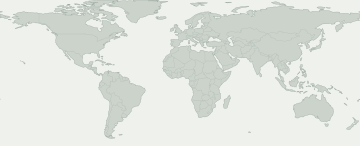
Збірка у джереліСпостереження трекераРинки, що охоплюють кілька країн
Виберіть зафарбовану область, щоб переглянути запис про прошивку. Синім позначено широкий ринок, наприклад Європу чи Кавказ, а не запис для кожної країни.
Ринки, що охоплюють кілька країн
Виберіть ринок, щоб переглянути запис і його джерело. Доступність може різнитися в межах зафарбованої області.
Для цього вибору немає регіонів прошивок із точкою на карті. Точні записи дивіться в активності CSC.
Для деяких регіонів прошивки немає місця на карті. Їхні записи все одно є в таблиці.
Моделі та регіони прошивок
Розкрийте пристрій Galaxy, щоб порівняти точні коди моделей. Під кожним кодом зазначено ринки із записами про прошивку для цього випуску. Свій код можна знайти в розділі «Про телефон».
Пристроїв Galaxy: 52 · точних моделей: 117 · регіонів прошивки: 217
Збірка у джереліСпостереження трекера
Числа показують, для скількох точних моделей є запис у кожному регіоні прошивки. Розкрийте пристрій, щоб побачити моделі та джерела.
Знайдена прошивка не гарантує оновлення на вашому телефоні. Перевірте «Налаштування → Оновлення ПЗ» на самому пристрої.
Перевірити мій Galaxy
Що відомо про ваш Galaxy?
Оберіть точну модель і CSC прошивки, а не ваше місцезнаходження.
Оберіть пристрій, щоб перевірити цю версію.
Перебіг поширення
Зафіксована активність
Перша поява на кожній точній парі модель/регіон. Повторні перевірки без змін не збільшують підсумок.
- 2
- 1
- 9
- 2
- 1
- 1
- 1
- 11
- 5
- 1
- 1
- 1
Охоплення моделей
Моделі Galaxy із записами прошивок
Розгорніть модель, щоб побачити точний код, CSC, першу збірку, дату й запис джерела.
Galaxy A02s13 Пари модель/регіон
SM-A025U / TMB
A025USQU1BUH2Дата публікації збіркиSM-A025U / TMKA025USQU1BUH2Дата публікації збіркиSM-A025U1 / ACGA025U1UEU1BUI1Дата публікації збіркиSM-A025U1 / CCTA025U1UEU1BUI1Дата публікації збіркиSM-A025U1 / CHAA025U1UEU1BUI1Дата публікації збіркиSM-A025U1 / TMBA025U1UEU1BUI1Дата публікації збіркиSM-A025U1 / USCA025U1UEU1BUI1Дата публікації збіркиSM-A025U1 / VZWA025U1UEU1BUI1Дата публікації збіркиSM-A025U1 / XAAA025U1UEU1BUI1Дата публікації збіркиSM-A025U1 / XAGA025U1UEU1BUI1Дата публікації збіркиSM-A025U1 / XARA025U1UEU1BUI1Дата публікації збіркиSM-A025V / CHAA025VSQU1BUH2Дата публікації збіркиSM-S124DL / TFNS124DLUDU3BUI1Дата публікації збіркиПереглянути дані →Galaxy A1070 Пари модель/регіон
SM-A105F / ACR
A105FDDU6CUH2Дата публікації збіркиSM-A105F / AFRA105FDDU6CUH2Дата публікації збіркиSM-A105F / BTCA105FDDU6CUH2Дата публікації збіркиSM-A105F / CACA105FDDU6CUH3Дата публікації збіркиSM-A105F / CAUA105FDDU6CUH3Дата публікації збіркиSM-A105F / ECTA105FDDU6CUH2Дата публікації збіркиSM-A105F / EGYA105FDDU6CUH2Дата публікації збіркиSM-A105F / ILOA105FDDU6CUH2Дата публікації збіркиSM-A105F / KSAA105FDDU6CUH2Дата публікації збіркиSM-A105F / LYSA105FDDU6CUH2Дата публікації збіркиSM-A105F / MIDA105FDDU6CUH2Дата публікації збіркиSM-A105F / SEKA105FDDU6CUH3Дата публікації збіркиSM-A105F / SERA105FPUU6CUH3Дата публікації збіркиSM-A105F / SKZA105FDDU6CUH3Дата публікації збіркиSM-A105F / TURA105FDDU6CUH2Дата публікації збіркиSM-A105F / XFAA105FDDU6CUH2Дата публікації збіркиSM-A105F / XFEA105FDDU6CUH2Дата публікації збіркиSM-A105F / XFVA105FDDU6CUH2Дата публікації збіркиSM-A105F / XSGA105FDDU6CUH2Дата публікації збіркиSM-A105FN / 3IEA105FNXXU6CUH3Дата публікації збіркиSM-A105FN / ATLA105FNXXU6CUH3Дата публікації збіркиSM-A105FN / ATOA105FNXXU6CUH3Дата публікації збіркиSM-A105FN / BGLA105FNXXU6CUH3Дата публікації збіркиSM-A105FN / BOGA105FNXXU6CUH3Дата публікації збіркиSM-A105FN / BTUA105FNXXU6CUH3Дата публікації збіркиSM-A105FN / CNXA105FNXXU6CUH3Дата публікації збіркиSM-A105FN / COSA105FNXXU6CUH3Дата публікації збіркиSM-A105FN / CROA105FNXXU6CUH3Дата публікації збіркиSM-A105FN / DBTA105FNXXU6CUH3Дата публікації збіркиSM-A105FN / DHRA105FNXXU6CUH3Дата публікації збіркиSM-A105FN / EVRA105FNXXU6CUH3Дата публікації збіркиSM-A105FN / FTMA105FNXXU6CUH3Дата публікації збіркиSM-A105FN / H3GA105FNXXU6CUH3Дата публікації збіркиSM-A105FN / ITVA105FNXXU6CUH3Дата публікації збіркиSM-A105FN / MSRA105FNXXU6CUH3Дата публікації збіркиSM-A105FN / NEEA105FNXXU6CUH3Дата публікації збіркиSM-A105FN / O2CA105FNXXU6CUH3Дата публікації збіркиSM-A105FN / OMNA105FNXXU6CUH3Дата публікації збіркиSM-A105FN / ORXA105FNXXU6CUH3Дата публікації збіркиSM-A105FN / PHEA105FNXXU6CUH3Дата публікації збіркиSM-A105FN / PHNA105FNXXU6CUH3Дата публікації збіркиSM-A105FN / PLSA105FNXXU6CUH3Дата публікації збіркиSM-A105FN / PRTA105FNXXU6CUH3Дата публікації збіркиSM-A105FN / SEBA105FNXXU6CUH3Дата публікації збіркиSM-A105FN / SEEA105FNXXU6CUH3Дата публікації збіркиSM-A105FN / SFRA105FNXXU6CUH3Дата публікації збіркиSM-A105FN / SIMA105FNXXU6CUH3Дата публікації збіркиSM-A105FN / SIOA105FNXXU6CUH3Дата публікації збіркиSM-A105FN / TIMA105FNXXU6CUH3Дата публікації збіркиSM-A105FN / TMSA105FNXXU6CUH3Дата публікації збіркиSM-A105FN / TMZA105FNXXU6CUH3Дата публікації збіркиSM-A105FN / TPHA105FNXXU6CUH3Дата публікації збіркиSM-A105FN / TPLA105FNXXU6CUH3Дата публікації збіркиSM-A105FN / TSIA105FNXXU6CUH3Дата публікації збіркиSM-A105FN / XEFA105FNXXU6CUH3Дата публікації збіркиSM-A105FN / XEOA105FNXXU6CUH3Дата публікації збіркиSM-A105FN / XEZA105FNXXU6CUH3Дата публікації збіркиSM-A105G / CAMA105GDXU7CUH2Дата публікації збіркиSM-A105G / MM1A105GDXU7CUH2Дата публікації збіркиSM-A105G / NZCA105GDXU7CUH2Дата публікації збіркиSM-A105G / PNGA105GDXU7CUH2Дата публікації збіркиSM-A105G / SINA105GDXU7CUH2Дата публікації збіркиSM-A105G / SMAA105GDXU7CUH2Дата публікації збіркиSM-A105G / THLA105GDXU7CUH2Дата публікації збіркиSM-A105G / TNZA105GDXU7CUH2Дата публікації збіркиSM-A105G / XIDA105GDXU7CUH2Дата публікації збіркиSM-A105G / XMEA105GDXU7CUH2Дата публікації збіркиSM-A105G / XSPA105GDXU7CUH2Дата публікації збіркиSM-A105G / XTCA105GDXU7CUH2Дата публікації збіркиSM-A105G / XXVA105GDXU7CUH2Дата публікації збіркиПереглянути дані →Galaxy A10e27 Пари модель/регіон
SM-A102U / CHA
A102USQUBCUFCДата публікації збіркиSM-A102U1 / ACGA102U1UEUBCUH2Дата публікації збіркиSM-A102U1 / AIOA102U1UEUBCUH2Дата публікації збіркиSM-A102U1 / ATTA102U1UEUBCUH2Дата публікації збіркиSM-A102U1 / CCTA102U1UEUBCUH2Дата публікації збіркиSM-A102U1 / CHAA102U1UEUBCUH2Дата публікації збіркиSM-A102U1 / LRAA102U1UEUBCUH2Дата публікації збіркиSM-A102U1 / SPRA102U1UEUBCUH2Дата публікації збіркиSM-A102U1 / TMBA102U1UEUBCUH2Дата публікації збіркиSM-A102U1 / TMKA102U1UEUBCUH2Дата публікації збіркиSM-A102U1 / USCA102U1UEUBCUH2Дата публікації збіркиSM-A102U1 / VZWA102U1UEUBCUH2Дата публікації збіркиSM-A102U1 / XAAA102U1UEUBCUH2Дата публікації збіркиSM-A102U1 / XAGA102U1UEUBCUH2Дата публікації збіркиSM-A102U1 / XARA102U1UEUBCUH2Дата публікації збіркиSM-A102W / BMCA102WVLU7CUG1Дата публікації збіркиSM-A102W / BWAA102WVLU7CUG1Дата публікації збіркиSM-A102W / CHRA102WVLU7CUG1Дата публікації збіркиSM-A102W / ESKA102WVLU7CUG1Дата публікації збіркиSM-A102W / FMCA102WVLU7CUG1Дата публікації збіркиSM-A102W / GLWA102WVLU7CUG1Дата публікації збіркиSM-A102W / KDOA102WVLU7CUG1Дата публікації збіркиSM-A102W / TLSA102WVLU7CUG1Дата публікації збіркиSM-A102W / VMCA102WVLU7CUG1Дата публікації збіркиSM-A102W / VTRA102WVLU7CUG1Дата публікації збіркиSM-A102W / XACA102WVLU7CUG1Дата публікації збіркиSM-S102DL / TFNS102DLUDU9CUH1Дата публікації збіркиПереглянути дані →Galaxy A10s40 Пари модель/регіон
SM-A107M / ALE
A107MUBU5CUH1Дата публікації збіркиSM-A107M / ANCA107MUBU5CUG1Дата публікації збіркиSM-A107M / AROA107MUBU5CUG1Дата публікації збіркиSM-A107M / BATA107MUBU5CUG1Дата публікації збіркиSM-A107M / BVOA107MUBU5CUG3Дата публікації збіркиSM-A107M / BVTA107MUBU5CUG1Дата публікації збіркиSM-A107M / BVVA107MUBU5CUG1Дата публікації збіркиSM-A107M / CDRA107MUBU5CUG1Дата публікації збіркиSM-A107M / CGUA107MUBU5CUG1Дата публікації збіркиSM-A107M / CHLA107MUBU5CUG1Дата публікації збіркиSM-A107M / CHTA107MUBU5CUG1Дата публікації збіркиSM-A107M / CHVA107MUBU5CUG1Дата публікації збіркиSM-A107M / CHXA107MUBU5CUG1Дата публікації збіркиSM-A107M / COLA107MUBU5CUG1Дата публікації збіркиSM-A107M / COMA107MUBU5CUG1Дата публікації збіркиSM-A107M / CPAA107MUBU5CUG1Дата публікації збіркиSM-A107M / CTEA107MUBU5CUG1Дата публікації збіркиSM-A107M / CTIA107MUBU5CUG1Дата публікації збіркиSM-A107M / CTPA107MUBU5CUG1Дата публікації збіркиSM-A107M / CTUA107MUBU5CUG1Дата публікації збіркиSM-A107M / DORA107MUBU5CUG1Дата публікації збіркиSM-A107M / ECOA107MUBU5CUG1Дата публікації збіркиSM-A107M / EONA107MUBU5CUH1Дата публікації збіркиSM-A107M / ETEA107MUBU5CUG1Дата публікації збіркиSM-A107M / ICEA107MUBU5CUG1Дата публікації збіркиSM-A107M / IUSA107MUBU5CUG1Дата публікації збіркиSM-A107M / JDIA107MUBU5CUG1Дата публікації збіркиSM-A107M / MXOA107MUBU5CUG3Дата публікації збіркиSM-A107M / PETA107MUBU5CUG1Дата публікації збіркиSM-A107M / PGUA107MUBU5CUG1Дата публікації збіркиSM-A107M / PNTA107MUBU5CUG1Дата публікації збіркиSM-A107M / PSPA107MUBU5CUG1Дата публікації збіркиSM-A107M / SAMA107MUBU5CUG1Дата публікації збіркиSM-A107M / TGUA107MUBU5CUG1Дата публікації збіркиSM-A107M / TMMA107MUBU5CUG1Дата публікації збіркиSM-A107M / UFUA107MUBU5CUG1Дата публікації збіркиSM-A107M / UYOA107MUBU5CUG3Дата публікації збіркиSM-A107M / ZTAA107MUBU5CUG1Дата публікації збіркиSM-A107M / ZTMA107MUBU5CUG1Дата публікації збіркиSM-A107M / ZVVA107MUBU5CUG1Дата публікації збіркиПереглянути дані →Galaxy A1124 Пари модель/регіон
SM-A115U / CHA
A115USQU4BUE4Дата публікації збіркиSM-A115U / USCA115USQU4BUE4Дата публікації збіркиSM-A115U1 / ACGA115U1UEU5BUH4Дата публікації збіркиSM-A115U1 / AIOA115U1UEU5BUH4Дата публікації збіркиSM-A115U1 / ATTA115U1UEU5BUH4Дата публікації збіркиSM-A115U1 / CCTA115U1UEU5BUH4Дата публікації збіркиSM-A115U1 / CHAA115U1UEU5BUH4Дата публікації збіркиSM-A115U1 / LRAA115U1UEU5BUH4Дата публікації збіркиSM-A115U1 / TMBA115U1UEU5BUH4Дата публікації збіркиSM-A115U1 / TMKA115U1UEU5BUH4Дата публікації збіркиSM-A115U1 / USCA115U1UEU5BUH4Дата публікації збіркиSM-A115U1 / VZWA115U1UEU5BUH4Дата публікації збіркиSM-A115U1 / XAAA115U1UEU5BUH4Дата публікації збіркиSM-A115U1 / XAGA115U1UEU5BUH4Дата публікації збіркиSM-A115U1 / XARA115U1UEU5BUH4Дата публікації збіркиSM-A115W / BMCA115WVLU4BUE5Дата публікації збіркиSM-A115W / BWAA115WVLU4BUE5Дата публікації збіркиSM-A115W / CHRA115WVLU4BUE5Дата публікації збіркиSM-A115W / FMCA115WVLU4BUE5Дата публікації збіркиSM-A115W / GLWA115WVLU4BUE5Дата публікації збіркиSM-A115W / KDOA115WVLU4BUE5Дата публікації збіркиSM-A115W / RWCA115WVLU4BUE5Дата публікації збіркиSM-A115W / TLSA115WVLU4BUE5Дата публікації збіркиSM-A115W / XACA115WVLU4BUE5Дата публікації збіркиПереглянути дані →Galaxy A122 Пари модель/регіон
Galaxy A2017 Пари модель/регіон
SM-A205F / CAM
A205FXXUACUF3Дата публікації збіркиSM-A205F / SINA205FXXUACUF3Дата публікації збіркиSM-A205F / STHA205FXXUACUF3Дата публікації збіркиSM-A205F / THLA205FXXUACUF3Дата публікації збіркиSM-A205F / XIDA205FXXUACUF3Дата публікації збіркиSM-A205F / XMEA205FXXUACUF3Дата публікації збіркиSM-A205F / XSPA205FXXUACUF3Дата публікації збіркиSM-A205GN / BRIA205GNDXU9CUF2Дата публікації збіркиSM-A205GN / GLBA205GNDXU9CUF2Дата публікації збіркиSM-A205GN / NZCA205GNDXU9CUF2Дата публікації збіркиSM-A205GN / PNGA205GNDXU9CUF2Дата публікації збіркиSM-A205GN / SMAA205GNDXU9CUF2Дата публікації збіркиSM-A205GN / TGYA205GNDXU9CUF2Дата публікації збіркиSM-A205GN / VFJA205GNDXU9CUF2Дата публікації збіркиSM-A205GN / XTCA205GNDXU9CUF2Дата публікації збіркиSM-A205S / SKCA205SKSU7CUF4Дата публікації збіркиSM-A205YN / XSAA205YNDVU7CUF2Дата публікації збіркиПереглянути дані →Galaxy A20e57 Пари модель/регіон
SM-A202F / 3IE
A202FXXU3CUE9Дата публікації збіркиSM-A202F / AMOA202FXXU3CUE9Дата публікації збіркиSM-A202F / ATOA202FXXU3CUE9Дата публікації збіркиSM-A202F / AUTA202FXXU3CUE9Дата публікації збіркиSM-A202F / BGLA202FXXU3CUE9Дата публікації збіркиSM-A202F / BHTA202FXXU3CUE9Дата публікації збіркиSM-A202F / BOGA202FXXU3CUE9Дата публікації збіркиSM-A202F / CNXA202FXXU3CUE9Дата публікації збіркиSM-A202F / COAA202FXXU3CUE9Дата публікації збіркиSM-A202F / COSA202FXXU3CUE9Дата публікації збіркиSM-A202F / CROA202FXXU3CUE9Дата публікації збіркиSM-A202F / CYVA202FXXU3CUE9Дата публікації збіркиSM-A202F / DBTA202FXXU3CUE9Дата публікації збіркиSM-A202F / DHRA202FXXU3CUE9Дата публікації збіркиSM-A202F / DTMA202FXXU3CUE9Дата публікації збіркиSM-A202F / EURA202FXXU3CUE9Дата публікації збіркиSM-A202F / EVRA202FXXU3CUE9Дата публікації збіркиSM-A202F / FTMA202FXXU3CUE9Дата публікації збіркиSM-A202F / HUIA202FXXU3CUE9Дата публікації збіркиSM-A202F / ITVA202FXXU3CUE9Дата публікації збіркиSM-A202F / LUXA202FXXU3CUE9Дата публікації збіркиSM-A202F / MAXA202FXXU3CUE9Дата публікації збіркиSM-A202F / MBMA202FXXU3CUE9Дата публікації збіркиSM-A202F / MEOA202FXXU3CUE9Дата публікації збіркиSM-A202F / META202FXXU3CUE9Дата публікації збіркиSM-A202F / MOTA202FXXU3CUE9Дата публікації збіркиSM-A202F / MSRA202FXXU3CUE9Дата публікації збіркиSM-A202F / NEEA202FXXU3CUE9Дата публікації збіркиSM-A202F / O2UA202FXXU3CUE9Дата публікації збіркиSM-A202F / OROA202FXXU3CUE9Дата публікації збіркиSM-A202F / ORXA202FXXU3CUE9Дата публікації збіркиSM-A202F / PLSA202FXXU3CUE9Дата публікації збіркиSM-A202F / PRTA202FXXU3CUE9Дата публікації збіркиSM-A202F / ROMA202FXXU3CUE9Дата публікації збіркиSM-A202F / SEEA202FXXU3CUE9Дата публікації збіркиSM-A202F / SIMA202FXXU3CUE9Дата публікації збіркиSM-A202F / SIOA202FXXU3CUE9Дата публікації збіркиSM-A202F / TCLA202FXXU3CUE9Дата публікації збіркиSM-A202F / TIMA202FXXU3CUE9Дата публікації збіркиSM-A202F / TMSA202FXXU3CUE9Дата публікації збіркиSM-A202F / TMZA202FXXU3CUE9Дата публікації збіркиSM-A202F / TPHA202FXXU3CUE9Дата публікації збіркиSM-A202F / TPLA202FXXU3CUE9Дата публікації збіркиSM-A202F / TRGA202FXXU3CUE9Дата публікації збіркиSM-A202F / TSIA202FXXU3CUE9Дата публікації збіркиSM-A202F / VD2A202FXXU3CUE9Дата публікації збіркиSM-A202F / VDCA202FXXU3CUE9Дата публікації збіркиSM-A202F / VDIA202FXXU3CUE9Дата публікації збіркиSM-A202F / VGRA202FXXU3CUE9Дата публікації збіркиSM-A202F / VIPA202FXXU3CUE9Дата публікації збіркиSM-A202F / VODA202FXXU3CUE9Дата публікації збіркиSM-A202F / XECA202FXXU3CUE9Дата публікації збіркиSM-A202F / XEHA202FXXU3CUE9Дата публікації збіркиSM-A202F / XEOA202FXXU3CUE9Дата публікації збіркиSM-A202F / XEUA202FXXU3CUE9Дата публікації збіркиSM-A202F / XEZA202FXXU3CUE9Дата публікації збіркиSM-A202K / KTCA202KKKU7CUF1Дата публікації збіркиПереглянути дані →Galaxy A20s80 Пари модель/регіон
SM-A2070 / CHC
A2070ZCU2CUFAДата публікації збіркиSM-A2070 / TGYA2070ZHU2CUFAДата публікації збіркиSM-A207F / ACRA207FXXU2CUFAДата публікації збіркиSM-A207F / AFGA207FXXU2CUFAДата публікації збіркиSM-A207F / AFRA207FXXU2CUFAДата публікації збіркиSM-A207F / ATOA207FXXU2CUFAДата публікації збіркиSM-A207F / BGLA207FXXU2CUFAДата публікації збіркиSM-A207F / BTCA207FXXU2CUFAДата публікації збіркиSM-A207F / CACA207FXXU2CUFAДата публікації збіркиSM-A207F / CAMA207FXXU2CUFAДата публікації збіркиSM-A207F / CAUA207FXXU2CUFAДата публікації збіркиSM-A207F / DBTA207FXXU2CUFAДата публікації збіркиSM-A207F / EGYA207FXXU2CUFAДата публікації збіркиSM-A207F / EURA207FXXU2CUFAДата публікації збіркиSM-A207F / GLBA207FXXU2CUFAДата публікації збіркиSM-A207F / ILOA207FXXU2CUFAДата публікації збіркиSM-A207F / INSA207FXXU2CUFAДата публікації збіркиSM-A207F / ITVA207FXXU2CUFAДата публікації збіркиSM-A207F / KSAA207FXXU2CUFAДата публікації збіркиSM-A207F / LUXA207FXXU2CUFAДата публікації збіркиSM-A207F / LYSA207FXXU2CUFAДата публікації збіркиSM-A207F / MIDA207FXXU2CUFAДата публікації збіркиSM-A207F / NEEA207FXXU2CUFAДата публікації збіркиSM-A207F / NPLA207FXXU2CUFAДата публікації збіркиSM-A207F / ORXA207FXXU2CUFAДата публікації збіркиSM-A207F / PAKA207FXXU2CUFAДата публікації збіркиSM-A207F / PNGA207FXXU2CUFBДата публікації збіркиSM-A207F / ROMA207FXXU2CUFAДата публікації збіркиSM-A207F / SEKA207FXXU2CUFAДата публікації збіркиSM-A207F / SERA207FXXU2CUFAДата публікації збіркиSM-A207F / SKZA207FXXU2CUFAДата публікації збіркиSM-A207F / SMAA207FXXU2CUFAДата публікації збіркиSM-A207F / TPHA207FXXU2CUFAДата публікації збіркиSM-A207F / TUNA207FXXU2CUFAДата публікації збіркиSM-A207F / TURA207FXXU2CUFAДата публікації збіркиSM-A207F / XEFA207FXXU2CUFAДата публікації збіркиSM-A207F / XEZA207FXXU2CUFAДата публікації збіркиSM-A207F / XFEA207FXXU2CUFAДата публікації збіркиSM-A207F / XIDA207FXXU2CUFAДата публікації збіркиSM-A207F / XTCA207FXXU2CUFAДата публікації збіркиSM-A207M / ALEA207MUBU2CUFAДата публікації збіркиSM-A207M / ANCA207MUBU2CUFAДата публікації збіркиSM-A207M / BVTA207MUBU2CUFAДата публікації збіркиSM-A207M / CDRA207MUBU2CUFAДата публікації збіркиSM-A207M / CGUA207MUBU2CUFAДата публікації збіркиSM-A207M / CHEA207MUBU2CUFAДата публікації збіркиSM-A207M / CHOA207MUBU2CUFAДата публікації збіркиSM-A207M / CHTA207MUBU2CUFAДата публікації збіркиSM-A207M / CHVA207MUBU2CUFAДата публікації збіркиSM-A207M / CHXA207MUBU2CUFAДата публікації збіркиSM-A207M / COBA207MUBU2CUFAДата публікації збіркиSM-A207M / COLA207MUBU2CUFAДата публікації збіркиSM-A207M / CPAA207MUBU2CUFAДата публікації збіркиSM-A207M / CTEA207MUBU2CUFAДата публікації збіркиSM-A207M / CTPA207MUBU2CUFAДата публікації збіркиSM-A207M / CTUA207MUBU2CUFAДата публікації збіркиSM-A207M / CWWA207MUBU2CUFAДата публікації збіркиSM-A207M / EBEA207MUBU2CUFAДата публікації збіркиSM-A207M / ECOA207MUBU2CUFAДата публікації збіркиSM-A207M / EONA207MUBU2CUFAДата публікації збіркиSM-A207M / ETEA207MUBU2CUFAДата публікації збіркиSM-A207M / ICEA207MUBU2CUFAДата публікації збіркиSM-A207M / IUSA207MUBU2CUFAДата публікації збіркиSM-A207M / MXOA207MUBU2CUFAДата публікації збіркиSM-A207M / PCTA207MUBU2CUFAДата публікації збіркиSM-A207M / PETA207MUBU2CUFAДата публікації збіркиSM-A207M / PGUA207MUBU2CUFAДата публікації збіркиSM-A207M / PNTA207MUBU2CUFAДата публікації збіркиSM-A207M / PSNA207MUBU2CUFAДата публікації збіркиSM-A207M / PSPA207MUBU2CUFAДата публікації збіркиSM-A207M / SAMA207MUBU2CUFAДата публікації збіркиSM-A207M / TMMA207MUBU2CUFAДата публікації збіркиSM-A207M / TPAA207MUBU2CUFAДата публікації збіркиSM-A207M / UFNA207MUBU2CUFAДата публікації збіркиSM-A207M / UFUA207MUBU2CUFAДата публікації збіркиSM-A207M / UPOA207MUBU2CUFAДата публікації збіркиSM-A207M / UYOA207MUBU2CUFAДата публікації збіркиSM-A207M / ZTAA207MUBU2CUFAДата публікації збіркиSM-A207M / ZTMA207MUBU2CUFAДата публікації збіркиSM-A207M / ZTOA207MUBU2CUFAДата публікації збіркиПереглянути дані →Galaxy A213 Пари модель/регіон
Galaxy A3042 Пари модель/регіон
SM-A305G / ALE
A305GUBU8CUG1Дата публікації збіркиSM-A305G / AROA305GUBU8CUE1Дата публікації збіркиSM-A305G / BVOA305GUBU8CUE1Дата публікації збіркиSM-A305G / BVTA305GUBU8CUE1Дата публікації збіркиSM-A305G / BVVA305GUBU8CUE1Дата публікації збіркиSM-A305G / CDRA305GUBU8CUE1Дата публікації збіркиSM-A305G / CGUA305GUBU8CUE1Дата публікації збіркиSM-A305G / CHEA305GUBU8CUE1Дата публікації збіркиSM-A305G / CHOA305GUBU8CUE1Дата публікації збіркиSM-A305G / CHTA305GUBU8CUE1Дата публікації збіркиSM-A305G / CHVA305GUBU8CUE1Дата публікації збіркиSM-A305G / CHXA305GUBU8CUE1Дата публікації збіркиSM-A305G / COBA305GUBU8CUE1Дата публікації збіркиSM-A305G / COMA305GUBU8CUE1Дата публікації збіркиSM-A305G / COOA305GUBU8CUE1Дата публікації збіркиSM-A305G / CPAA305GUBU8CUE1Дата публікації збіркиSM-A305G / CRCA305GUBU8CUE1Дата публікації збіркиSM-A305G / CTIA305GUBU8CUE1Дата публікації збіркиSM-A305G / CTPA305GUBU8CUE1Дата публікації збіркиSM-A305G / DOOA305GUBU8CUE1Дата публікації збіркиSM-A305G / EBEA305GUBU8CUE1Дата публікації збіркиSM-A305G / EONA305GUBU8CUE1Дата публікації збіркиSM-A305G / ICEA305GUBU8CUE1Дата публікації збіркиSM-A305G / IUSA305GUBU8CUE1Дата публікації збіркиSM-A305G / JDIA305GUBU8CUE1Дата публікації збіркиSM-A305G / MXOA305GUBU8CUE1Дата публікації збіркиSM-A305G / PCWA305GUBU8CUE1Дата публікації збіркиSM-A305G / PGUA305GUBU8CUE1Дата публікації збіркиSM-A305G / PNTA305GUBU8CUE1Дата публікації збіркиSM-A305G / PSNA305GUBU8CUE1Дата публікації збіркиSM-A305G / TCEA305GUBU8CUE1Дата публікації збіркиSM-A305G / TGPA305GUBU8CUE1Дата публікації збіркиSM-A305G / TGUA305GUBU8CUE1Дата публікації збіркиSM-A305G / TMMA305GUBU8CUE1Дата публікації збіркиSM-A305G / UFUA305GUBU8CUE1Дата публікації збіркиSM-A305GT / ZTAA305GTVJU8CUF1Дата публікації збіркиSM-A305GT / ZTMA305GTVJU8CUF1Дата публікації збіркиSM-A305GT / ZTOA305GTVJU8CUE1Дата публікації збіркиSM-A305GT / ZTRA305GTVJU8CUF1Дата публікації збіркиSM-A305GT / ZVVA305GTVJU8CUF1Дата публікації збіркиSM-A305N / KTCA305NKSU5CUF2Дата публікації збіркиSM-A305N / LUCA305NKSU5CUF2Дата публікації збіркиПереглянути дані →Galaxy A30s42 Пари модель/регіон
SM-A307FN / ACR
A307FNXXU2CUF2Дата публікації збіркиSM-A307FN / AFRA307FNXXU2CUF2Дата публікації збіркиSM-A307FN / ATLA307FNXXU2CUF2Дата публікації збіркиSM-A307FN / AUTA307FNXXU2CUF2Дата публікації збіркиSM-A307FN / CACA307FNXXU2CUF2Дата публікації збіркиSM-A307FN / CROA307FNXXU2CUF2Дата публікації збіркиSM-A307FN / DBTA307FNXXU2CUF2Дата публікації збіркиSM-A307FN / ILOA307FNXXU2CUF2Дата публікації збіркиSM-A307FN / ITVA307FNXXU2CUF2Дата публікації збіркиSM-A307FN / KSAA307FNXXU2CUF2Дата публікації збіркиSM-A307FN / LUXA307FNXXU2CUF2Дата публікації збіркиSM-A307FN / LYSA307FNXXU2CUF2Дата публікації збіркиSM-A307FN / MBMA307FNXXU2CUF2Дата публікації збіркиSM-A307FN / MEOA307FNXXU2CUF2Дата публікації збіркиSM-A307FN / MIDA307FNXXU2CUF2Дата публікації збіркиSM-A307FN / MOTA307FNXXU2CUF2Дата публікації збіркиSM-A307FN / MSRA307FNXXU2CUF2Дата публікації збіркиSM-A307FN / MWDA307FNXXU2CUF2Дата публікації збіркиSM-A307FN / ORXA307FNXXU2CUF2Дата публікації збіркиSM-A307FN / PAKA307FNXXU2CUF2Дата публікації збіркиSM-A307FN / PHNA307FNXXU2CUF2Дата публікації збіркиSM-A307FN / SEEA307FNXXU2CUF2Дата публікації збіркиSM-A307FN / SIMA307FNXXU2CUF2Дата публікації збіркиSM-A307FN / SIOA307FNXXU2CUF2Дата публікації збіркиSM-A307FN / SKZA307FNXXU2CUF2Дата публікації збіркиSM-A307FN / TCLA307FNXXU2CUF2Дата публікації збіркиSM-A307FN / TIMA307FNXXU2CUF2Дата публікації збіркиSM-A307FN / TURA307FNXXU2CUF2Дата публікації збіркиSM-A307FN / XEHA307FNXXU2CUF2Дата публікації збіркиSM-A307FN / XEZA307FNXXU2CUF2Дата публікації збіркиSM-A307FN / XFAA307FNXXU2CUF2Дата публікації збіркиSM-A307FN / XFEA307FNXXU2CUF2Дата публікації збіркиSM-A307FN / XSGA307FNXXU2CUF2Дата публікації збіркиSM-A307GN / BRIA307GNDXU4CUF2Дата публікації збіркиSM-A307GN / MM1A307GNDXU4CUF2Дата публікації збіркиSM-A307GN / SINA307GNDXU4CUF2Дата публікації збіркиSM-A307GN / STHA307GNDXU4CUF2Дата публікації збіркиSM-A307GN / XIDA307GNDXU4CUF2Дата публікації збіркиSM-A307GN / XMEA307GNDXU4CUF2Дата публікації збіркиSM-A307GN / XSPA307GNDXU4CUF2Дата публікації збіркиSM-A307GN / XTCA307GNDXU4CUF2Дата публікації збіркиSM-A307GN / XXVA307GNDXU4CUF2Дата публікації збіркиПереглянути дані →Galaxy A3173 Пари модель/регіон
SM-A315F / INS
A315FXXU1CUD4Дата публікації збіркиSM-A315G / ALEA315GDXU1CUG1Дата публікації збіркиSM-A315G / AMOA315GXXU1CUD4Дата публікації збіркиSM-A315G / ANCA315GDXU1CUG1Дата публікації збіркиSM-A315G / AROA315GDXU1CUD4Дата публікації збіркиSM-A315G / ATLA315GXXU1CUD4Дата публікації збіркиSM-A315G / ATOA315GXXU1CUD4Дата публікації збіркиSM-A315G / BATA315GDXU1CUD4Дата публікації збіркиSM-A315G / BGLA315GXXU1CUD4Дата публікації збіркиSM-A315G / BVTA315GDXU1CUD4Дата публікації збіркиSM-A315G / CDRA315GDXU1CUD4Дата публікації збіркиSM-A315G / CHEA315GDXU1CUD4Дата публікації збіркиSM-A315G / CHLA315GDXU1CUD4Дата публікації збіркиSM-A315G / CHOA315GDXU1CUD4Дата публікації збіркиSM-A315G / CHTA315GDXU1CUD4Дата публікації збіркиSM-A315G / COBA315GDXU1CUD4Дата публікації збіркиSM-A315G / COLA315GDXU1CUD4Дата публікації збіркиSM-A315G / COMA315GDXU1CUD4Дата публікації збіркиSM-A315G / CPAA315GDXU1CUD4Дата публікації збіркиSM-A315G / CRCA315GDXU1CUD4Дата публікації збіркиSM-A315G / CTIA315GDXU1CUD4Дата публікації збіркиSM-A315G / CTPA315GDXU1CUD4Дата публікації збіркиSM-A315G / CTUA315GDXU1CUD4Дата публікації збіркиSM-A315G / DORA315GDXU1CUD4Дата публікації збіркиSM-A315G / EONA315GDXU1CUD4Дата публікації збіркиSM-A315G / EURA315GXXU1CUD4Дата публікації збіркиSM-A315G / FTMA315GXXU1CUD4Дата публікації збіркиSM-A315G / HUIA315GXXU1CUD4Дата публікації збіркиSM-A315G / ICEA315GDXU1CUD4Дата публікації збіркиSM-A315G / ITVA315GXXU1CUD4Дата публікації збіркиSM-A315G / IUSA315GDXU1CUG1Дата публікації збіркиSM-A315G / JDIA315GDXU1CUD4Дата публікації збіркиSM-A315G / LUXA315GXXU1CUD4Дата публікації збіркиSM-A315G / MEOA315GXXU1CUD4Дата публікації збіркиSM-A315G / MOTA315GXXU1CUD4Дата публікації збіркиSM-A315G / MSRA315GXXU1CUD4Дата публікації збіркиSM-A315G / MXOA315GDXU1CUD4Дата публікації збіркиSM-A315G / NBSA315GDXU1CUD4Дата публікації збіркиSM-A315G / NZCA315GDXU1CUE2Дата публікації збіркиSM-A315G / ORXA315GXXU1CUD4Дата публікації збіркиSM-A315G / PETA315GDXU1CUD4Дата публікації збіркиSM-A315G / PGUA315GDXU1CUD4Дата публікації збіркиSM-A315G / PHEA315GXXU1CUD4Дата публікації збіркиSM-A315G / PHNA315GXXU1CUD4Дата публікації збіркиSM-A315G / PNGA315GDXU1CUE2Дата публікації збіркиSM-A315G / PNTA315GDXU1CUD4Дата публікації збіркиSM-A315G / PSNA315GDXU1CUD4Дата публікації збіркиSM-A315G / PSPA315GDXU1CUD4Дата публікації збіркиSM-A315G / SEEA315GXXU1CUD4Дата публікації збіркиSM-A315G / SFRA315GXXU1CUD4Дата публікації збіркиSM-A315G / SIMA315GXXU1CUD4Дата публікації збіркиSM-A315G / SIOA315GXXU1CUD4Дата публікації збіркиSM-A315G / TCEA315GDXU1CUD4Дата публікації збіркиSM-A315G / TCLA315GXXU1CUD4Дата публікації збіркиSM-A315G / TMMA315GDXU1CUD4Дата публікації збіркиSM-A315G / TNZA315GDXU1CUE2Дата публікації збіркиSM-A315G / TOPA315GXXU1CUD4Дата публікації збіркиSM-A315G / TPHA315GXXU1CUD4Дата публікації збіркиSM-A315G / UFUA315GDXU1CUD4Дата публікації збіркиSM-A315G / UYOA315GDXU1CUD4Дата публікації збіркиSM-A315G / VFJA315GDXU1CUE2Дата публікації збіркиSM-A315G / VIPA315GXXU1CUD4Дата публікації збіркиSM-A315G / VNZA315GDXU1CUE2Дата публікації збіркиSM-A315G / XECA315GXXU1CUD4Дата публікації збіркиSM-A315G / XEFA315GXXU1CUD4Дата публікації збіркиSM-A315G / XEHA315GXXU1CUD4Дата публікації збіркиSM-A315G / XEOA315GXXU1CUD4Дата публікації збіркиSM-A315G / XEZA315GXXU1CUD4Дата публікації збіркиSM-A315G / ZTAA315GDXU1CUD4Дата публікації збіркиSM-A315G / ZVVA315GDXU1CUD4Дата публікації збіркиSM-A315N / KTCA315NKSU1CUD3Дата публікації збіркиSM-A315N / LUCA315NKSU1CUD3Дата публікації збіркиSM-A315N / SKCA315NKSU1CUD3Дата публікації збіркиПереглянути дані →Galaxy A401 Пари модель/регіон
Galaxy A4156 Пари модель/регіон
SM-A415F / 3IE
A415FXXU1CUD4Дата публікації збіркиSM-A415F / ATOA415FXXU1CUD4Дата публікації збіркиSM-A415F / AUTA415FXXU1CUD4Дата публікації збіркиSM-A415F / AVFA415FXXU1CUD4Дата публікації збіркиSM-A415F / BGLA415FXXU1CUD4Дата публікації збіркиSM-A415F / BOGA415FXXU1CUD4Дата публікації збіркиSM-A415F / CACA415FXXU1CUD4Дата публікації збіркиSM-A415F / CAUA415FXXU1CUD4Дата публікації збіркиSM-A415F / CNXA415FXXU1CUD4Дата публікації збіркиSM-A415F / COAA415FXXU1CUD4Дата публікації збіркиSM-A415F / COSA415FXXU1CUD4Дата публікації збіркиSM-A415F / CROA415FXXU1CUD4Дата публікації збіркиSM-A415F / CYVA415FXXU1CUD4Дата публікації збіркиSM-A415F / DBTA415FXXU1CUD4Дата публікації збіркиSM-A415F / DNLA415FXXU1CUD4Дата публікації збіркиSM-A415F / DREA415FXXU1CUD4Дата публікації збіркиSM-A415F / DTMA415FXXU1CUD4Дата публікації збіркиSM-A415F / EVRA415FXXU1CUD4Дата публікації збіркиSM-A415F / FTMA415FXXU1CUD4Дата публікації збіркиSM-A415F / HUIA415FXXU1CUD4Дата публікації збіркиSM-A415F / ITVA415FXXU1CUD4Дата публікації збіркиSM-A415F / LUXA415FXXU1CUD4Дата публікації збіркиSM-A415F / MAXA415FXXU1CUF3Дата публікації збіркиSM-A415F / MBMA415FXXU1CUD4Дата публікації збіркиSM-A415F / MEOA415FXXU1CUD4Дата публікації збіркиSM-A415F / MOBA415FXXU1CUD4Дата публікації збіркиSM-A415F / MOTA415FXXU1CUD4Дата публікації збіркиSM-A415F / NEEA415FXXU1CUD4Дата публікації збіркиSM-A415F / O2UA415FXXU1CUD4Дата публікації збіркиSM-A415F / OMNA415FXXU1CUD4Дата публікації збіркиSM-A415F / OROA415FXXU1CUD4Дата публікації збіркиSM-A415F / ORSA415FXXU1CUD4Дата публікації збіркиSM-A415F / PHEA415FXXU1CUD4Дата публікації збіркиSM-A415F / PHNA415FXXU1CUD4Дата публікації збіркиSM-A415F / PLSA415FXXU1CUD4Дата публікації збіркиSM-A415F / PRTA415FXXU1CUD4Дата публікації збіркиSM-A415F / ROMA415FXXU1CUD4Дата публікації збіркиSM-A415F / SEBA415FXXU1CUD4Дата публікації збіркиSM-A415F / SEEA415FXXU1CUD4Дата публікації збіркиSM-A415F / SEKA415FXXU1CUD4Дата публікації збіркиSM-A415F / SFRA415FXXU1CUD4Дата публікації збіркиSM-A415F / SIMA415FXXU1CUD4Дата публікації збіркиSM-A415F / SIOA415FXXU1CUD4Дата публікації збіркиSM-A415F / SKZA415FXXU1CUD4Дата публікації збіркиSM-A415F / TCLA415FXXU1CUD4Дата публікації збіркиSM-A415F / TMZA415FXXU1CUD4Дата публікації збіркиSM-A415F / TNLA415FXXU1CUD4Дата публікації збіркиSM-A415F / TOPA415FXXU1CUD4Дата публікації збіркиSM-A415F / TPLA415FXXU1CUD4Дата публікації збіркиSM-A415F / TSIA415FXXU1CUD4Дата публікації збіркиSM-A415F / VGRA415FXXU1CUD4Дата публікації збіркиSM-A415F / VODA415FXXU1CUD4Дата публікації збіркиSM-A415F / XECA415FXXU1CUD4Дата публікації збіркиSM-A415F / XEFA415FXXU1CUD4Дата публікації збіркиSM-A415F / XEOA415FXXU1CUD4Дата публікації збіркиSM-A415F / XEZA415FXXU1CUD4Дата публікації збіркиПереглянути дані →Galaxy A5054 Пари модель/регіон
SM-A505FN / 3IE
A505FNXXU7CUC2Дата публікації збіркиSM-A505FN / ATLA505FNXXU7CUC2Дата публікації збіркиSM-A505FN / ATOA505FNXXU7CUC2Дата публікації збіркиSM-A505FN / BHTA505FNXXU7CUD5Дата публікації збіркиSM-A505FN / BTUA505FNXXU7CUC2Дата публікації збіркиSM-A505FN / CAUA505FNXXU7CUC2Дата публікації збіркиSM-A505FN / COAA505FNXXU7CUC2Дата публікації збіркиSM-A505FN / COSA505FNXXU7CUC2Дата публікації збіркиSM-A505FN / CROA505FNXXU7CUC2Дата публікації збіркиSM-A505FN / CYVA505FNXXU7CUC2Дата публікації збіркиSM-A505FN / DBTA505FNXXU7CUC2Дата публікації збіркиSM-A505FN / DHRA505FNXXU7CUC2Дата публікації збіркиSM-A505FN / DNLA505FNXXU7CUC2Дата публікації збіркиSM-A505FN / FTMA505FNXXU7CUC2Дата публікації збіркиSM-A505FN / HUIA505FNXXU7CUC2Дата публікації збіркиSM-A505FN / ITVA505FNXXU7CUC2Дата публікації збіркиSM-A505FN / LUXA505FNXXU7CUC2Дата публікації збіркиSM-A505FN / MAXA505FNXXU7CUC2Дата публікації збіркиSM-A505FN / MBMA505FNXXU7CUC2Дата публікації збіркиSM-A505FN / MEOA505FNXXU7CUC2Дата публікації збіркиSM-A505FN / META505FNXXU7CUD5Дата публікації збіркиSM-A505FN / MOTA505FNXXU7CUC2Дата публікації збіркиSM-A505FN / MSRA505FNXXU7CUC2Дата публікації збіркиSM-A505FN / NEEA505FNXXU7CUC2Дата публікації збіркиSM-A505FN / O2CA505FNXXU7CUC2Дата публікації збіркиSM-A505FN / O2UA505FNXXU7CUD5Дата публікації збіркиSM-A505FN / ORXA505FNXXU7CUC2Дата публікації збіркиSM-A505FN / PHNA505FNXXU7CUC2Дата публікації збіркиSM-A505FN / PLSA505FNXXU7CUC2Дата публікації збіркиSM-A505FN / PRTA505FNXXU7CUC2Дата публікації збіркиSM-A505FN / ROMA505FNXXU7CUC2Дата публікації збіркиSM-A505FN / SEBA505FNXXU7CUC2Дата публікації збіркиSM-A505FN / SEEA505FNXXU7CUC2Дата публікації збіркиSM-A505FN / SERA505FNPUU7CUC2Дата публікації збіркиSM-A505FN / SFRA505FNXXU7CUC2Дата публікації збіркиSM-A505FN / SIOA505FNXXU7CUC2Дата публікації збіркиSM-A505FN / SKZA505FNXXU7CUC2Дата публікації збіркиSM-A505FN / SWCA505FNXXU7CUD1Дата публікації збіркиSM-A505FN / TCLA505FNXXU7CUC2Дата публікації збіркиSM-A505FN / TIMA505FNXXU7CUD1Дата публікації збіркиSM-A505FN / TMZA505FNXXU7CUC2Дата публікації збіркиSM-A505FN / TNLA505FNXXU7CUC2Дата публікації збіркиSM-A505FN / TPHA505FNXXU7CUC2Дата публікації збіркиSM-A505FN / TPLA505FNXXU7CUC2Дата публікації збіркиSM-A505FN / VD2A505FNXXU7CUC2Дата публікації збіркиSM-A505FN / VDFA505FNXXU7CUC2Дата публікації збіркиSM-A505FN / VGRA505FNXXU7CUC2Дата публікації збіркиSM-A505FN / VIPA505FNXXU7CUC2Дата публікації збіркиSM-A505FN / VODA505FNXXU7CUC2Дата публікації збіркиSM-A505FN / XECA505FNXXU7CUC2Дата публікації збіркиSM-A505FN / XEHA505FNXXU7CUC2Дата публікації збіркиSM-A505FN / XEZA505FNXXU7CUC2Дата публікації збіркиSM-A505N / KTCA505NKSU5DUC4Дата публікації збіркиSM-A505N / LUCA505NKSU5DUC4Дата публікації збіркиПереглянути дані →Galaxy A7012 Пари модель/регіон
SM-A705GM / INS
A705GMDDU5DUC6Дата публікації збіркиSM-A705GM / NPLA705GMDDU5DUC6Дата публікації збіркиSM-A705GM / SLKA705GMDDU5DUC6Дата публікації збіркиSM-A705W / BMCA705WVLU3DUC7Дата публікації збіркиSM-A705W / BWAA705WVLU3DUC7Дата публікації збіркиSM-A705W / CHRA705WVLU3DUC7Дата публікації збіркиSM-A705W / ESKA705WVLU3DUC7Дата публікації збіркиSM-A705W / FMCA705WVLU3DUC7Дата публікації збіркиSM-A705W / GLWA705WVLU3DUC7Дата публікації збіркиSM-A705W / RWCA705WVLU3DUC7Дата публікації збіркиSM-A705W / VMCA705WVLU3DUC7Дата публікації збіркиSM-A705W / XACA705WVLU3DUC7Дата публікації збіркиПереглянути дані →Galaxy A70s1 Пари модель/регіон
Galaxy A7131 Пари модель/регіон
SM-A715F / ACR
A715FXXU3BUB5Дата публікації збіркиSM-A715F / AFRA715FXXU3BUB5Дата публікації збіркиSM-A715F / BRIA715FZHU3BUB5Дата публікації збіркиSM-A715F / BTCA715FXXU3BUB5Дата публікації збіркиSM-A715F / BVTA715FXXU3BUB5Дата публікації збіркиSM-A715F / BVVA715FXXU3BUB5Дата публікації збіркиSM-A715F / CHXA715FXXU3BUB5Дата публікації збіркиSM-A715F / ECTA715FXXU3BUB5Дата публікації збіркиSM-A715F / EGYA715FXXU3BUB5Дата публікації збіркиSM-A715F / ILOA715FXXU3BUB5Дата публікації збіркиSM-A715F / LYSA715FXXU3BUB5Дата публікації збіркиSM-A715F / MIDA715FXXU3BUB5Дата публікації збіркиSM-A715F / MWDA715FXXU3BUB5Дата публікації збіркиSM-A715F / MXOA715FXXU3BUB5Дата публікації збіркиSM-A715F / PAKA715FXXU3BUB5Дата публікації збіркиSM-A715F / SAMA715FXXU3BUB5Дата публікації збіркиSM-A715F / SIOA715FXXU3BUB5Дата публікації збіркиSM-A715F / TUNA715FXXU3BUB5Дата публікації збіркиSM-A715F / TURA715FXXU3BUB5Дата публікації збіркиSM-A715F / XFEA715FXXU3BUB5Дата публікації збіркиSM-A715F / XFVA715FXXU3BUB5Дата публікації збіркиSM-A715F / XSGA715FXXU3BUB5Дата публікації збіркиSM-A715W / BMCA715WVLU2CUB5Дата публікації збіркиSM-A715W / BWAA715WVLU2CUB5Дата публікації збіркиSM-A715W / CHRA715WVLU2CUB5Дата публікації збіркиSM-A715W / ESKA715WVLU2CUB5Дата публікації збіркиSM-A715W / GLWA715WVLU2CUB5Дата публікації збіркиSM-A715W / KDOA715WVLU2CUB5Дата публікації збіркиSM-A715W / VMCA715WVLU2CUB5Дата публікації збіркиSM-A715W / VTRA715WVLU2CUB5Дата публікації збіркиSM-A715W / XACA715WVLU2CUB5Дата публікації збіркиПереглянути дані →Galaxy A71 5G1 Пари модель/регіон
Galaxy A801 Пари модель/регіон
Galaxy A90 5G12 Пари модель/регіон
SM-A908B / ATL
A908BXXU5DUC3Дата публікації збіркиSM-A908B / BTUA908BXXU5DUC3Дата публікації збіркиSM-A908B / DTMA908BXXU5DUC3Дата публікації збіркиSM-A908B / EVRA908BXXU5DUC3Дата публікації збіркиSM-A908B / H3GA908BXXU5DUC3Дата публікації збіркиSM-A908B / MAXA908BXXU5DUC3Дата публікації збіркиSM-A908B / O2UA908BXXU5DUC3Дата публікації збіркиSM-A908B / OMNA908BXXU5DUC3Дата публікації збіркиSM-A908B / OPSA908BXXU5DUC3Дата публікації збіркиSM-A908B / VODA908BXXU5DUC3Дата публікації збіркиSM-A908N / KTCA908NKSU3DUC3Дата публікації збіркиSM-A908N / SKCA908NKSU3DUC3Дата публікації збіркиПереглянути дані →Galaxy Fold54 Пари модель/регіон
SM-F9000 / CHC
F9000ZCU6FUI1Дата публікації збіркиSM-F9000 / TGYF9000ZHU6FUI1Дата публікації збіркиSM-F900F / BGLF900FXXU6FUHBДата публікації збіркиSM-F900F / BRIF900FXXU6FUHBДата публікації збіркиSM-F900F / COOF900FXXU6FUHBДата публікації збіркиSM-F900F / EGYF900FXXU6FUI1Дата публікації збіркиSM-F900F / EURF900FXXU6FUHBДата публікації збіркиSM-F900F / ILOF900FXXU6FUI1Дата публікації збіркиSM-F900F / INUF900FXXU6FUHBДата публікації збіркиSM-F900F / ITVF900FXXU6FUHBДата публікації збіркиSM-F900F / KSAF900FXXU6FUI1Дата публікації збіркиSM-F900F / MIDF900FXXU6FUI1Дата публікації збіркиSM-F900F / MWDF900FXXU6FUI1Дата публікації збіркиSM-F900F / MXOF900FXXU6FUHBДата публікації збіркиSM-F900F / NEEF900FXXU6FUHBДата публікації збіркиSM-F900F / PAKF900FXXU6FUI1Дата публікації збіркиSM-F900F / PHEF900FXXU6FUHBДата публікації збіркиSM-F900F / PHNF900FXXU6FUHBДата публікації збіркиSM-F900F / ROMF900FXXU6FUHBДата публікації збіркиSM-F900F / SERF900FXXU6FUHBДата публікації збіркиSM-F900F / SIOF900FXXU6FUHBДата публікації збіркиSM-F900F / SKZF900FXXU6FUHBДата публікації збіркиSM-F900F / THLF900FXXU6FUHBДата публікації збіркиSM-F900F / TPHF900FXXU6FUHBДата публікації збіркиSM-F900F / XEFF900FXXU6FUHBДата публікації збіркиSM-F900F / XEHF900FXXU6FUHBДата публікації збіркиSM-F900F / XEOF900FXXU6FUHBДата публікації збіркиSM-F900F / XEZF900FXXU6FUHBДата публікації збіркиSM-F900F / XFAF900FXXU6FUI1Дата публікації збіркиSM-F900F / XIDF900FXXU6FUHBДата публікації збіркиSM-F900F / XMEF900FXXU6FUHBДата публікації збіркиSM-F900F / XSGF900FXXU6FUI1Дата публікації збіркиSM-F900F / XSPF900FXXU6FUHBДата публікації збіркиSM-F900F / XTCF900FXXU6FUHBДата публікації збіркиSM-F900U1 / ACGF900U1UEU6FUHBДата публікації збіркиSM-F900U1 / ATTF900U1UEU6FUHBДата публікації збіркиSM-F900U1 / CCTF900U1UEU6FUHBДата публікації збіркиSM-F900U1 / CHAF900U1UEU6FUHBДата публікації збіркиSM-F900U1 / SPRF900U1UEU6FUHBДата публікації збіркиSM-F900U1 / TFNF900U1UEU6FUHBДата публікації збіркиSM-F900U1 / TMBF900U1UEU6FUHBДата публікації збіркиSM-F900U1 / TMKF900U1UEU6FUHBДата публікації збіркиSM-F900U1 / USCF900U1UEU6FUHBДата публікації збіркиSM-F900U1 / VZWF900U1UEU6FUHBДата публікації збіркиSM-F900U1 / XAAF900U1UEU6FUHBДата публікації збіркиSM-F900U1 / XARF900U1UEU6FUHBДата публікації збіркиSM-F900W / BMCF900WVLU6FUI1Дата публікації збіркиSM-F900W / GLWF900WVLU6FUI1Дата публікації збіркиSM-F900W / RWCF900WVLU6FUI1Дата публікації збіркиSM-F900W / TLSF900WVLU6FUI1Дата публікації збіркиSM-F900W / XACF900WVLU6FUI1Дата публікації збіркиSM-F907N / KTCF907NKOU3EUBFДата публікації збіркиSM-F907N / LUCF907NKOU3EUBFДата публікації збіркиSM-F907N / SKCF907NKOU3EUBFДата публікації збіркиПереглянути дані →Galaxy Fold 5G4 Пари модель/регіон
Galaxy M31s6 Пари модель/регіон
SM-M317F / KSA
M317FXXU2CUB1Дата публікації збіркиSM-M317F / MIDM317FXXU2CUB1Дата публікації збіркиSM-M317F / MWDM317FXXU2CUB1Дата публікації збіркиSM-M317F / PAKM317FXXU2CUB1Дата публікації збіркиSM-M317F / TUNM317FXXU2CUB1Дата публікації збіркиSM-M317F / TURM317FXXU2CUB1Дата публікації збіркиПереглянути дані →Galaxy Note10 5G3 Пари модель/регіон
Galaxy Note10+ 5G2 Пари модель/регіон
Galaxy Note20 5G3 Пари модель/регіон
Galaxy Note20 Ultra 5G3 Пари модель/регіон
Galaxy S103 Пари модель/регіон
Galaxy S10 5G3 Пари модель/регіон
Galaxy S10+3 Пари модель/регіон
Galaxy S10e2 Пари модель/регіон
Galaxy S20 5G2 Пари модель/регіон
Galaxy S20 FE 5G3 Пари модель/регіон
Galaxy S20 Ultra2 Пари модель/регіон
Galaxy S20+ 5G3 Пари модель/регіон
Galaxy Tab A 10.1 (2019)103 Пари модель/регіон
SM-T510 / ARO
T510XXU5CUF4Дата публікації збіркиSM-T510 / ATOT510XXU5CUF4Дата публікації збіркиSM-T510 / AUTT510XXU5CUF4Дата публікації збіркиSM-T510 / BGLT510XXU5CUF4Дата публікації збіркиSM-T510 / BTUT510XXU5CUF4Дата публікації збіркиSM-T510 / CHNT510ZCU5CUF4Дата публікації збіркиSM-T510 / CHOT510XXU5CUF4Дата публікації збіркиSM-T510 / COOT510XXU5CUF4Дата публікації збіркиSM-T510 / ECTT510XXU5CUF4Дата публікації збіркиSM-T510 / EONT510XXU5CUF4Дата публікації збіркиSM-T510 / ILOT510XXU5CUF4Дата публікації збіркиSM-T510 / INUT510XXU5CUF4Дата публікації збіркиSM-T510 / ITVT510XXU5CUF4Дата публікації збіркиSM-T510 / MIDT510XXU5CUF4Дата публікації збіркиSM-T510 / MXOT510XXU5CUF4Дата публікації збіркиSM-T510 / NEET510XXU5CUF4Дата публікації збіркиSM-T510 / PAKT510XXU5CUF4Дата публікації збіркиSM-T510 / PHNT510XXU5CUF4Дата публікації збіркиSM-T510 / ROMT510XXU5CUF4Дата публікації збіркиSM-T510 / SEBT510XXU5CUF4Дата публікації збіркиSM-T510 / SEET510XXU5CUF4Дата публікації збіркиSM-T510 / SERT510XXU5CUF4Дата публікації збіркиSM-T510 / SIOT510XXU5CUF4Дата публікації збіркиSM-T510 / TGYT510XXU5CUF4Дата публікації збіркиSM-T510 / TPAT510XXU5CUF4Дата публікації збіркиSM-T510 / TPHT510XXU5CUF4Дата публікації збіркиSM-T510 / UPOT510XXU5CUF4Дата публікації збіркиSM-T510 / UYOT510XXU5CUF4Дата публікації збіркиSM-T510 / XEFT510XXU5CUF4Дата публікації збіркиSM-T510 / XEHT510XXU5CUF4Дата публікації збіркиSM-T510 / XEOT510XXU5CUF4Дата публікації збіркиSM-T510 / XEZT510XXU5CUF4Дата публікації збіркиSM-T510 / XMET510XXU5CUF4Дата публікації збіркиSM-T510 / XSAT510XXU5CUF4Дата публікації збіркиSM-T510 / XSGT510XXU5CUF4Дата публікації збіркиSM-T510 / XSPT510XXU5CUF4Дата публікації збіркиSM-T510 / ZTOT510XXU5CUF4Дата публікації збіркиSM-T515 / ACRT515XXU8CUF2Дата публікації збіркиSM-T515 / AROT515XXU8CUF2Дата публікації збіркиSM-T515 / ATOT515XXU8CUF2Дата публікації збіркиSM-T515 / AUTT515XXU8CUF2Дата публікації збіркиSM-T515 / BGLT515XXU8CUF2Дата публікації збіркиSM-T515 / BNGT515XXU8CUF4Дата публікації збіркиSM-T515 / BTCT515XXU8CUF2Дата публікації збіркиSM-T515 / BTUT515XXU8CUF2Дата публікації збіркиSM-T515 / CACT515XXU8CUF2Дата публікації збіркиSM-T515 / CAMT515XXU8CUF2Дата публікації збіркиSM-T515 / CAUT515XXU8CUF2Дата публікації збіркиSM-T515 / CHOT515XXU8CUF2Дата публікації збіркиSM-T515 / DBTT515XXU8CUF2Дата публікації збіркиSM-T515 / ECOT515XXU8CUH3Дата публікації збіркиSM-T515 / EGYT515XXU8CUF2Дата публікації збіркиSM-T515 / EONT515XXU8CUF2Дата публікації збіркиSM-T515 / EURT515XXU8CUF2Дата публікації збіркиSM-T515 / ILOT515XXU8CUF2Дата публікації збіркиSM-T515 / INUT515XXU8CUF4Дата публікації збіркиSM-T515 / ITVT515XXU8CUF2Дата публікації збіркиSM-T515 / IUST515XXU8CUF2Дата публікації збіркиSM-T515 / LUXT515XXU8CUF2Дата публікації збіркиSM-T515 / LYST515XXU8CUF2Дата публікації збіркиSM-T515 / MAXT515XXU8CUF2Дата публікації збіркиSM-T515 / MEOT515XXU8CUF2Дата публікації збіркиSM-T515 / MIDT515XXU8CUF2Дата публікації збіркиSM-T515 / MWDT515XXU8CUF2Дата публікації збіркиSM-T515 / MXOT515XXU8CUF2Дата публікації збіркиSM-T515 / NEET515XXU8CUF2Дата публікації збіркиSM-T515 / PAKT515XXU8CUF2Дата публікації збіркиSM-T515 / PETT515XXU8CUH3Дата публікації збіркиSM-T515 / PHET515XXU8CUF2Дата публікації збіркиSM-T515 / PLST515XXU8CUF2Дата публікації збіркиSM-T515 / ROMT515XXU8CUF2Дата публікації збіркиSM-T515 / SAMT515XXU8CUF2Дата публікації збіркиSM-T515 / SEET515XXU8CUF2Дата публікації збіркиSM-T515 / SEKT515XXU8CUF2Дата публікації збіркиSM-T515 / SERT515XXU8CUF2Дата публікації збіркиSM-T515 / SINT515XXU8CUF2Дата публікації збіркиSM-T515 / SKZT515XXU8CUF2Дата публікації збіркиSM-T515 / SLKT515XXU8CUF4Дата публікації збіркиSM-T515 / STHT515XXU8CUF2Дата публікації збіркиSM-T515 / TCET515XXU8CUH3Дата публікації збіркиSM-T515 / TELT515XXU8CUF2Дата публікації збіркиSM-T515 / THLT515XXU8CUF2Дата публікації збіркиSM-T515 / THRT515XXU8CUF2Дата публікації збіркиSM-T515 / TIMT515XXU8CUF2Дата публікації збіркиSM-T515 / TMZT515XXU8CUF2Дата публікації збіркиSM-T515 / TPHT515XXU8CUF2Дата публікації збіркиSM-T515 / UPOT515XXU8CUF2Дата публікації збіркиSM-T515 / UYOT515XXU8CUF2Дата публікації збіркиSM-T515 / XEFT515XXU8CUF2Дата публікації збіркиSM-T515 / XEHT515XXU8CUF2Дата публікації збіркиSM-T515 / XEOT515XXU8CUF2Дата публікації збіркиSM-T515 / XFVT515XXU8CUF2Дата публікації збіркиSM-T515 / XIDT515XXU8CUF2Дата публікації збіркиSM-T515 / XMET515XXU8CUF2Дата публікації збіркиSM-T515 / XSAT515XXU8CUF2Дата публікації збіркиSM-T515 / XSPT515XXU8CUF2Дата публікації збіркиSM-T515 / XTCT515XXU8CUF2Дата публікації збіркиSM-T515 / XXVT515XXU8CUF2Дата публікації збіркиSM-T515N / KTCT515NKSU8CUF6Дата публікації збіркиSM-T515N / LUCT515NKSU8CUF6Дата публікації збіркиSM-T515N / SKCT515NKSU8CUF6Дата публікації збіркиSM-T517 / TURT517JXU8CUF4Дата публікації збіркиSM-T517P / SPRT517PVPU6CUG2Дата публікації збіркиПереглянути дані →Galaxy Tab A 8 Plus (2019)2 Пари модель/регіон
Galaxy Tab A 8.4 (2020)11 Пари модель/регіон
SM-T307U / BMC
T307UVLU5CUE8Дата публікації збіркиSM-T307U / CHRT307UVLU5CUE8Дата публікації збіркиSM-T307U / FMCT307UVLU5CUE8Дата публікації збіркиSM-T307U / GLWT307UVLU5CUE8Дата публікації збіркиSM-T307U / KDOT307UVLU5CUE8Дата публікації збіркиSM-T307U / RWCT307UVLU5CUE8Дата публікації збіркиSM-T307U / SPRT307USQU5CUF2Дата публікації збіркиSM-T307U / TLST307UVLU5CUE8Дата публікації збіркиSM-T307U / TMBT307USQU5CUF2Дата публікації збіркиSM-T307U / USCT307USQU5CUF2Дата публікації збіркиSM-T307U / VMCT307UVLU5CUE8Дата публікації збіркиПереглянути дані →Galaxy Tab A74 Пари модель/регіон
Galaxy Tab A8 (2019)83 Пари модель/регіон
SM-T290 / AFG
T290XXU3CUF8Дата публікації збіркиSM-T290 / AROT290XXU3CUF8Дата публікації збіркиSM-T290 / BGLT290XXU3CUF8Дата публікації збіркиSM-T290 / BTUT290XXU3CUF8Дата публікації збіркиSM-T290 / CHNT290ZCU3CUF8Дата публікації збіркиSM-T290 / CHOT290XXU3CUF8Дата публікації збіркиSM-T290 / COOT290XXU3CUF8Дата публікації збіркиSM-T290 / EONT290XXU3CUF8Дата публікації збіркиSM-T290 / ILOT290XXU3CUF8Дата публікації збіркиSM-T290 / ITVT290XXU3CUF8Дата публікації збіркиSM-T290 / KSAT290XXU3CUF8Дата публікації збіркиSM-T290 / PHET290XXU3CUF8Дата публікації збіркиSM-T290 / PHNT290XXU3CUF8Дата публікації збіркиSM-T290 / ROMT290XXU3CUF8Дата публікації збіркиSM-T290 / SEBT290XXU3CUF8Дата публікації збіркиSM-T290 / SEET290XXU3CUF8Дата публікації збіркиSM-T290 / SEKT290XXU3CUF8Дата публікації збіркиSM-T290 / SERT290XXU3CUF8Дата публікації збіркиSM-T290 / SIOT290XXU3CUF8Дата публікації збіркиSM-T290 / SKZT290XXU3CUF8Дата публікації збіркиSM-T290 / TPHT290XXU3CUF8Дата публікації збіркиSM-T290 / UPOT290XXU3CUF8Дата публікації збіркиSM-T290 / XART290XXU3CUF8Дата публікації збіркиSM-T290 / XEHT290XXU3CUF8Дата публікації збіркиSM-T290 / XEOT290XXU3CUF8Дата публікації збіркиSM-T290 / XFAT290XXU3CUF8Дата публікації збіркиSM-T290 / XSAT290XXU3CUF8Дата публікації збіркиSM-T290 / ZTOT290XXU3CUF8Дата публікації збіркиSM-T295 / ACRT295XXU4CUF7Дата публікації збіркиSM-T295 / AFGT295XXU4CUF7Дата публікації збіркиSM-T295 / AFRT295XXU4CUF7Дата публікації збіркиSM-T295 / AROT295XXU4CUF8Дата публікації збіркиSM-T295 / AUTT295XXU4CUF7Дата публікації збіркиSM-T295 / BGLT295XXU4CUF7Дата публікації збіркиSM-T295 / BNGT295XXU4CUF7Дата публікації збіркиSM-T295 / BRIT295XXU4CUF7Дата публікації збіркиSM-T295 / BTCT295XXU4CUF7Дата публікації збіркиSM-T295 / BVOT295XXU4CUF8Дата публікації збіркиSM-T295 / CACT295XXU4CUG2Дата публікації збіркиSM-T295 / CAMT295XXU4CUF7Дата публікації збіркиSM-T295 / CAUT295XXU4CUF7Дата публікації збіркиSM-T295 / DBTT295XXU4CUF7Дата публікації збіркиSM-T295 / EBET295XXU4CUF8Дата публікації збіркиSM-T295 / ECOT295XXU4CUF8Дата публікації збіркиSM-T295 / EONT295XXU4CUF8Дата публікації збіркиSM-T295 / EURT295XXU4CUF7Дата публікації збіркиSM-T295 / ILOT295XXU4CUF7Дата публікації збіркиSM-T295 / INST295XXU4CUF7Дата публікації збіркиSM-T295 / ITVT295XXU4CUF7Дата публікації збіркиSM-T295 / IUST295XXU4CUF8Дата публікації збіркиSM-T295 / KSAT295XXU4CUF7Дата публікації збіркиSM-T295 / LUXT295XXU4CUF7Дата публікації збіркиSM-T295 / MM1T295XXU4CUF7Дата публікації збіркиSM-T295 / NPLT295XXU4CUF7Дата публікації збіркиSM-T295 / PHET295XXU4CUF7Дата публікації збіркиSM-T295 / ROMT295XXU4CUF7Дата публікації збіркиSM-T295 / SEBT295XXU4CUF7Дата публікації збіркиSM-T295 / SEKT295XXU4CUF7Дата публікації збіркиSM-T295 / SERT295XXU4CUF7Дата публікації збіркиSM-T295 / SIOT295XXU4CUF7Дата публікації збіркиSM-T295 / SKZT295XXU4CUF7Дата публікації збіркиSM-T295 / SLKT295XXU4CUF7Дата публікації збіркиSM-T295 / STHT295XXU4CUF7Дата публікації збіркиSM-T295 / TCET295XXU4CUF8Дата публікації збіркиSM-T295 / THLT295XXU4CUF7Дата публікації збіркиSM-T295 / TPAT295XXU4CUF8Дата публікації збіркиSM-T295 / TPHT295XXU4CUF7Дата публікації збіркиSM-T295 / TUNT295XXU4CUF7Дата публікації збіркиSM-T295 / UPOT295XXU4CUF8Дата публікації збіркиSM-T295 / UYOT295XXU4CUF8Дата публікації збіркиSM-T295 / XEFT295XXU4CUF7Дата публікації збіркиSM-T295 / XEHT295XXU4CUF7Дата публікації збіркиSM-T295 / XEOT295XXU4CUF7Дата публікації збіркиSM-T295 / XFAT295XXU4CUF7Дата публікації збіркиSM-T295 / XFVT295XXU4CUF7Дата публікації збіркиSM-T295 / XIDT295XXU4CUF7Дата публікації збіркиSM-T295 / XMET295XXU4CUF7Дата публікації збіркиSM-T295 / XSAT295XXU4CUF7Дата публікації збіркиSM-T295 / XTCT295XXU4CUF7Дата публікації збіркиSM-T295 / ZTOT295XXU4CUF8Дата публікації збіркиSM-T295C / CHCT295CZCU4CUF8Дата публікації збіркиSM-T295C / TGYT295CZHU4CUF8Дата публікації збіркиSM-T297 / TURT297JXU4CUF8Дата публікації збіркиПереглянути дані →Galaxy Tab Active Pro46 Пари модель/регіон
SM-T540 / ATO
T540XXU3CUF7Дата публікації збіркиSM-T540 / BTUT540XXU3CUF7Дата публікації збіркиSM-T540 / DBTT540XXU3CUF7Дата публікації збіркиSM-T540 / EURT540XXU3CUF7Дата публікації збіркиSM-T540 / ITVT540XXU3CUF7Дата публікації збіркиSM-T540 / MXOT540XXU3CUF7Дата публікації збіркиSM-T540 / PHET540XXU3CUF7Дата публікації збіркиSM-T540 / TPHT540XXU3CUF7Дата публікації збіркиSM-T540 / XART540XXU3CUF7Дата публікації збіркиSM-T540 / XEFT540XXU3CUF7Дата публікації збіркиSM-T540 / XEHT540XXU3CUF7Дата публікації збіркиSM-T540 / XEZT540XXU3CUF7Дата публікації збіркиSM-T540 / XSAT540XXU3CUF7Дата публікації збіркиSM-T545 / CHOT545XXU3CUF7_B2BFДата публікації збіркиSM-T545 / DBTT545XXU3CUF7_B2BFДата публікації збіркиSM-T545 / EONT545XXU3CUF7_B2BFДата публікації збіркиSM-T545 / ITVT545XXU3CUF7_B2BFДата публікації збіркиSM-T545 / KSAT545XXU3CUF7_B2BFДата публікації збіркиSM-T545 / LUXT545XXU3CUF7_B2BFДата публікації збіркиSM-T545 / MWDT545XXU3CUF7_B2BFДата публікації збіркиSM-T545 / MXOT545XXU3CUF7_B2BFДата публікації збіркиSM-T545 / NEET545XXU3CUF7_B2BFДата публікації збіркиSM-T545 / PHNT545XXU3CUF7_B2BFДата публікації збіркиSM-T545 / ROMT545XXU3CUF7_B2BFДата публікації збіркиSM-T545 / SEBT545XXU3CUF7_B2BFДата публікації збіркиSM-T545 / SEET545XXU3CUF7_B2BFДата публікації збіркиSM-T545 / SERT545XXU3CUF7_B2BFДата публікації збіркиSM-T545 / SIOT545XXU3CUF7_B2BFДата публікації збіркиSM-T545 / TCET545XXU3CUF7_B2BFДата публікації збіркиSM-T545 / TELT545XXU3CUF7_B2BFДата публікації збіркиSM-T545 / TPAT545XXU3CUF7_B2BFДата публікації збіркиSM-T545 / TPHT545XXU3CUF7_B2BFДата публікації збіркиSM-T545 / XEFT545XXU3CUF7_B2BFДата публікації збіркиSM-T545 / XEHT545XXU3CUF7_B2BFДата публікації збіркиSM-T545 / XEOT545XXU3CUF7_B2BFДата публікації збіркиSM-T545 / XFAT545XXU3CUF7_B2BFДата публікації збіркиSM-T545 / XMET545XXU3CUF7_B2BFДата публікації збіркиSM-T545 / XSAT545XXU3CUF7_B2BFДата публікації збіркиSM-T545 / XSGT545XXU3CUF7_B2BFДата публікації збіркиSM-T545 / XSPT545XXU3CUF7_B2BFДата публікації збіркиSM-T547 / TURT547JXU2CUF8_B2BFДата публікації збіркиSM-T547U / ATTT547UUEU5CUF8_B2BFДата публікації збіркиSM-T547U / RWCT547UVLU5CUF9Дата публікації збіркиSM-T547U / TMBT547UUEU5CUF8_B2BFДата публікації збіркиSM-T547U / VTRT547UVLU5CUF9Дата публікації збіркиSM-T547U / XACT547UVLU5CUF9Дата публікації збіркиПереглянути дані →Galaxy Tab Active339 Пари модель/регіон
SM-T570 / MXO
T570XXU3BUD6Дата публікації збіркиSM-T570 / XART570XXU3BUD6Дата публікації збіркиSM-T570 / XSAT570XXU3BUD6Дата публікації збіркиSM-T575 / AROT575XXU3BUD5Дата публікації збіркиSM-T575 / AUTT575XXU3BUD5Дата публікації збіркиSM-T575 / BTUT575XXU3BUD5Дата публікації збіркиSM-T575 / CHOT575XXU3BUD5Дата публікації збіркиSM-T575 / COOT575XXU3BUD5Дата публікації збіркиSM-T575 / EURT575XXU3BUD5Дата публікації збіркиSM-T575 / LUXT575XXU3BUD5Дата публікації збіркиSM-T575 / MIDT575XXU3BUF1Дата публікації збіркиSM-T575 / MWDT575XXU3BUD6Дата публікації збіркиSM-T575 / MXOT575XXU3BUD5Дата публікації збіркиSM-T575 / NEET575XXU3BUD5Дата публікації збіркиSM-T575 / PHET575XXU3BUD5Дата публікації збіркиSM-T575 / PHNT575XXU3BUD5Дата публікації збіркиSM-T575 / ROMT575XXU3BUD5Дата публікації збіркиSM-T575 / SEBT575XXU3BUD5Дата публікації збіркиSM-T575 / SEKT575XXU3BUD5Дата публікації збіркиSM-T575 / SERT575XXU3BUD5Дата публікації збіркиSM-T575 / SIOT575XXU3BUD5Дата публікації збіркиSM-T575 / TELT575XXU3BUD5Дата публікації збіркиSM-T575 / TGYT575XXU3BUD5Дата публікації збіркиSM-T575 / TPHT575XXU3BUD5Дата публікації збіркиSM-T575 / XEFT575XXU3BUD5Дата публікації збіркиSM-T575 / XEHT575XXU3BUD5Дата публікації збіркиSM-T575 / XEOT575XXU3BUD5Дата публікації збіркиSM-T575 / XFAT575XXU3BUD6Дата публікації збіркиSM-T575 / XMET575XXU3BUD5Дата публікації збіркиSM-T575 / XSAT575XXU3BUD5Дата публікації збіркиSM-T575 / XSPT575XXU3BUD5Дата публікації збіркиSM-T575 / XTCT575XXU3BUD5Дата публікації збіркиSM-T575 / ZTOT575XXU3BUD5Дата публікації збіркиSM-T577 / TURT577JXU3BUD6Дата публікації збіркиSM-T577U / ATTT577UUEU3BUF6Дата публікації збіркиSM-T577U / BMCT577UVLU3BUF4Дата публікації збіркиSM-T577U / RWCT577UVLU3BUF4Дата публікації збіркиSM-T577U / XAAT577UUEU3BUF6Дата публікації збіркиSM-T577U / XACT577UVLU3BUF4Дата публікації збіркиПереглянути дані →Galaxy Tab S5e77 Пари модель/регіон
SM-T720 / AFG
T720XXU2DUD7Дата публікації збіркиSM-T720 / AUTT720XXU2DUD7Дата публікації збіркиSM-T720 / BGLT720XXU2DUD7Дата публікації збіркиSM-T720 / BRIT720XXU2DUD7Дата публікації збіркиSM-T720 / CHNT720ZCU2DUD4Дата публікації збіркиSM-T720 / EURT720XXU2DUD7Дата публікації збіркиSM-T720 / ILOT720XXU2DUD7Дата публікації збіркиSM-T720 / ITVT720XXU2DUD7Дата публікації збіркиSM-T720 / LUXT720XXU2DUD7Дата публікації збіркиSM-T720 / MIDT720XXU2DUD7Дата публікації збіркиSM-T720 / NEET720XXU2DUD7Дата публікації збіркиSM-T720 / PHET720XXU2DUD7Дата публікації збіркиSM-T720 / PHNT720XXU2DUD7Дата публікації збіркиSM-T720 / SEBT720XXU2DUD7Дата публікації збіркиSM-T720 / SEET720XXU2DUD7Дата публікації збіркиSM-T720 / SEKT720XXU2DUD7Дата публікації збіркиSM-T720 / SERT720XXU2DUD7Дата публікації збіркиSM-T720 / SIOT720XXU2DUD7Дата публікації збіркиSM-T720 / TURT720XXU2DUD7Дата публікації збіркиSM-T720 / XACT720XXU2DUD3Дата публікації збіркиSM-T720 / XART720XXU2DUD3Дата публікації збіркиSM-T720 / XEFT720XXU2DUD7Дата публікації збіркиSM-T720 / XEHT720XXU2DUD7Дата публікації збіркиSM-T720 / XEOT720XXU2DUD7Дата публікації збіркиSM-T720 / XEZT720XXU2DUD7Дата публікації збіркиSM-T720 / XFAT720XXU2DUD7Дата публікації збіркиSM-T720 / XSAT720XXU2DUD7Дата публікації збіркиSM-T720 / XSGT720XXU2DUD7Дата публікації збіркиSM-T720 / XSPT720XXU2DUD7Дата публікації збіркиSM-T725 / ACRT725XXU2DUD3Дата публікації збіркиSM-T725 / AFGT725XXU2DUD3Дата публікації збіркиSM-T725 / AFRT725XXU2DUD3Дата публікації збіркиSM-T725 / ATOT725XXU2DUD7Дата публікації збіркиSM-T725 / AUTT725XXU2DUD7Дата публікації збіркиSM-T725 / BTCT725XXU2DUD3Дата публікації збіркиSM-T725 / CACT725XXU2DUD7Дата публікації збіркиSM-T725 / CAMT725XXU2DUD7Дата публікації збіркиSM-T725 / CAUT725XXU2DUD7Дата публікації збіркиSM-T725 / ECTT725XXU2DUD3Дата публікації збіркиSM-T725 / EGYT725XXU2DUD3Дата публікації збіркиSM-T725 / ILOT725XXU2DUD7Дата публікації збіркиSM-T725 / ITVT725XXU2DUD7Дата публікації збіркиSM-T725 / KSAT725XXU2DUD7Дата публікації збіркиSM-T725 / LYST725XXU2DUD7Дата публікації збіркиSM-T725 / MIDT725XXU2DUD3Дата публікації збіркиSM-T725 / MM1T725XXU2DUD7Дата публікації збіркиSM-T725 / MWDT725XXU2DUD7Дата публікації збіркиSM-T725 / NEET725XXU2DUD7Дата публікації збіркиSM-T725 / PAKT725XXU2DUD7Дата публікації збіркиSM-T725 / PHET725XXU2DUD7Дата публікації збіркиSM-T725 / ROMT725XXU2DUD7Дата публікації збіркиSM-T725 / SEBT725XXU2DUD7Дата публікації збіркиSM-T725 / SEET725XXU2DUD7Дата публікації збіркиSM-T725 / SKZT725XXU2DUD7Дата публікації збіркиSM-T725 / SLKT725XXU2DUD7Дата публікації збіркиSM-T725 / STHT725XXU2DUD7Дата публікації збіркиSM-T725 / THLT725XXU2DUD7Дата публікації збіркиSM-T725 / TPHT725XXU2DUD7Дата публікації збіркиSM-T725 / XEFT725XXU2DUD7Дата публікації збіркиSM-T725 / XEHT725XXU2DUD7Дата публікації збіркиSM-T725 / XEOT725XXU2DUD7Дата публікації збіркиSM-T725 / XEZT725XXU2DUD7Дата публікації збіркиSM-T725 / XIDT725XXU2DUD7Дата публікації збіркиSM-T725 / XMET725XXU2DUD3Дата публікації збіркиSM-T725 / XSAT725XXU2DUD7Дата публікації збіркиSM-T725 / XSGT725XXU2DUD7Дата публікації збіркиSM-T725 / XSPT725XXU2DUD7Дата публікації збіркиSM-T725 / XXVT725XXU2DUD3Дата публікації збіркиSM-T725C / CHCT725CZCU2DUD4Дата публікації збіркиSM-T725C / TGYT725CZHU2DUD5Дата публікації збіркиSM-T727 / TURT727JXU2DUD3Дата публікації збіркиSM-T727R4 / USCT727R4TYU2DUG2Дата публікації збіркиSM-T727U / ATTT727UUEU2DUG2Дата публікації збіркиSM-T727U / SPRT727UUEU2DUG2Дата публікації збіркиSM-T727U / TMBT727UUEU2DUG2Дата публікації збіркиSM-T727U / USCT727UUEU2DUG2Дата публікації збіркиSM-T727U / VZWT727UUEU2DUG2Дата публікації збіркиПереглянути дані →Galaxy Tab S67 Пари модель/регіон
SM-T860 / CHN
T860ZCU3CUC4Дата публікації збіркиSM-T860 / SIOT860XXU3CUB7Дата публікації збіркиSM-T860 / TGYT860XXU3CUB7Дата публікації збіркиSM-T860 / XACT860XXU3CUB7Дата публікації збіркиSM-T865 / BRIT865XXU4CUB7Дата публікації збіркиSM-T865 / TGYT865XXU4CUB7Дата публікації збіркиSM-T867R4 / USCT867R4TYU4CUE2Дата публікації збіркиПереглянути дані →Galaxy Z Flip63 Пари модель/регіон
SM-F7000 / CHC
F7000ZCU6EUH5Дата публікації збіркиSM-F700F / ACRF700FXXU8EUH5Дата публікації збіркиSM-F700F / AROF700FXXU8EUH5Дата публікації збіркиSM-F700F / BGLF700FXXU8EUH5Дата публікації збіркиSM-F700F / BNGF700FXXU8EUH5Дата публікації збіркиSM-F700F / BTCF700FXXU8EUH5Дата публікації збіркиSM-F700F / BTUF700FXXU8EUH5Дата публікації збіркиSM-F700F / BVOF700FXXU8EUH5Дата публікації збіркиSM-F700F / CAMF700FXXU8EUH5Дата публікації збіркиSM-F700F / CHOF700FXXU8EUH5Дата публікації збіркиSM-F700F / COOF700FXXU8EUH5Дата публікації збіркиSM-F700F / DBTF700FXXU8EUH5Дата публікації збіркиSM-F700F / ECTF700FXXU8EUH5Дата публікації збіркиSM-F700F / EGYF700FXXU8EUH5Дата публікації збіркиSM-F700F / EURF700FXXU8EUH5Дата публікації збіркиSM-F700F / ILOF700FXXU8EUH5Дата публікації збіркиSM-F700F / INUF700FXXU8EUH5Дата публікації збіркиSM-F700F / LUXF700FXXU8EUH5Дата публікації збіркиSM-F700F / MIDF700FXXU8EUH5Дата публікації збіркиSM-F700F / MWDF700FXXU8EUH5Дата публікації збіркиSM-F700F / MXOF700FXXU8EUH5Дата публікації збіркиSM-F700F / NEEF700FXXU8EUH5Дата публікації збіркиSM-F700F / ORXF700FXXU8EUH5Дата публікації збіркиSM-F700F / PHEF700FXXU8EUH5Дата публікації збіркиSM-F700F / ROMF700FXXU8EUH5Дата публікації збіркиSM-F700F / SEBF700FXXU8EUH5Дата публікації збіркиSM-F700F / SEEF700FXXU8EUH5Дата публікації збіркиSM-F700F / SEKF700FXXU8EUH5Дата публікації збіркиSM-F700F / SIOF700FXXU8EUH5Дата публікації збіркиSM-F700F / SKZF700FXXU8EUH5Дата публікації збіркиSM-F700F / SLKF700FXXU8EUH5Дата публікації збіркиSM-F700F / THLF700FXXU8EUH5Дата публікації збіркиSM-F700F / TUNF700FXXU8EUH5Дата публікації збіркиSM-F700F / TURF700FXXU8EUH5Дата публікації збіркиSM-F700F / UPOF700FXXU8EUH5Дата публікації збіркиSM-F700F / UYOF700FXXU8EUH5Дата публікації збіркиSM-F700F / XEFF700FXXU8EUH5Дата публікації збіркиSM-F700F / XEZF700FXXU8EUH5Дата публікації збіркиSM-F700F / XIDF700FXXU8EUH5Дата публікації збіркиSM-F700F / XSAF700FXXU8EUH5Дата публікації збіркиSM-F700F / XSGF700FXXU8EUH5Дата публікації збіркиSM-F700F / XSPF700FXXU8EUH5Дата публікації збіркиSM-F700F / XTCF700FXXU8EUH5Дата публікації збіркиSM-F700F / ZTOF700FXXU8EUH5Дата публікації збіркиSM-F700N / KTCF700NKOU1DUB5Дата публікації збіркиSM-F700U / SPRF700USQU4EUH5Дата публікації збіркиSM-F700U1 / ACGF700U1UEU4EUH6Дата публікації збіркиSM-F700U1 / AIOF700U1UEU4EUH6Дата публікації збіркиSM-F700U1 / ATTF700U1UEU4EUH6Дата публікації збіркиSM-F700U1 / CCTF700U1UEU4EUH6Дата публікації збіркиSM-F700U1 / CHAF700U1UEU4EUH6Дата публікації збіркиSM-F700U1 / LRAF700U1UEU4EUH6Дата публікації збіркиSM-F700U1 / SPRF700U1UEU4EUH6Дата публікації збіркиSM-F700U1 / TFNF700U1UEU4EUH6Дата публікації збіркиSM-F700U1 / TMBF700U1UEU4EUH6Дата публікації збіркиSM-F700U1 / TMKF700U1UEU4EUH6Дата публікації збіркиSM-F700U1 / USCF700U1UEU4EUH6Дата публікації збіркиSM-F700U1 / XAAF700U1UEU4EUH6Дата публікації збіркиSM-F700U1 / XAGF700U1UEU4EUH6Дата публікації збіркиSM-F700W / BMCF700WVLU4EUH5Дата публікації збіркиSM-F700W / GLWF700WVLU4EUH5Дата публікації збіркиSM-F700W / RWCF700WVLU4EUH5Дата публікації збіркиSM-F700W / XACF700WVLU4EUH5Дата публікації збіркиПереглянути дані →Galaxy Z Flip 5G44 Пари модель/регіон
SM-F7070 / BRI
F7070ZHU3DUH5Дата публікації збіркиSM-F7070 / CHCF7070ZCU3DUH5Дата публікації збіркиSM-F7070 / TGYF7070ZHU3DUH5Дата публікації збіркиSM-F707B / ATOF707BXXU5EUH4Дата публікації збіркиSM-F707B / AUTF707BXXU5EUH4Дата публікації збіркиSM-F707B / BGLF707BXXU5EUH4Дата публікації збіркиSM-F707B / DBTF707BXXU5EUH4Дата публікації збіркиSM-F707B / ITVF707BXXU5EUH4Дата публікації збіркиSM-F707B / NEEF707BXXU5EUH4Дата публікації збіркиSM-F707B / ORXF707BXXU5EUH4Дата публікації збіркиSM-F707B / PHEF707BXXU5EUH4Дата публікації збіркиSM-F707B / ROMF707BXXU5EUH4Дата публікації збіркиSM-F707B / SEBF707BXXU5EUH4Дата публікації збіркиSM-F707B / XEHF707BXXU5EUH4Дата публікації збіркиSM-F707B / XEOF707BXXU5EUH4Дата публікації збіркиSM-F707B / XEZF707BXXU5EUH4Дата публікації збіркиSM-F707B / XSAF707BXXU5EUH4Дата публікації збіркиSM-F707B / XSPF707BXXU5EUH4Дата публікації збіркиSM-F707N / KTCF707NKSU1CUB5Дата публікації збіркиSM-F707N / LUCF707NKSU1CUB5Дата публікації збіркиSM-F707N / SKCF707NKSU1CUB5Дата публікації збіркиSM-F707U / SPRF707USQU2DUH4Дата публікації збіркиSM-F707U1 / ACGF707U1UEU2DUH4Дата публікації збіркиSM-F707U1 / ATTF707U1UEU2DUH4Дата публікації збіркиSM-F707U1 / CCTF707U1UEU2DUH4Дата публікації збіркиSM-F707U1 / CHAF707U1UEU2DUH4Дата публікації збіркиSM-F707U1 / LRAF707U1UEU2DUH4Дата публікації збіркиSM-F707U1 / SPRF707U1UEU2DUH4Дата публікації збіркиSM-F707U1 / TFNF707U1UEU2DUH4Дата публікації збіркиSM-F707U1 / TMBF707U1UEU2DUH4Дата публікації збіркиSM-F707U1 / USCF707U1UEU2DUH4Дата публікації збіркиSM-F707U1 / VZWF707U1UEU2DUH4Дата публікації збіркиSM-F707U1 / XAAF707U1UEU2DUH4Дата публікації збіркиSM-F707U1 / XARF707U1UEU2DUH4Дата публікації збіркиSM-F707W / BMCF707WVLU2DUH4Дата публікації збіркиSM-F707W / BWAF707WVLU2DUH4Дата публікації збіркиSM-F707W / FMCF707WVLU2DUH4Дата публікації збіркиSM-F707W / GLWF707WVLU2DUH4Дата публікації збіркиSM-F707W / KDOF707WVLU2DUH4Дата публікації збіркиSM-F707W / RWCF707WVLU2DUH4Дата публікації збіркиSM-F707W / TLSF707WVLU2DUH4Дата публікації збіркиSM-F707W / VMCF707WVLU2DUH4Дата публікації збіркиSM-F707W / VTRF707WVLU2DUH4Дата публікації збіркиSM-F707W / XACF707WVLU2DUH4Дата публікації збіркиПереглянути дані →Galaxy Z Fold247 Пари модель/регіон
SM-F916B / ACR
F916BXXU2EUH5Дата публікації збіркиSM-F916B / AFRF916BXXU2EUH5Дата публікації збіркиSM-F916B / AROF916BXXU2EUH5Дата публікації збіркиSM-F916B / AUTF916BXXU2EUH5Дата публікації збіркиSM-F916B / BGLF916BXXU2EUH5Дата публікації збіркиSM-F916B / BNGF916BXXU2EUH5Дата публікації збіркиSM-F916B / BTCF916BXXU2EUH5Дата публікації збіркиSM-F916B / BTUF916BTBU2EUH5Дата публікації збіркиSM-F916B / BVOF916BXXU2EUH5Дата публікації збіркиSM-F916B / CAMF916BXXU2EUH5Дата публікації збіркиSM-F916B / CHOF916BXXU2EUH5Дата публікації збіркиSM-F916B / DBTF916BXXU2EUH5Дата публікації збіркиSM-F916B / ECTF916BXXU2EUH5Дата публікації збіркиSM-F916B / EGYF916BXXU2EUH5Дата публікації збіркиSM-F916B / EONF916BXXU2EUH5Дата публікації збіркиSM-F916B / KSAF916BXXU2EUH5Дата публікації збіркиSM-F916B / LYSF916BXXU2EUH5Дата публікації збіркиSM-F916B / MIDF916BXXU2EUH5Дата публікації збіркиSM-F916B / MXOF916BXXU2EUH5Дата публікації збіркиSM-F916B / NEEF916BXXU2EUH5Дата публікації збіркиSM-F916B / NPLF916BXXU2EUH5Дата публікації збіркиSM-F916B / ORXF916BXXU2EUH5Дата публікації збіркиSM-F916B / PAKF916BXXU2EUH5Дата публікації збіркиSM-F916B / PHEF916BXXU2EUH5Дата публікації збіркиSM-F916B / ROMF916BXXU2EUH5Дата публікації збіркиSM-F916B / SEBF916BXXU2EUH5Дата публікації збіркиSM-F916B / SEEF916BXXU2EUH5Дата публікації збіркиSM-F916B / SEKF916BXXU2EUH5Дата публікації збіркиSM-F916B / SIOF916BXXU2EUH5Дата публікації збіркиSM-F916B / SKZF916BXXU2EUH5Дата публікації збіркиSM-F916B / SLKF916BXXU2EUH5Дата публікації збіркиSM-F916B / TPHF916BXXU2EUH5Дата публікації збіркиSM-F916B / TUNF916BXXU2EUH5Дата публікації збіркиSM-F916B / TURF916BXXU2EUH5Дата публікації збіркиSM-F916B / UYOF916BXXU2EUH5Дата публікації збіркиSM-F916B / XEFF916BXXU2EUH5Дата публікації збіркиSM-F916B / XEHF916BXXU2EUH5Дата публікації збіркиSM-F916B / XEOF916BXXU2EUH5Дата публікації збіркиSM-F916B / XFAF916BXXU2EUH5Дата публікації збіркиSM-F916B / XFEF916BXXU2EUH5Дата публікації збіркиSM-F916B / XIDF916BXXU2EUH5Дата публікації збіркиSM-F916B / XMEF916BXXU2EUH5Дата публікації збіркиSM-F916B / XSAF916BXXU2EUH5Дата публікації збіркиSM-F916B / XSGF916BXXU2EUH5Дата публікації збіркиSM-F916B / XSPF916BXXU2EUH5Дата публікації збіркиSM-F916B / XTCF916BXXU2EUH5Дата публікації збіркиSM-F916B / ZTOF916BXXU2EUH5Дата публікації збіркиПереглянути дані →Galaxy Z Fold2 5G30 Пари модель/регіон
SM-F9160 / BRI
F9160ZSU2EUI2Дата публікації збіркиSM-F916N / KTCF916NKSU1CUB6Дата публікації збіркиSM-F916N / LUCF916NKSU1CUB6Дата публікації збіркиSM-F916N / SKCF916NKSU1CUB6Дата публікації збіркиSM-F916U / SPRF916USQU2EUH5Дата публікації збіркиSM-F916U / TMBF916USQU2EUH5Дата публікації збіркиSM-F916U1 / ACGF916U1UEU2EUH8Дата публікації збіркиSM-F916U1 / AIOF916U1UEU2EUH8Дата публікації збіркиSM-F916U1 / ATTF916U1UEU2EUH8Дата публікації збіркиSM-F916U1 / CHAF916U1UEU2EUH8Дата публікації збіркиSM-F916U1 / LRAF916U1UEU2EUH8Дата публікації збіркиSM-F916U1 / PCTF916U1UEU2EUH5Дата публікації збіркиSM-F916U1 / SPRF916U1UEU2EUH8Дата публікації збіркиSM-F916U1 / TFNF916U1UEU2EUH8Дата публікації збіркиSM-F916U1 / TMBF916U1UEU2EUH8Дата публікації збіркиSM-F916U1 / USCF916U1UEU2EUH8Дата публікації збіркиSM-F916U1 / VZWF916U1UEU2EUH8Дата публікації збіркиSM-F916U1 / XAAF916U1UEU2EUH8Дата публікації збіркиSM-F916U1 / XAGF916U1UEU2EUH8Дата публікації збіркиSM-F916U1 / XARF916U1UEU2EUH8Дата публікації збіркиSM-F916W / BMCF916WVLU2EUH5Дата публікації збіркиSM-F916W / CHRF916WVLU2EUH5Дата публікації збіркиSM-F916W / FMCF916WVLU2EUH5Дата публікації збіркиSM-F916W / GLWF916WVLU2EUH5Дата публікації збіркиSM-F916W / KDOF916WVLU2EUH5Дата публікації збіркиSM-F916W / RWCF916WVLU2EUH5Дата публікації збіркиSM-F916W / TLSF916WVLU2EUH5Дата публікації збіркиSM-F916W / VMCF916WVLU2EUH5Дата публікації збіркиSM-F916W / VTRF916WVLU2EUH5Дата публікації збіркиSM-F916W / XACF916WVLU2EUH5Дата публікації збіркиПереглянути дані →W20 5G1 Пари модель/регіон
W21 5G1 Пари модель/регіон
Офіційні строки
Офіційні строки
Заяви Samsung показані окремо від перевірок трекера. Враховуйте їхню область дії та спосіб випуску.
Підтверджених офіційних строків тут немає.
Перевірені дані джерела
Перевірені дані джерела
Прийняті записи про збірки цієї версії з точною моделлю, регіоном прошивки та джерелом.
Galaxy A31 · SM-A315G / SFR
A315GXXU1CUD4Запис про збірку для цієї моделі та регіону прошивки.
Перевірені дані джерела →Докази ↗Примітки джерела до випуску
One UI 3.1 Upgrade (Android 11) One UI 3.1 is designed to help you focus on what matters. Our visual redesign has improved the places you visit the most, like the Home screen and quick panel, to reduce distractions, highlight important information, and make your experience more consistent. Performance improvements will help apps run quicker while using less battery power. And One UI 3.1 puts control in your hands with new privacy controls, one-time permissions, and enhanced Digital Wellbeing. Scroll down for a full list of changes. Visual design We’ve refreshed the look and feel of One UI 3.1 in lots of ways, big and small, from new, more consistent icons to smarter organization of the quick panel and notifications. Motion is smoother and more natural than ever, with improved animations and haptic feedback for common interactions. And the interface responds to different screen sizes to provide the best experience on any device, whether it’s a phone, foldable, or tablet. Improved performance We optimized One UI 3.1 with enhanced dynamic memory allocation, so apps run faster and perform better. We’ve also restricted background activities to provide better performance and power usage. Better customization • New image categories have been added to Dynamic Lock screen, and you can select up to 5 categories at once. • On the Lock screen, you can add a widget to check your usage time. • Get an interactive preview when setting a wallpaper. • Adjusting the Always On Display and Lock screen is easier. • Add a call background to see a picture or video when you make or receive a call. • In Samsung Internet, you can reorder and lock tabs. • New icons and Lock screen widgets make it easier to find and control your routines. • Use Digital Wellbeing with separate personal and work profiles. Enhanced features Home screen and Lock screen • Add widgets by touching and holding an app on the Home screen. • Turn off the screen by double tapping on an empty space on the Home or Lock screen. (Set it up in Settings > Advanced features > Motions and gestures.) • On the Lock screen, tap the clock area to see widgets like calendar, weather, and music. Calls and chats • See conversations separately in the notification panel. Works with Messages and your favorite chat apps. • Easily remove duplicate contacts stored in the same account in Contacts. The storage period for deleted contacts has been extended from 15 days to 30 days. • Added the ability to edit multiple linked contacts from a single screen. • Added Trash in Messages so that recently deleted messages are stored for 30 days. Pictures and videos • Take pictures quicker with improved auto focus and auto exposure. • View, edit, and share pictures and videos more easily from Gallery. • Find pictures and videos quicker with new search features and categories in Gallery. • Revert edited pictures to their original versions at any time, even after they’re saved, so you never lose a shot. Settings • Settings has a new simpler look and feel. Your Samsung account is shown at the top, and Home screen settings are now easier to access. • Find the settings you need more easily with new Search features. You’ll get better results for synonyms and common misspellings, and you can tap on tags to see groups of related settings. • Quick settings buttons have been reduced to provide only the most commonly used features. You can also add buttons to create your own customized quick panel. Samsung Keyboard • Increased the number of input languages to 370. • Made it easier to paste copied images and verification codes from text messages. • Added emoji and sticker suggestions when you enter a text-based emoticon. • Improved the keyboard layout to provide a larger space bar when entering web and email addresses. • Reorganized Keyboard settings so it's easier to access frequently used settings. Productivity Maintain a healthy balance between work and life by minimizing repetitive and complicated tasks and handling them efficiently. • In Internet, you can hide the status and navigation bars for a more immersive experience and quickly translate webpages. • You’ll be prompted to block websites that send too many pop-ups or notifications. • You can browse and select cloud drive files from the file selection screen in My Files. • You can now delete cache files in My Files to easily free up storage space. • Events with the same start time are displayed together in the month and list views in Calendar. Easy media and device control Media and device control is easier with the improved media panel in notifications. You can see recently used media apps and quickly change the playback device. You can also check Android Auto settings in the Advanced features menu in Settings. Identify and improve your digital habits Improved Digital Wellbeing features make it easy to check how you're using your phone or tablet and help you form good digital habits. Check your usage while driving or see weekly changes in your screen time by function at a glance through upgraded weekly reports. Accessibility for everyone One UI 3.1 recommends useful accessibility features for you based on your usage. The improved Accessibility shortcut makes accessibility features easier to start and use. You can use the Speak keyboard input aloud feature to get voice feedback of your typing even when TalkBack is turned off. Stronger privacy protection You can now let an app access to your microphone, camera, or location just one time. Any permissions that an app hasn’t used in a while will be automatically revoked. You can no longer give apps permission to always see your location in the regular permission popup. To let apps access your location when they’re not in use, you need to go to the location permission page for the app in Settings. Calendar • Extract the date and address from the event title and recommend automatic registration. • Receive notifications from SmartThings devices that also have specified schedule notifications. Camera • Camera function such as image quality improvement when zoomed in low light have been improved. Display • Eye comfort shield function has been added. The color temperature of the screen automatically adjusts for the time of day. Buds Auto Switching • Support Buds auto switching between Galaxy phone and tablet. Reminder • Extract the date and address from the reminder memo and recommend to register automatically, and remind important information by situation. Samsung O • Samsung Daily has been changed to Samsung O service to provide an improved UI and differentiated functions according to content characteristics. Share Sheet • It is now possible to protect your privacy by deleting the location information of previously taken photos before sharing or posting them on social media. Social Platform • Synchronize valid links created on devices with the same registered Samsung account. • The use of social media services has been simplified. It is possible to share profiles, photos, notes, schedules, and more with friends simply by logging in to your Samsung account. Additional improvements • In Clock, you can hear the time and preset name of the alarm read aloud when an alarm rings. Some apps will need to be updated separately after the One UI 3.1 update. App copies made using Dual messenger can no longer access SD card files directly. To share SD card files in an app copy, select the files in Gallery or My Files, tap Share, then select the app copy. You can no longer use Wi-Fi Direct to send files to other devices. You can use Nearby Share instead. You can still receive files using Wi-Fi Direct. You can no longer connect to Chromecast using Smart View. You can use Google Home instead.
Galaxy A10 · SM-A105FN / TIM
A105FNXXU6CUH3Запис про збірку для цієї моделі та регіону прошивки.
Перевірені дані джерела →Докази ↗Примітки джерела до випуску
One UI 3.1 Upgrade (Android 11) One UI 3.1 is designed to help you focus on what matters. Our visual redesign has improved the places you visit the most, like the Home screen and quick panel, to reduce distractions, highlight important information, and make your experience more consistent. Performance improvements will help apps run quicker while using less battery power. And One UI 3.1 puts control in your hands with new privacy controls, one-time permissions, and enhanced Digital Wellbeing. Scroll down for a full list of changes. Visual design We’ve refreshed the look and feel of One UI 3.1 in lots of ways, big and small, from new, more consistent icons to smarter organization of the quick panel and notifications. Motion is smoother and more natural than ever, with improved animations and haptic feedback for common interactions. And the interface responds to different screen sizes to provide the best experience on any device, whether it’s a phone, foldable, or tablet. Improved performance We optimized One UI 3.1 with enhanced dynamic memory allocation, so apps run faster and perform better. We’ve also restricted background activities to provide better performance and power usage. Better customization • New image categories have been added to Dynamic Lock screen, and you can select up to 5 categories at once. • On the Lock screen, you can add a widget to check your usage time. • Get an interactive preview when setting a wallpaper. • Add a call background to see a picture or video when you make or receive a call. • In Samsung Internet, you can reorder and lock tabs. • Use Digital Wellbeing with separate personal and work profiles. Enhanced features Home screen and Lock screen • Add widgets by touching and holding an app on the Home screen. • Turn off the screen by double tapping on an empty space on the Home or Lock screen. (Set it up in Settings > Advanced features > Motions and gestures.) • On the Lock screen, tap the clock area to see widgets like calendar, weather, and music. Calls and chats • See conversations separately in the notification panel. Works with Messages and your favorite chat apps. • Easily remove duplicate contacts stored in the same account in Contacts. The storage period for deleted contacts has been extended from 15 days to 30 days. • Added the ability to edit multiple linked contacts from a single screen. • Added Trash in Messages so that recently deleted messages are stored for 30 days. Pictures and videos • Take pictures quicker with improved auto focus and auto exposure. • View, edit, and share pictures and videos more easily from Gallery. • Find pictures and videos quicker with new search features and categories in Gallery. • Revert edited pictures to their original versions at any time, even after they’re saved, so you never lose a shot. Settings • Settings has a new simpler look and feel. Your Samsung account is shown at the top, and Home screen settings are now easier to access. • Find the settings you need more easily with new Search features. You’ll get better results for synonyms and common misspellings, and you can tap on tags to see groups of related settings. • Quick settings buttons have been reduced to provide only the most commonly used features. You can also add buttons to create your own customized quick panel. Samsung Keyboard • Increased the number of input languages to 370. • Made it easier to paste copied images and verification codes from text messages. • Added emoji and sticker suggestions when you enter a text-based emoticon. • Improved the keyboard layout to provide a larger space bar when entering web and email addresses. • Reorganized Keyboard settings so it's easier to access frequently used settings. Productivity • In Internet, you can hide the status and navigation bars for a more immersive experience and quickly translate webpages. • You’ll be prompted to block websites that send too many pop-ups or notifications. • Events with the same start time are displayed together in the month and list views in Calendar. Easy media and device control Media and device control is easier with the improved media panel in notifications. You can see recently used media apps and quickly change the playback device. You can also check Android Auto settings in the Advanced features menu in Settings. Identify and improve your digital habits Improved Digital Wellbeing features make it easy to check how you're using your phone or tablet and help you form good digital habits. Check your usage while driving or see weekly changes in your screen time by function at a glance through upgraded weekly reports. Accessibility for everyone One UI 3.1 recommends useful accessibility features for you based on your usage. The improved Accessibility shortcut makes accessibility features easier to start and use. You can use the Speak keyboard input aloud feature to get voice feedback of your typing even when TalkBack is turned off. Stronger privacy protection You can now let an app access to your microphone, camera, or location just one time. Any permissions that an app hasn’t used in a while will be automatically revoked. You can no longer give apps permission to always see your location in the regular permission popup. To let apps access your location when they’re not in use, you need to go to the location permission page for the app in Settings. Additional improvements • In Clock, you can hear the time and preset name of the alarm read aloud when an alarm rings. Some apps will need to be updated separately after the One UI 3.1 update. App copies made using Dual messenger can no longer access SD card files directly. To share SD card files in an app copy, select the files in Gallery or My Files, tap Share, then select the app copy. You can no longer use Wi-Fi Direct to send files to other devices. You can use Nearby Share instead. You can still receive files using Wi-Fi Direct. You can no longer connect to Chromecast using Smart View. You can use Google Home instead.
Galaxy A30 · SM-A305G / JDI
A305GUBU8CUE1Запис про збірку для цієї моделі та регіону прошивки.
Перевірені дані джерела →Докази ↗Примітки джерела до випуску
One UI 3.1 Upgrade (Android 11) One UI 3.1 is designed to help you focus on what matters. Our visual redesign has improved the places you visit the most, like the Home screen and quick panel, to reduce distractions, highlight important information, and make your experience more consistent. Performance improvements will help apps run quicker while using less battery power. And One UI 3.1 puts control in your hands with new privacy controls, one-time permissions, and enhanced Digital Wellbeing. Scroll down for a full list of changes. Visual design We’ve refreshed the look and feel of One UI 3.1 in lots of ways , from new, more consistent icons to smarter quick panel organization and notifications. Motion is smoother and more natural, with improved animation. And better interface response means the user experience is second to none, on any device. Improved performance We optimized One UI 3.1 with enhanced dynamic memory allocation, so apps run faster and perform better. We’ve also restricted background activities to provide better performance and power usage. Better customization • New image categories have been added to Dynamic Lock screen, and you can select up to 5 categories at once. • On the Lock screen, you can add a widget to check your usage time. • Get an interactive preview when setting a wallpaper. • Adjusting the Always On Display and Lock screen is easier. • Add a call background to see a picture or video when you make or receive a call. • In Samsung Internet, you can reorder and lock tabs. • New icons and Lock screen widgets make it easier to find and control your routines. • Use Digital Wellbeing with separate personal and work profiles. Enhanced features Home screen and Lock screen • Add widgets by touching and holding an app on the Home screen. • Turn off the screen by double tapping on an empty space on the Home or Lock screen. (Set it up in Settings > Advanced features > Motions and gestures.) • On the Lock screen, tap the clock area to see widgets like calendar, weather, and music. Calls and chats • See conversations separately in the notification panel. Works with Messages and your favorite chat apps. • Easily remove duplicate contacts stored in the same account in Contacts. The storage period for deleted contacts has been extended from 15 days to 30 days. • Added the ability to edit multiple linked contacts from a single screen. • Added Trash in Messages so that recently deleted messages are stored for 30 days. Pictures and videos • Take pictures quicker with improved auto focus and auto exposure. • View, edit, and share pictures and videos more easily from Gallery. • Find pictures and videos quicker with new search features and categories in Gallery. • Revert edited pictures to their original versions at any time, even after they’re saved, so you never lose a shot. Settings • Settings has a new simpler look and feel. Your Samsung account is shown at the top, and Home screen settings are now easier to access. • Find the settings you need more easily with new Search features. You’ll get better results for synonyms and common misspellings, and you can tap on tags to see groups of related settings. • Quick settings buttons have been reduced to provide only the most commonly used features. You can also add buttons to create your own customized quick panel. Samsung Keyboard • Increased the number of input languages to 370. • Added emoji and sticker suggestions when you enter a text-based emoticon. • Improved the keyboard layout to provide a larger space bar when entering web and email addresses. • Reorganized Keyboard settings so it's easier to access frequently used settings. Productivity • In Internet, you can hide the status and navigation bars for a more immersive experience and quickly translate webpages. • You’ll be prompted to block websites that send too many pop-ups or notifications. • You can browse and select cloud drive files from the file selection screen in My Files. • You can now delete cache files in My Files to easily free up storage space. • Events with the same start time are displayed together in the month and list views in Calendar. Easy media and device control Media and device control is easier with the improved media panel in notifications. You can see recently used media apps and quickly change the playback device. You can also check Android Auto settings in the Advanced features menu in Settings. Identify and improve your digital habits Improved Digital Wellbeing features make it easy to check how you're using your phone or tablet and help you form good digital habits. Check your usage while driving or see weekly changes in your screen time by function at a glance through upgraded weekly reports. Accessibility for everyone One UI 3.1 recommends useful accessibility features for you based on your usage. The improved Accessibility shortcut makes accessibility features easier to start and use. You can use the Speak keyboard input aloud feature to get voice feedback of your typing even when TalkBack is turned off. Stronger privacy protection You can now let an app access to your microphone, camera, or location just one time. Any permissions that an app hasn’t used in a while will be automatically revoked. You can no longer give apps permission to always see your location in the regular permission popup. To let apps access your location when they’re not in use, you need to go to the location permission page for the app in Settings. Additional improvements • In Clock, you can hear the time and preset name of the alarm read aloud when an alarm rings. Some apps will need to be updated separately after the One UI 3.1 update. App copies made using Dual messenger can no longer access SD card files directly. To share SD card files in an app copy, select the files in Gallery or My Files, tap Share, then select the app copy. You can no longer connect to Chromecast using Smart View. You can use Google Home instead.
Galaxy A41 · SM-A415F / OMN
A415FXXU1CUD4Запис про збірку для цієї моделі та регіону прошивки.
Перевірені дані джерела →Докази ↗Примітки джерела до випуску
One UI 3.1 Upgrade (Android 11) One UI 3.1 is designed to help you focus on what matters. Our visual redesign has improved the places you visit the most, like the Home screen and quick panel, to reduce distractions, highlight important information, and make your experience more consistent. Performance improvements will help apps run quicker while using less battery power. And One UI 3.1 puts control in your hands with new privacy controls, one-time permissions, and enhanced Digital Wellbeing. Scroll down for a full list of changes. Visual design We’ve refreshed the look and feel of One UI 3.1 in lots of ways, big and small, from new, more consistent icons to smarter organization of the quick panel and notifications. Motion is smoother and more natural than ever, with improved animations and haptic feedback for common interactions. And the interface responds to different screen sizes to provide the best experience on any device, whether it’s a phone, foldable, or tablet. Improved performance We optimized One UI 3.1 with enhanced dynamic memory allocation, so apps run faster and perform better. We’ve also restricted background activities to provide better performance and power usage. Better customization • New image categories have been added to Dynamic Lock screen, and you can select up to 5 categories at once. • On the Lock screen, you can add a widget to check your usage time. • Get an interactive preview when setting a wallpaper. • Add a call background to see a picture or video when you make or receive a call. • In Samsung Internet, you can reorder and lock tabs. • New icons and Lock screen widgets make it easier to find and control your routines. • Use Digital Wellbeing with separate personal and work profiles. Enhanced features Home screen and Lock screen • Add widgets by touching and holding an app on the Home screen. • Turn off the screen by double tapping on an empty space on the Home or Lock screen. (Set it up in Settings > Advanced features > Motions and gestures.) • On the Lock screen, tap the clock area to see widgets like calendar, weather, and music. Calls and chats • See conversations separately in the notification panel. Works with Messages and your favorite chat apps. • Easily remove duplicate contacts stored in the same account in Contacts. The storage period for deleted contacts has been extended from 15 days to 30 days. • Added the ability to edit multiple linked contacts from a single screen. • Added Trash in Messages so that recently deleted messages are stored for 30 days. Pictures and videos • Take pictures quicker with improved auto focus and auto exposure. • View, edit, and share pictures and videos more easily from Gallery. • Find pictures and videos quicker with new search features and categories in Gallery. • Revert edited pictures to their original versions at any time, even after they’re saved, so you never lose a shot. Settings • Settings has a new simpler look and feel. Your Samsung account is shown at the top, and Home screen settings are now easier to access. • Find the settings you need more easily with new Search features. You’ll get better results for synonyms and common misspellings, and you can tap on tags to see groups of related settings. • Quick settings buttons have been reduced to provide only the most commonly used features. You can also add buttons to create your own customized quick panel. Samsung Keyboard • Increased the number of input languages to 370. • Made it easier to paste copied images and verification codes from text messages. • Added emoji and sticker suggestions when you enter a text-based emoticon. • Improved the keyboard layout to provide a larger space bar when entering web and email addresses. • Reorganized Keyboard settings so it's easier to access frequently used settings. Productivity Maintain a healthy balance between work and life by minimizing repetitive and complicated tasks and handling them efficiently. • New routines will be recommended based on your daily life and usage patterns. • In Internet, you can hide the status and navigation bars for a more immersive experience and quickly translate webpages. • You’ll be prompted to block websites that send too many pop-ups or notifications. • You can browse and select cloud drive files from the file selection screen in My Files. • You can now delete cache files in My Files to easily free up storage space. • Events with the same start time are displayed together in the month and list views in Calendar. Easy media and device control Media and device control is easier with the improved media panel in notifications. You can see recently used media apps and quickly change the playback device. You can also check Android Auto settings in the Advanced features menu in Settings. Identify and improve your digital habits Improved Digital Wellbeing features make it easy to check how you're using your phone or tablet and help you form good digital habits. Check your usage while driving or see weekly changes in your screen time by function at a glance through upgraded weekly reports. Accessibility for everyone One UI 3.1 recommends useful accessibility features for you based on your usage. The improved Accessibility shortcut makes accessibility features easier to start and use. You can use the Speak keyboard input aloud feature to get voice feedback of your typing even when TalkBack is turned off. Stronger privacy protection You can now let an app access to your microphone, camera, or location just one time. Any permissions that an app hasn’t used in a while will be automatically revoked. You can no longer give apps permission to always see your location in the regular permission popup. To let apps access your location when they’re not in use, you need to go to the location permission page for the app in Settings. Calendar • Extract the date and address from the event title and recommend automatic registration. • Receive notifications from SmartThings devices that also have specified schedule notifications. Camera • The performance of Camera has been improved Display • Eye comfort shield function has been added. • The color temperature of the screen automatically adjusts for the time of day. Buds Auto Switching • Support Buds auto switching between Galaxy phone and tablet. Reminder • Extract the date and address from the reminder memo and recommend to register automatically, and remind important information by situation. Share Sheet • It is now possible to protect your privacy by deleting the location information of previously taken photos before sharing or posting them on social media. Social Platform • Synchronize valid links created on devices with the same registered Samsung account. • The use of social media services has been simplified. It is possible to share profiles, photos, notes, schedules, and more with friends simply by logging in to your Samsung account. Additional improvements • In Clock, you can hear the time and preset name of the alarm read aloud when an alarm rings. Some apps will need to be updated separately after the One UI 3.1 update. App copies made using Dual messenger can no longer access SD card files directly. To share SD card files in an app copy, select the files in Gallery or My Files, tap Share, then select the app copy. You can no longer use Wi-Fi Direct to send files to other devices. You can use Nearby Share instead. You can still receive files using Wi-Fi Direct. You can no longer connect to Chromecast using Smart View. You can use Google Home instead.
Galaxy A20s · SM-A207F / MID
A207FXXU2CUFAЗапис про збірку для цієї моделі та регіону прошивки.
Перевірені дані джерела →Докази ↗Примітки джерела до випуску
One UI 3.1 Upgrade (Android 11) One UI 3.1 is designed to help you focus on what matters. Our visual redesign has improved the places you visit the most, like the Home screen and quick panel, to reduce distractions, highlight important information, and make your experience more consistent. Performance improvements will help apps run quicker while using less battery power. And One UI 3.1 puts control in your hands with new privacy controls, one-time permissions, and enhanced Digital Wellbeing. Scroll down for a full list of changes. Visual design We’ve refreshed the look and feel of One UI 3.1 in lots of ways, big and small, from new, more consistent icons to smarter organization of the quick panel and notifications. Motion is smoother and more natural than ever, with improved animations and haptic feedback for common interactions. And the interface responds to different screen sizes to provide the best experience on any device, whether it’s a phone, foldable, or tablet. Improved performance We optimized One UI 3.1 with enhanced dynamic memory allocation, so apps run faster and perform better. We’ve also restricted background activities to provide better performance and power usage. Better customization • New image categories have been added to Dynamic Lock screen, and you can select up to 5 categories at once. • On the Lock screen, you can add a widget to check your usage time. • Get an interactive preview when setting a wallpaper. • Add a call background to see a picture or video when you make or receive a call. • In Samsung Internet, you can reorder and lock tabs. • New icons and Lock screen widgets make it easier to find and control your routines. • Use Digital Wellbeing with separate personal and work profiles. Enhanced features Home screen and Lock screen • Add widgets by touching and holding an app on the Home screen. • Turn off the screen by double tapping on an empty space on the Home or Lock screen. (Set it up in Settings > Advanced features > Motions and gestures.) • On the Lock screen, tap the clock area to see widgets like calendar, weather, and music. Calls and chats • See conversations separately in the notification panel. Works with Messages and your favorite chat apps. • Easily remove duplicate contacts stored in the same account in Contacts. The storage period for deleted contacts has been extended from 15 days to 30 days. • Added the ability to edit multiple linked contacts from a single screen. • Added Trash in Messages so that recently deleted messages are stored for 30 days. Pictures and videos • Take pictures quicker with improved auto focus and auto exposure. • View, edit, and share pictures and videos more easily from Gallery. • Find pictures and videos quicker with new search features and categories in Gallery. • Revert edited pictures to their original versions at any time, even after they’re saved, so you never lose a shot. Settings • Settings has a new simpler look and feel. Your Samsung account is shown at the top, and Home screen settings are now easier to access. • Find the settings you need more easily with new Search features. You’ll get better results for synonyms and common misspellings, and you can tap on tags to see groups of related settings. • Quick settings buttons have been reduced to provide only the most commonly used features. You can also add buttons to create your own customized quick panel. Samsung Keyboard • Increased the number of input languages to 370. • Made it easier to paste copied images and verification codes from text messages. • Added emoji and sticker suggestions when you enter a text-based emoticon. • Improved the keyboard layout to provide a larger space bar when entering web and email addresses. • Reorganized Keyboard settings so it's easier to access frequently used settings. Productivity Maintain a healthy balance between work and life by minimizing repetitive and complicated tasks and handling them efficiently. • New routines will be recommended based on your daily life and usage patterns. • In Internet, you can hide the status and navigation bars for a more immersive experience and quickly translate webpages. • You’ll be prompted to block websites that send too many pop-ups or notifications. • You can browse and select cloud drive files from the file selection screen in My Files. • You can now delete cache files in My Files to easily free up storage space. • Events with the same start time are displayed together in the month and list views in Calendar. Easy media and device control Media and device control is easier with the improved media panel in notifications. You can see recently used media apps and quickly change the playback device. You can also check Android Auto settings in the Advanced features menu in Settings. Identify and improve your digital habits Improved Digital Wellbeing features make it easy to check how you're using your phone or tablet and help you form good digital habits. Check your usage while driving or see weekly changes in your screen time by function at a glance through upgraded weekly reports. Accessibility for everyone One UI 3.1 recommends useful accessibility features for you based on your usage. The improved Accessibility shortcut makes accessibility features easier to start and use. You can use the Speak keyboard input aloud feature to get voice feedback of your typing even when TalkBack is turned off. Stronger privacy protection You can now let an app access to your microphone, camera, or location just one time. Any permissions that an app hasn’t used in a while will be automatically revoked. You can no longer give apps permission to always see your location in the regular permission popup. To let apps access your location when they’re not in use, you need to go to the location permission page for the app in Settings. Calendar • Extract the date and address from the event title and recommend automatic registration. • Receive notifications from SmartThings devices that also have specified schedule notifications. Camera • The performance of Camera has been improved Display • Eye comfort shield function has been added. • The color temperature of the screen automatically adjusts for the time of day. Buds Auto Switching • Support Buds auto switching between Galaxy phone and tablet. Reminder • Extract the date and address from the reminder memo and recommend to register automatically, and remind important information by situation. Share Sheet • It is now possible to protect your privacy by deleting the location information of previously taken photos before sharing or posting them on social media. Social Platform • Synchronize valid links created on devices with the same registered Samsung account. • The use of social media services has been simplified. It is possible to share profiles, photos, notes, schedules, and more with friends simply by logging in to your Samsung account. Additional improvements • In Clock, you can hear the time and preset name of the alarm read aloud when an alarm rings. Some apps will need to be updated separately after the One UI 3.1 update. App copies made using Dual messenger can no longer access SD card files directly. To share SD card files in an app copy, select the files in Gallery or My Files, tap Share, then select the app copy. You can no longer use Wi-Fi Direct to send files to other devices. You can use Nearby Share instead. You can still receive files using Wi-Fi Direct. You can no longer connect to Chromecast using Smart View. You can use Google Home instead.
Galaxy Tab Active3 · SM-T575 / TEL
T575XXU3BUD5Запис про збірку для цієї моделі та регіону прошивки.
Перевірені дані джерела →Докази ↗Примітки джерела до випуску
One UI 3.1 Upgrade (Android 11) One UI 3.1 is designed to help you focus on what matters. Our visual redesign has improved the places you visit the most, like the Home screen and quick panel, to reduce distractions, highlight important information, and make your experience more consistent. Performance improvements will help apps run quicker while using less battery power. And One UI 3.1 puts control in your hands with new privacy controls, one-time permissions, and enhanced Digital Wellbeing. Scroll down for a full list of changes. Visual design We’ve refreshed the look and feel of One UI 3.1 in lots of ways, big and small, from new, more consistent icons to smarter organization of the quick panel and notifications. Motion is smoother and more natural than ever, with improved animations and haptic feedback for common interactions. And the interface responds to different screen sizes to provide the best experience on any device, whether it’s a phone, foldable, or tablet. Improved performance We optimized One UI 3.1 with enhanced dynamic memory allocation, so apps run faster and perform better. We’ve also restricted background activities to provide better performance and power usage. Better customization • New image categories have been added to Dynamic Lock screen, and you can select up to 5 categories at once. • On the Lock screen, you can add a widget to check your usage time. • Get an interactive preview when setting a wallpaper. • Adjusting the Lock screen is easier. • Add a call background to see a picture or video when you make or receive a call. • In Samsung Internet, you can reorder and lock tabs. • Bixby Routines has even more controls to help you automate your life. • New icons and Lock screen widgets make it easier to find and control your routines. • Use Digital Wellbeing with separate personal and work profiles. Enhanced features Home screen and Lock screen • Add widgets by touching and holding an app on the Home screen. • Turn off the screen by double tapping on an empty space on the Home or Lock screen. (Set it up in Settings > Advanced features > Motions and gestures.) • On the Lock screen, tap the clock area to see widgets like calendar, weather, and music. Calls and chats • See conversations separately in the notification panel. Works with Messages and your favorite chat apps. • Easily remove duplicate contacts stored in the same account in Contacts. The storage period for deleted contacts has been extended from 15 days to 30 days. • Added the ability to edit multiple linked contacts from a single screen. • Added Trash in Messages so that recently deleted messages are stored for 30 days. Pictures and videos • Take pictures quicker with improved auto focus and auto exposure. • View, edit, and share pictures and videos more easily from Gallery. • Find pictures and videos quicker with new search features and categories in Gallery. • Revert edited pictures to their original versions at any time, even after they’re saved, so you never lose a shot. Settings • Settings has a new simpler look and feel. Your Samsung account is shown at the top, and Home screen settings are now easier to access. • Find the settings you need more easily with new Search features. You’ll get better results for synonyms and common misspellings, and you can tap on tags to see groups of related settings. • Quick settings buttons have been reduced to provide only the most commonly used features. You can also add buttons to create your own customized quick panel. Samsung Keyboard • Increased the number of input languages to 370. • Made it easier to paste copied images and verification codes from text messages. • Added emoji and sticker suggestions when you enter a text-based emoticon. • Reorganized Keyboard settings so it's easier to access frequently used settings. Productivity Maintain a healthy balance between work and life by minimizing repetitive and complicated tasks and handling them efficiently. • New routines will be recommended based on your daily life and usage patterns. • Bixby Routines provide a setting to return everything to the way it was before the routine ran. • In Internet, you can hide the status and navigation bars for a more immersive experience and quickly translate webpages. • You’ll be prompted to block websites that send too many pop-ups or notifications. • You can browse and select cloud drive files from the file selection screen in My Files. • You can now delete cache files in My Files to easily free up storage space. • Events with the same start time are displayed together in the month and list views in Calendar. • Use your phone or tablet app icon layout in Samsung DeX so you know where everything is. Easy media and device control Media and device control is easier with the improved media panel in notifications. You can see recently used media apps and quickly change the playback device. You can also check Android Auto settings in the Advanced features menu in Settings. Identify and improve your digital habits Improved Digital Wellbeing features make it easy to check how you're using your phone or tablet and help you form good digital habits. Check your usage while driving or see weekly changes in your screen time by function at a glance through upgraded weekly reports. Accessibility for everyone One UI 3.1 recommends useful accessibility features for you based on your usage. The improved Accessibility shortcut makes accessibility features easier to start and use. You can use the Speak keyboard input aloud feature to get voice feedback of your typing even when TalkBack is turned off. Stronger privacy protection You can now let an app access to your microphone, camera, or location just one time. Any permissions that an app hasn’t used in a while will be automatically revoked. You can no longer give apps permission to always see your location in the regular permission popup. To let apps access your location when they’re not in use, you need to go to the location permission page for the app in Settings. Calendar • Extract the date and address from the event title and recommend automatic registration. • Receive notifications from SmartThings devices that also have specified schedule notifications. Camera • The performance of Camera has been improved Buds Auto Switching • Support Buds auto switching between Galaxy phone and tablet. Reminder • Extract the date and address from the reminder memo and recommend to register automatically, and remind important information by situation. Share Sheet • It is now possible to protect your privacy by deleting the location information of previously taken photos before sharing or posting them on social media. Social Platform • Synchronize valid links created on devices with the same registered Samsung account. • The use of social media services has been simplified. It is possible to share profiles, photos, notes, schedules, and more with friends simply by logging in to your Samsung account. Additional improvements • In Clock, you can hear the time and preset name of the alarm read aloud when an alarm rings. Some apps will need to be updated separately after the One UI 3.1 update. You can no longer use Wi-Fi Direct to send files to other devices. You can use Nearby Share instead. You can still receive files using Wi-Fi Direct. You can no longer connect to Chromecast using Smart View. You can use Google Home instead.
Galaxy Tab A 10.1 (2019) · SM-T515 / PAK
T515XXU8CUF2Запис про збірку для цієї моделі та регіону прошивки.
Перевірені дані джерела →Докази ↗Примітки джерела до випуску
One UI 3.1 Upgrade (Android 11) One UI 3.1 is designed to help you focus on what matters. Our visual redesign has improved the places you visit the most, like the Home screen and quick panel, to reduce distractions, highlight important information, and make your experience more consistent. Performance improvements will help apps run quicker while using less battery power. And One UI 3.1 puts control in your hands with new privacy controls, one-time permissions, and enhanced Digital Wellbeing. Scroll down for a full list of changes. Visual design We’ve refreshed the look and feel of One UI 3.1 in lots of ways, big and small, from new, more consistent icons to smarter organization of the quick panel and notifications. Motion is smoother and more natural than ever, with improved animations and haptic feedback for common interactions. And the interface responds to different screen sizes to provide the best experience on any device, whether it’s a phone, foldable, or tablet. Improved performance We optimized One UI 3.1 with enhanced dynamic memory allocation, so apps run faster and perform better. We’ve also restricted background activities to provide better performance and power usage. Better customization • New image categories have been added to Dynamic Lock screen, and you can select up to 5 categories at once. • On the Lock screen, you can add a widget to check your usage time. • Get an interactive preview when setting a wallpaper. • Add a call background to see a picture or video when you make or receive a call. • In Samsung Internet, you can reorder and lock tabs. • New icons and Lock screen widgets make it easier to find and control your routines. • Use Digital Wellbeing with separate personal and work profiles. Enhanced features Home screen and Lock screen • Add widgets by touching and holding an app on the Home screen. • Turn off the screen by double tapping on an empty space on the Home or Lock screen. (Set it up in Settings > Advanced features > Motions and gestures.) • On the Lock screen, tap the clock area to see widgets like calendar, weather, and music. Calls and chats • See conversations separately in the notification panel. Works with Messages and your favorite chat apps. • Easily remove duplicate contacts stored in the same account in Contacts. The storage period for deleted contacts has been extended from 15 days to 30 days. • Added the ability to edit multiple linked contacts from a single screen. • Added Trash in Messages so that recently deleted messages are stored for 30 days. Pictures and videos • Take pictures quicker with improved auto focus and auto exposure. • View, edit, and share pictures and videos more easily from Gallery. • Find pictures and videos quicker with new search features and categories in Gallery. • Revert edited pictures to their original versions at any time, even after they’re saved, so you never lose a shot. Settings • Settings has a new simpler look and feel. Your Samsung account is shown at the top, and Home screen settings are now easier to access. • Find the settings you need more easily with new Search features. You’ll get better results for synonyms and common misspellings, and you can tap on tags to see groups of related settings. • Quick settings buttons have been reduced to provide only the most commonly used features. You can also add buttons to create your own customized quick panel. Samsung Keyboard • Increased the number of input languages to 370. • Made it easier to paste copied images and verification codes from text messages. • Added emoji and sticker suggestions when you enter a text-based emoticon. • Improved the keyboard layout to provide a larger space bar when entering web and email addresses. • Reorganized Keyboard settings so it's easier to access frequently used settings. Productivity Maintain a healthy balance between work and life by minimizing repetitive and complicated tasks and handling them efficiently. • In Internet, you can hide the status and navigation bars for a more immersive experience and quickly translate webpages. • You’ll be prompted to block websites that send too many pop-ups or notifications. • You can browse and select cloud drive files from the file selection screen in My Files. • You can now delete cache files in My Files to easily free up storage space. • Events with the same start time are displayed together in the month and list views in Calendar. • Open the touch pad from the navigation bar on your phone or tablet. Easy media and device control Media and device control is easier with the improved media panel in notifications. You can see recently used media apps and quickly change the playback device. You can also check Android Auto settings in the Advanced features menu in Settings. Identify and improve your digital habits Improved Digital Wellbeing features make it easy to check how you're using your phone or tablet and help you form good digital habits. Check your usage while driving or see weekly changes in your screen time by function at a glance through upgraded weekly reports. Accessibility for everyone One UI 3.1 recommends useful accessibility features for you based on your usage. The improved Accessibility shortcut makes accessibility features easier to start and use. You can use the Speak keyboard input aloud feature to get voice feedback of your typing even when TalkBack is turned off. Stronger privacy protection You can now let an app access to your microphone, camera, or location just one time. Any permissions that an app hasn’t used in a while will be automatically revoked. You can no longer give apps permission to always see your location in the regular permission popup. To let apps access your location when they’re not in use, you need to go to the location permission page for the app in Settings. Calendar • Extract the date and address from the event title and recommend automatic registration. • Receive notifications from SmartThings devices that also have specified schedule notifications. Camera • Camera function such as image quality improvement when zoomed in low light have been improved. Display • Eye comfort shield function has been added. Buds Auto Switching • Support Buds auto switching between Galaxy phone and tablet. Share Sheet • It is now possible to protect your privacy by deleting the location information of previously taken photos before sharing or posting them on social media. Social Platform • Synchronize valid links created on devices with the same registered Samsung account. • The use of social media services has been simplified. It is possible to share profiles, photos, notes, schedules, and more with friends simply by logging in to your Samsung account. Additional improvements • In Clock, you can hear the time and preset name of the alarm read aloud when an alarm rings. Some apps will need to be updated separately after the One UI 3.1 update. You can no longer use Wi-Fi Direct to send files to other devices. You can use Nearby Share instead. You can still receive files using Wi-Fi Direct. You can no longer connect to Chromecast using Smart View. You can use Google Home instead.
Galaxy A30s · SM-A307FN / ATL
A307FNXXU2CUF2Запис про збірку для цієї моделі та регіону прошивки.
Перевірені дані джерела →Докази ↗Примітки джерела до випуску
One UI 3.1 Upgrade (Android 11) One UI 3.1 is designed to help you focus on what matters. Our visual redesign has improved the places you visit the most, like the Home screen and quick panel, to reduce distractions, highlight important information, and make your experience more consistent. Performance improvements will help apps run quicker while using less battery power. And One UI 3.1 puts control in your hands with new privacy controls, one-time permissions, and enhanced Digital Wellbeing. Scroll down for a full list of changes. Visual design We’ve refreshed the look and feel of One UI 3.1 in lots of ways , from new, more consistent icons to smarter quick panel organization and notifications. Motion is smoother and more natural, with improved animation. And better interface response means the user experience is second to none, on any device. Improved performance We optimized One UI 3.1 with enhanced dynamic memory allocation, so apps run faster and perform better. We’ve also restricted background activities to provide better performance and power usage. Better customization • On the Lock screen, you can add a widget to check your usage time. • Get an interactive preview when setting a wallpaper. • Add a call background to see a picture or video when you make or receive a call. • In Samsung Internet, you can reorder and lock tabs. • New icons and Lock screen widgets make it easier to find and control your routines. • Use Digital Wellbeing with separate personal and work profiles. Enhanced features Home screen and Lock screen • Add widgets by touching and holding an app on the Home screen. • Turn off the screen by double tapping on an empty space on the Home or Lock screen. (Set it up in Settings > Advanced features > Motions and gestures.) • On the Lock screen, tap the clock area to see widgets like calendar, weather, and music. Calls and chats • See conversations separately in the notification panel. Works with Messages and your favorite chat apps. • Easily remove duplicate contacts stored in the same account in Contacts. The storage period for deleted contacts has been extended from 15 days to 30 days. • Added the ability to edit multiple linked contacts from a single screen. • Added Trash in Messages so that recently deleted messages are stored for 30 days. Pictures and videos • Take pictures quicker with improved auto focus and auto exposure. • View, edit, and share pictures and videos more easily from Gallery. • Find pictures and videos quicker with new search features and categories in Gallery. • Revert edited pictures to their original versions at any time, even after they’re saved, so you never lose a shot. Settings • Settings has a new simpler look and feel. Your Samsung account is shown at the top, and Home screen settings are now easier to access. • Find the settings you need more easily with new Search features. You’ll get better results for synonyms and common misspellings, and you can tap on tags to see groups of related settings. • Quick settings buttons have been reduced to provide only the most commonly used features. You can also add buttons to create your own customized quick panel. Samsung Keyboard • Increased the number of input languages to 370. • Added emoji and sticker suggestions when you enter a text-based emoticon. • Improved the keyboard layout to provide a larger space bar when entering web and email addresses. • Reorganized Keyboard settings so it's easier to access frequently used settings. Productivity • In Internet, you can hide the status and navigation bars for a more immersive experience and quickly translate webpages. • You’ll be prompted to block websites that send too many pop-ups or notifications. • You can browse and select cloud drive files from the file selection screen in My Files. • You can now delete cache files in My Files to easily free up storage space. • Events with the same start time are displayed together in the month and list views in Calendar. Easy media and device control Media and device control is easier with the improved media panel in notifications. You can see recently used media apps and quickly change the playback device. You can also check Android Auto settings in the Advanced features menu in Settings. Identify and improve your digital habits Improved Digital Wellbeing features make it easy to check how you're using your phone or tablet and help you form good digital habits. Check your usage while driving or see weekly changes in your screen time by function at a glance through upgraded weekly reports. Accessibility for everyone One UI 3.1 recommends useful accessibility features for you based on your usage. The improved Accessibility shortcut makes accessibility features easier to start and use. You can use the Speak keyboard input aloud feature to get voice feedback of your typing even when TalkBack is turned off. Stronger privacy protection You can now let an app access to your microphone, camera, or location just one time. Any permissions that an app hasn’t used in a while will be automatically revoked. You can no longer give apps permission to always see your location in the regular permission popup. To let apps access your location when they’re not in use, you need to go to the location permission page for the app in Settings. Additional improvements • In Clock, you can hear the time and preset name of the alarm read aloud when an alarm rings. Some apps will need to be updated separately after the One UI 3.1 update. App copies made using Dual messenger can no longer access SD card files directly. To share SD card files in an app copy, select the files in Gallery or My Files, tap Share, then select the app copy. You can no longer connect to Chromecast using Smart View. You can use Google Home instead.
Galaxy A41 · SM-A415F / O2U
A415FXXU1CUD4Запис про збірку для цієї моделі та регіону прошивки.
Перевірені дані джерела →Докази ↗Примітки джерела до випуску
One UI 3.1 Upgrade (Android 11) One UI 3.1 is designed to help you focus on what matters. Our visual redesign has improved the places you visit the most, like the Home screen and quick panel, to reduce distractions, highlight important information, and make your experience more consistent. Performance improvements will help apps run quicker while using less battery power. And One UI 3.1 puts control in your hands with new privacy controls, one-time permissions, and enhanced Digital Wellbeing. Scroll down for a full list of changes. Visual design We’ve refreshed the look and feel of One UI 3.1 in lots of ways, big and small, from new, more consistent icons to smarter organization of the quick panel and notifications. Motion is smoother and more natural than ever, with improved animations and haptic feedback for common interactions. And the interface responds to different screen sizes to provide the best experience on any device, whether it’s a phone, foldable, or tablet. Improved performance We optimized One UI 3.1 with enhanced dynamic memory allocation, so apps run faster and perform better. We’ve also restricted background activities to provide better performance and power usage. Better customization • New image categories have been added to Dynamic Lock screen, and you can select up to 5 categories at once. • On the Lock screen, you can add a widget to check your usage time. • Get an interactive preview when setting a wallpaper. • Add a call background to see a picture or video when you make or receive a call. • In Samsung Internet, you can reorder and lock tabs. • New icons and Lock screen widgets make it easier to find and control your routines. • Use Digital Wellbeing with separate personal and work profiles. Enhanced features Home screen and Lock screen • Add widgets by touching and holding an app on the Home screen. • Turn off the screen by double tapping on an empty space on the Home or Lock screen. (Set it up in Settings > Advanced features > Motions and gestures.) • On the Lock screen, tap the clock area to see widgets like calendar, weather, and music. Calls and chats • See conversations separately in the notification panel. Works with Messages and your favorite chat apps. • Easily remove duplicate contacts stored in the same account in Contacts. The storage period for deleted contacts has been extended from 15 days to 30 days. • Added the ability to edit multiple linked contacts from a single screen. • Added Trash in Messages so that recently deleted messages are stored for 30 days. Pictures and videos • Take pictures quicker with improved auto focus and auto exposure. • View, edit, and share pictures and videos more easily from Gallery. • Find pictures and videos quicker with new search features and categories in Gallery. • Revert edited pictures to their original versions at any time, even after they’re saved, so you never lose a shot. Settings • Settings has a new simpler look and feel. Your Samsung account is shown at the top, and Home screen settings are now easier to access. • Find the settings you need more easily with new Search features. You’ll get better results for synonyms and common misspellings, and you can tap on tags to see groups of related settings. • Quick settings buttons have been reduced to provide only the most commonly used features. You can also add buttons to create your own customized quick panel. Samsung Keyboard • Increased the number of input languages to 370. • Made it easier to paste copied images and verification codes from text messages. • Added emoji and sticker suggestions when you enter a text-based emoticon. • Improved the keyboard layout to provide a larger space bar when entering web and email addresses. • Reorganized Keyboard settings so it's easier to access frequently used settings. Productivity Maintain a healthy balance between work and life by minimizing repetitive and complicated tasks and handling them efficiently. • New routines will be recommended based on your daily life and usage patterns. • In Internet, you can hide the status and navigation bars for a more immersive experience and quickly translate webpages. • You’ll be prompted to block websites that send too many pop-ups or notifications. • You can browse and select cloud drive files from the file selection screen in My Files. • You can now delete cache files in My Files to easily free up storage space. • Events with the same start time are displayed together in the month and list views in Calendar. Easy media and device control Media and device control is easier with the improved media panel in notifications. You can see recently used media apps and quickly change the playback device. You can also check Android Auto settings in the Advanced features menu in Settings. Identify and improve your digital habits Improved Digital Wellbeing features make it easy to check how you're using your phone or tablet and help you form good digital habits. Check your usage while driving or see weekly changes in your screen time by function at a glance through upgraded weekly reports. Accessibility for everyone One UI 3.1 recommends useful accessibility features for you based on your usage. The improved Accessibility shortcut makes accessibility features easier to start and use. You can use the Speak keyboard input aloud feature to get voice feedback of your typing even when TalkBack is turned off. Stronger privacy protection You can now let an app access to your microphone, camera, or location just one time. Any permissions that an app hasn’t used in a while will be automatically revoked. You can no longer give apps permission to always see your location in the regular permission popup. To let apps access your location when they’re not in use, you need to go to the location permission page for the app in Settings. Calendar • Extract the date and address from the event title and recommend automatic registration. • Receive notifications from SmartThings devices that also have specified schedule notifications. Camera • The performance of Camera has been improved Display • Eye comfort shield function has been added. • The color temperature of the screen automatically adjusts for the time of day. Buds Auto Switching • Support Buds auto switching between Galaxy phone and tablet. Reminder • Extract the date and address from the reminder memo and recommend to register automatically, and remind important information by situation. Share Sheet • It is now possible to protect your privacy by deleting the location information of previously taken photos before sharing or posting them on social media. Social Platform • Synchronize valid links created on devices with the same registered Samsung account. • The use of social media services has been simplified. It is possible to share profiles, photos, notes, schedules, and more with friends simply by logging in to your Samsung account. Additional improvements • In Clock, you can hear the time and preset name of the alarm read aloud when an alarm rings. Some apps will need to be updated separately after the One UI 3.1 update. App copies made using Dual messenger can no longer access SD card files directly. To share SD card files in an app copy, select the files in Gallery or My Files, tap Share, then select the app copy. You can no longer use Wi-Fi Direct to send files to other devices. You can use Nearby Share instead. You can still receive files using Wi-Fi Direct. You can no longer connect to Chromecast using Smart View. You can use Google Home instead.
Galaxy A10s · SM-A107M / IUS
A107MUBU5CUG1Запис про збірку для цієї моделі та регіону прошивки.
Перевірені дані джерела →Докази ↗Примітки джерела до випуску
One UI 3.1 Upgrade (Android 11) One UI 3.1 is designed to help you focus on what matters. Our visual redesign has improved the places you visit the most, like the Home screen and quick panel, to reduce distractions, highlight important information, and make your experience more consistent. Performance improvements will help apps run quicker while using less battery power. And One UI 3.1 puts control in your hands with new privacy controls, one-time permissions, and enhanced Digital Wellbeing. Scroll down for a full list of changes. Visual design We’ve refreshed the look and feel of One UI 3.1 in lots of ways, big and small, from new, more consistent icons to smarter organization of the quick panel and notifications. Motion is smoother and more natural than ever, with improved animations and haptic feedback for common interactions. And the interface responds to different screen sizes to provide the best experience on any device, whether it’s a phone, foldable, or tablet. Improved performance We optimized One UI 3.1 with enhanced dynamic memory allocation, so apps run faster and perform better. We’ve also restricted background activities to provide better performance and power usage. Better customization • New image categories have been added to Dynamic Lock screen, and you can select up to 5 categories at once. • On the Lock screen, you can add a widget to check your usage time. • Get an interactive preview when setting a wallpaper. • Add a call background to see a picture or video when you make or receive a call. • In Samsung Internet, you can reorder and lock tabs. • New icons and Lock screen widgets make it easier to find and control your routines. • Use Digital Wellbeing with separate personal and work profiles. Enhanced features Home screen and Lock screen • Add widgets by touching and holding an app on the Home screen. • Turn off the screen by double tapping on an empty space on the Home or Lock screen. (Set it up in Settings > Advanced features > Motions and gestures.) • On the Lock screen, tap the clock area to see widgets like calendar, weather, and music. Calls and chats • See conversations separately in the notification panel. Works with Messages and your favorite chat apps. • Easily remove duplicate contacts stored in the same account in Contacts. The storage period for deleted contacts has been extended from 15 days to 30 days. • Added the ability to edit multiple linked contacts from a single screen. • Added Trash in Messages so that recently deleted messages are stored for 30 days. Pictures and videos • Take pictures quicker with improved auto focus and auto exposure. • View, edit, and share pictures and videos more easily from Gallery. • Find pictures and videos quicker with new search features and categories in Gallery. • Revert edited pictures to their original versions at any time, even after they’re saved, so you never lose a shot. Settings • Settings has a new simpler look and feel. Your Samsung account is shown at the top, and Home screen settings are now easier to access. • Find the settings you need more easily with new Search features. You’ll get better results for synonyms and common misspellings, and you can tap on tags to see groups of related settings. • Quick settings buttons have been reduced to provide only the most commonly used features. You can also add buttons to create your own customized quick panel. Samsung Keyboard • Increased the number of input languages to 370. • Made it easier to paste copied images and verification codes from text messages. • Added emoji and sticker suggestions when you enter a text-based emoticon. • Improved the keyboard layout to provide a larger space bar when entering web and email addresses. • Reorganized Keyboard settings so it's easier to access frequently used settings. Productivity Maintain a healthy balance between work and life by minimizing repetitive and complicated tasks and handling them efficiently. • New routines will be recommended based on your daily life and usage patterns. • In Internet, you can hide the status and navigation bars for a more immersive experience and quickly translate webpages. • You’ll be prompted to block websites that send too many pop-ups or notifications. • You can browse and select cloud drive files from the file selection screen in My Files. • You can now delete cache files in My Files to easily free up storage space. • Events with the same start time are displayed together in the month and list views in Calendar. Easy media and device control Media and device control is easier with the improved media panel in notifications. You can see recently used media apps and quickly change the playback device. You can also check Android Auto settings in the Advanced features menu in Settings. Identify and improve your digital habits Improved Digital Wellbeing features make it easy to check how you're using your phone or tablet and help you form good digital habits. Check your usage while driving or see weekly changes in your screen time by function at a glance through upgraded weekly reports. Accessibility for everyone One UI 3.1 recommends useful accessibility features for you based on your usage. The improved Accessibility shortcut makes accessibility features easier to start and use. You can use the Speak keyboard input aloud feature to get voice feedback of your typing even when TalkBack is turned off. Stronger privacy protection You can now let an app access to your microphone, camera, or location just one time. Any permissions that an app hasn’t used in a while will be automatically revoked. You can no longer give apps permission to always see your location in the regular permission popup. To let apps access your location when they’re not in use, you need to go to the location permission page for the app in Settings. Calendar • Extract the date and address from the event title and recommend automatic registration. • Receive notifications from SmartThings devices that also have specified schedule notifications. Camera • The performance of Camera has been improved Display • Eye comfort shield function has been added. • The color temperature of the screen automatically adjusts for the time of day. Reminder • Extract the date and address from the reminder memo and recommend to register automatically, and remind important information by situation. Share Sheet • It is now possible to protect your privacy by deleting the location information of previously taken photos before sharing or posting them on social media. Social Platform • Synchronize valid links created on devices with the same registered Samsung account. • The use of social media services has been simplified. It is possible to share profiles, photos, notes, schedules, and more with friends simply by logging in to your Samsung account. Additional improvements • In Clock, you can hear the time and preset name of the alarm read aloud when an alarm rings. Some apps will need to be updated separately after the One UI 3.1 update. You can no longer use Wi-Fi Direct to send files to other devices. You can use Nearby Share instead. You can still receive files using Wi-Fi Direct.
Galaxy A20 · SM-A205GN / SMA
A205GNDXU9CUF2Запис про збірку для цієї моделі та регіону прошивки.
Перевірені дані джерела →Докази ↗Примітки джерела до випуску
One UI 3.1 Upgrade (Android 11) One UI 3.1 is designed to help you focus on what matters. Our visual redesign has improved the places you visit the most, like the Home screen and quick panel, to reduce distractions, highlight important information, and make your experience more consistent. Performance improvements will help apps run quicker while using less battery power. And One UI 3.1 puts control in your hands with new privacy controls, one-time permissions, and enhanced Digital Wellbeing. Scroll down for a full list of changes. Visual design We’ve refreshed the look and feel of One UI 3.1 in lots of ways, big and small, from new, more consistent icons to smarter organization of the quick panel and notifications. Motion is smoother and more natural than ever, with improved animations and haptic feedback for common interactions. And the interface responds to different screen sizes to provide the best experience on any device, whether it’s a phone, foldable, or tablet. Improved performance We optimized One UI 3.1 with enhanced dynamic memory allocation, so apps run faster and perform better. We’ve also restricted background activities to provide better performance and power usage. Better customization • New image categories have been added to Dynamic Lock screen, and you can select up to 5 categories at once. • On the Lock screen, you can add a widget to check your usage time. • Get an interactive preview when setting a wallpaper. • Adjusting the Always On Display and Lock screen is easier. • Add a call background to see a picture or video when you make or receive a call. • In Samsung Internet, you can reorder and lock tabs. • New icons and Lock screen widgets make it easier to find and control your routines. • Use Digital Wellbeing with separate personal and work profiles. Enhanced features Home screen and Lock screen • Add widgets by touching and holding an app on the Home screen. • Turn off the screen by double tapping on an empty space on the Home or Lock screen. (Set it up in Settings > Advanced features > Motions and gestures.) • On the Lock screen, tap the clock area to see widgets like calendar, weather, and music. Calls and chats • See conversations separately in the notification panel. Works with Messages and your favorite chat apps. • Easily remove duplicate contacts stored in the same account in Contacts. The storage period for deleted contacts has been extended from 15 days to 30 days. • Added the ability to edit multiple linked contacts from a single screen. • Added Trash in Messages so that recently deleted messages are stored for 30 days. Pictures and videos • Take pictures quicker with improved auto focus and auto exposure. • View, edit, and share pictures and videos more easily from Gallery. • Find pictures and videos quicker with new search features and categories in Gallery. • Revert edited pictures to their original versions at any time, even after they’re saved, so you never lose a shot. Settings • Settings has a new simpler look and feel. Your Samsung account is shown at the top, and Home screen settings are now easier to access. • Find the settings you need more easily with new Search features. You’ll get better results for synonyms and common misspellings, and you can tap on tags to see groups of related settings. • Quick settings buttons have been reduced to provide only the most commonly used features. You can also add buttons to create your own customized quick panel. Samsung Keyboard • Increased the number of input languages to 370. • Made it easier to paste copied images and verification codes from text messages. • Added emoji and sticker suggestions when you enter a text-based emoticon. • Improved the keyboard layout to provide a larger space bar when entering web and email addresses. • Reorganized Keyboard settings so it's easier to access frequently used settings. Productivity • In Internet, you can hide the status and navigation bars for a more immersive experience and quickly translate webpages. • You’ll be prompted to block websites that send too many pop-ups or notifications. • You can browse and select cloud drive files from the file selection screen in My Files. • You can now delete cache files in My Files to easily free up storage space. • Events with the same start time are displayed together in the month and list views in Calendar. Easy media and device control Media and device control is easier with the improved media panel in notifications. You can see recently used media apps and quickly change the playback device. You can also check Android Auto settings in the Advanced features menu in Settings. Identify and improve your digital habits Improved Digital Wellbeing features make it easy to check how you're using your phone or tablet and help you form good digital habits. Check your usage while driving or see weekly changes in your screen time by function at a glance through upgraded weekly reports. Accessibility for everyone One UI 3.1 recommends useful accessibility features for you based on your usage. The improved Accessibility shortcut makes accessibility features easier to start and use. You can use the Speak keyboard input aloud feature to get voice feedback of your typing even when TalkBack is turned off. Stronger privacy protection You can now let an app access to your microphone, camera, or location just one time. Any permissions that an app hasn’t used in a while will be automatically revoked. You can no longer give apps permission to always see your location in the regular permission popup. To let apps access your location when they’re not in use, you need to go to the location permission page for the app in Settings. Additional improvements • In Clock, you can hear the time and preset name of the alarm read aloud when an alarm rings. Some apps will need to be updated separately after the One UI 3.1 update. App copies made using Dual messenger can no longer access SD card files directly. To share SD card files in an app copy, select the files in Gallery or My Files, tap Share, then select the app copy. You can no longer use Wi-Fi Direct to send files to other devices. You can use Nearby Share instead. You can still receive files using Wi-Fi Direct. You can no longer connect to Chromecast using Smart View. You can use Google Home instead.
Galaxy A02s · SM-A025U1 / XAA
A025U1UEU1BUI1Запис про збірку для цієї моделі та регіону прошивки.
Перевірені дані джерела →Докази ↗Примітки джерела до випуску
One UI 3.1 Upgrade (Android 11) One UI 3.1 is designed to help you focus on what matters. Our visual redesign has improved the places you visit the most, like the Home screen and quick panel, to reduce distractions, highlight important information, and make your experience more consistent. Performance improvements will help apps run quicker while using less battery power. And One UI 3.1 puts control in your hands with new privacy controls, one-time permissions, and enhanced Digital Wellbeing. Scroll down for a full list of changes. Visual design We’ve refreshed the look and feel of One UI 3.1 in lots of ways, big and small, from new, more consistent icons to smarter organization of the quick panel and notifications. Motion is smoother and more natural than ever, with improved animations and haptic feedback for common interactions. And the interface responds to different screen sizes to provide the best experience on any device, whether it’s a phone, foldable, or tablet. Improved performance We optimized One UI 3.1 with enhanced dynamic memory allocation, so apps run faster and perform better. We’ve also restricted background activities to provide better performance and power usage. Better customization • New image categories have been added to Dynamic Lock screen, and you can select up to 5 categories at once. • On the Lock screen, you can add a widget to check your usage time. • Get an interactive preview when setting a wallpaper. • Adjusting the Always On Display and Lock screen is easier. • Add a call background to see a picture or video when you make or receive a call. • In Samsung Internet, you can reorder and lock tabs. • Bixby Routines has even more controls to help you automate your life. • New icons and Lock screen widgets make it easier to find and control your routines. • Use Digital Wellbeing with separate personal and work profiles. Enhanced features Home screen and Lock screen • Add widgets by touching and holding an app on the Home screen. • Turn off the screen by double tapping on an empty space on the Home or Lock screen. (Set it up in Settings > Advanced features > Motions and gestures.) • On the Lock screen, tap the clock area to see widgets like calendar, weather, and music. Calls and chats • See conversations separately in the notification panel. Works with Messages and your favorite chat apps. • Easily remove duplicate contacts stored in the same account in Contacts. The storage period for deleted contacts has been extended from 15 days to 30 days. • Added the ability to edit multiple linked contacts from a single screen. • Added Trash in Messages so that recently deleted messages are stored for 30 days. Pictures and videos • Take pictures quicker with improved auto focus and auto exposure. • View, edit, and share pictures and videos more easily from Gallery. • Find pictures and videos quicker with new search features and categories in Gallery. • Revert edited pictures to their original versions at any time, even after they’re saved, so you never lose a shot. Settings • Settings has a new simpler look and feel. Your Samsung account is shown at the top, and Home screen settings are now easier to access. • Find the settings you need more easily with new Search features. You’ll get better results for synonyms and common misspellings, and you can tap on tags to see groups of related settings. • Quick settings buttons have been reduced to provide only the most commonly used features. You can also add buttons to create your own customized quick panel. Samsung Keyboard • Increased the number of input languages to 370. • Made it easier to paste copied images and verification codes from text messages. • Added emoji and sticker suggestions when you enter a text-based emoticon. • Improved the keyboard layout to provide a larger space bar when entering web and email addresses. • Reorganized Keyboard settings so it's easier to access frequently used settings. Productivity Maintain a healthy balance between work and life by minimizing repetitive and complicated tasks and handling them efficiently. • New routines will be recommended based on your daily life and usage patterns. • Bixby Routines provide a setting to return everything to the way it was before the routine ran. • In Internet, you can hide the status and navigation bars for a more immersive experience and quickly translate webpages. • You’ll be prompted to block websites that send too many pop-ups or notifications. • You can browse and select cloud drive files from the file selection screen in My Files. • You can now delete cache files in My Files to easily free up storage space. • Events with the same start time are displayed together in the month and list views in Calendar. Easy media and device control Media and device control is easier with the improved media panel in notifications. You can see recently used media apps and quickly change the playback device. You can also check Android Auto settings in the Advanced features menu in Settings. Identify and improve your digital habits Improved Digital Wellbeing features make it easy to check how you're using your phone or tablet and help you form good digital habits. Check your usage while driving or see weekly changes in your screen time by function at a glance through upgraded weekly reports. Accessibility for everyone One UI 3.1 recommends useful accessibility features for you based on your usage. The improved Accessibility shortcut makes accessibility features easier to start and use. You can use the Speak keyboard input aloud feature to get voice feedback of your typing even when TalkBack is turned off. Stronger privacy protection You can now let an app access to your microphone, camera, or location just one time. Any permissions that an app hasn’t used in a while will be automatically revoked. You can no longer give apps permission to always see your location in the regular permission popup. To let apps access your location when they’re not in use, you need to go to the location permission page for the app in Settings. Calendar • Extract the date and address from the event title and recommend automatic registration. • Receive notifications from SmartThings devices that also have specified schedule notifications. Buds Auto Switching • Support Buds auto switching between Galaxy phone and tablet. Reminder • Extract the date and address from the reminder memo and recommend to register automatically, and remind important information by situation. Share Sheet • It is now possible to protect your privacy by deleting the location information of previously taken photos before sharing or posting them on social media. Social Platform • Synchronize valid links created on devices with the same registered Samsung account. • The use of social media services has been simplified. It is possible to share profiles, photos, notes, schedules, and more with friends simply by logging in to your Samsung account. Display • Eye comfort shield function has been added. Camera • The performance of Camera has been improved Additional improvements • In Clock, you can hear the time and preset name of the alarm read aloud when an alarm rings. Some apps will need to be updated separately after the One UI 3.1 update. App copies made using Dual messenger can no longer access SD card files directly. To share SD card files in an app copy, select the files in Gallery or My Files, tap Share, then select the app copy. You can no longer use Wi-Fi Direct to send files to other devices. You can use Nearby Share instead. You can still receive files using Wi-Fi Direct. You can no longer connect to Chromecast using Smart View. You can use Google Home instead.
Galaxy A71 · SM-A715F / MXO
A715FXXU3BUB5Запис про збірку для цієї моделі та регіону прошивки.
Перевірені дані джерела →Докази ↗Примітки джерела до випуску
One UI 3.1 Upgrade (Android 11) One UI 3.1 is designed to help you focus on what matters. Our visual redesign has improved the places you visit the most, like the Home screen and quick panel, to reduce distractions, highlight important information, and make your experience more consistent. Performance improvements will help apps run quicker while using less battery power. And One UI 3.1 puts control in your hands with new privacy controls, one-time permissions, and enhanced Digital Wellbeing. Scroll down for a full list of changes. Visual design We’ve refreshed the look and feel of One UI 3.1 in lots of ways, big and small, from new, more consistent icons to smarter organization of the quick panel and notifications. Motion is smoother and more natural than ever, with improved animations and haptic feedback for common interactions. And the interface responds to different screen sizes to provide the best experience on any device, whether it’s a phone, foldable, or tablet. Improved performance We optimized One UI 3.1 with enhanced dynamic memory allocation, so apps run faster and perform better. We’ve also restricted background activities to provide better performance and power usage. Better customization • New image categories have been added to Dynamic Lock screen, and you can select up to 5 categories at once. • On the Lock screen, you can add a widget to check your usage time. • Get an interactive preview when setting a wallpaper. • Adjusting the Always On Display and Lock screen is easier. • Add a call background to see a picture or video when you make or receive a call. • In Samsung Internet, you can reorder and lock tabs. • Bixby Routines has even more controls to help you automate your life. • New icons and Lock screen widgets make it easier to find and control your routines. • Use Digital Wellbeing with separate personal and work profiles. Enhanced features Home screen and Lock screen • Add widgets by touching and holding an app on the Home screen. • Turn off the screen by double tapping on an empty space on the Home or Lock screen. (Set it up in Settings > Advanced features > Motions and gestures.) • On the Lock screen, tap the clock area to see widgets like calendar, weather, and music. Calls and chats • See conversations separately in the notification panel. Works with Messages and your favorite chat apps. • Easily remove duplicate contacts stored in the same account in Contacts. The storage period for deleted contacts has been extended from 15 days to 30 days. • Added the ability to edit multiple linked contacts from a single screen. • Added Trash in Messages so that recently deleted messages are stored for 30 days. Pictures and videos • Take pictures quicker with improved auto focus and auto exposure. • View, edit, and share pictures and videos more easily from Gallery. • Find pictures and videos quicker with new search features and categories in Gallery. • Revert edited pictures to their original versions at any time, even after they’re saved, so you never lose a shot. Settings • Settings has a new simpler look and feel. Your Samsung account is shown at the top, and Home screen settings are now easier to access. • Find the settings you need more easily with new Search features. You’ll get better results for synonyms and common misspellings, and you can tap on tags to see groups of related settings. • Quick settings buttons have been reduced to provide only the most commonly used features. You can also add buttons to create your own customized quick panel. Samsung Keyboard • Increased the number of input languages to 370. • Made it easier to paste copied images and verification codes from text messages. • Added emoji and sticker suggestions when you enter a text-based emoticon. • Improved the keyboard layout to provide a larger space bar when entering web and email addresses. • Reorganized Keyboard settings so it's easier to access frequently used settings. Productivity Maintain a healthy balance between work and life by minimizing repetitive and complicated tasks and handling them efficiently. • New routines will be recommended based on your daily life and usage patterns. • Bixby Routines provide a setting to return everything to the way it was before the routine ran. • In Internet, you can hide the status and navigation bars for a more immersive experience and quickly translate webpages. • You’ll be prompted to block websites that send too many pop-ups or notifications. • You can browse and select cloud drive files from the file selection screen in My Files. • You can now delete cache files in My Files to easily free up storage space. • Events with the same start time are displayed together in the month and list views in Calendar. Easy media and device control Media and device control is easier with the improved media panel in notifications. You can see recently used media apps and quickly change the playback device. You can also check Android Auto settings in the Advanced features menu in Settings. Identify and improve your digital habits Improved Digital Wellbeing features make it easy to check how you're using your phone or tablet and help you form good digital habits. Check your usage while driving or see weekly changes in your screen time by function at a glance through upgraded weekly reports. Accessibility for everyone One UI 3.1 recommends useful accessibility features for you based on your usage. The improved Accessibility shortcut makes accessibility features easier to start and use. You can use the Speak keyboard input aloud feature to get voice feedback of your typing even when TalkBack is turned off. Stronger privacy protection You can now let an app access to your microphone, camera, or location just one time. Any permissions that an app hasn’t used in a while will be automatically revoked. You can no longer give apps permission to always see your location in the regular permission popup. To let apps access your location when they’re not in use, you need to go to the location permission page for the app in Settings. Calendar • Extract the date and address from the event title and recommend automatic registration. • Receive notifications from SmartThings devices that also have specified schedule notifications. Buds Auto Switching • Support Buds auto switching between Galaxy phone and tablet. Reminder • Extract the date and address from the reminder memo and recommend to register automatically, and remind important information by situation. Share Sheet • It is now possible to protect your privacy by deleting the location information of previously taken photos before sharing or posting them on social media. Social Platform • Synchronize valid links created on devices with the same registered Samsung account. • The use of social media services has been simplified. It is possible to share profiles, photos, notes, schedules, and more with friends simply by logging in to your Samsung account. Display • Eye comfort shield function has been added. Camera • The performance of Camera has been improved Additional improvements • In Clock, you can hear the time and preset name of the alarm read aloud when an alarm rings. Some apps will need to be updated separately after the One UI 3.1 update. App copies made using Dual messenger can no longer access SD card files directly. To share SD card files in an app copy, select the files in Gallery or My Files, tap Share, then select the app copy. You can no longer use Wi-Fi Direct to send files to other devices. You can use Nearby Share instead. You can still receive files using Wi-Fi Direct. You can no longer connect to Chromecast using Smart View. You can use Google Home instead.
Galaxy Tab Active Pro · SM-T547U / XAC
T547UVLU5CUF9Запис про збірку для цієї моделі та регіону прошивки.
Перевірені дані джерела →Докази ↗Примітки джерела до випуску
One UI 3.1 Upgrade (Android 11) One UI 3.1 is designed to help you focus on what matters. Our visual redesign has improved the places you visit the most, like the Home screen and quick panel, to reduce distractions, highlight important information, and make your experience more consistent. Performance improvements will help apps run quicker while using less battery power. And One UI 3.1 puts control in your hands with new privacy controls, one-time permissions, and enhanced Digital Wellbeing. Scroll down for a full list of changes. Visual design We’ve refreshed the look and feel of One UI 3.1 in lots of ways, big and small, from new, more consistent icons to smarter organization of the quick panel and notifications. Motion is smoother and more natural than ever, with improved animations and haptic feedback for common interactions. And the interface responds to different screen sizes to provide the best experience on any device, whether it’s a phone, foldable, or tablet. Improved performance We optimized One UI 3.1 with enhanced dynamic memory allocation, so apps run faster and perform better. We’ve also restricted background activities to provide better performance and power usage. Better customization • New image categories have been added to Dynamic Lock screen, and you can select up to 5 categories at once. • On the Lock screen, you can add a widget to check your usage time. • Get an interactive preview when setting a wallpaper. • Adjusting the Lock screen is easier. • Add a call background to see a picture or video when you make or receive a call. • In Samsung Internet, you can reorder and lock tabs. • Bixby Routines has even more controls to help you automate your life. • New icons and Lock screen widgets make it easier to find and control your routines. • Use Digital Wellbeing with separate personal and work profiles. Enhanced features Home screen and Lock screen • Add widgets by touching and holding an app on the Home screen. • Turn off the screen by double tapping on an empty space on the Home or Lock screen. (Set it up in Settings > Advanced features > Motions and gestures.) • On the Lock screen, tap the clock area to see widgets like calendar, weather, and music. Calls and chats • See conversations separately in the notification panel. Works with Messages and your favorite chat apps. • Easily remove duplicate contacts stored in the same account in Contacts. The storage period for deleted contacts has been extended from 15 days to 30 days. • Added the ability to edit multiple linked contacts from a single screen. • Added Trash in Messages so that recently deleted messages are stored for 30 days. Pictures and videos • Take pictures quicker with improved auto focus and auto exposure. • View, edit, and share pictures and videos more easily from Gallery. • Find pictures and videos quicker with new search features and categories in Gallery. • Revert edited pictures to their original versions at any time, even after they’re saved, so you never lose a shot. Settings • Settings has a new simpler look and feel. Your Samsung account is shown at the top, and Home screen settings are now easier to access. • Find the settings you need more easily with new Search features. You’ll get better results for synonyms and common misspellings, and you can tap on tags to see groups of related settings. • Quick settings buttons have been reduced to provide only the most commonly used features. You can also add buttons to create your own customized quick panel. Samsung Keyboard • Increased the number of input languages to 370. • Made it easier to paste copied images and verification codes from text messages. • Added emoji and sticker suggestions when you enter a text-based emoticon. • Reorganized Keyboard settings so it's easier to access frequently used settings. Productivity Maintain a healthy balance between work and life by minimizing repetitive and complicated tasks and handling them efficiently. • New routines will be recommended based on your daily life and usage patterns. • Bixby Routines provide a setting to return everything to the way it was before the routine ran. • In Internet, you can hide the status and navigation bars for a more immersive experience and quickly translate webpages. • You’ll be prompted to block websites that send too many pop-ups or notifications. • You can browse and select cloud drive files from the file selection screen in My Files. • You can now delete cache files in My Files to easily free up storage space. • Events with the same start time are displayed together in the month and list views in Calendar. • Use your phone or tablet app icon layout in Samsung DeX so you know where everything is. Easy media and device control Media and device control is easier with the improved media panel in notifications. You can see recently used media apps and quickly change the playback device. You can also check Android Auto settings in the Advanced features menu in Settings. Identify and improve your digital habits Improved Digital Wellbeing features make it easy to check how you're using your phone or tablet and help you form good digital habits. Check your usage while driving or see weekly changes in your screen time by function at a glance through upgraded weekly reports. Accessibility for everyone One UI 3.1 recommends useful accessibility features for you based on your usage. The improved Accessibility shortcut makes accessibility features easier to start and use. You can use the Speak keyboard input aloud feature to get voice feedback of your typing even when TalkBack is turned off. Stronger privacy protection You can now let an app access to your microphone, camera, or location just one time. Any permissions that an app hasn’t used in a while will be automatically revoked. You can no longer give apps permission to always see your location in the regular permission popup. To let apps access your location when they’re not in use, you need to go to the location permission page for the app in Settings. Calendar • Extract the date and address from the event title and recommend automatic registration. • Receive notifications from SmartThings devices that also have specified schedule notifications. Camera • The performance of Camera has been improved Buds Auto Switching • Support Buds auto switching between Galaxy phone and tablet. Reminder • Extract the date and address from the reminder memo and recommend to register automatically, and remind important information by situation. Share Sheet • It is now possible to protect your privacy by deleting the location information of previously taken photos before sharing or posting them on social media. Social Platform • Synchronize valid links created on devices with the same registered Samsung account. • The use of social media services has been simplified. It is possible to share profiles, photos, notes, schedules, and more with friends simply by logging in to your Samsung account. Additional improvements • In Clock, you can hear the time and preset name of the alarm read aloud when an alarm rings. Some apps will need to be updated separately after the One UI 3.1 update. You can no longer use Wi-Fi Direct to send files to other devices. You can use Nearby Share instead. You can still receive files using Wi-Fi Direct. You can no longer connect to Chromecast using Smart View. You can use Google Home instead.
Galaxy M31s · SM-M317F / PAK
M317FXXU2CUB1Запис про збірку для цієї моделі та регіону прошивки.
Перевірені дані джерела →Докази ↗Примітки джерела до випуску
One UI 3.1 Upgrade (Android 11) One UI 3.1 is designed to help you focus on what matters. Our visual redesign has improved the places you visit the most, like the Home screen and quick panel, to reduce distractions, highlight important information, and make your experience more consistent. Performance improvements will help apps run quicker while using less battery power. And One UI 3.1 puts control in your hands with new privacy controls, one-time permissions, and enhanced Digital Wellbeing. Scroll down for a full list of changes. Visual design We’ve refreshed the look and feel of One UI 3.1 in lots of ways , from new, more consistent icons to smarter quick panel organization and notifications. Motion is smoother and more natural, with improved animation. And better interface response means the user experience is second to none, on any device. Improved performance We optimized One UI 3.1 with enhanced dynamic memory allocation, so apps run faster and perform better. We’ve also restricted background activities to provide better performance and power usage. Better customization • New image categories have been added to Dynamic Lock screen, and you can select up to 5 categories at once. • On the Lock screen, you can add a widget to check your usage time. • Get an interactive preview when setting a wallpaper. • Adjusting the Always On Display and Lock screen is easier. • Add a call background to see a picture or video when you make or receive a call. • In Samsung Internet, you can reorder and lock tabs. • New icons and Lock screen widgets make it easier to find and control your routines. • Use Digital Wellbeing with separate personal and work profiles. Enhanced features Home screen and Lock screen • Add widgets by touching and holding an app on the Home screen. • Turn off the screen by double tapping on an empty space on the Home or Lock screen. (Set it up in Settings > Advanced features > Motions and gestures.) • On the Lock screen, tap the clock area to see widgets like calendar, weather, and music. Calls and chats • See conversations separately in the notification panel. Works with Messages and your favorite chat apps. • Easily remove duplicate contacts stored in the same account in Contacts. The storage period for deleted contacts has been extended from 15 days to 30 days. • Added the ability to edit multiple linked contacts from a single screen. • Added Trash in Messages so that recently deleted messages are stored for 30 days. Pictures and videos • Take pictures quicker with improved auto focus and auto exposure. • View, edit, and share pictures and videos more easily from Gallery. • Find pictures and videos quicker with new search features and categories in Gallery. • Revert edited pictures to their original versions at any time, even after they’re saved, so you never lose a shot. Settings • Settings has a new simpler look and feel. Your Samsung account is shown at the top, and Home screen settings are now easier to access. • Find the settings you need more easily with new Search features. You’ll get better results for synonyms and common misspellings, and you can tap on tags to see groups of related settings. • Quick settings buttons have been reduced to provide only the most commonly used features. You can also add buttons to create your own customized quick panel. Samsung Keyboard • Increased the number of input languages to 370. • Added emoji and sticker suggestions when you enter a text-based emoticon. • Improved the keyboard layout to provide a larger space bar when entering web and email addresses. • Reorganized Keyboard settings so it's easier to access frequently used settings. Productivity • In Internet, you can hide the status and navigation bars for a more immersive experience and quickly translate webpages. • You’ll be prompted to block websites that send too many pop-ups or notifications. • You can browse and select cloud drive files from the file selection screen in My Files. • You can now delete cache files in My Files to easily free up storage space. • Events with the same start time are displayed together in the month and list views in Calendar. Easy media and device control Media and device control is easier with the improved media panel in notifications. You can see recently used media apps and quickly change the playback device. You can also check Android Auto settings in the Advanced features menu in Settings. Identify and improve your digital habits Improved Digital Wellbeing features make it easy to check how you're using your phone or tablet and help you form good digital habits. Check your usage while driving or see weekly changes in your screen time by function at a glance through upgraded weekly reports. Accessibility for everyone One UI 3.1 recommends useful accessibility features for you based on your usage. The improved Accessibility shortcut makes accessibility features easier to start and use. You can use the Speak keyboard input aloud feature to get voice feedback of your typing even when TalkBack is turned off. Stronger privacy protection You can now let an app access to your microphone, camera, or location just one time. Any permissions that an app hasn’t used in a while will be automatically revoked. You can no longer give apps permission to always see your location in the regular permission popup. To let apps access your location when they’re not in use, you need to go to the location permission page for the app in Settings. Some apps will need to be updated separately after the One UI 3.1 update. App copies made using Dual messenger can no longer access SD card files directly. To share SD card files in an app copy, select the files in Gallery or My Files, tap Share, then select the app copy. You can no longer connect to Chromecast using Smart View. You can use Google Home instead.
Galaxy A10 · SM-A105F / XFA
A105FDDU6CUH2Запис про збірку для цієї моделі та регіону прошивки.
Перевірені дані джерела →Докази ↗Примітки джерела до випуску
One UI 3.1 Upgrade (Android 11) One UI 3.1 is designed to help you focus on what matters. Our visual redesign has improved the places you visit the most, like the Home screen and quick panel, to reduce distractions, highlight important information, and make your experience more consistent. Performance improvements will help apps run quicker while using less battery power. And One UI 3.1 puts control in your hands with new privacy controls, one-time permissions, and enhanced Digital Wellbeing. Scroll down for a full list of changes. Visual design We’ve refreshed the look and feel of One UI 3.1 in lots of ways, big and small, from new, more consistent icons to smarter organization of the quick panel and notifications. Motion is smoother and more natural than ever, with improved animations and haptic feedback for common interactions. And the interface responds to different screen sizes to provide the best experience on any device, whether it’s a phone, foldable, or tablet. Improved performance We optimized One UI 3.1 with enhanced dynamic memory allocation, so apps run faster and perform better. We’ve also restricted background activities to provide better performance and power usage. Better customization • New image categories have been added to Dynamic Lock screen, and you can select up to 5 categories at once. • On the Lock screen, you can add a widget to check your usage time. • Get an interactive preview when setting a wallpaper. • Add a call background to see a picture or video when you make or receive a call. • In Samsung Internet, you can reorder and lock tabs. • Use Digital Wellbeing with separate personal and work profiles. Enhanced features Home screen and Lock screen • Add widgets by touching and holding an app on the Home screen. • Turn off the screen by double tapping on an empty space on the Home or Lock screen. (Set it up in Settings > Advanced features > Motions and gestures.) • On the Lock screen, tap the clock area to see widgets like calendar, weather, and music. Calls and chats • See conversations separately in the notification panel. Works with Messages and your favorite chat apps. • Easily remove duplicate contacts stored in the same account in Contacts. The storage period for deleted contacts has been extended from 15 days to 30 days. • Added the ability to edit multiple linked contacts from a single screen. • Added Trash in Messages so that recently deleted messages are stored for 30 days. Pictures and videos • Take pictures quicker with improved auto focus and auto exposure. • View, edit, and share pictures and videos more easily from Gallery. • Find pictures and videos quicker with new search features and categories in Gallery. • Revert edited pictures to their original versions at any time, even after they’re saved, so you never lose a shot. Settings • Settings has a new simpler look and feel. Your Samsung account is shown at the top, and Home screen settings are now easier to access. • Find the settings you need more easily with new Search features. You’ll get better results for synonyms and common misspellings, and you can tap on tags to see groups of related settings. • Quick settings buttons have been reduced to provide only the most commonly used features. You can also add buttons to create your own customized quick panel. Samsung Keyboard • Increased the number of input languages to 370. • Made it easier to paste copied images and verification codes from text messages. • Added emoji and sticker suggestions when you enter a text-based emoticon. • Improved the keyboard layout to provide a larger space bar when entering web and email addresses. • Reorganized Keyboard settings so it's easier to access frequently used settings. Productivity • In Internet, you can hide the status and navigation bars for a more immersive experience and quickly translate webpages. • You’ll be prompted to block websites that send too many pop-ups or notifications. • Events with the same start time are displayed together in the month and list views in Calendar. Easy media and device control Media and device control is easier with the improved media panel in notifications. You can see recently used media apps and quickly change the playback device. You can also check Android Auto settings in the Advanced features menu in Settings. Identify and improve your digital habits Improved Digital Wellbeing features make it easy to check how you're using your phone or tablet and help you form good digital habits. Check your usage while driving or see weekly changes in your screen time by function at a glance through upgraded weekly reports. Accessibility for everyone One UI 3.1 recommends useful accessibility features for you based on your usage. The improved Accessibility shortcut makes accessibility features easier to start and use. You can use the Speak keyboard input aloud feature to get voice feedback of your typing even when TalkBack is turned off. Stronger privacy protection You can now let an app access to your microphone, camera, or location just one time. Any permissions that an app hasn’t used in a while will be automatically revoked. You can no longer give apps permission to always see your location in the regular permission popup. To let apps access your location when they’re not in use, you need to go to the location permission page for the app in Settings. Additional improvements • In Clock, you can hear the time and preset name of the alarm read aloud when an alarm rings. Some apps will need to be updated separately after the One UI 3.1 update. App copies made using Dual messenger can no longer access SD card files directly. To share SD card files in an app copy, select the files in Gallery or My Files, tap Share, then select the app copy. You can no longer use Wi-Fi Direct to send files to other devices. You can use Nearby Share instead. You can still receive files using Wi-Fi Direct. You can no longer connect to Chromecast using Smart View. You can use Google Home instead.
Galaxy Tab A 10.1 (2019) · SM-T515 / LUX
T515XXU8CUF2Запис про збірку для цієї моделі та регіону прошивки.
Перевірені дані джерела →Докази ↗Примітки джерела до випуску
One UI 3.1 Upgrade (Android 11) One UI 3.1 is designed to help you focus on what matters. Our visual redesign has improved the places you visit the most, like the Home screen and quick panel, to reduce distractions, highlight important information, and make your experience more consistent. Performance improvements will help apps run quicker while using less battery power. And One UI 3.1 puts control in your hands with new privacy controls, one-time permissions, and enhanced Digital Wellbeing. Scroll down for a full list of changes. Visual design We’ve refreshed the look and feel of One UI 3.1 in lots of ways, big and small, from new, more consistent icons to smarter organization of the quick panel and notifications. Motion is smoother and more natural than ever, with improved animations and haptic feedback for common interactions. And the interface responds to different screen sizes to provide the best experience on any device, whether it’s a phone, foldable, or tablet. Improved performance We optimized One UI 3.1 with enhanced dynamic memory allocation, so apps run faster and perform better. We’ve also restricted background activities to provide better performance and power usage. Better customization • New image categories have been added to Dynamic Lock screen, and you can select up to 5 categories at once. • On the Lock screen, you can add a widget to check your usage time. • Get an interactive preview when setting a wallpaper. • Add a call background to see a picture or video when you make or receive a call. • In Samsung Internet, you can reorder and lock tabs. • New icons and Lock screen widgets make it easier to find and control your routines. • Use Digital Wellbeing with separate personal and work profiles. Enhanced features Home screen and Lock screen • Add widgets by touching and holding an app on the Home screen. • Turn off the screen by double tapping on an empty space on the Home or Lock screen. (Set it up in Settings > Advanced features > Motions and gestures.) • On the Lock screen, tap the clock area to see widgets like calendar, weather, and music. Calls and chats • See conversations separately in the notification panel. Works with Messages and your favorite chat apps. • Easily remove duplicate contacts stored in the same account in Contacts. The storage period for deleted contacts has been extended from 15 days to 30 days. • Added the ability to edit multiple linked contacts from a single screen. • Added Trash in Messages so that recently deleted messages are stored for 30 days. Pictures and videos • Take pictures quicker with improved auto focus and auto exposure. • View, edit, and share pictures and videos more easily from Gallery. • Find pictures and videos quicker with new search features and categories in Gallery. • Revert edited pictures to their original versions at any time, even after they’re saved, so you never lose a shot. Settings • Settings has a new simpler look and feel. Your Samsung account is shown at the top, and Home screen settings are now easier to access. • Find the settings you need more easily with new Search features. You’ll get better results for synonyms and common misspellings, and you can tap on tags to see groups of related settings. • Quick settings buttons have been reduced to provide only the most commonly used features. You can also add buttons to create your own customized quick panel. Samsung Keyboard • Increased the number of input languages to 370. • Made it easier to paste copied images and verification codes from text messages. • Added emoji and sticker suggestions when you enter a text-based emoticon. • Improved the keyboard layout to provide a larger space bar when entering web and email addresses. • Reorganized Keyboard settings so it's easier to access frequently used settings. Productivity Maintain a healthy balance between work and life by minimizing repetitive and complicated tasks and handling them efficiently. • In Internet, you can hide the status and navigation bars for a more immersive experience and quickly translate webpages. • You’ll be prompted to block websites that send too many pop-ups or notifications. • You can browse and select cloud drive files from the file selection screen in My Files. • You can now delete cache files in My Files to easily free up storage space. • Events with the same start time are displayed together in the month and list views in Calendar. • Open the touch pad from the navigation bar on your phone or tablet. Easy media and device control Media and device control is easier with the improved media panel in notifications. You can see recently used media apps and quickly change the playback device. You can also check Android Auto settings in the Advanced features menu in Settings. Identify and improve your digital habits Improved Digital Wellbeing features make it easy to check how you're using your phone or tablet and help you form good digital habits. Check your usage while driving or see weekly changes in your screen time by function at a glance through upgraded weekly reports. Accessibility for everyone One UI 3.1 recommends useful accessibility features for you based on your usage. The improved Accessibility shortcut makes accessibility features easier to start and use. You can use the Speak keyboard input aloud feature to get voice feedback of your typing even when TalkBack is turned off. Stronger privacy protection You can now let an app access to your microphone, camera, or location just one time. Any permissions that an app hasn’t used in a while will be automatically revoked. You can no longer give apps permission to always see your location in the regular permission popup. To let apps access your location when they’re not in use, you need to go to the location permission page for the app in Settings. Calendar • Extract the date and address from the event title and recommend automatic registration. • Receive notifications from SmartThings devices that also have specified schedule notifications. Camera • Camera function such as image quality improvement when zoomed in low light have been improved. Display • Eye comfort shield function has been added. Buds Auto Switching • Support Buds auto switching between Galaxy phone and tablet. Share Sheet • It is now possible to protect your privacy by deleting the location information of previously taken photos before sharing or posting them on social media. Social Platform • Synchronize valid links created on devices with the same registered Samsung account. • The use of social media services has been simplified. It is possible to share profiles, photos, notes, schedules, and more with friends simply by logging in to your Samsung account. Additional improvements • In Clock, you can hear the time and preset name of the alarm read aloud when an alarm rings. Some apps will need to be updated separately after the One UI 3.1 update. You can no longer use Wi-Fi Direct to send files to other devices. You can use Nearby Share instead. You can still receive files using Wi-Fi Direct. You can no longer connect to Chromecast using Smart View. You can use Google Home instead.
Galaxy Z Fold2 · SM-F916B / TUR
F916BXXU2EUH5Запис про збірку для цієї моделі та регіону прошивки.
Перевірені дані джерела →Докази ↗Примітки джерела до випуску
One UI 3.1.1 Update One UI 3.1.1 for Galaxy Z Fold takes your productivity to the next level. Multitasking is easier than ever with enhanced multi-window and task-switching features. We've also optimized more apps to take advantage of the large screen, helping get more done. Explore these exciting new additions that make your Galaxy Z Fold easier and more fun to use. Scroll down for a full list of changes. Multi window • Touch and hold text, a link, or a file in Notes, My Files, Messages, or Samsung Internet, then drag it to the edge of the screen to open it in split screen or a pop-up window. • Arrange your open apps into multi window configurations so you can see more at once. Home screen • Keep your Home screen layout in sync between the cover and main screens. Changes in one place are reflected in the other. Edge panels • The background screen is no longer blurred when you open edge panels. Camera • Use Capture View to review up to 3 pictures or videos on the screen at once and scroll through up to 100 recent shots. You can compare, zoom in on, delete, and share shots without ever leaving Camera. • Preview filters and face effects on the main screen and cover screen when using Dual Preview. That way, both the photographer and the subject can see exactly how every shot’s going to look. • Use Dual preview to preview AR Emoji Camera and AR Doodle videos on both the main screen and cover screen. • Record AR Doodle videos in 9:16, 1:1, and full screen to show them off in a variety of different places. Settings • Split-screen view is now supported on the main screen. Samsung keyboard • Better preloaded stickers. Digital Wellbeing • Turn on Bedtime mode whenever you want. Going to sleep at a different time than usual? No problem. Labs Try experimental features to get more out of the large screen and Flex mode. • Open all apps in split screen or pop-up view and customize app aspect ratios in full screen. • Rotate any app to portrait or landscape, even if it’s not normally supported. • Use Flex mode with more apps when your phone is partially folded. • Pin the Apps edge panel to the screen as a taskbar for quick app switching. Additional large screen improvements • When you leave the Clock app while a timer is running, a mini timer will appear on top of other apps so you can keep track of how much time is remaining. • Navigation rail has been added to several apps to give you more space for primary content. (Reminder, Calendar, My files, Tips, Weather) • Secondary apps can be opened in small overlay windows to keep you focused on your main task. (Phone, Contacts, Gallery) Some apps will need to be updated separately after the One UI 3.1.1 update. After updating, you will not be able to downgrade to the old software because of updates to the security policy.
Galaxy A02s · SM-A025U1 / XAR
A025U1UEU1BUI1Запис про збірку для цієї моделі та регіону прошивки.
Перевірені дані джерела →Докази ↗Примітки джерела до випуску
One UI 3.1 Upgrade (Android 11) One UI 3.1 is designed to help you focus on what matters. Our visual redesign has improved the places you visit the most, like the Home screen and quick panel, to reduce distractions, highlight important information, and make your experience more consistent. Performance improvements will help apps run quicker while using less battery power. And One UI 3.1 puts control in your hands with new privacy controls, one-time permissions, and enhanced Digital Wellbeing. Scroll down for a full list of changes. Visual design We’ve refreshed the look and feel of One UI 3.1 in lots of ways, big and small, from new, more consistent icons to smarter organization of the quick panel and notifications. Motion is smoother and more natural than ever, with improved animations and haptic feedback for common interactions. And the interface responds to different screen sizes to provide the best experience on any device, whether it’s a phone, foldable, or tablet. Improved performance We optimized One UI 3.1 with enhanced dynamic memory allocation, so apps run faster and perform better. We’ve also restricted background activities to provide better performance and power usage. Better customization • New image categories have been added to Dynamic Lock screen, and you can select up to 5 categories at once. • On the Lock screen, you can add a widget to check your usage time. • Get an interactive preview when setting a wallpaper. • Adjusting the Always On Display and Lock screen is easier. • Add a call background to see a picture or video when you make or receive a call. • In Samsung Internet, you can reorder and lock tabs. • Bixby Routines has even more controls to help you automate your life. • New icons and Lock screen widgets make it easier to find and control your routines. • Use Digital Wellbeing with separate personal and work profiles. Enhanced features Home screen and Lock screen • Add widgets by touching and holding an app on the Home screen. • Turn off the screen by double tapping on an empty space on the Home or Lock screen. (Set it up in Settings > Advanced features > Motions and gestures.) • On the Lock screen, tap the clock area to see widgets like calendar, weather, and music. Calls and chats • See conversations separately in the notification panel. Works with Messages and your favorite chat apps. • Easily remove duplicate contacts stored in the same account in Contacts. The storage period for deleted contacts has been extended from 15 days to 30 days. • Added the ability to edit multiple linked contacts from a single screen. • Added Trash in Messages so that recently deleted messages are stored for 30 days. Pictures and videos • Take pictures quicker with improved auto focus and auto exposure. • View, edit, and share pictures and videos more easily from Gallery. • Find pictures and videos quicker with new search features and categories in Gallery. • Revert edited pictures to their original versions at any time, even after they’re saved, so you never lose a shot. Settings • Settings has a new simpler look and feel. Your Samsung account is shown at the top, and Home screen settings are now easier to access. • Find the settings you need more easily with new Search features. You’ll get better results for synonyms and common misspellings, and you can tap on tags to see groups of related settings. • Quick settings buttons have been reduced to provide only the most commonly used features. You can also add buttons to create your own customized quick panel. Samsung Keyboard • Increased the number of input languages to 370. • Made it easier to paste copied images and verification codes from text messages. • Added emoji and sticker suggestions when you enter a text-based emoticon. • Improved the keyboard layout to provide a larger space bar when entering web and email addresses. • Reorganized Keyboard settings so it's easier to access frequently used settings. Productivity Maintain a healthy balance between work and life by minimizing repetitive and complicated tasks and handling them efficiently. • New routines will be recommended based on your daily life and usage patterns. • Bixby Routines provide a setting to return everything to the way it was before the routine ran. • In Internet, you can hide the status and navigation bars for a more immersive experience and quickly translate webpages. • You’ll be prompted to block websites that send too many pop-ups or notifications. • You can browse and select cloud drive files from the file selection screen in My Files. • You can now delete cache files in My Files to easily free up storage space. • Events with the same start time are displayed together in the month and list views in Calendar. Easy media and device control Media and device control is easier with the improved media panel in notifications. You can see recently used media apps and quickly change the playback device. You can also check Android Auto settings in the Advanced features menu in Settings. Identify and improve your digital habits Improved Digital Wellbeing features make it easy to check how you're using your phone or tablet and help you form good digital habits. Check your usage while driving or see weekly changes in your screen time by function at a glance through upgraded weekly reports. Accessibility for everyone One UI 3.1 recommends useful accessibility features for you based on your usage. The improved Accessibility shortcut makes accessibility features easier to start and use. You can use the Speak keyboard input aloud feature to get voice feedback of your typing even when TalkBack is turned off. Stronger privacy protection You can now let an app access to your microphone, camera, or location just one time. Any permissions that an app hasn’t used in a while will be automatically revoked. You can no longer give apps permission to always see your location in the regular permission popup. To let apps access your location when they’re not in use, you need to go to the location permission page for the app in Settings. Calendar • Extract the date and address from the event title and recommend automatic registration. • Receive notifications from SmartThings devices that also have specified schedule notifications. Buds Auto Switching • Support Buds auto switching between Galaxy phone and tablet. Reminder • Extract the date and address from the reminder memo and recommend to register automatically, and remind important information by situation. Share Sheet • It is now possible to protect your privacy by deleting the location information of previously taken photos before sharing or posting them on social media. Social Platform • Synchronize valid links created on devices with the same registered Samsung account. • The use of social media services has been simplified. It is possible to share profiles, photos, notes, schedules, and more with friends simply by logging in to your Samsung account. Display • Eye comfort shield function has been added. Camera • The performance of Camera has been improved Additional improvements • In Clock, you can hear the time and preset name of the alarm read aloud when an alarm rings. Some apps will need to be updated separately after the One UI 3.1 update. App copies made using Dual messenger can no longer access SD card files directly. To share SD card files in an app copy, select the files in Gallery or My Files, tap Share, then select the app copy. You can no longer use Wi-Fi Direct to send files to other devices. You can use Nearby Share instead. You can still receive files using Wi-Fi Direct. You can no longer connect to Chromecast using Smart View. You can use Google Home instead.
Galaxy A20s · SM-A207M / CDR
A207MUBU2CUFAЗапис про збірку для цієї моделі та регіону прошивки.
Перевірені дані джерела →Докази ↗Примітки джерела до випуску
One UI 3.1 Upgrade (Android 11) One UI 3.1 is designed to help you focus on what matters. Our visual redesign has improved the places you visit the most, like the Home screen and quick panel, to reduce distractions, highlight important information, and make your experience more consistent. Performance improvements will help apps run quicker while using less battery power. And One UI 3.1 puts control in your hands with new privacy controls, one-time permissions, and enhanced Digital Wellbeing. Scroll down for a full list of changes. Visual design We’ve refreshed the look and feel of One UI 3.1 in lots of ways, big and small, from new, more consistent icons to smarter organization of the quick panel and notifications. Motion is smoother and more natural than ever, with improved animations and haptic feedback for common interactions. And the interface responds to different screen sizes to provide the best experience on any device, whether it’s a phone, foldable, or tablet. Improved performance We optimized One UI 3.1 with enhanced dynamic memory allocation, so apps run faster and perform better. We’ve also restricted background activities to provide better performance and power usage. Better customization • New image categories have been added to Dynamic Lock screen, and you can select up to 5 categories at once. • On the Lock screen, you can add a widget to check your usage time. • Get an interactive preview when setting a wallpaper. • Add a call background to see a picture or video when you make or receive a call. • In Samsung Internet, you can reorder and lock tabs. • New icons and Lock screen widgets make it easier to find and control your routines. • Use Digital Wellbeing with separate personal and work profiles. Enhanced features Home screen and Lock screen • Add widgets by touching and holding an app on the Home screen. • Turn off the screen by double tapping on an empty space on the Home or Lock screen. (Set it up in Settings > Advanced features > Motions and gestures.) • On the Lock screen, tap the clock area to see widgets like calendar, weather, and music. Calls and chats • See conversations separately in the notification panel. Works with Messages and your favorite chat apps. • Easily remove duplicate contacts stored in the same account in Contacts. The storage period for deleted contacts has been extended from 15 days to 30 days. • Added the ability to edit multiple linked contacts from a single screen. • Added Trash in Messages so that recently deleted messages are stored for 30 days. Pictures and videos • Take pictures quicker with improved auto focus and auto exposure. • View, edit, and share pictures and videos more easily from Gallery. • Find pictures and videos quicker with new search features and categories in Gallery. • Revert edited pictures to their original versions at any time, even after they’re saved, so you never lose a shot. Settings • Settings has a new simpler look and feel. Your Samsung account is shown at the top, and Home screen settings are now easier to access. • Find the settings you need more easily with new Search features. You’ll get better results for synonyms and common misspellings, and you can tap on tags to see groups of related settings. • Quick settings buttons have been reduced to provide only the most commonly used features. You can also add buttons to create your own customized quick panel. Samsung Keyboard • Increased the number of input languages to 370. • Made it easier to paste copied images and verification codes from text messages. • Added emoji and sticker suggestions when you enter a text-based emoticon. • Improved the keyboard layout to provide a larger space bar when entering web and email addresses. • Reorganized Keyboard settings so it's easier to access frequently used settings. Productivity Maintain a healthy balance between work and life by minimizing repetitive and complicated tasks and handling them efficiently. • New routines will be recommended based on your daily life and usage patterns. • In Internet, you can hide the status and navigation bars for a more immersive experience and quickly translate webpages. • You’ll be prompted to block websites that send too many pop-ups or notifications. • You can browse and select cloud drive files from the file selection screen in My Files. • You can now delete cache files in My Files to easily free up storage space. • Events with the same start time are displayed together in the month and list views in Calendar. Easy media and device control Media and device control is easier with the improved media panel in notifications. You can see recently used media apps and quickly change the playback device. You can also check Android Auto settings in the Advanced features menu in Settings. Identify and improve your digital habits Improved Digital Wellbeing features make it easy to check how you're using your phone or tablet and help you form good digital habits. Check your usage while driving or see weekly changes in your screen time by function at a glance through upgraded weekly reports. Accessibility for everyone One UI 3.1 recommends useful accessibility features for you based on your usage. The improved Accessibility shortcut makes accessibility features easier to start and use. You can use the Speak keyboard input aloud feature to get voice feedback of your typing even when TalkBack is turned off. Stronger privacy protection You can now let an app access to your microphone, camera, or location just one time. Any permissions that an app hasn’t used in a while will be automatically revoked. You can no longer give apps permission to always see your location in the regular permission popup. To let apps access your location when they’re not in use, you need to go to the location permission page for the app in Settings. Calendar • Extract the date and address from the event title and recommend automatic registration. • Receive notifications from SmartThings devices that also have specified schedule notifications. Camera • The performance of Camera has been improved Display • Eye comfort shield function has been added. • The color temperature of the screen automatically adjusts for the time of day. Buds Auto Switching • Support Buds auto switching between Galaxy phone and tablet. Reminder • Extract the date and address from the reminder memo and recommend to register automatically, and remind important information by situation. Share Sheet • It is now possible to protect your privacy by deleting the location information of previously taken photos before sharing or posting them on social media. Social Platform • Synchronize valid links created on devices with the same registered Samsung account. • The use of social media services has been simplified. It is possible to share profiles, photos, notes, schedules, and more with friends simply by logging in to your Samsung account. Additional improvements • In Clock, you can hear the time and preset name of the alarm read aloud when an alarm rings. Some apps will need to be updated separately after the One UI 3.1 update. App copies made using Dual messenger can no longer access SD card files directly. To share SD card files in an app copy, select the files in Gallery or My Files, tap Share, then select the app copy. You can no longer use Wi-Fi Direct to send files to other devices. You can use Nearby Share instead. You can still receive files using Wi-Fi Direct. You can no longer connect to Chromecast using Smart View. You can use Google Home instead.
Знайдено
Останні перевірки
У цьому зрізі немає прийнятих спостережень версії.