
Versión de One UI · registros de firmware
One UI 7.0
EstableConsulta las compilaciones documentadas y los registros del rastreador de One UI 7.0 por modelo Galaxy exacto y región de firmware.
2118 compilaciones exactas documentadas →Hay registros de firmwareTodos los modelos Galaxy · Hasta 2025-08-04
Los registros de la fuente no confirman la entrega a un teléfono.
48Productos
2116Pares modelo/región
199Regiones de firmware
90Países coloreados
Versión de One UI · registros de firmware
Explora One UI 7.0 por modelo y región
Todos los modelos GalaxyHasta 2025-08-042116 pares modelo/CSC coincidentes
Compilación documentadaObservación del rastreadorMercados de firmware más amplios
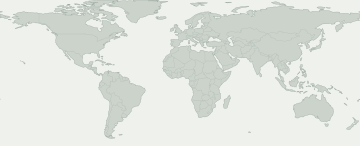
Selecciona una zona coloreada para ver su registro de firmware. El azul indica un mercado amplio, como Europa o el Cáucaso, y no un registro de cada país.
Mercados de firmware más amplios
Selecciona un mercado para ver el registro y su fuente. La disponibilidad puede variar dentro del área coloreada.
Ninguna región de firmware del mapa coincide con esta selección. Consulta la actividad CSC para ver los registros exactos.
Algunas regiones de firmware no tienen una ubicación conocida en el mapa. Sus registros siguen en la tabla.
Modelos y regiones de firmware
Abre un producto Galaxy para comparar sus códigos de modelo exactos. Debajo de cada código verás los mercados con registros de firmware de esta versión. Busca tu código en Acerca del teléfono.
48 productos Galaxy · 215 modelos exactos · 199 regiones de firmware
Compilación documentadaObservación del rastreador
Los números indican cuántos modelos exactos tienen un registro en cada región de firmware. Abre un producto para ver los modelos y sus fuentes.
Un registro en la fuente no garantiza que tu teléfono tenga la actualización. Compruébalo en Ajustes → Actualización de software.
Comprobar mi Galaxy
¿Qué sabemos de tu Galaxy?
Elige el modelo exacto y el CSC de firmware, no tu ubicación.
Elige tu dispositivo para consultar esta versión.
Evolución del despliegue
Actividad registrada
Primera aparición en cada par modelo/región. Las comprobaciones repetidas sin cambios no aumentan el total.
- 10
- 8
- 23
- 9
- 8
- 8
- 1
- 1
- 1
- 3
- 1
- 1
Cobertura por modelos
Modelos Galaxy con registros de firmware
Despliega un modelo para ver el código exacto, CSC, primera compilación, fecha y registro de origen.
Galaxy A061 Pares modelo/región
Galaxy A141 Pares modelo/región
Galaxy A161 Pares modelo/región
Galaxy A25 5G1 Pares modelo/región
Galaxy A33 5G101 Pares modelo/región
SM-A3360 / TGY
A3360ZHUDFYE3Fecha de publicación de la compilaciónSM-A336B / BOGA336BXXUDFYE3Fecha de publicación de la compilaciónSM-A336B / CAUA336BXXUDFYE3Fecha de publicación de la compilaciónSM-A336B / EVRA336BXXUDFYE3Fecha de publicación de la compilaciónSM-A336B / MEOA336BXXUDFYE3Fecha de publicación de la compilaciónSM-A336B / META336BXXUDFYE3Fecha de publicación de la compilaciónSM-A336B / MOBA336BXXUDFYE3Fecha de publicación de la compilaciónSM-A336B / MOTA336BXXUDFYE3Fecha de publicación de la compilaciónSM-A336B / MSRA336BXXUDFYE3Fecha de publicación de la compilaciónSM-A336B / O2CA336BXXUDFYE3Fecha de publicación de la compilaciónSM-A336B / PLSA336BXXUDFYE3Fecha de publicación de la compilaciónSM-A336B / PRTA336BXXUDFYE3Fecha de publicación de la compilaciónSM-A336B / SEKA336BXXUDFYE3Fecha de publicación de la compilaciónSM-A336B / SERA336BXXUDFYE3Fecha de publicación de la compilaciónSM-A336B / SFRA336BXXUDFYE3Fecha de publicación de la compilaciónSM-A336B / SIMA336BXXUDFYE3Fecha de publicación de la compilaciónSM-A336B / SKZA336BXXUDFYE3Fecha de publicación de la compilaciónSM-A336B / SWCA336BXXUDFYE3Fecha de publicación de la compilaciónSM-A336B / TIMA336BXXUDFYE3Fecha de publicación de la compilaciónSM-A336B / TOPA336BXXUDFYE3Fecha de publicación de la compilaciónSM-A336B / TSIA336BXXUDFYE3Fecha de publicación de la compilaciónSM-A336B / VIPA336BXXUDFYE3Fecha de publicación de la compilaciónSM-A336E / ACRA336EDXUDFYE3Fecha de publicación de la compilaciónSM-A336E / AFGA336EDXUDFYE3Fecha de publicación de la compilaciónSM-A336E / AFRA336EDXUDFYE3Fecha de publicación de la compilaciónSM-A336E / BRIA336EDXUDFYE3Fecha de publicación de la compilaciónSM-A336E / ECTA336EDXUDFYE3Fecha de publicación de la compilaciónSM-A336E / EGYA336EDXUDFYE3Fecha de publicación de la compilaciónSM-A336E / GLBA336EDXUDFYE3Fecha de publicación de la compilaciónSM-A336E / ILOA336EDXUDFYE3Fecha de publicación de la compilaciónSM-A336E / INSA336EDXUDFYE3Fecha de publicación de la compilaciónSM-A336E / KSAA336EDXUDFYE3Fecha de publicación de la compilaciónSM-A336E / LYSA336EDXUDFYE3Fecha de publicación de la compilaciónSM-A336E / MIDA336EDXUDFYE3Fecha de publicación de la compilaciónSM-A336E / MM1A336EDXUDFYE3Fecha de publicación de la compilaciónSM-A336E / MWDA336EDXUDFYE3Fecha de publicación de la compilaciónSM-A336E / OPSA336EDXUDFYE3Fecha de publicación de la compilaciónSM-A336E / PAKA336EDXUDFYE3Fecha de publicación de la compilaciónSM-A336E / SINA336EDXUDFYE3Fecha de publicación de la compilaciónSM-A336E / STHA336EDXUDFYE3Fecha de publicación de la compilaciónSM-A336E / TELA336EDXUDFYE3Fecha de publicación de la compilaciónSM-A336E / THLA336EDXUDFYE3Fecha de publicación de la compilaciónSM-A336E / TUNA336EDXUDFYE3Fecha de publicación de la compilaciónSM-A336E / TURA336EDXUDFYE3Fecha de publicación de la compilaciónSM-A336E / VAUA336EDXUDFYE3Fecha de publicación de la compilaciónSM-A336E / XFAA336EDXUDFYE3Fecha de publicación de la compilaciónSM-A336E / XFEA336EDXUDFYE3Fecha de publicación de la compilaciónSM-A336E / XFVA336EDXUDFYE3Fecha de publicación de la compilaciónSM-A336E / XIDA336EDXUDFYE3Fecha de publicación de la compilaciónSM-A336E / XMEA336EDXUDFYE3Fecha de publicación de la compilaciónSM-A336E / XSAA336EDXUDFYE3Fecha de publicación de la compilaciónSM-A336E / XSGA336EDXUDFYE3Fecha de publicación de la compilaciónSM-A336E / XSPA336EDXUDFYE3Fecha de publicación de la compilaciónSM-A336E / XTCA336EDXUDFYE3Fecha de publicación de la compilaciónSM-A336E / XXVA336EDXUDFYE3Fecha de publicación de la compilaciónSM-A336M / ANCA336MUBUDFYE3Fecha de publicación de la compilaciónSM-A336M / AROA336MUBUDFYE3Fecha de publicación de la compilaciónSM-A336M / BATA336MUBUDFYE3Fecha de publicación de la compilaciónSM-A336M / BVOA336MUBUDFYE3Fecha de publicación de la compilaciónSM-A336M / BVTA336MUBUDFYE3Fecha de publicación de la compilaciónSM-A336M / CDRA336MUBUDFYE3Fecha de publicación de la compilaciónSM-A336M / CGUA336MUBUDFYE3Fecha de publicación de la compilaciónSM-A336M / CHEA336MUBUDFYE3Fecha de publicación de la compilaciónSM-A336M / CHLA336MUBUDFYE3Fecha de publicación de la compilaciónSM-A336M / CHOA336MUBUDFYE3Fecha de publicación de la compilaciónSM-A336M / CHTA336MUBUDFYE3Fecha de publicación de la compilaciónSM-A336M / CHXA336MUBUDFYE3Fecha de publicación de la compilaciónSM-A336M / COBA336MUBUDFYE3Fecha de publicación de la compilaciónSM-A336M / COLA336MUBUDFYE3Fecha de publicación de la compilaciónSM-A336M / COMA336MUBUDFYE3Fecha de publicación de la compilaciónSM-A336M / COOA336MUBUDFYE3Fecha de publicación de la compilaciónSM-A336M / CRCA336MUBUDFYE3Fecha de publicación de la compilaciónSM-A336M / CTIA336MUBUDFYE3Fecha de publicación de la compilaciónSM-A336M / CTPA336MUBUDFYE3Fecha de publicación de la compilaciónSM-A336M / CTUA336MUBUDFYE3Fecha de publicación de la compilaciónSM-A336M / CWWA336MUBUDFYE3Fecha de publicación de la compilaciónSM-A336M / DORA336MUBUDFYE3Fecha de publicación de la compilaciónSM-A336M / EBEA336MUBUDFYE3Fecha de publicación de la compilaciónSM-A336M / ECOA336MUBUDFYE3Fecha de publicación de la compilaciónSM-A336M / EONA336MUBUDFYE3Fecha de publicación de la compilaciónSM-A336M / IUSA336MUBUDFYE3Fecha de publicación de la compilaciónSM-A336M / MXOA336MUBUDFYE3Fecha de publicación de la compilaciónSM-A336M / PETA336MUBUDFYE3Fecha de publicación de la compilaciónSM-A336M / PGUA336MUBUDFYE3Fecha de publicación de la compilaciónSM-A336M / PNTA336MUBUDFYE3Fecha de publicación de la compilaciónSM-A336M / PSNA336MUBUDFYE3Fecha de publicación de la compilaciónSM-A336M / PSPA336MUBUDFYE3Fecha de publicación de la compilaciónSM-A336M / SAMA336MUBUDFYE3Fecha de publicación de la compilaciónSM-A336M / TCEA336MUBUDFYE3Fecha de publicación de la compilaciónSM-A336M / TMMA336MUBUDFYE3Fecha de publicación de la compilaciónSM-A336M / TPAA336MUBUDFYE3Fecha de publicación de la compilaciónSM-A336M / UFNA336MUBUDFYE3Fecha de publicación de la compilaciónSM-A336M / UFUA336MUBUDFYE3Fecha de publicación de la compilaciónSM-A336M / UPOA336MUBUDFYE3Fecha de publicación de la compilaciónSM-A336M / UYOA336MUBUDFYE3Fecha de publicación de la compilaciónSM-A336M / ZTAA336MUBUDFYE3Fecha de publicación de la compilaciónSM-A336M / ZTMA336MUBUDFYE3Fecha de publicación de la compilaciónSM-A336M / ZTOA336MUBUDFYE3Fecha de publicación de la compilaciónSM-A336M / ZVVA336MUBUDFYE3Fecha de publicación de la compilaciónSM-A336N / KTCA336NKSUAFYE3Fecha de publicación de la compilaciónSM-A336N / SKCA336NKSUAFYE3Fecha de publicación de la compilaciónVer registro →Galaxy A34 5G1 Pares modelo/región
Galaxy A35 5G3 Pares modelo/región
Galaxy A53 5G127 Pares modelo/región
SC-53C / DCM
SC53COMU1DYF2Fecha de publicación de la compilaciónSCG15 / KDISCG15KDU1DYF1Fecha de publicación de la compilaciónSM-A5360 / BRIA5360ZHUEFYE2Fecha de publicación de la compilaciónSM-A5360 / CHCA5360ZCUEFYE2Fecha de publicación de la compilaciónSM-A5360 / TGYA5360ZHUEFYE2Fecha de publicación de la compilaciónSM-A536B / BOGA536BXXUEFYE2Fecha de publicación de la compilaciónSM-A536B / EVRA536BXXUEFYE2Fecha de publicación de la compilaciónSM-A536B / MEOA536BXXUEFYE2Fecha de publicación de la compilaciónSM-A536B / META536BXXUEFYE2Fecha de publicación de la compilaciónSM-A536B / MOBA536BXXUEFYE2Fecha de publicación de la compilaciónSM-A536B / MOTA536BXXUEFYE2Fecha de publicación de la compilaciónSM-A536B / MSRA536BXXUEFYE2Fecha de publicación de la compilaciónSM-A536B / O2CA536BXXUEFYE2Fecha de publicación de la compilaciónSM-A536B / PLSA536BXXUEFYE2Fecha de publicación de la compilaciónSM-A536B / PRTA536BXXUEFYE2Fecha de publicación de la compilaciónSM-A536B / SFRA536BXXUEFYE2Fecha de publicación de la compilaciónSM-A536B / SIMA536BXXUEFYE2Fecha de publicación de la compilaciónSM-A536B / SWCA536BXXUEFYE2Fecha de publicación de la compilaciónSM-A536B / TIMA536BXXUEFYE2Fecha de publicación de la compilaciónSM-A536B / TOPA536BXXUEFYE2Fecha de publicación de la compilaciónSM-A536B / TSIA536BXXUEFYE2Fecha de publicación de la compilaciónSM-A536B / VIPA536BXXUEFYE2Fecha de publicación de la compilaciónSM-A536E / ACRA536EXXUEFYE2Fecha de publicación de la compilaciónSM-A536E / AFGA536EXXUEFYE2Fecha de publicación de la compilaciónSM-A536E / AFRA536EXXUEFYE2Fecha de publicación de la compilaciónSM-A536E / BATA536EXXUEFYE2Fecha de publicación de la compilaciónSM-A536E / BVOA536EXXUEFYE2Fecha de publicación de la compilaciónSM-A536E / CAUA536EXXUEFYE2Fecha de publicación de la compilaciónSM-A536E / CGUA536EXXUEFYE2Fecha de publicación de la compilaciónSM-A536E / CHEA536EXXUEFYE2Fecha de publicación de la compilaciónSM-A536E / CHLA536EXXUEFYE2Fecha de publicación de la compilaciónSM-A536E / CHOA536EXXUEFYE2Fecha de publicación de la compilaciónSM-A536E / CHTA536EXXUEFYE2Fecha de publicación de la compilaciónSM-A536E / CHXA536EXXUEFYE2Fecha de publicación de la compilaciónSM-A536E / COBA536EXXUEFYE2Fecha de publicación de la compilaciónSM-A536E / COLA536EXXUEFYE2Fecha de publicación de la compilaciónSM-A536E / COMA536EXXUEFYE2Fecha de publicación de la compilaciónSM-A536E / COOA536EXXUEFYE2Fecha de publicación de la compilaciónSM-A536E / CTPA536EXXUEFYE2Fecha de publicación de la compilaciónSM-A536E / CTUA536EXXUEFYE2Fecha de publicación de la compilaciónSM-A536E / CWWA536EXXUEFYE2Fecha de publicación de la compilaciónSM-A536E / DORA536EXXUEFYE2Fecha de publicación de la compilaciónSM-A536E / EBEA536EXXUEFYE2Fecha de publicación de la compilaciónSM-A536E / ECTA536EXXUEFYE2Fecha de publicación de la compilaciónSM-A536E / EGYA536EXXUEFYE2Fecha de publicación de la compilaciónSM-A536E / GLBA536EXXUEFYE2Fecha de publicación de la compilaciónSM-A536E / ILOA536EXXUEFYE2Fecha de publicación de la compilaciónSM-A536E / INSA536EXXUEFYE2Fecha de publicación de la compilaciónSM-A536E / IUSA536EXXUEFYE2Fecha de publicación de la compilaciónSM-A536E / KSAA536EXXUEFYE2Fecha de publicación de la compilaciónSM-A536E / LYSA536EXXUEFYE2Fecha de publicación de la compilaciónSM-A536E / MIDA536EXXUEFYE2Fecha de publicación de la compilaciónSM-A536E / MM1A536EXXUEFYE2Fecha de publicación de la compilaciónSM-A536E / MWDA536EXXUEFYE2Fecha de publicación de la compilaciónSM-A536E / MXOA536EXXUEFYE2Fecha de publicación de la compilaciónSM-A536E / OPSA536EXXUEFYE2Fecha de publicación de la compilaciónSM-A536E / PAKA536EXXUEFYE2Fecha de publicación de la compilaciónSM-A536E / PETA536EXXUEFYE2Fecha de publicación de la compilaciónSM-A536E / PGUA536EXXUEFYE2Fecha de publicación de la compilaciónSM-A536E / PNTA536EXXUEFYE2Fecha de publicación de la compilaciónSM-A536E / PSNA536EXXUEFYE2Fecha de publicación de la compilaciónSM-A536E / PSPA536EXXUEFYE2Fecha de publicación de la compilaciónSM-A536E / SAMA536EXXUEFYE2Fecha de publicación de la compilaciónSM-A536E / SEKA536EXXUEFYE2Fecha de publicación de la compilaciónSM-A536E / SERA536EXXUEFYE2Fecha de publicación de la compilaciónSM-A536E / SINA536EXXUEFYE2Fecha de publicación de la compilaciónSM-A536E / SKZA536EXXUEFYE2Fecha de publicación de la compilaciónSM-A536E / SLKA536EXXUEFYE2Fecha de publicación de la compilaciónSM-A536E / STHA536EXXUEFYE2Fecha de publicación de la compilaciónSM-A536E / TCEA536EXXUEFYE2Fecha de publicación de la compilaciónSM-A536E / TELA536EXXUEFYE2Fecha de publicación de la compilaciónSM-A536E / TGPA536EXXUEFYE2Fecha de publicación de la compilaciónSM-A536E / THLA536EXXUEFYE2Fecha de publicación de la compilaciónSM-A536E / TMMA536EXXUEFYE2Fecha de publicación de la compilaciónSM-A536E / TPAA536EXXUEFYE2Fecha de publicación de la compilaciónSM-A536E / TUNA536EXXUEFYE2Fecha de publicación de la compilaciónSM-A536E / TURA536EXXUEFYE2Fecha de publicación de la compilaciónSM-A536E / UFNA536EXXUEFYE2Fecha de publicación de la compilaciónSM-A536E / UFUA536EXXUEFYE2Fecha de publicación de la compilaciónSM-A536E / UPOA536EXXUEFYE2Fecha de publicación de la compilaciónSM-A536E / UYOA536EXXUEFYE2Fecha de publicación de la compilaciónSM-A536E / VAUA536EXXUEFYE2Fecha de publicación de la compilaciónSM-A536E / XFAA536EXXUEFYE2Fecha de publicación de la compilaciónSM-A536E / XFEA536EXXUEFYE2Fecha de publicación de la compilaciónSM-A536E / XFVA536EXXUEFYE2Fecha de publicación de la compilaciónSM-A536E / XIDA536EXXUEFYE2Fecha de publicación de la compilaciónSM-A536E / XMEA536EXXUEFYE2Fecha de publicación de la compilaciónSM-A536E / XSAA536EXXUEFYE2Fecha de publicación de la compilaciónSM-A536E / XSGA536EXXUEFYE2Fecha de publicación de la compilaciónSM-A536E / XSPA536EXXUEFYE2Fecha de publicación de la compilaciónSM-A536E / XTCA536EXXUEFYE2Fecha de publicación de la compilaciónSM-A536E / XXVA536EXXUEFYE2Fecha de publicación de la compilaciónSM-A536N / KTCA536NKSU9FYE1Fecha de publicación de la compilaciónSM-A536N / LUCA536NKSU9FYE1Fecha de publicación de la compilaciónSM-A536N / SKCA536NKSU9FYE1Fecha de publicación de la compilaciónSM-A536U / CCTA536USQUEFYE4Fecha de publicación de la compilaciónSM-A536U / CHAA536USQUEFYE4Fecha de publicación de la compilaciónSM-A536U / TMBA536USQUEFYE4Fecha de publicación de la compilaciónSM-A536U / TMKA536USQUEFYE4Fecha de publicación de la compilaciónSM-A536U / USCA536USQUEFYE4Fecha de publicación de la compilaciónSM-A536U1 / ACGA536U1UEUDFYE4Fecha de publicación de la compilaciónSM-A536U1 / AIOA536U1UEUDFYE4Fecha de publicación de la compilaciónSM-A536U1 / ATTA536U1UEUDFYE4Fecha de publicación de la compilaciónSM-A536U1 / CCTA536U1UEUDFYE4Fecha de publicación de la compilaciónSM-A536U1 / CHAA536U1UEUDFYE4Fecha de publicación de la compilaciónSM-A536U1 / LRAA536U1UEUDFYE4Fecha de publicación de la compilaciónSM-A536U1 / PCTA536U1UEUDFYE4Fecha de publicación de la compilaciónSM-A536U1 / TMBA536U1UEUDFYE4Fecha de publicación de la compilaciónSM-A536U1 / TMKA536U1UEUDFYE4Fecha de publicación de la compilaciónSM-A536U1 / USCA536U1UEUDFYE4Fecha de publicación de la compilaciónSM-A536U1 / VZWA536U1UEUDFYE4Fecha de publicación de la compilaciónSM-A536U1 / XAAA536U1UEUDFYE4Fecha de publicación de la compilaciónSM-A536U1 / XAGA536U1UEUDFYE4Fecha de publicación de la compilaciónSM-A536U1 / XARA536U1UEUDFYE4Fecha de publicación de la compilaciónSM-A536W / BMCA536WVLUDFYE4Fecha de publicación de la compilaciónSM-A536W / BWAA536WVLUDFYE4Fecha de publicación de la compilaciónSM-A536W / CHRA536WVLUDFYE4Fecha de publicación de la compilaciónSM-A536W / ESKA536WVLUDFYE4Fecha de publicación de la compilaciónSM-A536W / FMCA536WVLUDFYE4Fecha de publicación de la compilaciónSM-A536W / GLWA536WVLUDFYE4Fecha de publicación de la compilaciónSM-A536W / KDOA536WVLUDFYE4Fecha de publicación de la compilaciónSM-A536W / RWCA536WVLUDFYE4Fecha de publicación de la compilaciónSM-A536W / TLSA536WVLUDFYE4Fecha de publicación de la compilaciónSM-A536W / VMCA536WVLUDFYE4Fecha de publicación de la compilaciónSM-A536W / VTRA536WVLUDFYE4Fecha de publicación de la compilaciónSM-A536W / XACA536WVLUDFYE4Fecha de publicación de la compilaciónSM-S536DL / TFNS536DLUDUEFYE5Fecha de publicación de la compilaciónVer registro →Galaxy A54 5G4 Pares modelo/región
Galaxy A55 5G3 Pares modelo/región
Galaxy A73 5G36 Pares modelo/región
SM-A736B / ACR
A736BXXUAFYE6Fecha de publicación de la compilaciónSM-A736B / AFGA736BXXUAFYE6Fecha de publicación de la compilaciónSM-A736B / AFRA736BXXUAFYE6Fecha de publicación de la compilaciónSM-A736B / BVOA736BXXUAFYE6Fecha de publicación de la compilaciónSM-A736B / BVTA736BXXUAFYE6Fecha de publicación de la compilaciónSM-A736B / CAUA736BXXUAFYE6Fecha de publicación de la compilaciónSM-A736B / CHEA736BXXUAFYE6Fecha de publicación de la compilaciónSM-A736B / CHLA736BXXUAFYE6Fecha de publicación de la compilaciónSM-A736B / CHOA736BXXUAFYE6Fecha de publicación de la compilaciónSM-A736B / CHTA736BXXUAFYE6Fecha de publicación de la compilaciónSM-A736B / CHXA736BXXUAFYE6Fecha de publicación de la compilaciónSM-A736B / ECTA736BXXUAFYE6Fecha de publicación de la compilaciónSM-A736B / EGYA736BXXUAFYE6Fecha de publicación de la compilaciónSM-A736B / GLBA736BXXUAFYE6Fecha de publicación de la compilaciónSM-A736B / ILOA736BXXUAFYE6Fecha de publicación de la compilaciónSM-A736B / INSA736BXXUAFYE6Fecha de publicación de la compilaciónSM-A736B / KSAA736BXXUAFYE6Fecha de publicación de la compilaciónSM-A736B / LYSA736BXXUAFYE6Fecha de publicación de la compilaciónSM-A736B / NPLA736BXXUAFYE6Fecha de publicación de la compilaciónSM-A736B / PAKA736BXXUAFYE6Fecha de publicación de la compilaciónSM-A736B / SEKA736BXXUAFYE6Fecha de publicación de la compilaciónSM-A736B / SERA736BXXUAFYE6Fecha de publicación de la compilaciónSM-A736B / SINA736BXXUAFYE6Fecha de publicación de la compilaciónSM-A736B / SKZA736BXXUAFYE6Fecha de publicación de la compilaciónSM-A736B / TELA736BXXUAFYE6Fecha de publicación de la compilaciónSM-A736B / TUNA736BXXUAFYE6Fecha de publicación de la compilaciónSM-A736B / TURA736BXXUAFYE6Fecha de publicación de la compilaciónSM-A736B / VAUA736BXXUAFYE6Fecha de publicación de la compilaciónSM-A736B / XFAA736BXXUAFYE6Fecha de publicación de la compilaciónSM-A736B / XFEA736BXXUAFYE6Fecha de publicación de la compilaciónSM-A736B / XFVA736BXXUAFYE6Fecha de publicación de la compilaciónSM-A736B / XIDA736BXXUAFYE6Fecha de publicación de la compilaciónSM-A736B / XMEA736BXXUAFYE6Fecha de publicación de la compilaciónSM-A736B / XSGA736BXXUAFYE6Fecha de publicación de la compilaciónSM-A736B / XXVA736BXXUAFYE6Fecha de publicación de la compilaciónSM-A736B / ZTOA736BXXUAFYE6Fecha de publicación de la compilaciónVer registro →Galaxy F14 5G1 Pares modelo/región
Galaxy M14 5G1 Pares modelo/región
Galaxy M33 5G20 Pares modelo/región
SM-M336B / BRI
M336BZHUCFYE3Fecha de publicación de la compilaciónSM-M336B / BVOM336BXXUCFYE5Fecha de publicación de la compilaciónSM-M336B / GLBM336BXXUCFYE5Fecha de publicación de la compilaciónSM-M336B / KSAM336BXXUCFYE5Fecha de publicación de la compilaciónSM-M336B / LYSM336BXXUCFYE5Fecha de publicación de la compilaciónSM-M336B / MIDM336BXXUCFYE5Fecha de publicación de la compilaciónSM-M336B / MWDM336BXXUCFYE5Fecha de publicación de la compilaciónSM-M336B / MXOM336BXXUCFYE5Fecha de publicación de la compilaciónSM-M336B / SEKM336BXXUCFYE5Fecha de publicación de la compilaciónSM-M336B / SERM336BXXUCFYE5Fecha de publicación de la compilaciónSM-M336B / SLKM336BXXUCFYE5Fecha de publicación de la compilaciónSM-M336B / THLM336BXXUCFYE5Fecha de publicación de la compilaciónSM-M336B / TPAM336BXXUCFYE5Fecha de publicación de la compilaciónSM-M336B / TURM336BXXUCFYE5Fecha de publicación de la compilaciónSM-M336B / XIDM336BXXUCFYE5Fecha de publicación de la compilaciónSM-M336B / XMEM336BXXUCFYE5Fecha de publicación de la compilaciónSM-M336B / XTCM336BXXUCFYE5Fecha de publicación de la compilaciónSM-M336B / XXVM336BXXUCFYE5Fecha de publicación de la compilaciónSM-M336BU / INSM336BUXXUCFYE5Fecha de publicación de la compilaciónSM-M336K / KTCM336KKSUAFYE3Fecha de publicación de la compilaciónVer registro →Galaxy S21 5G137 Pares modelo/región
SC-51B / DCM
SC51BOMU1EYF3Fecha de publicación de la compilaciónSCG09 / KDISCG09KDU1EYF3Fecha de publicación de la compilaciónSM-G9910 / BRIG9910ZHUBHYD9Fecha de publicación de la compilaciónSM-G9910 / CHCG9910ZCUBHYDAFecha de publicación de la compilaciónSM-G9910 / TGYG9910ZHUBHYD9Fecha de publicación de la compilaciónSM-G991B / 3IEG991BXXUEHYD5Fecha de publicación de la compilaciónSM-G991B / AFRG991BXXUEHYD5Fecha de publicación de la compilaciónSM-G991B / AMOG991BXXUEHYD5Fecha de publicación de la compilaciónSM-G991B / ANCG991BXXUEHYD5Fecha de publicación de la compilaciónSM-G991B / ATLG991BXXUEHYD5Fecha de publicación de la compilaciónSM-G991B / AUTG991BXXUEHYD5Fecha de publicación de la compilaciónSM-G991B / AVFG991BXXUEHYD5Fecha de publicación de la compilaciónSM-G991B / BATG991BXXUEHYD5Fecha de publicación de la compilaciónSM-G991B / BGLG991BXXUEHYD5Fecha de publicación de la compilaciónSM-G991B / BOGG991BXXUEHYD5Fecha de publicación de la compilaciónSM-G991B / BTUG991BXXUEHYD5Fecha de publicación de la compilaciónSM-G991B / BVOG991BXXUEHYD5Fecha de publicación de la compilaciónSM-G991B / CAUG991BXXUEHYD5Fecha de publicación de la compilaciónSM-G991B / CDRG991BXXUEHYD5Fecha de publicación de la compilaciónSM-G991B / CGUG991BXXUEHYD5Fecha de publicación de la compilaciónSM-G991B / CHEG991BXXUEHYD5Fecha de publicación de la compilaciónSM-G991B / CHTG991BXXUEHYD5Fecha de publicación de la compilaciónSM-G991B / COAG991BXXUEHYD5Fecha de publicación de la compilaciónSM-G991B / COMG991BXXUEHYD5Fecha de publicación de la compilaciónSM-G991B / COOG991BXXUEHYD5Fecha de publicación de la compilaciónSM-G991B / COSG991BXXUEHYD5Fecha de publicación de la compilaciónSM-G991B / CRCG991BXXUEHYD5Fecha de publicación de la compilaciónSM-G991B / CROG991BXXUEHYD5Fecha de publicación de la compilaciónSM-G991B / CTIG991BXXUEHYD5Fecha de publicación de la compilaciónSM-G991B / CTUG991BXXUEHYD5Fecha de publicación de la compilaciónSM-G991B / CWWG991BXXUEHYD5Fecha de publicación de la compilaciónSM-G991B / DORG991BXXUEHYD5Fecha de publicación de la compilaciónSM-G991B / DTMG991BXXUEHYD5Fecha de publicación de la compilaciónSM-G991B / ECTG991BXXUEHYD5Fecha de publicación de la compilaciónSM-G991B / EGYG991BXXUEHYD5Fecha de publicación de la compilaciónSM-G991B / EONG991BXXUEHYD5Fecha de publicación de la compilaciónSM-G991B / EVRG991BXXUEHYD5Fecha de publicación de la compilaciónSM-G991B / FTMG991BXXUEHYD5Fecha de publicación de la compilaciónSM-G991B / GLBG991BXXUEHYD5Fecha de publicación de la compilaciónSM-G991B / H3GG991BXXUEHYD5Fecha de publicación de la compilaciónSM-G991B / HTSG991BXXUEHYD5Fecha de publicación de la compilaciónSM-G991B / HUIG991BXXUEHYD5Fecha de publicación de la compilaciónSM-G991B / ICEG991BXXUEHYD5Fecha de publicación de la compilaciónSM-G991B / ILOG991BXXUEHYD5Fecha de publicación de la compilaciónSM-G991B / INUG991BXXUEHYD5Fecha de publicación de la compilaciónSM-G991B / ITVG991BXXUEHYD5Fecha de publicación de la compilaciónSM-G991B / IUSG991BXXUEHYD5Fecha de publicación de la compilaciónSM-G991B / KSAG991BXXUEHYD5Fecha de publicación de la compilaciónSM-G991B / LUXG991BXXUEHYD5Fecha de publicación de la compilaciónSM-G991B / LYSG991BXXUEHYD5Fecha de publicación de la compilaciónSM-G991B / MAXG991BXXUEHYD5Fecha de publicación de la compilaciónSM-G991B / MBMG991BXXUEHYD5Fecha de publicación de la compilaciónSM-G991B / MEOG991BXXUEHYD5Fecha de publicación de la compilaciónSM-G991B / METG991BXXUEHYD5Fecha de publicación de la compilaciónSM-G991B / MM1G991BXXUEHYD5Fecha de publicación de la compilaciónSM-G991B / MOBG991BXXUEHYD5Fecha de publicación de la compilaciónSM-G991B / MOTG991BXXUEHYD5Fecha de publicación de la compilaciónSM-G991B / MSRG991BXXUEHYD5Fecha de publicación de la compilaciónSM-G991B / O2CG991BXXUEHYD5Fecha de publicación de la compilaciónSM-G991B / O2UG991BXXUEHYD5Fecha de publicación de la compilaciónSM-G991B / OMNG991BXXUEHYD5Fecha de publicación de la compilaciónSM-G991B / OROG991BXXUEHYD5Fecha de publicación de la compilaciónSM-G991B / ORSG991BXXUEHYD5Fecha de publicación de la compilaciónSM-G991B / ORXG991BXXUEHYD5Fecha de publicación de la compilaciónSM-G991B / PAKG991BXXUEHYD5Fecha de publicación de la compilaciónSM-G991B / PGUG991BXXUEHYD5Fecha de publicación de la compilaciónSM-G991B / PHEG991BXXUEHYD5Fecha de publicación de la compilaciónSM-G991B / PRTG991BXXUEHYD5Fecha de publicación de la compilaciónSM-G991B / PSPG991BXXUEHYD5Fecha de publicación de la compilaciónSM-G991B / ROMG991BXXUEHYD5Fecha de publicación de la compilaciónSM-G991B / SEBG991BXXUEHYD5Fecha de publicación de la compilaciónSM-G991B / SEEG991BXXUEHYD5Fecha de publicación de la compilaciónSM-G991B / SEKG991BXXUEHYD5Fecha de publicación de la compilaciónSM-G991B / SERG991BXXUEHYD5Fecha de publicación de la compilaciónSM-G991B / SFRG991BXXUEHYD5Fecha de publicación de la compilaciónSM-G991B / SIMG991BXXUEHYD5Fecha de publicación de la compilaciónSM-G991B / SIOG991BXXUEHYD5Fecha de publicación de la compilaciónSM-G991B / SKZG991BXXUEHYD5Fecha de publicación de la compilaciónSM-G991B / SLKG991BXXUEHYD5Fecha de publicación de la compilaciónSM-G991B / STHG991BXXUEHYD5Fecha de publicación de la compilaciónSM-G991B / TCEG991BXXUEHYD5Fecha de publicación de la compilaciónSM-G991B / TCLG991BXXUEHYD5Fecha de publicación de la compilaciónSM-G991B / TELG991BXXUEHYD5Fecha de publicación de la compilaciónSM-G991B / TGPG991BXXUEHYD5Fecha de publicación de la compilaciónSM-G991B / THLG991BXXUEHYD5Fecha de publicación de la compilaciónSM-G991B / TIMG991BXXUEHYD5Fecha de publicación de la compilaciónSM-G991B / TMSG991BXXUEHYD5Fecha de publicación de la compilaciónSM-G991B / TMZG991BXXUEHYD5Fecha de publicación de la compilaciónSM-G991B / TNLG991BXXUEHYD5Fecha de publicación de la compilaciónSM-G991B / TPAG991BXXUEHYD5Fecha de publicación de la compilaciónSM-G991B / TPHG991BXXUEHYD5Fecha de publicación de la compilaciónSM-G991B / TPLG991BXXUEHYD5Fecha de publicación de la compilaciónSM-G991B / TSIG991BXXUEHYD5Fecha de publicación de la compilaciónSM-G991B / TURG991BXXUEHYD5Fecha de publicación de la compilaciónSM-G991B / UFNG991BXXUEHYD5Fecha de publicación de la compilaciónSM-G991B / UFUG991BXXUEHYD5Fecha de publicación de la compilaciónSM-G991B / UYOG991BXXUEHYD5Fecha de publicación de la compilaciónSM-G991B / VAUG991BXXUEHYD5Fecha de publicación de la compilaciónSM-G991B / VD2G991BXXUEHYD5Fecha de publicación de la compilaciónSM-G991B / VDCG991BXXUEHYD5Fecha de publicación de la compilaciónSM-G991B / VDFG991BXXUEHYD5Fecha de publicación de la compilaciónSM-G991B / VDIG991BXXUEHYD5Fecha de publicación de la compilaciónSM-G991B / VGRG991BXXUEHYD5Fecha de publicación de la compilaciónSM-G991B / VODG991BXXUEHYD5Fecha de publicación de la compilaciónSM-G991B / XECG991BXXUEHYD5Fecha de publicación de la compilaciónSM-G991B / XEZG991BXXUEHYD5Fecha de publicación de la compilaciónSM-G991B / XFEG991BXXUEHYD5Fecha de publicación de la compilaciónSM-G991B / XFVG991BXXUEHYD5Fecha de publicación de la compilaciónSM-G991B / XIDG991BXXUEHYD5Fecha de publicación de la compilaciónSM-G991B / XMEG991BXXUEHYD5Fecha de publicación de la compilaciónSM-G991B / XSAG991BXXUEHYD5Fecha de publicación de la compilaciónSM-G991B / XSPG991BXXUEHYD5Fecha de publicación de la compilaciónSM-G991B / XTCG991BXXUEHYD5Fecha de publicación de la compilaciónSM-G991B / XXVG991BXXUEHYD5Fecha de publicación de la compilaciónSM-G991B / ZTAG991BXXUEHYD5Fecha de publicación de la compilaciónSM-G991B / ZTMG991BXXUEHYD5Fecha de publicación de la compilaciónSM-G991B / ZVVG991BXXUEHYD5Fecha de publicación de la compilaciónSM-G991N / KTCG991NKSU8HYD9Fecha de publicación de la compilaciónSM-G991N / SKCG991NKSU8HYD9Fecha de publicación de la compilaciónSM-G991U / CCTG991USQUEHYDAFecha de publicación de la compilaciónSM-G991U / SPRG991USQUEHYDAFecha de publicación de la compilaciónSM-G991U / TMBG991USQUEHYDAFecha de publicación de la compilaciónSM-G991U1 / ACGG991U1UEUEHYDAFecha de publicación de la compilaciónSM-G991U1 / AIOG991U1UEUEHYDAFecha de publicación de la compilaciónSM-G991U1 / CCTG991U1UEUEHYDAFecha de publicación de la compilaciónSM-G991U1 / CHAG991U1UEUEHYDAFecha de publicación de la compilaciónSM-G991U1 / LRAG991U1UEUEHYDAFecha de publicación de la compilaciónSM-G991U1 / PCTG991U1UEUEHYDAFecha de publicación de la compilaciónSM-G991U1 / SPRG991U1UEUEHYDAFecha de publicación de la compilaciónSM-G991U1 / TFNG991U1UEUEHYDAFecha de publicación de la compilaciónSM-G991U1 / TMBG991U1UEUEHYDAFecha de publicación de la compilaciónSM-G991U1 / TMKG991U1UEUEHYDAFecha de publicación de la compilaciónSM-G991U1 / USCG991U1UEUEHYDAFecha de publicación de la compilaciónSM-G991U1 / VZWG991U1UEUEHYDAFecha de publicación de la compilaciónSM-G991U1 / XAAG991U1UEUEHYDAFecha de publicación de la compilaciónSM-G991U1 / XAGG991U1UEUEHYDAFecha de publicación de la compilaciónSM-G991U1 / XARG991U1UEUEHYDAFecha de publicación de la compilaciónVer registro →Galaxy S21 FE 5G217 Pares modelo/región
SM-G9900 / BRI
G9900ZHUCHYD9Fecha de publicación de la compilaciónSM-G9900 / CHCG9900ZCUCHYDAFecha de publicación de la compilaciónSM-G9900 / TGYG9900ZHUCHYD9Fecha de publicación de la compilaciónSM-G990B / 3IEG990BXXUCHYDBFecha de publicación de la compilaciónSM-G990B / AMOG990BXXUCHYDBFecha de publicación de la compilaciónSM-G990B / ATLG990BXXUCHYDBFecha de publicación de la compilaciónSM-G990B / BOGG990BXXUCHYDBFecha de publicación de la compilaciónSM-G990B / CAUG990BXXUCHYDBFecha de publicación de la compilaciónSM-G990B / CNXG990BXXUCHYDBFecha de publicación de la compilaciónSM-G990B / COSG990BXXUCHYDBFecha de publicación de la compilaciónSM-G990B / CROG990BXXUCHYDBFecha de publicación de la compilaciónSM-G990B / DREG990BXXUCHYDBFecha de publicación de la compilaciónSM-G990B / FTMG990BXXUCHYDBFecha de publicación de la compilaciónSM-G990B / H3GG990BXXUCHYDBFecha de publicación de la compilaciónSM-G990B / HUIG990BXXUCHYDBFecha de publicación de la compilaciónSM-G990B / MAXG990BXXUCHYDBFecha de publicación de la compilaciónSM-G990B / MBMG990BXXUCHYDBFecha de publicación de la compilaciónSM-G990B / MEOG990BXXUCHYDBFecha de publicación de la compilaciónSM-G990B / METG990BXXUCHYDBFecha de publicación de la compilaciónSM-G990B / MSRG990BXXUCHYDBFecha de publicación de la compilaciónSM-G990B / O2UG990BXXUCHYDBFecha de publicación de la compilaciónSM-G990B / OMNG990BXXUCHYDBFecha de publicación de la compilaciónSM-G990B / OROG990BXXUCHYDBFecha de publicación de la compilaciónSM-G990B / ORSG990BXXUCHYDBFecha de publicación de la compilaciónSM-G990B / PLSG990BXXUCHYDBFecha de publicación de la compilaciónSM-G990B / SEKG990BXXUCHYDBFecha de publicación de la compilaciónSM-G990B / SERG990BXXUCHYDBFecha de publicación de la compilaciónSM-G990B / SFRG990BXXUCHYDBFecha de publicación de la compilaciónSM-G990B / SIMG990BXXUCHYDBFecha de publicación de la compilaciónSM-G990B / SKZG990BXXUCHYDBFecha de publicación de la compilaciónSM-G990B / SWCG990BXXUCHYDBFecha de publicación de la compilaciónSM-G990B / TCLG990BXXUCHYDBFecha de publicación de la compilaciónSM-G990B / TIMG990BXXUCHYDBFecha de publicación de la compilaciónSM-G990B / TMSG990BXXUCHYDBFecha de publicación de la compilaciónSM-G990B / TNLG990BXXUCHYDBFecha de publicación de la compilaciónSM-G990B / TPLG990BXXUCHYDBFecha de publicación de la compilaciónSM-G990B / TSIG990BXXUCHYDBFecha de publicación de la compilaciónSM-G990B / VD2G990BXXUCHYDBFecha de publicación de la compilaciónSM-G990B / VDCG990BXXUCHYDBFecha de publicación de la compilaciónSM-G990B / VDFG990BXXUCHYDBFecha de publicación de la compilaciónSM-G990B / VDIG990BXXUCHYDBFecha de publicación de la compilaciónSM-G990B / VIPG990BXXUCHYDBFecha de publicación de la compilaciónSM-G990B / VODG990BXXUCHYDBFecha de publicación de la compilaciónSM-G990B / XECG990BXXUCHYDBFecha de publicación de la compilaciónSM-G990B2 / 3IEG990B2XXUBHYDBFecha de publicación de la compilaciónSM-G990B2 / AMOG990B2XXUBHYDBFecha de publicación de la compilaciónSM-G990B2 / ATLG990B2XXUBHYDBFecha de publicación de la compilaciónSM-G990B2 / CAUG990B2XXUBHYDBFecha de publicación de la compilaciónSM-G990B2 / CNXG990B2XXUBHYDBFecha de publicación de la compilaciónSM-G990B2 / COSG990B2XXUBHYDBFecha de publicación de la compilaciónSM-G990B2 / CROG990B2XXUBHYDBFecha de publicación de la compilaciónSM-G990B2 / DTMG990B2XXUBHYDBFecha de publicación de la compilaciónSM-G990B2 / EVRG990B2XXUBHYDBFecha de publicación de la compilaciónSM-G990B2 / FTMG990B2XXUBHYDBFecha de publicación de la compilaciónSM-G990B2 / H3GG990B2XXUBHYDBFecha de publicación de la compilaciónSM-G990B2 / HTSG990B2XXUBHYDBFecha de publicación de la compilaciónSM-G990B2 / HUIG990B2XXUBHYDBFecha de publicación de la compilaciónSM-G990B2 / MAXG990B2XXUBHYDBFecha de publicación de la compilaciónSM-G990B2 / MBMG990B2XXUBHYDBFecha de publicación de la compilaciónSM-G990B2 / METG990B2XXUBHYDBFecha de publicación de la compilaciónSM-G990B2 / MOTG990B2XXUBHYDBFecha de publicación de la compilaciónSM-G990B2 / O2UG990B2XXUBHYDBFecha de publicación de la compilaciónSM-G990B2 / ORSG990B2XXUBHYDBFecha de publicación de la compilaciónSM-G990B2 / PLSG990B2XXUBHYDBFecha de publicación de la compilaciónSM-G990B2 / SEKG990B2XXUBHYDBFecha de publicación de la compilaciónSM-G990B2 / SERG990B2XXUBHYDBFecha de publicación de la compilaciónSM-G990B2 / SFRG990B2XXUBHYDBFecha de publicación de la compilaciónSM-G990B2 / SIMG990B2XXUBHYDBFecha de publicación de la compilaciónSM-G990B2 / SKZG990B2XXUBHYDBFecha de publicación de la compilaciónSM-G990B2 / SWCG990B2XXUBHYDBFecha de publicación de la compilaciónSM-G990B2 / TCLG990B2XXUBHYDBFecha de publicación de la compilaciónSM-G990B2 / TIMG990B2XXUBHYDBFecha de publicación de la compilaciónSM-G990B2 / TMSG990B2XXUBHYDBFecha de publicación de la compilaciónSM-G990B2 / TMZG990B2XXUBHYDBFecha de publicación de la compilaciónSM-G990B2 / TNLG990B2XXUBHYDBFecha de publicación de la compilaciónSM-G990B2 / TOPG990B2XXUBHYDBFecha de publicación de la compilaciónSM-G990B2 / TSIG990B2XXUBHYDBFecha de publicación de la compilaciónSM-G990B2 / VD2G990B2XXUBHYDBFecha de publicación de la compilaciónSM-G990B2 / VDCG990B2XXUBHYDBFecha de publicación de la compilaciónSM-G990B2 / VDFG990B2XXUBHYDBFecha de publicación de la compilaciónSM-G990B2 / VDIG990B2XXUBHYDBFecha de publicación de la compilaciónSM-G990B2 / VGRG990B2XXUBHYDBFecha de publicación de la compilaciónSM-G990B2 / VIPG990B2XXUBHYDBFecha de publicación de la compilaciónSM-G990B2 / VODG990B2XXUBHYDBFecha de publicación de la compilaciónSM-G990B2 / XECG990B2XXUBHYDBFecha de publicación de la compilaciónSM-G990E / ACRG990EXXUDGYD4Fecha de publicación de la compilaciónSM-G990E / AFGG990EXXUDGYD4Fecha de publicación de la compilaciónSM-G990E / AFRG990EXXUDGYD4Fecha de publicación de la compilaciónSM-G990E / AROG990EXXUDGYD4Fecha de publicación de la compilaciónSM-G990E / BVOG990EXXUDGYD4Fecha de publicación de la compilaciónSM-G990E / CGUG990EXXUDGYD4Fecha de publicación de la compilaciónSM-G990E / CHEG990EXXUDGYD4Fecha de publicación de la compilaciónSM-G990E / CHLG990EXXUDGYD4Fecha de publicación de la compilaciónSM-G990E / CHOG990EXXUDGYD4Fecha de publicación de la compilaciónSM-G990E / CHTG990EXXUDGYD4Fecha de publicación de la compilaciónSM-G990E / CHXG990EXXUDGYD4Fecha de publicación de la compilaciónSM-G990E / COBG990EXXUDGYD4Fecha de publicación de la compilaciónSM-G990E / COLG990EXXUDGYD4Fecha de publicación de la compilaciónSM-G990E / COMG990EXXUDGYD4Fecha de publicación de la compilaciónSM-G990E / COOG990EXXUDGYD4Fecha de publicación de la compilaciónSM-G990E / CRCG990EXXUDGYD4Fecha de publicación de la compilaciónSM-G990E / CTIG990EXXUDGYD4Fecha de publicación de la compilaciónSM-G990E / CTPG990EXXUDGYD4Fecha de publicación de la compilaciónSM-G990E / CTUG990EXXUDGYD4Fecha de publicación de la compilaciónSM-G990E / DORG990EXXUDGYD4Fecha de publicación de la compilaciónSM-G990E / EBEG990EXXUDGYD4Fecha de publicación de la compilaciónSM-G990E / ECOG990EXXUDGYD4Fecha de publicación de la compilaciónSM-G990E / ECTG990EXXUDGYD4Fecha de publicación de la compilaciónSM-G990E / EGYG990EXXUDGYD4Fecha de publicación de la compilaciónSM-G990E / EONG990EXXUDGYD4Fecha de publicación de la compilaciónSM-G990E / GLBG990EXXUDGYD4Fecha de publicación de la compilaciónSM-G990E / ILOG990EXXUDGYD4Fecha de publicación de la compilaciónSM-G990E / INSG990EXXUDGYD4Fecha de publicación de la compilaciónSM-G990E / IUSG990EXXUDGYD4Fecha de publicación de la compilaciónSM-G990E / KSAG990EXXUDGYD4Fecha de publicación de la compilaciónSM-G990E / LYSG990EXXUDGYD4Fecha de publicación de la compilaciónSM-G990E / MIDG990EXXUDGYD4Fecha de publicación de la compilaciónSM-G990E / MM1G990EXXUDGYD4Fecha de publicación de la compilaciónSM-G990E / MWDG990EXXUDGYD4Fecha de publicación de la compilaciónSM-G990E / MXOG990EXXUDGYD4Fecha de publicación de la compilaciónSM-G990E / NPLG990EXXUDGYD4Fecha de publicación de la compilaciónSM-G990E / OPSG990EXXUDGYD4Fecha de publicación de la compilaciónSM-G990E / PAKG990EXXUDGYD4Fecha de publicación de la compilaciónSM-G990E / PETG990EXXUDGYD4Fecha de publicación de la compilaciónSM-G990E / PGUG990EXXUDGYD4Fecha de publicación de la compilaciónSM-G990E / PNTG990EXXUDGYD4Fecha de publicación de la compilaciónSM-G990E / PSNG990EXXUDGYD4Fecha de publicación de la compilaciónSM-G990E / SAMG990EXXUDGYD4Fecha de publicación de la compilaciónSM-G990E / SING990EXXUDGYD4Fecha de publicación de la compilaciónSM-G990E / SLKG990EXXUDGYD4Fecha de publicación de la compilaciónSM-G990E / STHG990EXXUDGYD4Fecha de publicación de la compilaciónSM-G990E / TCEG990EXXUDGYD4Fecha de publicación de la compilaciónSM-G990E / TELG990EXXUDGYD4Fecha de publicación de la compilaciónSM-G990E / TGPG990EXXUDGYD4Fecha de publicación de la compilaciónSM-G990E / THLG990EXXUDGYD4Fecha de publicación de la compilaciónSM-G990E / TMMG990EXXUDGYD4Fecha de publicación de la compilaciónSM-G990E / TPAG990EXXUDGYD4Fecha de publicación de la compilaciónSM-G990E / TUNG990EXXUDGYD4Fecha de publicación de la compilaciónSM-G990E / TURG990EXXUDGYD5Fecha de publicación de la compilaciónSM-G990E / UFNG990EXXUDGYD4Fecha de publicación de la compilaciónSM-G990E / UFUG990EXXUDGYD4Fecha de publicación de la compilaciónSM-G990E / UPOG990EXXUDGYD4Fecha de publicación de la compilaciónSM-G990E / UYOG990EXXUDGYD4Fecha de publicación de la compilaciónSM-G990E / VAUG990EXXUDGYD4Fecha de publicación de la compilaciónSM-G990E / XFAG990EXXUDGYD4Fecha de publicación de la compilaciónSM-G990E / XFEG990EXXUDGYD4Fecha de publicación de la compilaciónSM-G990E / XFVG990EXXUDGYD4Fecha de publicación de la compilaciónSM-G990E / XIDG990EXXUDGYD4Fecha de publicación de la compilaciónSM-G990E / XMEG990EXXUDGYD4Fecha de publicación de la compilaciónSM-G990E / XSAG990EXXUDGYD4Fecha de publicación de la compilaciónSM-G990E / XSGG990EXXUDGYD4Fecha de publicación de la compilaciónSM-G990E / XSPG990EXXUDGYD4Fecha de publicación de la compilaciónSM-G990E / XTCG990EXXUDGYD4Fecha de publicación de la compilaciónSM-G990E / XXVG990EXXUDGYD4Fecha de publicación de la compilaciónSM-G990E / ZTAG990EXXUDGYD4Fecha de publicación de la compilaciónSM-G990E / ZTMG990EXXUDGYD4Fecha de publicación de la compilaciónSM-G990E / ZTOG990EXXUDGYD4Fecha de publicación de la compilaciónSM-G990E / ZVVG990EXXUDGYD4Fecha de publicación de la compilaciónSM-G990U / TMBG990USQUFHYDAFecha de publicación de la compilaciónSM-G990U / TMKG990USQUFHYDAFecha de publicación de la compilaciónSM-G990U / USCG990USQUFHYDAFecha de publicación de la compilaciónSM-G990U1 / ACGG990U1UEUFHYDAFecha de publicación de la compilaciónSM-G990U1 / AIOG990U1UEUFHYDAFecha de publicación de la compilaciónSM-G990U1 / ATTG990U1UEUFHYDAFecha de publicación de la compilaciónSM-G990U1 / CCTG990U1UEUFHYDAFecha de publicación de la compilaciónSM-G990U1 / CHAG990U1UEUFHYDAFecha de publicación de la compilaciónSM-G990U1 / LRAG990U1UEUFHYDAFecha de publicación de la compilaciónSM-G990U1 / PCTG990U1UEUFHYE1Fecha de publicación de la compilaciónSM-G990U1 / TFNG990U1UEUFHYDAFecha de publicación de la compilaciónSM-G990U1 / TMBG990U1UEUFHYDAFecha de publicación de la compilaciónSM-G990U1 / TMKG990U1UEUFHYDAFecha de publicación de la compilaciónSM-G990U1 / USCG990U1UEUFHYDAFecha de publicación de la compilaciónSM-G990U1 / VZWG990U1UEUFHYDAFecha de publicación de la compilaciónSM-G990U1 / XAAG990U1UEUFHYDAFecha de publicación de la compilaciónSM-G990U1 / XAGG990U1UEUFHYDAFecha de publicación de la compilaciónSM-G990U1 / XARG990U1UEUFHYDAFecha de publicación de la compilaciónSM-G990U2 / CCTG990U2SQUDHYDAFecha de publicación de la compilaciónSM-G990U2 / CHAG990U2SQUDHYDAFecha de publicación de la compilaciónSM-G990U2 / USCG990U2SQUDHYDAFecha de publicación de la compilaciónSM-G990U3 / ACGG990U3UEUDHYDAFecha de publicación de la compilaciónSM-G990U3 / AIOG990U3UEUDHYDAFecha de publicación de la compilaciónSM-G990U3 / ATTG990U3UEUDHYDAFecha de publicación de la compilaciónSM-G990U3 / CCTG990U3UEUDHYDAFecha de publicación de la compilaciónSM-G990U3 / CHAG990U3UEUDHYDAFecha de publicación de la compilaciónSM-G990U3 / LRAG990U3UEUDHYDAFecha de publicación de la compilaciónSM-G990U3 / TFNG990U3UEUDHYDAFecha de publicación de la compilaciónSM-G990U3 / TMBG990U3UEUDHYDAFecha de publicación de la compilaciónSM-G990U3 / TMKG990U3UEUDHYDAFecha de publicación de la compilaciónSM-G990U3 / USCG990U3UEUDHYDAFecha de publicación de la compilaciónSM-G990U3 / VZWG990U3UEUDHYDAFecha de publicación de la compilaciónSM-G990U3 / XAAG990U3UEUDHYDAFecha de publicación de la compilaciónSM-G990U3 / XAGG990U3UEUDHYDAFecha de publicación de la compilaciónSM-G990U3 / XARG990U3UEUDHYDAFecha de publicación de la compilaciónSM-G990W / BMCG990WVLUFHYDAFecha de publicación de la compilaciónSM-G990W / BWAG990WVLUFHYDAFecha de publicación de la compilaciónSM-G990W / CHRG990WVLUFHYDAFecha de publicación de la compilaciónSM-G990W / ESKG990WVLUFHYDAFecha de publicación de la compilaciónSM-G990W / FMCG990WVLUFHYDAFecha de publicación de la compilaciónSM-G990W / GLWG990WVLUFHYDAFecha de publicación de la compilaciónSM-G990W / KDOG990WVLUFHYDAFecha de publicación de la compilaciónSM-G990W / RWCG990WVLUFHYDAFecha de publicación de la compilaciónSM-G990W / TLSG990WVLUFHYDAFecha de publicación de la compilaciónSM-G990W / VMCG990WVLUFHYDAFecha de publicación de la compilaciónSM-G990W / VTRG990WVLUFHYDAFecha de publicación de la compilaciónSM-G990W / XACG990WVLUFHYDAFecha de publicación de la compilaciónSM-G990W2 / BMCG990W2VLUDHYDAFecha de publicación de la compilaciónSM-G990W2 / BWAG990W2VLUDHYDAFecha de publicación de la compilaciónSM-G990W2 / CHRG990W2VLUDHYDAFecha de publicación de la compilaciónSM-G990W2 / ESKG990W2VLUDHYDAFecha de publicación de la compilaciónSM-G990W2 / FMCG990W2VLUDHYDAFecha de publicación de la compilaciónSM-G990W2 / GLWG990W2VLUDHYDAFecha de publicación de la compilaciónSM-G990W2 / KDOG990W2VLUDHYDAFecha de publicación de la compilaciónSM-G990W2 / RWCG990W2VLUDHYDAFecha de publicación de la compilaciónSM-G990W2 / TLSG990W2VLUDHYDAFecha de publicación de la compilaciónSM-G990W2 / VMCG990W2VLUDHYDAFecha de publicación de la compilaciónSM-G990W2 / VTRG990W2VLUDHYDAFecha de publicación de la compilaciónSM-G990W2 / XACG990W2VLUDHYDAFecha de publicación de la compilaciónVer registro →Galaxy S21 Ultra 5G142 Pares modelo/región
SC-52B / DCM
SC52BOMU1EYF3Fecha de publicación de la compilaciónSM-G9980 / BRIG9980ZHUBHYD9Fecha de publicación de la compilaciónSM-G9980 / CHCG9980ZCUBHYDAFecha de publicación de la compilaciónSM-G998B / 3IEG998BXXUEHYD5Fecha de publicación de la compilaciónSM-G998B / ACRG998BXXUEHYD5Fecha de publicación de la compilaciónSM-G998B / AMOG998BXXUEHYD5Fecha de publicación de la compilaciónSM-G998B / AROG998BXXUEHYD5Fecha de publicación de la compilaciónSM-G998B / ATLG998BXXUEHYD5Fecha de publicación de la compilaciónSM-G998B / ATOG998BXXUEHYD5Fecha de publicación de la compilaciónSM-G998B / AUTG998BXXUEHYD5Fecha de publicación de la compilaciónSM-G998B / BATG998BXXUEHYD5Fecha de publicación de la compilaciónSM-G998B / BGLG998BXXUEHYD5Fecha de publicación de la compilaciónSM-G998B / BOGG998BXXUEHYD5Fecha de publicación de la compilaciónSM-G998B / BTUG998BXXUEHYD5Fecha de publicación de la compilaciónSM-G998B / BVOG998BXXUEHYD5Fecha de publicación de la compilaciónSM-G998B / BVTG998BXXUEHYD5Fecha de publicación de la compilaciónSM-G998B / CAUG998BXXUEHYD5Fecha de publicación de la compilaciónSM-G998B / CDRG998BXXUEHYD5Fecha de publicación de la compilaciónSM-G998B / CGUG998BXXUEHYD5Fecha de publicación de la compilaciónSM-G998B / CHLG998BXXUEHYD5Fecha de publicación de la compilaciónSM-G998B / CHTG998BXXUEHYD5Fecha de publicación de la compilaciónSM-G998B / CNXG998BXXUEHYD5Fecha de publicación de la compilaciónSM-G998B / COAG998BXXUEHYD5Fecha de publicación de la compilaciónSM-G998B / COMG998BXXUEHYD5Fecha de publicación de la compilaciónSM-G998B / COOG998BXXUEHYD5Fecha de publicación de la compilaciónSM-G998B / COSG998BXXUEHYD5Fecha de publicación de la compilaciónSM-G998B / CPAG998BXXUEHYD5Fecha de publicación de la compilaciónSM-G998B / CRCG998BXXUEHYD5Fecha de publicación de la compilaciónSM-G998B / CTIG998BXXUEHYD5Fecha de publicación de la compilaciónSM-G998B / CTUG998BXXUEHYD5Fecha de publicación de la compilaciónSM-G998B / DBTG998BXXUEHYD5Fecha de publicación de la compilaciónSM-G998B / DORG998BXXUEHYD5Fecha de publicación de la compilaciónSM-G998B / DREG998BXXUEHYD5Fecha de publicación de la compilaciónSM-G998B / DTMG998BXXUEHYD5Fecha de publicación de la compilaciónSM-G998B / EBEG998BXXUEHYD5Fecha de publicación de la compilaciónSM-G998B / ECTG998BXXUEHYD5Fecha de publicación de la compilaciónSM-G998B / EGYG998BXXUEHYD5Fecha de publicación de la compilaciónSM-G998B / EONG998BXXUEHYD5Fecha de publicación de la compilaciónSM-G998B / EURG998BXXUEHYD5Fecha de publicación de la compilaciónSM-G998B / FTMG998BXXUEHYD5Fecha de publicación de la compilaciónSM-G998B / GLBG998BXXUEHYD5Fecha de publicación de la compilaciónSM-G998B / H3GG998BXXUEHYD5Fecha de publicación de la compilaciónSM-G998B / HTSG998BXXUEHYD5Fecha de publicación de la compilaciónSM-G998B / ILOG998BXXUEHYD5Fecha de publicación de la compilaciónSM-G998B / INUG998BXXUEHYD5Fecha de publicación de la compilaciónSM-G998B / ITVG998BXXUEHYD5Fecha de publicación de la compilaciónSM-G998B / IUSG998BXXUEHYD5Fecha de publicación de la compilaciónSM-G998B / KSAG998BXXUEHYD5Fecha de publicación de la compilaciónSM-G998B / LUXG998BXXUEHYD5Fecha de publicación de la compilaciónSM-G998B / LYSG998BXXUEHYD5Fecha de publicación de la compilaciónSM-G998B / MAXG998BXXUEHYD5Fecha de publicación de la compilaciónSM-G998B / MBMG998BXXUEHYD5Fecha de publicación de la compilaciónSM-G998B / METG998BXXUEHYD5Fecha de publicación de la compilaciónSM-G998B / MIDG998BXXUEHYD5Fecha de publicación de la compilaciónSM-G998B / MM1G998BXXUEHYD5Fecha de publicación de la compilaciónSM-G998B / MOTG998BXXUEHYD5Fecha de publicación de la compilaciónSM-G998B / MSRG998BXXUEHYD5Fecha de publicación de la compilaciónSM-G998B / NEEG998BXXUEHYD5Fecha de publicación de la compilaciónSM-G998B / NPLG998BXXUEHYD5Fecha de publicación de la compilaciónSM-G998B / O2CG998BXXUEHYD5Fecha de publicación de la compilaciónSM-G998B / O2UG998BXXUEHYD5Fecha de publicación de la compilaciónSM-G998B / OMNG998BXXUEHYD5Fecha de publicación de la compilaciónSM-G998B / OPSG998BXXUEHYD5Fecha de publicación de la compilaciónSM-G998B / OROG998BXXUEHYD5Fecha de publicación de la compilaciónSM-G998B / ORSG998BXXUEHYD5Fecha de publicación de la compilaciónSM-G998B / ORXG998BXXUEHYD5Fecha de publicación de la compilaciónSM-G998B / PETG998BXXUEHYD5Fecha de publicación de la compilaciónSM-G998B / PHEG998BXXUEHYD5Fecha de publicación de la compilaciónSM-G998B / PHNG998BXXUEHYD5Fecha de publicación de la compilaciónSM-G998B / PLSG998BXXUEHYD5Fecha de publicación de la compilaciónSM-G998B / PNTG998BXXUEHYD5Fecha de publicación de la compilaciónSM-G998B / PRTG998BXXUEHYD5Fecha de publicación de la compilaciónSM-G998B / PSNG998BXXUEHYD5Fecha de publicación de la compilaciónSM-G998B / PSPG998BXXUEHYD5Fecha de publicación de la compilaciónSM-G998B / ROMG998BXXUEHYD5Fecha de publicación de la compilaciónSM-G998B / SAMG998BXXUEHYD5Fecha de publicación de la compilaciónSM-G998B / SEBG998BXXUEHYD5Fecha de publicación de la compilaciónSM-G998B / SEEG998BXXUEHYD5Fecha de publicación de la compilaciónSM-G998B / SEKG998BXXUEHYD5Fecha de publicación de la compilaciónSM-G998B / SIMG998BXXUEHYD5Fecha de publicación de la compilaciónSM-G998B / SIOG998BXXUEHYD5Fecha de publicación de la compilaciónSM-G998B / SKZG998BXXUEHYD5Fecha de publicación de la compilaciónSM-G998B / SLKG998BXXUEHYD5Fecha de publicación de la compilaciónSM-G998B / STHG998BXXUEHYD5Fecha de publicación de la compilaciónSM-G998B / SWCG998BXXUEHYD5Fecha de publicación de la compilaciónSM-G998B / TCEG998BXXUEHYD5Fecha de publicación de la compilaciónSM-G998B / TCLG998BXXUEHYD5Fecha de publicación de la compilaciónSM-G998B / TELG998BXXUEHYD5Fecha de publicación de la compilaciónSM-G998B / TGPG998BXXUEHYD5Fecha de publicación de la compilaciónSM-G998B / THLG998BXXUEHYD5Fecha de publicación de la compilaciónSM-G998B / TIMG998BXXUEHYD5Fecha de publicación de la compilaciónSM-G998B / TMHG998BXXUEHYD5Fecha de publicación de la compilaciónSM-G998B / TMSG998BXXUEHYD5Fecha de publicación de la compilaciónSM-G998B / TMZG998BXXUEHYD5Fecha de publicación de la compilaciónSM-G998B / TNLG998BXXUEHYD5Fecha de publicación de la compilaciónSM-G998B / TOPG998BXXUEHYD5Fecha de publicación de la compilaciónSM-G998B / TPAG998BXXUEHYD5Fecha de publicación de la compilaciónSM-G998B / TPHG998BXXUEHYD5Fecha de publicación de la compilaciónSM-G998B / TPLG998BXXUEHYD5Fecha de publicación de la compilaciónSM-G998B / TUNG998BXXUEHYD5Fecha de publicación de la compilaciónSM-G998B / TURG998BXXUEHYD5Fecha de publicación de la compilaciónSM-G998B / UFNG998BXXUEHYD5Fecha de publicación de la compilaciónSM-G998B / UFUG998BXXUEHYD5Fecha de publicación de la compilaciónSM-G998B / UYOG998BXXUEHYD5Fecha de publicación de la compilaciónSM-G998B / VDCG998BXXUEHYD5Fecha de publicación de la compilaciónSM-G998B / VDFG998BXXUEHYD5Fecha de publicación de la compilaciónSM-G998B / VDIG998BXXUEHYD5Fecha de publicación de la compilaciónSM-G998B / VIPG998BXXUEHYD5Fecha de publicación de la compilaciónSM-G998B / VODG998BXXUEHYD5Fecha de publicación de la compilaciónSM-G998B / XECG998BXXUEHYD5Fecha de publicación de la compilaciónSM-G998B / XEHG998BXXUEHYD5Fecha de publicación de la compilaciónSM-G998B / XEOG998BXXUEHYD5Fecha de publicación de la compilaciónSM-G998B / XEZG998BXXUEHYD5Fecha de publicación de la compilaciónSM-G998B / XFAG998BXXUEHYD5Fecha de publicación de la compilaciónSM-G998B / XFEG998BXXUEHYD5Fecha de publicación de la compilaciónSM-G998B / XFVG998BXXUEHYD5Fecha de publicación de la compilaciónSM-G998B / XMEG998BXXUEHYD5Fecha de publicación de la compilaciónSM-G998B / XSGG998BXXUEHYD5Fecha de publicación de la compilaciónSM-G998B / XXVG998BXXUEHYD5Fecha de publicación de la compilaciónSM-G998B / ZTAG998BXXUEHYD5Fecha de publicación de la compilaciónSM-G998B / ZTMG998BXXUEHYD5Fecha de publicación de la compilaciónSM-G998B / ZTOG998BXXUEHYD5Fecha de publicación de la compilaciónSM-G998B / ZVVG998BXXUEHYD5Fecha de publicación de la compilaciónSM-G998N / KTCG998NKSU8HYD9Fecha de publicación de la compilaciónSM-G998N / SKCG998NKSU8HYD9Fecha de publicación de la compilaciónSM-G998U / CCTG998USQUEHYDAFecha de publicación de la compilaciónSM-G998U / SPRG998USQUEHYDAFecha de publicación de la compilaciónSM-G998U1 / ACGG998U1UEUEHYDAFecha de publicación de la compilaciónSM-G998U1 / AIOG998U1UEUEHYDAFecha de publicación de la compilaciónSM-G998U1 / ATTG998U1UEUEHYDAFecha de publicación de la compilaciónSM-G998U1 / CCTG998U1UEUEHYDAFecha de publicación de la compilaciónSM-G998U1 / CHAG998U1UEUEHYDAFecha de publicación de la compilaciónSM-G998U1 / LRAG998U1UEUEHYDAFecha de publicación de la compilaciónSM-G998U1 / PCTG998U1UEUEHYDAFecha de publicación de la compilaciónSM-G998U1 / SPRG998U1UEUEHYDAFecha de publicación de la compilaciónSM-G998U1 / TFNG998U1UEUEHYDAFecha de publicación de la compilaciónSM-G998U1 / TMBG998U1UEUEHYDAFecha de publicación de la compilaciónSM-G998U1 / TMKG998U1UEUEHYDAFecha de publicación de la compilaciónSM-G998U1 / USCG998U1UEUEHYDAFecha de publicación de la compilaciónSM-G998U1 / VZWG998U1UEUEHYDAFecha de publicación de la compilaciónSM-G998U1 / XAGG998U1UEUEHYDAFecha de publicación de la compilaciónSM-G998U1 / XARG998U1UEUEHYDAFecha de publicación de la compilaciónVer registro →Galaxy S21+ 5G128 Pares modelo/región
SCG10 / KDI
SCG10KDU1EYF3Fecha de publicación de la compilaciónSM-G9960 / BRIG9960ZHUBHYD9Fecha de publicación de la compilaciónSM-G996B / 3IEG996BXXUEHYD5Fecha de publicación de la compilaciónSM-G996B / AFGG996BXXUEHYD5Fecha de publicación de la compilaciónSM-G996B / AFRG996BXXUEHYD5Fecha de publicación de la compilaciónSM-G996B / AMOG996BXXUEHYD5Fecha de publicación de la compilaciónSM-G996B / ANCG996BXXUEHYD5Fecha de publicación de la compilaciónSM-G996B / AROG996BXXUEHYD5Fecha de publicación de la compilaciónSM-G996B / ATLG996BXXUEHYD5Fecha de publicación de la compilaciónSM-G996B / AUTG996BXXUEHYD5Fecha de publicación de la compilaciónSM-G996B / AVFG996BXXUEHYD5Fecha de publicación de la compilaciónSM-G996B / BGLG996BXXUEHYD5Fecha de publicación de la compilaciónSM-G996B / BOGG996BXXUEHYD5Fecha de publicación de la compilaciónSM-G996B / BTUG996BXXUEHYD5Fecha de publicación de la compilaciónSM-G996B / BVOG996BXXUEHYD5Fecha de publicación de la compilaciónSM-G996B / BVTG996BXXUEHYD5Fecha de publicación de la compilaciónSM-G996B / CGUG996BXXUEHYD5Fecha de publicación de la compilaciónSM-G996B / CHLG996BXXUEHYD5Fecha de publicación de la compilaciónSM-G996B / CHOG996BXXUEHYD5Fecha de publicación de la compilaciónSM-G996B / CHTG996BXXUEHYD5Fecha de publicación de la compilaciónSM-G996B / COAG996BXXUEHYD5Fecha de publicación de la compilaciónSM-G996B / COLG996BXXUEHYD5Fecha de publicación de la compilaciónSM-G996B / COMG996BXXUEHYD5Fecha de publicación de la compilaciónSM-G996B / COOG996BXXUEHYD5Fecha de publicación de la compilaciónSM-G996B / COSG996BXXUEHYD5Fecha de publicación de la compilaciónSM-G996B / CPAG996BXXUEHYD5Fecha de publicación de la compilaciónSM-G996B / CRCG996BXXUEHYD5Fecha de publicación de la compilaciónSM-G996B / CTIG996BXXUEHYD5Fecha de publicación de la compilaciónSM-G996B / CTPG996BXXUEHYD5Fecha de publicación de la compilaciónSM-G996B / CTUG996BXXUEHYD5Fecha de publicación de la compilaciónSM-G996B / CWWG996BXXUEHYD5Fecha de publicación de la compilaciónSM-G996B / DREG996BXXUEHYD5Fecha de publicación de la compilaciónSM-G996B / DTMG996BXXUEHYD5Fecha de publicación de la compilaciónSM-G996B / ECTG996BXXUEHYD5Fecha de publicación de la compilaciónSM-G996B / EGYG996BXXUEHYD5Fecha de publicación de la compilaciónSM-G996B / EURG996BXXUEHYD5Fecha de publicación de la compilaciónSM-G996B / EVRG996BXXUEHYD5Fecha de publicación de la compilaciónSM-G996B / FTMG996BXXUEHYD5Fecha de publicación de la compilaciónSM-G996B / GLBG996BXXUEHYD5Fecha de publicación de la compilaciónSM-G996B / H3GG996BXXUEHYD5Fecha de publicación de la compilaciónSM-G996B / HUIG996BXXUEHYD5Fecha de publicación de la compilaciónSM-G996B / ILOG996BXXUEHYD5Fecha de publicación de la compilaciónSM-G996B / INUG996BXXUEHYD5Fecha de publicación de la compilaciónSM-G996B / ITVG996BXXUEHYD5Fecha de publicación de la compilaciónSM-G996B / IUSG996BXXUEHYD5Fecha de publicación de la compilaciónSM-G996B / LUXG996BXXUEHYD5Fecha de publicación de la compilaciónSM-G996B / LYSG996BXXUEHYD5Fecha de publicación de la compilaciónSM-G996B / MAXG996BXXUEHYD5Fecha de publicación de la compilaciónSM-G996B / MBMG996BXXUEHYD5Fecha de publicación de la compilaciónSM-G996B / MEOG996BXXUEHYD5Fecha de publicación de la compilaciónSM-G996B / MIDG996BXXUEHYD5Fecha de publicación de la compilaciónSM-G996B / MOBG996BXXUEHYD5Fecha de publicación de la compilaciónSM-G996B / MSRG996BXXUEHYD5Fecha de publicación de la compilaciónSM-G996B / MWDG996BXXUEHYD5Fecha de publicación de la compilaciónSM-G996B / MXOG996BXXUEHYD5Fecha de publicación de la compilaciónSM-G996B / NEEG996BXXUEHYD5Fecha de publicación de la compilaciónSM-G996B / NPLG996BXXUEHYD5Fecha de publicación de la compilaciónSM-G996B / O2CG996BXXUEHYD5Fecha de publicación de la compilaciónSM-G996B / O2UG996BXXUEHYD5Fecha de publicación de la compilaciónSM-G996B / OMNG996BXXUEHYD5Fecha de publicación de la compilaciónSM-G996B / ORSG996BXXUEHYD5Fecha de publicación de la compilaciónSM-G996B / PAKG996BXXUEHYD5Fecha de publicación de la compilaciónSM-G996B / PHEG996BXXUEHYD5Fecha de publicación de la compilaciónSM-G996B / PLSG996BXXUEHYD5Fecha de publicación de la compilaciónSM-G996B / PSNG996BXXUEHYD5Fecha de publicación de la compilaciónSM-G996B / PSPG996BXXUEHYD5Fecha de publicación de la compilaciónSM-G996B / ROMG996BXXUEHYD5Fecha de publicación de la compilaciónSM-G996B / SEEG996BXXUEHYD5Fecha de publicación de la compilaciónSM-G996B / SEKG996BXXUEHYD5Fecha de publicación de la compilaciónSM-G996B / SERG996BXXUEHYD5Fecha de publicación de la compilaciónSM-G996B / SFRG996BXXUEHYD5Fecha de publicación de la compilaciónSM-G996B / SIMG996BXXUEHYD5Fecha de publicación de la compilaciónSM-G996B / SING996BXXUEHYD5Fecha de publicación de la compilaciónSM-G996B / SIOG996BXXUEHYD5Fecha de publicación de la compilaciónSM-G996B / SLKG996BXXUEHYD5Fecha de publicación de la compilaciónSM-G996B / SWCG996BXXUEHYD5Fecha de publicación de la compilaciónSM-G996B / TCEG996BXXUEHYD5Fecha de publicación de la compilaciónSM-G996B / TCLG996BXXUEHYD5Fecha de publicación de la compilaciónSM-G996B / TELG996BXXUEHYD5Fecha de publicación de la compilaciónSM-G996B / TGPG996BXXUEHYD5Fecha de publicación de la compilaciónSM-G996B / THLG996BXXUEHYD5Fecha de publicación de la compilaciónSM-G996B / TMHG996BXXUEHYD5Fecha de publicación de la compilaciónSM-G996B / TMMG996BXXUEHYD5Fecha de publicación de la compilaciónSM-G996B / TMSG996BXXUEHYD5Fecha de publicación de la compilaciónSM-G996B / TOPG996BXXUEHYD5Fecha de publicación de la compilaciónSM-G996B / TPAG996BXXUEHYD5Fecha de publicación de la compilaciónSM-G996B / TPLG996BXXUEHYD5Fecha de publicación de la compilaciónSM-G996B / TSIG996BXXUEHYD5Fecha de publicación de la compilaciónSM-G996B / TUNG996BXXUEHYD5Fecha de publicación de la compilaciónSM-G996B / UFNG996BXXUEHYD5Fecha de publicación de la compilaciónSM-G996B / UFUG996BXXUEHYD5Fecha de publicación de la compilaciónSM-G996B / UYOG996BXXUEHYD5Fecha de publicación de la compilaciónSM-G996B / VAUG996BXXUEHYD5Fecha de publicación de la compilaciónSM-G996B / VDCG996BXXUEHYD5Fecha de publicación de la compilaciónSM-G996B / VDIG996BXXUEHYD5Fecha de publicación de la compilaciónSM-G996B / VGRG996BXXUEHYD5Fecha de publicación de la compilaciónSM-G996B / VIPG996BXXUEHYD5Fecha de publicación de la compilaciónSM-G996B / VODG996BXXUEHYD5Fecha de publicación de la compilaciónSM-G996B / XECG996BXXUEHYD5Fecha de publicación de la compilaciónSM-G996B / XEFG996BXXUEHYD5Fecha de publicación de la compilaciónSM-G996B / XEHG996BXXUEHYD5Fecha de publicación de la compilaciónSM-G996B / XEOG996BXXUEHYD5Fecha de publicación de la compilaciónSM-G996B / XEZG996BXXUEHYD5Fecha de publicación de la compilaciónSM-G996B / XFAG996BXXUEHYD5Fecha de publicación de la compilaciónSM-G996B / XFEG996BXXUEHYD5Fecha de publicación de la compilaciónSM-G996B / XFVG996BXXUEHYD5Fecha de publicación de la compilaciónSM-G996B / XSGG996BXXUEHYD5Fecha de publicación de la compilaciónSM-G996B / XSPG996BXXUEHYD5Fecha de publicación de la compilaciónSM-G996B / XTCG996BXXUEHYD5Fecha de publicación de la compilaciónSM-G996B / ZTMG996BXXUEHYD5Fecha de publicación de la compilaciónSM-G996B / ZVVG996BXXUEHYD5Fecha de publicación de la compilaciónSM-G996N / KTCG996NKSU8HYD9Fecha de publicación de la compilaciónSM-G996U / CCTG996USQUEHYDAFecha de publicación de la compilaciónSM-G996U / SPRG996USQUEHYDAFecha de publicación de la compilaciónSM-G996U1 / ACGG996U1UEUEHYDAFecha de publicación de la compilaciónSM-G996U1 / AIOG996U1UEUEHYDAFecha de publicación de la compilaciónSM-G996U1 / CCTG996U1UEUEHYDAFecha de publicación de la compilaciónSM-G996U1 / CHAG996U1UEUEHYDAFecha de publicación de la compilaciónSM-G996U1 / LRAG996U1UEUEHYDAFecha de publicación de la compilaciónSM-G996U1 / PCTG996U1UEUEHYDAFecha de publicación de la compilaciónSM-G996U1 / SPRG996U1UEUEHYDAFecha de publicación de la compilaciónSM-G996U1 / TFNG996U1UEUEHYDAFecha de publicación de la compilaciónSM-G996U1 / TMKG996U1UEUEHYDAFecha de publicación de la compilaciónSM-G996U1 / USCG996U1UEUEHYDAFecha de publicación de la compilaciónSM-G996U1 / VZWG996U1UEUEHYDAFecha de publicación de la compilaciónSM-G996U1 / XAAG996U1UEUEHYDAFecha de publicación de la compilaciónSM-G996U1 / XAGG996U1UEUEHYDAFecha de publicación de la compilaciónSM-G996U1 / XARG996U1UEUEHYDAFecha de publicación de la compilaciónVer registro →Galaxy S2290 Pares modelo/región
SC-51C / DCM
SC51COMU1DYF2Fecha de publicación de la compilaciónSCG13 / KDISCG13KDU1DYE8Fecha de publicación de la compilaciónSM-S9010 / BRIS9010ZHU9FYD9Fecha de publicación de la compilaciónSM-S9010 / CHCS9010ZCU9FYDAFecha de publicación de la compilaciónSM-S901B / BOGS901BXXUDFYD9Fecha de publicación de la compilaciónSM-S901B / CAUS901BXXUDFYD9Fecha de publicación de la compilaciónSM-S901B / EVRS901BXXUDFYD9Fecha de publicación de la compilaciónSM-S901B / MEOS901BXXUDFYD9Fecha de publicación de la compilaciónSM-S901B / METS901BXXUDFYD9Fecha de publicación de la compilaciónSM-S901B / MOTS901BXXUDFYD9Fecha de publicación de la compilaciónSM-S901B / O2CS901BXXUDFYD9Fecha de publicación de la compilaciónSM-S901B / SEKS901BXXUDFYD9Fecha de publicación de la compilaciónSM-S901B / SERS901BXXUDFYD9Fecha de publicación de la compilaciónSM-S901B / SFRS901BXXUDFYD9Fecha de publicación de la compilaciónSM-S901B / SIMS901BXXUDFYD9Fecha de publicación de la compilaciónSM-S901B / SKZS901BXXUDFYD9Fecha de publicación de la compilaciónSM-S901B / SWCS901BXXUDFYD9Fecha de publicación de la compilaciónSM-S901B / TIMS901BXXUDFYD9Fecha de publicación de la compilaciónSM-S901B / TOPS901BXXUDFYD9Fecha de publicación de la compilaciónSM-S901B / TSIS901BXXUDFYD9Fecha de publicación de la compilaciónSM-S901B / VIPS901BXXUDFYD9Fecha de publicación de la compilaciónSM-S901E / ACRS901EXXUCFYDAFecha de publicación de la compilaciónSM-S901E / AFGS901EXXUCFYDAFecha de publicación de la compilaciónSM-S901E / AFRS901EXXUCFYDAFecha de publicación de la compilaciónSM-S901E / AROS901EXXUCFYDAFecha de publicación de la compilaciónSM-S901E / CHES901EXXUCFYDAFecha de publicación de la compilaciónSM-S901E / CHLS901EXXUCFYDAFecha de publicación de la compilaciónSM-S901E / COLS901EXXUCFYDAFecha de publicación de la compilaciónSM-S901E / COOS901EXXUCFYDAFecha de publicación de la compilaciónSM-S901E / CRCS901EXXUCFYDAFecha de publicación de la compilaciónSM-S901E / CTPS901EXXUCFYDAFecha de publicación de la compilaciónSM-S901E / CTUS901EXXUCFYDAFecha de publicación de la compilaciónSM-S901E / DORS901EXXUCFYDAFecha de publicación de la compilaciónSM-S901E / ECOS901EXXUCFYDAFecha de publicación de la compilaciónSM-S901E / ECTS901EXXUCFYDAFecha de publicación de la compilaciónSM-S901E / EGYS901EXXUCFYDAFecha de publicación de la compilaciónSM-S901E / ILOS901EXXUCFYDAFecha de publicación de la compilaciónSM-S901E / INSS901EXXUCFYDAFecha de publicación de la compilaciónSM-S901E / IUSS901EXXUCFYDAFecha de publicación de la compilaciónSM-S901E / KSAS901EXXUCFYDAFecha de publicación de la compilaciónSM-S901E / LYSS901EXXUCFYDAFecha de publicación de la compilaciónSM-S901E / MWDS901EXXUCFYDAFecha de publicación de la compilaciónSM-S901E / NPLS901EXXUCFYDAFecha de publicación de la compilaciónSM-S901E / OPSS901EXXUCFYDAFecha de publicación de la compilaciónSM-S901E / PNTS901EXXUCFYDAFecha de publicación de la compilaciónSM-S901E / SAMS901EXXUCFYDAFecha de publicación de la compilaciónSM-S901E / SLKS901EXXUCFYDAFecha de publicación de la compilaciónSM-S901E / STHS901EXXUCFYDAFecha de publicación de la compilaciónSM-S901E / TCES901EXXUCFYDAFecha de publicación de la compilaciónSM-S901E / THLS901EXXUCFYDAFecha de publicación de la compilaciónSM-S901E / TMMS901EXXUCFYDAFecha de publicación de la compilaciónSM-S901E / TPAS901EXXUCFYDAFecha de publicación de la compilaciónSM-S901E / TURS901EXXUCFYDAFecha de publicación de la compilaciónSM-S901E / UFNS901EXXUCFYDAFecha de publicación de la compilaciónSM-S901E / UFUS901EXXUCFYDAFecha de publicación de la compilaciónSM-S901E / UYOS901EXXUCFYDAFecha de publicación de la compilaciónSM-S901E / VAUS901EXXUCFYDAFecha de publicación de la compilaciónSM-S901E / XFVS901EXXUCFYDAFecha de publicación de la compilaciónSM-S901E / XMES901EXXUCFYDAFecha de publicación de la compilaciónSM-S901E / XSGS901EXXUCFYDAFecha de publicación de la compilaciónSM-S901E / XSPS901EXXUCFYDAFecha de publicación de la compilaciónSM-S901E / XXVS901EXXUCFYDAFecha de publicación de la compilaciónSM-S901N / KTCS901NKSU7FYD9Fecha de publicación de la compilaciónSM-S901N / LUCS901NKSU7FYD9Fecha de publicación de la compilaciónSM-S901N / SKCS901NKSU7FYD9Fecha de publicación de la compilaciónSM-S901U / CCTS901USQU8FYDBFecha de publicación de la compilaciónSM-S901U / CHAS901USQU8FYDBFecha de publicación de la compilaciónSM-S901U / TMBS901USQU8FYDBFecha de publicación de la compilaciónSM-S901U / TMKS901USQU8FYDBFecha de publicación de la compilaciónSM-S901U / USCS901USQU8FYDBFecha de publicación de la compilaciónSM-S901U1 / ACGS901U1UEU8FYDBFecha de publicación de la compilaciónSM-S901U1 / AIOS901U1UEU8FYDBFecha de publicación de la compilaciónSM-S901U1 / ATTS901U1UEU8FYDBFecha de publicación de la compilaciónSM-S901U1 / CCTS901U1UEU8FYDBFecha de publicación de la compilaciónSM-S901U1 / CHAS901U1UEU8FYDBFecha de publicación de la compilaciónSM-S901U1 / LRAS901U1UEU8FYDBFecha de publicación de la compilaciónSM-S901U1 / TFNS901U1UEU8FYDBFecha de publicación de la compilaciónSM-S901U1 / TMKS901U1UEU8FYDBFecha de publicación de la compilaciónSM-S901U1 / USCS901U1UEU8FYDBFecha de publicación de la compilaciónSM-S901U1 / VZWS901U1UEU8FYDBFecha de publicación de la compilaciónSM-S901U1 / XAAS901U1UEU8FYDBFecha de publicación de la compilaciónSM-S901U1 / XAGS901U1UEU8FYDBFecha de publicación de la compilaciónSM-S901W / BMCS901WVLU8FYDBFecha de publicación de la compilaciónSM-S901W / BWAS901WVLU8FYDBFecha de publicación de la compilaciónSM-S901W / GLWS901WVLU8FYDBFecha de publicación de la compilaciónSM-S901W / KDOS901WVLU8FYDBFecha de publicación de la compilaciónSM-S901W / RWCS901WVLU8FYDBFecha de publicación de la compilaciónSM-S901W / TLSS901WVLU8FYDBFecha de publicación de la compilaciónSM-S901W / VMCS901WVLU8FYDBFecha de publicación de la compilaciónSM-S901W / VTRS901WVLU8FYDBFecha de publicación de la compilaciónVer registro →Galaxy S22 Ultra96 Pares modelo/región
SC-52C / DCM
SC52COMU1DYF2Fecha de publicación de la compilaciónSCG14 / KDISCG14KDU1DYE8Fecha de publicación de la compilaciónSM-S9080 / BRIS9080ZHU9FYD9Fecha de publicación de la compilaciónSM-S9080 / CHCS9080ZCU9FYDAFecha de publicación de la compilaciónSM-S9080 / TGYS9080ZHU9FYD9Fecha de publicación de la compilaciónSM-S908B / BOGS908BXXUDFYD9Fecha de publicación de la compilaciónSM-S908B / CAUS908BXXUDFYD9Fecha de publicación de la compilaciónSM-S908B / METS908BXXUDFYD9Fecha de publicación de la compilaciónSM-S908B / MOBS908BXXUDFYD9Fecha de publicación de la compilaciónSM-S908B / MOTS908BXXUDFYD9Fecha de publicación de la compilaciónSM-S908B / MSRS908BXXUDFYD9Fecha de publicación de la compilaciónSM-S908B / O2CS908BXXUDFYD9Fecha de publicación de la compilaciónSM-S908B / PRTS908BXXUDFYD9Fecha de publicación de la compilaciónSM-S908B / SEKS908BXXUDFYD9Fecha de publicación de la compilaciónSM-S908B / SERS908BXXUDFYD9Fecha de publicación de la compilaciónSM-S908B / SFRS908BXXUDFYD9Fecha de publicación de la compilaciónSM-S908B / SKZS908BXXUDFYD9Fecha de publicación de la compilaciónSM-S908B / SWCS908BXXUDFYD9Fecha de publicación de la compilaciónSM-S908B / TOPS908BXXUDFYD9Fecha de publicación de la compilaciónSM-S908B / TSIS908BXXUDFYD9Fecha de publicación de la compilaciónSM-S908B / VIPS908BXXUDFYD9Fecha de publicación de la compilaciónSM-S908E / ACRS908EXXUCFYDAFecha de publicación de la compilaciónSM-S908E / AFGS908EXXUCFYDAFecha de publicación de la compilaciónSM-S908E / AFRS908EXXUCFYDAFecha de publicación de la compilaciónSM-S908E / CGUS908EXXUCFYDAFecha de publicación de la compilaciónSM-S908E / CHES908EXXUCFYDAFecha de publicación de la compilaciónSM-S908E / CHLS908EXXUCFYDAFecha de publicación de la compilaciónSM-S908E / COLS908EXXUCFYDAFecha de publicación de la compilaciónSM-S908E / COOS908EXXUCFYDAFecha de publicación de la compilaciónSM-S908E / CTIS908EXXUCFYDAFecha de publicación de la compilaciónSM-S908E / CTPS908EXXUCFYDAFecha de publicación de la compilaciónSM-S908E / CTUS908EXXUCFYDAFecha de publicación de la compilaciónSM-S908E / CWWS908EXXUCFYDAFecha de publicación de la compilaciónSM-S908E / DORS908EXXUCFYDAFecha de publicación de la compilaciónSM-S908E / ECOS908EXXUCFYDAFecha de publicación de la compilaciónSM-S908E / ECTS908EXXUCFYDAFecha de publicación de la compilaciónSM-S908E / EGYS908EXXUCFYDAFecha de publicación de la compilaciónSM-S908E / GLBS908EXXUCFYDAFecha de publicación de la compilaciónSM-S908E / ILOS908EXXUCFYDAFecha de publicación de la compilaciónSM-S908E / INSS908EXXUCFYDAFecha de publicación de la compilaciónSM-S908E / KSAS908EXXUCFYDAFecha de publicación de la compilaciónSM-S908E / LYSS908EXXUCFYDAFecha de publicación de la compilaciónSM-S908E / MM1S908EXXUCFYDAFecha de publicación de la compilaciónSM-S908E / MWDS908EXXUCFYDAFecha de publicación de la compilaciónSM-S908E / MXOS908EXXUCFYDAFecha de publicación de la compilaciónSM-S908E / NPLS908EXXUCFYDAFecha de publicación de la compilaciónSM-S908E / PETS908EXXUCFYDAFecha de publicación de la compilaciónSM-S908E / PGUS908EXXUCFYDAFecha de publicación de la compilaciónSM-S908E / PNTS908EXXUCFYDAFecha de publicación de la compilaciónSM-S908E / PSNS908EXXUCFYDAFecha de publicación de la compilaciónSM-S908E / SAMS908EXXUCFYDAFecha de publicación de la compilaciónSM-S908E / SINS908EXXUCFYDAFecha de publicación de la compilaciónSM-S908E / STHS908EXXUCFYDAFecha de publicación de la compilaciónSM-S908E / TELS908EXXUCFYDAFecha de publicación de la compilaciónSM-S908E / THLS908EXXUCFYDAFecha de publicación de la compilaciónSM-S908E / TMMS908EXXUCFYDAFecha de publicación de la compilaciónSM-S908E / TPAS908EXXUCFYDAFecha de publicación de la compilaciónSM-S908E / UFUS908EXXUCFYDAFecha de publicación de la compilaciónSM-S908E / XFAS908EXXUCFYDAFecha de publicación de la compilaciónSM-S908E / XFES908EXXUCFYDAFecha de publicación de la compilaciónSM-S908E / XFVS908EXXUCFYDAFecha de publicación de la compilaciónSM-S908E / XMES908EXXUCFYDAFecha de publicación de la compilaciónSM-S908E / XSAS908EXXUCFYDAFecha de publicación de la compilaciónSM-S908E / XSGS908EXXUCFYDAFecha de publicación de la compilaciónSM-S908E / XSPS908EXXUCFYDAFecha de publicación de la compilaciónSM-S908E / ZTAS908EXXUCFYDAFecha de publicación de la compilaciónSM-S908E / ZTMS908EXXUCFYDAFecha de publicación de la compilaciónSM-S908E / ZTOS908EXXUCFYDAFecha de publicación de la compilaciónSM-S908E / ZVVS908EXXUCFYDAFecha de publicación de la compilaciónSM-S908N / KTCS908NKSU7FYD9Fecha de publicación de la compilaciónSM-S908N / LUCS908NKSU7FYD9Fecha de publicación de la compilaciónSM-S908U / CCTS908USQU8FYDBFecha de publicación de la compilaciónSM-S908U / CHAS908USQU8FYDBFecha de publicación de la compilaciónSM-S908U / TMBS908USQU8FYDBFecha de publicación de la compilaciónSM-S908U / TMKS908USQU8FYDBFecha de publicación de la compilaciónSM-S908U / USCS908USQU8FYDBFecha de publicación de la compilaciónSM-S908U1 / ACGS908U1UEU8FYDBFecha de publicación de la compilaciónSM-S908U1 / AIOS908U1UEU8FYDBFecha de publicación de la compilaciónSM-S908U1 / ATTS908U1UEU8FYDBFecha de publicación de la compilaciónSM-S908U1 / CHAS908U1UEU8FYDBFecha de publicación de la compilaciónSM-S908U1 / LRAS908U1UEU8FYDBFecha de publicación de la compilaciónSM-S908U1 / TFNS908U1UEU8FYDBFecha de publicación de la compilaciónSM-S908U1 / TMBS908U1UEU8FYDBFecha de publicación de la compilaciónSM-S908U1 / TMKS908U1UEU8FYDBFecha de publicación de la compilaciónSM-S908U1 / USCS908U1UEU8FYDBFecha de publicación de la compilaciónSM-S908U1 / VZWS908U1UEU8FYDBFecha de publicación de la compilaciónSM-S908U1 / XARS908U1UEU8FYDBFecha de publicación de la compilaciónSM-S908W / BMCS908WVLU8FYDBFecha de publicación de la compilaciónSM-S908W / BWAS908WVLU8FYDBFecha de publicación de la compilaciónSM-S908W / CHRS908WVLU8FYDBFecha de publicación de la compilaciónSM-S908W / FMCS908WVLU8FYDBFecha de publicación de la compilaciónSM-S908W / KDOS908WVLU8FYDBFecha de publicación de la compilaciónSM-S908W / RWCS908WVLU8FYDBFecha de publicación de la compilaciónSM-S908W / TLSS908WVLU8FYDBFecha de publicación de la compilaciónSM-S908W / VTRS908WVLU8FYDBFecha de publicación de la compilaciónSM-S908W / XACS908WVLU8FYDBFecha de publicación de la compilaciónVer registro →Galaxy S22+90 Pares modelo/región
SM-S9060 / BRI
S9060ZHU9FYD9Fecha de publicación de la compilaciónSM-S9060 / CHCS9060ZCU9FYDAFecha de publicación de la compilaciónSM-S906B / BOGS906BXXUDFYD9Fecha de publicación de la compilaciónSM-S906B / CAUS906BXXUDFYD9Fecha de publicación de la compilaciónSM-S906B / EVRS906BXXUDFYD9Fecha de publicación de la compilaciónSM-S906B / MEOS906BXXUDFYD9Fecha de publicación de la compilaciónSM-S906B / METS906BXXUDFYD9Fecha de publicación de la compilaciónSM-S906B / MOTS906BXXUDFYD9Fecha de publicación de la compilaciónSM-S906B / PRTS906BXXUDFYD9Fecha de publicación de la compilaciónSM-S906B / SEKS906BXXUDFYD9Fecha de publicación de la compilaciónSM-S906B / SERS906BXXUDFYD9Fecha de publicación de la compilaciónSM-S906B / SFRS906BXXUDFYD9Fecha de publicación de la compilaciónSM-S906B / SIMS906BXXUDFYD9Fecha de publicación de la compilaciónSM-S906B / SKZS906BXXUDFYD9Fecha de publicación de la compilaciónSM-S906B / SWCS906BXXUDFYD9Fecha de publicación de la compilaciónSM-S906B / TOPS906BXXUDFYD9Fecha de publicación de la compilaciónSM-S906B / TSIS906BXXUDFYD9Fecha de publicación de la compilaciónSM-S906B / VIPS906BXXUDFYD9Fecha de publicación de la compilaciónSM-S906E / ACRS906EXXUCFYDAFecha de publicación de la compilaciónSM-S906E / AFRS906EXXUCFYDAFecha de publicación de la compilaciónSM-S906E / CHLS906EXXUCFYDAFecha de publicación de la compilaciónSM-S906E / COLS906EXXUCFYDAFecha de publicación de la compilaciónSM-S906E / CTIS906EXXUCFYDAFecha de publicación de la compilaciónSM-S906E / CTUS906EXXUCFYDAFecha de publicación de la compilaciónSM-S906E / DORS906EXXUCFYDAFecha de publicación de la compilaciónSM-S906E / ECOS906EXXUCFYDAFecha de publicación de la compilaciónSM-S906E / ECTS906EXXUCFYDAFecha de publicación de la compilaciónSM-S906E / EGYS906EXXUCFYDAFecha de publicación de la compilaciónSM-S906E / EONS906EXXUCFYDAFecha de publicación de la compilaciónSM-S906E / ILOS906EXXUCFYDAFecha de publicación de la compilaciónSM-S906E / INSS906EXXUCFYDAFecha de publicación de la compilaciónSM-S906E / KSAS906EXXUCFYDAFecha de publicación de la compilaciónSM-S906E / LYSS906EXXUCFYDAFecha de publicación de la compilaciónSM-S906E / MIDS906EXXUCFYDAFecha de publicación de la compilaciónSM-S906E / NPLS906EXXUCFYDAFecha de publicación de la compilaciónSM-S906E / PSNS906EXXUCFYDAFecha de publicación de la compilaciónSM-S906E / SAMS906EXXUCFYDAFecha de publicación de la compilaciónSM-S906E / SINS906EXXUCFYDAFecha de publicación de la compilaciónSM-S906E / STHS906EXXUCFYDAFecha de publicación de la compilaciónSM-S906E / TCES906EXXUCFYDAFecha de publicación de la compilaciónSM-S906E / TELS906EXXUCFYDAFecha de publicación de la compilaciónSM-S906E / TMMS906EXXUCFYDAFecha de publicación de la compilaciónSM-S906E / TPAS906EXXUCFYDAFecha de publicación de la compilaciónSM-S906E / TUNS906EXXUCFYDAFecha de publicación de la compilaciónSM-S906E / TURS906EXXUCFYDAFecha de publicación de la compilaciónSM-S906E / UFNS906EXXUCFYDAFecha de publicación de la compilaciónSM-S906E / UFUS906EXXUCFYDAFecha de publicación de la compilaciónSM-S906E / UYOS906EXXUCFYDAFecha de publicación de la compilaciónSM-S906E / VAUS906EXXUCFYDAFecha de publicación de la compilaciónSM-S906E / XFAS906EXXUCFYDAFecha de publicación de la compilaciónSM-S906E / XFES906EXXUCFYDAFecha de publicación de la compilaciónSM-S906E / XFVS906EXXUCFYDAFecha de publicación de la compilaciónSM-S906E / XIDS906EXXUCFYDAFecha de publicación de la compilaciónSM-S906E / XSAS906EXXUCFYDAFecha de publicación de la compilaciónSM-S906E / XSGS906EXXUCFYDAFecha de publicación de la compilaciónSM-S906E / XSPS906EXXUCFYDAFecha de publicación de la compilaciónSM-S906E / XTCS906EXXUCFYDAFecha de publicación de la compilaciónSM-S906E / XXVS906EXXUCFYDAFecha de publicación de la compilaciónSM-S906N / KTCS906NKSU7FYD9Fecha de publicación de la compilaciónSM-S906N / LUCS906NKSU7FYD9Fecha de publicación de la compilaciónSM-S906N / SKCS906NKSU7FYD9Fecha de publicación de la compilaciónSM-S906U / CCTS906USQU8FYDBFecha de publicación de la compilaciónSM-S906U / CHAS906USQU8FYDBFecha de publicación de la compilaciónSM-S906U / TMBS906USQU8FYDBFecha de publicación de la compilaciónSM-S906U / TMKS906USQU8FYDBFecha de publicación de la compilaciónSM-S906U / USCS906USQU8FYDBFecha de publicación de la compilaciónSM-S906U1 / ACGS906U1UEU8FYDBFecha de publicación de la compilaciónSM-S906U1 / AIOS906U1UEU8FYDBFecha de publicación de la compilaciónSM-S906U1 / ATTS906U1UEU8FYDBFecha de publicación de la compilaciónSM-S906U1 / CCTS906U1UEU8FYDBFecha de publicación de la compilaciónSM-S906U1 / CHAS906U1UEU8FYDBFecha de publicación de la compilaciónSM-S906U1 / LRAS906U1UEU8FYDBFecha de publicación de la compilaciónSM-S906U1 / TFNS906U1UEU8FYDBFecha de publicación de la compilaciónSM-S906U1 / TMBS906U1UEU8FYDBFecha de publicación de la compilaciónSM-S906U1 / TMKS906U1UEU8FYDBFecha de publicación de la compilaciónSM-S906U1 / USCS906U1UEU8FYDBFecha de publicación de la compilaciónSM-S906U1 / VZWS906U1UEU8FYDBFecha de publicación de la compilaciónSM-S906U1 / XAAS906U1UEU8FYDBFecha de publicación de la compilaciónSM-S906U1 / XAGS906U1UEU8FYDBFecha de publicación de la compilaciónSM-S906U1 / XARS906U1UEU8FYDBFecha de publicación de la compilaciónSM-S906W / BMCS906WVLU8FYDBFecha de publicación de la compilaciónSM-S906W / BWAS906WVLU8FYDBFecha de publicación de la compilaciónSM-S906W / CHRS906WVLU8FYDBFecha de publicación de la compilaciónSM-S906W / ESKS906WVLU8FYDBFecha de publicación de la compilaciónSM-S906W / FMCS906WVLU8FYDBFecha de publicación de la compilaciónSM-S906W / GLWS906WVLU8FYDBFecha de publicación de la compilaciónSM-S906W / KDOS906WVLU8FYDBFecha de publicación de la compilaciónSM-S906W / VMCS906WVLU8FYDBFecha de publicación de la compilaciónSM-S906W / VTRS906WVLU8FYDBFecha de publicación de la compilaciónSM-S906W / XACS906WVLU8FYDBFecha de publicación de la compilaciónVer registro →Galaxy S2339 Pares modelo/región
SC-51D / DCM
SC51DOMU1CYE9Fecha de publicación de la compilaciónSCG19 / KDISCG19KDU1CYE8Fecha de publicación de la compilaciónSM-S911B / XSGS911BXXU8DYD9Fecha de publicación de la compilaciónSM-S911C / RKTS911CONU1CYE8Fecha de publicación de la compilaciónSM-S911N / KTCS911NKSU6DYD9Fecha de publicación de la compilaciónSM-S911N / LUCS911NKSU6DYD9Fecha de publicación de la compilaciónSM-S911N / SKCS911NKSU6DYD9Fecha de publicación de la compilaciónSM-S911U / CCTS911USQU6DYD9Fecha de publicación de la compilaciónSM-S911U / CHAS911USQU6DYD9Fecha de publicación de la compilaciónSM-S911U / TMBS911USQU6DYD9Fecha de publicación de la compilaciónSM-S911U / TMKS911USQU6DYD9Fecha de publicación de la compilaciónSM-S911U / USCS911USQU6DYD9Fecha de publicación de la compilaciónSM-S911U1 / ACGS911U1UEU6DYD9Fecha de publicación de la compilaciónSM-S911U1 / AIOS911U1UEU6DYD9Fecha de publicación de la compilaciónSM-S911U1 / ATTS911U1UEU6DYD9Fecha de publicación de la compilaciónSM-S911U1 / CCTS911U1UEU6DYD9Fecha de publicación de la compilaciónSM-S911U1 / CHAS911U1UEU6DYD9Fecha de publicación de la compilaciónSM-S911U1 / LRAS911U1UEU6DYD9Fecha de publicación de la compilaciónSM-S911U1 / PCTS911U1UEU6DYD9Fecha de publicación de la compilaciónSM-S911U1 / TFNS911U1UEU6DYD9Fecha de publicación de la compilaciónSM-S911U1 / TMBS911U1UEU6DYD9Fecha de publicación de la compilaciónSM-S911U1 / TMKS911U1UEU6DYD9Fecha de publicación de la compilaciónSM-S911U1 / USCS911U1UEU6DYD9Fecha de publicación de la compilaciónSM-S911U1 / VZWS911U1UEU6DYD9Fecha de publicación de la compilaciónSM-S911U1 / XAAS911U1UEU6DYD9Fecha de publicación de la compilaciónSM-S911U1 / XAGS911U1UEU6DYD9Fecha de publicación de la compilaciónSM-S911U1 / XARS911U1UEU6DYD9Fecha de publicación de la compilaciónSM-S911W / BMCS911WVLU6DYD9Fecha de publicación de la compilaciónSM-S911W / BWAS911WVLU6DYD9Fecha de publicación de la compilaciónSM-S911W / CHRS911WVLU6DYD9Fecha de publicación de la compilaciónSM-S911W / ESKS911WVLU6DYD9Fecha de publicación de la compilaciónSM-S911W / FMCS911WVLU6DYD9Fecha de publicación de la compilaciónSM-S911W / GLWS911WVLU6DYD9Fecha de publicación de la compilaciónSM-S911W / KDOS911WVLU6DYD9Fecha de publicación de la compilaciónSM-S911W / RWCS911WVLU6DYD9Fecha de publicación de la compilaciónSM-S911W / TLSS911WVLU6DYD9Fecha de publicación de la compilaciónSM-S911W / VMCS911WVLU6DYD9Fecha de publicación de la compilaciónSM-S911W / VTRS911WVLU6DYD9Fecha de publicación de la compilaciónSM-S911W / XACS911WVLU6DYD9Fecha de publicación de la compilaciónVer registro →Galaxy S23 FE2 Pares modelo/región
Galaxy S23 Ultra43 Pares modelo/región
SC-52D / DCM
SC52DOMU1CYE9Fecha de publicación de la compilaciónSCG20 / KDISCG20KDU1CYE8Fecha de publicación de la compilaciónSM-S9180 / BRIS9180ZHU6DYD9Fecha de publicación de la compilaciónSM-S918B / EUXS918BXXU8DYD9Fecha de publicación de la compilaciónSM-S918B / XMES918BXXU8DYD9Fecha de publicación de la compilaciónSM-S918B / XSGS918BXXU8DYD9Fecha de publicación de la compilaciónSM-S918B / XXVS918BXXU8DYD9Fecha de publicación de la compilaciónSM-S918N / KTCS918NKSU6DYD9Fecha de publicación de la compilaciónSM-S918N / LUCS918NKSU6DYD9Fecha de publicación de la compilaciónSM-S918N / SKCS918NKSU6DYD9Fecha de publicación de la compilaciónSM-S918Q / SJPS918QOPU6CYE8Fecha de publicación de la compilaciónSM-S918U / CCTS918USQU6DYD9Fecha de publicación de la compilaciónSM-S918U / CHAS918USQU6DYD9Fecha de publicación de la compilaciónSM-S918U / TMBS918USQU6DYD9Fecha de publicación de la compilaciónSM-S918U / TMKS918USQU6DYD9Fecha de publicación de la compilaciónSM-S918U / USCS918USQU6DYD9Fecha de publicación de la compilaciónSM-S918U1 / ACGS918U1UEU6DYD9Fecha de publicación de la compilaciónSM-S918U1 / AIOS918U1UEU6DYD9Fecha de publicación de la compilaciónSM-S918U1 / ATTS918U1UEU6DYD9Fecha de publicación de la compilaciónSM-S918U1 / CCTS918U1UEU6DYD9Fecha de publicación de la compilaciónSM-S918U1 / CHAS918U1UEU6DYD9Fecha de publicación de la compilaciónSM-S918U1 / LRAS918U1UEU6DYD9Fecha de publicación de la compilaciónSM-S918U1 / PCTS918U1UEU6DYD9Fecha de publicación de la compilaciónSM-S918U1 / TFNS918U1UEU6DYD9Fecha de publicación de la compilaciónSM-S918U1 / TMBS918U1UEU6DYD9Fecha de publicación de la compilaciónSM-S918U1 / TMKS918U1UEU6DYD9Fecha de publicación de la compilaciónSM-S918U1 / USCS918U1UEU6DYD9Fecha de publicación de la compilaciónSM-S918U1 / VZWS918U1UEU6DYD9Fecha de publicación de la compilaciónSM-S918U1 / XAAS918U1UEU6DYD9Fecha de publicación de la compilaciónSM-S918U1 / XAGS918U1UEU6DYD9Fecha de publicación de la compilaciónSM-S918U1 / XARS918U1UEU6DYD9Fecha de publicación de la compilaciónSM-S918W / BMCS918WVLU6DYD9Fecha de publicación de la compilaciónSM-S918W / BWAS918WVLU6DYD9Fecha de publicación de la compilaciónSM-S918W / CHRS918WVLU6DYD9Fecha de publicación de la compilaciónSM-S918W / ESKS918WVLU6DYD9Fecha de publicación de la compilaciónSM-S918W / FMCS918WVLU6DYD9Fecha de publicación de la compilaciónSM-S918W / GLWS918WVLU6DYD9Fecha de publicación de la compilaciónSM-S918W / KDOS918WVLU6DYD9Fecha de publicación de la compilaciónSM-S918W / RWCS918WVLU6DYD9Fecha de publicación de la compilaciónSM-S918W / TLSS918WVLU6DYD9Fecha de publicación de la compilaciónSM-S918W / VMCS918WVLU6DYD9Fecha de publicación de la compilaciónSM-S918W / VTRS918WVLU6DYD9Fecha de publicación de la compilaciónSM-S918W / XACS918WVLU6DYD9Fecha de publicación de la compilaciónVer registro →Galaxy S23+38 Pares modelo/región
SM-S916B / CAU
S916BXXU8DYD9Fecha de publicación de la compilaciónSM-S916B / EUXS916BXXU8DYD9Fecha de publicación de la compilaciónSM-S916B / XXVS916BXXU8DYD9Fecha de publicación de la compilaciónSM-S916N / KTCS916NKSU6DYD9Fecha de publicación de la compilaciónSM-S916N / LUCS916NKSU6DYD9Fecha de publicación de la compilaciónSM-S916N / SKCS916NKSU6DYD9Fecha de publicación de la compilaciónSM-S916U / CCTS916USQU6DYD9Fecha de publicación de la compilaciónSM-S916U / CHAS916USQU6DYD9Fecha de publicación de la compilaciónSM-S916U / TMBS916USQU6DYD9Fecha de publicación de la compilaciónSM-S916U / TMKS916USQU6DYD9Fecha de publicación de la compilaciónSM-S916U / USCS916USQU6DYD9Fecha de publicación de la compilaciónSM-S916U1 / ACGS916U1UEU6DYD9Fecha de publicación de la compilaciónSM-S916U1 / AIOS916U1UEU6DYD9Fecha de publicación de la compilaciónSM-S916U1 / ATTS916U1UEU6DYD9Fecha de publicación de la compilaciónSM-S916U1 / CCTS916U1UEU6DYD9Fecha de publicación de la compilaciónSM-S916U1 / CHAS916U1UEU6DYD9Fecha de publicación de la compilaciónSM-S916U1 / LRAS916U1UEU6DYD9Fecha de publicación de la compilaciónSM-S916U1 / PCTS916U1UEU6DYD9Fecha de publicación de la compilaciónSM-S916U1 / TFNS916U1UEU6DYD9Fecha de publicación de la compilaciónSM-S916U1 / TMBS916U1UEU6DYD9Fecha de publicación de la compilaciónSM-S916U1 / TMKS916U1UEU6DYD9Fecha de publicación de la compilaciónSM-S916U1 / USCS916U1UEU6DYD9Fecha de publicación de la compilaciónSM-S916U1 / VZWS916U1UEU6DYD9Fecha de publicación de la compilaciónSM-S916U1 / XAAS916U1UEU6DYD9Fecha de publicación de la compilaciónSM-S916U1 / XAGS916U1UEU6DYD9Fecha de publicación de la compilaciónSM-S916U1 / XARS916U1UEU6DYD9Fecha de publicación de la compilaciónSM-S916W / BMCS916WVLU6DYD9Fecha de publicación de la compilaciónSM-S916W / BWAS916WVLU6DYD9Fecha de publicación de la compilaciónSM-S916W / CHRS916WVLU6DYD9Fecha de publicación de la compilaciónSM-S916W / ESKS916WVLU6DYD9Fecha de publicación de la compilaciónSM-S916W / FMCS916WVLU6DYD9Fecha de publicación de la compilaciónSM-S916W / GLWS916WVLU6DYD9Fecha de publicación de la compilaciónSM-S916W / KDOS916WVLU6DYD9Fecha de publicación de la compilaciónSM-S916W / RWCS916WVLU6DYD9Fecha de publicación de la compilaciónSM-S916W / TLSS916WVLU6DYD9Fecha de publicación de la compilaciónSM-S916W / VMCS916WVLU6DYD9Fecha de publicación de la compilaciónSM-S916W / VTRS916WVLU6DYD9Fecha de publicación de la compilaciónSM-S916W / XACS916WVLU6DYD9Fecha de publicación de la compilaciónVer registro →Galaxy S2440 Pares modelo/región
SC-51E / DCM
SC51EOMU1BYE9Fecha de publicación de la compilaciónSCG25 / KDISCG25KDU1BYE3Fecha de publicación de la compilaciónSM-S921B / CAUS921BXXU5BYD9Fecha de publicación de la compilaciónSM-S921B / XFAS921BXXU5BYD9Fecha de publicación de la compilaciónSM-S921N / KTCS921NKSU5BYCGFecha de publicación de la compilaciónSM-S921N / LUCS921NKSU5BYCGFecha de publicación de la compilaciónSM-S921N / SKCS921NKSU5BYCGFecha de publicación de la compilaciónSM-S921Q / SJPS921QOPU1BYE3Fecha de publicación de la compilaciónSM-S921U / CCTS921USQU4BYCHFecha de publicación de la compilaciónSM-S921U / CHAS921USQU4BYCHFecha de publicación de la compilaciónSM-S921U / TMBS921USQU4BYCHFecha de publicación de la compilaciónSM-S921U / TMKS921USQU4BYCHFecha de publicación de la compilaciónSM-S921U / USCS921USQU4BYCHFecha de publicación de la compilaciónSM-S921U1 / ACGS921U1UEU4BYCHFecha de publicación de la compilaciónSM-S921U1 / AIOS921U1UEU4BYCHFecha de publicación de la compilaciónSM-S921U1 / ATTS921U1UEU4BYCHFecha de publicación de la compilaciónSM-S921U1 / CCTS921U1UEU4BYCHFecha de publicación de la compilaciónSM-S921U1 / CHAS921U1UEU4BYCHFecha de publicación de la compilaciónSM-S921U1 / LRAS921U1UEU4BYCHFecha de publicación de la compilaciónSM-S921U1 / PCTS921U1UEU4BYD9Fecha de publicación de la compilaciónSM-S921U1 / TFNS921U1UEU4BYCHFecha de publicación de la compilaciónSM-S921U1 / TMBS921U1UEU4BYCHFecha de publicación de la compilaciónSM-S921U1 / TMKS921U1UEU4BYCHFecha de publicación de la compilaciónSM-S921U1 / USCS921U1UEU4BYCHFecha de publicación de la compilaciónSM-S921U1 / VZWS921U1UEU4BYCHFecha de publicación de la compilaciónSM-S921U1 / XAAS921U1UEU4BYCHFecha de publicación de la compilaciónSM-S921U1 / XAGS921U1UEU4BYCHFecha de publicación de la compilaciónSM-S921U1 / XARS921U1UEU4BYCHFecha de publicación de la compilaciónSM-S921W / BMCS921WVLU4BYCGFecha de publicación de la compilaciónSM-S921W / BWAS921WVLU4BYCGFecha de publicación de la compilaciónSM-S921W / CHRS921WVLU4BYCGFecha de publicación de la compilaciónSM-S921W / ESKS921WVLU4BYCGFecha de publicación de la compilaciónSM-S921W / FMCS921WVLU4BYCGFecha de publicación de la compilaciónSM-S921W / GLWS921WVLU4BYCGFecha de publicación de la compilaciónSM-S921W / KDOS921WVLU4BYCGFecha de publicación de la compilaciónSM-S921W / RWCS921WVLU4BYCGFecha de publicación de la compilaciónSM-S921W / TLSS921WVLU4BYCGFecha de publicación de la compilaciónSM-S921W / VMCS921WVLU4BYCGFecha de publicación de la compilaciónSM-S921W / VTRS921WVLU4BYCGFecha de publicación de la compilaciónSM-S921W / XACS921WVLU4BYCGFecha de publicación de la compilaciónVer registro →Galaxy S24 FE2 Pares modelo/región
Galaxy S24 Ultra46 Pares modelo/región
SC-52E / DCM
SC52EOMU1BYE9Fecha de publicación de la compilaciónSCG26 / KDISCG26KDU1BYE3Fecha de publicación de la compilaciónSM-S928B / CAUS928BXXU4BYD9Fecha de publicación de la compilaciónSM-S928B / EUXS928BXXU4BYCGFecha de publicación de la compilaciónSM-S928B / LYSS928BXXU4BYD9Fecha de publicación de la compilaciónSM-S928B / SERS928BXXU4BYD9Fecha de publicación de la compilaciónSM-S928B / SKZS928BXXU4BYD9Fecha de publicación de la compilaciónSM-S928B / THLS928BXXU4BYD9Fecha de publicación de la compilaciónSM-S928B / XSGS928BXXU4BYD9Fecha de publicación de la compilaciónSM-S928B / XXVS928BXXU4BYD9Fecha de publicación de la compilaciónSM-S928N / KTCS928NKSU4BYCGFecha de publicación de la compilaciónSM-S928N / LUCS928NKSU4BYCGFecha de publicación de la compilaciónSM-S928N / SKCS928NKSU4BYCGFecha de publicación de la compilaciónSM-S928Q / SJPS928QOPU1BYE3Fecha de publicación de la compilaciónSM-S928U / CCTS928USQU4BYCHFecha de publicación de la compilaciónSM-S928U / CHAS928USQU4BYCHFecha de publicación de la compilaciónSM-S928U / TMBS928USQU4BYCHFecha de publicación de la compilaciónSM-S928U / TMKS928USQU4BYCHFecha de publicación de la compilaciónSM-S928U / USCS928USQU4BYCHFecha de publicación de la compilaciónSM-S928U1 / ACGS928U1UEU4BYCHFecha de publicación de la compilaciónSM-S928U1 / AIOS928U1UEU4BYCHFecha de publicación de la compilaciónSM-S928U1 / ATTS928U1UEU4BYCHFecha de publicación de la compilaciónSM-S928U1 / CCTS928U1UEU4BYCHFecha de publicación de la compilaciónSM-S928U1 / CHAS928U1UEU4BYCHFecha de publicación de la compilaciónSM-S928U1 / LRAS928U1UEU4BYCHFecha de publicación de la compilaciónSM-S928U1 / PCTS928U1UEU4BYD9Fecha de publicación de la compilaciónSM-S928U1 / TFNS928U1UEU4BYCHFecha de publicación de la compilaciónSM-S928U1 / TMBS928U1UEU4BYCHFecha de publicación de la compilaciónSM-S928U1 / TMKS928U1UEU4BYCHFecha de publicación de la compilaciónSM-S928U1 / USCS928U1UEU4BYCHFecha de publicación de la compilaciónSM-S928U1 / VZWS928U1UEU4BYCHFecha de publicación de la compilaciónSM-S928U1 / XAAS928U1UEU4BYCHFecha de publicación de la compilaciónSM-S928U1 / XAGS928U1UEU4BYCHFecha de publicación de la compilaciónSM-S928U1 / XARS928U1UEU4BYCHFecha de publicación de la compilaciónSM-S928W / BMCS928WVLU4BYCGFecha de publicación de la compilaciónSM-S928W / BWAS928WVLU4BYCGFecha de publicación de la compilaciónSM-S928W / CHRS928WVLU4BYCGFecha de publicación de la compilaciónSM-S928W / ESKS928WVLU4BYCGFecha de publicación de la compilaciónSM-S928W / FMCS928WVLU4BYCGFecha de publicación de la compilaciónSM-S928W / GLWS928WVLU4BYCGFecha de publicación de la compilaciónSM-S928W / KDOS928WVLU4BYCGFecha de publicación de la compilaciónSM-S928W / RWCS928WVLU4BYCGFecha de publicación de la compilaciónSM-S928W / TLSS928WVLU4BYCGFecha de publicación de la compilaciónSM-S928W / VMCS928WVLU4BYCGFecha de publicación de la compilaciónSM-S928W / VTRS928WVLU4BYCGFecha de publicación de la compilaciónSM-S928W / XACS928WVLU4BYCGFecha de publicación de la compilaciónVer registro →Galaxy S24+36 Pares modelo/región
SM-S926B / CAU
S926BXXU5BYD9Fecha de publicación de la compilaciónSM-S926N / KTCS926NKSU5BYCGFecha de publicación de la compilaciónSM-S926N / LUCS926NKSU5BYCGFecha de publicación de la compilaciónSM-S926N / SKCS926NKSU5BYCGFecha de publicación de la compilaciónSM-S926U / CCTS926USQU4BYCHFecha de publicación de la compilaciónSM-S926U / CHAS926USQU4BYCHFecha de publicación de la compilaciónSM-S926U / TMBS926USQU4BYCHFecha de publicación de la compilaciónSM-S926U / TMKS926USQU4BYCHFecha de publicación de la compilaciónSM-S926U / USCS926USQU4BYCHFecha de publicación de la compilaciónSM-S926U1 / ACGS926U1UEU4BYCHFecha de publicación de la compilaciónSM-S926U1 / AIOS926U1UEU4BYCHFecha de publicación de la compilaciónSM-S926U1 / ATTS926U1UEU4BYCHFecha de publicación de la compilaciónSM-S926U1 / CCTS926U1UEU4BYCHFecha de publicación de la compilaciónSM-S926U1 / CHAS926U1UEU4BYCHFecha de publicación de la compilaciónSM-S926U1 / LRAS926U1UEU4BYCHFecha de publicación de la compilaciónSM-S926U1 / PCTS926U1UEU4BYD9Fecha de publicación de la compilaciónSM-S926U1 / TFNS926U1UEU4BYCHFecha de publicación de la compilaciónSM-S926U1 / TMBS926U1UEU4BYCHFecha de publicación de la compilaciónSM-S926U1 / TMKS926U1UEU4BYCHFecha de publicación de la compilaciónSM-S926U1 / USCS926U1UEU4BYCHFecha de publicación de la compilaciónSM-S926U1 / VZWS926U1UEU4BYCHFecha de publicación de la compilaciónSM-S926U1 / XAAS926U1UEU4BYCHFecha de publicación de la compilaciónSM-S926U1 / XAGS926U1UEU4BYCHFecha de publicación de la compilaciónSM-S926U1 / XARS926U1UEU4BYCHFecha de publicación de la compilaciónSM-S926W / BMCS926WVLU4BYCGFecha de publicación de la compilaciónSM-S926W / BWAS926WVLU4BYCGFecha de publicación de la compilaciónSM-S926W / CHRS926WVLU4BYCGFecha de publicación de la compilaciónSM-S926W / ESKS926WVLU4BYCGFecha de publicación de la compilaciónSM-S926W / FMCS926WVLU4BYCGFecha de publicación de la compilaciónSM-S926W / GLWS926WVLU4BYCGFecha de publicación de la compilaciónSM-S926W / KDOS926WVLU4BYCGFecha de publicación de la compilaciónSM-S926W / RWCS926WVLU4BYCGFecha de publicación de la compilaciónSM-S926W / TLSS926WVLU4BYCGFecha de publicación de la compilaciónSM-S926W / VMCS926WVLU4BYCGFecha de publicación de la compilaciónSM-S926W / VTRS926WVLU4BYCGFecha de publicación de la compilaciónSM-S926W / XACS926WVLU4BYCGFecha de publicación de la compilaciónVer registro →Galaxy Tab Active4 Pro2 Pares modelo/región
Galaxy Tab Active4 Pro 5G21 Pares modelo/región
SM-T636B / CAU
T636BXXU8DYE8Fecha de publicación de la compilaciónSM-T636B / CHOT636BXXU8DYE8Fecha de publicación de la compilaciónSM-T636B / COOT636BXXU8DYE8Fecha de publicación de la compilaciónSM-T636B / EGYT636BXXU8DYE8Fecha de publicación de la compilaciónSM-T636B / ILOT636BXXU8DYE8Fecha de publicación de la compilaciónSM-T636B / MIDT636BXXU8DYE8Fecha de publicación de la compilaciónSM-T636B / MWDT636BXXU8DYE8Fecha de publicación de la compilaciónSM-T636B / THLT636BXXU8DYE8Fecha de publicación de la compilaciónSM-T636B / XMET636BXXU8DYE8Fecha de publicación de la compilaciónSM-T636B / XSAT636BXXU8DYE8Fecha de publicación de la compilaciónSM-T636B / XSGT636BXXU8DYE8Fecha de publicación de la compilaciónSM-T636B / XSPT636BXXU8DYE8Fecha de publicación de la compilaciónSM-T638U / ATTT638UUEU8EYE8Fecha de publicación de la compilaciónSM-T638U / BMCT638UVLU8EYE8Fecha de publicación de la compilaciónSM-T638U / CHRT638UVLU8EYE8Fecha de publicación de la compilaciónSM-T638U / FMCT638UVLU8EYE8Fecha de publicación de la compilaciónSM-T638U / RWCT638UVLU8EYE8Fecha de publicación de la compilaciónSM-T638U / TMBT638UUEU8EYE8Fecha de publicación de la compilaciónSM-T638U / VZWT638UUEU8EYE8Fecha de publicación de la compilaciónSM-T638U / XAAT638UUEU8EYE8Fecha de publicación de la compilaciónSM-T638U / XACT638UVLU8EYE8Fecha de publicación de la compilaciónVer registro →Galaxy Tab S815 Pares modelo/región
SM-X700 / BRI
X700XXU9DYDCFecha de publicación de la compilaciónSM-X700 / CAUX700XXU9DYDCFecha de publicación de la compilaciónSM-X700 / CHNX700ZCU9DYDCFecha de publicación de la compilaciónSM-X700 / ILOX700XXU9DYDCFecha de publicación de la compilaciónSM-X700 / INUX700XXU9DYDCFecha de publicación de la compilaciónSM-X700 / MXOX700XXU9DYDCFecha de publicación de la compilaciónSM-X700 / SEKX700XXU9DYDCFecha de publicación de la compilaciónSM-X700 / SERX700XXU9DYDCFecha de publicación de la compilaciónSM-X700 / TGYX700XXU9DYDCFecha de publicación de la compilaciónSM-X700 / TURX700XXU9DYDCFecha de publicación de la compilaciónSM-X700 / XACX700XXU9DYDCFecha de publicación de la compilaciónSM-X700 / XARX700XXU9DYDCFecha de publicación de la compilaciónSM-X700 / XIDX700XXU9DYDCFecha de publicación de la compilaciónSM-X700 / XSGX700XXU9DYDCFecha de publicación de la compilaciónSM-X700 / XSPX700XXU9DYDCFecha de publicación de la compilaciónVer registro →Galaxy Tab S8 5G33 Pares modelo/región
SM-X706B / ACR
X706BXXU9DYDCFecha de publicación de la compilaciónSM-X706B / AFRX706BXXU9DYDCFecha de publicación de la compilaciónSM-X706B / BRIX706BXXU9DYDCFecha de publicación de la compilaciónSM-X706B / CAUX706BXXU9DYDCFecha de publicación de la compilaciónSM-X706B / ECTX706BXXU9DYDCFecha de publicación de la compilaciónSM-X706B / EGYX706BXXU9DYDCFecha de publicación de la compilaciónSM-X706B / ILOX706BXXU9DYDCFecha de publicación de la compilaciónSM-X706B / INUX706BXXU9DYDCFecha de publicación de la compilaciónSM-X706B / KSAX706BXXU9DYDCFecha de publicación de la compilaciónSM-X706B / MIDX706BXXU9DYDCFecha de publicación de la compilaciónSM-X706B / MM1X706BXXU9DYDCFecha de publicación de la compilaciónSM-X706B / MWDX706BXXU9DYDCFecha de publicación de la compilaciónSM-X706B / PAKX706BXXU9DYDCFecha de publicación de la compilaciónSM-X706B / SEKX706BXXU9DYDCFecha de publicación de la compilaciónSM-X706B / SERX706BXXU9DYDCFecha de publicación de la compilaciónSM-X706B / SINX706BXXU9DYDCFecha de publicación de la compilaciónSM-X706B / SKZX706BXXU9DYDCFecha de publicación de la compilaciónSM-X706B / STHX706BXXU9DYDCFecha de publicación de la compilaciónSM-X706B / TELX706BXXU9DYDCFecha de publicación de la compilaciónSM-X706B / TGYX706BXXU9DYDCFecha de publicación de la compilaciónSM-X706B / THLX706BXXU9DYDCFecha de publicación de la compilaciónSM-X706B / TUNX706BXXU9DYDCFecha de publicación de la compilaciónSM-X706B / XFAX706BXXU9DYDCFecha de publicación de la compilaciónSM-X706B / XFEX706BXXU9DYDCFecha de publicación de la compilaciónSM-X706B / XFVX706BXXU9DYDCFecha de publicación de la compilaciónSM-X706B / XIDX706BXXU9DYDCFecha de publicación de la compilaciónSM-X706B / XMEX706BXXU9DYDCFecha de publicación de la compilaciónSM-X706B / XSAX706BXXU9DYDCFecha de publicación de la compilaciónSM-X706B / XSGX706BXXU9DYDCFecha de publicación de la compilaciónSM-X706B / XSPX706BXXU9DYDCFecha de publicación de la compilaciónSM-X706B / XTCX706BXXU9DYDCFecha de publicación de la compilaciónSM-X706B / XXVX706BXXU9DYDCFecha de publicación de la compilaciónSM-X706C / CHCX706CZCU9DYDCFecha de publicación de la compilaciónVer registro →Galaxy Tab S8 Ultra13 Pares modelo/región
SM-X900 / BRI
X900XXU9DYE3Fecha de publicación de la compilaciónSM-X900 / CAUX900XXU9DYE5Fecha de publicación de la compilaciónSM-X900 / CHNX900ZCU9DYDCFecha de publicación de la compilaciónSM-X900 / ILOX900XXU9DYE5Fecha de publicación de la compilaciónSM-X900 / INUX900XXU9DYDCFecha de publicación de la compilaciónSM-X900 / MXOX900XXU9DYDCFecha de publicación de la compilaciónSM-X900 / SERX900XXU9DYDCFecha de publicación de la compilaciónSM-X900 / TGYX900XXU9DYE3Fecha de publicación de la compilaciónSM-X900 / TURX900XXU9DYE5Fecha de publicación de la compilaciónSM-X900 / XACX900XXU9DYDCFecha de publicación de la compilaciónSM-X900 / XJPX900OPU9DYDCFecha de publicación de la compilaciónSM-X900 / XSGX900XXU9DYE5Fecha de publicación de la compilaciónSM-X900 / XSPX900XXU9DYE5Fecha de publicación de la compilaciónVer registro →Galaxy Tab S8 Ultra 5G31 Pares modelo/región
SM-X906B / ACR
X906BXXU9DYDCFecha de publicación de la compilaciónSM-X906B / AFRX906BXXU9DYDCFecha de publicación de la compilaciónSM-X906B / CAUX906BXXU9DYDCFecha de publicación de la compilaciónSM-X906B / ECTX906BXXU9DYDCFecha de publicación de la compilaciónSM-X906B / EGYX906BXXU9DYDCFecha de publicación de la compilaciónSM-X906B / ILOX906BXXU9DYDCFecha de publicación de la compilaciónSM-X906B / INUX906BXXU9DYDCFecha de publicación de la compilaciónSM-X906B / KSAX906BXXU9DYDCFecha de publicación de la compilaciónSM-X906B / MIDX906BXXU9DYDCFecha de publicación de la compilaciónSM-X906B / MM1X906BXXU9DYDCFecha de publicación de la compilaciónSM-X906B / MWDX906BXXU9DYDCFecha de publicación de la compilaciónSM-X906B / SEKX906BXXU9DYDCFecha de publicación de la compilaciónSM-X906B / SERX906BXXU9DYDCFecha de publicación de la compilaciónSM-X906B / SINX906BXXU9DYDCFecha de publicación de la compilaciónSM-X906B / SKZX906BXXU9DYDCFecha de publicación de la compilaciónSM-X906B / STHX906BXXU9DYDCFecha de publicación de la compilaciónSM-X906B / TELX906BXXU9DYDCFecha de publicación de la compilaciónSM-X906B / TGYX906BXXU9DYDCFecha de publicación de la compilaciónSM-X906B / THLX906BXXU9DYDCFecha de publicación de la compilaciónSM-X906B / TUNX906BXXU9DYDCFecha de publicación de la compilaciónSM-X906B / XFAX906BXXU9DYDCFecha de publicación de la compilaciónSM-X906B / XFEX906BXXU9DYDCFecha de publicación de la compilaciónSM-X906B / XFVX906BXXU9DYDCFecha de publicación de la compilaciónSM-X906B / XIDX906BXXU9DYDCFecha de publicación de la compilaciónSM-X906B / XMEX906BXXU9DYDCFecha de publicación de la compilaciónSM-X906B / XSAX906BXXU9DYDCFecha de publicación de la compilaciónSM-X906B / XSGX906BXXU9DYDCFecha de publicación de la compilaciónSM-X906B / XSPX906BXXU9DYDCFecha de publicación de la compilaciónSM-X906B / XTCX906BXXU9DYDCFecha de publicación de la compilaciónSM-X906B / XXVX906BXXU9DYDCFecha de publicación de la compilaciónSM-X906C / CHCX906CZCU9DYDCFecha de publicación de la compilaciónVer registro →Galaxy Tab S8+13 Pares modelo/región
SM-X800 / BRI
X800XXU9DYDCFecha de publicación de la compilaciónSM-X800 / CAUX800XXU9DYDCFecha de publicación de la compilaciónSM-X800 / CHNX800ZCU9DYDCFecha de publicación de la compilaciónSM-X800 / ILOX800XXU9DYDCFecha de publicación de la compilaciónSM-X800 / INUX800XXU9DYDCFecha de publicación de la compilaciónSM-X800 / MXOX800XXU9DYDCFecha de publicación de la compilaciónSM-X800 / SERX800XXU9DYDCFecha de publicación de la compilaciónSM-X800 / TGYX800XXU9DYDCFecha de publicación de la compilaciónSM-X800 / TURX800XXU9DYDCFecha de publicación de la compilaciónSM-X800 / XACX800XXU9DYDCFecha de publicación de la compilaciónSM-X800 / XARX800XXU9DYDCFecha de publicación de la compilaciónSM-X800 / XSGX800XXU9DYDCFecha de publicación de la compilaciónSM-X800 / XSPX800XXU9DYDCFecha de publicación de la compilaciónVer registro →Galaxy Tab S8+ 5G36 Pares modelo/región
SM-X806B / ACR
X806BXXU9DYDCFecha de publicación de la compilaciónSM-X806B / AFRX806BXXU9DYDCFecha de publicación de la compilaciónSM-X806B / BRIX806BXXU9DYDCFecha de publicación de la compilaciónSM-X806B / BVOX806BXXU9DYDCFecha de publicación de la compilaciónSM-X806B / CAUX806BXXU9DYDCFecha de publicación de la compilaciónSM-X806B / ECTX806BXXU9DYDCFecha de publicación de la compilaciónSM-X806B / EGYX806BXXU9DYDCFecha de publicación de la compilaciónSM-X806B / ILOX806BXXU9DYDCFecha de publicación de la compilaciónSM-X806B / INUX806BXXU9DYDCFecha de publicación de la compilaciónSM-X806B / KSAX806BXXU9DYDCFecha de publicación de la compilaciónSM-X806B / MIDX806BXXU9DYDCFecha de publicación de la compilaciónSM-X806B / MM1X806BXXU9DYDCFecha de publicación de la compilaciónSM-X806B / MWDX806BXXU9DYDCFecha de publicación de la compilaciónSM-X806B / SEKX806BXXU9DYDCFecha de publicación de la compilaciónSM-X806B / SERX806BXXU9DYDCFecha de publicación de la compilaciónSM-X806B / SINX806BXXU9DYDCFecha de publicación de la compilaciónSM-X806B / SKZX806BXXU9DYDCFecha de publicación de la compilaciónSM-X806B / STHX806BXXU9DYDCFecha de publicación de la compilaciónSM-X806B / TELX806BXXU9DYDCFecha de publicación de la compilaciónSM-X806B / TGYX806BXXU9DYDCFecha de publicación de la compilaciónSM-X806B / THLX806BXXU9DYDCFecha de publicación de la compilaciónSM-X806B / TUNX806BXXU9DYDCFecha de publicación de la compilaciónSM-X806B / XFAX806BXXU9DYDCFecha de publicación de la compilaciónSM-X806B / XFEX806BXXU9DYDCFecha de publicación de la compilaciónSM-X806B / XFVX806BXXU9DYDCFecha de publicación de la compilaciónSM-X806B / XIDX806BXXU9DYDCFecha de publicación de la compilaciónSM-X806B / XMEX806BXXU9DYDCFecha de publicación de la compilaciónSM-X806B / XSAX806BXXU9DYDCFecha de publicación de la compilaciónSM-X806B / XSGX806BXXU9DYDCFecha de publicación de la compilaciónSM-X806B / XSPX806BXXU9DYDCFecha de publicación de la compilaciónSM-X806B / XTCX806BXXU9DYDCFecha de publicación de la compilaciónSM-X806B / XXVX806BXXU9DYDCFecha de publicación de la compilaciónSM-X806C / CHCX806CZCU9DYDCFecha de publicación de la compilaciónSM-X808U / CHAX808USQU8DYDCFecha de publicación de la compilaciónSM-X808U / TMBX808USQU8DYDDFecha de publicación de la compilaciónSM-X808U / USCX808USQU8DYDCFecha de publicación de la compilaciónVer registro →Galaxy Tab S9 Ultra1 Pares modelo/región
Galaxy XCover6 Pro40 Pares modelo/región
SM-G736B / BRI
G736BXXUAFYE6Fecha de publicación de la compilaciónSM-G736B / EGYG736BXXUAFYE6Fecha de publicación de la compilaciónSM-G736B / ILOG736BXXUAFYE6Fecha de publicación de la compilaciónSM-G736B / KSAG736BXXUAFYE6Fecha de publicación de la compilaciónSM-G736B / MIDG736BXXUAFYE6Fecha de publicación de la compilaciónSM-G736B / MSRG736BXXUAFYE6Fecha de publicación de la compilaciónSM-G736B / MWDG736BXXUAFYE6Fecha de publicación de la compilaciónSM-G736B / TELG736BXXUAFYE6Fecha de publicación de la compilaciónSM-G736B / THLG736BXXUAFYE6Fecha de publicación de la compilaciónSM-G736B / TOPG736BXXUAFYE6Fecha de publicación de la compilaciónSM-G736B / TURG736BXXUAFYE6Fecha de publicación de la compilaciónSM-G736B / XFAG736BXXUAFYE6Fecha de publicación de la compilaciónSM-G736B / XMEG736BXXUAFYE6Fecha de publicación de la compilaciónSM-G736B / XSAG736BXXUAFYE6Fecha de publicación de la compilaciónSM-G736B / XSGG736BXXUAFYE6Fecha de publicación de la compilaciónSM-G736B / XSPG736BXXUAFYE6Fecha de publicación de la compilaciónSM-G736U / TMBG736USQUCFYE7Fecha de publicación de la compilaciónSM-G736U / TMKG736USQUCFYE7Fecha de publicación de la compilaciónSM-G736U1 / ACGG736U1UEUAFYE7Fecha de publicación de la compilaciónSM-G736U1 / AIOG736U1UEUAFYE7Fecha de publicación de la compilaciónSM-G736U1 / ATTG736U1UEUAFYE7Fecha de publicación de la compilaciónSM-G736U1 / CCTG736U1UEUAFYE7Fecha de publicación de la compilaciónSM-G736U1 / CHAG736U1UEUAFYE7Fecha de publicación de la compilaciónSM-G736U1 / LRAG736U1UEUAFYE7Fecha de publicación de la compilaciónSM-G736U1 / TMBG736U1UEUAFYE7Fecha de publicación de la compilaciónSM-G736U1 / TMKG736U1UEUAFYE7Fecha de publicación de la compilaciónSM-G736U1 / USCG736U1UEUAFYE7Fecha de publicación de la compilaciónSM-G736U1 / VZWG736U1UEUAFYE7Fecha de publicación de la compilaciónSM-G736U1 / XAAG736U1UEUAFYE7Fecha de publicación de la compilaciónSM-G736U1 / XAGG736U1UEUAFYE7Fecha de publicación de la compilaciónSM-G736U1 / XARG736U1UEUAFYE7Fecha de publicación de la compilaciónSM-G736W / BMCG736WVLUBFYE6Fecha de publicación de la compilaciónSM-G736W / CHRG736WVLUBFYE6Fecha de publicación de la compilaciónSM-G736W / ESKG736WVLUBFYE6Fecha de publicación de la compilaciónSM-G736W / FMCG736WVLUBFYE6Fecha de publicación de la compilaciónSM-G736W / KDOG736WVLUBFYE6Fecha de publicación de la compilaciónSM-G736W / RWCG736WVLUBFYE6Fecha de publicación de la compilaciónSM-G736W / TLSG736WVLUBFYE6Fecha de publicación de la compilaciónSM-G736W / VTRG736WVLUBFYE6Fecha de publicación de la compilaciónSM-G736W / XACG736WVLUBFYE6Fecha de publicación de la compilaciónVer registro →Galaxy Z Flip3 5G74 Pares modelo/región
SC-54B / DCM
SC54BOMU1EYF4Fecha de publicación de la compilaciónSCG12 / KDISCG12KDU1EYF4Fecha de publicación de la compilaciónSM-F7110 / BRIF7110ZSUBJYDAFecha de publicación de la compilaciónSM-F711B / 3IEF711BXXUCJYD9Fecha de publicación de la compilaciónSM-F711B / AFGF711BXXUCJYD9Fecha de publicación de la compilaciónSM-F711B / BVOF711BXXUCJYD9Fecha de publicación de la compilaciónSM-F711B / COSF711BXXUCJYD9Fecha de publicación de la compilaciónSM-F711B / ECTF711BXXUCJYD9Fecha de publicación de la compilaciónSM-F711B / EGYF711BXXUCJYD9Fecha de publicación de la compilaciónSM-F711B / EVRF711BXXUCJYD9Fecha de publicación de la compilaciónSM-F711B / GLBF711BXXUCJYD9Fecha de publicación de la compilaciónSM-F711B / H3GF711BXXUCJYD9Fecha de publicación de la compilaciónSM-F711B / HTSF711BXXUCJYD9Fecha de publicación de la compilaciónSM-F711B / HUIF711BXXUCJYD9Fecha de publicación de la compilaciónSM-F711B / INUF711BXXUCJYD9Fecha de publicación de la compilaciónSM-F711B / KSAF711BXXUCJYD9Fecha de publicación de la compilaciónSM-F711B / LYSF711BXXUCJYD9Fecha de publicación de la compilaciónSM-F711B / MAXF711BXXUCJYD9Fecha de publicación de la compilaciónSM-F711B / MBMF711BXXUCJYD9Fecha de publicación de la compilaciónSM-F711B / MEOF711BXXUCJYD9Fecha de publicación de la compilaciónSM-F711B / METF711BXXUCJYD9Fecha de publicación de la compilaciónSM-F711B / MIDF711BXXUCJYD9Fecha de publicación de la compilaciónSM-F711B / MOBF711BXXUCJYD9Fecha de publicación de la compilaciónSM-F711B / MSRF711BXXUCJYD9Fecha de publicación de la compilaciónSM-F711B / MWDF711BXXUCJYD9Fecha de publicación de la compilaciónSM-F711B / NPLF711BXXUCJYD9Fecha de publicación de la compilaciónSM-F711B / OPSF711BXXUCJYD9Fecha de publicación de la compilaciónSM-F711B / PRTF711BXXUCJYD9Fecha de publicación de la compilaciónSM-F711B / SEKF711BXXUCJYD9Fecha de publicación de la compilaciónSM-F711B / SERF711BXXUCJYD9Fecha de publicación de la compilaciónSM-F711B / SKZF711BXXUCJYD9Fecha de publicación de la compilaciónSM-F711B / SLKF711BXXUCJYD9Fecha de publicación de la compilaciónSM-F711B / SWCF711BXXUCJYD9Fecha de publicación de la compilaciónSM-F711B / TELF711BXXUCJYD9Fecha de publicación de la compilaciónSM-F711B / THLF711BTBUCJYDAFecha de publicación de la compilaciónSM-F711B / TMSF711BXXUCJYD9Fecha de publicación de la compilaciónSM-F711B / TNLF711BXXUCJYD9Fecha de publicación de la compilaciónSM-F711B / TOPF711BXXUCJYD9Fecha de publicación de la compilaciónSM-F711B / TPLF711BXXUCJYD9Fecha de publicación de la compilaciónSM-F711B / TURF711BXXUCJYD9Fecha de publicación de la compilaciónSM-F711B / VAUF711BXXUCJYD9Fecha de publicación de la compilaciónSM-F711B / VIPF711BXXUCJYD9Fecha de publicación de la compilaciónSM-F711B / XECF711BXXUCJYD9Fecha de publicación de la compilaciónSM-F711B / XFAF711BXXUCJYD9Fecha de publicación de la compilaciónSM-F711B / XFEF711BXXUCJYD9Fecha de publicación de la compilaciónSM-F711B / XFVF711BXXUCJYD9Fecha de publicación de la compilaciónSM-F711B / XIDF711BTBUCJYDAFecha de publicación de la compilaciónSM-F711B / XMEF711BXXUCJYD9Fecha de publicación de la compilaciónSM-F711B / XSPF711BXXUCJYD9Fecha de publicación de la compilaciónSM-F711B / XTCF711BXXUCJYD9Fecha de publicación de la compilaciónSM-F711B / XXVF711BTBUCJYDAFecha de publicación de la compilaciónSM-F711B / ZTOF711BXXUCJYD9Fecha de publicación de la compilaciónSM-F711N / KTCF711NKSU8KYD9Fecha de publicación de la compilaciónSM-F711U / CCTF711USQUBKYD9Fecha de publicación de la compilaciónSM-F711U / CHAF711USQUBKYD9Fecha de publicación de la compilaciónSM-F711U / TMBF711USQUBKYD9Fecha de publicación de la compilaciónSM-F711U / TMKF711USQUBKYD9Fecha de publicación de la compilaciónSM-F711U / USCF711USQUBKYD9Fecha de publicación de la compilaciónSM-F711U1 / ACGF711U1UEUBKYD9Fecha de publicación de la compilaciónSM-F711U1 / AIOF711U1UEUBKYD9Fecha de publicación de la compilaciónSM-F711U1 / ATTF711U1UEUBKYD9Fecha de publicación de la compilaciónSM-F711U1 / CCTF711U1UEUBKYD9Fecha de publicación de la compilaciónSM-F711U1 / CHAF711U1UEUBKYD9Fecha de publicación de la compilaciónSM-F711U1 / LRAF711U1UEUBKYD9Fecha de publicación de la compilaciónSM-F711U1 / TFNF711U1UEUBKYD9Fecha de publicación de la compilaciónSM-F711U1 / USCF711U1UEUBKYD9Fecha de publicación de la compilaciónSM-F711U1 / VZWF711U1UEUBKYD9Fecha de publicación de la compilaciónSM-F711U1 / XAAF711U1UEUBKYD9Fecha de publicación de la compilaciónSM-F711U1 / XARF711U1UEUBKYD9Fecha de publicación de la compilaciónSM-F711W / BMCF711WVLUBKYD9Fecha de publicación de la compilaciónSM-F711W / BWAF711WVLUBKYD9Fecha de publicación de la compilaciónSM-F711W / FMCF711WVLUBKYD9Fecha de publicación de la compilaciónSM-F711W / TLSF711WVLUBKYD9Fecha de publicación de la compilaciónSM-F711W / VMCF711WVLUBKYD9Fecha de publicación de la compilaciónVer registro →Galaxy Z Flip468 Pares modelo/región
SC-54C / DCM
SC54COMU1DYF3Fecha de publicación de la compilaciónSCG17 / KDISCG17KDU1DYE6Fecha de publicación de la compilaciónSM-F7210 / CHCF7210ZCU8HYDBFecha de publicación de la compilaciónSM-F7210 / TGYF7210ZSU8HYD9Fecha de publicación de la compilaciónSM-F721B / AFGF721BXXUAHYD9Fecha de publicación de la compilaciónSM-F721B / AFRF721BXXUAHYD9Fecha de publicación de la compilaciónSM-F721B / CAUF721BXXUAHYD9Fecha de publicación de la compilaciónSM-F721B / COMF721BXXUAHYD9Fecha de publicación de la compilaciónSM-F721B / COOF721BXXUAHYD9Fecha de publicación de la compilaciónSM-F721B / ECTF721BXXUAHYD9Fecha de publicación de la compilaciónSM-F721B / EGYF721BXXUAHYD9Fecha de publicación de la compilaciónSM-F721B / EVRF721BXXUAHYD9Fecha de publicación de la compilaciónSM-F721B / GLBF721BXXUAHYD9Fecha de publicación de la compilaciónSM-F721B / LYSF721BXXUAHYD9Fecha de publicación de la compilaciónSM-F721B / MEOF721BXXUAHYD9Fecha de publicación de la compilaciónSM-F721B / METF721BXXUAHYD9Fecha de publicación de la compilaciónSM-F721B / MM1F721BXXUAHYD9Fecha de publicación de la compilaciónSM-F721B / MOBF721BXXUAHYD9Fecha de publicación de la compilaciónSM-F721B / MOTF721BXXUAHYD9Fecha de publicación de la compilaciónSM-F721B / MSRF721BXXUAHYD9Fecha de publicación de la compilaciónSM-F721B / MWDF721BXXUAHYD9Fecha de publicación de la compilaciónSM-F721B / NPLF721BXXUAHYD9Fecha de publicación de la compilaciónSM-F721B / O2CF721BXXUAHYD9Fecha de publicación de la compilaciónSM-F721B / OPSF721BXXUAHYD9Fecha de publicación de la compilaciónSM-F721B / PLSF721BXXUAHYD9Fecha de publicación de la compilaciónSM-F721B / PRTF721BXXUAHYD9Fecha de publicación de la compilaciónSM-F721B / SEKF721BXXUAHYD9Fecha de publicación de la compilaciónSM-F721B / SFRF721BXXUAHYD9Fecha de publicación de la compilaciónSM-F721B / SIMF721BXXUAHYD9Fecha de publicación de la compilaciónSM-F721B / SKZF721BXXUAHYD9Fecha de publicación de la compilaciónSM-F721B / SLKF721BXXUAHYD9Fecha de publicación de la compilaciónSM-F721B / STHF721BXXUAHYD9Fecha de publicación de la compilaciónSM-F721B / TELF721BXXUAHYD9Fecha de publicación de la compilaciónSM-F721B / TUNF721BXXUAHYD9Fecha de publicación de la compilaciónSM-F721B / VAUF721BXXUAHYD9Fecha de publicación de la compilaciónSM-F721B / XFEF721BXXUAHYD9Fecha de publicación de la compilaciónSM-F721B / XFVF721BXXUAHYD9Fecha de publicación de la compilaciónSM-F721B / XMEF721BXXUAHYD9Fecha de publicación de la compilaciónSM-F721B / XSGF721BXXUAHYD9Fecha de publicación de la compilaciónSM-F721B / XSPF721BXXUAHYD9Fecha de publicación de la compilaciónSM-F721B / XTCF721BXXUAHYD9Fecha de publicación de la compilaciónSM-F721B / XXVF721BXXUAHYD9Fecha de publicación de la compilaciónSM-F721C / RKTF721CONU1DYE6Fecha de publicación de la compilaciónSM-F721N / KTCF721NKSU6HYD9Fecha de publicación de la compilaciónSM-F721N / LUCF721NKSU6HYD9Fecha de publicación de la compilaciónSM-F721N / SKCF721NKSU6HYD9Fecha de publicación de la compilaciónSM-F721U / CCTF721USQU8HYD9Fecha de publicación de la compilaciónSM-F721U / CHAF721USQU8HYD9Fecha de publicación de la compilaciónSM-F721U / TMBF721USQU8HYD9Fecha de publicación de la compilaciónSM-F721U / USCF721USQU8HYD9Fecha de publicación de la compilaciónSM-F721U1 / ACGF721U1UEU8HYD9Fecha de publicación de la compilaciónSM-F721U1 / AIOF721U1UEU8HYD9Fecha de publicación de la compilaciónSM-F721U1 / ATTF721U1UEU8HYD9Fecha de publicación de la compilaciónSM-F721U1 / TMKF721U1UEU8HYD9Fecha de publicación de la compilaciónSM-F721U1 / USCF721U1UEU8HYD9Fecha de publicación de la compilaciónSM-F721U1 / VZWF721U1UEU8HYD9Fecha de publicación de la compilaciónSM-F721U1 / XAGF721U1UEU8HYD9Fecha de publicación de la compilaciónSM-F721W / BWAF721WVLU8HYD9Fecha de publicación de la compilaciónSM-F721W / CHRF721WVLU8HYD9Fecha de publicación de la compilaciónSM-F721W / ESKF721WVLU8HYD9Fecha de publicación de la compilaciónSM-F721W / FMCF721WVLU8HYD9Fecha de publicación de la compilaciónSM-F721W / GLWF721WVLU8HYD9Fecha de publicación de la compilaciónSM-F721W / KDOF721WVLU8HYD9Fecha de publicación de la compilaciónSM-F721W / RWCF721WVLU8HYD9Fecha de publicación de la compilaciónSM-F721W / TLSF721WVLU8HYD9Fecha de publicación de la compilaciónSM-F721W / VMCF721WVLU8HYD9Fecha de publicación de la compilaciónSM-F721W / VTRF721WVLU8HYD9Fecha de publicación de la compilaciónSM-F721W / XACF721WVLU8HYD9Fecha de publicación de la compilaciónVer registro →Galaxy Z Flip538 Pares modelo/región
SC-54D / DCM
SC54DOMU1CYF1Fecha de publicación de la compilaciónSCG23 / KDISCG23KDU1CYE5Fecha de publicación de la compilaciónSM-F731N / KTCF731NKSU5EYD9Fecha de publicación de la compilaciónSM-F731N / LUCF731NKSU5EYD9Fecha de publicación de la compilaciónSM-F731N / SKCF731NKSU5EYD9Fecha de publicación de la compilaciónSM-F731Q / SJPF731QOPU1BYE5Fecha de publicación de la compilaciónSM-F731U / CCTF731USQU6EYD9Fecha de publicación de la compilaciónSM-F731U / CHAF731USQU6EYD9Fecha de publicación de la compilaciónSM-F731U / TMBF731USQU6EYD9Fecha de publicación de la compilaciónSM-F731U / TMKF731USQU6EYD9Fecha de publicación de la compilaciónSM-F731U / USCF731USQU6EYD9Fecha de publicación de la compilaciónSM-F731U1 / ACGF731U1UEU6EYD9Fecha de publicación de la compilaciónSM-F731U1 / AIOF731U1UEU6EYD9Fecha de publicación de la compilaciónSM-F731U1 / ATTF731U1UEU6EYD9Fecha de publicación de la compilaciónSM-F731U1 / CCTF731U1UEU6EYD9Fecha de publicación de la compilaciónSM-F731U1 / CHAF731U1UEU6EYD9Fecha de publicación de la compilaciónSM-F731U1 / LRAF731U1UEU6EYD9Fecha de publicación de la compilaciónSM-F731U1 / PCTF731U1UEU6EYD9Fecha de publicación de la compilaciónSM-F731U1 / TFNF731U1UEU6EYD9Fecha de publicación de la compilaciónSM-F731U1 / TMBF731U1UEU6EYD9Fecha de publicación de la compilaciónSM-F731U1 / TMKF731U1UEU6EYD9Fecha de publicación de la compilaciónSM-F731U1 / USCF731U1UEU6EYD9Fecha de publicación de la compilaciónSM-F731U1 / VZWF731U1UEU6EYD9Fecha de publicación de la compilaciónSM-F731U1 / XAAF731U1UEU6EYD9Fecha de publicación de la compilaciónSM-F731U1 / XAGF731U1UEU6EYD9Fecha de publicación de la compilaciónSM-F731U1 / XARF731U1UEU6EYD9Fecha de publicación de la compilaciónSM-F731W / BMCF731WVLU6EYD9Fecha de publicación de la compilaciónSM-F731W / BWAF731WVLU6EYD9Fecha de publicación de la compilaciónSM-F731W / CHRF731WVLU6EYD9Fecha de publicación de la compilaciónSM-F731W / ESKF731WVLU6EYD9Fecha de publicación de la compilaciónSM-F731W / FMCF731WVLU6EYD9Fecha de publicación de la compilaciónSM-F731W / GLWF731WVLU6EYD9Fecha de publicación de la compilaciónSM-F731W / KDOF731WVLU6EYD9Fecha de publicación de la compilaciónSM-F731W / RWCF731WVLU6EYD9Fecha de publicación de la compilaciónSM-F731W / TLSF731WVLU6EYD9Fecha de publicación de la compilaciónSM-F731W / VMCF731WVLU6EYD9Fecha de publicación de la compilaciónSM-F731W / VTRF731WVLU6EYD9Fecha de publicación de la compilaciónSM-F731W / XACF731WVLU6EYD9Fecha de publicación de la compilaciónVer registro →Galaxy Z Flip638 Pares modelo/región
SC-54E / DCM
SC54EOMU1BYF1Fecha de publicación de la compilaciónSCG29 / KDISCG29KDU1BYE2Fecha de publicación de la compilaciónSM-F741N / KTCF741NKSU2BYCJFecha de publicación de la compilaciónSM-F741N / LUCF741NKSU2BYCJFecha de publicación de la compilaciónSM-F741N / SKCF741NKSU2BYCJFecha de publicación de la compilaciónSM-F741Q / SJPF741QOPU1BYE2Fecha de publicación de la compilaciónSM-F741U / CCTF741USQU2BYCKFecha de publicación de la compilaciónSM-F741U / CHAF741USQU2BYCKFecha de publicación de la compilaciónSM-F741U / TMBF741USQU2BYCKFecha de publicación de la compilaciónSM-F741U / TMKF741USQU2BYCKFecha de publicación de la compilaciónSM-F741U / USCF741USQU2BYCKFecha de publicación de la compilaciónSM-F741U1 / ACGF741U1UEU2BYCKFecha de publicación de la compilaciónSM-F741U1 / AIOF741U1UEU2BYCKFecha de publicación de la compilaciónSM-F741U1 / ATTF741U1UEU2BYCKFecha de publicación de la compilaciónSM-F741U1 / CCTF741U1UEU2BYCKFecha de publicación de la compilaciónSM-F741U1 / CHAF741U1UEU2BYCKFecha de publicación de la compilaciónSM-F741U1 / LRAF741U1UEU2BYCKFecha de publicación de la compilaciónSM-F741U1 / PCTF741U1UEU2BYD9Fecha de publicación de la compilaciónSM-F741U1 / TFNF741U1UEU2BYCKFecha de publicación de la compilaciónSM-F741U1 / TMBF741U1UEU2BYCKFecha de publicación de la compilaciónSM-F741U1 / TMKF741U1UEU2BYCKFecha de publicación de la compilaciónSM-F741U1 / USCF741U1UEU2BYCKFecha de publicación de la compilaciónSM-F741U1 / VZWF741U1UEU2BYCKFecha de publicación de la compilaciónSM-F741U1 / XAAF741U1UEU2BYCKFecha de publicación de la compilaciónSM-F741U1 / XAGF741U1UEU2BYCKFecha de publicación de la compilaciónSM-F741U1 / XARF741U1UEU2BYCKFecha de publicación de la compilaciónSM-F741W / BMCF741WVLU2BYCJFecha de publicación de la compilaciónSM-F741W / BWAF741WVLU2BYCJFecha de publicación de la compilaciónSM-F741W / CHRF741WVLU2BYCJFecha de publicación de la compilaciónSM-F741W / ESKF741WVLU2BYCJFecha de publicación de la compilaciónSM-F741W / FMCF741WVLU2BYCJFecha de publicación de la compilaciónSM-F741W / GLWF741WVLU2BYCJFecha de publicación de la compilaciónSM-F741W / KDOF741WVLU2BYCJFecha de publicación de la compilaciónSM-F741W / RWCF741WVLU2BYCJFecha de publicación de la compilaciónSM-F741W / TLSF741WVLU2BYCJFecha de publicación de la compilaciónSM-F741W / VMCF741WVLU2BYCJFecha de publicación de la compilaciónSM-F741W / VTRF741WVLU2BYCJFecha de publicación de la compilaciónSM-F741W / XACF741WVLU2BYCJFecha de publicación de la compilaciónVer registro →Galaxy Z Fold3 5G83 Pares modelo/región
SC-55B / DCM
SC55BOMU1EYF4Fecha de publicación de la compilaciónSCG11 / KDISCG11KDU1EYF4Fecha de publicación de la compilaciónSM-F9260 / BRIF9260ZSUAKYDAFecha de publicación de la compilaciónSM-F9260 / CHCF9260ZCUAKYDAFecha de publicación de la compilaciónSM-F9260 / TGYF9260ZSUAKYDAFecha de publicación de la compilaciónSM-F926B / AFGF926BXXUBJYD9Fecha de publicación de la compilaciónSM-F926B / AROF926BXXUBJYD9Fecha de publicación de la compilaciónSM-F926B / BOGF926BXXUBJYD9Fecha de publicación de la compilaciónSM-F926B / BVOF926BXXUBJYD9Fecha de publicación de la compilaciónSM-F926B / CAUF926BXXUBJYD9Fecha de publicación de la compilaciónSM-F926B / COSF926BXXUBJYD9Fecha de publicación de la compilaciónSM-F926B / CROF926BXXUBJYD9Fecha de publicación de la compilaciónSM-F926B / DTMF926BXXUBJYD9Fecha de publicación de la compilaciónSM-F926B / ECTF926BXXUBJYD9Fecha de publicación de la compilaciónSM-F926B / EGYF926BXXUBJYD9Fecha de publicación de la compilaciónSM-F926B / EONF926BXXUBJYD9Fecha de publicación de la compilaciónSM-F926B / EVRF926BXXUBJYD9Fecha de publicación de la compilaciónSM-F926B / H3GF926BXXUBJYD9Fecha de publicación de la compilaciónSM-F926B / HTSF926BXXUBJYD9Fecha de publicación de la compilaciónSM-F926B / HUIF926BXXUBJYD9Fecha de publicación de la compilaciónSM-F926B / ILOF926BXXUBJYD9Fecha de publicación de la compilaciónSM-F926B / KSAF926BXXUBJYD9Fecha de publicación de la compilaciónSM-F926B / MAXF926BXXUBJYD9Fecha de publicación de la compilaciónSM-F926B / MBMF926BXXUBJYD9Fecha de publicación de la compilaciónSM-F926B / MEOF926BXXUBJYD9Fecha de publicación de la compilaciónSM-F926B / METF926BXXUBJYD9Fecha de publicación de la compilaciónSM-F926B / MIDF926BXXUBJYD9Fecha de publicación de la compilaciónSM-F926B / MOBF926BXXUBJYD9Fecha de publicación de la compilaciónSM-F926B / MOTF926BXXUBJYD9Fecha de publicación de la compilaciónSM-F926B / MWDF926BXXUBJYD9Fecha de publicación de la compilaciónSM-F926B / NPLF926BXXUBJYD9Fecha de publicación de la compilaciónSM-F926B / O2CF926BXXUBJYD9Fecha de publicación de la compilaciónSM-F926B / O2UF926BXXUBJYD9Fecha de publicación de la compilaciónSM-F926B / OPSF926BXXUBJYD9Fecha de publicación de la compilaciónSM-F926B / PRTF926BXXUBJYD9Fecha de publicación de la compilaciónSM-F926B / SEKF926BXXUBJYD9Fecha de publicación de la compilaciónSM-F926B / SERF926BXXUBJYD9Fecha de publicación de la compilaciónSM-F926B / SFRF926BXXUBJYD9Fecha de publicación de la compilaciónSM-F926B / SIMF926BXXUBJYD9Fecha de publicación de la compilaciónSM-F926B / SKZF926BXXUBJYD9Fecha de publicación de la compilaciónSM-F926B / SLKF926BXXUBJYD9Fecha de publicación de la compilaciónSM-F926B / SWCF926BXXUBJYD9Fecha de publicación de la compilaciónSM-F926B / TELF926BXXUBJYD9Fecha de publicación de la compilaciónSM-F926B / THLF926BXXUBJYD9Fecha de publicación de la compilaciónSM-F926B / TMHF926BXXUBJYD9Fecha de publicación de la compilaciónSM-F926B / TMSF926BXXUBJYD9Fecha de publicación de la compilaciónSM-F926B / TNLF926BXXUBJYD9Fecha de publicación de la compilaciónSM-F926B / TOPF926BXXUBJYD9Fecha de publicación de la compilaciónSM-F926B / TPLF926BXXUBJYD9Fecha de publicación de la compilaciónSM-F926B / UPOF926BXXUBJYD9Fecha de publicación de la compilaciónSM-F926B / UYOF926BXXUBJYD9Fecha de publicación de la compilaciónSM-F926B / VAUF926BXXUBJYD9Fecha de publicación de la compilaciónSM-F926B / VIPF926BXXUBJYD9Fecha de publicación de la compilaciónSM-F926B / XECF926BXXUBJYD9Fecha de publicación de la compilaciónSM-F926B / XIDF926BTBUBJYDAFecha de publicación de la compilaciónSM-F926B / XSGF926BXXUBJYD9Fecha de publicación de la compilaciónSM-F926B / XSPF926BXXUBJYD9Fecha de publicación de la compilaciónSM-F926B / XTCF926BXXUBJYD9Fecha de publicación de la compilaciónSM-F926B / XXVF926BXXUBJYD9Fecha de publicación de la compilaciónSM-F926B / ZTOF926BXXUBJYD9Fecha de publicación de la compilaciónSM-F926N / KTCF926NKSU7KYD9Fecha de publicación de la compilaciónSM-F926N / LUCF926NKSU7KYD9Fecha de publicación de la compilaciónSM-F926N / SKCF926NKSU7KYD9Fecha de publicación de la compilaciónSM-F926U / CCTF926USQUAKYD9Fecha de publicación de la compilaciónSM-F926U / CHAF926USQUAKYD9Fecha de publicación de la compilaciónSM-F926U / TMKF926USQUAKYD9Fecha de publicación de la compilaciónSM-F926U1 / ACGF926U1UEUAKYD9Fecha de publicación de la compilaciónSM-F926U1 / AIOF926U1UEUAKYD9Fecha de publicación de la compilaciónSM-F926U1 / CHAF926U1UEUAKYD9Fecha de publicación de la compilaciónSM-F926U1 / LRAF926U1UEUAKYD9Fecha de publicación de la compilaciónSM-F926U1 / TFNF926U1UEUAKYD9Fecha de publicación de la compilaciónSM-F926U1 / USCF926U1UEUAKYD9Fecha de publicación de la compilaciónSM-F926U1 / VZWF926U1UEUAKYD9Fecha de publicación de la compilaciónSM-F926U1 / XARF926U1UEUAKYD9Fecha de publicación de la compilaciónSM-F926W / BMCF926WVLUAKYD9Fecha de publicación de la compilaciónSM-F926W / CHRF926WVLUAKYD9Fecha de publicación de la compilaciónSM-F926W / FMCF926WVLUAKYD9Fecha de publicación de la compilaciónSM-F926W / KDOF926WVLUAKYD9Fecha de publicación de la compilaciónSM-F926W / RWCF926WVLUAKYD9Fecha de publicación de la compilaciónSM-F926W / TLSF926WVLUAKYD9Fecha de publicación de la compilaciónSM-F926W / VMCF926WVLUAKYD9Fecha de publicación de la compilaciónSM-F926W / VTRF926WVLUAKYD9Fecha de publicación de la compilaciónSM-F926W / XACF926WVLUAKYD9Fecha de publicación de la compilaciónVer registro →Galaxy Z Fold488 Pares modelo/región
SC-55C / DCM
SC55COMU1DYF3Fecha de publicación de la compilaciónSCG16 / KDISCG16KDU1DYE2Fecha de publicación de la compilaciónSM-F9360 / BRIF9360ZSU8HYD9Fecha de publicación de la compilaciónSM-F9360 / CHCF9360ZCU8HYDBFecha de publicación de la compilaciónSM-F9360 / TGYF9360ZSU8HYD9Fecha de publicación de la compilaciónSM-F936B / ACRF936BXXUAHYD9Fecha de publicación de la compilaciónSM-F936B / AFGF936BXXUAHYD9Fecha de publicación de la compilaciónSM-F936B / AFRF936BXXUAHYD9Fecha de publicación de la compilaciónSM-F936B / AROF936BXXUAHYD9Fecha de publicación de la compilaciónSM-F936B / BOGF936BXXUAHYD9Fecha de publicación de la compilaciónSM-F936B / BVOF936BXXUAHYD9Fecha de publicación de la compilaciónSM-F936B / CAUF936BXXUAHYD9Fecha de publicación de la compilaciónSM-F936B / CGUF936BXXUAHYD9Fecha de publicación de la compilaciónSM-F936B / CHOF936BXXUAHYD9Fecha de publicación de la compilaciónSM-F936B / COBF936BXXUAHYD9Fecha de publicación de la compilaciónSM-F936B / COOF936BXXUAHYD9Fecha de publicación de la compilaciónSM-F936B / CRCF936BXXUAHYD9Fecha de publicación de la compilaciónSM-F936B / EBEF936BXXUAHYD9Fecha de publicación de la compilaciónSM-F936B / EONF936BXXUAHYD9Fecha de publicación de la compilaciónSM-F936B / GLBF936BXXUAHYD9Fecha de publicación de la compilaciónSM-F936B / ILOF936BXXUAHYD9Fecha de publicación de la compilaciónSM-F936B / INSF936BXXUAHYD9Fecha de publicación de la compilaciónSM-F936B / KSAF936BXXUAHYD9Fecha de publicación de la compilaciónSM-F936B / MEOF936BXXUAHYD9Fecha de publicación de la compilaciónSM-F936B / MIDF936BXXUAHYD9Fecha de publicación de la compilaciónSM-F936B / MM1F936BXXUAHYD9Fecha de publicación de la compilaciónSM-F936B / MOTF936BXXUAHYD9Fecha de publicación de la compilaciónSM-F936B / MSRF936BXXUAHYD9Fecha de publicación de la compilaciónSM-F936B / MWDF936BXXUAHYD9Fecha de publicación de la compilaciónSM-F936B / MXOF936BXXUAHYD9Fecha de publicación de la compilaciónSM-F936B / O2CF936BXXUAHYD9Fecha de publicación de la compilaciónSM-F936B / OPSF936BXXUAHYD9Fecha de publicación de la compilaciónSM-F936B / PETF936BXXUAHYD9Fecha de publicación de la compilaciónSM-F936B / PGUF936BXXUAHYD9Fecha de publicación de la compilaciónSM-F936B / PNTF936BXXUAHYD9Fecha de publicación de la compilaciónSM-F936B / PRTF936BXXUAHYD9Fecha de publicación de la compilaciónSM-F936B / SAMF936BXXUAHYD9Fecha de publicación de la compilaciónSM-F936B / SEKF936BXXUAHYD9Fecha de publicación de la compilaciónSM-F936B / SFRF936BXXUAHYD9Fecha de publicación de la compilaciónSM-F936B / SINF936BXXUAHYD9Fecha de publicación de la compilaciónSM-F936B / SKZF936BXXUAHYD9Fecha de publicación de la compilaciónSM-F936B / SLKF936BXXUAHYD9Fecha de publicación de la compilaciónSM-F936B / STHF936BXXUAHYD9Fecha de publicación de la compilaciónSM-F936B / TCEF936BXXUAHYD9Fecha de publicación de la compilaciónSM-F936B / TELF936BXXUAHYD9Fecha de publicación de la compilaciónSM-F936B / THLF936BXXUAHYD9Fecha de publicación de la compilaciónSM-F936B / TIMF936BXXUAHYD9Fecha de publicación de la compilaciónSM-F936B / TPAF936BXXUAHYD9Fecha de publicación de la compilaciónSM-F936B / TURF936BXXUAHYD9Fecha de publicación de la compilaciónSM-F936B / UPOF936BXXUAHYD9Fecha de publicación de la compilaciónSM-F936B / UYOF936BXXUAHYD9Fecha de publicación de la compilaciónSM-F936B / VAUF936BXXUAHYD9Fecha de publicación de la compilaciónSM-F936B / VIPF936BXXUAHYD9Fecha de publicación de la compilaciónSM-F936B / XFAF936BXXUAHYD9Fecha de publicación de la compilaciónSM-F936B / XMEF936BXXUAHYD9Fecha de publicación de la compilaciónSM-F936B / XSAF936BXXUAHYD9Fecha de publicación de la compilaciónSM-F936B / XTCF936BXXUAHYD9Fecha de publicación de la compilaciónSM-F936B / XXVF936BXXUAHYD9Fecha de publicación de la compilaciónSM-F936B / ZTAF936BXXUAHYD9Fecha de publicación de la compilaciónSM-F936B / ZTMF936BXXUAHYD9Fecha de publicación de la compilaciónSM-F936B / ZVVF936BXXUAHYD9Fecha de publicación de la compilaciónSM-F936N / KTCF936NKSU6HYD9Fecha de publicación de la compilaciónSM-F936N / LUCF936NKSU6HYD9Fecha de publicación de la compilaciónSM-F936N / SKCF936NKSU6HYD9Fecha de publicación de la compilaciónSM-F936U / CCTF936USQU8HYD9Fecha de publicación de la compilaciónSM-F936U / TMBF936USQU8HYD9Fecha de publicación de la compilaciónSM-F936U / TMKF936USQU8HYD9Fecha de publicación de la compilaciónSM-F936U1 / ACGF936U1UEU8HYD9Fecha de publicación de la compilaciónSM-F936U1 / AIOF936U1UEU8HYD9Fecha de publicación de la compilaciónSM-F936U1 / ATTF936U1UEU8HYD9Fecha de publicación de la compilaciónSM-F936U1 / CCTF936U1UEU8HYD9Fecha de publicación de la compilaciónSM-F936U1 / CHAF936U1UEU8HYD9Fecha de publicación de la compilaciónSM-F936U1 / LRAF936U1UEU8HYD9Fecha de publicación de la compilaciónSM-F936U1 / PCTF936U1UEU8HYD9Fecha de publicación de la compilaciónSM-F936U1 / TFNF936U1UEU8HYD9Fecha de publicación de la compilaciónSM-F936U1 / TMBF936U1UEU8HYD9Fecha de publicación de la compilaciónSM-F936U1 / TMKF936U1UEU8HYD9Fecha de publicación de la compilaciónSM-F936U1 / VZWF936U1UEU8HYD9Fecha de publicación de la compilaciónSM-F936U1 / XAAF936U1UEU8HYD9Fecha de publicación de la compilaciónSM-F936U1 / XAGF936U1UEU8HYD9Fecha de publicación de la compilaciónSM-F936W / BWAF936WVLU8HYD9Fecha de publicación de la compilaciónSM-F936W / CHRF936WVLU8HYD9Fecha de publicación de la compilaciónSM-F936W / ESKF936WVLU8HYD9Fecha de publicación de la compilaciónSM-F936W / FMCF936WVLU8HYD9Fecha de publicación de la compilaciónSM-F936W / GLWF936WVLU8HYD9Fecha de publicación de la compilaciónSM-F936W / TLSF936WVLU8HYD9Fecha de publicación de la compilaciónSM-F936W / VMCF936WVLU8HYD9Fecha de publicación de la compilaciónSM-F936W / XACF936WVLU8HYD9Fecha de publicación de la compilaciónVer registro →Galaxy Z Fold537 Pares modelo/región
SC-55D / DCM
SC55DOMU1CYF1Fecha de publicación de la compilaciónSCG22 / KDISCG22KDU1CYE5Fecha de publicación de la compilaciónSM-F946N / KTCF946NKSU5EYD9Fecha de publicación de la compilaciónSM-F946N / LUCF946NKSU5EYD9Fecha de publicación de la compilaciónSM-F946N / SKCF946NKSU5EYD9Fecha de publicación de la compilaciónSM-F946Q / SJPF946QOPU1BYE5Fecha de publicación de la compilaciónSM-F946U / CCTF946USQU6EYD9Fecha de publicación de la compilaciónSM-F946U / CHAF946USQU6EYD9Fecha de publicación de la compilaciónSM-F946U / TMBF946USQU6EYD9Fecha de publicación de la compilaciónSM-F946U / TMKF946USQU6EYD9Fecha de publicación de la compilaciónSM-F946U1 / ACGF946U1UEU6EYD9Fecha de publicación de la compilaciónSM-F946U1 / AIOF946U1UEU6EYD9Fecha de publicación de la compilaciónSM-F946U1 / ATTF946U1UEU6EYD9Fecha de publicación de la compilaciónSM-F946U1 / CCTF946U1UEU6EYD9Fecha de publicación de la compilaciónSM-F946U1 / CHAF946U1UEU6EYD9Fecha de publicación de la compilaciónSM-F946U1 / LRAF946U1UEU6EYD9Fecha de publicación de la compilaciónSM-F946U1 / PCTF946U1UEU6EYD9Fecha de publicación de la compilaciónSM-F946U1 / TFNF946U1UEU6EYD9Fecha de publicación de la compilaciónSM-F946U1 / TMBF946U1UEU6EYD9Fecha de publicación de la compilaciónSM-F946U1 / TMKF946U1UEU6EYD9Fecha de publicación de la compilaciónSM-F946U1 / USCF946U1UEU6EYD9Fecha de publicación de la compilaciónSM-F946U1 / VZWF946U1UEU6EYD9Fecha de publicación de la compilaciónSM-F946U1 / XAAF946U1UEU6EYD9Fecha de publicación de la compilaciónSM-F946U1 / XAGF946U1UEU6EYD9Fecha de publicación de la compilaciónSM-F946U1 / XARF946U1UEU6EYD9Fecha de publicación de la compilaciónSM-F946W / BMCF946WVLU6EYD9Fecha de publicación de la compilaciónSM-F946W / BWAF946WVLU6EYD9Fecha de publicación de la compilaciónSM-F946W / CHRF946WVLU6EYD9Fecha de publicación de la compilaciónSM-F946W / ESKF946WVLU6EYD9Fecha de publicación de la compilaciónSM-F946W / FMCF946WVLU6EYD9Fecha de publicación de la compilaciónSM-F946W / GLWF946WVLU6EYD9Fecha de publicación de la compilaciónSM-F946W / KDOF946WVLU6EYD9Fecha de publicación de la compilaciónSM-F946W / RWCF946WVLU6EYD9Fecha de publicación de la compilaciónSM-F946W / TLSF946WVLU6EYD9Fecha de publicación de la compilaciónSM-F946W / VMCF946WVLU6EYD9Fecha de publicación de la compilaciónSM-F946W / VTRF946WVLU6EYD9Fecha de publicación de la compilaciónSM-F946W / XACF946WVLU6EYD9Fecha de publicación de la compilaciónVer registro →Galaxy Z Fold637 Pares modelo/región
SC-55E / DCM
SC55EOMU1BYF1Fecha de publicación de la compilaciónSCG28 / KDISCG28KDU1BYE2Fecha de publicación de la compilaciónSM-F956N / KTCF956NKSU2BYCKFecha de publicación de la compilaciónSM-F956N / LUCF956NKSU2BYCKFecha de publicación de la compilaciónSM-F956N / SKCF956NKSU2BYCKFecha de publicación de la compilaciónSM-F956Q / SJPF956QOPU1BYE2Fecha de publicación de la compilaciónSM-F956U / CCTF956USQU2BYCKFecha de publicación de la compilaciónSM-F956U / CHAF956USQU2BYCKFecha de publicación de la compilaciónSM-F956U / TMBF956USQU2BYCKFecha de publicación de la compilaciónSM-F956U / TMKF956USQU2BYCKFecha de publicación de la compilaciónSM-F956U1 / ACGF956U1UEU2BYCKFecha de publicación de la compilaciónSM-F956U1 / AIOF956U1UEU2BYCKFecha de publicación de la compilaciónSM-F956U1 / ATTF956U1UEU2BYCKFecha de publicación de la compilaciónSM-F956U1 / CCTF956U1UEU2BYCKFecha de publicación de la compilaciónSM-F956U1 / CHAF956U1UEU2BYCKFecha de publicación de la compilaciónSM-F956U1 / LRAF956U1UEU2BYCKFecha de publicación de la compilaciónSM-F956U1 / PCTF956U1UEU2BYD9Fecha de publicación de la compilaciónSM-F956U1 / TFNF956U1UEU2BYCKFecha de publicación de la compilaciónSM-F956U1 / TMBF956U1UEU2BYCKFecha de publicación de la compilaciónSM-F956U1 / TMKF956U1UEU2BYCKFecha de publicación de la compilaciónSM-F956U1 / USCF956U1UEU2BYCKFecha de publicación de la compilaciónSM-F956U1 / VZWF956U1UEU2BYCKFecha de publicación de la compilaciónSM-F956U1 / XAAF956U1UEU2BYCKFecha de publicación de la compilaciónSM-F956U1 / XAGF956U1UEU2BYCKFecha de publicación de la compilaciónSM-F956U1 / XARF956U1UEU2BYCKFecha de publicación de la compilaciónSM-F956W / BMCF956WVLU2BYCKFecha de publicación de la compilaciónSM-F956W / BWAF956WVLU2BYCKFecha de publicación de la compilaciónSM-F956W / CHRF956WVLU2BYCKFecha de publicación de la compilaciónSM-F956W / ESKF956WVLU2BYCKFecha de publicación de la compilaciónSM-F956W / FMCF956WVLU2BYCKFecha de publicación de la compilaciónSM-F956W / GLWF956WVLU2BYCKFecha de publicación de la compilaciónSM-F956W / KDOF956WVLU2BYCKFecha de publicación de la compilaciónSM-F956W / RWCF956WVLU2BYCKFecha de publicación de la compilaciónSM-F956W / TLSF956WVLU2BYCKFecha de publicación de la compilaciónSM-F956W / VMCF956WVLU2BYCKFecha de publicación de la compilaciónSM-F956W / VTRF956WVLU2BYCKFecha de publicación de la compilaciónSM-F956W / XACF956WVLU2BYCKFecha de publicación de la compilaciónVer registro →W22 5G1 Pares modelo/región
Fechas oficiales
Fechas oficiales
Los anuncios de Samsung se muestran aparte de las observaciones. Se mantienen su alcance y tipo de distribución.
No consta una fecha oficial verificada.
Metadatos verificados de la fuente
Metadatos verificados de la fuente
Compilaciones aceptadas de esta versión, cada una vinculada a un modelo exacto, región de firmware y fuente.
Galaxy A16 · SM-A165F / ACR
A165FXXU3BYE6Registro de compilación para este modelo y región de firmware.
Metadatos verificados de la fuente →Evidencia ↗Galaxy A55 5G · SM-A556E / CAU
A556EXXU7BYDBRegistro de compilación para este modelo y región de firmware.
Metadatos verificados de la fuente →Evidencia ↗Notas de la versión de la fuente
One UI 7.0 Upgrade (Android 15) Bold new look Visual enhancements Enjoy a more sophisticated and unique look. One UI 7 introduces a stunning redesign to key components including buttons, menus, notifications and control bars, providing a more consistent visual experience with curves and circles. Beautiful new colors, soft animations, and an innovative blur effect that's unique to One UI make information hierarchy clearer and help you focus on important information. Reimagined Home screen Fresh new app icons will look great on your Home screen with new visual metaphors and color schemes that make it easier to recognize the app you need. Widgets have been completely redesigned with more colorful images and more consistent layouts. Folders on your Home screen can also be made larger so you can instantly access apps without opening the folder first. Simplified Home screen grid Your Home screen now looks even better than before. A new standard grid layout keeps things symmetrical and makes it easier to use One UI widgets in standard sizes. Improved Home screen landscape view Get a more consistent look for your Home screen, even when using your phone horizontally. Widgets now have a similar aspect ratio in landscape view, and text labels appear below icons instead of beside them. Customize your app and widget style Make your Home screen look just the way you like it. You can now adjust the size of app icons and choose whether or not to show text labels below app icons and featured widgets. You can also adjust shape, background color, and transparency in the settings for each widget. Lock screen and Always On Display Stay on top of important tasks with the Now bar Check the information you need right now and start essential features without unlocking your phone. Ongoing tasks will appear in the Now bar at the bottom of your Lock screen so you can check key information quickly. Information includes media controls, Stopwatch, Timer, Voice Recorder, Samsung Health, and more. More widgets and shortcuts You can now see more and do more even when your phone is locked. Add a widget to show pictures and stories from your Gallery, or try a shortcut that opens the QR code scanner with a quick swipe. Quick panel and notifications Separate notification and quick panels Instantly access the panel you need with more space for quick settings. Swipe down from the top right corner of the screen to open the quick settings panel. Swipe down from anywhere else on the top of the screen to open the notification panel. Customize your quick panel Create the quick panel layout that's right for you. You can tap the pencil icon at the top of the quick panel to enter Edit mode, then move buttons and controls up and down to match your preferences. Live notifications Stay on top of what's happening right now. Live notifications show you the progress of ongoing activities like timers, voice recordings, exercises, and more so you can take quick actions related to them. Live notifications will appear in the Now bar on the Lock screen, on the status bar, and at the top of the notification panel. New notification layout Icons on notifications are now the same as the icon that appears on your Home screen, making it easy to recognize which app sent each notification. Grouped notifications appear as a stack of cards. Tap a stack to show all notifications in the group. Instantly access useful information Press and hold the Side button to access Google Gemini The Side button is a new way to access Google Gemini or other digital assistant app quickly instead of using the corner swipe. You can change what the Side button does in Settings. Complete multiple tasks with one ask Google Gemini is now seamlessly integrated with Samsung apps such as Calendar, Notes, Reminder, and Clock. You can complete tasks in these apps using information from Gemini with one simple command. Try asking Google Gemini to ask about a YouTube video and save the result in Samsung Notes, or try asking Google Gemini to find your favorite sports team’s schedule and add the games to your calendar. Circle it, find it. Hear it, find it Circle to Search with Google allows you to search anything on your screen and get information faster with AI Overviews. Just circle an object—including images, videos, or text—and you'll get results immediately. You can even search for a song that you hear in the moment without switching apps. Capture images with ease New Camera layout Camera buttons, controls, and modes have been reorganized to make it easier to find the features you need and to give you a clearer preview of the picture you're taking or the video you're recording. Mode selection improvements The More modes menu has been redesigned. Instead of filling the whole screen and blocking the camera view, you can now choose a mode from a small pop-up that only covers the bottom of the screen. Enhanced zoom controls It's now easier to choose the right zoom level. A 2x zoom button is now available by default, and additional zoom options appear after you select a lens. Upgraded filter experience Camera filters have been completely revamped. New filters are now available and existing filters have been improved. Each filter allows fine-tuned adjustments of intensity, color temperature, contrast and saturation, making it easier to get the look you want. You can also create custom filters based on the style and mood of pictures you choose. Save exposure settings for each mode Control how bright or dark your images are with the Exposure option in the camera quick controls. After you set the exposure for a mode, it will stay set in that mode even if you switch to a new mode and come back. Improved Pro/Pro video modes Pro and Pro video modes have a simplified layout that makes it easier to focus on the picture you're taking or the video you're recording. A new zoom control is available whenever you're recording in pro video mode that lets you control the zoom speed for smooth transitions. Mic controls in Pro video mode have been moved to quick controls. Play audio while recording videos You can now record videos without interrupting music, podcasts, or other audio content you’re listening to. Just turn on Audio playback in Advanced video options. Line up the perfect shot Get help adjusting the camera's position with grid lines and levels. Grid lines can now be turned on and off separately from the horizontal level. There's also a new option to show a vertical level. Enjoy your special moments Free-form collages Go beyond the preset layouts for collages in Gallery. You can now adjust the size, position, and rotation of images in your collage to create your own unique layout. Edit collages in stories Make your story’s collage look just the way you like it. You now have full control to edit collages created in stories. Replace images, remove or add images, or adjust the position and size. Powerful video editing Easily undo your edits Don't worry about making mistakes. Undo and Redo options are now available when editing videos for actions such as transformations, filters, and tone changes. Animate your videos Add fun animation effects to stickers and text in your videos in Studio. Choose from fade in, fade out, wipes, rotation, and more. Manage your health Stay mindful The new Mindfulness feature in Samsung Health can help you manage stress and anxiety in your daily life. Keep track of your moods and emotions, practice breathing exercises and meditation, and more. New Samsung Health badges Stay motivated and work toward your health goals while earning new badges in Samsung Health. Challenge yourself to earn the new badges for energy score, exercise, activity, food, water, body composition, and more. Boost your productivity Previews for minimized apps When multiple pop-up windows from the same app are minimized, they'll be combined into a single icon. Tapping the icon will show a preview of all open windows from the app, allowing you to easily select the window you want. Group your alarms Create groups of alarms that you want to control together in the Clock app. You can turn off all the alarms in one group with a single tap. Keep all your alarms at the same volume For simpler setup, all of your alarms will use the same volume by default. If you prefer to set different volumes for each alarm, you can choose this in Clock Settings. Enhanced file selection The new File Picker makes it easier to attach and select files in a variety of apps. It's easy to switch between different storage locations and categories, and previews are shown to make sure you get the right files. Advanced options for routines Program your phone to do almost anything you want. Routines are more powerful than ever before with If-Else logic and the ability to get data as variables. Routine Gallery Find useful routines created by other Galaxy users. You can use them right away or edit them to meet your needs. You can also share your own routines so others can try them. Requires installation of Galaxy To Share in Good Lock. Plan tasks and events Easily reschedule calendar events Just drag and drop an event from one date to another on your calendar in Month view to change the event date. Show separate calendars on widgets You now have more control over which calendars appear on your calendar widgets. You can choose just one calendar and show only events from it on your Home screen, or create 2 separate calendar widgets with a different calendar on each one. Count down the days to an important event It's easier than ever to create a countdown widget for an event on your calendar. Go to the event details, then select Add countdown widget from the more options menu. A widget will appear on your home screen showing the number of days until your birthday, anniversary, vacation, or any other event that you choose. Move all events from one calendar to another Avoid the hassle of moving events one at a time. You can now move all events from one calendar to another, such as moving all events from the calendar on your phone to a cloud-based calendar. More options for repeating reminders When you create a repeating reminder, you can now choose multiple dates for repeating instead of just one. Enhanced quick add menu It's now easier to create reminders quickly. The quick add menu now provides preset options for time and location conditions. Manage your completed reminders It’s easier to clear out the clutter from your reminder list. A new setting lets you automatically delete completed reminders after a certain period of time. You can also duplicate completed reminders so you can reuse them without entering all of the information again. Connect and share Easily connect to nearby devices It's easier than ever before to connect to other Samsung devices such as TVs, tablets, PCs, watches, earbuds, and more. Tap Nearby devices in the quick panel to see devices available near you, then drag a device to your phone to instantly connect. You can also tap on a device to see the features available when connected to your phone. For example, when you tap on a TV, you’ll see an option to start Smart View. Recommended devices for Quick Share Easily find the right device to share with. Devices signed in to your Samsung account and devices you've shared with in the past will appear at the top of the list so they're easy to find. Continue sharing over the internet Finish file transfers even when devices are far apart. When sharing files using Quick Share, if the devices become too far apart to continue a direct transfer, the transfer will continue seamlessly over the internet using Wi-Fi or mobile data. Protect your security Protect your data in case your phone is stolen New theft protection features help protect your apps and data in case your phone is stolen. The screen will lock automatically if theft is detected or if your network connection is lost, or you can lock the screen manually by going to android.com/lock. You can also require biometric verification before changing sensitive settings. Check the security status of your devices Find out about security risks and solve them quickly. Knox Matrix monitors supported devices signed in to your Samsung account and lets you how to solve security risks if any are found. Stay safe from security threats Auto Blocker does even more to protect you from cyber attacks when Maximum restrictions is turned on. 2G networks are now blocked, and your phone won't automatically reconnect to non-secure Wi-Fi networks. These restrictions can help prevent an attacker from intercepting your network traffic. Battery and charging More options for power saving You now have more control over what happens when your phone is in Power saving mode. Choose exactly the features you want to limit to save the amount of battery that's right for you. You can even change these options while Power saving is on. More control over battery protection When you turn on Battery protection, you can now adjust the maximum charging level anywhere between 80% and 95%. New charging effect When you plug in a charger, the charging confirmation is smaller and appears at the bottom of the screen instead of the middle to prevent interruptions while still making it easy to check the charging status. Accessible to everyone Zoom in and out with just one finger Zooming in and out just got easier. For people who have difficulty using pinch zoom, you can now activate 1-finger zoom from the Assistant menu. Swipe up or right to zoom in. Swipe down or left to zoom out. Enhanced screen controls The Assistant menu now does even more to help you control the screen. You can now double tap and touch and hold just by tapping a single button. New scrolling controls let you move around the screen a specific distance by tapping the start and end points on the screen. Customize your touch interactions Get help choosing the settings that are most comfortable for you. New tests are available for the Touch and hold delay, Tap duration, and Ignore repeated touches settings. The test can tell you if your current settings are appropriate or need adjustments. Even more improvements Get useful suggestions in Smart select When you select part of the screen with Smart select, useful actions will be suggested based on what you selected. If event details are part of your selection, you’ll have an option to add it to your calendar. If you select an image, options for editing the image or improving its quality will be suggested. Watch videos again In Video Player, a button will appear at the end of each video that lets you start the video over again from the beginning. Improved contacts list For a more consistent experience, the same contact list now appears in both the Phone app and Contacts app. Menus and options are the same in both locations so you can always find what you're looking for. When searching for contacts, contacts you’ve searched for frequently appear at the top of the search results, helping you find the right person quickly. Quickly add boarding passes to Samsung Wallet When you view a supported airline or travel webpage that includes a boarding pass in Samsung Internet, a button will appear so you can add it to Samsung Wallet quickly and easily. Activity forecasts It's now easy to check if the weather is suitable for outdoor activities such as running, gardening, camping, and more. You can choose up to 3 activities to show in the Weather app. Custom place labels It's easier to keep track of different locations in the Weather app. You can now set custom labels to the locations you add, such as Home, Office, School, or any other place where you want to check the weather. Boost your gaming Game Booster's in-game panel has been redesigned, making it easier to change settings quickly without leaving the action. Set performance for each game Game Booster now lets you adjust performance settings separately for each game. You can set some games to high performance and others to save battery for longer gameplay time. Find the settings that work best for you. End of support for downloading Edge panels Edge panels can no longer be downloaded from the Galaxy Store in One UI 7. Edge panels that you’ve already downloaded can continue to be used.
Galaxy A35 5G · SM-A356E / XFV
A356EXXU4BYDCRegistro de compilación para este modelo y región de firmware.
Metadatos verificados de la fuente →Evidencia ↗Notas de la versión de la fuente
One UI 7.0 Upgrade (Android 15) Bold new look Visual enhancements Enjoy a more sophisticated and unique look. One UI 7 introduces a stunning redesign to key components including buttons, menus, notifications and control bars, providing a more consistent visual experience with curves and circles. Beautiful new colors, soft animations, and an innovative blur effect that's unique to One UI make information hierarchy clearer and help you focus on important information. Reimagined Home screen Fresh new app icons will look great on your Home screen with new visual metaphors and color schemes that make it easier to recognize the app you need. Widgets have been completely redesigned with more colorful images and more consistent layouts. Folders on your Home screen can also be made larger so you can instantly access apps without opening the folder first. Simplified Home screen grid Your Home screen now looks even better than before. A new standard grid layout keeps things symmetrical and makes it easier to use One UI widgets in standard sizes. Improved Home screen landscape view Get a more consistent look for your Home screen, even when using your phone horizontally. Widgets now have a similar aspect ratio in landscape view, and text labels appear below icons instead of beside them. Customize your app and widget style Make your Home screen look just the way you like it. You can now adjust the size of app icons and choose whether or not to show text labels below app icons and featured widgets. You can also adjust shape, background color, and transparency in the settings for each widget. Lock screen and Always On Display Stay on top of important tasks with the Now bar Check the information you need right now and start essential features without unlocking your phone. Ongoing tasks will appear in the Now bar at the bottom of your Lock screen so you can check key information quickly. Information includes media controls, Stopwatch, Timer, Voice Recorder, Samsung Health, and more. Make your clock look just the way you like it Discover a variety of new clock styles for your Lock screen. You can adjust the thickness of lines in the default clock style, or try one of the new animated clocks to match your tastes. You can also resize your clock to any size you like and drag it to your desired position on the Lock screen. More widgets and shortcuts You can now see more and do more even when your phone is locked. Add a widget to show pictures and stories from your Gallery, or try a shortcut that opens the QR code scanner with a quick swipe. Quick panel and notifications Separate notification and quick panels Instantly access the panel you need with more space for quick settings. Swipe down from the top right corner of the screen to open the quick settings panel. Swipe down from anywhere else on the top of the screen to open the notification panel. Customize your quick panel Create the quick panel layout that's right for you. You can tap the pencil icon at the top of the quick panel to enter Edit mode, then move buttons and controls up and down to match your preferences. Live notifications Stay on top of what's happening right now. Live notifications show you the progress of ongoing activities like timers, voice recordings, exercises, and more so you can take quick actions related to them. Live notifications will appear in the Now bar on the Lock screen, on the status bar, and at the top of the notification panel. New notification layout Icons on notifications are now the same as the icon that appears on your Home screen, making it easy to recognize which app sent each notification. Grouped notifications appear as a stack of cards. Tap a stack to show all notifications in the group. Instantly access useful information Press and hold the Side button to access Google Gemini The Side button is a new way to access Google Gemini or other digital assistant app quickly instead of using the corner swipe. You can change what the Side button does in Settings. Complete multiple tasks with one ask Google Gemini is now seamlessly integrated with Samsung apps such as Calendar, Notes, Reminder, and Clock. You can complete tasks in these apps using information from Gemini with one simple command. Try asking Google Gemini to ask about a YouTube video and save the result in Samsung Notes, or try asking Google Gemini to find your favorite sports team’s schedule and add the games to your calendar. Circle it, find it. Hear it, find it Circle to Search with Google allows you to search anything on your screen and get information faster with AI Overviews. Just circle an object—including images, videos, or text—and you'll get results immediately. You can even search for a song that you hear in the moment without switching apps. Capture images with ease New Camera layout Camera buttons, controls, and modes have been reorganized to make it easier to find the features you need and to give you a clearer preview of the picture you're taking or the video you're recording. Mode selection improvements The More modes menu has been redesigned. Instead of filling the whole screen and blocking the camera view, you can now choose a mode from a small pop-up that only covers the bottom of the screen. Enhanced zoom controls It's now easier to choose the right zoom level. A 2x zoom button is now available by default, and additional zoom options appear after you select a lens. Upgraded filter experience Camera filters have been completely revamped. New filters are now available and existing filters have been improved. Each filter allows fine-tuned adjustments of intensity, color temperature, contrast and saturation, making it easier to get the look you want. You can also create custom filters based on the style and mood of pictures you choose. Line up the perfect shot Get help adjusting the camera's position with grid lines and levels. Grid lines can now be turned on and off separately from the horizontal level. There's also a new option to show a vertical level. Enjoy your special moments Free-form collages Go beyond the preset layouts for collages in Gallery. You can now adjust the size, position, and rotation of images in your collage to create your own unique layout. Edit collages in stories Make your story’s collage look just the way you like it. You now have full control to edit collages created in stories. Replace images, remove or add images, or adjust the position and size. Powerful video editing Easily undo your edits Don't worry about making mistakes. Undo and Redo options are now available when editing videos for actions such as transformations, filters, and tone changes. Animate your videos Add fun animation effects to stickers and text in your videos in Studio. Choose from fade in, fade out, wipes, rotation, and more. Manage your health Stay mindful The new Mindfulness feature in Samsung Health can help you manage stress and anxiety in your daily life. Keep track of your moods and emotions, practice breathing exercises and meditation, and more. New Samsung Health badges Stay motivated and work toward your health goals while earning new badges in Samsung Health. Challenge yourself to earn the new badges for energy score, exercise, activity, food, water, body composition, and more. Boost your productivity Previews for minimized apps When multiple pop-up windows from the same app are minimized, they'll be combined into a single icon. Tapping the icon will show a preview of all open windows from the app, allowing you to easily select the window you want. Group your alarms Create groups of alarms that you want to control together in the Clock app. You can turn off all the alarms in one group with a single tap. Keep all your alarms at the same volume For simpler setup, all of your alarms will use the same volume by default. If you prefer to set different volumes for each alarm, you can choose this in Clock Settings. Enhanced file selection The new File Picker makes it easier to attach and select files in a variety of apps. It's easy to switch between different storage locations and categories, and previews are shown to make sure you get the right files. Advanced options for routines Program your phone to do almost anything you want. Routines are more powerful than ever before with If-Else logic and the ability to get data as variables. Routine Gallery Find useful routines created by other Galaxy users. You can use them right away or edit them to meet your needs. You can also share your own routines so others can try them. Requires installation of Galaxy To Share in Good Lock. Plan tasks and events Easily reschedule calendar events Just drag and drop an event from one date to another on your calendar in Month view to change the event date. Show separate calendars on widgets You now have more control over which calendars appear on your calendar widgets. You can choose just one calendar and show only events from it on your Home screen, or create 2 separate calendar widgets with a different calendar on each one. Count down the days to an important event It's easier than ever to create a countdown widget for an event on your calendar. Go to the event details, then select Add countdown widget from the more options menu. A widget will appear on your home screen showing the number of days until your birthday, anniversary, vacation, or any other event that you choose. Move all events from one calendar to another Avoid the hassle of moving events one at a time. You can now move all events from one calendar to another, such as moving all events from the calendar on your phone to a cloud-based calendar. More options for repeating reminders When you create a repeating reminder, you can now choose multiple dates for repeating instead of just one. Enhanced quick add menu It's now easier to create reminders quickly. The quick add menu now provides preset options for time and location conditions. Manage your completed reminders It’s easier to clear out the clutter from your reminder list. A new setting lets you automatically delete completed reminders after a certain period of time. You can also duplicate completed reminders so you can reuse them without entering all of the information again. Connect and share Easily connect to nearby devices It's easier than ever before to connect to other Samsung devices such as TVs, tablets, PCs, watches, earbuds, and more. Tap Nearby devices in the quick panel to see devices available near you, then drag a device to your phone to instantly connect. You can also tap on a device to see the features available when connected to your phone. For example, when you tap on a TV, you’ll see an option to start Smart View. Recommended devices for Quick Share Easily find the right device to share with. Devices signed in to your Samsung account and devices you've shared with in the past will appear at the top of the list so they're easy to find. Continue sharing over the internet Finish file transfers even when devices are far apart. When sharing files using Quick Share, if the devices become too far apart to continue a direct transfer, the transfer will continue seamlessly over the internet using Wi-Fi or mobile data. Protect your security Check the security status of your devices Find out about security risks and solve them quickly. Knox Matrix monitors supported devices signed in to your Samsung account and lets you how to solve security risks if any are found. Stay safe from security threats Auto Blocker does even more to protect you from cyber attacks when Maximum restrictions is turned on. 2G networks are now blocked, and your phone won't automatically reconnect to non-secure Wi-Fi networks. These restrictions can help prevent an attacker from intercepting your network traffic. Battery and charging More options for power saving You now have more control over what happens when your phone is in Power saving mode. Choose exactly the features you want to limit to save the amount of battery that's right for you. You can even change these options while Power saving is on. More control over battery protection When you turn on Battery protection, you can now adjust the maximum charging level anywhere between 80% and 95%. New charging effect When you plug in a charger, the charging confirmation is smaller and appears at the bottom of the screen instead of the middle to prevent interruptions while still making it easy to check the charging status. Accessible to everyone Zoom in and out with just one finger Zooming in and out just got easier. For people who have difficulty using pinch zoom, you can now activate 1-finger zoom from the Assistant menu. Swipe up or right to zoom in. Swipe down or left to zoom out. Enhanced screen controls The Assistant menu now does even more to help you control the screen. You can now double tap and touch and hold just by tapping a single button. New scrolling controls let you move around the screen a specific distance by tapping the start and end points on the screen. Customize your touch interactions Get help choosing the settings that are most comfortable for you. New tests are available for the Touch and hold delay, Tap duration, and Ignore repeated touches settings. The test can tell you if your current settings are appropriate or need adjustments. Even more improvements Get useful suggestions in Smart select When you select part of the screen with Smart select, useful actions will be suggested based on what you selected. If event details are part of your selection, you’ll have an option to add it to your calendar. If you select an image, options for editing the image or improving its quality will be suggested. Watch videos again In Video Player, a button will appear at the end of each video that lets you start the video over again from the beginning. Improved contacts list For a more consistent experience, the same contact list now appears in both the Phone app and Contacts app. Menus and options are the same in both locations so you can always find what you're looking for. When searching for contacts, contacts you’ve searched for frequently appear at the top of the search results, helping you find the right person quickly. Quickly add boarding passes to Samsung Wallet When you view a supported airline or travel webpage that includes a boarding pass in Samsung Internet, a button will appear so you can add it to Samsung Wallet quickly and easily. Activity forecasts It's now easy to check if the weather is suitable for outdoor activities such as running, gardening, camping, and more. You can choose up to 3 activities to show in the Weather app. Custom place labels It's easier to keep track of different locations in the Weather app. You can now set custom labels to the locations you add, such as Home, Office, School, or any other place where you want to check the weather. Boost your gaming Game Booster's in-game panel has been redesigned, making it easier to change settings quickly without leaving the action. Set performance for each game Game Booster now lets you adjust performance settings separately for each game. You can set some games to high performance and others to save battery for longer gameplay time. Find the settings that work best for you. End of support for downloading Edge panels Edge panels can no longer be downloaded from the Galaxy Store in One UI 7. Edge panels that you’ve already downloaded can continue to be used.
Galaxy S23 · SM-S911B / XSG
S911BXXU8DYD9Registro de compilación para este modelo y región de firmware.
Metadatos verificados de la fuente →Evidencia ↗Notas de la versión de la fuente
One UI 7.0 Upgrade (Android 15) Galaxy AI Write like a pro Let Galaxy AI help you with writing tasks by tapping the 4-star icon that appears whenever you select text. You can correct spelling and grammar, change tone, summarize, or apply formatting. You can even start with a short snippet and let the AI do the writing for you. Transcribe and summarize recorded calls It's easier than ever to review the content of your recorded calls in the Samsung Phone app. You can view the entire conversation as a text transcript on the Recents screen or summarize the transcript for quick review. Availability of this feature may vary depending on your country, region, or lauguage. Effortlessly create images Drawing assist makes it easier than ever to create fun images. Start with a simple sketch, add an image, or type in what you want to create. You can generate images in a variety of different styles. Read webpage highlights aloud Listen to highlights from articles and websites as you browse, or queue up top stories from a news site for seamless listening in Samsung Internet. Some websites may not be supported. Get useful suggestions in AI select When you select part of the screen with AI select, useful actions will be suggested based on what you selected. If event details are part of your selection, you’ll have an option to add it to your calendar. If you select an image, options for editing the image will be suggested. Quickly access AI features Galaxy AI features are now available with a quick swipe no matter which app you're using. When you swipe inward from the edge of the screen to open the Apps edge panel, useful Galaxy AI features will appear at the top of the panel. Instantly access useful information Press and hold the Side button to access Google Gemini The Side button is a new way to access Google Gemini or other digital assistant app quickly instead of using the corner swipe. You can change what the Side button does in Settings. Complete multiple tasks with one ask Google Gemini is now seamlessly integrated with Samsung apps such as Calendar, Notes, Reminder, and Clock. You can complete tasks in these apps using information from Gemini with one simple command. Try asking Google Gemini to ask about a YouTube video and save the result in Samsung Notes, or try asking Google Gemini to find your favorite sports team’s schedule and add the games to your calendar. Circle it, find it. Hear it, find it Circle to Search with Google allows you to search anything on your screen and get information faster with AI Overviews. Just circle an object—including images, videos, or text—and you'll get results immediately. You can even search for a song that you hear in the moment without switching apps. Bold new look Visual enhancements Enjoy a more sophisticated and unique look. One UI 7 introduces a stunning redesign to key components including buttons, menus, notifications and control bars, providing a more consistent visual experience with curves and circles. Beautiful new colors, soft animations, and an innovative blur effect that's unique to One UI make information hierarchy clearer and help you focus on important information. Reimagined Home screen Fresh new app icons will look great on your Home screen with new visual metaphors and color schemes that make it easier to recognize the app you need. Widgets have been completely redesigned with more colorful images and more consistent layouts. Folders on your Home screen can also be made larger so you can instantly access apps without opening the folder first. Simplified Home screen grid Your Home screen now looks even better than before. A new standard grid layout keeps things symmetrical and makes it easier to use One UI widgets in standard sizes. Improved Home screen landscape view Get a more consistent look for your Home screen, even when using your phone horizontally. Widgets now have a similar aspect ratio in landscape view, and text labels appear below icons instead of beside them. Customize your app and widget style Make your Home screen look just the way you like it. You can now adjust the size of app icons and choose whether or not to show text labels below app icons and featured widgets. You can also adjust shape, background color, and transparency in the settings for each widget. Lock screen and Always On Display Stay on top of important tasks with the Now bar Check the information you need right now and start essential features without unlocking your phone. Ongoing tasks will appear in the Now bar at the bottom of your Lock screen so you can check key information quickly. Information includes media controls, Interpreter, Stopwatch, Timer, Voice Recorder, Samsung Health, and more. Make your clock look just the way you like it Discover a variety of new clock styles for your Lock screen. You can adjust the thickness of lines in the default clock style, or try one of the new animated clocks to match your tastes. You can also resize your clock to any size you like and drag it to your desired position on the Lock screen. More widgets and shortcuts You can now see more and do more even when your phone is locked. Add a widget to show pictures and stories from your Gallery, or try a shortcut that opens the QR code scanner with a quick swipe. Quick panel and notifications Separate notification and quick panels Instantly access the panel you need with more space for quick settings. Swipe down from the top right corner of the screen to open the quick settings panel. Swipe down from anywhere else on the top of the screen to open the notification panel. Customize your quick panel Create the quick panel layout that's right for you. You can tap the pencil icon at the top of the quick panel to enter Edit mode, then move buttons and controls up and down to match your preferences. Live notifications Stay on top of what's happening right now. Live notifications show you the progress of ongoing activities like timers, voice recordings, exercises, and more so you can take quick actions related to them. Live notifications will appear in the Now bar on the Lock screen, on the status bar, and at the top of the notification panel. New notification layout Icons on notifications are now the same as the icon that appears on your Home screen, making it easy to recognize which app sent each notification. Grouped notifications appear as a stack of cards. Tap a stack to show all notifications in the group. Capture images with ease New Camera layout Camera buttons, controls, and modes have been reorganized to make it easier to find the features you need and to give you a clearer preview of the picture you're taking or the video you're recording. Mode selection improvements The More modes menu has been redesigned. Instead of filling the whole screen and blocking the camera view, you can now choose a mode from a small pop-up that only covers the bottom of the screen. Enhanced zoom controls It's now easier to choose the right zoom level. A 2x zoom button is now available by default, and additional zoom options appear after you select a lens. Upgraded filter experience Camera filters have been completely revamped. New filters are now available and existing filters have been improved. Each filter allows fine-tuned adjustments of intensity, color temperature, contrast and saturation, making it easier to get the look you want. You can also create custom filters based on the style and mood of pictures you choose. Save exposure settings for each mode Control how bright or dark your images are with the Exposure option in the camera quick controls. After you set the exposure for a mode, it will stay set in that mode even if you switch to a new mode and come back. Improved Pro/Pro video modes Pro and Pro video modes have a simplified layout that makes it easier to focus on the picture you're taking or the video you're recording. A new zoom control is available whenever you're recording in pro video mode that lets you control the zoom speed for smooth transitions. Mic controls in Pro video mode have been moved to quick controls. Play audio while recording videos You can now record videos without interrupting music, podcasts, or other audio content you’re listening to. Just turn on Audio playback in Advanced video options. Line up the perfect shot Get help adjusting the camera's position with grid lines and levels. Grid lines can now be turned on and off separately from the horizontal level. There's also a new option to show a vertical level. Enjoy your special moments Free-form collages Go beyond the preset layouts for collages in Gallery. You can now adjust the size, position, and rotation of images in your collage to create your own unique layout. Edit collages in stories Make your story’s collage look just the way you like it. You now have full control to edit collages created in stories. Replace images, remove or add images, or adjust the position and size. Put your best face forward Replace a face with closed eyes or an awkward expression with one you like better. When you take motion photos, each frame is analyzed to suggest faces you might want to choose. Motion photo effects Apply fun playback effects to your motion photos such as slow motion or boomerang. After applying an effect, you can instantly share the result as a video. Powerful video editing Easily undo your edits Don't worry about making mistakes. Undo and Redo options are now available when editing videos for actions such as transformations, filters, and tone changes. Animate your videos Add fun animation effects to stickers and text in your videos in Studio. Choose from fade in, fade out, wipes, rotation, and more. Manage your health Stay mindful The new Mindfulness feature in Samsung Health can help you manage stress and anxiety in your daily life. Keep track of your moods and emotions, practice breathing exercises and meditation, and more. New Samsung Health badges Stay motivated and work toward your health goals while earning new badges in Samsung Health. Challenge yourself to earn the new badges for energy score, exercise, activity, food, water, body composition, and more. Boost your productivity Previews for minimized apps When multiple pop-up windows from the same app are minimized, they'll be combined into a single icon. Tapping the icon will show a preview of all open windows from the app, allowing you to easily select the window you want. Group your alarms Create groups of alarms that you want to control together in the Clock app. You can turn off all the alarms in one group with a single tap. Keep all your alarms at the same volume For simpler setup, all of your alarms will use the same volume by default. If you prefer to set different volumes for each alarm, you can choose this in Clock Settings. Enhanced file selection The new File Picker makes it easier to attach and select files in a variety of apps. It's easy to switch between different storage locations and categories, and previews are shown to make sure you get the right files. Advanced options for routines Program your phone to do almost anything you want. Routines are more powerful than ever before with If-Else logic and the ability to get data as variables. Plan tasks and events Easily reschedule calendar events Just drag and drop an event from one date to another on your calendar in Month view to change the event date. Show separate calendars on widgets You now have more control over which calendars appear on your calendar widgets. You can choose just one calendar and show only events from it on your Home screen, or create 2 separate calendar widgets with a different calendar on each one. Count down the days to an important event It's easier than ever to create a countdown widget for an event on your calendar. Go to the event details, then select Add countdown widget from the more options menu. A widget will appear on your home screen showing the number of days until your birthday, anniversary, vacation, or any other event that you choose. Move all events from one calendar to another Avoid the hassle of moving events one at a time. You can now move all events from one calendar to another, such as moving all events from the calendar on your phone to a cloud-based calendar. More options for repeating reminders When you create a repeating reminder, you can now choose multiple dates for repeating instead of just one. Enhanced quick add menu It's now easier to create reminders quickly. The quick add menu now provides preset options for time and location conditions. Manage your completed reminders It’s easier to clear out the clutter from your reminder list. A new setting lets you automatically delete completed reminders after a certain period of time. You can also duplicate completed reminders so you can reuse them without entering all of the information again. Connect and share Easily connect to nearby devices It's easier than ever before to connect to other Samsung devices such as TVs, tablets, PCs, watches, earbuds, and more. Tap Nearby devices in the quick panel to see devices available near you, then drag a device to your phone to instantly connect. You can also tap on a device to see the features available when connected to your phone. For example, when you tap on a TV, you’ll see an option to start Smart View. Recommended devices for Quick Share Easily find the right device to share with. Devices signed in to your Samsung account and devices you've shared with in the past will appear at the top of the list so they're easy to find. Continue sharing over the internet Finish file transfers even when devices are far apart. When sharing files using Quick Share, if the devices become too far apart to continue a direct transfer, the transfer will continue seamlessly over the internet using Wi-Fi or mobile data. Protect your security Check the security status of your devices Find out about security risks and solve them quickly. Knox Matrix monitors supported devices signed in to your Samsung account and lets you how to solve security risks if any are found. Stay safe from security threats Auto Blocker does even more to protect you from cyber attacks when Maximum restrictions is turned on. 2G networks are now blocked, and your phone won't automatically reconnect to non-secure Wi-Fi networks. These restrictions can help prevent an attacker from intercepting your network traffic. Battery and charging More options for power saving You now have more control over what happens when your phone is in Power saving mode. Choose exactly the features you want to limit to save the amount of battery that's right for you. You can even change these options while Power saving is on. More control over battery protection When you turn on Battery protection, you can now adjust the maximum charging level anywhere between 80% and 95%. New charging effect When you plug in a charger, the charging confirmation is smaller and appears at the bottom of the screen instead of the middle to prevent interruptions while still making it easy to check the charging status. Accessible to everyone Zoom in and out with just one finger Zooming in and out just got easier. For people who have difficulty using pinch zoom, you can now activate 1-finger zoom from the Assistant menu. Swipe up or right to zoom in. Swipe down or left to zoom out. Enhanced screen controls The Assistant menu now does even more to help you control the screen. You can now double tap and touch and hold just by tapping a single button. New scrolling controls let you move around the screen a specific distance by tapping the start and end points on the screen. Customize your touch interactions Get help choosing the settings that are most comfortable for you. New tests are available for the Touch and hold delay, Tap duration, and Ignore repeated touches settings. The test can tell you if your current settings are appropriate or need adjustments. Even more improvements Watch videos again In Video Player, a button will appear at the end of each video that lets you start the video over again from the beginning. Improved contacts list For a more consistent experience, the same contact list now appears in both the Phone app and Contacts app. Menus and options are the same in both locations so you can always find what you're looking for. When searching for contacts, contacts you’ve searched for frequently appear at the top of the search results, helping you find the right person quickly. Quickly add boarding passes to Samsung Wallet When you view a supported airline or travel webpage that includes a boarding pass in Samsung Internet, a button will appear so you can add it to Samsung Wallet quickly and easily. Activity forecasts It's now easy to check if the weather is suitable for outdoor activities such as running, gardening, camping, and more. You can choose up to 3 activities to show in the Weather app. Custom place labels It's easier to keep track of different locations in the Weather app. You can now set custom labels to the locations you add, such as Home, Office, School, or any other place where you want to check the weather. Boost your gaming Game Booster's in-game panel has been redesigned, making it easier to change settings quickly without leaving the action. Set performance for each game Game Booster now lets you adjust performance settings separately for each game. You can set some games to high performance and others to save battery for longer gameplay time. Find the settings that work best for you. End of support for downloading Edge panels Edge panels can no longer be downloaded from the Galaxy Store in One UI 7. Edge panels that you’ve already downloaded can continue to be used.
Galaxy S24 Ultra · SM-S928B / SER
S928BXXU4BYD9Registro de compilación para este modelo y región de firmware.
Metadatos verificados de la fuente →Evidencia ↗Notas de la versión de la fuente
One UI 7.0 Upgrade (Android 15) Galaxy AI Write like a pro Let Galaxy AI help you with writing tasks by tapping the 4-star icon that appears whenever you select text. You can correct spelling and grammar, change tone, summarize, or apply formatting. You can even start with a short snippet and let the AI do the writing for you. Transcribe and summarize recorded calls It's easier than ever to review the content of your recorded calls in the Samsung Phone app. You can view the entire conversation as a text transcript on the Recents screen or summarize the transcript for quick review. Availability of this feature may vary depending on your country, region, or lauguage. Remove or adjust sounds in your videos Audio eraser helps you get the sound in your videos just right. You can remove unwanted sounds such as wind or crowd noise. Effortlessly create images Drawing assist makes it easier than ever to create fun images. Start with a simple sketch, add an image, or type in what you want to create. You can generate images in a variety of different styles. Read webpage highlights aloud Listen to highlights from articles and websites as you browse, or queue up top stories from a news site for seamless listening in Samsung Internet. Some websites may not be supported. Get useful suggestions in AI select When you select part of the screen with AI select, useful actions will be suggested based on what you selected. If event details are part of your selection, you’ll have an option to add it to your calendar. If you select an image, options for editing the image will be suggested. Search smarter in Settings It’s easier to find what you need with natural language search powered by AI. When you search in Settings, you now get more accurate and relevant results, even if you don’t know the exact name of the setting you’re trying to find. Supported languages: Korean, English (US, UK, India), Spanish (Spain, Mexico), Portuguese (Brazil), German, Italian, Japanese, French, and Chinese. Quickly access AI features Galaxy AI features are now available with a quick swipe no matter which app you're using. When you swipe inward from the edge of the screen to open the Apps edge panel, useful Galaxy AI features will appear at the top of the panel. Bold new look Visual enhancements Enjoy a more sophisticated and unique look. One UI 7 introduces a stunning redesign to key components including buttons, menus, notifications and control bars, providing a more consistent visual experience with curves and circles. Beautiful new colors, soft animations, and an innovative blur effect that's unique to One UI make information hierarchy clearer and help you focus on important information. Reimagined Home screen Fresh new app icons will look great on your Home screen with new visual metaphors and color schemes that make it easier to recognize the app you need. Widgets have been completely redesigned with more colorful images and more consistent layouts. Folders on your Home screen can also be made larger so you can instantly access apps without opening the folder first. Simplified Home screen grid Your Home screen now looks even better than before. A new standard grid layout keeps things symmetrical and makes it easier to use One UI widgets in standard sizes. Improved Home screen landscape view Get a more consistent look for your Home screen, even when using your phone horizontally. Widgets now have a similar aspect ratio in landscape view, and text labels appear below icons instead of beside them. Customize your app and widget style Make your Home screen look just the way you like it. You can now adjust the size of app icons and choose whether or not to show text labels below app icons and featured widgets. You can also adjust shape, background color, and transparency in the settings for each widget. Lock screen and Always On Display Stay on top of important tasks with the Now bar Check the information you need right now and start essential features without unlocking your phone. Ongoing tasks will appear in the Now bar at the bottom of your Lock screen so you can check key information quickly. Information includes media controls, Interpreter, Stopwatch, Timer, Voice Recorder, Samsung Health, and more. Make your clock look just the way you like it Discover a variety of new clock styles for your Lock screen. You can adjust the thickness of lines in the default clock style, or try one of the new animated clocks to match your tastes. You can also resize your clock to any size you like and drag it to your desired position on the Lock screen. More widgets and shortcuts You can now see more and do more even when your phone is locked. Add a widget to show pictures and stories from your Gallery, or try a shortcut that opens the QR code scanner with a quick swipe. Quick panel and notifications Separate notification and quick panels Instantly access the panel you need with more space for quick settings. Swipe down from the top right corner of the screen to open the quick settings panel. Swipe down from anywhere else on the top of the screen to open the notification panel. Customize your quick panel Create the quick panel layout that's right for you. You can tap the pencil icon at the top of the quick panel to enter Edit mode, then move buttons and controls up and down to match your preferences. Live notifications Stay on top of what's happening right now. Live notifications show you the progress of ongoing activities like timers, voice recordings, exercises, and more so you can take quick actions related to them. Live notifications will appear in the Now bar on the Lock screen, on the status bar, and at the top of the notification panel. New notification layout Icons on notifications are now the same as the icon that appears on your Home screen, making it easy to recognize which app sent each notification. Grouped notifications appear as a stack of cards. Tap a stack to show all notifications in the group. Capture images with ease New Camera layout Camera buttons, controls, and modes have been reorganized to make it easier to find the features you need and to give you a clearer preview of the picture you're taking or the video you're recording. Mode selection improvements The More modes menu has been redesigned. Instead of filling the whole screen and blocking the camera view, you can now choose a mode from a small pop-up that only covers the bottom of the screen. Enhanced zoom controls It's now easier to choose the right zoom level. A 2x zoom button is now available by default, and additional zoom options appear after you select a lens. Upgraded filter experience Camera filters have been completely revamped. New filters are now available and existing filters have been improved. Each filter allows fine-tuned adjustments of intensity, color temperature, contrast and saturation, making it easier to get the look you want. You can also create custom filters based on the style and mood of pictures you choose. Save exposure settings for each mode Control how bright or dark your images are with the Exposure option in the camera quick controls. After you set the exposure for a mode, it will stay set in that mode even if you switch to a new mode and come back. Improved Pro/Pro video modes Pro and Pro video modes have a simplified layout that makes it easier to focus on the picture you're taking or the video you're recording. A new zoom control is available whenever you're recording in pro video mode that lets you control the zoom speed for smooth transitions. Mic controls in Pro video mode have been moved to quick controls. Get perfect lighting with exposure monitors The new Exposure monitor for Pro and Pro video modes helps you get the right exposure in your pictures and videos. Choose Zebra pattern to show stripes on areas that are under or over-exposed, or choose False color to color-code everything based on its exposure level. Advanced editing with log videos Get pro-level control over video color grading by recording in log format. Just turn on Log in Camera settings and the preview, then start shooting. Works in Video and Pro Video modes. Play audio while recording videos You can now record videos without interrupting music, podcasts, or other audio content you’re listening to. Just turn on Audio playback in Advanced video options. Line up the perfect shot Get help adjusting the camera's position with grid lines and levels. Grid lines can now be turned on and off separately from the horizontal level. There's also a new option to show a vertical level. Enjoy your special moments Free-form collages Go beyond the preset layouts for collages in Gallery. You can now adjust the size, position, and rotation of images in your collage to create your own unique layout. Edit collages in stories Make your story’s collage look just the way you like it. You now have full control to edit collages created in stories. Replace images, remove or add images, or adjust the position and size. Put your best face forward Replace a face with closed eyes or an awkward expression with one you like better. When you take motion photos, each frame is analyzed to suggest faces you might want to choose. Motion photo effects Apply fun playback effects to your motion photos such as slow motion or boomerang. After applying an effect, you can instantly share the result as a video. Powerful video editing Easily undo your edits Don't worry about making mistakes. Undo and Redo options are now available when editing videos for actions such as transformations, filters, and tone changes. Auto trim your videos Save time and avoid complicated video edits. Auto trim finds the best sections of your video and automatically trims away the unnecessary parts so your video is ready to share or edit further. Animate your videos Add fun animation effects to stickers and text in your videos in Studio. Choose from fade in, fade out, wipes, rotation, and more. Manage your health Stay mindful The new Mindfulness feature in Samsung Health can help you manage stress and anxiety in your daily life. Keep track of your moods and emotions, practice breathing exercises and meditation, and more. New Samsung Health badges Stay motivated and work toward your health goals while earning new badges in Samsung Health. Challenge yourself to earn the new badges for energy score, exercise, activity, food, water, body composition, and more. Boost your productivity Previews for minimized apps When multiple pop-up windows from the same app are minimized, they'll be combined into a single icon. Tapping the icon will show a preview of all open windows from the app, allowing you to easily select the window you want. Group your alarms Create groups of alarms that you want to control together in the Clock app. You can turn off all the alarms in one group with a single tap. Keep all your alarms at the same volume For simpler setup, all of your alarms will use the same volume by default. If you prefer to set different volumes for each alarm, you can choose this in Clock Settings. Enhanced file selection The new File Picker makes it easier to attach and select files in a variety of apps. It's easy to switch between different storage locations and categories, and previews are shown to make sure you get the right files. Advanced options for routines Program your phone to do almost anything you want. Routines are more powerful than ever before with If-Else logic and the ability to get data as variables. Plan tasks and events Easily reschedule calendar events Just drag and drop an event from one date to another on your calendar in Month view to change the event date. Show separate calendars on widgets You now have more control over which calendars appear on your calendar widgets. You can choose just one calendar and show only events from it on your Home screen, or create 2 separate calendar widgets with a different calendar on each one. Count down the days to an important event It's easier than ever to create a countdown widget for an event on your calendar. Go to the event details, then select Add countdown widget from the more options menu. A widget will appear on your home screen showing the number of days until your birthday, anniversary, vacation, or any other event that you choose. Move all events from one calendar to another Avoid the hassle of moving events one at a time. You can now move all events from one calendar to another, such as moving all events from the calendar on your phone to a cloud-based calendar. More options for repeating reminders When you create a repeating reminder, you can now choose multiple dates for repeating instead of just one. Enhanced quick add menu It's now easier to create reminders quickly. The quick add menu now provides preset options for time and location conditions. Manage your completed reminders It’s easier to clear out the clutter from your reminder list. A new setting lets you automatically delete completed reminders after a certain period of time. You can also duplicate completed reminders so you can reuse them without entering all of the information again. Connect and share Easily connect to nearby devices It's easier than ever before to connect to other Samsung devices such as TVs, tablets, PCs, watches, earbuds, and more. Tap Nearby devices in the quick panel to see devices available near you, then drag a device to your phone to instantly connect. You can also tap on a device to see the features available when connected to your phone. For example, when you tap on a TV, you’ll see an option to start Smart View. Recommended devices for Quick Share Easily find the right device to share with. Devices signed in to your Samsung account and devices you've shared with in the past will appear at the top of the list so they're easy to find. Continue sharing over the internet Finish file transfers even when devices are far apart. When sharing files using Quick Share, if the devices become too far apart to continue a direct transfer, the transfer will continue seamlessly over the internet using Wi-Fi or mobile data. Protect your security Protect your data in case your phone is stolen New theft protection features help protect your apps and data in case your phone is stolen. The screen will lock automatically if theft is detected or if your network connection is lost, or you can lock the screen manually by going to android.com/lock. You can also require biometric verification before changing sensitive settings. Check the security status of your devices Find out about security risks and solve them quickly. Knox Matrix monitors supported devices signed in to your Samsung account and lets you how to solve security risks if any are found. Stay safe from security threats Auto Blocker does even more to protect you from cyber attacks when Maximum restrictions is turned on. 2G networks are now blocked, and your phone won't automatically reconnect to non-secure Wi-Fi networks. These restrictions can help prevent an attacker from intercepting your network traffic. Battery and charging More options for power saving You now have more control over what happens when your phone is in Power saving mode. Choose exactly the features you want to limit to save the amount of battery that's right for you. You can even change these options while Power saving is on. More control over battery protection When you turn on Battery protection, you can now adjust the maximum charging level anywhere between 80% and 95%. New charging effect When you plug in a charger, the charging confirmation is smaller and appears at the bottom of the screen instead of the middle to prevent interruptions while still making it easy to check the charging status. Accessible to everyone Zoom in and out with just one finger Zooming in and out just got easier. For people who have difficulty using pinch zoom, you can now activate 1-finger zoom from the Assistant menu. Swipe up or right to zoom in. Swipe down or left to zoom out. Enhanced screen controls The Assistant menu now does even more to help you control the screen. You can now double tap and touch and hold just by tapping a single button. New scrolling controls let you move around the screen a specific distance by tapping the start and end points on the screen. Customize your touch interactions Get help choosing the settings that are most comfortable for you. New tests are available for the Touch and hold delay, Tap duration, and Ignore repeated touches settings. The test can tell you if your current settings are appropriate or need adjustments. Even more improvements Watch videos again In Video Player, a button will appear at the end of each video that lets you start the video over again from the beginning. Improved contacts list For a more consistent experience, the same contact list now appears in both the Phone app and Contacts app. Menus and options are the same in both locations so you can always find what you're looking for. When searching for contacts, contacts you’ve searched for frequently appear at the top of the search results, helping you find the right person quickly. Quickly add boarding passes to Samsung Wallet When you view a supported airline or travel webpage that includes a boarding pass in Samsung Internet, a button will appear so you can add it to Samsung Wallet quickly and easily. Activity forecasts It's now easy to check if the weather is suitable for outdoor activities such as running, gardening, camping, and more. You can choose up to 3 activities to show in the Weather app. Custom place labels It's easier to keep track of different locations in the Weather app. You can now set custom labels to the locations you add, such as Home, Office, School, or any other place where you want to check the weather. Boost your gaming Game Booster's in-game panel has been redesigned, making it easier to change settings quickly without leaving the action. Set performance for each game Game Booster now lets you adjust performance settings separately for each game. You can set some games to high performance and others to save battery for longer gameplay time. Find the settings that work best for you. End of support for downloading Edge panels Edge panels can no longer be downloaded from the Galaxy Store in One UI 7. Edge panels that you’ve already downloaded can continue to be used.
Galaxy S24 Ultra · SM-S928U1 / XAA
S928U1UEU4BYCHRegistro de compilación para este modelo y región de firmware.
Metadatos verificados de la fuente →Evidencia ↗Notas de la versión de la fuente
One UI 7.0 Upgrade (Android 15) Galaxy AI Write like a pro Let Galaxy AI help you with writing tasks by tapping the 4-star icon that appears whenever you select text. You can correct spelling and grammar, change tone, summarize, or apply formatting. You can even start with a short snippet and let the AI do the writing for you. Transcribe and summarize recorded calls It's easier than ever to review the content of your recorded calls in the Samsung Phone app. You can view the entire conversation as a text transcript on the Recents screen or summarize the transcript for quick review. Availability of this feature may vary depending on your country, region, or lauguage. Remove or adjust sounds in your videos Audio eraser helps you get the sound in your videos just right. You can remove unwanted sounds such as wind or crowd noise. Effortlessly create images Drawing assist makes it easier than ever to create fun images. Start with a simple sketch, add an image, or type in what you want to create. You can generate images in a variety of different styles. Read webpage highlights aloud Listen to highlights from articles and websites as you browse, or queue up top stories from a news site for seamless listening in Samsung Internet. Some websites may not be supported. Get useful suggestions in AI select When you select part of the screen with AI select, useful actions will be suggested based on what you selected. If event details are part of your selection, you’ll have an option to add it to your calendar. If you select an image, options for editing the image will be suggested. Search smarter in Settings It’s easier to find what you need with natural language search powered by AI. When you search in Settings, you now get more accurate and relevant results, even if you don’t know the exact name of the setting you’re trying to find. Supported languages: Korean, English (US, UK, India), Spanish (Spain, Mexico), Portuguese (Brazil), German, Italian, Japanese, French, and Chinese. Quickly access AI features Galaxy AI features are now available with a quick swipe no matter which app you're using. When you swipe inward from the edge of the screen to open the Apps edge panel, useful Galaxy AI features will appear at the top of the panel. Instantly access useful information Press and hold the Side button to access Google Gemini The Side button is a new way to access Google Gemini or other digital assistant app quickly instead of using the corner swipe. You can change what the Side button does in Settings. Complete multiple tasks with one ask Google Gemini is now seamlessly integrated with Samsung apps such as Calendar, Notes, Reminder, and Clock. You can complete tasks in these apps using information from Gemini with one simple command. Try asking Google Gemini to ask about a YouTube video and save the result in Samsung Notes, or try asking Google Gemini to find your favorite sports team’s schedule and add the games to your calendar. Circle it, find it. Hear it, find it Circle to Search with Google allows you to search anything on your screen and get information faster with AI Overviews. Just circle an object—including images, videos, or text—and you'll get results immediately. You can even search for a song that you hear in the moment without switching apps. Bold new look Visual enhancements Enjoy a more sophisticated and unique look. One UI 7 introduces a stunning redesign to key components including buttons, menus, notifications and control bars, providing a more consistent visual experience with curves and circles. Beautiful new colors, soft animations, and an innovative blur effect that's unique to One UI make information hierarchy clearer and help you focus on important information. Reimagined Home screen Fresh new app icons will look great on your Home screen with new visual metaphors and color schemes that make it easier to recognize the app you need. Widgets have been completely redesigned with more colorful images and more consistent layouts. Folders on your Home screen can also be made larger so you can instantly access apps without opening the folder first. Simplified Home screen grid Your Home screen now looks even better than before. A new standard grid layout keeps things symmetrical and makes it easier to use One UI widgets in standard sizes. Improved Home screen landscape view Get a more consistent look for your Home screen, even when using your phone horizontally. Widgets now have a similar aspect ratio in landscape view, and text labels appear below icons instead of beside them. Customize your app and widget style Make your Home screen look just the way you like it. You can now adjust the size of app icons and choose whether or not to show text labels below app icons and featured widgets. You can also adjust shape, background color, and transparency in the settings for each widget. Lock screen and Always On Display Stay on top of important tasks with the Now bar Check the information you need right now and start essential features without unlocking your phone. Ongoing tasks will appear in the Now bar at the bottom of your Lock screen so you can check key information quickly. Information includes media controls, Interpreter, Stopwatch, Timer, Voice Recorder, Samsung Health, and more. Make your clock look just the way you like it Discover a variety of new clock styles for your Lock screen. You can adjust the thickness of lines in the default clock style, or try one of the new animated clocks to match your tastes. You can also resize your clock to any size you like and drag it to your desired position on the Lock screen. More widgets and shortcuts You can now see more and do more even when your phone is locked. Add a widget to show pictures and stories from your Gallery, or try a shortcut that opens the QR code scanner with a quick swipe. Quick panel and notifications Separate notification and quick panels Instantly access the panel you need with more space for quick settings. Swipe down from the top right corner of the screen to open the quick settings panel. Swipe down from anywhere else on the top of the screen to open the notification panel. Customize your quick panel Create the quick panel layout that's right for you. You can tap the pencil icon at the top of the quick panel to enter Edit mode, then move buttons and controls up and down to match your preferences. Live notifications Stay on top of what's happening right now. Live notifications show you the progress of ongoing activities like timers, voice recordings, exercises, and more so you can take quick actions related to them. Live notifications will appear in the Now bar on the Lock screen, on the status bar, and at the top of the notification panel. New notification layout Icons on notifications are now the same as the icon that appears on your Home screen, making it easy to recognize which app sent each notification. Grouped notifications appear as a stack of cards. Tap a stack to show all notifications in the group. Capture images with ease New Camera layout Camera buttons, controls, and modes have been reorganized to make it easier to find the features you need and to give you a clearer preview of the picture you're taking or the video you're recording. Mode selection improvements The More modes menu has been redesigned. Instead of filling the whole screen and blocking the camera view, you can now choose a mode from a small pop-up that only covers the bottom of the screen. Enhanced zoom controls It's now easier to choose the right zoom level. A 2x zoom button is now available by default, and additional zoom options appear after you select a lens. Upgraded filter experience Camera filters have been completely revamped. New filters are now available and existing filters have been improved. Each filter allows fine-tuned adjustments of intensity, color temperature, contrast and saturation, making it easier to get the look you want. You can also create custom filters based on the style and mood of pictures you choose. Save exposure settings for each mode Control how bright or dark your images are with the Exposure option in the camera quick controls. After you set the exposure for a mode, it will stay set in that mode even if you switch to a new mode and come back. Improved Pro/Pro video modes Pro and Pro video modes have a simplified layout that makes it easier to focus on the picture you're taking or the video you're recording. A new zoom control is available whenever you're recording in pro video mode that lets you control the zoom speed for smooth transitions. Mic controls in Pro video mode have been moved to quick controls. Get perfect lighting with exposure monitors The new Exposure monitor for Pro and Pro video modes helps you get the right exposure in your pictures and videos. Choose Zebra pattern to show stripes on areas that are under or over-exposed, or choose False color to color-code everything based on its exposure level. Advanced editing with log videos Get pro-level control over video color grading by recording in log format. Just turn on Log in Camera settings and the preview, then start shooting. Works in Video and Pro Video modes. Play audio while recording videos You can now record videos without interrupting music, podcasts, or other audio content you’re listening to. Just turn on Audio playback in Advanced video options. Line up the perfect shot Get help adjusting the camera's position with grid lines and levels. Grid lines can now be turned on and off separately from the horizontal level. There's also a new option to show a vertical level. Enjoy your special moments Free-form collages Go beyond the preset layouts for collages in Gallery. You can now adjust the size, position, and rotation of images in your collage to create your own unique layout. Edit collages in stories Make your story’s collage look just the way you like it. You now have full control to edit collages created in stories. Replace images, remove or add images, or adjust the position and size. Put your best face forward Replace a face with closed eyes or an awkward expression with one you like better. When you take motion photos, each frame is analyzed to suggest faces you might want to choose. Motion photo effects Apply fun playback effects to your motion photos such as slow motion or boomerang. After applying an effect, you can instantly share the result as a video. Powerful video editing Easily undo your edits Don't worry about making mistakes. Undo and Redo options are now available when editing videos for actions such as transformations, filters, and tone changes. Auto trim your videos Save time and avoid complicated video edits. Auto trim finds the best sections of your video and automatically trims away the unnecessary parts so your video is ready to share or edit further. Animate your videos Add fun animation effects to stickers and text in your videos in Studio. Choose from fade in, fade out, wipes, rotation, and more. Manage your health Stay mindful The new Mindfulness feature in Samsung Health can help you manage stress and anxiety in your daily life. Keep track of your moods and emotions, practice breathing exercises and meditation, and more. Never forget your medications You can now set up medication reminders in Samsung Health so you always know when it's time to take your medicine. You can also check precautions and interactions for the medication you take. Check your health records Securely access your health records from hospitals, clinics, and other healthcare providers all in one place in Samsung Health. New Samsung Health badges Stay motivated and work toward your health goals while earning new badges in Samsung Health. Challenge yourself to earn the new badges for energy score, exercise, activity, food, water, body composition, and more. Easier food recording It's easier than ever to keep track of what you eat. Just scan the barcode on the food's packaging to automatically add its information to Samsung Health. Boost your productivity Previews for minimized apps When multiple pop-up windows from the same app are minimized, they'll be combined into a single icon. Tapping the icon will show a preview of all open windows from the app, allowing you to easily select the window you want. Group your alarms Create groups of alarms that you want to control together in the Clock app. You can turn off all the alarms in one group with a single tap. Keep all your alarms at the same volume For simpler setup, all of your alarms will use the same volume by default. If you prefer to set different volumes for each alarm, you can choose this in Clock Settings. Enhanced file selection The new File Picker makes it easier to attach and select files in a variety of apps. It's easy to switch between different storage locations and categories, and previews are shown to make sure you get the right files. Advanced options for routines Program your phone to do almost anything you want. Routines are more powerful than ever before with If-Else logic and the ability to get data as variables. Plan tasks and events Easily reschedule calendar events Just drag and drop an event from one date to another on your calendar in Month view to change the event date. Show separate calendars on widgets You now have more control over which calendars appear on your calendar widgets. You can choose just one calendar and show only events from it on your Home screen, or create 2 separate calendar widgets with a different calendar on each one. Count down the days to an important event It's easier than ever to create a countdown widget for an event on your calendar. Go to the event details, then select Add countdown widget from the more options menu. A widget will appear on your home screen showing the number of days until your birthday, anniversary, vacation, or any other event that you choose. Move all events from one calendar to another Avoid the hassle of moving events one at a time. You can now move all events from one calendar to another, such as moving all events from the calendar on your phone to a cloud-based calendar. More options for repeating reminders When you create a repeating reminder, you can now choose multiple dates for repeating instead of just one. Enhanced quick add menu It's now easier to create reminders quickly. The quick add menu now provides preset options for time and location conditions. Manage your completed reminders It’s easier to clear out the clutter from your reminder list. A new setting lets you automatically delete completed reminders after a certain period of time. You can also duplicate completed reminders so you can reuse them without entering all of the information again. Connect and share Easily connect to nearby devices It's easier than ever before to connect to other Samsung devices such as TVs, tablets, PCs, watches, earbuds, and more. Tap Nearby devices in the quick panel to see devices available near you, then drag a device to your phone to instantly connect. You can also tap on a device to see the features available when connected to your phone. For example, when you tap on a TV, you’ll see an option to start Smart View. Recommended devices for Quick Share Easily find the right device to share with. Devices signed in to your Samsung account and devices you've shared with in the past will appear at the top of the list so they're easy to find. Continue sharing over the internet Finish file transfers even when devices are far apart. When sharing files using Quick Share, if the devices become too far apart to continue a direct transfer, the transfer will continue seamlessly over the internet using Wi-Fi or mobile data. Protect your security Protect your data in case your phone is stolen New theft protection features help protect your apps and data in case your phone is stolen. The screen will lock automatically if theft is detected or if your network connection is lost, or you can lock the screen manually by going to android.com/lock. You can also require biometric verification before changing sensitive settings. Check the security status of your devices Find out about security risks and solve them quickly. Knox Matrix monitors supported devices signed in to your Samsung account and lets you how to solve security risks if any are found. Stay safe from security threats Auto Blocker does even more to protect you from cyber attacks when Maximum restrictions is turned on. 2G networks are now blocked, and your phone won't automatically reconnect to non-secure Wi-Fi networks. These restrictions can help prevent an attacker from intercepting your network traffic. Battery and charging More options for power saving You now have more control over what happens when your phone is in Power saving mode. Choose exactly the features you want to limit to save the amount of battery that's right for you. You can even change these options while Power saving is on. More control over battery protection When you turn on Battery protection, you can now adjust the maximum charging level anywhere between 80% and 95%. New charging effect When you plug in a charger, the charging confirmation is smaller and appears at the bottom of the screen instead of the middle to prevent interruptions while still making it easy to check the charging status. Accessible to everyone Zoom in and out with just one finger Zooming in and out just got easier. For people who have difficulty using pinch zoom, you can now activate 1-finger zoom from the Assistant menu. Swipe up or right to zoom in. Swipe down or left to zoom out. Enhanced screen controls The Assistant menu now does even more to help you control the screen. You can now double tap and touch and hold just by tapping a single button. New scrolling controls let you move around the screen a specific distance by tapping the start and end points on the screen. Customize your touch interactions Get help choosing the settings that are most comfortable for you. New tests are available for the Touch and hold delay, Tap duration, and Ignore repeated touches settings. The test can tell you if your current settings are appropriate or need adjustments. Even more improvements Watch videos again In Video Player, a button will appear at the end of each video that lets you start the video over again from the beginning. Improved contacts list For a more consistent experience, the same contact list now appears in both the Phone app and Contacts app. Menus and options are the same in both locations so you can always find what you're looking for. When searching for contacts, contacts you’ve searched for frequently appear at the top of the search results, helping you find the right person quickly. Quickly add boarding passes to Samsung Wallet When you view a supported airline or travel webpage that includes a boarding pass in Samsung Internet, a button will appear so you can add it to Samsung Wallet quickly and easily. Activity forecasts It's now easy to check if the weather is suitable for outdoor activities such as running, gardening, camping, and more. You can choose up to 3 activities to show in the Weather app. Custom place labels It's easier to keep track of different locations in the Weather app. You can now set custom labels to the locations you add, such as Home, Office, School, or any other place where you want to check the weather. Boost your gaming Game Booster's in-game panel has been redesigned, making it easier to change settings quickly without leaving the action. Set performance for each game Game Booster now lets you adjust performance settings separately for each game. You can set some games to high performance and others to save battery for longer gameplay time. Find the settings that work best for you. End of support for downloading Edge panels Edge panels can no longer be downloaded from the Galaxy Store in One UI 7. Edge panels that you’ve already downloaded can continue to be used.
Galaxy A73 5G · SM-A736B / CAU
A736BXXUAFYE6Registro de compilación para este modelo y región de firmware.
Metadatos verificados de la fuente →Evidencia ↗Notas de la versión de la fuente
One UI 7.0 Upgrade (Android 15) Bold new look Visual enhancements Enjoy a more sophisticated and unique look. One UI 7 introduces a stunning redesign to key components including buttons, menus, notifications and control bars, providing a more consistent visual experience with curves and circles. Beautiful new colors, soft animations, and an innovative blur effect that's unique to One UI make information hierarchy clearer and help you focus on important information. Reimagined Home screen Fresh new app icons will look great on your Home screen with new visual metaphors and color schemes that make it easier to recognize the app you need. Widgets have been completely redesigned with more colorful images and more consistent layouts. Folders on your Home screen can also be made larger so you can instantly access apps without opening the folder first. Simplified Home screen grid Your Home screen now looks even better than before. A new standard grid layout keeps things symmetrical and makes it easier to use One UI widgets in standard sizes. Improved Home screen landscape view Get a more consistent look for your Home screen, even when using your phone horizontally. Widgets now have a similar aspect ratio in landscape view, and text labels appear below icons instead of beside them. Customize your app and widget style Make your Home screen look just the way you like it. You can now adjust the size of app icons and choose whether or not to show text labels below app icons and featured widgets. You can also adjust shape, background color, and transparency in the settings for each widget. Lock screen and Always On Display Stay on top of important tasks with the Now bar Check the information you need right now and start essential features without unlocking your phone. Ongoing tasks will appear in the Now bar at the bottom of your Lock screen so you can check key information quickly. Information includes media controls, Stopwatch, Timer, Voice Recorder, Samsung Health, and more. Make your clock look just the way you like it Discover a variety of new clock styles for your Lock screen. You can adjust the thickness of lines in the default clock style, or try one of the new animated clocks to match your tastes. You can also resize your clock to any size you like and drag it to your desired position on the Lock screen. More widgets and shortcuts You can now see more and do more even when your phone is locked. Add a widget to show pictures and stories from your Gallery, or try a shortcut that opens the QR code scanner with a quick swipe. Quick panel and notifications Separate notification and quick panels Instantly access the panel you need with more space for quick settings. Swipe down from the top right corner of the screen to open the quick settings panel. Swipe down from anywhere else on the top of the screen to open the notification panel. Customize your quick panel Create the quick panel layout that's right for you. You can tap the pencil icon at the top of the quick panel to enter Edit mode, then move buttons and controls up and down to match your preferences. Live notifications Stay on top of what's happening right now. Live notifications show you the progress of ongoing activities like timers, voice recordings, exercises, and more so you can take quick actions related to them. Live notifications will appear in the Now bar on the Lock screen, on the status bar, and at the top of the notification panel. New notification layout Icons on notifications are now the same as the icon that appears on your Home screen, making it easy to recognize which app sent each notification. Grouped notifications appear as a stack of cards. Tap a stack to show all notifications in the group. Capture images with ease New Camera layout Camera buttons, controls, and modes have been reorganized to make it easier to find the features you need and to give you a clearer preview of the picture you're taking or the video you're recording. Mode selection improvements The More modes menu has been redesigned. Instead of filling the whole screen and blocking the camera view, you can now choose a mode from a small pop-up that only covers the bottom of the screen. Enhanced zoom controls It's now easier to choose the right zoom level. A 2x zoom button is now available by default, and additional zoom options appear after you select a lens. Upgraded filter experience Camera filters have been completely revamped. New filters are now available and existing filters have been improved. Each filter allows fine-tuned adjustments of intensity, color temperature, contrast and saturation, making it easier to get the look you want. You can also create custom filters based on the style and mood of pictures you choose. Improved Pro/Pro video modes Pro and Pro video modes have a simplified layout that makes it easier to focus on the picture you're taking or the video you're recording. Line up the perfect shot Get help adjusting the camera's position with grid lines and levels. Grid lines can now be turned on and off separately from the horizontal level. There's also a new option to show a vertical level. Enjoy your special moments Free-form collages Go beyond the preset layouts for collages in Gallery. You can now adjust the size, position, and rotation of images in your collage to create your own unique layout. Edit collages in stories Make your story’s collage look just the way you like it. You now have full control to edit collages created in stories. Replace images, remove or add images, or adjust the position and size. Powerful video editing Easily undo your edits Don't worry about making mistakes. Undo and Redo options are now available when editing videos for actions such as transformations, filters, and tone changes. Animate your videos Add fun animation effects to stickers and text in your videos in Studio. Choose from fade in, fade out, wipes, rotation, and more. Manage your health Stay mindful The new Mindfulness feature in Samsung Health can help you manage stress and anxiety in your daily life. Keep track of your moods and emotions, practice breathing exercises and meditation, and more. New Samsung Health badges Stay motivated and work toward your health goals while earning new badges in Samsung Health. Challenge yourself to earn the new badges for energy score, exercise, activity, food, water, body composition, and more. Boost your productivity Previews for minimized apps When multiple pop-up windows from the same app are minimized, they'll be combined into a single icon. Tapping the icon will show a preview of all open windows from the app, allowing you to easily select the window you want. Group your alarms Create groups of alarms that you want to control together in the Clock app. You can turn off all the alarms in one group with a single tap. Keep all your alarms at the same volume For simpler setup, all of your alarms will use the same volume by default. If you prefer to set different volumes for each alarm, you can choose this in Clock Settings. Enhanced file selection The new File Picker makes it easier to attach and select files in a variety of apps. It's easy to switch between different storage locations and categories, and previews are shown to make sure you get the right files. Advanced options for routines Program your phone to do almost anything you want. Routines are more powerful than ever before with If-Else logic and the ability to get data as variables. Plan tasks and events Easily reschedule calendar events Just drag and drop an event from one date to another on your calendar in Month view to change the event date. Show separate calendars on widgets You now have more control over which calendars appear on your calendar widgets. You can choose just one calendar and show only events from it on your Home screen, or create 2 separate calendar widgets with a different calendar on each one. Count down the days to an important event It's easier than ever to create a countdown widget for an event on your calendar. Go to the event details, then select Add countdown widget from the more options menu. A widget will appear on your home screen showing the number of days until your birthday, anniversary, vacation, or any other event that you choose. Move all events from one calendar to another Avoid the hassle of moving events one at a time. You can now move all events from one calendar to another, such as moving all events from the calendar on your phone to a cloud-based calendar. More options for repeating reminders When you create a repeating reminder, you can now choose multiple dates for repeating instead of just one. Enhanced quick add menu It's now easier to create reminders quickly. The quick add menu now provides preset options for time and location conditions. Manage your completed reminders It’s easier to clear out the clutter from your reminder list. A new setting lets you automatically delete completed reminders after a certain period of time. You can also duplicate completed reminders so you can reuse them without entering all of the information again. Connect and share Easily connect to nearby devices It's easier than ever before to connect to other Samsung devices such as TVs, tablets, PCs, watches, earbuds, and more. Tap Nearby devices in the quick panel to see devices available near you, then drag a device to your phone to instantly connect. You can also tap on a device to see the features available when connected to your phone. For example, when you tap on a TV, you’ll see an option to start Smart View. Recommended devices for Quick Share Easily find the right device to share with. Devices signed in to your Samsung account and devices you've shared with in the past will appear at the top of the list so they're easy to find. Continue sharing over the internet Finish file transfers even when devices are far apart. When sharing files using Quick Share, if the devices become too far apart to continue a direct transfer, the transfer will continue seamlessly over the internet using Wi-Fi or mobile data. Protect your security Protect your data in case your phone is stolen New theft protection features help protect your apps and data in case your phone is stolen. The screen will lock automatically if theft is detected or if your network connection is lost, or you can lock the screen manually by going to android.com/lock. You can also require biometric verification before changing sensitive settings. Check the security status of your devices Find out about security risks and solve them quickly. Knox Matrix monitors supported devices signed in to your Samsung account and lets you how to solve security risks if any are found. Stay safe from security threats Auto Blocker does even more to protect you from cyber attacks when Maximum restrictions is turned on. 2G networks are now blocked, and your phone won't automatically reconnect to non-secure Wi-Fi networks. These restrictions can help prevent an attacker from intercepting your network traffic. Battery and charging More options for power saving You now have more control over what happens when your phone is in Power saving mode. Choose exactly the features you want to limit to save the amount of battery that's right for you. You can even change these options while Power saving is on. More control over battery protection When you turn on Battery protection, you can now adjust the maximum charging level anywhere between 80% and 95%. New charging effect When you plug in a charger, the charging confirmation is smaller and appears at the bottom of the screen instead of the middle to prevent interruptions while still making it easy to check the charging status. Accessible to everyone Zoom in and out with just one finger Zooming in and out just got easier. For people who have difficulty using pinch zoom, you can now activate 1-finger zoom from the Assistant menu. Swipe up or right to zoom in. Swipe down or left to zoom out. Enhanced screen controls The Assistant menu now does even more to help you control the screen. You can now double tap and touch and hold just by tapping a single button. New scrolling controls let you move around the screen a specific distance by tapping the start and end points on the screen. Customize your touch interactions Get help choosing the settings that are most comfortable for you. New tests are available for the Touch and hold delay, Tap duration, and Ignore repeated touches settings. The test can tell you if your current settings are appropriate or need adjustments. Even more improvements Press and hold the side button to access your digital assistant The Side button is a new way to access your default digital assistant app quickly instead of using the corner swipe. You can change what the Side button does in Settings. Get useful suggestions in Smart select When you select part of the screen with Smart select, useful actions will be suggested based on what you selected. If event details are part of your selection, you’ll have an option to add it to your calendar. If you select an image, options for editing the image or improving its quality will be suggested. Watch videos again In Video Player, a button will appear at the end of each video that lets you start the video over again from the beginning. Improved contacts list For a more consistent experience, the same contact list now appears in both the Phone app and Contacts app. Menus and options are the same in both locations so you can always find what you're looking for. When searching for contacts, contacts you’ve searched for frequently appear at the top of the search results, helping you find the right person quickly. Quickly add boarding passes to Samsung Wallet When you view a supported airline or travel webpage that includes a boarding pass in Samsung Internet, a button will appear so you can add it to Samsung Wallet quickly and easily. Activity forecasts It's now easy to check if the weather is suitable for outdoor activities such as running, gardening, camping, and more. You can choose up to 3 activities to show in the Weather app. Custom place labels It's easier to keep track of different locations in the Weather app. You can now set custom labels to the locations you add, such as Home, Office, School, or any other place where you want to check the weather. Boost your gaming Game Booster's in-game panel has been redesigned, making it easier to change settings quickly without leaving the action. Set performance for each game Game Booster now lets you adjust performance settings separately for each game. You can set some games to high performance and others to save battery for longer gameplay time. Find the settings that work best for you. End of support for downloading Edge panels Edge panels can no longer be downloaded from the Galaxy Store in One UI 7. Edge panels that you’ve already downloaded can continue to be used.
Galaxy S24 Ultra · SM-S928B / CAU
S928BXXU4BYD9Registro de compilación para este modelo y región de firmware.
Metadatos verificados de la fuente →Evidencia ↗Notas de la versión de la fuente
One UI 7.0 Upgrade (Android 15) Galaxy AI Write like a pro Let Galaxy AI help you with writing tasks by tapping the 4-star icon that appears whenever you select text. You can correct spelling and grammar, change tone, summarize, or apply formatting. You can even start with a short snippet and let the AI do the writing for you. Transcribe and summarize recorded calls It's easier than ever to review the content of your recorded calls in the Samsung Phone app. You can view the entire conversation as a text transcript on the Recents screen or summarize the transcript for quick review. Availability of this feature may vary depending on your country, region, or lauguage. Remove or adjust sounds in your videos Audio eraser helps you get the sound in your videos just right. You can remove unwanted sounds such as wind or crowd noise. Effortlessly create images Drawing assist makes it easier than ever to create fun images. Start with a simple sketch, add an image, or type in what you want to create. You can generate images in a variety of different styles. Read webpage highlights aloud Listen to highlights from articles and websites as you browse, or queue up top stories from a news site for seamless listening in Samsung Internet. Some websites may not be supported. Get useful suggestions in AI select When you select part of the screen with AI select, useful actions will be suggested based on what you selected. If event details are part of your selection, you’ll have an option to add it to your calendar. If you select an image, options for editing the image will be suggested. Search smarter in Settings It’s easier to find what you need with natural language search powered by AI. When you search in Settings, you now get more accurate and relevant results, even if you don’t know the exact name of the setting you’re trying to find. Supported languages: Korean, English (US, UK, India), Spanish (Spain, Mexico), Portuguese (Brazil), German, Italian, Japanese, French, and Chinese. Quickly access AI features Galaxy AI features are now available with a quick swipe no matter which app you're using. When you swipe inward from the edge of the screen to open the Apps edge panel, useful Galaxy AI features will appear at the top of the panel. Instantly access useful information Press and hold the Side button to access Google Gemini The Side button is a new way to access Google Gemini or other digital assistant app quickly instead of using the corner swipe. You can change what the Side button does in Settings. Complete multiple tasks with one ask Google Gemini is now seamlessly integrated with Samsung apps such as Calendar, Notes, Reminder, and Clock. You can complete tasks in these apps using information from Gemini with one simple command. Try asking Google Gemini to ask about a YouTube video and save the result in Samsung Notes, or try asking Google Gemini to find your favorite sports team’s schedule and add the games to your calendar. Circle it, find it. Hear it, find it Circle to Search with Google allows you to search anything on your screen and get information faster with AI Overviews. Just circle an object—including images, videos, or text—and you'll get results immediately. You can even search for a song that you hear in the moment without switching apps. Bold new look Visual enhancements Enjoy a more sophisticated and unique look. One UI 7 introduces a stunning redesign to key components including buttons, menus, notifications and control bars, providing a more consistent visual experience with curves and circles. Beautiful new colors, soft animations, and an innovative blur effect that's unique to One UI make information hierarchy clearer and help you focus on important information. Reimagined Home screen Fresh new app icons will look great on your Home screen with new visual metaphors and color schemes that make it easier to recognize the app you need. Widgets have been completely redesigned with more colorful images and more consistent layouts. Folders on your Home screen can also be made larger so you can instantly access apps without opening the folder first. Simplified Home screen grid Your Home screen now looks even better than before. A new standard grid layout keeps things symmetrical and makes it easier to use One UI widgets in standard sizes. Improved Home screen landscape view Get a more consistent look for your Home screen, even when using your phone horizontally. Widgets now have a similar aspect ratio in landscape view, and text labels appear below icons instead of beside them. Customize your app and widget style Make your Home screen look just the way you like it. You can now adjust the size of app icons and choose whether or not to show text labels below app icons and featured widgets. You can also adjust shape, background color, and transparency in the settings for each widget. Lock screen and Always On Display Stay on top of important tasks with the Now bar Check the information you need right now and start essential features without unlocking your phone. Ongoing tasks will appear in the Now bar at the bottom of your Lock screen so you can check key information quickly. Information includes media controls, Interpreter, Stopwatch, Timer, Voice Recorder, Samsung Health, and more. Make your clock look just the way you like it Discover a variety of new clock styles for your Lock screen. You can adjust the thickness of lines in the default clock style, or try one of the new animated clocks to match your tastes. You can also resize your clock to any size you like and drag it to your desired position on the Lock screen. More widgets and shortcuts You can now see more and do more even when your phone is locked. Add a widget to show pictures and stories from your Gallery, or try a shortcut that opens the QR code scanner with a quick swipe. Quick panel and notifications Separate notification and quick panels Instantly access the panel you need with more space for quick settings. Swipe down from the top right corner of the screen to open the quick settings panel. Swipe down from anywhere else on the top of the screen to open the notification panel. Customize your quick panel Create the quick panel layout that's right for you. You can tap the pencil icon at the top of the quick panel to enter Edit mode, then move buttons and controls up and down to match your preferences. Live notifications Stay on top of what's happening right now. Live notifications show you the progress of ongoing activities like timers, voice recordings, exercises, and more so you can take quick actions related to them. Live notifications will appear in the Now bar on the Lock screen, on the status bar, and at the top of the notification panel. New notification layout Icons on notifications are now the same as the icon that appears on your Home screen, making it easy to recognize which app sent each notification. Grouped notifications appear as a stack of cards. Tap a stack to show all notifications in the group. Capture images with ease New Camera layout Camera buttons, controls, and modes have been reorganized to make it easier to find the features you need and to give you a clearer preview of the picture you're taking or the video you're recording. Mode selection improvements The More modes menu has been redesigned. Instead of filling the whole screen and blocking the camera view, you can now choose a mode from a small pop-up that only covers the bottom of the screen. Enhanced zoom controls It's now easier to choose the right zoom level. A 2x zoom button is now available by default, and additional zoom options appear after you select a lens. Upgraded filter experience Camera filters have been completely revamped. New filters are now available and existing filters have been improved. Each filter allows fine-tuned adjustments of intensity, color temperature, contrast and saturation, making it easier to get the look you want. You can also create custom filters based on the style and mood of pictures you choose. Save exposure settings for each mode Control how bright or dark your images are with the Exposure option in the camera quick controls. After you set the exposure for a mode, it will stay set in that mode even if you switch to a new mode and come back. Improved Pro/Pro video modes Pro and Pro video modes have a simplified layout that makes it easier to focus on the picture you're taking or the video you're recording. A new zoom control is available whenever you're recording in pro video mode that lets you control the zoom speed for smooth transitions. Mic controls in Pro video mode have been moved to quick controls. Get perfect lighting with exposure monitors The new Exposure monitor for Pro and Pro video modes helps you get the right exposure in your pictures and videos. Choose Zebra pattern to show stripes on areas that are under or over-exposed, or choose False color to color-code everything based on its exposure level. Advanced editing with log videos Get pro-level control over video color grading by recording in log format. Just turn on Log in Camera settings and the preview, then start shooting. Works in Video and Pro Video modes. Play audio while recording videos You can now record videos without interrupting music, podcasts, or other audio content you’re listening to. Just turn on Audio playback in Advanced video options. Line up the perfect shot Get help adjusting the camera's position with grid lines and levels. Grid lines can now be turned on and off separately from the horizontal level. There's also a new option to show a vertical level. Enjoy your special moments Free-form collages Go beyond the preset layouts for collages in Gallery. You can now adjust the size, position, and rotation of images in your collage to create your own unique layout. Edit collages in stories Make your story’s collage look just the way you like it. You now have full control to edit collages created in stories. Replace images, remove or add images, or adjust the position and size. Put your best face forward Replace a face with closed eyes or an awkward expression with one you like better. When you take motion photos, each frame is analyzed to suggest faces you might want to choose. Motion photo effects Apply fun playback effects to your motion photos such as slow motion or boomerang. After applying an effect, you can instantly share the result as a video. Powerful video editing Easily undo your edits Don't worry about making mistakes. Undo and Redo options are now available when editing videos for actions such as transformations, filters, and tone changes. Auto trim your videos Save time and avoid complicated video edits. Auto trim finds the best sections of your video and automatically trims away the unnecessary parts so your video is ready to share or edit further. Animate your videos Add fun animation effects to stickers and text in your videos in Studio. Choose from fade in, fade out, wipes, rotation, and more. Manage your health Stay mindful The new Mindfulness feature in Samsung Health can help you manage stress and anxiety in your daily life. Keep track of your moods and emotions, practice breathing exercises and meditation, and more. New Samsung Health badges Stay motivated and work toward your health goals while earning new badges in Samsung Health. Challenge yourself to earn the new badges for energy score, exercise, activity, food, water, body composition, and more. Boost your productivity Previews for minimized apps When multiple pop-up windows from the same app are minimized, they'll be combined into a single icon. Tapping the icon will show a preview of all open windows from the app, allowing you to easily select the window you want. Group your alarms Create groups of alarms that you want to control together in the Clock app. You can turn off all the alarms in one group with a single tap. Keep all your alarms at the same volume For simpler setup, all of your alarms will use the same volume by default. If you prefer to set different volumes for each alarm, you can choose this in Clock Settings. Enhanced file selection The new File Picker makes it easier to attach and select files in a variety of apps. It's easy to switch between different storage locations and categories, and previews are shown to make sure you get the right files. Advanced options for routines Program your phone to do almost anything you want. Routines are more powerful than ever before with If-Else logic and the ability to get data as variables. Plan tasks and events Easily reschedule calendar events Just drag and drop an event from one date to another on your calendar in Month view to change the event date. Show separate calendars on widgets You now have more control over which calendars appear on your calendar widgets. You can choose just one calendar and show only events from it on your Home screen, or create 2 separate calendar widgets with a different calendar on each one. Count down the days to an important event It's easier than ever to create a countdown widget for an event on your calendar. Go to the event details, then select Add countdown widget from the more options menu. A widget will appear on your home screen showing the number of days until your birthday, anniversary, vacation, or any other event that you choose. Move all events from one calendar to another Avoid the hassle of moving events one at a time. You can now move all events from one calendar to another, such as moving all events from the calendar on your phone to a cloud-based calendar. More options for repeating reminders When you create a repeating reminder, you can now choose multiple dates for repeating instead of just one. Enhanced quick add menu It's now easier to create reminders quickly. The quick add menu now provides preset options for time and location conditions. Manage your completed reminders It’s easier to clear out the clutter from your reminder list. A new setting lets you automatically delete completed reminders after a certain period of time. You can also duplicate completed reminders so you can reuse them without entering all of the information again. Connect and share Easily connect to nearby devices It's easier than ever before to connect to other Samsung devices such as TVs, tablets, PCs, watches, earbuds, and more. Tap Nearby devices in the quick panel to see devices available near you, then drag a device to your phone to instantly connect. You can also tap on a device to see the features available when connected to your phone. For example, when you tap on a TV, you’ll see an option to start Smart View. Recommended devices for Quick Share Easily find the right device to share with. Devices signed in to your Samsung account and devices you've shared with in the past will appear at the top of the list so they're easy to find. Continue sharing over the internet Finish file transfers even when devices are far apart. When sharing files using Quick Share, if the devices become too far apart to continue a direct transfer, the transfer will continue seamlessly over the internet using Wi-Fi or mobile data. Protect your security Protect your data in case your phone is stolen New theft protection features help protect your apps and data in case your phone is stolen. The screen will lock automatically if theft is detected or if your network connection is lost, or you can lock the screen manually by going to android.com/lock. You can also require biometric verification before changing sensitive settings. Check the security status of your devices Find out about security risks and solve them quickly. Knox Matrix monitors supported devices signed in to your Samsung account and lets you how to solve security risks if any are found. Stay safe from security threats Auto Blocker does even more to protect you from cyber attacks when Maximum restrictions is turned on. 2G networks are now blocked, and your phone won't automatically reconnect to non-secure Wi-Fi networks. These restrictions can help prevent an attacker from intercepting your network traffic. Battery and charging More options for power saving You now have more control over what happens when your phone is in Power saving mode. Choose exactly the features you want to limit to save the amount of battery that's right for you. You can even change these options while Power saving is on. More control over battery protection When you turn on Battery protection, you can now adjust the maximum charging level anywhere between 80% and 95%. New charging effect When you plug in a charger, the charging confirmation is smaller and appears at the bottom of the screen instead of the middle to prevent interruptions while still making it easy to check the charging status. Accessible to everyone Zoom in and out with just one finger Zooming in and out just got easier. For people who have difficulty using pinch zoom, you can now activate 1-finger zoom from the Assistant menu. Swipe up or right to zoom in. Swipe down or left to zoom out. Enhanced screen controls The Assistant menu now does even more to help you control the screen. You can now double tap and touch and hold just by tapping a single button. New scrolling controls let you move around the screen a specific distance by tapping the start and end points on the screen. Customize your touch interactions Get help choosing the settings that are most comfortable for you. New tests are available for the Touch and hold delay, Tap duration, and Ignore repeated touches settings. The test can tell you if your current settings are appropriate or need adjustments. Even more improvements Watch videos again In Video Player, a button will appear at the end of each video that lets you start the video over again from the beginning. Improved contacts list For a more consistent experience, the same contact list now appears in both the Phone app and Contacts app. Menus and options are the same in both locations so you can always find what you're looking for. When searching for contacts, contacts you’ve searched for frequently appear at the top of the search results, helping you find the right person quickly. Quickly add boarding passes to Samsung Wallet When you view a supported airline or travel webpage that includes a boarding pass in Samsung Internet, a button will appear so you can add it to Samsung Wallet quickly and easily. Activity forecasts It's now easy to check if the weather is suitable for outdoor activities such as running, gardening, camping, and more. You can choose up to 3 activities to show in the Weather app. Custom place labels It's easier to keep track of different locations in the Weather app. You can now set custom labels to the locations you add, such as Home, Office, School, or any other place where you want to check the weather. Boost your gaming Game Booster's in-game panel has been redesigned, making it easier to change settings quickly without leaving the action. Set performance for each game Game Booster now lets you adjust performance settings separately for each game. You can set some games to high performance and others to save battery for longer gameplay time. Find the settings that work best for you. End of support for downloading Edge panels Edge panels can no longer be downloaded from the Galaxy Store in One UI 7. Edge panels that you’ve already downloaded can continue to be used.
Galaxy S23+ · SM-S916B / EUX
S916BXXU8DYD9Registro de compilación para este modelo y región de firmware.
Metadatos verificados de la fuente →Evidencia ↗Notas de la versión de la fuente
One UI 7.0 Upgrade (Android 15) Galaxy AI Write like a pro Let Galaxy AI help you with writing tasks by tapping the 4-star icon that appears whenever you select text. You can correct spelling and grammar, change tone, summarize, or apply formatting. You can even start with a short snippet and let the AI do the writing for you. Transcribe and summarize recorded calls It's easier than ever to review the content of your recorded calls in the Samsung Phone app. You can view the entire conversation as a text transcript on the Recents screen or summarize the transcript for quick review. Availability of this feature may vary depending on your country, region, or lauguage. Effortlessly create images Drawing assist makes it easier than ever to create fun images. Start with a simple sketch, add an image, or type in what you want to create. You can generate images in a variety of different styles. Read webpage highlights aloud Listen to highlights from articles and websites as you browse, or queue up top stories from a news site for seamless listening in Samsung Internet. Some websites may not be supported. Get useful suggestions in AI select When you select part of the screen with AI select, useful actions will be suggested based on what you selected. If event details are part of your selection, you’ll have an option to add it to your calendar. If you select an image, options for editing the image will be suggested. Quickly access AI features Galaxy AI features are now available with a quick swipe no matter which app you're using. When you swipe inward from the edge of the screen to open the Apps edge panel, useful Galaxy AI features will appear at the top of the panel. Instantly access useful information Press and hold the Side button to access Google Gemini The Side button is a new way to access Google Gemini or other digital assistant app quickly instead of using the corner swipe. You can change what the Side button does in Settings. Complete multiple tasks with one ask Google Gemini is now seamlessly integrated with Samsung apps such as Calendar, Notes, Reminder, and Clock. You can complete tasks in these apps using information from Gemini with one simple command. Try asking Google Gemini to ask about a YouTube video and save the result in Samsung Notes, or try asking Google Gemini to find your favorite sports team’s schedule and add the games to your calendar. Circle it, find it. Hear it, find it Circle to Search with Google allows you to search anything on your screen and get information faster with AI Overviews. Just circle an object—including images, videos, or text—and you'll get results immediately. You can even search for a song that you hear in the moment without switching apps. Bold new look Visual enhancements Enjoy a more sophisticated and unique look. One UI 7 introduces a stunning redesign to key components including buttons, menus, notifications and control bars, providing a more consistent visual experience with curves and circles. Beautiful new colors, soft animations, and an innovative blur effect that's unique to One UI make information hierarchy clearer and help you focus on important information. Reimagined Home screen Fresh new app icons will look great on your Home screen with new visual metaphors and color schemes that make it easier to recognize the app you need. Widgets have been completely redesigned with more colorful images and more consistent layouts. Folders on your Home screen can also be made larger so you can instantly access apps without opening the folder first. Simplified Home screen grid Your Home screen now looks even better than before. A new standard grid layout keeps things symmetrical and makes it easier to use One UI widgets in standard sizes. Improved Home screen landscape view Get a more consistent look for your Home screen, even when using your phone horizontally. Widgets now have a similar aspect ratio in landscape view, and text labels appear below icons instead of beside them. Customize your app and widget style Make your Home screen look just the way you like it. You can now adjust the size of app icons and choose whether or not to show text labels below app icons and featured widgets. You can also adjust shape, background color, and transparency in the settings for each widget. Lock screen and Always On Display Stay on top of important tasks with the Now bar Check the information you need right now and start essential features without unlocking your phone. Ongoing tasks will appear in the Now bar at the bottom of your Lock screen so you can check key information quickly. Information includes media controls, Interpreter, Stopwatch, Timer, Voice Recorder, Samsung Health, and more. Make your clock look just the way you like it Discover a variety of new clock styles for your Lock screen. You can adjust the thickness of lines in the default clock style, or try one of the new animated clocks to match your tastes. You can also resize your clock to any size you like and drag it to your desired position on the Lock screen. More widgets and shortcuts You can now see more and do more even when your phone is locked. Add a widget to show pictures and stories from your Gallery, or try a shortcut that opens the QR code scanner with a quick swipe. Quick panel and notifications Separate notification and quick panels Instantly access the panel you need with more space for quick settings. Swipe down from the top right corner of the screen to open the quick settings panel. Swipe down from anywhere else on the top of the screen to open the notification panel. Customize your quick panel Create the quick panel layout that's right for you. You can tap the pencil icon at the top of the quick panel to enter Edit mode, then move buttons and controls up and down to match your preferences. Live notifications Stay on top of what's happening right now. Live notifications show you the progress of ongoing activities like timers, voice recordings, exercises, and more so you can take quick actions related to them. Live notifications will appear in the Now bar on the Lock screen, on the status bar, and at the top of the notification panel. New notification layout Icons on notifications are now the same as the icon that appears on your Home screen, making it easy to recognize which app sent each notification. Grouped notifications appear as a stack of cards. Tap a stack to show all notifications in the group. Capture images with ease New Camera layout Camera buttons, controls, and modes have been reorganized to make it easier to find the features you need and to give you a clearer preview of the picture you're taking or the video you're recording. Mode selection improvements The More modes menu has been redesigned. Instead of filling the whole screen and blocking the camera view, you can now choose a mode from a small pop-up that only covers the bottom of the screen. Enhanced zoom controls It's now easier to choose the right zoom level. A 2x zoom button is now available by default, and additional zoom options appear after you select a lens. Upgraded filter experience Camera filters have been completely revamped. New filters are now available and existing filters have been improved. Each filter allows fine-tuned adjustments of intensity, color temperature, contrast and saturation, making it easier to get the look you want. You can also create custom filters based on the style and mood of pictures you choose. Save exposure settings for each mode Control how bright or dark your images are with the Exposure option in the camera quick controls. After you set the exposure for a mode, it will stay set in that mode even if you switch to a new mode and come back. Improved Pro/Pro video modes Pro and Pro video modes have a simplified layout that makes it easier to focus on the picture you're taking or the video you're recording. A new zoom control is available whenever you're recording in pro video mode that lets you control the zoom speed for smooth transitions. Mic controls in Pro video mode have been moved to quick controls. Play audio while recording videos You can now record videos without interrupting music, podcasts, or other audio content you’re listening to. Just turn on Audio playback in Advanced video options. Line up the perfect shot Get help adjusting the camera's position with grid lines and levels. Grid lines can now be turned on and off separately from the horizontal level. There's also a new option to show a vertical level. Enjoy your special moments Free-form collages Go beyond the preset layouts for collages in Gallery. You can now adjust the size, position, and rotation of images in your collage to create your own unique layout. Edit collages in stories Make your story’s collage look just the way you like it. You now have full control to edit collages created in stories. Replace images, remove or add images, or adjust the position and size. Put your best face forward Replace a face with closed eyes or an awkward expression with one you like better. When you take motion photos, each frame is analyzed to suggest faces you might want to choose. Motion photo effects Apply fun playback effects to your motion photos such as slow motion or boomerang. After applying an effect, you can instantly share the result as a video. Powerful video editing Easily undo your edits Don't worry about making mistakes. Undo and Redo options are now available when editing videos for actions such as transformations, filters, and tone changes. Animate your videos Add fun animation effects to stickers and text in your videos in Studio. Choose from fade in, fade out, wipes, rotation, and more. Manage your health Stay mindful The new Mindfulness feature in Samsung Health can help you manage stress and anxiety in your daily life. Keep track of your moods and emotions, practice breathing exercises and meditation, and more. New Samsung Health badges Stay motivated and work toward your health goals while earning new badges in Samsung Health. Challenge yourself to earn the new badges for energy score, exercise, activity, food, water, body composition, and more. Boost your productivity Previews for minimized apps When multiple pop-up windows from the same app are minimized, they'll be combined into a single icon. Tapping the icon will show a preview of all open windows from the app, allowing you to easily select the window you want. Group your alarms Create groups of alarms that you want to control together in the Clock app. You can turn off all the alarms in one group with a single tap. Keep all your alarms at the same volume For simpler setup, all of your alarms will use the same volume by default. If you prefer to set different volumes for each alarm, you can choose this in Clock Settings. Enhanced file selection The new File Picker makes it easier to attach and select files in a variety of apps. It's easy to switch between different storage locations and categories, and previews are shown to make sure you get the right files. Advanced options for routines Program your phone to do almost anything you want. Routines are more powerful than ever before with If-Else logic and the ability to get data as variables. Plan tasks and events Easily reschedule calendar events Just drag and drop an event from one date to another on your calendar in Month view to change the event date. Show separate calendars on widgets You now have more control over which calendars appear on your calendar widgets. You can choose just one calendar and show only events from it on your Home screen, or create 2 separate calendar widgets with a different calendar on each one. Count down the days to an important event It's easier than ever to create a countdown widget for an event on your calendar. Go to the event details, then select Add countdown widget from the more options menu. A widget will appear on your home screen showing the number of days until your birthday, anniversary, vacation, or any other event that you choose. Move all events from one calendar to another Avoid the hassle of moving events one at a time. You can now move all events from one calendar to another, such as moving all events from the calendar on your phone to a cloud-based calendar. More options for repeating reminders When you create a repeating reminder, you can now choose multiple dates for repeating instead of just one. Enhanced quick add menu It's now easier to create reminders quickly. The quick add menu now provides preset options for time and location conditions. Manage your completed reminders It’s easier to clear out the clutter from your reminder list. A new setting lets you automatically delete completed reminders after a certain period of time. You can also duplicate completed reminders so you can reuse them without entering all of the information again. Connect and share Easily connect to nearby devices It's easier than ever before to connect to other Samsung devices such as TVs, tablets, PCs, watches, earbuds, and more. Tap Nearby devices in the quick panel to see devices available near you, then drag a device to your phone to instantly connect. You can also tap on a device to see the features available when connected to your phone. For example, when you tap on a TV, you’ll see an option to start Smart View. Recommended devices for Quick Share Easily find the right device to share with. Devices signed in to your Samsung account and devices you've shared with in the past will appear at the top of the list so they're easy to find. Continue sharing over the internet Finish file transfers even when devices are far apart. When sharing files using Quick Share, if the devices become too far apart to continue a direct transfer, the transfer will continue seamlessly over the internet using Wi-Fi or mobile data. Protect your security Check the security status of your devices Find out about security risks and solve them quickly. Knox Matrix monitors supported devices signed in to your Samsung account and lets you how to solve security risks if any are found. Stay safe from security threats Auto Blocker does even more to protect you from cyber attacks when Maximum restrictions is turned on. 2G networks are now blocked, and your phone won't automatically reconnect to non-secure Wi-Fi networks. These restrictions can help prevent an attacker from intercepting your network traffic. Battery and charging More options for power saving You now have more control over what happens when your phone is in Power saving mode. Choose exactly the features you want to limit to save the amount of battery that's right for you. You can even change these options while Power saving is on. More control over battery protection When you turn on Battery protection, you can now adjust the maximum charging level anywhere between 80% and 95%. New charging effect When you plug in a charger, the charging confirmation is smaller and appears at the bottom of the screen instead of the middle to prevent interruptions while still making it easy to check the charging status. Accessible to everyone Zoom in and out with just one finger Zooming in and out just got easier. For people who have difficulty using pinch zoom, you can now activate 1-finger zoom from the Assistant menu. Swipe up or right to zoom in. Swipe down or left to zoom out. Enhanced screen controls The Assistant menu now does even more to help you control the screen. You can now double tap and touch and hold just by tapping a single button. New scrolling controls let you move around the screen a specific distance by tapping the start and end points on the screen. Customize your touch interactions Get help choosing the settings that are most comfortable for you. New tests are available for the Touch and hold delay, Tap duration, and Ignore repeated touches settings. The test can tell you if your current settings are appropriate or need adjustments. Even more improvements Watch videos again In Video Player, a button will appear at the end of each video that lets you start the video over again from the beginning. Improved contacts list For a more consistent experience, the same contact list now appears in both the Phone app and Contacts app. Menus and options are the same in both locations so you can always find what you're looking for. When searching for contacts, contacts you’ve searched for frequently appear at the top of the search results, helping you find the right person quickly. Quickly add boarding passes to Samsung Wallet When you view a supported airline or travel webpage that includes a boarding pass in Samsung Internet, a button will appear so you can add it to Samsung Wallet quickly and easily. Activity forecasts It's now easy to check if the weather is suitable for outdoor activities such as running, gardening, camping, and more. You can choose up to 3 activities to show in the Weather app. Custom place labels It's easier to keep track of different locations in the Weather app. You can now set custom labels to the locations you add, such as Home, Office, School, or any other place where you want to check the weather. Boost your gaming Game Booster's in-game panel has been redesigned, making it easier to change settings quickly without leaving the action. Set performance for each game Game Booster now lets you adjust performance settings separately for each game. You can set some games to high performance and others to save battery for longer gameplay time. Find the settings that work best for you. End of support for downloading Edge panels Edge panels can no longer be downloaded from the Galaxy Store in One UI 7. Edge panels that you’ve already downloaded can continue to be used.
Galaxy A34 5G · SM-A346E / SKZ
A346EXXU9DYE7Registro de compilación para este modelo y región de firmware.
Metadatos verificados de la fuente →Evidencia ↗Notas de la versión de la fuente
One UI 7.0 Upgrade (Android 15) Bold new look Visual enhancements Enjoy a more sophisticated and unique look. One UI 7 introduces a stunning redesign to key components including buttons, menus, notifications and control bars, providing a more consistent visual experience with curves and circles. Beautiful new colors, soft animations, and an innovative blur effect that's unique to One UI make information hierarchy clearer and help you focus on important information. Reimagined Home screen Fresh new app icons will look great on your Home screen with new visual metaphors and color schemes that make it easier to recognize the app you need. Widgets have been completely redesigned with more colorful images and more consistent layouts. Folders on your Home screen can also be made larger so you can instantly access apps without opening the folder first. Simplified Home screen grid Your Home screen now looks even better than before. A new standard grid layout keeps things symmetrical and makes it easier to use One UI widgets in standard sizes. Improved Home screen landscape view Get a more consistent look for your Home screen, even when using your phone horizontally. Widgets now have a similar aspect ratio in landscape view, and text labels appear below icons instead of beside them. Customize your app and widget style Make your Home screen look just the way you like it. You can now adjust the size of app icons and choose whether or not to show text labels below app icons and featured widgets. You can also adjust shape, background color, and transparency in the settings for each widget. Lock screen and Always On Display Stay on top of important tasks with the Now bar Check the information you need right now and start essential features without unlocking your phone. Ongoing tasks will appear in the Now bar at the bottom of your Lock screen so you can check key information quickly. Information includes media controls, Stopwatch, Timer, Voice Recorder, Samsung Health, and more. More widgets and shortcuts You can now see more and do more even when your phone is locked. Add a widget to show pictures and stories from your Gallery, or try a shortcut that opens the QR code scanner with a quick swipe. Quick panel and notifications Separate notification and quick panels Instantly access the panel you need with more space for quick settings. Swipe down from the top right corner of the screen to open the quick settings panel. Swipe down from anywhere else on the top of the screen to open the notification panel. Customize your quick panel Create the quick panel layout that's right for you. You can tap the pencil icon at the top of the quick panel to enter Edit mode, then move buttons and controls up and down to match your preferences. Live notifications Stay on top of what's happening right now. Live notifications show you the progress of ongoing activities like timers, voice recordings, exercises, and more so you can take quick actions related to them. Live notifications will appear in the Now bar on the Lock screen, on the status bar, and at the top of the notification panel. New notification layout Icons on notifications are now the same as the icon that appears on your Home screen, making it easy to recognize which app sent each notification. Grouped notifications appear as a stack of cards. Tap a stack to show all notifications in the group. Instantly access useful information Press and hold the Side button to access Google Gemini The Side button is a new way to access Google Gemini or other digital assistant app quickly instead of using the corner swipe. You can change what the Side button does in Settings. Complete multiple tasks with one ask Google Gemini is now seamlessly integrated with Samsung apps such as Calendar, Notes, Reminder, and Clock. You can complete tasks in these apps using information from Gemini with one simple command. Try asking Google Gemini to ask about a YouTube video and save the result in Samsung Notes, or try asking Google Gemini to find your favorite sports team’s schedule and add the games to your calendar. Circle it, find it. Hear it, find it Circle to Search with Google allows you to search anything on your screen and get information faster with AI Overviews. Just circle an object—including images, videos, or text—and you'll get results immediately. You can even search for a song that you hear in the moment without switching apps. Capture images with ease New Camera layout Camera buttons, controls, and modes have been reorganized to make it easier to find the features you need and to give you a clearer preview of the picture you're taking or the video you're recording. Mode selection improvements The More modes menu has been redesigned. Instead of filling the whole screen and blocking the camera view, you can now choose a mode from a small pop-up that only covers the bottom of the screen. Enhanced zoom controls It's now easier to choose the right zoom level. A 2x zoom button is now available by default, and additional zoom options appear after you select a lens. Upgraded filter experience Camera filters have been completely revamped. New filters are now available and existing filters have been improved. Each filter allows fine-tuned adjustments of intensity, color temperature, contrast and saturation, making it easier to get the look you want. You can also create custom filters based on the style and mood of pictures you choose. Line up the perfect shot Get help adjusting the camera's position with grid lines and levels. Grid lines can now be turned on and off separately from the horizontal level. There's also a new option to show a vertical level. Enjoy your special moments Free-form collages Go beyond the preset layouts for collages in Gallery. You can now adjust the size, position, and rotation of images in your collage to create your own unique layout. Edit collages in stories Make your story’s collage look just the way you like it. You now have full control to edit collages created in stories. Replace images, remove or add images, or adjust the position and size. Powerful video editing Easily undo your edits Don't worry about making mistakes. Undo and Redo options are now available when editing videos for actions such as transformations, filters, and tone changes. Animate your videos Add fun animation effects to stickers and text in your videos in Studio. Choose from fade in, fade out, wipes, rotation, and more. Manage your health Stay mindful The new Mindfulness feature in Samsung Health can help you manage stress and anxiety in your daily life. Keep track of your moods and emotions, practice breathing exercises and meditation, and more. New Samsung Health badges Stay motivated and work toward your health goals while earning new badges in Samsung Health. Challenge yourself to earn the new badges for energy score, exercise, activity, food, water, body composition, and more. Boost your productivity Previews for minimized apps When multiple pop-up windows from the same app are minimized, they'll be combined into a single icon. Tapping the icon will show a preview of all open windows from the app, allowing you to easily select the window you want. Group your alarms Create groups of alarms that you want to control together in the Clock app. You can turn off all the alarms in one group with a single tap. Keep all your alarms at the same volume For simpler setup, all of your alarms will use the same volume by default. If you prefer to set different volumes for each alarm, you can choose this in Clock Settings. Enhanced file selection The new File Picker makes it easier to attach and select files in a variety of apps. It's easy to switch between different storage locations and categories, and previews are shown to make sure you get the right files. Advanced options for routines Program your phone to do almost anything you want. Routines are more powerful than ever before with If-Else logic and the ability to get data as variables. Routine Gallery Find useful routines created by other Galaxy users. You can use them right away or edit them to meet your needs. You can also share your own routines so others can try them. Requires installation of Galaxy To Share in Good Lock. Plan tasks and events Easily reschedule calendar events Just drag and drop an event from one date to another on your calendar in Month view to change the event date. Show separate calendars on widgets You now have more control over which calendars appear on your calendar widgets. You can choose just one calendar and show only events from it on your Home screen, or create 2 separate calendar widgets with a different calendar on each one. Count down the days to an important event It's easier than ever to create a countdown widget for an event on your calendar. Go to the event details, then select Add countdown widget from the more options menu. A widget will appear on your home screen showing the number of days until your birthday, anniversary, vacation, or any other event that you choose. Move all events from one calendar to another Avoid the hassle of moving events one at a time. You can now move all events from one calendar to another, such as moving all events from the calendar on your phone to a cloud-based calendar. More options for repeating reminders When you create a repeating reminder, you can now choose multiple dates for repeating instead of just one. Enhanced quick add menu It's now easier to create reminders quickly. The quick add menu now provides preset options for time and location conditions. Manage your completed reminders It’s easier to clear out the clutter from your reminder list. A new setting lets you automatically delete completed reminders after a certain period of time. You can also duplicate completed reminders so you can reuse them without entering all of the information again. Connect and share Easily connect to nearby devices It's easier than ever before to connect to other Samsung devices such as TVs, tablets, PCs, watches, earbuds, and more. Tap Nearby devices in the quick panel to see devices available near you, then drag a device to your phone to instantly connect. You can also tap on a device to see the features available when connected to your phone. For example, when you tap on a TV, you’ll see an option to start Smart View. Recommended devices for Quick Share Easily find the right device to share with. Devices signed in to your Samsung account and devices you've shared with in the past will appear at the top of the list so they're easy to find. Continue sharing over the internet Finish file transfers even when devices are far apart. When sharing files using Quick Share, if the devices become too far apart to continue a direct transfer, the transfer will continue seamlessly over the internet using Wi-Fi or mobile data. Protect your security Check the security status of your devices Find out about security risks and solve them quickly. Knox Matrix monitors supported devices signed in to your Samsung account and lets you how to solve security risks if any are found. Stay safe from security threats Auto Blocker does even more to protect you from cyber attacks when Maximum restrictions is turned on. 2G networks are now blocked, and your phone won't automatically reconnect to non-secure Wi-Fi networks. These restrictions can help prevent an attacker from intercepting your network traffic. Battery and charging More options for power saving You now have more control over what happens when your phone is in Power saving mode. Choose exactly the features you want to limit to save the amount of battery that's right for you. You can even change these options while Power saving is on. More control over battery protection When you turn on Battery protection, you can now adjust the maximum charging level anywhere between 80% and 95%. New charging effect When you plug in a charger, the charging confirmation is smaller and appears at the bottom of the screen instead of the middle to prevent interruptions while still making it easy to check the charging status. Accessible to everyone Zoom in and out with just one finger Zooming in and out just got easier. For people who have difficulty using pinch zoom, you can now activate 1-finger zoom from the Assistant menu. Swipe up or right to zoom in. Swipe down or left to zoom out. Enhanced screen controls The Assistant menu now does even more to help you control the screen. You can now double tap and touch and hold just by tapping a single button. New scrolling controls let you move around the screen a specific distance by tapping the start and end points on the screen. Customize your touch interactions Get help choosing the settings that are most comfortable for you. New tests are available for the Touch and hold delay, Tap duration, and Ignore repeated touches settings. The test can tell you if your current settings are appropriate or need adjustments. Even more improvements Get useful suggestions in Smart select When you select part of the screen with Smart select, useful actions will be suggested based on what you selected. If event details are part of your selection, you’ll have an option to add it to your calendar. If you select an image, options for editing the image or improving its quality will be suggested. Watch videos again In Video Player, a button will appear at the end of each video that lets you start the video over again from the beginning. Improved contacts list For a more consistent experience, the same contact list now appears in both the Phone app and Contacts app. Menus and options are the same in both locations so you can always find what you're looking for. When searching for contacts, contacts you’ve searched for frequently appear at the top of the search results, helping you find the right person quickly. Quickly add boarding passes to Samsung Wallet When you view a supported airline or travel webpage that includes a boarding pass in Samsung Internet, a button will appear so you can add it to Samsung Wallet quickly and easily. Activity forecasts It's now easy to check if the weather is suitable for outdoor activities such as running, gardening, camping, and more. You can choose up to 3 activities to show in the Weather app. Custom place labels It's easier to keep track of different locations in the Weather app. You can now set custom labels to the locations you add, such as Home, Office, School, or any other place where you want to check the weather. Boost your gaming Game Booster's in-game panel has been redesigned, making it easier to change settings quickly without leaving the action. Set performance for each game Game Booster now lets you adjust performance settings separately for each game. You can set some games to high performance and others to save battery for longer gameplay time. Find the settings that work best for you. End of support for downloading Edge panels Edge panels can no longer be downloaded from the Galaxy Store in One UI 7. Edge panels that you’ve already downloaded can continue to be used.
Galaxy Tab S8 · SM-X700 / SER
X700XXU9DYDCRegistro de compilación para este modelo y región de firmware.
Metadatos verificados de la fuente →Evidencia ↗Notas de la versión de la fuente
One UI 7.0 Upgrade (Android 15) Galaxy AI Effortlessly create images Drawing assist makes it easier than ever to create fun images. Start with a simple sketch, add an image, or type in what you want to create. You can generate images in a variety of different styles. Get useful suggestions in AI select When you select part of the screen with AI select, useful actions will be suggested based on what you selected. If event details are part of your selection, you’ll have an option to add it to your calendar. If you select an image, options for editing the image will be suggested. Quickly access AI features Galaxy AI features are now available with a quick swipe no matter which app you're using. When you swipe inward from the edge of the screen to open the Apps edge panel, useful Galaxy AI features will appear at the top of the panel. Instantly access useful information Press and hold the Side button to access Google Gemini The Side button is a new way to access Google Gemini or other digital assistant app quickly instead of using the corner swipe. You can change what the Side button does in Settings. Complete multiple tasks with one ask Google Gemini is now seamlessly integrated with Samsung apps such as Calendar, Notes, Reminder, and Clock. You can complete tasks in these apps using information from Gemini with one simple command. Try asking Google Gemini to ask about a YouTube video and save the result in Samsung Notes, or try asking Google Gemini to find your favorite sports team’s schedule and add the games to your calendar. Circle it, find it. Hear it, find it Circle to Search with Google allows you to search anything on your screen and get information faster with AI Overviews. Just circle an object—including images, videos, or text—and you'll get results immediately. You can even search for a song that you hear in the moment without switching apps. Bold new look Visual enhancements Enjoy a more sophisticated and unique look. One UI 7 introduces a stunning redesign to key components including buttons, menus, notifications and control bars, providing a more consistent visual experience with curves and circles. Beautiful new colors, soft animations, and an innovative blur effect that's unique to One UI make information hierarchy clearer and help you focus on important information. Reimagined Home screen Fresh new app icons will look great on your Home screen with new visual metaphors and color schemes that make it easier to recognize the app you need. Widgets have been completely redesigned with more colorful images and more consistent layouts. Folders on your Home screen can also be made larger so you can instantly access apps without opening the folder first. Simplified Home screen grid Your Home screen now looks even better than before. A new standard grid layout keeps things symmetrical and makes it easier to use One UI widgets in standard sizes. Portrait/landscape Home screen customization Keep your Home screen looking its best no matter how you're holding your tablet. You can customize your portrait and landscape Home screen layouts separately. The same apps and widgets will appear in both layouts, but you can move them around and resize them separately. Customize your app and widget style Make your Home screen look just the way you like it. You can now adjust the size of app icons and choose whether or not to show text labels below app icons and featured widgets. You can also adjust shape, background color, and transparency in the settings for each widget. Auto hide taskbar Save more screen space for your apps by automatically hiding the taskbar when you open an app. To make it come back, swipe up slowly from the bottom of the screen. Lock screen Stay on top of important tasks with the Now bar Check the information you need right now and start essential features without unlocking your tablet. Ongoing tasks will appear in the Now bar at the bottom of your Lock screen so you can check key information quickly. Information includes media controls, Interpreter, Stopwatch, Timer, Voice Recorder, Samsung Health, and more. Make your clock look just the way you like it Discover a variety of new clock styles for your Lock screen. You can adjust the thickness of lines in the default clock style, or try one of the new animated clocks to match your tastes. You can also resize your clock to any size you like and drag it to your desired position on the Lock screen. More widgets and shortcuts You can now see more and do more even when your tablet is locked. Add a widget to show pictures and stories from your Gallery, or try a shortcut that opens the QR code scanner with a quick swipe. Quick panel and notifications Separate notification and quick panels Instantly access the panel you need with more space for quick settings. Swipe down from the top right corner of the screen to open the quick settings panel. Swipe down from anywhere else on the top of the screen to open the notification panel. Customize your quick panel Create the quick panel layout that's right for you. You can tap the pencil icon at the top of the quick panel to enter Edit mode, then move buttons and controls up and down to match your preferences. Live notifications Stay on top of what's happening right now. Live notifications show you the progress of ongoing activities like timers, voice recordings, exercises, and more so you can take quick actions related to them. Live notifications will appear in the Now bar on the Lock screen, on the status bar, and at the top of the notification panel. New notification layout Icons on notifications are now the same as the icon that appears on your Home screen, making it easy to recognize which app sent each notification. Grouped notifications appear as a stack of cards. Tap a stack to show all notifications in the group. Capture images with ease New Camera layout Camera buttons, controls, and modes have been reorganized to make it easier to find the features you need and to give you a clearer preview of the picture you're taking or the video you're recording. Mode selection improvements The More modes menu has been redesigned. Instead of filling the whole screen and blocking the camera view, you can now choose a mode from a small pop-up that only covers the bottom of the screen. Upgraded filter experience Camera filters have been completely revamped. New filters are now available and existing filters have been improved. Each filter allows fine-tuned adjustments of intensity, color temperature, contrast and saturation, making it easier to get the look you want. You can also create custom filters based on the style and mood of pictures you choose. Play audio while recording videos You can now record videos without interrupting music, podcasts, or other audio content you’re listening to. Just turn on Audio playback in Advanced video options. Line up the perfect shot Get help adjusting the camera's position with grid lines and levels. Grid lines can now be turned on and off separately from the horizontal level. There's also a new option to show a vertical level. Enjoy your special moments Free-form collages Go beyond the preset layouts for collages in Gallery. You can now adjust the size, position, and rotation of images in your collage to create your own unique layout. Edit collages in stories Make your story’s collage look just the way you like it. You now have full control to edit collages created in stories. Replace images, remove or add images, or adjust the position and size. Powerful video editing Easily undo your edits Don't worry about making mistakes. Undo and Redo options are now available when editing videos for actions such as transformations, filters, and tone changes. Animate your videos Add fun animation effects to stickers and text in your videos in Studio. Choose from fade in, fade out, wipes, rotation, and more. Manage your health Stay mindful The new Mindfulness feature in Samsung Health can help you manage stress and anxiety in your daily life. Keep track of your moods and emotions, practice breathing exercises and meditation, and more. New Samsung Health badges Stay motivated and work toward your health goals while earning new badges in Samsung Health. Challenge yourself to earn the new badges for energy score, exercise, activity, food, water, body composition, and more. Boost your productivity Previews for minimized apps When multiple pop-up windows from the same app are minimized, they'll be combined into a single icon. Tapping the icon will show a preview of all open windows from the app, allowing you to easily select the window you want. Group your alarms Create groups of alarms that you want to control together in the Clock app. You can turn off all the alarms in one group with a single tap. Keep all your alarms at the same volume For simpler setup, all of your alarms will use the same volume by default. If you prefer to set different volumes for each alarm, you can choose this in Clock Settings. Enhanced file selection The new File Picker makes it easier to attach and select files in a variety of apps. It's easy to switch between different storage locations and categories, and previews are shown to make sure you get the right files. View more on large screens My Files lets you see even more than before on large screen devices. On the right side of the screen, you can see a preview of supported files along with the file path, size, and modified date. Advanced options for routines Program your tablet to do almost anything you want. Routines are more powerful than ever before with If-Else logic and the ability to get data as variables. Plan tasks and events Easily reschedule calendar events Just drag and drop an event from one date to another on your calendar in Month view to change the event date. Show separate calendars on widgets You now have more control over which calendars appear on your calendar widgets. You can choose just one calendar and show only events from it on your Home screen, or create 2 separate calendar widgets with a different calendar on each one. Count down the days to an important event It's easier than ever to create a countdown widget for an event on your calendar. Go to the event details, then select Add countdown widget from the more options menu. A widget will appear on your home screen showing the number of days until your birthday, anniversary, vacation, or any other event that you choose. Move all events from one calendar to another Avoid the hassle of moving events one at a time. You can now move all events from one calendar to another, such as moving all events from the calendar on your tablet to a cloud-based calendar. More options for repeating reminders When you create a repeating reminder, you can now choose multiple dates for repeating instead of just one. Enhanced quick add menu It's now easier to create reminders quickly. The quick add menu now provides preset options for time and location conditions. Manage your completed reminders It’s easier to clear out the clutter from your reminder list. A new setting lets you automatically delete completed reminders after a certain period of time. You can also duplicate completed reminders so you can reuse them without entering all of the information again. Connect and share Easily connect to nearby devices It's easier than ever before to connect to other Samsung devices such as TVs, phones, PCs, earbuds, and more. Tap Nearby devices in the quick panel to see devices available near you, then drag a device to your tablet to instantly connect. You can also tap on a device to see the features available when connected to your tablet. For example, when you tap on a TV, you’ll see an option to start Smart View. Recommended devices for Quick Share Easily find the right device to share with. Devices signed in to your Samsung account and devices you've shared with in the past will appear at the top of the list so they're easy to find. Continue sharing over the internet Finish file transfers even when devices are far apart. When sharing files using Quick Share, if the devices become too far apart to continue a direct transfer, the transfer will continue seamlessly over the internet using Wi-Fi or mobile data. Protect your security Check the security status of your devices Find out about security risks and solve them quickly. Knox Matrix monitors supported devices signed in to your Samsung account and lets you how to solve security risks if any are found. Stay safe from security threats Auto Blocker does even more to protect you from cyber attacks when Maximum restrictions is turned on. 2G networks are now blocked, and your tablet won't automatically reconnect to non-secure Wi-Fi networks. These restrictions can help prevent an attacker from intercepting your network traffic. Battery and charging More options for power saving You now have more control over what happens when your tablet is in Power saving mode. Choose exactly the features you want to limit to save the amount of battery that's right for you. You can even change these options while Power saving is on. More control over battery protection When you turn on Battery protection, you can now adjust the maximum charging level anywhere between 80% and 95%. New charging effect When you plug in a charger, the charging confirmation is smaller and appears at the bottom of the screen instead of the middle to prevent interruptions while still making it easy to check the charging status. Accessible to everyone Zoom in and out with just one finger Zooming in and out just got easier. For people who have difficulty using pinch zoom, you can now activate 1-finger zoom from the Assistant menu. Swipe up or right to zoom in. Swipe down or left to zoom out. Enhanced screen controls The Assistant menu now does even more to help you control the screen. You can now double tap and touch and hold just by tapping a single button. New scrolling controls let you move around the screen a specific distance by tapping the start and end points on the screen. Customize your touch interactions Get help choosing the settings that are most comfortable for you. New tests are available for the Touch and hold delay, Tap duration, and Ignore repeated touches settings. The test can tell you if your current settings are appropriate or need adjustments. Even more improvements Watch videos again In Video Player, a button will appear at the end of each video that lets you start the video over again from the beginning. Improved contacts list For a more consistent experience, the same contact list now appears in both the Phone app and Contacts app. Menus and options are the same in both locations so you can always find what you're looking for. When searching for contacts, contacts you’ve searched for frequently appear at the top of the search results, helping you find the right person quickly. Activity forecasts It's now easy to check if the weather is suitable for outdoor activities such as running, gardening, camping, and more. You can choose up to 3 activities to show in the Weather app. Custom place labels It's easier to keep track of different locations in the Weather app. You can now set custom labels to the locations you add, such as Home, Office, School, or any other place where you want to check the weather. Boost your gaming Game Booster's in-game panel has been redesigned, making it easier to change settings quickly without leaving the action. Set performance for each game Game Booster now lets you adjust performance settings separately for each game. You can set some games to high performance and others to save battery for longer gameplay time. Find the settings that work best for you.
Galaxy A06 · SM-A065F / ECT
A065FXXS4BYG5Registro de compilación para este modelo y región de firmware.
Metadatos verificados de la fuente →Evidencia ↗Notas de la versión de la fuente
One UI 7.0 Upgrade (Android 15) Bold new look Visual enhancements Enjoy a more sophisticated and unique look. One UI 7 introduces a stunning redesign to key components including buttons, menus, notifications and control bars, providing a more consistent visual experience with curves and circles. Beautiful new colors, soft animations, and an innovative blur effect that's unique to One UI make information hierarchy clearer and help you focus on important information. Reimagined Home screen Fresh new app icons will look great on your Home screen with new visual metaphors and color schemes that make it easier to recognize the app you need. Widgets have been completely redesigned with more colorful images and more consistent layouts. Folders on your Home screen can also be made larger so you can instantly access apps without opening the folder first. Simplified Home screen grid Your Home screen now looks even better than before. A new standard grid layout keeps things symmetrical and makes it easier to use One UI widgets in standard sizes. Improved Home screen landscape view Get a more consistent look for your Home screen, even when using your phone horizontally. Widgets now have a similar aspect ratio in landscape view, and text labels appear below icons instead of beside them. Customize your app and widget style Make your Home screen look just the way you like it. You can now adjust the size of app icons and choose whether or not to show text labels below app icons and featured widgets. You can also adjust shape, background color, and transparency in the settings for each widget. Lock screen Stay on top of important tasks with the Now bar Check the information you need right now and start essential features without unlocking your phone. Ongoing tasks will appear in the Now bar at the bottom of your Lock screen so you can check key information quickly. Information includes media controls, Stopwatch, Timer, Voice Recorder, Samsung Health, and more. More widgets and shortcuts You can now see more and do more even when your phone is locked. Add a widget to show pictures and stories from your Gallery, or try a shortcut that opens the QR code scanner with a quick swipe. Quick panel and notifications Separate notification and quick panels Instantly access the panel you need with more space for quick settings. Swipe down from the top right corner of the screen to open the quick settings panel. Swipe down from anywhere else on the top of the screen to open the notification panel. Customize your quick panel Create the quick panel layout that's right for you. You can tap the pencil icon at the top of the quick panel to enter Edit mode, then move buttons and controls up and down to match your preferences. Live notifications Stay on top of what's happening right now. Live notifications show you the progress of ongoing activities like timers, voice recordings, exercises, and more so you can take quick actions related to them. Live notifications will appear in the Now bar on the Lock screen, on the status bar, and at the top of the notification panel. New notification layout Icons on notifications are now the same as the icon that appears on your Home screen, making it easy to recognize which app sent each notification. Grouped notifications appear as a stack of cards. Tap a stack to show all notifications in the group. Capture images with ease New Camera layout Camera buttons, controls, and modes have been reorganized to make it easier to find the features you need and to give you a clearer preview of the picture you're taking or the video you're recording. Mode selection improvements The More modes menu has been redesigned. Instead of filling the whole screen and blocking the camera view, you can now choose a mode from a small pop-up that only covers the bottom of the screen. Enhanced zoom controls It's now easier to choose the right zoom level. A 2x zoom button is now available by default, and additional zoom options appear after you select a lens. Upgraded filter experience Camera filters have been completely revamped. New filters are now available and existing filters have been improved. Each filter allows fine-tuned adjustments of intensity, color temperature, contrast and saturation, making it easier to get the look you want. You can also create custom filters based on the style and mood of pictures you choose. Improved Pro/Pro video modes Pro and Pro video modes have a simplified layout that makes it easier to focus on the picture you're taking or the video you're recording. A new zoom control is available whenever you're recording in pro video mode that lets you control the zoom speed for smooth transitions. Mic controls in Pro video mode have been moved to quick controls. Line up the perfect shot Get help adjusting the camera's position with grid lines and levels. Grid lines can now be turned on and off separately from the horizontal level. There's also a new option to show a vertical level. Enjoy your special moments Free-form collages Go beyond the preset layouts for collages in Gallery. You can now adjust the size, position, and rotation of images in your collage to create your own unique layout. Edit collages in stories Make your story’s collage look just the way you like it. You now have full control to edit collages created in stories. Replace images, remove or add images, or adjust the position and size. Manage your health Stay mindful The new Mindfulness feature in Samsung Health can help you manage stress and anxiety in your daily life. Keep track of your moods and emotions, practice breathing exercises and meditation, and more. New Samsung Health badges Stay motivated and work toward your health goals while earning new badges in Samsung Health. Challenge yourself to earn the new badges for energy score, exercise, activity, food, water, body composition, and more. Boost your productivity Previews for minimized apps When multiple pop-up windows from the same app are minimized, they'll be combined into a single icon. Tapping the icon will show a preview of all open windows from the app, allowing you to easily select the window you want. Group your alarms Create groups of alarms that you want to control together in the Clock app. You can turn off all the alarms in one group with a single tap. Keep all your alarms at the same volume For simpler setup, all of your alarms will use the same volume by default. If you prefer to set different volumes for each alarm, you can choose this in Clock Settings. Enhanced file selection The new File Picker makes it easier to attach and select files in a variety of apps. It's easy to switch between different storage locations and categories, and previews are shown to make sure you get the right files. Advanced options for routines Program your phone to do almost anything you want. Routines are more powerful than ever before with If-Else logic and the ability to get data as variables. Plan tasks and events Easily reschedule calendar events Just drag and drop an event from one date to another on your calendar in Month view to change the event date. Show separate calendars on widgets You now have more control over which calendars appear on your calendar widgets. You can choose just one calendar and show only events from it on your Home screen, or create 2 separate calendar widgets with a different calendar on each one. Count down the days to an important event It's easier than ever to create a countdown widget for an event on your calendar. Go to the event details, then select Add countdown widget from the more options menu. A widget will appear on your home screen showing the number of days until your birthday, anniversary, vacation, or any other event that you choose. Move all events from one calendar to another Avoid the hassle of moving events one at a time. You can now move all events from one calendar to another, such as moving all events from the calendar on your phone to a cloud-based calendar. More options for repeating reminders When you create a repeating reminder, you can now choose multiple dates for repeating instead of just one. Enhanced quick add menu It's now easier to create reminders quickly. The quick add menu now provides preset options for time and location conditions. Manage your completed reminders It’s easier to clear out the clutter from your reminder list. A new setting lets you automatically delete completed reminders after a certain period of time. You can also duplicate completed reminders so you can reuse them without entering all of the information again. Connect and share Easily connect to nearby devices It's easier than ever before to connect to other Samsung devices such as TVs, tablets, PCs, watches, earbuds, and more. Tap Nearby devices in the quick panel to see devices available near you, then drag a device to your phone to instantly connect. You can also tap on a device to see the features available when connected to your phone. For example, when you tap on a TV, you’ll see an option to start Smart View. Recommended devices for Quick Share Easily find the right device to share with. Devices signed in to your Samsung account and devices you've shared with in the past will appear at the top of the list so they're easy to find. Continue sharing over the internet Finish file transfers even when devices are far apart. When sharing files using Quick Share, if the devices become too far apart to continue a direct transfer, the transfer will continue seamlessly over the internet using Wi-Fi or mobile data. Protect your security Protect your data in case your phone is stolen New theft protection features help protect your apps and data in case your phone is stolen. The screen will lock automatically if theft is detected or if your network connection is lost, or you can lock the screen manually by going to android.com/lock. You can also require biometric verification before changing sensitive settings. Check the security status of your devices Find out about security risks and solve them quickly. Knox Matrix monitors supported devices signed in to your Samsung account and lets you how to solve security risks if any are found. Stay safe from security threats Auto Blocker does even more to protect you from cyber attacks when Maximum restrictions is turned on. 2G networks are now blocked, and your phone won't automatically reconnect to non-secure Wi-Fi networks. These restrictions can help prevent an attacker from intercepting your network traffic. Battery and charging More options for power saving You now have more control over what happens when your phone is in Power saving mode. Choose exactly the features you want to limit to save the amount of battery that's right for you. You can even change these options while Power saving is on. More control over battery protection When you turn on Battery protection, you can now adjust the maximum charging level anywhere between 80% and 95%. New charging effect When you plug in a charger, the charging confirmation is smaller and appears at the bottom of the screen instead of the middle to prevent interruptions while still making it easy to check the charging status. Accessible to everyone Zoom in and out with just one finger Zooming in and out just got easier. For people who have difficulty using pinch zoom, you can now activate 1-finger zoom from the Assistant menu. Swipe up or right to zoom in. Swipe down or left to zoom out. Enhanced screen controls The Assistant menu now does even more to help you control the screen. You can now double tap and touch and hold just by tapping a single button. New scrolling controls let you move around the screen a specific distance by tapping the start and end points on the screen. Customize your touch interactions Get help choosing the settings that are most comfortable for you. New tests are available for the Touch and hold delay, Tap duration, and Ignore repeated touches settings. The test can tell you if your current settings are appropriate or need adjustments. Even more improvements Get useful suggestions in Smart select When you select part of the screen with Smart select, useful actions will be suggested based on what you selected. If event details are part of your selection, you’ll have an option to add it to your calendar. If you select an image, options for editing the image or improving its quality will be suggested. Watch videos again In Video Player, a button will appear at the end of each video that lets you start the video over again from the beginning. Improved contacts list For a more consistent experience, the same contact list now appears in both the Phone app and Contacts app. Menus and options are the same in both locations so you can always find what you're looking for. When searching for contacts, contacts you’ve searched for frequently appear at the top of the search results, helping you find the right person quickly. Activity forecasts It's now easy to check if the weather is suitable for outdoor activities such as running, gardening, camping, and more. You can choose up to 3 activities to show in the Weather app. Custom place labels It's easier to keep track of different locations in the Weather app. You can now set custom labels to the locations you add, such as Home, Office, School, or any other place where you want to check the weather.
Galaxy A25 5G · SM-A256E / CAU
A256EXXU7CYE1Registro de compilación para este modelo y región de firmware.
Metadatos verificados de la fuente →Evidencia ↗Notas de la versión de la fuente
One UI 7.0 Upgrade (Android 15) Bold new look Visual enhancements Enjoy a more sophisticated and unique look. One UI 7 introduces a stunning redesign to key components including buttons, menus, notifications and control bars, providing a more consistent visual experience with curves and circles. Beautiful new colors, soft animations, and an innovative blur effect that's unique to One UI make information hierarchy clearer and help you focus on important information. Reimagined Home screen Fresh new app icons will look great on your Home screen with new visual metaphors and color schemes that make it easier to recognize the app you need. Widgets have been completely redesigned with more colorful images and more consistent layouts. Folders on your Home screen can also be made larger so you can instantly access apps without opening the folder first. Simplified Home screen grid Your Home screen now looks even better than before. A new standard grid layout keeps things symmetrical and makes it easier to use One UI widgets in standard sizes. Improved Home screen landscape view Get a more consistent look for your Home screen, even when using your phone horizontally. Widgets now have a similar aspect ratio in landscape view, and text labels appear below icons instead of beside them. Customize your app and widget style Make your Home screen look just the way you like it. You can now adjust the size of app icons and choose whether or not to show text labels below app icons and featured widgets. You can also adjust shape, background color, and transparency in the settings for each widget. Lock screen and Always On Display Stay on top of important tasks with the Now bar Check the information you need right now and start essential features without unlocking your phone. Ongoing tasks will appear in the Now bar at the bottom of your Lock screen so you can check key information quickly. Information includes media controls, Stopwatch, Timer, Voice Recorder, Samsung Health, and more. Make your clock look just the way you like it Discover a variety of new clock styles for your Lock screen. You can adjust the thickness of lines in the default clock style, or try one of the new animated clocks to match your tastes. You can also resize your clock to any size you like and drag it to your desired position on the Lock screen. More widgets and shortcuts You can now see more and do more even when your phone is locked. Add a widget to show pictures and stories from your Gallery, or try a shortcut that opens the QR code scanner with a quick swipe. Quick panel and notifications Separate notification and quick panels Instantly access the panel you need with more space for quick settings. Swipe down from the top right corner of the screen to open the quick settings panel. Swipe down from anywhere else on the top of the screen to open the notification panel. Customize your quick panel Create the quick panel layout that's right for you. You can tap the pencil icon at the top of the quick panel to enter Edit mode, then move buttons and controls up and down to match your preferences. Live notifications Stay on top of what's happening right now. Live notifications show you the progress of ongoing activities like timers, voice recordings, exercises, and more so you can take quick actions related to them. Live notifications will appear in the Now bar on the Lock screen, on the status bar, and at the top of the notification panel. New notification layout Icons on notifications are now the same as the icon that appears on your Home screen, making it easy to recognize which app sent each notification. Grouped notifications appear as a stack of cards. Tap a stack to show all notifications in the group. Instantly access useful information Press and hold the Side button to access Google Gemini The Side button is a new way to access Google Gemini or other digital assistant app quickly instead of using the corner swipe. You can change what the Side button does in Settings. Complete multiple tasks with one ask Google Gemini is now seamlessly integrated with Samsung apps such as Calendar, Notes, Reminder, and Clock. You can complete tasks in these apps using information from Gemini with one simple command. Try asking Google Gemini to ask about a YouTube video and save the result in Samsung Notes, or try asking Google Gemini to find your favorite sports team’s schedule and add the games to your calendar. Circle it, find it. Hear it, find it Circle to Search with Google allows you to search anything on your screen and get information faster with AI Overviews. Just circle an object—including images, videos, or text—and you'll get results immediately. You can even search for a song that you hear in the moment without switching apps. Capture images with ease New Camera layout Camera buttons, controls, and modes have been reorganized to make it easier to find the features you need and to give you a clearer preview of the picture you're taking or the video you're recording. Mode selection improvements The More modes menu has been redesigned. Instead of filling the whole screen and blocking the camera view, you can now choose a mode from a small pop-up that only covers the bottom of the screen. Enhanced zoom controls It's now easier to choose the right zoom level. A 2x zoom button is now available by default, and additional zoom options appear after you select a lens. Upgraded filter experience Camera filters have been completely revamped. New filters are now available and existing filters have been improved. Each filter allows fine-tuned adjustments of intensity, color temperature, contrast and saturation, making it easier to get the look you want. You can also create custom filters based on the style and mood of pictures you choose. Line up the perfect shot Get help adjusting the camera's position with grid lines and levels. Grid lines can now be turned on and off separately from the horizontal level. There's also a new option to show a vertical level. Enjoy your special moments Free-form collages Go beyond the preset layouts for collages in Gallery. You can now adjust the size, position, and rotation of images in your collage to create your own unique layout. Edit collages in stories Make your story’s collage look just the way you like it. You now have full control to edit collages created in stories. Replace images, remove or add images, or adjust the position and size. Powerful video editing Easily undo your edits Don't worry about making mistakes. Undo and Redo options are now available when editing videos for actions such as transformations, filters, and tone changes. Animate your videos Add fun animation effects to stickers and text in your videos in Studio. Choose from fade in, fade out, wipes, rotation, and more. Manage your health Stay mindful The new Mindfulness feature in Samsung Health can help you manage stress and anxiety in your daily life. Keep track of your moods and emotions, practice breathing exercises and meditation, and more. New Samsung Health badges Stay motivated and work toward your health goals while earning new badges in Samsung Health. Challenge yourself to earn the new badges for energy score, exercise, activity, food, water, body composition, and more. Boost your productivity Previews for minimized apps When multiple pop-up windows from the same app are minimized, they'll be combined into a single icon. Tapping the icon will show a preview of all open windows from the app, allowing you to easily select the window you want. Group your alarms Create groups of alarms that you want to control together in the Clock app. You can turn off all the alarms in one group with a single tap. Keep all your alarms at the same volume For simpler setup, all of your alarms will use the same volume by default. If you prefer to set different volumes for each alarm, you can choose this in Clock Settings. Enhanced file selection The new File Picker makes it easier to attach and select files in a variety of apps. It's easy to switch between different storage locations and categories, and previews are shown to make sure you get the right files. Advanced options for routines Program your phone to do almost anything you want. Routines are more powerful than ever before with If-Else logic and the ability to get data as variables. Plan tasks and events Easily reschedule calendar events Just drag and drop an event from one date to another on your calendar in Month view to change the event date. Show separate calendars on widgets You now have more control over which calendars appear on your calendar widgets. You can choose just one calendar and show only events from it on your Home screen, or create 2 separate calendar widgets with a different calendar on each one. Count down the days to an important event It's easier than ever to create a countdown widget for an event on your calendar. Go to the event details, then select Add countdown widget from the more options menu. A widget will appear on your home screen showing the number of days until your birthday, anniversary, vacation, or any other event that you choose. Move all events from one calendar to another Avoid the hassle of moving events one at a time. You can now move all events from one calendar to another, such as moving all events from the calendar on your phone to a cloud-based calendar. More options for repeating reminders When you create a repeating reminder, you can now choose multiple dates for repeating instead of just one. Enhanced quick add menu It's now easier to create reminders quickly. The quick add menu now provides preset options for time and location conditions. Manage your completed reminders It’s easier to clear out the clutter from your reminder list. A new setting lets you automatically delete completed reminders after a certain period of time. You can also duplicate completed reminders so you can reuse them without entering all of the information again. Connect and share Easily connect to nearby devices It's easier than ever before to connect to other Samsung devices such as TVs, tablets, PCs, watches, earbuds, and more. Tap Nearby devices in the quick panel to see devices available near you, then drag a device to your phone to instantly connect. You can also tap on a device to see the features available when connected to your phone. For example, when you tap on a TV, you’ll see an option to start Smart View. Recommended devices for Quick Share Easily find the right device to share with. Devices signed in to your Samsung account and devices you've shared with in the past will appear at the top of the list so they're easy to find. Continue sharing over the internet Finish file transfers even when devices are far apart. When sharing files using Quick Share, if the devices become too far apart to continue a direct transfer, the transfer will continue seamlessly over the internet using Wi-Fi or mobile data. Protect your security Protect your data in case your phone is stolen New theft protection features help protect your apps and data in case your phone is stolen. The screen will lock automatically if theft is detected or if your network connection is lost, or you can lock the screen manually by going to android.com/lock. You can also require biometric verification before changing sensitive settings. Check the security status of your devices Find out about security risks and solve them quickly. Knox Matrix monitors supported devices signed in to your Samsung account and lets you how to solve security risks if any are found. Stay safe from security threats Auto Blocker does even more to protect you from cyber attacks when Maximum restrictions is turned on. 2G networks are now blocked, and your phone won't automatically reconnect to non-secure Wi-Fi networks. These restrictions can help prevent an attacker from intercepting your network traffic. Battery and charging More options for power saving You now have more control over what happens when your phone is in Power saving mode. Choose exactly the features you want to limit to save the amount of battery that's right for you. You can even change these options while Power saving is on. More control over battery protection When you turn on Battery protection, you can now adjust the maximum charging level anywhere between 80% and 95%. New charging effect When you plug in a charger, the charging confirmation is smaller and appears at the bottom of the screen instead of the middle to prevent interruptions while still making it easy to check the charging status. Accessible to everyone Zoom in and out with just one finger Zooming in and out just got easier. For people who have difficulty using pinch zoom, you can now activate 1-finger zoom from the Assistant menu. Swipe up or right to zoom in. Swipe down or left to zoom out. Enhanced screen controls The Assistant menu now does even more to help you control the screen. You can now double tap and touch and hold just by tapping a single button. New scrolling controls let you move around the screen a specific distance by tapping the start and end points on the screen. Customize your touch interactions Get help choosing the settings that are most comfortable for you. New tests are available for the Touch and hold delay, Tap duration, and Ignore repeated touches settings. The test can tell you if your current settings are appropriate or need adjustments. Even more improvements Get useful suggestions in Smart select When you select part of the screen with Smart select, useful actions will be suggested based on what you selected. If event details are part of your selection, you’ll have an option to add it to your calendar. If you select an image, options for editing the image or improving its quality will be suggested. Watch videos again In Video Player, a button will appear at the end of each video that lets you start the video over again from the beginning. Improved contacts list For a more consistent experience, the same contact list now appears in both the Phone app and Contacts app. Menus and options are the same in both locations so you can always find what you're looking for. When searching for contacts, contacts you’ve searched for frequently appear at the top of the search results, helping you find the right person quickly. Quickly add boarding passes to Samsung Wallet When you view a supported airline or travel webpage that includes a boarding pass in Samsung Internet, a button will appear so you can add it to Samsung Wallet quickly and easily. Activity forecasts It's now easy to check if the weather is suitable for outdoor activities such as running, gardening, camping, and more. You can choose up to 3 activities to show in the Weather app. Custom place labels It's easier to keep track of different locations in the Weather app. You can now set custom labels to the locations you add, such as Home, Office, School, or any other place where you want to check the weather. Boost your gaming Game Booster's in-game panel has been redesigned, making it easier to change settings quickly without leaving the action. Set performance for each game Game Booster now lets you adjust performance settings separately for each game. You can set some games to high performance and others to save battery for longer gameplay time. Find the settings that work best for you. End of support for downloading Edge panels Edge panels can no longer be downloaded from the Galaxy Store in One UI 7. Edge panels that you’ve already downloaded can continue to be used.
Galaxy S23 Ultra · SM-S9180 / BRI
S9180ZHU6DYD9Registro de compilación para este modelo y región de firmware.
Metadatos verificados de la fuente →Evidencia ↗Notas de la versión de la fuente
One UI 7.0 Upgrade (Android 15) Galaxy AI Write like a pro Let Galaxy AI help you with writing tasks by tapping the 4-star icon that appears whenever you select text. You can correct spelling and grammar, change tone, summarize, or apply formatting. You can even start with a short snippet and let the AI do the writing for you. Transcribe and summarize recorded calls It's easier than ever to review the content of your recorded calls in the Samsung Phone app. You can view the entire conversation as a text transcript on the Recents screen or summarize the transcript for quick review. Availability of this feature may vary depending on your country, region, or lauguage. Effortlessly create images Drawing assist makes it easier than ever to create fun images. Start with a simple sketch, add an image, or type in what you want to create. You can generate images in a variety of different styles. Read webpage highlights aloud Listen to highlights from articles and websites as you browse, or queue up top stories from a news site for seamless listening in Samsung Internet. Some websites may not be supported. Get useful suggestions in AI select When you select part of the screen with AI select, useful actions will be suggested based on what you selected. If event details are part of your selection, you’ll have an option to add it to your calendar. If you select an image, options for editing the image will be suggested. Quickly access AI features Galaxy AI features are now available with a quick swipe no matter which app you're using. When you swipe inward from the edge of the screen to open the Apps edge panel, useful Galaxy AI features will appear at the top of the panel. Instantly access useful information Press and hold the Side button to access Google Gemini The Side button is a new way to access Google Gemini or other digital assistant app quickly instead of using the corner swipe. You can change what the Side button does in Settings. Complete multiple tasks with one ask Google Gemini is now seamlessly integrated with Samsung apps such as Calendar, Notes, Reminder, and Clock. You can complete tasks in these apps using information from Gemini with one simple command. Try asking Google Gemini to ask about a YouTube video and save the result in Samsung Notes, or try asking Google Gemini to find your favorite sports team’s schedule and add the games to your calendar. Circle it, find it. Hear it, find it Circle to Search with Google allows you to search anything on your screen and get information faster with AI Overviews. Just circle an object—including images, videos, or text—and you'll get results immediately. You can even search for a song that you hear in the moment without switching apps. Bold new look Visual enhancements Enjoy a more sophisticated and unique look. One UI 7 introduces a stunning redesign to key components including buttons, menus, notifications and control bars, providing a more consistent visual experience with curves and circles. Beautiful new colors, soft animations, and an innovative blur effect that's unique to One UI make information hierarchy clearer and help you focus on important information. Reimagined Home screen Fresh new app icons will look great on your Home screen with new visual metaphors and color schemes that make it easier to recognize the app you need. Widgets have been completely redesigned with more colorful images and more consistent layouts. Folders on your Home screen can also be made larger so you can instantly access apps without opening the folder first. Simplified Home screen grid Your Home screen now looks even better than before. A new standard grid layout keeps things symmetrical and makes it easier to use One UI widgets in standard sizes. Improved Home screen landscape view Get a more consistent look for your Home screen, even when using your phone horizontally. Widgets now have a similar aspect ratio in landscape view, and text labels appear below icons instead of beside them. Customize your app and widget style Make your Home screen look just the way you like it. You can now adjust the size of app icons and choose whether or not to show text labels below app icons and featured widgets. You can also adjust shape, background color, and transparency in the settings for each widget. Lock screen and Always On Display Stay on top of important tasks with the Now bar Check the information you need right now and start essential features without unlocking your phone. Ongoing tasks will appear in the Now bar at the bottom of your Lock screen so you can check key information quickly. Information includes media controls, Interpreter, Stopwatch, Timer, Voice Recorder, Samsung Health, and more. Make your clock look just the way you like it Discover a variety of new clock styles for your Lock screen. You can adjust the thickness of lines in the default clock style, or try one of the new animated clocks to match your tastes. You can also resize your clock to any size you like and drag it to your desired position on the Lock screen. More widgets and shortcuts You can now see more and do more even when your phone is locked. Add a widget to show pictures and stories from your Gallery, or try a shortcut that opens the QR code scanner with a quick swipe. Quick panel and notifications Separate notification and quick panels Instantly access the panel you need with more space for quick settings. Swipe down from the top right corner of the screen to open the quick settings panel. Swipe down from anywhere else on the top of the screen to open the notification panel. Customize your quick panel Create the quick panel layout that's right for you. You can tap the pencil icon at the top of the quick panel to enter Edit mode, then move buttons and controls up and down to match your preferences. Live notifications Stay on top of what's happening right now. Live notifications show you the progress of ongoing activities like timers, voice recordings, exercises, and more so you can take quick actions related to them. Live notifications will appear in the Now bar on the Lock screen, on the status bar, and at the top of the notification panel. New notification layout Icons on notifications are now the same as the icon that appears on your Home screen, making it easy to recognize which app sent each notification. Grouped notifications appear as a stack of cards. Tap a stack to show all notifications in the group. Capture images with ease New Camera layout Camera buttons, controls, and modes have been reorganized to make it easier to find the features you need and to give you a clearer preview of the picture you're taking or the video you're recording. Mode selection improvements The More modes menu has been redesigned. Instead of filling the whole screen and blocking the camera view, you can now choose a mode from a small pop-up that only covers the bottom of the screen. Enhanced zoom controls It's now easier to choose the right zoom level. A 2x zoom button is now available by default, and additional zoom options appear after you select a lens. Upgraded filter experience Camera filters have been completely revamped. New filters are now available and existing filters have been improved. Each filter allows fine-tuned adjustments of intensity, color temperature, contrast and saturation, making it easier to get the look you want. You can also create custom filters based on the style and mood of pictures you choose. Save exposure settings for each mode Control how bright or dark your images are with the Exposure option in the camera quick controls. After you set the exposure for a mode, it will stay set in that mode even if you switch to a new mode and come back. Improved Pro/Pro video modes Pro and Pro video modes have a simplified layout that makes it easier to focus on the picture you're taking or the video you're recording. A new zoom control is available whenever you're recording in pro video mode that lets you control the zoom speed for smooth transitions. Mic controls in Pro video mode have been moved to quick controls. Play audio while recording videos You can now record videos without interrupting music, podcasts, or other audio content you’re listening to. Just turn on Audio playback in Advanced video options. Line up the perfect shot Get help adjusting the camera's position with grid lines and levels. Grid lines can now be turned on and off separately from the horizontal level. There's also a new option to show a vertical level. Enjoy your special moments Free-form collages Go beyond the preset layouts for collages in Gallery. You can now adjust the size, position, and rotation of images in your collage to create your own unique layout. Edit collages in stories Make your story’s collage look just the way you like it. You now have full control to edit collages created in stories. Replace images, remove or add images, or adjust the position and size. Put your best face forward Replace a face with closed eyes or an awkward expression with one you like better. When you take motion photos, each frame is analyzed to suggest faces you might want to choose. Motion photo effects Apply fun playback effects to your motion photos such as slow motion or boomerang. After applying an effect, you can instantly share the result as a video. Powerful video editing Easily undo your edits Don't worry about making mistakes. Undo and Redo options are now available when editing videos for actions such as transformations, filters, and tone changes. Animate your videos Add fun animation effects to stickers and text in your videos in Studio. Choose from fade in, fade out, wipes, rotation, and more. Manage your health Stay mindful The new Mindfulness feature in Samsung Health can help you manage stress and anxiety in your daily life. Keep track of your moods and emotions, practice breathing exercises and meditation, and more. New Samsung Health badges Stay motivated and work toward your health goals while earning new badges in Samsung Health. Challenge yourself to earn the new badges for energy score, exercise, activity, food, water, body composition, and more. Boost your productivity Previews for minimized apps When multiple pop-up windows from the same app are minimized, they'll be combined into a single icon. Tapping the icon will show a preview of all open windows from the app, allowing you to easily select the window you want. Group your alarms Create groups of alarms that you want to control together in the Clock app. You can turn off all the alarms in one group with a single tap. Keep all your alarms at the same volume For simpler setup, all of your alarms will use the same volume by default. If you prefer to set different volumes for each alarm, you can choose this in Clock Settings. Enhanced file selection The new File Picker makes it easier to attach and select files in a variety of apps. It's easy to switch between different storage locations and categories, and previews are shown to make sure you get the right files. Advanced options for routines Program your phone to do almost anything you want. Routines are more powerful than ever before with If-Else logic and the ability to get data as variables. Plan tasks and events Easily reschedule calendar events Just drag and drop an event from one date to another on your calendar in Month view to change the event date. Show separate calendars on widgets You now have more control over which calendars appear on your calendar widgets. You can choose just one calendar and show only events from it on your Home screen, or create 2 separate calendar widgets with a different calendar on each one. Count down the days to an important event It's easier than ever to create a countdown widget for an event on your calendar. Go to the event details, then select Add countdown widget from the more options menu. A widget will appear on your home screen showing the number of days until your birthday, anniversary, vacation, or any other event that you choose. Move all events from one calendar to another Avoid the hassle of moving events one at a time. You can now move all events from one calendar to another, such as moving all events from the calendar on your phone to a cloud-based calendar. More options for repeating reminders When you create a repeating reminder, you can now choose multiple dates for repeating instead of just one. Enhanced quick add menu It's now easier to create reminders quickly. The quick add menu now provides preset options for time and location conditions. Manage your completed reminders It’s easier to clear out the clutter from your reminder list. A new setting lets you automatically delete completed reminders after a certain period of time. You can also duplicate completed reminders so you can reuse them without entering all of the information again. Connect and share Easily connect to nearby devices It's easier than ever before to connect to other Samsung devices such as TVs, tablets, PCs, watches, earbuds, and more. Tap Nearby devices in the quick panel to see devices available near you, then drag a device to your phone to instantly connect. You can also tap on a device to see the features available when connected to your phone. For example, when you tap on a TV, you’ll see an option to start Smart View. Recommended devices for Quick Share Easily find the right device to share with. Devices signed in to your Samsung account and devices you've shared with in the past will appear at the top of the list so they're easy to find. Continue sharing over the internet Finish file transfers even when devices are far apart. When sharing files using Quick Share, if the devices become too far apart to continue a direct transfer, the transfer will continue seamlessly over the internet using Wi-Fi or mobile data. Protect your security Protect your data in case your phone is stolen New theft protection features help protect your apps and data in case your phone is stolen. You can require biometric verification and a security delay to prevent a thief from changing sensitive settings on your phone, even if they know your PIN, pattern, or password. Check the security status of your devices Find out about security risks and solve them quickly. Knox Matrix monitors supported devices signed in to your Samsung account and lets you how to solve security risks if any are found. Stay safe from security threats Auto Blocker does even more to protect you from cyber attacks when Maximum restrictions is turned on. 2G networks are now blocked, and your phone won't automatically reconnect to non-secure Wi-Fi networks. These restrictions can help prevent an attacker from intercepting your network traffic. Battery and charging More options for power saving You now have more control over what happens when your phone is in Power saving mode. Choose exactly the features you want to limit to save the amount of battery that's right for you. You can even change these options while Power saving is on. More control over battery protection When you turn on Battery protection, you can now adjust the maximum charging level anywhere between 80% and 95%. New charging effect When you plug in a charger, the charging confirmation is smaller and appears at the bottom of the screen instead of the middle to prevent interruptions while still making it easy to check the charging status. Accessible to everyone Zoom in and out with just one finger Zooming in and out just got easier. For people who have difficulty using pinch zoom, you can now activate 1-finger zoom from the Assistant menu. Swipe up or right to zoom in. Swipe down or left to zoom out. Enhanced screen controls The Assistant menu now does even more to help you control the screen. You can now double tap and touch and hold just by tapping a single button. New scrolling controls let you move around the screen a specific distance by tapping the start and end points on the screen. Customize your touch interactions Get help choosing the settings that are most comfortable for you. New tests are available for the Touch and hold delay, Tap duration, and Ignore repeated touches settings. The test can tell you if your current settings are appropriate or need adjustments. Even more improvements Watch videos again In Video Player, a button will appear at the end of each video that lets you start the video over again from the beginning. Improved contacts list For a more consistent experience, the same contact list now appears in both the Phone app and Contacts app. Menus and options are the same in both locations so you can always find what you're looking for. When searching for contacts, contacts you’ve searched for frequently appear at the top of the search results, helping you find the right person quickly. Quickly add boarding passes to Samsung Wallet When you view a supported airline or travel webpage that includes a boarding pass in Samsung Internet, a button will appear so you can add it to Samsung Wallet quickly and easily. Activity forecasts It's now easy to check if the weather is suitable for outdoor activities such as running, gardening, camping, and more. You can choose up to 3 activities to show in the Weather app. Custom place labels It's easier to keep track of different locations in the Weather app. You can now set custom labels to the locations you add, such as Home, Office, School, or any other place where you want to check the weather. Boost your gaming Game Booster's in-game panel has been redesigned, making it easier to change settings quickly without leaving the action. Set performance for each game Game Booster now lets you adjust performance settings separately for each game. You can set some games to high performance and others to save battery for longer gameplay time. Find the settings that work best for you. End of support for downloading Edge panels Edge panels can no longer be downloaded from the Galaxy Store in One UI 7. Edge panels that you’ve already downloaded can continue to be used.
Galaxy S24 Ultra · SM-S928B / XXV
S928BXXU4BYD9Registro de compilación para este modelo y región de firmware.
Metadatos verificados de la fuente →Evidencia ↗Notas de la versión de la fuente
One UI 7.0 Upgrade (Android 15) Galaxy AI Write like a pro Let Galaxy AI help you with writing tasks by tapping the 4-star icon that appears whenever you select text. You can correct spelling and grammar, change tone, summarize, or apply formatting. You can even start with a short snippet and let the AI do the writing for you. Transcribe and summarize recorded calls It's easier than ever to review the content of your recorded calls in the Samsung Phone app. You can view the entire conversation as a text transcript on the Recents screen or summarize the transcript for quick review. Availability of this feature may vary depending on your country, region, or lauguage. Remove or adjust sounds in your videos Audio eraser helps you get the sound in your videos just right. You can remove unwanted sounds such as wind or crowd noise. Effortlessly create images Drawing assist makes it easier than ever to create fun images. Start with a simple sketch, add an image, or type in what you want to create. You can generate images in a variety of different styles. Read webpage highlights aloud Listen to highlights from articles and websites as you browse, or queue up top stories from a news site for seamless listening in Samsung Internet. Some websites may not be supported. Get useful suggestions in AI select When you select part of the screen with AI select, useful actions will be suggested based on what you selected. If event details are part of your selection, you’ll have an option to add it to your calendar. If you select an image, options for editing the image will be suggested. Search smarter in Settings It’s easier to find what you need with natural language search powered by AI. When you search in Settings, you now get more accurate and relevant results, even if you don’t know the exact name of the setting you’re trying to find. Supported languages: Korean, English (US, UK, India), Spanish (Spain, Mexico), Portuguese (Brazil), German, Italian, Japanese, French, and Chinese. Quickly access AI features Galaxy AI features are now available with a quick swipe no matter which app you're using. When you swipe inward from the edge of the screen to open the Apps edge panel, useful Galaxy AI features will appear at the top of the panel. Instantly access useful information Press and hold the Side button to access Google Gemini The Side button is a new way to access Google Gemini or other digital assistant app quickly instead of using the corner swipe. You can change what the Side button does in Settings. Complete multiple tasks with one ask Google Gemini is now seamlessly integrated with Samsung apps such as Calendar, Notes, Reminder, and Clock. You can complete tasks in these apps using information from Gemini with one simple command. Try asking Google Gemini to ask about a YouTube video and save the result in Samsung Notes, or try asking Google Gemini to find your favorite sports team’s schedule and add the games to your calendar. Circle it, find it. Hear it, find it Circle to Search with Google allows you to search anything on your screen and get information faster with AI Overviews. Just circle an object—including images, videos, or text—and you'll get results immediately. You can even search for a song that you hear in the moment without switching apps. Bold new look Visual enhancements Enjoy a more sophisticated and unique look. One UI 7 introduces a stunning redesign to key components including buttons, menus, notifications and control bars, providing a more consistent visual experience with curves and circles. Beautiful new colors, soft animations, and an innovative blur effect that's unique to One UI make information hierarchy clearer and help you focus on important information. Reimagined Home screen Fresh new app icons will look great on your Home screen with new visual metaphors and color schemes that make it easier to recognize the app you need. Widgets have been completely redesigned with more colorful images and more consistent layouts. Folders on your Home screen can also be made larger so you can instantly access apps without opening the folder first. Simplified Home screen grid Your Home screen now looks even better than before. A new standard grid layout keeps things symmetrical and makes it easier to use One UI widgets in standard sizes. Improved Home screen landscape view Get a more consistent look for your Home screen, even when using your phone horizontally. Widgets now have a similar aspect ratio in landscape view, and text labels appear below icons instead of beside them. Customize your app and widget style Make your Home screen look just the way you like it. You can now adjust the size of app icons and choose whether or not to show text labels below app icons and featured widgets. You can also adjust shape, background color, and transparency in the settings for each widget. Lock screen and Always On Display Stay on top of important tasks with the Now bar Check the information you need right now and start essential features without unlocking your phone. Ongoing tasks will appear in the Now bar at the bottom of your Lock screen so you can check key information quickly. Information includes media controls, Interpreter, Stopwatch, Timer, Voice Recorder, Samsung Health, and more. Make your clock look just the way you like it Discover a variety of new clock styles for your Lock screen. You can adjust the thickness of lines in the default clock style, or try one of the new animated clocks to match your tastes. You can also resize your clock to any size you like and drag it to your desired position on the Lock screen. More widgets and shortcuts You can now see more and do more even when your phone is locked. Add a widget to show pictures and stories from your Gallery, or try a shortcut that opens the QR code scanner with a quick swipe. Quick panel and notifications Separate notification and quick panels Instantly access the panel you need with more space for quick settings. Swipe down from the top right corner of the screen to open the quick settings panel. Swipe down from anywhere else on the top of the screen to open the notification panel. Customize your quick panel Create the quick panel layout that's right for you. You can tap the pencil icon at the top of the quick panel to enter Edit mode, then move buttons and controls up and down to match your preferences. Live notifications Stay on top of what's happening right now. Live notifications show you the progress of ongoing activities like timers, voice recordings, exercises, and more so you can take quick actions related to them. Live notifications will appear in the Now bar on the Lock screen, on the status bar, and at the top of the notification panel. New notification layout Icons on notifications are now the same as the icon that appears on your Home screen, making it easy to recognize which app sent each notification. Grouped notifications appear as a stack of cards. Tap a stack to show all notifications in the group. Capture images with ease New Camera layout Camera buttons, controls, and modes have been reorganized to make it easier to find the features you need and to give you a clearer preview of the picture you're taking or the video you're recording. Mode selection improvements The More modes menu has been redesigned. Instead of filling the whole screen and blocking the camera view, you can now choose a mode from a small pop-up that only covers the bottom of the screen. Enhanced zoom controls It's now easier to choose the right zoom level. A 2x zoom button is now available by default, and additional zoom options appear after you select a lens. Upgraded filter experience Camera filters have been completely revamped. New filters are now available and existing filters have been improved. Each filter allows fine-tuned adjustments of intensity, color temperature, contrast and saturation, making it easier to get the look you want. You can also create custom filters based on the style and mood of pictures you choose. Save exposure settings for each mode Control how bright or dark your images are with the Exposure option in the camera quick controls. After you set the exposure for a mode, it will stay set in that mode even if you switch to a new mode and come back. Improved Pro/Pro video modes Pro and Pro video modes have a simplified layout that makes it easier to focus on the picture you're taking or the video you're recording. A new zoom control is available whenever you're recording in pro video mode that lets you control the zoom speed for smooth transitions. Mic controls in Pro video mode have been moved to quick controls. Get perfect lighting with exposure monitors The new Exposure monitor for Pro and Pro video modes helps you get the right exposure in your pictures and videos. Choose Zebra pattern to show stripes on areas that are under or over-exposed, or choose False color to color-code everything based on its exposure level. Advanced editing with log videos Get pro-level control over video color grading by recording in log format. Just turn on Log in Camera settings and the preview, then start shooting. Works in Video and Pro Video modes. Play audio while recording videos You can now record videos without interrupting music, podcasts, or other audio content you’re listening to. Just turn on Audio playback in Advanced video options. Line up the perfect shot Get help adjusting the camera's position with grid lines and levels. Grid lines can now be turned on and off separately from the horizontal level. There's also a new option to show a vertical level. Enjoy your special moments Free-form collages Go beyond the preset layouts for collages in Gallery. You can now adjust the size, position, and rotation of images in your collage to create your own unique layout. Edit collages in stories Make your story’s collage look just the way you like it. You now have full control to edit collages created in stories. Replace images, remove or add images, or adjust the position and size. Put your best face forward Replace a face with closed eyes or an awkward expression with one you like better. When you take motion photos, each frame is analyzed to suggest faces you might want to choose. Motion photo effects Apply fun playback effects to your motion photos such as slow motion or boomerang. After applying an effect, you can instantly share the result as a video. Powerful video editing Easily undo your edits Don't worry about making mistakes. Undo and Redo options are now available when editing videos for actions such as transformations, filters, and tone changes. Auto trim your videos Save time and avoid complicated video edits. Auto trim finds the best sections of your video and automatically trims away the unnecessary parts so your video is ready to share or edit further. Animate your videos Add fun animation effects to stickers and text in your videos in Studio. Choose from fade in, fade out, wipes, rotation, and more. Manage your health Stay mindful The new Mindfulness feature in Samsung Health can help you manage stress and anxiety in your daily life. Keep track of your moods and emotions, practice breathing exercises and meditation, and more. New Samsung Health badges Stay motivated and work toward your health goals while earning new badges in Samsung Health. Challenge yourself to earn the new badges for energy score, exercise, activity, food, water, body composition, and more. Boost your productivity Previews for minimized apps When multiple pop-up windows from the same app are minimized, they'll be combined into a single icon. Tapping the icon will show a preview of all open windows from the app, allowing you to easily select the window you want. Group your alarms Create groups of alarms that you want to control together in the Clock app. You can turn off all the alarms in one group with a single tap. Keep all your alarms at the same volume For simpler setup, all of your alarms will use the same volume by default. If you prefer to set different volumes for each alarm, you can choose this in Clock Settings. Enhanced file selection The new File Picker makes it easier to attach and select files in a variety of apps. It's easy to switch between different storage locations and categories, and previews are shown to make sure you get the right files. Advanced options for routines Program your phone to do almost anything you want. Routines are more powerful than ever before with If-Else logic and the ability to get data as variables. Plan tasks and events Easily reschedule calendar events Just drag and drop an event from one date to another on your calendar in Month view to change the event date. Show separate calendars on widgets You now have more control over which calendars appear on your calendar widgets. You can choose just one calendar and show only events from it on your Home screen, or create 2 separate calendar widgets with a different calendar on each one. Count down the days to an important event It's easier than ever to create a countdown widget for an event on your calendar. Go to the event details, then select Add countdown widget from the more options menu. A widget will appear on your home screen showing the number of days until your birthday, anniversary, vacation, or any other event that you choose. Move all events from one calendar to another Avoid the hassle of moving events one at a time. You can now move all events from one calendar to another, such as moving all events from the calendar on your phone to a cloud-based calendar. More options for repeating reminders When you create a repeating reminder, you can now choose multiple dates for repeating instead of just one. Enhanced quick add menu It's now easier to create reminders quickly. The quick add menu now provides preset options for time and location conditions. Manage your completed reminders It’s easier to clear out the clutter from your reminder list. A new setting lets you automatically delete completed reminders after a certain period of time. You can also duplicate completed reminders so you can reuse them without entering all of the information again. Connect and share Easily connect to nearby devices It's easier than ever before to connect to other Samsung devices such as TVs, tablets, PCs, watches, earbuds, and more. Tap Nearby devices in the quick panel to see devices available near you, then drag a device to your phone to instantly connect. You can also tap on a device to see the features available when connected to your phone. For example, when you tap on a TV, you’ll see an option to start Smart View. Recommended devices for Quick Share Easily find the right device to share with. Devices signed in to your Samsung account and devices you've shared with in the past will appear at the top of the list so they're easy to find. Continue sharing over the internet Finish file transfers even when devices are far apart. When sharing files using Quick Share, if the devices become too far apart to continue a direct transfer, the transfer will continue seamlessly over the internet using Wi-Fi or mobile data. Protect your security Protect your data in case your phone is stolen New theft protection features help protect your apps and data in case your phone is stolen. The screen will lock automatically if theft is detected or if your network connection is lost, or you can lock the screen manually by going to android.com/lock. You can also require biometric verification before changing sensitive settings. Check the security status of your devices Find out about security risks and solve them quickly. Knox Matrix monitors supported devices signed in to your Samsung account and lets you how to solve security risks if any are found. Stay safe from security threats Auto Blocker does even more to protect you from cyber attacks when Maximum restrictions is turned on. 2G networks are now blocked, and your phone won't automatically reconnect to non-secure Wi-Fi networks. These restrictions can help prevent an attacker from intercepting your network traffic. Battery and charging More options for power saving You now have more control over what happens when your phone is in Power saving mode. Choose exactly the features you want to limit to save the amount of battery that's right for you. You can even change these options while Power saving is on. More control over battery protection When you turn on Battery protection, you can now adjust the maximum charging level anywhere between 80% and 95%. New charging effect When you plug in a charger, the charging confirmation is smaller and appears at the bottom of the screen instead of the middle to prevent interruptions while still making it easy to check the charging status. Accessible to everyone Zoom in and out with just one finger Zooming in and out just got easier. For people who have difficulty using pinch zoom, you can now activate 1-finger zoom from the Assistant menu. Swipe up or right to zoom in. Swipe down or left to zoom out. Enhanced screen controls The Assistant menu now does even more to help you control the screen. You can now double tap and touch and hold just by tapping a single button. New scrolling controls let you move around the screen a specific distance by tapping the start and end points on the screen. Customize your touch interactions Get help choosing the settings that are most comfortable for you. New tests are available for the Touch and hold delay, Tap duration, and Ignore repeated touches settings. The test can tell you if your current settings are appropriate or need adjustments. Even more improvements Watch videos again In Video Player, a button will appear at the end of each video that lets you start the video over again from the beginning. Improved contacts list For a more consistent experience, the same contact list now appears in both the Phone app and Contacts app. Menus and options are the same in both locations so you can always find what you're looking for. When searching for contacts, contacts you’ve searched for frequently appear at the top of the search results, helping you find the right person quickly. Quickly add boarding passes to Samsung Wallet When you view a supported airline or travel webpage that includes a boarding pass in Samsung Internet, a button will appear so you can add it to Samsung Wallet quickly and easily. Activity forecasts It's now easy to check if the weather is suitable for outdoor activities such as running, gardening, camping, and more. You can choose up to 3 activities to show in the Weather app. Custom place labels It's easier to keep track of different locations in the Weather app. You can now set custom labels to the locations you add, such as Home, Office, School, or any other place where you want to check the weather. Boost your gaming Game Booster's in-game panel has been redesigned, making it easier to change settings quickly without leaving the action. Set performance for each game Game Booster now lets you adjust performance settings separately for each game. You can set some games to high performance and others to save battery for longer gameplay time. Find the settings that work best for you. End of support for downloading Edge panels Edge panels can no longer be downloaded from the Galaxy Store in One UI 7. Edge panels that you’ve already downloaded can continue to be used.
Galaxy A54 5G · SM-A546E / CAU
A546EXXUCDYDBRegistro de compilación para este modelo y región de firmware.
Metadatos verificados de la fuente →Evidencia ↗Notas de la versión de la fuente
One UI 7.0 Upgrade (Android 15) Bold new look Visual enhancements Enjoy a more sophisticated and unique look. One UI 7 introduces a stunning redesign to key components including buttons, menus, notifications and control bars, providing a more consistent visual experience with curves and circles. Beautiful new colors, soft animations, and an innovative blur effect that's unique to One UI make information hierarchy clearer and help you focus on important information. Reimagined Home screen Fresh new app icons will look great on your Home screen with new visual metaphors and color schemes that make it easier to recognize the app you need. Widgets have been completely redesigned with more colorful images and more consistent layouts. Folders on your Home screen can also be made larger so you can instantly access apps without opening the folder first. Simplified Home screen grid Your Home screen now looks even better than before. A new standard grid layout keeps things symmetrical and makes it easier to use One UI widgets in standard sizes. Improved Home screen landscape view Get a more consistent look for your Home screen, even when using your phone horizontally. Widgets now have a similar aspect ratio in landscape view, and text labels appear below icons instead of beside them. Customize your app and widget style Make your Home screen look just the way you like it. You can now adjust the size of app icons and choose whether or not to show text labels below app icons and featured widgets. You can also adjust shape, background color, and transparency in the settings for each widget. Lock screen and Always On Display Stay on top of important tasks with the Now bar Check the information you need right now and start essential features without unlocking your phone. Ongoing tasks will appear in the Now bar at the bottom of your Lock screen so you can check key information quickly. Information includes media controls, Stopwatch, Timer, Voice Recorder, Samsung Health, and more. More widgets and shortcuts You can now see more and do more even when your phone is locked. Add a widget to show pictures and stories from your Gallery, or try a shortcut that opens the QR code scanner with a quick swipe. Quick panel and notifications Separate notification and quick panels Instantly access the panel you need with more space for quick settings. Swipe down from the top right corner of the screen to open the quick settings panel. Swipe down from anywhere else on the top of the screen to open the notification panel. Customize your quick panel Create the quick panel layout that's right for you. You can tap the pencil icon at the top of the quick panel to enter Edit mode, then move buttons and controls up and down to match your preferences. Live notifications Stay on top of what's happening right now. Live notifications show you the progress of ongoing activities like timers, voice recordings, exercises, and more so you can take quick actions related to them. Live notifications will appear in the Now bar on the Lock screen, on the status bar, and at the top of the notification panel. New notification layout Icons on notifications are now the same as the icon that appears on your Home screen, making it easy to recognize which app sent each notification. Grouped notifications appear as a stack of cards. Tap a stack to show all notifications in the group. Instantly access useful information Press and hold the Side button to access Google Gemini The Side button is a new way to access Google Gemini or other digital assistant app quickly instead of using the corner swipe. You can change what the Side button does in Settings. Complete multiple tasks with one ask Google Gemini is now seamlessly integrated with Samsung apps such as Calendar, Notes, Reminder, and Clock. You can complete tasks in these apps using information from Gemini with one simple command. Try asking Google Gemini to ask about a YouTube video and save the result in Samsung Notes, or try asking Google Gemini to find your favorite sports team’s schedule and add the games to your calendar. Circle it, find it. Hear it, find it Circle to Search with Google allows you to search anything on your screen and get information faster with AI Overviews. Just circle an object—including images, videos, or text—and you'll get results immediately. You can even search for a song that you hear in the moment without switching apps. Capture images with ease New Camera layout Camera buttons, controls, and modes have been reorganized to make it easier to find the features you need and to give you a clearer preview of the picture you're taking or the video you're recording. Mode selection improvements The More modes menu has been redesigned. Instead of filling the whole screen and blocking the camera view, you can now choose a mode from a small pop-up that only covers the bottom of the screen. Enhanced zoom controls It's now easier to choose the right zoom level. A 2x zoom button is now available by default, and additional zoom options appear after you select a lens. Upgraded filter experience Camera filters have been completely revamped. New filters are now available and existing filters have been improved. Each filter allows fine-tuned adjustments of intensity, color temperature, contrast and saturation, making it easier to get the look you want. You can also create custom filters based on the style and mood of pictures you choose. Play audio while recording videos You can now record videos without interrupting music, podcasts, or other audio content you’re listening to. Just turn on Audio playback in Advanced video options. Line up the perfect shot Get help adjusting the camera's position with grid lines and levels. Grid lines can now be turned on and off separately from the horizontal level. There's also a new option to show a vertical level. Enjoy your special moments Free-form collages Go beyond the preset layouts for collages in Gallery. You can now adjust the size, position, and rotation of images in your collage to create your own unique layout. Edit collages in stories Make your story’s collage look just the way you like it. You now have full control to edit collages created in stories. Replace images, remove or add images, or adjust the position and size. Powerful video editing Easily undo your edits Don't worry about making mistakes. Undo and Redo options are now available when editing videos for actions such as transformations, filters, and tone changes. Animate your videos Add fun animation effects to stickers and text in your videos in Studio. Choose from fade in, fade out, wipes, rotation, and more. Manage your health Stay mindful The new Mindfulness feature in Samsung Health can help you manage stress and anxiety in your daily life. Keep track of your moods and emotions, practice breathing exercises and meditation, and more. New Samsung Health badges Stay motivated and work toward your health goals while earning new badges in Samsung Health. Challenge yourself to earn the new badges for energy score, exercise, activity, food, water, body composition, and more. Boost your productivity Previews for minimized apps When multiple pop-up windows from the same app are minimized, they'll be combined into a single icon. Tapping the icon will show a preview of all open windows from the app, allowing you to easily select the window you want. Group your alarms Create groups of alarms that you want to control together in the Clock app. You can turn off all the alarms in one group with a single tap. Keep all your alarms at the same volume For simpler setup, all of your alarms will use the same volume by default. If you prefer to set different volumes for each alarm, you can choose this in Clock Settings. Enhanced file selection The new File Picker makes it easier to attach and select files in a variety of apps. It's easy to switch between different storage locations and categories, and previews are shown to make sure you get the right files. Advanced options for routines Program your phone to do almost anything you want. Routines are more powerful than ever before with If-Else logic and the ability to get data as variables. Routine Gallery Find useful routines created by other Galaxy users. You can use them right away or edit them to meet your needs. You can also share your own routines so others can try them. Requires installation of Galaxy To Share in Good Lock. Plan tasks and events Easily reschedule calendar events Just drag and drop an event from one date to another on your calendar in Month view to change the event date. Show separate calendars on widgets You now have more control over which calendars appear on your calendar widgets. You can choose just one calendar and show only events from it on your Home screen, or create 2 separate calendar widgets with a different calendar on each one. Count down the days to an important event It's easier than ever to create a countdown widget for an event on your calendar. Go to the event details, then select Add countdown widget from the more options menu. A widget will appear on your home screen showing the number of days until your birthday, anniversary, vacation, or any other event that you choose. Move all events from one calendar to another Avoid the hassle of moving events one at a time. You can now move all events from one calendar to another, such as moving all events from the calendar on your phone to a cloud-based calendar. More options for repeating reminders When you create a repeating reminder, you can now choose multiple dates for repeating instead of just one. Enhanced quick add menu It's now easier to create reminders quickly. The quick add menu now provides preset options for time and location conditions. Manage your completed reminders It’s easier to clear out the clutter from your reminder list. A new setting lets you automatically delete completed reminders after a certain period of time. You can also duplicate completed reminders so you can reuse them without entering all of the information again. Connect and share Easily connect to nearby devices It's easier than ever before to connect to other Samsung devices such as TVs, tablets, PCs, watches, earbuds, and more. Tap Nearby devices in the quick panel to see devices available near you, then drag a device to your phone to instantly connect. You can also tap on a device to see the features available when connected to your phone. For example, when you tap on a TV, you’ll see an option to start Smart View. Recommended devices for Quick Share Easily find the right device to share with. Devices signed in to your Samsung account and devices you've shared with in the past will appear at the top of the list so they're easy to find. Continue sharing over the internet Finish file transfers even when devices are far apart. When sharing files using Quick Share, if the devices become too far apart to continue a direct transfer, the transfer will continue seamlessly over the internet using Wi-Fi or mobile data. Protect your security Check the security status of your devices Find out about security risks and solve them quickly. Knox Matrix monitors supported devices signed in to your Samsung account and lets you how to solve security risks if any are found. Stay safe from security threats Auto Blocker does even more to protect you from cyber attacks when Maximum restrictions is turned on. 2G networks are now blocked, and your phone won't automatically reconnect to non-secure Wi-Fi networks. These restrictions can help prevent an attacker from intercepting your network traffic. Battery and charging More options for power saving You now have more control over what happens when your phone is in Power saving mode. Choose exactly the features you want to limit to save the amount of battery that's right for you. You can even change these options while Power saving is on. More control over battery protection When you turn on Battery protection, you can now adjust the maximum charging level anywhere between 80% and 95%. New charging effect When you plug in a charger, the charging confirmation is smaller and appears at the bottom of the screen instead of the middle to prevent interruptions while still making it easy to check the charging status. Accessible to everyone Zoom in and out with just one finger Zooming in and out just got easier. For people who have difficulty using pinch zoom, you can now activate 1-finger zoom from the Assistant menu. Swipe up or right to zoom in. Swipe down or left to zoom out. Enhanced screen controls The Assistant menu now does even more to help you control the screen. You can now double tap and touch and hold just by tapping a single button. New scrolling controls let you move around the screen a specific distance by tapping the start and end points on the screen. Customize your touch interactions Get help choosing the settings that are most comfortable for you. New tests are available for the Touch and hold delay, Tap duration, and Ignore repeated touches settings. The test can tell you if your current settings are appropriate or need adjustments. Even more improvements Get useful suggestions in Smart select When you select part of the screen with Smart select, useful actions will be suggested based on what you selected. If event details are part of your selection, you’ll have an option to add it to your calendar. If you select an image, options for editing the image or improving its quality will be suggested. Watch videos again In Video Player, a button will appear at the end of each video that lets you start the video over again from the beginning. Improved contacts list For a more consistent experience, the same contact list now appears in both the Phone app and Contacts app. Menus and options are the same in both locations so you can always find what you're looking for. When searching for contacts, contacts you’ve searched for frequently appear at the top of the search results, helping you find the right person quickly. Quickly add boarding passes to Samsung Wallet When you view a supported airline or travel webpage that includes a boarding pass in Samsung Internet, a button will appear so you can add it to Samsung Wallet quickly and easily. Activity forecasts It's now easy to check if the weather is suitable for outdoor activities such as running, gardening, camping, and more. You can choose up to 3 activities to show in the Weather app. Custom place labels It's easier to keep track of different locations in the Weather app. You can now set custom labels to the locations you add, such as Home, Office, School, or any other place where you want to check the weather. Boost your gaming Game Booster's in-game panel has been redesigned, making it easier to change settings quickly without leaving the action. Set performance for each game Game Booster now lets you adjust performance settings separately for each game. You can set some games to high performance and others to save battery for longer gameplay time. Find the settings that work best for you. End of support for downloading Edge panels Edge panels can no longer be downloaded from the Galaxy Store in One UI 7. Edge panels that you’ve already downloaded can continue to be used.
Galaxy Tab S8 Ultra 5G · SM-X906B / SKZ
X906BXXU9DYDCRegistro de compilación para este modelo y región de firmware.
Metadatos verificados de la fuente →Evidencia ↗Notas de la versión de la fuente
One UI 7.0 Upgrade (Android 15) Galaxy AI Transcribe and summarize recorded calls It's easier than ever to review the content of your recorded calls in the Samsung Phone app. You can view the entire conversation as a text transcript on the Recents screen or summarize the transcript for quick review. Availability of this feature may vary depending on your country, region, or lauguage. Effortlessly create images Drawing assist makes it easier than ever to create fun images. Start with a simple sketch, add an image, or type in what you want to create. You can generate images in a variety of different styles. Get useful suggestions in AI select When you select part of the screen with AI select, useful actions will be suggested based on what you selected. If event details are part of your selection, you’ll have an option to add it to your calendar. If you select an image, options for editing the image will be suggested. Quickly access AI features Galaxy AI features are now available with a quick swipe no matter which app you're using. When you swipe inward from the edge of the screen to open the Apps edge panel, useful Galaxy AI features will appear at the top of the panel. Instantly access useful information Press and hold the Side button to access Google Gemini The Side button is a new way to access Google Gemini or other digital assistant app quickly instead of using the corner swipe. You can change what the Side button does in Settings. Complete multiple tasks with one ask Google Gemini is now seamlessly integrated with Samsung apps such as Calendar, Notes, Reminder, and Clock. You can complete tasks in these apps using information from Gemini with one simple command. Try asking Google Gemini to ask about a YouTube video and save the result in Samsung Notes, or try asking Google Gemini to find your favorite sports team’s schedule and add the games to your calendar. Circle it, find it. Hear it, find it Circle to Search with Google allows you to search anything on your screen and get information faster with AI Overviews. Just circle an object—including images, videos, or text—and you'll get results immediately. You can even search for a song that you hear in the moment without switching apps. Bold new look Visual enhancements Enjoy a more sophisticated and unique look. One UI 7 introduces a stunning redesign to key components including buttons, menus, notifications and control bars, providing a more consistent visual experience with curves and circles. Beautiful new colors, soft animations, and an innovative blur effect that's unique to One UI make information hierarchy clearer and help you focus on important information. Reimagined Home screen Fresh new app icons will look great on your Home screen with new visual metaphors and color schemes that make it easier to recognize the app you need. Widgets have been completely redesigned with more colorful images and more consistent layouts. Folders on your Home screen can also be made larger so you can instantly access apps without opening the folder first. Simplified Home screen grid Your Home screen now looks even better than before. A new standard grid layout keeps things symmetrical and makes it easier to use One UI widgets in standard sizes. Portrait/landscape Home screen customization Keep your Home screen looking its best no matter how you're holding your tablet. You can customize your portrait and landscape Home screen layouts separately. The same apps and widgets will appear in both layouts, but you can move them around and resize them separately. Customize your app and widget style Make your Home screen look just the way you like it. You can now adjust the size of app icons and choose whether or not to show text labels below app icons and featured widgets. You can also adjust shape, background color, and transparency in the settings for each widget. Auto hide taskbar Save more screen space for your apps by automatically hiding the taskbar when you open an app. To make it come back, swipe up slowly from the bottom of the screen. Lock screen Stay on top of important tasks with the Now bar Check the information you need right now and start essential features without unlocking your tablet. Ongoing tasks will appear in the Now bar at the bottom of your Lock screen so you can check key information quickly. Information includes media controls, Interpreter, Stopwatch, Timer, Voice Recorder, Samsung Health, and more. Make your clock look just the way you like it Discover a variety of new clock styles for your Lock screen. You can adjust the thickness of lines in the default clock style, or try one of the new animated clocks to match your tastes. You can also resize your clock to any size you like and drag it to your desired position on the Lock screen. More widgets and shortcuts You can now see more and do more even when your tablet is locked. Add a widget to show pictures and stories from your Gallery, or try a shortcut that opens the QR code scanner with a quick swipe. Quick panel and notifications Separate notification and quick panels Instantly access the panel you need with more space for quick settings. Swipe down from the top right corner of the screen to open the quick settings panel. Swipe down from anywhere else on the top of the screen to open the notification panel. Customize your quick panel Create the quick panel layout that's right for you. You can tap the pencil icon at the top of the quick panel to enter Edit mode, then move buttons and controls up and down to match your preferences. Live notifications Stay on top of what's happening right now. Live notifications show you the progress of ongoing activities like timers, voice recordings, exercises, and more so you can take quick actions related to them. Live notifications will appear in the Now bar on the Lock screen, on the status bar, and at the top of the notification panel. New notification layout Icons on notifications are now the same as the icon that appears on your Home screen, making it easy to recognize which app sent each notification. Grouped notifications appear as a stack of cards. Tap a stack to show all notifications in the group. Capture images with ease New Camera layout Camera buttons, controls, and modes have been reorganized to make it easier to find the features you need and to give you a clearer preview of the picture you're taking or the video you're recording. Mode selection improvements The More modes menu has been redesigned. Instead of filling the whole screen and blocking the camera view, you can now choose a mode from a small pop-up that only covers the bottom of the screen. Upgraded filter experience Camera filters have been completely revamped. New filters are now available and existing filters have been improved. Each filter allows fine-tuned adjustments of intensity, color temperature, contrast and saturation, making it easier to get the look you want. You can also create custom filters based on the style and mood of pictures you choose. Play audio while recording videos You can now record videos without interrupting music, podcasts, or other audio content you’re listening to. Just turn on Audio playback in Advanced video options. Line up the perfect shot Get help adjusting the camera's position with grid lines and levels. Grid lines can now be turned on and off separately from the horizontal level. There's also a new option to show a vertical level. Enjoy your special moments Free-form collages Go beyond the preset layouts for collages in Gallery. You can now adjust the size, position, and rotation of images in your collage to create your own unique layout. Edit collages in stories Make your story’s collage look just the way you like it. You now have full control to edit collages created in stories. Replace images, remove or add images, or adjust the position and size. Powerful video editing Easily undo your edits Don't worry about making mistakes. Undo and Redo options are now available when editing videos for actions such as transformations, filters, and tone changes. Animate your videos Add fun animation effects to stickers and text in your videos in Studio. Choose from fade in, fade out, wipes, rotation, and more. Manage your health Stay mindful The new Mindfulness feature in Samsung Health can help you manage stress and anxiety in your daily life. Keep track of your moods and emotions, practice breathing exercises and meditation, and more. New Samsung Health badges Stay motivated and work toward your health goals while earning new badges in Samsung Health. Challenge yourself to earn the new badges for energy score, exercise, activity, food, water, body composition, and more. Boost your productivity Previews for minimized apps When multiple pop-up windows from the same app are minimized, they'll be combined into a single icon. Tapping the icon will show a preview of all open windows from the app, allowing you to easily select the window you want. Group your alarms Create groups of alarms that you want to control together in the Clock app. You can turn off all the alarms in one group with a single tap. Keep all your alarms at the same volume For simpler setup, all of your alarms will use the same volume by default. If you prefer to set different volumes for each alarm, you can choose this in Clock Settings. Enhanced file selection The new File Picker makes it easier to attach and select files in a variety of apps. It's easy to switch between different storage locations and categories, and previews are shown to make sure you get the right files. View more on large screens My Files lets you see even more than before on large screen devices. On the right side of the screen, you can see a preview of supported files along with the file path, size, and modified date. Advanced options for routines Program your tablet to do almost anything you want. Routines are more powerful than ever before with If-Else logic and the ability to get data as variables. Plan tasks and events Easily reschedule calendar events Just drag and drop an event from one date to another on your calendar in Month view to change the event date. Show separate calendars on widgets You now have more control over which calendars appear on your calendar widgets. You can choose just one calendar and show only events from it on your Home screen, or create 2 separate calendar widgets with a different calendar on each one. Count down the days to an important event It's easier than ever to create a countdown widget for an event on your calendar. Go to the event details, then select Add countdown widget from the more options menu. A widget will appear on your home screen showing the number of days until your birthday, anniversary, vacation, or any other event that you choose. Move all events from one calendar to another Avoid the hassle of moving events one at a time. You can now move all events from one calendar to another, such as moving all events from the calendar on your tablet to a cloud-based calendar. More options for repeating reminders When you create a repeating reminder, you can now choose multiple dates for repeating instead of just one. Enhanced quick add menu It's now easier to create reminders quickly. The quick add menu now provides preset options for time and location conditions. Manage your completed reminders It’s easier to clear out the clutter from your reminder list. A new setting lets you automatically delete completed reminders after a certain period of time. You can also duplicate completed reminders so you can reuse them without entering all of the information again. Connect and share Easily connect to nearby devices It's easier than ever before to connect to other Samsung devices such as TVs, phones, PCs, earbuds, and more. Tap Nearby devices in the quick panel to see devices available near you, then drag a device to your tablet to instantly connect. You can also tap on a device to see the features available when connected to your tablet. For example, when you tap on a TV, you’ll see an option to start Smart View. Recommended devices for Quick Share Easily find the right device to share with. Devices signed in to your Samsung account and devices you've shared with in the past will appear at the top of the list so they're easy to find. Continue sharing over the internet Finish file transfers even when devices are far apart. When sharing files using Quick Share, if the devices become too far apart to continue a direct transfer, the transfer will continue seamlessly over the internet using Wi-Fi or mobile data. Protect your security Check the security status of your devices Find out about security risks and solve them quickly. Knox Matrix monitors supported devices signed in to your Samsung account and lets you how to solve security risks if any are found. Stay safe from security threats Auto Blocker does even more to protect you from cyber attacks when Maximum restrictions is turned on. 2G networks are now blocked, and your tablet won't automatically reconnect to non-secure Wi-Fi networks. These restrictions can help prevent an attacker from intercepting your network traffic. Battery and charging More options for power saving You now have more control over what happens when your tablet is in Power saving mode. Choose exactly the features you want to limit to save the amount of battery that's right for you. You can even change these options while Power saving is on. More control over battery protection When you turn on Battery protection, you can now adjust the maximum charging level anywhere between 80% and 95%. New charging effect When you plug in a charger, the charging confirmation is smaller and appears at the bottom of the screen instead of the middle to prevent interruptions while still making it easy to check the charging status. Accessible to everyone Zoom in and out with just one finger Zooming in and out just got easier. For people who have difficulty using pinch zoom, you can now activate 1-finger zoom from the Assistant menu. Swipe up or right to zoom in. Swipe down or left to zoom out. Enhanced screen controls The Assistant menu now does even more to help you control the screen. You can now double tap and touch and hold just by tapping a single button. New scrolling controls let you move around the screen a specific distance by tapping the start and end points on the screen. Customize your touch interactions Get help choosing the settings that are most comfortable for you. New tests are available for the Touch and hold delay, Tap duration, and Ignore repeated touches settings. The test can tell you if your current settings are appropriate or need adjustments. Even more improvements Watch videos again In Video Player, a button will appear at the end of each video that lets you start the video over again from the beginning. Improved contacts list For a more consistent experience, the same contact list now appears in both the Phone app and Contacts app. Menus and options are the same in both locations so you can always find what you're looking for. When searching for contacts, contacts you’ve searched for frequently appear at the top of the search results, helping you find the right person quickly. Activity forecasts It's now easy to check if the weather is suitable for outdoor activities such as running, gardening, camping, and more. You can choose up to 3 activities to show in the Weather app. Custom place labels It's easier to keep track of different locations in the Weather app. You can now set custom labels to the locations you add, such as Home, Office, School, or any other place where you want to check the weather. Boost your gaming Game Booster's in-game panel has been redesigned, making it easier to change settings quickly without leaving the action. Set performance for each game Game Booster now lets you adjust performance settings separately for each game. You can set some games to high performance and others to save battery for longer gameplay time. Find the settings that work best for you.
Galaxy Tab S8 5G · SM-X706B / PAK
X706BXXU9DYDCRegistro de compilación para este modelo y región de firmware.
Metadatos verificados de la fuente →Evidencia ↗Notas de la versión de la fuente
One UI 7.0 Upgrade (Android 15) Galaxy AI Transcribe and summarize recorded calls It's easier than ever to review the content of your recorded calls in the Samsung Phone app. You can view the entire conversation as a text transcript on the Recents screen or summarize the transcript for quick review. Availability of this feature may vary depending on your country, region, or lauguage. Effortlessly create images Drawing assist makes it easier than ever to create fun images. Start with a simple sketch, add an image, or type in what you want to create. You can generate images in a variety of different styles. Get useful suggestions in AI select When you select part of the screen with AI select, useful actions will be suggested based on what you selected. If event details are part of your selection, you’ll have an option to add it to your calendar. If you select an image, options for editing the image will be suggested. Quickly access AI features Galaxy AI features are now available with a quick swipe no matter which app you're using. When you swipe inward from the edge of the screen to open the Apps edge panel, useful Galaxy AI features will appear at the top of the panel. Instantly access useful information Press and hold the Side button to access Google Gemini The Side button is a new way to access Google Gemini or other digital assistant app quickly instead of using the corner swipe. You can change what the Side button does in Settings. Complete multiple tasks with one ask Google Gemini is now seamlessly integrated with Samsung apps such as Calendar, Notes, Reminder, and Clock. You can complete tasks in these apps using information from Gemini with one simple command. Try asking Google Gemini to ask about a YouTube video and save the result in Samsung Notes, or try asking Google Gemini to find your favorite sports team’s schedule and add the games to your calendar. Circle it, find it. Hear it, find it Circle to Search with Google allows you to search anything on your screen and get information faster with AI Overviews. Just circle an object—including images, videos, or text—and you'll get results immediately. You can even search for a song that you hear in the moment without switching apps. Bold new look Visual enhancements Enjoy a more sophisticated and unique look. One UI 7 introduces a stunning redesign to key components including buttons, menus, notifications and control bars, providing a more consistent visual experience with curves and circles. Beautiful new colors, soft animations, and an innovative blur effect that's unique to One UI make information hierarchy clearer and help you focus on important information. Reimagined Home screen Fresh new app icons will look great on your Home screen with new visual metaphors and color schemes that make it easier to recognize the app you need. Widgets have been completely redesigned with more colorful images and more consistent layouts. Folders on your Home screen can also be made larger so you can instantly access apps without opening the folder first. Simplified Home screen grid Your Home screen now looks even better than before. A new standard grid layout keeps things symmetrical and makes it easier to use One UI widgets in standard sizes. Portrait/landscape Home screen customization Keep your Home screen looking its best no matter how you're holding your tablet. You can customize your portrait and landscape Home screen layouts separately. The same apps and widgets will appear in both layouts, but you can move them around and resize them separately. Customize your app and widget style Make your Home screen look just the way you like it. You can now adjust the size of app icons and choose whether or not to show text labels below app icons and featured widgets. You can also adjust shape, background color, and transparency in the settings for each widget. Auto hide taskbar Save more screen space for your apps by automatically hiding the taskbar when you open an app. To make it come back, swipe up slowly from the bottom of the screen. Lock screen Stay on top of important tasks with the Now bar Check the information you need right now and start essential features without unlocking your tablet. Ongoing tasks will appear in the Now bar at the bottom of your Lock screen so you can check key information quickly. Information includes media controls, Interpreter, Stopwatch, Timer, Voice Recorder, Samsung Health, and more. Make your clock look just the way you like it Discover a variety of new clock styles for your Lock screen. You can adjust the thickness of lines in the default clock style, or try one of the new animated clocks to match your tastes. You can also resize your clock to any size you like and drag it to your desired position on the Lock screen. More widgets and shortcuts You can now see more and do more even when your tablet is locked. Add a widget to show pictures and stories from your Gallery, or try a shortcut that opens the QR code scanner with a quick swipe. Quick panel and notifications Separate notification and quick panels Instantly access the panel you need with more space for quick settings. Swipe down from the top right corner of the screen to open the quick settings panel. Swipe down from anywhere else on the top of the screen to open the notification panel. Customize your quick panel Create the quick panel layout that's right for you. You can tap the pencil icon at the top of the quick panel to enter Edit mode, then move buttons and controls up and down to match your preferences. Live notifications Stay on top of what's happening right now. Live notifications show you the progress of ongoing activities like timers, voice recordings, exercises, and more so you can take quick actions related to them. Live notifications will appear in the Now bar on the Lock screen, on the status bar, and at the top of the notification panel. New notification layout Icons on notifications are now the same as the icon that appears on your Home screen, making it easy to recognize which app sent each notification. Grouped notifications appear as a stack of cards. Tap a stack to show all notifications in the group. Capture images with ease New Camera layout Camera buttons, controls, and modes have been reorganized to make it easier to find the features you need and to give you a clearer preview of the picture you're taking or the video you're recording. Mode selection improvements The More modes menu has been redesigned. Instead of filling the whole screen and blocking the camera view, you can now choose a mode from a small pop-up that only covers the bottom of the screen. Upgraded filter experience Camera filters have been completely revamped. New filters are now available and existing filters have been improved. Each filter allows fine-tuned adjustments of intensity, color temperature, contrast and saturation, making it easier to get the look you want. You can also create custom filters based on the style and mood of pictures you choose. Play audio while recording videos You can now record videos without interrupting music, podcasts, or other audio content you’re listening to. Just turn on Audio playback in Advanced video options. Line up the perfect shot Get help adjusting the camera's position with grid lines and levels. Grid lines can now be turned on and off separately from the horizontal level. There's also a new option to show a vertical level. Enjoy your special moments Free-form collages Go beyond the preset layouts for collages in Gallery. You can now adjust the size, position, and rotation of images in your collage to create your own unique layout. Edit collages in stories Make your story’s collage look just the way you like it. You now have full control to edit collages created in stories. Replace images, remove or add images, or adjust the position and size. Powerful video editing Easily undo your edits Don't worry about making mistakes. Undo and Redo options are now available when editing videos for actions such as transformations, filters, and tone changes. Animate your videos Add fun animation effects to stickers and text in your videos in Studio. Choose from fade in, fade out, wipes, rotation, and more. Manage your health Stay mindful The new Mindfulness feature in Samsung Health can help you manage stress and anxiety in your daily life. Keep track of your moods and emotions, practice breathing exercises and meditation, and more. New Samsung Health badges Stay motivated and work toward your health goals while earning new badges in Samsung Health. Challenge yourself to earn the new badges for energy score, exercise, activity, food, water, body composition, and more. Boost your productivity Previews for minimized apps When multiple pop-up windows from the same app are minimized, they'll be combined into a single icon. Tapping the icon will show a preview of all open windows from the app, allowing you to easily select the window you want. Group your alarms Create groups of alarms that you want to control together in the Clock app. You can turn off all the alarms in one group with a single tap. Keep all your alarms at the same volume For simpler setup, all of your alarms will use the same volume by default. If you prefer to set different volumes for each alarm, you can choose this in Clock Settings. Enhanced file selection The new File Picker makes it easier to attach and select files in a variety of apps. It's easy to switch between different storage locations and categories, and previews are shown to make sure you get the right files. View more on large screens My Files lets you see even more than before on large screen devices. On the right side of the screen, you can see a preview of supported files along with the file path, size, and modified date. Advanced options for routines Program your tablet to do almost anything you want. Routines are more powerful than ever before with If-Else logic and the ability to get data as variables. Plan tasks and events Easily reschedule calendar events Just drag and drop an event from one date to another on your calendar in Month view to change the event date. Show separate calendars on widgets You now have more control over which calendars appear on your calendar widgets. You can choose just one calendar and show only events from it on your Home screen, or create 2 separate calendar widgets with a different calendar on each one. Count down the days to an important event It's easier than ever to create a countdown widget for an event on your calendar. Go to the event details, then select Add countdown widget from the more options menu. A widget will appear on your home screen showing the number of days until your birthday, anniversary, vacation, or any other event that you choose. Move all events from one calendar to another Avoid the hassle of moving events one at a time. You can now move all events from one calendar to another, such as moving all events from the calendar on your tablet to a cloud-based calendar. More options for repeating reminders When you create a repeating reminder, you can now choose multiple dates for repeating instead of just one. Enhanced quick add menu It's now easier to create reminders quickly. The quick add menu now provides preset options for time and location conditions. Manage your completed reminders It’s easier to clear out the clutter from your reminder list. A new setting lets you automatically delete completed reminders after a certain period of time. You can also duplicate completed reminders so you can reuse them without entering all of the information again. Connect and share Easily connect to nearby devices It's easier than ever before to connect to other Samsung devices such as TVs, phones, PCs, earbuds, and more. Tap Nearby devices in the quick panel to see devices available near you, then drag a device to your tablet to instantly connect. You can also tap on a device to see the features available when connected to your tablet. For example, when you tap on a TV, you’ll see an option to start Smart View. Recommended devices for Quick Share Easily find the right device to share with. Devices signed in to your Samsung account and devices you've shared with in the past will appear at the top of the list so they're easy to find. Continue sharing over the internet Finish file transfers even when devices are far apart. When sharing files using Quick Share, if the devices become too far apart to continue a direct transfer, the transfer will continue seamlessly over the internet using Wi-Fi or mobile data. Protect your security Check the security status of your devices Find out about security risks and solve them quickly. Knox Matrix monitors supported devices signed in to your Samsung account and lets you how to solve security risks if any are found. Stay safe from security threats Auto Blocker does even more to protect you from cyber attacks when Maximum restrictions is turned on. 2G networks are now blocked, and your tablet won't automatically reconnect to non-secure Wi-Fi networks. These restrictions can help prevent an attacker from intercepting your network traffic. Battery and charging More options for power saving You now have more control over what happens when your tablet is in Power saving mode. Choose exactly the features you want to limit to save the amount of battery that's right for you. You can even change these options while Power saving is on. More control over battery protection When you turn on Battery protection, you can now adjust the maximum charging level anywhere between 80% and 95%. New charging effect When you plug in a charger, the charging confirmation is smaller and appears at the bottom of the screen instead of the middle to prevent interruptions while still making it easy to check the charging status. Accessible to everyone Zoom in and out with just one finger Zooming in and out just got easier. For people who have difficulty using pinch zoom, you can now activate 1-finger zoom from the Assistant menu. Swipe up or right to zoom in. Swipe down or left to zoom out. Enhanced screen controls The Assistant menu now does even more to help you control the screen. You can now double tap and touch and hold just by tapping a single button. New scrolling controls let you move around the screen a specific distance by tapping the start and end points on the screen. Customize your touch interactions Get help choosing the settings that are most comfortable for you. New tests are available for the Touch and hold delay, Tap duration, and Ignore repeated touches settings. The test can tell you if your current settings are appropriate or need adjustments. Even more improvements Watch videos again In Video Player, a button will appear at the end of each video that lets you start the video over again from the beginning. Improved contacts list For a more consistent experience, the same contact list now appears in both the Phone app and Contacts app. Menus and options are the same in both locations so you can always find what you're looking for. When searching for contacts, contacts you’ve searched for frequently appear at the top of the search results, helping you find the right person quickly. Activity forecasts It's now easy to check if the weather is suitable for outdoor activities such as running, gardening, camping, and more. You can choose up to 3 activities to show in the Weather app. Custom place labels It's easier to keep track of different locations in the Weather app. You can now set custom labels to the locations you add, such as Home, Office, School, or any other place where you want to check the weather. Boost your gaming Game Booster's in-game panel has been redesigned, making it easier to change settings quickly without leaving the action. Set performance for each game Game Booster now lets you adjust performance settings separately for each game. You can set some games to high performance and others to save battery for longer gameplay time. Find the settings that work best for you.
Galaxy Tab S8 5G · SM-X706B / ECT
X706BXXU9DYDCRegistro de compilación para este modelo y región de firmware.
Metadatos verificados de la fuente →Evidencia ↗Notas de la versión de la fuente
One UI 7.0 Upgrade (Android 15) Galaxy AI Transcribe and summarize recorded calls It's easier than ever to review the content of your recorded calls in the Samsung Phone app. You can view the entire conversation as a text transcript on the Recents screen or summarize the transcript for quick review. Availability of this feature may vary depending on your country, region, or lauguage. Effortlessly create images Drawing assist makes it easier than ever to create fun images. Start with a simple sketch, add an image, or type in what you want to create. You can generate images in a variety of different styles. Get useful suggestions in AI select When you select part of the screen with AI select, useful actions will be suggested based on what you selected. If event details are part of your selection, you’ll have an option to add it to your calendar. If you select an image, options for editing the image will be suggested. Quickly access AI features Galaxy AI features are now available with a quick swipe no matter which app you're using. When you swipe inward from the edge of the screen to open the Apps edge panel, useful Galaxy AI features will appear at the top of the panel. Instantly access useful information Press and hold the Side button to access Google Gemini The Side button is a new way to access Google Gemini or other digital assistant app quickly instead of using the corner swipe. You can change what the Side button does in Settings. Complete multiple tasks with one ask Google Gemini is now seamlessly integrated with Samsung apps such as Calendar, Notes, Reminder, and Clock. You can complete tasks in these apps using information from Gemini with one simple command. Try asking Google Gemini to ask about a YouTube video and save the result in Samsung Notes, or try asking Google Gemini to find your favorite sports team’s schedule and add the games to your calendar. Circle it, find it. Hear it, find it Circle to Search with Google allows you to search anything on your screen and get information faster with AI Overviews. Just circle an object—including images, videos, or text—and you'll get results immediately. You can even search for a song that you hear in the moment without switching apps. Bold new look Visual enhancements Enjoy a more sophisticated and unique look. One UI 7 introduces a stunning redesign to key components including buttons, menus, notifications and control bars, providing a more consistent visual experience with curves and circles. Beautiful new colors, soft animations, and an innovative blur effect that's unique to One UI make information hierarchy clearer and help you focus on important information. Reimagined Home screen Fresh new app icons will look great on your Home screen with new visual metaphors and color schemes that make it easier to recognize the app you need. Widgets have been completely redesigned with more colorful images and more consistent layouts. Folders on your Home screen can also be made larger so you can instantly access apps without opening the folder first. Simplified Home screen grid Your Home screen now looks even better than before. A new standard grid layout keeps things symmetrical and makes it easier to use One UI widgets in standard sizes. Portrait/landscape Home screen customization Keep your Home screen looking its best no matter how you're holding your tablet. You can customize your portrait and landscape Home screen layouts separately. The same apps and widgets will appear in both layouts, but you can move them around and resize them separately. Customize your app and widget style Make your Home screen look just the way you like it. You can now adjust the size of app icons and choose whether or not to show text labels below app icons and featured widgets. You can also adjust shape, background color, and transparency in the settings for each widget. Auto hide taskbar Save more screen space for your apps by automatically hiding the taskbar when you open an app. To make it come back, swipe up slowly from the bottom of the screen. Lock screen Stay on top of important tasks with the Now bar Check the information you need right now and start essential features without unlocking your tablet. Ongoing tasks will appear in the Now bar at the bottom of your Lock screen so you can check key information quickly. Information includes media controls, Interpreter, Stopwatch, Timer, Voice Recorder, Samsung Health, and more. Make your clock look just the way you like it Discover a variety of new clock styles for your Lock screen. You can adjust the thickness of lines in the default clock style, or try one of the new animated clocks to match your tastes. You can also resize your clock to any size you like and drag it to your desired position on the Lock screen. More widgets and shortcuts You can now see more and do more even when your tablet is locked. Add a widget to show pictures and stories from your Gallery, or try a shortcut that opens the QR code scanner with a quick swipe. Quick panel and notifications Separate notification and quick panels Instantly access the panel you need with more space for quick settings. Swipe down from the top right corner of the screen to open the quick settings panel. Swipe down from anywhere else on the top of the screen to open the notification panel. Customize your quick panel Create the quick panel layout that's right for you. You can tap the pencil icon at the top of the quick panel to enter Edit mode, then move buttons and controls up and down to match your preferences. Live notifications Stay on top of what's happening right now. Live notifications show you the progress of ongoing activities like timers, voice recordings, exercises, and more so you can take quick actions related to them. Live notifications will appear in the Now bar on the Lock screen, on the status bar, and at the top of the notification panel. New notification layout Icons on notifications are now the same as the icon that appears on your Home screen, making it easy to recognize which app sent each notification. Grouped notifications appear as a stack of cards. Tap a stack to show all notifications in the group. Capture images with ease New Camera layout Camera buttons, controls, and modes have been reorganized to make it easier to find the features you need and to give you a clearer preview of the picture you're taking or the video you're recording. Mode selection improvements The More modes menu has been redesigned. Instead of filling the whole screen and blocking the camera view, you can now choose a mode from a small pop-up that only covers the bottom of the screen. Upgraded filter experience Camera filters have been completely revamped. New filters are now available and existing filters have been improved. Each filter allows fine-tuned adjustments of intensity, color temperature, contrast and saturation, making it easier to get the look you want. You can also create custom filters based on the style and mood of pictures you choose. Play audio while recording videos You can now record videos without interrupting music, podcasts, or other audio content you’re listening to. Just turn on Audio playback in Advanced video options. Line up the perfect shot Get help adjusting the camera's position with grid lines and levels. Grid lines can now be turned on and off separately from the horizontal level. There's also a new option to show a vertical level. Enjoy your special moments Free-form collages Go beyond the preset layouts for collages in Gallery. You can now adjust the size, position, and rotation of images in your collage to create your own unique layout. Edit collages in stories Make your story’s collage look just the way you like it. You now have full control to edit collages created in stories. Replace images, remove or add images, or adjust the position and size. Powerful video editing Easily undo your edits Don't worry about making mistakes. Undo and Redo options are now available when editing videos for actions such as transformations, filters, and tone changes. Animate your videos Add fun animation effects to stickers and text in your videos in Studio. Choose from fade in, fade out, wipes, rotation, and more. Manage your health Stay mindful The new Mindfulness feature in Samsung Health can help you manage stress and anxiety in your daily life. Keep track of your moods and emotions, practice breathing exercises and meditation, and more. New Samsung Health badges Stay motivated and work toward your health goals while earning new badges in Samsung Health. Challenge yourself to earn the new badges for energy score, exercise, activity, food, water, body composition, and more. Boost your productivity Previews for minimized apps When multiple pop-up windows from the same app are minimized, they'll be combined into a single icon. Tapping the icon will show a preview of all open windows from the app, allowing you to easily select the window you want. Group your alarms Create groups of alarms that you want to control together in the Clock app. You can turn off all the alarms in one group with a single tap. Keep all your alarms at the same volume For simpler setup, all of your alarms will use the same volume by default. If you prefer to set different volumes for each alarm, you can choose this in Clock Settings. Enhanced file selection The new File Picker makes it easier to attach and select files in a variety of apps. It's easy to switch between different storage locations and categories, and previews are shown to make sure you get the right files. View more on large screens My Files lets you see even more than before on large screen devices. On the right side of the screen, you can see a preview of supported files along with the file path, size, and modified date. Advanced options for routines Program your tablet to do almost anything you want. Routines are more powerful than ever before with If-Else logic and the ability to get data as variables. Plan tasks and events Easily reschedule calendar events Just drag and drop an event from one date to another on your calendar in Month view to change the event date. Show separate calendars on widgets You now have more control over which calendars appear on your calendar widgets. You can choose just one calendar and show only events from it on your Home screen, or create 2 separate calendar widgets with a different calendar on each one. Count down the days to an important event It's easier than ever to create a countdown widget for an event on your calendar. Go to the event details, then select Add countdown widget from the more options menu. A widget will appear on your home screen showing the number of days until your birthday, anniversary, vacation, or any other event that you choose. Move all events from one calendar to another Avoid the hassle of moving events one at a time. You can now move all events from one calendar to another, such as moving all events from the calendar on your tablet to a cloud-based calendar. More options for repeating reminders When you create a repeating reminder, you can now choose multiple dates for repeating instead of just one. Enhanced quick add menu It's now easier to create reminders quickly. The quick add menu now provides preset options for time and location conditions. Manage your completed reminders It’s easier to clear out the clutter from your reminder list. A new setting lets you automatically delete completed reminders after a certain period of time. You can also duplicate completed reminders so you can reuse them without entering all of the information again. Connect and share Easily connect to nearby devices It's easier than ever before to connect to other Samsung devices such as TVs, phones, PCs, earbuds, and more. Tap Nearby devices in the quick panel to see devices available near you, then drag a device to your tablet to instantly connect. You can also tap on a device to see the features available when connected to your tablet. For example, when you tap on a TV, you’ll see an option to start Smart View. Recommended devices for Quick Share Easily find the right device to share with. Devices signed in to your Samsung account and devices you've shared with in the past will appear at the top of the list so they're easy to find. Continue sharing over the internet Finish file transfers even when devices are far apart. When sharing files using Quick Share, if the devices become too far apart to continue a direct transfer, the transfer will continue seamlessly over the internet using Wi-Fi or mobile data. Protect your security Check the security status of your devices Find out about security risks and solve them quickly. Knox Matrix monitors supported devices signed in to your Samsung account and lets you how to solve security risks if any are found. Stay safe from security threats Auto Blocker does even more to protect you from cyber attacks when Maximum restrictions is turned on. 2G networks are now blocked, and your tablet won't automatically reconnect to non-secure Wi-Fi networks. These restrictions can help prevent an attacker from intercepting your network traffic. Battery and charging More options for power saving You now have more control over what happens when your tablet is in Power saving mode. Choose exactly the features you want to limit to save the amount of battery that's right for you. You can even change these options while Power saving is on. More control over battery protection When you turn on Battery protection, you can now adjust the maximum charging level anywhere between 80% and 95%. New charging effect When you plug in a charger, the charging confirmation is smaller and appears at the bottom of the screen instead of the middle to prevent interruptions while still making it easy to check the charging status. Accessible to everyone Zoom in and out with just one finger Zooming in and out just got easier. For people who have difficulty using pinch zoom, you can now activate 1-finger zoom from the Assistant menu. Swipe up or right to zoom in. Swipe down or left to zoom out. Enhanced screen controls The Assistant menu now does even more to help you control the screen. You can now double tap and touch and hold just by tapping a single button. New scrolling controls let you move around the screen a specific distance by tapping the start and end points on the screen. Customize your touch interactions Get help choosing the settings that are most comfortable for you. New tests are available for the Touch and hold delay, Tap duration, and Ignore repeated touches settings. The test can tell you if your current settings are appropriate or need adjustments. Even more improvements Watch videos again In Video Player, a button will appear at the end of each video that lets you start the video over again from the beginning. Improved contacts list For a more consistent experience, the same contact list now appears in both the Phone app and Contacts app. Menus and options are the same in both locations so you can always find what you're looking for. When searching for contacts, contacts you’ve searched for frequently appear at the top of the search results, helping you find the right person quickly. Activity forecasts It's now easy to check if the weather is suitable for outdoor activities such as running, gardening, camping, and more. You can choose up to 3 activities to show in the Weather app. Custom place labels It's easier to keep track of different locations in the Weather app. You can now set custom labels to the locations you add, such as Home, Office, School, or any other place where you want to check the weather. Boost your gaming Game Booster's in-game panel has been redesigned, making it easier to change settings quickly without leaving the action. Set performance for each game Game Booster now lets you adjust performance settings separately for each game. You can set some games to high performance and others to save battery for longer gameplay time. Find the settings that work best for you.
Galaxy Tab S8+ 5G · SM-X806B / ACR
X806BXXU9DYDCRegistro de compilación para este modelo y región de firmware.
Metadatos verificados de la fuente →Evidencia ↗Notas de la versión de la fuente
One UI 7.0 Upgrade (Android 15) Galaxy AI Transcribe and summarize recorded calls It's easier than ever to review the content of your recorded calls in the Samsung Phone app. You can view the entire conversation as a text transcript on the Recents screen or summarize the transcript for quick review. Availability of this feature may vary depending on your country, region, or lauguage. Effortlessly create images Drawing assist makes it easier than ever to create fun images. Start with a simple sketch, add an image, or type in what you want to create. You can generate images in a variety of different styles. Get useful suggestions in AI select When you select part of the screen with AI select, useful actions will be suggested based on what you selected. If event details are part of your selection, you’ll have an option to add it to your calendar. If you select an image, options for editing the image will be suggested. Quickly access AI features Galaxy AI features are now available with a quick swipe no matter which app you're using. When you swipe inward from the edge of the screen to open the Apps edge panel, useful Galaxy AI features will appear at the top of the panel. Instantly access useful information Press and hold the Side button to access Google Gemini The Side button is a new way to access Google Gemini or other digital assistant app quickly instead of using the corner swipe. You can change what the Side button does in Settings. Complete multiple tasks with one ask Google Gemini is now seamlessly integrated with Samsung apps such as Calendar, Notes, Reminder, and Clock. You can complete tasks in these apps using information from Gemini with one simple command. Try asking Google Gemini to ask about a YouTube video and save the result in Samsung Notes, or try asking Google Gemini to find your favorite sports team’s schedule and add the games to your calendar. Circle it, find it. Hear it, find it Circle to Search with Google allows you to search anything on your screen and get information faster with AI Overviews. Just circle an object—including images, videos, or text—and you'll get results immediately. You can even search for a song that you hear in the moment without switching apps. Bold new look Visual enhancements Enjoy a more sophisticated and unique look. One UI 7 introduces a stunning redesign to key components including buttons, menus, notifications and control bars, providing a more consistent visual experience with curves and circles. Beautiful new colors, soft animations, and an innovative blur effect that's unique to One UI make information hierarchy clearer and help you focus on important information. Reimagined Home screen Fresh new app icons will look great on your Home screen with new visual metaphors and color schemes that make it easier to recognize the app you need. Widgets have been completely redesigned with more colorful images and more consistent layouts. Folders on your Home screen can also be made larger so you can instantly access apps without opening the folder first. Simplified Home screen grid Your Home screen now looks even better than before. A new standard grid layout keeps things symmetrical and makes it easier to use One UI widgets in standard sizes. Portrait/landscape Home screen customization Keep your Home screen looking its best no matter how you're holding your tablet. You can customize your portrait and landscape Home screen layouts separately. The same apps and widgets will appear in both layouts, but you can move them around and resize them separately. Customize your app and widget style Make your Home screen look just the way you like it. You can now adjust the size of app icons and choose whether or not to show text labels below app icons and featured widgets. You can also adjust shape, background color, and transparency in the settings for each widget. Auto hide taskbar Save more screen space for your apps by automatically hiding the taskbar when you open an app. To make it come back, swipe up slowly from the bottom of the screen. Lock screen Stay on top of important tasks with the Now bar Check the information you need right now and start essential features without unlocking your tablet. Ongoing tasks will appear in the Now bar at the bottom of your Lock screen so you can check key information quickly. Information includes media controls, Interpreter, Stopwatch, Timer, Voice Recorder, Samsung Health, and more. Make your clock look just the way you like it Discover a variety of new clock styles for your Lock screen. You can adjust the thickness of lines in the default clock style, or try one of the new animated clocks to match your tastes. You can also resize your clock to any size you like and drag it to your desired position on the Lock screen. More widgets and shortcuts You can now see more and do more even when your tablet is locked. Add a widget to show pictures and stories from your Gallery, or try a shortcut that opens the QR code scanner with a quick swipe. Quick panel and notifications Separate notification and quick panels Instantly access the panel you need with more space for quick settings. Swipe down from the top right corner of the screen to open the quick settings panel. Swipe down from anywhere else on the top of the screen to open the notification panel. Customize your quick panel Create the quick panel layout that's right for you. You can tap the pencil icon at the top of the quick panel to enter Edit mode, then move buttons and controls up and down to match your preferences. Live notifications Stay on top of what's happening right now. Live notifications show you the progress of ongoing activities like timers, voice recordings, exercises, and more so you can take quick actions related to them. Live notifications will appear in the Now bar on the Lock screen, on the status bar, and at the top of the notification panel. New notification layout Icons on notifications are now the same as the icon that appears on your Home screen, making it easy to recognize which app sent each notification. Grouped notifications appear as a stack of cards. Tap a stack to show all notifications in the group. Capture images with ease New Camera layout Camera buttons, controls, and modes have been reorganized to make it easier to find the features you need and to give you a clearer preview of the picture you're taking or the video you're recording. Mode selection improvements The More modes menu has been redesigned. Instead of filling the whole screen and blocking the camera view, you can now choose a mode from a small pop-up that only covers the bottom of the screen. Upgraded filter experience Camera filters have been completely revamped. New filters are now available and existing filters have been improved. Each filter allows fine-tuned adjustments of intensity, color temperature, contrast and saturation, making it easier to get the look you want. You can also create custom filters based on the style and mood of pictures you choose. Play audio while recording videos You can now record videos without interrupting music, podcasts, or other audio content you’re listening to. Just turn on Audio playback in Advanced video options. Line up the perfect shot Get help adjusting the camera's position with grid lines and levels. Grid lines can now be turned on and off separately from the horizontal level. There's also a new option to show a vertical level. Enjoy your special moments Free-form collages Go beyond the preset layouts for collages in Gallery. You can now adjust the size, position, and rotation of images in your collage to create your own unique layout. Edit collages in stories Make your story’s collage look just the way you like it. You now have full control to edit collages created in stories. Replace images, remove or add images, or adjust the position and size. Powerful video editing Easily undo your edits Don't worry about making mistakes. Undo and Redo options are now available when editing videos for actions such as transformations, filters, and tone changes. Animate your videos Add fun animation effects to stickers and text in your videos in Studio. Choose from fade in, fade out, wipes, rotation, and more. Manage your health Stay mindful The new Mindfulness feature in Samsung Health can help you manage stress and anxiety in your daily life. Keep track of your moods and emotions, practice breathing exercises and meditation, and more. New Samsung Health badges Stay motivated and work toward your health goals while earning new badges in Samsung Health. Challenge yourself to earn the new badges for energy score, exercise, activity, food, water, body composition, and more. Boost your productivity Previews for minimized apps When multiple pop-up windows from the same app are minimized, they'll be combined into a single icon. Tapping the icon will show a preview of all open windows from the app, allowing you to easily select the window you want. Group your alarms Create groups of alarms that you want to control together in the Clock app. You can turn off all the alarms in one group with a single tap. Keep all your alarms at the same volume For simpler setup, all of your alarms will use the same volume by default. If you prefer to set different volumes for each alarm, you can choose this in Clock Settings. Enhanced file selection The new File Picker makes it easier to attach and select files in a variety of apps. It's easy to switch between different storage locations and categories, and previews are shown to make sure you get the right files. View more on large screens My Files lets you see even more than before on large screen devices. On the right side of the screen, you can see a preview of supported files along with the file path, size, and modified date. Advanced options for routines Program your tablet to do almost anything you want. Routines are more powerful than ever before with If-Else logic and the ability to get data as variables. Plan tasks and events Easily reschedule calendar events Just drag and drop an event from one date to another on your calendar in Month view to change the event date. Show separate calendars on widgets You now have more control over which calendars appear on your calendar widgets. You can choose just one calendar and show only events from it on your Home screen, or create 2 separate calendar widgets with a different calendar on each one. Count down the days to an important event It's easier than ever to create a countdown widget for an event on your calendar. Go to the event details, then select Add countdown widget from the more options menu. A widget will appear on your home screen showing the number of days until your birthday, anniversary, vacation, or any other event that you choose. Move all events from one calendar to another Avoid the hassle of moving events one at a time. You can now move all events from one calendar to another, such as moving all events from the calendar on your tablet to a cloud-based calendar. More options for repeating reminders When you create a repeating reminder, you can now choose multiple dates for repeating instead of just one. Enhanced quick add menu It's now easier to create reminders quickly. The quick add menu now provides preset options for time and location conditions. Manage your completed reminders It’s easier to clear out the clutter from your reminder list. A new setting lets you automatically delete completed reminders after a certain period of time. You can also duplicate completed reminders so you can reuse them without entering all of the information again. Connect and share Easily connect to nearby devices It's easier than ever before to connect to other Samsung devices such as TVs, phones, PCs, earbuds, and more. Tap Nearby devices in the quick panel to see devices available near you, then drag a device to your tablet to instantly connect. You can also tap on a device to see the features available when connected to your tablet. For example, when you tap on a TV, you’ll see an option to start Smart View. Recommended devices for Quick Share Easily find the right device to share with. Devices signed in to your Samsung account and devices you've shared with in the past will appear at the top of the list so they're easy to find. Continue sharing over the internet Finish file transfers even when devices are far apart. When sharing files using Quick Share, if the devices become too far apart to continue a direct transfer, the transfer will continue seamlessly over the internet using Wi-Fi or mobile data. Protect your security Check the security status of your devices Find out about security risks and solve them quickly. Knox Matrix monitors supported devices signed in to your Samsung account and lets you how to solve security risks if any are found. Stay safe from security threats Auto Blocker does even more to protect you from cyber attacks when Maximum restrictions is turned on. 2G networks are now blocked, and your tablet won't automatically reconnect to non-secure Wi-Fi networks. These restrictions can help prevent an attacker from intercepting your network traffic. Battery and charging More options for power saving You now have more control over what happens when your tablet is in Power saving mode. Choose exactly the features you want to limit to save the amount of battery that's right for you. You can even change these options while Power saving is on. More control over battery protection When you turn on Battery protection, you can now adjust the maximum charging level anywhere between 80% and 95%. New charging effect When you plug in a charger, the charging confirmation is smaller and appears at the bottom of the screen instead of the middle to prevent interruptions while still making it easy to check the charging status. Accessible to everyone Zoom in and out with just one finger Zooming in and out just got easier. For people who have difficulty using pinch zoom, you can now activate 1-finger zoom from the Assistant menu. Swipe up or right to zoom in. Swipe down or left to zoom out. Enhanced screen controls The Assistant menu now does even more to help you control the screen. You can now double tap and touch and hold just by tapping a single button. New scrolling controls let you move around the screen a specific distance by tapping the start and end points on the screen. Customize your touch interactions Get help choosing the settings that are most comfortable for you. New tests are available for the Touch and hold delay, Tap duration, and Ignore repeated touches settings. The test can tell you if your current settings are appropriate or need adjustments. Even more improvements Watch videos again In Video Player, a button will appear at the end of each video that lets you start the video over again from the beginning. Improved contacts list For a more consistent experience, the same contact list now appears in both the Phone app and Contacts app. Menus and options are the same in both locations so you can always find what you're looking for. When searching for contacts, contacts you’ve searched for frequently appear at the top of the search results, helping you find the right person quickly. Activity forecasts It's now easy to check if the weather is suitable for outdoor activities such as running, gardening, camping, and more. You can choose up to 3 activities to show in the Weather app. Custom place labels It's easier to keep track of different locations in the Weather app. You can now set custom labels to the locations you add, such as Home, Office, School, or any other place where you want to check the weather. Boost your gaming Game Booster's in-game panel has been redesigned, making it easier to change settings quickly without leaving the action. Set performance for each game Game Booster now lets you adjust performance settings separately for each game. You can set some games to high performance and others to save battery for longer gameplay time. Find the settings that work best for you.
Observado
Últimos registros
No hay registros aceptados de esta versión en esta fecha de corte.