
One UI 릴리스 · 펌웨어 기록
One UI 2.5
정식정확한 갤럭시 모델과 펌웨어 지역별로 One UI 2.5의 문서화된 빌드와 추적 기록을 살펴보세요.
문서에 기록된 정확한 빌드 220개 →펌웨어 기록 있음모든 갤럭시 기종 · 2021-03-05까지
출처 기록은 휴대전화 업데이트 도착을 확인하지 않습니다.
22기종
219모델/지역 조합
71펌웨어 지역
20색칠된 국가
One UI 릴리스 · 펌웨어 기록
모델과 지역별 One UI 2.5 살펴보기
모든 갤럭시 기종2021-03-05까지일치하는 모델/CSC 조합 219개
출처에 기록된 빌드추적기 관측
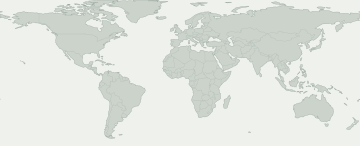
색칠된 지역을 선택하면 펌웨어 기록을 볼 수 있습니다. 파란색은 국가별 기록이 아닌 유럽이나 코카서스 같은 넓은 시장을 나타냅니다.
이 선택에 맞는 지도상의 펌웨어 지역이 없습니다. 정확한 기록은 CSC 기록에서 확인하세요.
일부 펌웨어 지역은 지도에서 위치를 특정할 수 없습니다. 해당 기록은 표에서 볼 수 있습니다.
모델과 펌웨어 지역
Galaxy 제품을 열어 정확한 모델 코드를 비교하세요. 코드 아래에는 이 버전의 펌웨어 기록이 있는 시장이 표시됩니다. 내 모델 코드는 휴대전화 정보에서 확인할 수 있습니다.
Galaxy 제품 22개 · 정확한 모델 44개 · 펌웨어 지역 71개
출처에 기록된 빌드추적기 관측
숫자는 각 펌웨어 지역에 기록이 있는 정확한 모델 수입니다. 제품을 열어 모델과 출처를 확인하세요.
출처에서 확인된 기록이 내 휴대전화의 업데이트 가능 여부를 보장하지는 않습니다. 기기의 설정 → 소프트웨어 업데이트에서 확인하세요.
내 갤럭시 확인
내 갤럭시에 대해 무엇을 알 수 있나요?
현재 위치가 아닌 정확한 모델과 펌웨어 CSC를 선택하세요.
이 릴리스를 확인할 기기를 선택하세요.
배포 변화
기록된 배포 활동
각 모델/지역 조합의 최초 확인 기록입니다. 변경 없는 반복 확인은 합계에 포함하지 않습니다.
- 4
- 5
- 1
- 3
- 1
- 1
- 2
- 1
- 4
- 1
- 1
- 1
모델별 확인 현황
펌웨어 기록이 있는 갤럭시 기종
기종을 펼치면 정확한 모델, CSC, 최초 빌드, 기록 날짜와 출처를 볼 수 있습니다.
Galaxy A213 모델/지역 조합
Galaxy A313 모델/지역 조합
Galaxy A5039 모델/지역 조합
SM-A505G / ALE
A505GUBU5BTL1빌드 게시 날짜SM-A505G / ANCA505GUBU5BTL1빌드 게시 날짜SM-A505G / BATA505GUBU5BTL1빌드 게시 날짜SM-A505G / BVOA505GUBU5BTL1빌드 게시 날짜SM-A505G / BVTA505GUBU5BTL1빌드 게시 날짜SM-A505G / CGUA505GUBU5BTL1빌드 게시 날짜SM-A505G / CHEA505GUBU5BTL1빌드 게시 날짜SM-A505G / CHOA505GUBU5BTL1빌드 게시 날짜SM-A505G / CHTA505GUBU5BTL1빌드 게시 날짜SM-A505G / CHVA505GUBU5BTL1빌드 게시 날짜SM-A505G / CHXA505GUBU5BTL1빌드 게시 날짜SM-A505G / COBA505GUBU5BTL1빌드 게시 날짜SM-A505G / COOA505GUBU5BTL1빌드 게시 날짜SM-A505G / DORA505GUBU5BTL1빌드 게시 날짜SM-A505G / EONA505GUBU5BTL1빌드 게시 날짜SM-A505G / ICEA505GUBU5BTL1빌드 게시 날짜SM-A505G / IUSA505GUBU5BTL1빌드 게시 날짜SM-A505G / JDIA505GUBU5BTL1빌드 게시 날짜SM-A505G / MXOA505GUBU5BTL1빌드 게시 날짜SM-A505G / NBSA505GUBU5BTL1빌드 게시 날짜SM-A505G / PCWA505GUBU5BTL1빌드 게시 날짜SM-A505G / PNTA505GUBU5BTL1빌드 게시 날짜SM-A505G / PSNA505GUBU5BTL1빌드 게시 날짜SM-A505G / PSPA505GUBU5BTL1빌드 게시 날짜SM-A505G / SAMA505GUBU5BTL1빌드 게시 날짜SM-A505G / TGPA505GUBU5BTL1빌드 게시 날짜SM-A505G / TGUA505GUBU5BTL1빌드 게시 날짜SM-A505G / TMMA505GUBU5BTL1빌드 게시 날짜SM-A505G / TPAA505GUBU5BTL1빌드 게시 날짜SM-A505G / TTTA505GUBU5BTL1빌드 게시 날짜SM-A505G / UFUA505GUBU5BTL1빌드 게시 날짜SM-A505G / UPOA505GUBU5BTL1빌드 게시 날짜SM-A505G / UYOA505GUBU5BTL1빌드 게시 날짜SM-A505GT / ZTAA505GTUBU5BTL1빌드 게시 날짜SM-A505GT / ZTMA505GTUBU5BTL1빌드 게시 날짜SM-A505GT / ZTOA505GTUBU5BTL1빌드 게시 날짜SM-A505GT / ZTRA505GTUBU5BTL1빌드 게시 날짜SM-A505N / KTCA505NKSU5CTL1빌드 게시 날짜SM-A505N / LUCA505NKSU5CTL1빌드 게시 날짜확인 기록 보기 →Galaxy A51 5G4 모델/지역 조합
Galaxy A71 5G1 모델/지역 조합
Galaxy A90 5G2 모델/지역 조합
Galaxy Fold3 모델/지역 조합
Galaxy Note1025 모델/지역 조합
SM-N9700 / BRI
N9700ZSU3DTI1빌드 게시 날짜SM-N9700 / TGYN9700ZSU3DTI1빌드 게시 날짜SM-N970U / CCTN970USQU4DTH7빌드 게시 날짜SM-N970U / CHAN970USQU4DTH7빌드 게시 날짜SM-N970U / USCN970USQU4DTH7빌드 게시 날짜SM-N970U1 / ACGN970U1UEU4DTH7빌드 게시 날짜SM-N970U1 / ATTN970U1UEU4DTH7빌드 게시 날짜SM-N970U1 / CCTN970U1UEU4DTH7빌드 게시 날짜SM-N970U1 / LRAN970U1UEU4DTH7빌드 게시 날짜SM-N970U1 / SPRN970U1UEU4DTH7빌드 게시 날짜SM-N970U1 / TMKN970U1UEU4DTH7빌드 게시 날짜SM-N970U1 / USCN970U1UEU4DTH7빌드 게시 날짜SM-N970U1 / VZWN970U1UEU4DTH7빌드 게시 날짜SM-N970U1 / XAAN970U1UEU4DTH7빌드 게시 날짜SM-N970U1 / XAGN970U1UEU4DTH7빌드 게시 날짜SM-N970U1 / XARN970U1UEU4DTH7빌드 게시 날짜SM-N970W / BMCN970WVLU4DTH7빌드 게시 날짜SM-N970W / BWAN970WVLU4DTH7빌드 게시 날짜SM-N970W / ESKN970WVLU4DTH7빌드 게시 날짜SM-N970W / FMCN970WVLU4DTH7빌드 게시 날짜SM-N970W / GLWN970WVLU4DTH7빌드 게시 날짜SM-N970W / KDON970WVLU4DTH7빌드 게시 날짜SM-N970W / TLSN970WVLU4DTH7빌드 게시 날짜SM-N970W / VTRN970WVLU4DTH7빌드 게시 날짜SM-N970W / XACN970WVLU4DTH7빌드 게시 날짜확인 기록 보기 →Galaxy Note10 5G3 모델/지역 조합
Galaxy Note10+23 모델/지역 조합
SM-N9750 / BRI
N9750ZSU3DTI1빌드 게시 날짜SM-N9750 / TGYN9750ZSU3DTI1빌드 게시 날짜SM-N975U / CCTN975USQU4DTH7빌드 게시 날짜SM-N975U / CHAN975USQU4DTH7빌드 게시 날짜SM-N975U / USCN975USQU4DTH7빌드 게시 날짜SM-N975U1 / ACGN975U1UEU4DTH7빌드 게시 날짜SM-N975U1 / AION975U1UEU4DTH7빌드 게시 날짜SM-N975U1 / ATTN975U1UEU4DTH7빌드 게시 날짜SM-N975U1 / LRAN975U1UEU4DTH7빌드 게시 날짜SM-N975U1 / SPRN975U1UEU4DTH7빌드 게시 날짜SM-N975U1 / TMKN975U1UEU4DTH7빌드 게시 날짜SM-N975U1 / USCN975U1UEU4DTH7빌드 게시 날짜SM-N975U1 / VZWN975U1UEU4DTH7빌드 게시 날짜SM-N975U1 / XAAN975U1UEU4DTH7빌드 게시 날짜SM-N975U1 / XARN975U1UEU4DTH7빌드 게시 날짜SM-N975W / BMCN975WVLU4DTH7빌드 게시 날짜SM-N975W / CHRN975WVLU4DTH7빌드 게시 날짜SM-N975W / ESKN975WVLU4DTH7빌드 게시 날짜SM-N975W / FMCN975WVLU4DTH7빌드 게시 날짜SM-N975W / GLWN975WVLU4DTH7빌드 게시 날짜SM-N975W / KDON975WVLU4DTH7빌드 게시 날짜SM-N975W / RWCN975WVLU4DTH7빌드 게시 날짜SM-N975W / XACN975WVLU4DTH7빌드 게시 날짜확인 기록 보기 →Galaxy Note10+ 5G6 모델/지역 조합
Galaxy Note93 모델/지역 조합
Galaxy S1028 모델/지역 조합
SM-G973N / KTC
G973NKSU5DTH7빌드 게시 날짜SM-G973N / LUCG973NKSU5DTH7빌드 게시 날짜SM-G973N / SKCG973NKSU5DTH7빌드 게시 날짜SM-G973U / CCTG973USQU4ETH7빌드 게시 날짜SM-G973U / CHAG973USQU4ETH7빌드 게시 날짜SM-G973U / SPRG973USQU4ETH7빌드 게시 날짜SM-G973U / USCG973USQU4ETH7빌드 게시 날짜SM-G973U1 / ACGG973U1UEU4ETH8빌드 게시 날짜SM-G973U1 / AIOG973U1UEU4ETH8빌드 게시 날짜SM-G973U1 / LRAG973U1UEU4ETH8빌드 게시 날짜SM-G973U1 / SPRG973U1UEU4ETH8빌드 게시 날짜SM-G973U1 / TMBG973U1UES4ETJ1빌드 게시 날짜SM-G973U1 / TMKG973U1UES4ETJ1빌드 게시 날짜SM-G973U1 / USCG973U1UEU4ETH8빌드 게시 날짜SM-G973U1 / XAGG973U1UEU4ETH8빌드 게시 날짜SM-G973U1 / XARG973U1UEU4ETH8빌드 게시 날짜SM-G973W / BMCG973WVLU4ETH7빌드 게시 날짜SM-G973W / BWAG973WVLU4ETH7빌드 게시 날짜SM-G973W / CHRG973WVLU4ETH7빌드 게시 날짜SM-G973W / ESKG973WVLU4ETH7빌드 게시 날짜SM-G973W / FMCG973WVLU4ETH7빌드 게시 날짜SM-G973W / KDOG973WVLU4ETH7빌드 게시 날짜SM-G973W / MTBG973WVLU4ETH7빌드 게시 날짜SM-G973W / RWCG973WVLU4ETH7빌드 게시 날짜SM-G973W / TLSG973WVLU4ETH7빌드 게시 날짜SM-G973W / VMCG973WVLU4ETH7빌드 게시 날짜SM-G973W / VTRG973WVLU4ETH7빌드 게시 날짜SM-G973W / XACG973WVLU4ETH7빌드 게시 날짜확인 기록 보기 →Galaxy S10 5G5 모델/지역 조합
Galaxy S10+30 모델/지역 조합
SM-G975N / KTC
G975NKSU5DTH7빌드 게시 날짜SM-G975N / LUCG975NKSU5DTH7빌드 게시 날짜SM-G975N / SKCG975NKSU5DTH7빌드 게시 날짜SM-G975U / CCTG975USQU4ETH7빌드 게시 날짜SM-G975U / CHAG975USQU4ETH7빌드 게시 날짜SM-G975U / TMBG975USQU4ETH7빌드 게시 날짜SM-G975U / TMKG975USQU4ETH7빌드 게시 날짜SM-G975U / USCG975USQU4ETH7빌드 게시 날짜SM-G975U1 / ACGG975U1UEU4ETH8빌드 게시 날짜SM-G975U1 / AIOG975U1UEU4ETH8빌드 게시 날짜SM-G975U1 / ATTG975U1UEU4ETH8빌드 게시 날짜SM-G975U1 / CCTG975U1UEU4ETH8빌드 게시 날짜SM-G975U1 / CHAG975U1UEU4ETH8빌드 게시 날짜SM-G975U1 / SPRG975U1UEU4ETH8빌드 게시 날짜SM-G975U1 / TMBG975U1UES4ETJ1빌드 게시 날짜SM-G975U1 / USCG975U1UEU4ETH8빌드 게시 날짜SM-G975U1 / XAAG975U1UEU4ETH8빌드 게시 날짜SM-G975U1 / XAGG975U1UEU4ETH8빌드 게시 날짜SM-G975U1 / XARG975U1UEU4ETH8빌드 게시 날짜SM-G975W / BMCG975WVLU4ETH7빌드 게시 날짜SM-G975W / BWAG975WVLU4ETH7빌드 게시 날짜SM-G975W / CHRG975WVLU4ETH7빌드 게시 날짜SM-G975W / ESKG975WVLU4ETH7빌드 게시 날짜SM-G975W / FMCG975WVLU4ETH7빌드 게시 날짜SM-G975W / GLWG975WVLU4ETH7빌드 게시 날짜SM-G975W / KDOG975WVLU4ETH7빌드 게시 날짜SM-G975W / TLSG975WVLU4ETH7빌드 게시 날짜SM-G975W / VMCG975WVLU4ETH7빌드 게시 날짜SM-G975W / VTRG975WVLU4ETH7빌드 게시 날짜SM-G975W / XACG975WVLU4ETH7빌드 게시 날짜확인 기록 보기 →Galaxy S10e28 모델/지역 조합
SM-G970N / KTC
G970NKSU5DTH7빌드 게시 날짜SM-G970N / LUCG970NKSU5DTH7빌드 게시 날짜SM-G970U / CCTG970USQU4ETH7빌드 게시 날짜SM-G970U / CHAG970USQU4ETH7빌드 게시 날짜SM-G970U / TMBG970USQU4ETH7빌드 게시 날짜SM-G970U / USCG970USQU4ETH7빌드 게시 날짜SM-G970U1 / ACGG970U1UEU4ETH8빌드 게시 날짜SM-G970U1 / CHAG970U1UEU4ETH8빌드 게시 날짜SM-G970U1 / LRAG970U1UEU4ETH8빌드 게시 날짜SM-G970U1 / SPRG970U1UEU4ETH8빌드 게시 날짜SM-G970U1 / TMBG970U1UES4ETJ1빌드 게시 날짜SM-G970U1 / TMKG970U1UES4ETJ1빌드 게시 날짜SM-G970U1 / USCG970U1UEU4ETH8빌드 게시 날짜SM-G970U1 / VZWG970U1UEU4ETH8빌드 게시 날짜SM-G970U1 / XAAG970U1UEU4ETH8빌드 게시 날짜SM-G970U1 / XAGG970U1UEU4ETH8빌드 게시 날짜SM-G970U1 / XARG970U1UEU4ETH8빌드 게시 날짜SM-G970W / BMCG970WVLU4ETH7빌드 게시 날짜SM-G970W / BWAG970WVLU4ETH7빌드 게시 날짜SM-G970W / CHRG970WVLU4ETH7빌드 게시 날짜SM-G970W / ESKG970WVLU4ETH7빌드 게시 날짜SM-G970W / FMCG970WVLU4ETH7빌드 게시 날짜SM-G970W / GLWG970WVLU4ETH7빌드 게시 날짜SM-G970W / KDOG970WVLU4ETH7빌드 게시 날짜SM-G970W / MTBG970WVLU4ETH7빌드 게시 날짜SM-G970W / TLSG970WVLU4ETH7빌드 게시 날짜SM-G970W / VTRG970WVLU4ETH7빌드 게시 날짜SM-G970W / XACG970WVLU4ETH7빌드 게시 날짜확인 기록 보기 →Galaxy S20 5G2 모델/지역 조합
Galaxy S20 Ultra2 모델/지역 조합
Galaxy S20+ 5G3 모델/지역 조합
Galaxy S93 모델/지역 조합
Galaxy S9+2 모델/지역 조합
Galaxy Z Flip1 모델/지역 조합
공식 일정
공식 일정
삼성 발표는 추적 기록과 별도로 표시합니다. 발표의 적용 범위와 배포 유형을 확인하세요.
검증된 공식 일정 기록이 없습니다.
검증된 출처 메타데이터
검증된 출처 메타데이터
이 버전의 승인된 빌드 기록이며, 각각 정확한 모델, 펌웨어 지역 및 출처와 연결됩니다.
Galaxy Note10 · SM-N970W / FMC
N970WVLU4DTH7이 정확한 모델과 펌웨어 지역의 빌드 기록입니다.
검증된 출처 메타데이터 →근거 ↗출처의 릴리스 노트
Samsung DeX - Wireless DeX connection support. . Wireless connection with TVs through Wi-Fi Direct (compatible with Miracast). * Quick panel - DeX . Usage of Samsung Smart TVs released after 2019 is recommended. - Screen Zoom and Font Size options are supported to allow customization in various display sizes. Wi-Fi - If quality information on nearby Wi-Fi routers can be measured, this information will appear as Very Fast, Fast, Normal, or Slow. * This feature can be turned on or off in "Network Quality Information Display" settings. - When attempting to access a Wi-Fi router with a password, a newly added feature now allows the user to request the password of the Wi-Fi router from someone nearby who is saved in their contact list and has already connected to that router. * The "Request Password" button will appear on the Wi-Fi password input screen when you can request a password. Always On Display - Bitmoji Stickers are supported on Always On Display. (Clock style) Samsung keyboard - A new feature has been added to the keyboard search feature that allows the user to search YouTube. - Split Keyboard is supported on Landscape mode. - The search function of the "Manage Input Languages" screen in the Keyboard Settings page has been newly updated to make it easy to find keyboard input languages that the user wishes to add or delete. Camera - The Pro Video feature has been enhanced. Messages - A feature has been added that allows the user to call a person who is saved as a pre-configured SOS message contact. - A feature has been added that allows the user to send SOS location-sharing messages every 30 minutes for 24 hours. Samsung Note - Importing PDF files is supported. - Adding handwriting over text is possible. - Dividing by pages and searching by page number are supported. The security of your device has been improved. The following functions have been deleted : MirrorLink ※ Since an error may occur in the Samsung Pass app after the One UI 2.5 update, please be sure to update Samsung Pass app to the latest version before installing the One UI 2.5 update. It is possible to check whether Samsung Pass is the latest version and update to the latest version in the Samsung Pass App. [ Settings > Biometrics and security > Samsung Pass ]
Galaxy Note10+ · SM-N975W / ESK
N975WVLU4DTH7이 정확한 모델과 펌웨어 지역의 빌드 기록입니다.
검증된 출처 메타데이터 →근거 ↗출처의 릴리스 노트
Samsung DeX - Wireless DeX connection support. . Wireless connection with TVs through Wi-Fi Direct (compatible with Miracast). * Quick panel - DeX . Usage of Samsung Smart TVs released after 2019 is recommended. - Screen Zoom and Font Size options are supported to allow customization in various display sizes. Wi-Fi - If quality information on nearby Wi-Fi routers can be measured, this information will appear as Very Fast, Fast, Normal, or Slow. * This feature can be turned on or off in "Network Quality Information Display" settings. - When attempting to access a Wi-Fi router with a password, a newly added feature now allows the user to request the password of the Wi-Fi router from someone nearby who is saved in their contact list and has already connected to that router. * The "Request Password" button will appear on the Wi-Fi password input screen when you can request a password. Always On Display - Bitmoji Stickers are supported on Always On Display. (Clock style) Samsung keyboard - A new feature has been added to the keyboard search feature that allows the user to search YouTube. - Split Keyboard is supported on Landscape mode. - The search function of the "Manage Input Languages" screen in the Keyboard Settings page has been newly updated to make it easy to find keyboard input languages that the user wishes to add or delete. Camera - The Pro Video feature has been enhanced. Messages - A feature has been added that allows the user to call a person who is saved as a pre-configured SOS message contact. - A feature has been added that allows the user to send SOS location-sharing messages every 30 minutes for 24 hours. Samsung Note - Importing PDF files is supported. - Adding handwriting over text is possible. - Dividing by pages and searching by page number are supported. The security of your device has been improved. The following functions have been deleted : MirrorLink ※ Since an error may occur in the Samsung Pass app after the One UI 2.5 update, please be sure to update Samsung Pass app to the latest version before installing the One UI 2.5 update. It is possible to check whether Samsung Pass is the latest version and update to the latest version in the Samsung Pass App. [ Settings > Biometrics and security > Samsung Pass ]
Galaxy Note10+ · SM-N975U1 / VZW
N975U1UEU4DTH7이 정확한 모델과 펌웨어 지역의 빌드 기록입니다.
검증된 출처 메타데이터 →근거 ↗출처의 릴리스 노트
Samsung DeX - Wireless DeX connection support. . Wireless connection with TVs through Wi-Fi Direct (compatible with Miracast). * Quick panel - DeX . Usage of Samsung Smart TVs released after 2019 is recommended. - Screen Zoom and Font Size options are supported to allow customization in various display sizes. Wi-Fi - If quality information on nearby Wi-Fi routers can be measured, this information will appear as Very Fast, Fast, Normal, or Slow. * This feature can be turned on or off in "Network Quality Information Display" settings. - When attempting to access a Wi-Fi router with a password, a newly added feature now allows the user to request the password of the Wi-Fi router from someone nearby who is saved in their contact list and has already connected to that router. * The "Request Password" button will appear on the Wi-Fi password input screen when you can request a password. Always On Display - Bitmoji Stickers are supported on Always On Display. (Clock style) Samsung keyboard - A new feature has been added to the keyboard search feature that allows the user to search YouTube. - Split Keyboard is supported on Landscape mode. - The search function of the "Manage Input Languages" screen in the Keyboard Settings page has been newly updated to make it easy to find keyboard input languages that the user wishes to add or delete. Camera - The Pro Video feature has been enhanced. Messages - A feature has been added that allows the user to call a person who is saved as a pre-configured SOS message contact. - A feature has been added that allows the user to send SOS location-sharing messages every 30 minutes for 24 hours. Samsung Note - Importing PDF files is supported. - Adding handwriting over text is possible. - Dividing by pages and searching by page number are supported. The security of your device has been improved. The following functions have been deleted : MirrorLink ※ Since an error may occur in the Samsung Pass app after the One UI 2.5 update, please be sure to update Samsung Pass app to the latest version before installing the One UI 2.5 update. It is possible to check whether Samsung Pass is the latest version and update to the latest version in the Samsung Pass App. [ Settings > Biometrics and security > Samsung Pass ]
Galaxy S10 · SM-G973U1 / XAG
G973U1UEU4ETH8이 정확한 모델과 펌웨어 지역의 빌드 기록입니다.
검증된 출처 메타데이터 →근거 ↗출처의 릴리스 노트
Samsung DeX - Wireless DeX connection support. . Wireless connection with TVs through Wi-Fi Direct (compatible with Miracast). * Quick panel - DeX . Usage of Samsung Smart TVs released after 2019 is recommended. - Screen Zoom and Font Size options are supported to allow customization in various display sizes. Wi-Fi - If quality information on nearby Wi-Fi routers can be measured, this information will appear as Very Fast, Fast, Normal, or Slow. * This feature can be turned on or off in "Network Quality Information Display" settings. - When attempting to access a Wi-Fi router with a password, a newly added feature now allows the user to request the password of the Wi-Fi router from someone nearby who is saved in their contact list and has already connected to that router. * The "Request Password" button will appear on the Wi-Fi password input screen when you can request a password. Always On Display - Bitmoji Stickers are supported on Always On Display. (Clock style) Samsung keyboard - A new feature has been added to the keyboard search feature that allows the user to search YouTube. - Split Keyboard is supported on Landscape mode. - The search function of the "Manage Input Languages" screen in the Keyboard Settings page has been newly updated to make it easy to find keyboard input languages that the user wishes to add or delete. Camera - The Pro Video feature has been enhanced. Messages - A feature has been added that allows the user to call a person who is saved as a pre-configured SOS message contact. - A feature has been added that allows the user to send SOS location-sharing messages every 30 minutes for 24 hours. ※ Since an error may occur in the Samsung Pass app after the One UI 2.5 update, please be sure to update Samsung Pass app to the latest version before installing the One UI 2.5 update. It is possible to check whether Samsung Pass is the latest version and update to the latest version in the Samsung Pass App. [ Settings > Biometrics and security > Samsung Pass ]
Galaxy A51 5G · SM-A516N / KTC
A516NKSU3BTJ1이 정확한 모델과 펌웨어 지역의 빌드 기록입니다.
검증된 출처 메타데이터 →근거 ↗출처의 릴리스 노트
• 단말 동작 관련 안정화 코드 적용 • 단말 보안 관련 안정화 코드 적용 ※ 업데이트 완료시 보안 정책이 강화되어 보안이 낮은 이전 소프트웨어 버전으로 다운그레이드 할 수 없습니다. • One UI 2.5 적용 및 다양한 새로운 기능 제공
Galaxy S10e · SM-G970U1 / TMK
G970U1UES4ETJ1이 정확한 모델과 펌웨어 지역의 빌드 기록입니다.
검증된 출처 메타데이터 →근거 ↗출처의 릴리스 노트
Samsung DeX - Wireless DeX connection support. . Wireless connection with TVs through Wi-Fi Direct (compatible with Miracast). * Quick panel - DeX . Usage of Samsung Smart TVs released after 2019 is recommended. - Screen Zoom and Font Size options are supported to allow customization in various display sizes. Wi-Fi - If quality information on nearby Wi-Fi routers can be measured, this information will appear as Very Fast, Fast, Normal, or Slow. * This feature can be turned on or off in "Network Quality Information Display" settings. - When attempting to access a Wi-Fi router with a password, a newly added feature now allows the user to request the password of the Wi-Fi router from someone nearby who is saved in their contact list and has already connected to that router. * The "Request Password" button will appear on the Wi-Fi password input screen when you can request a password. Always On Display - Bitmoji Stickers are supported on Always On Display. (Clock style) Samsung keyboard - A new feature has been added to the keyboard search feature that allows the user to search YouTube. - Split Keyboard is supported on Landscape mode. - The search function of the "Manage Input Languages" screen in the Keyboard Settings page has been newly updated to make it easy to find keyboard input languages that the user wishes to add or delete. Camera - The Pro Video feature has been enhanced. Messages - A feature has been added that allows the user to call a person who is saved as a pre-configured SOS message contact. - A feature has been added that allows the user to send SOS location-sharing messages every 30 minutes for 24 hours. ※ Since an error may occur in the Samsung Pass app after the One UI 2.5 update, please be sure to update Samsung Pass app to the latest version before installing the One UI 2.5 update. It is possible to check whether Samsung Pass is the latest version and update to the latest version in the Samsung Pass App. [ Settings > Biometrics and security > Samsung Pass ]
Galaxy A50 · SM-A505G / ANC
A505GUBU5BTL1이 정확한 모델과 펌웨어 지역의 빌드 기록입니다.
검증된 출처 메타데이터 →근거 ↗출처의 릴리스 노트
Samsung DeX - Wireless DeX connection support. . Wireless connection with TVs through Wi-Fi Direct (compatible with Miracast). * Quick panel - DeX . Usage of Samsung Smart TVs released after 2019 is recommended. - Screen Zoom and Font Size options are supported to allow customization in various display sizes. Wi-Fi - If quality information on nearby Wi-Fi routers can be measured, this information will appear as Very Fast, Fast, Normal, or Slow. * This feature can be turned on or off in "Network Quality Information Display" settings. - When attempting to access a Wi-Fi router with a password, a newly added feature now allows the user to request the password of the Wi-Fi router from someone nearby who is saved in their contact list and has already connected to that router. * The "Request Password" button will appear on the Wi-Fi password input screen when you can request a password. Always On Display - Bitmoji Stickers are supported on Always On Display. (Clock style) Samsung keyboard - A new feature has been added to the keyboard search feature that allows the user to search YouTube. - Split Keyboard is supported on Landscape mode. - The search function of the "Manage Input Languages" screen in the Keyboard Settings page has been newly updated to make it easy to find keyboard input languages that the user wishes to add or delete. Camera - The Pro Video feature has been enhanced. Messages - A feature has been added that allows the user to call a person who is saved as a pre-configured SOS message contact. - A feature has been added that allows the user to send SOS location-sharing messages every 30 minutes for 24 hours. ※ Since an error may occur in the Samsung Pass app after the One UI 2.5 update, please be sure to update Samsung Pass app to the latest version before installing the One UI 2.5 update. It is possible to check whether Samsung Pass is the latest version and update to the latest version in the Samsung Pass App. [ Settings > Biometrics and security > Samsung Pass ]
Galaxy S10 · SM-G973U / SPR
G973USQU4ETH7이 정확한 모델과 펌웨어 지역의 빌드 기록입니다.
검증된 출처 메타데이터 →근거 ↗출처의 릴리스 노트
Samsung DeX - Wireless DeX connection support. . Wireless connection with TVs through Wi-Fi Direct (compatible with Miracast). * Quick panel - DeX . Usage of Samsung Smart TVs released after 2019 is recommended. - Screen Zoom and Font Size options are supported to allow customization in various display sizes. Wi-Fi - If quality information on nearby Wi-Fi routers can be measured, this information will appear as Very Fast, Fast, Normal, or Slow. * This feature can be turned on or off in "Network Quality Information Display" settings. - When attempting to access a Wi-Fi router with a password, a newly added feature now allows the user to request the password of the Wi-Fi router from someone nearby who is saved in their contact list and has already connected to that router. * The "Request Password" button will appear on the Wi-Fi password input screen when you can request a password. Always On Display - Bitmoji Stickers are supported on Always On Display. (Clock style) Samsung keyboard - A new feature has been added to the keyboard search feature that allows the user to search YouTube. - Split Keyboard is supported on Landscape mode. - The search function of the "Manage Input Languages" screen in the Keyboard Settings page has been newly updated to make it easy to find keyboard input languages that the user wishes to add or delete. Camera - The Pro Video feature has been enhanced. Messages - A feature has been added that allows the user to call a person who is saved as a pre-configured SOS message contact. - A feature has been added that allows the user to send SOS location-sharing messages every 30 minutes for 24 hours. ※ Since an error may occur in the Samsung Pass app after the One UI 2.5 update, please be sure to update Samsung Pass app to the latest version before installing the One UI 2.5 update. It is possible to check whether Samsung Pass is the latest version and update to the latest version in the Samsung Pass App. [ Settings > Biometrics and security > Samsung Pass ]
Galaxy A50 · SM-A505G / CHV
A505GUBU5BTL1이 정확한 모델과 펌웨어 지역의 빌드 기록입니다.
검증된 출처 메타데이터 →근거 ↗출처의 릴리스 노트
Samsung DeX - Wireless DeX connection support. . Wireless connection with TVs through Wi-Fi Direct (compatible with Miracast). * Quick panel - DeX . Usage of Samsung Smart TVs released after 2019 is recommended. - Screen Zoom and Font Size options are supported to allow customization in various display sizes. Wi-Fi - If quality information on nearby Wi-Fi routers can be measured, this information will appear as Very Fast, Fast, Normal, or Slow. * This feature can be turned on or off in "Network Quality Information Display" settings. - When attempting to access a Wi-Fi router with a password, a newly added feature now allows the user to request the password of the Wi-Fi router from someone nearby who is saved in their contact list and has already connected to that router. * The "Request Password" button will appear on the Wi-Fi password input screen when you can request a password. Always On Display - Bitmoji Stickers are supported on Always On Display. (Clock style) Samsung keyboard - A new feature has been added to the keyboard search feature that allows the user to search YouTube. - Split Keyboard is supported on Landscape mode. - The search function of the "Manage Input Languages" screen in the Keyboard Settings page has been newly updated to make it easy to find keyboard input languages that the user wishes to add or delete. Camera - The Pro Video feature has been enhanced. Messages - A feature has been added that allows the user to call a person who is saved as a pre-configured SOS message contact. - A feature has been added that allows the user to send SOS location-sharing messages every 30 minutes for 24 hours. ※ Since an error may occur in the Samsung Pass app after the One UI 2.5 update, please be sure to update Samsung Pass app to the latest version before installing the One UI 2.5 update. It is possible to check whether Samsung Pass is the latest version and update to the latest version in the Samsung Pass App. [ Settings > Biometrics and security > Samsung Pass ]
Galaxy A90 5G · SM-A908N / SKC
A908NKSU3CTL3이 정확한 모델과 펌웨어 지역의 빌드 기록입니다.
검증된 출처 메타데이터 →근거 ↗출처의 릴리스 노트
• 단말 동작 관련 안정화 코드 적용 • One UI 2.5 적용 및 다양한 새로운 기능 제공 Samsung DeX - DeX 무선 연결 지원. . Wi-Fi 다이렉트(미라캐스트 호환)를 이용하여 TV와 무선으로 연결. * 빠른 설정창 - DeX . 19년 이후 출시된 삼성 스마트 TV 사용 권장. - 다양한 화면 크기에 맞추어 사용자가 커스터마이즈 할 수 있도록 화면 크기 및 글자 크기 조정 옵션 지원. Always On Display - Always On Display에 Bitmoji 스티커 지원. 삼성 키보드 - 키보드의 검색 기능에 Youtube 검색 기능 추가. - 가로모드에서 분할 키보드 지원. - 키보드 설정의 "입력 언어 관리"화면에 검색 기능을 추가하여, 추가/삭제하려는 언어를 쉽게 찾을 수 있도록 함. 메시지 - 미리 설정된 SOS 메시지 연락처 중 한 명에게 전화를 거는 기능 추가. - SOS 위치 공유 메시지를 24시간 동안 30분마다 보내는 기능 추가
Galaxy Note10+ · SM-N975W / KDO
N975WVLU4DTH7이 정확한 모델과 펌웨어 지역의 빌드 기록입니다.
검증된 출처 메타데이터 →근거 ↗출처의 릴리스 노트
Samsung DeX - Wireless DeX connection support. . Wireless connection with TVs through Wi-Fi Direct (compatible with Miracast). * Quick panel - DeX . Usage of Samsung Smart TVs released after 2019 is recommended. - Screen Zoom and Font Size options are supported to allow customization in various display sizes. Wi-Fi - If quality information on nearby Wi-Fi routers can be measured, this information will appear as Very Fast, Fast, Normal, or Slow. * This feature can be turned on or off in "Network Quality Information Display" settings. - When attempting to access a Wi-Fi router with a password, a newly added feature now allows the user to request the password of the Wi-Fi router from someone nearby who is saved in their contact list and has already connected to that router. * The "Request Password" button will appear on the Wi-Fi password input screen when you can request a password. Always On Display - Bitmoji Stickers are supported on Always On Display. (Clock style) Samsung keyboard - A new feature has been added to the keyboard search feature that allows the user to search YouTube. - Split Keyboard is supported on Landscape mode. - The search function of the "Manage Input Languages" screen in the Keyboard Settings page has been newly updated to make it easy to find keyboard input languages that the user wishes to add or delete. Camera - The Pro Video feature has been enhanced. Messages - A feature has been added that allows the user to call a person who is saved as a pre-configured SOS message contact. - A feature has been added that allows the user to send SOS location-sharing messages every 30 minutes for 24 hours. Samsung Note - Importing PDF files is supported. - Adding handwriting over text is possible. - Dividing by pages and searching by page number are supported. The security of your device has been improved. The following functions have been deleted : MirrorLink ※ Since an error may occur in the Samsung Pass app after the One UI 2.5 update, please be sure to update Samsung Pass app to the latest version before installing the One UI 2.5 update. It is possible to check whether Samsung Pass is the latest version and update to the latest version in the Samsung Pass App. [ Settings > Biometrics and security > Samsung Pass ]
Galaxy S10 · SM-G973U1 / XAR
G973U1UEU4ETH8이 정확한 모델과 펌웨어 지역의 빌드 기록입니다.
검증된 출처 메타데이터 →근거 ↗출처의 릴리스 노트
Samsung DeX - Wireless DeX connection support. . Wireless connection with TVs through Wi-Fi Direct (compatible with Miracast). * Quick panel - DeX . Usage of Samsung Smart TVs released after 2019 is recommended. - Screen Zoom and Font Size options are supported to allow customization in various display sizes. Wi-Fi - If quality information on nearby Wi-Fi routers can be measured, this information will appear as Very Fast, Fast, Normal, or Slow. * This feature can be turned on or off in "Network Quality Information Display" settings. - When attempting to access a Wi-Fi router with a password, a newly added feature now allows the user to request the password of the Wi-Fi router from someone nearby who is saved in their contact list and has already connected to that router. * The "Request Password" button will appear on the Wi-Fi password input screen when you can request a password. Always On Display - Bitmoji Stickers are supported on Always On Display. (Clock style) Samsung keyboard - A new feature has been added to the keyboard search feature that allows the user to search YouTube. - Split Keyboard is supported on Landscape mode. - The search function of the "Manage Input Languages" screen in the Keyboard Settings page has been newly updated to make it easy to find keyboard input languages that the user wishes to add or delete. Camera - The Pro Video feature has been enhanced. Messages - A feature has been added that allows the user to call a person who is saved as a pre-configured SOS message contact. - A feature has been added that allows the user to send SOS location-sharing messages every 30 minutes for 24 hours. ※ Since an error may occur in the Samsung Pass app after the One UI 2.5 update, please be sure to update Samsung Pass app to the latest version before installing the One UI 2.5 update. It is possible to check whether Samsung Pass is the latest version and update to the latest version in the Samsung Pass App. [ Settings > Biometrics and security > Samsung Pass ]
Galaxy S10+ · SM-G975U1 / XAA
G975U1UEU4ETH8이 정확한 모델과 펌웨어 지역의 빌드 기록입니다.
검증된 출처 메타데이터 →근거 ↗출처의 릴리스 노트
Samsung DeX - Wireless DeX connection support. . Wireless connection with TVs through Wi-Fi Direct (compatible with Miracast). * Quick panel - DeX . Usage of Samsung Smart TVs released after 2019 is recommended. - Screen Zoom and Font Size options are supported to allow customization in various display sizes. Wi-Fi - If quality information on nearby Wi-Fi routers can be measured, this information will appear as Very Fast, Fast, Normal, or Slow. * This feature can be turned on or off in "Network Quality Information Display" settings. - When attempting to access a Wi-Fi router with a password, a newly added feature now allows the user to request the password of the Wi-Fi router from someone nearby who is saved in their contact list and has already connected to that router. * The "Request Password" button will appear on the Wi-Fi password input screen when you can request a password. Always On Display - Bitmoji Stickers are supported on Always On Display. (Clock style) Samsung keyboard - A new feature has been added to the keyboard search feature that allows the user to search YouTube. - Split Keyboard is supported on Landscape mode. - The search function of the "Manage Input Languages" screen in the Keyboard Settings page has been newly updated to make it easy to find keyboard input languages that the user wishes to add or delete. Camera - The Pro Video feature has been enhanced. Messages - A feature has been added that allows the user to call a person who is saved as a pre-configured SOS message contact. - A feature has been added that allows the user to send SOS location-sharing messages every 30 minutes for 24 hours. ※ Since an error may occur in the Samsung Pass app after the One UI 2.5 update, please be sure to update Samsung Pass app to the latest version before installing the One UI 2.5 update. It is possible to check whether Samsung Pass is the latest version and update to the latest version in the Samsung Pass App. [ Settings > Biometrics and security > Samsung Pass ]
Galaxy A50 · SM-A505G / CHO
A505GUBU5BTL1이 정확한 모델과 펌웨어 지역의 빌드 기록입니다.
검증된 출처 메타데이터 →근거 ↗출처의 릴리스 노트
Samsung DeX - Wireless DeX connection support. . Wireless connection with TVs through Wi-Fi Direct (compatible with Miracast). * Quick panel - DeX . Usage of Samsung Smart TVs released after 2019 is recommended. - Screen Zoom and Font Size options are supported to allow customization in various display sizes. Wi-Fi - If quality information on nearby Wi-Fi routers can be measured, this information will appear as Very Fast, Fast, Normal, or Slow. * This feature can be turned on or off in "Network Quality Information Display" settings. - When attempting to access a Wi-Fi router with a password, a newly added feature now allows the user to request the password of the Wi-Fi router from someone nearby who is saved in their contact list and has already connected to that router. * The "Request Password" button will appear on the Wi-Fi password input screen when you can request a password. Always On Display - Bitmoji Stickers are supported on Always On Display. (Clock style) Samsung keyboard - A new feature has been added to the keyboard search feature that allows the user to search YouTube. - Split Keyboard is supported on Landscape mode. - The search function of the "Manage Input Languages" screen in the Keyboard Settings page has been newly updated to make it easy to find keyboard input languages that the user wishes to add or delete. Camera - The Pro Video feature has been enhanced. Messages - A feature has been added that allows the user to call a person who is saved as a pre-configured SOS message contact. - A feature has been added that allows the user to send SOS location-sharing messages every 30 minutes for 24 hours. ※ Since an error may occur in the Samsung Pass app after the One UI 2.5 update, please be sure to update Samsung Pass app to the latest version before installing the One UI 2.5 update. It is possible to check whether Samsung Pass is the latest version and update to the latest version in the Samsung Pass App. [ Settings > Biometrics and security > Samsung Pass ]
Galaxy A50 · SM-A505G / BAT
A505GUBU5BTL1이 정확한 모델과 펌웨어 지역의 빌드 기록입니다.
검증된 출처 메타데이터 →근거 ↗출처의 릴리스 노트
Samsung DeX - Wireless DeX connection support. . Wireless connection with TVs through Wi-Fi Direct (compatible with Miracast). * Quick panel - DeX . Usage of Samsung Smart TVs released after 2019 is recommended. - Screen Zoom and Font Size options are supported to allow customization in various display sizes. Wi-Fi - If quality information on nearby Wi-Fi routers can be measured, this information will appear as Very Fast, Fast, Normal, or Slow. * This feature can be turned on or off in "Network Quality Information Display" settings. - When attempting to access a Wi-Fi router with a password, a newly added feature now allows the user to request the password of the Wi-Fi router from someone nearby who is saved in their contact list and has already connected to that router. * The "Request Password" button will appear on the Wi-Fi password input screen when you can request a password. Always On Display - Bitmoji Stickers are supported on Always On Display. (Clock style) Samsung keyboard - A new feature has been added to the keyboard search feature that allows the user to search YouTube. - Split Keyboard is supported on Landscape mode. - The search function of the "Manage Input Languages" screen in the Keyboard Settings page has been newly updated to make it easy to find keyboard input languages that the user wishes to add or delete. Camera - The Pro Video feature has been enhanced. Messages - A feature has been added that allows the user to call a person who is saved as a pre-configured SOS message contact. - A feature has been added that allows the user to send SOS location-sharing messages every 30 minutes for 24 hours. ※ Since an error may occur in the Samsung Pass app after the One UI 2.5 update, please be sure to update Samsung Pass app to the latest version before installing the One UI 2.5 update. It is possible to check whether Samsung Pass is the latest version and update to the latest version in the Samsung Pass App. [ Settings > Biometrics and security > Samsung Pass ]
Galaxy Note10 · SM-N970W / XAC
N970WVLU4DTH7이 정확한 모델과 펌웨어 지역의 빌드 기록입니다.
검증된 출처 메타데이터 →근거 ↗출처의 릴리스 노트
Samsung DeX - Wireless DeX connection support. . Wireless connection with TVs through Wi-Fi Direct (compatible with Miracast). * Quick panel - DeX . Usage of Samsung Smart TVs released after 2019 is recommended. - Screen Zoom and Font Size options are supported to allow customization in various display sizes. Wi-Fi - If quality information on nearby Wi-Fi routers can be measured, this information will appear as Very Fast, Fast, Normal, or Slow. * This feature can be turned on or off in "Network Quality Information Display" settings. - When attempting to access a Wi-Fi router with a password, a newly added feature now allows the user to request the password of the Wi-Fi router from someone nearby who is saved in their contact list and has already connected to that router. * The "Request Password" button will appear on the Wi-Fi password input screen when you can request a password. Always On Display - Bitmoji Stickers are supported on Always On Display. (Clock style) Samsung keyboard - A new feature has been added to the keyboard search feature that allows the user to search YouTube. - Split Keyboard is supported on Landscape mode. - The search function of the "Manage Input Languages" screen in the Keyboard Settings page has been newly updated to make it easy to find keyboard input languages that the user wishes to add or delete. Camera - The Pro Video feature has been enhanced. Messages - A feature has been added that allows the user to call a person who is saved as a pre-configured SOS message contact. - A feature has been added that allows the user to send SOS location-sharing messages every 30 minutes for 24 hours. Samsung Note - Importing PDF files is supported. - Adding handwriting over text is possible. - Dividing by pages and searching by page number are supported. The security of your device has been improved. The following functions have been deleted : MirrorLink ※ Since an error may occur in the Samsung Pass app after the One UI 2.5 update, please be sure to update Samsung Pass app to the latest version before installing the One UI 2.5 update. It is possible to check whether Samsung Pass is the latest version and update to the latest version in the Samsung Pass App. [ Settings > Biometrics and security > Samsung Pass ]
Galaxy A31 · SM-A315N / SKC
A315NKSU1BTK2이 정확한 모델과 펌웨어 지역의 빌드 기록입니다.
검증된 출처 메타데이터 →근거 ↗출처의 릴리스 노트
• One UI 2.5 적용 및 다양한 새로운 기능 제공 • 단말 동작 관련 안정화 코드 적용 • 단말 보안 관련 안정화 코드 적용
Galaxy S10e · SM-G970W / FMC
G970WVLU4ETH7이 정확한 모델과 펌웨어 지역의 빌드 기록입니다.
검증된 출처 메타데이터 →근거 ↗출처의 릴리스 노트
Samsung DeX - Wireless DeX connection support. . Wireless connection with TVs through Wi-Fi Direct (compatible with Miracast). * Quick panel - DeX . Usage of Samsung Smart TVs released after 2019 is recommended. - Screen Zoom and Font Size options are supported to allow customization in various display sizes. Wi-Fi - If quality information on nearby Wi-Fi routers can be measured, this information will appear as Very Fast, Fast, Normal, or Slow. * This feature can be turned on or off in "Network Quality Information Display" settings. - When attempting to access a Wi-Fi router with a password, a newly added feature now allows the user to request the password of the Wi-Fi router from someone nearby who is saved in their contact list and has already connected to that router. * The "Request Password" button will appear on the Wi-Fi password input screen when you can request a password. Always On Display - Bitmoji Stickers are supported on Always On Display. (Clock style) Samsung keyboard - A new feature has been added to the keyboard search feature that allows the user to search YouTube. - Split Keyboard is supported on Landscape mode. - The search function of the "Manage Input Languages" screen in the Keyboard Settings page has been newly updated to make it easy to find keyboard input languages that the user wishes to add or delete. Camera - The Pro Video feature has been enhanced. Messages - A feature has been added that allows the user to call a person who is saved as a pre-configured SOS message contact. - A feature has been added that allows the user to send SOS location-sharing messages every 30 minutes for 24 hours. ※ Since an error may occur in the Samsung Pass app after the One UI 2.5 update, please be sure to update Samsung Pass app to the latest version before installing the One UI 2.5 update. It is possible to check whether Samsung Pass is the latest version and update to the latest version in the Samsung Pass App. [ Settings > Biometrics and security > Samsung Pass ]
Galaxy A50 · SM-A505G / UPO
A505GUBU5BTL1이 정확한 모델과 펌웨어 지역의 빌드 기록입니다.
검증된 출처 메타데이터 →근거 ↗출처의 릴리스 노트
Samsung DeX - Wireless DeX connection support. . Wireless connection with TVs through Wi-Fi Direct (compatible with Miracast). * Quick panel - DeX . Usage of Samsung Smart TVs released after 2019 is recommended. - Screen Zoom and Font Size options are supported to allow customization in various display sizes. Wi-Fi - If quality information on nearby Wi-Fi routers can be measured, this information will appear as Very Fast, Fast, Normal, or Slow. * This feature can be turned on or off in "Network Quality Information Display" settings. - When attempting to access a Wi-Fi router with a password, a newly added feature now allows the user to request the password of the Wi-Fi router from someone nearby who is saved in their contact list and has already connected to that router. * The "Request Password" button will appear on the Wi-Fi password input screen when you can request a password. Always On Display - Bitmoji Stickers are supported on Always On Display. (Clock style) Samsung keyboard - A new feature has been added to the keyboard search feature that allows the user to search YouTube. - Split Keyboard is supported on Landscape mode. - The search function of the "Manage Input Languages" screen in the Keyboard Settings page has been newly updated to make it easy to find keyboard input languages that the user wishes to add or delete. Camera - The Pro Video feature has been enhanced. Messages - A feature has been added that allows the user to call a person who is saved as a pre-configured SOS message contact. - A feature has been added that allows the user to send SOS location-sharing messages every 30 minutes for 24 hours. ※ Since an error may occur in the Samsung Pass app after the One UI 2.5 update, please be sure to update Samsung Pass app to the latest version before installing the One UI 2.5 update. It is possible to check whether Samsung Pass is the latest version and update to the latest version in the Samsung Pass App. [ Settings > Biometrics and security > Samsung Pass ]
Galaxy A50 · SM-A505G / TTT
A505GUBU5BTL1이 정확한 모델과 펌웨어 지역의 빌드 기록입니다.
검증된 출처 메타데이터 →근거 ↗출처의 릴리스 노트
Samsung DeX - Wireless DeX connection support. . Wireless connection with TVs through Wi-Fi Direct (compatible with Miracast). * Quick panel - DeX . Usage of Samsung Smart TVs released after 2019 is recommended. - Screen Zoom and Font Size options are supported to allow customization in various display sizes. Wi-Fi - If quality information on nearby Wi-Fi routers can be measured, this information will appear as Very Fast, Fast, Normal, or Slow. * This feature can be turned on or off in "Network Quality Information Display" settings. - When attempting to access a Wi-Fi router with a password, a newly added feature now allows the user to request the password of the Wi-Fi router from someone nearby who is saved in their contact list and has already connected to that router. * The "Request Password" button will appear on the Wi-Fi password input screen when you can request a password. Always On Display - Bitmoji Stickers are supported on Always On Display. (Clock style) Samsung keyboard - A new feature has been added to the keyboard search feature that allows the user to search YouTube. - Split Keyboard is supported on Landscape mode. - The search function of the "Manage Input Languages" screen in the Keyboard Settings page has been newly updated to make it easy to find keyboard input languages that the user wishes to add or delete. Camera - The Pro Video feature has been enhanced. Messages - A feature has been added that allows the user to call a person who is saved as a pre-configured SOS message contact. - A feature has been added that allows the user to send SOS location-sharing messages every 30 minutes for 24 hours. ※ Since an error may occur in the Samsung Pass app after the One UI 2.5 update, please be sure to update Samsung Pass app to the latest version before installing the One UI 2.5 update. It is possible to check whether Samsung Pass is the latest version and update to the latest version in the Samsung Pass App. [ Settings > Biometrics and security > Samsung Pass ]
확인일
최신 확인 기록
이 기준 시점에는 승인된 릴리스 기록이 없습니다.