
One UI release · firmware records
One UI 2.5
StableBrowse documented builds and tracker records for One UI 2.5 by exact Galaxy model and firmware region.
220 documented exact builds →Firmware records availableAll Galaxy products · Through 2021-03-05
Source records do not confirm delivery to a handset.
22Products
219Model/region pairs
71Firmware regions
20Countries shaded
One UI release · firmware records
Explore One UI 2.5 by model and region
All Galaxy productsThrough 2021-03-05219 matching model/CSC pairs
Documented buildTracker observation
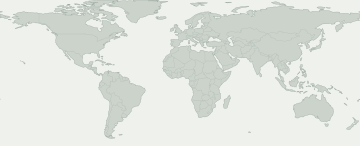
Select a colored area to see its firmware record. Blue shows a wider market such as Europe or the Caucasus, rather than a record for each country.
No mapped firmware region matches this selection. Check CSC activity for the exact records.
Some firmware regions have no known map location. Their records are still in the table.
Models and firmware regions
Open a Galaxy product to compare its exact model codes. Beneath each code are markets with firmware records for this release. Find your code in About phone.
22 Galaxy products · 44 exact models · 71 firmware regions
Documented buildTracker observation
Numbers show how many exact models have a record in each firmware region. Open a product to view the models and their sources.
A source observation does not guarantee that an update is available on your phone. Check Settings → Software update on the handset.
Check my Galaxy
What do we know about your Galaxy?
Choose the exact model and firmware CSC, not your location.
Choose your device to inspect this release.
Rollout movement
Recorded rollout activity
First recorded appearance on each exact model/region pair. Repeated unchanged checks do not add to the total.
- 4
- 5
- 1
- 3
- 1
- 1
- 2
- 1
- 4
- 1
- 1
- 1
Model-family coverage
Galaxy models with firmware records
Expand a model to inspect exact model, CSC, first build, observation date and source record.
Galaxy A213 Model/region pairs
Galaxy A313 Model/region pairs
Galaxy A5039 Model/region pairs
SM-A505G / ALE
A505GUBU5BTL1Published build dateSM-A505G / ANCA505GUBU5BTL1Published build dateSM-A505G / BATA505GUBU5BTL1Published build dateSM-A505G / BVOA505GUBU5BTL1Published build dateSM-A505G / BVTA505GUBU5BTL1Published build dateSM-A505G / CGUA505GUBU5BTL1Published build dateSM-A505G / CHEA505GUBU5BTL1Published build dateSM-A505G / CHOA505GUBU5BTL1Published build dateSM-A505G / CHTA505GUBU5BTL1Published build dateSM-A505G / CHVA505GUBU5BTL1Published build dateSM-A505G / CHXA505GUBU5BTL1Published build dateSM-A505G / COBA505GUBU5BTL1Published build dateSM-A505G / COOA505GUBU5BTL1Published build dateSM-A505G / DORA505GUBU5BTL1Published build dateSM-A505G / EONA505GUBU5BTL1Published build dateSM-A505G / ICEA505GUBU5BTL1Published build dateSM-A505G / IUSA505GUBU5BTL1Published build dateSM-A505G / JDIA505GUBU5BTL1Published build dateSM-A505G / MXOA505GUBU5BTL1Published build dateSM-A505G / NBSA505GUBU5BTL1Published build dateSM-A505G / PCWA505GUBU5BTL1Published build dateSM-A505G / PNTA505GUBU5BTL1Published build dateSM-A505G / PSNA505GUBU5BTL1Published build dateSM-A505G / PSPA505GUBU5BTL1Published build dateSM-A505G / SAMA505GUBU5BTL1Published build dateSM-A505G / TGPA505GUBU5BTL1Published build dateSM-A505G / TGUA505GUBU5BTL1Published build dateSM-A505G / TMMA505GUBU5BTL1Published build dateSM-A505G / TPAA505GUBU5BTL1Published build dateSM-A505G / TTTA505GUBU5BTL1Published build dateSM-A505G / UFUA505GUBU5BTL1Published build dateSM-A505G / UPOA505GUBU5BTL1Published build dateSM-A505G / UYOA505GUBU5BTL1Published build dateSM-A505GT / ZTAA505GTUBU5BTL1Published build dateSM-A505GT / ZTMA505GTUBU5BTL1Published build dateSM-A505GT / ZTOA505GTUBU5BTL1Published build dateSM-A505GT / ZTRA505GTUBU5BTL1Published build dateSM-A505N / KTCA505NKSU5CTL1Published build dateSM-A505N / LUCA505NKSU5CTL1Published build dateView evidence →Galaxy A51 5G4 Model/region pairs
Galaxy A71 5G1 Model/region pairs
Galaxy A90 5G2 Model/region pairs
Galaxy Fold3 Model/region pairs
Galaxy Note1025 Model/region pairs
SM-N9700 / BRI
N9700ZSU3DTI1Published build dateSM-N9700 / TGYN9700ZSU3DTI1Published build dateSM-N970U / CCTN970USQU4DTH7Published build dateSM-N970U / CHAN970USQU4DTH7Published build dateSM-N970U / USCN970USQU4DTH7Published build dateSM-N970U1 / ACGN970U1UEU4DTH7Published build dateSM-N970U1 / ATTN970U1UEU4DTH7Published build dateSM-N970U1 / CCTN970U1UEU4DTH7Published build dateSM-N970U1 / LRAN970U1UEU4DTH7Published build dateSM-N970U1 / SPRN970U1UEU4DTH7Published build dateSM-N970U1 / TMKN970U1UEU4DTH7Published build dateSM-N970U1 / USCN970U1UEU4DTH7Published build dateSM-N970U1 / VZWN970U1UEU4DTH7Published build dateSM-N970U1 / XAAN970U1UEU4DTH7Published build dateSM-N970U1 / XAGN970U1UEU4DTH7Published build dateSM-N970U1 / XARN970U1UEU4DTH7Published build dateSM-N970W / BMCN970WVLU4DTH7Published build dateSM-N970W / BWAN970WVLU4DTH7Published build dateSM-N970W / ESKN970WVLU4DTH7Published build dateSM-N970W / FMCN970WVLU4DTH7Published build dateSM-N970W / GLWN970WVLU4DTH7Published build dateSM-N970W / KDON970WVLU4DTH7Published build dateSM-N970W / TLSN970WVLU4DTH7Published build dateSM-N970W / VTRN970WVLU4DTH7Published build dateSM-N970W / XACN970WVLU4DTH7Published build dateView evidence →Galaxy Note10 5G3 Model/region pairs
Galaxy Note10+23 Model/region pairs
SM-N9750 / BRI
N9750ZSU3DTI1Published build dateSM-N9750 / TGYN9750ZSU3DTI1Published build dateSM-N975U / CCTN975USQU4DTH7Published build dateSM-N975U / CHAN975USQU4DTH7Published build dateSM-N975U / USCN975USQU4DTH7Published build dateSM-N975U1 / ACGN975U1UEU4DTH7Published build dateSM-N975U1 / AION975U1UEU4DTH7Published build dateSM-N975U1 / ATTN975U1UEU4DTH7Published build dateSM-N975U1 / LRAN975U1UEU4DTH7Published build dateSM-N975U1 / SPRN975U1UEU4DTH7Published build dateSM-N975U1 / TMKN975U1UEU4DTH7Published build dateSM-N975U1 / USCN975U1UEU4DTH7Published build dateSM-N975U1 / VZWN975U1UEU4DTH7Published build dateSM-N975U1 / XAAN975U1UEU4DTH7Published build dateSM-N975U1 / XARN975U1UEU4DTH7Published build dateSM-N975W / BMCN975WVLU4DTH7Published build dateSM-N975W / CHRN975WVLU4DTH7Published build dateSM-N975W / ESKN975WVLU4DTH7Published build dateSM-N975W / FMCN975WVLU4DTH7Published build dateSM-N975W / GLWN975WVLU4DTH7Published build dateSM-N975W / KDON975WVLU4DTH7Published build dateSM-N975W / RWCN975WVLU4DTH7Published build dateSM-N975W / XACN975WVLU4DTH7Published build dateView evidence →Galaxy Note10+ 5G6 Model/region pairs
Galaxy Note93 Model/region pairs
Galaxy S1028 Model/region pairs
SM-G973N / KTC
G973NKSU5DTH7Published build dateSM-G973N / LUCG973NKSU5DTH7Published build dateSM-G973N / SKCG973NKSU5DTH7Published build dateSM-G973U / CCTG973USQU4ETH7Published build dateSM-G973U / CHAG973USQU4ETH7Published build dateSM-G973U / SPRG973USQU4ETH7Published build dateSM-G973U / USCG973USQU4ETH7Published build dateSM-G973U1 / ACGG973U1UEU4ETH8Published build dateSM-G973U1 / AIOG973U1UEU4ETH8Published build dateSM-G973U1 / LRAG973U1UEU4ETH8Published build dateSM-G973U1 / SPRG973U1UEU4ETH8Published build dateSM-G973U1 / TMBG973U1UES4ETJ1Published build dateSM-G973U1 / TMKG973U1UES4ETJ1Published build dateSM-G973U1 / USCG973U1UEU4ETH8Published build dateSM-G973U1 / XAGG973U1UEU4ETH8Published build dateSM-G973U1 / XARG973U1UEU4ETH8Published build dateSM-G973W / BMCG973WVLU4ETH7Published build dateSM-G973W / BWAG973WVLU4ETH7Published build dateSM-G973W / CHRG973WVLU4ETH7Published build dateSM-G973W / ESKG973WVLU4ETH7Published build dateSM-G973W / FMCG973WVLU4ETH7Published build dateSM-G973W / KDOG973WVLU4ETH7Published build dateSM-G973W / MTBG973WVLU4ETH7Published build dateSM-G973W / RWCG973WVLU4ETH7Published build dateSM-G973W / TLSG973WVLU4ETH7Published build dateSM-G973W / VMCG973WVLU4ETH7Published build dateSM-G973W / VTRG973WVLU4ETH7Published build dateSM-G973W / XACG973WVLU4ETH7Published build dateView evidence →Galaxy S10 5G5 Model/region pairs
Galaxy S10+30 Model/region pairs
SM-G975N / KTC
G975NKSU5DTH7Published build dateSM-G975N / LUCG975NKSU5DTH7Published build dateSM-G975N / SKCG975NKSU5DTH7Published build dateSM-G975U / CCTG975USQU4ETH7Published build dateSM-G975U / CHAG975USQU4ETH7Published build dateSM-G975U / TMBG975USQU4ETH7Published build dateSM-G975U / TMKG975USQU4ETH7Published build dateSM-G975U / USCG975USQU4ETH7Published build dateSM-G975U1 / ACGG975U1UEU4ETH8Published build dateSM-G975U1 / AIOG975U1UEU4ETH8Published build dateSM-G975U1 / ATTG975U1UEU4ETH8Published build dateSM-G975U1 / CCTG975U1UEU4ETH8Published build dateSM-G975U1 / CHAG975U1UEU4ETH8Published build dateSM-G975U1 / SPRG975U1UEU4ETH8Published build dateSM-G975U1 / TMBG975U1UES4ETJ1Published build dateSM-G975U1 / USCG975U1UEU4ETH8Published build dateSM-G975U1 / XAAG975U1UEU4ETH8Published build dateSM-G975U1 / XAGG975U1UEU4ETH8Published build dateSM-G975U1 / XARG975U1UEU4ETH8Published build dateSM-G975W / BMCG975WVLU4ETH7Published build dateSM-G975W / BWAG975WVLU4ETH7Published build dateSM-G975W / CHRG975WVLU4ETH7Published build dateSM-G975W / ESKG975WVLU4ETH7Published build dateSM-G975W / FMCG975WVLU4ETH7Published build dateSM-G975W / GLWG975WVLU4ETH7Published build dateSM-G975W / KDOG975WVLU4ETH7Published build dateSM-G975W / TLSG975WVLU4ETH7Published build dateSM-G975W / VMCG975WVLU4ETH7Published build dateSM-G975W / VTRG975WVLU4ETH7Published build dateSM-G975W / XACG975WVLU4ETH7Published build dateView evidence →Galaxy S10e28 Model/region pairs
SM-G970N / KTC
G970NKSU5DTH7Published build dateSM-G970N / LUCG970NKSU5DTH7Published build dateSM-G970U / CCTG970USQU4ETH7Published build dateSM-G970U / CHAG970USQU4ETH7Published build dateSM-G970U / TMBG970USQU4ETH7Published build dateSM-G970U / USCG970USQU4ETH7Published build dateSM-G970U1 / ACGG970U1UEU4ETH8Published build dateSM-G970U1 / CHAG970U1UEU4ETH8Published build dateSM-G970U1 / LRAG970U1UEU4ETH8Published build dateSM-G970U1 / SPRG970U1UEU4ETH8Published build dateSM-G970U1 / TMBG970U1UES4ETJ1Published build dateSM-G970U1 / TMKG970U1UES4ETJ1Published build dateSM-G970U1 / USCG970U1UEU4ETH8Published build dateSM-G970U1 / VZWG970U1UEU4ETH8Published build dateSM-G970U1 / XAAG970U1UEU4ETH8Published build dateSM-G970U1 / XAGG970U1UEU4ETH8Published build dateSM-G970U1 / XARG970U1UEU4ETH8Published build dateSM-G970W / BMCG970WVLU4ETH7Published build dateSM-G970W / BWAG970WVLU4ETH7Published build dateSM-G970W / CHRG970WVLU4ETH7Published build dateSM-G970W / ESKG970WVLU4ETH7Published build dateSM-G970W / FMCG970WVLU4ETH7Published build dateSM-G970W / GLWG970WVLU4ETH7Published build dateSM-G970W / KDOG970WVLU4ETH7Published build dateSM-G970W / MTBG970WVLU4ETH7Published build dateSM-G970W / TLSG970WVLU4ETH7Published build dateSM-G970W / VTRG970WVLU4ETH7Published build dateSM-G970W / XACG970WVLU4ETH7Published build dateView evidence →Galaxy S20 5G2 Model/region pairs
Galaxy S20 Ultra2 Model/region pairs
Galaxy S20+ 5G3 Model/region pairs
Galaxy S93 Model/region pairs
Galaxy S9+2 Model/region pairs
Galaxy Z Flip1 Model/region pairs
Official timing
Official timing
Samsung statements are shown separately from tracker observations. Their scope and delivery type still apply.
No verified official timing is recorded here.
Verified source metadata
Verified source metadata
Accepted build records for this release, each tied to an exact model, firmware region and source.
Galaxy Note10 · SM-N970W / FMC
N970WVLU4DTH7Build record for this exact model and firmware region.
Verified source metadata →Evidence ↗Source release notes
Samsung DeX - Wireless DeX connection support. . Wireless connection with TVs through Wi-Fi Direct (compatible with Miracast). * Quick panel - DeX . Usage of Samsung Smart TVs released after 2019 is recommended. - Screen Zoom and Font Size options are supported to allow customization in various display sizes. Wi-Fi - If quality information on nearby Wi-Fi routers can be measured, this information will appear as Very Fast, Fast, Normal, or Slow. * This feature can be turned on or off in "Network Quality Information Display" settings. - When attempting to access a Wi-Fi router with a password, a newly added feature now allows the user to request the password of the Wi-Fi router from someone nearby who is saved in their contact list and has already connected to that router. * The "Request Password" button will appear on the Wi-Fi password input screen when you can request a password. Always On Display - Bitmoji Stickers are supported on Always On Display. (Clock style) Samsung keyboard - A new feature has been added to the keyboard search feature that allows the user to search YouTube. - Split Keyboard is supported on Landscape mode. - The search function of the "Manage Input Languages" screen in the Keyboard Settings page has been newly updated to make it easy to find keyboard input languages that the user wishes to add or delete. Camera - The Pro Video feature has been enhanced. Messages - A feature has been added that allows the user to call a person who is saved as a pre-configured SOS message contact. - A feature has been added that allows the user to send SOS location-sharing messages every 30 minutes for 24 hours. Samsung Note - Importing PDF files is supported. - Adding handwriting over text is possible. - Dividing by pages and searching by page number are supported. The security of your device has been improved. The following functions have been deleted : MirrorLink ※ Since an error may occur in the Samsung Pass app after the One UI 2.5 update, please be sure to update Samsung Pass app to the latest version before installing the One UI 2.5 update. It is possible to check whether Samsung Pass is the latest version and update to the latest version in the Samsung Pass App. [ Settings > Biometrics and security > Samsung Pass ]
Galaxy Note10+ · SM-N975W / ESK
N975WVLU4DTH7Build record for this exact model and firmware region.
Verified source metadata →Evidence ↗Source release notes
Samsung DeX - Wireless DeX connection support. . Wireless connection with TVs through Wi-Fi Direct (compatible with Miracast). * Quick panel - DeX . Usage of Samsung Smart TVs released after 2019 is recommended. - Screen Zoom and Font Size options are supported to allow customization in various display sizes. Wi-Fi - If quality information on nearby Wi-Fi routers can be measured, this information will appear as Very Fast, Fast, Normal, or Slow. * This feature can be turned on or off in "Network Quality Information Display" settings. - When attempting to access a Wi-Fi router with a password, a newly added feature now allows the user to request the password of the Wi-Fi router from someone nearby who is saved in their contact list and has already connected to that router. * The "Request Password" button will appear on the Wi-Fi password input screen when you can request a password. Always On Display - Bitmoji Stickers are supported on Always On Display. (Clock style) Samsung keyboard - A new feature has been added to the keyboard search feature that allows the user to search YouTube. - Split Keyboard is supported on Landscape mode. - The search function of the "Manage Input Languages" screen in the Keyboard Settings page has been newly updated to make it easy to find keyboard input languages that the user wishes to add or delete. Camera - The Pro Video feature has been enhanced. Messages - A feature has been added that allows the user to call a person who is saved as a pre-configured SOS message contact. - A feature has been added that allows the user to send SOS location-sharing messages every 30 minutes for 24 hours. Samsung Note - Importing PDF files is supported. - Adding handwriting over text is possible. - Dividing by pages and searching by page number are supported. The security of your device has been improved. The following functions have been deleted : MirrorLink ※ Since an error may occur in the Samsung Pass app after the One UI 2.5 update, please be sure to update Samsung Pass app to the latest version before installing the One UI 2.5 update. It is possible to check whether Samsung Pass is the latest version and update to the latest version in the Samsung Pass App. [ Settings > Biometrics and security > Samsung Pass ]
Galaxy Note10+ · SM-N975U1 / VZW
N975U1UEU4DTH7Build record for this exact model and firmware region.
Verified source metadata →Evidence ↗Source release notes
Samsung DeX - Wireless DeX connection support. . Wireless connection with TVs through Wi-Fi Direct (compatible with Miracast). * Quick panel - DeX . Usage of Samsung Smart TVs released after 2019 is recommended. - Screen Zoom and Font Size options are supported to allow customization in various display sizes. Wi-Fi - If quality information on nearby Wi-Fi routers can be measured, this information will appear as Very Fast, Fast, Normal, or Slow. * This feature can be turned on or off in "Network Quality Information Display" settings. - When attempting to access a Wi-Fi router with a password, a newly added feature now allows the user to request the password of the Wi-Fi router from someone nearby who is saved in their contact list and has already connected to that router. * The "Request Password" button will appear on the Wi-Fi password input screen when you can request a password. Always On Display - Bitmoji Stickers are supported on Always On Display. (Clock style) Samsung keyboard - A new feature has been added to the keyboard search feature that allows the user to search YouTube. - Split Keyboard is supported on Landscape mode. - The search function of the "Manage Input Languages" screen in the Keyboard Settings page has been newly updated to make it easy to find keyboard input languages that the user wishes to add or delete. Camera - The Pro Video feature has been enhanced. Messages - A feature has been added that allows the user to call a person who is saved as a pre-configured SOS message contact. - A feature has been added that allows the user to send SOS location-sharing messages every 30 minutes for 24 hours. Samsung Note - Importing PDF files is supported. - Adding handwriting over text is possible. - Dividing by pages and searching by page number are supported. The security of your device has been improved. The following functions have been deleted : MirrorLink ※ Since an error may occur in the Samsung Pass app after the One UI 2.5 update, please be sure to update Samsung Pass app to the latest version before installing the One UI 2.5 update. It is possible to check whether Samsung Pass is the latest version and update to the latest version in the Samsung Pass App. [ Settings > Biometrics and security > Samsung Pass ]
Galaxy S10 · SM-G973U1 / XAG
G973U1UEU4ETH8Build record for this exact model and firmware region.
Verified source metadata →Evidence ↗Source release notes
Samsung DeX - Wireless DeX connection support. . Wireless connection with TVs through Wi-Fi Direct (compatible with Miracast). * Quick panel - DeX . Usage of Samsung Smart TVs released after 2019 is recommended. - Screen Zoom and Font Size options are supported to allow customization in various display sizes. Wi-Fi - If quality information on nearby Wi-Fi routers can be measured, this information will appear as Very Fast, Fast, Normal, or Slow. * This feature can be turned on or off in "Network Quality Information Display" settings. - When attempting to access a Wi-Fi router with a password, a newly added feature now allows the user to request the password of the Wi-Fi router from someone nearby who is saved in their contact list and has already connected to that router. * The "Request Password" button will appear on the Wi-Fi password input screen when you can request a password. Always On Display - Bitmoji Stickers are supported on Always On Display. (Clock style) Samsung keyboard - A new feature has been added to the keyboard search feature that allows the user to search YouTube. - Split Keyboard is supported on Landscape mode. - The search function of the "Manage Input Languages" screen in the Keyboard Settings page has been newly updated to make it easy to find keyboard input languages that the user wishes to add or delete. Camera - The Pro Video feature has been enhanced. Messages - A feature has been added that allows the user to call a person who is saved as a pre-configured SOS message contact. - A feature has been added that allows the user to send SOS location-sharing messages every 30 minutes for 24 hours. ※ Since an error may occur in the Samsung Pass app after the One UI 2.5 update, please be sure to update Samsung Pass app to the latest version before installing the One UI 2.5 update. It is possible to check whether Samsung Pass is the latest version and update to the latest version in the Samsung Pass App. [ Settings > Biometrics and security > Samsung Pass ]
Galaxy A51 5G · SM-A516N / KTC
A516NKSU3BTJ1Build record for this exact model and firmware region.
Verified source metadata →Evidence ↗Galaxy S10e · SM-G970U1 / TMK
G970U1UES4ETJ1Build record for this exact model and firmware region.
Verified source metadata →Evidence ↗Source release notes
Samsung DeX - Wireless DeX connection support. . Wireless connection with TVs through Wi-Fi Direct (compatible with Miracast). * Quick panel - DeX . Usage of Samsung Smart TVs released after 2019 is recommended. - Screen Zoom and Font Size options are supported to allow customization in various display sizes. Wi-Fi - If quality information on nearby Wi-Fi routers can be measured, this information will appear as Very Fast, Fast, Normal, or Slow. * This feature can be turned on or off in "Network Quality Information Display" settings. - When attempting to access a Wi-Fi router with a password, a newly added feature now allows the user to request the password of the Wi-Fi router from someone nearby who is saved in their contact list and has already connected to that router. * The "Request Password" button will appear on the Wi-Fi password input screen when you can request a password. Always On Display - Bitmoji Stickers are supported on Always On Display. (Clock style) Samsung keyboard - A new feature has been added to the keyboard search feature that allows the user to search YouTube. - Split Keyboard is supported on Landscape mode. - The search function of the "Manage Input Languages" screen in the Keyboard Settings page has been newly updated to make it easy to find keyboard input languages that the user wishes to add or delete. Camera - The Pro Video feature has been enhanced. Messages - A feature has been added that allows the user to call a person who is saved as a pre-configured SOS message contact. - A feature has been added that allows the user to send SOS location-sharing messages every 30 minutes for 24 hours. ※ Since an error may occur in the Samsung Pass app after the One UI 2.5 update, please be sure to update Samsung Pass app to the latest version before installing the One UI 2.5 update. It is possible to check whether Samsung Pass is the latest version and update to the latest version in the Samsung Pass App. [ Settings > Biometrics and security > Samsung Pass ]
Galaxy A50 · SM-A505G / ANC
A505GUBU5BTL1Build record for this exact model and firmware region.
Verified source metadata →Evidence ↗Source release notes
Samsung DeX - Wireless DeX connection support. . Wireless connection with TVs through Wi-Fi Direct (compatible with Miracast). * Quick panel - DeX . Usage of Samsung Smart TVs released after 2019 is recommended. - Screen Zoom and Font Size options are supported to allow customization in various display sizes. Wi-Fi - If quality information on nearby Wi-Fi routers can be measured, this information will appear as Very Fast, Fast, Normal, or Slow. * This feature can be turned on or off in "Network Quality Information Display" settings. - When attempting to access a Wi-Fi router with a password, a newly added feature now allows the user to request the password of the Wi-Fi router from someone nearby who is saved in their contact list and has already connected to that router. * The "Request Password" button will appear on the Wi-Fi password input screen when you can request a password. Always On Display - Bitmoji Stickers are supported on Always On Display. (Clock style) Samsung keyboard - A new feature has been added to the keyboard search feature that allows the user to search YouTube. - Split Keyboard is supported on Landscape mode. - The search function of the "Manage Input Languages" screen in the Keyboard Settings page has been newly updated to make it easy to find keyboard input languages that the user wishes to add or delete. Camera - The Pro Video feature has been enhanced. Messages - A feature has been added that allows the user to call a person who is saved as a pre-configured SOS message contact. - A feature has been added that allows the user to send SOS location-sharing messages every 30 minutes for 24 hours. ※ Since an error may occur in the Samsung Pass app after the One UI 2.5 update, please be sure to update Samsung Pass app to the latest version before installing the One UI 2.5 update. It is possible to check whether Samsung Pass is the latest version and update to the latest version in the Samsung Pass App. [ Settings > Biometrics and security > Samsung Pass ]
Galaxy S10 · SM-G973U / SPR
G973USQU4ETH7Build record for this exact model and firmware region.
Verified source metadata →Evidence ↗Source release notes
Samsung DeX - Wireless DeX connection support. . Wireless connection with TVs through Wi-Fi Direct (compatible with Miracast). * Quick panel - DeX . Usage of Samsung Smart TVs released after 2019 is recommended. - Screen Zoom and Font Size options are supported to allow customization in various display sizes. Wi-Fi - If quality information on nearby Wi-Fi routers can be measured, this information will appear as Very Fast, Fast, Normal, or Slow. * This feature can be turned on or off in "Network Quality Information Display" settings. - When attempting to access a Wi-Fi router with a password, a newly added feature now allows the user to request the password of the Wi-Fi router from someone nearby who is saved in their contact list and has already connected to that router. * The "Request Password" button will appear on the Wi-Fi password input screen when you can request a password. Always On Display - Bitmoji Stickers are supported on Always On Display. (Clock style) Samsung keyboard - A new feature has been added to the keyboard search feature that allows the user to search YouTube. - Split Keyboard is supported on Landscape mode. - The search function of the "Manage Input Languages" screen in the Keyboard Settings page has been newly updated to make it easy to find keyboard input languages that the user wishes to add or delete. Camera - The Pro Video feature has been enhanced. Messages - A feature has been added that allows the user to call a person who is saved as a pre-configured SOS message contact. - A feature has been added that allows the user to send SOS location-sharing messages every 30 minutes for 24 hours. ※ Since an error may occur in the Samsung Pass app after the One UI 2.5 update, please be sure to update Samsung Pass app to the latest version before installing the One UI 2.5 update. It is possible to check whether Samsung Pass is the latest version and update to the latest version in the Samsung Pass App. [ Settings > Biometrics and security > Samsung Pass ]
Galaxy A50 · SM-A505G / CHV
A505GUBU5BTL1Build record for this exact model and firmware region.
Verified source metadata →Evidence ↗Source release notes
Samsung DeX - Wireless DeX connection support. . Wireless connection with TVs through Wi-Fi Direct (compatible with Miracast). * Quick panel - DeX . Usage of Samsung Smart TVs released after 2019 is recommended. - Screen Zoom and Font Size options are supported to allow customization in various display sizes. Wi-Fi - If quality information on nearby Wi-Fi routers can be measured, this information will appear as Very Fast, Fast, Normal, or Slow. * This feature can be turned on or off in "Network Quality Information Display" settings. - When attempting to access a Wi-Fi router with a password, a newly added feature now allows the user to request the password of the Wi-Fi router from someone nearby who is saved in their contact list and has already connected to that router. * The "Request Password" button will appear on the Wi-Fi password input screen when you can request a password. Always On Display - Bitmoji Stickers are supported on Always On Display. (Clock style) Samsung keyboard - A new feature has been added to the keyboard search feature that allows the user to search YouTube. - Split Keyboard is supported on Landscape mode. - The search function of the "Manage Input Languages" screen in the Keyboard Settings page has been newly updated to make it easy to find keyboard input languages that the user wishes to add or delete. Camera - The Pro Video feature has been enhanced. Messages - A feature has been added that allows the user to call a person who is saved as a pre-configured SOS message contact. - A feature has been added that allows the user to send SOS location-sharing messages every 30 minutes for 24 hours. ※ Since an error may occur in the Samsung Pass app after the One UI 2.5 update, please be sure to update Samsung Pass app to the latest version before installing the One UI 2.5 update. It is possible to check whether Samsung Pass is the latest version and update to the latest version in the Samsung Pass App. [ Settings > Biometrics and security > Samsung Pass ]
Galaxy A90 5G · SM-A908N / SKC
A908NKSU3CTL3Build record for this exact model and firmware region.
Verified source metadata →Evidence ↗Galaxy Note10+ · SM-N975W / KDO
N975WVLU4DTH7Build record for this exact model and firmware region.
Verified source metadata →Evidence ↗Source release notes
Samsung DeX - Wireless DeX connection support. . Wireless connection with TVs through Wi-Fi Direct (compatible with Miracast). * Quick panel - DeX . Usage of Samsung Smart TVs released after 2019 is recommended. - Screen Zoom and Font Size options are supported to allow customization in various display sizes. Wi-Fi - If quality information on nearby Wi-Fi routers can be measured, this information will appear as Very Fast, Fast, Normal, or Slow. * This feature can be turned on or off in "Network Quality Information Display" settings. - When attempting to access a Wi-Fi router with a password, a newly added feature now allows the user to request the password of the Wi-Fi router from someone nearby who is saved in their contact list and has already connected to that router. * The "Request Password" button will appear on the Wi-Fi password input screen when you can request a password. Always On Display - Bitmoji Stickers are supported on Always On Display. (Clock style) Samsung keyboard - A new feature has been added to the keyboard search feature that allows the user to search YouTube. - Split Keyboard is supported on Landscape mode. - The search function of the "Manage Input Languages" screen in the Keyboard Settings page has been newly updated to make it easy to find keyboard input languages that the user wishes to add or delete. Camera - The Pro Video feature has been enhanced. Messages - A feature has been added that allows the user to call a person who is saved as a pre-configured SOS message contact. - A feature has been added that allows the user to send SOS location-sharing messages every 30 minutes for 24 hours. Samsung Note - Importing PDF files is supported. - Adding handwriting over text is possible. - Dividing by pages and searching by page number are supported. The security of your device has been improved. The following functions have been deleted : MirrorLink ※ Since an error may occur in the Samsung Pass app after the One UI 2.5 update, please be sure to update Samsung Pass app to the latest version before installing the One UI 2.5 update. It is possible to check whether Samsung Pass is the latest version and update to the latest version in the Samsung Pass App. [ Settings > Biometrics and security > Samsung Pass ]
Galaxy S10 · SM-G973U1 / XAR
G973U1UEU4ETH8Build record for this exact model and firmware region.
Verified source metadata →Evidence ↗Source release notes
Samsung DeX - Wireless DeX connection support. . Wireless connection with TVs through Wi-Fi Direct (compatible with Miracast). * Quick panel - DeX . Usage of Samsung Smart TVs released after 2019 is recommended. - Screen Zoom and Font Size options are supported to allow customization in various display sizes. Wi-Fi - If quality information on nearby Wi-Fi routers can be measured, this information will appear as Very Fast, Fast, Normal, or Slow. * This feature can be turned on or off in "Network Quality Information Display" settings. - When attempting to access a Wi-Fi router with a password, a newly added feature now allows the user to request the password of the Wi-Fi router from someone nearby who is saved in their contact list and has already connected to that router. * The "Request Password" button will appear on the Wi-Fi password input screen when you can request a password. Always On Display - Bitmoji Stickers are supported on Always On Display. (Clock style) Samsung keyboard - A new feature has been added to the keyboard search feature that allows the user to search YouTube. - Split Keyboard is supported on Landscape mode. - The search function of the "Manage Input Languages" screen in the Keyboard Settings page has been newly updated to make it easy to find keyboard input languages that the user wishes to add or delete. Camera - The Pro Video feature has been enhanced. Messages - A feature has been added that allows the user to call a person who is saved as a pre-configured SOS message contact. - A feature has been added that allows the user to send SOS location-sharing messages every 30 minutes for 24 hours. ※ Since an error may occur in the Samsung Pass app after the One UI 2.5 update, please be sure to update Samsung Pass app to the latest version before installing the One UI 2.5 update. It is possible to check whether Samsung Pass is the latest version and update to the latest version in the Samsung Pass App. [ Settings > Biometrics and security > Samsung Pass ]
Galaxy S10+ · SM-G975U1 / XAA
G975U1UEU4ETH8Build record for this exact model and firmware region.
Verified source metadata →Evidence ↗Source release notes
Samsung DeX - Wireless DeX connection support. . Wireless connection with TVs through Wi-Fi Direct (compatible with Miracast). * Quick panel - DeX . Usage of Samsung Smart TVs released after 2019 is recommended. - Screen Zoom and Font Size options are supported to allow customization in various display sizes. Wi-Fi - If quality information on nearby Wi-Fi routers can be measured, this information will appear as Very Fast, Fast, Normal, or Slow. * This feature can be turned on or off in "Network Quality Information Display" settings. - When attempting to access a Wi-Fi router with a password, a newly added feature now allows the user to request the password of the Wi-Fi router from someone nearby who is saved in their contact list and has already connected to that router. * The "Request Password" button will appear on the Wi-Fi password input screen when you can request a password. Always On Display - Bitmoji Stickers are supported on Always On Display. (Clock style) Samsung keyboard - A new feature has been added to the keyboard search feature that allows the user to search YouTube. - Split Keyboard is supported on Landscape mode. - The search function of the "Manage Input Languages" screen in the Keyboard Settings page has been newly updated to make it easy to find keyboard input languages that the user wishes to add or delete. Camera - The Pro Video feature has been enhanced. Messages - A feature has been added that allows the user to call a person who is saved as a pre-configured SOS message contact. - A feature has been added that allows the user to send SOS location-sharing messages every 30 minutes for 24 hours. ※ Since an error may occur in the Samsung Pass app after the One UI 2.5 update, please be sure to update Samsung Pass app to the latest version before installing the One UI 2.5 update. It is possible to check whether Samsung Pass is the latest version and update to the latest version in the Samsung Pass App. [ Settings > Biometrics and security > Samsung Pass ]
Galaxy A50 · SM-A505G / CHO
A505GUBU5BTL1Build record for this exact model and firmware region.
Verified source metadata →Evidence ↗Source release notes
Samsung DeX - Wireless DeX connection support. . Wireless connection with TVs through Wi-Fi Direct (compatible with Miracast). * Quick panel - DeX . Usage of Samsung Smart TVs released after 2019 is recommended. - Screen Zoom and Font Size options are supported to allow customization in various display sizes. Wi-Fi - If quality information on nearby Wi-Fi routers can be measured, this information will appear as Very Fast, Fast, Normal, or Slow. * This feature can be turned on or off in "Network Quality Information Display" settings. - When attempting to access a Wi-Fi router with a password, a newly added feature now allows the user to request the password of the Wi-Fi router from someone nearby who is saved in their contact list and has already connected to that router. * The "Request Password" button will appear on the Wi-Fi password input screen when you can request a password. Always On Display - Bitmoji Stickers are supported on Always On Display. (Clock style) Samsung keyboard - A new feature has been added to the keyboard search feature that allows the user to search YouTube. - Split Keyboard is supported on Landscape mode. - The search function of the "Manage Input Languages" screen in the Keyboard Settings page has been newly updated to make it easy to find keyboard input languages that the user wishes to add or delete. Camera - The Pro Video feature has been enhanced. Messages - A feature has been added that allows the user to call a person who is saved as a pre-configured SOS message contact. - A feature has been added that allows the user to send SOS location-sharing messages every 30 minutes for 24 hours. ※ Since an error may occur in the Samsung Pass app after the One UI 2.5 update, please be sure to update Samsung Pass app to the latest version before installing the One UI 2.5 update. It is possible to check whether Samsung Pass is the latest version and update to the latest version in the Samsung Pass App. [ Settings > Biometrics and security > Samsung Pass ]
Galaxy A50 · SM-A505G / BAT
A505GUBU5BTL1Build record for this exact model and firmware region.
Verified source metadata →Evidence ↗Source release notes
Samsung DeX - Wireless DeX connection support. . Wireless connection with TVs through Wi-Fi Direct (compatible with Miracast). * Quick panel - DeX . Usage of Samsung Smart TVs released after 2019 is recommended. - Screen Zoom and Font Size options are supported to allow customization in various display sizes. Wi-Fi - If quality information on nearby Wi-Fi routers can be measured, this information will appear as Very Fast, Fast, Normal, or Slow. * This feature can be turned on or off in "Network Quality Information Display" settings. - When attempting to access a Wi-Fi router with a password, a newly added feature now allows the user to request the password of the Wi-Fi router from someone nearby who is saved in their contact list and has already connected to that router. * The "Request Password" button will appear on the Wi-Fi password input screen when you can request a password. Always On Display - Bitmoji Stickers are supported on Always On Display. (Clock style) Samsung keyboard - A new feature has been added to the keyboard search feature that allows the user to search YouTube. - Split Keyboard is supported on Landscape mode. - The search function of the "Manage Input Languages" screen in the Keyboard Settings page has been newly updated to make it easy to find keyboard input languages that the user wishes to add or delete. Camera - The Pro Video feature has been enhanced. Messages - A feature has been added that allows the user to call a person who is saved as a pre-configured SOS message contact. - A feature has been added that allows the user to send SOS location-sharing messages every 30 minutes for 24 hours. ※ Since an error may occur in the Samsung Pass app after the One UI 2.5 update, please be sure to update Samsung Pass app to the latest version before installing the One UI 2.5 update. It is possible to check whether Samsung Pass is the latest version and update to the latest version in the Samsung Pass App. [ Settings > Biometrics and security > Samsung Pass ]
Galaxy Note10 · SM-N970W / XAC
N970WVLU4DTH7Build record for this exact model and firmware region.
Verified source metadata →Evidence ↗Source release notes
Samsung DeX - Wireless DeX connection support. . Wireless connection with TVs through Wi-Fi Direct (compatible with Miracast). * Quick panel - DeX . Usage of Samsung Smart TVs released after 2019 is recommended. - Screen Zoom and Font Size options are supported to allow customization in various display sizes. Wi-Fi - If quality information on nearby Wi-Fi routers can be measured, this information will appear as Very Fast, Fast, Normal, or Slow. * This feature can be turned on or off in "Network Quality Information Display" settings. - When attempting to access a Wi-Fi router with a password, a newly added feature now allows the user to request the password of the Wi-Fi router from someone nearby who is saved in their contact list and has already connected to that router. * The "Request Password" button will appear on the Wi-Fi password input screen when you can request a password. Always On Display - Bitmoji Stickers are supported on Always On Display. (Clock style) Samsung keyboard - A new feature has been added to the keyboard search feature that allows the user to search YouTube. - Split Keyboard is supported on Landscape mode. - The search function of the "Manage Input Languages" screen in the Keyboard Settings page has been newly updated to make it easy to find keyboard input languages that the user wishes to add or delete. Camera - The Pro Video feature has been enhanced. Messages - A feature has been added that allows the user to call a person who is saved as a pre-configured SOS message contact. - A feature has been added that allows the user to send SOS location-sharing messages every 30 minutes for 24 hours. Samsung Note - Importing PDF files is supported. - Adding handwriting over text is possible. - Dividing by pages and searching by page number are supported. The security of your device has been improved. The following functions have been deleted : MirrorLink ※ Since an error may occur in the Samsung Pass app after the One UI 2.5 update, please be sure to update Samsung Pass app to the latest version before installing the One UI 2.5 update. It is possible to check whether Samsung Pass is the latest version and update to the latest version in the Samsung Pass App. [ Settings > Biometrics and security > Samsung Pass ]
Galaxy A31 · SM-A315N / SKC
A315NKSU1BTK2Build record for this exact model and firmware region.
Verified source metadata →Evidence ↗Galaxy S10e · SM-G970W / FMC
G970WVLU4ETH7Build record for this exact model and firmware region.
Verified source metadata →Evidence ↗Source release notes
Samsung DeX - Wireless DeX connection support. . Wireless connection with TVs through Wi-Fi Direct (compatible with Miracast). * Quick panel - DeX . Usage of Samsung Smart TVs released after 2019 is recommended. - Screen Zoom and Font Size options are supported to allow customization in various display sizes. Wi-Fi - If quality information on nearby Wi-Fi routers can be measured, this information will appear as Very Fast, Fast, Normal, or Slow. * This feature can be turned on or off in "Network Quality Information Display" settings. - When attempting to access a Wi-Fi router with a password, a newly added feature now allows the user to request the password of the Wi-Fi router from someone nearby who is saved in their contact list and has already connected to that router. * The "Request Password" button will appear on the Wi-Fi password input screen when you can request a password. Always On Display - Bitmoji Stickers are supported on Always On Display. (Clock style) Samsung keyboard - A new feature has been added to the keyboard search feature that allows the user to search YouTube. - Split Keyboard is supported on Landscape mode. - The search function of the "Manage Input Languages" screen in the Keyboard Settings page has been newly updated to make it easy to find keyboard input languages that the user wishes to add or delete. Camera - The Pro Video feature has been enhanced. Messages - A feature has been added that allows the user to call a person who is saved as a pre-configured SOS message contact. - A feature has been added that allows the user to send SOS location-sharing messages every 30 minutes for 24 hours. ※ Since an error may occur in the Samsung Pass app after the One UI 2.5 update, please be sure to update Samsung Pass app to the latest version before installing the One UI 2.5 update. It is possible to check whether Samsung Pass is the latest version and update to the latest version in the Samsung Pass App. [ Settings > Biometrics and security > Samsung Pass ]
Galaxy A50 · SM-A505G / UPO
A505GUBU5BTL1Build record for this exact model and firmware region.
Verified source metadata →Evidence ↗Source release notes
Samsung DeX - Wireless DeX connection support. . Wireless connection with TVs through Wi-Fi Direct (compatible with Miracast). * Quick panel - DeX . Usage of Samsung Smart TVs released after 2019 is recommended. - Screen Zoom and Font Size options are supported to allow customization in various display sizes. Wi-Fi - If quality information on nearby Wi-Fi routers can be measured, this information will appear as Very Fast, Fast, Normal, or Slow. * This feature can be turned on or off in "Network Quality Information Display" settings. - When attempting to access a Wi-Fi router with a password, a newly added feature now allows the user to request the password of the Wi-Fi router from someone nearby who is saved in their contact list and has already connected to that router. * The "Request Password" button will appear on the Wi-Fi password input screen when you can request a password. Always On Display - Bitmoji Stickers are supported on Always On Display. (Clock style) Samsung keyboard - A new feature has been added to the keyboard search feature that allows the user to search YouTube. - Split Keyboard is supported on Landscape mode. - The search function of the "Manage Input Languages" screen in the Keyboard Settings page has been newly updated to make it easy to find keyboard input languages that the user wishes to add or delete. Camera - The Pro Video feature has been enhanced. Messages - A feature has been added that allows the user to call a person who is saved as a pre-configured SOS message contact. - A feature has been added that allows the user to send SOS location-sharing messages every 30 minutes for 24 hours. ※ Since an error may occur in the Samsung Pass app after the One UI 2.5 update, please be sure to update Samsung Pass app to the latest version before installing the One UI 2.5 update. It is possible to check whether Samsung Pass is the latest version and update to the latest version in the Samsung Pass App. [ Settings > Biometrics and security > Samsung Pass ]
Galaxy A50 · SM-A505G / TTT
A505GUBU5BTL1Build record for this exact model and firmware region.
Verified source metadata →Evidence ↗Source release notes
Samsung DeX - Wireless DeX connection support. . Wireless connection with TVs through Wi-Fi Direct (compatible with Miracast). * Quick panel - DeX . Usage of Samsung Smart TVs released after 2019 is recommended. - Screen Zoom and Font Size options are supported to allow customization in various display sizes. Wi-Fi - If quality information on nearby Wi-Fi routers can be measured, this information will appear as Very Fast, Fast, Normal, or Slow. * This feature can be turned on or off in "Network Quality Information Display" settings. - When attempting to access a Wi-Fi router with a password, a newly added feature now allows the user to request the password of the Wi-Fi router from someone nearby who is saved in their contact list and has already connected to that router. * The "Request Password" button will appear on the Wi-Fi password input screen when you can request a password. Always On Display - Bitmoji Stickers are supported on Always On Display. (Clock style) Samsung keyboard - A new feature has been added to the keyboard search feature that allows the user to search YouTube. - Split Keyboard is supported on Landscape mode. - The search function of the "Manage Input Languages" screen in the Keyboard Settings page has been newly updated to make it easy to find keyboard input languages that the user wishes to add or delete. Camera - The Pro Video feature has been enhanced. Messages - A feature has been added that allows the user to call a person who is saved as a pre-configured SOS message contact. - A feature has been added that allows the user to send SOS location-sharing messages every 30 minutes for 24 hours. ※ Since an error may occur in the Samsung Pass app after the One UI 2.5 update, please be sure to update Samsung Pass app to the latest version before installing the One UI 2.5 update. It is possible to check whether Samsung Pass is the latest version and update to the latest version in the Samsung Pass App. [ Settings > Biometrics and security > Samsung Pass ]
Observed
Latest observations
No accepted release observations in this snapshot.