
One UI रिलीज़ · फ़र्मवेयर रिकॉर्ड
One UI 2.1
स्थिरसटीक Galaxy मॉडल और फ़र्मवेयर क्षेत्र के अनुसार One UI 2.1 के दर्ज बिल्ड और ट्रैकर रिकॉर्ड देखें।
दस्तावेज़ों में दर्ज सटीक बिल्ड: 124 →फ़र्मवेयर रिकॉर्ड उपलब्ध हैंसभी Galaxy मॉडल · 2020-10-09 तक
स्रोत रिकॉर्ड फ़ोन पर अपडेट पहुँचने की पुष्टि नहीं करते।
16डिवाइस
121मॉडल/क्षेत्र जोड़े
69फ़र्मवेयर क्षेत्र
50रंगीन देश
One UI रिलीज़ · फ़र्मवेयर रिकॉर्ड
मॉडल और क्षेत्र के अनुसार One UI 2.1 देखें
सभी Galaxy मॉडल2020-10-09 तक121 मिलते मॉडल/CSC जोड़े
दर्ज बिल्डट्रैकर अवलोकनकई देशों वाले फ़र्मवेयर बाज़ार
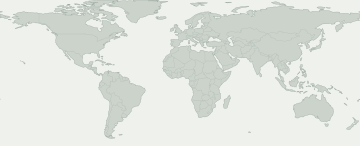
फ़र्मवेयर रिकॉर्ड देखने के लिए रंगीन क्षेत्र चुनें। नीला रंग यूरोप या कॉकस जैसे बड़े बाज़ार को दिखाता है, हर देश का अलग रिकॉर्ड नहीं।
कई देशों वाले फ़र्मवेयर बाज़ार
बाज़ार चुनकर उसका स्रोत रिकॉर्ड देखें। रंगीन क्षेत्र के भीतर भी उपलब्धता अलग हो सकती है।
इस चयन से मेल खाने वाला कोई फ़र्मवेयर क्षेत्र मानचित्र पर नहीं है। सटीक रिकॉर्ड CSC गतिविधि में देखें।
कुछ फ़र्मवेयर क्षेत्रों की नक्शे पर जगह ज्ञात नहीं है। उनके रिकॉर्ड फिर भी तालिका में हैं।
मॉडल और फ़र्मवेयर क्षेत्र
Galaxy मॉडल खोलकर उसके सटीक मॉडल कोड की तुलना करें। हर कोड के नीचे इस रिलीज़ के फ़र्मवेयर रिकॉर्ड वाले बाज़ार दिखते हैं। अपना कोड फ़ोन के बारे में देखें।
16 Galaxy मॉडल · 20 सटीक मॉडल · 69 फ़र्मवेयर क्षेत्र
दर्ज बिल्डट्रैकर अवलोकन
संख्या बताती है कि हर फ़र्मवेयर क्षेत्र में कितने सटीक मॉडल के रिकॉर्ड हैं। मॉडल और स्रोत देखने के लिए Galaxy मॉडल खोलें।
स्रोत पर फ़र्मवेयर मिलना आपके फ़ोन पर अपडेट उपलब्ध होने की गारंटी नहीं है। फ़ोन में सेटिंग → सॉफ़्टवेयर अपडेट देखें।
मेरा Galaxy जाँचें
आपके Galaxy के बारे में क्या पता है?
अपना स्थान नहीं, सटीक मॉडल और फ़र्मवेयर CSC चुनें।
इस रिलीज़ को देखने के लिए अपना डिवाइस चुनें।
रोलआउट की प्रगति
दर्ज रोलआउट गतिविधि
हर सटीक मॉडल/क्षेत्र जोड़े पर पहली बार मिला रिकॉर्ड। बिना बदलाव की दोबारा जाँच कुल संख्या नहीं बढ़ाती।
- 4
- 1
- 1
- 1
- 1
- 2
- 7
- 1
- 1
- 1
- 2
- 1
मॉडल के अनुसार कवरेज
फ़र्मवेयर रिकॉर्ड वाले Galaxy मॉडल
सटीक मॉडल, CSC, पहला बिल्ड, तारीख और स्रोत रिकॉर्ड देखने के लिए मॉडल खोलें।
Galaxy A10s3 मॉडल/क्षेत्र जोड़े
Galaxy Fold2 मॉडल/क्षेत्र जोड़े
Galaxy M315 मॉडल/क्षेत्र जोड़े
Galaxy Note10 5G3 मॉडल/क्षेत्र जोड़े
Galaxy Note10+ 5G2 मॉडल/क्षेत्र जोड़े
Galaxy Note93 मॉडल/क्षेत्र जोड़े
Galaxy S103 मॉडल/क्षेत्र जोड़े
Galaxy S10 5G3 मॉडल/क्षेत्र जोड़े
Galaxy S10+3 मॉडल/क्षेत्र जोड़े
Galaxy S10e2 मॉडल/क्षेत्र जोड़े
Galaxy S93 मॉडल/क्षेत्र जोड़े
Galaxy S9+2 मॉडल/क्षेत्र जोड़े
Galaxy Tab A 10.1 (2019)3 मॉडल/क्षेत्र जोड़े
Galaxy Tab A 8.4 (2020)9 मॉडल/क्षेत्र जोड़े
SM-T307U / BMC
T307UVLU3BTH5बिल्ड प्रकाशित होने की तारीखSM-T307U / CHRT307UVLU3BTH5बिल्ड प्रकाशित होने की तारीखSM-T307U / FMCT307UVLU3BTH5बिल्ड प्रकाशित होने की तारीखSM-T307U / GLWT307UVLU3BTH5बिल्ड प्रकाशित होने की तारीखSM-T307U / KDOT307UVLU3BTH5बिल्ड प्रकाशित होने की तारीखSM-T307U / RWCT307UVLU3BTH5बिल्ड प्रकाशित होने की तारीखSM-T307U / TLST307UVLU3BTH5बिल्ड प्रकाशित होने की तारीखSM-T307U / TMBT307USQU3BTH7बिल्ड प्रकाशित होने की तारीखSM-T307U / VMCT307UVLU3BTH5बिल्ड प्रकाशित होने की तारीखप्रमाण देखें →Galaxy Tab A8 (2019)74 मॉडल/क्षेत्र जोड़े
SM-T290 / AFG
T290XXU3BTG1बिल्ड प्रकाशित होने की तारीखSM-T290 / AROT290XXU3BTG1बिल्ड प्रकाशित होने की तारीखSM-T290 / BGLT290XXU3BTG1बिल्ड प्रकाशित होने की तारीखSM-T290 / BTUT290XXU3BTG1बिल्ड प्रकाशित होने की तारीखSM-T290 / CHNT290ZCU3BTG1बिल्ड प्रकाशित होने की तारीखSM-T290 / CHOT290XXU3BTG1बिल्ड प्रकाशित होने की तारीखSM-T290 / COOT290XXU3BTG1बिल्ड प्रकाशित होने की तारीखSM-T290 / EONT290XXU3BTG1बिल्ड प्रकाशित होने की तारीखSM-T290 / ILOT290XXU3BTG1बिल्ड प्रकाशित होने की तारीखSM-T290 / ITVT290XXU3BTG1बिल्ड प्रकाशित होने की तारीखSM-T290 / KSAT290XXU3BTG1बिल्ड प्रकाशित होने की तारीखSM-T290 / PHET290XXU3BTG1बिल्ड प्रकाशित होने की तारीखSM-T290 / PHNT290XXU3BTG1बिल्ड प्रकाशित होने की तारीखSM-T290 / ROMT290XXU3BTG1बिल्ड प्रकाशित होने की तारीखSM-T290 / SEBT290XXU3BTG1बिल्ड प्रकाशित होने की तारीखSM-T290 / SEET290XXU3BTG1बिल्ड प्रकाशित होने की तारीखSM-T290 / SEKT290XXU3BTG1बिल्ड प्रकाशित होने की तारीखSM-T290 / SERT290XXU3BTG1बिल्ड प्रकाशित होने की तारीखSM-T290 / SIOT290XXU3BTG1बिल्ड प्रकाशित होने की तारीखSM-T290 / SKZT290XXU3BTG1बिल्ड प्रकाशित होने की तारीखSM-T290 / TPHT290XXU3BTG1बिल्ड प्रकाशित होने की तारीखSM-T290 / TURT290XXU3BTG1बिल्ड प्रकाशित होने की तारीखSM-T290 / UPOT290XXU3BTG1बिल्ड प्रकाशित होने की तारीखSM-T290 / XART290XXU3BTG1बिल्ड प्रकाशित होने की तारीखSM-T290 / XEHT290XXU3BTG1बिल्ड प्रकाशित होने की तारीखSM-T290 / XEOT290XXU3BTG1बिल्ड प्रकाशित होने की तारीखSM-T290 / XFAT290XXU3BTG1बिल्ड प्रकाशित होने की तारीखSM-T290 / XSAT290XXU3BTG1बिल्ड प्रकाशित होने की तारीखSM-T290 / ZTOT290XXU3BTG1बिल्ड प्रकाशित होने की तारीखSM-T295 / ACRT295XXU3BTFEबिल्ड प्रकाशित होने की तारीखSM-T295 / AFGT295XXU3BTFEबिल्ड प्रकाशित होने की तारीखSM-T295 / AFRT295XXU3BTFEबिल्ड प्रकाशित होने की तारीखSM-T295 / AUTT295XXU3BTFGबिल्ड प्रकाशित होने की तारीखSM-T295 / BGLT295XXU3BTFGबिल्ड प्रकाशित होने की तारीखSM-T295 / BNGT295XXU3BTFEबिल्ड प्रकाशित होने की तारीखSM-T295 / BRIT295XXU3BTFEबिल्ड प्रकाशित होने की तारीखSM-T295 / BTCT295XXU3BTFEबिल्ड प्रकाशित होने की तारीखSM-T295 / CACT295XXU3BTFGबिल्ड प्रकाशित होने की तारीखSM-T295 / CAMT295XXU3BTFEबिल्ड प्रकाशित होने की तारीखSM-T295 / CAUT295XXU3BTFGबिल्ड प्रकाशित होने की तारीखSM-T295 / DBTT295XXU3BTFGबिल्ड प्रकाशित होने की तारीखSM-T295 / EURT295XXU3BTFGबिल्ड प्रकाशित होने की तारीखSM-T295 / ILOT295XXU3BTFEबिल्ड प्रकाशित होने की तारीखSM-T295 / INST295XXU3BTFEबिल्ड प्रकाशित होने की तारीखSM-T295 / ITVT295XXU3BTFGबिल्ड प्रकाशित होने की तारीखSM-T295 / KSAT295XXU3BTFEबिल्ड प्रकाशित होने की तारीखSM-T295 / LUXT295XXU3BTFGबिल्ड प्रकाशित होने की तारीखSM-T295 / MIDT295XXU3BTFEबिल्ड प्रकाशित होने की तारीखSM-T295 / MM1T295XXU3BTFEबिल्ड प्रकाशित होने की तारीखSM-T295 / NPLT295XXU3BTFEबिल्ड प्रकाशित होने की तारीखSM-T295 / PHET295XXU3BTFGबिल्ड प्रकाशित होने की तारीखSM-T295 / ROMT295XXU3BTFGबिल्ड प्रकाशित होने की तारीखSM-T295 / SEBT295XXU3BTFGबिल्ड प्रकाशित होने की तारीखSM-T295 / SEKT295XXU3BTFGबिल्ड प्रकाशित होने की तारीखSM-T295 / SERT295XXU3BTFGबिल्ड प्रकाशित होने की तारीखSM-T295 / SIOT295XXU3BTFGबिल्ड प्रकाशित होने की तारीखSM-T295 / SKZT295XXU3BTFGबिल्ड प्रकाशित होने की तारीखSM-T295 / SLKT295XXU3BTFEबिल्ड प्रकाशित होने की तारीखSM-T295 / STHT295XXU3BTFEबिल्ड प्रकाशित होने की तारीखSM-T295 / THLT295XXU3BTFEबिल्ड प्रकाशित होने की तारीखSM-T295 / TPHT295XXU3BTFGबिल्ड प्रकाशित होने की तारीखSM-T295 / TUNT295XXU3BTFEबिल्ड प्रकाशित होने की तारीखSM-T295 / XEFT295XXU3BTFGबिल्ड प्रकाशित होने की तारीखSM-T295 / XEHT295XXU3BTFGबिल्ड प्रकाशित होने की तारीखSM-T295 / XEOT295XXU3BTFGबिल्ड प्रकाशित होने की तारीखSM-T295 / XFAT295XXU3BTFEबिल्ड प्रकाशित होने की तारीखSM-T295 / XFVT295XXU3BTFEबिल्ड प्रकाशित होने की तारीखSM-T295 / XIDT295XXU3BTFEबिल्ड प्रकाशित होने की तारीखSM-T295 / XMET295XXU3BTFEबिल्ड प्रकाशित होने की तारीखSM-T295 / XSAT295XXU3BTFEबिल्ड प्रकाशित होने की तारीखSM-T295 / XTCT295XXU3BTFEबिल्ड प्रकाशित होने की तारीखSM-T295C / CHCT295CZCU3BTFEबिल्ड प्रकाशित होने की तारीखSM-T295C / TGYT295CZHU3BTG1बिल्ड प्रकाशित होने की तारीखSM-T297 / TURT297JXU3BTFEबिल्ड प्रकाशित होने की तारीखप्रमाण देखें →W20191 मॉडल/क्षेत्र जोड़े
आधिकारिक समय
आधिकारिक समय
Samsung की घोषणाएँ ट्रैकर की जाँच से अलग दिखाई जाती हैं। उनका दायरा और वितरण प्रकार लागू रहता है।
यहाँ सत्यापित आधिकारिक समय दर्ज नहीं है।
सत्यापित स्रोत मेटाडेटा
सत्यापित स्रोत मेटाडेटा
इस रिलीज़ के स्वीकृत बिल्ड रिकॉर्ड, हर एक सटीक मॉडल, फ़र्मवेयर क्षेत्र और स्रोत से जुड़ा है।
Galaxy Tab A8 (2019) · SM-T290 / PHN
T290XXU3BTG1इस सटीक मॉडल और फ़र्मवेयर क्षेत्र का बिल्ड रिकॉर्ड।
सत्यापित स्रोत मेटाडेटा →साक्ष्य ↗स्रोत रिलीज़ नोट्स
One UI 2.1 upgrade with Android 10 One UI 2.1 brings you Android 10, with exciting new features from Samsung and Google based on feedback from users like you. We recommend that you back up your important data to keep it safe during the upgrade. Some apps, including Calculator, Samsung Internet and Samsung Notes, need to be updated individually after you update your OS. Dark mode - Enhanced image, text, and color adjustments for day and night environments. Icons and colors - Clearer app icons and system colors. Accessibility - High contrast keyboards and layouts for large text have been improved. Device care - The battery usage graph now provides more detailed information. Camera - Added the ability to edit the modes that appear at the bottom of the screen. - Provided a More tab so you can quickly access hidden modes from the preview screen. Internet - Customize the quick menu to get instant access to the features you use the most. - Get more information from the app bar. My Files - Added more filters you can use while searching to help you find things quickly. Calculator - Added speed and time units to the unit converter.
Galaxy Tab A8 (2019) · SM-T295 / BNG
T295XXU3BTFEइस सटीक मॉडल और फ़र्मवेयर क्षेत्र का बिल्ड रिकॉर्ड।
सत्यापित स्रोत मेटाडेटा →साक्ष्य ↗स्रोत रिलीज़ नोट्स
One UI 2.1 upgrade with Android 10 One UI 2.1 brings you Android 10, with exciting new features from Samsung and Google based on feedback from users like you. We recommend that you back up your important data to keep it safe during the upgrade. Some apps, including Calculator, Samsung Internet, and Samsung Notes, need to be updated individually after you update your OS. Dark mode - Enhanced image, text, and color adjustments for day and night environments. Icons and colors - Clearer app icons and system colors. Device care - The battery usage graph now provides more detailed information. Camera - Added the ability to edit the modes that appear at the bottom of the screen. - Provided a More tab so you can quickly access hidden modes from the preview screen. Internet - Customize the quick menu to get instant access to the features you use the most. - Get more information from the app bar. My Files - Added more filters you can use while searching to help you find things quickly. Calculator - Added speed and time units to the unit converter. Quick Share - Files can now be quickly and easily shared with nearby Samsung devices using Quick Share.
Galaxy Tab A8 (2019) · SM-T295 / XEO
T295XXU3BTFGइस सटीक मॉडल और फ़र्मवेयर क्षेत्र का बिल्ड रिकॉर्ड।
सत्यापित स्रोत मेटाडेटा →साक्ष्य ↗स्रोत रिलीज़ नोट्स
One UI 2.1 upgrade with Android 10 One UI 2.1 brings you Android 10, with exciting new features from Samsung and Google based on feedback from users like you. We recommend that you back up your important data to keep it safe during the upgrade. Some apps, including Calculator, Samsung Internet, and Samsung Notes, need to be updated individually after you update your OS. Dark mode - Enhanced image, text, and color adjustments for day and night environments. Icons and colors - Clearer app icons and system colors. Device care - The battery usage graph now provides more detailed information. Camera - Added the ability to edit the modes that appear at the bottom of the screen. - Provided a More tab so you can quickly access hidden modes from the preview screen. Internet - Customize the quick menu to get instant access to the features you use the most. - Get more information from the app bar. My Files - Added more filters you can use while searching to help you find things quickly. Calculator - Added speed and time units to the unit converter. Quick Share - Files can now be quickly and easily shared with nearby Samsung devices using Quick Share.
Galaxy Tab A8 (2019) · SM-T290 / KSA
T290XXU3BTG1इस सटीक मॉडल और फ़र्मवेयर क्षेत्र का बिल्ड रिकॉर्ड।
सत्यापित स्रोत मेटाडेटा →साक्ष्य ↗स्रोत रिलीज़ नोट्स
One UI 2.1 upgrade with Android 10 One UI 2.1 brings you Android 10, with exciting new features from Samsung and Google based on feedback from users like you. We recommend that you back up your important data to keep it safe during the upgrade. Some apps, including Calculator, Samsung Internet and Samsung Notes, need to be updated individually after you update your OS. Dark mode - Enhanced image, text, and color adjustments for day and night environments. Icons and colors - Clearer app icons and system colors. Accessibility - High contrast keyboards and layouts for large text have been improved. Device care - The battery usage graph now provides more detailed information. Camera - Added the ability to edit the modes that appear at the bottom of the screen. - Provided a More tab so you can quickly access hidden modes from the preview screen. Internet - Customize the quick menu to get instant access to the features you use the most. - Get more information from the app bar. My Files - Added more filters you can use while searching to help you find things quickly. Calculator - Added speed and time units to the unit converter.
Galaxy Tab A 10.1 (2019) · SM-T515N / SKC
T515NKSU4BTFKइस सटीक मॉडल और फ़र्मवेयर क्षेत्र का बिल्ड रिकॉर्ड।
सत्यापित स्रोत मेटाडेटा →साक्ष्य ↗Galaxy Tab A 8.4 (2020) · SM-T307U / FMC
T307UVLU3BTH5इस सटीक मॉडल और फ़र्मवेयर क्षेत्र का बिल्ड रिकॉर्ड।
सत्यापित स्रोत मेटाडेटा →साक्ष्य ↗स्रोत रिलीज़ नोट्स
One UI 2.1 upgrade with Android 10 One UI 2.1 brings you Android 10, with exciting new features from Samsung and Google based on feedback from users like you. We recommend that you back up your important data to keep it safe during the upgrade. Some apps, including Calculator, Samsung Internet, Samsung Health and Samsung Notes, need to be updated individually after you update your OS. Here's what's new. Dark mode - Enhanced image, text, and color adjustments for day and night environments. - Darkened wallpapers, widgets, and alarms while Dark mode is on. Icons and colors - Clearer app icons and system colors. - Improved layouts for titles and buttons to eliminate wasted screen space. Smoother animations - Enhanced animations with a playful touch. Full screen gestures - Added new navigation gestures. Refined interactions - Navigate more comfortably on large screens with minimal finger movement. - Easily focus on what matters with clearly highlighted buttons. Accessibility - High contrast keyboards and layouts for large text have been improved. - Listen to live speech and display it as text. Better text over wallpapers - See text more clearly against wallpaper, as One UI automatically adjusts font colors based on light and dark areas and color contrast in the image below. Media and devices - Replaced the SmartThings panel with the Media and Devices. - Media: Control music and videos playing on your phone as well as other devices. - Devices: Check and control your SmartThings devices directly from the quick panel. Device care - The battery usage graph now provides more detailed information. - Added battery limit setting and other enhancements for Wireless PowerShare. Digital wellbeing - Set goals to keep your phone usage in check. - Use Focus mode to help avoid distractions from your phone. - Keep an eye on your kids with new parental controls. Camera - Added the ability to edit the modes that appear at the bottom of the screen. - Provided a More tab so you can quickly access hidden modes from the preview screen. - Improved the layout so you can focus on taking pictures without the settings getting in the way. Internet - Customize the quick menu to get instant access to the features you use the most. - Get more information from the app bar. - Install add-ons from the Galaxy Store to get even more features. Samsung Contacts - Added Trash feature for Contacts. Contacts that you delete will stay in the trash for 15 days before being deleted forever. Calendar - Stickers can be added to a date without creating an event. - Ringtones can be used for event alerts. Reminder - More options are available for repeating reminders. - Set location-based reminders for a specific period of time. - Share reminders with your family group and other sharing groups. - Set reminders for a specific date without an alert. My Files - Created a Trash feature so you can restore files if you delete something by mistake. - Added more filters you can use while searching to help you find things quickly. - You can now copy or move multiple files and folders to different destinations at the same time. Calculator - Added speed and time units to the unit converter.
Galaxy Tab A8 (2019) · SM-T295 / CAM
T295XXU3BTFEइस सटीक मॉडल और फ़र्मवेयर क्षेत्र का बिल्ड रिकॉर्ड।
सत्यापित स्रोत मेटाडेटा →साक्ष्य ↗स्रोत रिलीज़ नोट्स
One UI 2.1 upgrade with Android 10 One UI 2.1 brings you Android 10, with exciting new features from Samsung and Google based on feedback from users like you. We recommend that you back up your important data to keep it safe during the upgrade. Some apps, including Calculator, Samsung Internet, and Samsung Notes, need to be updated individually after you update your OS. Dark mode - Enhanced image, text, and color adjustments for day and night environments. Icons and colors - Clearer app icons and system colors. Device care - The battery usage graph now provides more detailed information. Camera - Added the ability to edit the modes that appear at the bottom of the screen. - Provided a More tab so you can quickly access hidden modes from the preview screen. Internet - Customize the quick menu to get instant access to the features you use the most. - Get more information from the app bar. My Files - Added more filters you can use while searching to help you find things quickly. Calculator - Added speed and time units to the unit converter. Quick Share - Files can now be quickly and easily shared with nearby Samsung devices using Quick Share.
Galaxy Tab A8 (2019) · SM-T290 / UPO
T290XXU3BTG1इस सटीक मॉडल और फ़र्मवेयर क्षेत्र का बिल्ड रिकॉर्ड।
सत्यापित स्रोत मेटाडेटा →साक्ष्य ↗स्रोत रिलीज़ नोट्स
One UI 2.1 upgrade with Android 10 One UI 2.1 brings you Android 10, with exciting new features from Samsung and Google based on feedback from users like you. We recommend that you back up your important data to keep it safe during the upgrade. Some apps, including Calculator, Samsung Internet and Samsung Notes, need to be updated individually after you update your OS. Dark mode - Enhanced image, text, and color adjustments for day and night environments. Icons and colors - Clearer app icons and system colors. Accessibility - High contrast keyboards and layouts for large text have been improved. Device care - The battery usage graph now provides more detailed information. Camera - Added the ability to edit the modes that appear at the bottom of the screen. - Provided a More tab so you can quickly access hidden modes from the preview screen. Internet - Customize the quick menu to get instant access to the features you use the most. - Get more information from the app bar. My Files - Added more filters you can use while searching to help you find things quickly. Calculator - Added speed and time units to the unit converter.
Galaxy Tab A8 (2019) · SM-T295 / SKZ
T295XXU3BTFGइस सटीक मॉडल और फ़र्मवेयर क्षेत्र का बिल्ड रिकॉर्ड।
सत्यापित स्रोत मेटाडेटा →साक्ष्य ↗स्रोत रिलीज़ नोट्स
One UI 2.1 upgrade with Android 10 One UI 2.1 brings you Android 10, with exciting new features from Samsung and Google based on feedback from users like you. We recommend that you back up your important data to keep it safe during the upgrade. Some apps, including Calculator, Samsung Internet, and Samsung Notes, need to be updated individually after you update your OS. Dark mode - Enhanced image, text, and color adjustments for day and night environments. Icons and colors - Clearer app icons and system colors. Device care - The battery usage graph now provides more detailed information. Camera - Added the ability to edit the modes that appear at the bottom of the screen. - Provided a More tab so you can quickly access hidden modes from the preview screen. Internet - Customize the quick menu to get instant access to the features you use the most. - Get more information from the app bar. My Files - Added more filters you can use while searching to help you find things quickly. Calculator - Added speed and time units to the unit converter. Quick Share - Files can now be quickly and easily shared with nearby Samsung devices using Quick Share.
Galaxy Tab A8 (2019) · SM-T295 / XEH
T295XXU3BTFGइस सटीक मॉडल और फ़र्मवेयर क्षेत्र का बिल्ड रिकॉर्ड।
सत्यापित स्रोत मेटाडेटा →साक्ष्य ↗स्रोत रिलीज़ नोट्स
One UI 2.1 upgrade with Android 10 One UI 2.1 brings you Android 10, with exciting new features from Samsung and Google based on feedback from users like you. We recommend that you back up your important data to keep it safe during the upgrade. Some apps, including Calculator, Samsung Internet, and Samsung Notes, need to be updated individually after you update your OS. Dark mode - Enhanced image, text, and color adjustments for day and night environments. Icons and colors - Clearer app icons and system colors. Device care - The battery usage graph now provides more detailed information. Camera - Added the ability to edit the modes that appear at the bottom of the screen. - Provided a More tab so you can quickly access hidden modes from the preview screen. Internet - Customize the quick menu to get instant access to the features you use the most. - Get more information from the app bar. My Files - Added more filters you can use while searching to help you find things quickly. Calculator - Added speed and time units to the unit converter. Quick Share - Files can now be quickly and easily shared with nearby Samsung devices using Quick Share.
Galaxy Tab A8 (2019) · SM-T295 / CAU
T295XXU3BTFGइस सटीक मॉडल और फ़र्मवेयर क्षेत्र का बिल्ड रिकॉर्ड।
सत्यापित स्रोत मेटाडेटा →साक्ष्य ↗स्रोत रिलीज़ नोट्स
One UI 2.1 upgrade with Android 10 One UI 2.1 brings you Android 10, with exciting new features from Samsung and Google based on feedback from users like you. We recommend that you back up your important data to keep it safe during the upgrade. Some apps, including Calculator, Samsung Internet, and Samsung Notes, need to be updated individually after you update your OS. Dark mode - Enhanced image, text, and color adjustments for day and night environments. Icons and colors - Clearer app icons and system colors. Device care - The battery usage graph now provides more detailed information. Camera - Added the ability to edit the modes that appear at the bottom of the screen. - Provided a More tab so you can quickly access hidden modes from the preview screen. Internet - Customize the quick menu to get instant access to the features you use the most. - Get more information from the app bar. My Files - Added more filters you can use while searching to help you find things quickly. Calculator - Added speed and time units to the unit converter. Quick Share - Files can now be quickly and easily shared with nearby Samsung devices using Quick Share.
Galaxy Tab A8 (2019) · SM-T290 / XAR
T290XXU3BTG1इस सटीक मॉडल और फ़र्मवेयर क्षेत्र का बिल्ड रिकॉर्ड।
सत्यापित स्रोत मेटाडेटा →साक्ष्य ↗स्रोत रिलीज़ नोट्स
One UI 2.1 upgrade with Android 10 One UI 2.1 brings you Android 10, with exciting new features from Samsung and Google based on feedback from users like you. We recommend that you back up your important data to keep it safe during the upgrade. Some apps, including Calculator, Samsung Internet and Samsung Notes, need to be updated individually after you update your OS. Dark mode - Enhanced image, text, and color adjustments for day and night environments. Icons and colors - Clearer app icons and system colors. Accessibility - High contrast keyboards and layouts for large text have been improved. Device care - The battery usage graph now provides more detailed information. Camera - Added the ability to edit the modes that appear at the bottom of the screen. - Provided a More tab so you can quickly access hidden modes from the preview screen. Internet - Customize the quick menu to get instant access to the features you use the most. - Get more information from the app bar. My Files - Added more filters you can use while searching to help you find things quickly. Calculator - Added speed and time units to the unit converter.
Galaxy M31 · SM-M315F / INS
M315FXXU2ATI4इस सटीक मॉडल और फ़र्मवेयर क्षेत्र का बिल्ड रिकॉर्ड।
सत्यापित स्रोत मेटाडेटा →साक्ष्य ↗स्रोत रिलीज़ नोट्स
One UI 2.1 upgrade with Android 10 One UI 2.1 brings you Android 10, with exciting new features from Samsung and Google based on feedback from users like you. We recommend that you back up your important data to keep it safe during the upgrade. Some apps, including Calculator, Samsung Internet, Samsung Health and Samsung Notes, need to be updated individually after you update your OS. Here's what's new. Dark mode - Night mode name changed to Dark mode. - Enhanced image, text, and color adjustments for day and night environments. - Darkened wallpapers, widgets, and alarms while Dark mode is on. Icons and colors - Clearer app icons and system colors. - Improved layouts for titles and buttons to eliminate wasted screen space. Full screen gestures - Added new navigation gestures. One-handed mode - Settings moved to Settings > Advanced features > One-handed mode. Device care - The battery usage graph now provides more detailed information. Digital wellbeing - Set goals to keep your phone usage in check. - Use Focus mode to help avoid distractions from your phone. - Keep an eye on your kids with new parental controls. Samsung Contacts - Added Trash feature for Contacts. Contacts that you delete will stay in the trash for 15 days before being deleted forever. The security of your device has been improved.
Galaxy Tab A8 (2019) · SM-T290 / BGL
T290XXU3BTG1इस सटीक मॉडल और फ़र्मवेयर क्षेत्र का बिल्ड रिकॉर्ड।
सत्यापित स्रोत मेटाडेटा →साक्ष्य ↗स्रोत रिलीज़ नोट्स
One UI 2.1 upgrade with Android 10 One UI 2.1 brings you Android 10, with exciting new features from Samsung and Google based on feedback from users like you. We recommend that you back up your important data to keep it safe during the upgrade. Some apps, including Calculator, Samsung Internet and Samsung Notes, need to be updated individually after you update your OS. Dark mode - Enhanced image, text, and color adjustments for day and night environments. Icons and colors - Clearer app icons and system colors. Accessibility - High contrast keyboards and layouts for large text have been improved. Device care - The battery usage graph now provides more detailed information. Camera - Added the ability to edit the modes that appear at the bottom of the screen. - Provided a More tab so you can quickly access hidden modes from the preview screen. Internet - Customize the quick menu to get instant access to the features you use the most. - Get more information from the app bar. My Files - Added more filters you can use while searching to help you find things quickly. Calculator - Added speed and time units to the unit converter.
Galaxy Tab A8 (2019) · SM-T290 / ROM
T290XXU3BTG1इस सटीक मॉडल और फ़र्मवेयर क्षेत्र का बिल्ड रिकॉर्ड।
सत्यापित स्रोत मेटाडेटा →साक्ष्य ↗स्रोत रिलीज़ नोट्स
One UI 2.1 upgrade with Android 10 One UI 2.1 brings you Android 10, with exciting new features from Samsung and Google based on feedback from users like you. We recommend that you back up your important data to keep it safe during the upgrade. Some apps, including Calculator, Samsung Internet and Samsung Notes, need to be updated individually after you update your OS. Dark mode - Enhanced image, text, and color adjustments for day and night environments. Icons and colors - Clearer app icons and system colors. Accessibility - High contrast keyboards and layouts for large text have been improved. Device care - The battery usage graph now provides more detailed information. Camera - Added the ability to edit the modes that appear at the bottom of the screen. - Provided a More tab so you can quickly access hidden modes from the preview screen. Internet - Customize the quick menu to get instant access to the features you use the most. - Get more information from the app bar. My Files - Added more filters you can use while searching to help you find things quickly. Calculator - Added speed and time units to the unit converter.
Galaxy Tab A8 (2019) · SM-T295 / BRI
T295XXU3BTFEइस सटीक मॉडल और फ़र्मवेयर क्षेत्र का बिल्ड रिकॉर्ड।
सत्यापित स्रोत मेटाडेटा →साक्ष्य ↗स्रोत रिलीज़ नोट्स
One UI 2.1 upgrade with Android 10 One UI 2.1 brings you Android 10, with exciting new features from Samsung and Google based on feedback from users like you. We recommend that you back up your important data to keep it safe during the upgrade. Some apps, including Calculator, Samsung Internet, and Samsung Notes, need to be updated individually after you update your OS. Dark mode - Enhanced image, text, and color adjustments for day and night environments. Icons and colors - Clearer app icons and system colors. Device care - The battery usage graph now provides more detailed information. Camera - Added the ability to edit the modes that appear at the bottom of the screen. - Provided a More tab so you can quickly access hidden modes from the preview screen. Internet - Customize the quick menu to get instant access to the features you use the most. - Get more information from the app bar. My Files - Added more filters you can use while searching to help you find things quickly. Calculator - Added speed and time units to the unit converter. Quick Share - Files can now be quickly and easily shared with nearby Samsung devices using Quick Share.
Galaxy Tab A8 (2019) · SM-T295 / DBT
T295XXU3BTFGइस सटीक मॉडल और फ़र्मवेयर क्षेत्र का बिल्ड रिकॉर्ड।
सत्यापित स्रोत मेटाडेटा →साक्ष्य ↗स्रोत रिलीज़ नोट्स
One UI 2.1 upgrade with Android 10 One UI 2.1 brings you Android 10, with exciting new features from Samsung and Google based on feedback from users like you. We recommend that you back up your important data to keep it safe during the upgrade. Some apps, including Calculator, Samsung Internet, and Samsung Notes, need to be updated individually after you update your OS. Dark mode - Enhanced image, text, and color adjustments for day and night environments. Icons and colors - Clearer app icons and system colors. Device care - The battery usage graph now provides more detailed information. Camera - Added the ability to edit the modes that appear at the bottom of the screen. - Provided a More tab so you can quickly access hidden modes from the preview screen. Internet - Customize the quick menu to get instant access to the features you use the most. - Get more information from the app bar. My Files - Added more filters you can use while searching to help you find things quickly. Calculator - Added speed and time units to the unit converter. Quick Share - Files can now be quickly and easily shared with nearby Samsung devices using Quick Share.
Galaxy S9+ · SM-G965N / SKC
G965NKSU3ETF4इस सटीक मॉडल और फ़र्मवेयर क्षेत्र का बिल्ड रिकॉर्ड।
सत्यापित स्रोत मेटाडेटा →साक्ष्य ↗Galaxy S10+ · SM-G975N / SKC
G975NKSU4CTC9इस सटीक मॉडल और फ़र्मवेयर क्षेत्र का बिल्ड रिकॉर्ड।
सत्यापित स्रोत मेटाडेटा →साक्ष्य ↗Galaxy Tab A8 (2019) · SM-T295 / XEF
T295XXU3BTFGइस सटीक मॉडल और फ़र्मवेयर क्षेत्र का बिल्ड रिकॉर्ड।
सत्यापित स्रोत मेटाडेटा →साक्ष्य ↗स्रोत रिलीज़ नोट्स
One UI 2.1 upgrade with Android 10 One UI 2.1 brings you Android 10, with exciting new features from Samsung and Google based on feedback from users like you. We recommend that you back up your important data to keep it safe during the upgrade. Some apps, including Calculator, Samsung Internet, and Samsung Notes, need to be updated individually after you update your OS. Dark mode - Enhanced image, text, and color adjustments for day and night environments. Icons and colors - Clearer app icons and system colors. Device care - The battery usage graph now provides more detailed information. Camera - Added the ability to edit the modes that appear at the bottom of the screen. - Provided a More tab so you can quickly access hidden modes from the preview screen. Internet - Customize the quick menu to get instant access to the features you use the most. - Get more information from the app bar. My Files - Added more filters you can use while searching to help you find things quickly. Calculator - Added speed and time units to the unit converter. Quick Share - Files can now be quickly and easily shared with nearby Samsung devices using Quick Share.
जाँच का समय
नई जाँच
इस समय-सीमा में इस रिलीज़ के स्वीकृत रिकॉर्ड नहीं हैं।