
Версія One UI · записи прошивок
One UI 2.1
СтабільнаПереглядайте збірки з джерел і записи трекера про One UI 2.1 за точними моделями Galaxy та регіонами прошивок.
Документованих точних збірок: 124 →Є записи прошивокУсі моделі Galaxy · До 2020-10-09
Записи джерела не підтверджують доставку на телефон.
16Пристрої
121Пари модель/регіон
69Регіони прошивок
50Зафарбованих країн
Версія One UI · записи прошивок
Перегляньте One UI 2.1 за моделлю та регіоном
Усі моделі GalaxyДо 2020-10-09Відповідних пар модель/CSC: 121
Збірка у джереліСпостереження трекераРинки, що охоплюють кілька країн
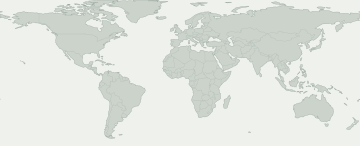
Виберіть зафарбовану область, щоб переглянути запис про прошивку. Синім позначено широкий ринок, наприклад Європу чи Кавказ, а не запис для кожної країни.
Ринки, що охоплюють кілька країн
Виберіть ринок, щоб переглянути запис і його джерело. Доступність може різнитися в межах зафарбованої області.
Для цього вибору немає регіонів прошивок із точкою на карті. Точні записи дивіться в активності CSC.
Для деяких регіонів прошивки немає місця на карті. Їхні записи все одно є в таблиці.
Моделі та регіони прошивок
Розкрийте пристрій Galaxy, щоб порівняти точні коди моделей. Під кожним кодом зазначено ринки із записами про прошивку для цього випуску. Свій код можна знайти в розділі «Про телефон».
Пристроїв Galaxy: 16 · точних моделей: 20 · регіонів прошивки: 69
Збірка у джереліСпостереження трекера
Числа показують, для скількох точних моделей є запис у кожному регіоні прошивки. Розкрийте пристрій, щоб побачити моделі та джерела.
Знайдена прошивка не гарантує оновлення на вашому телефоні. Перевірте «Налаштування → Оновлення ПЗ» на самому пристрої.
Перевірити мій Galaxy
Що відомо про ваш Galaxy?
Оберіть точну модель і CSC прошивки, а не ваше місцезнаходження.
Оберіть пристрій, щоб перевірити цю версію.
Перебіг поширення
Зафіксована активність
Перша поява на кожній точній парі модель/регіон. Повторні перевірки без змін не збільшують підсумок.
- 4
- 1
- 1
- 1
- 1
- 2
- 7
- 1
- 1
- 1
- 2
- 1
Охоплення моделей
Моделі Galaxy із записами прошивок
Розгорніть модель, щоб побачити точний код, CSC, першу збірку, дату й запис джерела.
Galaxy A10s3 Пари модель/регіон
Galaxy Fold2 Пари модель/регіон
Galaxy M315 Пари модель/регіон
Galaxy Note10 5G3 Пари модель/регіон
Galaxy Note10+ 5G2 Пари модель/регіон
Galaxy Note93 Пари модель/регіон
Galaxy S103 Пари модель/регіон
Galaxy S10 5G3 Пари модель/регіон
Galaxy S10+3 Пари модель/регіон
Galaxy S10e2 Пари модель/регіон
Galaxy S93 Пари модель/регіон
Galaxy S9+2 Пари модель/регіон
Galaxy Tab A 10.1 (2019)3 Пари модель/регіон
Galaxy Tab A 8.4 (2020)9 Пари модель/регіон
SM-T307U / BMC
T307UVLU3BTH5Дата публікації збіркиSM-T307U / CHRT307UVLU3BTH5Дата публікації збіркиSM-T307U / FMCT307UVLU3BTH5Дата публікації збіркиSM-T307U / GLWT307UVLU3BTH5Дата публікації збіркиSM-T307U / KDOT307UVLU3BTH5Дата публікації збіркиSM-T307U / RWCT307UVLU3BTH5Дата публікації збіркиSM-T307U / TLST307UVLU3BTH5Дата публікації збіркиSM-T307U / TMBT307USQU3BTH7Дата публікації збіркиSM-T307U / VMCT307UVLU3BTH5Дата публікації збіркиПереглянути дані →Galaxy Tab A8 (2019)74 Пари модель/регіон
SM-T290 / AFG
T290XXU3BTG1Дата публікації збіркиSM-T290 / AROT290XXU3BTG1Дата публікації збіркиSM-T290 / BGLT290XXU3BTG1Дата публікації збіркиSM-T290 / BTUT290XXU3BTG1Дата публікації збіркиSM-T290 / CHNT290ZCU3BTG1Дата публікації збіркиSM-T290 / CHOT290XXU3BTG1Дата публікації збіркиSM-T290 / COOT290XXU3BTG1Дата публікації збіркиSM-T290 / EONT290XXU3BTG1Дата публікації збіркиSM-T290 / ILOT290XXU3BTG1Дата публікації збіркиSM-T290 / ITVT290XXU3BTG1Дата публікації збіркиSM-T290 / KSAT290XXU3BTG1Дата публікації збіркиSM-T290 / PHET290XXU3BTG1Дата публікації збіркиSM-T290 / PHNT290XXU3BTG1Дата публікації збіркиSM-T290 / ROMT290XXU3BTG1Дата публікації збіркиSM-T290 / SEBT290XXU3BTG1Дата публікації збіркиSM-T290 / SEET290XXU3BTG1Дата публікації збіркиSM-T290 / SEKT290XXU3BTG1Дата публікації збіркиSM-T290 / SERT290XXU3BTG1Дата публікації збіркиSM-T290 / SIOT290XXU3BTG1Дата публікації збіркиSM-T290 / SKZT290XXU3BTG1Дата публікації збіркиSM-T290 / TPHT290XXU3BTG1Дата публікації збіркиSM-T290 / TURT290XXU3BTG1Дата публікації збіркиSM-T290 / UPOT290XXU3BTG1Дата публікації збіркиSM-T290 / XART290XXU3BTG1Дата публікації збіркиSM-T290 / XEHT290XXU3BTG1Дата публікації збіркиSM-T290 / XEOT290XXU3BTG1Дата публікації збіркиSM-T290 / XFAT290XXU3BTG1Дата публікації збіркиSM-T290 / XSAT290XXU3BTG1Дата публікації збіркиSM-T290 / ZTOT290XXU3BTG1Дата публікації збіркиSM-T295 / ACRT295XXU3BTFEДата публікації збіркиSM-T295 / AFGT295XXU3BTFEДата публікації збіркиSM-T295 / AFRT295XXU3BTFEДата публікації збіркиSM-T295 / AUTT295XXU3BTFGДата публікації збіркиSM-T295 / BGLT295XXU3BTFGДата публікації збіркиSM-T295 / BNGT295XXU3BTFEДата публікації збіркиSM-T295 / BRIT295XXU3BTFEДата публікації збіркиSM-T295 / BTCT295XXU3BTFEДата публікації збіркиSM-T295 / CACT295XXU3BTFGДата публікації збіркиSM-T295 / CAMT295XXU3BTFEДата публікації збіркиSM-T295 / CAUT295XXU3BTFGДата публікації збіркиSM-T295 / DBTT295XXU3BTFGДата публікації збіркиSM-T295 / EURT295XXU3BTFGДата публікації збіркиSM-T295 / ILOT295XXU3BTFEДата публікації збіркиSM-T295 / INST295XXU3BTFEДата публікації збіркиSM-T295 / ITVT295XXU3BTFGДата публікації збіркиSM-T295 / KSAT295XXU3BTFEДата публікації збіркиSM-T295 / LUXT295XXU3BTFGДата публікації збіркиSM-T295 / MIDT295XXU3BTFEДата публікації збіркиSM-T295 / MM1T295XXU3BTFEДата публікації збіркиSM-T295 / NPLT295XXU3BTFEДата публікації збіркиSM-T295 / PHET295XXU3BTFGДата публікації збіркиSM-T295 / ROMT295XXU3BTFGДата публікації збіркиSM-T295 / SEBT295XXU3BTFGДата публікації збіркиSM-T295 / SEKT295XXU3BTFGДата публікації збіркиSM-T295 / SERT295XXU3BTFGДата публікації збіркиSM-T295 / SIOT295XXU3BTFGДата публікації збіркиSM-T295 / SKZT295XXU3BTFGДата публікації збіркиSM-T295 / SLKT295XXU3BTFEДата публікації збіркиSM-T295 / STHT295XXU3BTFEДата публікації збіркиSM-T295 / THLT295XXU3BTFEДата публікації збіркиSM-T295 / TPHT295XXU3BTFGДата публікації збіркиSM-T295 / TUNT295XXU3BTFEДата публікації збіркиSM-T295 / XEFT295XXU3BTFGДата публікації збіркиSM-T295 / XEHT295XXU3BTFGДата публікації збіркиSM-T295 / XEOT295XXU3BTFGДата публікації збіркиSM-T295 / XFAT295XXU3BTFEДата публікації збіркиSM-T295 / XFVT295XXU3BTFEДата публікації збіркиSM-T295 / XIDT295XXU3BTFEДата публікації збіркиSM-T295 / XMET295XXU3BTFEДата публікації збіркиSM-T295 / XSAT295XXU3BTFEДата публікації збіркиSM-T295 / XTCT295XXU3BTFEДата публікації збіркиSM-T295C / CHCT295CZCU3BTFEДата публікації збіркиSM-T295C / TGYT295CZHU3BTG1Дата публікації збіркиSM-T297 / TURT297JXU3BTFEДата публікації збіркиПереглянути дані →W20191 Пари модель/регіон
Офіційні строки
Офіційні строки
Заяви Samsung показані окремо від перевірок трекера. Враховуйте їхню область дії та спосіб випуску.
Підтверджених офіційних строків тут немає.
Перевірені дані джерела
Перевірені дані джерела
Прийняті записи про збірки цієї версії з точною моделлю, регіоном прошивки та джерелом.
Galaxy Tab A8 (2019) · SM-T290 / PHN
T290XXU3BTG1Запис про збірку для цієї моделі та регіону прошивки.
Перевірені дані джерела →Докази ↗Примітки джерела до випуску
One UI 2.1 upgrade with Android 10 One UI 2.1 brings you Android 10, with exciting new features from Samsung and Google based on feedback from users like you. We recommend that you back up your important data to keep it safe during the upgrade. Some apps, including Calculator, Samsung Internet and Samsung Notes, need to be updated individually after you update your OS. Dark mode - Enhanced image, text, and color adjustments for day and night environments. Icons and colors - Clearer app icons and system colors. Accessibility - High contrast keyboards and layouts for large text have been improved. Device care - The battery usage graph now provides more detailed information. Camera - Added the ability to edit the modes that appear at the bottom of the screen. - Provided a More tab so you can quickly access hidden modes from the preview screen. Internet - Customize the quick menu to get instant access to the features you use the most. - Get more information from the app bar. My Files - Added more filters you can use while searching to help you find things quickly. Calculator - Added speed and time units to the unit converter.
Galaxy Tab A8 (2019) · SM-T295 / BNG
T295XXU3BTFEЗапис про збірку для цієї моделі та регіону прошивки.
Перевірені дані джерела →Докази ↗Примітки джерела до випуску
One UI 2.1 upgrade with Android 10 One UI 2.1 brings you Android 10, with exciting new features from Samsung and Google based on feedback from users like you. We recommend that you back up your important data to keep it safe during the upgrade. Some apps, including Calculator, Samsung Internet, and Samsung Notes, need to be updated individually after you update your OS. Dark mode - Enhanced image, text, and color adjustments for day and night environments. Icons and colors - Clearer app icons and system colors. Device care - The battery usage graph now provides more detailed information. Camera - Added the ability to edit the modes that appear at the bottom of the screen. - Provided a More tab so you can quickly access hidden modes from the preview screen. Internet - Customize the quick menu to get instant access to the features you use the most. - Get more information from the app bar. My Files - Added more filters you can use while searching to help you find things quickly. Calculator - Added speed and time units to the unit converter. Quick Share - Files can now be quickly and easily shared with nearby Samsung devices using Quick Share.
Galaxy Tab A8 (2019) · SM-T295 / XEO
T295XXU3BTFGЗапис про збірку для цієї моделі та регіону прошивки.
Перевірені дані джерела →Докази ↗Примітки джерела до випуску
One UI 2.1 upgrade with Android 10 One UI 2.1 brings you Android 10, with exciting new features from Samsung and Google based on feedback from users like you. We recommend that you back up your important data to keep it safe during the upgrade. Some apps, including Calculator, Samsung Internet, and Samsung Notes, need to be updated individually after you update your OS. Dark mode - Enhanced image, text, and color adjustments for day and night environments. Icons and colors - Clearer app icons and system colors. Device care - The battery usage graph now provides more detailed information. Camera - Added the ability to edit the modes that appear at the bottom of the screen. - Provided a More tab so you can quickly access hidden modes from the preview screen. Internet - Customize the quick menu to get instant access to the features you use the most. - Get more information from the app bar. My Files - Added more filters you can use while searching to help you find things quickly. Calculator - Added speed and time units to the unit converter. Quick Share - Files can now be quickly and easily shared with nearby Samsung devices using Quick Share.
Galaxy Tab A8 (2019) · SM-T290 / KSA
T290XXU3BTG1Запис про збірку для цієї моделі та регіону прошивки.
Перевірені дані джерела →Докази ↗Примітки джерела до випуску
One UI 2.1 upgrade with Android 10 One UI 2.1 brings you Android 10, with exciting new features from Samsung and Google based on feedback from users like you. We recommend that you back up your important data to keep it safe during the upgrade. Some apps, including Calculator, Samsung Internet and Samsung Notes, need to be updated individually after you update your OS. Dark mode - Enhanced image, text, and color adjustments for day and night environments. Icons and colors - Clearer app icons and system colors. Accessibility - High contrast keyboards and layouts for large text have been improved. Device care - The battery usage graph now provides more detailed information. Camera - Added the ability to edit the modes that appear at the bottom of the screen. - Provided a More tab so you can quickly access hidden modes from the preview screen. Internet - Customize the quick menu to get instant access to the features you use the most. - Get more information from the app bar. My Files - Added more filters you can use while searching to help you find things quickly. Calculator - Added speed and time units to the unit converter.
Galaxy Tab A 10.1 (2019) · SM-T515N / SKC
T515NKSU4BTFKЗапис про збірку для цієї моделі та регіону прошивки.
Перевірені дані джерела →Докази ↗Galaxy Tab A 8.4 (2020) · SM-T307U / FMC
T307UVLU3BTH5Запис про збірку для цієї моделі та регіону прошивки.
Перевірені дані джерела →Докази ↗Примітки джерела до випуску
One UI 2.1 upgrade with Android 10 One UI 2.1 brings you Android 10, with exciting new features from Samsung and Google based on feedback from users like you. We recommend that you back up your important data to keep it safe during the upgrade. Some apps, including Calculator, Samsung Internet, Samsung Health and Samsung Notes, need to be updated individually after you update your OS. Here's what's new. Dark mode - Enhanced image, text, and color adjustments for day and night environments. - Darkened wallpapers, widgets, and alarms while Dark mode is on. Icons and colors - Clearer app icons and system colors. - Improved layouts for titles and buttons to eliminate wasted screen space. Smoother animations - Enhanced animations with a playful touch. Full screen gestures - Added new navigation gestures. Refined interactions - Navigate more comfortably on large screens with minimal finger movement. - Easily focus on what matters with clearly highlighted buttons. Accessibility - High contrast keyboards and layouts for large text have been improved. - Listen to live speech and display it as text. Better text over wallpapers - See text more clearly against wallpaper, as One UI automatically adjusts font colors based on light and dark areas and color contrast in the image below. Media and devices - Replaced the SmartThings panel with the Media and Devices. - Media: Control music and videos playing on your phone as well as other devices. - Devices: Check and control your SmartThings devices directly from the quick panel. Device care - The battery usage graph now provides more detailed information. - Added battery limit setting and other enhancements for Wireless PowerShare. Digital wellbeing - Set goals to keep your phone usage in check. - Use Focus mode to help avoid distractions from your phone. - Keep an eye on your kids with new parental controls. Camera - Added the ability to edit the modes that appear at the bottom of the screen. - Provided a More tab so you can quickly access hidden modes from the preview screen. - Improved the layout so you can focus on taking pictures without the settings getting in the way. Internet - Customize the quick menu to get instant access to the features you use the most. - Get more information from the app bar. - Install add-ons from the Galaxy Store to get even more features. Samsung Contacts - Added Trash feature for Contacts. Contacts that you delete will stay in the trash for 15 days before being deleted forever. Calendar - Stickers can be added to a date without creating an event. - Ringtones can be used for event alerts. Reminder - More options are available for repeating reminders. - Set location-based reminders for a specific period of time. - Share reminders with your family group and other sharing groups. - Set reminders for a specific date without an alert. My Files - Created a Trash feature so you can restore files if you delete something by mistake. - Added more filters you can use while searching to help you find things quickly. - You can now copy or move multiple files and folders to different destinations at the same time. Calculator - Added speed and time units to the unit converter.
Galaxy Tab A8 (2019) · SM-T295 / CAM
T295XXU3BTFEЗапис про збірку для цієї моделі та регіону прошивки.
Перевірені дані джерела →Докази ↗Примітки джерела до випуску
One UI 2.1 upgrade with Android 10 One UI 2.1 brings you Android 10, with exciting new features from Samsung and Google based on feedback from users like you. We recommend that you back up your important data to keep it safe during the upgrade. Some apps, including Calculator, Samsung Internet, and Samsung Notes, need to be updated individually after you update your OS. Dark mode - Enhanced image, text, and color adjustments for day and night environments. Icons and colors - Clearer app icons and system colors. Device care - The battery usage graph now provides more detailed information. Camera - Added the ability to edit the modes that appear at the bottom of the screen. - Provided a More tab so you can quickly access hidden modes from the preview screen. Internet - Customize the quick menu to get instant access to the features you use the most. - Get more information from the app bar. My Files - Added more filters you can use while searching to help you find things quickly. Calculator - Added speed and time units to the unit converter. Quick Share - Files can now be quickly and easily shared with nearby Samsung devices using Quick Share.
Galaxy Tab A8 (2019) · SM-T290 / UPO
T290XXU3BTG1Запис про збірку для цієї моделі та регіону прошивки.
Перевірені дані джерела →Докази ↗Примітки джерела до випуску
One UI 2.1 upgrade with Android 10 One UI 2.1 brings you Android 10, with exciting new features from Samsung and Google based on feedback from users like you. We recommend that you back up your important data to keep it safe during the upgrade. Some apps, including Calculator, Samsung Internet and Samsung Notes, need to be updated individually after you update your OS. Dark mode - Enhanced image, text, and color adjustments for day and night environments. Icons and colors - Clearer app icons and system colors. Accessibility - High contrast keyboards and layouts for large text have been improved. Device care - The battery usage graph now provides more detailed information. Camera - Added the ability to edit the modes that appear at the bottom of the screen. - Provided a More tab so you can quickly access hidden modes from the preview screen. Internet - Customize the quick menu to get instant access to the features you use the most. - Get more information from the app bar. My Files - Added more filters you can use while searching to help you find things quickly. Calculator - Added speed and time units to the unit converter.
Galaxy Tab A8 (2019) · SM-T295 / SKZ
T295XXU3BTFGЗапис про збірку для цієї моделі та регіону прошивки.
Перевірені дані джерела →Докази ↗Примітки джерела до випуску
One UI 2.1 upgrade with Android 10 One UI 2.1 brings you Android 10, with exciting new features from Samsung and Google based on feedback from users like you. We recommend that you back up your important data to keep it safe during the upgrade. Some apps, including Calculator, Samsung Internet, and Samsung Notes, need to be updated individually after you update your OS. Dark mode - Enhanced image, text, and color adjustments for day and night environments. Icons and colors - Clearer app icons and system colors. Device care - The battery usage graph now provides more detailed information. Camera - Added the ability to edit the modes that appear at the bottom of the screen. - Provided a More tab so you can quickly access hidden modes from the preview screen. Internet - Customize the quick menu to get instant access to the features you use the most. - Get more information from the app bar. My Files - Added more filters you can use while searching to help you find things quickly. Calculator - Added speed and time units to the unit converter. Quick Share - Files can now be quickly and easily shared with nearby Samsung devices using Quick Share.
Galaxy Tab A8 (2019) · SM-T295 / XEH
T295XXU3BTFGЗапис про збірку для цієї моделі та регіону прошивки.
Перевірені дані джерела →Докази ↗Примітки джерела до випуску
One UI 2.1 upgrade with Android 10 One UI 2.1 brings you Android 10, with exciting new features from Samsung and Google based on feedback from users like you. We recommend that you back up your important data to keep it safe during the upgrade. Some apps, including Calculator, Samsung Internet, and Samsung Notes, need to be updated individually after you update your OS. Dark mode - Enhanced image, text, and color adjustments for day and night environments. Icons and colors - Clearer app icons and system colors. Device care - The battery usage graph now provides more detailed information. Camera - Added the ability to edit the modes that appear at the bottom of the screen. - Provided a More tab so you can quickly access hidden modes from the preview screen. Internet - Customize the quick menu to get instant access to the features you use the most. - Get more information from the app bar. My Files - Added more filters you can use while searching to help you find things quickly. Calculator - Added speed and time units to the unit converter. Quick Share - Files can now be quickly and easily shared with nearby Samsung devices using Quick Share.
Galaxy Tab A8 (2019) · SM-T295 / CAU
T295XXU3BTFGЗапис про збірку для цієї моделі та регіону прошивки.
Перевірені дані джерела →Докази ↗Примітки джерела до випуску
One UI 2.1 upgrade with Android 10 One UI 2.1 brings you Android 10, with exciting new features from Samsung and Google based on feedback from users like you. We recommend that you back up your important data to keep it safe during the upgrade. Some apps, including Calculator, Samsung Internet, and Samsung Notes, need to be updated individually after you update your OS. Dark mode - Enhanced image, text, and color adjustments for day and night environments. Icons and colors - Clearer app icons and system colors. Device care - The battery usage graph now provides more detailed information. Camera - Added the ability to edit the modes that appear at the bottom of the screen. - Provided a More tab so you can quickly access hidden modes from the preview screen. Internet - Customize the quick menu to get instant access to the features you use the most. - Get more information from the app bar. My Files - Added more filters you can use while searching to help you find things quickly. Calculator - Added speed and time units to the unit converter. Quick Share - Files can now be quickly and easily shared with nearby Samsung devices using Quick Share.
Galaxy Tab A8 (2019) · SM-T290 / XAR
T290XXU3BTG1Запис про збірку для цієї моделі та регіону прошивки.
Перевірені дані джерела →Докази ↗Примітки джерела до випуску
One UI 2.1 upgrade with Android 10 One UI 2.1 brings you Android 10, with exciting new features from Samsung and Google based on feedback from users like you. We recommend that you back up your important data to keep it safe during the upgrade. Some apps, including Calculator, Samsung Internet and Samsung Notes, need to be updated individually after you update your OS. Dark mode - Enhanced image, text, and color adjustments for day and night environments. Icons and colors - Clearer app icons and system colors. Accessibility - High contrast keyboards and layouts for large text have been improved. Device care - The battery usage graph now provides more detailed information. Camera - Added the ability to edit the modes that appear at the bottom of the screen. - Provided a More tab so you can quickly access hidden modes from the preview screen. Internet - Customize the quick menu to get instant access to the features you use the most. - Get more information from the app bar. My Files - Added more filters you can use while searching to help you find things quickly. Calculator - Added speed and time units to the unit converter.
Galaxy M31 · SM-M315F / INS
M315FXXU2ATI4Запис про збірку для цієї моделі та регіону прошивки.
Перевірені дані джерела →Докази ↗Примітки джерела до випуску
One UI 2.1 upgrade with Android 10 One UI 2.1 brings you Android 10, with exciting new features from Samsung and Google based on feedback from users like you. We recommend that you back up your important data to keep it safe during the upgrade. Some apps, including Calculator, Samsung Internet, Samsung Health and Samsung Notes, need to be updated individually after you update your OS. Here's what's new. Dark mode - Night mode name changed to Dark mode. - Enhanced image, text, and color adjustments for day and night environments. - Darkened wallpapers, widgets, and alarms while Dark mode is on. Icons and colors - Clearer app icons and system colors. - Improved layouts for titles and buttons to eliminate wasted screen space. Full screen gestures - Added new navigation gestures. One-handed mode - Settings moved to Settings > Advanced features > One-handed mode. Device care - The battery usage graph now provides more detailed information. Digital wellbeing - Set goals to keep your phone usage in check. - Use Focus mode to help avoid distractions from your phone. - Keep an eye on your kids with new parental controls. Samsung Contacts - Added Trash feature for Contacts. Contacts that you delete will stay in the trash for 15 days before being deleted forever. The security of your device has been improved.
Galaxy Tab A8 (2019) · SM-T290 / BGL
T290XXU3BTG1Запис про збірку для цієї моделі та регіону прошивки.
Перевірені дані джерела →Докази ↗Примітки джерела до випуску
One UI 2.1 upgrade with Android 10 One UI 2.1 brings you Android 10, with exciting new features from Samsung and Google based on feedback from users like you. We recommend that you back up your important data to keep it safe during the upgrade. Some apps, including Calculator, Samsung Internet and Samsung Notes, need to be updated individually after you update your OS. Dark mode - Enhanced image, text, and color adjustments for day and night environments. Icons and colors - Clearer app icons and system colors. Accessibility - High contrast keyboards and layouts for large text have been improved. Device care - The battery usage graph now provides more detailed information. Camera - Added the ability to edit the modes that appear at the bottom of the screen. - Provided a More tab so you can quickly access hidden modes from the preview screen. Internet - Customize the quick menu to get instant access to the features you use the most. - Get more information from the app bar. My Files - Added more filters you can use while searching to help you find things quickly. Calculator - Added speed and time units to the unit converter.
Galaxy Tab A8 (2019) · SM-T290 / ROM
T290XXU3BTG1Запис про збірку для цієї моделі та регіону прошивки.
Перевірені дані джерела →Докази ↗Примітки джерела до випуску
One UI 2.1 upgrade with Android 10 One UI 2.1 brings you Android 10, with exciting new features from Samsung and Google based on feedback from users like you. We recommend that you back up your important data to keep it safe during the upgrade. Some apps, including Calculator, Samsung Internet and Samsung Notes, need to be updated individually after you update your OS. Dark mode - Enhanced image, text, and color adjustments for day and night environments. Icons and colors - Clearer app icons and system colors. Accessibility - High contrast keyboards and layouts for large text have been improved. Device care - The battery usage graph now provides more detailed information. Camera - Added the ability to edit the modes that appear at the bottom of the screen. - Provided a More tab so you can quickly access hidden modes from the preview screen. Internet - Customize the quick menu to get instant access to the features you use the most. - Get more information from the app bar. My Files - Added more filters you can use while searching to help you find things quickly. Calculator - Added speed and time units to the unit converter.
Galaxy Tab A8 (2019) · SM-T295 / BRI
T295XXU3BTFEЗапис про збірку для цієї моделі та регіону прошивки.
Перевірені дані джерела →Докази ↗Примітки джерела до випуску
One UI 2.1 upgrade with Android 10 One UI 2.1 brings you Android 10, with exciting new features from Samsung and Google based on feedback from users like you. We recommend that you back up your important data to keep it safe during the upgrade. Some apps, including Calculator, Samsung Internet, and Samsung Notes, need to be updated individually after you update your OS. Dark mode - Enhanced image, text, and color adjustments for day and night environments. Icons and colors - Clearer app icons and system colors. Device care - The battery usage graph now provides more detailed information. Camera - Added the ability to edit the modes that appear at the bottom of the screen. - Provided a More tab so you can quickly access hidden modes from the preview screen. Internet - Customize the quick menu to get instant access to the features you use the most. - Get more information from the app bar. My Files - Added more filters you can use while searching to help you find things quickly. Calculator - Added speed and time units to the unit converter. Quick Share - Files can now be quickly and easily shared with nearby Samsung devices using Quick Share.
Galaxy Tab A8 (2019) · SM-T295 / DBT
T295XXU3BTFGЗапис про збірку для цієї моделі та регіону прошивки.
Перевірені дані джерела →Докази ↗Примітки джерела до випуску
One UI 2.1 upgrade with Android 10 One UI 2.1 brings you Android 10, with exciting new features from Samsung and Google based on feedback from users like you. We recommend that you back up your important data to keep it safe during the upgrade. Some apps, including Calculator, Samsung Internet, and Samsung Notes, need to be updated individually after you update your OS. Dark mode - Enhanced image, text, and color adjustments for day and night environments. Icons and colors - Clearer app icons and system colors. Device care - The battery usage graph now provides more detailed information. Camera - Added the ability to edit the modes that appear at the bottom of the screen. - Provided a More tab so you can quickly access hidden modes from the preview screen. Internet - Customize the quick menu to get instant access to the features you use the most. - Get more information from the app bar. My Files - Added more filters you can use while searching to help you find things quickly. Calculator - Added speed and time units to the unit converter. Quick Share - Files can now be quickly and easily shared with nearby Samsung devices using Quick Share.
Galaxy S9+ · SM-G965N / SKC
G965NKSU3ETF4Запис про збірку для цієї моделі та регіону прошивки.
Перевірені дані джерела →Докази ↗Galaxy S10+ · SM-G975N / SKC
G975NKSU4CTC9Запис про збірку для цієї моделі та регіону прошивки.
Перевірені дані джерела →Докази ↗Galaxy Tab A8 (2019) · SM-T295 / XEF
T295XXU3BTFGЗапис про збірку для цієї моделі та регіону прошивки.
Перевірені дані джерела →Докази ↗Примітки джерела до випуску
One UI 2.1 upgrade with Android 10 One UI 2.1 brings you Android 10, with exciting new features from Samsung and Google based on feedback from users like you. We recommend that you back up your important data to keep it safe during the upgrade. Some apps, including Calculator, Samsung Internet, and Samsung Notes, need to be updated individually after you update your OS. Dark mode - Enhanced image, text, and color adjustments for day and night environments. Icons and colors - Clearer app icons and system colors. Device care - The battery usage graph now provides more detailed information. Camera - Added the ability to edit the modes that appear at the bottom of the screen. - Provided a More tab so you can quickly access hidden modes from the preview screen. Internet - Customize the quick menu to get instant access to the features you use the most. - Get more information from the app bar. My Files - Added more filters you can use while searching to help you find things quickly. Calculator - Added speed and time units to the unit converter. Quick Share - Files can now be quickly and easily shared with nearby Samsung devices using Quick Share.
Знайдено
Останні перевірки
У цьому зрізі немає прийнятих спостережень версії.